In a bustling office where a sales team is juggling multiple client interactions, the challenge of managing relationships effectively becomes paramount. Imagine a scenario where every email, meeting, and task needs to be seamlessly organized, especially when your team relies heavily on Google Workspace. In such an environment, selecting the right Customer Relationship Management (CRM) software can make all the difference. Copper CRM emerges as a powerful ally, offering deep integration with Google Workspace to streamline operations and enhance collaboration. As you delve into Copper CRM pricing, this guide will help you navigate its various plans, features, and how it compares to alternatives like Lark, ensuring you make an informed choice that supports your business aspirations.
What is Copper CRM?
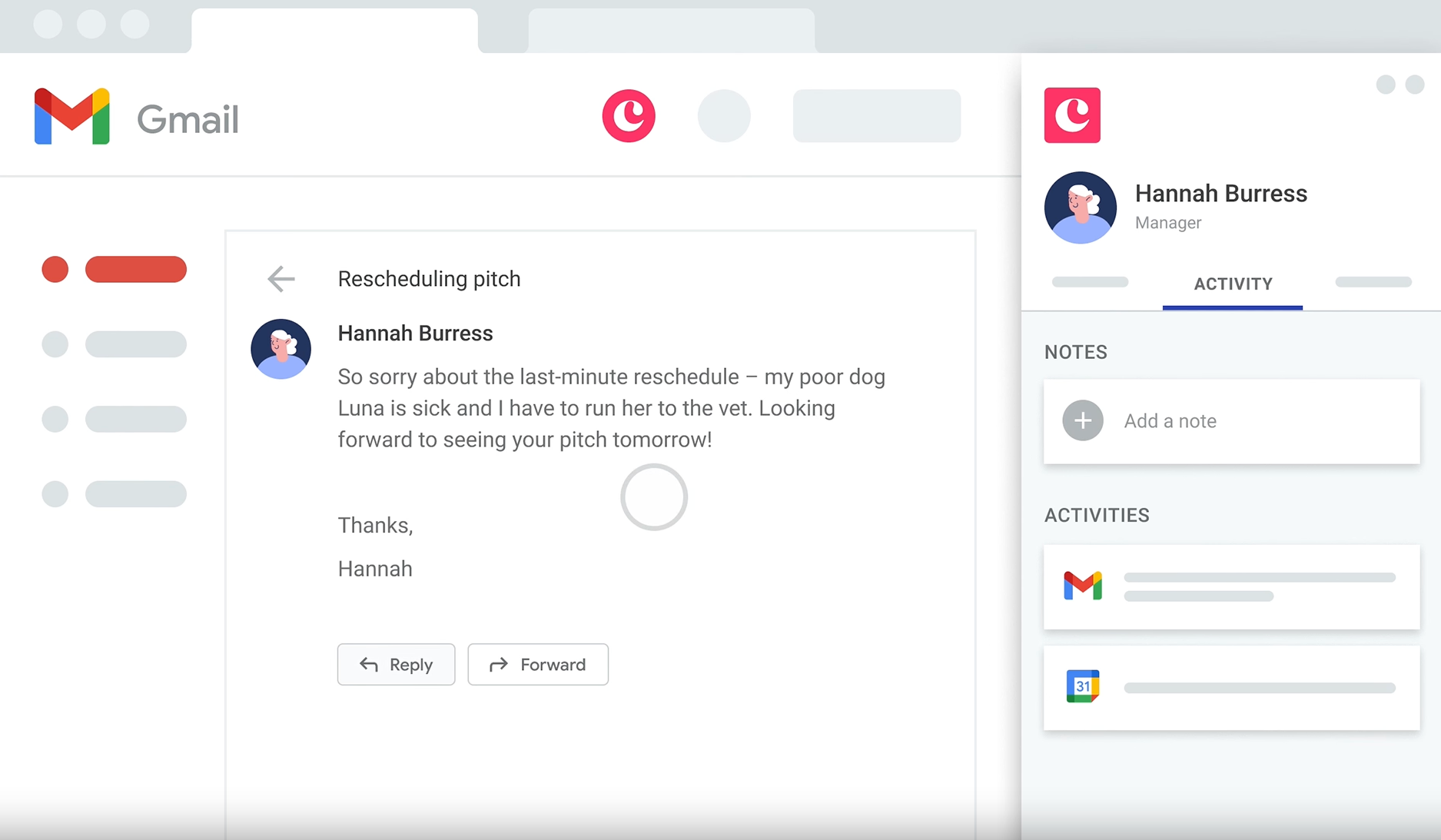
Image source: copper.com
is a cloud-based customer relationship management platform designed primarily for organizations using Google Workspace. Its primary purpose is to optimize sales processes, enhance collaboration, and improve customer engagement. Copper CRM stands out due to its seamless integration with Google applications like Gmail, Google Calendar, and Google Drive, allowing users to manage their customer interactions directly from their familiar workspace.
One of the key features of Copper CRM is its automation capabilities, which help teams save time on repetitive tasks and focus on more strategic activities. Additionally, the platform offers customizable dashboards, , and robust pipeline management tools, making it an invaluable asset for sales teams. By providing a user-friendly interface and embedding itself within the Google ecosystem, Copper CRM enables businesses to leverage their existing tools for efficient , significantly enhancing productivity and collaboration.
For more Google Workspace's information, you can refer to and .
Copper CRM pricing plans: At a glance
Copper CRM offers a range of pricing plans tailored to meet the diverse needs of businesses, whether they are or large enterprises. Understanding the nuances of each plan is crucial for businesses aiming to leverage the strengths of Copper while staying within budget.
Information source: coppercrm.com
Update time: 2025/12/15
Eager to try a cheaper but greater tool?
Detailed analysis of Copper CRM pricing plans
Understanding the features associated with Copper CRM pricing is crucial for businesses aiming to leverage effectively. From basic functionalities to advanced automation and customization options, Copper provides a comprehensive suite that can cater to varying business needs. By selecting the appropriate pricing plan in line with your requirements, organizations can enhance their customer relationship management and drive significant business growth.
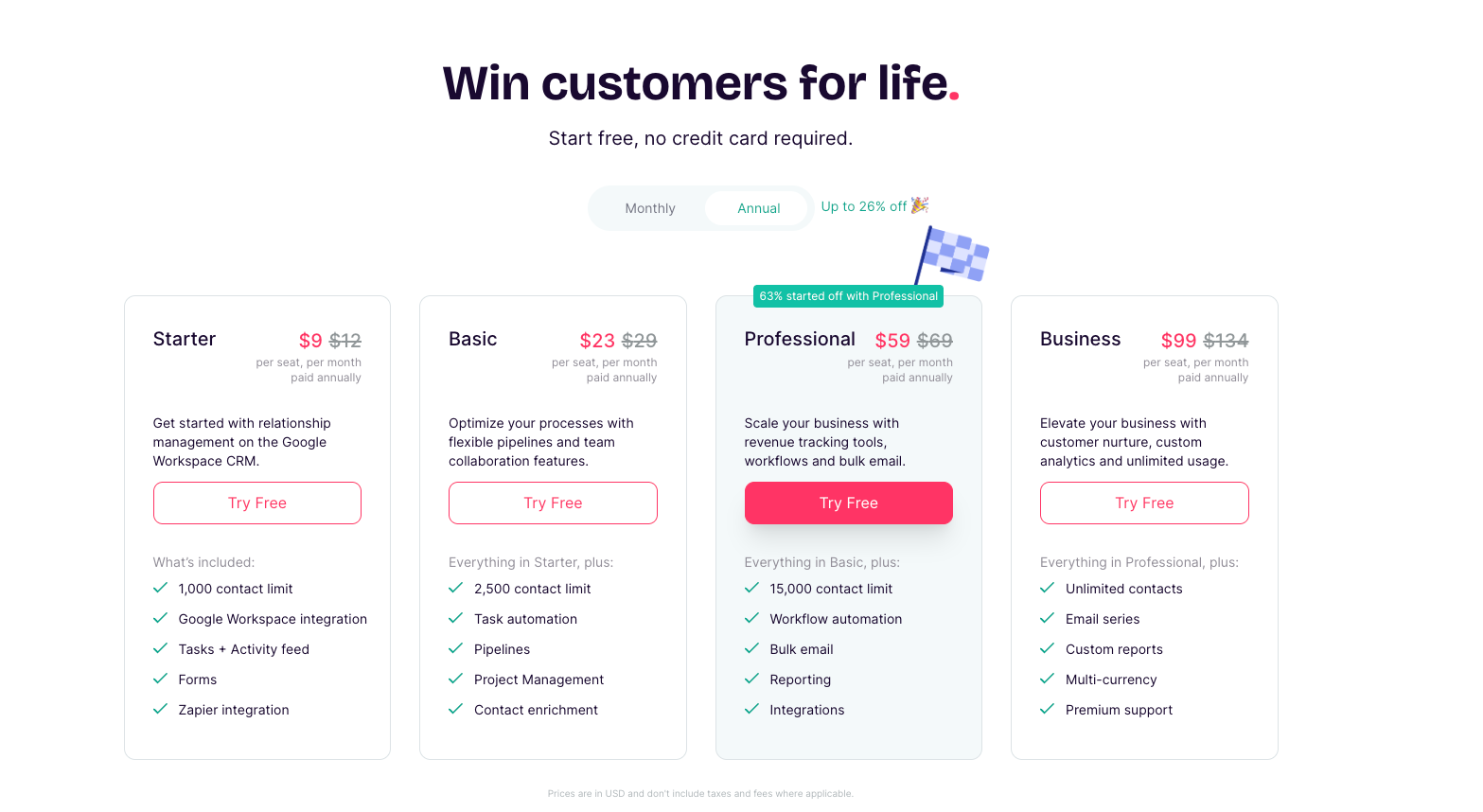
Image source: copper.com
Diving deeper into Copper CRM features and pricing, it's essential to highlight specific functionalities associated with each plan. The value derived from these features can significantly influence the effectiveness of your CRM strategy and overall business productivity.
Starter plan: $9 per seat/month
Features:
- Google Workspace integration: A seamless connection with applications makes Copper CRM a unique choice. Users can track emails, manage contacts, and create tasks directly from Google applications, eliminating the need for switching platforms.
- : This feature allows users to keep track of all customer data in one place. You can store contact details, communication history, and relevant notes, making it easier to nurture leads.
- : Users can assign tasks and set reminders, ensuring that deadlines are met and no lead falls through the cracks. It provides a simple way to organize daily activities.
- Basic reporting tools: Essential for any CRM, these tools allow users to generate reports and insights into sales activities and customer interactions.
Good for:
This plan is well-suited for small businesses or startups looking to implement CRM capabilities without breaking the bank.
Basic plan: $23 per seat/month
Features:
Everything in Starter plan, and the following:
- Advanced reporting and dashboards: Customized dashboards provide visual insight into sales performance, allowing teams to track key performance indicators (KPIs) easily.
- Pipeline management: Users can visualize their sales pipeline, making it easier to identify stages where a deal may be stuck and adjust strategies accordingly.
- Email tracking: See when a customer opens an email or clicks a link, facilitating better follow-ups and engagement.
- Basic API access: For businesses looking to connect Copper with other applications, basic API access allows integrations across platforms.
Good for:
Medium-sized businesses that require more advanced functionalities to streamline sales processes.
Professional plan: $59 per seat/month
Features:
Everything in Basic plan, and the following:
- Customization options: In this tier, businesses can customize fields, layouts, and workflows to better adapt Copper CRM to their internal processes.
- : Automate routine tasks to streamline operations and to ensure consistency in customer interactions.
- User roles management: Assign roles and permissions to team members based on their responsibilities, improving accountability and data security.
- Priority support: Receive assistance more quickly than with lower tiers, ensuring minimal downtime for your team.
Good for:
Teams that need comprehensive features and a higher degree of customization.
Business plan: $99 per seat/month
Features:
- Everything in Business plan, and the following:
- Custom integrations: Tailored solutions enable businesses to connect Copper with various platforms, ensuring that it fits perfectly within their tech stack.
- Dedicated : Get strategic advice and assistance with Copper's features and best practices through a dedicated account manager.
- Advanced security options: Enterprises can implement specific security measures to protect sensitive data, particularly important for businesses in regulated industries.
- Service level agreements (SLAs): Guarantees that detail the reliability and availability of services, critical for businesses that rely heavily on uptime.
Good for:
Large enterprises with specialized requirements, particularly those in sectors with compliance obligations.
Tired of Copper CRM's expensive cost?
Who finds Copper CRM sufficient and who doesn't
Businesses that benefit from Copper CRM
Copper CRM is particularly compelling for businesses that are deeply integrated into the Google Workspace ecosystem. Below are some key characteristics of organizations that typically find Copper CRM sufficient for their needs:
1. Small to medium-sized businesses (SMBs): Many SMBs appreciate Copper CRM's user-friendly interface and seamless integration with Google applications (Gmail, Google Calendar, etc.). This integration helps streamline operations and improves , crucial for companies with limited resources.
2. Startups: Newer companies often require essential tools that can be implemented quickly without extensive setup. The Basic and Professional plans of Copper provide essential functionalities like:
These features enable startups to manage their customer interactions efficiently without overwhelming complexity.
3. Teams prioritizing collaboration: Organizations that focus on efficient teamwork and collaboration find that Copper's features promote better communication among team members. The integration with Google Workspace allows for real-time collaboration on shared documents, calendar invites, and email threads, fostering a cohesive work environment.
4. Companies seeking simplicity in CRM: Many users appreciate that Copper reduces the need for training and complex configurations, making it ideal for businesses that want a straightforward CRM solution without a steep learning curve.
In summary, businesses operating within the Google Workspace environment, particularly smaller organizations focused on collaboration and efficiency, typically find Copper CRM to be a suitable and effective solution. The pricing features included in Copper CRM's Basic and Professional plans meet their fundamental needs without unnecessary complications.
Businesses that may find Copper CRM lacking
While Copper CRM works well for many, it may not meet the needs of all organizations, particularly those with more advanced or specialized requirements. Here are key indicators that Copper might fall short for some businesses:
1. Larger enterprises: Bigger organizations often have unique demands that require advanced functionalities. These enterprises may seek:
- Extensive customization options
- Advanced analytics and reporting tools
- Detailed user role management
As a result, they may find Copper's offerings insufficient without the required flexibility and depth.
2. Industries with specialized needs: Companies operating in specific sectors—such as finance, healthcare, or manufacturing—often require CRM solutions tailored to comply with industry regulations and unique workflows. For these organizations, Copper's general approach might lack the specialized features they need.
3. Organizations needing : Firms that rely heavily on data-driven decision-making may find Copper's reporting functionalities too basic. They might be seeking more advanced analytics tools that can provide in-depth insights and forecasts for strategic planning.
4. Businesses not using Google Workspace: Organizations that do not use Google Workspace may not benefit fully from Copper's integration features. For these companies, other CRM options that offer wider compatibility with different tools and services may be more appealing. These competitors often provide integrations with platforms like Microsoft 365, Salesforce, and more, making them a better fit for businesses with diverse software ecosystems.
5. Complex organizational structures: Companies with multiple departments and varied needs often require CRM systems that can provide varied levels of access, customized dashboards, and comprehensive workflow automations. If a CRM lacks these capabilities, it may hinder their operational efficiency.
Given these considerations, it is essential for businesses to carefully evaluate their unique needs, including the size of their organization, industry-specific requirements, and existing software ecosystems. By thoroughly evaluating these factors, organizations can determine whether Copper CRM is the right fit or if they should explore more robust alternatives like Lark that align better with their strategic goals.
A modern alternative to Copper CRM: Lark
While Copper CRM excels in customer relationship management, its high price and limited features can be a significant barrier for smaller teams and startups. Many businesses find the investment required for Copper restricts their ability to implement other essential tools for operations. In contrast, provides a comprehensive suite of collaboration tools that address various team needs. With features like project management, real-time document editing, instant messaging, and video conferencing, Lark not only offers a powerful but also keeps costs low across its paid tiers. This makes it an accessible solution for teams of all sizes, allowing them to enhance productivity without financial strain.
Enhancing CRM functionality with Lark Base
One major drawback of Copper CRM is its limited customization options and reliance on Google Workspace, which can restrict flexibility and hinder effective customer relationship management. Many users find that while it offers strong integration with Google apps, it lacks advanced features needed for detailed customer analysis and automated workflows. This can lead to challenges in data management and collaboration among teams.
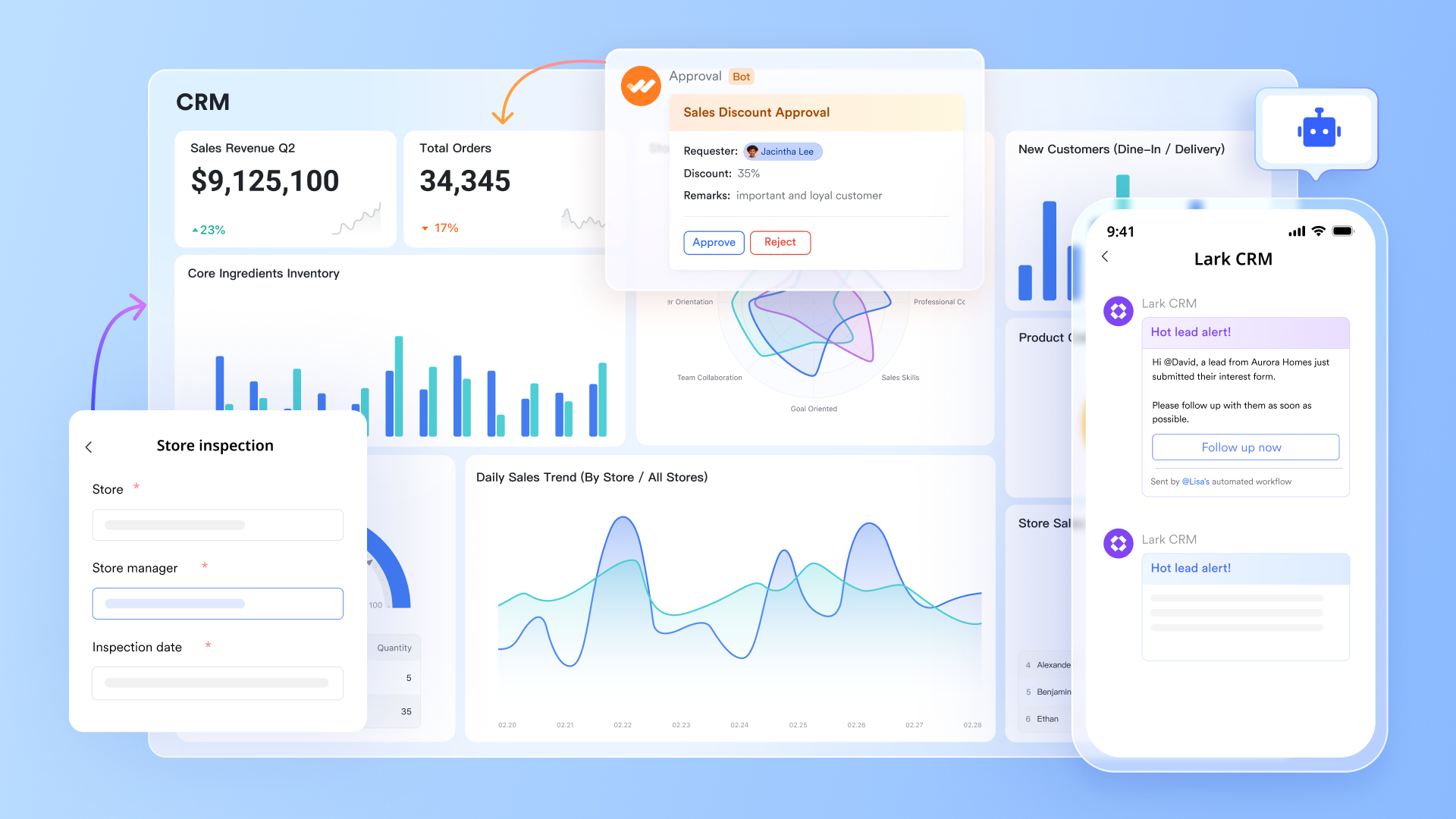
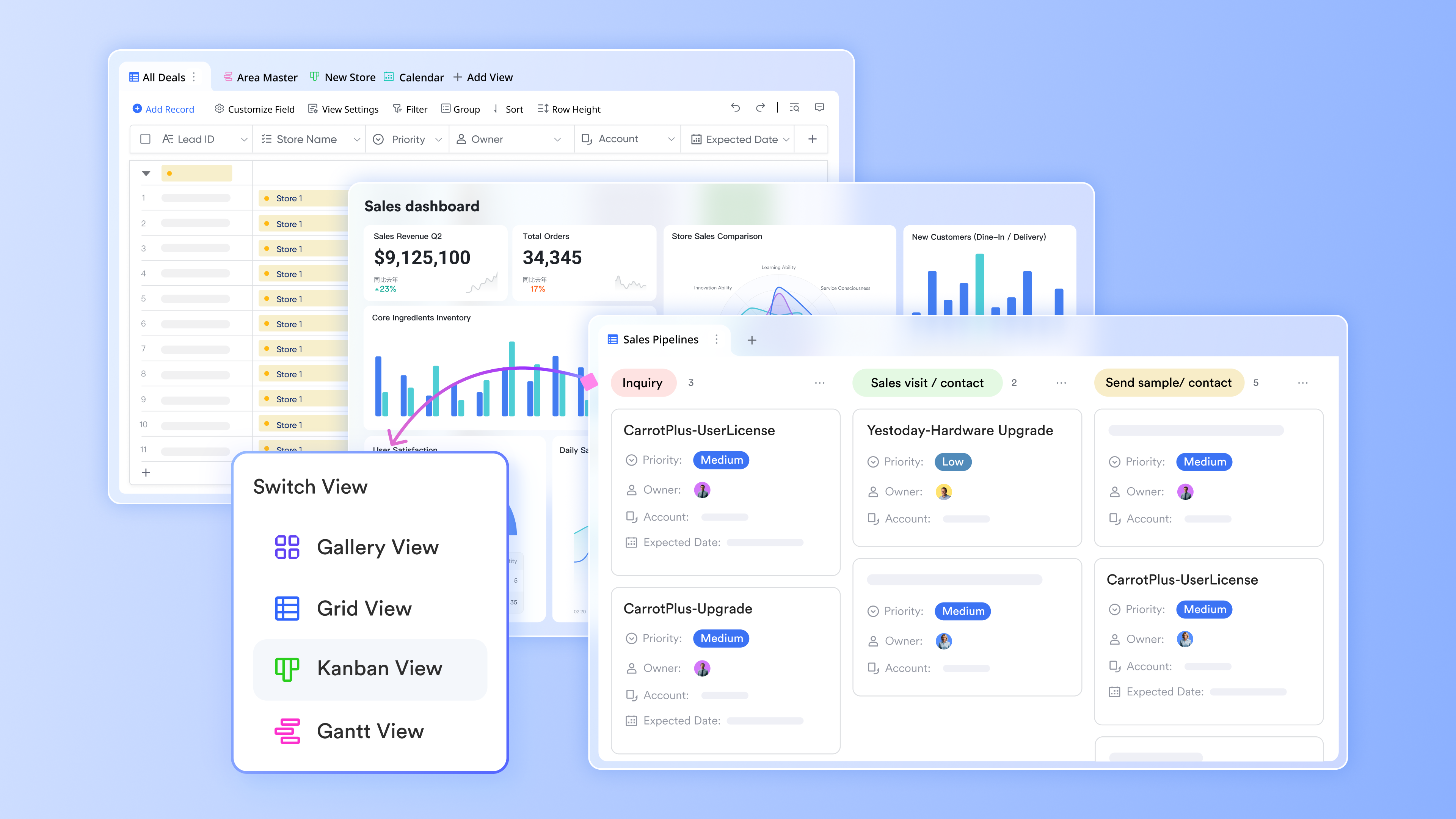
In contrast, offers a powerful, flexible platform that allows teams to create a fully customized CRM tailored to their specific needs. Users can easily add fields for deal stages, contacts, and activities, enabling them to align their with their workflow seamlessly. Additionally, Lark Base supports to streamline routine CRM tasks like updating deal statuses or managing follow-ups, which is a feature that Copper often lacks. With AI-powered insights, Lark Base helps teams analyze customer data intelligently, providing dashboards for monitoring deal trends and customer performance. Furthermore, the platform's drag-and-drop interface empowers non-technical users to design and modify CRM processes quickly.
Enhanced collaboration with Lark Docs
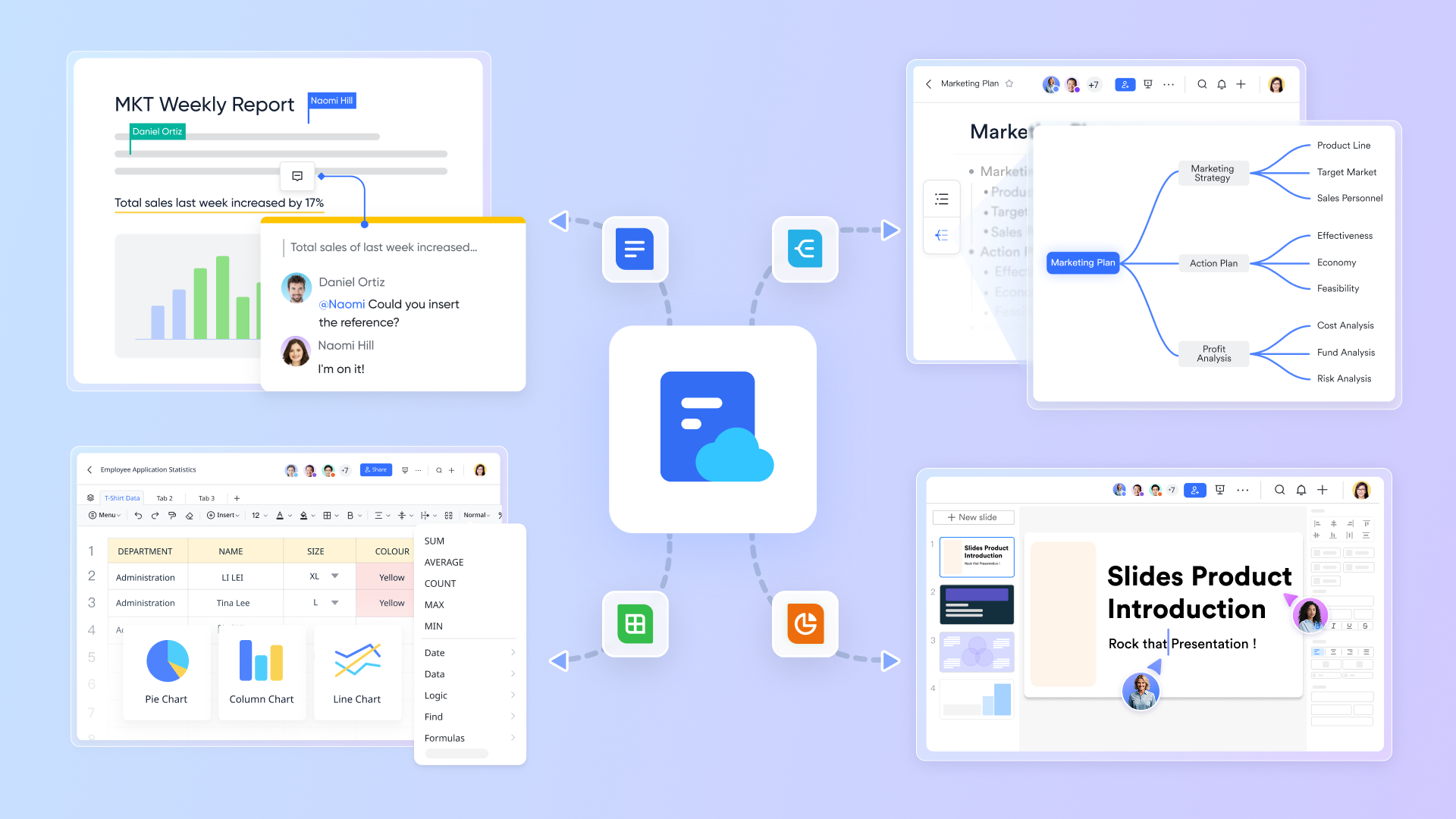
Copper CRM can be cumbersome when it comes to collaborative document creation. , however, enables users to , enhancing teamwork and collaboration within the CRM framework. This streamlined process reduces the time spent toggling between applications and allows teams to finalize proposals or reports together, effectively addressing the lack of built-in collaboration tools in Copper and fostering a more cohesive and .
Seamless communication through Lark Messenger
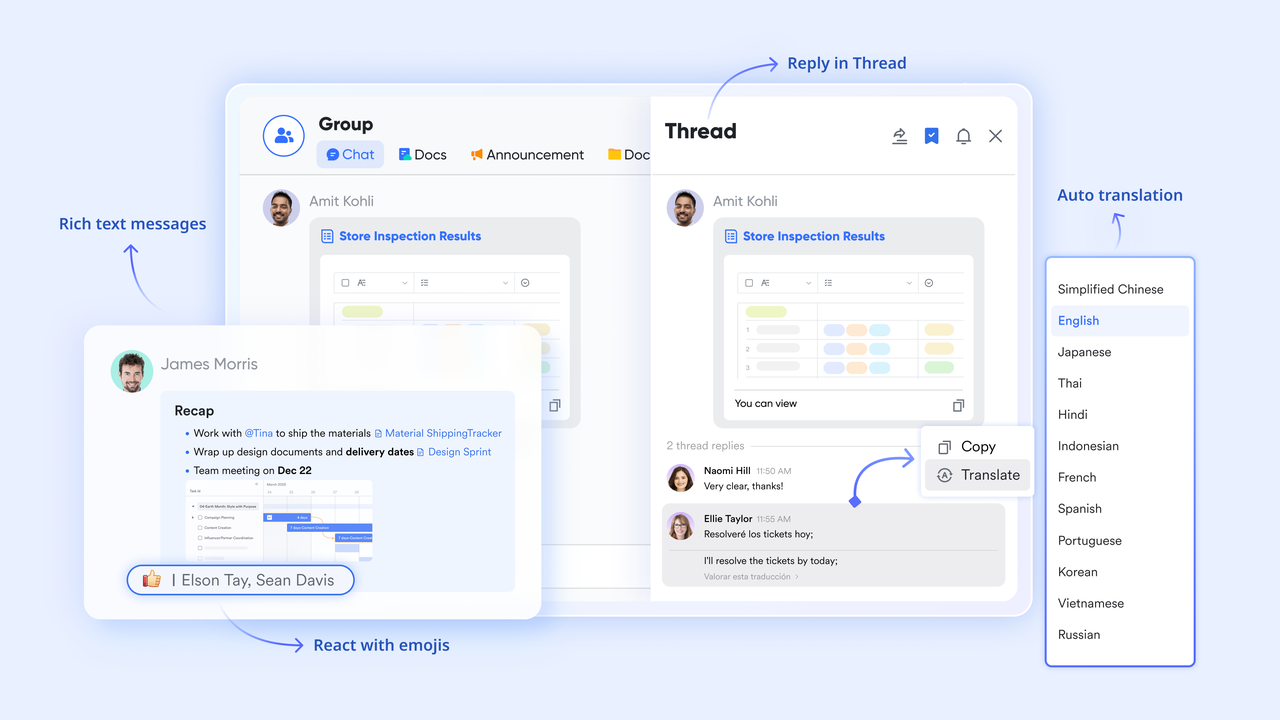
Another drawback of Copper CRM is its limited communication features, which can hinder team collaboration. offers instant messaging, , and file sharing within a single app. This keeps team members connected and encourages open communication, directly solving the disconnect that can occur with traditional CRMs that do not prioritize messaging.
:
- Starter plan: Free forever plan with 11 powerful tools for up to 20 users, 100GB storage, 1,000 automation runs, AI translations, and more. No credit card needed.
- Pro plan: $12/user/month (billed annually) for up to 500 users. Includes everything in Basic plus group calling for up to 500 attendees, 15TB storage, 50,000 automation runs, and more.
- Enterprise plan: for custom pricing. Supports unlimited users and includes advanced automation, security, compliance, and management features.
For small teams with simple communication needs

18 months message history
1000 Base automation runs/month
2000 rows per table in Base
Most POPULAR
For companies with comprehensive collaboration and management needs
Unlimited message history
500-participant video meetings
50k Base automation runs/month
20k rows per table in Base
For large companies with advanced security and organizational management needs
Get a personalized demo and pricing
Unlimited message history
500-participant video meetings
15 TB storage + 30 GB storage/user
500k Base automation runs/month
50k Base automation runs/month
Most POPULAR
For companies with comprehensive collaboration and management needs
Unlimited message history
500-participant video meetings
50k Base automation runs/month
20k rows per table in Base
Insights on why businesses might choose Lark over Copper
There are several compelling reasons businesses might consider Lark as a viable alternative to Copper CRM:
- Affordability: Lark offers competitive pricing that could be more appealing for budget-conscious organizations, especially small businesses needing CRM solutions without excess expenditures.
- Comprehensive : With a built-in suite of collaboration features, Lark not only serves as a CRM but as an all-in-one workplace tool, fostering and productivity.
- Flexibility and adaptability: Lark's adaptability allows businesses to customize workflows and integrate various applications, which can result in enhanced productivity across the board.
Detailed contrast between Copper CRM and Lark
Choosing the right CRM solution is pivotal for businesses seeking to enhance their customer relationships and streamline their operations. Copper CRM is a strong , but a fledgeling CRM software, Lark, also comes to play. Below is a detailed comparison of their pricing structures to help you determine which is the best fit for your organization.
Opt for better pricing: Lark vs. Copper CRM
Overview of pricing structures
Both Copper CRM and Lark offer diverse pricing plans tailored to different business sizes and requirements. However, there are significant differences that can greatly influence budget-conscious teams.
Free plan
Copper CRM: ❌
Copper CRM does not provide a free plan, which makes it less accessible for looking to minimize costs. It does offer a free trial to test out its features before committing.
Lark: ✅
Lark offers a generous free plan that allows up to 20 users to access its comprehensive suite of collaboration tools indefinitely. This means that teams can without any upfront costs, making Lark an attractive option for businesses with limited budgets.
Starting prices
Copper CRM
Starts at $9 per seat per month (billed annually). While this pricing may seem reasonable initially, it can accumulate rapidly for larger teams, leading to significant expenses.
Lark
Starts at $6 per user per month (billed annually). Moreover, Lark provides a wide array of collaborative tools that enhance overall value.
Basic and advanced plans
Copper CRM: Offers a structured pricing model with several tiers:
- Basic plan: $23 per seat per month
- Professional plan: $59 per seat per month
- Business plan: $99 per seat per month
- Enterprise pricing is available upon request, but costs can escalate quickly.
Lark:
- Pro plan: $9/user/month (billed annually) for up to 500 users. Includes everything in Basic plus group calling for up to 500 attendees, 15TB storage, 50,000 automation runs, and more.
- Enterprise plan: for customization. It offers competitive enterprise-level solutions that can be customized based on organizational needs. This flexibility is appealing for growing businesses.
Storage and key features
Copper CRM does not specify storage limits, which can lead to unexpected costs as data needs expand. Known for its Google Workspace integration, automation capabilities, and advanced reporting features.
In contrast, Lark provides up to 15TB of storage depending on the plan, ensuring ample space for collaboration. It excels in real-time collaboration, document editing, and messaging. Features such as Lark Docs and Lark Messenger facilitate seamless teamwork, making it easier for teams to share ideas and maintain communication.
In summary, while both Copper CRM and Lark provide valuable services, Lark's pricing structure, extensive features, and focus on collaboration make it a compelling alternative for teams seeking budget-friendly solutions that enhance productivity and communication.
Embark on a better CRM journey in Lark
Opt for more benefits: Lark vs. Copper CRM
Benefits of Copper CRM
- Integration with Google Workspace: Copper excels in environments where teams use Google Workspace extensively. Its seamless integration allows for a fluid workflow, enabling users to manage customer relationships directly from Gmail and other Google applications.
- Good CRM features: Offering a range of features focused on customer relationship management, including detailed reporting, workflow automation, and flexible pipelines, Copper provides robust tools to drive sales effectiveness.
Benefits of Lark
- Customizable no-code CRM: Build a tailored CRM system that automates routine sales tasks, centralizes customer data, and accelerates deal closures, enhancing overall sales efficiency.
- Affordability: With a free plan for small teams and reasonably priced options for larger organizations, Lark offers cost-effective solutions, making it suitable for startups and SMBs aiming to minimize overhead costs.
- High storage and automation limits: Lark provides significant and high automation limits, meeting the needs of businesses that rely heavily on collaboration and data sharing.
- Collaboration focus: Lark is designed for team collaboration, offering robust communication tools that go beyond basic project management. Its all-in-one platform can streamline workflows significantly for teams.
As you weigh the pricing and benefits of Copper CRM, it's crucial to assess their value in relation to your specific business requirements. Copper CRM is particularly advantageous for organizations deeply integrated with Google Workspace that seek advanced CRM functionalities tailored to their needs. However, it may also be worthwhile to explore other solutions, like Lark, that can provide a wider array of collaboration tools. These alternatives can be especially beneficial for teams focused on real-time communication and project management.
Conclusion
Understanding Copper CRM pricing is crucial for businesses seeking effective CRM solutions tailored to their unique needs. By evaluating the different pricing plans, features, and potential alternatives like Lark, you can make informed decisions about which platform best aligns with your organizational objectives. Whether you are a small startup needing essential CRM functionalities or a larger enterprise seeking advanced solutions, having a clear picture of pricing and features will empower you to navigate the CRM landscape confidently.
Before making your decision, I encourage you to assess your organization's needs critically and consider both Copper CRM and . Each platform has its strengths; choose the one that provides the functionalities and value best suited to enhancing your customer relationships and driving growth.
FAQs
How much does Copper CRM cost?
Copper CRM offers several pricing plans: Starter at $9 per seat/month,Basic at $23 per seat/month,Professional at $59 per seat/month, and Business at $99 per seat/month when billed annually.
Is Copper CRM good?
Copper CRM is highly praised for its Google Workspace integration and user-friendly interface, making it ideal for teams focused on collaboration. However, some users may find it lacks extensive customization options compared to other CRMs.
How much do CRMs cost per month?
CRM pricing varies widely, typically ranging from $10 to over $150 per user per month, depending on features and level of customization offered.
How does Copper CRM compare to Salesforce?
While Copper CRM excels in Google Workspace integration and usability, Salesforce offers more extensive customization and a broader range of features. However, Salesforce's complexity may overwhelm new users, making Copper a more accessible choice for smaller teams.
Related reading






























