














Free Gantt Chart Maker: Turn Process/Plan into Clear Visuals

Ryan Tanner
Product Marketing Specialist
Sep 18, 2026
Ryan Tanner
Sep 18, 2026

23 min read


Planning a project becomes much easier when you have the right tools to organize your ideas and timelines. Lark Outline, a free Gantt chart maker, helps teams turn plans into structured, visual timelines that keep everyone aligned. With an intuitive layout and real-time collaboration features, it simplifies how tasks, deadlines, and milestones are managed. Whether you're handling a small internal project or a full-scale campaign, Lark Outline gives you the clarity to see what's next and stay on schedule. It's a practical solution for anyone looking to plan smarter, track progress efficiently, and bring projects to completion without the usual chaos of manual planning.
1. Lark: Free Gantt charts with real-time tracking & automated reminders
2 .Asana: Free Gantt charts with simple task views
3. ClickUp: Free Gantt Charts with custom fields
4. Canva: Free Gantt charts with creative templates
5. Jira: Free Gantt charts with Agile tracking
6. Monday: Free Gantt charts with multiple views
7. Smartsheet: Free Gantt charts with reporting tools
8. TeamGantt: Free Gantt charts with easy scheduling
9. Vertex42: Free Excel Gantt charts with templates
10. ProjectManager: Free Gantt charts with resource planning

Why use a free online Gantt chart maker?
A free online Gantt chart maker offers the perfect balance between functionality and affordability. It removes the barrier of costly software licenses, making professional project management accessible to everyone. Teams can collaborate seamlessly, with members viewing and updating tasks in real time, no matter where they are. These tools are flexible enough to handle both straightforward projects and more complex timelines with multiple dependencies. Plus, they scale easily—start with a free plan to organize smaller projects, then upgrade later as your needs grow. This combination of accessibility, collaboration, and scalability makes free Gantt chart makers an excellent choice for modern teams.
Take a glance at the 10 Best free Gantt chart makers
10 Best free Gantt chart maker tools (Top picks)
1. Lark: Free Gantt charts with real-time tracking & automated reminders
Lark offers a free Gantt chart maker designed to help teams plan, visualize, and manage projects efficiently. With Lark, you can create interactive timelines, track task dependencies, and monitor progress in real time—all within a collaborative workspace. Its drag-and-drop interface makes it easy to adjust schedules, assign responsibilities, and update milestones without switching between multiple tools.
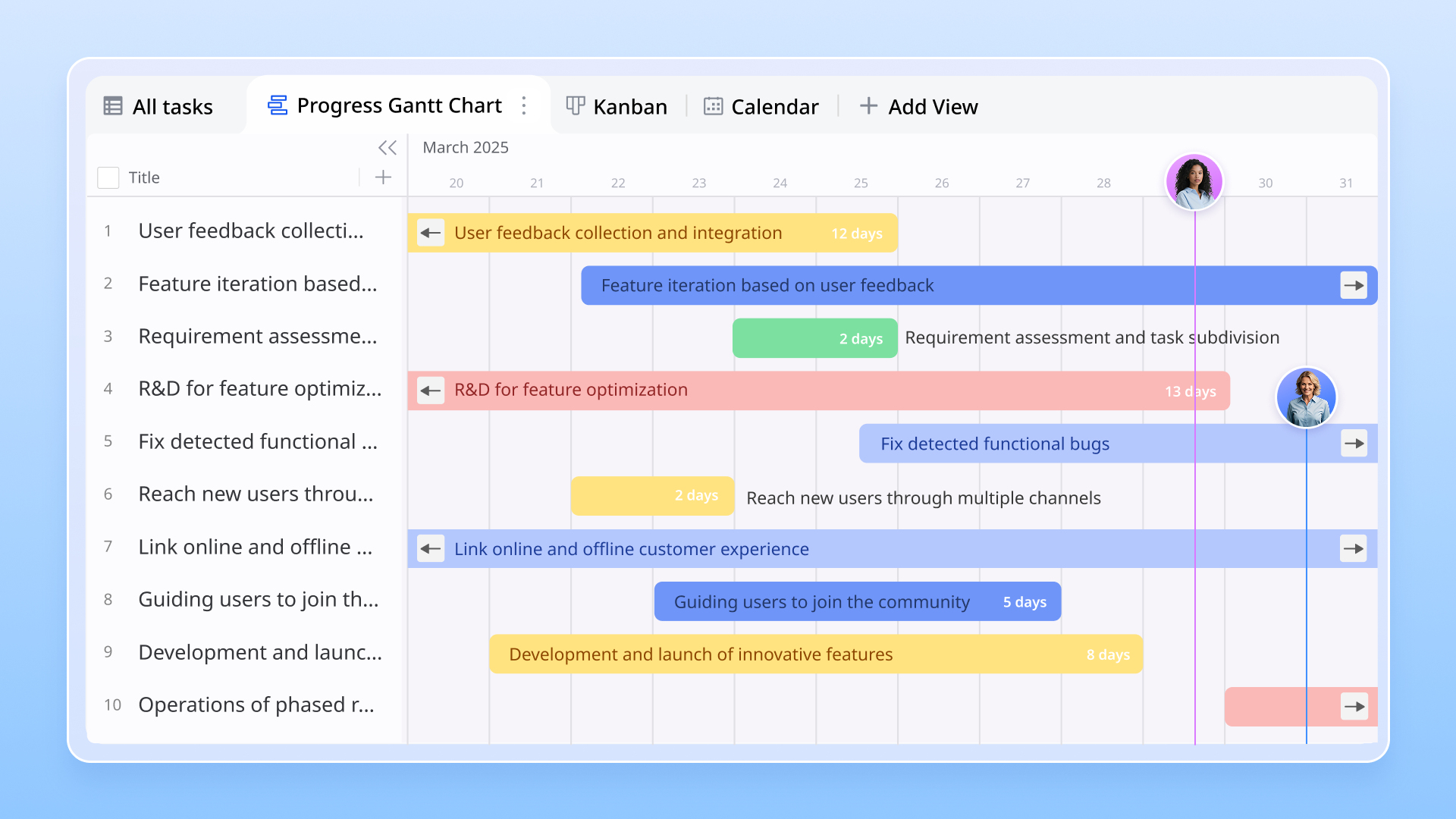
Key features & functions:
- Multiple view options: Base offers different view types—including Table, Kanban, Calendar, and Gantt—allowing teams to visualize the same data in ways that suit their workflow. Each view provides unique insights: Tables for detailed records, Kanban for process flow, Calendar for scheduling, and Gantt for timelines and dependencies.
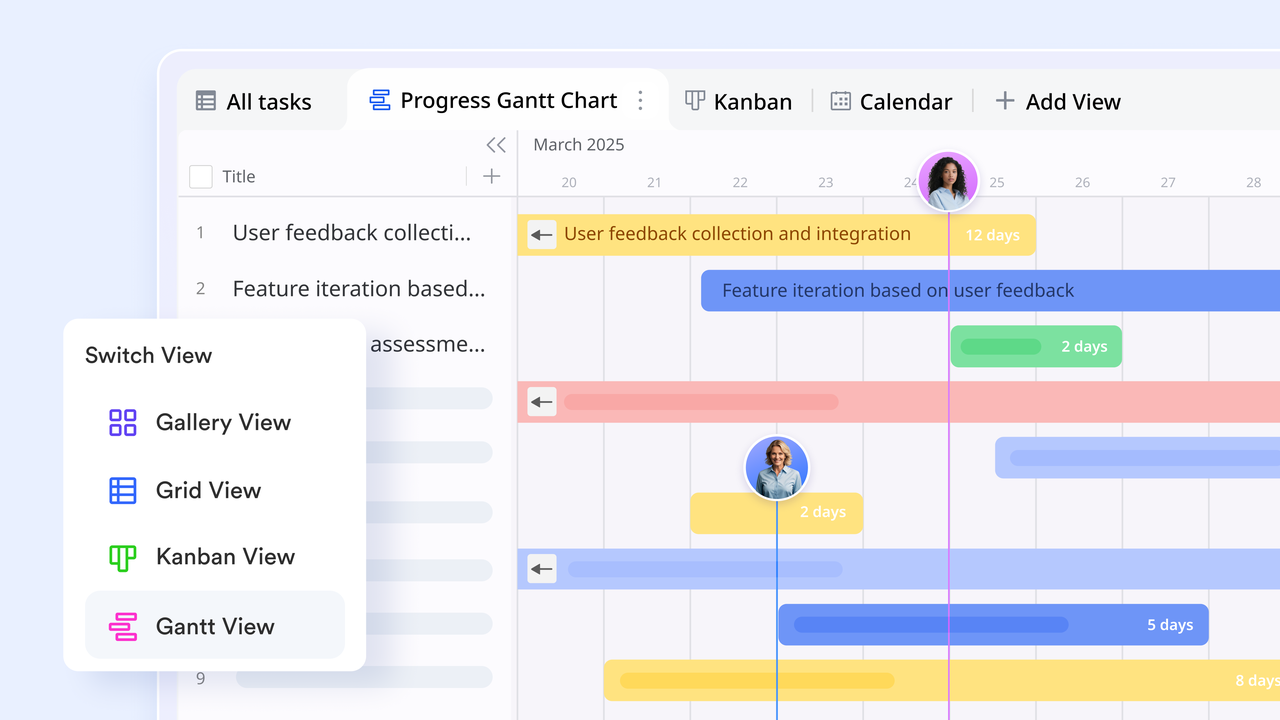
- Real-time progress tracking: Track how each task and phase of your project is progressing in real time. As team members update their tasks, progress bars and dashboards automatically adjust, giving a clear picture of what's on track and what needs attention. Quick insights help managers act early to resolve bottlenecks and keep momentum strong.
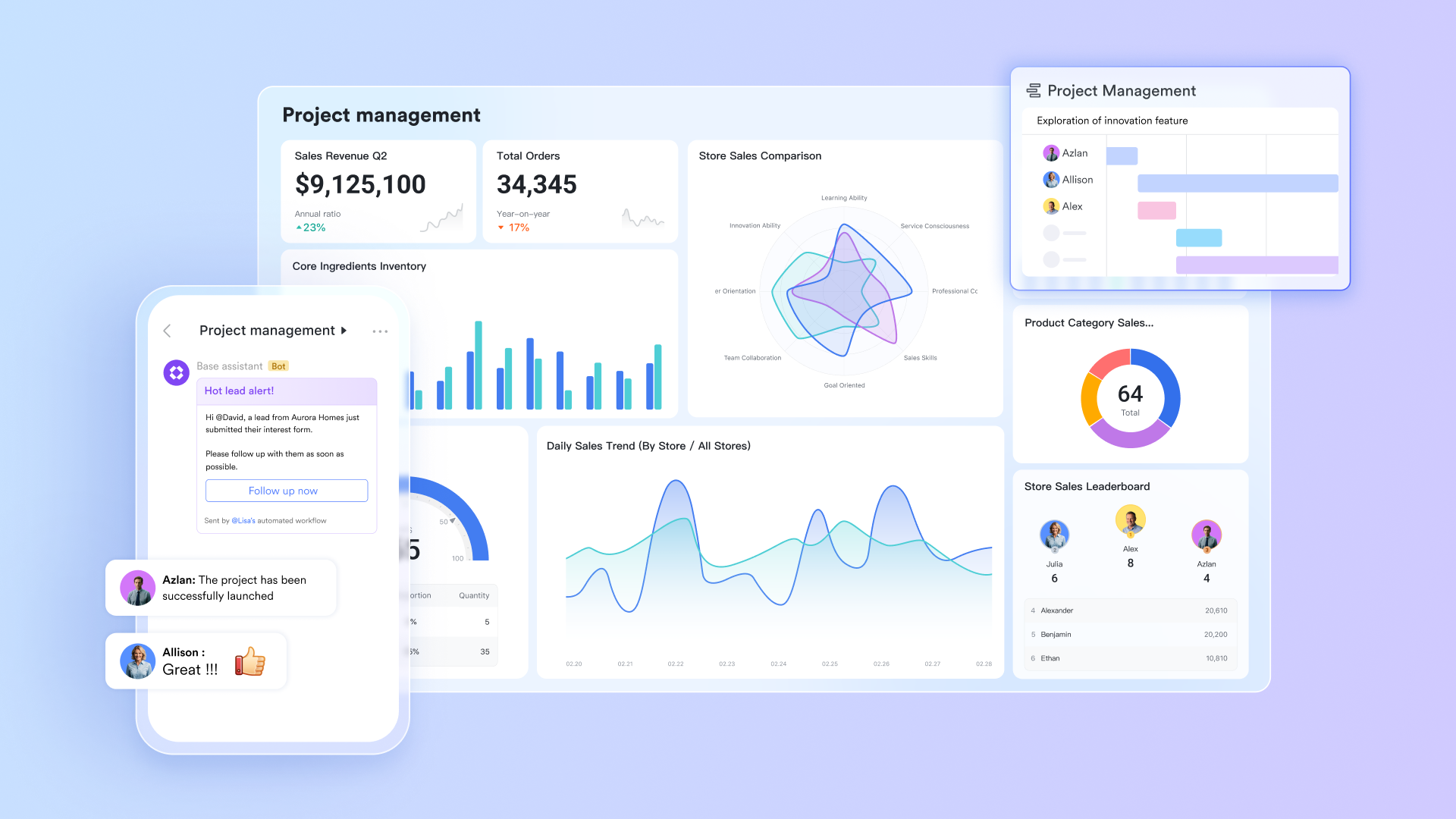
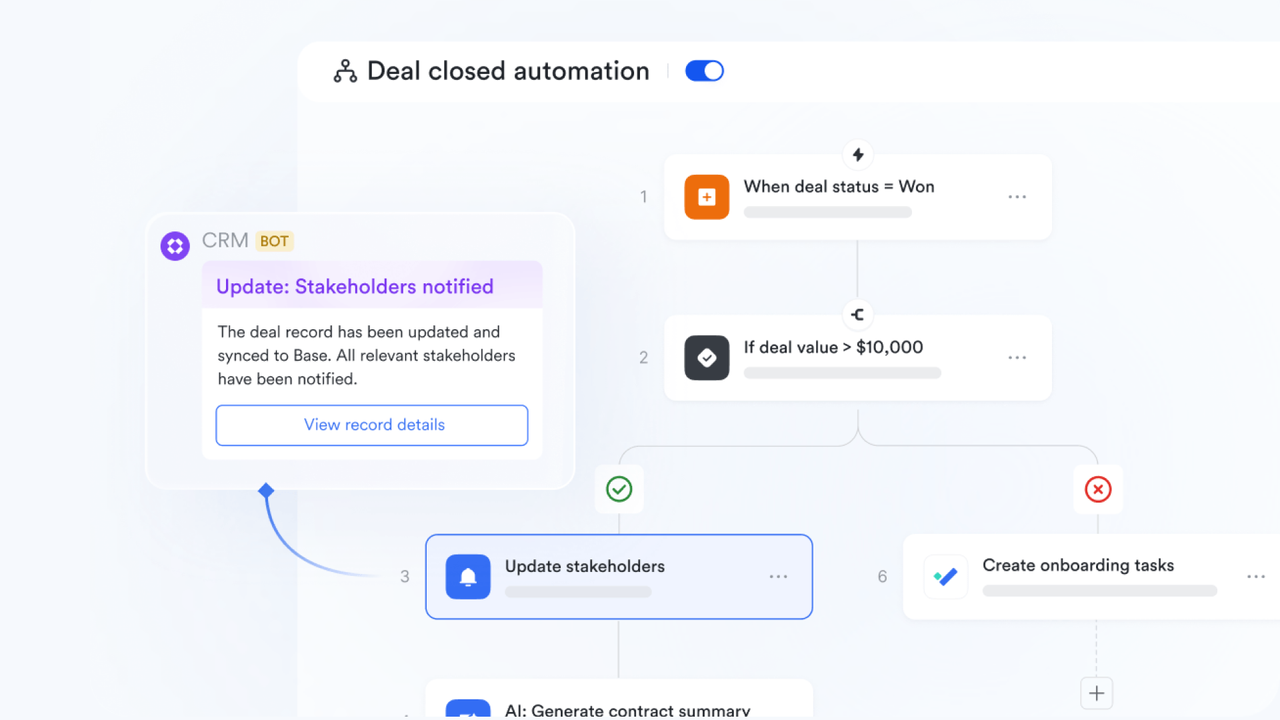
- Workflow automation: Cut down on manual work by automating repetitive tasks. Set up smart reminders for due dates, auto-trigger task status changes when conditions are met, or send alerts to teammates when dependencies are cleared. Automation ensures that projects move forward smoothly without needing constant check-ins.
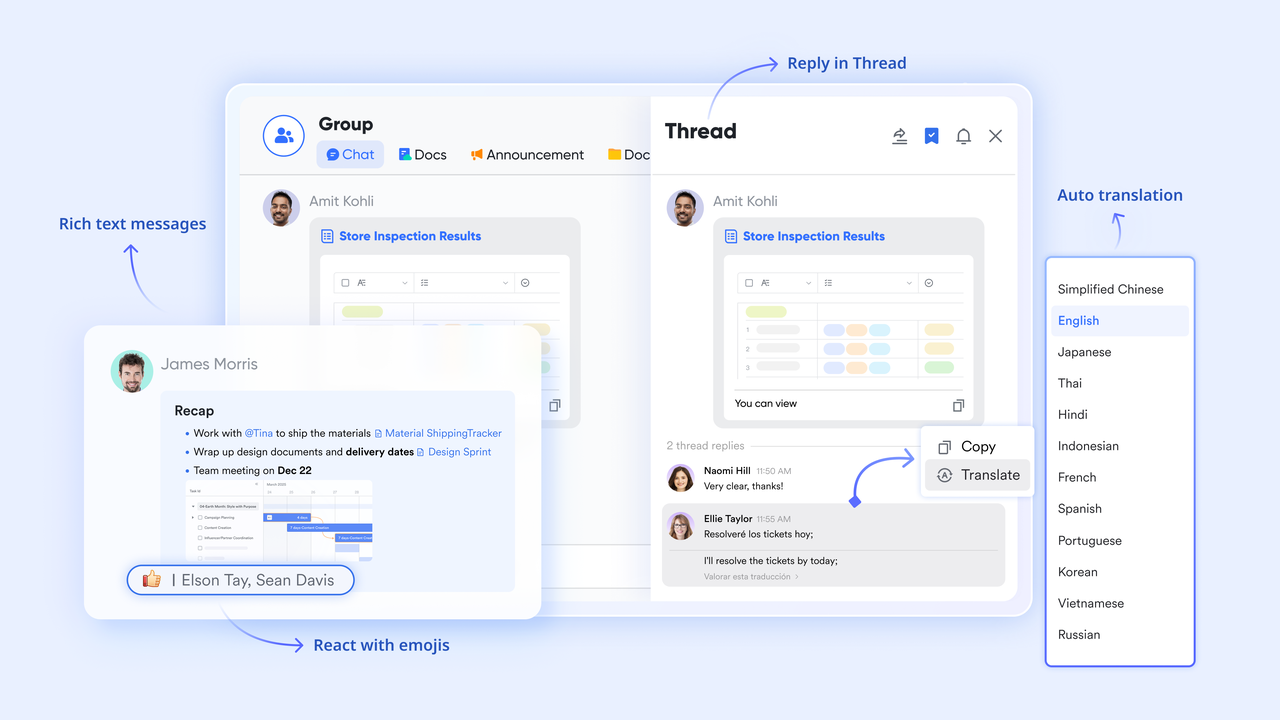
- Built-in communication: Collaborate directly within the platform using Lark Messenger and Lark Meetings. Teams can chat, hold stand-ups, or review progress right alongside their Gantt charts. This eliminates the need to switch between apps and keeps all project-related discussions in one organized place.
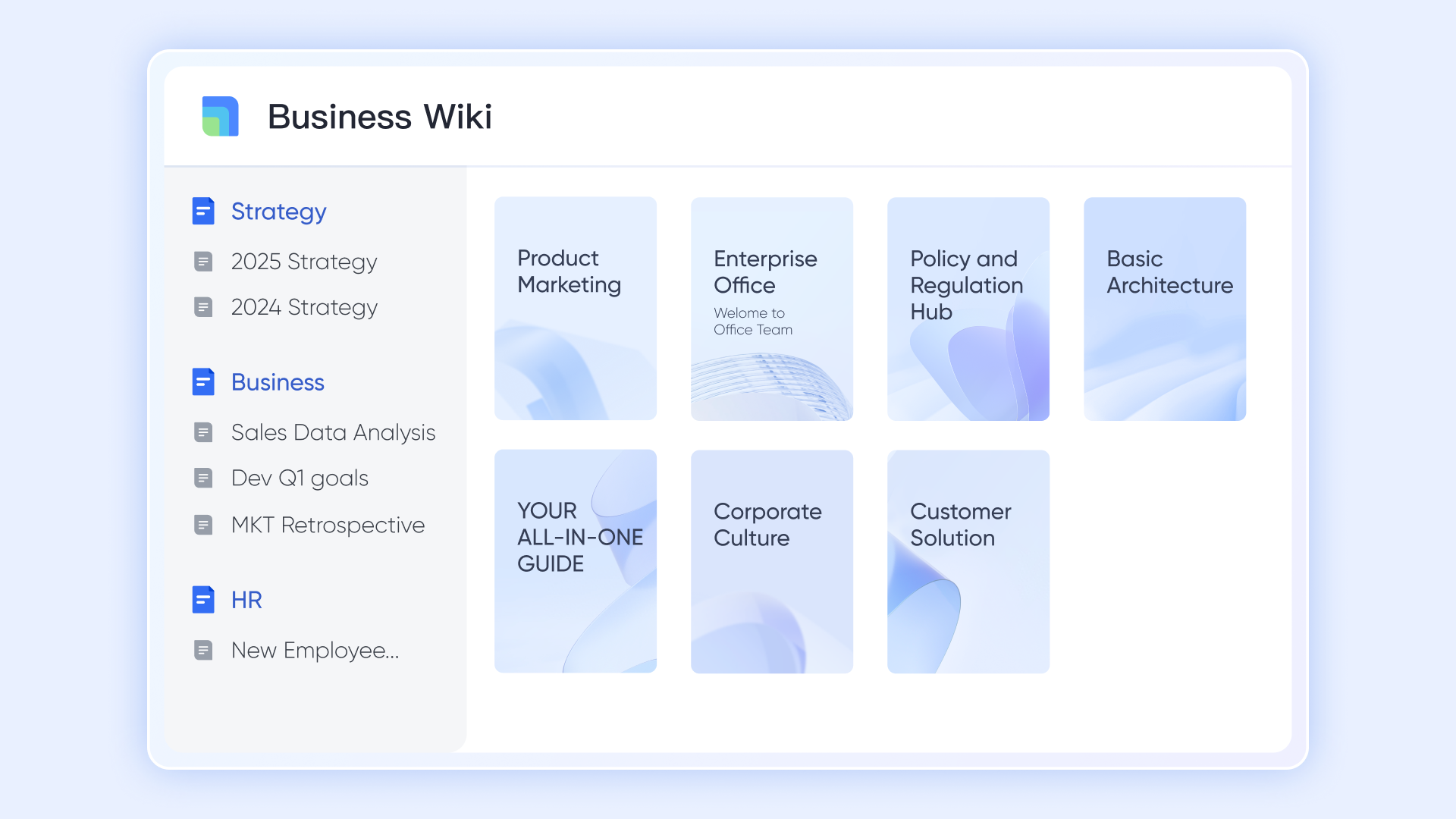
- Docs & Wiki integrated with Gantt charts: Store all your project documents—briefs, requirements, reports, and playbooks—right next to your timelines. With everything centralized, team members can quickly find information, make updates, and ensure everyone's referencing the same, up-to-date version.
- Cross-device access: Work seamlessly across devices. Whether you're planning from your desktop, checking updates on your phone, or reviewing timelines on a tablet, your Gantt charts stay synced. This flexibility keeps remote and hybrid teams aligned, wherever they're working from.
- Starter plan: Free forever plan that includes 11 powerful tools for up to 20 users. It also comes with 100GB of storage, 1000 automation runs, AI translations, and more.
- Pro plan: $12/user/month (billed annually) for up to 500 users. It includes everything in Starter plus group calling for up to 500 attendees, 15TB of storage, 50,000 automation runs, and more.
- Enterprise plan: Contact sales for custom pricing. Supports unlimited users and includes even more automation runs and advanced security, compliance, and management features.
Popular templates:
Task management template
This template offers a comprehensive solution to track and manage tasks efficiently. It includes a task list, status kanban, progress Gantt chart, and task calendar, allowing users to add records, configure fields, filter, group, and sort tasks. The color-coding feature enhances visual reference, making it easier to prioritize and monitor task progress.
Base marketing template
Designed for marketing professionals, this template helps streamline marketing operations by providing a clear overview of marketing strategies, content and design requests, digital asset management, and content production. It includes a content calendar to plan and track activities, budget management tools, and visual aids to assess marketing performance.
Teamwork calendar template
This template serves as a comprehensive tool to help teams manage their tasks efficiently. It includes a Gantt chart for visualizing project timelines, a Kanban board for tracking task status, and a priority Kanban for task prioritization. The template allows for the addition of records and field configurations to customize the tool to your team's needs, ensuring everyone stays on the same page.
Production coordination management template
Tailored for production teams, this template centralizes production assets and helps track launch deadlines. It includes date fields with automatic reminders, attachment fields for uploading assets directly, and a Gantt chart to visualize product timelines. This comprehensive approach ensures that all aspects of production are managed efficiently and collaboratively.
2. Asana: Free Gantt charts with simple task views
Asana is a widely used project management tool that helps teams plan, organize, and track work efficiently. Its Timeline view functions like a Gantt chart, showing tasks, deadlines, and dependencies in a clear visual timeline. With multiple project views, collaboration tools, and integrations with popular apps, Asana keeps teams aligned and projects on schedule. Its intuitive interface suits both beginners and advanced users. Teams can manage simple tasks or complex projects, making it a flexible solution for organizations of all sizes.
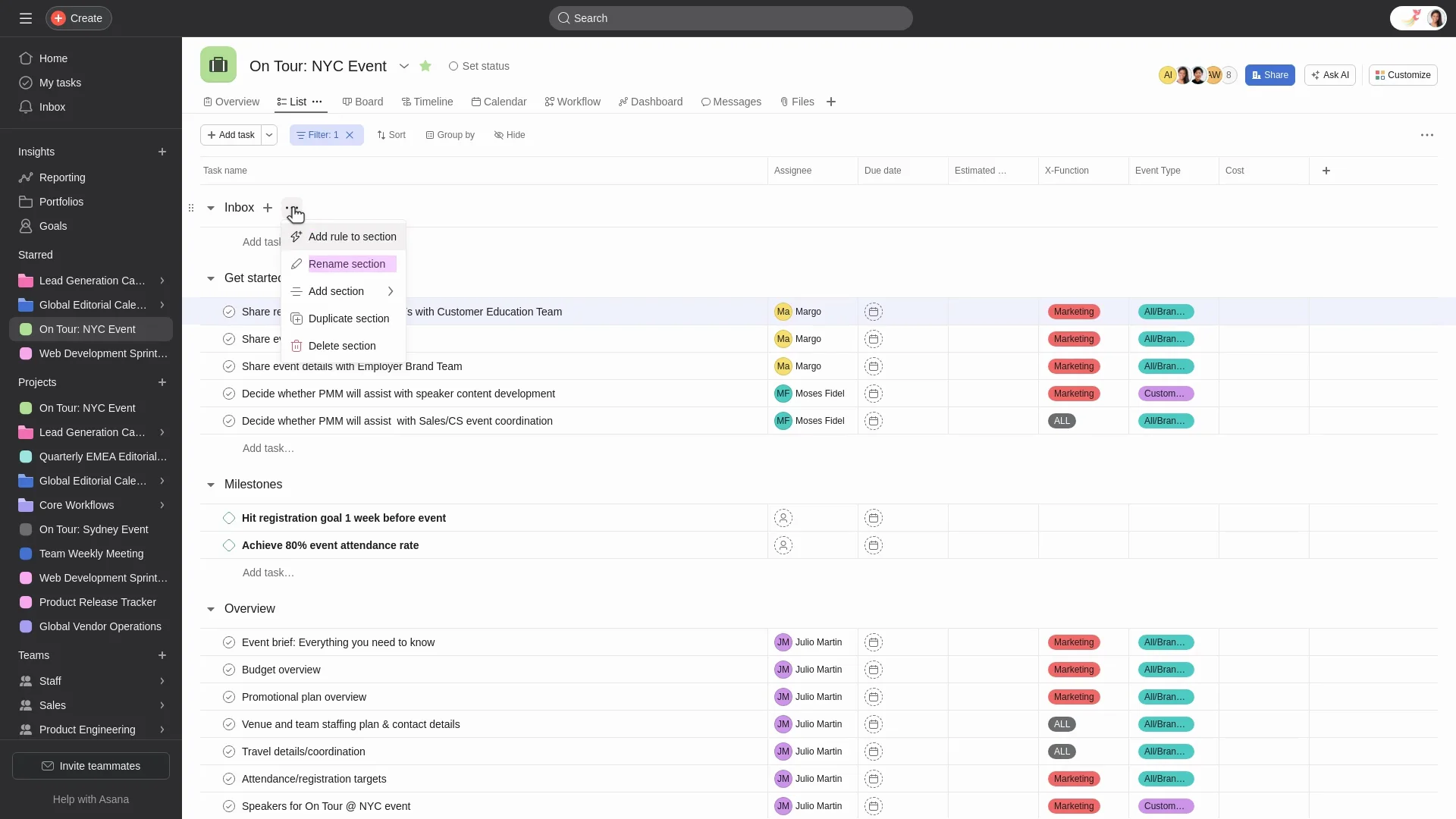
Image source: asana.com
Features
- Timeline (Gantt-style) view: Visualize tasks, deadlines, and dependencies clearly.
- Task breakdowns and subtasks: Organize complex projects into smaller, manageable steps.
- Multiple project views: Switch between list, board, calendar, and timeline views.
- Collaboration tools: Comment, mention teammates, share files, and integrate with apps like Slack and Google Drive.
- Workload & portfolio management: Track team capacity, manage resources, and oversee multiple projects.
Pros
- Intuitive interface, easy for new users.
- Strong collaboration tools that keep teams aligned.
- Integrates with numerous third-party apps.
- Scalable for both small and large teams.
Cons
- Timeline/Gantt view and dependencies only available in paid plans.
- Costs can rise for larger teams needing advanced features.
Pricing
- Free plan: $0 — Up to 15 users, unlimited tasks/projects/messages, but lacks timeline/Gantt view and advanced features.
- Premium plan: $10.99/user/month — Timeline view, custom fields, task dependencies, advanced search.
- Business plan: $24.99/user/month — Workload tracking, portfolios, advanced reporting, more integrations.
- Enterprise plan: Custom pricing — Advanced security, organization-wide dashboards, dedicated support.
3. ClickUp: Free Gantt Charts with custom fields
ClickUp is a modern project management tool designed to handle everything from daily tasks to large-scale projects. Its Gantt chart view lets teams visualize timelines, dependencies, and progress in one place. The platform supports real-time collaboration, automation, and workflow customization, making it a flexible choice for teams of all sizes. For those who want both structure and adaptability, ClickUp delivers a powerful, all-in-one solution.
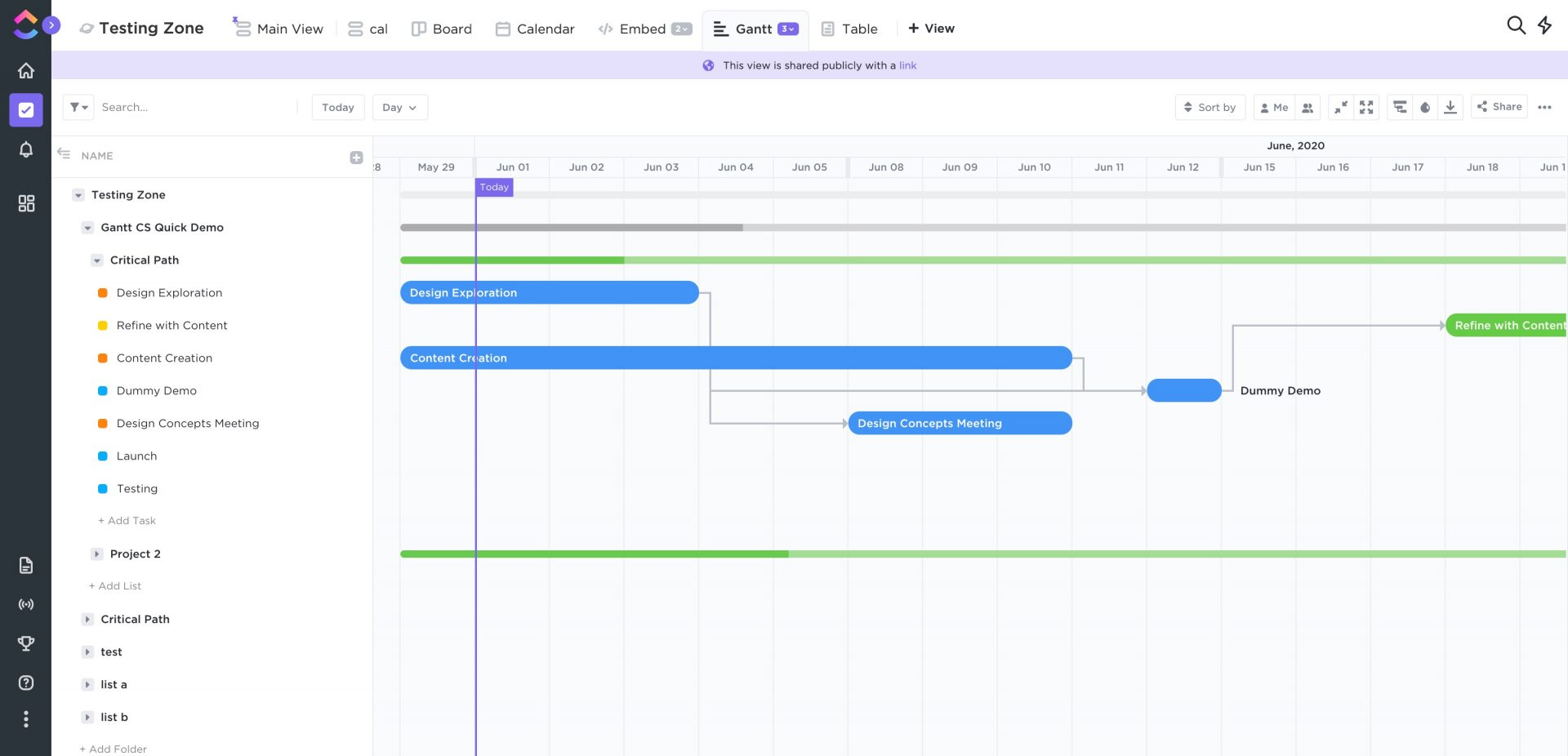
Image source: clickup.com
Features
- Task dependencies and milestones: Used to connect related tasks and track major project stages.
- Drag-and-drop scheduling: Helps for quick timeline adjustments.
- Multiple project views: It includes list, board, calendar, and workload.
- Resource allocation tools: Helps to balance team workloads.
- Built-in collaboration: Helps with comments, mentions, and document sharing.
Pros
- Highly customizable with multiple views and workflow options.
- Generous free plan with Gantt chart access.
- Strong collaboration and automation features.
- Excellent value for small and growing teams.
Cons
- Can feel overwhelming for beginners due to its depth.
- Occasional performance slowdowns in large projects.
Pricing
- Free forever plan: Includes basic task management, limited storage, and Gantt chart access.
- Unlimited plan ($7 per user/month): Unlocks unlimited storage, dashboards, and integrations.
- Business plan ($12 per user/month): Adds advanced time tracking, workload view, and automation.
- Enterprise plan (Custom pricing): Includes enhanced security, permissions, and dedicated support.
4. Canva: Free Gantt charts with creative templates
Canva provides a free Gantt chart maker that allows users to create visually appealing project timelines using customizable templates. While it lacks dynamic project management features like task dependencies or real-time collaboration, it's suitable for producing static Gantt charts for presentations or reports.
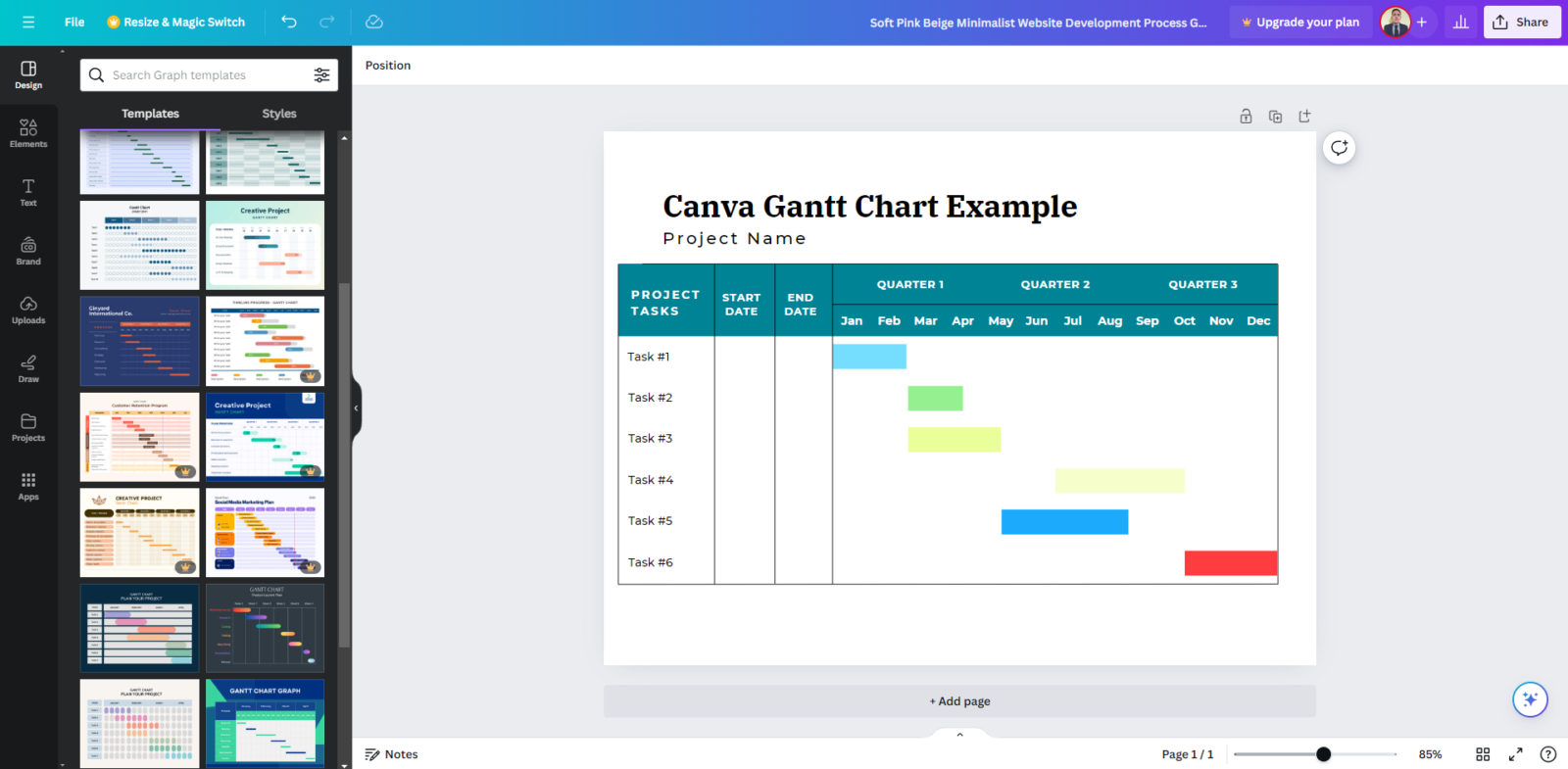
Image source: canva.com
Features:
- User-friendly drag-and-drop interface
- Extensive library of customizable templates
- High-quality visuals suitable for presentations
- No technical expertise required
- Free to use with optional premium upgrades
Pros:
- Lacks dynamic project management features
- Manual updates required for timeline changes
- No task dependencies or milestones
- Limited integration with other project management tools
Cons:
- Individuals or small teams needing visually appealing Gantt charts for presentations
- Users seeking a simple tool for creating static project timelines
Pricing:
- Templates: Thousands of Gantt chart templates; free templates available, premium templates require Pro plan.
- Free plan: Core design tools and templates.
- Pro plan: $12.99/user/month with premium assets.
- Teams plan: $14.99/user/month with collaboration tools.
5. Jira: Free Gantt charts with Agile tracking
Jira is a robust project management tool widely used by software development and agile teams. While it doesn't offer native Gantt chart functionality, it integrates with several powerful add-ons like BigPicture, WBS Gantt Chart, and BigGantt to provide comprehensive Gantt chart capabilities. These integrations enable teams to visualize project timelines, manage dependencies, and track progress effectively. With Jira's customizable workflows and extensive plugin ecosystem, it becomes a powerful solution for teams seeking detailed project planning and management.
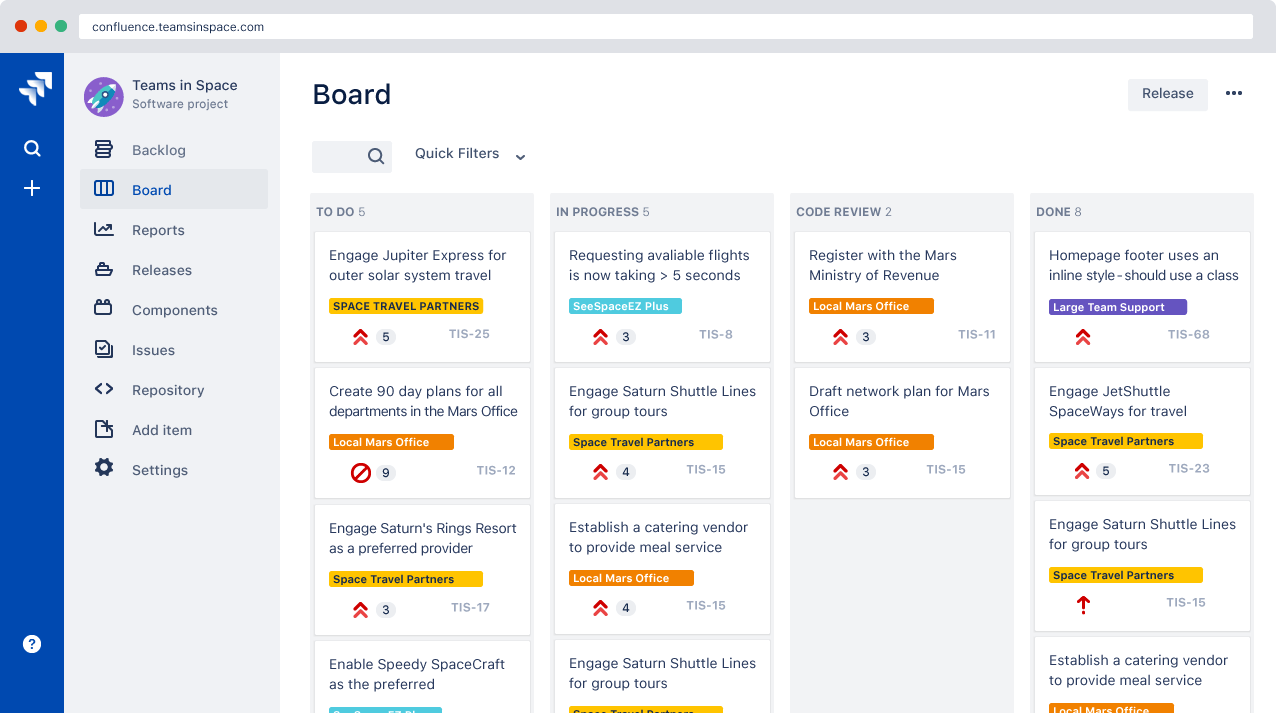
Image source: jira.com
Features
- Visual timeline planning: Utilize Gantt charts to map out project timelines and task sequences.
- Task dependencies: Link tasks to define relationships and ensure proper sequencing.
- Resource management: Allocate resources and track workload distribution across tasks.
- Progress tracking: Monitor task completion and project milestones in real time.
- Customizable workflows: Tailor workflows to fit team processes and project requirements.
Pros
- Comprehensive project planning: Integrations offer detailed Gantt chart functionalities within Jira.
- Agile compatibility: Supports agile methodologies while providing structured project planning.
- Scalability: Suitable for teams of all sizes, from small startups to large enterprises.
- Extensive plugin ecosystem: Access to a wide range of tools and integrations to enhance functionality.
Cons
- Additional cost: Gantt chart add-ons may incur extra costs beyond Jira's base pricing.
- Learning curve: Advanced features may require time to learn and implement effectively.
Pricing
- Jira software standard: $8.60/user/month — Includes basic project management features.
- Jira software premium: $17/user/month — Adds advanced features like advanced roadmaps and automation rules.
- Bigpicture add-on: $1.00/user/month (for 1–10 users) — Provides Gantt chart functionalities and project planning tools.
- WBS Gantt chart add-on: ¥1.25/month (flat rate) — Offers Gantt chart planning and resource management features.
- BigGantt add-on: Pricing varies — Provides Gantt chart visualization and project tracking tools.
6. Monday: Free Gantt charts with multiple views
Monday.com is a versatile work operating system designed to help teams plan, execute, and track projects with ease. Its Gantt chart view offers a visual timeline of tasks, allowing users to map out dependencies, set milestones, and monitor project progress in real time. The platform's intuitive interface and customizable workflows make it suitable for teams of all sizes, from startups to large enterprises. With robust collaboration features and seamless integrations, Monday.com aims to streamline project management and enhance team productivity.
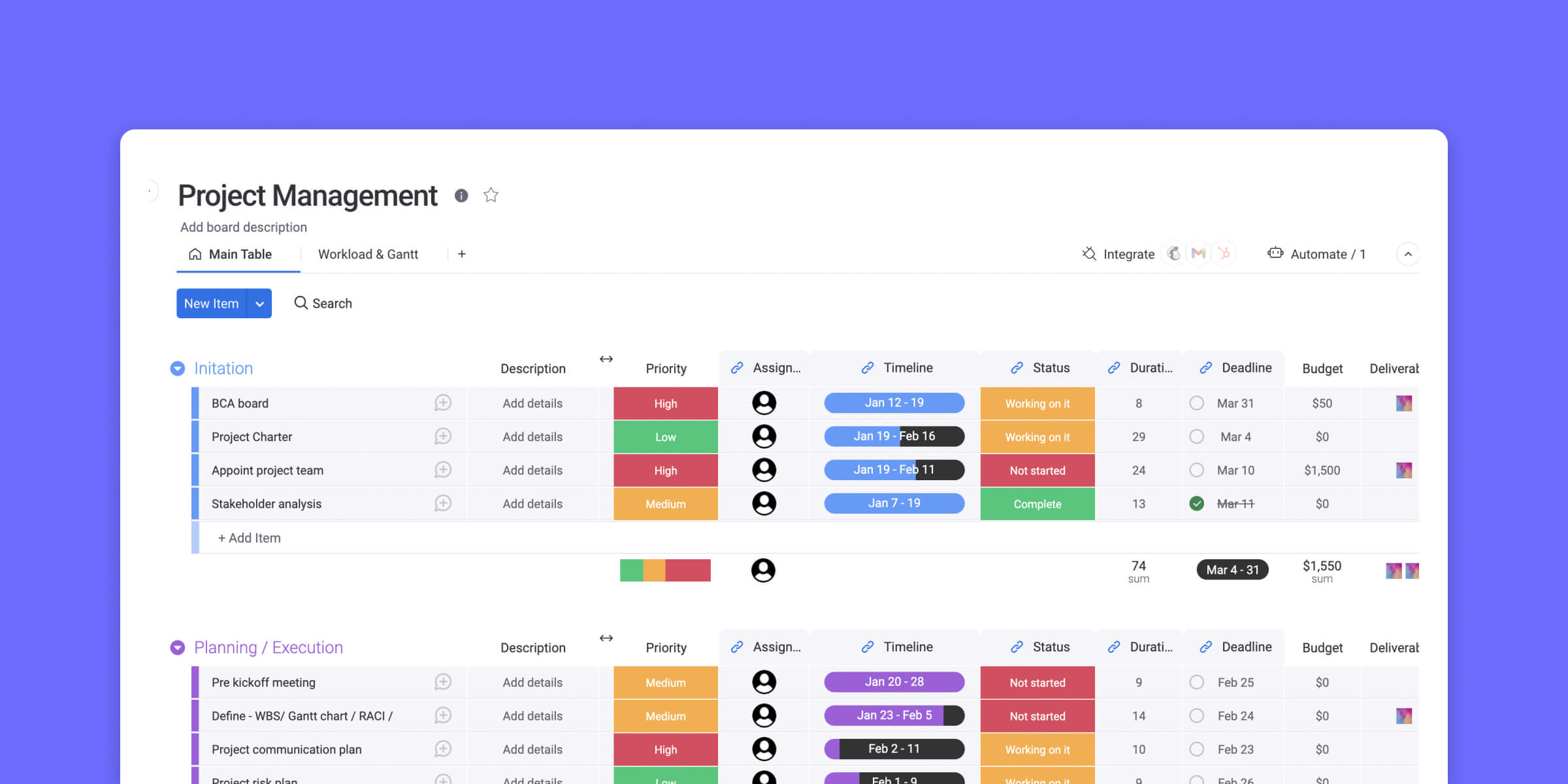
Image source: monday.com
Features
- Drag-and-drop scheduling: Easily adjust timelines by dragging tasks to new dates.
- Task dependencies: Link tasks to define relationships and ensure proper sequencing.
- Milestones and baselines: Set key project milestones and track progress against baselines.
- Critical path visualization: Identify the sequence of crucial tasks that determine project duration.
- Customizable views: Switch between Gantt, Kanban, calendar, and table views to suit your workflow.
Pros
- User-friendly interface: Intuitive design that requires minimal training.
- Highly customizable: Tailor workflows, dashboards, and automations to fit team needs.
- Robust collaboration tools: Share files, leave comments, and mention teammates within tasks.
- Extensive integrations: Connect with tools like Slack, Google Drive, and Microsoft Teams.
Cons
- Pricing: Higher-tier plans can be costly for small teams.
- Learning curve: Advanced features may require time to master.
Pricing
- Free plan: $0 — Includes basic features for up to 2 users and 3 boards.
- Basic plan: $9/user/month — Adds unlimited boards, over 20 column types, and 5 GB file storage.
- Standard plan: $12/user/month — Includes timeline and Gantt views, calendar view, guest access, and 250 automations and integrations per month.
- Pro plan: $19/user/month — Offers chart views, time tracking, private boards, and up to 25,000 automations and integrations per month.
- Enterprise plan: Custom pricing — Provides advanced reporting, analytics, security, governance, and dedicated support.
7. Smartsheet: Free Gantt charts with reporting tools
Smartsheet is a powerful platform designed for large-scale project management, offering robust Gantt chart functionalities. It combines the familiarity of spreadsheets with advanced project management features, making it suitable for enterprises that require detailed planning and collaboration. Smartsheet's Gantt charts provide a visual representation of project timelines, task dependencies, and milestones, facilitating efficient project tracking and execution. With its customizable workflows and extensive integration options, Smartsheet caters to complex project needs across various industries.
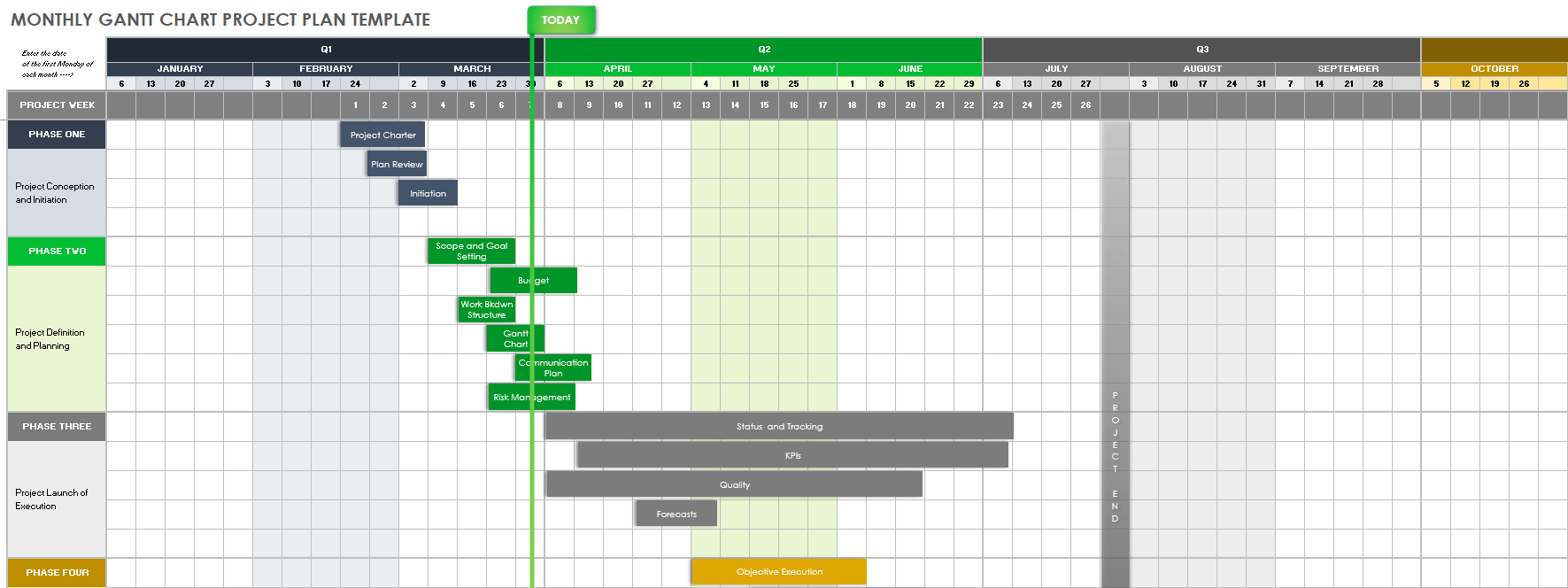
Image source: smartsheet.com
Features
- Interactive Gantt charts: Visualize project timelines with drag-and-drop scheduling and task dependencies.
- Critical path analysis: Identify the sequence of crucial tasks that determine project duration.
- Baseline tracking: Compare planned vs. actual progress to monitor project performance.
- Resource management: Allocate and track resources effectively to optimize team productivity.
- Automation workflows: Automate repetitive tasks and processes to enhance efficiency.
Pros
- Enterprise scalability: Suitable for large teams and complex projects.
- Customizable workflows: Tailor workflows to fit specific project requirements.
- Robust collaboration tools: Share files, leave comments, and mention teammates within tasks.
- Extensive integrations: Connects with tools like Microsoft 365, Google Workspace, Slack, and Salesforce.
Cons
- Learning curve: Advanced features may require time to master.
- Pricing: Higher-tier plans can be costly for small teams.
Pricing
- Pro plan: $9/user/month (billed annually) — Includes Gantt charts, grid, calendar, and board views, along with 250 automations per month.
- Business plan: $19/user/month (billed annually) — Adds unlimited dashboards, reports, and automations, along with advanced integrations.
- Enterprise plan: Custom pricing — Provides enhanced security, compliance features, and dedicated support.
8. TeamGantt: Free Gantt charts with easy scheduling
TeamGantt offers a simple and intuitive Gantt chart interface that helps teams plan, schedule, and track projects visually. Its drag-and-drop setup makes it easy to adjust timelines and assign tasks. The free version includes collaborative features like file sharing, task comments, and workload tracking, making it great for small teams managing multiple projects. Users can also access templates to quickly create structured project plans.
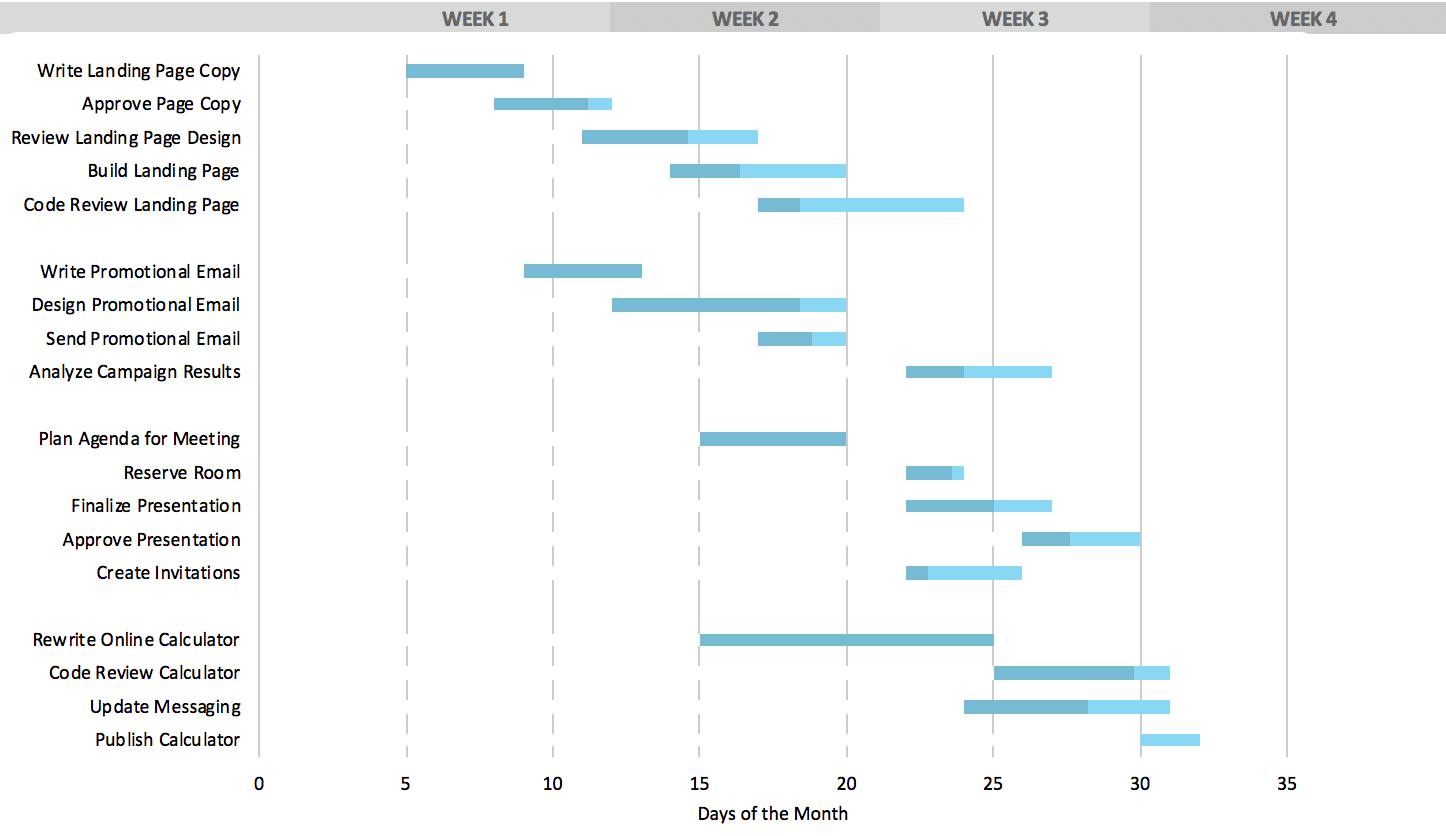
Image source: teamGantt.com
Features:
- Interactive Gantt charts: Plan, schedule, and update tasks easily using drag-and-drop functionality.
- Task dependencies: Link tasks to maintain logical order and ensure smooth workflow transitions.
- Progress tracking: Monitor project milestones and visualize real-time progress with percentage updates.
- Resource management: Assign team members, balance workloads, and avoid scheduling conflicts.
- File sharing and communication: Add comments, attach files, and collaborate directly within project tasks.
Pros:
- User-friendly interface: Simple drag-and-drop design makes it easy to create and adjust Gantt charts.
- Real-time collaboration: Team members can update progress, comment, and share files directly within the project view.
- Time tracking: Built-in time tracking helps monitor actual hours spent versus planned schedules.
- Customizable views: Switch between Gantt, list, and calendar views for flexible project management.
Cons:
- Limited free plan: The free version supports only a few projects and limited users.
- Integration gaps: Fewer third-party integrations compared to competitors like Asana or ClickUp.
Pricing:
- Templates: Built-in Gantt templates, free to use.
- Free plan: 1 project, 1 manager, up to 60 tasks.
- Standard plan: $19/month per manager with unlimited projects and reports.
- Enterprise plan: Custom pricing for portfolio and automation features.
9. Vertex42: Free Excel Gantt charts with templates
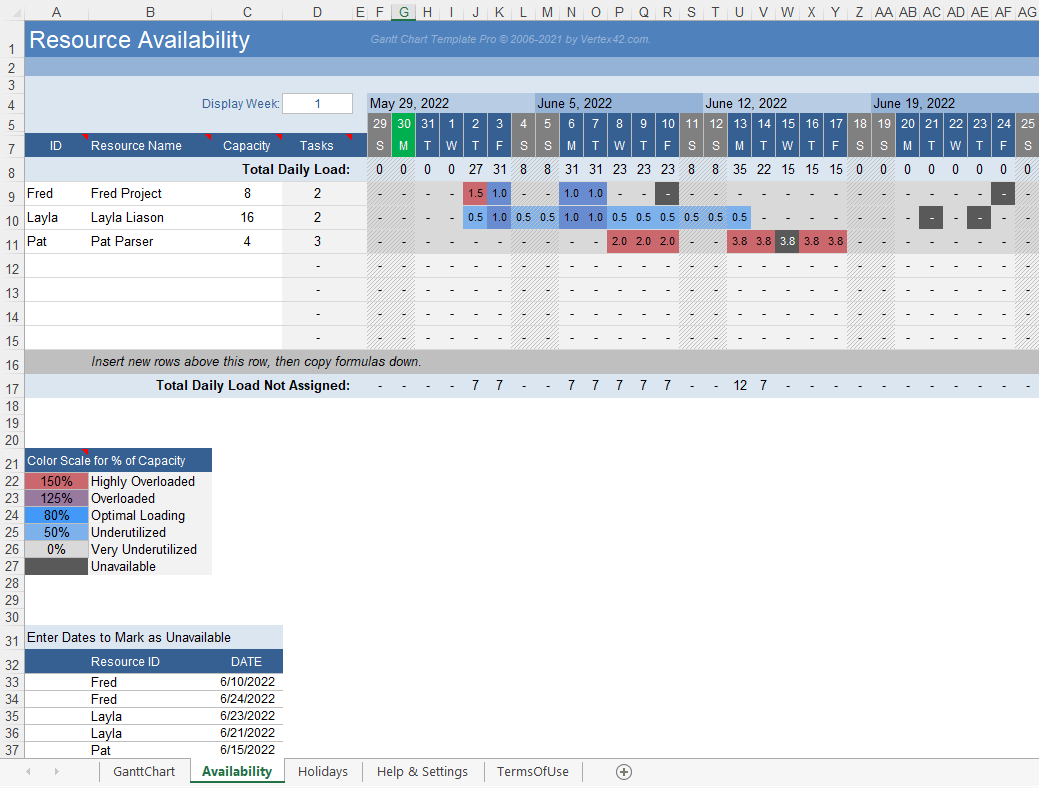
Image source: vertex42.com
Vertex42 offers a free Excel-based Gantt chart template designed for straightforward project scheduling. Users can define tasks, start dates, and durations, with the chart updating automatically to reflect progress. This template is suitable for those seeking a simple, no-fuss tool for visualizing project timelines.
Features:
- Large template library: Offers hundreds of spreadsheet templates across budgeting, project management, calendars, invoices, timesheets and more.
- Multi-platform compatibility: Templates work in Microsoft Excel, Google Sheets and OpenOffice.
- Built-in formulas and logic: Many templates come pre-populated with formulas, reducing manual setup and helping accuracy.
- Customizable layouts: Users can modify things like colours, fonts or fields to better match their needs rather than starting from scratch.
- No macros (in many templates) & simple entry: Templates are often designed without macros/VBA so they’re simpler to use and maintain.
Pros:
- Time-saving: You avoid building spreadsheets from scratch; templates let you jump in faster.
- Cost-effective: A lot of templates are free (or very low cost) so good value for individuals/small businesses.
- Reliable and trusted: Vertex42 has been around for a long time, and it scores highly on legitimacy/trust metrics.
- Flexible: With compatibility across platforms and customizable layouts, you can adapt the spreadsheet to your specific need.
Cons:
- Manual data entry: Since these are spreadsheets rather than full software systems, you typically have to enter data manually; less automation than dedicated apps.
- Limited advanced features: Some users may expect more advanced integrations, visuals or automation (e.g., automatic transaction imports) and find the templates more basic.
Pricing:
- Templates: Excel & Google Sheets templates; all templates are free to use, optional paid premium packs.
10. ProjectManager: Free Gantt charts with resource planning
ProjectManager offers a free, ready-to-use Gantt chart template in Excel, perfect for mapping out project timelines, dependencies, and milestones. It's ideal for users who prefer working offline but still want a clear visual layout. The online version adds more flexibility, allowing teams to collaborate, track progress, and switch between views like kanban, list, or calendar. It's a good starting point for managing small to medium projects.
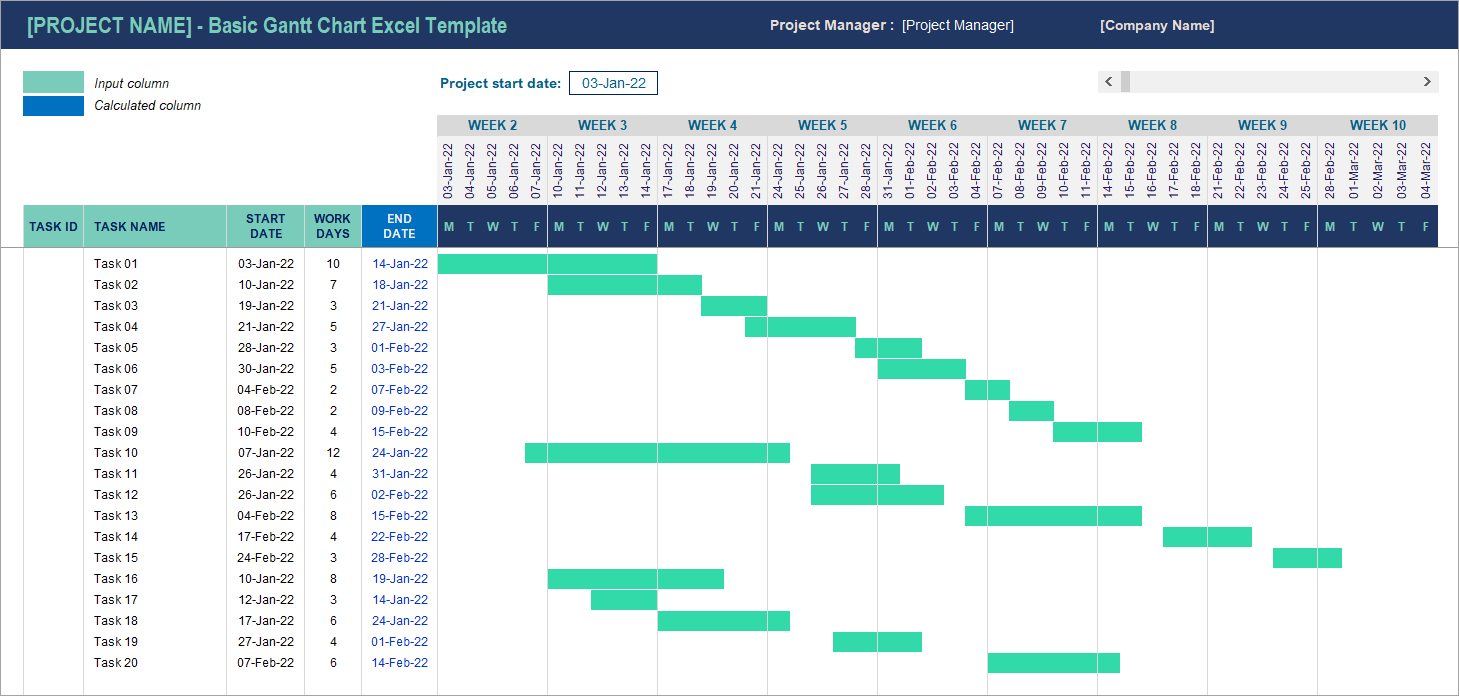
Image source: coupler.com
Features:
- Interactive Gantt charts & critical paths: Visualize project timelines, set dependencies and filter for those crucial tasks that affect overall duration.
- Multiple work views + workflow automation: Switch between Gantt, board (Kanban), list or calendar views; create recurring tasks, define automations or approval workflows.
- Resource & time tracking: Manage team availability, balance workloads, track actual hours via timesheets and compare against planned.
- Real-time dashboards & reporting: Get live project status (tasks, time, cost, workload) and produce customised reports for stakeholders.
- Portfolio & multi-project management: Handle multiple projects or programmes, align inter-project dependencies and view overall portfolio health.
Pros:
- Strong flexibility: Because it supports more than one way to view and manage work (Gantt, board, list, etc.), teams can pick the mode that fits them best.
- Robust planning & control: With dependencies, resource tracking and dashboards, it gives a lot of control and visibility for project managers.
- Good for scaled work: Its portfolio management and real-time reporting mean it can move beyond simple single-project use into more complex environments.
- Cloud-based & accessible: Works anywhere with the internet, which helps especially for teams spread across locations.
Cons:
- Possible learning curve for full functionality: Because there are many features, it may take time for teams to get up to speed and adopt all of it.
- Cost or value for smaller: Some users may find that for simpler or smaller projects the breadth of features is more than they need.
Pricing:
- Templates: Built-in Gantt and project templates, available with paid plans.
- Team plan: $13/user/month (billed annually).
- Business plan: $24/user/month with portfolio dashboards and time tracking.
- Enterprise plan: Custom pricing with advanced workflows.
How to make the most of a free Gantt chart maker
Using a free Gantt chart maker can be a great way to plan and manage projects without investing in expensive software. But to get real value from it, you need to know how to use its features effectively. Here are a few ways to make the most of a free Gantt chart tool:
- Start with clear goals and a project outline
Before adding tasks to your Gantt chart, define the project's main objectives and deliverables. Break down large goals into smaller action items. This helps you create a logical structure that's easy to track and update.
- Use dependencies to show task relationships
One of the biggest advantages of a Gantt chart is its ability to show how tasks connect. Use dependencies to link related tasks—for example, one that can't start until another is finished. This makes it easier to identify potential delays and plan ahead.
- Set realistic deadlines
Free Gantt chart tools often let you assign start and end dates to each task. Be sure to give teams enough time to complete their work without overloading them. Realistic timelines reduce stress and help maintain steady progress.
- Update regularly
A Gantt chart is only useful if it's current. Review progress often and update the chart as tasks are completed or delayed. Most free tools allow quick edits, so keeping your plan accurate doesn't take long.
- Take advantage of collaboration features
Even free Gantt chart makers often include basic collaboration options, such as task comments, file sharing, or notifications. Use them to keep communication open and ensure everyone stays informed.
- Export and share your chart
Once your chart is ready, share it with your team or clients. Many free tools allow exporting to PDF or sharing via a public link. This ensures everyone has visibility, even if they're not using the same software.
By using these strategies, you can get maximum value from a free Gantt chart maker—keeping your project organized, your team aligned, and your timeline on track without spending a dime.
Conclusion
Free Gantt chart makers have made project planning accessible to everyone—from small teams to solo freelancers. They offer a simple way to map out tasks, track progress, and keep projects organized without the need for complex software or high costs.
Tools like Lark take this a step further by combining traditional Gantt chart timelines with built-in collaboration. Teams can assign tasks, add comments, and make updates in real time, ensuring everyone stays connected and aligned throughout the project.
When choosing a Gantt chart maker, look for one that balances simplicity, collaboration, and automation. A reporting tool that's easy to use, keeps communication seamless, and adapts as your project grows will give you the best results—helping your team stay focused, efficient, and on schedule.
FAQs
What is the best free Gantt chart maker for small teams?
Tools like Lark, TeamGantt, and AGantty are great for small teams. They're easy to use and include essential planning and collaboration features.
Can I use a Gantt chart maker free online without sign-up?
Yes. Some tools let you create simple charts without signing up, though saving or sharing usually requires an account.
Do free Gantt chart makers include task dependencies?
Most free tools include basic dependencies like start-to-finish or finish-to-start. Advanced options may need a paid plan.
How does Lark compare to other free Gantt chart tools?
Lark stands out for its real-time collaboration, task tracking, and smooth integration with chat and docs—all in one platform.
Can I upgrade from a free to a paid plan later?
Yes. Most tools, including Lark, offer an easy upgrade path that unlocks more projects, users, and automation features.
Related reading
Table of contents
Start using Lark today

Manage all your work in one place
Boost team efficiency by 10x
Save up to 70% on software costs
Table of contents
Start using Lark today
Manage all your work in one place
Boost team efficiency by 10x
Save up to 70% on software costs
Keep reading







2026 Lark Technologies Pte. Ltd.
Headquartered in Singapore with offices worldwide.






Explore: