














10 Best Free Gantt Chart Software for Project Management

Ryan Tanner
Product Marketing Specialist
Sep 18, 2026
Ryan Tanner
Sep 18, 2026

25 min read


Gantt charts are essential for visualizing timelines, managing dependencies, and keeping projects on track. Many teams, however, need powerful planning tools without investing in expensive software. Luckily, several platforms now offer feature-rich free Gantt chart software, including options like Lark, ClickUp, Trello, Asana, and open-source tools such as OpenProject and GanttProject. These solutions provide drag-and-drop timelines, milestones, task tracking, and collaboration features at no cost.
In this guide, we break down the 10 best free Gantt chart software available today, whether you need an all-in-one workspace, a simple timeline tool, or a lightweight open-source alternative.
1. Lark: Best all-in-one free Gantt chart software
2. ClickUp: Most flexible free Gantt charts
3. Trello: Best simple Gantt chart via free Power-Ups
4. Asana: Best free timeline for small teams
5. TeamGantt: Best lightweight Gantt-focused tool
6. Wrike: Best for Gantt charts with workload management
7. GanttProject: Best open-source desktop Gantt tool
8. Bitrix24: Best free CRM + project management with Gantt
9. OpenProject: Best open-source Gantt tool for agile + waterfall
10. Paymo: Best free Gantt + time tracking

Quick glance: Free Gantt chart software in comparison
Choosing the right free Gantt chart software depends on your team's workflow, project complexity, and collaboration needs. This quick comparison table provides a clear snapshot of the top tools, their best uses, and the limitations of each free plan. It's designed to help you narrow down your choices before exploring the detailed reviews below. From all-in-one platforms to simple timeline tools and open-source options, here's how today's leading free Gantt solutions stack up at a glance.
Information source: Official vendor sites
Update time: 2025-11-14
Note: Pricing and plan details reflect publicly available data as of the update date and may vary based on region, billing cycle, and number of agents.
What is Gantt chart software?
Gantt chart software is project management tools that helps teams plan, schedule, and track work using a visual timeline. Each task appears as a bar that shows its start date, end date, duration, and progress, making it easy to understand how work fits together. Modern platforms offering free Gantt chart software often include drag-and-drop editing, milestones, dependencies, and workload visibility so teams can manage projects more accurately. Many of today's best free Gantt chart software options also support multiple views, such as Kanban, calendars, or task lists, so teams can work in whatever format they prefer. Whether you're using free project management software with Gantt chart features or a dedicated timeline-focused tool, Gantt charts provide a clear picture of project status, help predict delays, and keep everyone aligned. They're widely used by startups, freelancers, marketing teams, developers, and organizations that need Gantt chart software free without sacrificing essential capabilities.
Who needs free Gantt chart software?
Gantt chart tools are designed to support teams that need clear timelines, structured workflows, and real-time project visibility. Whether you're managing simple tasks or complex multi-stage projects, Gantt charts help you stay organized and on schedule.
- Startups and small teams: Startups rely on Gantt charts to map product roadmaps, coordinate sprints, and track deliverables without chaos. With limited people and high output demands, visual timelines keep everyone aligned. Teams can quickly adjust priorities as projects evolve.
- Freelancers and solopreneurs: Independent professionals use Gantt charts to plan client timelines and juggle multiple projects. A visual task breakdown helps them stay accountable and predictable. It also improves client communication by making deadlines and workloads transparent.
- Developers and engineering teams: Engineering teams benefit from Gantt charts for sprint planning, dependency tracking, and release scheduling. Seeing overlaps and blockers early keeps development cycles efficient. It also ensures cross-functional work moves in sync.
- Marketing and creative teams: Content calendars, campaign timelines, and design workflows become easier to manage with Gantt charts. Marketing teams can sequence tasks, track revisions, and avoid bottlenecks. Creative teams stay in control of deliverables and production cycles.
- Nonprofits and education groups: Resource-tight organizations value Gantt tools for planning events, programs, and grant-related tasks. Visual timelines simplify coordination across volunteers and faculty. It ensures teams meet deadlines without overwhelming administrative work.
- Teams managing budgets that cannot accommodate paid PM tools: Cost-conscious teams use free Gantt chart software to get structure without financial strain. They still gain visibility into tasks, owners, and progress. Gantt charts help them stay organized even with limited tools and budgets.
Top 10 free Gantt chart software (Ranked)
1. Lark: Best all-in-one free Gantt chart software
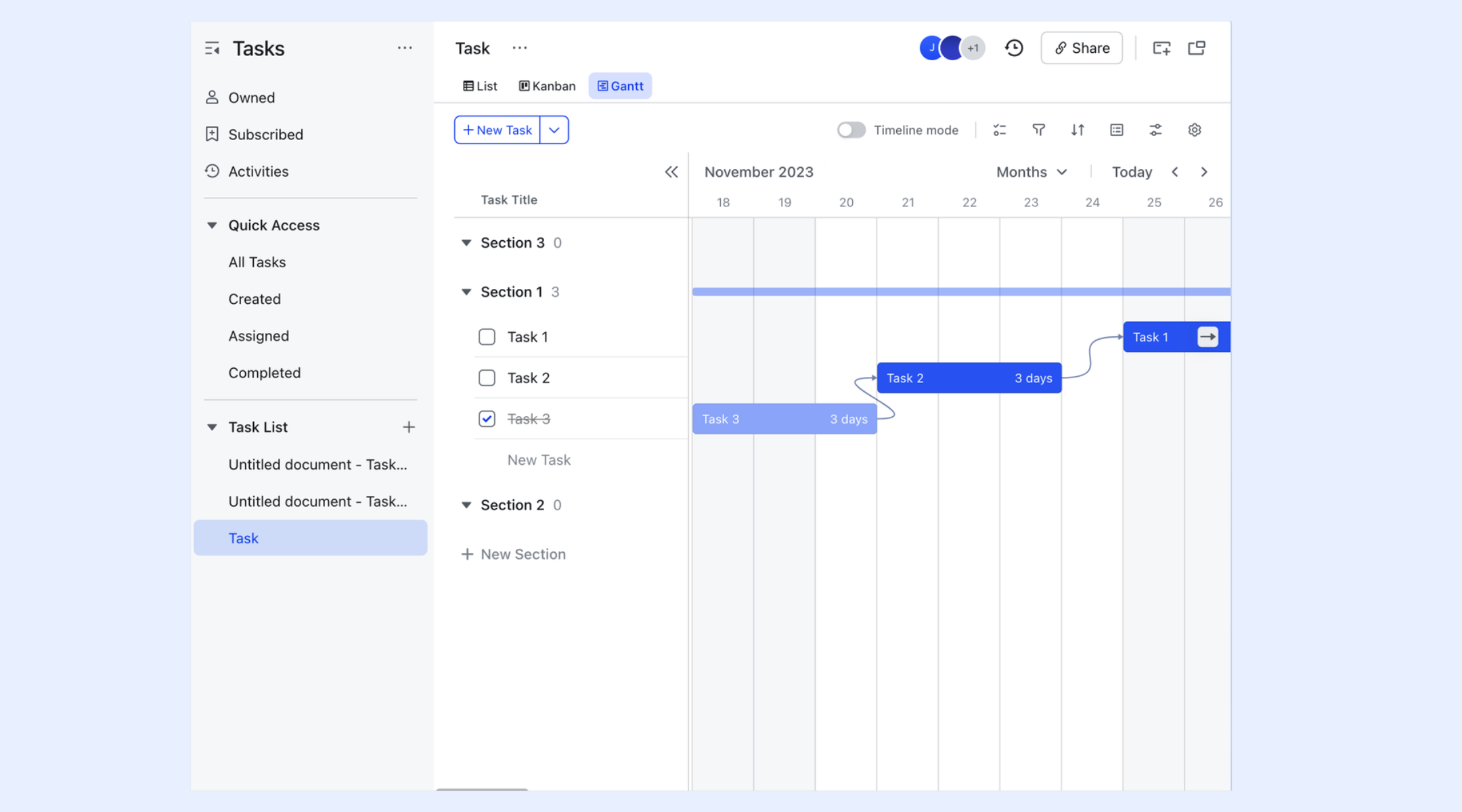
Lark stands out as the best all-in-one free Gantt chart software, seamlessly combining project planning, communication, and collaboration. With native support for Gantt views alongside docs, calendars, and messenger, it's ideal for teams that want everything under one roof. The intuitive interface makes it easy to visualize timelines. Plus, Lark's automation and file storage make it a powerful choice for free project management.
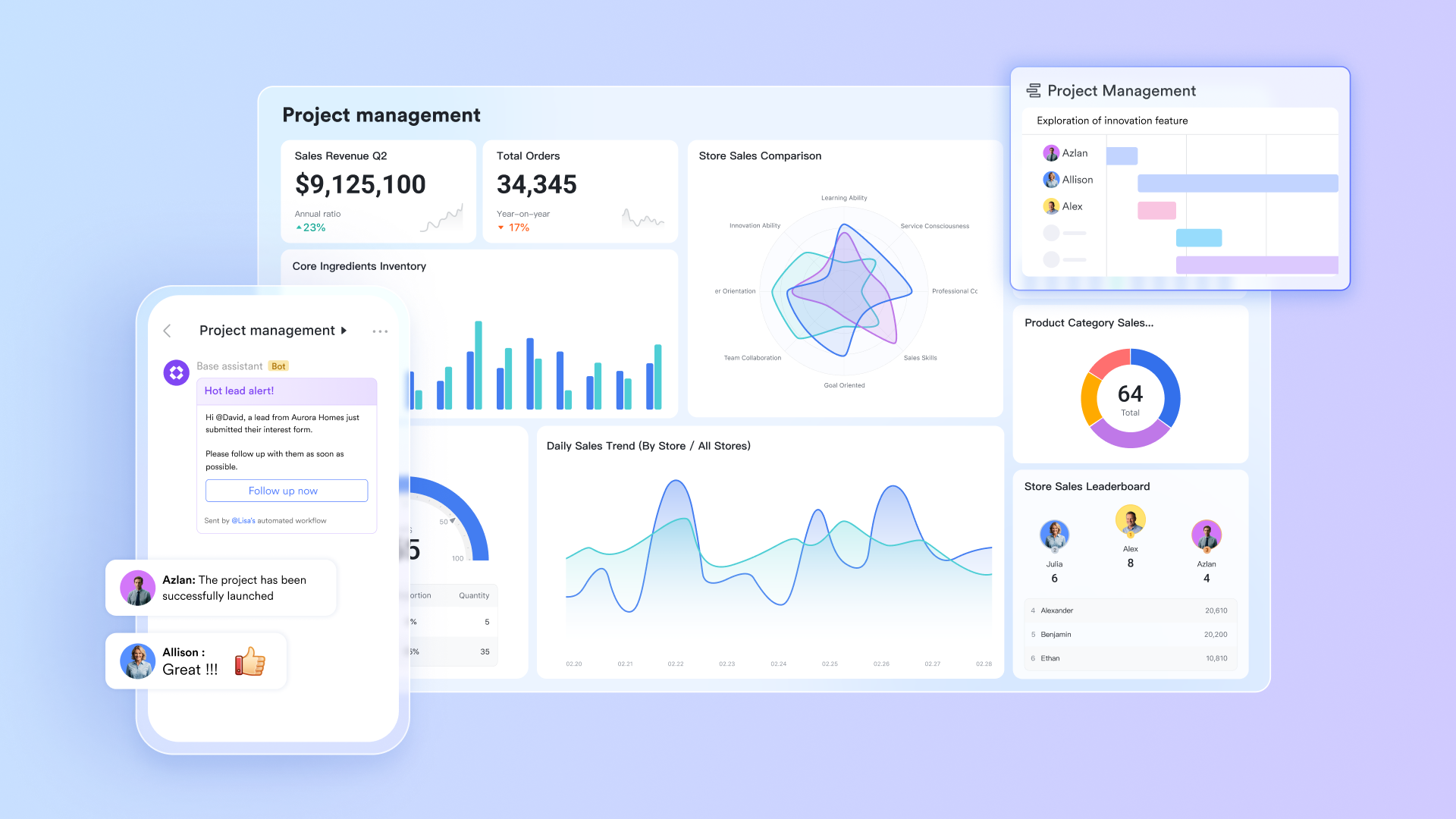
Visual timeline
Lark's Gantt view displays your entire project on a horizontal time axis, with tasks arranged vertically so teams can see work sequences at a glance. This structure makes it easy to understand how tasks overlap, where deadlines fall, and which activities are critical to the project timeline. The clear, linear visualization helps project owners quickly assess pacing, identify bottlenecks, and ensure the team stays aligned on upcoming milestones.
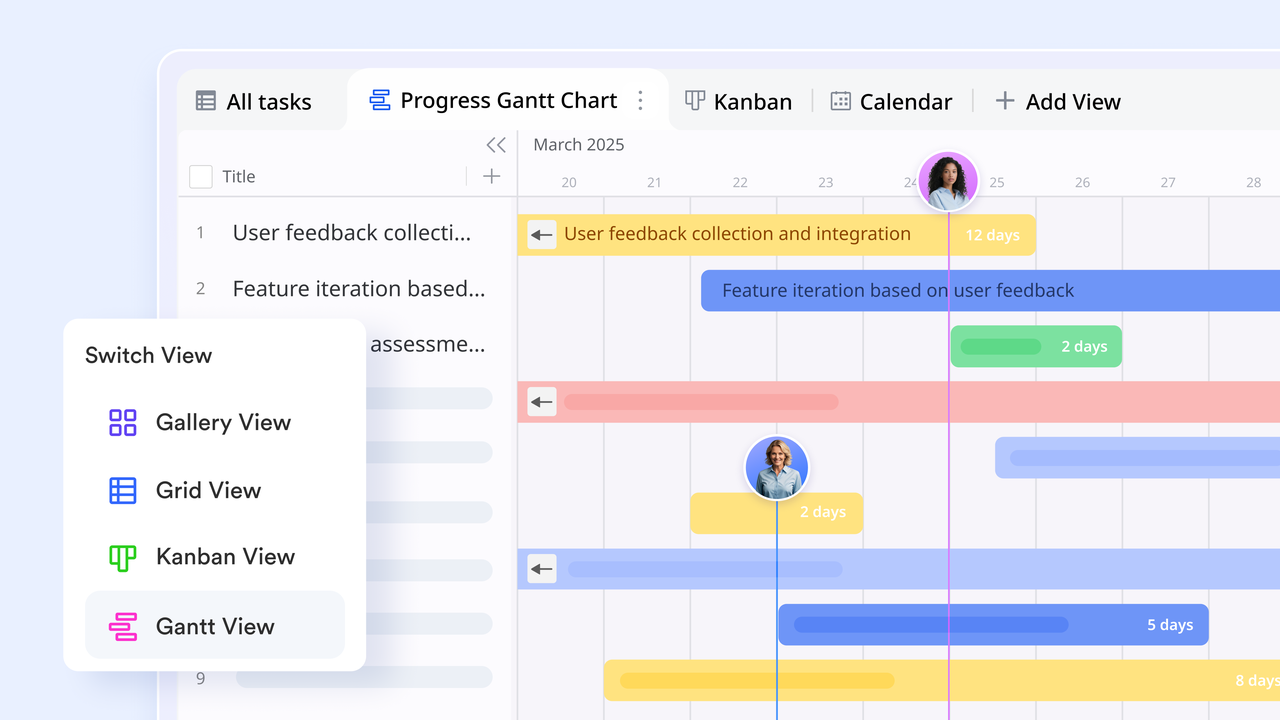
Automatic generation
Lark automatically generates time bars in the Gantt view based on any date-type fields (such as start date, end date) or formula fields formatted as dates. As soon as these fields are added to your Base table, the Gantt chart is built instantly, no manual setup required. This reduces admin time and ensures the chart always reflects your latest project data, even when updates are made elsewhere in the Base.
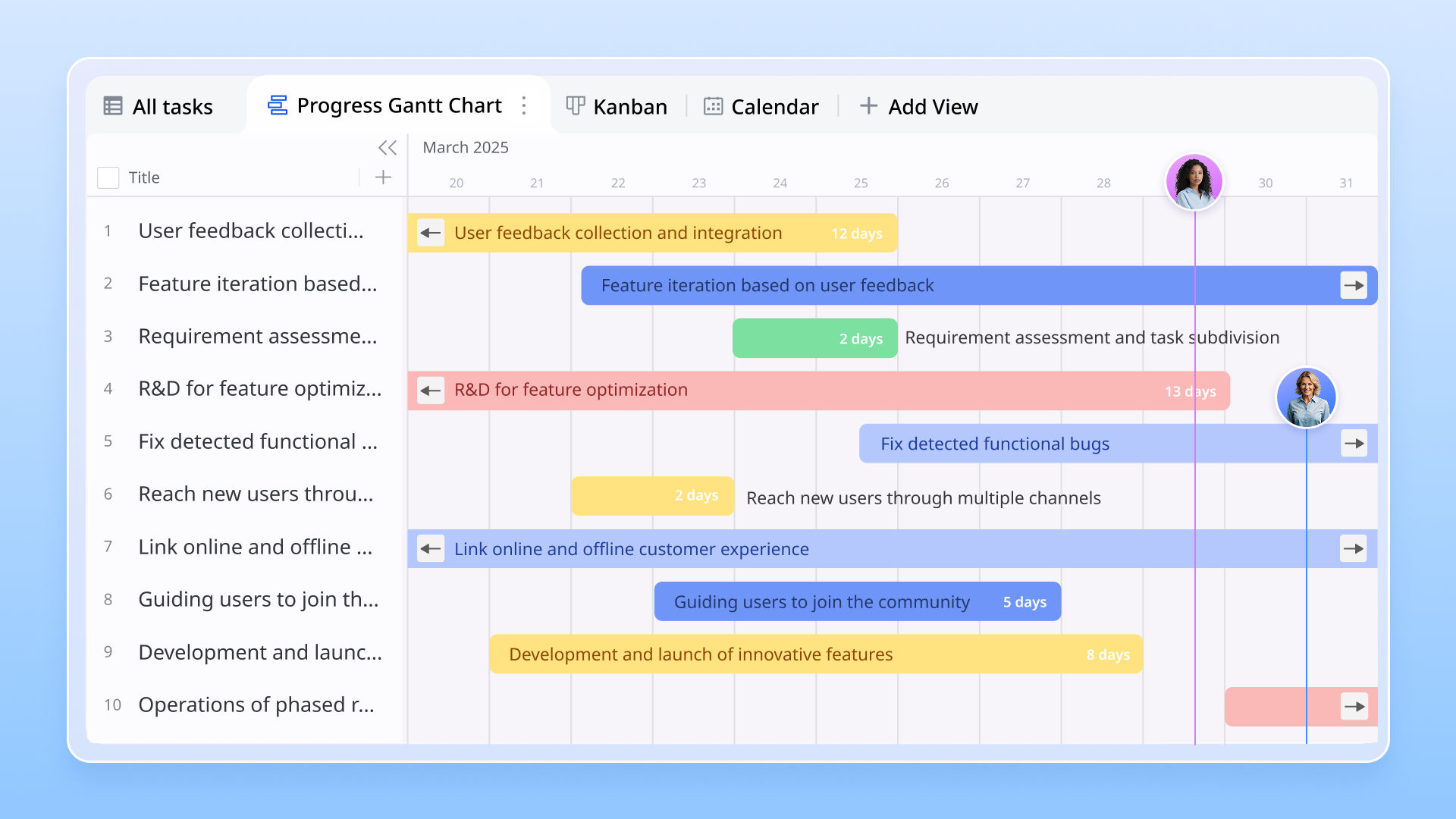
Progress display
Teams can display task progress directly on the Gantt time bar by linking it to a progress field. This adds a visual indicator, often shown as a fill percentage, that reflects how much of the task is complete. Instead of switching views or opening individual records, project managers can instantly review the overall status of the project and identify tasks that are lagging behind schedule.
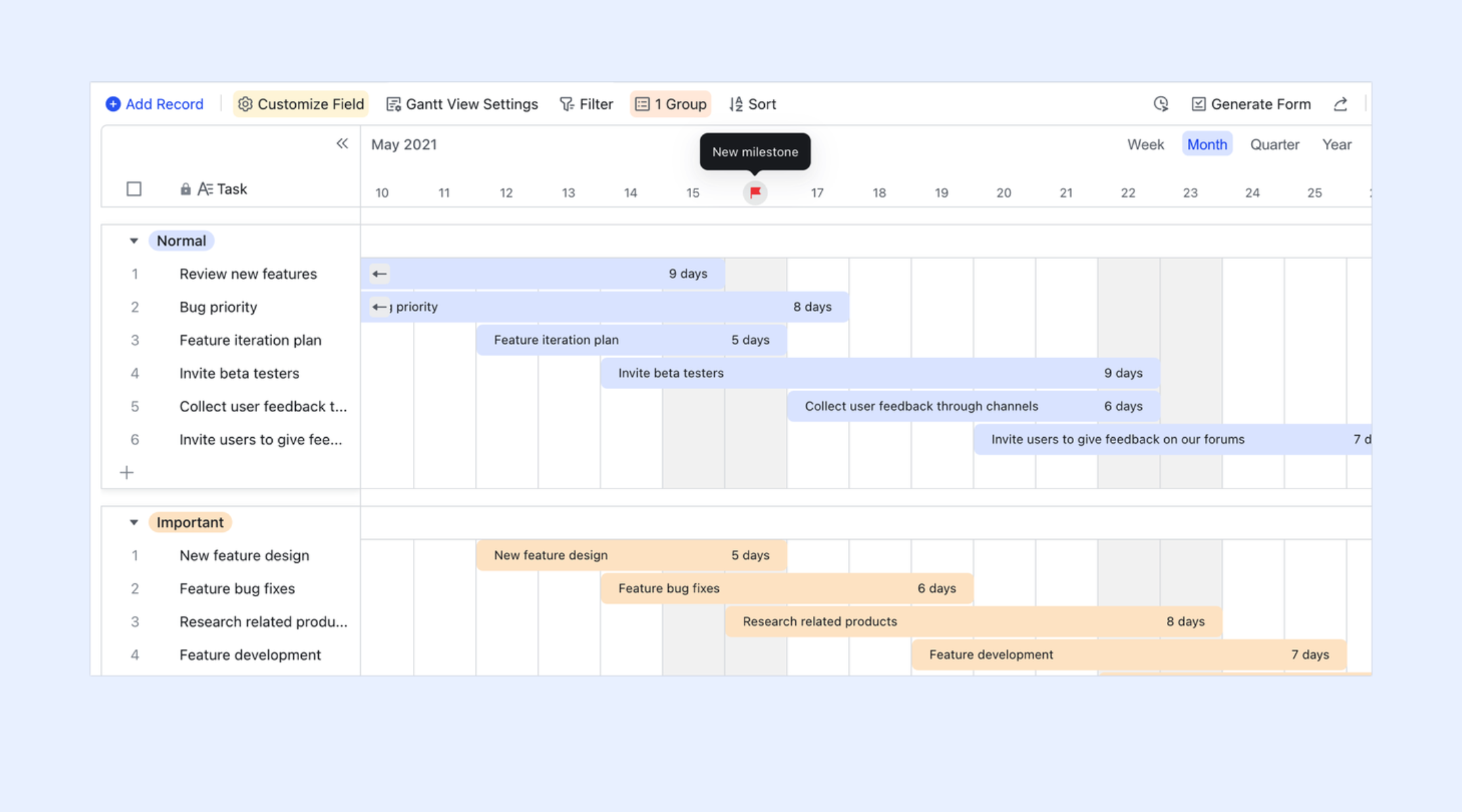
Task dependencies, durations, and milestones
Lark supports dependencies, durations, and milestones for teams that need more advanced scheduling. Dependencies allow you to connect tasks in a sequence, for example, marking one task as blocked until another is completed. Duration fields calculate how long a task should take based on start and end dates. Milestones let you highlight major checkpoints within the project timeline. Users with edit permissions can configure all these elements, giving teams the structure needed to plan complex projects with accuracy.
- Starter plan: Free forever plan that includes 11 powerful tools for up to 20 users. It also comes with 100GB of storage, 1000 automation runs, AI translations, and more.
- Basic plan: $6/user/month (billed annually) for up to 500 users. It includes everything in Starter plus group calling for up to 500 attendees, 5TB of storage, 1000 automation runs, and more.
- Pro plan: $12/user/month (billed annually) for up to 500 users. It includes everything in Starter plus group calling for up to 500 attendees, 15TB of storage, 50,000 automation runs, and more.
- Enterprise plan: Contact sales for custom pricing. Supports unlimited users and includes even more automation runs and advanced security, compliance, and management features.
2. ClickUp: Most flexible free Gantt charts
ClickUp is one of the most flexible platforms, offering a completely customizable free Gantt chart experience. Its powerful timeline view helps teams manage dependencies, track workloads, and map project phases visually. You can switch between Gantt, List, Board, or Calendar, making it perfect for teams that need adaptability. The free plan packs strong automation and collaboration tools. Ideal for users who want versatile project visualization without upgrading.
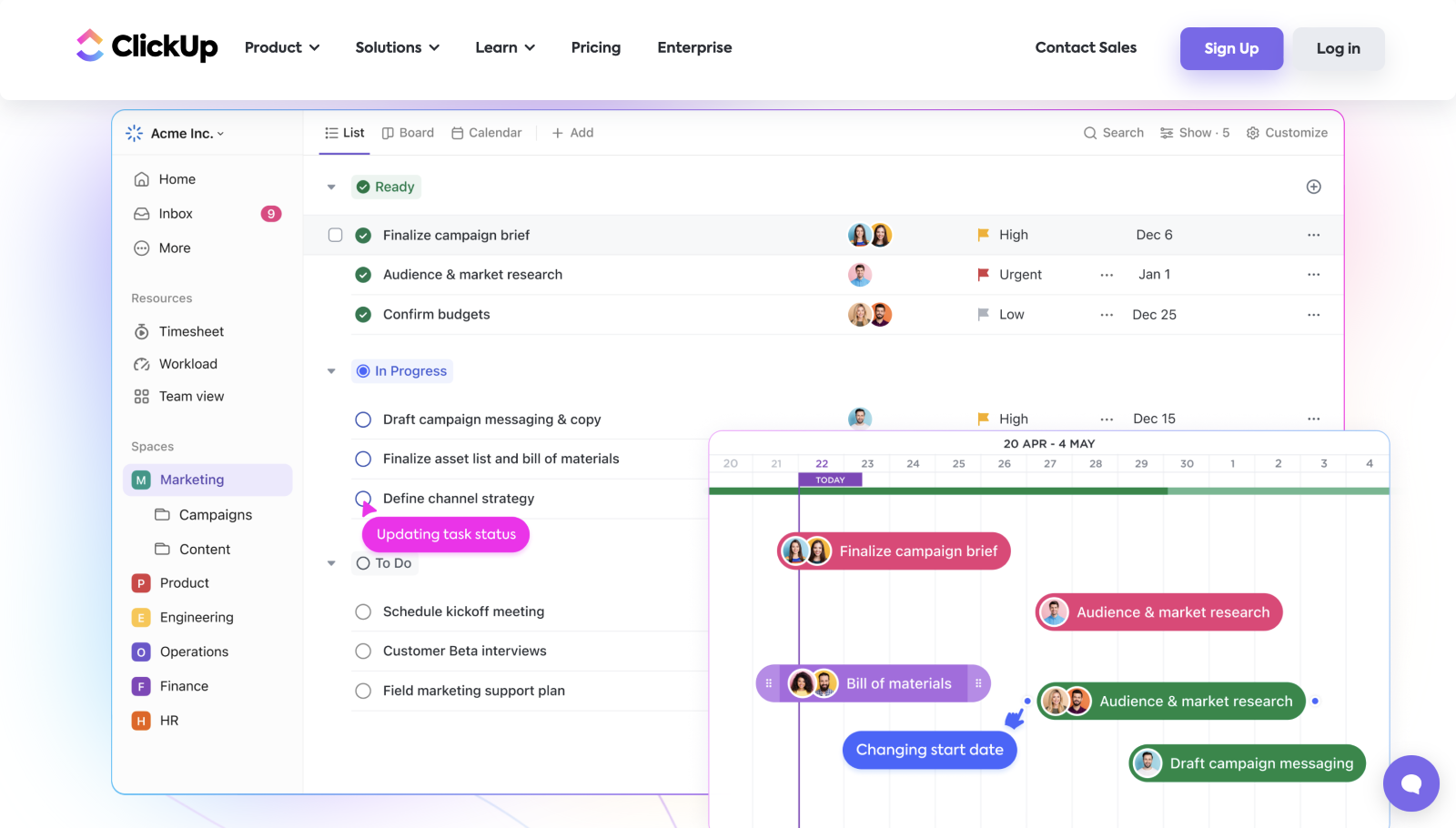
Image source: clickup.com
Key features:
- Drag-and-drop Gantt builder: Let teams instantly adjust timelines, task durations, and schedules with simple visual edits.
- Dependencies & critical path: Shows linked tasks and bottlenecks so teams can plan workflows accurately.
- Multiple project views: Allows switching between Gantt, List, Board, or Calendar while keeping data perfectly aligned.
- Custom statuses: Enables teams to create workflow stages that match their unique processes.
- Workload monitoring: Highlights workload distribution to prevent overload and ensure balanced task assignments.
Pros:
- Highly flexible with many customization options
- Includes automation even on the free plan
- Great for both simple and complex projects
- Unlimited users on the free plan
Cons:
- It can feel overwhelming because of too many features
- The learning curve is longer for beginners
Pricing:
- Free: $0 per user
- Unlimited: $7/user/month (annual billing)
- Business: $19/user/month (monthly billing)
3. Trello: Best simple Gantt chart via free Power-Ups
Trello offers a lightweight approach to free Gantt chart software through its Timeline and Power-Up options. It's ideal for teams that prefer visual Kanban boards but still need a simple timeline view for project planning. The interface is extremely beginner-friendly, making it great for freelancers and small teams. Trello keeps planning flexible and low-effort. Perfect for users who want Gantt features without complexity.
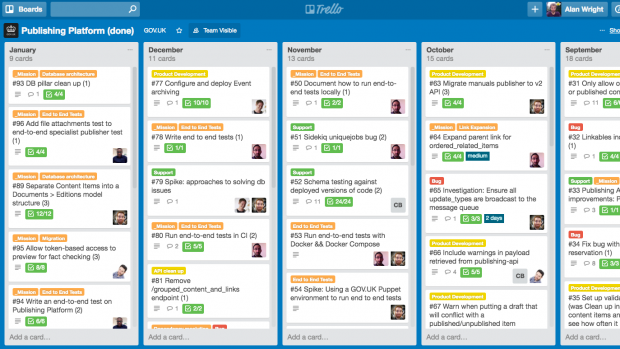
Image source: trello.com
Key features:
- Timeline/Gantt view Power-Up: Converts cards into a timeline layout that helps teams visualize schedules more effectively.
- Drag-and-drop dates: Let users shift deadlines quickly, so project timelines stay accurate and easy to maintain.
- Boards, lists, and cards: Provides a simple structure that keeps task organization clear and effortless for all users.
- Labels and custom fields: Add structured details to tasks so teams can categorize and filter information efficiently.
- Collaboration via comments: Stores all conversations inside tasks to keep communication organized and easy to track.
Pros:
- Extremely easy for beginners
- Great for visual thinkers
- Works well for personal and small-team planning
- Free Power-Up adds timeline functionality
Cons:
- Limited dependency options
- Not ideal for complex project structures
Pricing:
- Free: $0
- Standard: $5/user/month (billed annually)
- Premium: $10/user/month (billed annually)
4. Asana: Best free timeline for small teams
Asana delivers one of the cleanest and most user-friendly free timeline tools for teams that want structured planning without heavy complexity. The Timeline feature gives a clear visual overview of task sequencing, making it great for small teams handling campaigns or short-term projects. Its intuitive interface reduces setup time and improves alignment. Collaboration happens naturally inside tasks. Ideal for teams seeking clarity and simplicity.
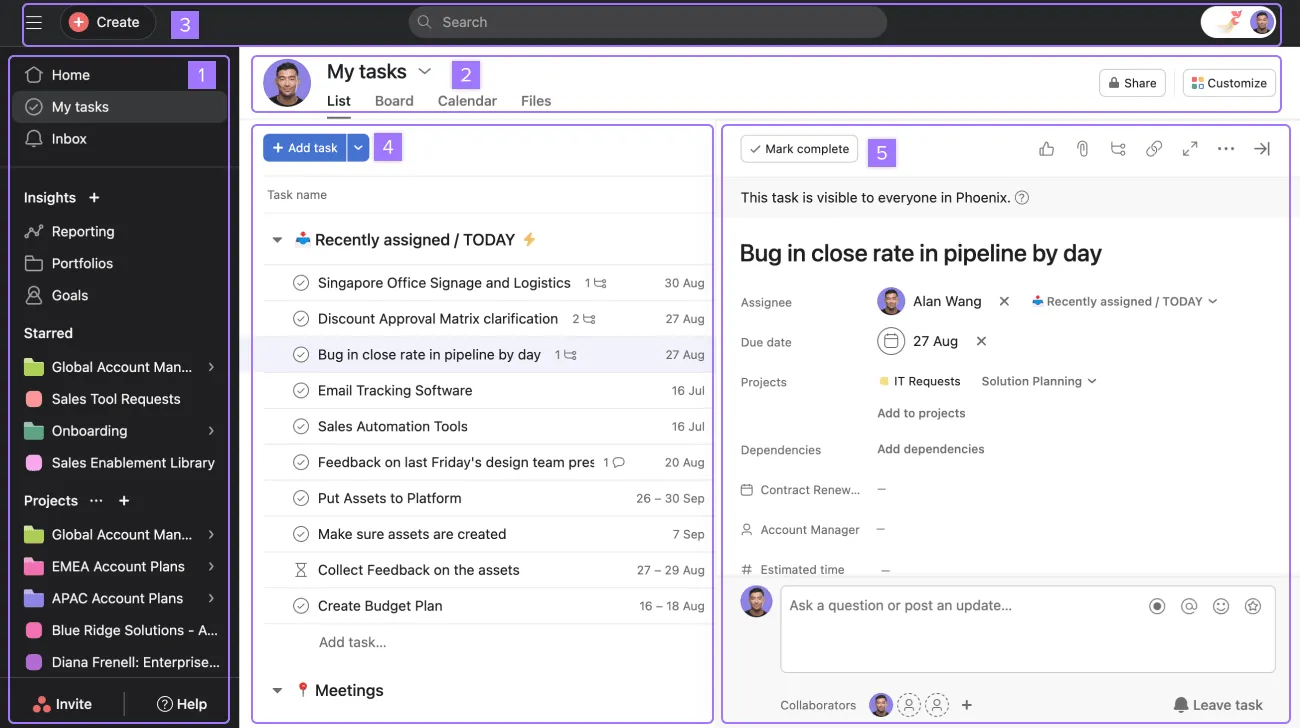
Image source: asana.com
Key features:
- Timeline view: Shows task relationships visually so teams can understand project flow and sequence instantly.
- Task comments & attachments: Centralizes updates and files so collaboration stays connected to each relevant task.
- Subtasks & sections: Breaks work into smaller parts, so complex projects become more manageable for teams.
- Due dates & priorities: Clarifies timelines and urgency so teams can stay aligned and complete tasks on time.
- Basic dashboards: Provide simple progress visuals so teams can monitor overall project health quickly.
Pros:
- Very beginner-friendly
- Strong collaboration features
- Clean and organized UI
- Great for marketing, design, and operations teams
Cons:
- Dependencies are not fully available on the free plan
- Limited advanced reporting
Pricing:
- Free: $0 (limited to 1 user)
- Plus: $10.90/user/month
- Pro: $16.90/user/month (includes Gantt & dependencies)
5. TeamGantt: Best lightweight Gantt-focused tool
TeamGantt is a dedicated tool built entirely around Gantt chart planning, making it a great choice for users who want simplicity without extra clutter. The free plan gives you core timeline features with task management that's easy to learn. Teams get a clean drag-and-drop interface that feels natural and fast. It's ideal for freelancers, agencies, and small teams. A straightforward option for timeline-first planning.
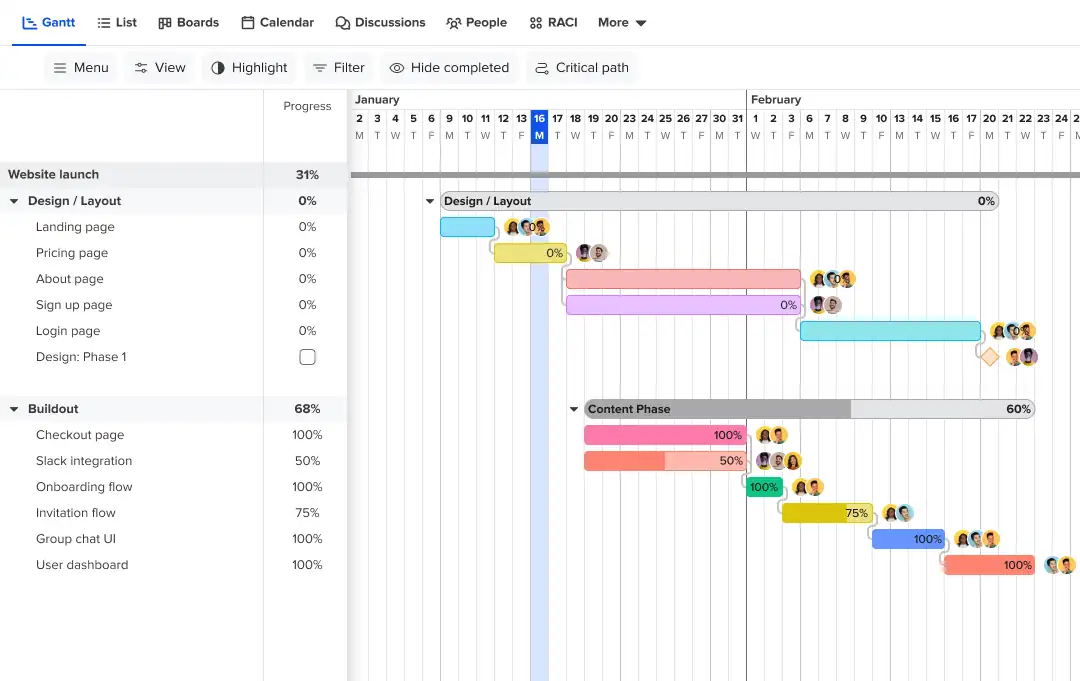
Image source: teamgantt.com
Key features:
- Intuitive Gantt interface: Delivers a clean timeline layout that makes planning straightforward for every team member.
- Drag-and-drop editing: Lets users rearrange tasks smoothly so schedules can be updated without disrupting plans.
- Milestones and dependencies: Organizes task sequences clearly to ensure projects follow a structured and reliable flow.
- Workload view: Displays availability instantly so managers can assign tasks fairly across the entire team.
- Project history tracking: Records all timeline changes so users can review progress and adjustments over time.
Pros:
- Pure Gantt experience
- Very easy to navigate
- Good for scheduling-heavy teams
- Clean and minimal UI
Cons:
- The free plan is limited to one project
- Fewer extra project views
Pricing:
- Free: $0 (1 project, limited features)
- Standard: Starts at $24 per month
- Advanced: Custom pricing
6. Wrike: Best for Gantt charts with workload management
Wrike combines strong timeline and workload features for teams that need capacity visibility alongside project planning. The Gantt Chart view offers a structured layout for mapping dependencies and complex workflows. It's perfect for teams handling cross-functional work with shifting priorities. Wrike's strength is operational clarity. Great for teams that need scheduling plus resource balancing.
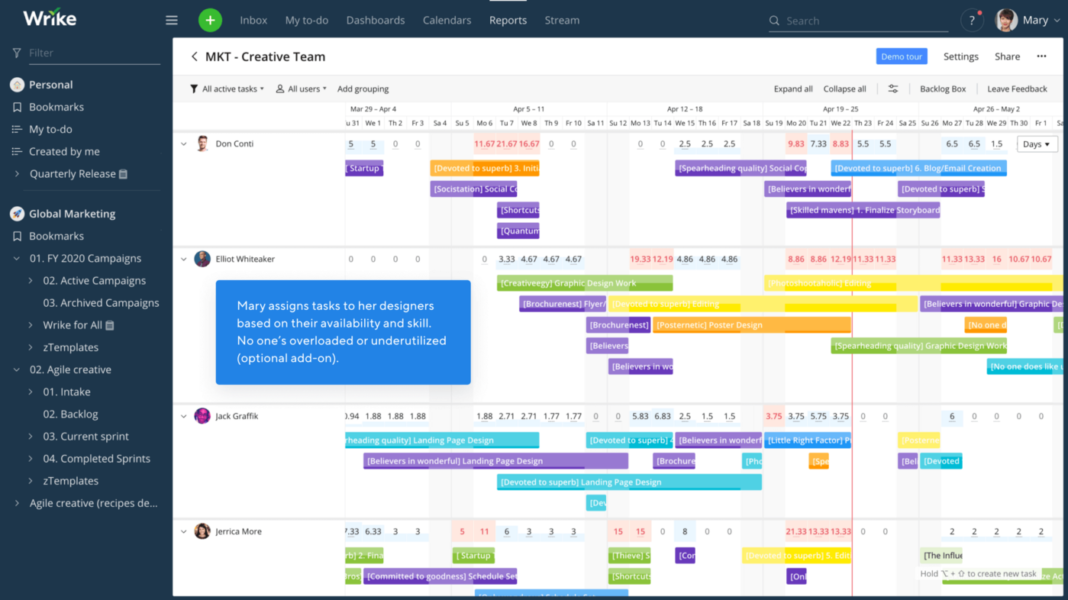
Image source: wrike.com
Key features:
- Dynamic Gantt timelines: Updates schedules automatically so teams can adapt quickly when task details shift.
- Workload charts: Show capacity in real time so managers can allocate responsibilities with accuracy and balance.
- Cross-tagging tasks: Let tasks appear in multiple projects so teams can coordinate across different workstreams easily.
- Folder + space structure: Organizes large amounts of work clearly so teams can navigate projects without confusion.
- Blueprint templates: Provide ready-made project formats so teams can launch structured workflows instantly.
Pros:
- Excellent resource management
- Strong enterprise-grade functionality
- Supports complex project structures
- Customizable workflows
Cons:
- The free version has reduced Gantt features
- Can feel heavy for smaller teams
Pricing:
- Free: $0
- Team: $9.80 per user/month
- Business: $24.80 per user/month
- Enterprise: Custom pricing
- Pinnacle: Custom pricing
7. GanttProject: Best open-source desktop Gantt tool
GanttProject is a reliable open-source Gantt chart program for users who prefer desktop tools over cloud platforms. It's simple, functional, and great for offline planning. With classic Gantt features, it works well for traditional project scheduling and academic or nonprofit use. Perfect for users who don't need real-time collaboration. A solid no-cost option for long-term timeline planning.
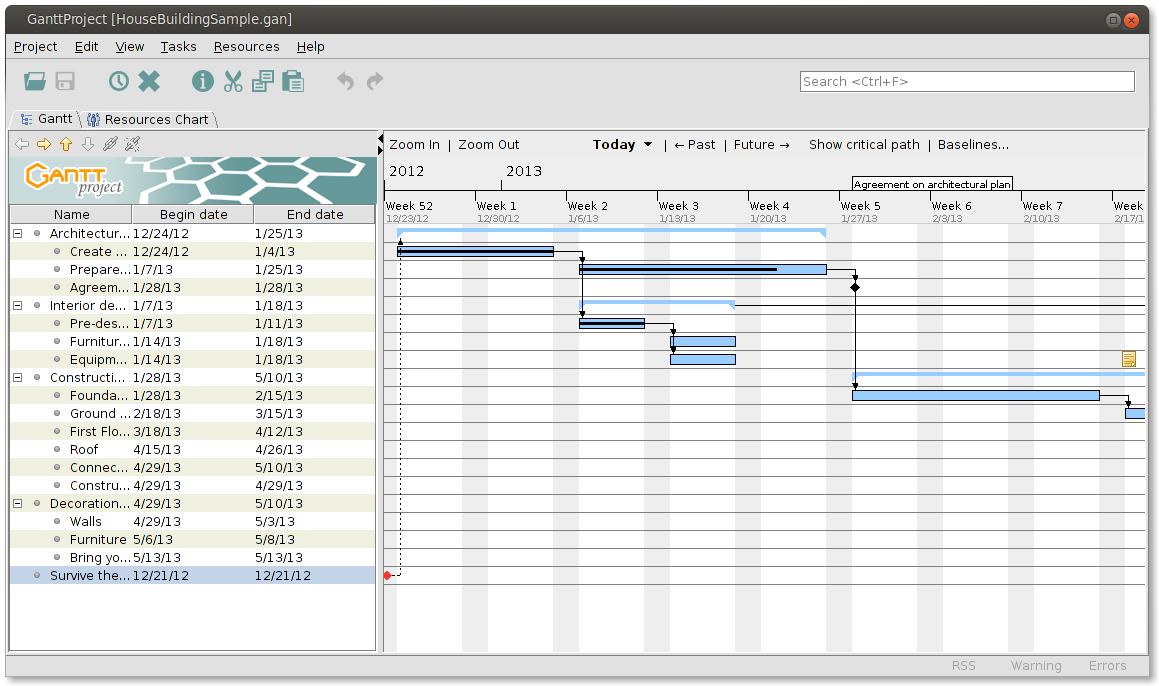
Image source: ganttproject.biz
Key features:
- Offline desktop use: Allows teams to plan timelines locally so work continues smoothly without internet access.
- Dependencies & milestones: Structures tasks neatly so project sequencing stays accurate from start to finish.
- Resource allocation: Tracks workload manually so teams can distribute responsibilities with precision.
- PDF & CSV export: Shares schedules easily so stakeholders can review plans in widely supported formats.
- Open-source customization: Let users modify features freely so the tool adapts well to unique project needs.
Pros:
- Completely free
- Works offline
- No login or cloud dependency
- Lightweight and stable
Cons:
- Outdated interface
- No real-time collaboration
Pricing:
- Free: $0 (open-source)
- Optional donation: User-defined amount
8. Bitrix24: Best free CRM + project management with Gantt
Bitrix24 blends CRM capabilities with Gantt chart project planning, making it ideal for service teams and small businesses. The platform includes tasks, timelines, pipelines, and communication tools under one free workspace. It's powerful for teams managing clients and projects simultaneously. The free tier is generous and supports collaboration at scale. Great for operational teams that need both Gantt and sales tracking.
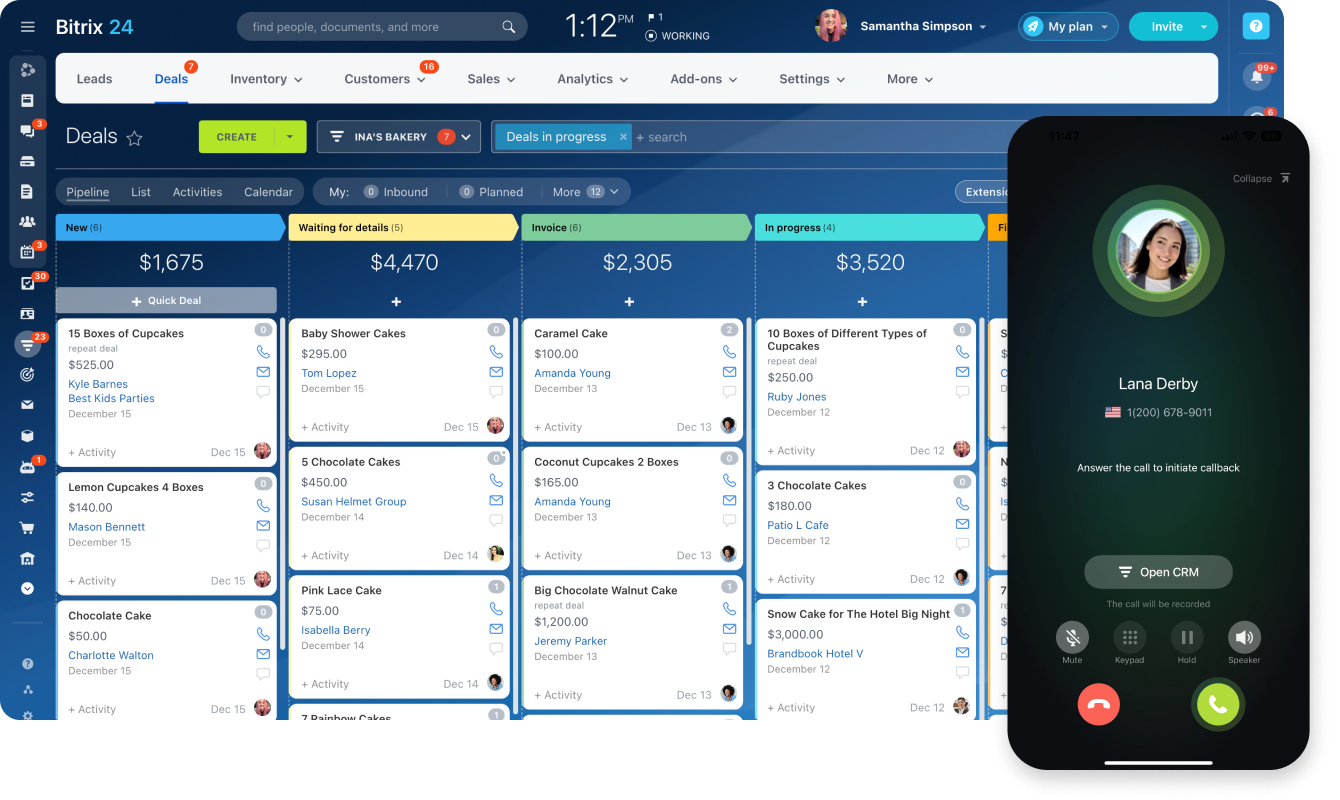
Image source: bitrix24.com
Key features:
- Gantt task timelines: Present project stages clearly so teams can follow deadlines and progress effortlessly.
- Built-in CRM: Manages clients and pipelines together so teams can align sales and project work seamlessly.
- Task automation: Reduces repetitive actions so workflows stay efficient and consistent across projects.
- Chat & video calls: Enable instant communication so teams can collaborate quickly without using external tools.
- Document workspace: Stores all files centrally, so project information stays organized and accessible anytime.
Pros:
- Extremely rich free plan
- CRM + project tools in one
- Good for service businesses
- Strong communication features
Cons:
- UI can feel cluttered
- Learning curve due to many modules
Pricing:
- Free: $0
- Basic: $49 per month (up to 5 users)
- Standard: $99 per month (up to 50 users)
- Professional: $199 per month (unlimited users)
9. OpenProject: Best open-source Gantt tool for agile + waterfall
OpenProject is a powerful open-source project management tool built for teams running hybrid workflows like agile and waterfall. It offers structured Gantt timelines, backlogs, roadmaps, and more. The open-source model gives teams flexibility and transparency. It's strong in long-term planning, documentation, and issue tracking. Ideal for technical teams needing control and customizability.
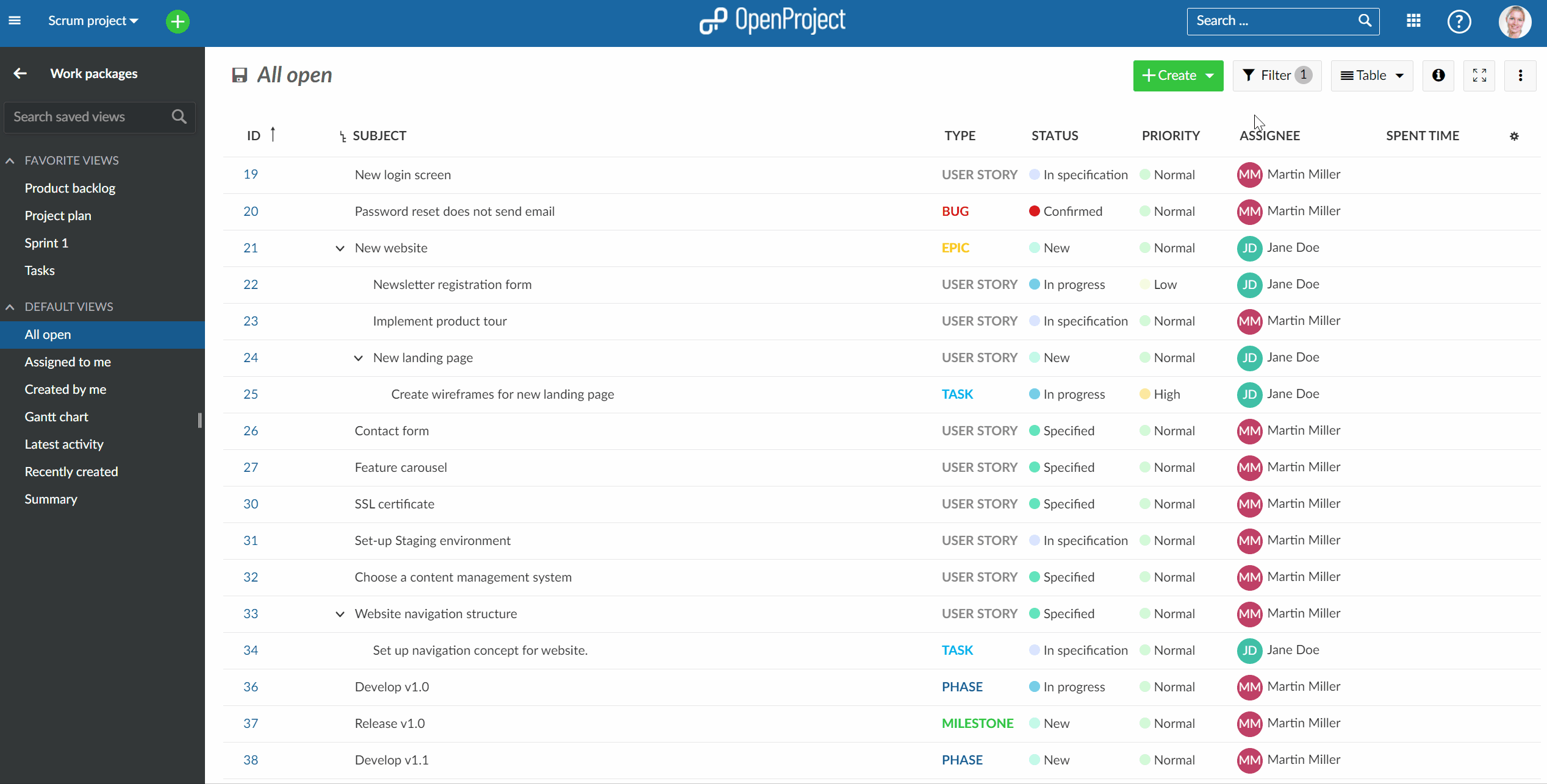
Image source: openproject.org
Key features:
- Classic Gantt timelines: Visualize phases and dependencies so long-term planning becomes structured and predictable.
- Agile boards: Support sprint tasks clearly so teams can manage iterative work with ease and transparency.
- Work packages: Combines deliverables and issues so project items remain unified in one detailed container.
- Roadmap planning: Displays long-term strategy visually so teams can align future goals with ongoing work.
- Self-hosting option: Offers full data control so organizations can meet strict security and customization needs.
Pros:
- Highly customizable
- Great for technical teams
- Supports hybrid methodologies
- Strong documentation tools
Cons:
- UI feels less modern
- Set up required for self-hosting
Pricing:
- Community (Self-Hosted): Free
- Basic: €8.50 per user/month
- Professional: €14.50 per user/month
- Premium: €22.50 per user/month
- Corporate: Custom pricing
10. Paymo: Best free Gantt + time tracking
Paymo combines Gantt chart planning with built-in time tracking, making it ideal for freelancers, agencies, and consulting teams. You can map tasks on a timeline, monitor progress, and track billable hours in one place. The interface is clean and efficient for everyday use. Great for managing client deliverables. Perfect for teams who want scheduling plus accurate tracking.
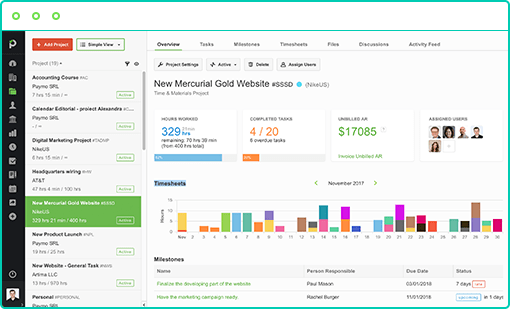
Image source: paymoapp.com
Key features:
- Gantt timelines: Show schedules with clarity so teams can understand project flow and progress immediately.
- Built-in time tracking: Captures work hours effortlessly, so billing and reporting remain accurate and reliable.
- Task dependencies: Organizes task order properly so teams avoid conflicts and maintain smooth workflows.
- Project budgeting: Tracks financial details carefully so costs stay aligned with project goals and resources.
- Client management: Keeps client work centralized so deliverables, timelines, and updates stay coordinated.
Pros:
- Great for client-based work
- Combines schedule + tracking
- Clean and modern UI
- Easy for small teams
Cons:
- The free plan has fewer active tasks
- Advanced reporting requires an upgrade
Pricing:
- Free: $0 (limited active tasks)
- Starter: $11.95 per user/month
- Business: $24.95 per user/month
Quick starts: Ready-to-use templates chosen for you
Lark Gantt chart template
This template provides a ready-made Gantt structure so you can plan projects without starting from zero. It includes timelines, owners, dependencies, and progress tracking to give you a full project overview instantly. Teams can drag, update, and reorganize tasks as priorities shift. It's perfect for simple to moderately complex projects. Use it when you need a fast, flexible way to turn ideas into a structured timeline.
Project Gantt chart template
This template helps you break large projects into phases, tasks, and milestones with clear start and end dates. Teams can map dependencies, manage workloads, and track project health from a single timeline. It's great for campaigns, product development, or events that require multiple coordinated steps. The Gantt view offers real-time clarity as plans evolve. Use it to keep every stakeholder aligned from kickoff to completion.
Employee task tracker template
This template gives managers a full view of each team member's tasks, deadlines, and daily workload. The Gantt timeline helps spot overlaps and capacity issues before they become bottlenecks. It's ideal for teams that juggle multiple ongoing assignments. You can monitor progress and ensure responsibilities are balanced fairly. Great for improving productivity and accountability across the team.
OKR management template
This template connects goals, key results, and execution inside a single timeline. Teams can map OKR progress across months or quarters and assign ownership to each initiative. The Gantt view reveals how tasks align with strategic objectives and where timelines need adjustment. It's ideal for performance-driven teams that want structure and clarity. Use it to make goal tracking more transparent and actionable.
DTC ecommerce website design & development template
This template lays out the entire e-commerce website process, planning, UX, design, development, testing, and launch. Teams can visualize each phase and manage key dependencies between creative and technical workflows. The Gantt view helps coordinate handoffs and track progress with precision. It's built for agencies, developers, and DTC brands with multi-step site builds. Use it to keep complex web projects moving smoothly from start to finish.
Benefits of using Gantt chart software
Free Gantt chart software gives teams a clear, structured way to plan work and stay on schedule. By visualizing timelines and dependencies in one place, it becomes easier to manage projects of any size with accuracy and confidence.
- Clear timeline visualization: Gantt charts display tasks on a horizontal timeline, giving teams an instant overview of what's happening and when. This helps project owners quickly understand durations, overlaps, and deadlines. With everything visible at a glance, planning becomes faster and more intuitive.
- Better task sequencing and dependency management: Dependencies ensure tasks follow the right order, preventing blocked work and misaligned schedules. Teams can see which tasks rely on others and adjust timelines accordingly. This reduces workflow confusion and makes complex projects easier to manage.
- Improved team collaboration: A shared Gantt view keeps everyone aligned on priorities and timelines. Team members can follow updates, track changes, and communicate around specific tasks. This transparency strengthens coordination across departments and reduces back-and-forth messaging.
- Real-time progress tracking: Progress indicators show how much of each task is complete, helping managers identify delays early. Teams no longer need to dig through spreadsheets or status messages for updates. Real-time visibility supports faster decision-making and more accurate reporting.
- Capacity and resource planning: Workload features help managers see who is overbooked or underutilized. This ensures tasks are assigned fairly and realistically. Balanced workloads lead to smoother execution and fewer burnout-related delays.
- Reduced project delays: By highlighting dependencies, task progress, and upcoming deadlines, Gantt tools help teams avoid schedule conflicts. Early warnings allow managers to resolve issues before they escalate. As a result, projects stay closer to their planned timelines.
- Simple forecasting and milestone tracking: Milestones mark key checkpoints so teams can track progress toward major goals. Forecasting becomes easier when timelines, workloads, and dependencies are clearly visible. This improves long-term planning and helps stakeholders stay aligned on expectations.
Conclusion
A Gantt chart is one of the simplest yet most powerful ways to keep projects moving with clarity and control. It helps teams of all sizes plan timelines, sequence tasks, manage dependencies, and track progress without confusion or guesswork. From startups to nonprofits to engineering teams, Gantt tools make work more predictable and collaborative, especially when budgets are limited. If you want a free, flexible, and user-friendly way to visualize every phase of your project, Lark offers an all-in-one workspace where teams can build Gantt views, manage tasks, and keep every project on track with ease.
FAQs
Do free Gantt chart tools support multiple projects at once?
Yes, many free Gantt chart tools let you manage multiple projects at the same time, especially platforms marketed as the best free Gantt chart software or free Gantt chart software online. Some tools offer separate project spaces, while others limit how many active projects you can run in the free project management software with Gantt chart tier. If you need full multi-project control, look for best Gantt chart software free options that support combined dashboards and cross-project tracking.
Can I export or share Gantt charts with clients or stakeholders?
Most Gantt chart software free tools allow exporting to PDF, images, or CSV, and many free software for Gantt chart platforms also offer public links or read-only sharing. While premium systems offer branded reports, the best free Gantt chart software still covers essential export options for client communication. If you collaborate frequently, choose a free project management software Gantt chart tool with real-time sharing features.
Do free Gantt chart tools work offline?
Cloud-based tools generally need internet access, but some free Gantt chart software online options also offer desktop versions, making them useful when working offline. A few best free software for Gantt chart tools are entirely desktop-based, providing full offline access for freelancers or teams in remote areas. Just remember that free project management software with Gantt chart will only sync updates once you reconnect.
Can I use Gantt chart software for agile or sprint-based projects?
Absolutely. Many platforms combine traditional timelines with agile-friendly views, making even free project management software Gantt chart tools suitable for hybrid workflows. The best free Gantt chart software often includes Kanban boards, sprints, and dependency tracking in one place. Whether you're using free Gantt chart software online or a desktop tool, these hybrid features let teams manage both roadmaps and sprints easily.
How secure is my data in free Gantt chart software?
Most free Gantt chart software follows standard security practices like encryption and access controls. However, advanced permissions and audit logs are usually reserved for paid tiers of the best gantt chart software free platforms. If security is important to your workflow, choose reputable free project management software with Gantt chart providers and review how they manage data protection.
Related reading
Table of contents
Start using Lark today

Manage all your work in one place
Boost team efficiency by 10x
Save up to 70% on software costs
Table of contents
Start using Lark today
Manage all your work in one place
Boost team efficiency by 10x
Save up to 70% on software costs
Keep reading







2026 Lark Technologies Pte. Ltd.
Headquartered in Singapore with offices worldwide.






Explore: