














15 Intelligent Document Processing Software with Comparison

Ryan Tanner
Product Marketing Specialist
Sep 18, 2026
Ryan Tanner
Sep 18, 2026

14 min read


Intelligent document processing software has become a critical backbone for modern operations, especially for finance, HR, procurement, logistics, customer support, and compliance-heavy industries. With organizations handling thousands of documents daily—PDFs, emails, scanned forms, contracts, invoices—the need for automated extraction, validation, classification, and routing has never been higher. Traditional OCR tools struggle with unstructured or variable formats, prompting businesses to adopt more advanced AI-driven platforms.
This guide compares the 15 best intelligent document processing software, highlighting top features, strengths, limitations, and real-world use cases. You'll also see how Lark connects IDP with workflows, collaboration, approvals, automation, and knowledge management to deliver end-to-end execution—not just extraction.
1. Lark: IDP connected with business workflows & cross-team operations
2. Rossum: AI-native intelligent document processing platform
3. Docsumo: Template-free extraction for invoices, IDs, and forms
4. Hyperscience: Human-in-the-loop intelligent automation
5. Automation Anywhere IQ Bot: Enterprise RPA + IDP
6. UiPath Document Understanding: AI + RPA for document pipelines
7. KlearStack: AI-first IDP engine for finance teams
8. Abbyy FlexiCapture: OCR + rules-driven document processing
9. ClickUp Docs AI: Basic document extraction inside workflows
10. Indico: Intelligent data extraction for complex enterprise documents
11. Hyland IDP: Document capture & content lifecycle management
12. Amazon Textract: AI text extraction for large-scale ingestion
13. Google Document AI: Deep-learning-based extraction for unstructured docs
14. Microsoft Syntex: AI content processing within Microsoft 365
15. OpenText Intelligent Capture: Enterprise-grade document pipelines

Comparison snapshot of the top intelligent document processing software
Information source: Official vendor sites
Update time: 2025-11-23
Note: Pricing and plan details reflect publicly available data as of the update date and may vary based on region, billing cycle, and number of agents.
What is intelligent document processing (IDP) software?
Intelligent document processing (IDP) software is an advanced technology that combines artificial intelligence (AI), machine learning (ML), natural language processing (NLP), and optical character recognition (OCR) to automatically read, interpret, and extract structured information from a wide variety of documents. Unlike traditional OCR, which can only capture text, IDP solutions understand document layouts, context, and relationships between data fields.
IDP significantly reduces the manual workload associated with processing invoices, contracts, forms, or emails by automating classification, validation, and routing, while enabling human-in-the-loop review for higher accuracy. Organizations leverage the best intelligent document processing software to accelerate workflows, minimize errors, and cut costs. When evaluating the best software for intelligent document processing, companies often prioritize features like template-free extraction, confidence scoring, API integration, audit trails, and scalable business rules.
Core capabilities of intelligent document processing (IDP) software
Modern businesses now expect the best intelligent document processing software to automate end-to-end document workflows with accuracy, speed, and built-in compliance. Whether used in global teams or specialized regions like intelligent document processing software in Germany, these platforms rely on AI to extract clean, structured data. The best solutions replace manual data entry with NLP-powered understanding and automated routing. Here are some core abilities you should notice:
- AI-powered document classification: AI automatically identifies document types—such as invoices, contracts, forms, or receipts—without manual sorting. This is a core capability found in the best intelligent document processing software used worldwide. NLP and ML models continuously learn patterns to classify documents even when layouts vary. Intelligent document processing (IDP) software in Germany often emphasizes multilingual classification accuracy. Tools like Rossum intelligent document processing software deliver fast, high-precision categorization at enterprise scale.
- Intelligent data extraction using NLP and ML: Advanced extraction models read context, not just text, enabling a deeper understanding of values, fields, and relationships. The best software for intelligent document processing uses NLP to accurately detect entities such as totals, dates, and customer names. Machine learning improves extraction performance over time as more documents are processed. Intelligent document processing (IDP) software ensures data is clean and ready for downstream systems. Vendors like Rossum's intelligent document processing software excel in extracting structured data with minimal configuration.
- Template-free extraction models: These models enable businesses to process documents with varying layouts, formats, or structures. The best intelligent document processing software eliminates the need for manual template creation. This improves scalability for finance, logistics, and HR teams handling diverse document types. Intelligent document processing software in Germany frequently highlights template-free AI for handling multilingual and regional formats. Rossum intelligent document processing software is known for its strong template-free capabilities.
- Confidence scoring & human-in-the-loop correction: Confidence scores help teams instantly identify fields that may require review. Intelligent document processing (IDP) software uses AI to flag uncertain values while automating everything else. Human-in-the-loop workflows allow users to correct low-confidence fields, improving future model performance. The best software for intelligent document processing includes visual validation tools to accelerate review cycles. Rossum intelligent document processing software offers intuitive scoring and correction dashboards.
- Automated document validation rules: Validation rules ensure extracted data meets business, compliance, and accuracy requirements. Intelligent document processing software in Germany places strong emphasis on regulatory validation. Rules can automatically check totals, dates, formats, and codes. The best intelligent document processing software supports customizable validation logic across industries. Rossum intelligent document processing software includes rule-based and AI-based validation to prevent downstream errors.
- API-driven data routing: Modern workflows require data to flow seamlessly between systems. Intelligent document processing (IDP) software supports API-based routing to ERPs, CRMs, RPA bots, and data warehouses. The best software for intelligent document processing enables real-time data handoffs to automate approvals, payments, or updates. Intelligent document processing software in Germany often integrates with SAP ecosystems. Rossum's intelligent document processing software offers robust REST APIs for flexible automation.
- Audit trails, compliance logs, and version tracking: Compliance-driven industries depend on clear documentation of changes and data flow. The best intelligent document processing software includes audit trails for every extraction, correction, and approval. Intelligent document processing (IDP) software in Germany often requires GDPR-focused logging. Version tracking ensures transparency and accountability across stakeholders. Rossum intelligent document processing software provides full traceability for enterprise-grade compliance.
- Multi-format support (PDF, scanned documents, emails, forms, receipts, invoices): Businesses handle diverse document types, so broad format compatibility is essential. The best software for intelligent document processing supports PDFs, scans, email bodies, attachments, images, and handwritten forms. Intelligent document processing (IDP) software enables consistent extraction across sources. Intelligent document processing software in Germany often includes OCR tuned for multilingual characters and regional document styles. Rossum intelligent document processing software reliably processes multi-format documents at scale.
Types of intelligent document processing workflows
With growing volumes of PDFs, scans, emails, and handwritten forms, IDP ensures accuracy and speed at scale. Organizations use it to reduce backlogs, improve compliance, and maintain operational continuity. From finance to healthcare, IDP creates standardized data that fuels automation. Below are the most common workflow types supported by intelligent document processing systems:
- Invoice processing & AP automation: IDP extracts invoice fields, including vendor details, amounts, dates, and line items. For documents that arrive in non-standard formats or need minor corrections before processing, teams often use an online PDF editor to clean them up before they enter the automation pipeline. It enables automated three-way matching and reduces manual work in accounts payable. The workflow accelerates approvals and minimizes payment delays. Teams gain real-time visibility into spend and exceptions. This process significantly reduces errors and compliance risks.
- Purchase order matching: The system automatically compares purchase orders with invoices and receipts. AI highlights mismatches in quantities, pricing, or delivery terms. Workflow rules determine whether to approve, escalate, or flag discrepancies. This reduces AP bottlenecks and improves vendor transparency. Teams gain a faster, error-free reconciliation process.
- Contract extraction: IDP extracts clauses, renewal dates, obligations, and key terms directly from contracts. It helps legal and procurement teams reduce the hours spent on manual review. AI identifies risks, deviations, and non-standard wording. Data can be pushed into CLM tools for automated tracking. This workflow improves visibility and compliance across agreements.
- HR document processing (IDs, resumes, forms): IDP automates document intake for employee records during hiring, onboarding, and compliance cycles. It extracts data from IDs, resumes, tax forms, and certificates. The workflow reduces manual verification tasks for HR teams. Sensitive data is processed securely with role-based access. This improves turnaround times and ensures consistent record-keeping.
- Insurance claims & KYC verification: Claims teams use IDP to process forms, medical reports, photos, and supporting documents. It accelerates claim validation by extracting policy numbers, damage details, and customer info. KYC workflows use IDP to capture identity data from IDs and proofs of address. Automated checks reduce fraud risk and improve compliance. This leads to faster payouts and smoother customer experiences.
- Logistics documents (packing lists, BOLs): IDP handles complex logistics paperwork, including bills of lading, packing lists, delivery notes, and customs documents. It extracts shipment details, quantities, carrier data, and tracking information. Automated routing helps operations teams keep shipments moving without delays. Manual keying errors are significantly reduced. This creates real-time visibility across the supply chain.
- Banking & financial compliance: Banks use IDP to process statements, credit applications, onboarding files, and regulatory documents. AI ensures accuracy and consistency across high-volume workflows. Validation rules support AML, KYC, and audit-readiness. Manual review time drops significantly while maintaining full compliance. This workflow strengthens risk management and operational efficiency.
- Healthcare document processing (HIPAA-safe): IDP extracts clinical data, patient details, lab information, and insurance records. HIPAA-safe processing ensures protected health information (PHI) remains secure. Hospitals reduce administrative workload and accelerate patient intake. AI minimizes errors in treatment records and billing. This leads to better accuracy and faster healthcare delivery.
Full list: Best 15 intelligent document processing software
1. Lark: IDP connected with business workflows & cross-team operations
Lark anchors intelligent document processing within real business workflows by solving the biggest pain points users face with traditional IDP tools—fragmented systems, manual handoffs, and disconnected data flows. Instead of extracting data in one tool, validating it in another, and collaborating somewhere else, Lark centralizes extraction, verification, exception handling, and multi-team coordination in a single workspace.
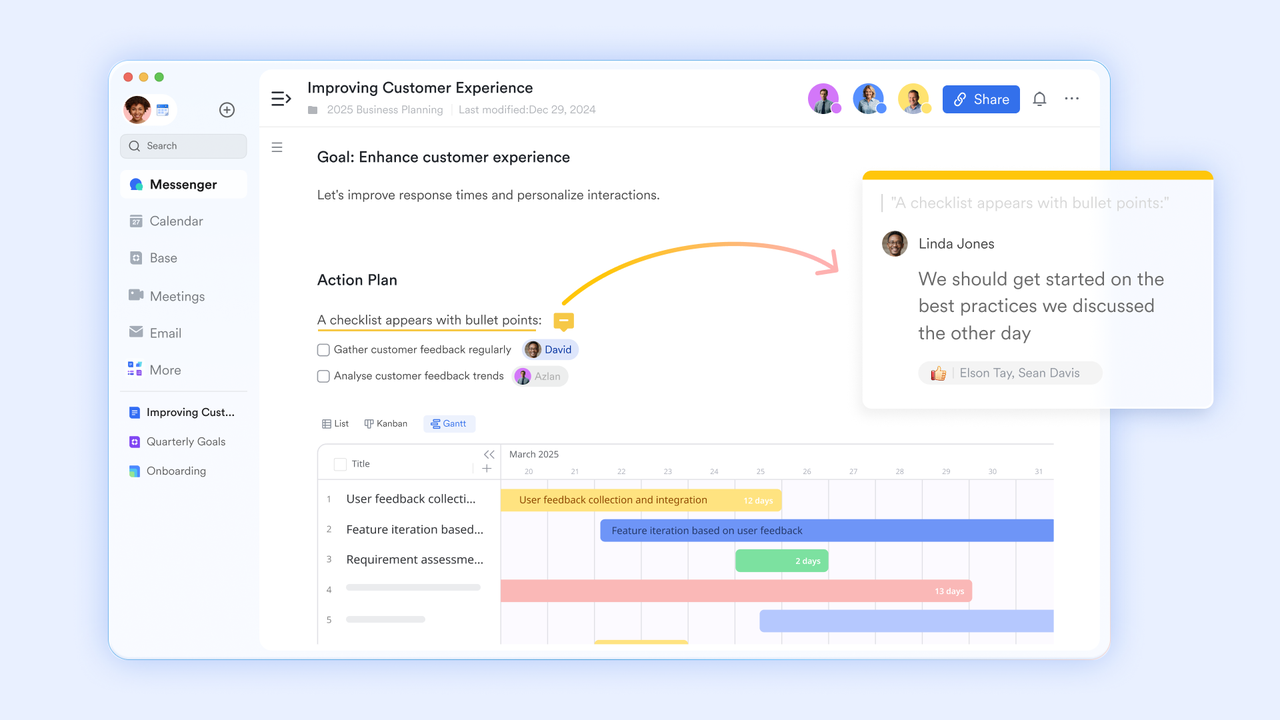
Collaborative document & trackable editing history
Lark Docs provides a shared real-time workspace where teams can draft, annotate, and refine documents together, reducing long email chains and outdated versions. Teams can tag reviewers, add comments in context, and reference attachments without switching screens. Version history maintains a complete audit trail, which is essential for document-heavy processes like contract reviews or invoice validation.
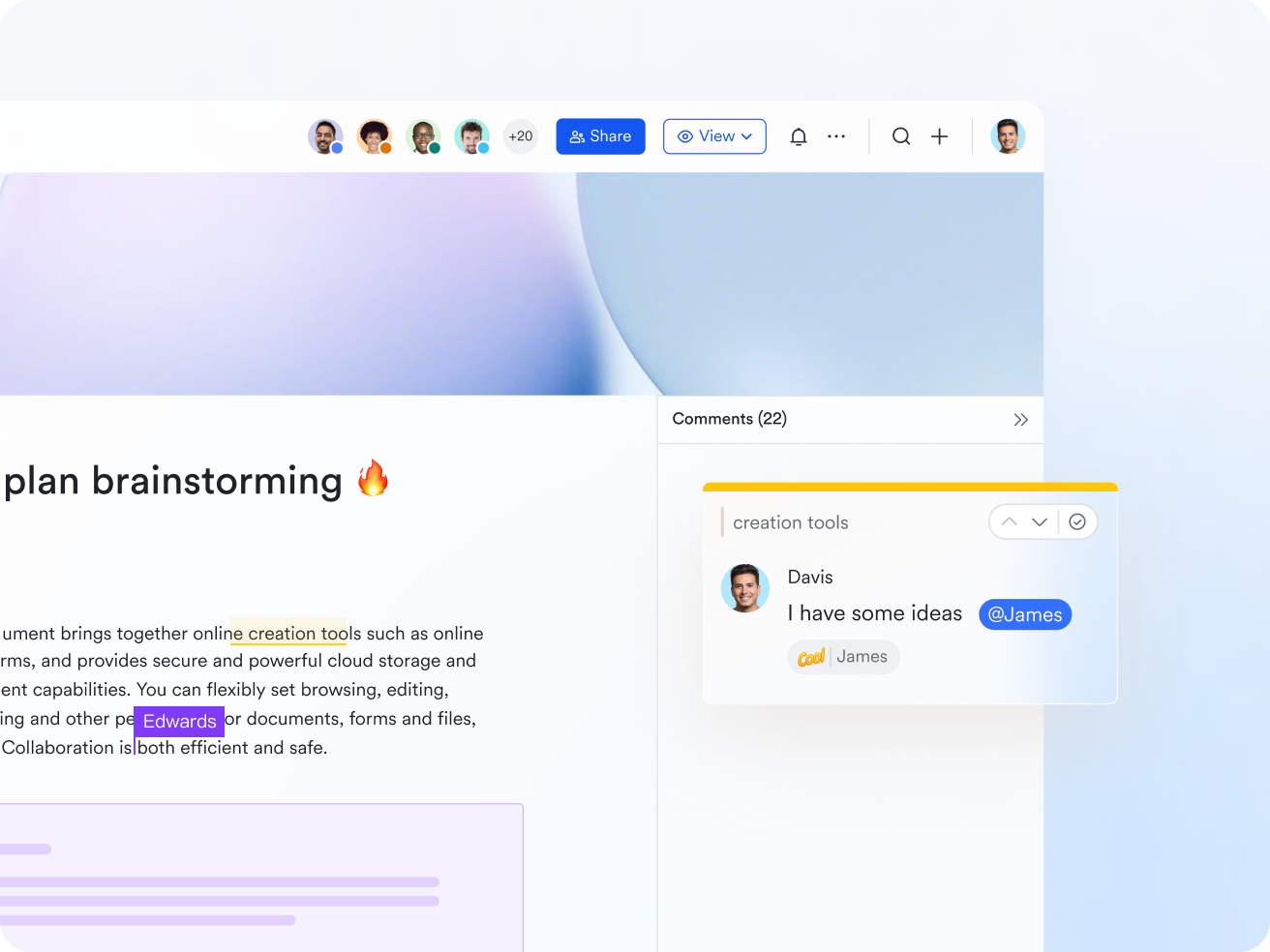
AI-powered data extraction tool
Lark Card Extraction is an AI-powered IDP tool that uses OCR, NLP, and machine learning to automatically extract key data from PDFs, images, invoices, and business cards, including details from a digital business card. Extracted information—like purchaser name, tax ID, amounts, and contact details—is structured and added directly to Lark Base. This eliminates manual data entry, reduces errors, and accelerates workflows. Once in Base, the data can trigger automations, tasks, or approvals, keeping processes seamless and organized. It effectively brings intelligent document processing into Lark's collaborative ecosystem.
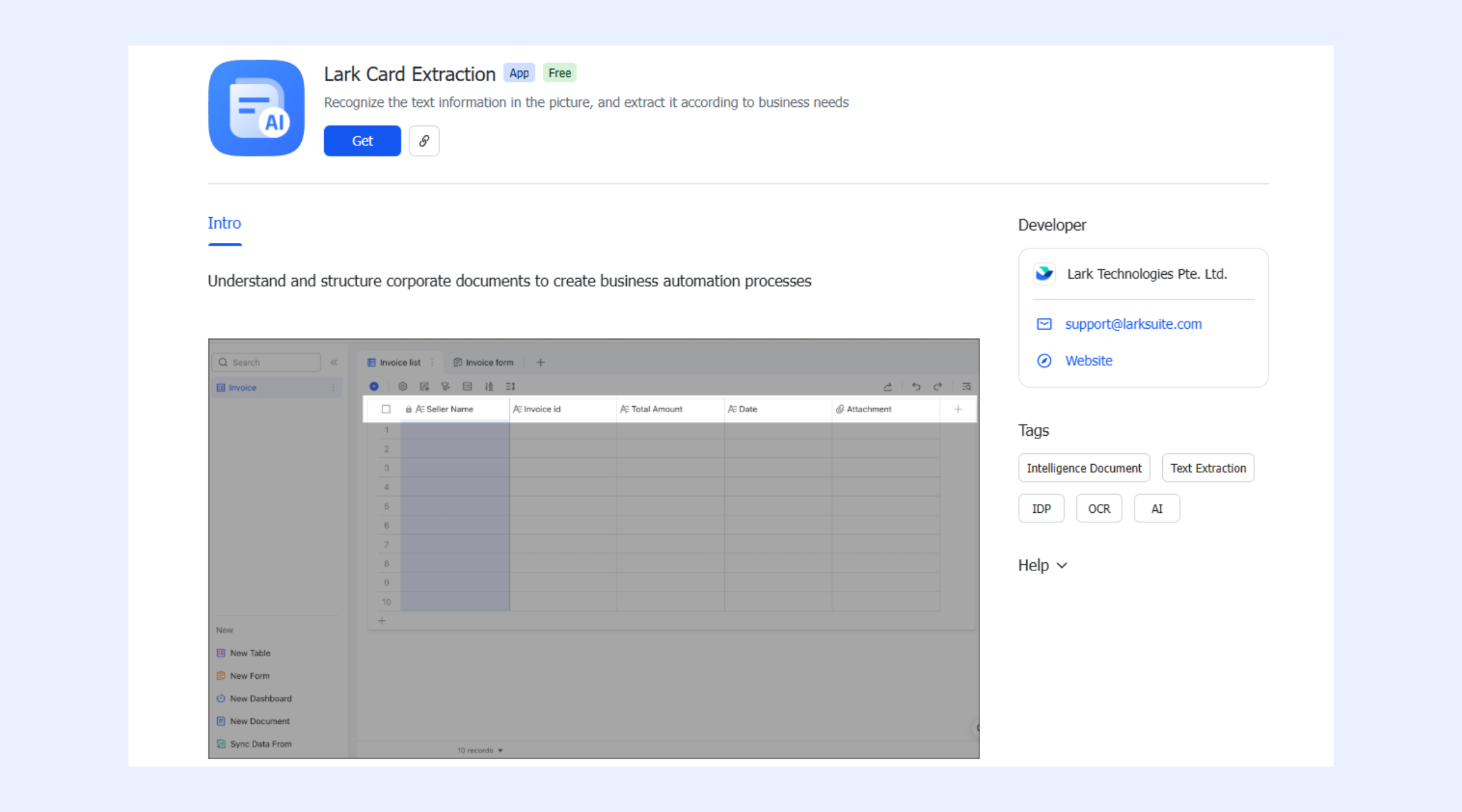
Interactive sheets and built-in formulas for data verification
Lark Sheets helps users validate, extract, and verify data once it's ingested from documents. Using functions like QUERY, users can filter, sort, and analyze structured data from forms, invoices, or reports. REGEXEXTRACT allows extraction of specific patterns from text, such as IDs, dates, or amounts. The EXACT function ensures data consistency by comparing values. Together, these tools turn raw extracted document data into accurate, structured information ready for workflows or integration, reducing errors and manual checks.
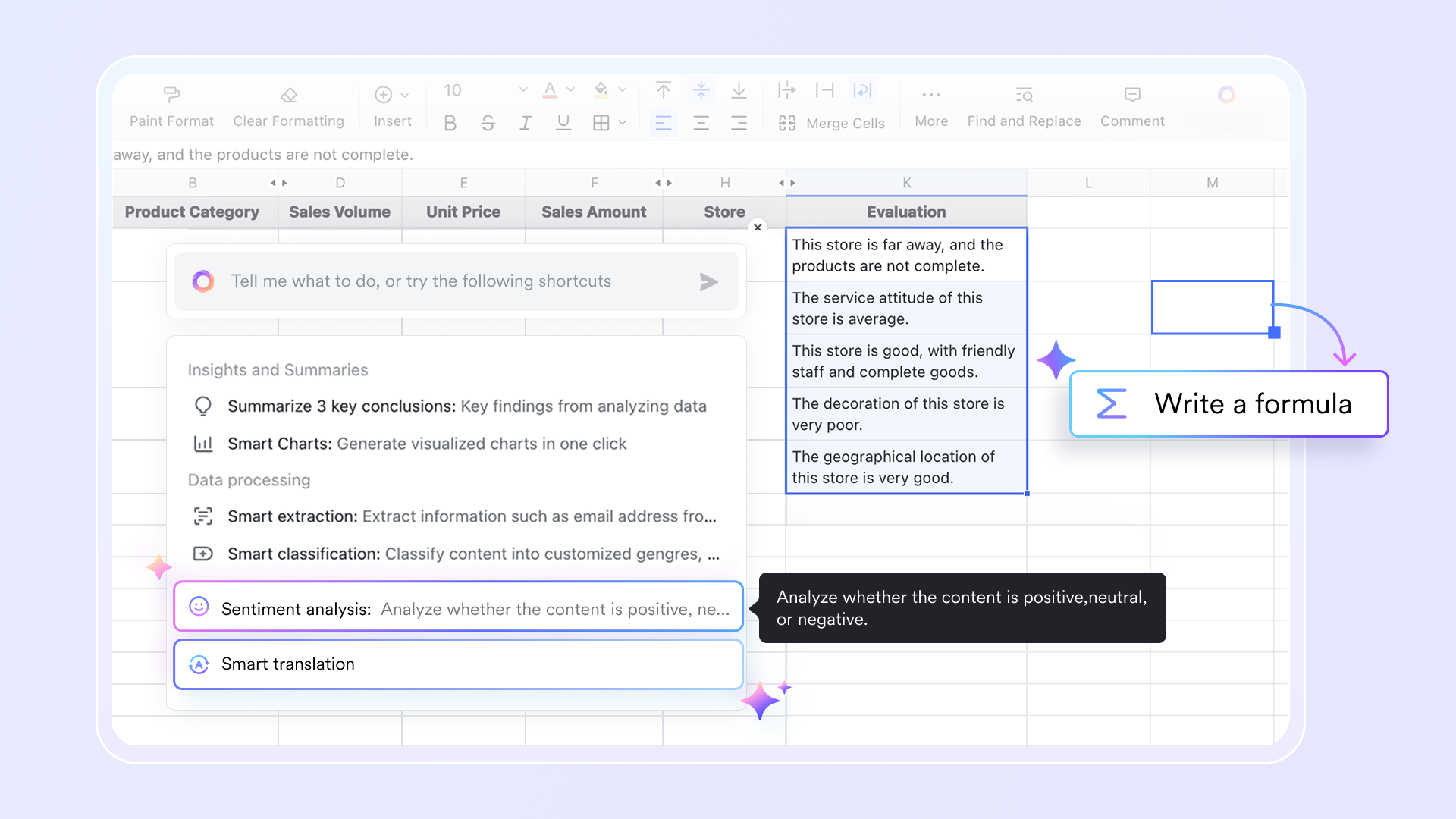
Streamlined workflow for document processing
Lark Base automation streamlines document handling in multiple ways. It lets you attach document links or reference earlier records directly inside workflow messages or use Markdown formatting to add hyperlinks or highlight important details. With formulas, you can calculate, process, or transform document data within workflows without effort. Even trigger automations from incoming Lark messages, so document-related actions flow naturally within your process.

A structured knowledge hub for document rules & SOPs
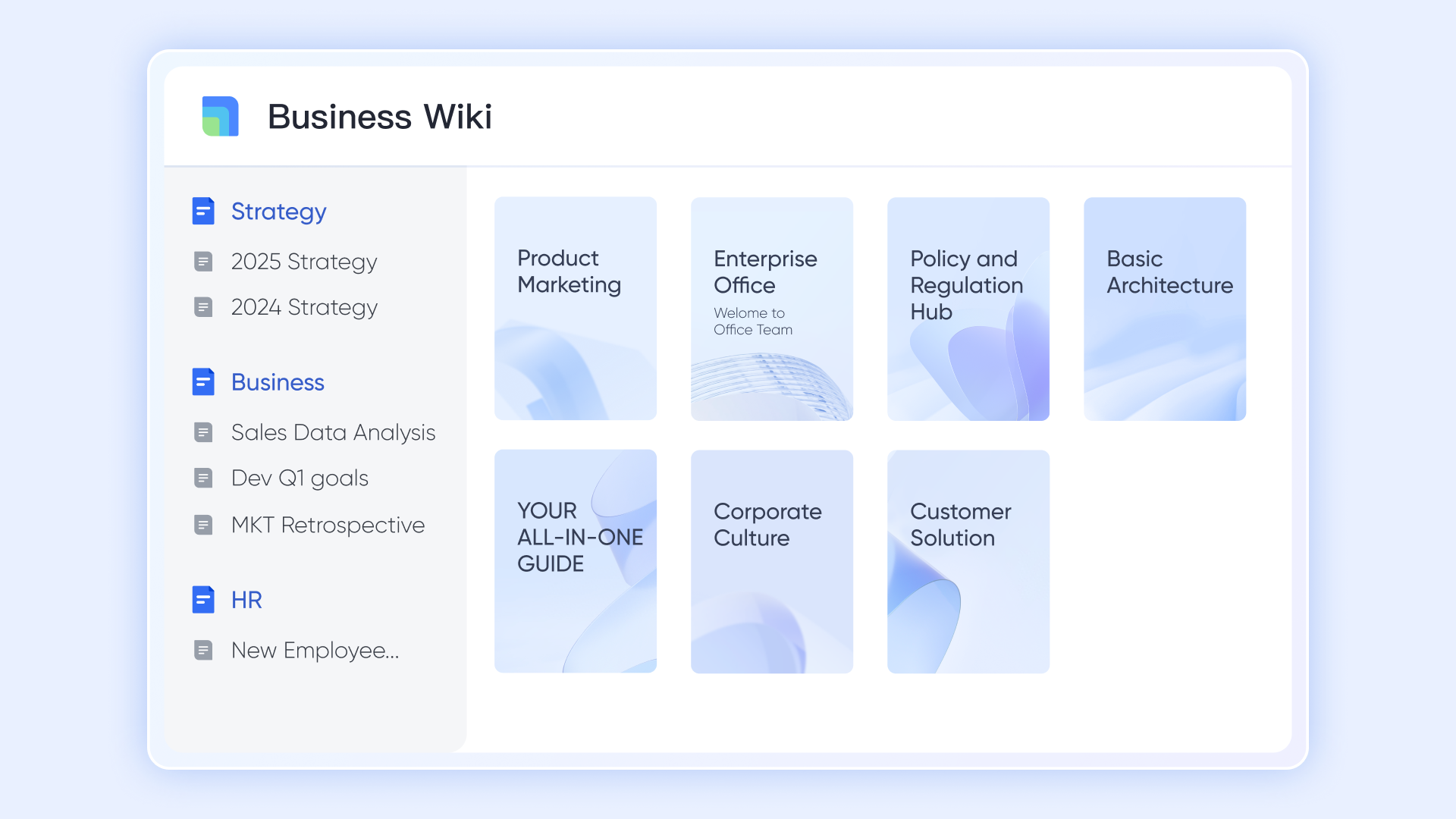
Lark Wiki enables teams to publish structured knowledge—such as processing standards, compliance rules, form instructions, and validation checklists—into a searchable library. This is especially useful for IDP pipelines because staff can link relevant Wiki articles directly to workflow records that require reference materials. As policies evolve, Wiki updates are instantly reflected across every workflow, ensuring teams always act on the most current guidelines.
Rule-driven approvals designed for document-heavy operations
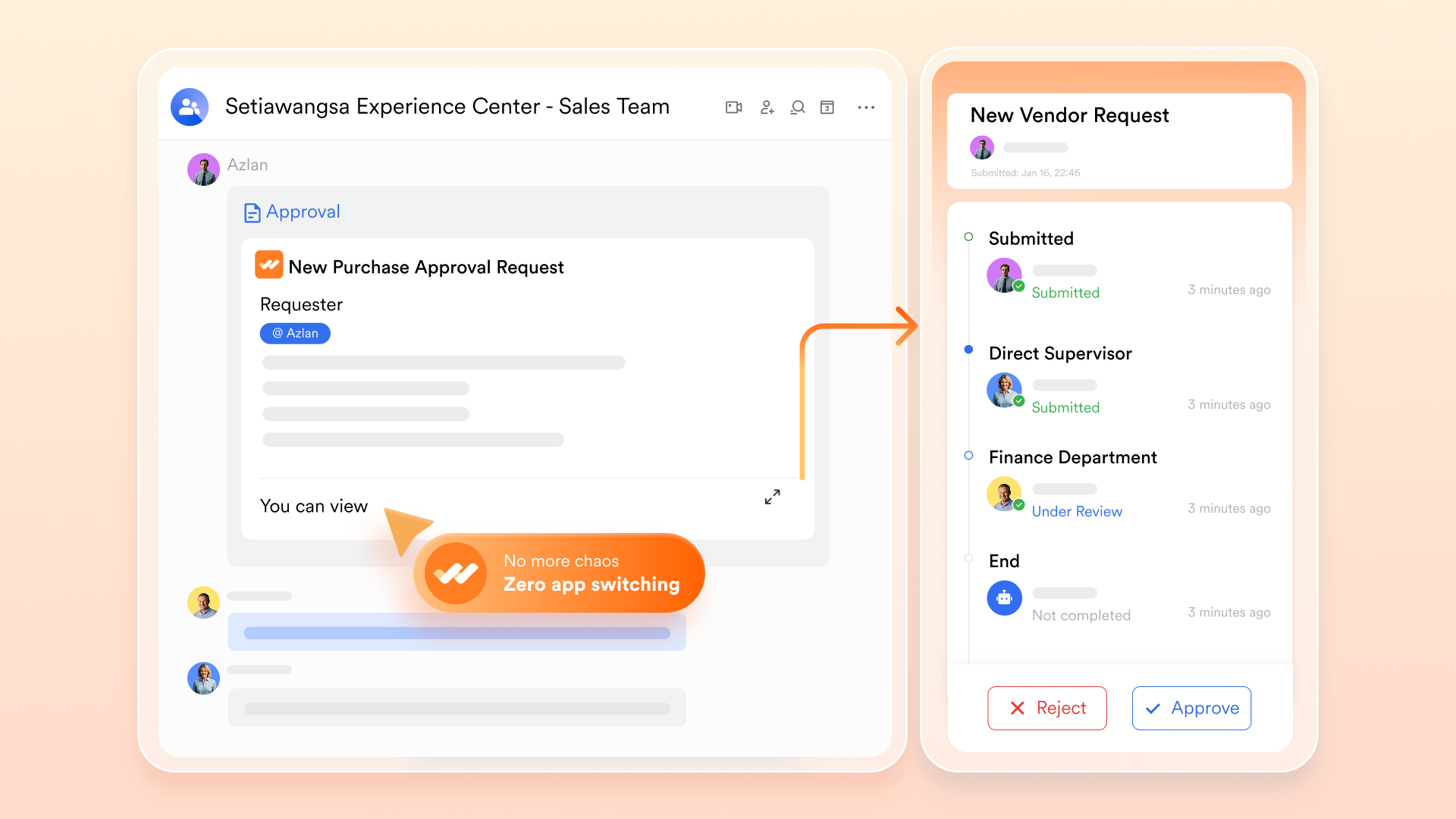
Lark Approval enables organizations to set up structured multi-step review flows in which documents are routed automatically based on rules, roles, and values in Base. Reviewers receive all context in one place: previous comments, tasks generated, related documents, and status history. Approvals can include deadlines, reminders, and escalation rules to ensure timely processing. This makes workflows predictable and eliminates lags that often occur in SharePoint-style or email-driven approval cycles.
Real-time communication is attached directly to workflow steps
Lark Messenger lets conversations happen directly alongside the record, rather than in separate email threads. Every chat, comment, or clarification is tied to the document's Base entry, giving teams full context without switching apps. Reviewers can @mention teammates, share screenshots, discuss concerns, or request changes—all of which are recorded within the workflow. This makes collaboration smooth and eliminates the confusion caused by fragmented discussions across multiple tools.

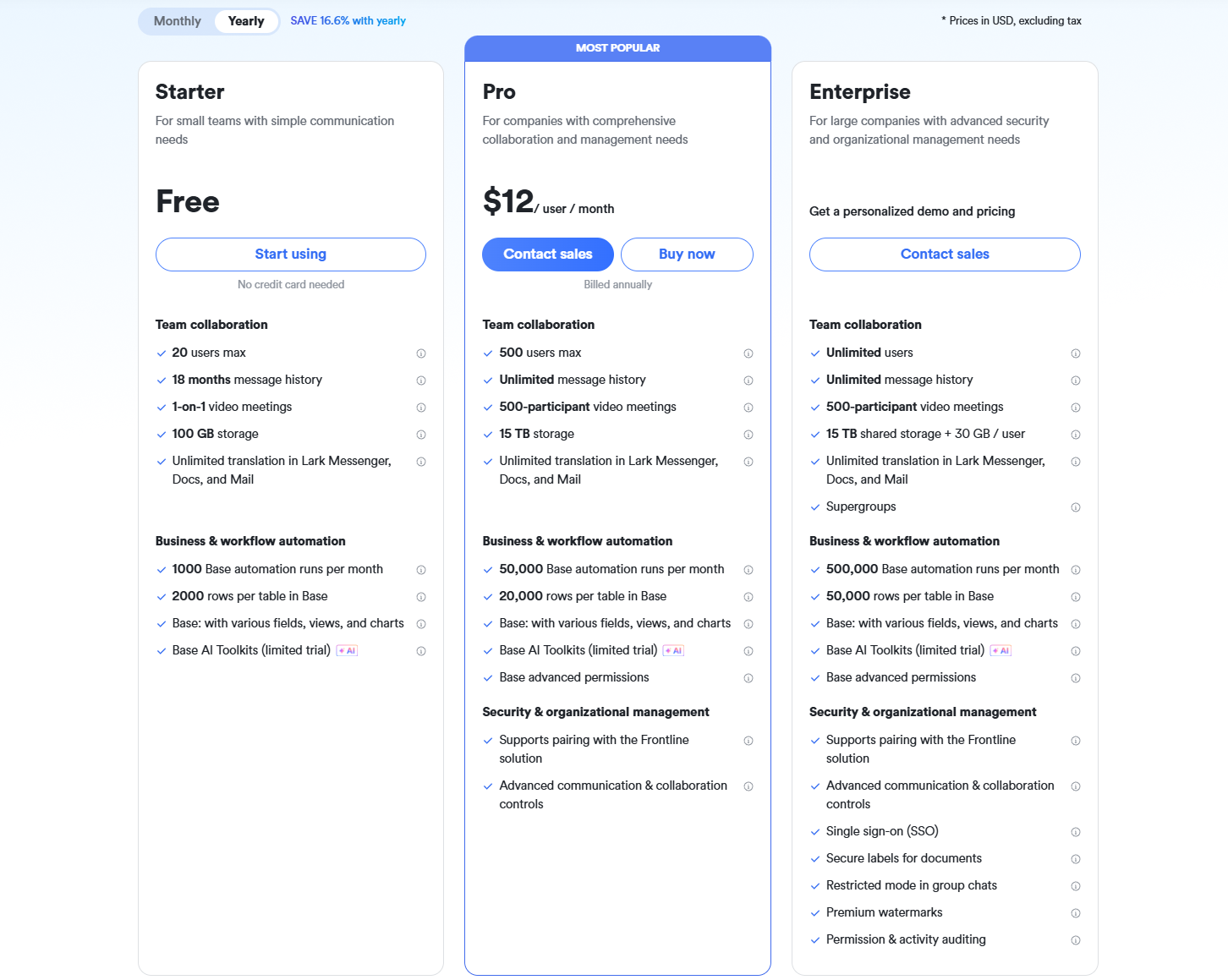
- Starter plan: Free forever plan that includes 11 powerful tools for up to 20 users. It also comes with 100GB of storage, 1000 automation runs, AI translations, and more.
- Basic plan: $6/user/month (billed annually) for up to 500 users. It includes everything in Starter plus group calling for up to 500 attendees, 5TB of storage, 1000 automation runs, and more. For more details, please contact sales.
- Pro plan: $12/user/month (billed annually) for up to 500 users. It includes everything in Starter plus group calling for up to 500 attendees, 15TB of storage, 50,000 automation runs, and more.
- Enterprise plan: Contact sales for custom pricing. Supports unlimited users and includes even more automation runs and advanced security, compliance, and management features.
2. Rossum: AI-native intelligent document processing platform
Rossum is an AI-driven intelligent document processing platform built to streamline high-volume document workflows such as invoices, purchase orders, and forms. Its template-free extraction engine adapts to layout variations, reducing setup time for finance, logistics, and operations teams. Rossum combines machine learning with a human-in-the-loop verification layer to ensure accuracy for complex or unfamiliar documents. The platform centralizes communication, validations, and corrections into a single interface. It is designed for organizations looking for scalable automation with enterprise-level control.
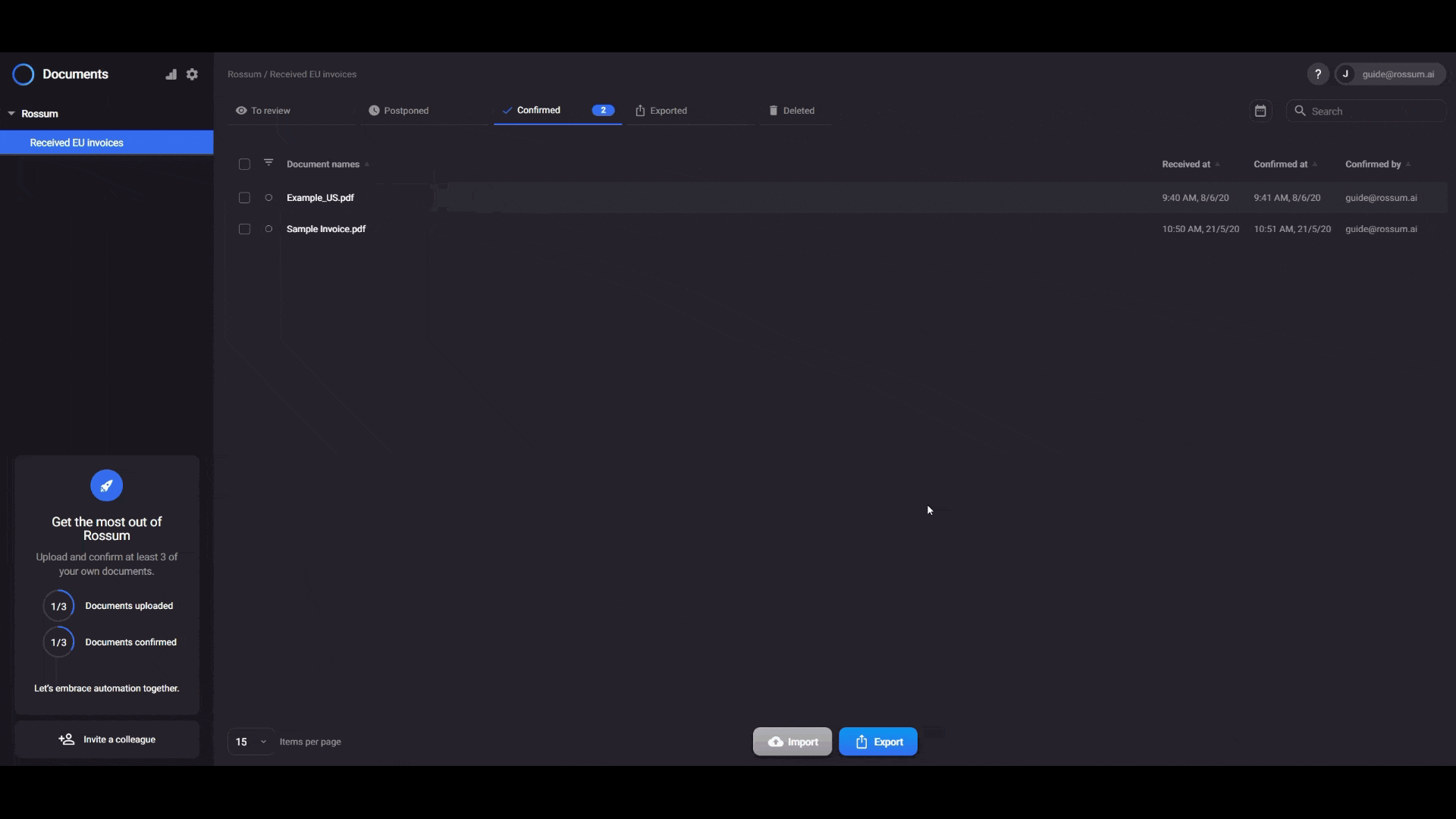
Image source: rossum.com
Key features:
- Template-free AI extraction that learns from diverse invoice layouts, purchase orders, receipts, and other structured or semi-structured documents, reducing the dependency on manual formatting rules.
- Collaborative validation workspace that allows teams to correct fields, leave notes, and resolve discrepancies directly inside the platform for faster decision cycles.
- Human-in-the-loop feedback engine that continuously retrains extraction models, improving accuracy and reducing repeated corrections over time.
- Complete document workflow automation that connects extraction, validation, approvals, and routing, enabling end-to-end processing without switching tools.
Pros:
- An adaptive extraction engine that significantly reduces setup time and works well across vendors with widely varying document structures.
- Continuous accuracy improvement is made possible by integrated human feedback loops that refine machine-learning models.
- Centralized validation and communication space that replaces scattered email chains and helps teams resolve errors faster.
Cons:
- Learning curve for teams unfamiliar with AI-based validation workflows, which may require onboarding and change management.
- Higher cost for organizations with low document volume, making it less ideal for tiny teams or occasional use cases.
Pricing:
- Free: Free trial available.
- Essentials: Custom pricing (basic workflows, data extraction).
- Professional: Custom pricing (advanced features, integrations).
- Enterprise: Custom pricing (full automation, custom logic).
3. Docsumo: Template-free extraction for invoices, IDs, and forms
Docsumo is an intelligent document processing platform designed to extract data from semi-structured business documents such as invoices, ID cards, bank statements, and onboarding forms quickly and accurately. By leveraging a template-free AI engine, Docsumo adapts to varying document layouts, reducing the need for manual rule configuration. Its intuitive interface allows non-technical users to upload documents, review captured data, and validate records with ease. Docsumo's API-first architecture enables seamless integration with ERPs, CRMs, and financial systems, helping teams build automated document-driven workflows. This makes it a strong choice for small and medium-sized businesses that need a lightweight yet powerful intelligent document processing solution.
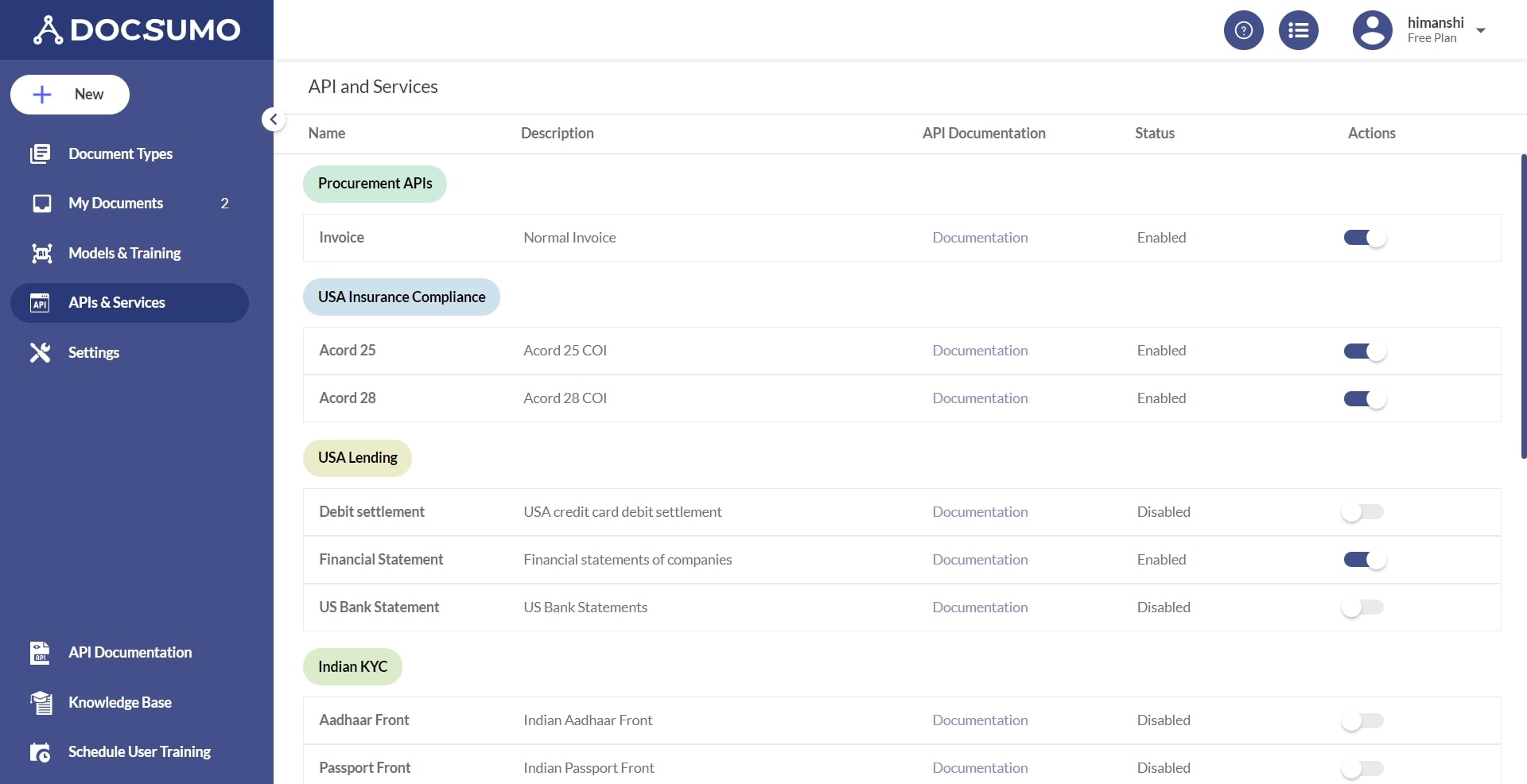
Image source: docsumo.com
Key features:
- AI-powered, template-free extraction that supports a wide range of document types, including invoices, ID proofs, bank statements, and forms, without the need for manually built templates.
- Real-time validation dashboard where users can review extracted fields, correct mistakes, and provide feedback to improve the model's accuracy.
- Pre-trained models specifically designed for standard business documents enable faster deployment and reduced onboarding effort.
- API-first platform enabling easy integration with other enterprise systems such as accounting software, ERP systems, and client databases.
Pros:
- The AI engine adapts to different document formats, enabling consistent performance even when vendors or document layouts vary.
- Users benefit from validation workflows to review low-confidence fields, increasing reliability and reducing manual errors.
- The integration capabilities let teams build automated workflows, push extracted data into downstream systems, and scale operations.
Cons:
- Not ideal for highly complex or custom enterprise workflows that require high customization in classification or extraction logic.
- While pre-trained models cover standard document types, rare or niche formats may need additional model training or customization.
Pricing:
- Starter/entry-level plan: $299 / month (billed annually).
- Growth plan: $799 / month (billed annually).
- Business plan: $2,499 / month (billed annually).
- Enterprise plan: Custom pricing.
4. Hyperscience: Human-in-the-loop intelligent automation
Hyperscience is a leading enterprise intelligent document processing (IDP) platform that combines powerful AI with human validation to drive highly accurate automation. Built around its Hypercell architecture, Hyperscience supports both cloud and on-prem deployments, making it flexible for regulated or legacy environments. It is especially well-suited to organizations that need to automate complex, handwritten, or high-variability documents with an enterprise-grade system.
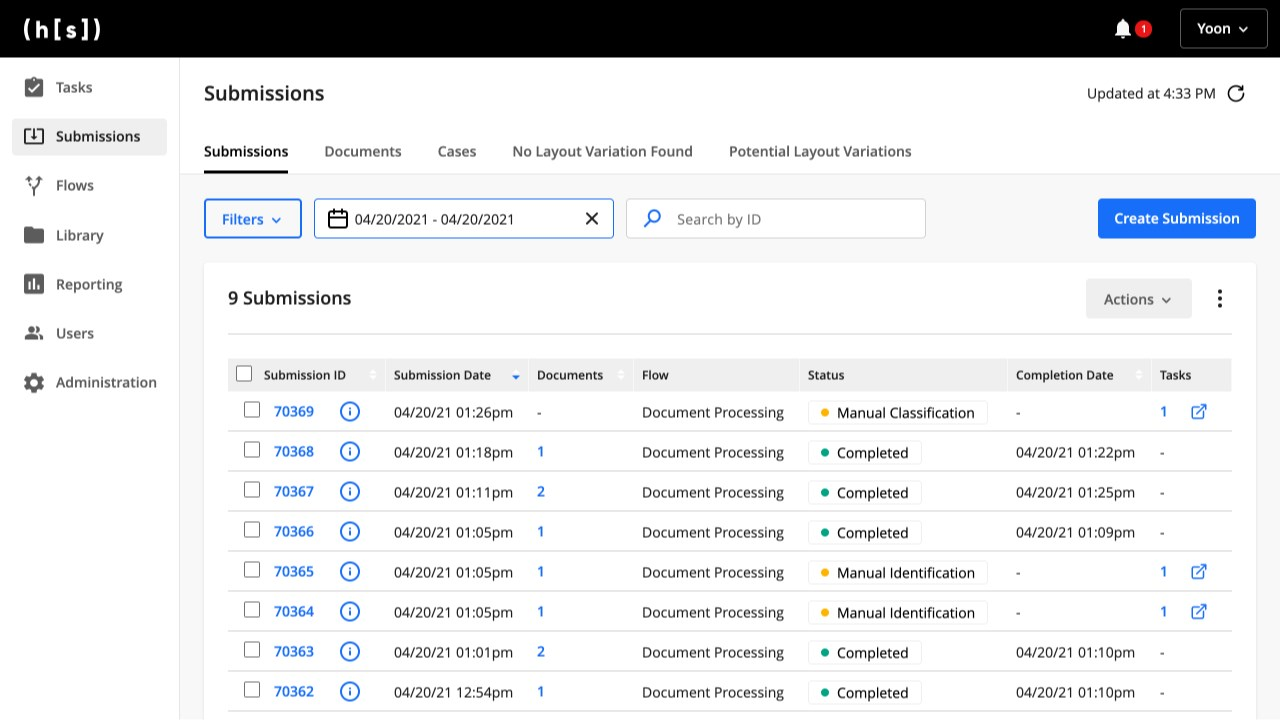
Image source: hyperscience.com
Key features:
- Hyperscience offers flexible deployment options, including cloud, private cloud, and fully on-premises installations, to suit different enterprise environments.
- The platform provides a low-code workflow builder that enables users to design document-processing flows without deep technical knowledge.
- Human-in-the-loop validation is integrated to review uncertain data and improve model accuracy over time.
- Advanced AI models extract structured and unstructured data from complex documents, including handwritten forms.
Pros:
- The platform achieves very high extraction accuracy even for handwritten or highly variable documents.
- Flexible deployment options make it suitable for both cloud-first and highly regulated enterprise environments.
- Low-code workflow builder empowers business users to automate processes without deep technical skills.
Cons:
- The initial cost for enterprise-scale deployment can be high, making it less suitable for small teams.
- Implementation often requires professional services and model configuration, increasing overall effort.
Pricing:
- Free: Free trial available.
- Basic: Custom pricing ($1.50/page for standard processing).
- Enterprise: Custom pricing (advanced AI, unlimited scale).
5. Automation Anywhere IQ Bot: Enterprise RPA + IDP
Automation Anywhere IQ Bot is an enterprise-focused intelligent document processing platform that combines robotic process automation (RPA) with AI-driven document extraction. It is designed to handle structured, semi-structured, and unstructured documents across finance, HR, procurement, and other business operations. IQ Bot uses machine learning to extract key data fields from documents and integrates seamlessly with RPA workflows to automate repetitive tasks. Human validation is included to ensure accuracy when confidence scores are low.
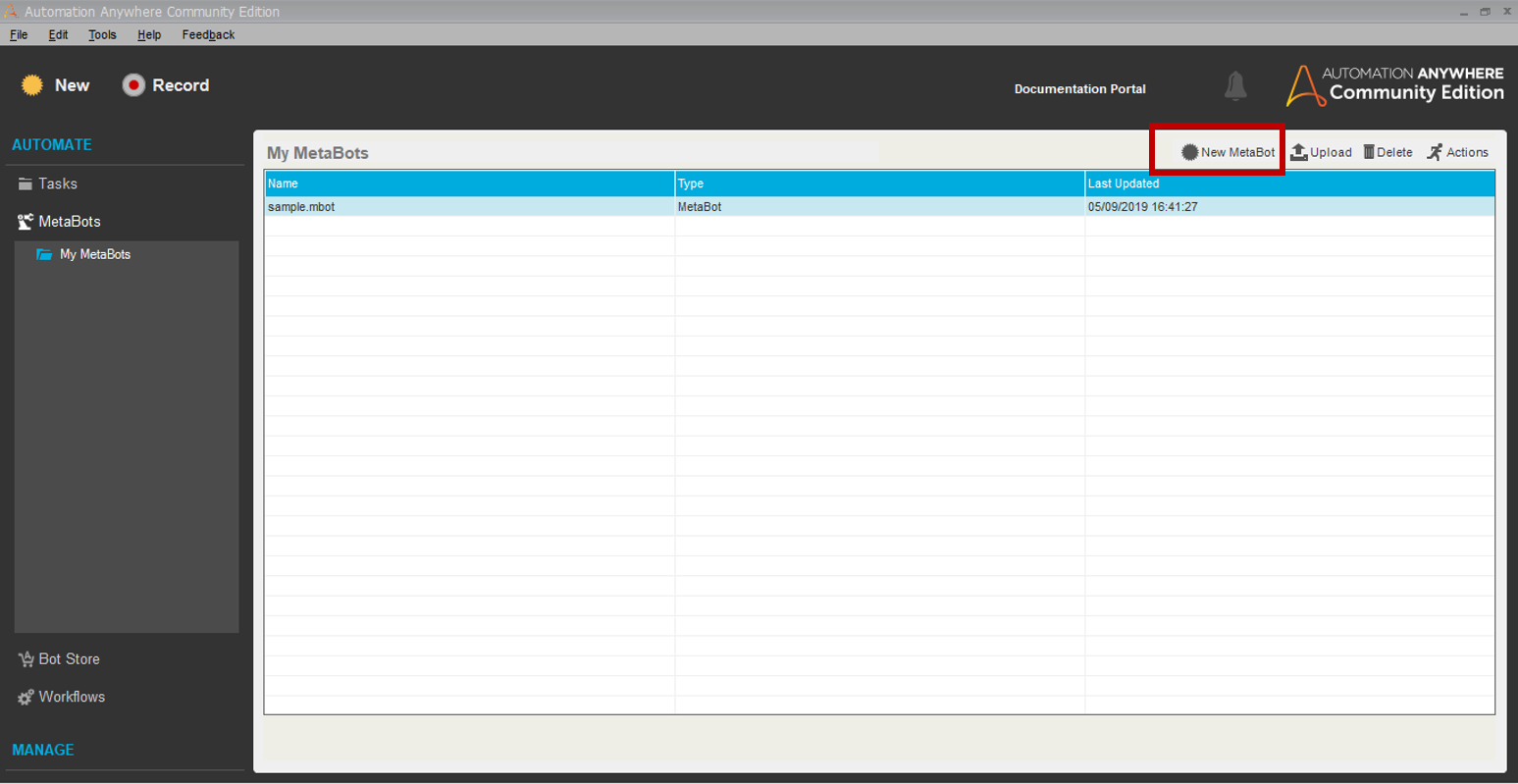
Image source: automationanywhere.com
Key features:
- IQ Bot can automatically extract data from structured, semi-structured, and unstructured documents without requiring manual template creation.
- The platform integrates with RPA bots to trigger end-to-end automated workflows once documents are processed and data is extracted.
- It provides confidence scoring and human-in-the-loop validation to ensure high accuracy for complex or ambiguous documents.
- IQ Bot supports multiple document formats, including invoices, purchase orders, receipts, forms, and PDFs.
Pros:
- Automation Anywhere IQ Bot reduces manual effort by combining document processing with robotic automation in a single platform.
- Human-in-the-loop validation ensures high accuracy even for complex or inconsistent documents.
- Integration with existing RPA workflows enables seamless end-to-end automation.
Cons:
- Enterprise-scale deployment may require dedicated IT and automation teams to manage setup and configuration.
- Licensing costs can be high for organizations with large document volumes or extensive automation needs.
Pricing:
- Free: Free trial available.
- Basic: Custom pricing (integrated with RPA, starts $5,000/user/year).
- Enterprise: Custom pricing (full RPA suite, unlimited bots).
6. UiPath Document Understanding: AI + RPA for document pipelines
UiPath Document Understanding is an intelligent document processing platform that combines AI-powered data extraction with robotic process automation (RPA) capabilities. It is designed to handle structured, semi-structured, and unstructured documents across multiple business processes, including finance, HR, procurement, and customer service. The platform enables end-to-end automation by extracting data, validating it through human-in-the-loop mechanisms, and integrating with UiPath RPA workflows. Document extraction can be applied to PDFs, images, scanned documents, forms, and emails, providing a scalable solution for enterprise document workflows.
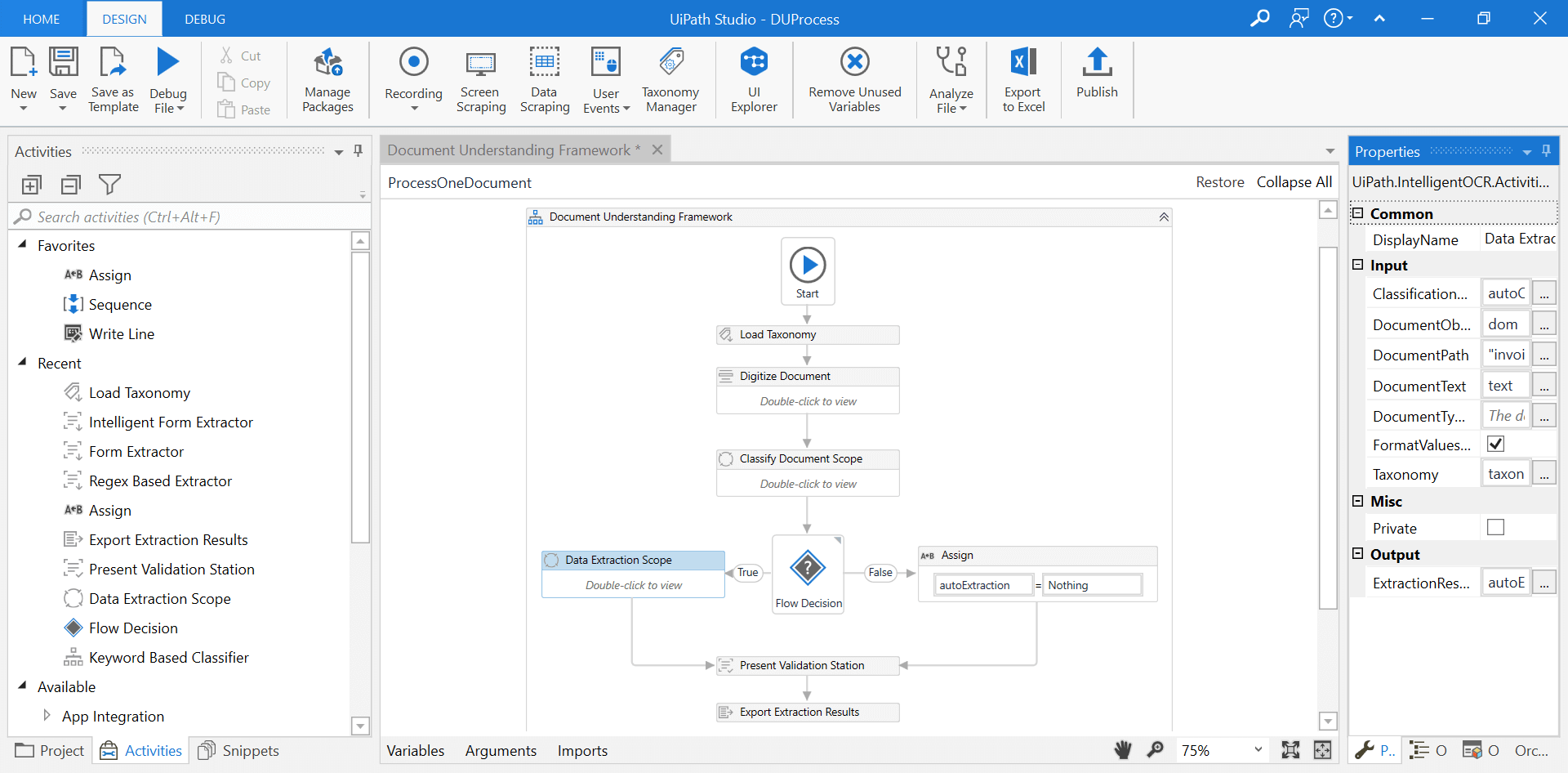
Image source: uipath.com
Key features:
- UiPath Document Understanding can extract data from structured, semi-structured, and unstructured documents without requiring extensive manual setup.
- The platform integrates directly with UiPath RPA workflows, allowing automated downstream processes once the data is captured.
- Human-in-the-loop validation is included to review low-confidence fields and continuously improve accuracy.
- Multi-format document support allows processing of PDFs, scanned images, forms, emails, and handwritten content.
Pros:
- The combination of AI extraction and RPA automation reduces manual effort and streamlines end-to-end document workflows.
- Human-in-the-loop validation ensures high accuracy even for complex or ambiguous documents.
- Multi-format support makes the platform suitable for a wide variety of document types and formats.
Cons:
- Enterprise deployment may require technical setup and integration support, which could extend implementation time.
- Licensing and subscription costs can be high for organizations with large document volumes or complex automation needs.
Pricing:
- Free: Free community edition (limited features).
- Starter: $25/user/month (includes basic Flows, 5 AI Units/month).
- Pro: $420/month (advanced automations).
- Enterprise: Custom pricing (unlimited AI Units, full platform).
7. KlearStack: AI-first IDP engine for finance teams
KlearStack is an intelligent document processing platform built with AI-first technology, designed primarily for finance and accounting teams. It automates the extraction of key data from invoices, purchase orders, receipts, and other financial documents. KlearStack's AI engine uses template-free extraction to adapt to different document layouts, minimizing manual intervention. It integrates with ERP, accounting, and workflow systems to streamline end-to-end financial processes.
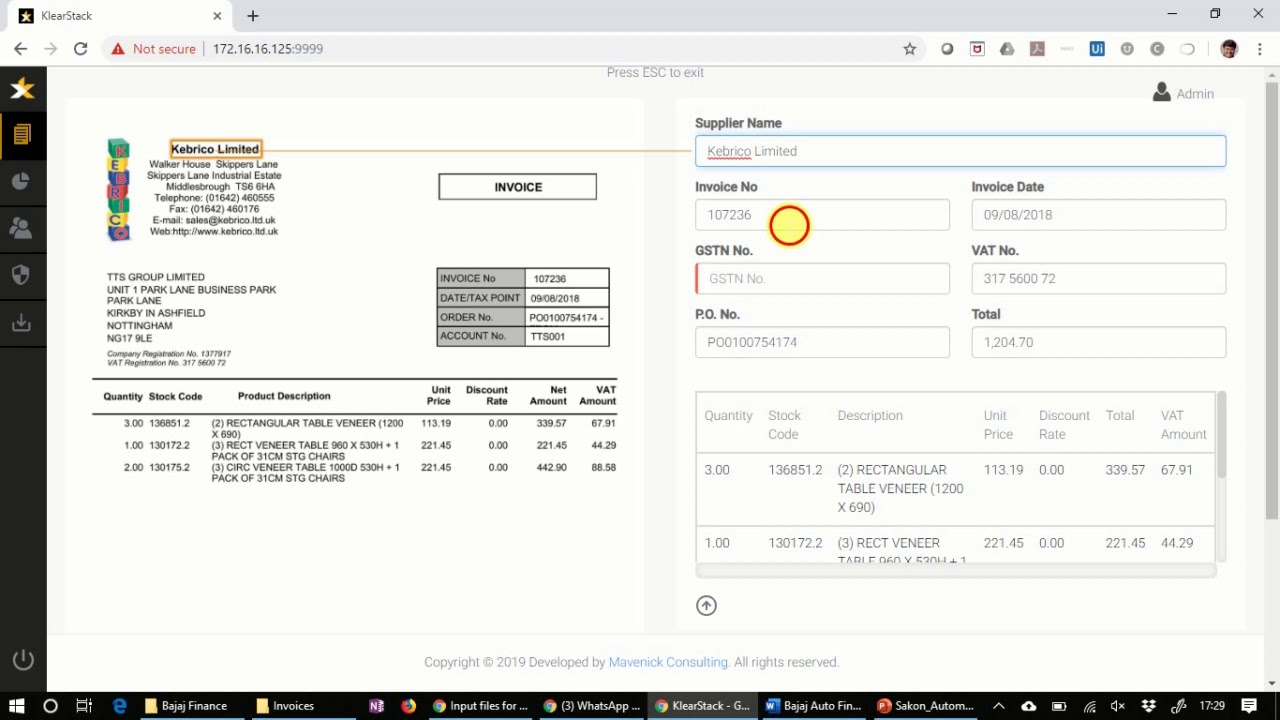
Image source: klearstack.com
Key features:
- KlearStack can extract data from invoices, purchase orders, receipts, and other financial documents without requiring manual templates.
- The platform uses AI-powered classification and extraction to automatically handle documents with varying formats and layouts.
- Human-in-the-loop validation allows teams to review uncertain data and improve extraction accuracy over time.
- Multi-format document support enables efficient processing of PDFs, scanned images, emails, and spreadsheets.
Pros:
- KlearStack reduces manual data entry by automating extraction from financial documents, saving time and resources.
- AI-driven template-free extraction allows teams to handle multiple vendor document formats without custom templates.
- Human-in-the-loop validation ensures accuracy and continuous improvement of document processing workflows.
Cons:
- High-volume enterprise deployments may require configuration and integration support.
- Human-in-the-loop validation can slow processing for simpler documents that do not require review.
Pricing:
- KlearStack pricing is customized based on document volume, workflow complexity, and enterprise requirements.
- Plans typically include AI extraction credits, human validation features, and integration support.
8. Abbyy FlexiCapture: OCR + rules-driven document processing
Abbyy FlexiCapture is an intelligent document processing platform that combines OCR technology with rules-driven extraction to automate data capture from documents. It is designed for organizations handling high volumes of structured and semi-structured documents across finance, HR, logistics, and legal operations. The platform can efficiently process invoices, purchase orders, forms, contracts, and other business documents.
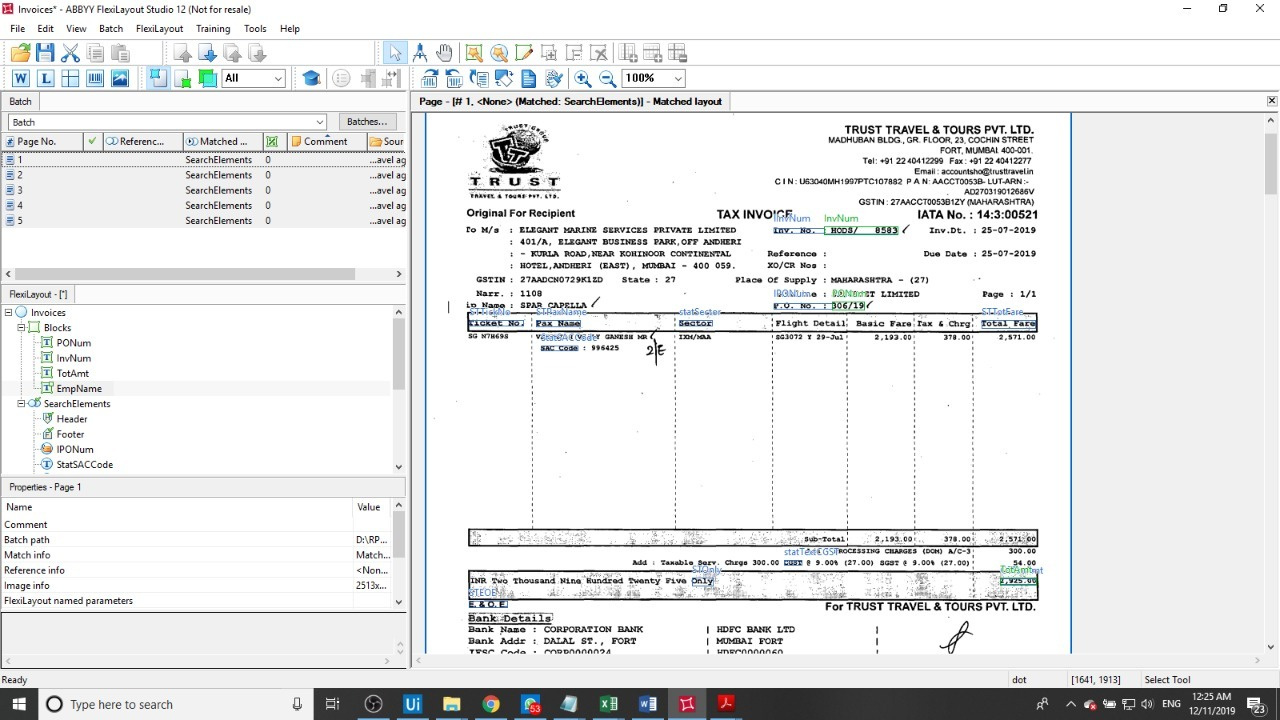
Image source: abbyy.com
Key features:
- Abbyy FlexiCapture can extract data from structured and semi-structured documents using OCR and rules-based logic.
- The platform uses intelligent classification to identify document types and route them for processing automatically.
- Users can define validation rules and exception handling to ensure accurate and consistent data capture.
- Multi-format support allows processing of PDFs, scanned images, emails, and forms from various sources.
Pros:
- Abbyy FlexiCapture delivers high accuracy through OCR and rules-driven extraction across a variety of document types.
- Intelligent classification automates document routing and reduces manual sorting.
- Validation rules and human-in-the-loop review ensure consistent and reliable data capture.
Cons:
- Large-scale enterprise deployments may entail higher licensing and support costs.
- Some organizations may find the platform more complex than needed for low-volume tasks.
Pricing:
- Free: Free trial available.
- Standard: Pay-as-you-go, starting at $0.50/document (10K-100K pages/year).
- Premium: Custom pricing (100K-1M pages/year).
- Enterprise: Custom pricing (1M+ pages/year).
9. ClickUp Docs AI: Basic document extraction inside workflows
ClickUp Docs AI is an intelligent document processing solution embedded within the ClickUp workspace that simplifies document extraction and workflow automation. It is designed for teams looking for lightweight document processing integrated with task management, collaboration, and project tracking. The platform allows users to extract key information from documents, generate summaries, and link content directly to tasks and projects.
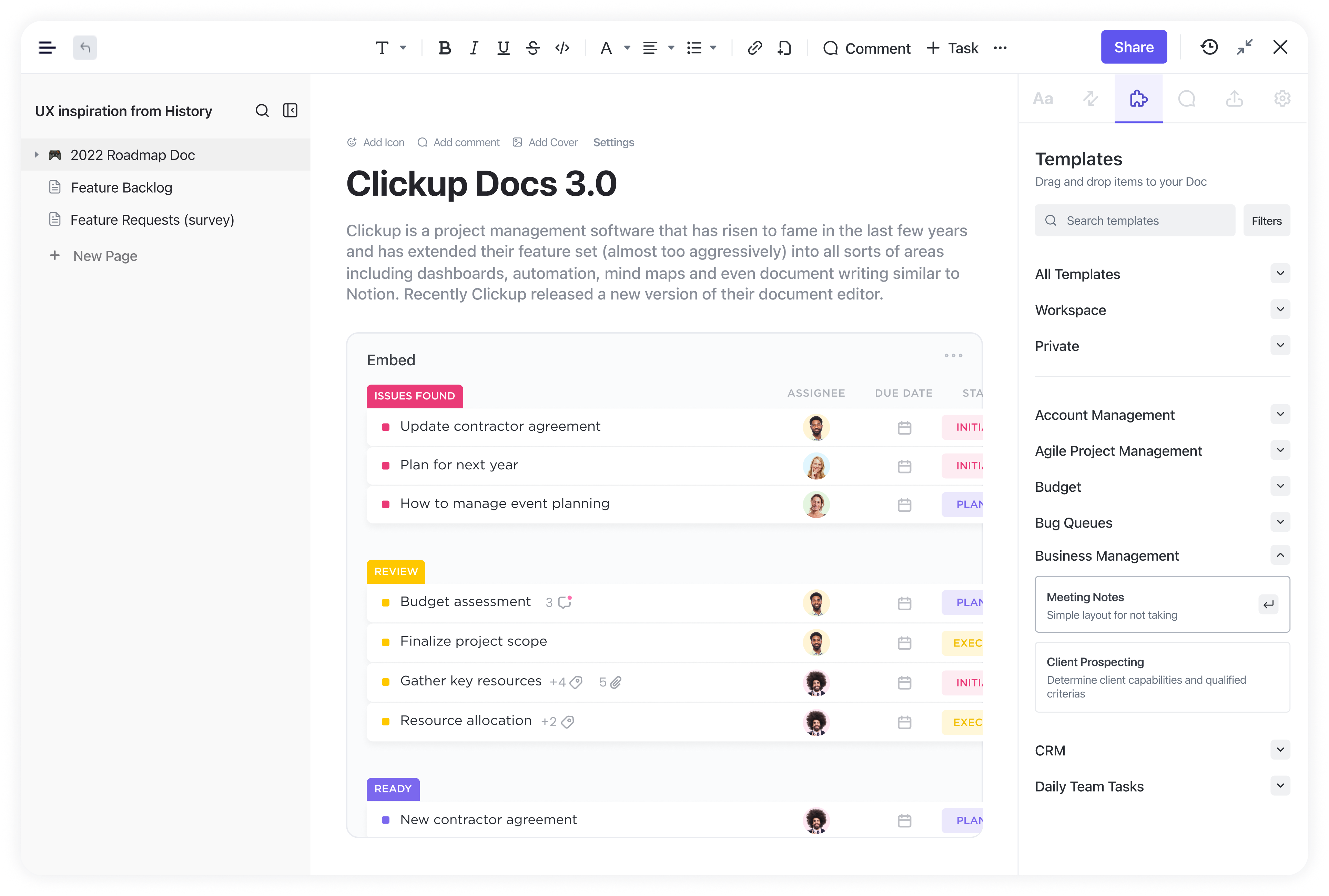
Image source: clickup.com
Key features:
- ClickUp Docs AI can extract key information from documents and link it directly to tasks, projects, or workflow items.
- The platform uses AI-powered text recognition to generate summaries and highlight important content within documents.
- Users can embed documents into workflows for context-driven task management and collaboration.
- Multi-format support allows seamless processing of PDFs, Word files, and text-based documents.
Pros:
- ClickUp Docs AI integrates document extraction directly into task and project workflows, reducing the need for separate software.
- AI-powered text recognition and summarization improve efficiency and help teams focus on key information.
- Multi-format support allows teams to handle diverse document types without conversion.
Cons:
- The platform is designed for lightweight workflows and may not handle complex enterprise document automation.
- Some advanced features, such as workflow automation for large datasets, may require the ClickUp AI add-on.
Pricing:
- Free: Unlimited tasks (Free Forever, limited AI).
- Unlimited: $7/user/month (100 AI uses/month).
- Business: $12/user/month (unlimited AI).
- Enterprise: Custom pricing (SSO, dedicated support).
10. Indico: Intelligent data extraction for complex enterprise documents
Indico is an intelligent document processing platform designed for enterprises that handle complex and high-volume documents. It leverages machine learning to classify, extract, and analyze structured and unstructured data from a variety of document types. Indico is particularly well-suited for organizations that handle contracts, forms, reports, and compliance-related documents. Its platform supports human-in-the-loop validation, allowing users to review low-confidence data and continuously improve AI models.
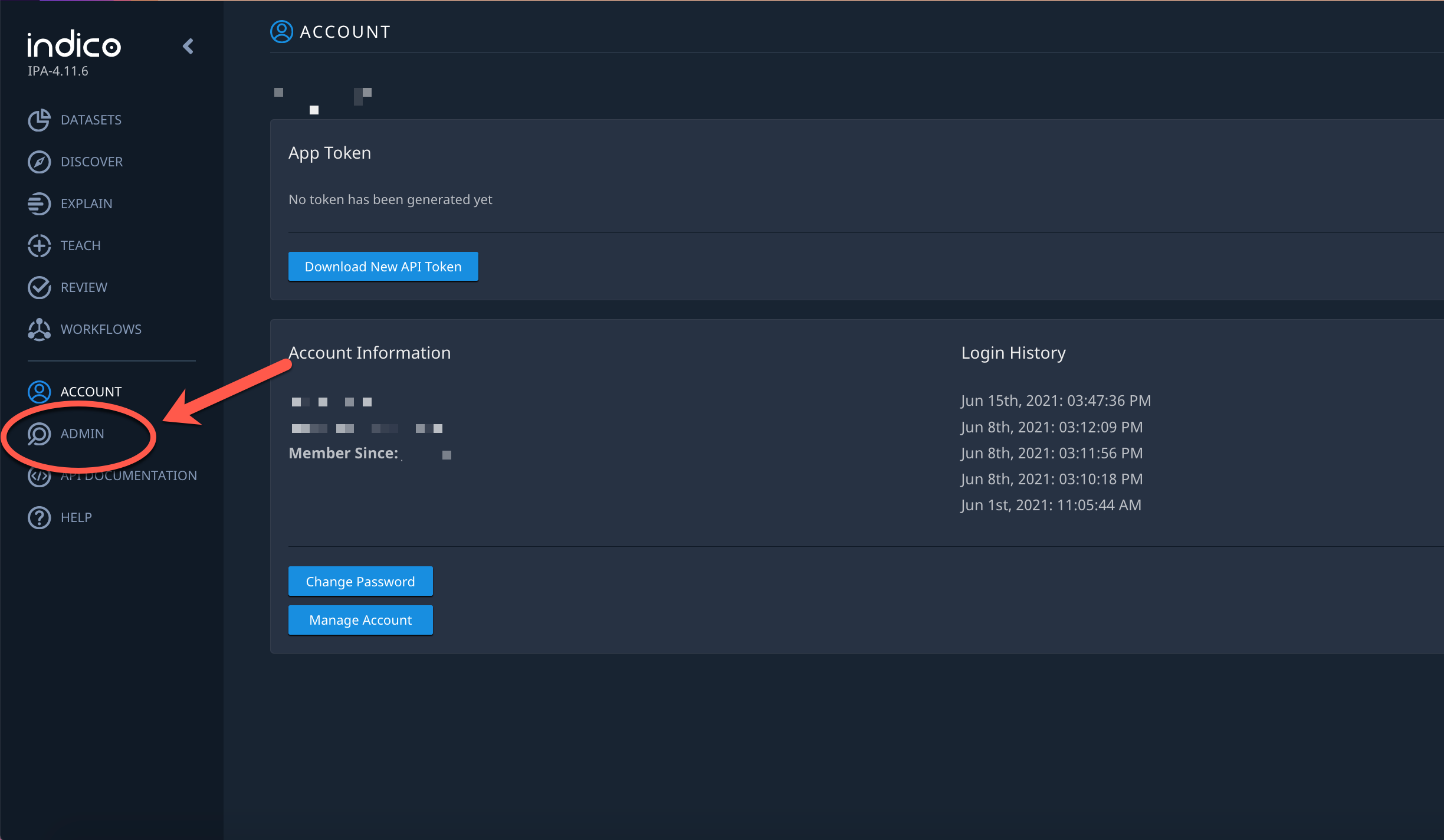
Image source: indico.com
Key features:
- Indico can automatically classify and extract data from structured, semi-structured, and unstructured documents.
- The platform uses machine learning models that adapt over time, improving accuracy with each processed document.
- Human-in-the-loop validation enables teams to review uncertain data and correct errors, improving reliability.
- Multi-format support includes PDFs, scanned images, emails, and forms for versatile document handling.
Pros:
- Indico provides high accuracy for complex documents that are difficult to process with traditional methods.
- Integration with enterprise systems streamlines document-driven processes and data transfer.
- Analytics and reporting dashboards help monitor workflow efficiency, accuracy, and operational performance.
Cons:
- Enterprise-scale deployments may involve higher costs for AI processing and support services.
- Custom model creation and advanced integrations may incur additional professional services costs.
Pricing:
- Free: Free trial available.
- Basic: Custom pricing (starts $10,000/year).
- Pro: Custom pricing (advanced ML models).
- Enterprise: Custom pricing (unlimited workflows).
11. Hyland IDP: Document capture & content lifecycle management
Hyland IDP is an intelligent document processing platform that captures, organizes, and manages documents throughout their lifecycle. It is designed for enterprises that need reliable extraction, classification, and workflow integration for high-volume document operations. The platform supports both structured and unstructured documents, including forms, invoices, contracts, and correspondence. Hyland IDP includes human-in-the-loop validation to ensure accurate data capture and seamless routing.
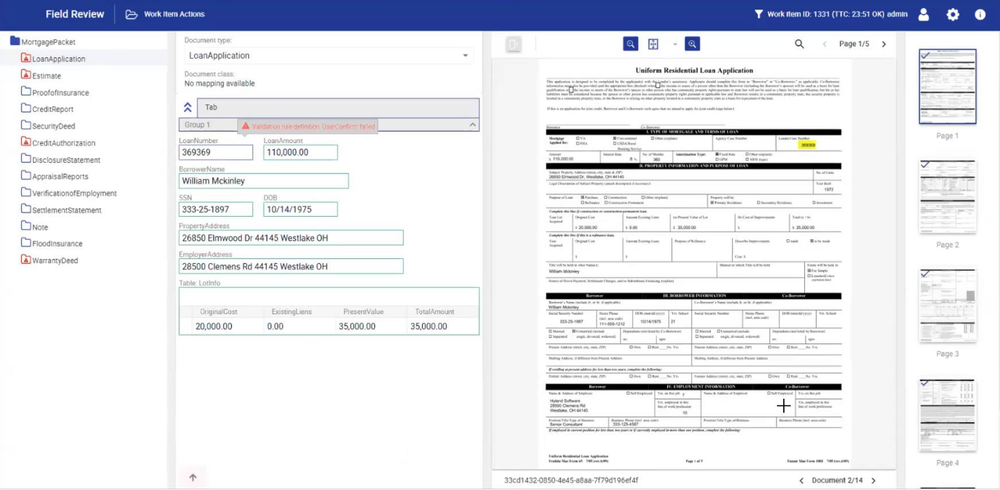
Image source: hyland.com
Key features:
- Hyland IDP can automatically extract and classify data from structured, semi-structured, and unstructured documents.
- The platform supports human-in-the-loop validation to review low-confidence data and ensure accuracy.
- Users can define workflow rules to route documents automatically through approvals, tasks, or downstream processes.
- Multi-format support allows seamless processing of PDFs, scanned images, emails, and forms.
Pros:
- Hyland IDP provides accurate extraction and classification for high-volume, complex documents.
- Workflow automation enables seamless routing, approvals, and task creation for document-driven processes.
- Analytics dashboards help teams monitor performance, processing times, and operational bottlenecks.
Cons:
- Enterprise-scale deployment may require configuration support and technical expertise.
- Licensing costs can be high for large document volumes or multi-department implementations.
Pricing:
- Free: Free trial available.
- Basic: Custom pricing (pages per year, starts $0.05/page).
- Professional: Custom pricing (advanced AI).
- Enterprise: Custom pricing (full integrations).
12. Amazon Textract: AI text extraction for large-scale ingestion
Amazon Textract is a cloud-based intelligent document processing platform that extracts text, forms, and tables from scanned documents and images. It leverages machine learning to analyze structured and unstructured content without requiring manual template creation. Textract can efficiently process large volumes of documents, making it ideal for enterprises with high-scale data ingestion needs. It integrates with AWS services and other workflow systems to automate downstream business processes.
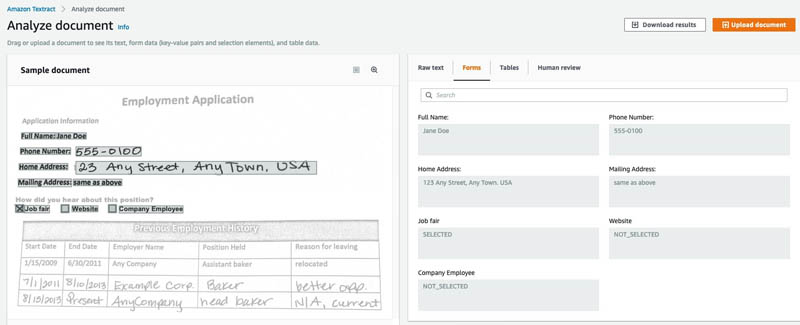
Image source: amazon.com
Key features:
- Amazon Textract can automatically extract text, tables, and form data from scanned images and PDFs.
- The platform uses AI-powered analysis to detect both structured and unstructured content without relying on templates.
- Users can integrate Textract with AWS services and external workflow systems to automate downstream processes.
- Multi-format support enables efficient processing of PDFs, scanned images, and other document types.
Pros:
- Amazon Textract reduces manual data entry by automatically extracting text, tables, and forms from documents.
- Integration with AWS and other workflow platforms enables seamless end-to-end process automation.
- Logging and analytics features help teams monitor performance, accuracy, and workflow efficiency.
Cons:
- Textract may require technical expertise to integrate effectively with workflows and AWS services.
- Human validation is not fully built in and may require additional AWS tools for low-confidence data review.
Pricing:
- Free: Free tier (1,000 pages/month for first 3 months).
- Detect Document Text: $0.0015/page (first 1M pages).
- Analyze Document: $0.06/page (first 1M pages).
- Analyze Expense/ID: $0.10/page.
13. Google Document AI: Deep-learning-based extraction for unstructured docs
Google Document AI is an intelligent document processing platform that leverages deep learning to extract data from structured, semi-structured, and unstructured documents. It is designed to handle complex business documents such as invoices, contracts, receipts, and forms. The platform includes pre-trained models for various industries, allowing faster deployment and high accuracy. Document AI integrates with Google Cloud services and workflow systems to efficiently automate downstream processes.
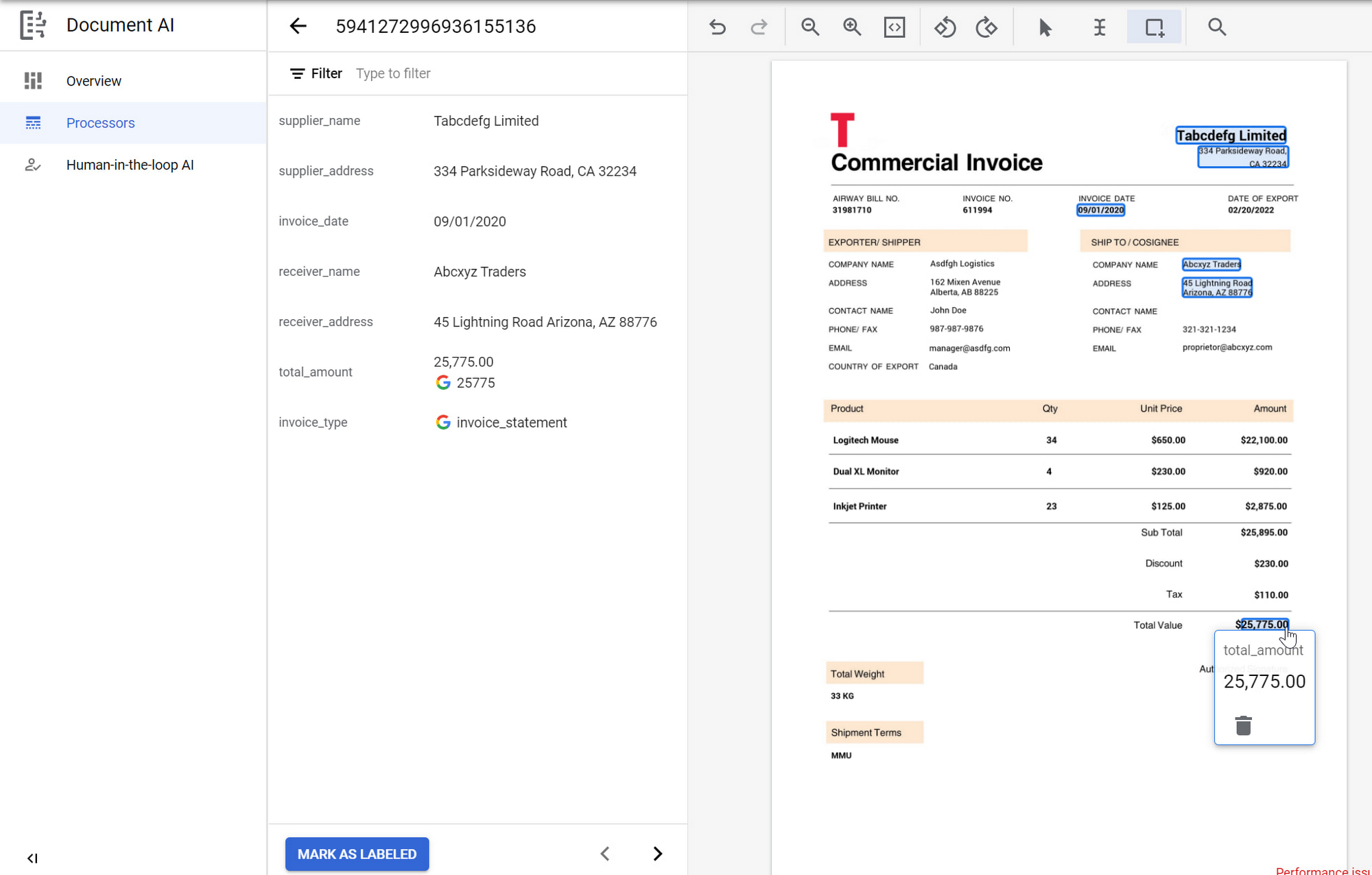
Image source: google.com
Key features:
- Google Document AI can automatically classify and extract data from structured, semi-structured, and unstructured documents using deep learning models.
- The platform includes pre-trained vertical models for specific industries, enabling faster deployment and higher extraction accuracy.
- Human-in-the-loop review can be integrated to validate low-confidence fields and continuously improve model performance.
- Multi-format support allows processing of PDFs, scanned images, emails, and other document types.
Pros:
- Google Document AI provides high accuracy in extracting data from complex, unstructured documents.
- Human-in-the-loop validation ensures reliability for critical workflows and low-confidence data.
- Integration with Google Cloud services allows scalable automation and seamless workflow integration.
Cons:
- Enterprise-scale usage can result in higher costs depending on document volume and model usage.
- Custom model training and advanced features may require additional configuration and incur extra costs.
Pricing:
- Free: Free tier (500 pages/month for some processors).
- Document OCR: $1.50/1,000 pages (first 5M pages).
- Form Parser: $30/1,000 pages (first 1M pages).
- Custom Extractor: $30/1,000 pages + $0.075/hour hosting.
14. Microsoft Syntex: AI content processing within Microsoft 365
Microsoft Syntex is an intelligent document processing platform integrated within the Microsoft 365 ecosystem, designed to automate content understanding and classification. It leverages AI and machine learning to extract metadata, classify documents, and trigger workflows directly in SharePoint and other Microsoft 365 apps. The platform is suitable for organizations that want seamless integration with existing M365 tools, such as Teams, Outlook, and Power Automate. Syntex can process structured and unstructured content, including contracts, invoices, forms, and internal documentation.
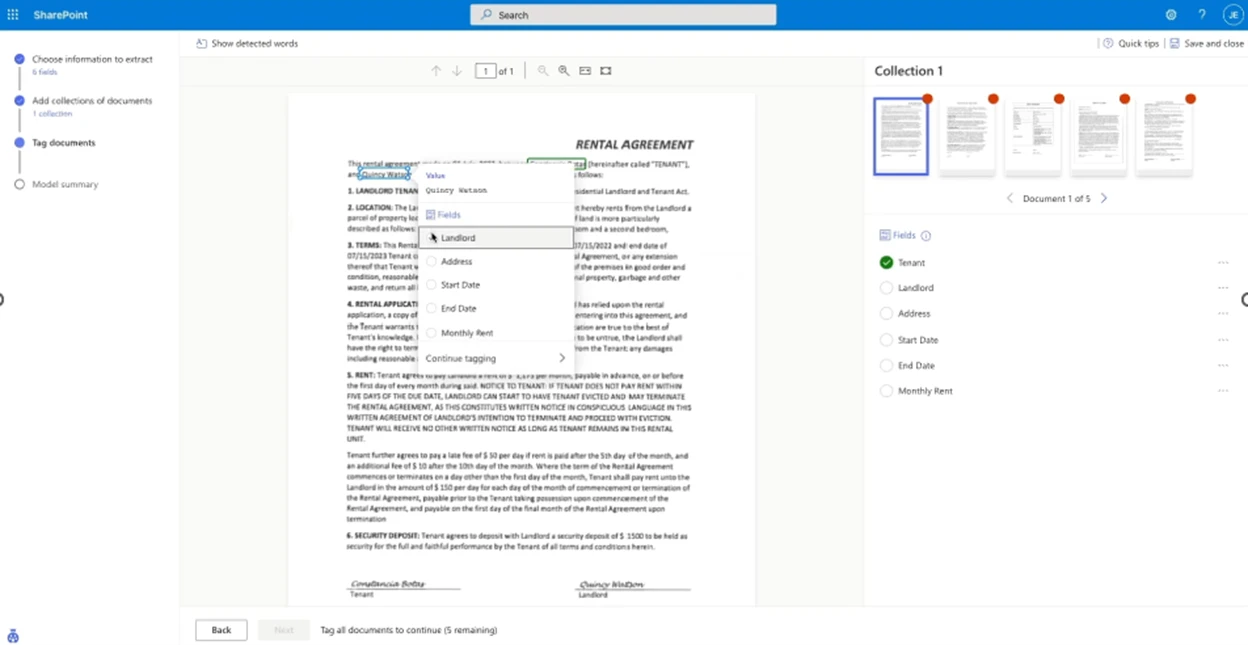
Image source: microsoft.com
Key features:
- Microsoft Syntex can automatically classify and extract metadata from structured and unstructured documents using AI.
- Automated content tagging, metadata assignment, and document routing streamline document management and approvals.
- Compliance and audit features, such as version tracking and metadata logging, help organizations maintain governance standards.
- Analytics and reporting tools provide insights into processing efficiency, extraction accuracy, and operational bottlenecks.
Pros:
- Microsoft Syntex integrates AI document processing directly into Microsoft 365, reducing the need for separate platforms.
- Metadata extraction and automated classification improve workflow efficiency and reduce manual effort.
- Seamless integration with Microsoft 365 apps enables end-to-end automation across collaboration and productivity tools.
Cons:
- The platform is best suited for organizations that use Microsoft 365 entirely, limiting flexibility for other ecosystems.
- High-volume enterprise usage may require additional licensing costs and configuration.
Pricing:
- Free: Free trial (limited capacity through Dec 2025).
- Pay-as-you-go: $0.001/page (unstructured processing).
- Form Processing: $0.002/page.
- Enterprise: Custom pricing (volume discounts).
15. OpenText Intelligent Capture: Enterprise-grade document pipelines
OpenText Intelligent Capture is an enterprise-grade intelligent document processing platform designed to handle large volumes of documents across complex business operations. It combines AI, OCR, and advanced data-capture techniques to extract, classify, and validate data from both structured and unstructured documents. The platform is suitable for organizations in finance, healthcare, logistics, and government that require end-to-end document pipelines.
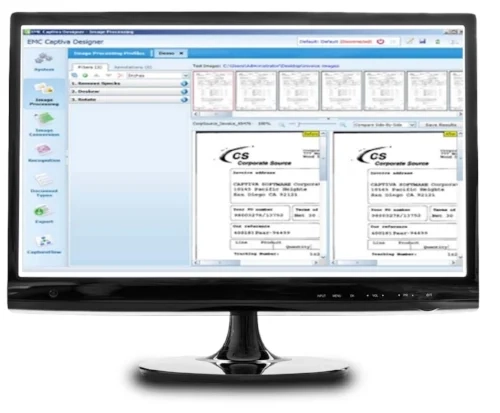
Image source: opentext.com
Key features:
- The platform supports automated document classification based on content, context, and metadata, enabling efficient routing.
- Users can set up customizable validation workflows to ensure extracted data meets organizational standards before processing.
- Integration capabilities allow seamless connection with enterprise systems such as ERP, CRM, and ECM platforms for end-to-end automation.
- The system provides configurable exception handling to flag anomalies, duplicates, or low-confidence data for human review.
Pros:
- OpenText Intelligent Capture can efficiently handle highly complex documents and large-scale enterprise volumes.
- Flexible integration with multiple enterprise systems reduces dependency on manual data entry.
- Configurable validation and exception handling ensure high data accuracy and operational consistency.
Cons:
- The platform may be costly for smaller organizations or those with low document volumes.
- High customization options can increase setup time and require ongoing maintenance.
Pricing:
- Free: Free trial available.
- Basic: Custom pricing (starts $625/month flat).
- Professional: Custom pricing ($1,500/month).
- Enterprise: Custom pricing (unlimited workflows).
Why intelligent document processing software matters today
Intelligent document processing (IDP) software has become essential as businesses handle more documents than ever before. From invoices and contracts to employee forms and logistics papers, data flows in faster than teams can process manually. Traditional OCR is no longer enough because organizations need context-aware extraction and real-time accuracy. With rising compliance standards and faster customer expectations, slow manual workflows create bottlenecks. IDP bridges this gap by converting unstructured documents into ready-to-use data. It acts as the foundation for automation, efficiency, and more intelligent decision-making across industries.
- Document overload across finance, HR, logistics, and customer operations: Modern businesses manage thousands of PDFs, scans, emails, and handwritten forms each day. Intelligent document processing (IDP) software helps teams process this volume without sacrificing accuracy. Finance departments deal with invoices and receipts, HR handles employee files, and logistics teams manage delivery and customs documents. Customer operations rely on fast processing of applications, requests, and support documents. IDP ensures that this growing volume becomes organized, searchable, and workflow-ready.
- Manual data entry risks: Manual keying slows operations and introduces inconsistencies that impact reporting and compliance. Intelligent document processing (IDP) software reduces human error by automating extraction with high accuracy. Delays caused by manual input can affect payments, onboarding, and regulatory timelines. Compliance risks increase when documents are misread or misfiled. IDP improves governance by enforcing validation rules, audit trails, and standardized data handling.
- Business need for automated classification, structured extraction, and workflow-ready data: Organizations need data that flows directly into ERPs, CRMs, and workflow systems without manual steps. Intelligent document processing (IDP) software automatically classifies documents, separates pages, and extracts structured fields. This enables real-time processing across finance, HR, and operations. With workflow-ready data, automation tools can trigger approvals, payments, or updates instantly. IDP ensures businesses scale efficiently by providing consistent, high-quality data that powers every process.
Real-world use cases of intelligent document processing (IDP)
Modern organizations handle thousands of documents across finance, HR, operations, customer support, and compliance. IDP helps convert these static documents into usable, structured data that can move through workflows automatically. Below are the most critical use cases across industries, with examples of where these workflows commonly appear.
Invoice processing and accounts payable automation
Companies receive invoices in many formats—PDFs, scans, email attachments, or vendor-specific templates. IDP extracts line-item details, vendor names, tax amounts, and payment terms, and matches them with purchase orders. This reduces manual entry, prevents duplicate invoices, and accelerates AP approval cycles. Finance teams gain accuracy, faster payments, and complete audit trails.
Purchase order and receipt matching
IDP automatically validates PO numbers, quantities, delivery receipts, and line items. If mismatches occur, the system flags exceptions for review. This helps procurement and supply chain teams eliminate errors and improve vendor accountability.
Contract review and clause extraction
Legal and procurement teams often handle multi-page agreements with complex terms. IDP extracts key clauses—renewal dates, obligations, pricing terms, penalties, or risk items—and presents them as structured fields. This reduces review time, enables faster routing to stakeholders, and improves compliance monitoring.
HR document processing (IDs, resumes, onboarding files)
IDP accelerates hiring and onboarding by extracting candidate information from resumes, IDs, certificates, or onboarding forms. HR teams can instantly populate profiles, trigger background checks, or launch onboarding workflows without manual typing. This helps organizations process large applicant volumes efficiently.
KYC/AML documentation in banking and financial services
Banks handle identity proofs, statements, tax forms, and regulatory documents. IDP captures and validates key fields, checks document completeness, and routes exceptions to compliance staff. This shortens customer onboarding time while meeting strict regulatory requirements.
Insurance claims processing
Claims often involve medical reports, accident descriptions, photos, and handwritten statements. IDP extracts relevant fields, classifies document types, and sends them into claim assessment workflows. This speeds up settlements and reduces backlogs for insurance teams.
Logistics and supply chain documentation
Bills of lading, packing lists, delivery receipts, customs declarations, and shipment labels flood logistics operations. IDP converts these into structured fields that help teams track shipments, validate deliveries, and update ERP systems. This removes bottlenecks caused by manual document processing.
Healthcare document processing
Medical facilities handle lab forms, prescriptions, discharge summaries, and insurance-related files. IDP extracts clinical and administrative fields and ensures that sensitive data complies with compliance rules. This improves operational speed while maintaining patient privacy.
Customer support ticket routing
IDP can extract information from customer emails, complaint letters, feedback forms, or PDFs and convert them into actionable tickets. It identifies intent, urgency, and category so support teams can route issues accurately and respond faster.
Compliance and audit documentation
Regulated industries—finance, government, and manufacturing—process vast volumes of compliance records and audit evidence. IDP standardizes document capture, ensures metadata is assigned correctly, and stores everything in audit-ready formats. This reduces risk and helps organizations efficiently prepare for inspections.
Conclusion
Intelligent document processing software has become essential for organizations seeking to streamline document-heavy workflows, reduce manual errors, and improve operational efficiency. From invoice processing and contract extraction to HR onboarding and compliance documentation, modern IDP platforms leverage AI, machine learning, and automation to transform unstructured data into actionable insights. While many solutions excel at extraction accuracy or specialized features, challenges such as template dependence, high model training costs, and complex enterprise deployments remain common.
Lark stands out by connecting document processing directly to business workflows, approvals, and cross-team collaboration. Its Base records, automated routing, real-time communication, and integrated dashboards ensure that extracted data flows seamlessly through every stage of a process. Teams no longer need to worry about inconsistent formats or fragmented systems—workflows remain reliable and efficient. Get started with Lark today to unify document processing, task management, and collaboration in a single workspace.
FAQs
What types of documents are hardest for IDP software to extract accurately?
Documents with highly unstructured layouts, handwritten notes, multiple tables, or mixed formats are typically the hardest for intelligent document processing software to extract accurately. Scanned forms, multi-page contracts, and vendor-specific invoice formats often require additional validation or model training. Even the best intelligent document processing software can struggle with irregular spacing, poor image quality, or non-standard fonts. Lark helps overcome these challenges by converting documents into structured Base records and attaching them to workflows, ensuring that even imperfect inputs trigger accurate routing, approvals, and task creation. Teams can collaborate directly on documents, annotate issues, and maintain consistency without depending solely on extraction accuracy. By combining structured workflows with human-in-the-loop checks, Lark ensures operational efficiency even when document formats vary widely.
How does intelligent document processing differ from traditional OCR?
Traditional OCR focuses on converting printed text from images or PDFs into machine-readable text without understanding context or structure. Intelligent document processing software goes further by classifying documents, extracting structured data, validating fields, and automatically integrating with workflows. IDP uses AI, natural language processing, and machine learning to identify tables, forms, and key fields, enabling the generation of actionable data. Lark complements this by linking extracted information to Base records and automating approvals, tasks, and dashboards, turning raw data into executable business processes. Unlike OCR alone, Lark ensures extracted content is contextualized within operational workflows and accessible to cross-team collaboration. This combination reduces errors, saves time, and accelerates document-driven processes across departments.
Can IDP systems learn and improve accuracy over time?
Yes, many intelligent document processing platforms incorporate machine learning to improve extraction accuracy as more documents are processed and validated. Human-in-the-loop features allow teams to correct errors, which trains the AI for future documents. However, retraining models and improving accuracy can require significant time and resources in traditional IDP solutions. Lark approaches this differently by focusing on structured Base records and workflow automation, reducing dependence on AI model retraining. Even if a document contains unusual layouts or low-confidence fields, Lark ensures data is captured, routed, and acted upon efficiently. Teams can correct or annotate fields within the workflow, allowing operational processes to continue seamlessly. This combination of AI support and structured workflows ensures high productivity while gradually improving extraction quality.
What security standards should IDP tools meet for sensitive data?
Intelligent document processing software often handles sensitive financial, HR, or compliance documents, making security a critical concern. IDP tools should adhere to encryption standards, access controls, audit logging, and data retention policies. Compliance with regulations such as GDPR, HIPAA, or industry-specific standards is also essential. Lark ensures that all documents, Base records, and workflows remain secure through role-based permissions, encrypted storage, and comprehensive audit trails. Teams can control access to sensitive files, track every action, and maintain version history, all within a single platform. By integrating security into workflows rather than treating it as a separate step, Lark helps organizations process sensitive documents confidently while meeting regulatory requirements.
How do businesses measure ROI when adopting IDP software?
Businesses measure ROI for intelligent document processing software by evaluating time saved, reduced errors, improved compliance, and increased workflow efficiency. Metrics such as invoice processing speed, contract turnaround time, and reductions in manual data entry provide tangible evidence of impact. Cost savings from fewer errors, reduced staffing requirements, and accelerated approvals also contribute to ROI. Lark enhances these benefits by connecting document extraction directly to workflows, approvals, tasks, and dashboards. By centralizing collaboration and automation, Lark enables teams to achieve immediate productivity gains while maintaining high accuracy and compliance. Organizations can track performance metrics within Lark's dashboards to quantify improvements, making it easier to justify the investment in intelligent document processing.
Related reading
Table of contents
Start using Lark today

Manage all your work in one place
Boost team efficiency by 10x
Save up to 70% on software costs
Table of contents
Start using Lark today
Manage all your work in one place
Boost team efficiency by 10x
Save up to 70% on software costs
Keep reading



Lark recognized in 2023 Gartner® Collaborative Content Workspaces and Meeting Solutions reports
Lark, the global superapp for productivity, is delighted to announce it receives recognition in the Gartner's 2023 Innovation Insight for Collaborative Content Workspaces and Market Guide for Meeting Solutions.





2026 Lark Technologies Pte. Ltd.
Headquartered in Singapore with offices worldwide.






Explore: