Managing IT assets in 2026 shouldn't mean hunting through outdated spreadsheets. As infrastructure scales across remote teams and cloud environments, manual tracking quickly leads to blind spots, compliance risks, and budget overspending. The solution is finding the right IT inventory software to automatically discover, track, and manage your hardware and software lifecycles from a single dashboard.
To save you hours of research, we evaluated the top platforms on the market. In this guide, we break down the best IT inventory tools available this year, comparing their core features, pricing, and ideal use cases to help you choose the perfect fit for your organization.
What is IT inventory software?
At its most basic level, IT inventory software is a centralized digital ledger that records and monitors every technology asset your organization owns. But modern platforms go far beyond simply counting laptops.
A reliable IT asset inventory software platform actively scans your network to detect physical hardware, virtual machines, cloud instances, and software installations. It pulls all this fragmented data into a single dashboard, giving you a clear picture of what you have, where it is located, who is using it, and how it is configured.
Instead of relying on manual data entry and easily corrupted spreadsheets, IT teams use IT to automate discovery. This means when a new server comes online, or an employee downloads an unauthorized application, the system registers it automatically. Whether you are tracking the lifecycle of an expensive data center switch or managing hundreds of SaaS licenses, this software acts as your single source of truth for the entire IT ecosystem.
Benefits of IT inventory management software
Investing in the best IT inventory management software is rarely just an IT decision; it is a financial and operational baseline. When you stop guessing about your tech stack and start tracking it accurately, the advantages become clear very quickly. Here are the primary ways organizations benefit from rolling out a dedicated platform:
- Identifying massive cost savings: Most companies overspend on software licenses simply because they do not know what their employees are actually using. A solid system identifies "shelfware"—paid software that sits unused—so you can downgrade or cancel subscriptions. Similarly, IT hardware inventory management software helps you spot underutilized servers or laptops that can be reassigned to new hires instead of buying new equipment.
- Painless compliance and audit readiness: If a software vendor audits your company tomorrow, how long would it take to prove you are fully licensed? If you are using the best IT inventory software, generating a compliance report takes minutes, not weeks.
- Faster help desk resolution: When a user , context is everything. If your help desk team has to ask the user for their IP address, operating system, and hardware specs, resolution is delayed. Integrated IT inventory tools give technicians instant access to device history and configurations, speeding up troubleshooting.
- Proactive security patching: You cannot secure what you cannot see. By maintaining a real-time list of all active devices and installed software versions, IT teams can quickly identify which machines are running outdated, vulnerable operating systems and push critical patches before an incident occurs.
Discover these benefits with a powerful IT inventory software
Top 12 IT inventory software solutions for 2026
The market for IT inventory software is expansive, catering to everyone from startup founders tracking a dozen laptops to enterprise architects mapping global data centers. Below is our curated list of the top 12 platforms leading the charge in 2026, evaluating their core strengths, user experiences, and pricing models.
1. Lark: The unified hub for IT asset workflows
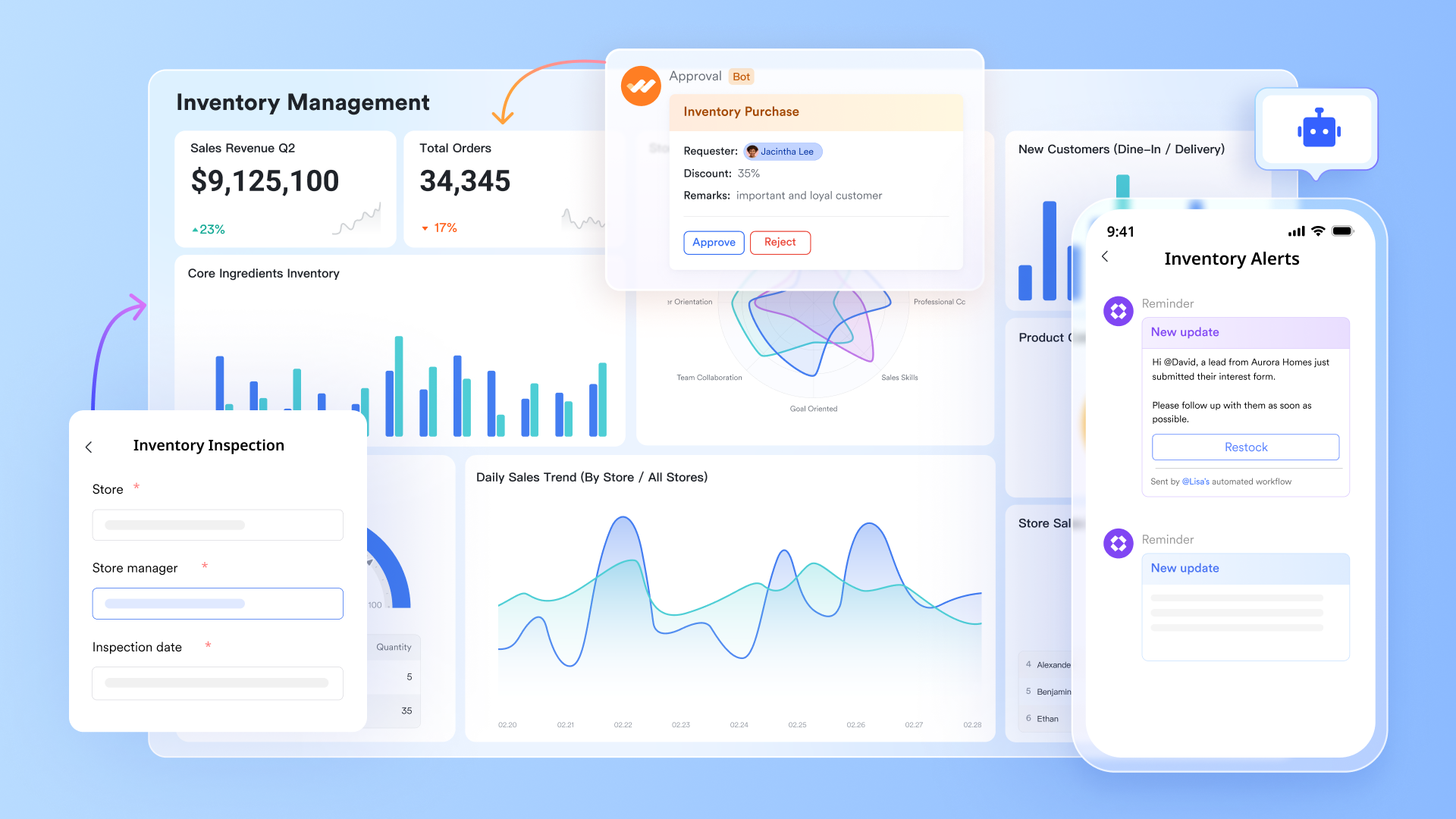
is an all-in-one super app that brings messaging, video calls, document collaboration, file sharing, , approvals, and AI-powered workflows into a single platform, and it fundamentally redefines how modern IT departments manage their daily operations. Traditionally, IT has been trapped in isolated databases disconnected from where employees actually work, turning simple hardware requests or software audits into frustrating, multi-app ordeals. Lark bridges this critical gap by transforming static inventory tracking into a dynamic, collaborative ecosystem. Instead of forcing your team to juggle separate ticketing systems, messaging apps, and asset trackers, Lark unites your core communication channels, automated workflows, and structural asset data into one seamless workspace.
Pros:
Build a centralized asset database that works for you
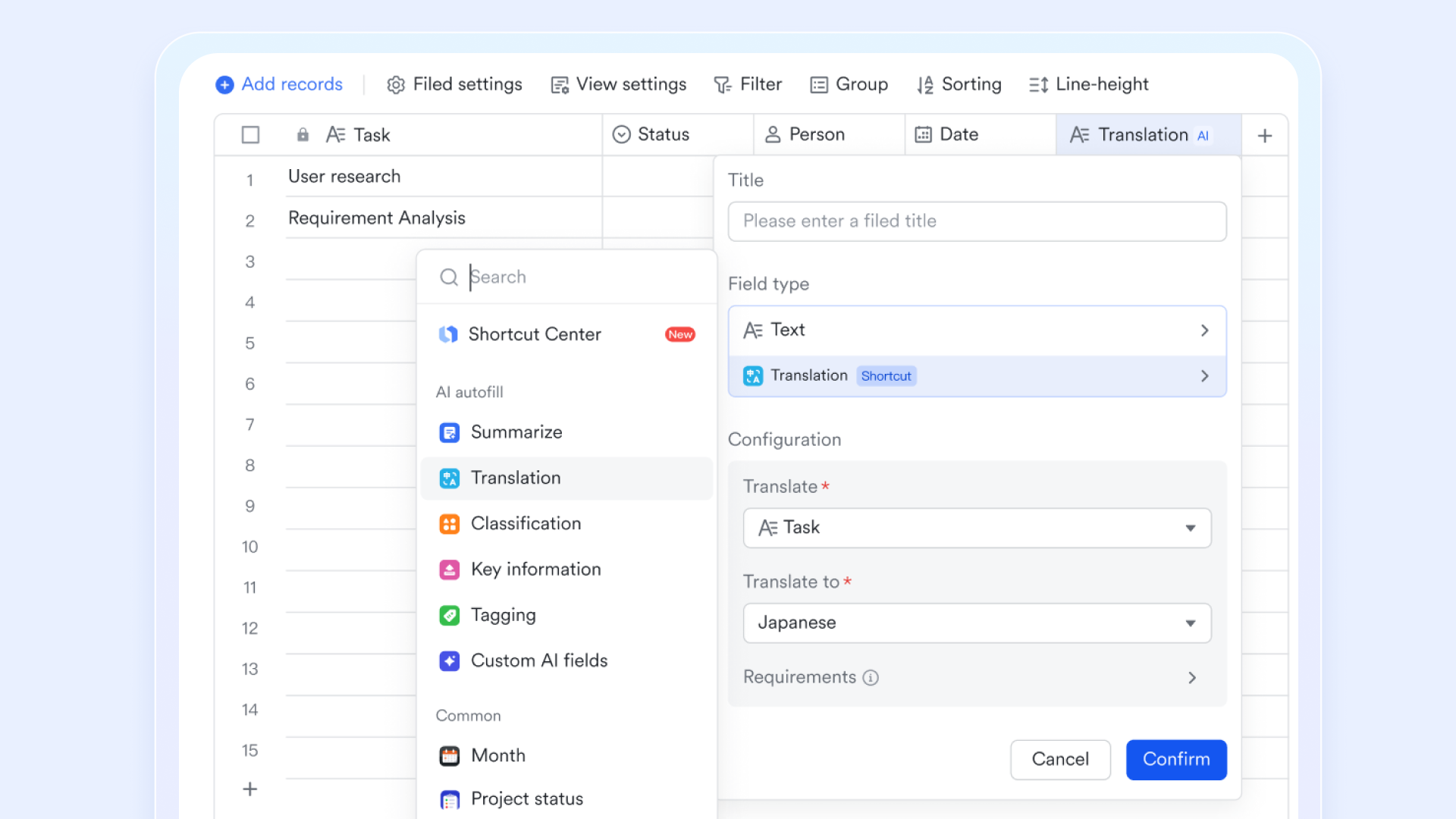
IT inventory management starts with knowing what you have, where it is, and who is using it. provides a fully customizable database where you can structure asset information exactly as you need. Create records for each asset type—laptops, monitors, software licenses, peripherals—with custom fields that matter to your team: serial numbers, purchase dates, warranty expiration, assigned user, current location, and status.
Track asset lifecycles from procurement to retirement
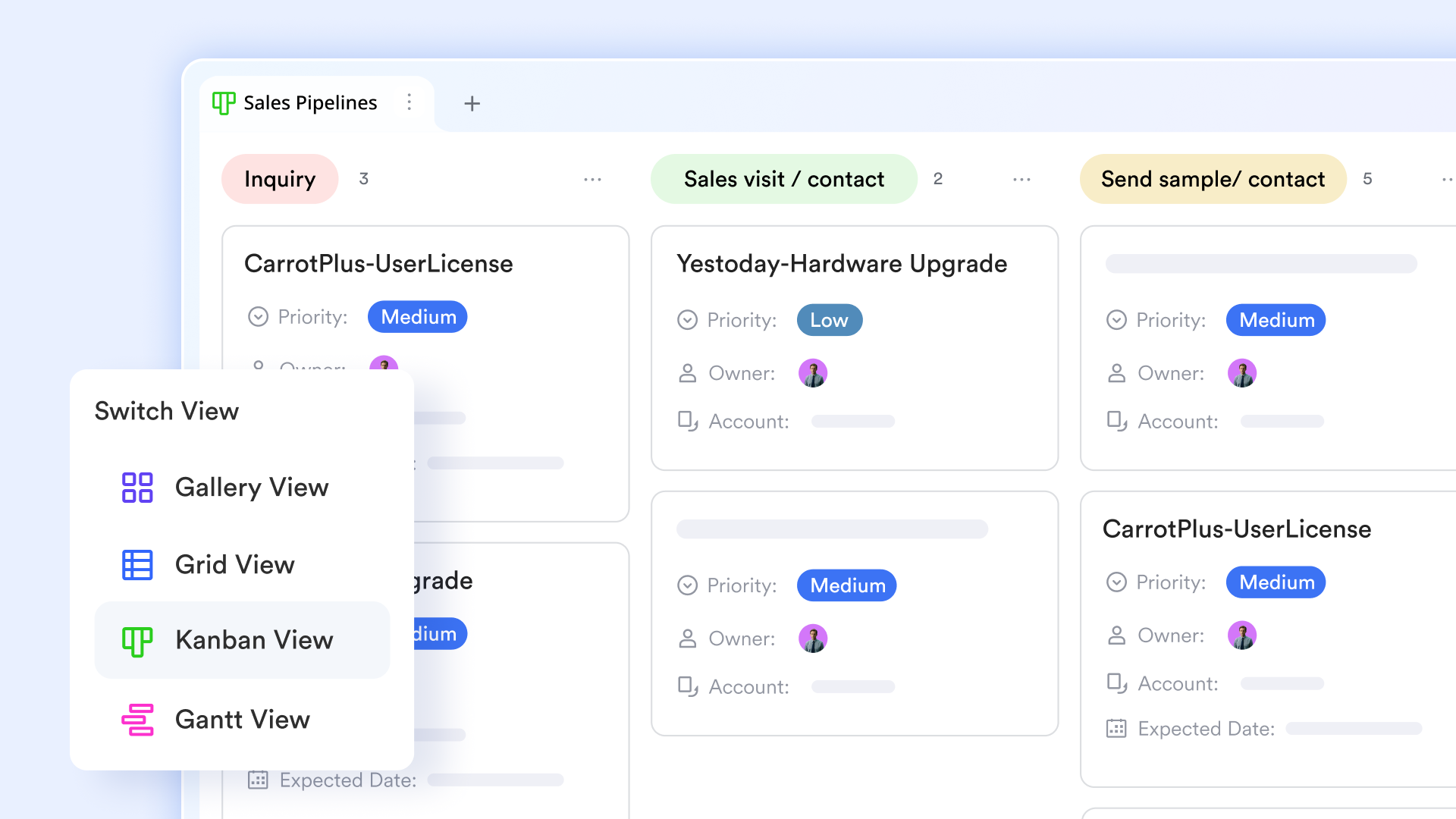
IT assets move through stages—ordered, received, deployed, maintained, retired. lets you visualize this journey with customizable views. Use a to see assets by status, moving cards from "Ordered" to "In Stock" to "Deployed" as they move through your process. Set up a calendar view to track warranty expirations and renewal dates. Add a table view for bulk updates when receiving a shipment of new devices.
Use automation to trigger actions when inventory status changes
When an IT asset changes status, manual follow-up tasks often follow. Lark Base automation handles these steps for you. You can set up rules: when a device status changes from "Pending Assignment" to "Deployed," the system automatically sends a notification to the employee with device details and setup instructions. These automations ensure every status change triggers the right next step, without anyone having to remember to follow up. 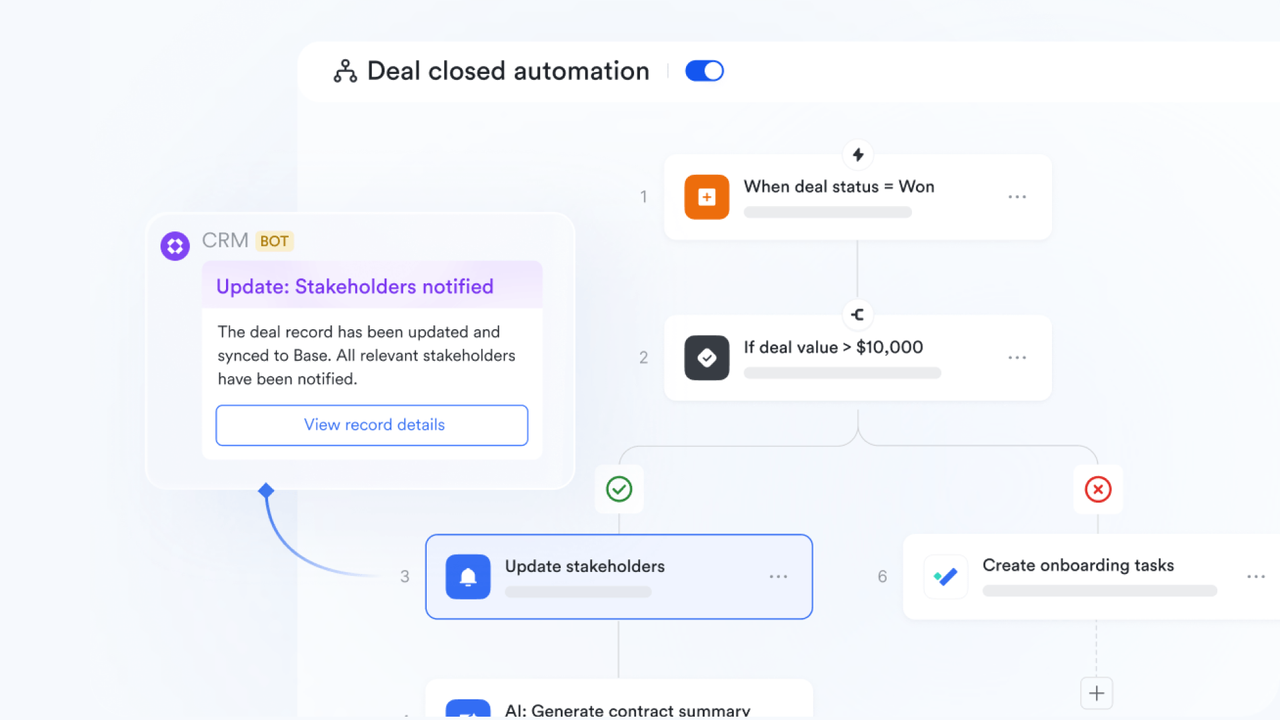
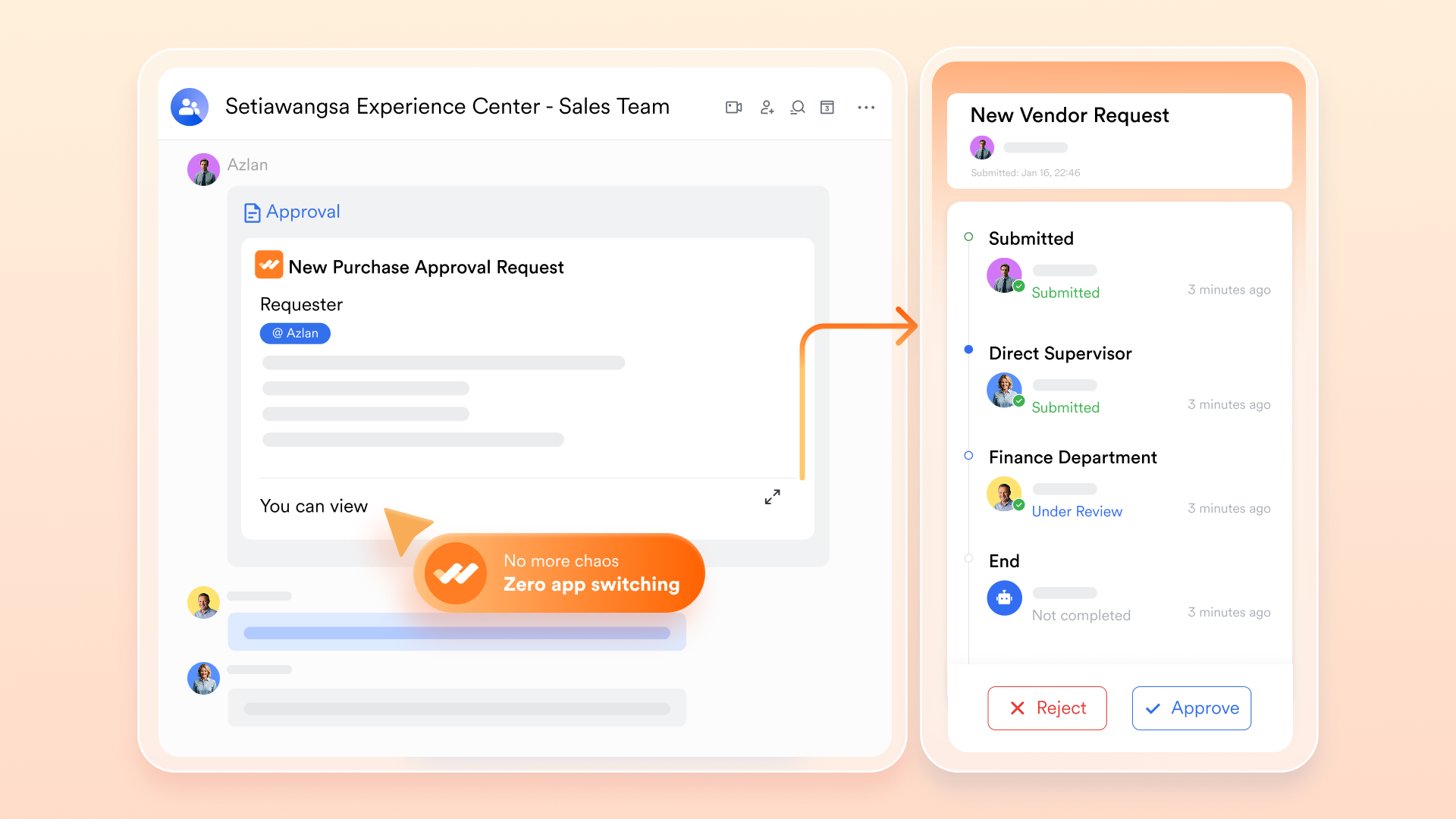
Use approval flows to standardize purchases and equipment requests
IT equipment purchases and requests often require multiple levels of approval. Email chains are slow and easy to miss. lets you design custom approval flows for different request types. When an employee submits a laptop request, the system automatically routes it based on device type and cost—low-value items go to the department manager, high-value requests automatically add the IT director. Approvers get notifications directly in , click to view request details, asset availability, and budget status, and approve with one click.
Cons:
- Adapting to Lark may take some time, but Lark's complete and well-organized offers thorough guidance and support throughout the entire transition process.
The verdict: Lark is the ideal solution for growing SMEs, large enterprises, and struggling with fragmented tool stacks. It stands out by linking your IT operational data directly to daily team communication, keeping work moving forward without friction.
:
- Starter plan: Free forever plan that includes 11 powerful tools for up to 20 users. It also comes with 100GB of storage, 1000 automation runs, AI translations, and more.
- Basic plan: $6/user/month (billed annually) for up to 500 users. It includes everything in Starter plus group calling for up to 500 attendees, 5TB of storage, 1000 automation runs, and more. For more details, please .
- Pro plan: $12/user/month (billed annually) for up to 500 users. It includes everything in Basic plus group calling for up to 500 attendees, 15TB of storage, 50,000 automation runs, and more.
- Enterprise plan: for custom pricing. Supports unlimited users and includes even more automation runs and advanced security, compliance, and management features.
For small teams with simple communication needs

18 months message history
1000 Base automation runs/month
2000 rows per table in Base
Most POPULAR
For companies with comprehensive collaboration and management needs
Unlimited message history
500-participant video meetings
50k Base automation runs/month
20k rows per table in Base
For large companies with advanced security and organizational management needs
Get a personalized demo and pricing
Unlimited message history
500-participant video meetings
15 TB storage + 30 GB storage/user
500k Base automation runs/month
50k Base automation runs/month
Most POPULAR
For companies with comprehensive collaboration and management needs
Unlimited message history
500-participant video meetings
50k Base automation runs/month
20k rows per table in Base
2. Asset Panda: Highly customizable mobile asset tracking
Managing physical assets spread across multiple offices or field locations is a logistical nightmare. Field technicians often rely on bulky barcode scanners or resort to writing down serial numbers on paper, resulting in delayed updates and missing equipment. Asset Panda solves this by offering a mobile-first approach, turning any employee's smartphone into a powerful barcode and QR code scanner. This cloud-based system allows teams to update the status, location, and maintenance history of physical hardware in real-time, right from the field.
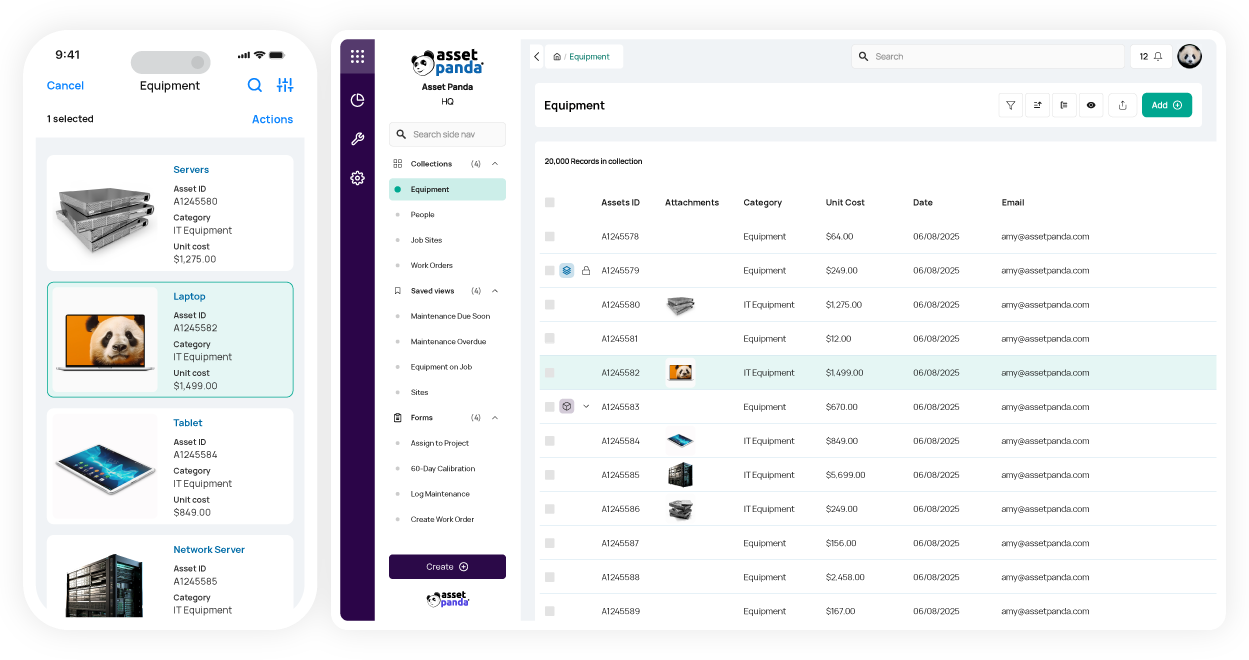
Image source: assetpanda.com
Pros:
- Exceptional mobile app that turns smartphones into reliable asset scanners.
- Highly customizable data fields and workflows to match specific organizational needs.
- Unlimited users on all plans, allowing everyone to participate in asset tracking.
Cons:
- Configuring complex, custom reports can feel overwhelming at first, but their dedicated customer support team offers excellent guided setup sessions.
The verdict: Asset Panda is best for organizations prioritizing physical IT hardware inventory management software with a strong emphasis on mobile accessibility and field technician support.
Pricing:
- Enterprise: Pricing on request for large teams.
3. ServiceNow: Enterprise-grade ITSM and ITAM
Massive global enterprises face severe compliance and operational risks when asset data is siloed across different departments and regions. When a major server goes down, not knowing its exact dependencies can cause millions in lost revenue. ServiceNow provides a heavyweight Configuration Management Database (CMDB) that serves as the single source of truth for the entire enterprise. It deeply integrates asset tracking with incident management, change management, and security operations, ensuring that every IT decision is backed by accurate, enterprise-wide context.
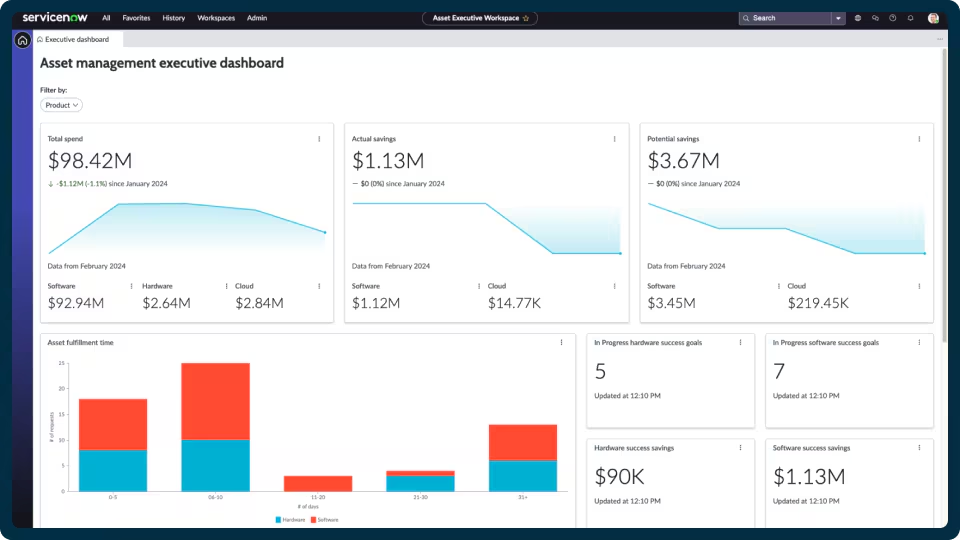
Image source: servicenow.com
Pros:
- Industry-leading CMDB that maps complex dependencies across vast networks.
- Deep integration with broader enterprise service management and security workflows.
- Exceptional auditing and compliance tracking for highly regulated industries.
Cons:
- The platform requires a massive budget and a dedicated team for implementation, though partnering with certified ServiceNow integrators ensures a successful deployment.
The verdict: ServiceNow is the undisputed choice for large, complex enterprises that require strict governance, deep integrations, and advanced risk mitigation across their IT ecosystem.
Pricing:
- Standard plan (estimated): $100/month.
- Professional plan (estimated): $160/month.
- Enterprise plan (estimated): $225/month.
4. NetSuite: ERP-driven financial asset tracking
Finance and IT departments frequently clash over asset depreciation, procurement budgets, and missing hardware because they operate out of entirely different systems. NetSuite attacks this problem by pulling IT asset tracking directly into the overarching Enterprise Resource Planning (ERP) environment. This means physical servers, software licenses, and employee laptops are tied directly to accounting ledgers, depreciation schedules, and automated procurement workflows, ensuring both departments look at the exact same numbers.
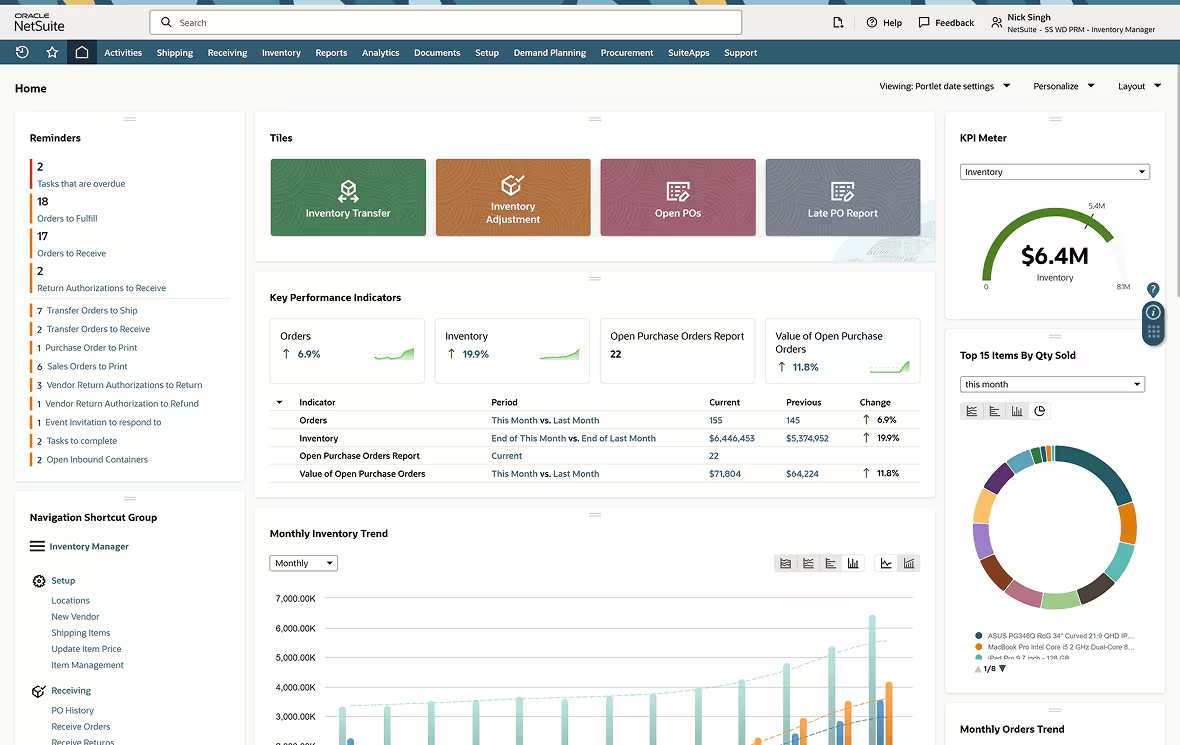
Image source: netsuite.com
Pros:
- Provides a true single source of truth for both IT and finance departments.
- Automates complex financial calculations like asset depreciation and lifecycle costs.
- Streamlines the entire procurement-to-retirement pipeline within one system.
Cons:
- It is a finance-first platform, meaning IT teams must adapt to strict accounting-driven workflows, but establishing clear internal SOPs between departments quickly resolves this friction.
The verdict: NetSuite is the premier choice for large enterprises already utilizing the platform for ERP, desiring tight financial oversight and control over their IT hardware spend.
Pricing:
- Base platform license: $999/month
- Pricing is customized based on each business.
5. SolarWinds: Deep server and application monitoring
System administrators often play a guessing game when trying to figure out why a critical application suddenly degrades in performance. Unapproved configuration changes on servers are a common culprit. SolarWinds Server Performance & Configuration Bundle targets this exact pain point. It continuously auto-discovers server assets and actively monitors both hardware health and software configurations, alerting IT immediately the moment an unauthorized change occurs on a critical machine.
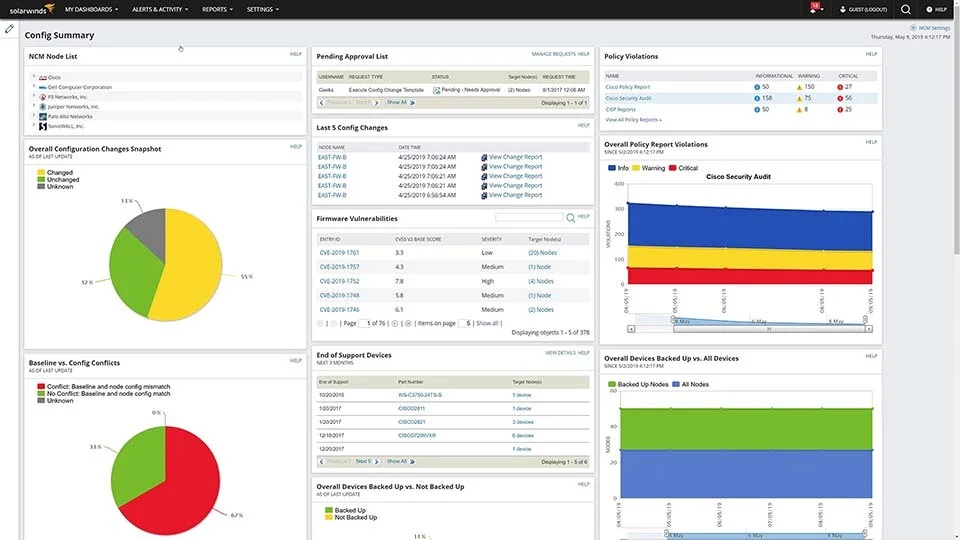
Image source: solarwinds.com
Pros:
- Granular performance metrics for servers and critical applications.
- Automatic tracking of configuration changes to pinpoint the root cause of outages.
- Robust historical reporting to analyze hardware usage trends over time.
Cons:
- The administrative interface is incredibly dense with data and can feel intimidating, but utilizing their customizable dashboards helps focus attention on the most critical alerts.
The verdict: SolarWinds is perfect for IT infrastructure teams whose primary concern is maintaining the health, performance, and strict configuration control of their server environments.
Pricing:
- Monitoring & Observability (SaaS): Starts at $7/node/month (annual term)
- Database Observability (SaaS): Starts at $142/database/month
- Service Management (Service Desk - SaaS): Starts at $39/technician/month (supports unlimited users)
- Incident Response (Security Event Manager - SaaS): Starts at $9/user/month
- Web Help Desk (Self-Hosted Perpetual): Starts at $533 (supports unlimited end users)
- Network Performance Monitor (Self-Hosted Perpetual): Starts at $3,718.99 (license + 1 Year Maintenance for up to 100 elements, as listed by a reseller)
6. Spiceworks: Best free network discovery tool
Small businesses and lean IT teams often know they need better network visibility, but they simply do not have the budget for enterprise-grade scanning tools. Managing IP addresses and device MACs manually is impossible to sustain. Spiceworks offers a lifeline as a completely free, ad-supported network scanner. It automatically pings your network to discover connected devices, pulling basic hardware specifications and installed software data into a surprisingly capable central dashboard.
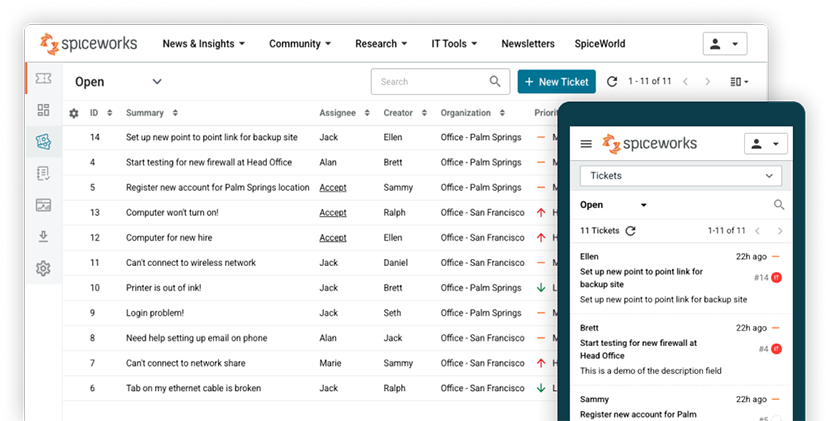
Image source: spiceworks.com
Pros:
- Provides functional automated network discovery at absolutely no cost.
- Backed by a massive, highly active IT professional community for troubleshooting.
- Very straightforward installation and setup process.
Cons:
- The presence of advertising within the admin interface can be distracting, but treating the ads as a fair trade-off for a capable free tool makes it manageable.
The verdict: Spiceworks remains the top recommendation for budget-constrained small businesses searching for capable free IT inventory management software to map their initial network footprint.
- Core plan: Free for 1-5 seats.
- Premium plan: $5 seat/month, billed annually or $6 per-seat/month, billed monthly.
7. ManageEngine: Broad IT management ecosystem
Mid-sized companies often suffer from "tool sprawl," stringing together a disjointed mix of software for active directory management, help desk tickets, and asset tracking. This causes data silos and forces technicians to duplicate data entry. ManageEngine AssetExplorer solves this by acting as the inventory pillar within the broader ManageEngine IT ecosystem. It natively integrates with their popular ServiceDesk Plus platform, allowing IT staff to view the complete lifecycle and incident history of a router or laptop directly from a support ticket.
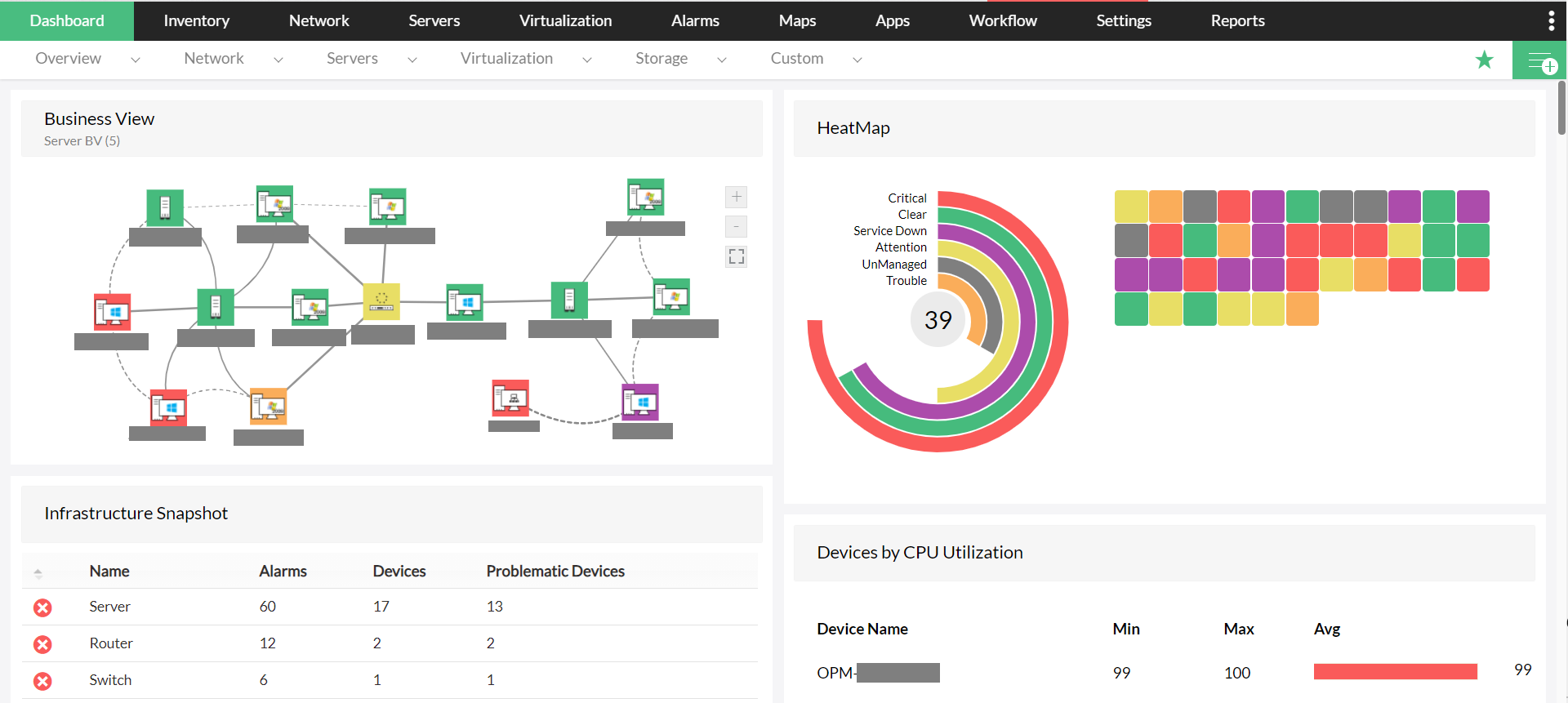
Image source: manageengine.com
Pros:
- Flawless native integration with the ServiceDesk Plus ticketing system.
- Detailed software metering to track actual application usage and reclaim licenses.
- Highly cost-effective pricing structure for the mid-market segment.
Cons:
- The user interface aesthetics feel a bit dated compared to newer SaaS applications, but the sheer functional depth and reliability more than make up for the visual design.
The verdict: ManageEngine is a highly practical, high-value choice for mid-sized organizations aiming to consolidate their various IT operations under a single vendor umbrella.
Pricing
- Starter: $0.21/node/month ($1250 billed annually).
- Enterprise: Custom pricing.
8. Freshservice: Unified service and asset management
When a frustrated user submits a ticket saying "my computer is slow," help desk agents waste precious minutes asking for device details before they can even begin troubleshooting. Freshservice eliminates this friction by embedding asset tracking directly into a modern, intuitive ITSM interface. Because the system auto-discovers assets and links them to user profiles, agents instantly see the exact hardware specs, recent changes, and past incidents related to the user's machine the second they open the ticket.
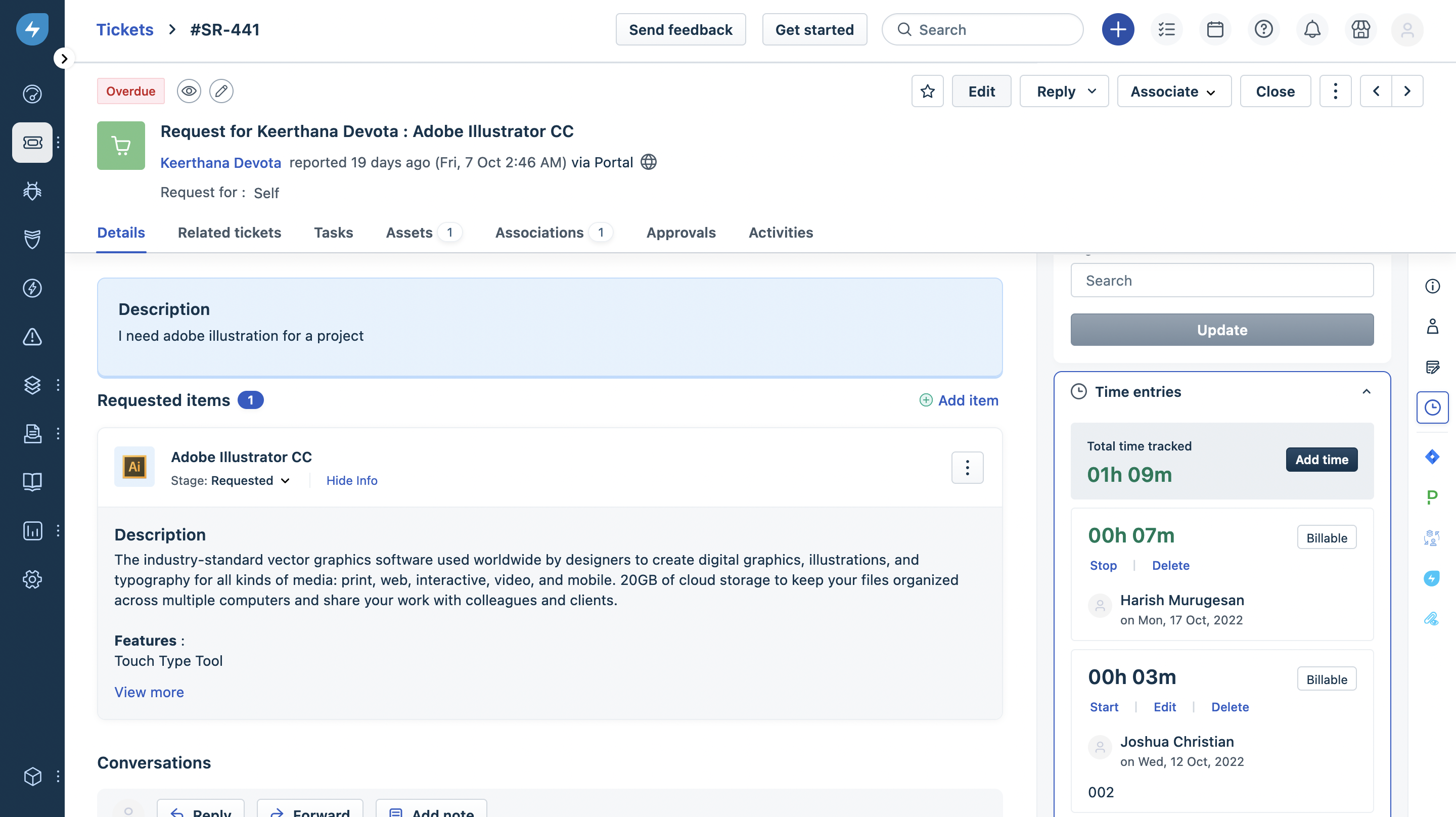
Image source: freshworks.com
Pros:
- Exceptionally modern, clean, and intuitive user interface.
- Seamless linkage between IT service desk workflows and underlying asset records.
- Easy-to-configure automation rules for onboarding and offboarding equipment.
Cons:
- Accessing the most advanced CMDB dependency visualizations requires subscribing to higher-tier plans, though the core tracking functionality works perfectly well for standard IT operations.
The verdict: Freshservice is ideal for fast-growing companies seeking a user-friendly, modern service desk that features strong, built-in ITAM capabilities out of the box.
Pricing
- Starter: $19/agent/month.
- Growth: $49/agent/month.
- Enterprise: Custom pricing.
- Occasional Agent Day Passes (Add-on): Starts from $3/pass, allows temporary access for non-core service desk personnel.
9. Ivanti: Robust endpoint and patch management
Tracking a laptop's location is helpful, but ensuring that the remote laptop is secure and running the latest OS patches is critical. IT teams often struggle to align their inventory data with their security operations. Ivanti bridges this gap by combining deep IT asset discovery with rigorous endpoint management. The platform not only identifies what software is running on a machine but also automates the deployment of critical security patches across distributed workforces, actively reducing the organization's attack surface.
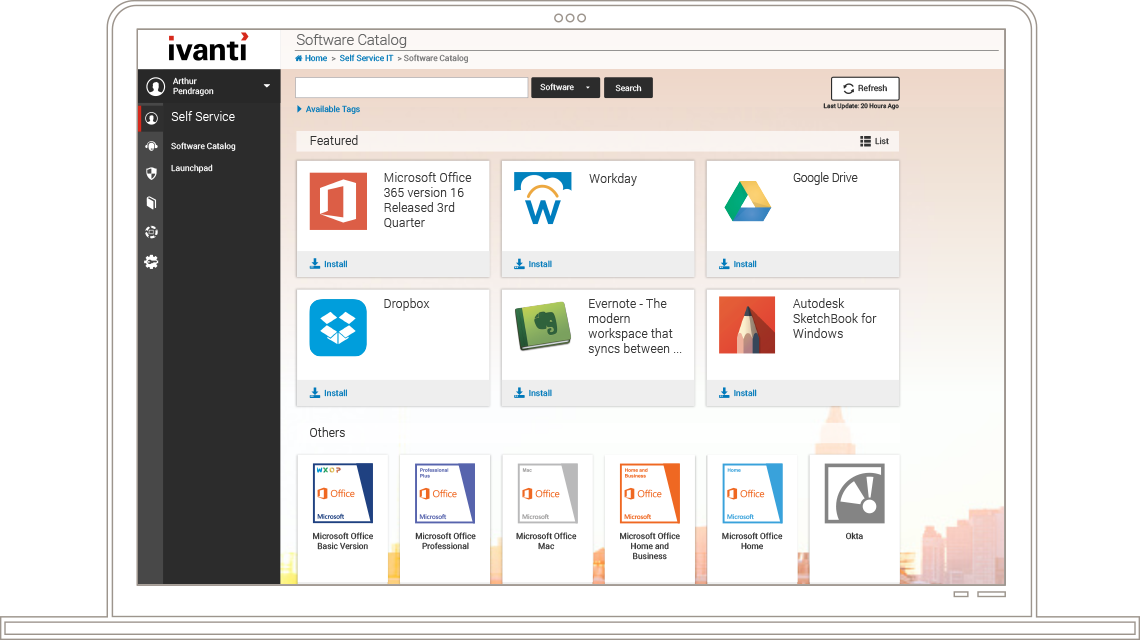
Image source: ivanti.com
Pros:
- Strong alignment between asset inventory and proactive endpoint security.
- Automated software patching capabilities across varied operating systems.
- Detailed software license management to prevent compliance violations.
Cons:
- Because the suite is built from several acquired products, navigating the different modules can sometimes feel disjointed, but recent UX updates are actively unifying the administrative experience.
The verdict: Ivanti is highly recommended for security-conscious organizations that want to merge their IT asset tracking directly with vulnerability and patch management.
Pricing: Custom pricing.
10. Jira Service Management: Developer-friendly asset tracking
In engineering-heavy organizations, development teams often resist adopting separate IT support platforms, preferring to stay within the Atlassian tools they use daily. Jira Service Management incorporates 'Assets' (formerly Insight) to solve this cultural divide. It allows IT teams to build highly flexible, custom object schemas to track hardware, software, and even office furniture, directly within Jira. Support tickets are linked natively to these asset objects, keeping developers in their preferred ecosystem while giving IT the data they need.
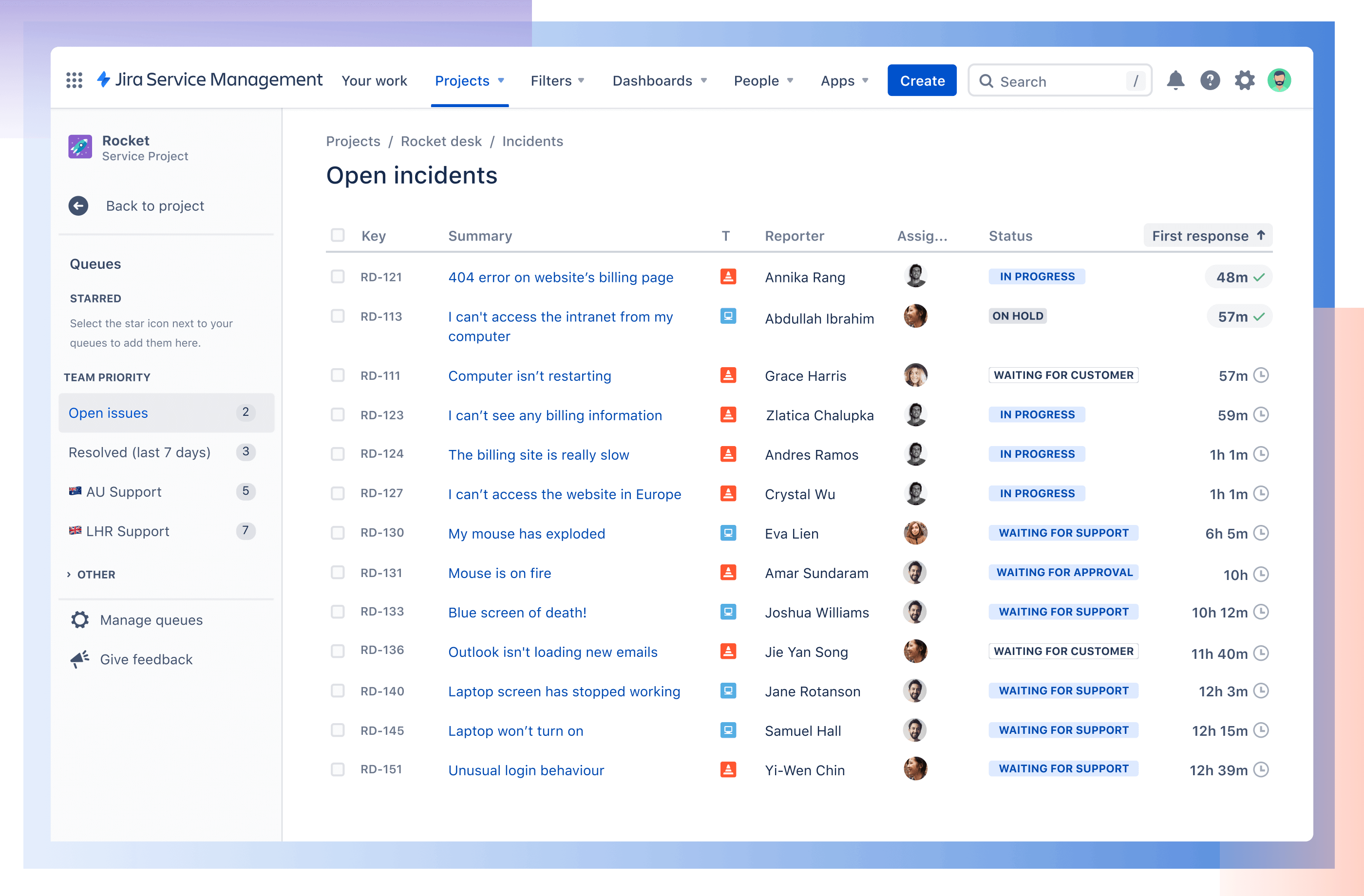
Image source: atlassian.com
Pros:
- Native, frictionless integration with Jira Software and Confluence.
- Highly flexible data schemas allow tracking of virtually any type of asset.
- Leverages Jira's robust automation engine for complex ticket routing based on asset status.
Cons:
- Setting up the initial asset schemas and relationships requires advanced configuration logic, but Atlassian provides extensive templates to drastically speed up the initial build.
The verdict: Jira Service Management is the obvious, strategic choice for engineering-centric organizations heavily invested in the Atlassian ecosystem.
Pricing:
- Standard: $20/month/agent, billed monthly.
- Premium: $51.42/month/agent, billed monthly.
- Enterprise: Contact sales.
11. Zoho Inventory: Simple stock tracking for SMB IT
Sometimes, a small business just needs a simple way to track who holds which laptop and monitor without paying for a massive, complex ITSM platform. Manual spreadsheets fail quickly as the team grows past 20 people. Zoho Inventory offers an accessible, affordable way to manage physical IT stock. It allows small IT teams to track serial numbers, manage vendor purchase orders, and monitor stock levels, all while seamlessly connecting with other Zoho business applications like Zoho Desk or Zoho Books.
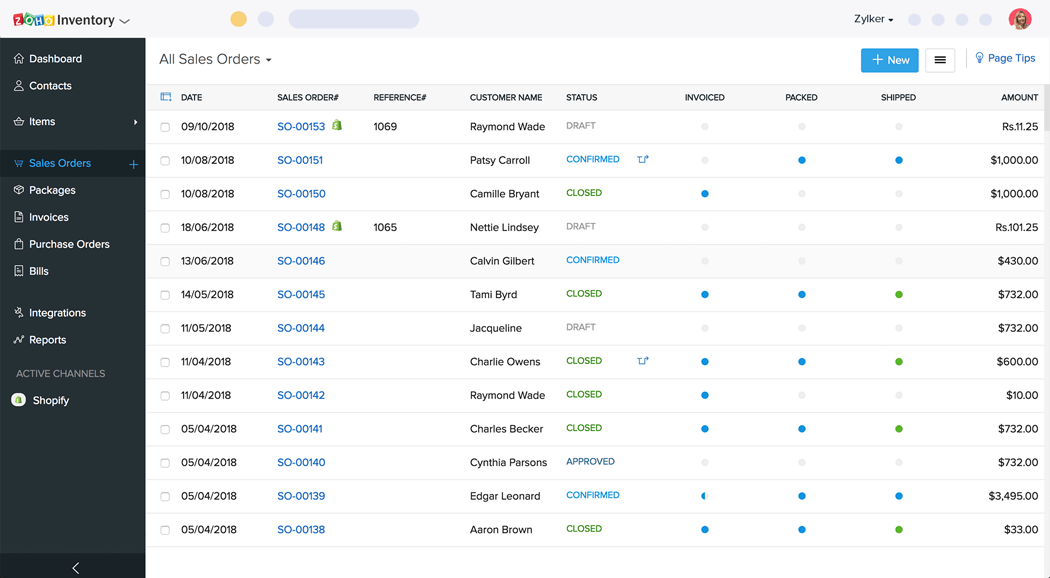
Image source: zoho.com
Pros:
- Very affordable pricing structure designed for small team budgets.
- Excellent, seamless integration with the broader suite of Zoho applications.
- Simple, intuitive tracking of serial numbers, batches, and physical stock movements.
Cons:
- It does not feature automated network scanning for software discovery, requiring manual updates or imports, but it remains highly effective for purely physical hardware tracking.
The verdict: Zoho Inventory is a fantastic entry-level option for small businesses focusing purely on physical IT hardware inventory management software without the immediate need for complex network auto-discovery.
Pricing:
- Standard: $29/month/organization, billed yearly.
- Professional: $79/month/organization, billed yearly.
- Premium: $129/month/organization, billed yearly.
- Enterprise: $249/month/organization, billed yearly.
12. Cin7: Hardware stock and supply chain management
IT managed service providers (MSPs) and companies with massive internal IT warehouses often struggle to track bulk stock—like hundreds of unassigned monitors, keyboards, and cables—before they are ever deployed to a network. Traditional IT scanners focus on active devices. Cin7, while widely known in retail, is highly effective for IT departments needing rigorous inventory control over physical stockrooms. It manages supplier orders, stock levels across multiple physical locations, and tracks hardware serial numbers before they hit the active network.
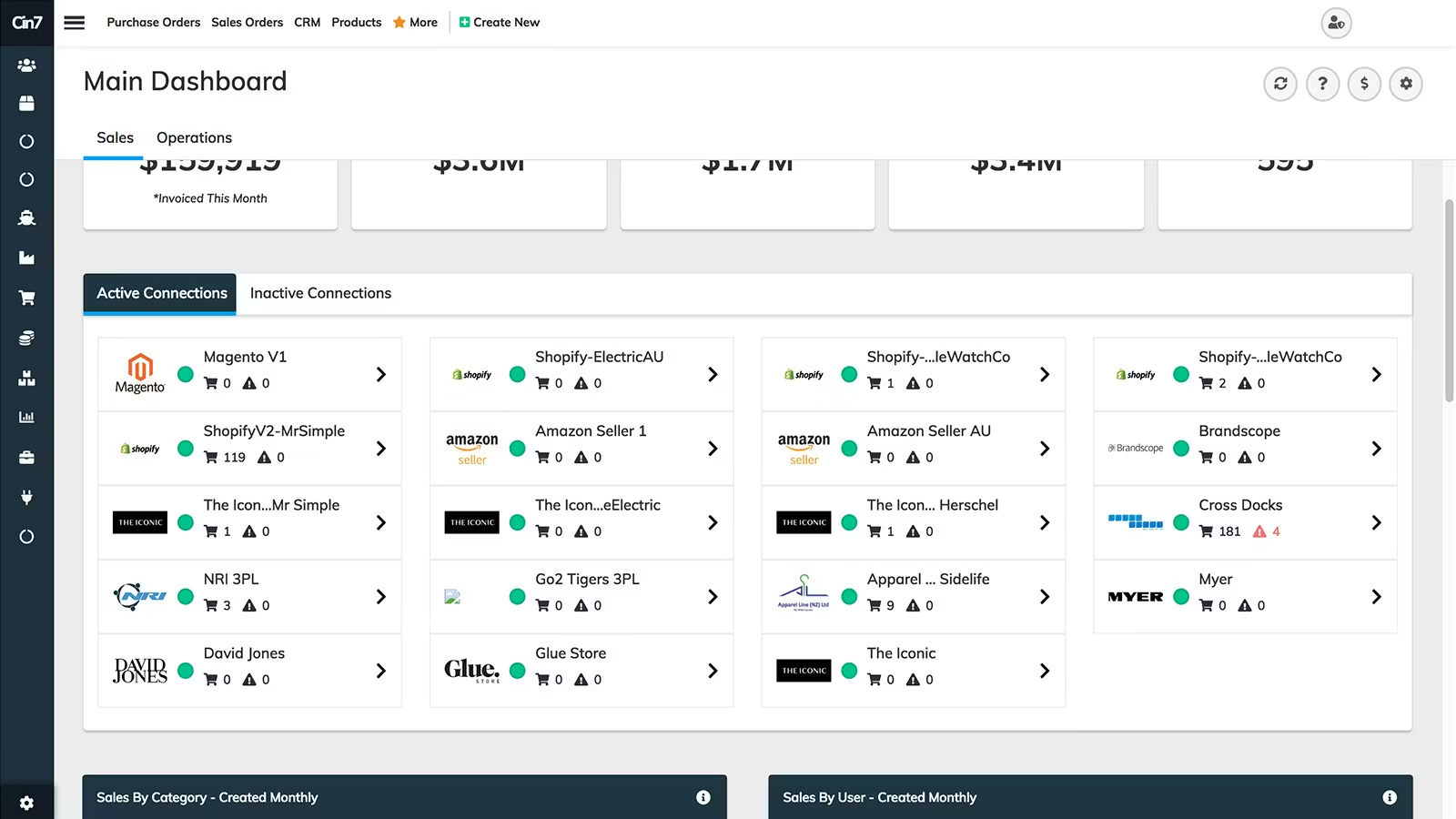
Image source: cin7.com
Pros:
- Excellent multi-location warehouse and stockroom tracking capabilities.
- Robust supplier and purchase order management.
- Strong integrations with major accounting tools like Xero and QuickBooks.
Cons:
- It lacks native network auto-discovery features for active devices, but it integrates well with other specialized IT tools that can handle active network scanning once the device is deployed.
The verdict: Cin7 is a strong fit for MSPs or large internal IT departments that need to manage significant volumes of bulk IT hardware inventory within physical stockrooms.
Pricing:
Key features to look for in IT inventory tracking software
When evaluating solutions in 2026, do not get distracted by flashy dashboards. To truly streamline operations, you must focus on the core capabilities that define effective IT inventory tracking software. Here are the essential features to prioritize:
- Automated asset discovery: The foundation of any modern platform is finding and cataloging devices automatically. Top-tier tools use a mix of agent-based (installing a lightweight client) and agentless (network scanning via protocols like SNMP) methods. This ensures every physical server, remote laptop, and cloud instance is registered the moment it connects, completely eliminating blind spots and outdated spreadsheets.
- database & dependency mapping: A simple list of assets isn't enough; you need to understand how they interact. A built-in Configuration Management Database (CMDB) visually maps the complex dependencies between hardware, network switches, software, and critical business services. If a core server needs an emergency patch, the CMDB instantly shows which downstream applications and users will be impacted, enabling a controlled IT response.
- Asset lifecycle & : Effective IT asset inventory software manages a device's complete journey—from the initial purchase order to secure disposal. Look for tools that track vital financial data natively, including vendor contracts, warranties, depreciation schedules, and maintenance history. Automated alerts for end-of-life (EOL) hardware ensure your procurement team can budget for replacements well before failures disrupt productivity.
Access all these essential tracking features in Lark
IT inventory management best practices for 2026
Purchasing the best IT inventory software is only the first step. To transform your IT operations from a reactive help desk into a strategic powerhouse in 2026's remote and cloud-first era, you must adopt these modern best practices:
- Actively hunt and neutralize shadow IT: Employees today can spin up new SaaS applications with a corporate credit card in seconds. This "Shadow IT" bypasses security protocols and inflates budgets. Don't wait for an annual audit. Make it a monthly habit to use your IT inventory tracking software's discovery features to cross-reference network traffic and expenses. Identifying unsanctioned apps immediately reduces your attack surface and reclaims wasted subscription fees.
- Shift from "tracking" to "forecasting": Don't treat your inventory as a static map of what you own; use it to predict the future. Make it a quarterly practice to analyze warranty, depreciation, and end-of-life (EOL) data housed within your IT asset inventory software. By mapping out which servers or laptops will need refreshing over the next 36 months, IT leaders can present highly accurate, data-backed budget forecasts to the CFO, avoiding sudden capital expenditures.
- Trust automation, but verify with spot audits: While modern auto-discovery is powerful, it isn't infallible—especially for physical peripherals or warehoused hardware. Don't let automation lull you into a false sense of security. Implement random, quarterly physical "spot audits" on high-value items. to verify a server rack's location against the software record ensures your perfectly matches physical reality.
Conclusion
Managing a modern tech stack in 2026 should never involve wrestling with outdated spreadsheets or guessing where your expensive hardware ended up. Implementing the right IT inventory software fundamentally transforms your operations—proactively securing endpoints, actively eliminating wasted SaaS spending, and drastically reducing help desk resolution times.
However, the absolute best asset management strategy is one that seamlessly integrates into your team's daily workflow rather than creating yet another isolated data silo. If you are tired of losing critical hardware requests in disjointed email threads and fragmented ticketing systems, it is time to upgrade your workspace. Try today to effortlessly merge your dynamic IT inventory databases, automated procurement workflows, and everyday team communication into one unified, highly efficient platform.
Unify your IT workflows and inventory with Lark today
FAQs
What is the most popular inventory software?
The most popular software depends heavily on your organization's size and specific needs. For massive global enterprises, ServiceNow is a dominant player due to its robust, complex ITSM integrations. However, for modern, agile teams looking to consolidate their tool stack, Lark is rapidly becoming a top choice. Lark stands out by combining highly customizable asset tracking databases (Lark Base) with built-in team chat, approval workflows, and automations, allowing you to manage your entire inventory lifecycle in one unified workspace.
What is inventory in the IT industry?
In the IT industry, inventory refers to the complete, centralized catalog of all technology assets owned, leased, or managed by an organization. This includes physical hardware like employee laptops, servers, and network routers, as well as digital assets such as software licenses, cloud infrastructure, and SaaS subscriptions. Effective IT inventory management isn't just about counting these items; it involves tracking their entire lifecycle, financial depreciation, configuration status, and security compliance from the day they are purchased until they are securely retired.
What are the 4 inventory systems?
In general business operations, the four main types of inventory are raw materials, work-in-progress, finished goods, and MRO (maintenance, repair, and operations). However, when applied to the IT industry, inventory systems are typically categorized by the four main ways assets are tracked: manual systems (like spreadsheets), barcode/QR code scanning systems, RFID (Radio Frequency Identification) tracking, and automated network discovery systems. Most modern IT departments use a hybrid approach, utilizing network discovery for active devices and barcode scanning for offline stockroom hardware.
How to do an IT inventory?
To conduct a proper IT inventory, start by establishing a single, centralized software platform to serve as your absolute source of truth. Next, deploy automated agent-based or agentless network discovery tools to scan your environment and instantly log all connected devices and software installations. For physical peripherals or offline stockroom hardware, use mobile barcode or QR scanners to manually log their serial numbers and exact physical locations. Finally, implement strict, automated onboarding and offboarding workflows to ensure your asset database updates continuously as hardware changes hands.
Related reading