














Jira vs Microsoft Project: 2026 Comparison Guide

Matthew Sia
Product Marketing Manager
Sep 18, 2026
Matthew Sia
Sep 18, 2026

20 min read


Nowadays, robust management tools have transitioned from luxury to necessity for organizational success in the realm of modern project execution. When evaluating the landscape of available solutions, the Jira vs Microsoft Project comparison consistently emerges as a critical decision point for teams. These platforms represent fundamentally different philosophies in approaching work coordination and project delivery.
This detailed examination explores both platforms across multiple dimensions—from their underlying operational philosophies to their practical integration capabilities—providing the insights needed to select the solution that aligns with your organization's specific requirements and operational constraints.
Understanding Jira: The agile specialist
Jira represents a dynamic approach to project management, built around adaptability and collaboration. This platform operates on the principle that projects evolve, requirements change, and teams need tools that can accommodate shifting priorities without sacrificing structure. Its design philosophy makes it particularly valuable for projects where exploration, iteration, and rapid response to feedback determine success.
The system centers around configurable "issues" that can represent tasks, stories, bugs, or any work item relevant to your projects. These issues move through customizable workflows that reflect actual team processes rather than forcing adherence to rigid, predefined paths.
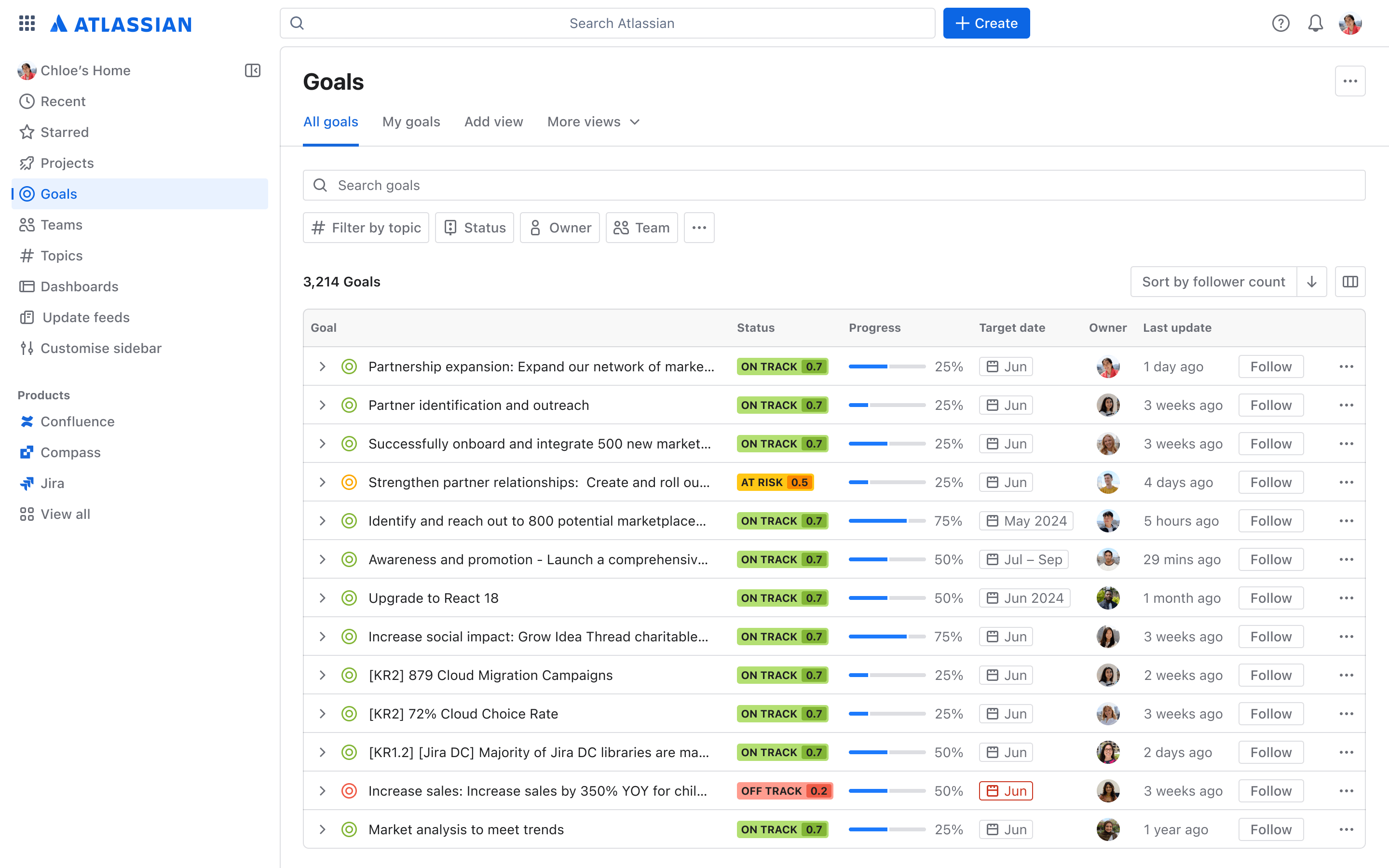
Image source: atlassian.com
Key strengths and capabilities:
- Agile methodology support: Jira provides native tools for Scrum and Kanban methodologies, featuring dedicated boards for sprint planning, backlog management, and visual workflow tracking. Teams benefit from built-in agile reporting including burn-down charts and velocity measurements that offer genuine insights into project health and team performance.
- Customization flexibility: The platform offers extensive configuration options that allow teams to tailor virtually every aspect of their workspace. From custom fields and specialized issue types to adaptable workflows and permission schemes, Jira can be molded to support diverse work scenarios beyond software development.
- Integration ecosystem: A robust marketplace provides numerous connectors that extend Jira's functionality across the technology stack. These integrations create a centralized hub that connects development tools, design applications, and communication platforms, breaking down information silos between different team functions.
- Advanced automation capabilities: Jira's rule-based automation engine enables teams to automate repetitive tasks and workflows without coding. This includes automatic assignment of issues, status updates based on triggers, and customized notifications that keep everyone informed without manual intervention.
- Detailed time tracking and estimation: The platform includes comprehensive time tracking features that help teams monitor actual effort versus estimates. This capability supports accurate sprint planning and provides valuable data for future project estimations and resource allocation decisions.
- Powerful search and filtering: Jira's search functionality, using JQL (Jira Query Language), offers advanced filtering capabilities that help teams quickly locate specific issues across projects. This powerful search mechanism enables efficient reporting and provides visibility into complex project landscapes.
- Rich plugin ecosystem: Beyond native integrations, Jira's marketplace offers thousands of plugins and add-ons that extend its core functionality. These extensions allow organizations to add specialized capabilities ranging from testing management to advanced analytics and reporting.
Understanding Microsoft Project: The traditional project management powerhouse
Microsoft Project embodies structured project management principles, emphasizing precise planning and control. The platform excels in environments where projects have well-defined deliverables, established timelines, and predictable resource requirements. Its methodology prioritizes comprehensive planning with mechanisms to track deviations and manage their impacts systematically.
This approach proves particularly valuable for projects with fixed constraints, interdependent tasks, and significant resource investments. Industries where schedule adherence and resource optimization directly impact costs and outcomes often favor this structured approach to project management.
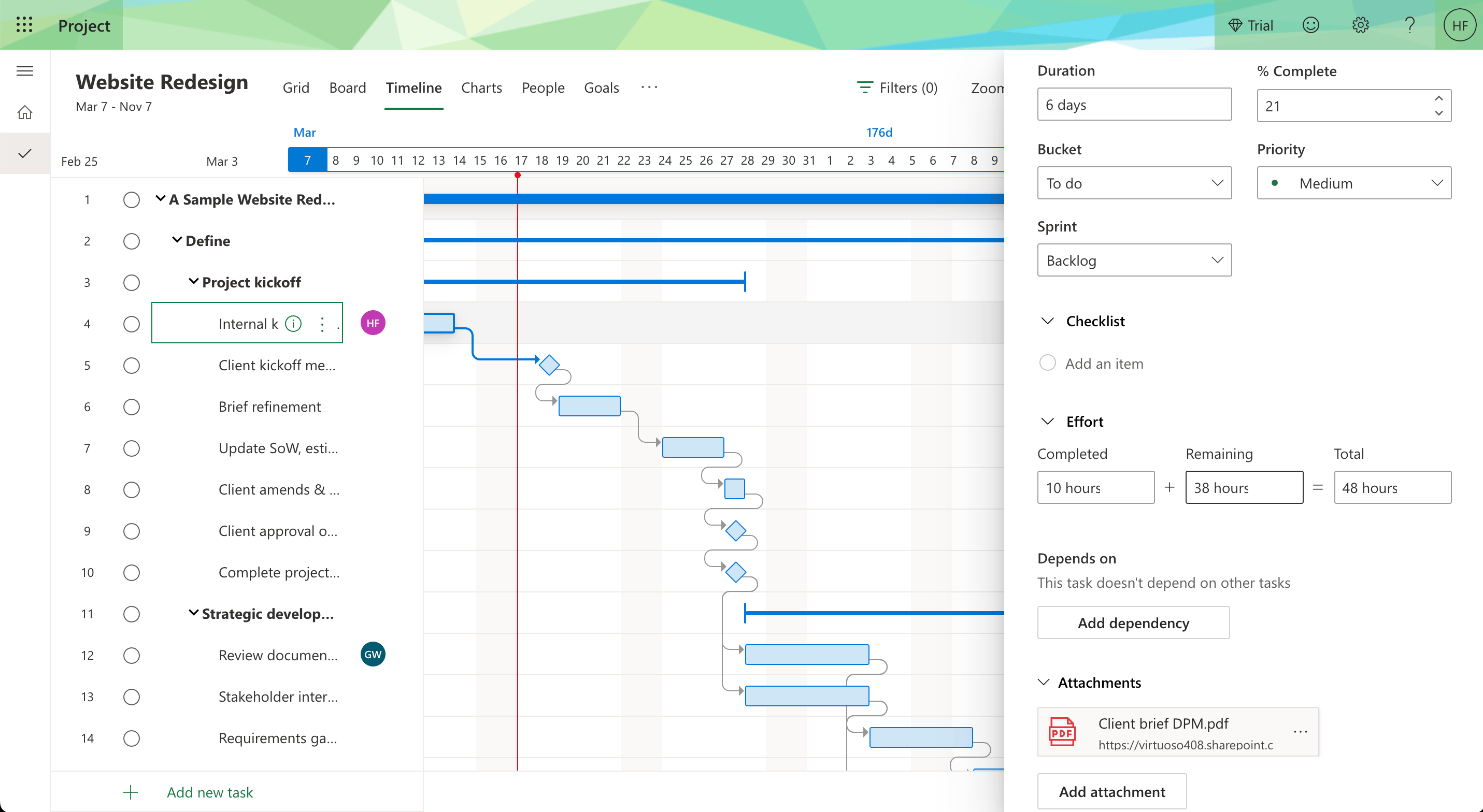
Image source: thedigitalprojectmanager.com
Key strengths and capabilities:
- Advanced scheduling engine: The platform features sophisticated scheduling capabilities that automatically calculate task dependencies, critical paths, and resource allocations based on project parameters. This dynamic scheduling helps project managers understand how changes in one area might impact overall timelines and delivery dates.
- Comprehensive resource management: Microsoft Project provides granular control over team capacity and availability. The system identifies resource conflicts and overallocation while suggesting balancing options to optimize team workload across multiple projects, helping organizations maximize their human resources.
- Microsoft ecosystem integration: As part of a broader productivity suite, the tool offers seamless connections with other enterprise applications. This integration facilitates natural data exchange, reporting, and collaboration across the organization, particularly valuable for enterprises already committed to this ecosystem.
- Portfolio management capabilities: For organizations managing multiple projects, Microsoft Project offers portfolio management features that provide visibility across all initiatives. This includes portfolio optimization, what-if analysis, and strategic alignment tools that help prioritize projects based on business objectives.
- Cost management and budgeting: The platform includes robust budgeting tools that track project costs against baselines. Managers can monitor expenses, analyze cost variances, and forecast final project costs, providing financial control throughout the project lifecycle.
- Multiple project views and reporting: Microsoft Project delivers various viewing options including Gantt charts, network diagrams, and usage views that present project data from different perspectives. Combined with built-in reporting capabilities, these views help stakeholders understand project status and performance metrics.
- Baseline tracking and performance measurement: The ability to set baselines and track actual progress against them is a cornerstone of Microsoft Project's methodology. This feature enables precise performance measurement and helps identify variances early, allowing for timely corrective actions.
Feature comparison: Jira vs Microsoft Project
Key feature difference explanations
Project planning and scheduling
Microsoft Project excels in detailed project planning with its dynamic scheduling capabilities. The software automatically adjusts task dates and dependencies as projects evolve, maintaining an accurate critical path that highlights tasks impacting your completion date. This sophisticated scheduling is particularly valuable for complex projects with numerous interdependent tasks and shared resources.
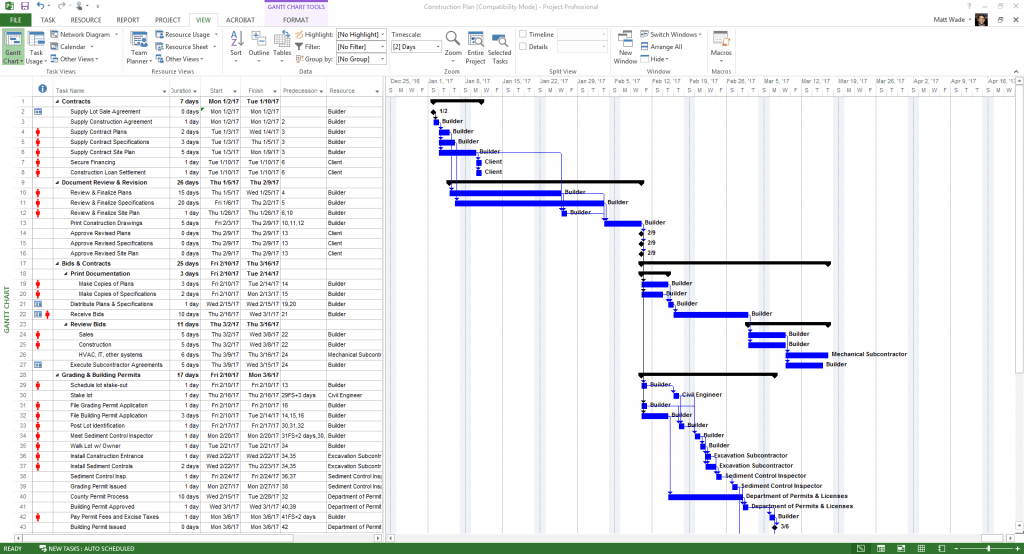
Image source: jumpto365.com
Jira takes a more flexible approach to planning that supports evolving priorities. While it offers basic timeline features and dependencies, its planning strength lies in backlog management and sprint planning for agile teams. The platform allows for rough long-term roadmapping while focusing detailed planning on immediate iterations.
Task management and tracking
Jira provides versatile task management through its configurable issue types. Teams can define different task categories—stories, bugs, epics—each with relevant fields and workflows. The visual boards (Kanban) and sprint backlogs (Scrum) offer intuitive interfaces for teams to manage their work, while detailed issue pages centralize all relevant information, conversations, and history.
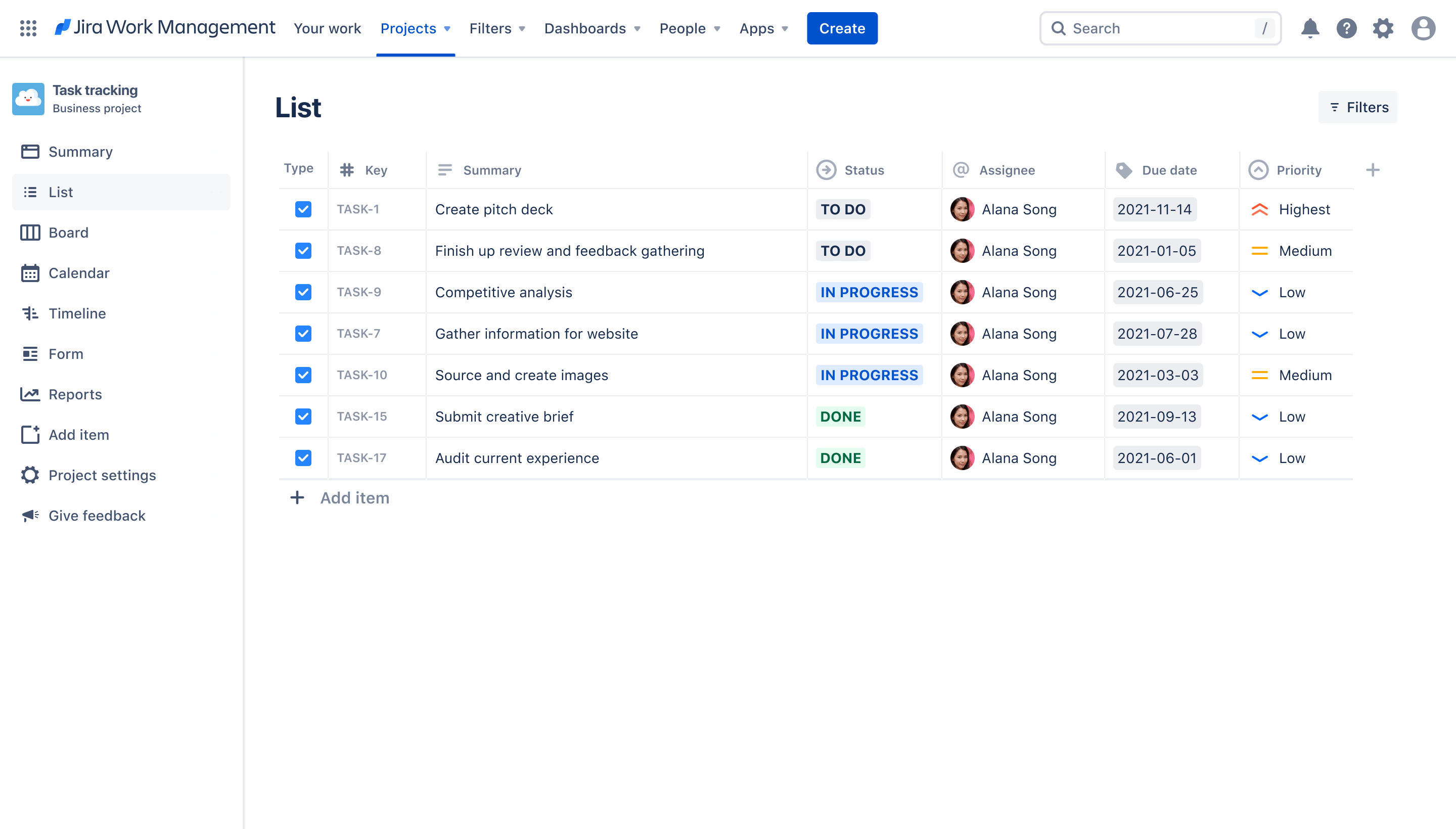
Image source: atlassian.com
Microsoft Project structures work through tasks within a work breakdown structure. Its task management focuses on durations, dependencies, and resource assignments rather than collaborative execution. While team members can update progress through Project Online or integration with Microsoft Teams, the experience is less seamless than Jira's native task management.
Resource management capabilities
Microsoft Project delivers sophisticated resource management, enabling project managers to define team availability, skills, and costs. The system identifies resource conflicts and overallocation, suggesting resolutions to balance workloads across projects. This enterprise-level resource planning helps optimize utilization and control project costs.
Jira's resource management capabilities are more foundational, primarily focusing on tracking work distribution through its backlog and board views. While add-ons can extend these capabilities, native resource management remains less comprehensive than Microsoft Project's offerings.
Timeline visualization
Microsoft Project's detailed Gantt charts provide comprehensive visualizations of project timelines, task relationships, and progress against baselines. These views help project managers identify schedule impacts quickly and communicate status to stakeholders effectively.
Jira offers multiple visualization options, including boards, timelines, and calendars. While its Gantt chart capabilities are less advanced than Microsoft Project's, they sufficiently support agile teams who prioritize working software over detailed documentation.
Key differences between Jira and Microsoft Project
Understanding the fundamental distinctions between these platforms requires looking beyond feature checklists to examine how they approach project management at a philosophical level.
Methodology alignment: Agile vs traditional
Jira embodies agile principles with its iterative, flexible approach to work management. Its boards, backlogs, and sprints naturally support adaptive planning and continuous delivery that characterize agile methodologies. Teams that regularly reprioritize work, incorporate feedback loops, and deliver in increments will find Jira aligned with their rhythms.
Microsoft Project, conversely, excels in waterfall environments where projects follow sequential phases with clearly defined beginnings and endings. Its strength lies in detailed upfront planning with mechanisms to control execution against that plan. Organizations with fixed requirements, predictable processes, and formal change management procedures often prefer this approach.
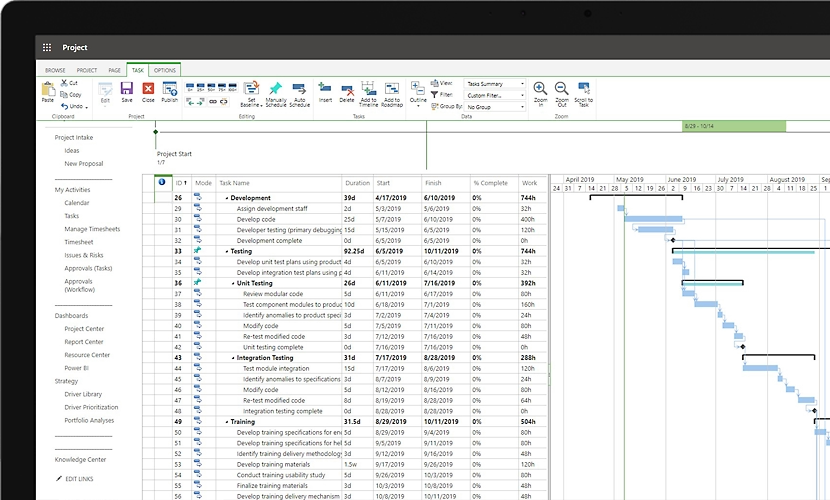
Image source: microsoft.com
User experience and learning curve
Jira offers an intuitive interface for day-to-day task management, particularly for team members who primarily need to update statuses, log work, and collaborate on issues. However, its extensive customization options can create complexity for administrators who need to configure and maintain the system.
Microsoft Project presents a steeper learning curve across all user roles, largely due to its specialized terminology and sophisticated scheduling capabilities. While project management professionals often appreciate this depth, casual users may find the interface overwhelming without proper training and guidance.
Customization and flexibility
Jira's configurability is one of its standout attributes. Teams can modify nearly every aspect—from data fields to workflow states to permission schemes—to match their processes. This flexibility makes Jira adaptable to various use cases beyond software development, including marketing, legal, and operations.
Microsoft Project offers limited customization compared to Jira, focusing instead on providing a robust set of predefined project management tools. While this can accelerate adoption for standard projects, it may require workarounds for unique processes or specialized requirements.
Pricing analysis: Cost comparison and value assessment
Use case scenarios: When to choose each tool
Software development and IT projects
Jira's origins in software development make it exceptionally well-suited for technical teams. Its native agile support, integration with development tools, and flexible workflow configuration align perfectly with the iterative, collaborative nature of software creation. Organizations practicing continuous integration and delivery will appreciate how Jira connects code commits, builds, and deployments to specific issues, providing full traceability from idea to implementation.
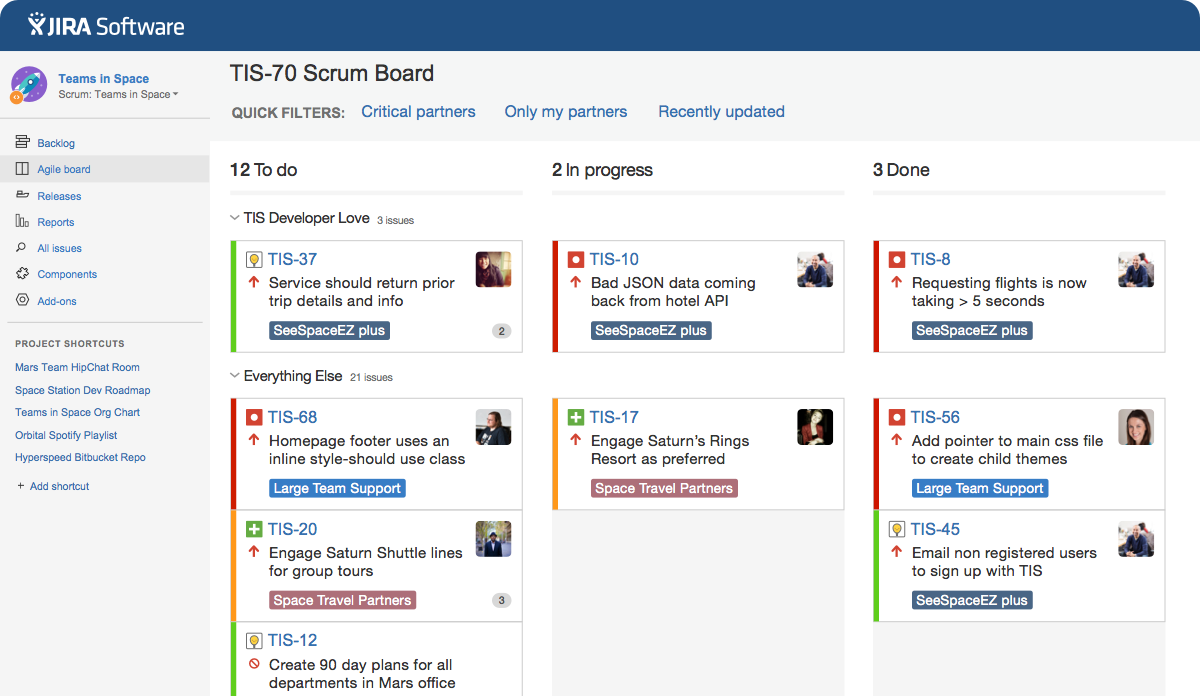
Image source: atlassian.com
Construction and engineering projects
Industries with well-defined processes and compliance requirements often benefit from Microsoft Project's structured approach. The precision of its scheduling capabilities helps manage critical paths in construction projects, while its resource management ensures optimal allocation of expensive equipment and specialized personnel. The platform's adherence to traditional project management principles resonates with established methodologies in these fields.
Marketing campaigns and creative work
Marketing teams often find Jira's flexibility advantageous for managing campaigns with evolving requirements. The ability to customize workflows, create specialized request forms, and visualize work through Kanban boards supports the creative process while maintaining visibility and accountability. Microsoft Project may prove too rigid for the rapidly changing priorities typical in marketing environments.
Enterprise-level project management
For organizations with established PMOs and standardized methodologies, Microsoft Project provides the rigor and control needed at scale. Its resource pooling, portfolio management, and reporting capabilities offer enterprise-wide visibility and coordination. Jira can also serve enterprise needs through its premium tiers but may require more customization to align with formal project management frameworks.
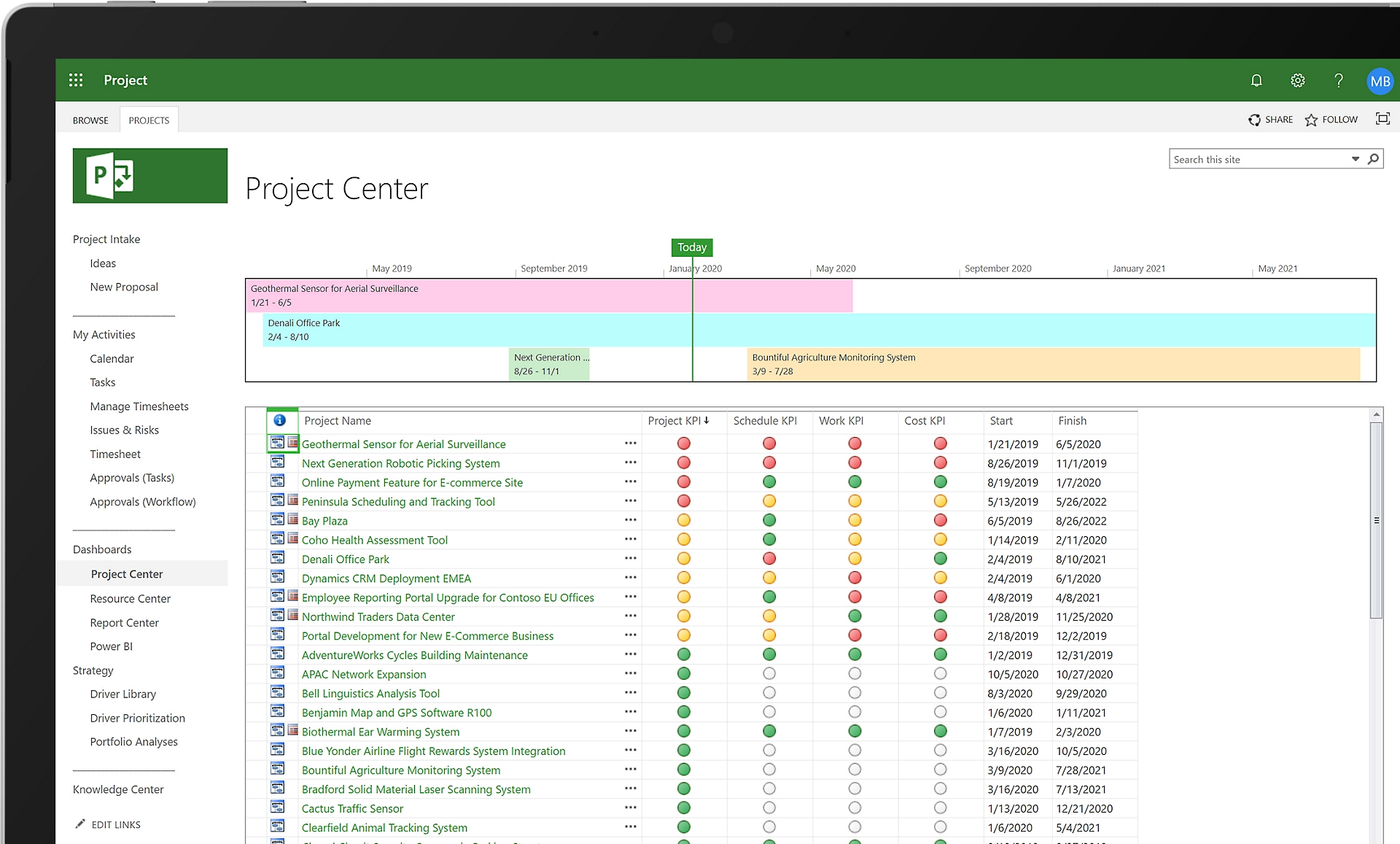
Image source: microsoft.com

A modern alternative to Jira and Microsoft Project
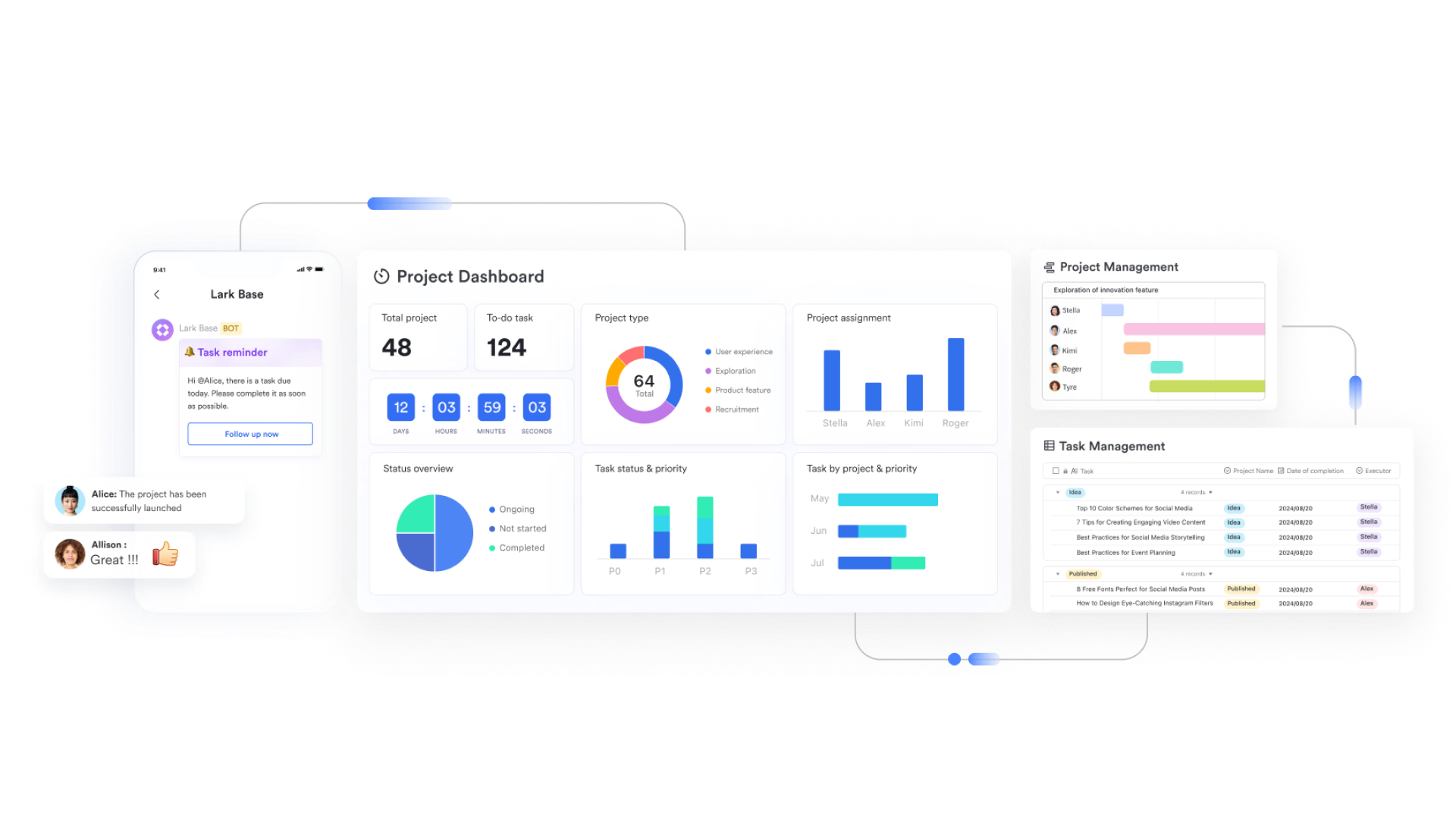
When selecting a project management tool, Jira and Microsoft Project are common choices, yet they have notable shortcomings. Jira excels with its highly customizable workflows and agile development support, but it has a steep learning curve and is less user-friendly for non-technical teams. Microsoft Project is a powerhouse for traditional project management, particularly strong in complex resource management and critical path calculation, but its collaboration capabilities are weak and integration with modern tools often faces latency issues. In contrast, Lark, as a unified work platform, aims to address these pain points through its deeply unified functional modules, reducing the switching costs for teams juggling multiple independent tools. The following analysis will elaborate on its specific features.
Eliminating tool fragmentation
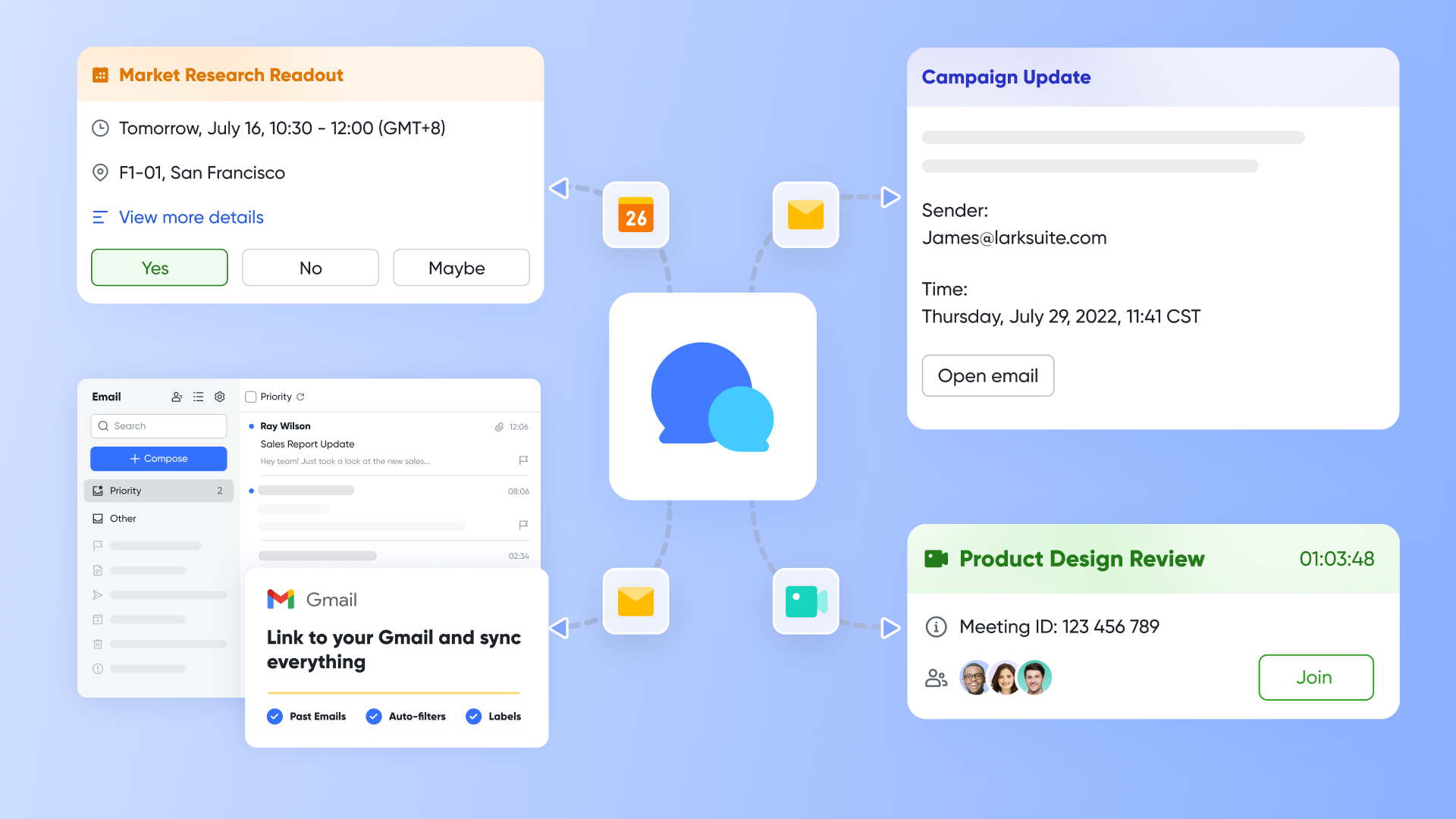
Lark's core advantage lies in its "all-in-one" design. In traditional workflows, teams might need to track tasks in Jira, maintain documentation in tools like Confluence, hold discussions in separate communication platforms, and manage meetings in another calendar system. This fragmented experience is consolidated within Lark. Through the synergy of Lark Base, Lark Docs, Lark Messenger, Lark Calendar, and Lark Meetings, all project-related information—including task lists, requirement documents, team discussions, and meeting schedules—is centralized within the same contextual environment. This significantly reduces information loss and misunderstandings caused by switching between applications, avoiding the data synchronization delays and permission conflicts often encountered when integrating Microsoft Project with tools like Teams.
Bridging communication and execution
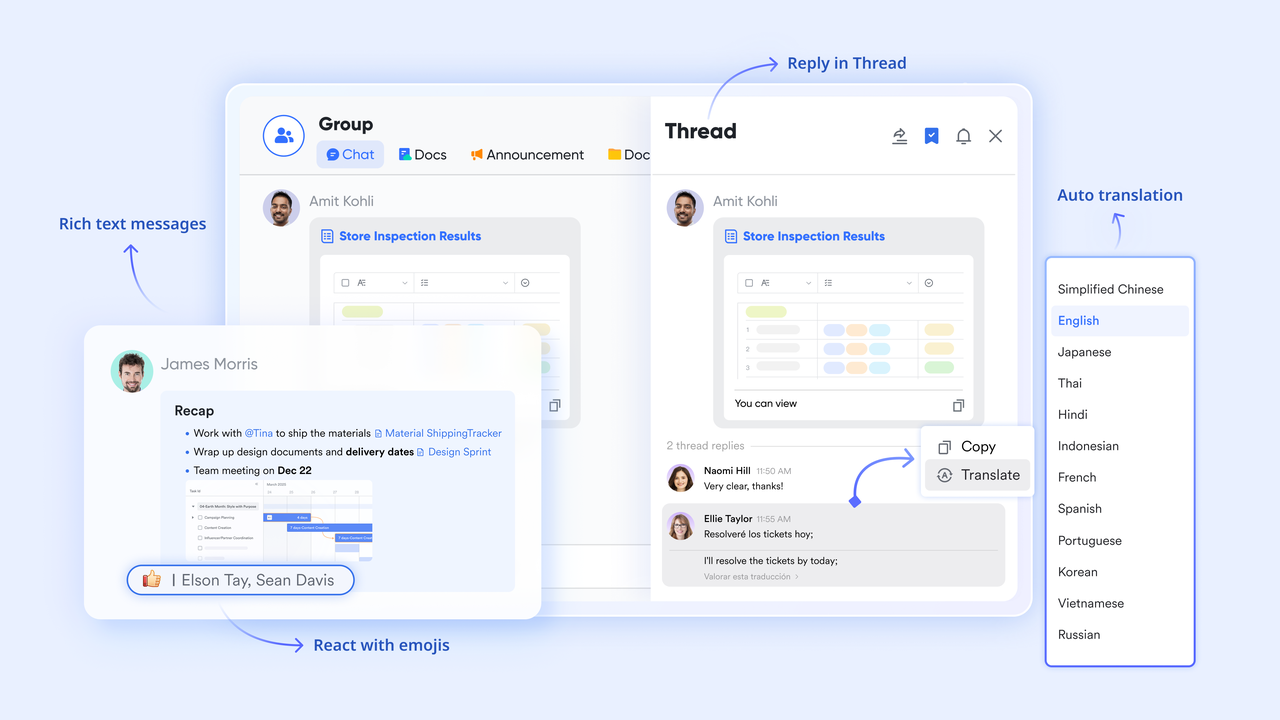
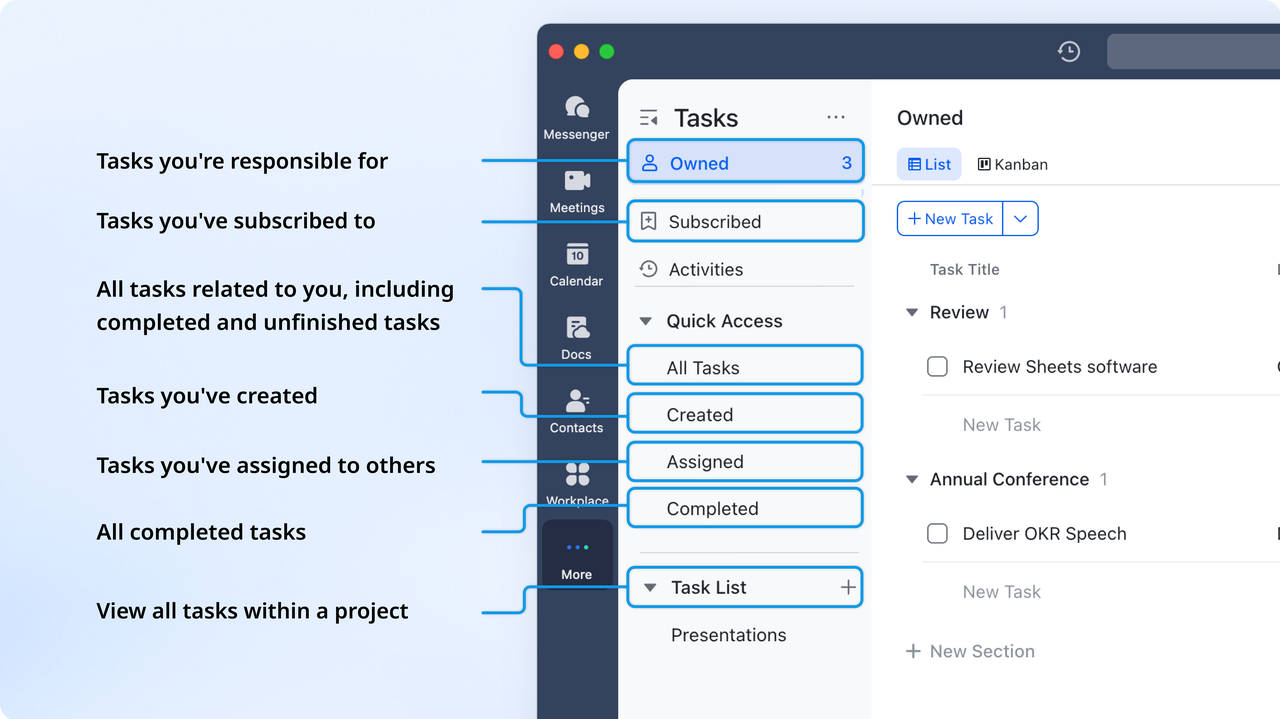
The tight combination between Lark Messenger and Lark Tasks resolves the disconnect between communication and action. During instant discussions, any message can be directly converted into a Lark Task, complete with the original conversation context. This ensures that decisions and action items do not get lost in chat history. In contrast, while Jira is powerful, its native communication capabilities are limited, often requiring teams to integrate third-party tools like Slack, which adds management complexity. Lark's approach ensures a seamless transition from discussion to execution, enhancing task follow-up efficiency.
Dynamic meeting-to-action workflow
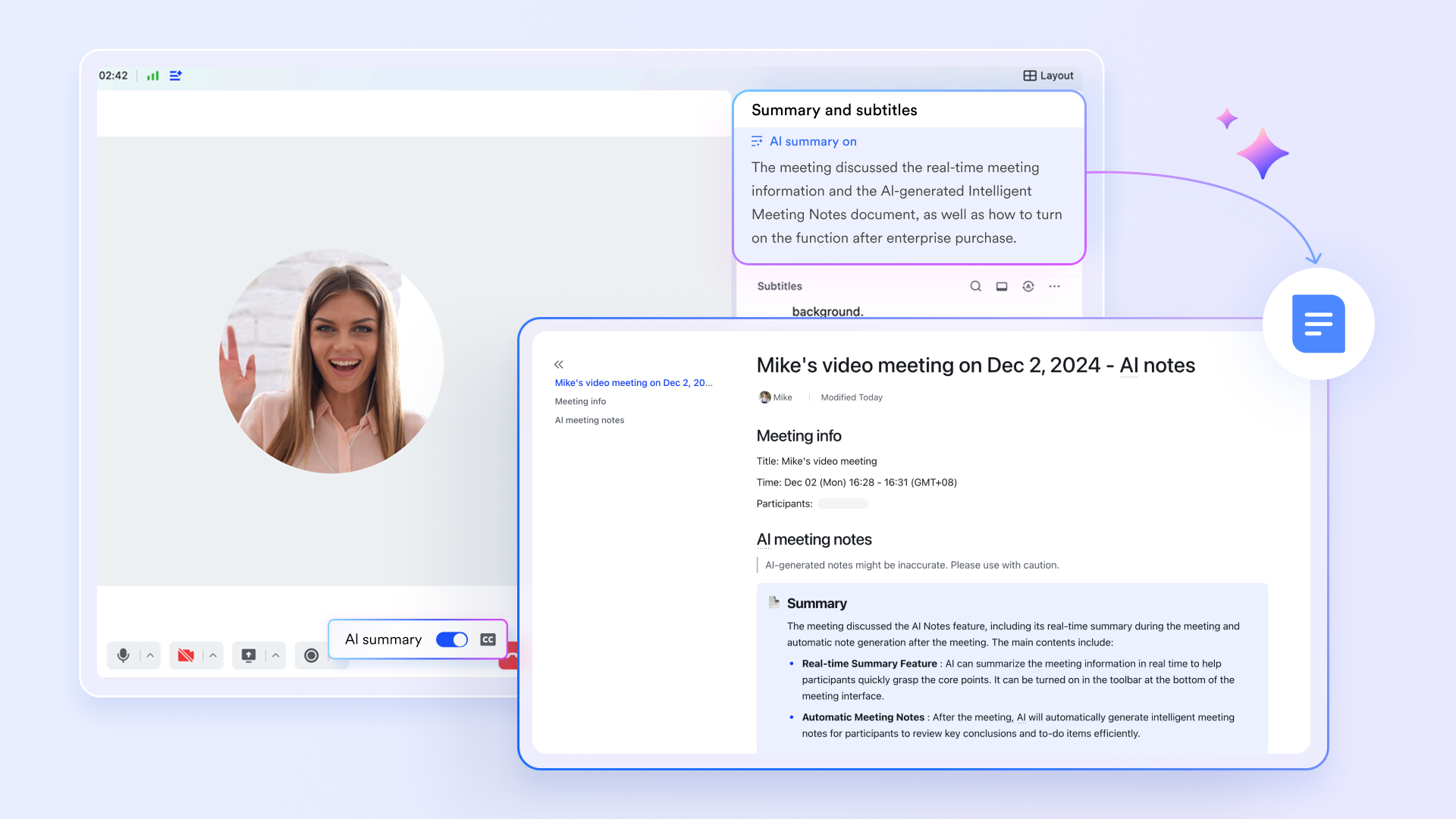
Lark Calendar, Lark Meetings, and Lark AI Meeting Notes collectively create a closed-loop process from meeting preparation to execution. Meeting invitations are sent via the calendar, and during video conferences, Lark AI Meeting Notes automatically generate discussion summaries and decisions for post-meeting tracking. This process bridges the gap between "meeting recaps" and "task entry" in traditional project management, ensuring that meeting outcomes are immediately translated into actionable steps rather than remaining as static notes.
Centralized knowledge and streamlined approvals
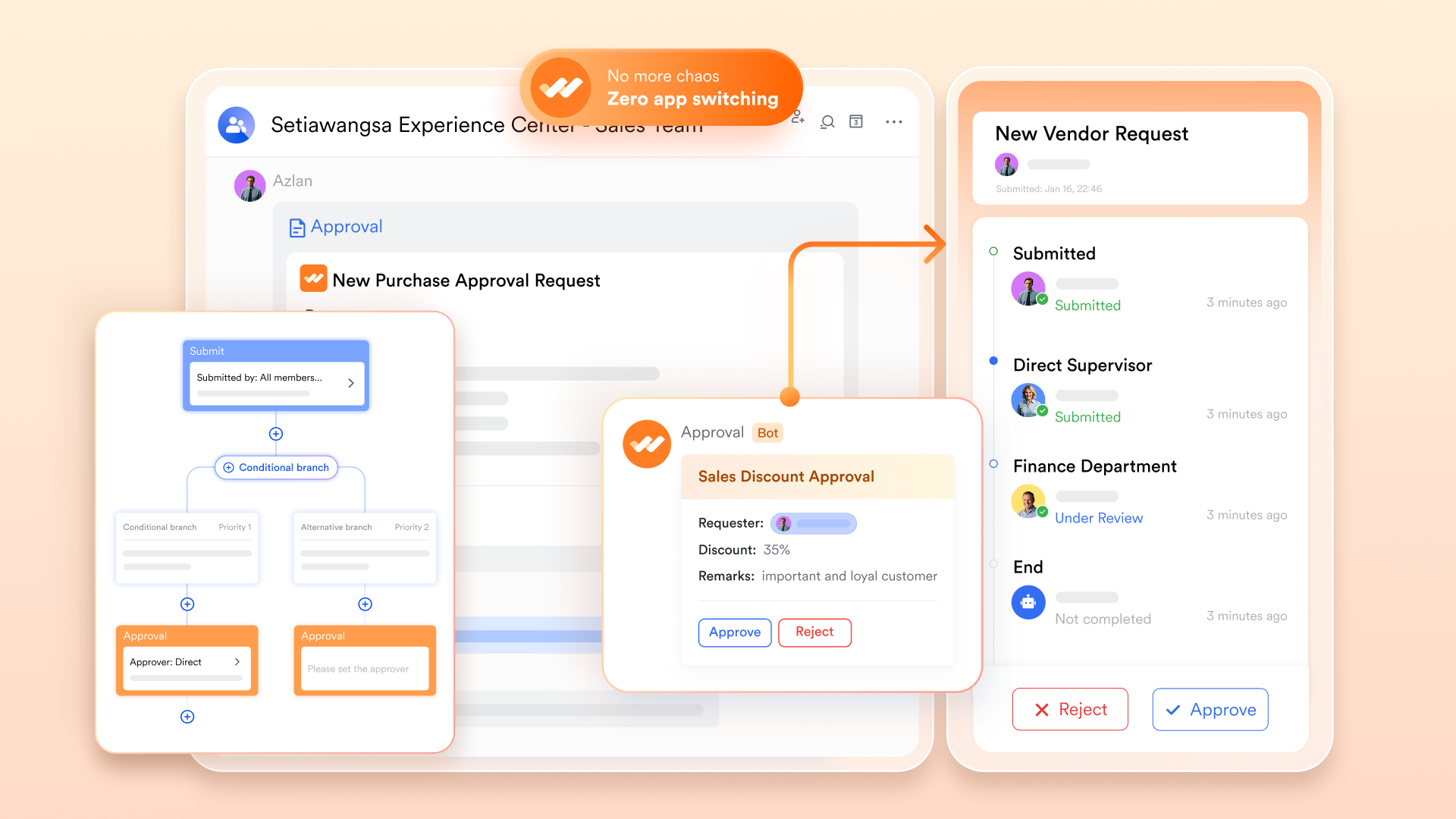
Lark Wiki serves as a centralized knowledge base, deeply involved with project spaces. This allows product requirement documents, technical specifications, and other critical materials to be linked directly to specific Lark Tasks or entries in Lark Base, fostering synergy between knowledge retention and project execution. Simultaneously, the Lark Approval feature formalizes and automates common approval processes (e.g., requirement confirmation, release approvals) and embeds them into workflows. Approval notifications appear directly in Lark Messenger, making this process more intuitive and efficient compared to configuring complex automation rules in Jira or managing approvals via email.
Cohesive mail and task management
Lark Mail is not an isolated feature—it is interconnected with the task system. Critical external emails (e.g., customer feedback) can be easily converted into Lark Tasks, ensuring that external information is incorporated into the team's unified workflow for tracking and management. This subtle yet practical feature addresses the shortcomings of Jira and Microsoft Project in external email integration, helping teams build a more comprehensive information loop.
Real-time collaboration capabilities
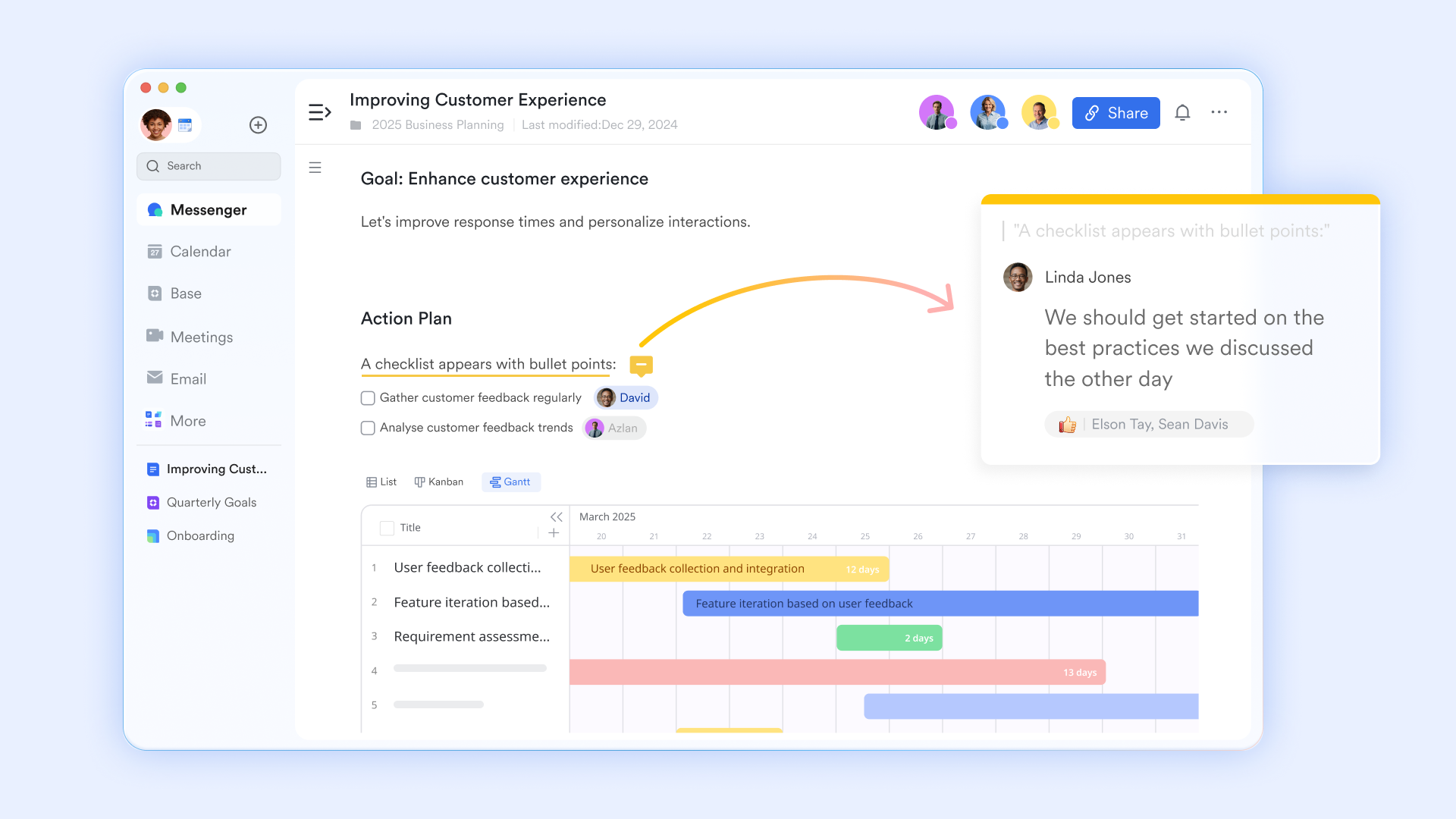
Lark emphasizes simultaneous collaboration through its Docs, Base and Sheets. Team members can co-edit documents, provide feedback in threaded comments, and make decisions without exporting data or switching between applications. This approach contrasts with Microsoft Project's more solitary planning experience and Jira's primarily asynchronous collaboration model.
Flexible project management approaches
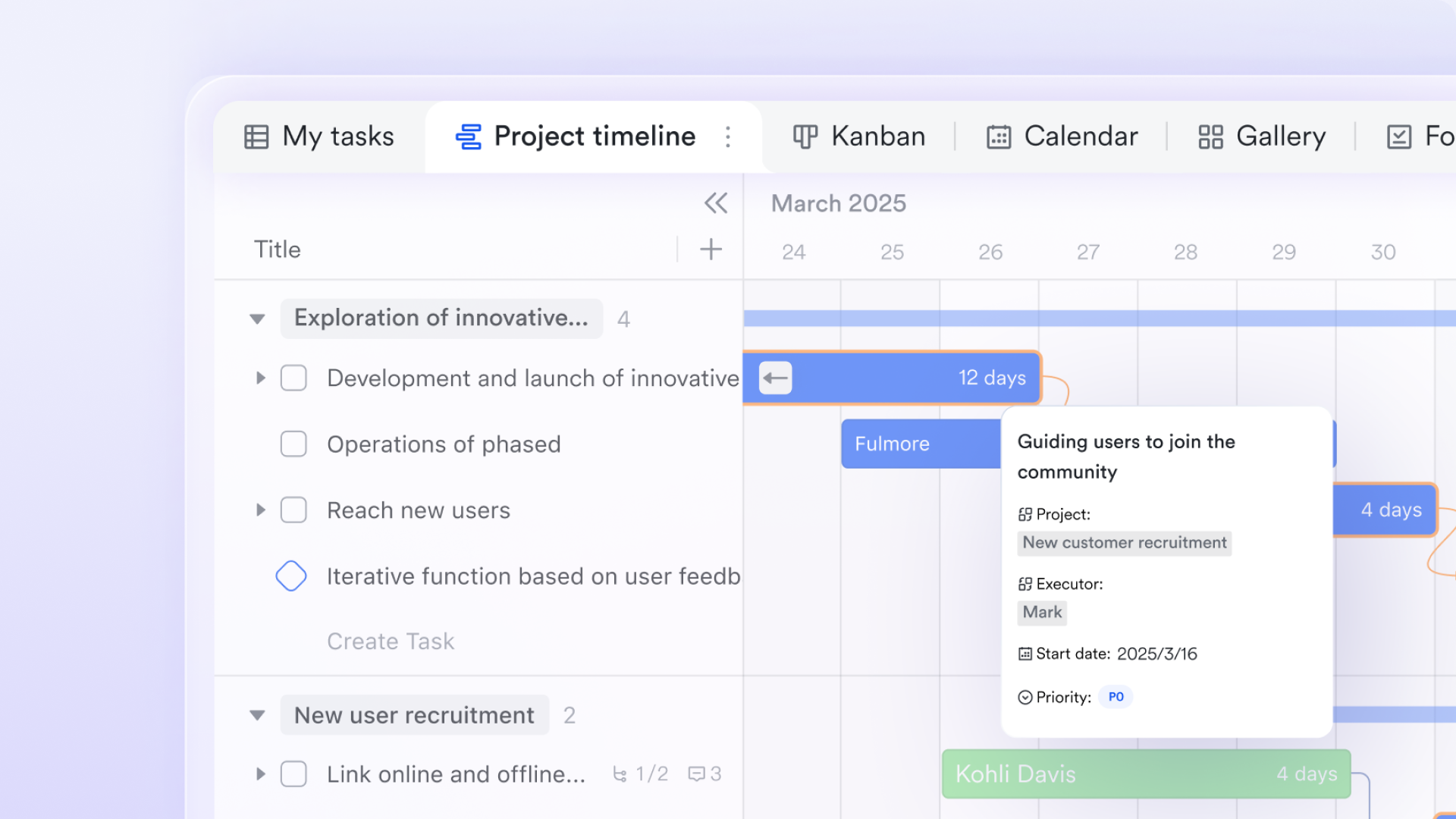
Lark Base offers adaptable project templates that support various methodologies without extensive configuration. Teams can seamlessly switch between list, board, and calendar views of their work, applying the perspective most relevant to their current context. This flexibility makes Lark accessible to diverse teams with different working styles while maintaining consistency across the organization.
Pricing:
- Free plan: Includes 11 powerful products, supporting up to 20 users, 100 GB storage, 1,000 automation runs and unlimited AI translation in chats, docs and email.
- Basic plan: Starts at $6/user/month, supporting teams with over 20 users. Includes 1,000 runs/month for workflows and automations, 2,000 rows in a single Base table, 5TB storage, unlimited Open API calls, and 10 SSO apps.
- Paid plans: Starts at $12/user/month, supporting up to 500 users. Includes unlimited message history, 50,000 automated Base workflow executions per month. Understanding current Google Workspace pricing and ClickUp pricing can help organizations better evaluate overall software costs.
- Enterprise plan: Contact sales for custom pricing. Supports unlimited users and includes even more automation runs and advanced security, compliance, and management features.
How to choose your project management tool
Selecting between Jira, Microsoft Project and Lark requires careful consideration of your organization's unique context, constraints, and aspirations.
- Assessing team size and composition
- Smaller, co-located teams often benefit from lighter-weight tools that emphasize collaboration over formal processes. As organizations grow, they typically require more structure, access controls, and coordination mechanisms. Consider not only your current team size but anticipated growth and how well each platform supports that trajectory.
- Cross-functional teams with varying technical proficiency may prefer solutions with intuitive interfaces that don't require extensive training. Homogeneous teams, particularly those with project management expertise, can often leverage more specialized tools effectively.
- Evaluating project methodology requirements
- Teams practicing agile methodologies should prioritize tools with native support for iterative planning, backlog management, and adaptive workflows. Those following waterfall approaches typically benefit from solutions with robust scheduling, baseline tracking, and formal change management capabilities.
- Organizations practicing hybrid methodologies should look for platforms that flexibly support both approaches without forcing compromises that reduce effectiveness for either use case. The ability to visualize work differently for various project types while maintaining consistent reporting is particularly valuable in mixed environments.
- Considering budget constraints and resources
- Look beyond initial licensing costs to implementation effort, training requirements, and ongoing administration. Solutions that appear affordable initially may require significant investments in configuration, integration, and maintenance to deliver value.
- Also consider the opportunity cost of delayed implementation or poor adoption. Tools that align naturally with your team's existing workflows and mental models typically see faster adoption and more consistent use, accelerating time to value.
- Planning for future growth and scalability
- Consider how well each solution supports not only your current needs but your anticipated future requirements. Scaling challenges often emerge around permission models, portfolio visibility, cross-team coordination, and performance with large data volumes.
- Platforms that require significant reimplementation or process changes as you grow create disruption and delay. Selecting a solution with a clear migration path from entry-level to enterprise-scale capabilities can smooth this transition.
Conclusion
The choice between Jira and Microsoft Project ultimately depends on your organization's specific methodology, team structure, and project types. Jira typically serves agile teams requiring flexibility and collaboration, while Microsoft Project better suits organizations following structured methodologies with complex scheduling needs.
For teams seeking a unified platform that reduces tool fragmentation, Lark offers a compelling alternative that combines project management with communication and documentation in a single environment.
FAQs
What is the difference between Jira and Microsoft Project?
Jira is built for agile software teams, focusing on flexibility and issue tracking. Microsoft Project excels in traditional project management with advanced scheduling and resource management. Their core difference lies in methodology support: agile vs. waterfall.
Is MS Project being discontinued?
No, Microsoft Project is not being discontinued. It remains an active product in Microsoft's portfolio, with both cloud-based and desktop versions available. Microsoft continues to release updates and new features for the platform.
What is a drawback of Microsoft Project?
The steep learning curve is a significant drawback. New users often find its interface complex and terminology specialized. Additionally, real-time collaboration capabilities are limited compared to modern alternatives.
What is Microsoft's equivalent to Jira?
Microsoft's closest equivalent is Azure DevOps, offering agile planning, version control, and continuous integration tools. While Project focuses on traditional management, Azure DevOps provides comprehensive application lifecycle management for development teams.
Related reading
Table of contents
Start using Lark today

Manage all your work in one place
Boost team efficiency by 10x
Save up to 70% on software costs
Table of contents
Start using Lark today
Manage all your work in one place
Boost team efficiency by 10x
Save up to 70% on software costs
Keep reading



Lark recognized in 2023 Gartner® Collaborative Content Workspaces and Meeting Solutions reports
Lark, the global superapp for productivity, is delighted to announce it receives recognition in the Gartner's 2023 Innovation Insight for Collaborative Content Workspaces and Market Guide for Meeting Solutions.





2026 Lark Technologies Pte. Ltd.
Headquartered in Singapore with offices worldwide.






Explore: