Choosing the right workflow automation and low-code platform can profoundly impact how efficiently your teams operate. As organizations continue to embrace digital transformation, understanding its pricing and its various tiers becomes crucial — especially if you're evaluating your budget for 2026.
Kissflow offers a unified platform for workflow automation, procurement, and process management, designed for simplicity and scalability. In this article, I'll break down Kissflow pricing plans, the structure behind its procurement cloud offering, and help you understand whether its cost aligns with your business goals. I'll also briefly touch on Lark, a newer all-in-one collaboration platform that's often seen as a next-generation alternative for teams looking for integrated communication, automation, and document management — though this article's main focus remains on unraveling everything you should know.
What is Kissflow?
Kissflow is a no-code/low-code digital work platform designed to help companies build, manage, and without deep technical skill. Kissflow empowers business teams and citizen developers to build and automate processes without deep technical skill, enabling collaboration between business units and IT. It brings together tools for workflows, procurement, case management, and in a unified interface.
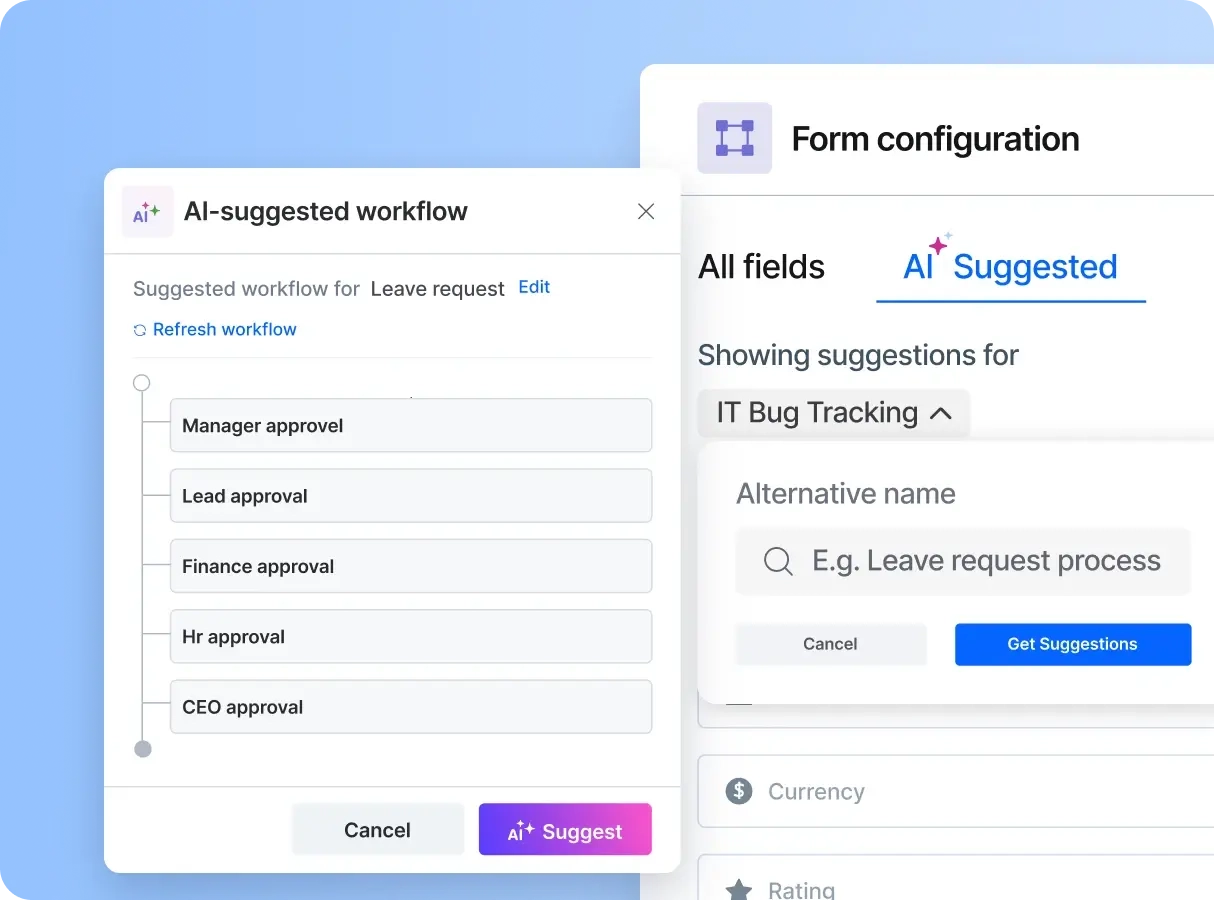
Image source: kissflow.com
At its core, Kissflow allows teams to move from manual processes — like spreadsheets or email approvals — to structured, trackable workflows. Departments such as HR, IT, finance, and procurement can use Kissflow to set up automated request, approval, and in minutes. A user is defined as someone with the ability to access and interact with the platform.
The platform's simplicity makes it ideal for business users, while still offering enough depth for IT teams that want to or build low-code apps at scale. Its user-friendly interface enables non-technical users and citizen developers to easily participate in . Kissflow continues to develop new features and modules to enhance productivity and streamline workflows. Kissflow's core features and advanced features support automation, integration, and enterprise-grade customizations, making it suitable for multiple departments.
In 2026, the platform continues to expand its offerings across modules like Kissflow workflow, Kissflow procurement cloud, and Kissflow low-code, leading many professionals to revisit Kissflow and how the company structures its packages. The introduction of AI Copilot for intelligent automation, along with support for unlimited apps and unlimited workflows, further enhances Kissflow's scalability for large organizations.
Kissflow features explained
Kissflow is designed to empower organizations by and enhancing productivity through its robust suite of features. In this section, I will delve into the distinctive offerings of Kissflow, focusing on three core components: Kissflow workflow, Kissflow procurement cloud, and Kissflow low-code platform.
Kissflow workflow
The Kissflow workflow feature simplifies the automation of business processes, allowing teams to move away from manual coordination. This workflow management tool includes:
- Visual process design: Kissflow enables users to create visual workflow diagrams that outline processes intuitively. This feature makes it easy to understand and modify workflows as needed.
- Automation capabilities: With built-in automation, users can set , notifications, and task assignments, thereby reducing bottlenecks and miscommunication.
- Analytics and reporting: The platform provides real-time dashboards and reports, helping teams track performance and compliance effectively. This transparency allows organizations to refine their processes for greater efficiency.
Kissflow's workflow tool provides a user-friendly way to enhance collaboration across various teams and departments, ensuring that smoothly from start to finish.
Kissflow's procurement cloud
The Kissflow procurement cloud offers a streamlined approach to managing . It encompasses multiple functionalities, including:
- Automated purchase orders: Users can automate the creation of purchase orders based on predefined criteria, ensuring that procurement workflows are consistent and efficient.
- Vendor management: The platform allows businesses to manage vendor relationships effectively, including tracking performance and compliance with contracts.
- Approval workflows: Kissflow's procurement solution facilitates customizable approval processes that ensure all purchases align with company policies and budget constraints.
In adopting Kissflow's procurement cloud, organizations can realize cost savings and reduce procurement cycle times through enhanced visibility and automation.
Kissflow as a low-code platform
Kissflow's low-code platform is designed for both technical and non-technical users, enabling organizations to develop applications quickly and with minimal coding. Key features include:
- Drag-and-drop interface: This feature allows users to build applications through a visual interface, significantly reducing the time required to create functional tools.
- Custom app development: Organizations can build specific applications tailored to their unique needs without extensive programming knowledge, empowering citizen developers within teams.
- Integrations and extensibility: The low-code platform supports integrations with various third-party tools, allowing businesses to expand their capabilities and enhance data flow between systems.
The Kissflow low-code platform fosters innovation by enabling teams to , all while maintaining control over their application development processes.
In summary, Kissflow is equipped with powerful features that enhance workflow automation, procurement management, and application development. By leveraging Kissflow workflow, Kissflow procurement cloud, and the Kissflow low-code platform, businesses can optimize their operations, drive efficiency, and remain adaptable in an ever-evolving landscape. Through each module, Kissflow delivers an approachable yet comprehensive solution, paving the way for organizations to thrive in their digital transformation journeys.
Who is Kissflow best suited for?
Kissflow's modular architecture allows it to flex across industries. However, its core strength lies in structured, rule-based business processes rather than casual .
When considering Kissflow, team size plays a significant role—smaller teams may find entry-level plans sufficient, while larger teams benefit from scalable features, integrations, and governance options tailored to their organizational needs.
Ideal audiences
- Enterprise procurement teams standardizing purchase approvals, RFQs, and vendor audits.
- IT and operations departments , onboarding, or quality control steps.
- Finance and compliance teams seeking traceable workflows for audits and approvals.
Smaller teams may find the Kissflow threshold high compared with mass-market SaaS tools, yet the platform's chief appeal is depth over breadth — offering secure, compliant, end-to-end process automation.
For organizations expanding from spreadsheets or multi-tool chaos, Kissflow represents a significant consolidation opportunity.
Kissflow pricing plans and structure
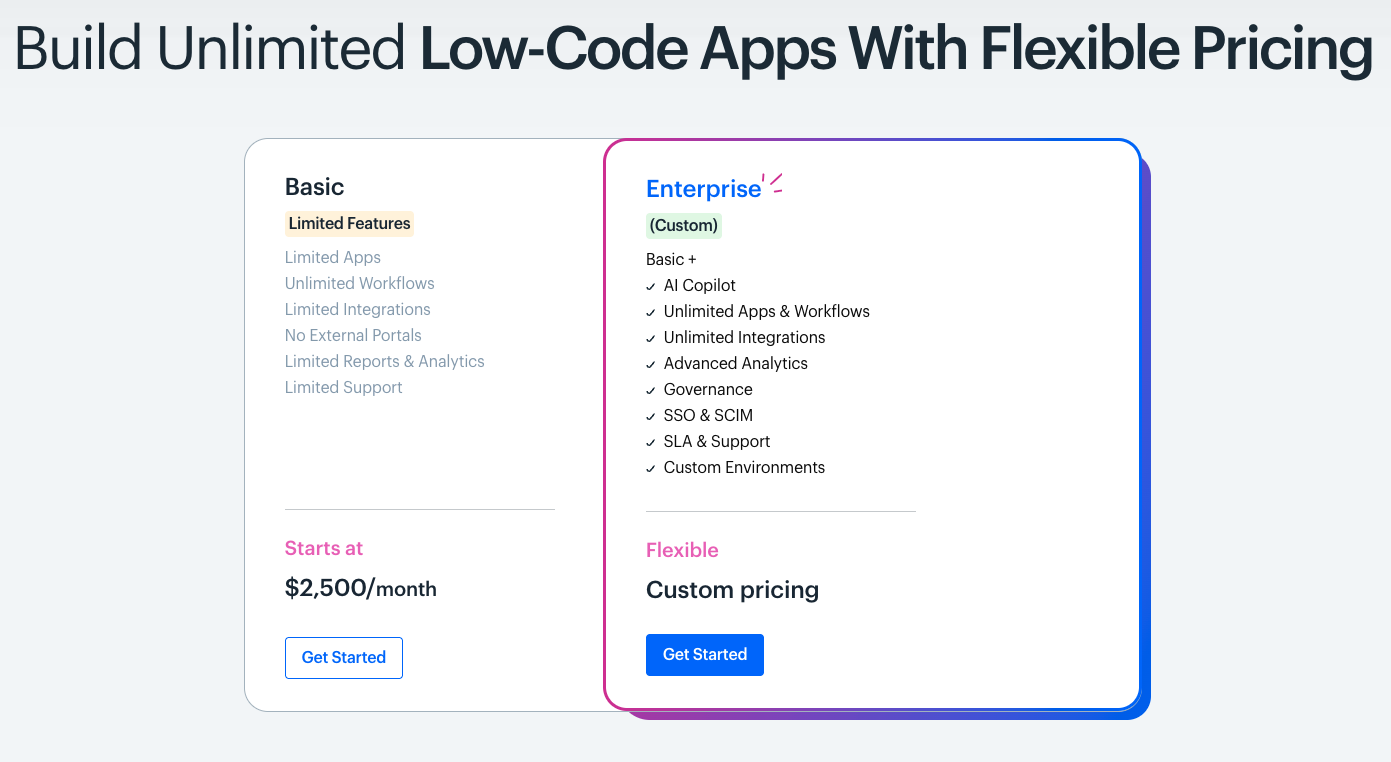
Image source: kissflow.com
While Kissflow no longer publishes standard package prices, its plans generally emphasize flexibility and business size. Based on current structure and historical references from Kissflow's workflow suite, we can summarize how the tiers align with different user needs:
Limitations and pain points of Kissflow
Although Kissflow offers impressive flexibility in and procurement management, user feedback and reviews—especially those found on third-party review platforms, such as G2—highlight a handful of recurring challenges that teams encounter as their usage scales. Insights from verified reviews and professional analyses show that Kissflow's strength in customization can also lead to complexity in everyday usability.
- Steep learning curve for advanced configuration: While the platform is marketed as no-code, many administrators report needing technical assistance to customize advanced workflows or integrate external systems. This can slow down onboarding and slightly narrow its appeal for less technical teams.
- Inconsistent mobile and search experience: According to user reviews, mobile app performance and search usability remain weak spots. Smaller screen layouts and slower data rendering create friction, especially for field teams and remote workers who rely on quick access to workflow updates.
- Limited flexibility in workflow cloning and versioning: Users appreciate Kissflow's but note that copying or reusing workflows between departments can be cumbersome. Minor edits often require rebuilding an entire process, which can frustrate organizations managing multiple similar workflows simultaneously.
- Pricing transparency for small teams: While enterprise customers value the modular nature of Kissflow's quotes, small and medium-sized teams often find it difficult to estimate upfront costs without engaging sales. Reviewers suggest this lack of self-service pricing transparency can hinder faster adoption planning.
- Integration and ecosystem maturity: Kissflow integrates with major tools like Google Workspace, Microsoft 365, and Slack. However, compared with broader automation ecosystems, some users find its API coverage and third-party connector library relatively limited, particularly when managing data across complex ERP environments. The platform's limited features and lack of support for custom connectors can restrict advanced automation and integration scenarios for some organizations, making it less scalable for enterprises with complex needs.
6 other options for Kissflow alternatives
In addition to Kissflow's strengths in workflow automation, procurement management, and low-code development, several alternatives may better suit different organizational requirements. This section explores Lark, PowerApps, Monday.com, Zoho Creator, and introduces ClickUp as a viable option.
1. Lark: The all-in-one collaboration platform with automation
As businesses seek to unify automation, communication, and collaboration under one platform, stands out as one of the most compelling alternatives to Kissflow. Lark brings together chat, video conferencing, documents, cloud storage, calendars, and — all in a single interface.
Lark's are deeply built into its collaborative office ecosystem, rather than being merely stand-alone features. The core advantages lie in its low-barrier operation, comprehensive coverage across various scenarios, and profound ecosystem integration. Lark is adaptable to teams of different sizes and diverse business contexts, which can be explored in the following aspects:
Key features:
No-code automation
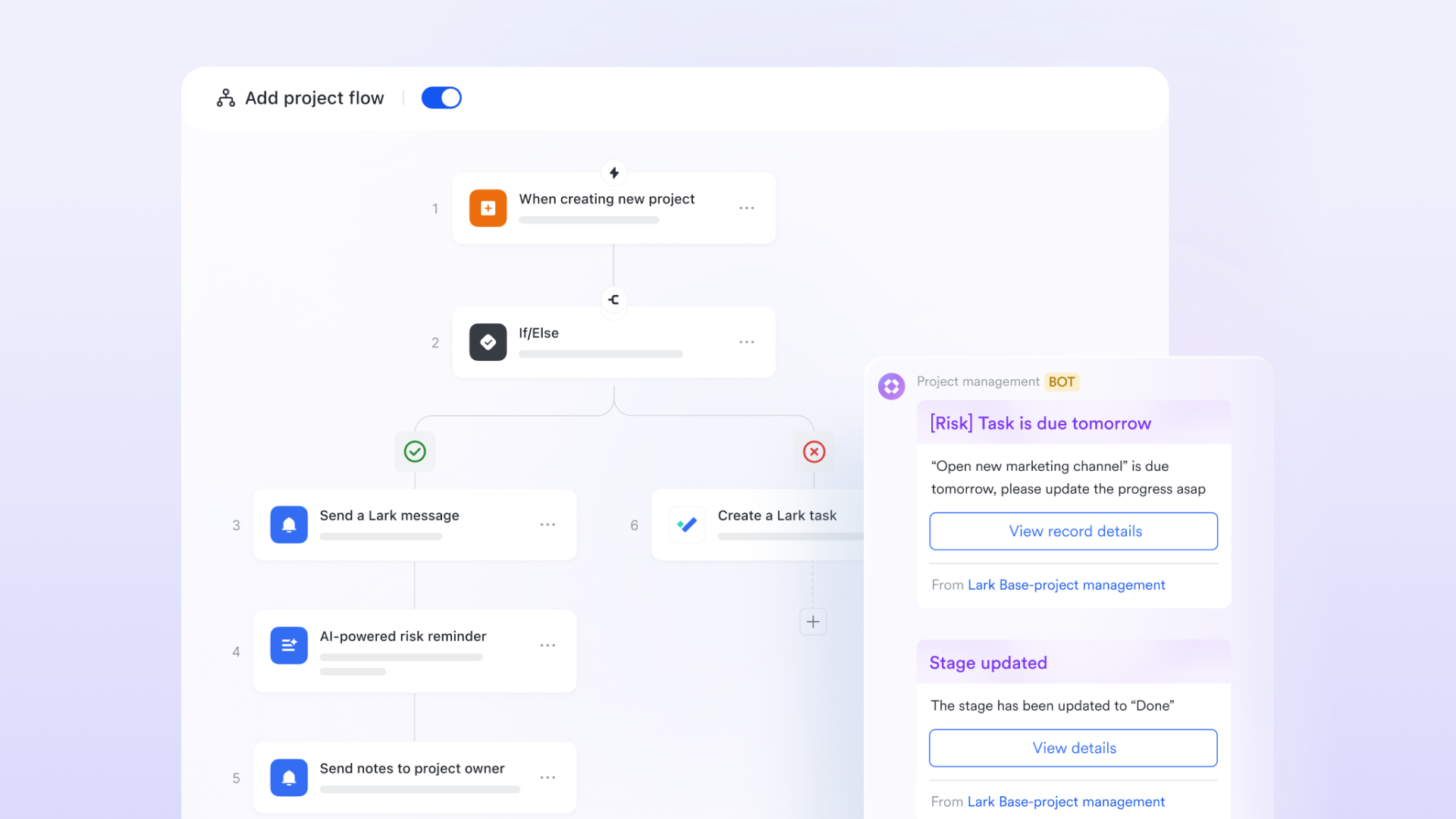
utilizes multi-dimensional tables as the foundational element for automation, paired with a visual no-code builder that doesn't require any professional programming knowledge. Ordinary employees can easily set up trigger conditions and execute actions through drag-and-drop operations, such as triggering notifications based on form submissions or automatically assigning tasks based on record updates. 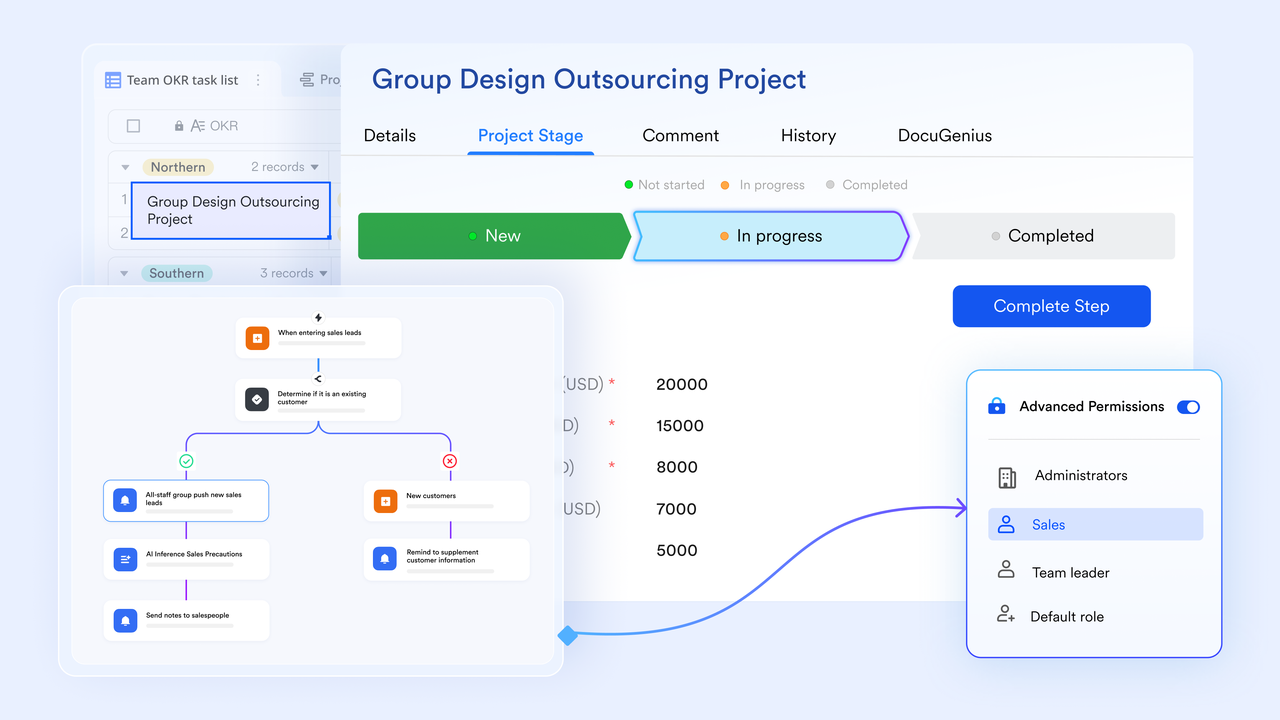
Automated approval workflows
allows organizations to create customized approval processes that are automated based on predefined criteria. This means that when a request is submitted — whether it's for leave, business trips, or reimbursements — the system automatically routes it to the appropriate approvers without the need for manual intervention.
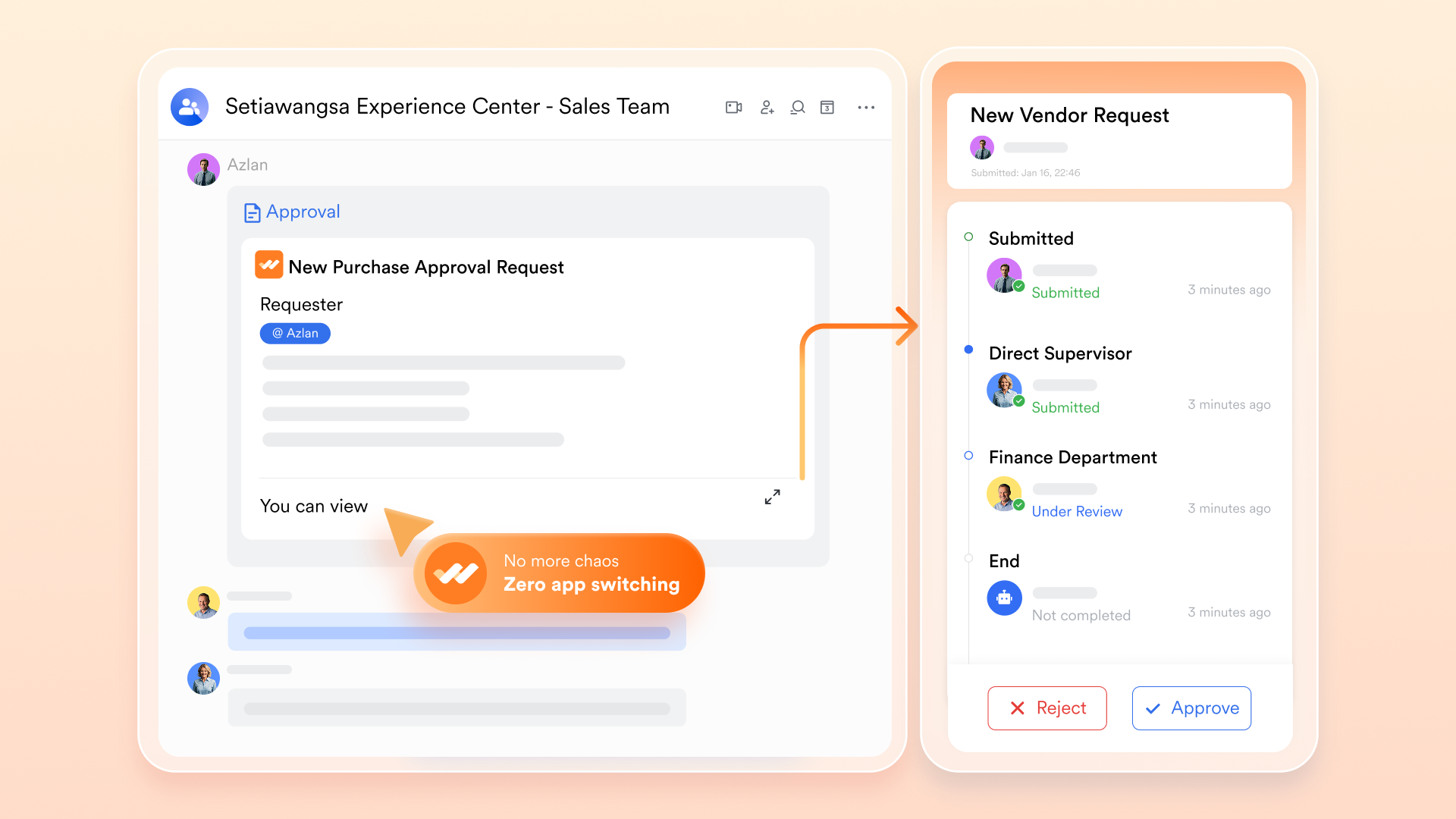
Built-in collaboration: Seamless automation without fragmentation
Lark builds automation with its native functions, such as messaging with interactive buttons in automation, video conferencing, calendars, and collaborative documents. For instance, an approval application within the multi-dimensional table can automatically create dedicated workgroups, schedule follow-up meetings, and assign relevant tasks. During the automation of a new employee onboarding process, it can simultaneously handle tasks like entering information into the contact list, sending onboarding documents, and arranging training schedules all within a unified workspace. 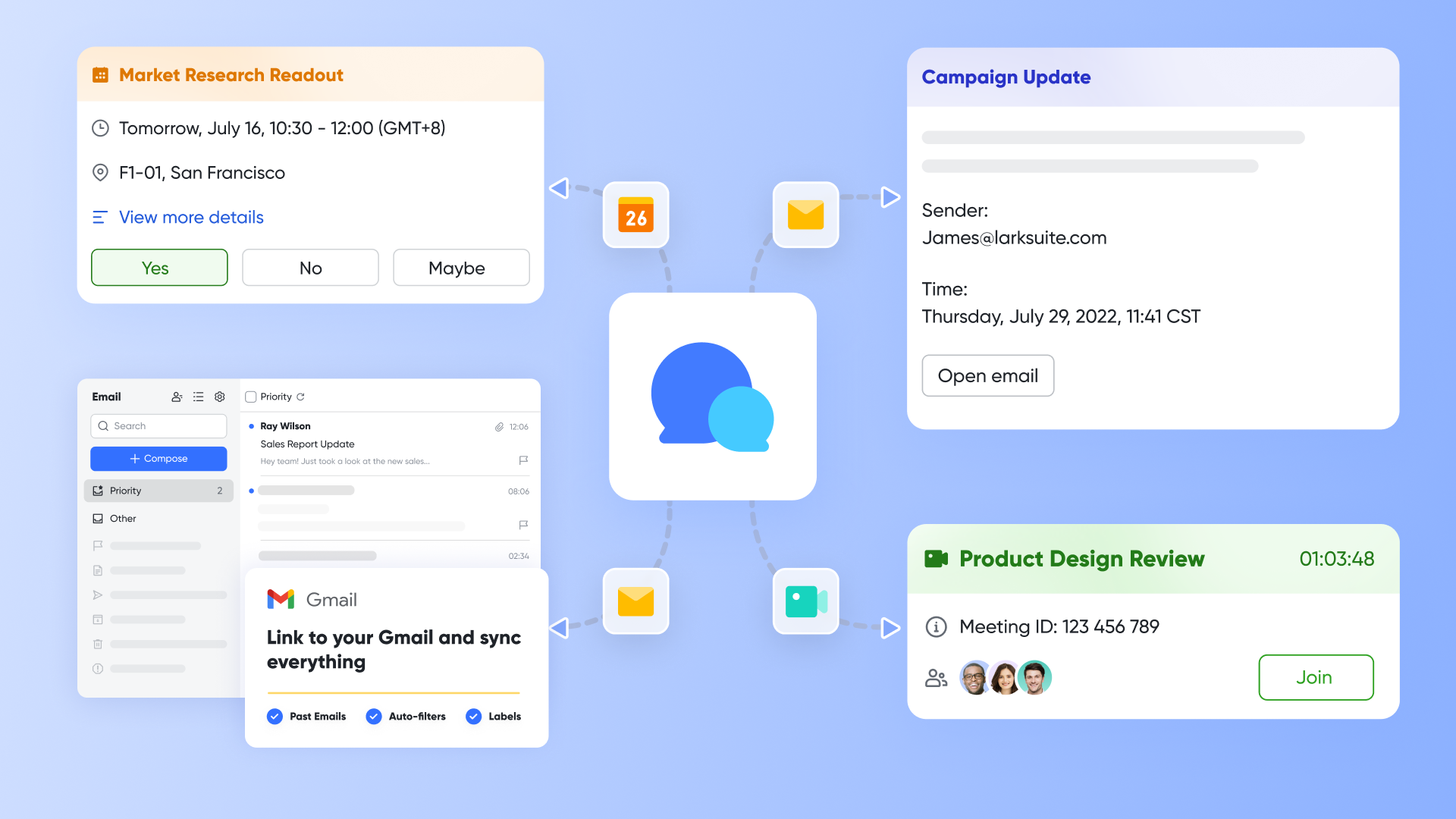
Coverage across various scenarios
Lark's automation capabilities are suitable for a wide range of core business scenarios, covering everything from basic administrative tasks to critical business processes. For example, in , it can automatically collect onboarding documentation from new employees, initiate equipment requests, and schedule onboarding tasks; in finance, it can automatically forward invoices to the appropriate approvers and send reminders for due dates to avoid oversight. In IT, it can create fault tickets, track the progress of requests, and escalate processes when necessary.
Strong integration capabilities
Utilizing the , Lark can collaborate and orchestrate interactions with external core systems such as ERP and CRM without the need for complex coding. It also supports partnerships with tools like Zapier, which can integrate with hundreds of mainstream business applications, including Google Workspace, Salesforce, and Jira.
Transparent and controllable processes
Each step of the automated process is traceable, allowing team members to clearly understand the status of , while managers can quickly identify bottlenecks through relevant views. Moreover, automation replaces repetitive manual operations, significantly reducing human errors in data entry and information transfer. Once process rules are established, they execute consistently, ensuring reliability in processes regardless of cross-department collaboration or parallel projects.
Why Lark is an alternative to Kissflow:
Lark excels for organizations prioritizing both collaboration and automation. While Kissflow is focused on structured workflows and procurement processes, Lark's versatility combines communication and task management into a single space, making it ideal for teams needing a comprehensive and user-friendly workspace.
:
- Starter plan: Free forever plan that includes 11 powerful tools for up to 20 users. It also comes with 100GB of storage, 1,000 automation runs, AI translations, and more.
- Pro plan: $12/user/month (billed annually) for up to 500 users. It includes everything in Starter plus a group calling for up to 500 attendees, 15TB of storage, 50,000 automation runs, and more. Reviewing can help identify potential savings opportunities across your software stack.
- Enterprise plan: for custom pricing. Supports unlimited users and includes even more automation runs and advanced security, compliance, and management features.
For small teams with simple communication needs

18 months message history
1000 Base automation runs/month
2000 rows per table in Base
Most POPULAR
For companies with comprehensive collaboration and management needs
Unlimited message history
500-participant video meetings
50k Base automation runs/month
20k rows per table in Base
For large companies with advanced security and organizational management needs
Get a personalized demo and pricing
Unlimited message history
500-participant video meetings
15 TB storage + 30 GB storage/user
500k Base automation runs/month
50k Base automation runs/month
Most POPULAR
For companies with comprehensive collaboration and management needs
Unlimited message history
500-participant video meetings
50k Base automation runs/month
20k rows per table in Base
2. PowerApps: No-code platform with custom applications
Microsoft PowerApps is a no-code platform that allows users to create custom applications tailored to their business needs. Being part of the Microsoft Power Platform, it offers strong integration with other Microsoft services.
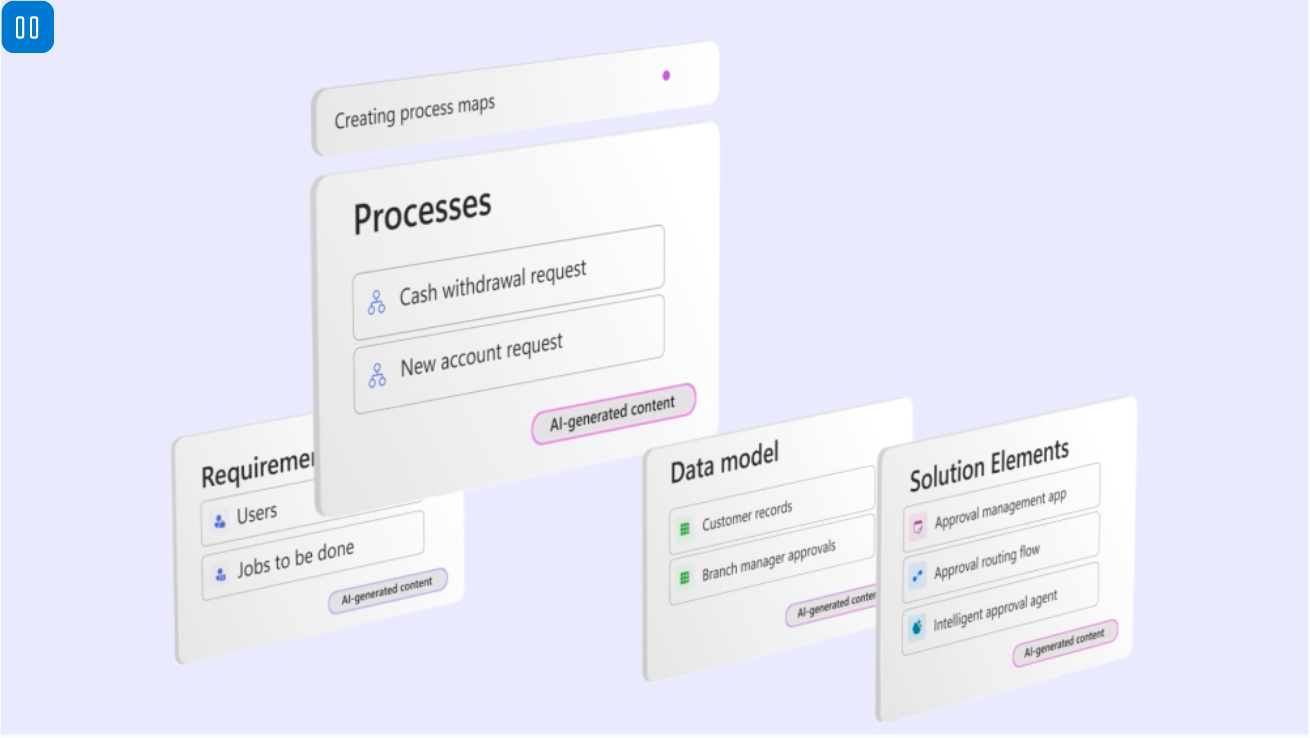
Image source: microsoft.com
Key features:
- Ease of app development: Users can create applications using a drag-and-drop interface, minimizing the time and technical skills required for development.
- Robust security: Provides enterprise-level security and compliance features, ensuring sensitive data is protected.
- Integration with Microsoft ecosystem: Seamlessly connects with various Microsoft tools, streamlining workflows for users already invested in the Microsoft ecosystem.
Why PowerApps is an alternative to Kissflow:
PowerApps is particularly advantageous for businesses already utilizing other Microsoft services, enabling them to develop bespoke applications that enhance their existing workflows. Unlike Kissflow, which primarily focuses on specific business process automations, PowerApps provides broader flexibility in custom application development.
Pricing:
- Power Apps Developer Plan: Free
- Power Apps Premium: $20/user/month, paid yearly
- Power Apps Premium for over 2,000 seats: $12/user/month, paid yearly
3. Monday.com: Project management tool with user-friendly interface
Monday.com is a project management tool designed to help teams organize and manage their work effectively. Its user-friendly interface and customizable features make it suitable for various workflows.
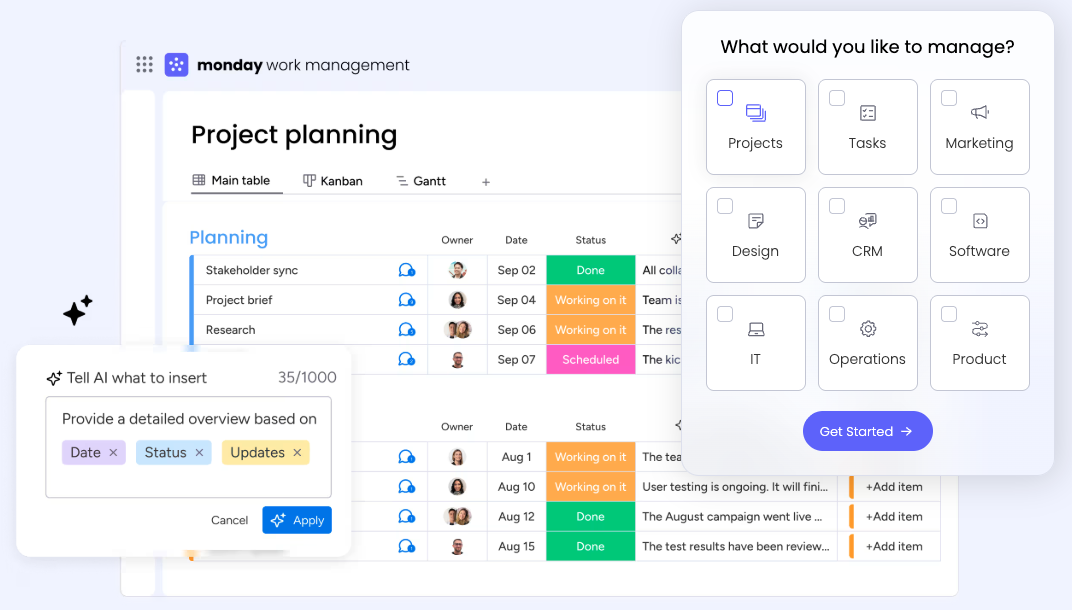
Image source: monday.com
Key features:
- Customizable dashboards: Users can create tailored dashboards to visualize projects and track progress easily.
- Automation features: Automates repetitive tasks, such as notifications and reminders, allowing teams to focus on more critical activities.
- Wide range of integrations: Supports numerous third-party integrations, enhancing its utility across different functions.
Why Monday.com is an alternative to Kissflow:
Monday.com gives teams a flexible project management solution that is easy to customize. While Kissflow is geared towards structured business process automation, Monday.com is focused on project tracking and team collaboration, making it ideal for organizations that need a straightforward yet powerful project management tool.
Pricing: Monday.com's pricing is based on seats required. For example, Monday Service for 10 seats:
- Standard: $26/seat/month
- Enterprise: Custom pricing
4. Zoho Creator: Low-code platform with automated workflows
Zoho Creator is a low-code platform that allows businesses to develop custom applications quickly. It empowers users to create automated workflows and manage data effectively.
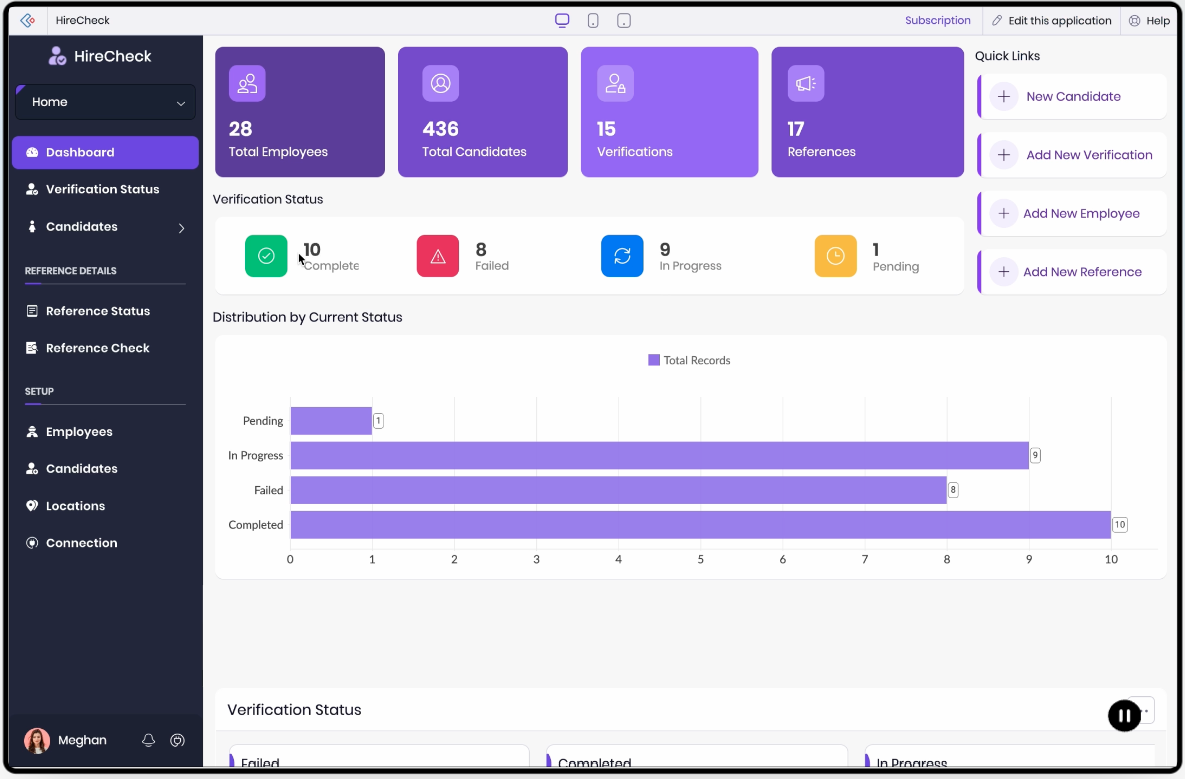
Image source: zoho.com
Key features:
- Visual development interface: Users can build applications through a drag-and-drop approach, fostering accessibility for non-coders.
- Data management tools: Facilitates form creation, data management, and reporting without extensive technical knowledge.
- Integration capabilities: Seamlessly connects with various Zoho products and third-party applications for enhanced functionality.
Why Zoho Creator is an alternative to Kissflow:
Zoho Creator offers a simpler, cost-effective solution for building custom applications, making it a solid choice for small to medium-sized businesses. While Kissflow focuses on complex workflows and procurement capabilities, Zoho Creator is aimed at simpler application development, allowing for quick deployments tailored to specific needs.
Pricing:
- Standard: $10.67/user/month, paid yearly
- Professional: $26.58/user/month, paid yearly
- Enterprise: $33.25/user/month, paid yearly
5. ClickUp: Versatile project management platform
ClickUp is a versatile project management platform that combines task management, document collaboration, and goal tracking in one solution. It is designed to enhance organizational efficiency throughout various projects.
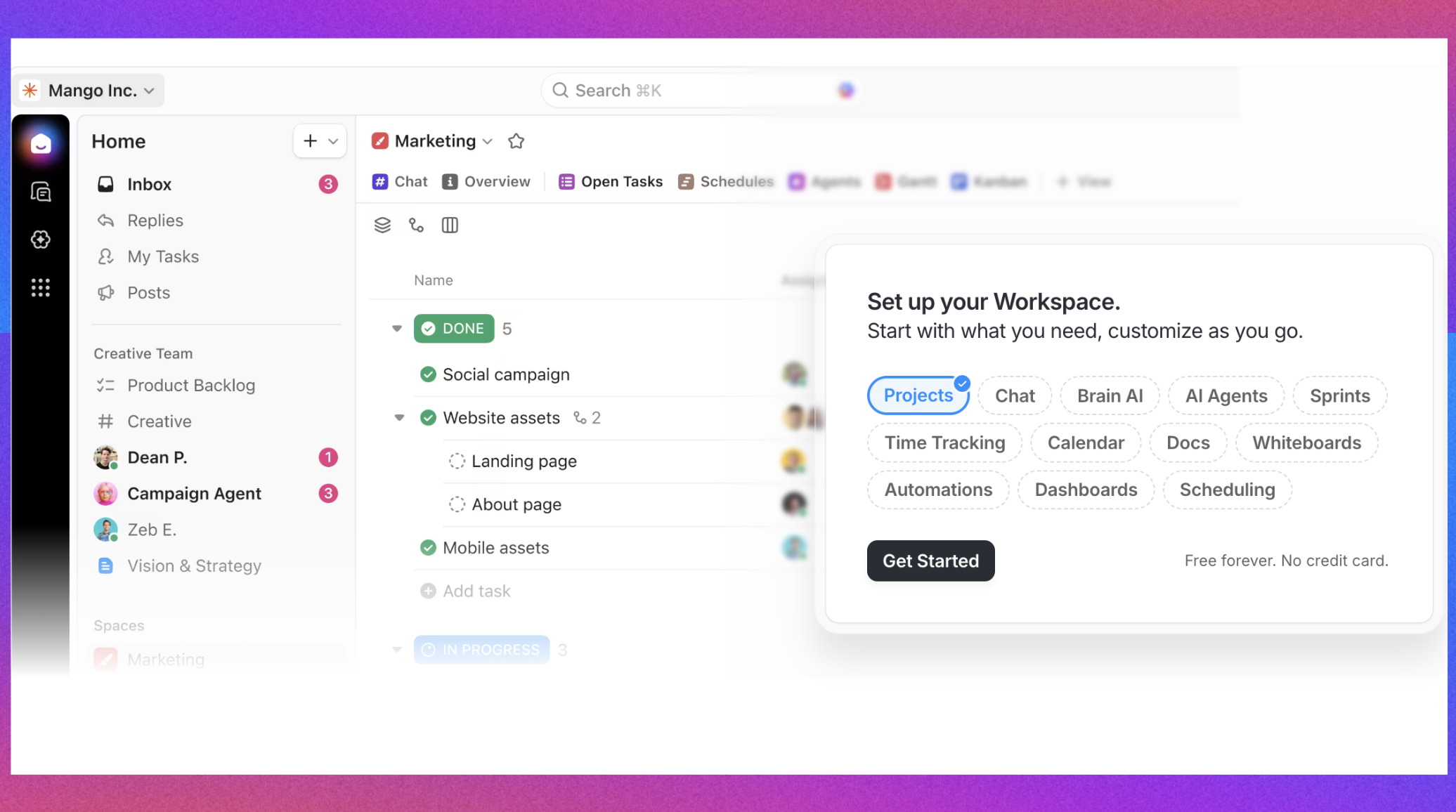
Image source: clickup.com
Key features:
- Comprehensive workspace: Combines task lists, documents, goals, and calendars into a single platform for seamless workflow management.
- Customizable features: Offers extensive customization options, allowing users to tailor their workspace layout according to their preferences and project needs.
- Time tracking and reporting: Built-in time tracking and reporting tools enable teams to monitor progress and resource allocation effectively.
Why ClickUp is an alternative to Kissflow:
ClickUp is particularly appealing for teams that need a comprehensive project management solution that supports a range of functions from task management to document collaboration. Unlike Kissflow, which is more focused on structured workflow processes, ClickUp offers greater flexibility for team management and operational efficiency in everyday tasks.
:
- Unlimited: $7/user/month, paid yearly
- Business: $12/user/month, paid yearly
- Enterprise: Custom pricing
6. ProcessMaker: Specialized tool for business process management
ProcessMaker is a comprehensive business process management (BPM) software designed to simplify the modeling, automation, and optimization of business processes. It enables organizations to enhance their operational efficiency and streamline their workflows.
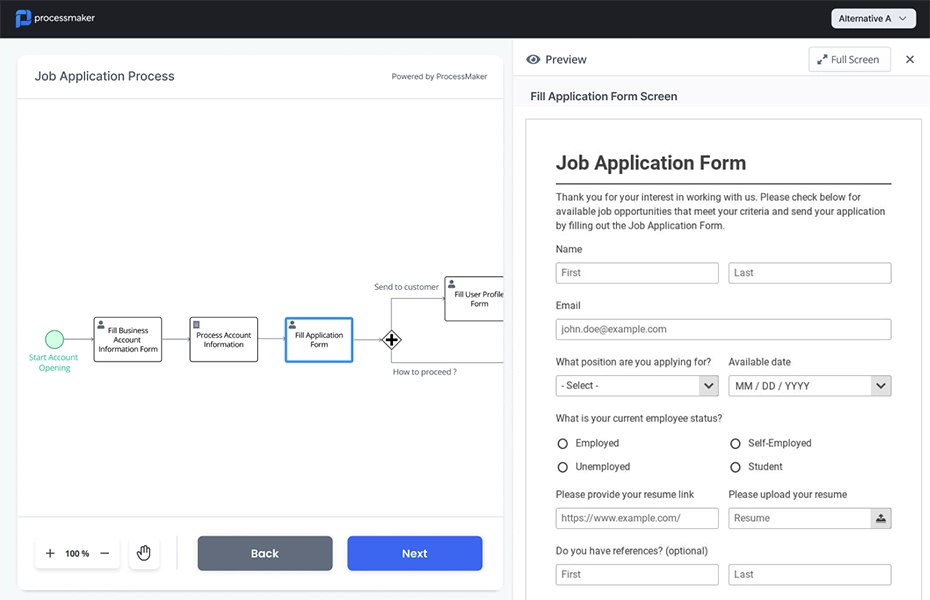
Image source: processmaker.com
Key features:
- Easy process design: Users can create visually appealing process maps using a drag-and-drop interface, making it easy to understand and adapt processes to their needs.
- Automation capabilities: ProcessMaker automates routine tasks and workflows, significantly reducing human error and enhancing efficiency across various business functions.
- Powerful performance analytics: The platform provides robust analytics tools that offer insights into process performance, enabling organizations to identify bottlenecks and areas for improvement.
- Integrated workflow management: ProcessMaker facilitates seamless collaboration among teams by integrating workflows with existing systems and external applications, ensuring smooth information flow.
Why ProcessMaker is an alternative to Kissflow:
ProcessMaker is tailored specifically for business process management, making it an ideal choice for organizations that require detailed mapping and optimization of their workflows. While Kissflow provides a broader array of automation tools, ProcessMaker offers specialized features focused on analyzing and improving specific business processes. This makes it particularly valuable for businesses looking to deeply understand their process dynamics and implement targeted enhancements for operational effectiveness.
By evaluating these alternatives alongside Kissflow, organizations can choose a platform that aligns better with their specific workflow needs, team structure, and . Each tool offers unique features and advantages, providing organizations with a range of options to enhance productivity and efficiency in their processes.
To know more about Kissflow alternatives for automation, check this article:
Experience how powerful workflow automation can be
How to choose the right workflow automation tool
Selecting the right workflow automation platform requires careful consideration of cost, scalability, and usability. This decision is more than just a matter of features; it needs to align technology with your organization's workflow culture and maturity level.
- Start by evaluating cost transparency. If your team prefers a predictable budget with clear per-user pricing, some platforms provide immediate visibility through published pricing tiers and options for trial use. In contrast, others may offer a quote-driven model that appeals more to enterprises that require customized environments and have dedicated budgets for or automation.
- Next, consider scalability. Assess how quickly your organization is growing and the complexity of your processes. Some platforms are designed for larger environments that demand strict governance and cross-department collaboration, while others provide a more agile approach, enabling easier scaling as teams evolve.
- When it comes to automation and AI capabilities, think about the balance between control and convenience. Certain tools offer strong process automation with integrated features that enhance productivity, while others focus on real-time tools that assist teams in .
- Finally, prioritize user adoption and integration. The effectiveness of even the most powerful tools is contingent upon consistent use by teams. services are crucial in supporting ongoing user adoption, satisfaction, and long-term value through dedicated support and tailored implementation. Security measures may also be implemented to ensure that users are verified before gaining access, thereby maintaining secure and compliant usage scenarios.
In short, choose a platform that best aligns with your organizational priorities. If your company emphasizes structured workflows and strong governance, a focused solution may suit your needs. For those seeking flexibility, transparency, and a user-friendly experience, alternative platforms that promote collaboration and adaptability might be more appropriate.
Conclusion
Kissflow remains a top-tier choice for enterprises prioritizing structured automation, compliance, and process visibility. Its modular design — spanning Workflow, Procurement, and Low-Code capabilities — helps complex organizations unify operations on a single platform. However, its pricing structure, typically starting at enterprise-level costs and requiring quotes for most tiers, can be challenging for smaller teams or startups. The customization depth and workflow control are impressive but come with higher implementation effort and slower adoption.
For companies with a dedicated IT backbone and established procedures, Kissflow's capabilities justify the investment. Yet for teams seeking an agile, affordable solution with built-in communication, automation, and transparency, offers a more future-ready alternative, combining workflow power with everyday productivity tools in one seamless, cost-effective workspace.
FAQs
Is Kissflow free?
No, Kissflow does not currently offer a free plan. Its pricing is based on modular enterprise packages, including Workflow, Low-Code, and Procurement Cloud solutions, which require custom quotes depending on usage and organization size.
Is Kissflow an Indian company?
Yes, Kissflow is an Indian SaaS company headquartered in Chennai, Tamil Nadu. It was founded by Suresh Sambandam and has expanded globally with offices in India, the United States, and the Middle East.
Is Kissflow profitable?
Kissflow is a bootstrapped and privately held company that has sustained operations profitably without external funding. It invests heavily in global expansion while maintaining financial independence.
What is Kissflow used for?
Kissflow is primarily used for workflow automation, process management, and low-code application development. It helps teams streamline approvals, manage procurement, and build custom business applications without advanced coding.
Who uses Kissflow?
Kissflow serves enterprises and large organizations seeking scalable automation across departments like HR, finance, operations, and procurement. It's especially valued by teams looking to digitize legacy processes and improve operational efficiency.
There are many strong Kissflow alternatives available in 2025 that cater to different workflow automation and collaboration needs.
What are Kissflow alternatives?
Some of the most notable include Lark, Microsoft Power Apps, Appian, Nintex, Mendix, OutSystems, Zoho Creator, Pipefy, ClickUp, and Monday.com. Each of these tools addresses similar challenges but with distinct pricing models, integrations, and user experience. Lark, for example, is popular among teams seeking an integrated workspace that combines chat, meetings, docs, and automation, while Appian and OutSystems are known for their enterprise-level customization and governance.
Related reading






























