Mind maps are one of the most effective tools for visual thinking, helping teams transform scattered ideas into organized structures. Whether you're planning a new project, mapping knowledge for a presentation, brainstorming creative directions, or building workflows, a mind map template gives you a head start. Instead of beginning with a blank mind map template, you can plug ideas into a pre-designed visual framework that accelerates clarity and alignment.
This guide covers everything you need to know about mind map templates—from free downloadable mind map templates to collaborative online templates. You'll also find recommended platforms, template examples, and practical insights to help you choose the correct format for your workflow.
What is a mind map template?
A mind map template is a pre-structured visual layout designed to help you organize ideas around a central topic using branches, subtopics, and logical connections. Not beginning with a blank page, the template provides a guiding framework that shapes how information flows, making it easier to brainstorm, plan projects, study complex concepts, or break prominent themes into manageable parts. Most mind map templates include a main central node, primary branches for key themes, and expandable sub-branches for details. Colors, icons, and labels are often used to highlight relationships and improve clarity.
These templates are helpful for individuals and teams because they visually capture how ideas connect, reveal gaps in thinking, and encourage deeper exploration. Whether detailed or straightforward, simple mind map templates and support clearer, more structured thinking.
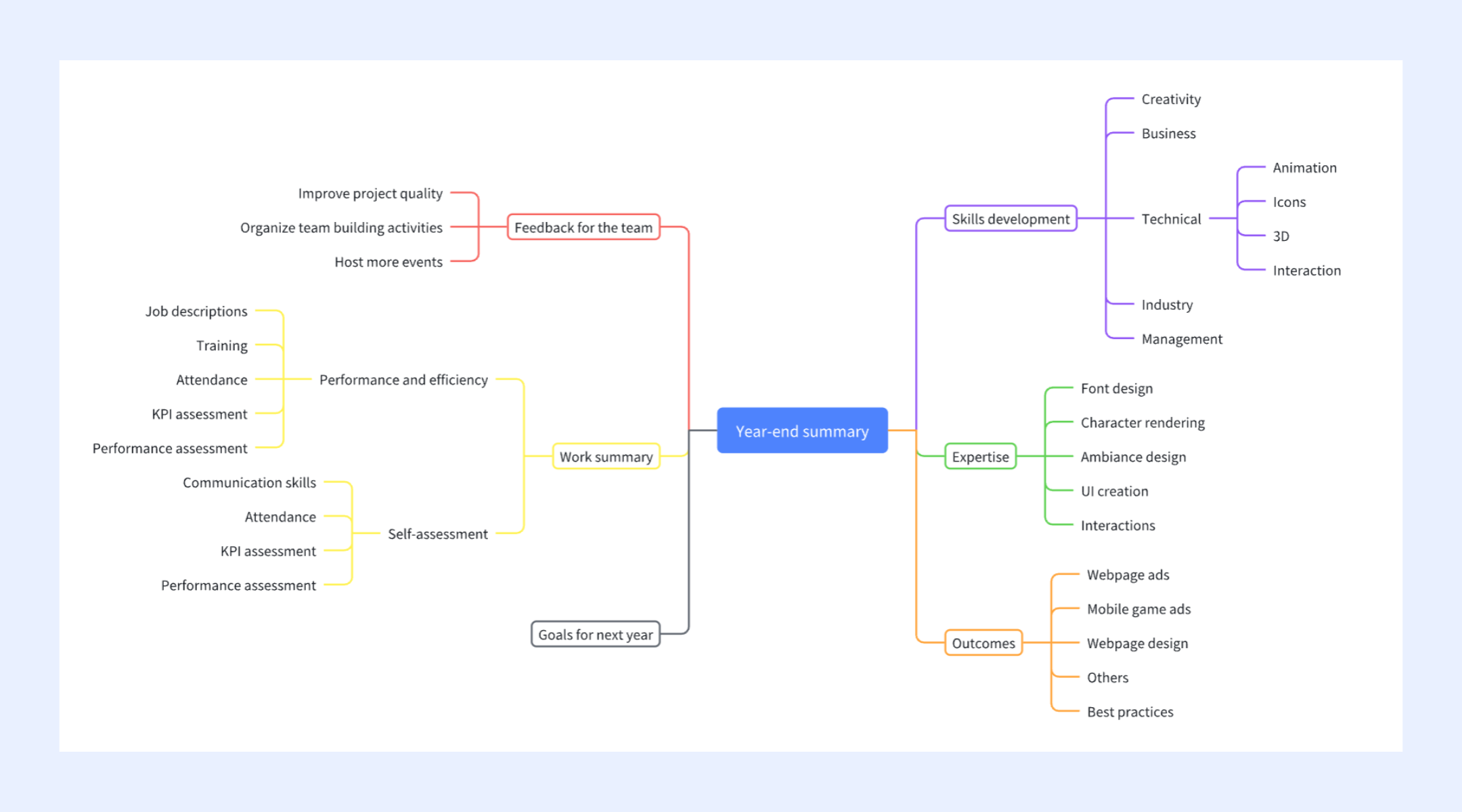
Ready-to-use mind map templates
Lark offers a collection of ready-made mind map templates designed to help teams move from brainstorming to structured planning more efficiently. These templates cover a range of use cases—from project flows to strategic planning—so you can start with a clear visual framework rather than build from scratch. They're easy to customize, making it simple to adapt each template to your team's goals and workflows.
Event planning mind map
The event planning mind map template allows teams to brainstorm, organize, and manage every aspect of an event visually. From venue selection and catering to guest invitations and promotional schedules, tasks branch out into structured categories that make planning easier. Team members to refine ideas, assign responsibilities, and track progress across multiple planning streams. The visual format highlights missing details early and helps coordinators see how individual tasks connect to the overall event timeline.
Flowchart
The flowchart template helps teams visualize processes step by step, making it easier to understand how tasks connect and where decisions occur. Its structured layout is ideal for mapping workflows, , or identifying bottlenecks. You can adjust shapes, labels, and branches to match any operational or your team needs to outline.
OKR mind map development
The OKR mind map development template helps teams visually organize objectives, key results, and supporting initiatives in one structured view. Its branching layout makes it easy to break significant goals into measurable outcomes and link them to action steps. This format supports more precise goal alignment across teams, ensuring everyone sees how their work contributes to broader strategic priorities.
Brainstorming mind map
This Brainstorming template is designed to help teams organize and streamline creative sessions by providing a structured format for capturing background information, goals, ideas, and follow-up plans. With it, teams can contribute and collaborate on ideas in real-time, ensuring a dynamic and productive session. With a built-in section for follow-up plans, the template makes it easy to assign action items and responsibilities, ensuring that valuable ideas generated during the session are efficiently acted upon
Mind map
The Mind Map template is a powerful tool for brainstorming, organizing thoughts, and visualizing complex ideas. It allows individuals and teams to create a visual, hierarchical representation of concepts, making it easy to see the big picture and make connections between different ideas. It significantly enhances collaboration by supporting real-time teamwork on the same mind map, and its customizable structure allows you to easily add, move, and rearrange nodes, helping you and boost productivity.
Canva mind map template
This Canva template provides a visually engaging and structured space for creative writing brainstorming sessions. Designed as a flexible mind map or infinite whiteboard, it helps authors and creative teams organize complex ideas like characters, plot points, and themes on a single canvas. The template leverages Canva's intuitive editor, supporting real-time collaboration so teams can use digital sticky notes, shapes, and other visual elements to flesh out concepts.
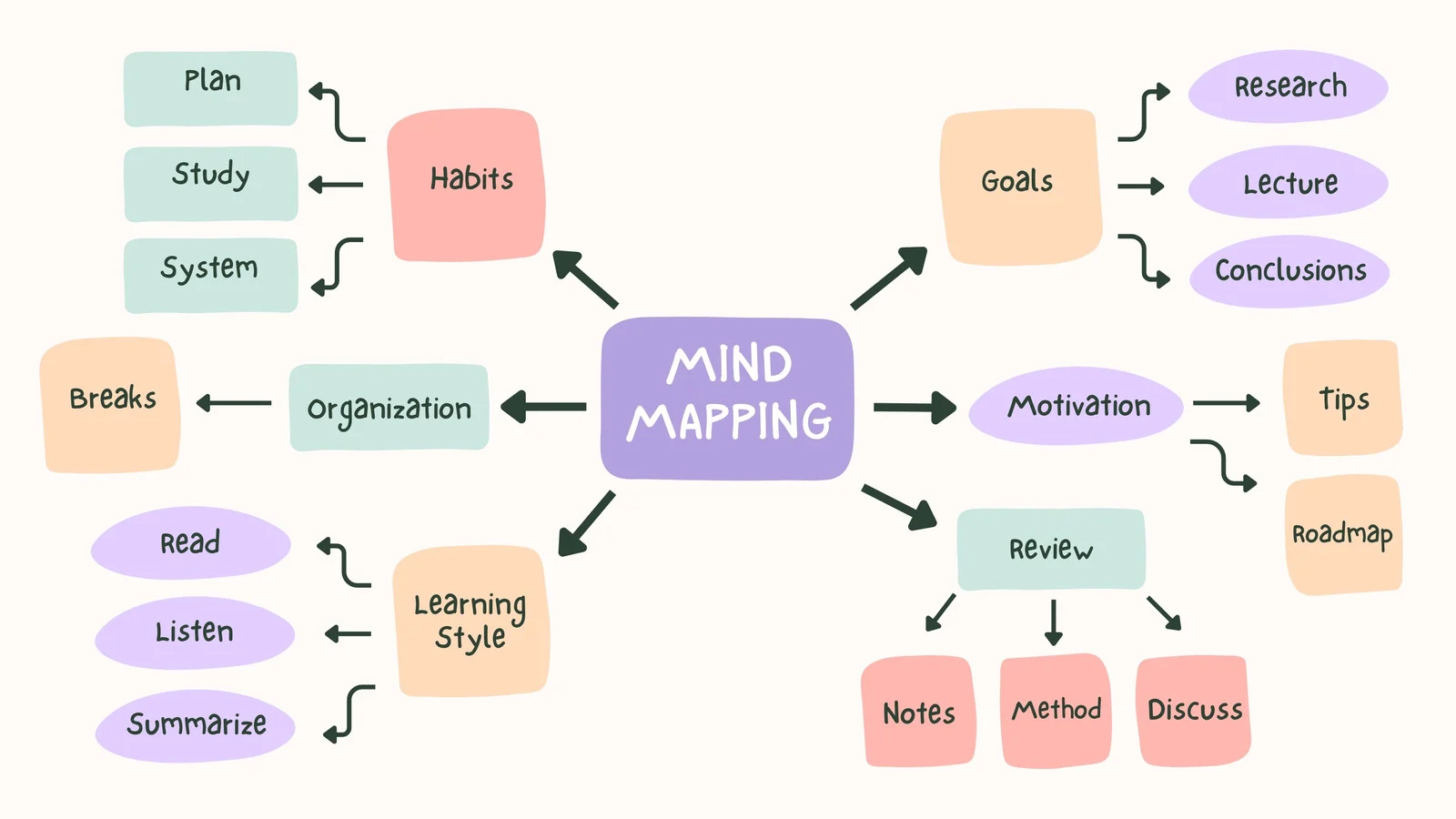
Image source: canva.com
Word mind map template
This Mind Map template, created using Microsoft Word's native drawing and shape tools, provides a straightforward, accessible way to visualize and organize complex ideas for presentations or documentation. The structure allows you to use simple shapes and connector lines to create a hierarchical representation of thoughts—from a central topic to key subtopics.
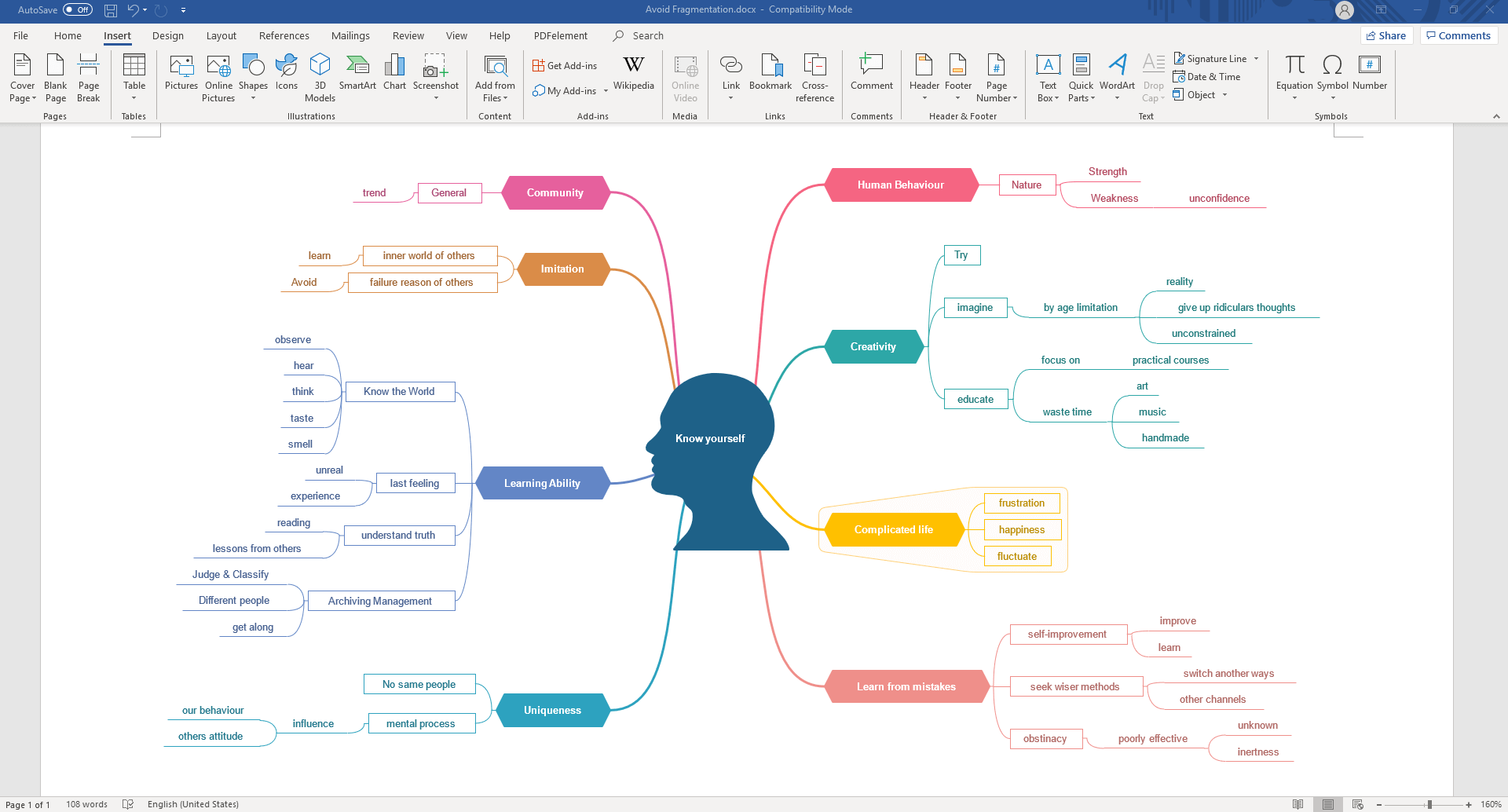
Notion mind map template
Introducing the 1st Notion Mind Map Template, the future of visual thinking. This template gives users a way to create a mind map in Notion, offering an intuitive and dynamic way to organize your ideas. Whether you're brainstorming, planning, or just visualizing thoughts, this template is tailored to elevate your cognitive mapping experience within the Notion ecosystem.
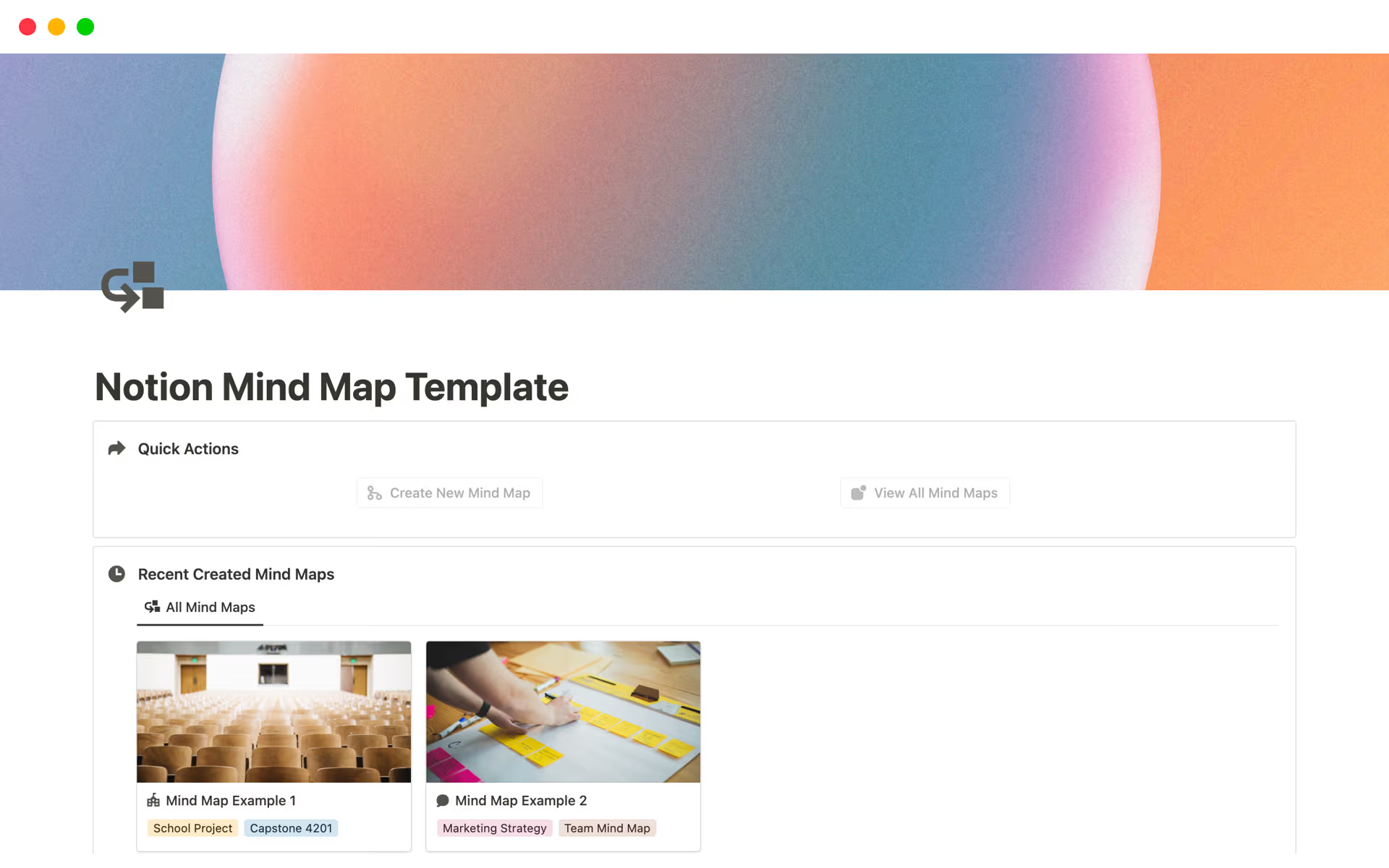
Image source: notion.com
Miro mind map template
The Miro Business Plan Mind Map Template is valuable for simplifying and creating a comprehensive business strategy. This template organizes thoughts, ideas, and data in a visual format, which makes it easier to understand the various components of a solid . It serves as a roadmap for systematically developing a business strategy.
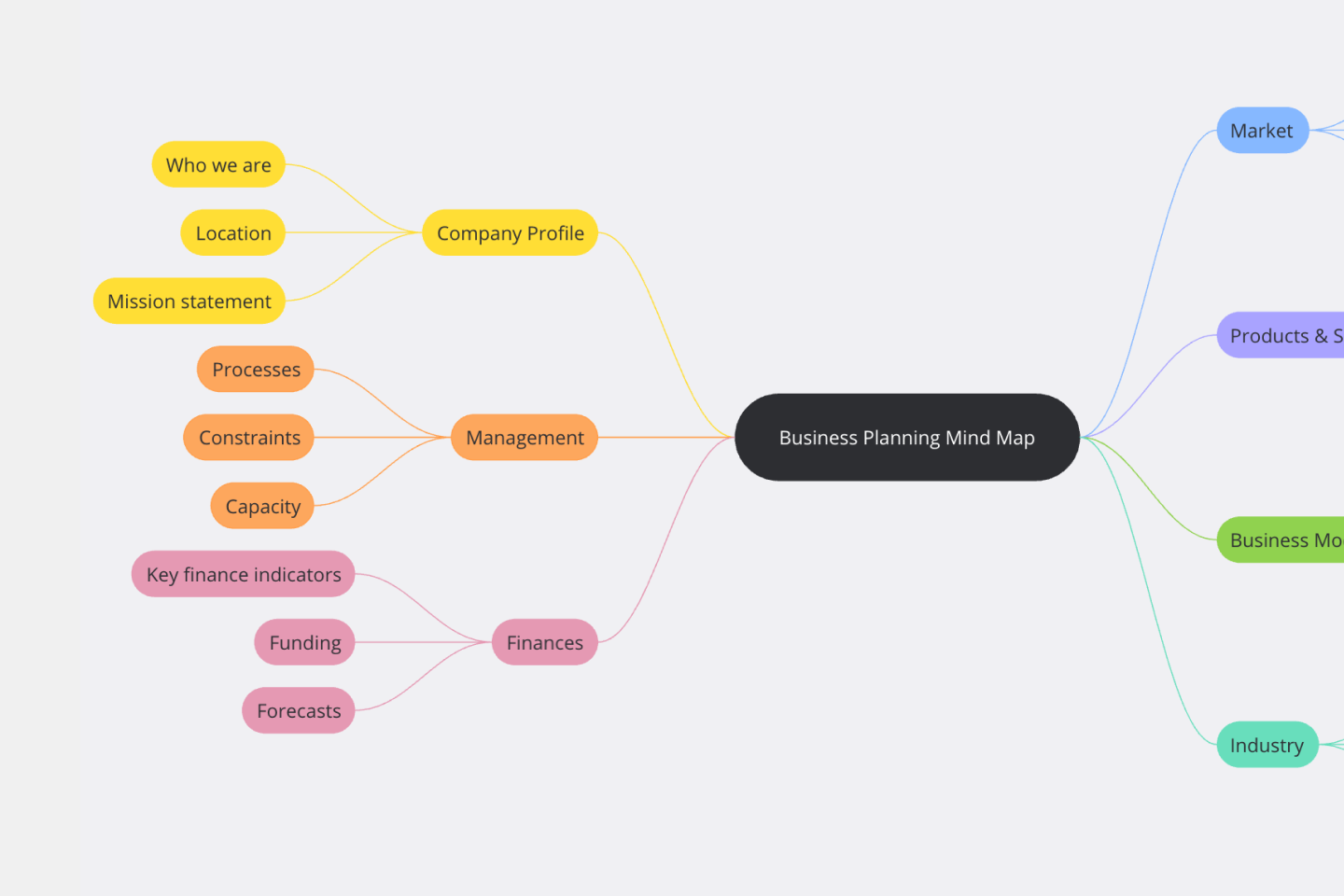
Image source: miro.com
Google Docs mind map template
This Blank Mind Map template is a straightforward tool designed to help you organize your big goals. It addresses the common challenge of having a major objective but lacking a clear, gradual plan to achieve it. The idea is simple: you write your main goal in the center, and then use the surrounding sections to break it down into smaller, actionable steps. This method is often advised by analysts to shift your focus from the difficulty of the work to the actual steps needed to solve the problem.
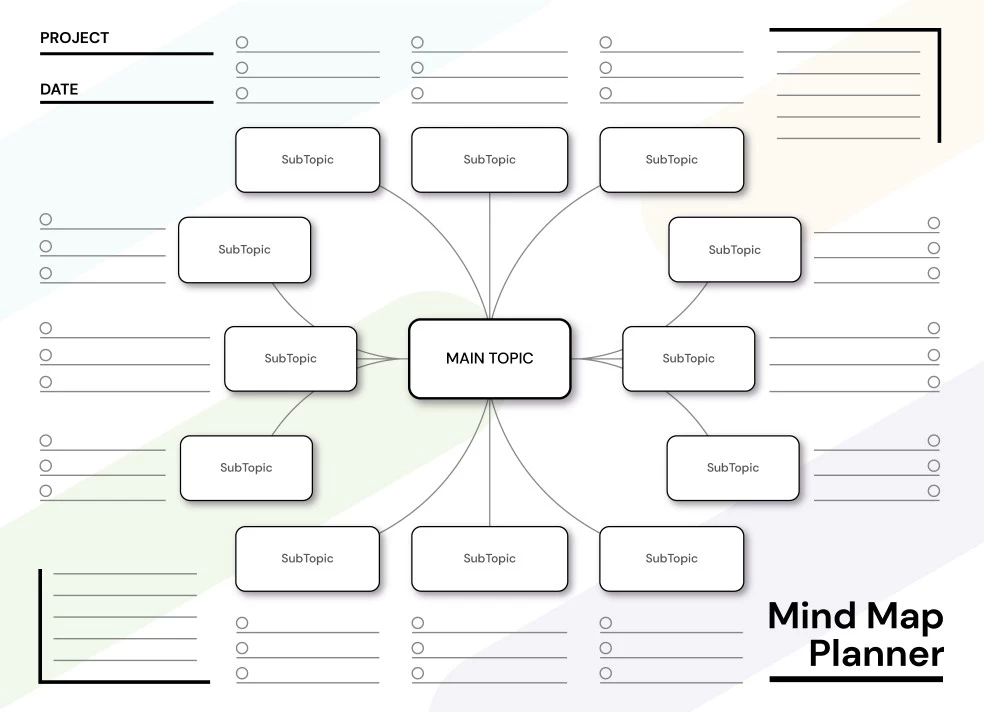
Image source: gdoc.io
From plan to action: Use Lark for efficient mapping & execution
Unlike traditional tools that stop at drawing diagrams, Lark embeds mind mapping directly into everyday team workflows. Teams can build and edit maps inside Docs or built-in Boards, then connect ideas to tasks, projects, and collaboration spaces. This approach transforms brainstorming from static exercises into . Whether planning OKRs, running creative workshops, or outlining project flows, Lark templates help teams move from ideas to outcomes faster in a single unified workspace.
Lark Docs: Collaborative document mind mapping
Within , users can insert mind maps directly into any document using "+ → More → Mind Map." This keeps visualization tied to meeting notes, briefing documents, or project plans, rather than isolating ideation in separate tools. Branches can be expanded or collapsed, nodes rearranged, and in real time. Multiple contributors can work on the same map simultaneously, keeping discussions and documentation perfectly aligned.
Lark Board offers an open collaboration canvas where mind maps coexist alongside sticky notes, diagrams, flowcharts, or timelines. Teams can add a mind map through the toolbar and combine free-form visuals with elements. This environment works well for workshops or design sessions where participants need to visually organize concepts while experimenting with layouts in a single shared space. Lark MindNotes supports idea capture in two connected views—outline and diagram. Teams can quickly type ideas into an outline format, then instantly convert them into a graphical mind map. This accelerates brainstorming, allowing clarity to emerge naturally as conversations develop. It is particularly effective for retrospectives and strategy discussions where themes evolve as the session progresses. 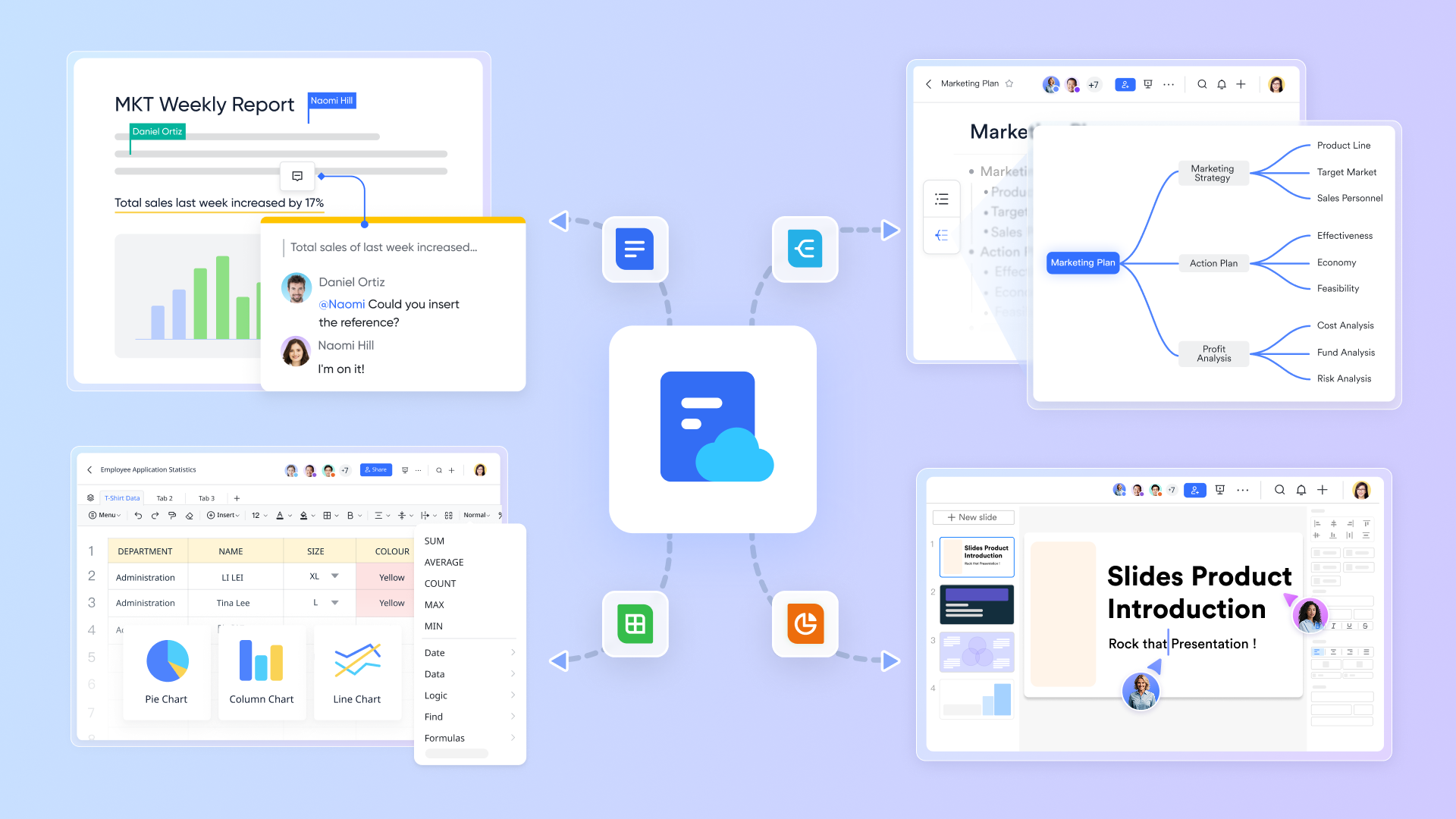
Lark Tasks: Turning ideas into execution
Mind map nodes can be converted directly into action items within Lark. Selected ideas become tasks synced to Lark Tasks, where owners, deadlines, priorities, and reminders are assigned. For larger initiatives, teams can extend this workflow into Lark Base, transforming into structured pipelines, roadmaps, or Gantt timelines. This bridges the common gap between idea generation and real project execution. 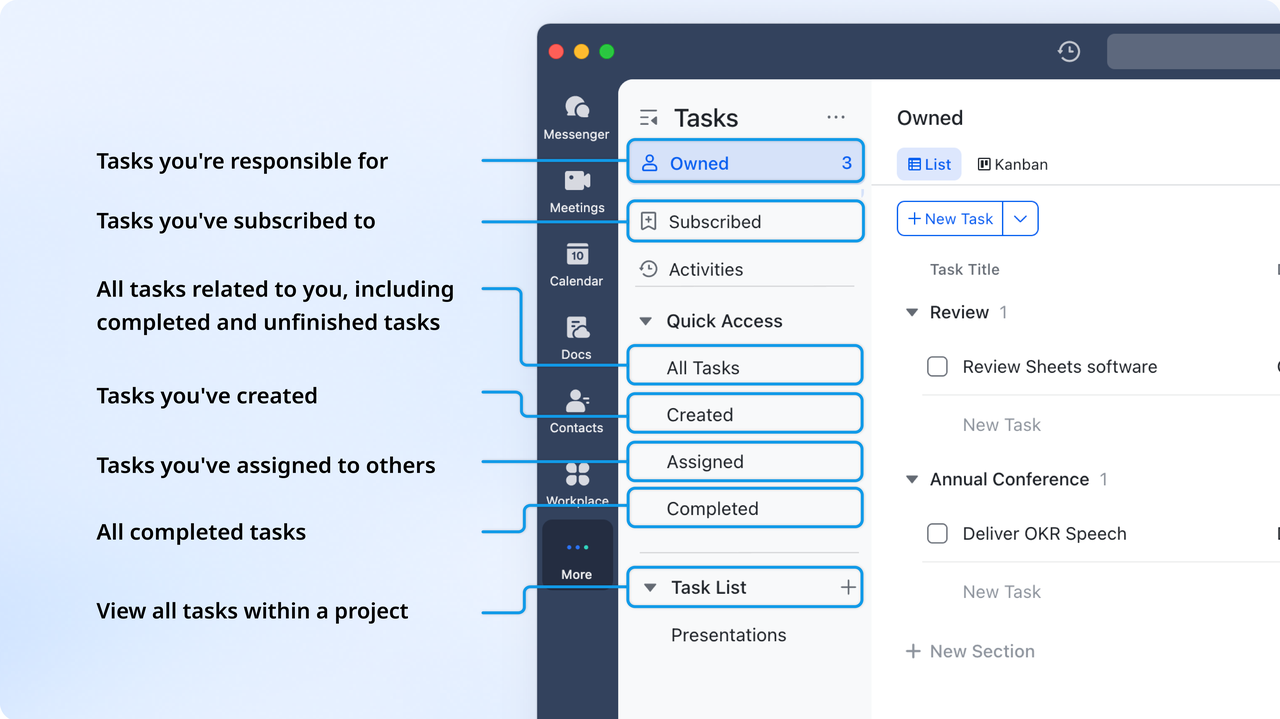
Lark Messenger, Meetings & Minutes: Discussion built around maps
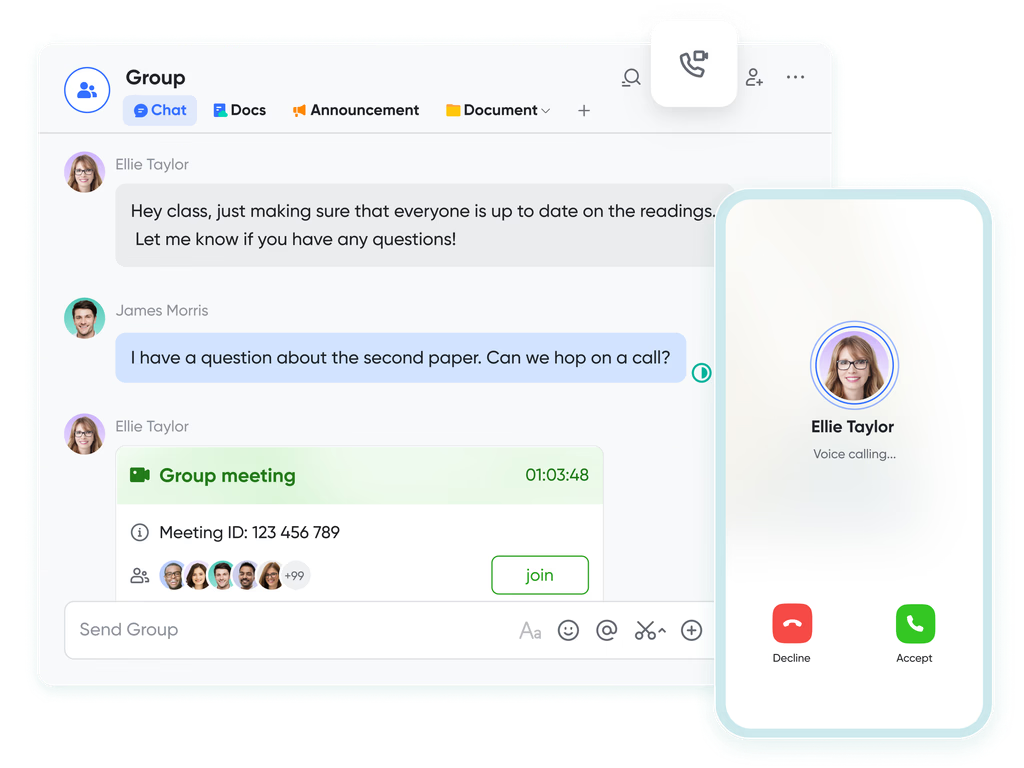
Mind maps in Lark are designed for live teamwork. Contributors can edit the same map simultaneously, leave comments on individual branches, and use to discuss ideas in parallel with the visual workspace. During planning calls, teams can open to co-edit maps live, while automatically records key decisions and action points linked to the active mind map.
:
- Starter plan: Free forever plan that includes 11 powerful tools for up to 20 users. It also comes with 100GB of storage, 1000 automation runs, AI translations, and more.
- Basic plan: $6/user/month (billed annually) for up to 500 users. It includes everything in Starter plus group calling for up to 500 attendees, 5TB of storage, 1000 automation runs, and more. For more details, please .
- Pro plan: $12/user/month (billed annually) for up to 500 users. It includes everything in Basic plus group calling for up to 500 attendees, 15TB of storage, 50,000 automation runs, and more.
- Enterprise plan: for custom pricing. Supports unlimited users and includes even more automation runs and advanced security, compliance, and management features.
For small teams with simple communication needs

18 months message history
1000 Base automation runs/month
2000 rows per table in Base
Most POPULAR
For companies with comprehensive collaboration and management needs
Unlimited message history
500-participant video meetings
50k Base automation runs/month
20k rows per table in Base
For large companies with advanced security and organizational management needs
Get a personalized demo and pricing
Unlimited message history
500-participant video meetings
15 TB storage + 30 GB storage/user
500k Base automation runs/month
50k Base automation runs/month
Most POPULAR
For companies with comprehensive collaboration and management needs
Unlimited message history
500-participant video meetings
50k Base automation runs/month
20k rows per table in Base
What makes a good mind map template?
A good mind map template provides a clear, intuitive structure that helps users organize ideas quickly without getting overwhelmed by formatting. At its core, it should feature a central node, well-spaced branches, and logical groupings that guide the flow of thought. Consistent —through colors, shapes, or line weights—helps users distinguish major themes from supporting details. Flexibility is equally important: a strong template allows room for expansion, rearrangement, and customization as ideas evolve.
A good template should also balance simplicity with depth, making it useful for both quick brainstorming and more detailed planning. Readability matters too—branches must remain clear even as the map grows. For digital templates, collaboration, , and clean export options enhance their practicality. Overall, a great mind map template supports clarity, encourages exploration, and adapts to different workflows without adding unnecessary complexity.
Conclusion
Mind map templates make it easier to turn scattered thoughts into structured ideas, whether you're brainstorming, , or mapping out strategies. In this guide, we explored the most common templates and how offers collaborative mind mapping features integrated directly into documents, boards, and workflows. It brings teams together around shared ideas and helps turn visual thinking into real progress.
Explore templates that help you brainstorm faster
FAQs
Can mind map templates automatically convert nodes into tasks?
Some digital tools let you turn branches into actionable tasks, making follow-up easier than with a static mind map template Word file. Lark supports this workflow by allowing teams to move from ideas to assignments within the same workspace. This helps maintain momentum without switching between multiple planning tools.
What are the best AI mind-mapping tools available today?
AI-enabled platforms can suggest branches, organize themes, or clean up visuals more intelligently than a traditional blank mind map template. Lark's AI features enhance by helping teams structure ideas quickly and refine maps in real time. These tools reduce manual effort while improving clarity during brainstorming.
Can collaborative mind mapping work asynchronously across time zones?
Yes—cloud-based platforms allow contributors to update shared maps without being online simultaneously, offering more flexibility than a static Miro mind map template. With Lark, teammates can leave comments, adjust branches, and track changes asynchronously. This keeps collaboration smooth for distributed teams.
Is mind mapping better than traditional list-based planning?
Mind maps provide a visual structure that helps people see relationships and patterns more clearly than text lists, similar to editing a mind map template in Google Docs. Lark enhances this by combining visual mapping, documentation, and communication tools in one place. This leads to more context-rich planning sessions.
Which industries benefit most from digital mind map platforms?
Fields such as product development, marketing, education, and operations all benefit from dynamic mind maps, especially when used with a flexible mind map template PowerPoint. Lark supports these industries by offering collaborative mapping, task conversion, and structured . This makes idea organization and execution more seamless across teams.
Related reading



















![What Is a 2-2-3 Work Schedule? Explanation and More [2026]](https://framerusercontent.com/images/uKHRfkp4v7y4azRNTYUmuteNQz8.png)








