Managing a manufacturing operation requires coordinating countless moving parts, from machines and materials to workforce and deadlines. For many, this complex coordination relies on fragmented tools like spreadsheets, whiteboards, and instinct. These methods often lead to reactive decision-making, hidden bottlenecks, and missed opportunities for optimization. A dedicated production scheduling software transforms this chaos into a coordinated, visible, and efficient process. This guide explores how this technology serves as the central nervous system for modern manufacturing, detailing its core functions, tangible benefits, and the path to selecting the right solution.
What is production scheduling software?
software is a digital platform designed to plan, sequence, and manage the flow of work on a manufacturing floor. It systematically translates orders into an , considering critical constraints like machine capacity, labor availability, and material inventory. This moves the planning function from a static, often outdated spreadsheet exercise to a dynamic, intelligent model of your factory's operations. At its heart, this software functions as a decision-support system. It not only creates a feasible schedule but also allows planners to simulate changes, manage disruptions in real time, and proactively align production with business priorities. Unlike a simple calendar, a true production scheduling system understands interdependencies and limits, ensuring that every plan it generates is grounded in the actual capabilities and constraints of the shop floor.
Benefits of production scheduling software
Implementing a robust scheduling solution delivers measurable improvements across operational, financial, and strategic dimensions.
- Achieving complete operational visibility: The software consolidates all planning data into a single, visual source of truth, typically an interactive . This eliminates information silos and gives management a real-time overview of the entire production timeline. With this transparency, potential delays become visible in advance, allowing teams to address issues before they impact delivery, transforming management from a reactive to a proactive discipline.
- Driving significant efficiency gains: By optimizing the sequence of jobs, the software maximizes asset utilization and minimizes non-productive time like machine changeovers. It synchronizes the arrival of materials and the assignment of labor with the production schedule, drastically reducing wait times and work-in-progress inventory. These cumulative efficiencies directly increase throughput and reduce operational costs, allowing the business to accomplish more with existing resources.
- Enhancing customer satisfaction and agility: Reliable, capacity-aware scheduling leads to dramatically improved on-time delivery performance. When urgent orders arise, planners can use "what-if" simulation tools to instantly assess the impact of inserting new work and make informed promises to customers. This capability to adapt quickly to changing priorities without sacrificing overall schedule integrity is a key competitive advantage.
See these benefits in action with a unified platform
Top 8 production scheduling software in 2026
Navigating the sea of available tools can be overwhelming. To simplify your search, here is a curated list of eight noteworthy production scheduling software solutions for 2026, each with distinct strengths catering to different business needs, from unified collaboration to deep manufacturing execution.
1. Lark: An all-in-one suite unifying scheduling with collaboration
Lark redefines production scheduling software by embedding powerful, no-code directly into a unified workspace. Unlike standalone systems, it combines scheduling, communication, document creation, and data management into one seamless ecosystem. This allows teams to discuss a production plan in chat, update tasks in a connected database, and see changes reflected on a shared Gantt chart in real time without switching contexts. This cohesive design fundamentally , making it a top choice for businesses prioritizing efficiency and team synergy.
Pros
Transforming static plans into dynamic blueprints for team execution.
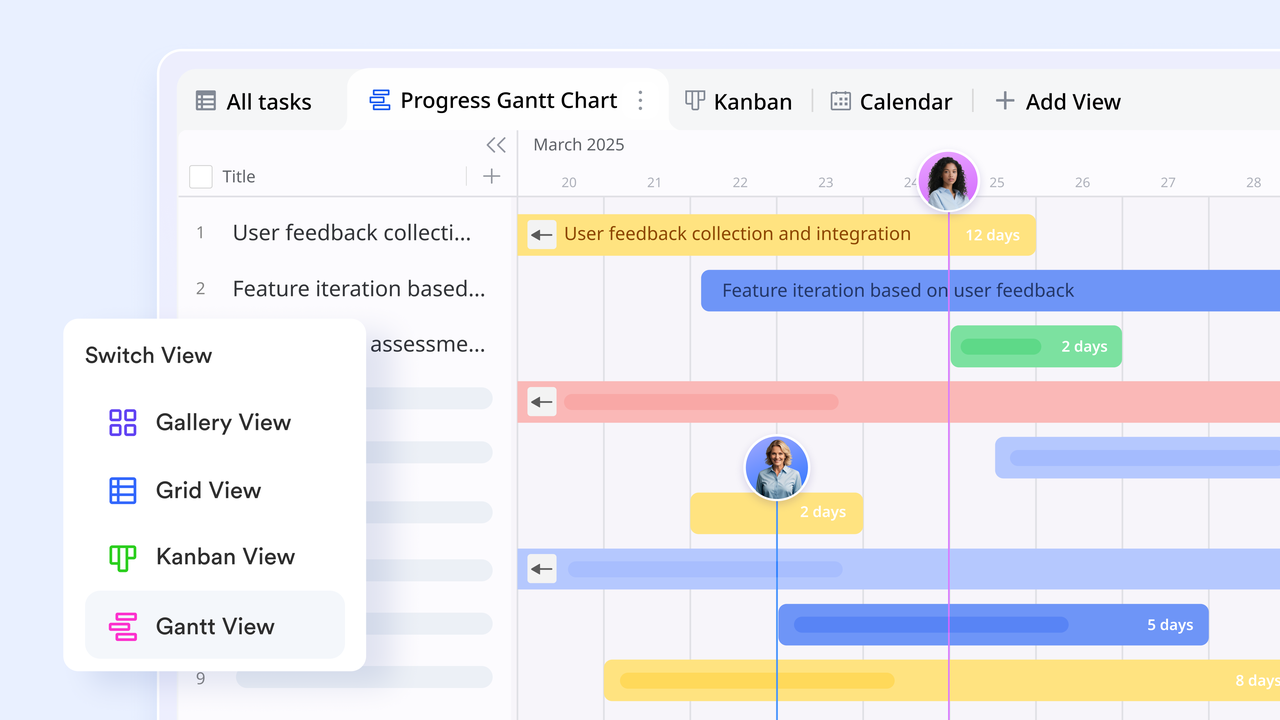
Traditional Gantt chart tools are often exclusive to planners, with updates that are slow and hard to share. The Gantt chart view in turns the master production schedule into a dynamic blueprint that everyone can access and collaborate on in real time. When a planner drags a task bar on the timeline to adjust the schedule, all relevant team members see the change instantly. Shop floor supervisors can comment directly on tasks within this live view to flag resource conflicts or technical questions, and planners receive feedback immediately for adjustments. This model of placing the plan at the center of collaboration ensures consistency from , turning the Gantt chart from a "reporting tool" into a "collaborative action map."
Automating follow-up actions triggered by schedule changes.
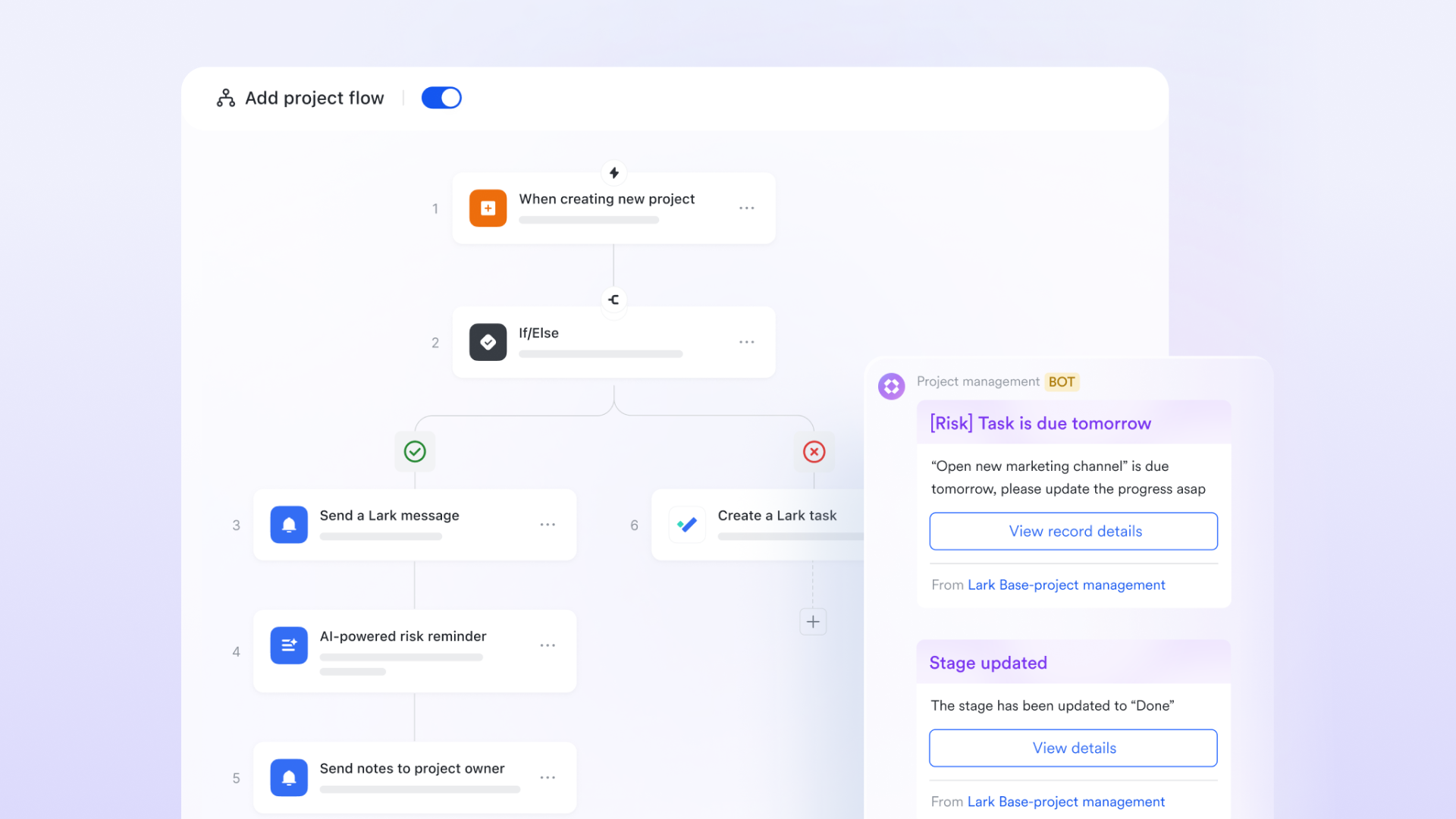
In production scheduling, every change requires a chain of follow-up actions. Manual notifications are prone to errors and omissions. The automation feature in solves this. You can set rules so that when a field like "Scheduled Start Date" changes for a work order in the Gantt chart, a predefined workflow runs automatically. For example, it can send an alert via to the material handler and update the required date on the material preparation board. Or, when a task is marked "Complete," it can notify the quality inspection team and create a check task. This trigger-and-action automation ensures every schedule adjustment accurately drives all downstream preparations, greatly improving plan reliability and execution speed.
Providing real-time dashboards to monitor production health.
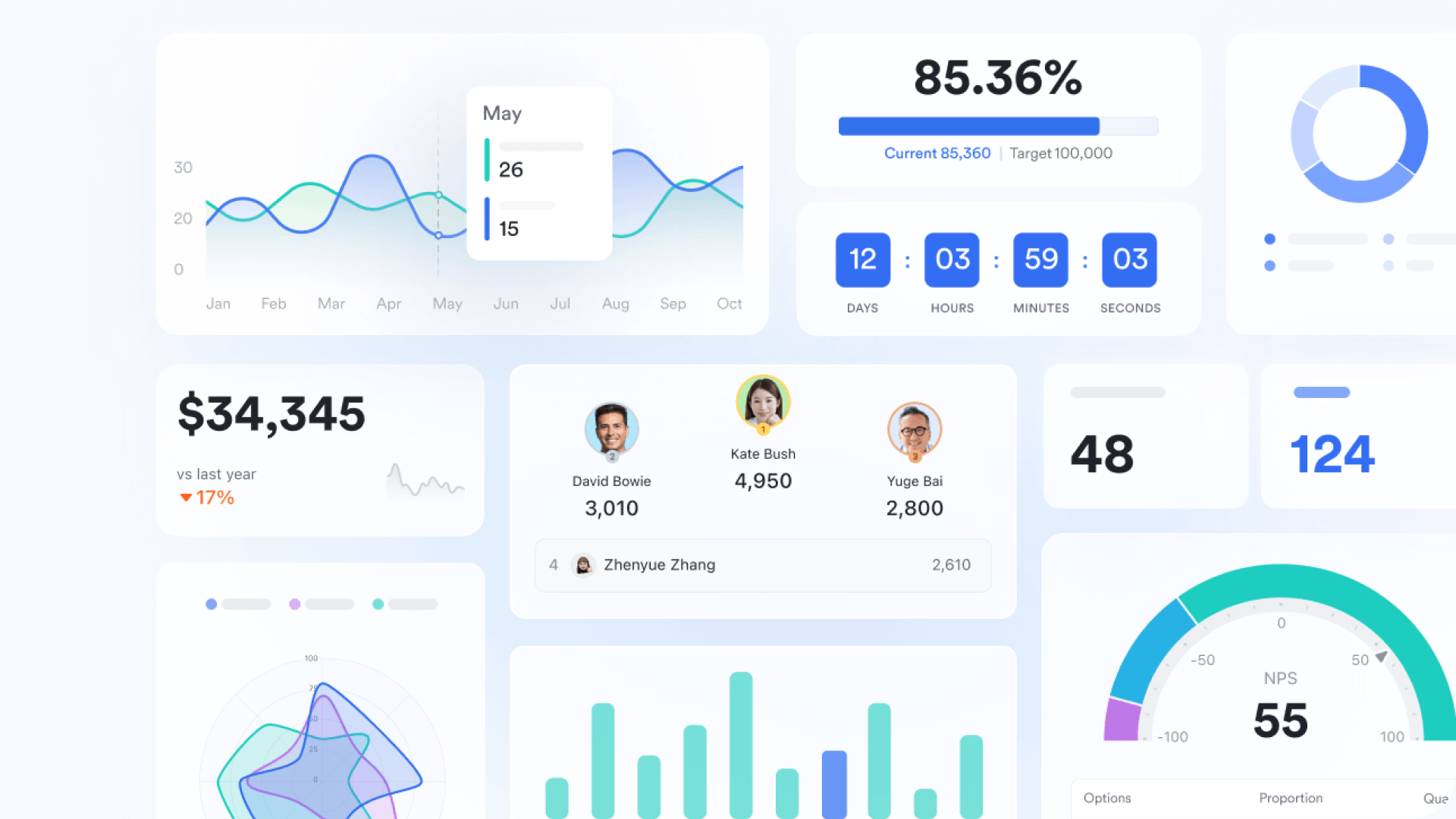
Production scheduling is not just about planning; it requires real-time monitoring of execution status. The customizable dashboards in let you unify key data from the Base—like schedule adherence, task delays, and resource load rates—with data such as hours logged and quality pass rates, into a unified visual management panel. Managers can grasp the overall production pace and identify bottleneck processes at a glance, without constant inquiries. The dashboard data syncs in real time with the underlying schedule, providing a single source of truth for daily production meetings and helping managers shift from "experience-driven" intervention to "data-driven" decision-making.
Embedding sequential approvals into workflows to speed up critical decisions.
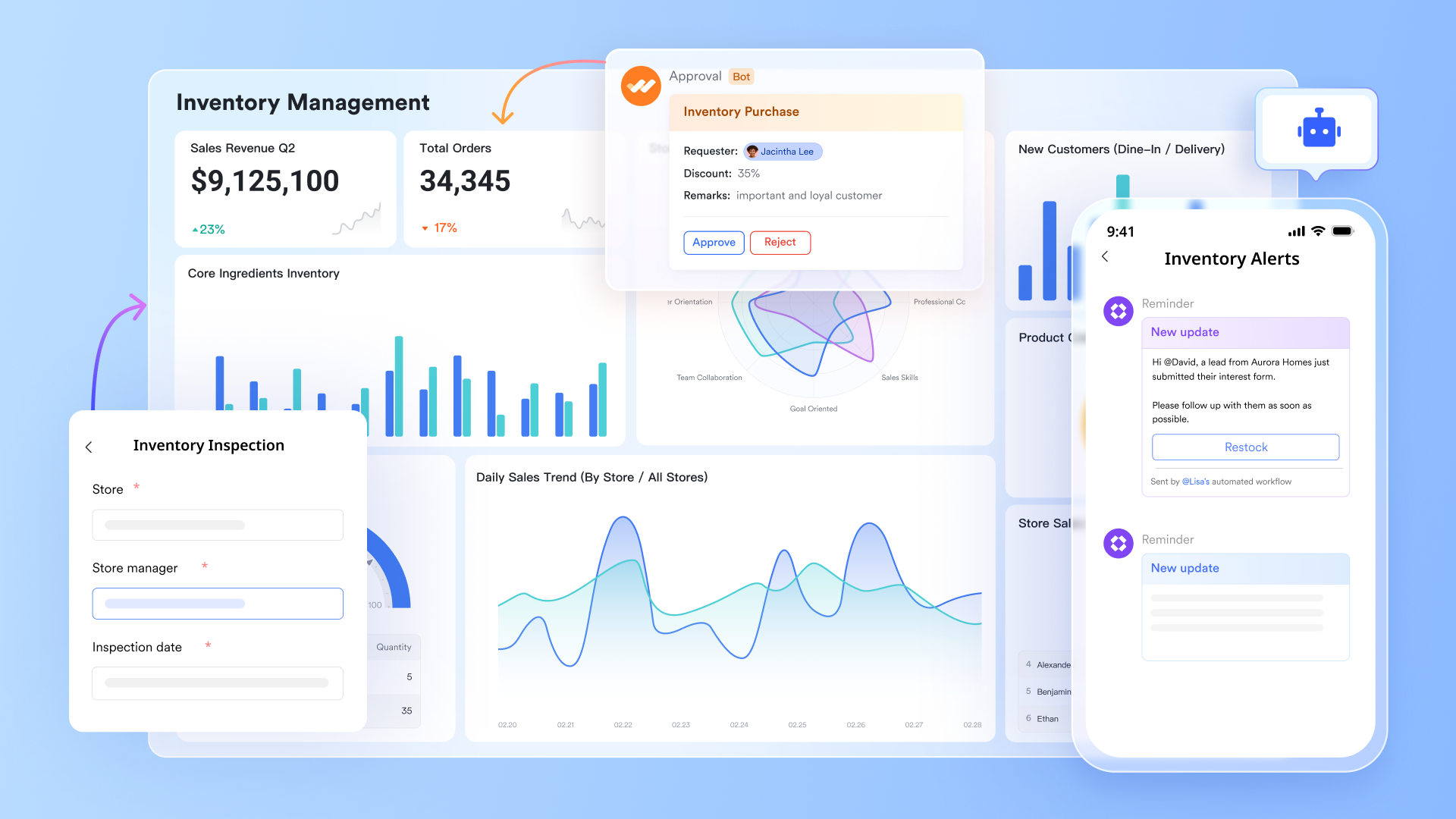
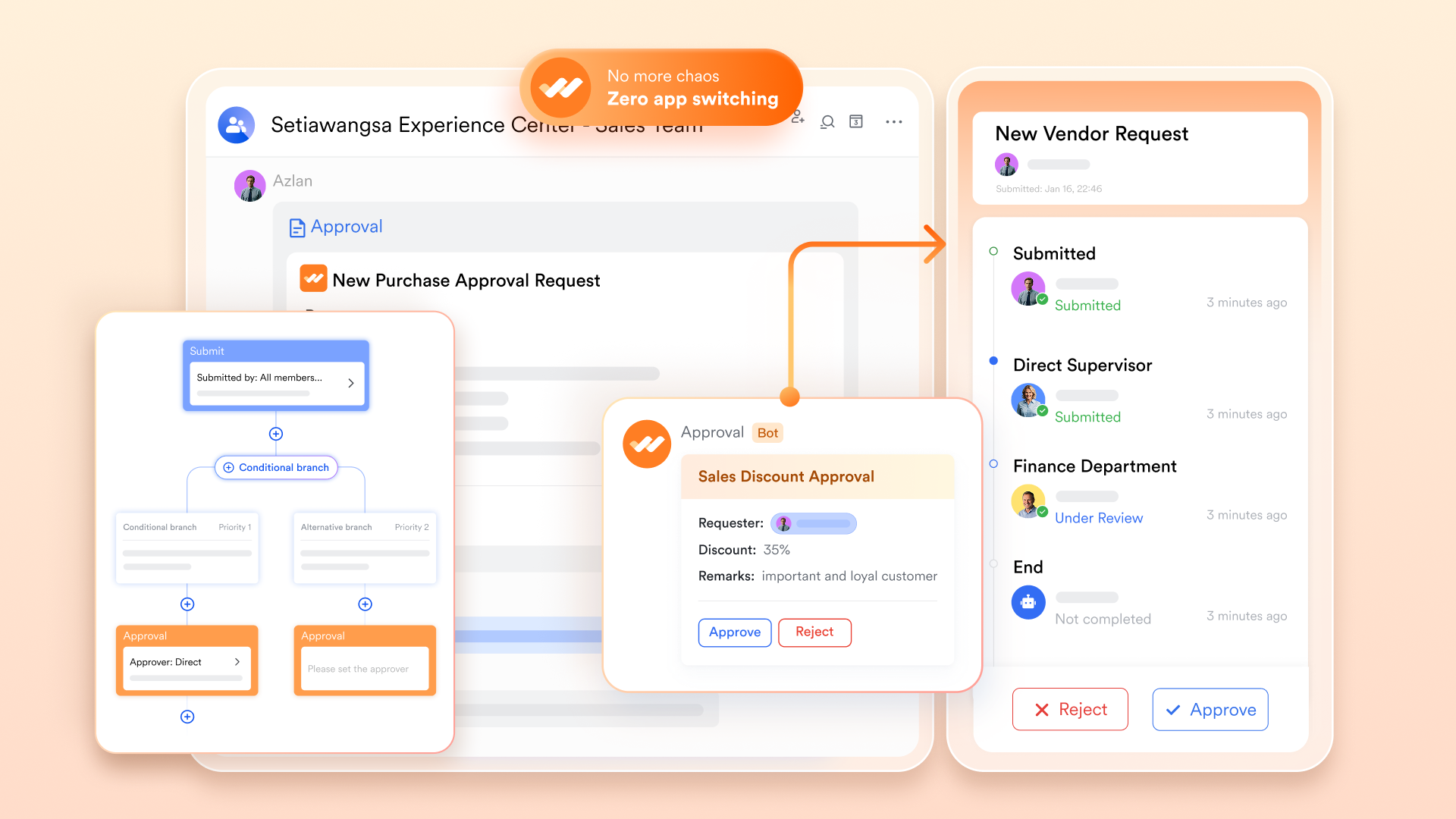
Urgent tasks in production scheduling—like rush orders, process changes, or material overuse requests—require quick approvals. Traditional offline approval processes are slow. structures and digitizes these critical decision points. For example, when initiating an "Order Insertion Request" from the scheduling board, you can link a preset approval flow. The system automatically routes the request to the production manager, material control, and sales lead in sequence. Approvers can handle it directly in , approving or rejecting with one click and adding comments. The entire process is transparent to the requester and automatically links back to the original work order. This eliminates waiting time for paper signatures or email rounds, making the scheduling system agile enough to respond to sudden demands.
Cons
- It may take some time to adapt, but helps a lot.
Why does it make the list
is listed for its unique paradigm of connected work. It addresses the modern pain point of tool fragmentation by placing the production schedule at the center of daily communication and documentation, fostering unprecedented alignment and agility.
Best for
Teams and manufacturing operations value deep collaboration, especially remote or distributed teams, and businesses looking to break down silos between planning, floor management, and support functions.
- Starter plan: Free forever plan that includes 11 powerful tools for up to 20 users. It also comes with 100GB of storage, 1000 automation runs, AI translations, and more.
- Basic plan: $6/user/month (billed annually) for up to 500 users. It includes everything in Starter plus group calling for up to 500 attendees, 5TB of storage, 1000 automation runs, and more. For more details, please .
- Pro plan: $12/user/month (billed annually) for up to 500 users. It includes everything in Basic plus group calling for up to 500 attendees, 15TB of storage, 50,000 automation runs, and more.
- Enterprise plan: for custom pricing. Supports unlimited users and includes even more automation runs and advanced security, compliance, and management features.
For small teams with simple communication needs

18 months message history
1000 Base automation runs/month
2000 rows per table in Base
Most POPULAR
For companies with comprehensive collaboration and management needs
Unlimited message history
500-participant video meetings
50k Base automation runs/month
20k rows per table in Base
For large companies with advanced security and organizational management needs
Get a personalized demo and pricing
Unlimited message history
500-participant video meetings
15 TB storage + 30 GB storage/user
500k Base automation runs/month
50k Base automation runs/month
Most POPULAR
For companies with comprehensive collaboration and management needs
Unlimited message history
500-participant video meetings
50k Base automation runs/month
20k rows per table in Base
2. Monday.com: A visual and customizable work operating system
Monday.com operates as a highly visual and flexible "Work OS". It simplifies production scheduling software through customizable, spreadsheet-like boards that can adapt to nearly any workflow, from simple task tracking to complex production timelines. Its strength lies in providing a clear, high-level overview of project performance and team capacity through colorful and intuitive interfaces.
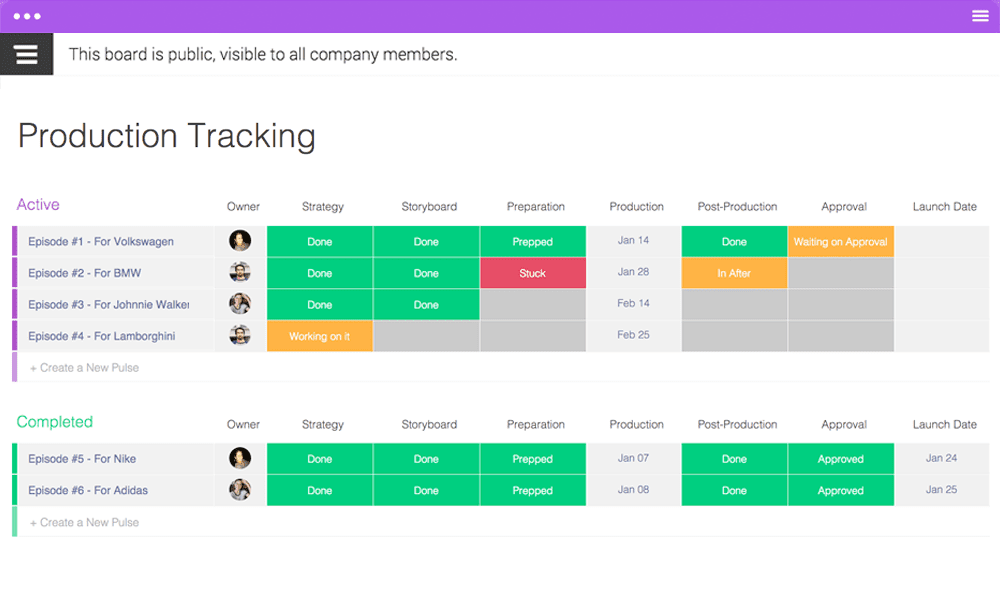
Image source: monday.com
Pros
- High customizability: Workflows, dashboards, and fields can be tailored extensively to match unique processes.
- Excellent visualization: Supports multiple views, including Gantt, Kanban, and a calendar for schedule tracking.
- Strong automation: Reduces manual work with customizable automation rules.
- User-friendly: Known for a clean interface that is relatively easy to onboard.
Cons
- Advanced features and automation are gated behind higher-tier plans.
- It can become costly for larger teams needing extensive functionality.
- May require setup effort to model complex manufacturing dependencies effectively.
Why does it make the list
It makes the list for its exceptional balance of power and usability. Monday.com democratizes production scheduling software with a low-learning-curve, visually engaging platform that can scale from basic to advanced use cases.
Best for
Teams that prioritize visual project tracking and need a dynamic, adaptable platform to manage diverse workflows, including marketing, operations, and light-to-medium manufacturing scheduling.
Pricing
- Free: $0, free forever, up to 2 seats.
- Standard: $12 seat/month.
- Enterprise: Custom pricing.
3. Wrike: A robust platform for complex project planning and control
Wrike is a robust work management platform designed for handling complex projects and cross-functional team coordination. It provides enterprise-grade tools for planning, scheduling, and real-time collaboration, making it a strong contender for complex production planning and scheduling software needs.
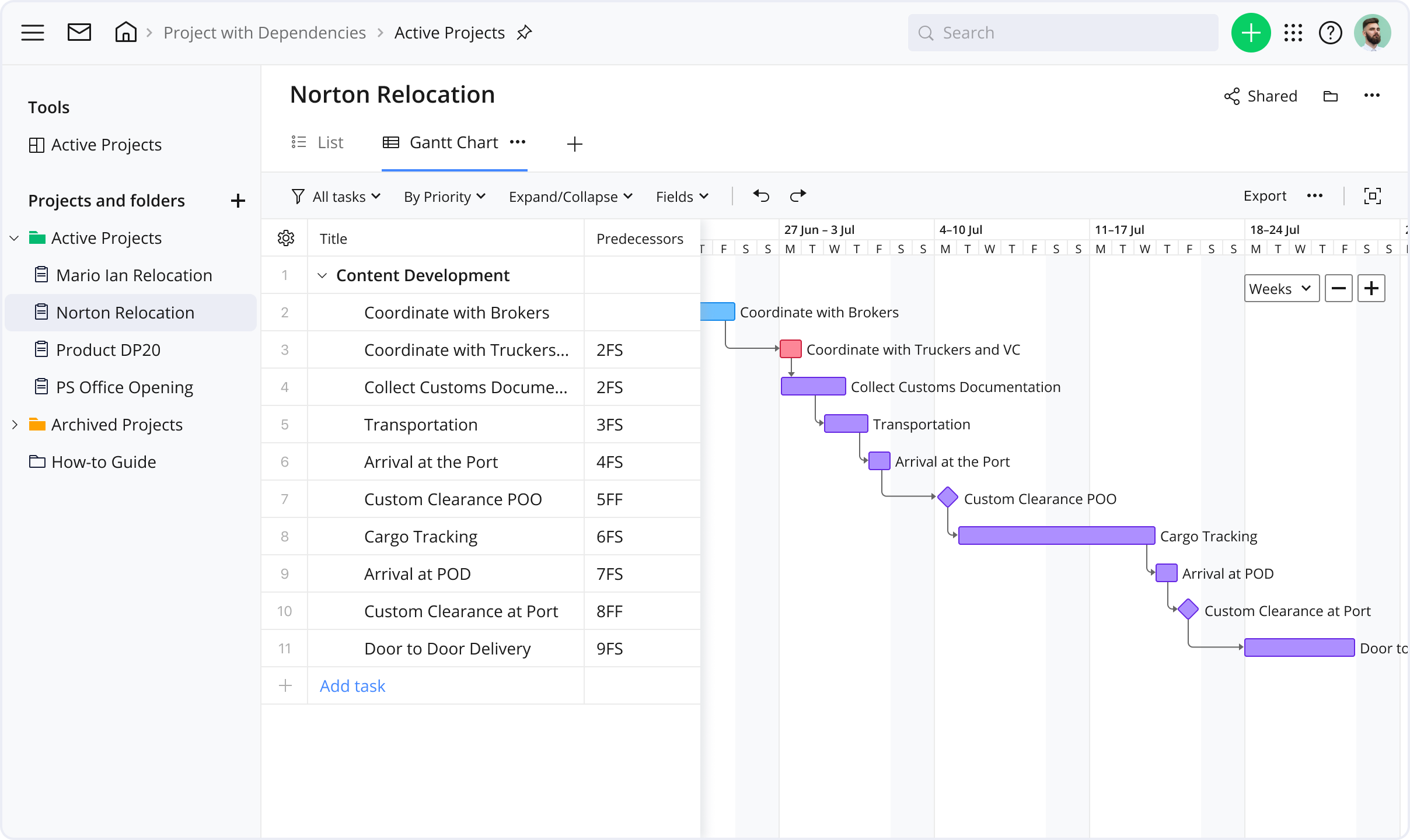
Image source: wrike.com
Pros
- Advanced planning features: Offers detailed Gantt charts, resource scheduling, and critical path analysis.
- Custom workflows & request forms: Excellent for standardizing intake and approval processes for production work orders.
- Real-time collaboration: Features like live editing, @mentions, and dynamic reports keep teams aligned.
- Scalability: Suited for both mid-size companies and large enterprises.
Cons
- The extensive feature set can create a steeper learning curve for new users.
- The interface, while powerful, may feel less modern or intuitive than some competitors.
- Pricing can be high for smaller teams needing full functionality.
Why does it make the list
Wrike earns its place due to its strong focus on structured planning and control. It is ideal for organizations with complex, multi-layered projects that require rigorous timeline management, dependency tracking, and comprehensive reporting.
Best for
Medium to large businesses, professional services teams, and manufacturing operations with intricate projects that require detailed scheduling, strong governance, and cross-departmental collaboration.
Pricing
- Business: $25 user/month.
- Pinnacle: Custom pricing.
4. NetSuite: A full-scale cloud ERP with built-in production management
NetSuite provides a comprehensive, cloud-based Enterprise Resource Planning (ERP) suite with built-in production management software capabilities. Its scheduling functionality is part of an end-to-end system that connects sales orders, work orders, procurement, and financials in real time.
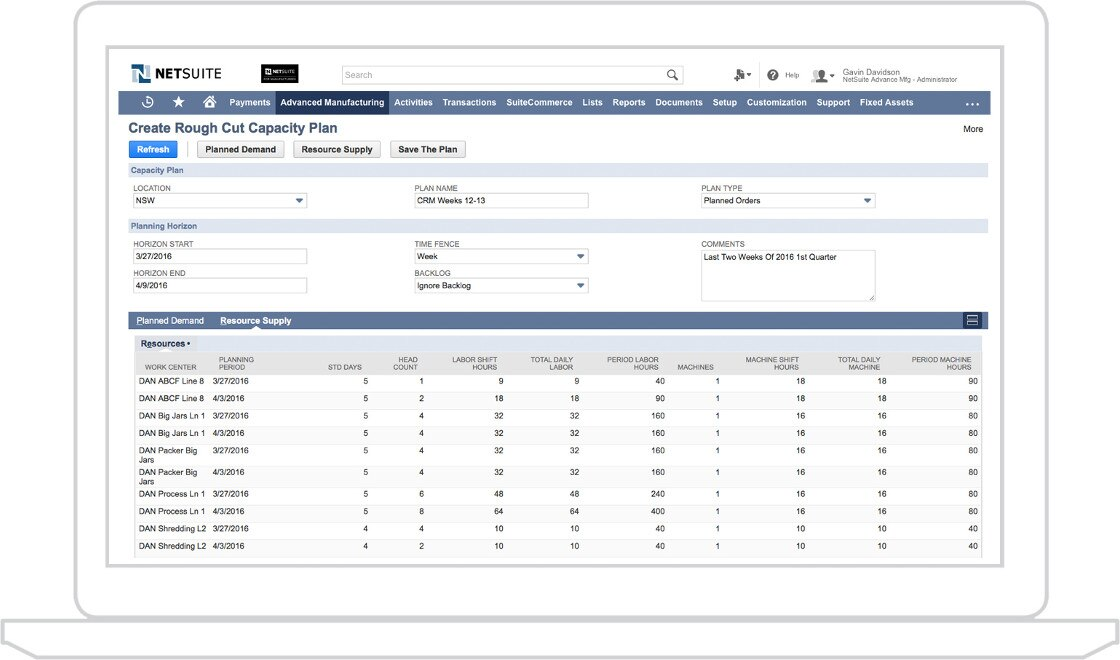
Image source: netsuite.com
Pros
- Single unified system: Eliminates data silos by having scheduling, inventory, and accounting on one platform.
- Real-time visibility: Offers a live view of every step in the production process for better decision-making.
- Global capacity management: Can schedule and manage manufacturing operations across different locations.
- Built-in quality & MES features: Includes tools for quality assurance and manufacturing execution.
Cons
- As a full ERP, implementation is complex, time-consuming, and expensive.
- Overkill for small businesses that only need a scheduling module.
- Requires significant internal administrative expertise or partner support.
Why does it make the list
NetSuite is listed as the definitive manufacturing ERP with a scheduling solution. It is unmatched for businesses seeking a fully integrated system where the production schedule automatically drives and is informed by inventory, procurement, and financial data.
Best for
Growing and established manufacturing businesses need a single, scalable system to manage their entire operation globally and are ready to invest in a full ERP implementation.
Pricing
- NetSuite Starter Edition: $20,000–$65,000.
- NetSuite Emerging Edition: $35,000–$85,000.
- Business: $25 user/month.
- Pinnacle: Custom pricing.
5. Odoo: An open-source, modular business application suite
Odoo is an open-source, modular suite of business applications. Its manufacturing scheduling software module is part of a vast ecosystem that includes inventory, sales, CRM, and accounting. Companies can start with the scheduling app and integrate others as needed.
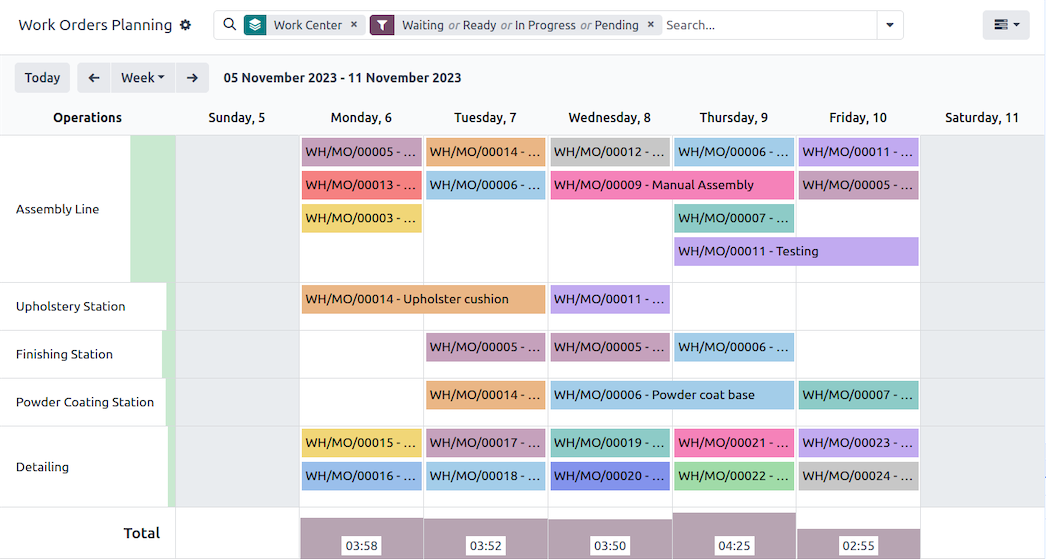
Image source: odoo.com
Pros
- Modular & cost-effective: Pay only for the apps you need. The open-source core is free.
- High flexibility: Can be heavily customized to fit specific business processes.
- Integrated ecosystem: Seamless data flow between manufacturing, inventory, and other business functions.
- Modern interface: Features a clean, user-friendly UI and a shop floor control panel for tablets.
Cons
- Customization, while a strength, can lead to complex and costly implementations.
- Reliance on the community or paid partners for support and advanced customizations.
- The quality of some third-party community modules can be inconsistent.
Why does it make the list
Odoo is listed for its exceptional flexibility and value. It is a powerful alternative for companies that want an integrated system beyond basic scheduling but wish to avoid the high cost and rigidity of traditional ERP vendors.
Best for
Small to midsize businesses, tech-savvy teams, or companies with unique processes that benefit from a modular, customizable, and cost-effective integrated system.
Pricing
- Standard: $13.5 user/month.
- Custom: $20.4 user/month.
6. Connecteam: An intuitive operations hub for deskless workforces
Connecteam is an all-in-one operations hub designed specifically for managing deskless and hourly workforces. While not a traditional Gantt-based scheduler, it provides essential tools for daily production scheduling software needs like shift planning, task management, and real-time communication.
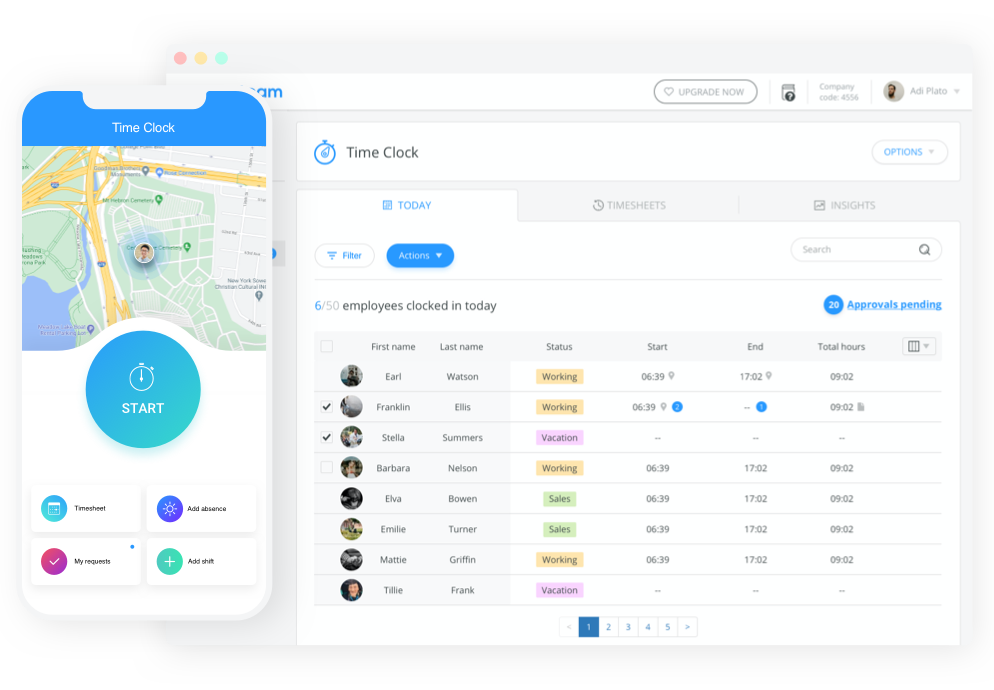
Image source: connecteam.com
Pros
- Deskless workforce focus: Excellent mobile app for employees on the shop floor.
- Simple shift & task scheduling: Easy-to-use tools for assigning daily jobs and shifts.
- Integrated communication: Built-in chat, updates, and directories keep the frontline connected.
- Checklists & forms: Digitalizes SOPs, inspections, and reports, linking them to tasks.
Cons
- Lacks advanced features for long-term, complex production planning with dependencies.
- Not a substitute for material requirements planning (MRP) or detailed capacity planning.
- Best suited for daily operational coordination rather than strategic scheduling.
Why does it make the list
It makes the list by filling a critical niche: connecting the production schedule to the frontline workers who execute it. It bridges the gap between the planning office and the shop floor in an intuitive, mobile-first way.
Best for
Manufacturing, construction, and service businesses with large deskless teams that need to assign daily tasks, communicate quickly, and ensure procedures are followed on the ground.
Pricing
- Advanced: $49 user/month.
- Enterprise: Custom pricing.
7. Fishbowl: A manufacturing and warehouse-focused inventory management system
Fishbowl is a manufacturing and inventory management software popular among small and midsize manufacturers, particularly those using QuickBooks. It provides robust tools for tracking inventory, managing work orders, and scheduling production based on material availability.
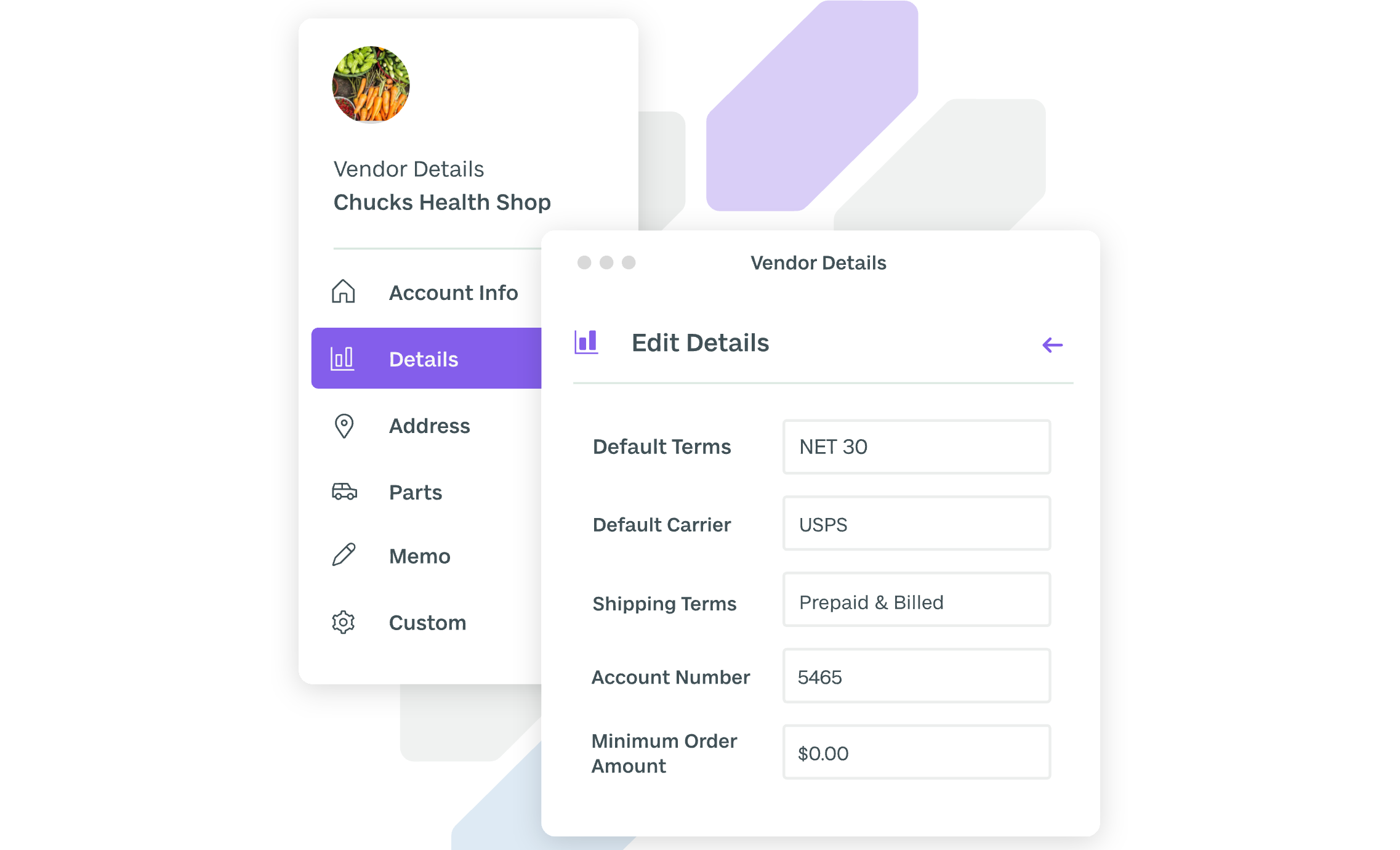
Image source: fishbowl.com
Pros
- Deep inventory & manufacturing control: Strong support for Bills of Materials (BOMs), work orders, and detailed tracking.
- Tight QuickBooks integration: A key selling point that keeps financial and inventory data synchronized.
- On-premise option: Available as a desktop solution for businesses preferring local installation.
- Customizable workflows: Can be configured to match established processes.
Cons
- Steep Learning Curve: The interface is often cited as complex and dated, requiring training.
- High Setup & Maintenance: Implementation demands planning and ongoing internal expertise.
- Limited Collaboration: Focuses on operations rather than built-in team communication tools.
Why does it make the list
Fishbowl is listed for its dedicated focus on the needs of SMB manufacturers. It offers a depth of control over inventory and production that generic project management tools lack, making it a classic production scheduling system for physical goods manufacturing.
Best for
Small to midsize manufacturing and distribution companies, especially those already using QuickBooks and needing powerful inventory-centric production scheduling.
Pricing
- Essentials: $229 user/month.
- Growth: $429 user/month.
- Advanced: Custom pricing.
8. ERPAG: A cloud-based ERP designed for small to midsize manufacturers
ERPAG is a cloud-based ERP and production scheduling software built specifically for small and growing manufacturers, distributors, and e-commerce businesses. It bundles essential features like order management, inventory control, purchasing, and production scheduling into an integrated package.
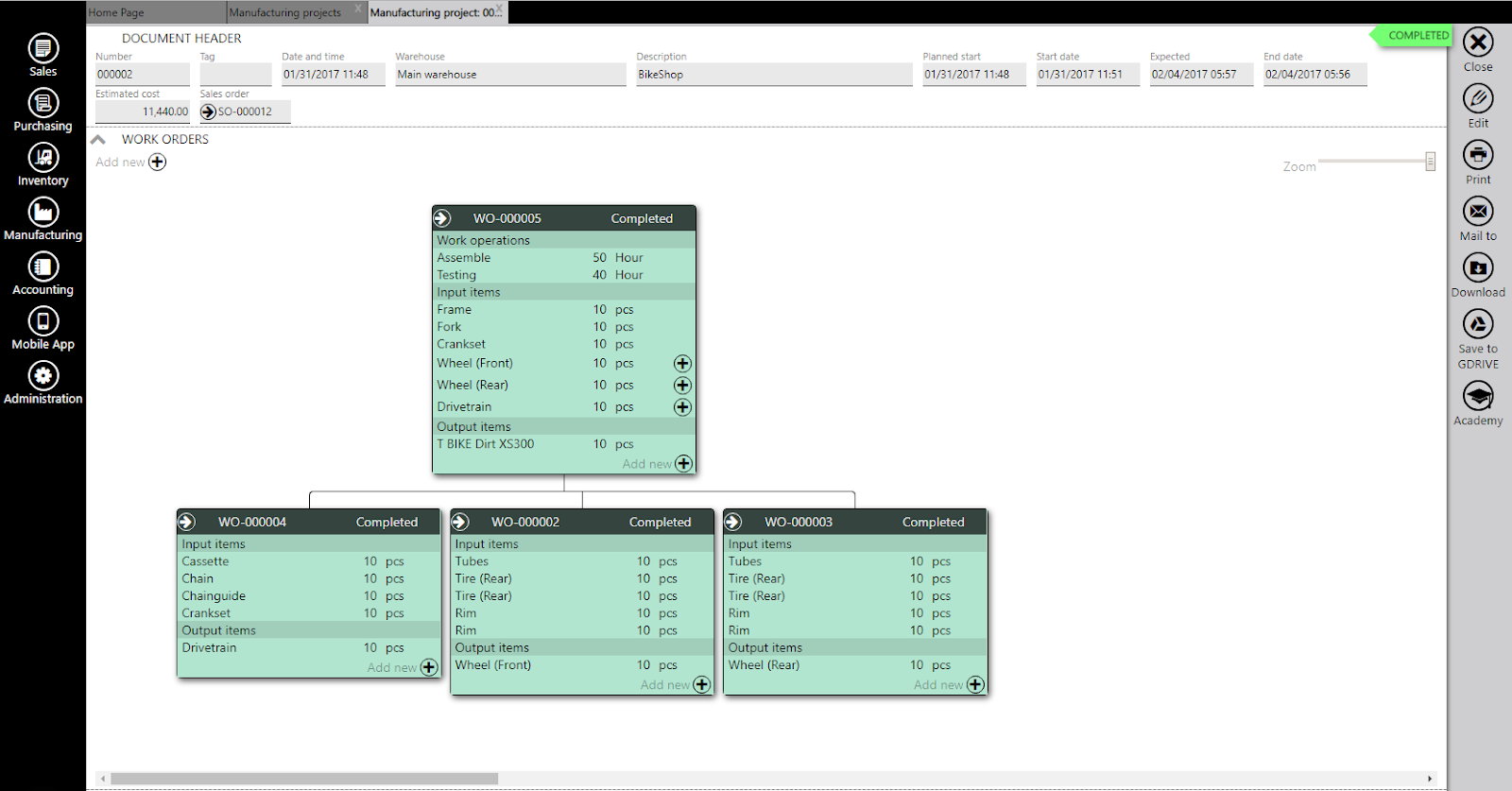
Image source: erpag.com
Pros
- All-in-one for SMBs: Combines ERP, MRP, and scheduling in one affordable platform.
- E-commerce focus: Strong native integrations with platforms like Shopify, WooCommerce, and Amazon.
- User-friendly design: Aims to simplify complex manufacturing concepts with an intuitive interface.
- Automatic features: Automatically generates purchase suggestions and work orders from sales.
Cons
- Customization options are more limited compared to open-source or high-end systems.
- May not scale as seamlessly for very large or complex multinational operations.
- Brand recognition and ecosystem are smaller than those of major players.
Why does it make the list
ERPAG makes the list as a purpose-built, cost-effective production scheduling and planning software solution for small businesses. It allows a startup or small shop to operate with an integrated business system without the traditional ERP complexity and cost.
Best for
Small manufacturers, make-to-order shops, and wholesalers who need an integrated system to manage their entire operation from quote to cash without a massive implementation.
Pricing
- Professional: $99 user/month.
- Advanced: $199 user/month.
Must-have features of production scheduling software
Selecting the right tool requires knowing what to look for under the hood. Beyond a simple calendar view, a capable production scheduling software should offer a suite of features designed to handle the complexity and dynamism of a real shop floor.
- Visual, interactive scheduling: The interface must provide a clear, drag-and-drop Gantt chart view. This allows planners to quickly resequence jobs and see the entire timeline, turning complex adjustments into simple visual operations.
- Real-time capacity and : The software must model your true capacity—factoring in machines, skilled labour, and materials. It schedules within these hard limits to create feasible plans and prevent unrealistic overallocation.
- "What-If" scenario analysis: This critical feature allows you to create copies of your live schedule to test the impact of disruptions or new orders. It enables proactive, data-driven decision-making without risk to current operations.
- Comprehensive : The software should transform data into actionable insights. Customizable dashboards and reports on metrics like on-time delivery and resource utilisation are essential for tracking performance and guiding improvement.
Find all these features in one connected workspace
Core capabilities of production scheduling software
While features are the "what," capabilities are the "so what"—the tangible operational improvements they enable. A best-in-class production scheduling system delivers on several critical fronts.
- Enabling proactive versus reactive management: This is the core paradigm shift. With a live schedule tied to real-time data, problems like material shortages or bottlenecks become visible in advance. This allows you to prevent issues rather than react to emergencies.
- Optimising and reducing waste: The software maximises the use of machines and labour by minimising changeovers and balancing workloads. By synchronising material flow with production, it also drastically cuts down on costly work-in-progress (WIP) inventory.
- Enhancing supply chain coordination and agility: A reliable, accurate schedule strengthens your entire supply chain. It allows precise communication with suppliers and customers. When changes occur, you can swiftly analyse options and update partners, building resilience and trust.
How to choose your production scheduling software
With a clear understanding of the features and capabilities, follow this actionable framework to evaluate and select the solution that fits your business.
- Audit your process and pain points: Start internally. Document where your current process fails—is it constant rush orders, material delays, or machine downtime? Quantifying these pains creates your custom checklist for what the new software must solve.
- Define requirements and integrations: Translate your audit into a clear list. Categorise features as "Must-Have" and "Nice-to-Have." Crucially, list every system (ERP, MES, etc.) the new software must connect with, as integration capability is often a deciding factor.
- Evaluate usability and total cost: Consider the deployment model (Cloud vs. ) and prioritize user-friendly interfaces for planners and floor staff. Look beyond the subscription price to the ), including implementation, training, and ongoing support.
- Plan for implementation and adoption: The best software fails without proper rollout. Choose a vendor with strong implementation support and references. Develop an internal change management and training plan to ensure your team adopts the new tool and processes effectively.
Conclusion
Modern manufacturing demands more than a digital replica of a spreadsheet. It requires intelligent, adaptive, and unified production scheduling software that provides clarity, control, and collaborative power. The right solution transforms your production schedule from a static document into the dynamic, beating heart of your operations, driving efficiency, agility, and growth.
When you are ready to move beyond a standalone scheduler to a platform that connects your plan directly to your team's communication and execution, provides the unified workspace to make it happen. Begin by assessing your current process with the steps above, and discover how a connected approach can streamline your path to operational excellence.
Start transforming your production schedule today.
FAQs
What is the main difference between production scheduling software and a basic calendar or spreadsheet?
The core difference is intelligence and integration. While spreadsheets are static and manual, dedicated production scheduling software acts as a dynamic, intelligent model of your factory. It automatically accounts for real-world constraints like machine capacity and material availability, updates in real-time with changes, and often integrates directly with your other business systems (ERP, MES) for accurate data.
What are the most critical features to look for?
Focus on features that provide control and adaptability: a visual, drag-and-drop Gantt chart for easy adjustments; true capacity and constraint management to ensure realistic plans; "what-if" scenario analysis for proactive decision-making; and robust integration APIs to connect with your existing tools. Solutions that combine these, like Lark, add a crucial layer by connecting the schedule to instant messaging and approval workflows, turning planning into a collaborative, actionable process.
Is this software difficult to implement for a small team?
Implementation complexity varies. Traditional standalone systems can require significant setup and training. However, modern, cloud-based solutions designed with user experience in mind have lowered this barrier. The key is choosing a tool that matches your process complexity. For many teams, an integrated work platform like Lark can be an efficient starting point, as it combines essential scheduling views with ready-to-use communication and task management, reducing the need to manage multiple disjointed applications.
How quickly can we expect a return on investment (ROI)?
ROI timeline depends on your starting point, but typically manifests within the first few operational cycles. Quick wins come from reduced scheduling time, fewer last-minute rush orders, and lower overtime costs. Long-term, significant value is realized through higher on-time delivery rates, optimized inventory, and increased throughput. By using a unified platform like Lark, teams often accelerate ROI by also eliminating costs and productivity losses associated with switching between separate scheduling, chat, and document apps.
Related reading
































