














A Complete Guide to Project Management Software with Client Portal

Matthew Sia
Product Marketing Manager
Sep 18, 2026
Matthew Sia
Sep 18, 2026

30 min read


The endless chain of emails, the hunt for the latest file, the constant client check-ins—these familiar frustrations lead to project delays and a chaotic client experience. The solution is a strategic upgrade to project management software with client portal. This technology moves your team and clients out of scattered inboxes and into a single, secure hub for all project-related communication, files, and progress tracking.
By centralizing everything, you not only unlock new levels of efficiency but also deliver a professional, transparent experience that turns clients into true partners. To help you find the right platform for your needs, here are the 12 best project management software with a client portal for you to view quickly:
1. Lark: The truly unified workspace for client collaboration
2. Wrike: The powerful platform for complex projects
3. Teamwork.com: The balanced solution for client service businesses
4. Motion.io: The streamlined portal for client-facing services
5. Dock: The dedicated client collaboration platform
6. ClickUp: The hyper-customizable "everything" platform
7. Zoho Projects: The integrated choice for the Zoho ecosystem
8. Asana: The leader in user-friendly task management
9. Notion: The modular workspace for building your own portal
10. Monday.com: The visual and customizable work OS
11. Celoxis: The enterprise-grade portfolio management tool
12. Smartsheet: The powerful platform on a spreadsheet foundation

What is a client portal in project management?
At its core, a project management client portal is a secure, private, and centralized online hub created for a client. It is a feature within a larger project management system that grants clients access to specific information related to their projects. Think of it as a dedicated digital project room, accessible 24/7, where all important documents, conversations, timelines, and deliverables are neatly organized.
This concept breaks down into two distinct but connected parts:
1. The project management backend: This is the team's workspace. It's where project managers assign tasks, team members collaborate on deliverables, and all the internal work happens. It's the engine room of the project.
2. The client-facing portal: This is the curated, client-friendly window into the project that creates a dedicated client project portal. The project team controls exactly what the client sees, ensuring the information is relevant, easy to understand, and not overwhelming. Clients can log in to see progress, review files, leave feedback, and communicate with the team, all within a branded and professional environment.
So, what is client portal software for consultants and other service businesses? It is the technology that bridges these two worlds, acting as a complete agency client portal or a hub for any service business. It is not just about sharing files; it's about sharing progress, context, and confidence. It replaces the need for scattered tools by creating a single, unified channel for all project-related collaboration between a team and its clients.
12 best project management software with client portal
Choosing the right project management portal depends heavily on a team's specific needs, the complexity of its projects, and the desired client experience. Here is a curated analysis of some of the leading options available, each with its own unique strengths.
1. Lark: The truly unified workspace for client collaboration
Overview: Lark, one of the most versatile project management tools, transcends the category of a simple project management tool. It is a natively integrated suite where Messenger, Docs, Calendar, and Base are not just connected, but are part of the same platform. This fundamental difference is what makes its approach to client collaboration uniquely powerful. It eliminates the friction that still exists in other "all-in-one" tools that are essentially separate applications bundled together.
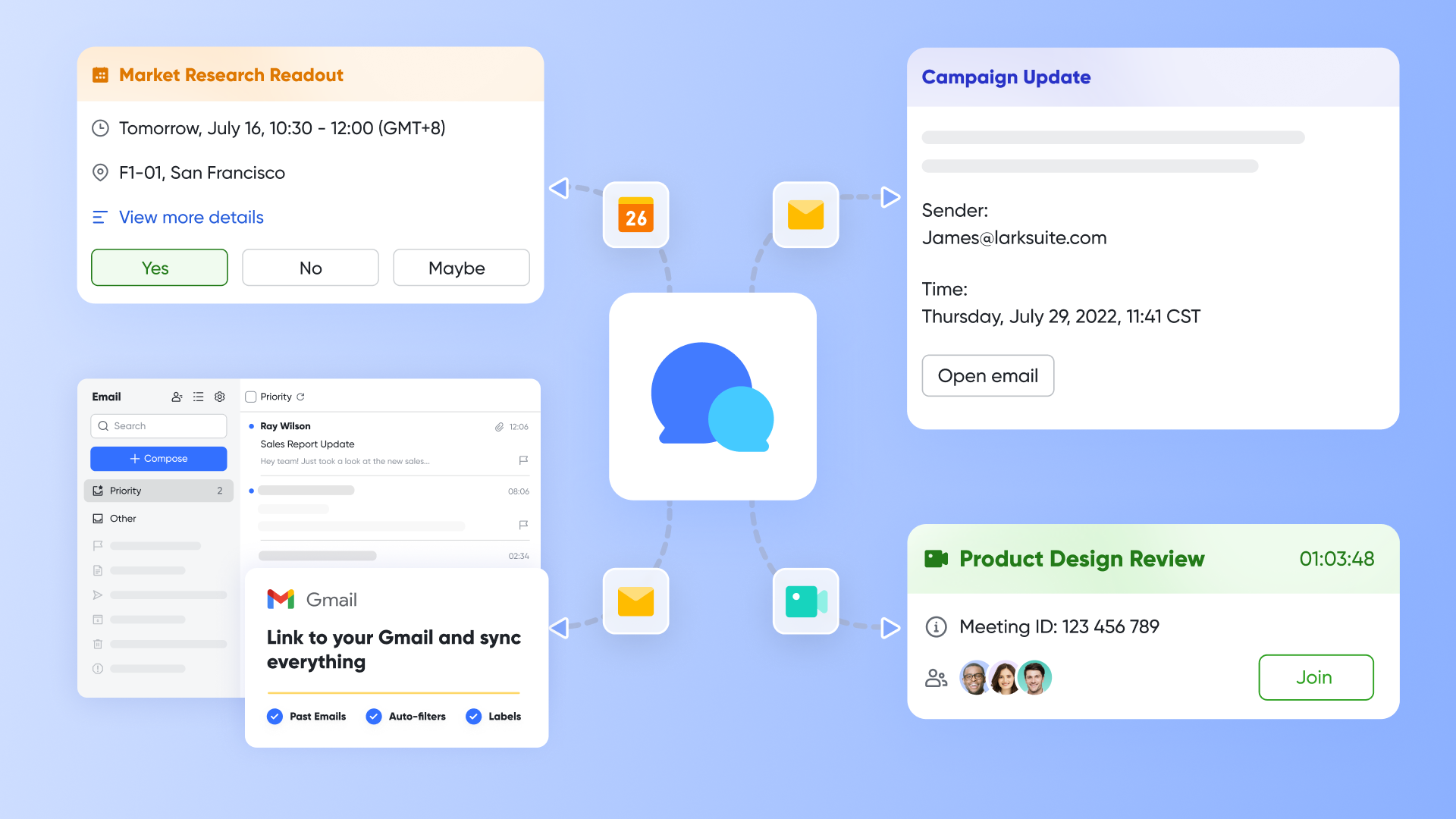
Client portal highlights: In essence, Lark's client portal is a customer-centric collaboration ecosystem — rather than a mere "add-on" portal feature bolted onto existing tools, it deeply embeds client collaboration into every step of the workflow: communication, task management, data tracking, and document collaboration. Built on a unified architecture, this core collaboration hub is designed around two key pillars — client convenience and team efficiency — from feature design to user experience logic. Leveraging native integration capabilities and flexible customization, it addresses the common pain points of similar tools, such as fragmented workflows, inefficiency, and hidden costs. By eliminating workflow friction through native integration, enabling deep customization via Lark Base, enhancing execution with closed-loop processes, and lowering adoption barriers thanks to a zero-learning curve, Lark transforms client collaboration from "passive compliance" to "active participation." This not only boosts client satisfaction but also saves teams significant time and costs.
For teams that frequently engage with clients and prioritize collaboration efficiency and professional branding, Lark's project management portal is not an "optional tool" — it is a core hub for elevating client relationships and team efficiency, making it stand out among other client portal apps on the market.
Build a bespoke command center for each client
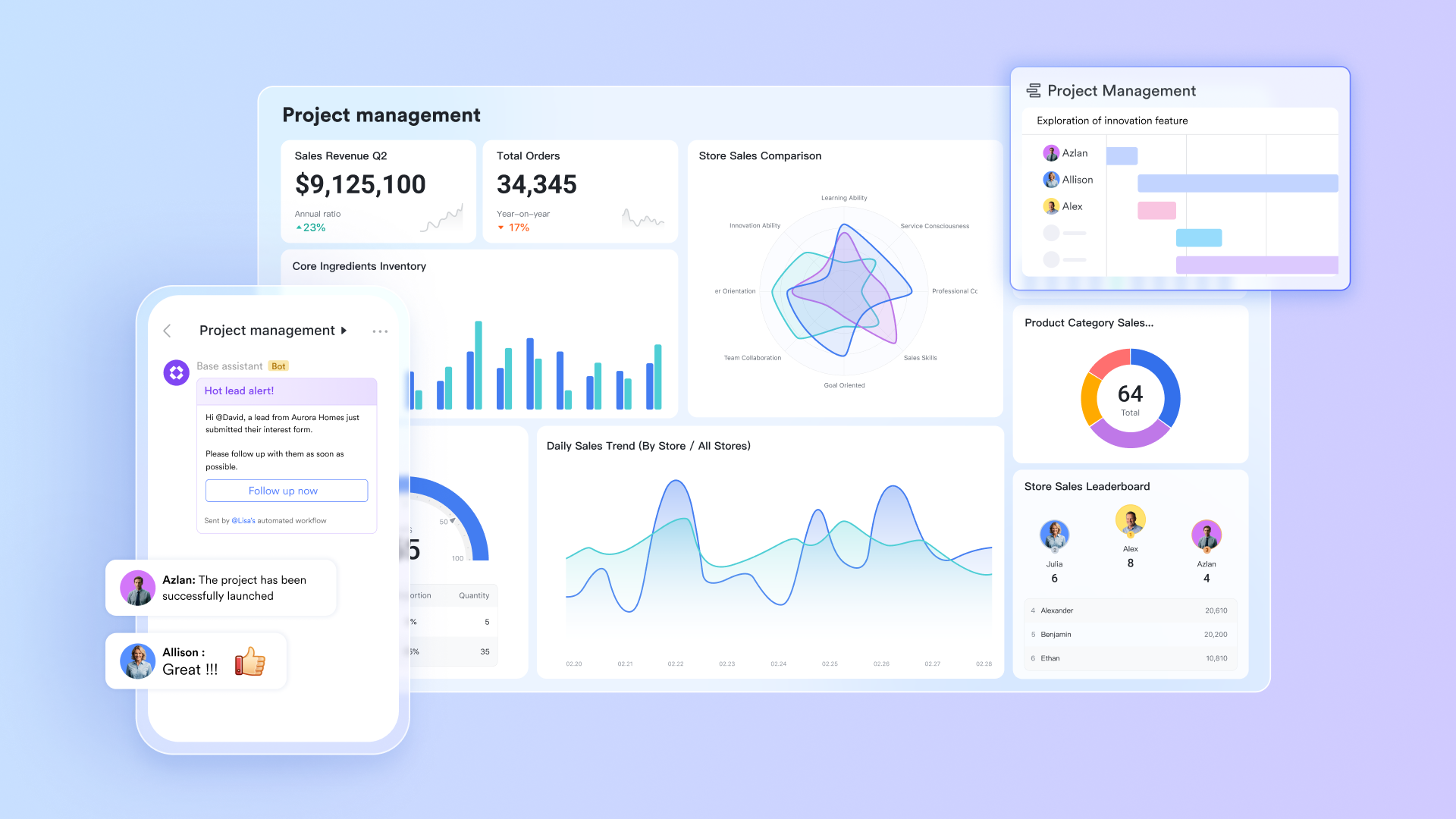
The powerhouse behind Lark's project management is Lark Base, a flexible, relational database that goes far beyond a simple task list. This allows a business to move past generic project boards and build a custom "client command center." For each client, a dedicated dashboard can be created in Base that presents a curated, real-time view of everything they need: a filtered list of tasks awaiting their specific approval, a visual gallery of all design assets with version history, a tracker for the project budget, or an organized table of all key decisions. This level of customization ensures clients see exactly what is relevant to them in a clean, professional, and easy-to-navigate interface.
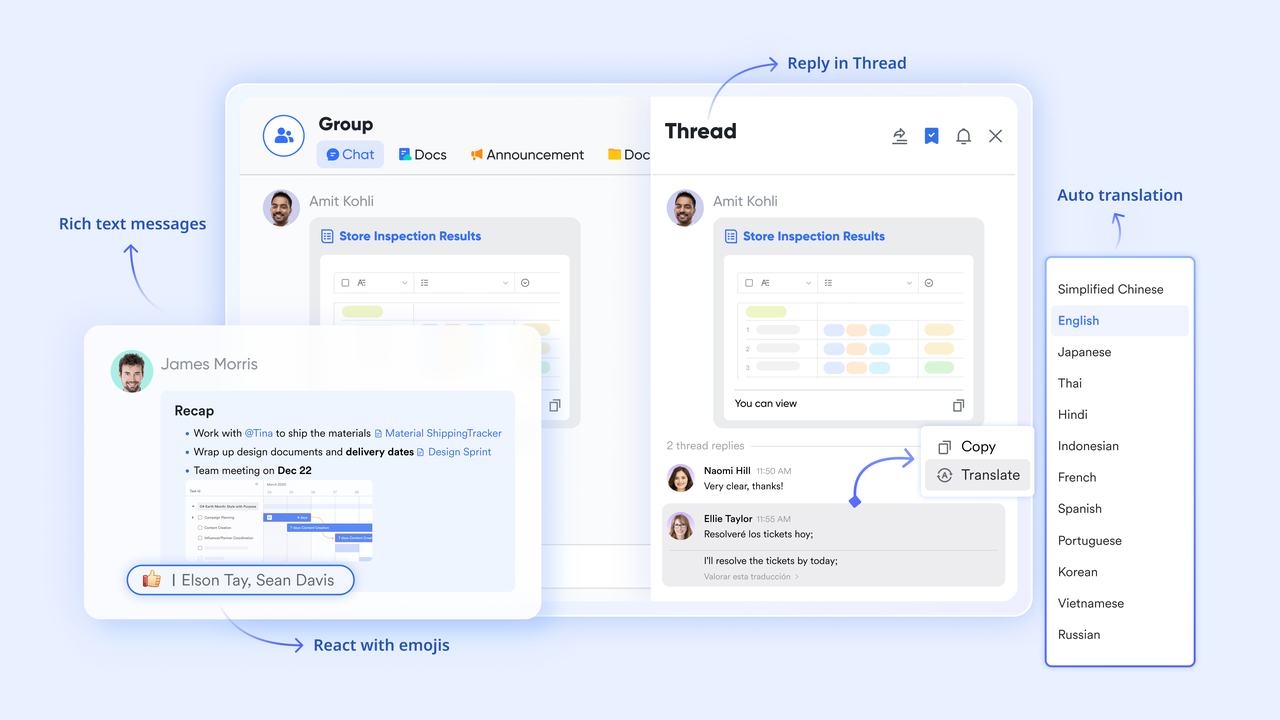
Turn conversation into action instantly
Decisions are often made in conversation, but they are lost in cluttered email threads or separate chat apps. Lark solves this directly. When a client gives feedback or approval in Lark Messenger—for instance, typing "Let's go with design concept B"—that specific message can be converted into a trackable task with one click. It can be instantly assigned to the designer, given a due date, and added to the project plan in Lark Base. This ensures zero "lost in translation" moments. It provides an indisputable audit trail and turns unstructured communication into structured, actionable work without ever leaving the chat window.
Create living documents, not static files
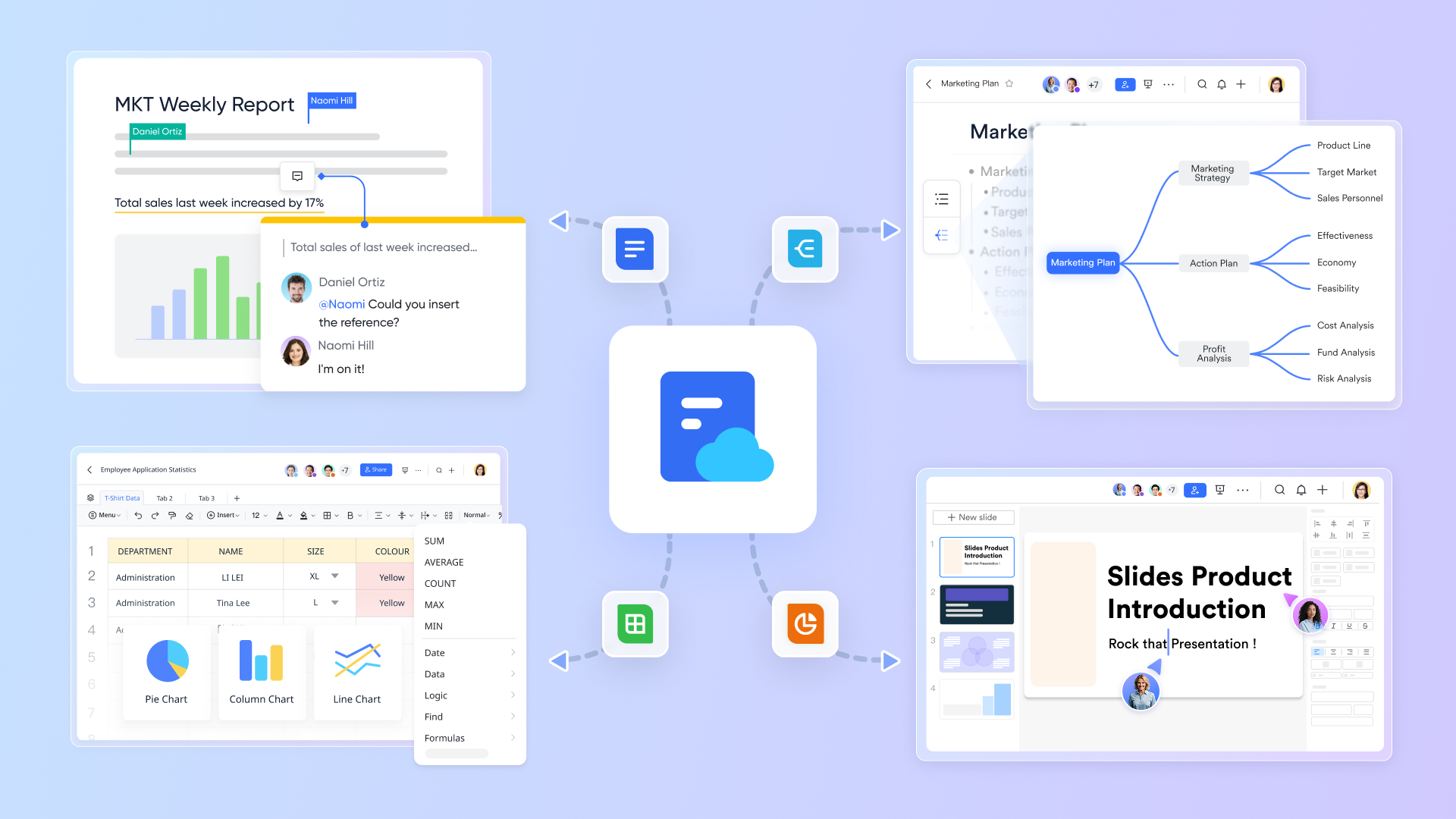
The common practice of emailing a PDF status report means the document is outdated the moment it is sent. Lark Docs function as a core part of the collaborative workspace. A team can create a project charter or a weekly status report and, instead of static screenshots, embed a live, filterable view of the project board from Lark Base directly into the document. When a team member updates a task in the project board, the status report the client is looking at reflects that change instantly. The document is no longer a snapshot in time; it is a living, breathing view of the project, ensuring the client is always looking at the single source of truth.
Deliver a truly seamless, single-login experience
Because all its tools are native to one platform, Lark provides an unparalleled user experience for the client. They log in once to their branded portal. From their central database (Lark Base), they can click to review a design file. If they have a question, a contextual comment panel opens alongside the file. If they want to review the project scope, they open the embedded Lark Docs, which contains the live project timeline. There is no need to log into a separate tool for tasks, check email for conversations, or go to a different cloud storage link for files. For the client, this feels effortless and premium, reinforcing the professionalism of the team they have hired.
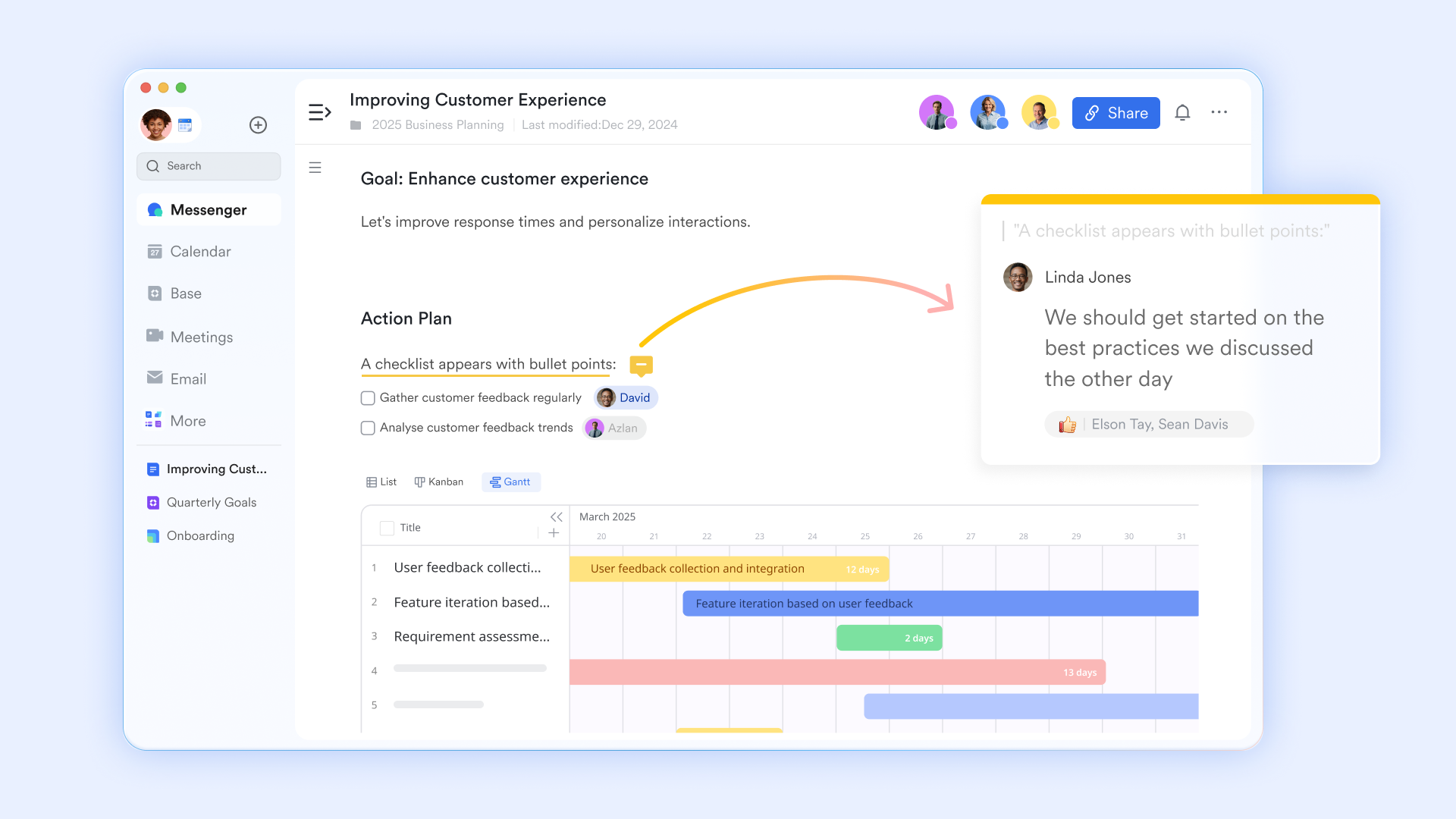
Ideal for: Teams and businesses of all sizes that prioritize efficiency and a truly seamless client experience. It is the best choice for organizations looking to consolidate their tech stack and eliminate the hidden costs of context switching. If the goal is to move from conversation to action instantly, Lark is purpose-built for it.
Pricing:
- Free plan: Includes 11 powerful products, supporting up to 20 users, 100 GB storage, 1,000 automation runs and unlimited AI translation in chats, docs and email.
- Basic plan: $6/user/month (billed annually) for up to 500 users. Includes everything in Starter plus unlimited message history, 5TB storage, 1,000 automation runs, and more. Some users may need to contact sales to purchase.
- Pro plans: $12/user/month, supporting up to 500 users. Includes unlimited message history, 50,000 automated Base workflow executions per month.
- Enterprise plan: Contact sales for custom pricing. Supports unlimited users and includes even more automation runs and advanced security, compliance, and management features.
2. Wrike: The powerful platform for complex projects
Overview: Wrike is a robust and powerful project management solution designed for performance and scalability. It is particularly well-suited for large teams and enterprises managing complex, multi-faceted projects. Its feature set is deep, with advanced capabilities for resource management, time tracking, and detailed analytics.
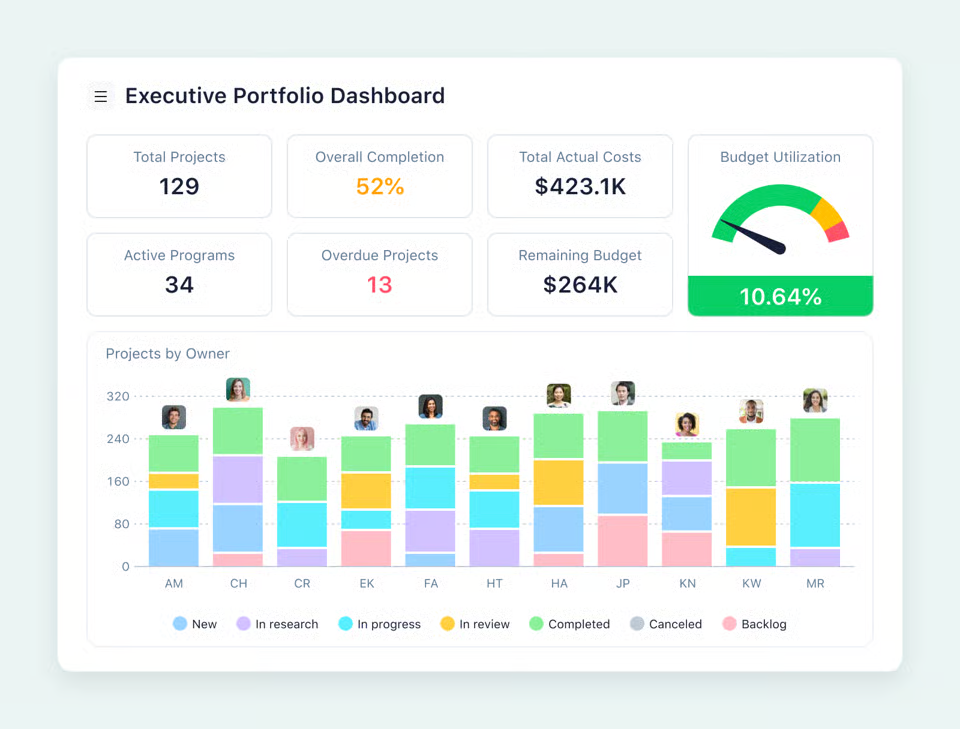
Image source: wrike.com
Client portal highlights: Does Wrike have a client portal? Yes, it does, though it functions through collaborator licenses. Teams can invite external users into their Wrike workspace with controlled permissions. Clients can participate in task discussions, review and approve files using Wrike's proofing tool, and track progress through custom dashboards and reports that are shared with them. The proofing feature is a standout, allowing for precise feedback directly on images, videos, and documents.
Ideal for: Large marketing departments, professional services firms, and enterprises that need a centralized platform to manage complex projects with cross-functional teams and external stakeholders.
Pricing:
- Free: For teams getting started, offering basic task management.
- Team: Approximately $9.80 per user/month, designed for smaller teams.
- Business: Approximately $24.80 per user/month, offering more customization and advanced features.
- Enterprise & Pinnacle: Custom pricing for large organizations requiring advanced security and scalability.
3. Teamwork.com: The balanced solution for client service businesses
Overview: Teamwork.com was built from the ground up with client services in mind. It offers a well-balanced suite of features that covers project management, time tracking, and team collaboration. Its feature set is directly aimed at improving client project delivery.
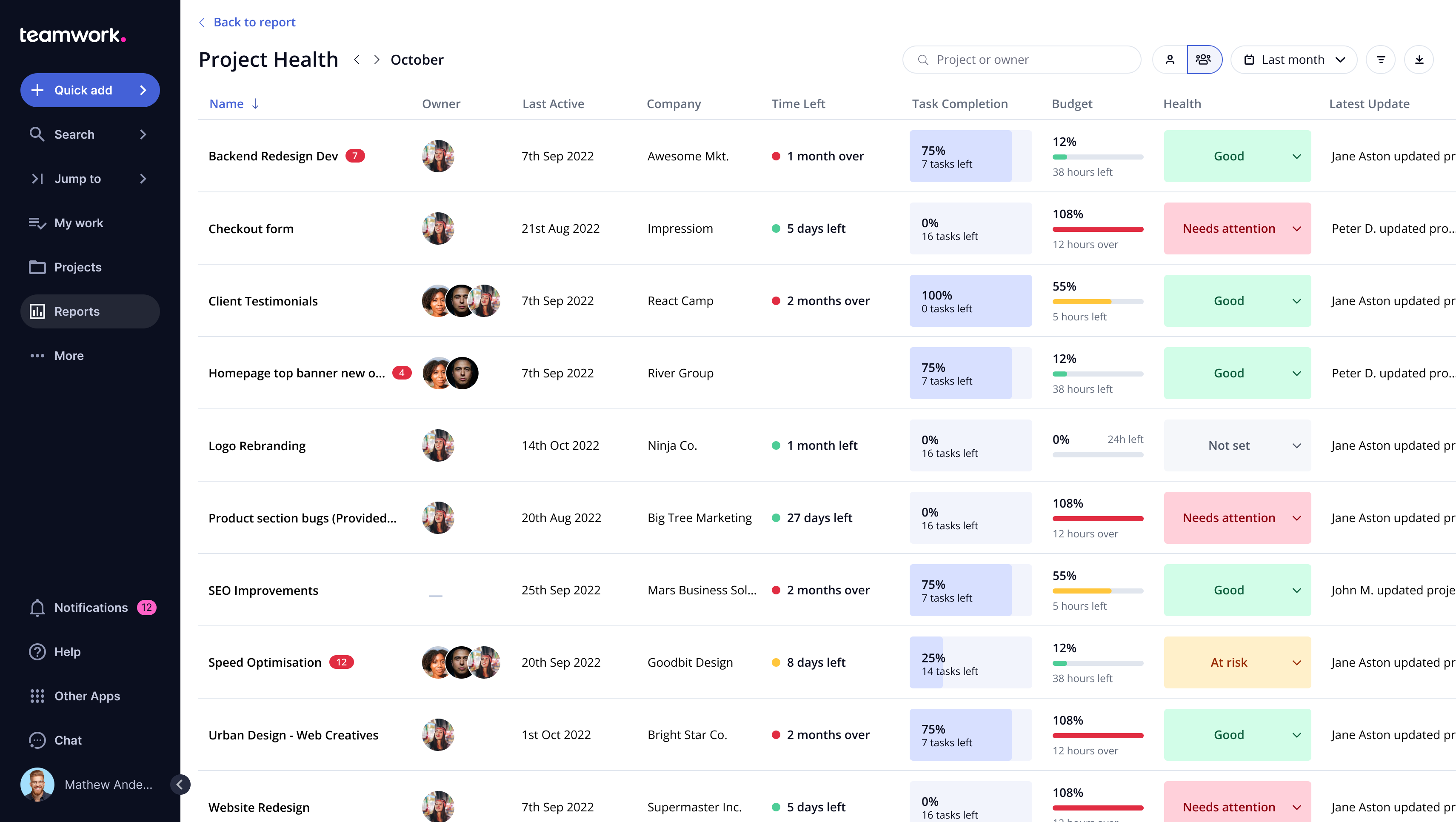
Image source: g2.com
Client portal highlights: Teamwork.com allows teams to add clients to projects with permissions to control what they can see and do. Clients can view task lists, milestones, and files. A key feature is the ability to keep certain tasks or messages private from the client, allowing for internal team discussions to happen in the same space as client-facing work, but kept separate.
Ideal for: Agencies, consulting firms, and any service-based business that needs a comprehensive and balanced tool for managing client projects from start to finish.
Pricing:
- Free: A plan with limited features for small teams getting started.
- Deliver: Approximately $10.99 per user/month, focused on core project management.
- Grow: Approximately $19.99 per user/month, adding more advanced features for growing teams.
- Scale: Custom pricing for larger businesses with complex needs.
4. Motion.io: The streamlined portal for client-facing services
Overview: Motion.io is a more specialized tool that focuses squarely on streamlining the back-and-forth between a service business and its clients. It is less of a traditional project management tool and more of a dedicated client collaboration and task management portal.
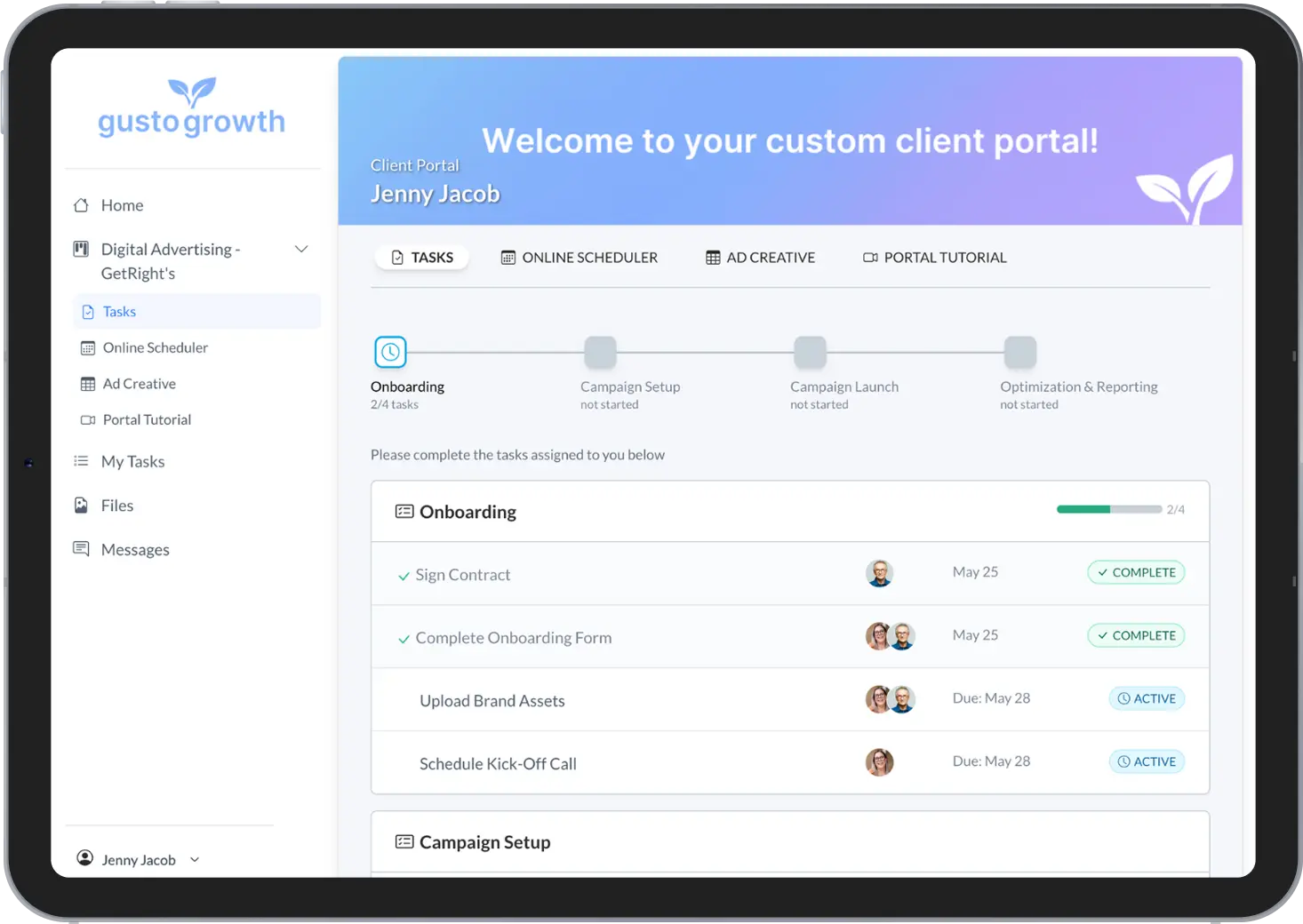
Image source: motion.io
Client portal highlights: The platform is designed to make it easy for clients to complete their side of the work. It allows businesses to create custom "portals" for each client where they can submit information via forms, upload required files, and approve deliverables. It automates reminders to clients for pending tasks, helping to keep projects from stalling.
Ideal for: Web design agencies, accounting firms, and other service providers whose projects often get held up waiting for client input or assets. It excels at managing client-facing tasks.
Pricing:
- Start: Approximately $29 per month. This plan includes unlimited clients and projects.
- Grow: Approximately $39 per month.
- Scale: Approximately $49 per month, offering the most features.
5. Dock: The dedicated client collaboration platform
Overview: Dock is not a traditional project management tool that has added a portal; it is a purpose-built platform specifically designed for client-facing workflows. It focuses on creating a single, shared workspace for the entire client journey, from onboarding to project delivery and ongoing collaboration.
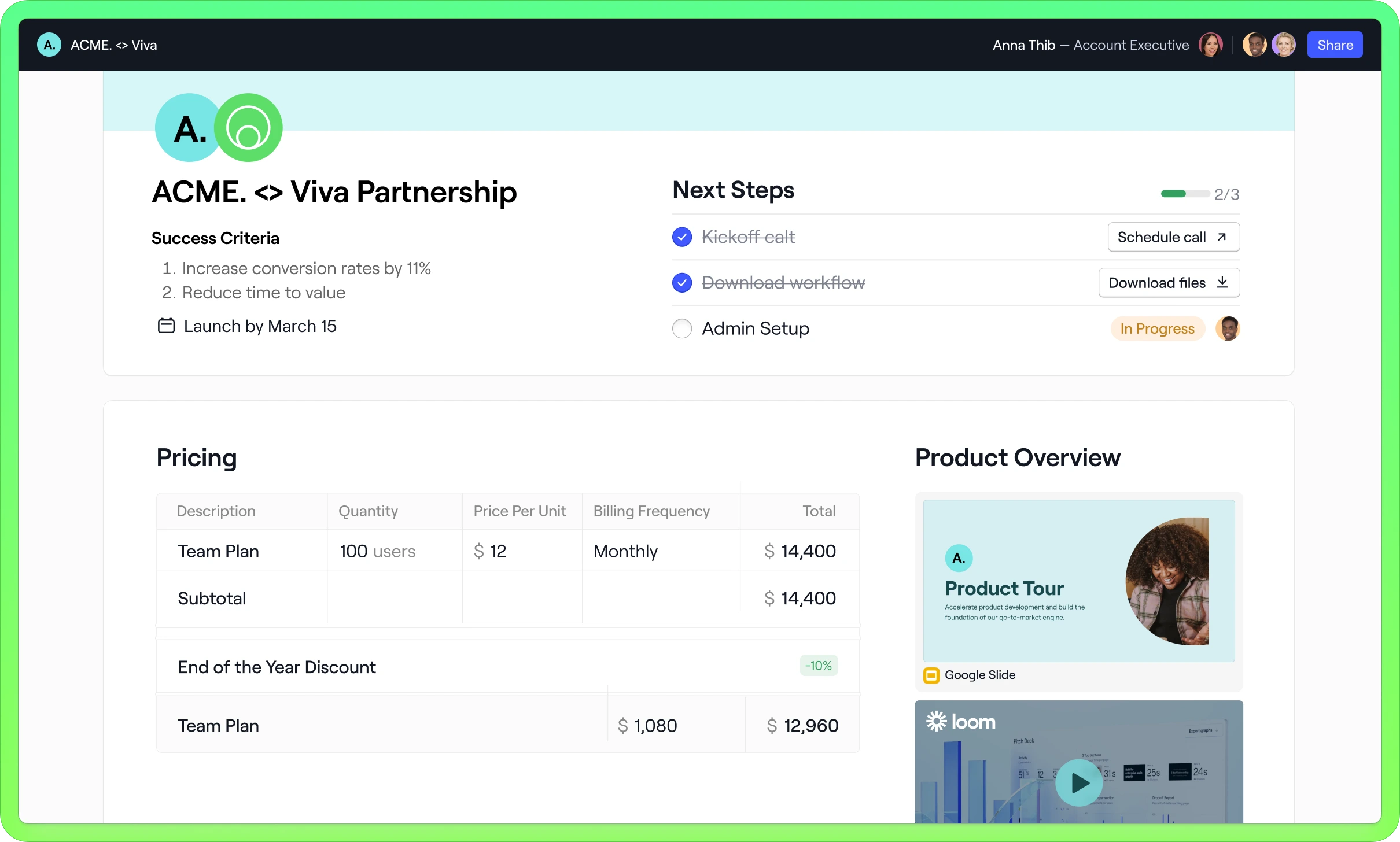
Image source: dock.us
Client portal highlights: The entire Dock platform essentially functions as a sophisticated client portal. It allows businesses to create shared "spaces" for each client, which can be fully customized with project plans, task lists, resource hubs (like a wiki), and embedded content from other tools. Its standout feature is its focus on streamlining the client journey with features like order forms and mutual action plans, making it excellent for client onboarding and implementation projects.
Ideal for: Service-based businesses, consulting firms, and customer success teams that need a highly polished and structured environment to guide clients through complex processes.
Pricing:
- Free: A free plan is available for up to 5 workspaces.
- Starter: Begins at approximately $49 for one user per month.
- Growth: Starts at approximately $59 for one user per month.
- Enterprise: Custom pricing for larger teams.
6. ClickUp: The hyper-customizable "everything" platform
Overview: ClickUp is known for its ambitious goal to be the "one app to replace them all." It's an incredibly feature-rich and customizable productivity platform that allows teams to manage tasks, docs, goals, and more in a single place.
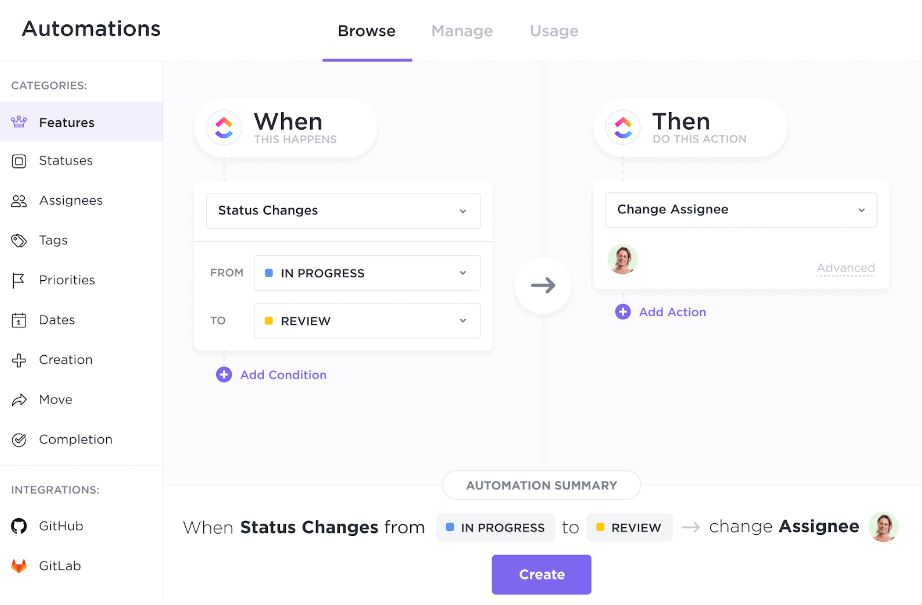
Image source: contentsnare.com
Client portal highlights: Client collaboration in ClickUp is handled through granular guest access. You can share specific lists, folders, dashboards, or individual tasks with clients while keeping everything else private. The advantage here is extreme flexibility. You can build a custom Dashboard for a client with specific charts, task lists, and embeds, effectively creating a bespoke portal view for their project. The ability to create custom fields and statuses allows you to tailor the client's view to your exact workflow.
Ideal for: Tech-savvy teams that want to build a highly customized client portal experience and are willing to invest time in the initial setup. Its versatility makes it suitable for a wide range of industries.
Pricing:
- Free: For individual users, with some limitations on storage and features.
- Unlimited: Starts at approximately $7 per user/month for small teams.
- Business: Approximately $12 per user/month, with more advanced features.
- Enterprise: Custom pricing for large-scale enterprise needs.
7. Zoho Projects: The integrated choice for the Zoho ecosystem
Overview: Zoho Projects is a solid and comprehensive project management tool that is a key component of the extensive Zoho suite of business applications. It provides a robust set of features for planning, tracking, and collaborating on projects of all sizes.
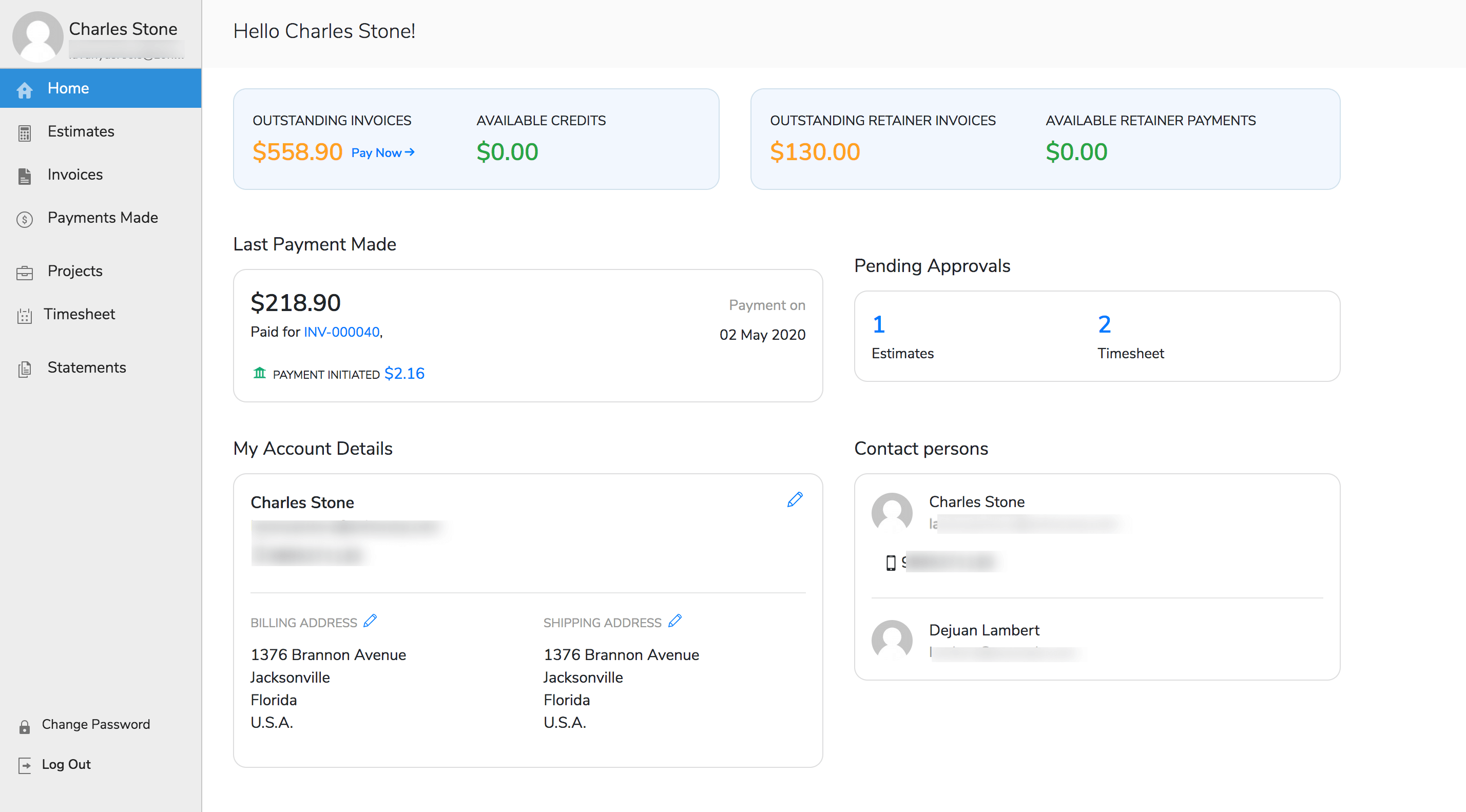
Image source: zoho.com
Client portal highlights: Zoho Projects features a dedicated and straightforward client portal. You can invite clients who can then log in to a separate interface to view only the projects they are associated with. They can see project progress, access shared files, view tasks and milestones, and participate in project-specific forums. Its primary advantage is the seamless integration for businesses already invested in the Zoho ecosystem, connecting projects directly to Zoho CRM, Zoho Books (for invoicing), and more.
Ideal for: Small to large businesses, particularly those that already use or plan to use other applications from the Zoho suite, creating a highly integrated business operating system.
Pricing:
- Free: A free plan is available for up to five users.
- Premium: Starts at approximately $4 per user/month, billed annually.
- Enterprise: Approximately $9 per user/month, with more advanced features and higher limits.
8. Asana: The leader in user-friendly task management
Overview: Asana is a leading project management platform celebrated for its clean, intuitive interface and strong focus on task management and team accountability. It excels at bringing clarity to who is doing what, by when.
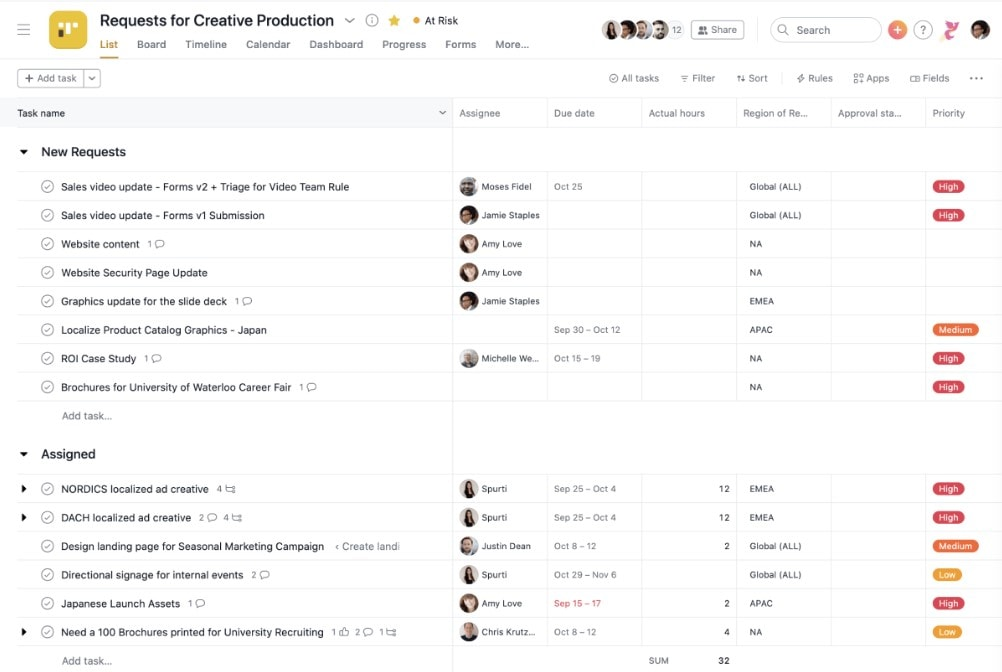
Image source: contentsnare.com
Client portal highlights: Asana handles client collaboration through a simple and effective guest access system. You can invite clients into a specific project, giving them visibility into task lists, timelines, calendars, and files. While it's not a distinctly separate "portal," its renowned ease of use means clients can get up to speed quickly with minimal training. Communication is kept in context through comments on tasks, ensuring feedback is never lost.
Ideal for: Teams of all sizes that value a clean user experience and a straightforward, task-focused approach to project management. It's a strong choice for marketing, operations, and IT teams.
Pricing:
- Personal: A free plan for individuals and small teams of up to 10 members.
- Starter: Approximately $10.99 per user/month, for teams needing more features.
- Advanced: Approximately $24.99 per user/month, offering more advanced workflow and reporting capabilities.
- Enterprise: Custom pricing for organizations with advanced security and control needs.
9. Notion: The modular workspace for building your own portal
Overview: Notion is an all-in-one workspace that provides building blocks for teams to create their own systems. It uniquely blends documents, databases, and basic project management tools into one incredibly flexible environment.
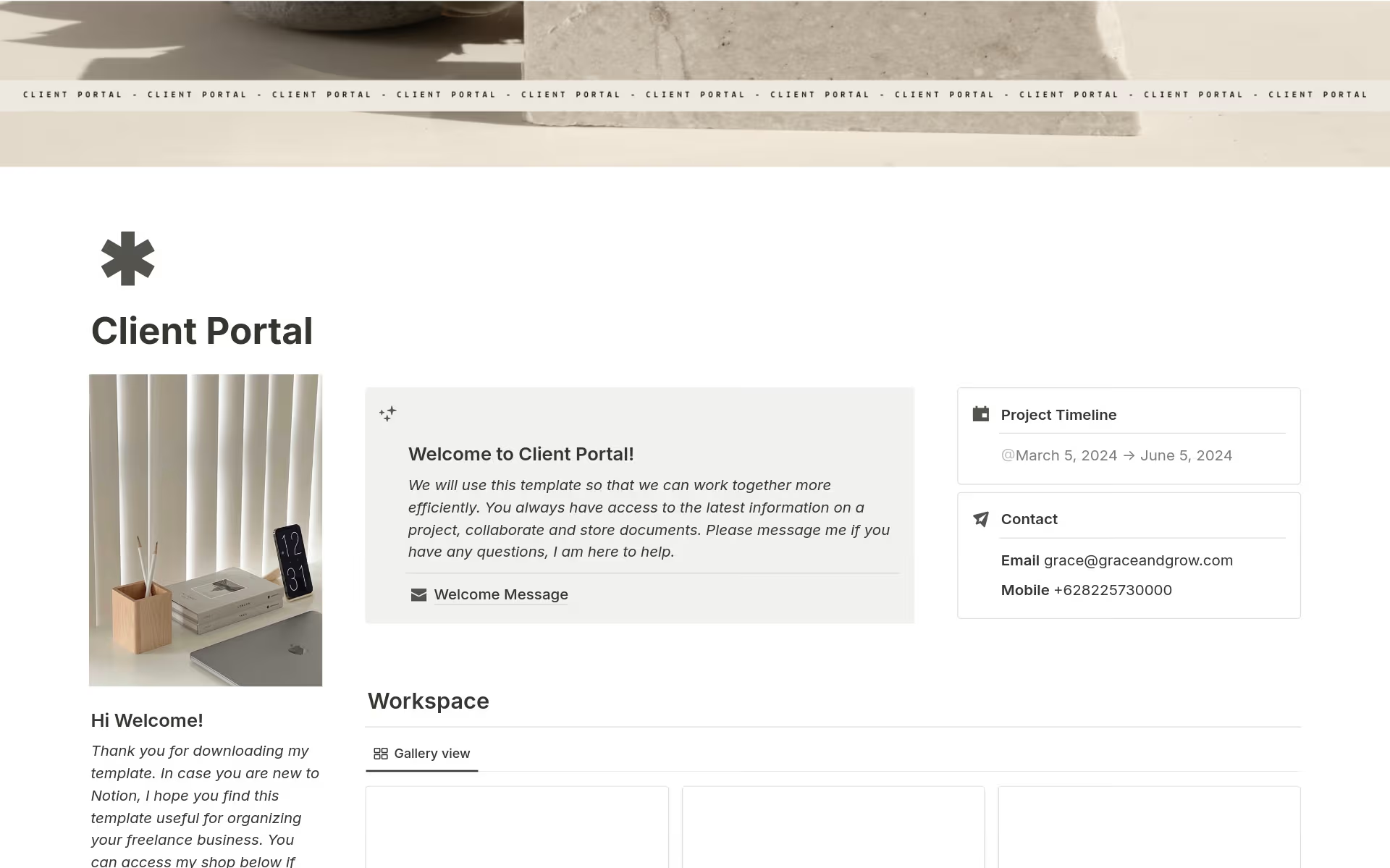
Image source: notion.com
Client portal highlights: In Notion, you don't use a client portal—you build one. A team can create a top-level page for a client and share it with them as a guest. This page can be a beautifully designed dashboard containing project timelines (from a database), deliverable trackers, embedded design files, meeting notes, and a project wiki. The highlight is the absolute creative control over the information architecture and branding, allowing for a truly bespoke and content-rich client experience.
Ideal for: Design-led teams, consultants, and startups that enjoy crafting their own workflows and want to present clients with a unique, wiki-style portal.
Pricing:
- Free: For personal use, with basic features.
- Plus: Approximately $10 per user/month (billed annually), for small teams.
- Business: Approximately $20 per user/month (billed annually), with more advanced collaboration and administrative tools.
- Enterprise: Custom pricing for organizations requiring advanced security, controls, and support.
10. Monday.com: The visual and customizable work OS
Overview: Monday.com is renowned for its colorful, intuitive, and highly visual interface. It positions itself as a "Work OS," a flexible platform that can be configured to manage almost any type of project or workflow. Its strength lies in its endless customization options, from board views and column types to powerful dashboards.
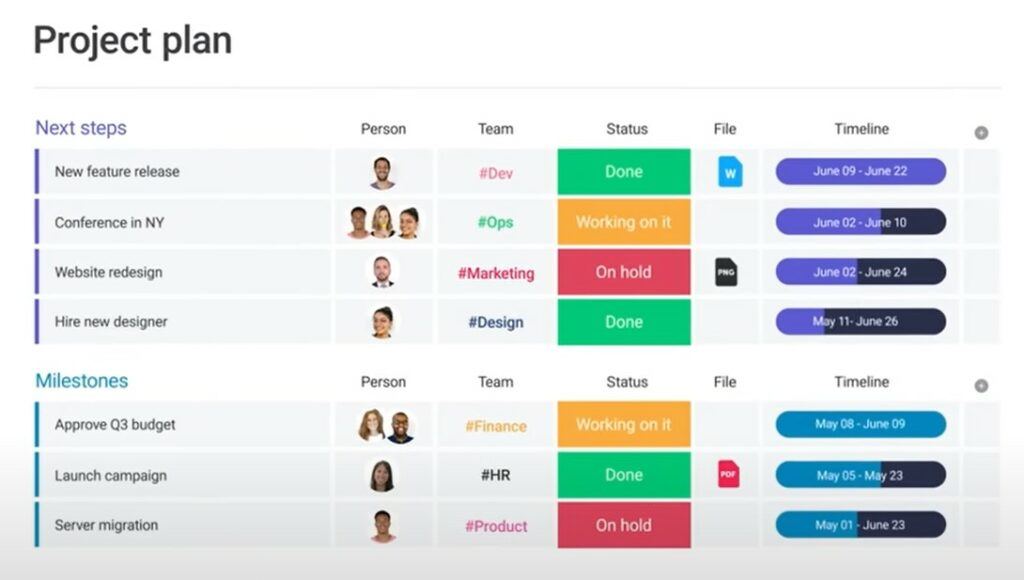
Image source: contentsnare.com
Client portal highlights: With Monday.com, teams can create shareable boards that act as client portals. These boards can be customized to show only specific information, such as high-level project phases, key deliverables, and their current status. The platform's visual nature makes it easy for clients to understand project progress at a glance. Forms can also be used to gather client feedback or requests in a structured way, feeding data directly into a project board.
Ideal for: Creative agencies, marketing teams, and any organization that benefits from a highly visual approach to project management. Its flexibility is a major asset for teams with unique or evolving workflows.
Pricing:
- Free: A free plan is available.
- Basic: Starts at approximately $9 per seat/month.
- Standard: Approximately $12 per seat/month.
- Pro: Approximately $19 per seat/month.
- Enterprise: Custom pricing for large organizations.
11. Celoxis: The enterprise-grade portfolio management tool
Overview: Celoxis is a comprehensive, enterprise-grade platform designed for managing complex project portfolios, resources, and financials in one place. It's a heavy-duty tool built for organizations that require deep insights and control over a wide range of projects.
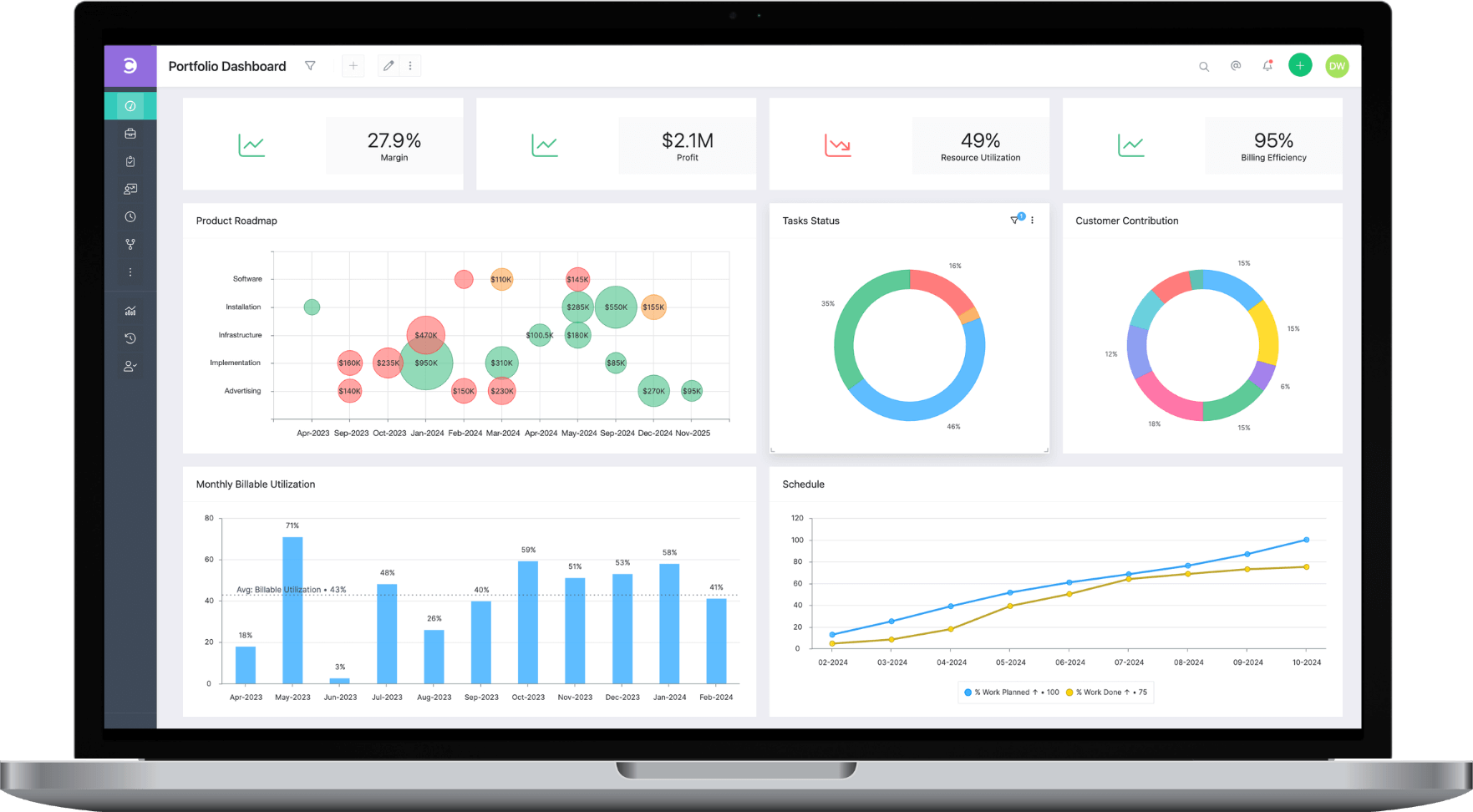
Image source: celoxis.com
Client portal highlights: Celoxis provides free, unlimited access for clients through a dedicated, branded portal. This is a significant advantage for large-scale operations. Clients can log in to this client project portal to view detailed project dashboards, track progress on Gantt charts, participate in discussions, and exchange files. The portal brings the rigor of enterprise portfolio management to the client relationship, offering a high degree of transparency on complex projects.
Ideal for: Medium to large organizations and formal Project Management Offices (PMOs) that need a powerful, all-in-one tool for managing a portfolio of projects and require deep financial and resource tracking.
Pricing:
- Cloud: Starts at approximately $25 per user/month (billed annually), with a minimum of 5 users. There are different price points for "Managers" and "Team Members".
- On-Premise: Custom pricing for self-hosted deployment.
12. Smartsheet: The powerful platform on a spreadsheet foundation
Overview: Smartsheet is a unique enterprise platform that leverages the familiarity of a spreadsheet interface and enhances it with powerful project management capabilities, including automation, reporting, and multiple data views (Grid, Card, Gantt, Calendar).
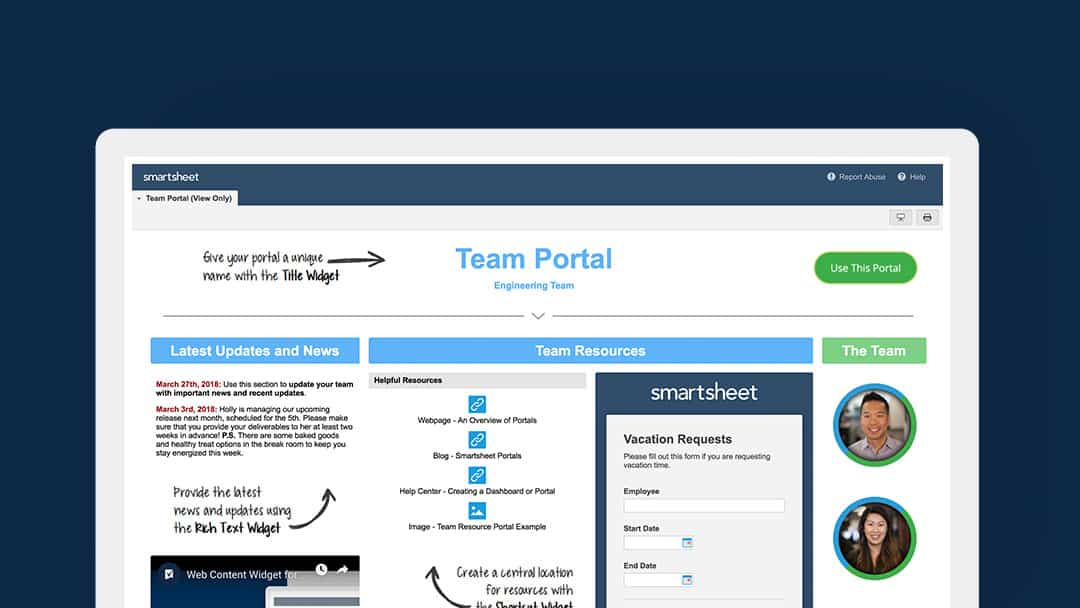
Image source: smartsheet.com
Client portal highlights: Client collaboration in Smartsheet is typically achieved by creating and sharing a "Dashboard." These dashboards can act as powerful, real-time client portals, pulling in data and charts from various underlying sheets (e.g., the project plan, budget tracker, risk log). This allows for the creation of high-level, visually rich summaries for executive-level clients, while still allowing you to share specific sheets with clients who need to dive into the details.
Ideal for: Data-driven organizations that are comfortable with a spreadsheet-style interface but require robust project management and reporting capabilities. It is widely used in IT, construction, and marketing operations.
Pricing:
- Pro: Approximately $9 per user/month (billed annually).
- Business: Approximately $19 per user/month (billed annually) for more advanced features.
- Enterprise: Custom pricing for organizations that need premium capabilities and support.
Key benefits of using project management software with client portal
Adopting a dedicated project management client portal is a strategic move that delivers compounding benefits. These advantages impact not only client satisfaction but also the fundamental efficiency and morale of the internal team. The results are a more streamlined workflow and a more professional brand image.
Elevate the client experience
- Unmatched transparency and real-time visibility: Clients no longer need to ask for status updates. They can log in at their convenience and see the real-time progress of their project on a dashboard or timeline. This level of transparency builds immense trust and reduces client anxiety.
- A single source of truth for all project assets: The portal eliminates the confusion of multiple email threads and file versions. Every file, conversation, approval, and deadline is stored in one logical place. This means clients can find what they need, when they need it, without having to ask.
- A professional and organized client journey: A branded, well-organized client portal communicates professionalism and competence. It shows clients that their project is being managed with care and precision, reinforcing the value of the service being provided and setting a positive tone for the entire engagement.
Empower your team's efficiency
- Drastically reduce time spent on administrative tasks: Project managers and team members spend a significant amount of time providing status updates, searching for files, and clarifying feedback. A client portal automates much of this, freeing up the team to focus on high-value, strategic work instead of administrative overhead.
- Minimize context switching: Jumping between email, a chat app, a file storage service, and a task manager is a major drain on productivity. The best project management software with client portal consolidates these functions, allowing teams to manage tasks, communicate, and share files in one unified environment.
- Improve internal alignment and accountability: When client feedback and approvals are logged directly within the project management system via the portal, the entire team has visibility. This ensures that action items are captured, assigned, and tracked, leading to greater accountability and fewer missed details.
Essential features of top-tier project management software with client portal
When evaluating different platforms and client portal apps, it's easy to get lost in long lists of features. However, for effective client project management, a few key capabilities are non-negotiable. These features form the foundation of a seamless and productive client portal experience.
- Secure client access and permissions: The most fundamental feature is the ability to securely invite clients into a sandboxed environment. Top-tier software allows for granular control over what each client user can see and do. This ensures that clients only have access to their own project data and can only perform actions (like commenting or approving) that the project manager has enabled. Many businesses also look for a CRM with client portal to connect sales and project data seamlessly.
- Task management and progress tracking: A visual representation of the project is crucial. This could be a Kanban board, a Gantt chart, or a simple task list. The portal should clearly display task statuses (e.g., To Do, In Progress, Completed), deadlines, and overall project progress, giving clients an at-a-glance understanding of where things stand.
- Centralized file sharing and version control: The software must allow for easy uploading and organization of project files. More importantly, it should handle version control, ensuring that everyone is always working from the latest document, design, or asset. This capability is the backbone of any effective agency client portal, and the ability for clients to review and approve files directly within the portal is a significant workflow enhancement.
- Real-time communication tools: Communication should be tied to context. Look for features like commenting directly on tasks or files. This keeps all conversations organized and linked to the specific item being discussed, preventing feedback from getting lost in emails or separate chat threads. Mentions and notifications keep relevant parties informed.
- Custom branding: A professional image is key. The ability to customize the client portal with a company's logo, brand colors, and even a custom URL reinforces brand identity and creates a more polished and trustworthy experience for the client, turning your service into a professional website with client portal.
- Reporting and project dashboards: Automated reporting provides immense value. Dashboards that visualize key project metrics—such as task completion rates, budget tracking, or upcoming milestones—offer a high-level overview for both the team and the client, demonstrating progress and highlighting achievements.
- Robust security and compliance: Handling client data requires a commitment to security. The software must offer features like data encryption, secure login protocols, and compliance with data protection regulations to ensure that all sensitive information is kept safe.
How to choose the right project management software for your needs
Selecting the right software is a strategic decision that impacts team productivity and client satisfaction for years to come. Moving beyond feature lists and marketing claims requires a thoughtful evaluation of your organization's unique context. This is especially true when choosing client portal software for consultants, where the client relationship is paramount.
1. Evaluate your project complexity and workflow: Start by mapping out your typical project. Is it a simple, linear process with a few key deliverables? Or is it a complex, multi-phase project with intricate dependencies? Teams with straightforward workflows might thrive with a simple, visual tool. Teams managing highly complex projects will need a platform with more robust features like Gantt charts, time tracking, and resource allocation.
2. Consider your client's technical comfort: The most feature-rich portal is useless if clients find it difficult to use. Consider the technical aptitude of your average client. The ideal portal should be intuitive, with a clean interface that requires little to no training. The goal is to make their life easier, not to give them another piece of complex software to learn. A simple, welcoming design is often more effective than a cluttered, overly technical one.
3. Assess your scalability needs: Think about where the business will be in one, three, or five years. Will the team grow? Will the number of projects increase? Will the projects themselves become more complex? Choose a solution that can grow with the business. This means looking at the pricing tiers, the ability to add users cost-effectively, and the capacity of the platform to handle a larger volume of work without slowing down.
4. Prioritize a frictionless experience: The ultimate test is how the software feels in practice. Nearly every provider offers a free trial. Use it. Create a test project and invite a colleague to act as the "client." Go through the entire process: setting up the project, assigning a task, uploading a file, leaving a comment, and viewing the project from the client's perspective. The best project management tool to communicate with your clients is the one that feels the most seamless and intuitive for both sides. Pay attention to the small details and the overall user experience.
A step-by-step guide to creating a world-class client portal experience
Implementing software is only the first step. The real value is unlocked by building intentional processes around the technology. A client project portal should be a cornerstone of the client experience, not just a utility.
Never assume a client will know how to use the portal. Create a simple, repeatable onboarding process for every new project. This could include a short welcome email that explains the purpose of the portal, a link to a brief tutorial video (which you can create once and reuse), and a pre-populated "Welcome" task inside the portal that guides them through the key features. For a more polished walkthrough, Screen Studio-style tools sit between a quick screen capture and a fully edited training video. This transforms your service from a simple exchange into an interactive website with a client portal and sets the tone for adoption.
Consistency is key to both efficiency and a professional image. Create a master project template within your software that includes all the standard phases, common tasks, and placeholder documents for a typical project. When a new project starts, you can simply duplicate this template. This not only saves immense time but also ensures that no critical steps are forgotten and that every client receives the same high-quality, structured experience.
Step 3: Establish clear communication protocols
The portal should be the primary channel for project communication. Establish clear ground rules from the outset. In your project kickoff, explain that all feedback, questions, and file sharing will take place within the portal. This trains the client to use the system and prevents important information from getting lost in side-channel email or text conversations. Also, set expectations for response times within the portal to maintain a sense of momentum.
Step 4: Proactively share progress and results
Do not wait for clients to log in and look for updates. Use the portal's features to proactively push information to them. Share a link to a newly updated dashboard at the end of each week. Use @-mentions to draw their attention to a completed milestone. A proactive approach demonstrates engagement and reinforces the value of the portal as a dynamic hub of activity, rather than a static repository of files.
Conclusion
Moving from chaotic email chains to a streamlined, professional client portal is more than just a software upgrade. It is a fundamental improvement in the way work is managed, communicated, and delivered. It represents a commitment to transparency, efficiency, and a superior client experience. The right project management software with a client portal becomes the central hub where partnerships are built, projects come to life, and exceptional results are achieved.
By centralizing communication, providing real-time visibility, and structuring the flow of information, these platforms empower teams to do their best work. They reduce the burden of administrative tasks and create the space for strategic, creative, and impactful efforts. For the client, the experience is transformed. They feel informed, respected, and confident, secure in the knowledge that their project is in capable hands. To see this transformation in action, explore a platform like Lark, whose all-in-one suite is designed to turn scattered conversations into structured progress instantly. This is the new standard for client collaboration, and it is a standard that delivers a powerful competitive advantage.
FAQs
What is the best project management tool to communicate with your clients?
The best tool is one that integrates communication directly into the project workflow. A platform like Lark excels here, as it allows conversations in its messenger to be instantly turned into trackable tasks, ensuring no client feedback is ever lost. This eliminates the gap between discussion and action.
Does Microsoft have a client portal?
Yes, Microsoft facilitates client portals primarily through SharePoint Online and Microsoft Teams. You can create a dedicated SharePoint site for a client and invite them as external guests via Teams for secure access. This allows for file sharing, communication, and integration with other Microsoft 365 apps.
What is the best client management software?
The "best" software depends on your needs. For a comprehensive platform that combines CRM, invoicing, and projects, tools like Suitedash or the Zoho suite are excellent. For a highly polished project delivery and onboarding experience, a purpose-built platform like Dock is a leading choice.
Does Wrike have a client portal?
Yes, Wrike has a robust client portal functionality through its "Collaborator" licenses. These are specifically designed for external stakeholders, allowing them to review and approve assets, track project progress, and participate in discussions without needing a full user license. This is ideal for detailed client reviews.
Related reading
Table of contents
Start using Lark today

Manage all your work in one place
Boost team efficiency by 10x
Save up to 70% on software costs
Table of contents
Start using Lark today
Manage all your work in one place
Boost team efficiency by 10x
Save up to 70% on software costs
Keep reading








2026 Lark Technologies Pte. Ltd.
Headquartered in Singapore with offices worldwide.






Explore: