We test the tools based on six dimensions: PM features, ease of use, customization and integrations, customer reviews, pricing, and customer support. We evaluate software independently and review our content regularly for accuracy. For more information, see the evaluation section below or read our .
Last updated: July 1st, 2026
What's new: Updated the introduction, product descriptions, and pricing.
Are your contractors, architects, and investors constantly out of sync because of messy email chains? Project timelines frequently derail when critical documents get lost in a sea of browser tabs. You need a centralized workspace to keep these complex builds on track.
Your choice of real estate project management software will be key to the success or failure of your project. To find out what really works in the real world, I put the top solutions through rigorous hands-on testing. This guide explores the best solutions for tackling the diverse needs and challenges of the real estate industry.
Want to see only the very best? These are my top 3 picks:
- is the best overall choice, offering communication, AI, project tracking, data management, and more in a single platform. It is ideal for real estate teams looking to build highly customizable workflows without writing any code.
- Procore is great for large-scale construction projects that need an end-to-end platform to handle field work and advanced financial management.
- Oracle Primavera P6 is a great option if you need sophisticated scheduling, risk management, and resource planning for complex, enterprise-level commercial developments.
What is real estate project management software?
Real estate project management software is a specialized platform designed to help developers, property managers, and construction firms plan, execute, and from conception to completion. Unlike generic project management tools, this software is built with the specific needs of the real estate industry in mind. It addresses unique processes like permit tracking, contract management, cost control, and stakeholder reporting for both commercial real estate and residential development projects.
At its core, this software acts as a single source of truth, centralizing all project data, communication, and documentation. This ensures that everyone—from the on-site crew to the back-office finance team—is working from the same playbook.
Real estate project lifecycle: 5 core stages
Successful real estate project management requires a structured approach that spans from a project's initial conception to its final handover. Based on industry frameworks from institutions like and , the typical lifecycle consists of five distinct stages:
1. Initiation and feasibility: This stage focuses on evaluating the viability of the project. Capital budgeting, land acquisition assessments, and preliminary market research are conducted to determine whether the project is financially and legally viable.
2. Pre-development and design: Teams work on architectural zoning, obtaining municipal permits, and securing financing. Detailed project schedules and strict cost estimations are established during this phase to avoid future bottlenecks.
3. Pre-construction and procurement: This involves drafting contracts, launching bidding processes for general contractors and subcontractors, procurement of raw materials, and setting up the physical construction site.
4. Construction execution: The core execution phase where the project comes to life. Real-time progress tracking, safety management, quality controls, and strict change order management are vital to keep the build on track.
5. Close-out and asset management: The final handover involving punch lists, building inspections, and securing certificates of occupancy. Following close-out, the property transitions into active asset management, leasing, or sales.
Top real estate project management software at a glance
8 best real estate project management software in 2026
1. Lark: Best for all-in-one collaboration and customizable workflows
Overview
is a comprehensive, all-in-one collaboration platform that combines , communication, AI, automation, and more into a single, seamless platform. For the real estate industry, its power lies in its extreme customizability, so your team is not forced to adapt to rigid software. Instead, Lark empowers you to build custom tools and with ease.
You can create custom databases and workflows for everything from property development tracking and contract management to onboarding new contractors and managing client communications, all without writing a single line of code. Its integrated nature means that updates from the field, discussions about blueprints, and budget approvals all happen in one place, eliminating information silos and keeping every stakeholder perfectly in sync.
Ready to give it a try? Get started right away with this or for a free demo.
Key features
- Highly customizable project management: empowers your team to build powerful, interconnected databases to track every detail of your projects. Project managers can visualize timelines with Gantt charts, manage sales pipelines with Kanban boards, and create custom dashboards for real-time financial reporting and performance tracking.
- Integrated communication hub: Real-time , , and are built directly into the platform. You can share a project document in a chat, immediately discuss it over a video call, and convert a message into an actionable task with one click, streamlining decision-making for your real estate project management teams.
- Collaborative document and knowledge management: Create and co-edit all your project documentation—from initial proposals and contracts to blueprints and meeting notes—in real-time. Advanced permissions ensure that sensitive information is secure, while a centralized keeps standard operating procedures and onboarding materials easily accessible.
- Workflow and approval automation: Automate repetitive administrative tasks, such as sending notifications when a task status changes, triggering for budget requests, or reminding team members of upcoming deadlines. This process automation frees up your team to focus on more strategic work.
- Full mobile accessibility: With a robust mobile app, your teams in the field can update task progress, fill out site inspection forms, and access the latest project plans directly from their phones, ensuring real-time access and bridging the gap between the office and the construction site.
Pricing:
- Starter plan: that includes 11 powerful tools for up to 20 users. It also comes with 100GB of storage space, 1000 automation runs, AI translations, and more. No credit card needed.
- Basic plan: (billed annually) for up to 500 users. It includes everything in Starter and unlimited message history, 5TB of storage space, 1,000 automation runs, and more. Some users may need to to purchase this plan.
- Pro plan: (billed annually) for up to 500 users. It includes everything in Basic plus group calling for up to 500 attendees, 15TB of storage space, 50,000 automation runs, and more.
- Enterprise plan: for custom pricing. Supports unlimited users and includes even more automation runs and advanced security, compliance, and management features.
For small teams with simple communication needs

18 months message history
1000 Base automation runs/month
2000 rows per table in Base
Most POPULAR
For companies with comprehensive collaboration and management needs
Unlimited message history
500-participant video meetings
50k Base automation runs/month
20k rows per table in Base
For large companies with advanced security and organizational management needs
Get a personalized demo and pricing
Unlimited message history
500-participant video meetings
15 TB storage + 30 GB storage/user
500k Base automation runs/month
50k Base automation runs/month
Most POPULAR
For companies with comprehensive collaboration and management needs
Unlimited message history
500-participant video meetings
50k Base automation runs/month
20k rows per table in Base
2. Procore: Best for large-scale construction management
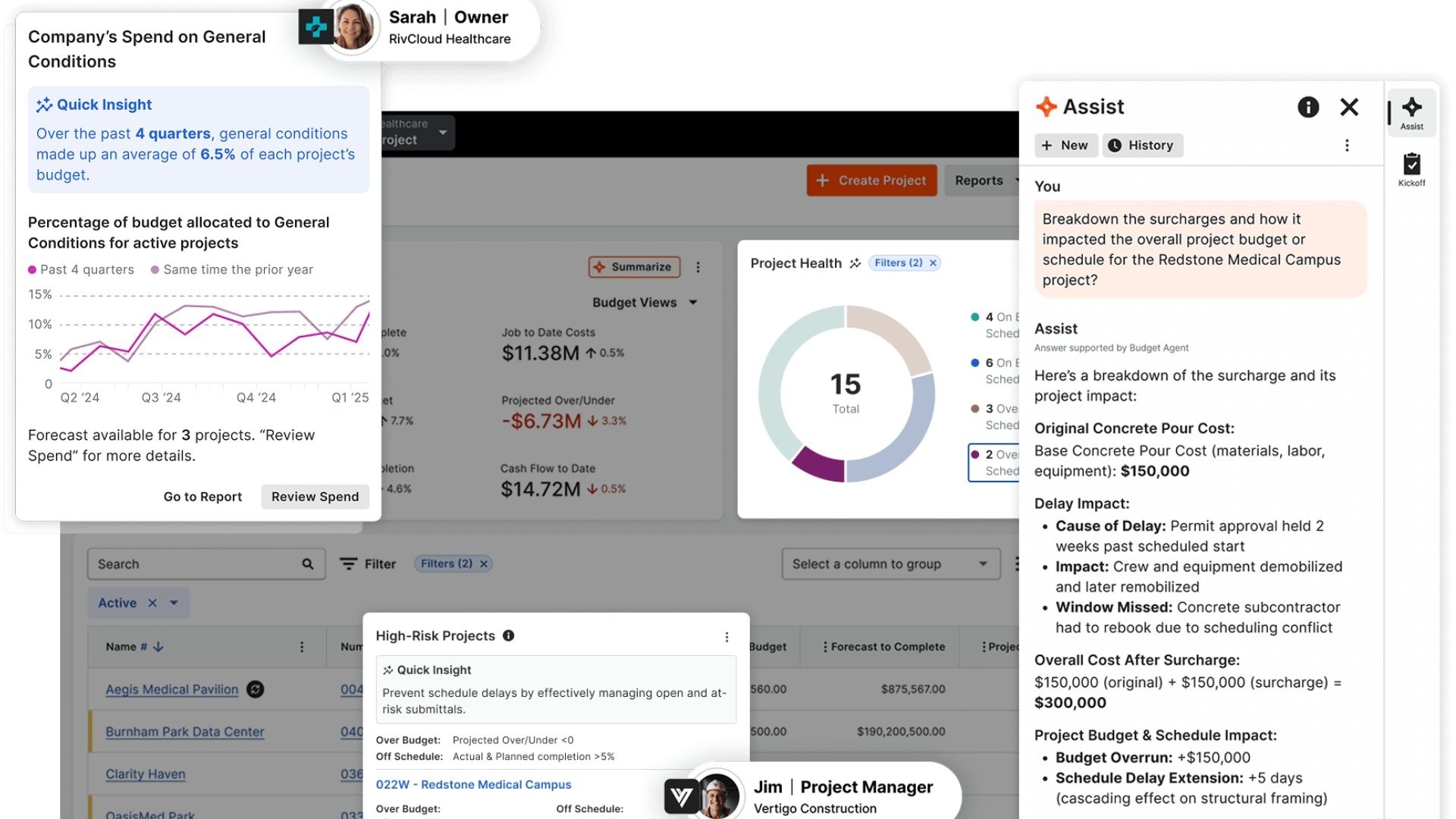
Image source: procore.com
Overview
Procore is a heavyweight in the construction and real estate development world. It's an end-to-end platform built specifically for the complexities of managing large-scale construction projects. It connects everyone from the project owner and general contractor to subcontractors and architects on a single platform, offering deep functionality in areas like quality and safety, construction financials, and project management.
Key features
- Comprehensive project management tools: Includes features for RFIs, submittals, and daily logs tailored to construction workflows.
- Advanced financial management: Offers robust cost control, budgeting, and change order management tools.
- Field productivity features: Mobile-first tools for on-site teams, including drawings, inspections, and punch lists.
Pricing
Procore’s pricing is custom and based on the annual construction volume and the products you choose.
3. Oracle Primavera P6: Best for enterprise-level project scheduling
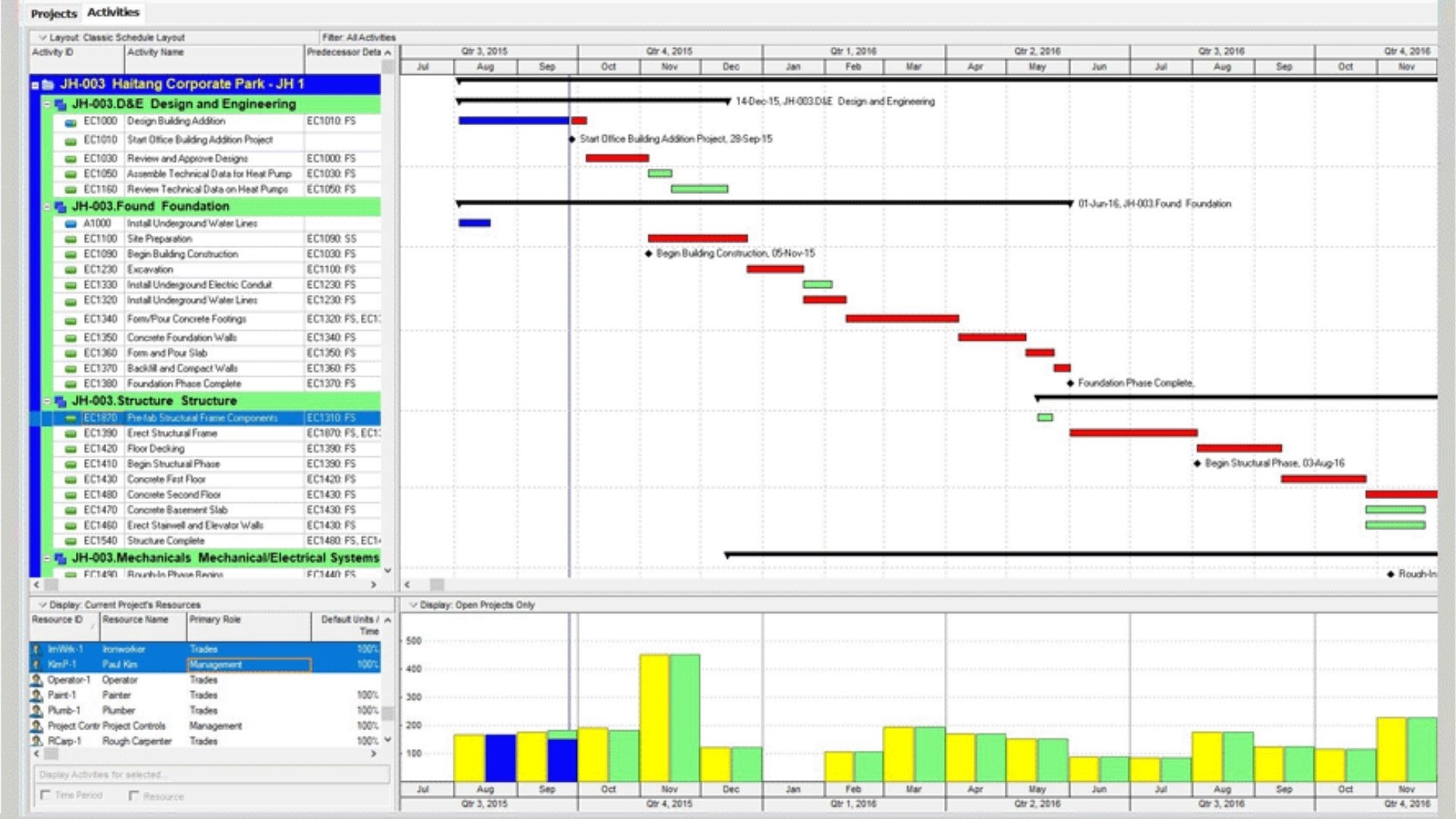
Image source: oracle.com
Overview
Oracle Primavera P6 is the industry standard for large, complex, and high-risk projects, making it a powerful choice for major commercial real estate development software. It excels at sophisticated scheduling, resource planning, and risk management. While it has a steeper learning curve, its power in managing intricate project timelines and dependencies is unmatched for large enterprises.
Key features
- Advanced scheduling and resource management: Provides granular control over project schedules and resource allocation.
- Portfolio management: Enables strategic oversight of all projects across the enterprise.
- Risk and issue tracking: Integrated tools for identifying and mitigating potential project risks.
Pricing
Pricing is provided on a custom basis, tailored to enterprise deployment needs.
4. Buildertrend: Best for residential home builders and remodelers
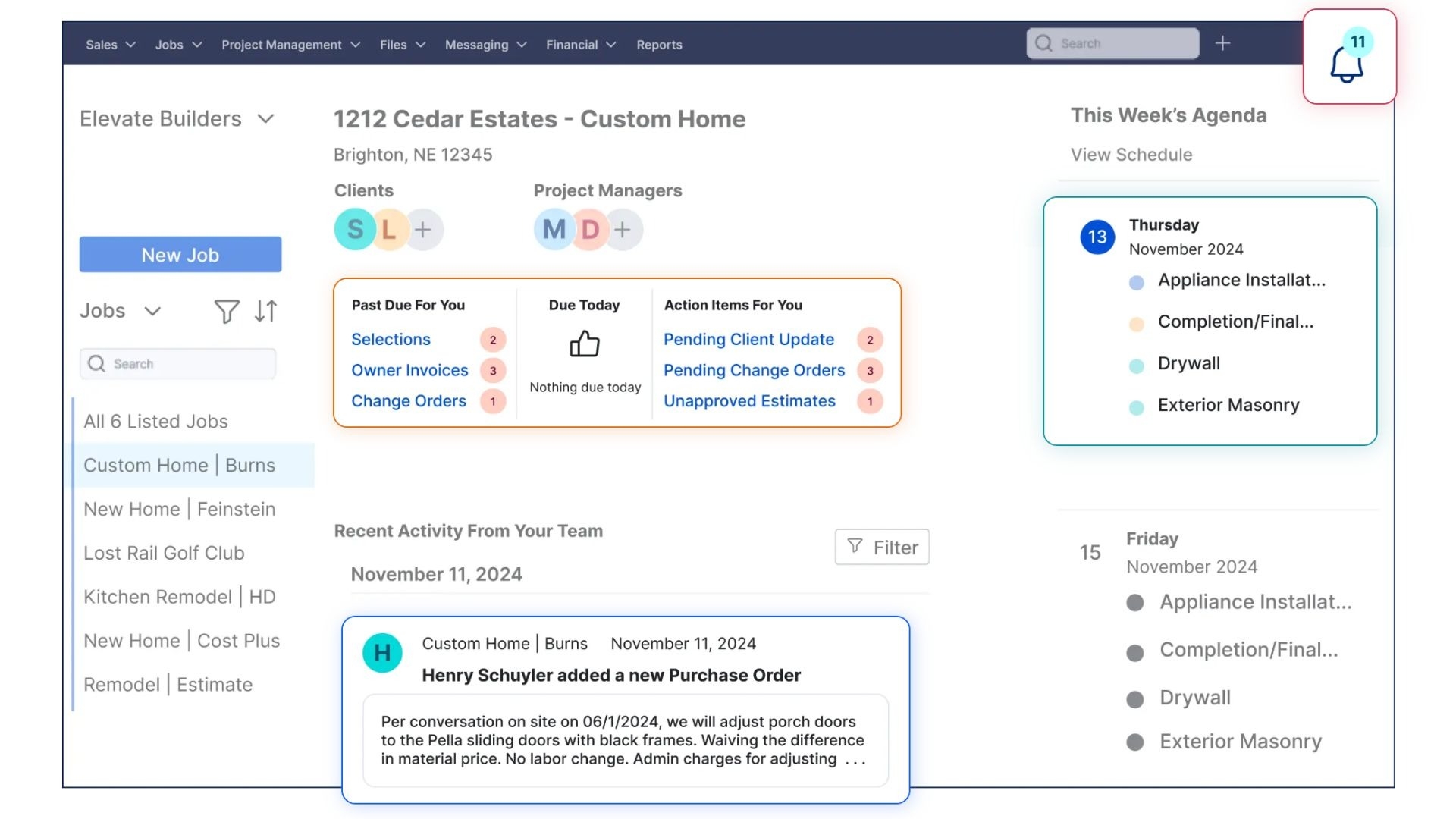
Image source: buildertrend.com
Overview
Buildertrend is a leading residential development software designed for home builders, remodelers, and specialty contractors. It combines project scheduling, customer management, service management, and financial tools into one cloud-based system. Its client-facing features, like the client portal, are particularly strong, enhancing communication and satisfaction.
Key features
- Pre-sale process tools: Includes features for managing leads, estimates, and proposals.
- Integrated financial tools: Handles purchase orders, change orders, and integrates with accounting software.
- Client communication portal: Allows clients to see progress, make selections, and communicate with the building team.
Pricing
Buildertrend uses a custom pricing model. You'll need to contact their team for a personalized quote based on your company's needs, such as your annual construction volume.
5. Smartsheet: Best for data-driven, spreadsheet-style project tracking
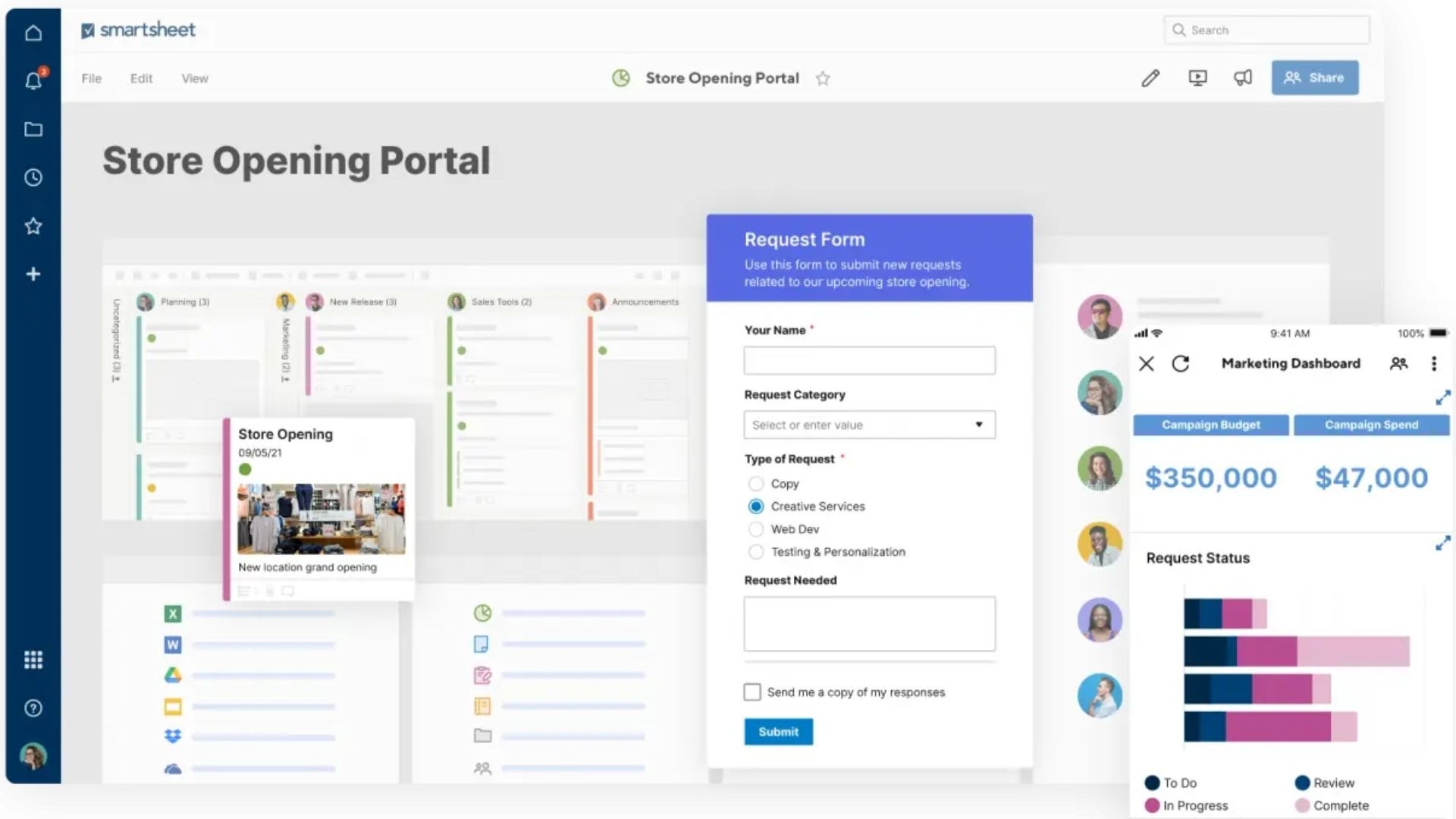
Image source: smartsheet.com
Overview
Smartsheet offers a unique, spreadsheet-like interface that is both familiar and powerful. It's a great fit for real estate teams that rely heavily on data for tracking budgets, schedules, and asset lists. While not exclusively for real estate, its strong automation, reporting, and dashboard capabilities make it highly adaptable for managing complex property development portfolios.
Key features
- Flexible project views: Switch between grid, Gantt, card, and calendar views to visualize work.
- Powerful automation: Automate repetitive processes like alerts, approvals, and status updates.
- Robust dashboards and reporting: Create real-time dashboards to track project health and KPIs.
Pricing
- No free plan; offers a free trial
- Pro: Starts from $9/member/month
- Business: Starts from $19/member/month
- Enterprise: Custom pricing
- Advanced work management: Custom pricing
6. Wrike: Best for customizable workflows and team collaboration
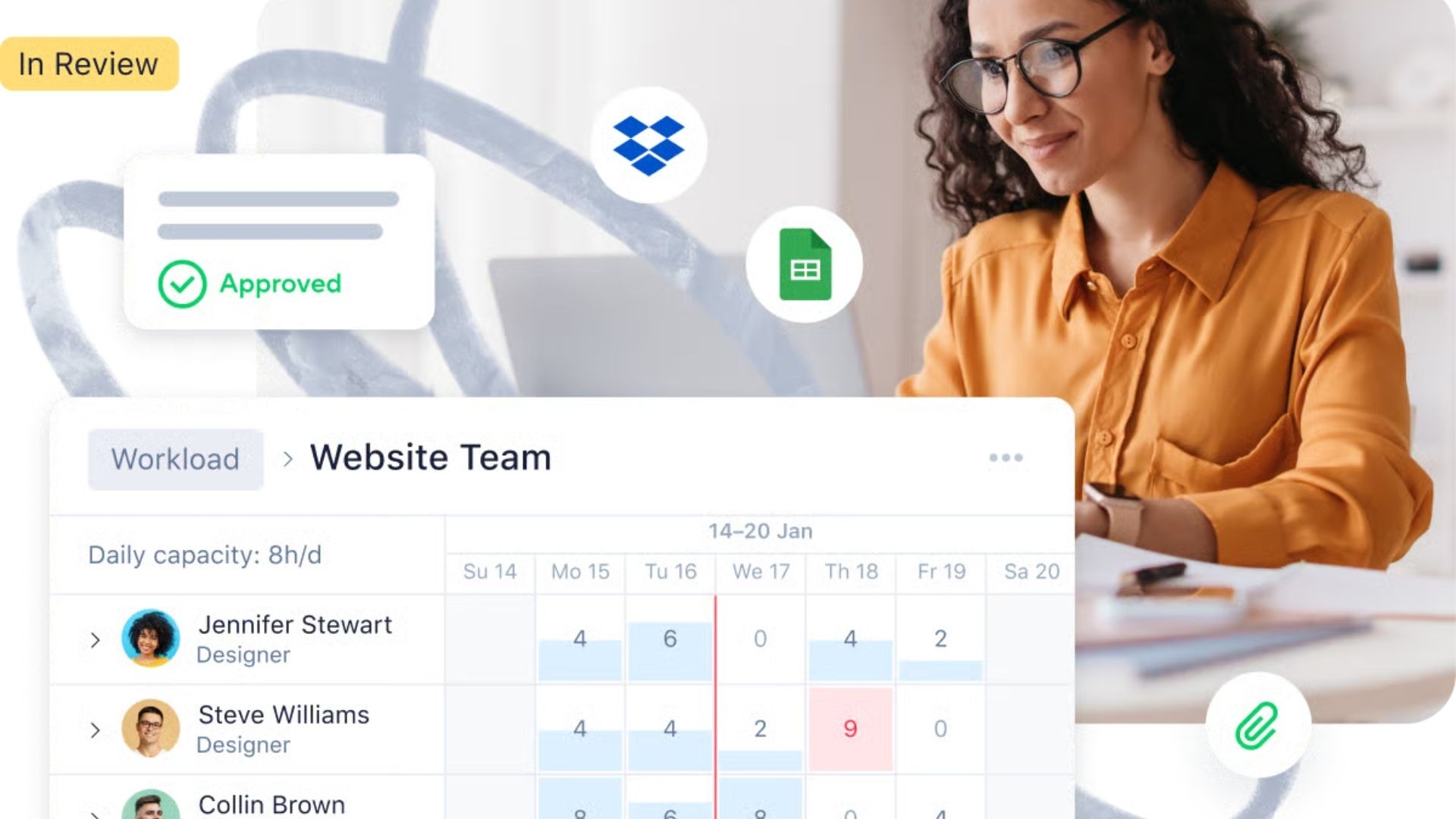
Image source: wrike.com
Overview
Wrike is a versatile project management tool known for its highly customizable dashboards, workflows, and request forms. This makes it a strong contender for real estate firms that need to manage diverse projects, from marketing campaigns for new properties to detailed construction schedules. Its real-time reporting and resource allocation tools help ensure projects stay on track and on budget.
Key features
- Customizable workflows and statuses: Tailor the platform to match your team's specific processes.
- Interactive Gantt charts: Easily visualize project timelines and manage dependencies.
- Proofing and approval tools: Streamline the review process for documents and creative assets.
Pricing
- Free: For teams getting started
- Team: Starts from $10/user/month
- Business: Starts from $25/user/month
- Enterprise: Custom pricing
- Pinnacle: Custom pricing; for teams with complex work needs
7. Monday.com: Best for visual project and portfolio management
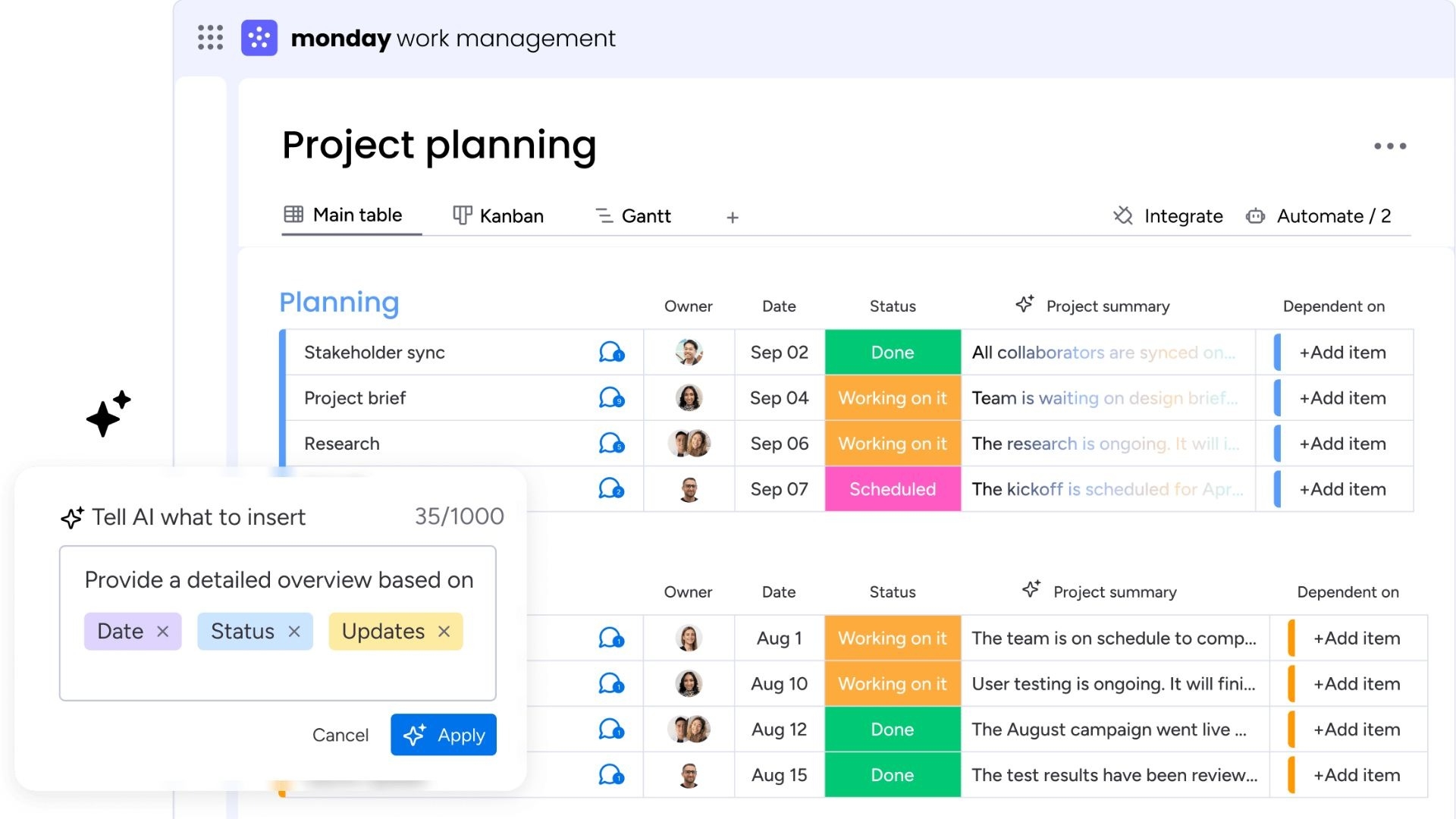
Image source: monday.com
Overview
Monday.com is a Work OS that stands out for its bright, visual, and highly intuitive interface. Real estate teams can use its colorful boards to manage everything from deal pipelines and construction phases to marketing tasks. Its strength lies in its flexibility and ease of use, allowing teams to quickly build and adapt workflows with powerful automation and integration capabilities.
Key features
- Multiple project views: Includes Kanban, timeline, Gantt, and calendar views for full visibility.
- Customizable automation: Automate notifications, status changes, and task creation.
- Dashboard widgets: Build visual dashboards to get a high-level overview of all your projects.
Pricing
- Basic: Starts from $9/seat/month
- Standard: Starts from $12/seat/month
- Pro: Starts from $19/seat/month
- Enterprise: Custom pricing
8. Asana: Best for task management and cross-functional coordination
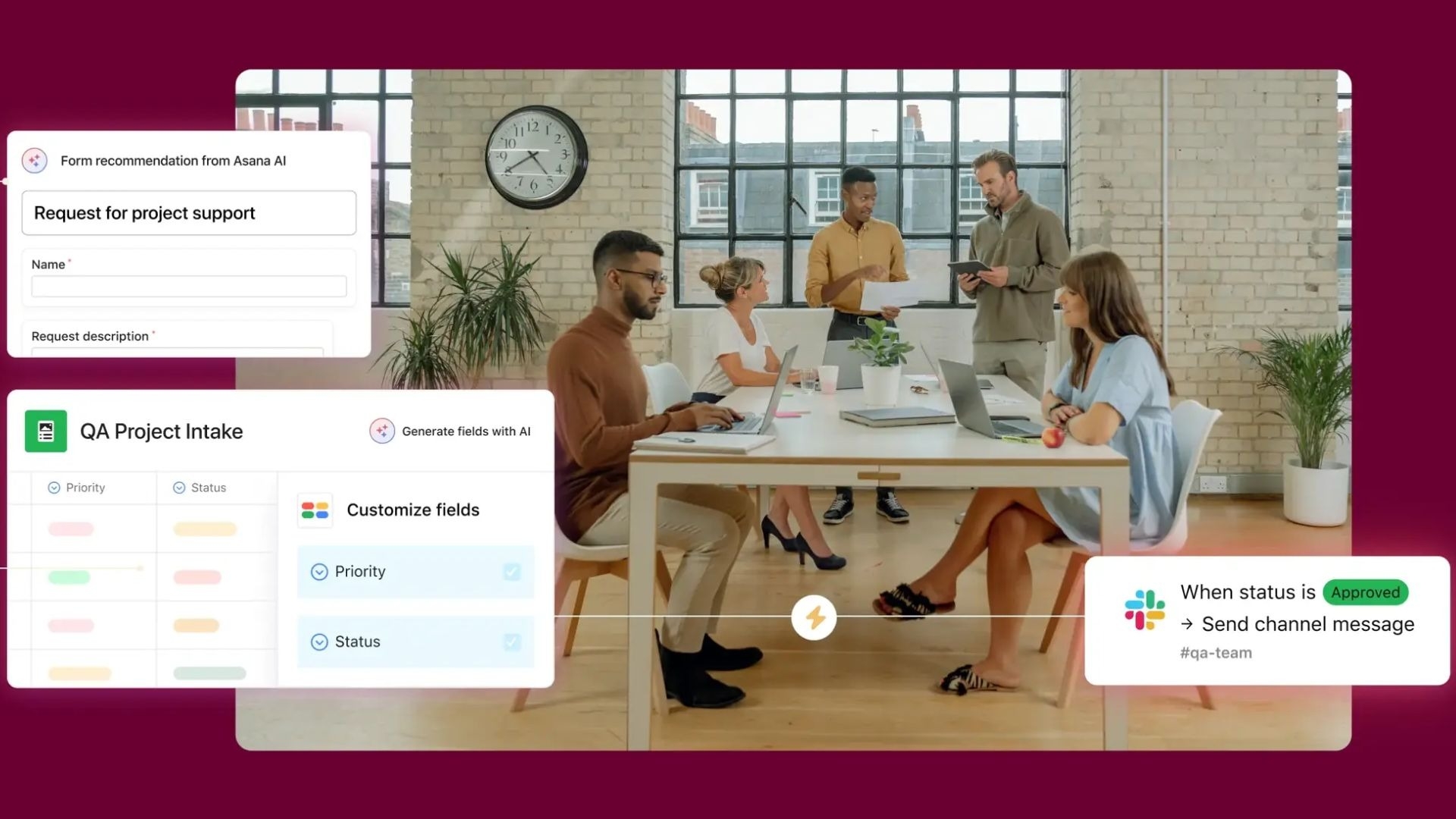
Image source: asana.com
Overview
Asana excels at task management and coordinating work across different teams. For real estate projects, it's effective for breaking down large initiatives into manageable tasks and subtasks, assigning owners, and tracking deadlines. Its timeline view is great for mapping out project schedules, and its portfolio management features provide a high-level view of project progress and health.
Key features
- Advanced task management: Create tasks, subtasks, dependencies, and custom fields.
- Project portfolio management: Monitor the status of all your real estate projects in one place.
- Workflow builder: Visually create and automate your team’s processes.
Pricing
- Personal: Free for up to 10 teammates
- Starter: Starts from $10.99/user/month
- Advanced: Starts from $24.99/user/month
- Enterprise: Custom pricing
How we evaluate project management tools
There is no universal "best" . What works well for one firm might not click for another. To help you skip the trial and error, we drew on real-world industry experience to test and score the top platforms. We evaluated them using a custom framework that prioritizes core features, budget tracking, and overall usability, as these practical, day-to-day factors are what are going to determine whether your team will actually adopt the software.
Core PM features (30%)
These carry the most weight in our assessment. We rigorously test the foundational elements of each platform, including task management, advanced scheduling with Gantt charts and interactive calendars, resource allocation, real-time collaboration, and the depth of reporting.
Ease of use (20%)
A powerful tool holds no value if your team refuses to use it. We evaluated the user interface, overall user experience, and the initial learning curve to determine how quickly a new team can successfully onboard and navigate the platform.
Customization and integrations (15%)
These are vital for ensuring the software works the way you do. We analyze how well the platform adapts to your unique processes by assessing custom workflows, diverse data views like Kanban or timelines, and the software's ability to seamlessly connect with the tech stack your team already relies on.
Customer reviews (15%)
To ensure our assessment aligns with everyday reality, we don't just rely on our own testing. We aggregate and parse through verified customer reviews and community discussions across trusted platforms like , , and to identify recurring praises, hidden limitations, and common pain points.
Pricing and scalability (10%)
This helps us break down the true cost of ownership. Our analysis weighs the feature set of each tier against its price point and evaluates whether the platform can reliably scale alongside your growing team, project volume, and business complexity.
Support and resources (10%)
We verify the responsiveness and reliability of customer service channels while assessing the availability of self-serve resources, such as help centers, AI assistants, video tutorials, and active community forums.
For more information about our review methodology, read the full rundown of.
Commercial vs. residential project management
Managing a commercial real estate project (such as an office tower or retail hub) requires a significantly different approach compared to a residential build (such as multi-family apartments or single-family housing estates). Understanding these differences helps project managers select the right tools and workflows:
Key do's and don'ts for real estate managers
- Do: Establish an automated digital approval workflow for change orders. Industry data from platforms like Northspyre shows that unmanaged change orders are the leading cause of unexpected budget overruns.
- Do: Ensure instant field-to-office data synchronization so project directors can see jobsite photo updates and daily logs in real time.
- Don't: Rely on manual, disconnected spreadsheets to track hundreds of vendor invoices and lien waivers, as this inevitably leads to payment delays and legal disputes.
- Don't: Overlook regional compliance and permit timelines in the early phases; any regulatory oversight mid-way can halt construction and cause devastating interest-rate losses.
How to choose the right project management software for real estate companies
With so many options on the market, selecting the best real estate development software for your organization can feel daunting. The key is to look for a solution that not only offers robust project management features but also aligns with the specific, nuanced workflows of your business. Here are the critical features and factors to consider during your evaluation:
- Portfolio management and scalability: Your chosen software should be able to handle the complexity of managing multiple projects at once, whether they are commercial real estate ventures or large-scale residential development projects. Look for a platform that can grow with your business.
- Robust document and contract management: This is non-negotiable for real estate. The system must offer secure document storage, version history, easy searchability, and features specifically for managing contracts and tracking permits.
- Integrated budget and financial tools: Look for software that offers strong cost control features, including expense tracking, , and the ability to generate detailed financial reporting for stakeholders.
- Seamless collaboration and communication: The platform should facilitate easy team collaboration. Features like a client portal, automated stakeholder updates, and real-time commenting help bridge the communication gap between the field and the office.
- : The ability to automate repetitive tasks is a game-changer. Look for features like process automation, customizable approval workflows, and even AI-powered suggestions to increase efficiency and reduce manual errors.
- Enterprise-grade security and compliance: Your projects involve sensitive financial and legal information. Ensure the software provides robust data security, granular permissions settings, and helps you adhere to industry compliance standards.
- Mobile access and real-time sync: Real estate projects don't just happen behind a desk. A powerful mobile app with cloud-based, real-time access is essential for on-site teams to update progress, upload photos, and access critical documents from anywhere.
When evaluating options, consider how a highly customizable platform like Lark Base allows you to build specific solutions for budget tracking, contract management, and automated workflows, tailored to your unique real estate processes.
Common challenges in the real estate industry with project management
Without the right tools, real estate projects are prone to a specific set of challenges that can derail timelines and inflate budgets. If you're in the industry, these pain points probably sound all too familiar:
- Fragmented communication: Teams and stakeholders are often siloed, communicating through a messy mix of emails, phone calls, and text messages. This leads to missed updates, slow decision-making, and a lack of transparency for investors and clients.
- Disorganized document management: A single project can generate thousands of documents, including contracts, blueprints, permits, and change orders. Without a , finding the right version of a file can be a nightmare, leading to critical errors.
- Poor budget and cost control: against the original budget in real-time is nearly impossible with spreadsheets. This lack of visibility makes it difficult to manage cost control, leading to unexpected overruns and impacting profitability.
- Inefficient scheduling and delays: Coordinating dozens of contractors and suppliers with complex dependencies is a major challenge. A delay in one area can have a cascading effect, pushing back the entire project timeline without clear milestone tracking.
- Lack of stakeholder visibility: Investors, clients, and other key stakeholders often feel out of the loop. Providing them with timely and accurate stakeholder updates requires manual effort and time-consuming report creation.
- risks: Real estate projects involve sensitive financial data and strict regulatory requirements. Managing compliance and ensuring data security across multiple systems is a significant risk.
How real estate project management software can meet the challenges
The right directly tackles these challenges by providing a suite of integrated tools. It transforms disjointed processes into a streamlined, transparent, and efficient operation. Here’s how:
- Centralized collaboration: , shared dashboards, and real-time notifications keep everyone on the same page. This ensures that team collaboration is seamless, whether in the office or on-site.
- Streamlined document management: A secure, cloud-based repository for all project files, complete with version control and permissions, ensures everyone has access to the most current documents. This simplifies everything from contract management to permit tracking.
- Real-time financial oversight: With integrated budget management features, you can monitor expenses, track costs against milestones, and generate accurate financial reporting on demand, giving you complete control over the project's financial health.
- Dynamic scheduling and time tracking: Tools like Gantt charts and provide a visual overview of the project timeline, making it easy to manage dependencies, adjust schedules, and track progress against key milestones.
- Automated reporting and analytics: Customizable dashboards and summary reports provide at-a-glance insights into project performance. This allows for proactive performance tracking and keeps stakeholders informed without manual effort.
For instance, an all-in-one platform like directly addresses these issues by unifying communication, document management, and customizable workflows, preventing the very data silos that create these challenges.
Overcome your real estate challenges with Lark
Trends in real estate project management software
The world of real estate project management software is constantly evolving, driven by technological advancements and the increasing complexity of modern developments. Staying aware of these trends can help you choose a solution that won't just solve today's problems but will also prepare you for the future of work. Here are the key trends shaping the industry:
- AI and predictive analytics: Artificial intelligence is moving beyond a buzzword and becoming a practical tool. AI-powered features are beginning to help project managers forecast potential budget overruns, identify scheduling risks before they cause delays, and even optimize resource allocation based on historical performance data. This shift from reactive problem-solving to proactive, data-driven decision-making is a game-changer for cost control.
- No-code and low-code customization: Real estate firms have unique processes that can't always accommodate. The rise of no-code/low-code platforms allows teams without technical expertise to build their own custom applications and workflow automation. This means you can create a bespoke permit tracking system or a client onboarding workflow that perfectly fits your business needs, without relying on developers.
- A truly mobile-first approach: The need for mobile access is nothing new, but the capabilities of mobile apps are expanding dramatically. The trend is moving toward full-featured mobile experiences where on-site teams can do more than just view information. They can update Gantt charts, fill out complex forms, participate fully in video meetings, and access the entire project database, ensuring that real-time access truly bridges the gap between the field and the office.
- Deeper integrations and unified platforms: The frustration of juggling dozens of separate applications is leading to a demand for more integrated solutions. The most forward-thinking real estate development software acts as a central hub, connecting seamlessly with , accounting, and marketing tools. This creates a single source of truth where data flows freely, eliminating manual data entry and providing a holistic view of the entire business, not just individual projects. Beyond managing active projects, investors also need to generate new opportunities, and a well-planned can support this through SEO, paid advertising, social media, and lead generation.
Platforms like Lark are at the forefront of this shift, offering no-code tools like Lark Base that empower teams to build custom solutions and automate workflows within a single, integrated ecosystem.
How Lark supercharges your real estate project management
While many tools offer specific solutions, Lark stands out by providing an integrated ecosystem that tackles the core challenges of real estate project management from every angle. It’s a complete work environment that connects your people, data, and processes, transforming fragmented operations into a cohesive and intelligent system.
Build your command center with
Lark Base is a highly flexible no-code project management tool that enables you to build custom real estate project tracking systems. You can design a custom property development tracker with stages from acquisition to sale, a visual leasing pipeline using a Kanban board, and a detailed subcontractor database. You can use Gantt charts to map out complex construction schedules and dependencies, and create mobile-friendly forms for on-site teams to submit daily logs or inspection reports.
Because it's all interconnected, you can then build powerful, real-time dashboards to give investors and executives a live view of financial reporting, project progress, and key performance indicators.
Unify communication with and
Communication breakdowns between the field, the office, and stakeholders are a primary source of delays. Lark solves this by embedding communication directly into your workflow. A site manager can snap a photo of an issue, share it in a project-specific group chat, and instantly launch a video call with the architect to find a solution—all without leaving the app.
Decisions that once took days of email chains now happen in minutes. Furthermore, you can convert any message into an actionable task, ensuring accountability. For crucial discussions, Lark Meetings allows you to schedule calls, see everyone's availability, and even get an AI-powered transcript afterward, creating a searchable record of all key decisions.
Centralize knowledge with and
A real estate project generates a mountain of paperwork. Lark Docs and Wiki provide a single, secure home for all of it. You can co-edit contracts, architectural plans, and change orders in real-time, using @mentions to pull in legal or finance for review. Advanced permissions ensure that only the right people can view or edit sensitive files.
Beyond individual project documents, you can use Lark Wiki to build a lasting knowledge base for your company. House your standard operating procedures, onboarding checklists for new contractors, and compliance guidelines in one easy-to-access location, ensuring consistency and best practices across all your projects.
Drive efficiency with
Repetitive administrative tasks can consume a significant portion of a project manager's day. Lark's automation capabilities help you reclaim that time. Within Lark Base, you can set up simple but powerful rules. For example, when a task’s status is updated to "Ready for Inspection," an automatic notification can be sent to the site supervisor. When a new lead comes in through a form, a task can be automatically created and assigned to a sales agent.
In summary, Lark’s true strength is not in any single feature but in how they seamlessly integrate. This unified approach eliminates the need to juggle multiple disconnected apps, providing a single source of truth that boosts productivity, enhances team collaboration, and gives you unparalleled control over your real estate projects.
Real-world case study: How sala homes and alphax transformed real estate collaboration
As premier brands operating under a single corporate umbrella, Sala Homes (specializing in residential construction and property development) and AlphaX (focusing on commercial real estate and brokerage) faced severe operational friction. The teams relied on a fragmented, "frankenstein" tech stack that included WhatsApp for chat, Google Drive for document storage, and ClickUp for task tracking.
This disconnected setup caused major blind spots between office staff, agents, and construction site managers. Critical communication got lost in endless chat groups, tracking project timelines across multiple properties became unmanageable, and transferring data manually between systems led to massive delays in contract approvals and on-site construction updates.
To eliminate these silos, the firms consolidated their entire operations onto an all-in-one collaborative workspace, turning it into their unified real estate operating system.
By replacing their fragmented tools with , they integrated instant messaging, secure cloud storage, and automated workflows into one hub. Real estate agents and project managers now use integrated chat groups mapped directly to live project trackers to manage property lifecycles, construction milestones, and vendor contracts. Instead of digging through separate folders or hunting down old chat histories, field teams can access blueprints and legal documents instantly on site.
This transformation successfully bridged the gap between the field and the back office, allowed leadership to manage both residential builds and commercial listings seamlessly, and provided a highly scalable infrastructure to support their rapid growth.
Conclusion
Skilled teams and solid strategies will only get you so far. In real estate development, you also need the right tools to help you centralize communication, streamline workflows, track budgets, manage deadlines, and everything in between to bring projects to completion.
When it comes time to choose, pick a solution that adapts to your specific workflows and scales right alongside your growing portfolio. The software should make daily operations smoother, not more complicated. You need a unified platform that gives you a rock-solid foundation by bringing task management, document collaboration, and custom workflows into one place. is the tool that can make that happen, empowering your teams to stop wrestling with administrative headaches and focus entirely on strategic real estate goals.
Head to to see how you can benefit from a unified AI-powered workspace.
Try Lark for free, no credit card needed
FAQs
Which real estate management software is best?
The "best" software depends on your specific needs. For large-scale construction, Procore is a strong choice. For residential builders, Buildertrend excels. However, for an all-in-one solution that combines powerful, customizable project management with integrated communication and collaboration tools, Lark is an outstanding option for most real estate businesses.
What is PMP in real estate?
stands for Project Management Professional. It's a globally recognized certification that validates a professional's experience and expertise in . While not specific to real estate, a PMP-certified manager applies a standardized framework to manage project scope, schedule, and budget, which is highly valuable in complex development projects.
Which project management software is most used?
The most-used software varies by industry. In the corporate world, tools like Microsoft Project have a long history. For software development, Atlassian's Jira is dominant. In the broader, more flexible work management space, platforms like Asana, monday.com, and Lark are extremely popular for their user-friendly interfaces and adaptability.
What is project management in real estate?
Project management in real estate is the process of planning, executing, and overseeing a property development project from conception to completion. It involves managing all aspects, including land acquisition, zoning, design, construction management, budgeting, scheduling, risk management, and stakeholder communication to ensure the project meets its goals. Why is real estate project management important?
Real estate projects are complex, high-stakes investments that require careful coordination to succeed. Without a central guiding force, the chaos of managing contractors, investors, and local authorities can quickly derail a development. Effective project management is crucial because it keeps these massive operations on track from planning to completion. Specifically, it provides the framework needed to guarantee several critical outcomes:
- Budget adherence: Protecting tight profit margins.
- Timeline enforcement: Preventing costly scheduling delays.
- Risk mitigation: Proactively handling supply chain or zoning issues.
- Centralized communication: Aligning all disparate stakeholders.
Furthermore, it ensures that the physical build fully complies with strict safety codes and municipal regulations. Ultimately, dedicated project management turns a chaotic, high-risk undertaking into a predictable, profitable business process.
What core skills does every real estate project manager need?
According to job market analytics from platforms like Indeed, modern real estate project managers must possess a balance of specialized technical and financial skills to command top-tier roles:
- Financial acumen: Mastery over capital budgeting, cost forecasting, and Earned Value Management (EVM) to keep multi-million dollar budgets stable.
- Contract & vendor management: The ability to negotiate and manage complex contracts with general contractors, architects, and material suppliers while mitigating liability.
- Proactive risk mitigation: Expertise in anticipating supply chain disruptions, material price fluctuations, and weather-related construction delays.
Related reading































