In a world where businesses are continuously striving for efficiency and accuracy in their operations, an effective inventory management system has become essential. The SAP inventory system stands out as a robust solution designed to meet the diverse needs of organizations aiming to streamline their processes. This article will explore the various aspects of the SAP inventory system, including its key features, best practices for implementation, and insights on getting started. Whether you are new to inventory management or looking to enhance your existing processes, this guide is tailored to help navigate the capabilities of SAP efficiently.
What is the SAP inventory system?
The SAP inventory system is an integral part of the broader (Enterprise Resource Planning) suite, specifically designed to help businesses manage their inventory efficiently. At its core, it provides organizations with the tools required to , , and ensure that product availability aligns with demand.
This system encompasses a wide range of functionalities that streamline inventory processes. The primary aim is to optimize the flow of materials throughout the supply chain, from procurement to production and distribution. Users benefit from an intuitive interface and comprehensive data, which enhance decision-making and enable strategic planning. Utilizing SAP’s capabilities, organizations can seamlessly integrate their inventory management efforts with other key business functions, improving overall operational efficacy.
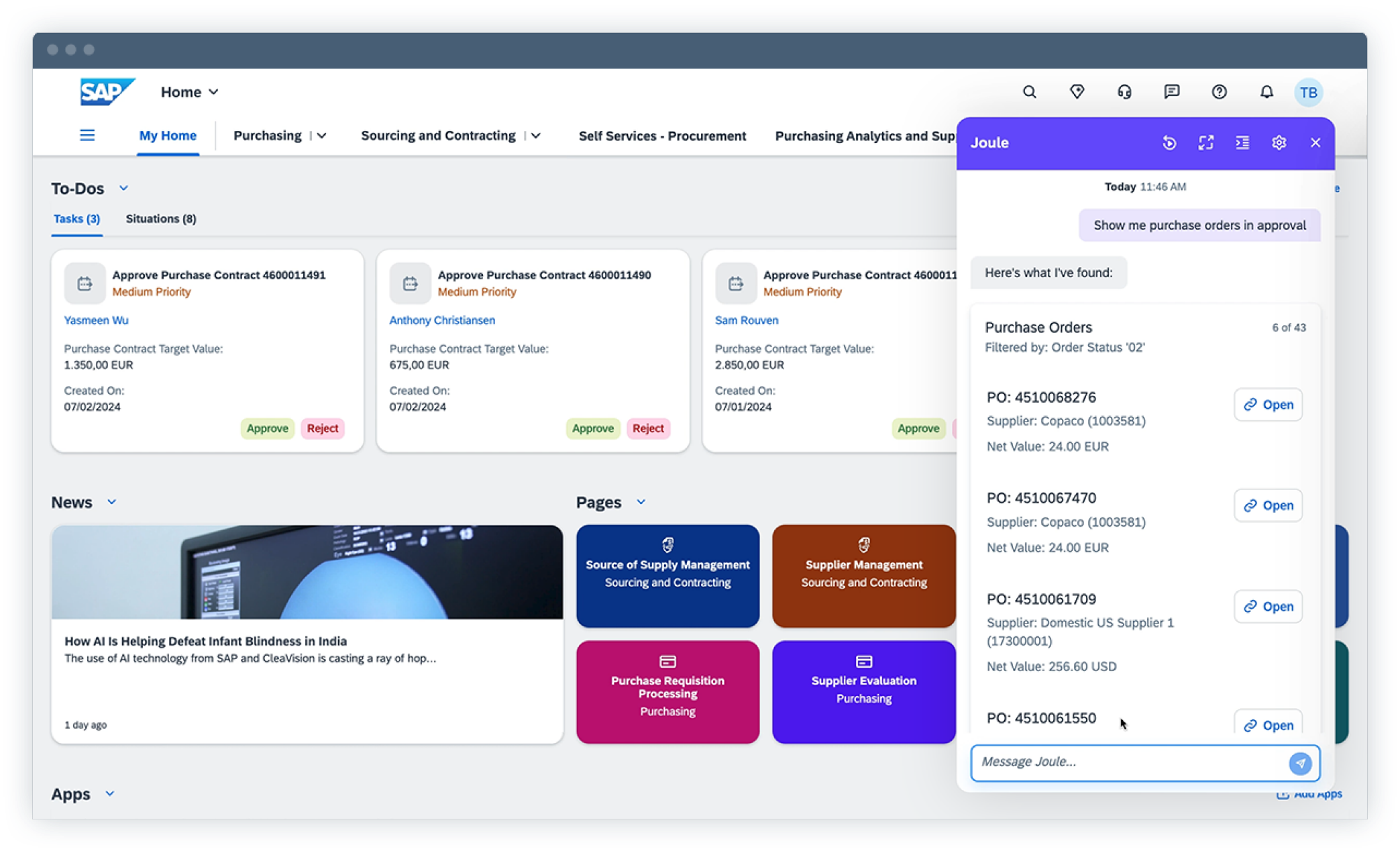
Image source: sap.com
Key features of the SAP inventory system
The SAP inventory system boasts a variety of features designed to enhance how businesses manage their inventory. Here are some of its standout capabilities:
- Real-time data tracking: The system offers real-time visibility into inventory levels, enabling organizations to , reconcile discrepancies, and maintain optimal stock levels without manual intervention.
- Automated processes: Automation is central to the SAP inventory management process. like reorder notifications and inventory updates minimize manual input, reducing human error and saving time.
- Comprehensive analytics and reporting: The system provides a range of reporting tools that allow businesses to analyze inventory performance metrics easily. These insights can drive informed decision-making and identify areas for further improvement.
- Customizable dashboards: Users can to focus on the metrics that matter most to their operations. This feature ensures that inventory managers have immediate access to critical information.
- Mobile access: The SAP mobile inventory management system allows users to access inventory information and manage stock using mobile devices. This flexibility is particularly beneficial for organizations with multiple locations or teams in the field.
- Enhanced stock management capabilities: Through features like batch management, serial number tracking, and stock valuation methods, the SAP system's gives organizations the tools they need to maintain control and compliance across their inventory.
By leveraging these key features, organizations can significantly enhance their inventory management processes, aligning stock levels with demand, reducing costs, and improving customer satisfaction.
How to use SAP for inventory management
Effectively utilizing the SAP inventory system is crucial for orchestrating material flow and supporting your business operations. The SAP inventory management process flow covers an item's entire lifecycle, from receipt to consumption. Here's how you can leverage SAP for robust inventory management:
Establish a solid foundation with master data
Begin by accurately setting up your material master data, which details each item's type, unit, valuation, and storage conditions. Define your physical locations within SAP by configuring plants and storage locations. This foundational data ensures accurate tracking within your SAP system inventory management.
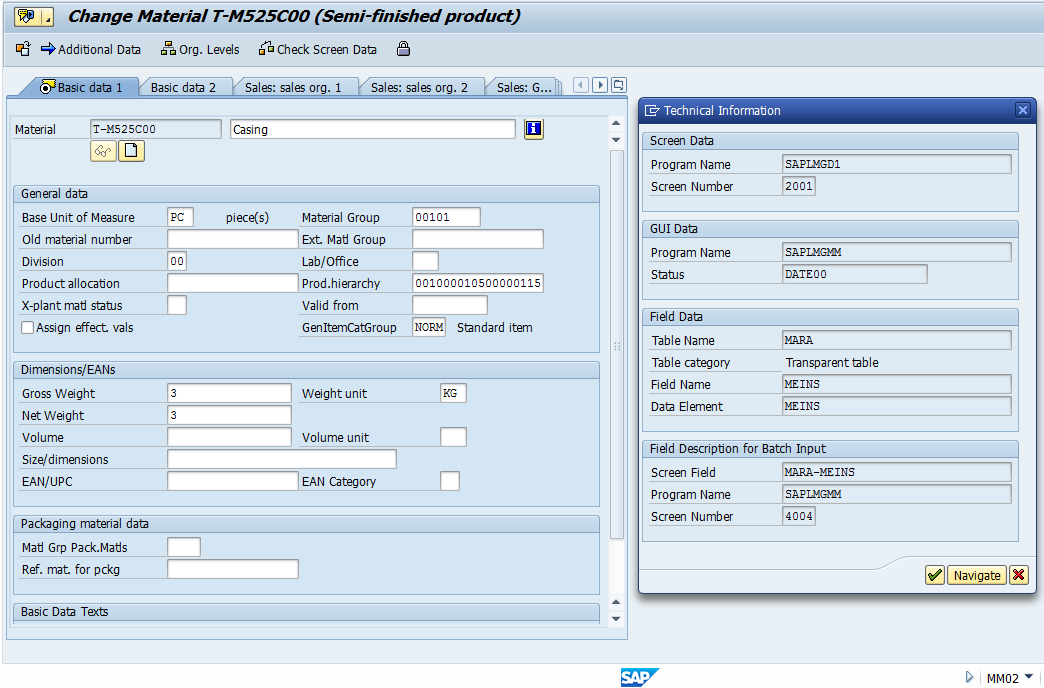
Image source: community.sap.com
Manage goods receipts (incoming inventory)
When materials arrive (e.g., from a vendor after a purchase order or from production), record this in SAP using transactions like MIGO. This action updates your stock levels, generating a material document that reflects increased quantity and value in the specified storage location.
Handle goods issues (outgoing inventory)
Materials leave inventory for various reasons, such as for production orders, customer deliveries, or internal consumption. Use transactions like MIGO with appropriate movement types to record these issues. This reduces your stock quantity and value, impacting associated modules like production or finance.
Perform stock transfers (internal inventory movements)
Move materials within your SAP organizational structure using transactions like MB1B or MIGO. This allows transfers between storage locations within a plant or even between different plants, ensuring inventory is available where needed for optimal logistics.
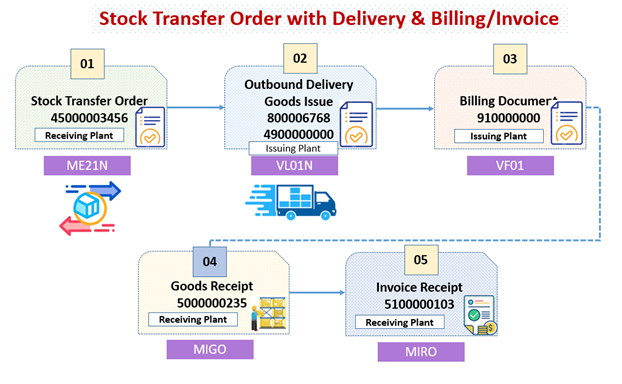
Image source: community.sap.com
Conduct physical inventory and cycle counting
Maintain inventory accuracy by periodically reconciling physical stock with system records. Perform a full or implement continuous cycle counting to identify and correct discrepancies. SAP transactions like MI01 (create inventory document) and MI04 (enter count) facilitate this critical process.
Leverage reporting and analytics for insights
The SAP inventory system provides rich data for analysis. Utilize standard reports (e.g., MB52 for stock overview, MB51 for material documents) to , identify trends, and make informed decisions about purchasing, production, and storage. An SAP Inventory Management tutorial often highlights these analytical capabilities.
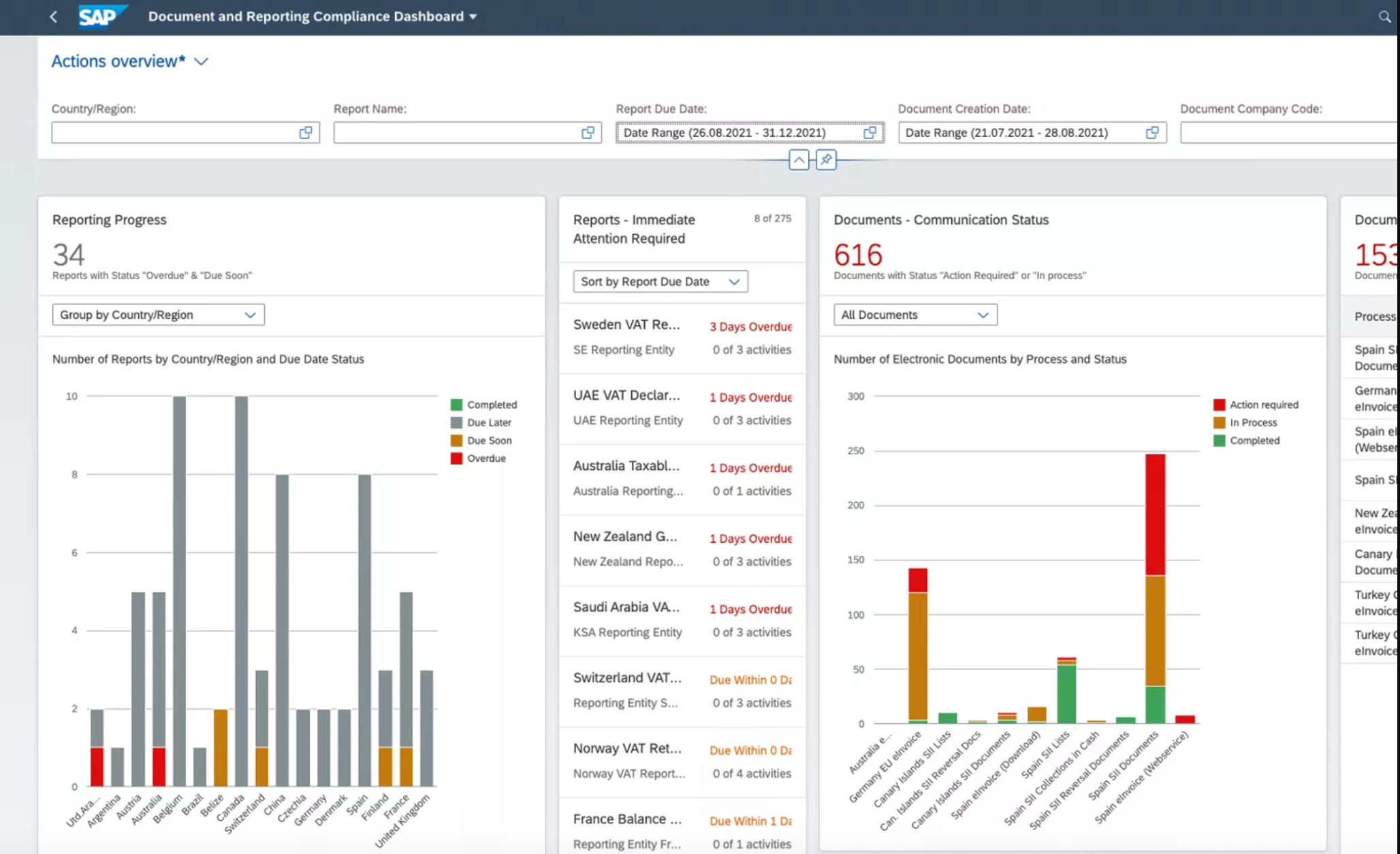
Image source: sap.com
Embrace the SAP mobile inventory management system
Modern SAP deployments enable mobile-first inventory management. Utilize mobile applications on handheld devices to perform real-time transactions like goods receipts, issues, and transfers directly from the warehouse floor. This significantly enhances efficiency, accuracy, and responsiveness.
Experience a better way of inventory management
Best practices for the SAP inventory system
To maximize the benefits of your SAP inventory management system, it is essential to implement best practices. Here are several strategies that can help optimize your inventory operations:
- Maintain accurate inventory records: Keeping precise inventory records is critical for effective management. Regularly reconcile your physical inventory with system records to identify discrepancies and adjust accordingly. Implement practices such as cycle counting to ensure ongoing accuracy without disrupting operations.
- Utilize automated alerts: for stock levels to prevent stockouts or overstock situations. These alerts can notify inventory managers when stock reaches predefined thresholds, allowing for timely reordering and maintaining optimal inventory levels.
- Leverage analytics and reporting: Utilize the analytics capabilities within the SAP inventory system to gain insights into inventory performance. Generate reports that provide visibility into key metrics such as turnover rates, order accuracy, and stock valuation. Use this data to drive strategic decision-making and optimize inventory management processes.
- Implement ABC analysis: Conduct ABC analysis to categorize inventory based on its value and impact on business operations. This method divides inventory into three categories (A, B, and C), allowing organizations to prioritize management efforts based on the significance of items. Focus on high-value items for more meticulous management, while applying less stringent checks on lower-value items.
By implementing these best practices within your SAP inventory management system, you can enhance operational efficiency, reduce costs, and improve overall inventory accuracy.
SAP pricing plans you should know
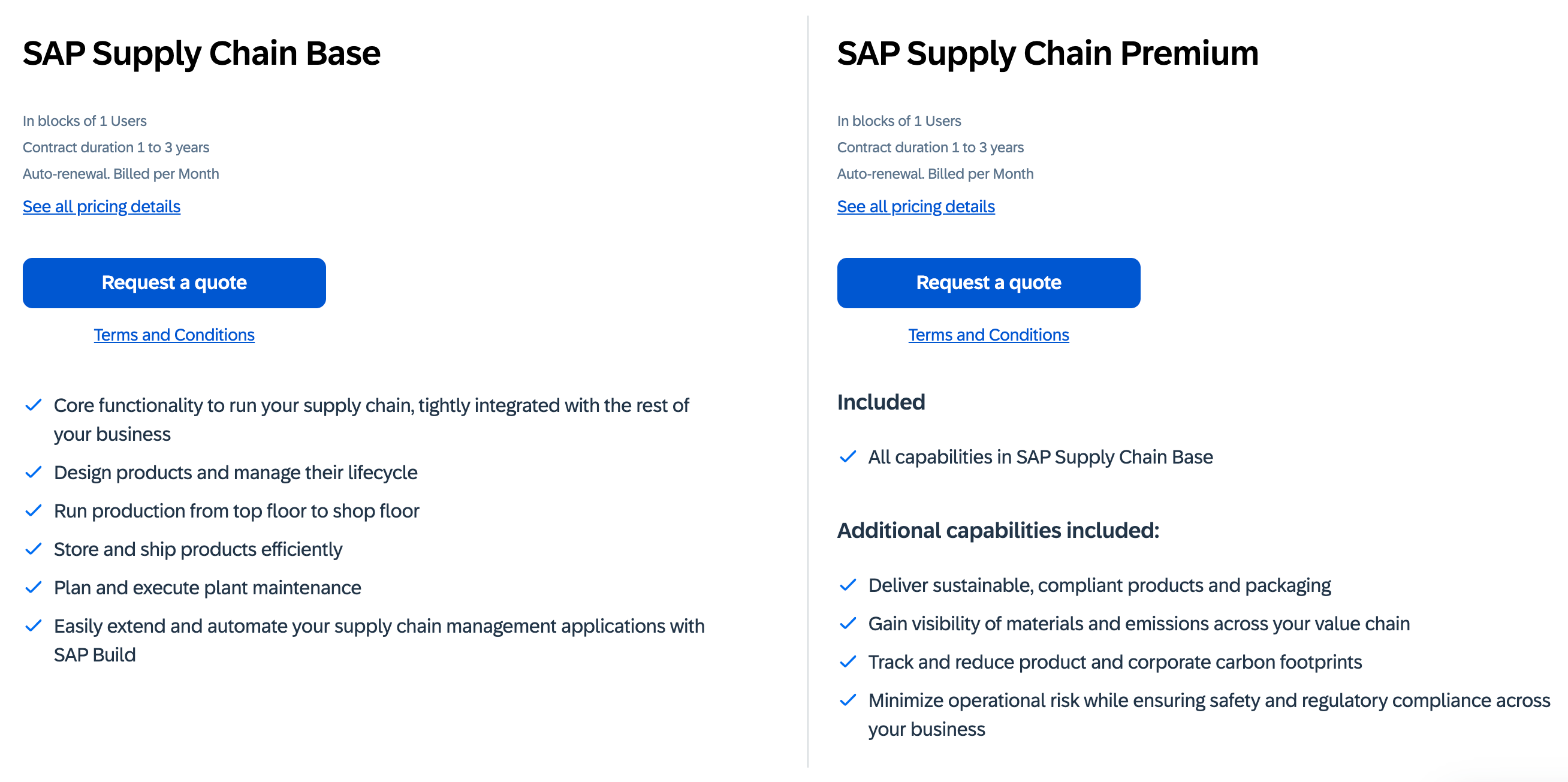
Image source: sap.com
Update time: 2026/1/20
SAP Supply Chain Base plan
Purchasing model: Sold per single user (minimum purchase unit), with contract terms of 1-3 years available
Feature scope: Covers core supply chain scenarios, including:
- Core supply chain functions (deeply integrated with other business systems of the enterprise);
- Product design and lifecycle management;
- End-to-end production management (from top-level planning to shop floor execution);
- Efficient warehouse and logistics operations;
- Factory maintenance planning and execution;
- Support for extending and automating supply chain management apps via SAP Build.
SAP Supply Chain Premium plan
Purchasing model: Same as the Base Plan (sold per single user, with 1-3 year contracts)
Feature scope: Includes all features of the Base Plan, plus additional advanced capabilities:
- Sustainable and compliant product and packaging delivery;
- End-to-end visibility of material and emission data across the value chain;
- Product and corporate carbon footprint tracking and emission reduction management;
- Operational risk management across all business areas (including safety and compliance requirements).
To know more about SAP pricing ➡️
Hidden costs of SAP
SAP's subscription price is just the base cost—there are many easy-to-overlook costs in actual use:
- Implementation and consulting fees: The supply chain module needs to fit your enterprise's existing processes (e.g., warehousing, production scheduling). You usually need SAP or third-party consultants to provide implementation services, and the cost can be 1-3 times the software subscription fee.
- Custom development fees: If your enterprise's supply chain processes (e.g., compliant packaging for special industries, multi-plant transfers) need personalized adaptation, ongoing development and maintenance costs for custom SAP features will apply.
- Training costs: Your supply chain team (procurement, warehousing, production) needs to master SAP operations. Training costs (including on-site/online courses and certifications) are paid separately, and you’ll need to re-invest when new hires join.
- Integration fees: If you need to connect to external tools (e.g., logistics platforms, warehouse WMS), additional development and maintenance costs for cross-system integration will apply.
Avoid these hidden costs right now
Common challenges when using the SAP inventory system
While the SAP inventory system offers numerous advantages, several challenges may arise during its implementation and daily use. Understanding these challenges can help organizations proactively address them:
- Complex implementation process: The implementation of the SAP inventory system can be complicated and time-consuming, often requiring significant . Organizations may face difficulties in data migration, configuration, and customizing the system to fit their specific needs.
- User adoption and training: One of the most common challenges is ensuring user adoption. Employees may struggle to adjust to the new system, especially if they are accustomed to older processes. Inadequate training can lead to errors and hinder productivity, making it essential to invest time and resources in comprehensive training programs.
- Integration issues: Integrating the SAP inventory system with other existing software solutions can pose significant challenges. Organizations may encounter compatibility and data synchronization issues, which can result in inefficiencies and unreliable data across different systems.
- Data management challenges: Managing large volumes of inventory data can be overwhelming, especially when it comes to ensuring accuracy and compliance. Organizations need robust processes in place to maintain data integrity and address issues like duplicate entries or outdated records.
By anticipating these challenges and implementing strategies to mitigate them, organizations can maximize the effectiveness of their SAP inventory system and enhance overall inventory management.
Overcome these challenges with another powerful tool
Consider a more powerful approach to inventory management
While SAP offers powerful core inventory management features, bringing in a like can greatly boost team collaboration, information flow, and decision-making efficiency. This results in stronger inventory management overall. Lark’s collaboration capabilities and multi-functional suite can fill some gaps of traditional ERPs—specifically in daily communication and agile collaboration.
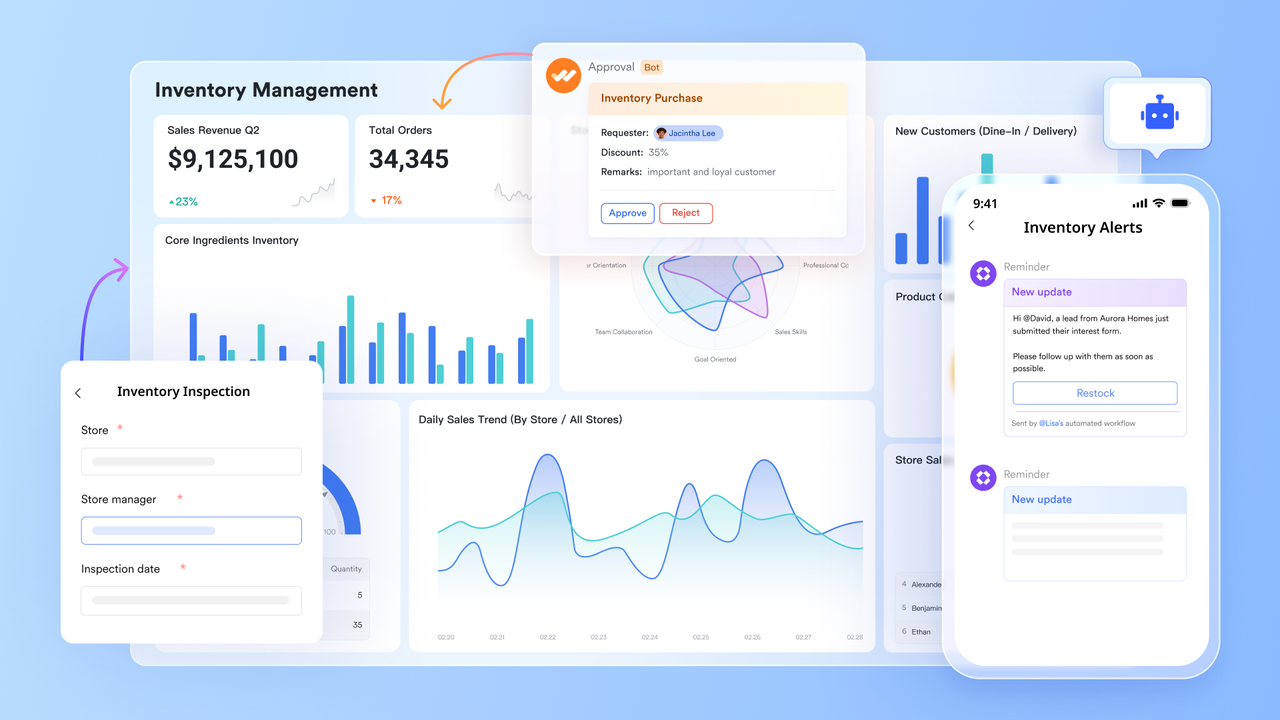
Visualizing inventory with dashboards and alert notifications
's powerful group and filter features, and dashboards make inventory data clear at a glance:
Group and filter: You can create a "Low Stock View" to filter all items below safety stock levels; establish a "Location View" to see inventory distribution across each warehouse or shelf; and set up an "Expiration Alert View" to monitor batches nearing their expiration dates. 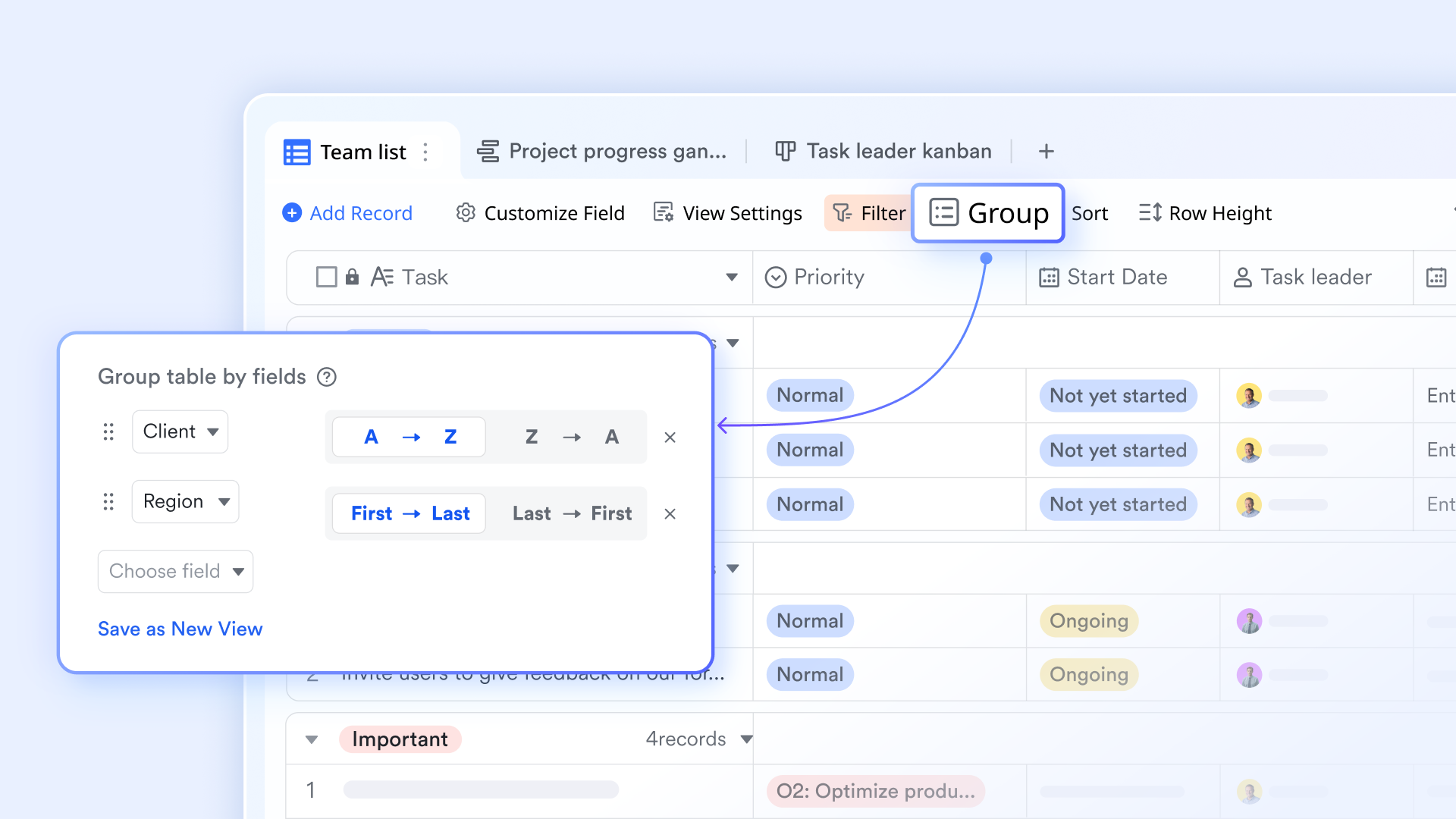
Custom dashboards: Display key data points using charts (e.g., bar charts, pie charts, line graphs) on a custom dashboard. For instance, show total current inventory value, inventory proportion by category, or monthly outbound shipment trends. These dashboards provide an intuitive overview, helping management quickly understand inventory status. 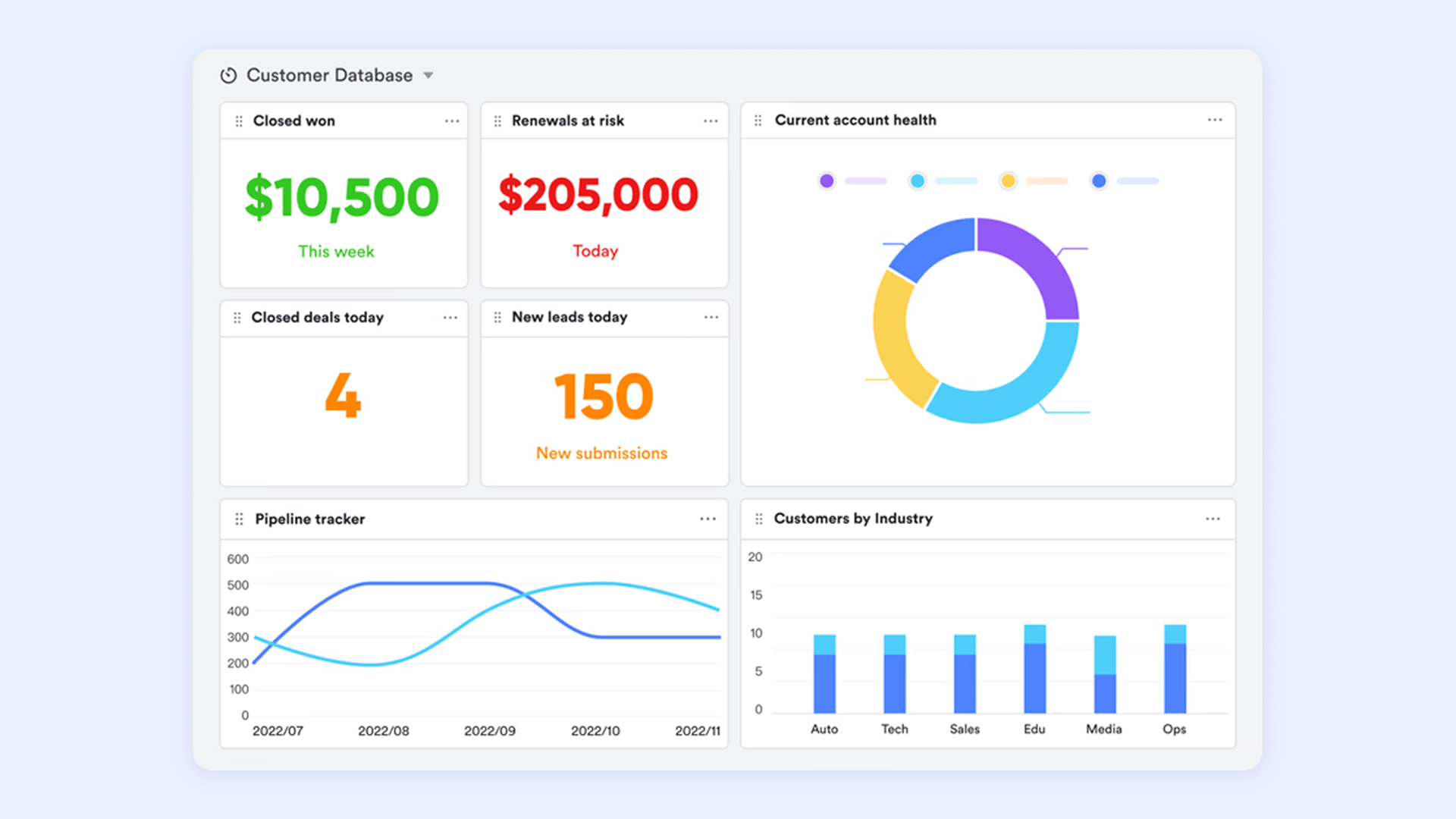
Boosting real-time inventory information perception and response speed
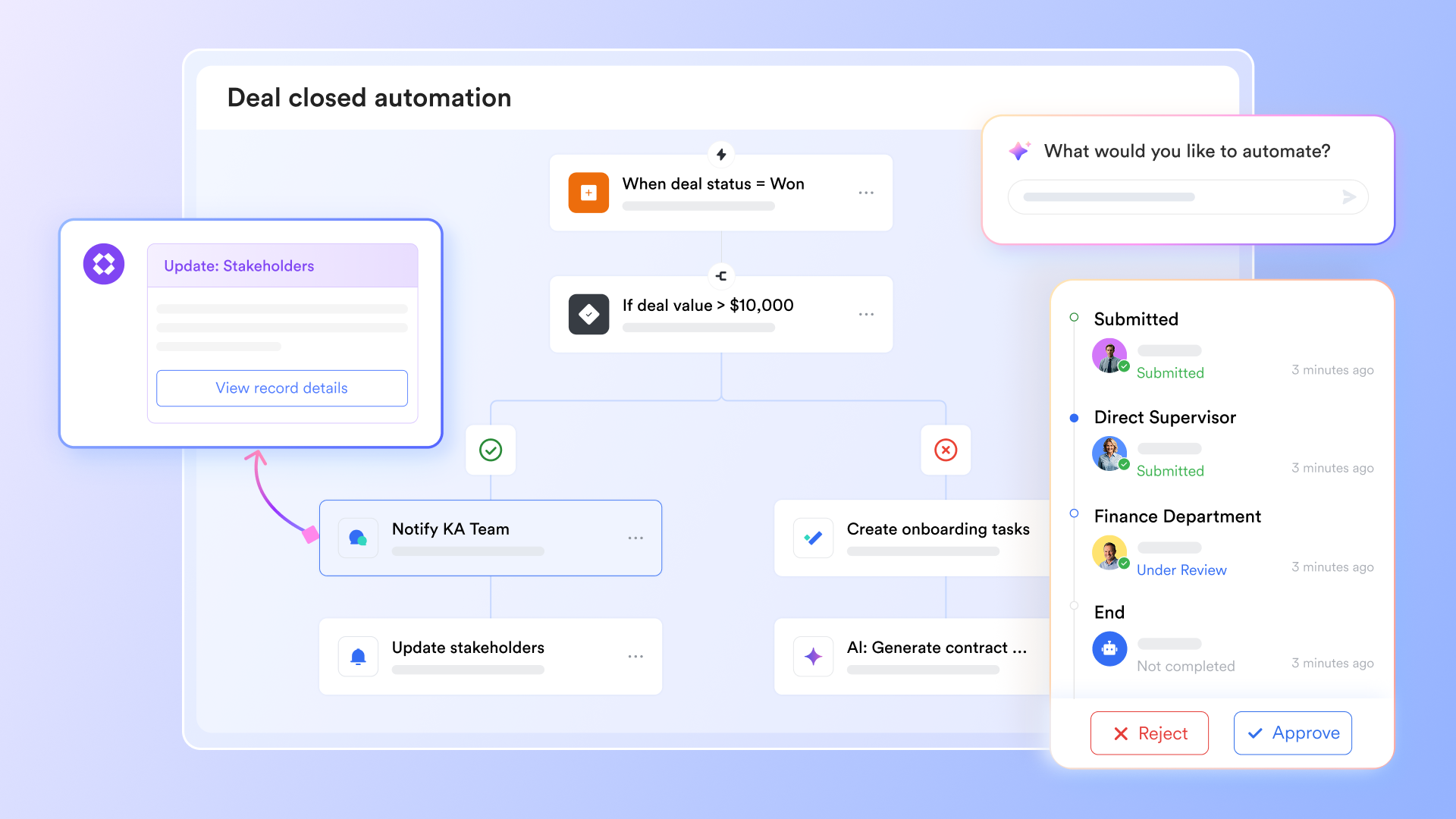
For example, a dedicated "Inventory Alert" group can be established. After in Base, you can receive the Bot's notification accordingly, when an item's stock quantity falls below a preset threshold. This is more direct and faster than traditional email notifications or report viewing, enabling procurement, production planning, and warehousing teams to be aware and take action immediately, effectively preventing production disruptions or customer order delays.
Streamlining and accelerating inventory operation approval processes
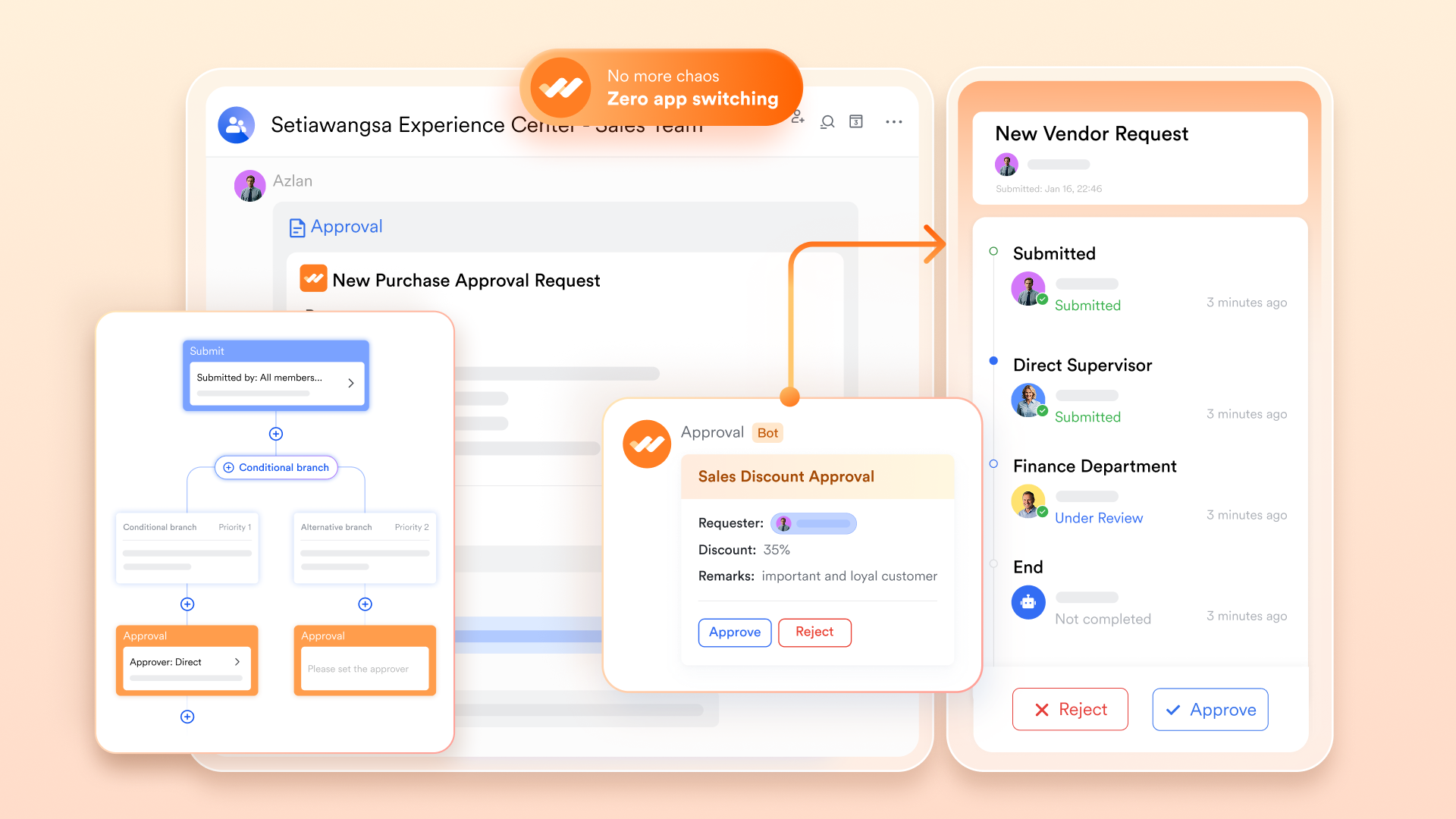
Many inventory operations, such as scrap disposal, inventory adjustments, or special transfers, require multi-departmental approvals. can digitize and automate these processes. For instance, a warehouse manager can initiate an "Inventory Scrap Application" in Lark, attaching relevant material codes and reasons. This application will automatically flow to the quality department for review, then to the finance department for approval, and finally back to the warehouse department for execution. The entire process is transparent, approval statuses are updated in real-time, reducing paper document circulation time, ensuring compliance, and accelerating inventory data updates.
:
- Starter plan: Free forever plan that includes 11 powerful tools for up to 20 users. It also comes with 100GB of storage, 1000 automation runs, AI translations, and more.
- Pro plan: $12/user/month (billed annually) for up to 500 users. It includes everything in Starter plus group calling for up to 500 attendees, 15TB of storage, 50,000 automation runs, and more.
- Enterprise plan: for custom pricing. Supports unlimited users and includes even more automation runs and advanced security, compliance, and management features.
For small teams with simple communication needs

18 months message history
1000 Base automation runs/month
2000 rows per table in Base
Most POPULAR
For companies with comprehensive collaboration and management needs
Unlimited message history
500-participant video meetings
50k Base automation runs/month
20k rows per table in Base
For large companies with advanced security and organizational management needs
Get a personalized demo and pricing
Unlimited message history
500-participant video meetings
15 TB storage + 30 GB storage/user
500k Base automation runs/month
50k Base automation runs/month
Most POPULAR
For companies with comprehensive collaboration and management needs
Unlimited message history
500-participant video meetings
50k Base automation runs/month
20k rows per table in Base
Should you choose Lark or SAP?
When considering inventory management solutions, organizations may find themselves weighing the options between Lark and SAP. Both platforms offer unique benefits, and the choice largely depends on specific needs and operational context.
- : Lark excels in providing a collaborative environment with integrated tools for communication, , and workflow automation. Its user-friendly interface and real-time collaboration capabilities make it an excellent choice for teams seeking to streamline communication and improve joint efforts in managing inventory. Lark is particularly beneficial for businesses or those that prioritize team collaboration across various departments.
- SAP: On the other hand, the SAP inventory system is tailored for comprehensive inventory management and is packed with features designed for larger enterprises. However, it may come with a steeper learning curve and higher costs, making it essential to evaluate whether those features are necessary for your operations.
Ultimately, the decision between Lark and SAP should be based on factors such as company size, budget, and specific inventory management needs. Organizations should carefully assess their priorities to choose the solution that best supports their overall objectives.
Conclusion
In summary, the SAP inventory system is a powerful tool for enhancing inventory management, but it comes with its own set of challenges. By implementing best practices and being aware of potential obstacles, users can optimize their experience. For those seeking a more collaborative approach to inventory management, consider integrating Lark into your operations. offers unique features that can complement your inventory strategies and enhance overall team productivity. Embrace innovation and empower your team with tools that drive success!
Start your inventory management journey with Lark
FAQs
What is the SAP inventory system?
The SAP inventory system is a comprehensive tool designed to manage inventory across various business operations efficiently. It helps organizations track stock levels, manage materials, and optimize supply chain processes. By leveraging real-time data, the SAP inventory system ensures that businesses maintain accurate inventories and can respond promptly to market demands. Integrating Lark into your operations can enhance communication and collaboration among teams involved in inventory management.
Which is better, SAP SCM or SAP MM?
SAP SCM (Supply Chain Management) and SAP MM (Materials Management) serve different purposes. SAP SCM offers broader functionalities that encompass planning, logistics, and integration across the supply chain, making it ideal for businesses looking for comprehensive supply chain solutions. In contrast, SAP MM focuses more specifically on procurement and inventory management within the materials lifecycle. The choice between them depends on your specific needs—consider leveraging Lark for improved cross-departmental collaboration in either system.
What does SAP stand for in a warehouse?
In the context of a warehouse, SAP typically stands for "Systems, Applications, and Products in Data Processing." It refers to the software platform that supports various functions related to logistics, inventory management, and warehouse operations. Using Lark alongside SAP can facilitate smoother communication and project management between warehouse teams, improving overall efficiency.
What are the different types of inventory in SAP?
In SAP, there are several types of inventory, including raw materials, finished goods, semi-finished goods, and consignment inventory. Each type serves a distinct purpose in the production and supply chain system. By categorizing inventory effectively, businesses can optimize their stock management and streamline their operations. Utilizing Lark can enhance visibility and collaboration across teams managing these different inventory types, ensuring everyone stays aligned on inventory status and needs.
Related reading






























