Looking for a stakeholder mapping template? Whether you're launching a new project, preparing a proposal, or aligning cross-functional teams, mapping your stakeholders is one of the fastest ways to understand who matters, who influences outcomes, and where to focus your communication.
In this guide, you'll find ready-to-use stakeholder mapping templates and practical tips to help you map stakeholders with confidence—so you can move from guesswork to clarity in minutes.
What is a stakeholder mapping template?
A stakeholder mapping template is a simple visual tool that helps you list, categorize, and prioritize the people or groups who can affect your . It shows each stakeholder's level of power, interest, influence, and attitude, giving you a clear picture of who matters most and how to engage them. Think of it as a shared map your team can use to understand the landscape and plan effective communication quickly.
Best stakeholder mapping templates
Here are the best free stakeholder mapping templates and related template types designed to help you identify key players, understand their impact, and guide effective engagement.
Project roadmap and stakeholder mapping template (Lark)
This project roadmap template is fully customizable and doubles as a flexible stakeholder-mapping tool, with built-in sections for your project introduction, purpose, scope, goals, and key stakeholders to keep everyone aligned. You can add content blocks like tables, dashboards, mind maps, and whiteboards to map relationships and track engagement in whatever format suits your workflow. As a free template powered by the Lark superapp, it syncs seamlessly with chat, tasks, docs, and approvals, making it a dynamic, collaborative hub for planning and managing your entire project.
Project stakeholder map template for Microsoft Word
This project stakeholder template helps you capture and organize all key stakeholder details in one place, including their role in the project, interests, level of impact, risks, engagement strategies, and communication preferences. It's ideal for project managers and cross-functional teams who need a clear, structured way to understand who matters, what they care about, and how to keep them informed and aligned throughout the project lifecycle.
Six Sigma Stakeholder Analysis Template for Google Slides
The Six Sigma Stakeholder Analysis Template helps teams identify, categorize, and prioritize stakeholders based on their influence and interest in the project. By visually mapping these relationships, the template supports effective stakeholder management, enabling better collaboration, transparency, and conflict resolution throughout the project. This approach ensures that all key stakeholders are engaged appropriately at each stage of the Six Sigma process.
Stakeholder heat map template for Microsoft PowerPoint
The stakeholder heat map template helps you visually organize stakeholders based on their influence and interest. This allows you to assess each stakeholder's level of interest or involvement, making it easier to identify key players and potential challenges. By focusing on stakeholders with the most significant impact, the template enables you to allocate resources effectively during project planning and stakeholder management.
Stakeholder Venn diagram template for Canva
The Venn diagram template is a popular stakeholder-mapping tool that visually represents the relationships and overlaps among stakeholder groups. This template is also known as a salience model template. It helps you identify which stakeholders share common interests or influence areas, making it easier to prioritize engagement strategies.
The salience model template uses three key factors—power, legitimacy, and urgency—to assess stakeholder importance and determine which stakeholders require the most attention.
Power-interest grid template for Google Slides & Microsoft PowerPoint
The Power/Interest Grid template is a practical stakeholder mapping template that uses four quadrants to organize stakeholders based on two key dimensions: power and interest. This grid helps you categorize stakeholders by assessing their power and influence over your project, as well as their level of interest in its outcomes. By identifying stakeholders with high and those with low interest, you can prioritize your communication and engagement strategies. The grid also makes it easy to see which stakeholders require close management and which need only minimal monitoring, depending on their position in the four quadrants.
Stakeholder analysis matrix template for Microsoft Word
This stakeholder analysis matrix template not only helps identify and prioritize stakeholders, but also supports structured stakeholder communications by providing a clear framework for planning and delivering relevant information to each group.
Project manager stakeholder mapping template for Microsoft Excel
This stakeholder mapping template is designed specifically for project managers to identify, analyze, and manage stakeholders throughout the project lifecycle. Involving the team in the mapping process is crucial, as it encourages collaboration, gathers diverse feedback, and streamlines workflow. Project managers use this template to facilitate communication and alignment among all stakeholders, ensuring transparency and effective conflict resolution within project teams.
Stakeholder rainbow diagram template for Google Slides & Microsoft PowerPoint
The stakeholder rainbow diagram template is a visual tool that allows you to group stakeholders by their level of influence or involvement in a project. It helps you categorize stakeholders into primary, secondary, and tertiary stakeholders, making it easier to analyze their potential impact and prioritize engagement strategies.
Custom stakeholder analysis template for Microsoft Excel
This custom stakeholder mapping template helps you systematically identify potential stakeholders by categorizing them as internal or external and mapping their relationships within your project. The template also guides you in analyzing stakeholder interests, ensuring you understand their needs and motivations to inform effective engagement strategies.
Stakeholder change management analysis template for Google Sheets
This stakeholder change management analysis template helps you systematically identify and assess stakeholders affected by change initiatives. By using this template, you can effectively manage stakeholder expectations, ensuring that communication and engagement strategies are tailored to their needs and concerns.
Stakeholder relationship network map template for Google Sheets & Microsoft PowerPoint
This stakeholder relationship network map template provides a visual way to understand influence and connections across your project. Stakeholders are displayed as bubbles of varying sizes to indicate greater impact, while connection lines change in thickness to reflect the strength and importance of each relationship. It's ideal for quickly spotting key players, understanding interaction patterns, and identifying where to focus engagement efforts for smoother project execution.
Want more free templates?
Why stakeholder mapping templates are important
, hybrid work, and increasingly complex buying committees have made simple stakeholder lists inadequate. When contributors are spread across time zones, departments, and partner organizations, relying on scattered information makes it easy to miss key influencers or communication responsibilities.
This is why teams are increasingly turning to stakeholder mapping templates. These structured, reusable frameworks help everyone stay aligned on who the stakeholders are, how much influence they have, and how best to engage them throughout the .
Here is why a template consistently outperforms informal lists:
- Clearer communication plans: Templates help define communication channels, frequency, and relationship owners, reducing misalignment and last-minute confusion.
- Earlier risk and resistance detection: Scoring stakeholder power, interest, and support levels helps teams identify potential blockers before they impact progress.
- Stronger ownership and accountability: A shared map makes it clear who manages each relationship, keeping handoffs smooth and ensuring no stakeholder is overlooked.
- Faster, more informed decision-making: Visual maps give executives an instant view of influence, priorities, and risks, which speeds up steering committee discussions.
Templates also save teams significant time. Instead of recreating stakeholder information from scratch for every new initiative, you use a repeatable structure that adapts as the project evolves. This leads to smoother coordination, fewer surprises, and more predictable outcomes.
Formats and models for stakeholder mapping templates
There is no one-size-fits-all layout for stakeholder mapping. The right template depends on your project's complexity, the number of stakeholders involved, and the decisions your team needs the map to support.
Below are the most common formats used in stakeholder mapping templates:
- Spreadsheet-based list: A simple table in Microsoft Excel, Lark Sheets, or Google Sheets that captures all stakeholder details in rows. Useful for initial brainstorming and quick data capture before moving into a more structured model.
- Power–interest grid: A four-quadrant chart that organizes stakeholders by power on the y-axis and interest on the x-axis. This format is effective for prioritizing engagement in large, cross-functional initiatives.
- Salience model (Venn diagram): Overlapping circles representing power, legitimacy, and urgency. This model is valuable in regulated environments or projects with complex compliance requirements.
- Influence–impact grid: Similar to the power–interest model, but focused on each stakeholder's influence over the project and the extent to which they are affected. It is ideal for change-heavy initiatives and workforce-related transitions.
- Relationship network map: A visual diagram showing how stakeholders connect and influence one another. This format uncovers informal alliances, decision pathways, and potential conflicts across large ecosystems.
Different templates work best in different industries and scenarios:
- : For a 2026 infrastructure upgrade, a power–interest grid helps teams prioritize high-power stakeholders such as cybersecurity leads, cloud vendors, and executive sponsors who drive key technical decisions.
- F&B: For a digital ordering system rollout, an influence–impact grid clarifies how franchisees, restaurant managers, and frontline staff will be affected, supporting smoother adoption across locations.
- : For production line modernization, a relationship network map highlights how engineers, safety officers, union representatives, and equipment suppliers interact, helping teams anticipate alignment challenges early.
Why Lark is the best platform for stakeholder mapping
Choosing the right stakeholder mapping template is only part of the process. Many teams end up juggling spreadsheets, docs, chat apps, and whiteboards, which slows alignment and fragments information. , one of the most versatile , solves this by bringing everything together in a single, all-in-one collaborative platform.
Lark gives teams a shared space to co-edit stakeholder maps, keep information up to date, visualize relationships clearly, and collaborate in real time—all from a single source of truth. In this unified environment, teams can map stakeholders, plan projects, document decisions, and communicate instantly without ever switching tools.
Build any stakeholder map with Lark Docs
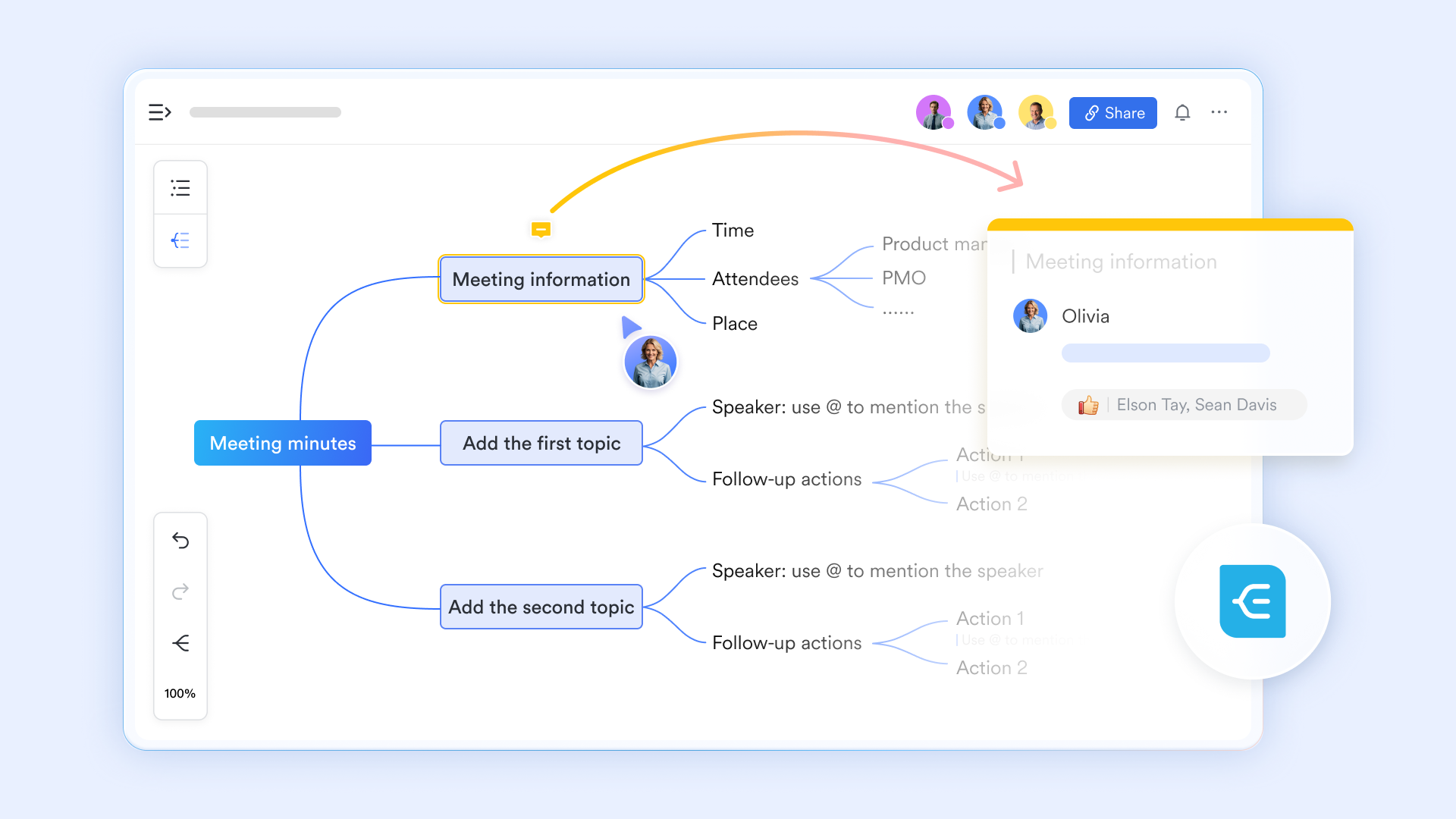
Lark's cloud docs suite gives you everything you need to create and maintain structured stakeholder materials, including:
- for meeting notes, stakeholder profiles, and communication plans.
- for power–interest grids, influence–impact matrices, and prioritization.
- for steering committee presentations and stakeholder updates.
- for organizing and tracking shareholder and project data, managing relationships, and powering dynamic dashboards.
- MindNotes for capturing ideas, mapping early concepts, and outlining stakeholder relationships before turning them into formal diagrams or documents.
Plus, you get access to hundreds of to speed up project setup and governance.
Visualize complex workflows and relationships with Lark Board
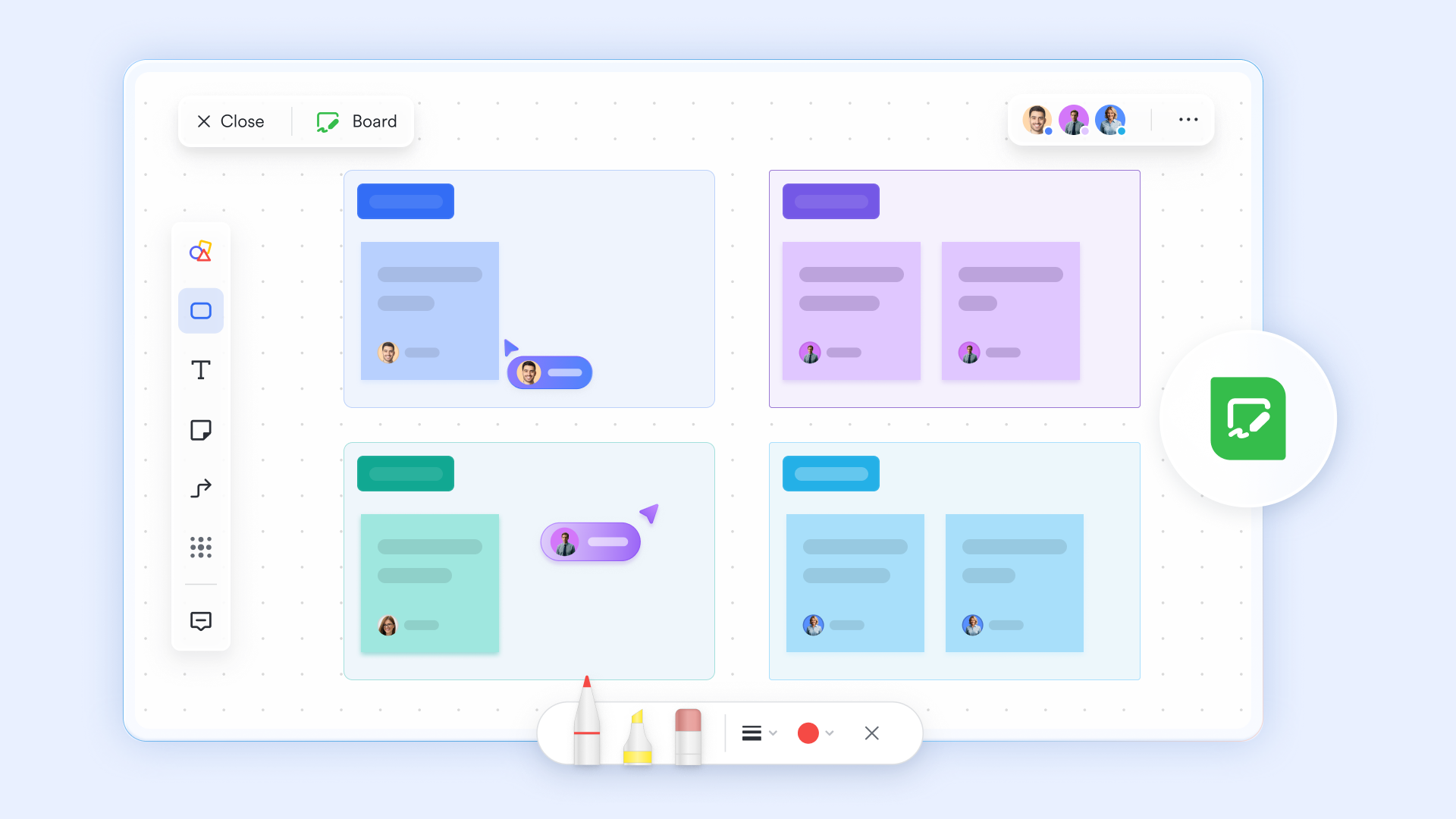
For more visual models and diagrams, Lark's board feature offers a powerful digital whiteboard equipped with:
- A rich set of shapes, icons, images, sticky notes, and connectors for mind maps, flowcharts, and relationship maps.
- Ready-made templates for diagrams, workflows, and mapping activities.
- Real-time collaboration, comments, and sharing with cross-functional teams.
- Built-in translation removes language barriers when working with global stakeholders.
- Mobile editing allows you to capture insights or update relationships anytime, anywhere.
Why Lark stands out
If your organization manages multi-team projects, complex stakeholder groups, or frequent governance updates, Lark brings everything together in a single, connected, and reliable superapp. It unifies essential tools like , , , , and , so information stays accurate, collaboration stays smooth, and operations remain easy to maintain even as your work grows more complex.
With affordable paid plans and a generous free plan for up to 20 users that includes 11 core products, Lark gives your team enterprise-level capability without the cost or chaos of juggling separate apps.
For small teams with simple communication needs

18 months message history
1000 Base automation runs/month
2000 rows per table in Base
Most POPULAR
For companies with comprehensive collaboration and management needs
Unlimited message history
500-participant video meetings
50k Base automation runs/month
20k rows per table in Base
For large companies with advanced security and organizational management needs
Get a personalized demo and pricing
Unlimited message history
500-participant video meetings
15 TB storage + 30 GB storage/user
500k Base automation runs/month
50k Base automation runs/month
Most POPULAR
For companies with comprehensive collaboration and management needs
Unlimited message history
500-participant video meetings
50k Base automation runs/month
20k rows per table in Base
Conclusion
Stakeholder mapping helps you understand who matters most to your project and how to work with them. Without a straightforward process, it's easy to miss important people, misunderstand expectations, or spend time on the wrong priorities. Using the template and steps in this guide gives you a straightforward way to score influence, map relationships, and plan communication.
Pick the template format you prefer, adjust it to your team's needs, and walk through the six steps before your project starts. Spending a bit of time upfront will prevent confusion, avoid resistance, and keep everyone aligned. A successful project depends on the people involved—map them early and map them well.
Map your stakeholders and manage your projects
FAQs
When should I first create a stakeholder map?
Create your initial stakeholder map during project discovery or kickoff, before you begin deeper stakeholder engagement activities. If your project starts in Q2 2026, aim to have a draft ready within the first two weeks to identify key stakeholders early and set clear expectations for the team involved.
How many stakeholders is too many for one template?
A single map works best with 20–40 internal and external stakeholders. If you exceed 50, split the map by category—such as internal stakeholders, external stakeholders, or key partners—to maintain a visual representation that's easy to understand and doesn't overwhelm decision-makers.
Can I use the same template across multiple projects?
Yes. A stakeholder map template is a valuable tool precisely because it can be reused across various projects. Keep a master version with optional fields, then duplicate it and adapt it for each new market, initiative, or sector involved. This helps you stay consistent while still tailoring the map to the project's specific needs.
How often should I update the stakeholder map?
Update your stakeholder map at major milestones—end of discovery, pre-UAT, and pre–go-live—as well as whenever project scope changes or new stakeholders gain a vested interest. Regular updates ensure the map reflects project progress and highlights anyone with a direct impact on your project outcomes.
Should I share a stakeholder map with stakeholders?
Share selectively. It's fine to show a high-level, sanitized map to your core team or sponsors, but avoid revealing sensitive ratings like influence, attitude, or significant impact to the stakeholders being evaluated. Instead, use the map internally to guide your engagement with stakeholders throughout the project.
Where can I find free stakeholder map templates?
You can find free templates on platforms like Miro, Mural, and Atlassian, which offer ready-made structures you can easily customize. Alternatively, all-in-one collaborative platforms like Lark offer both free, prebuilt templates and simple drag-and-drop tools that let you create your own from scratch—perfect for supporting day-to-day operations and various project types.
Are free stakeholder mapping templates worth it?
Yes. Free templates are great, especially if you're new to stakeholder mapping. They provide a quick way to organize people who have a significant impact on your project's success. As your needs evolve, you can upgrade or refine the template, but the free versions often meet the needs of most teams.
Why is stakeholder mapping important?
Stakeholder mapping helps you identify who has a direct impact on your project outcomes and how best to manage them. It offers a clear visual representation of key stakeholders—from internal teams to external stakeholders—and shows who may influence day-to-day operations or long-term results. This process helps you engage stakeholders effectively and increases the likelihood of the project's success.
Related reading






























