














The 10 Best Task Management Tools to Streamline Your Work in 2026

Benjamin Grant
Lark Content Manager
Sep 18, 2026
Benjamin Grant
Sep 18, 2026


- Lark for all-in-one productivity: Lark is my top choice because I can directly manage tasks in chat, docs, calendar, and other project management tools I use every day. The free plan is practical - up to 20 people can use it, and premium features like automations are included.
- Trello for visual simplicity: Trello is the tool I choose when my workflow is really simple. I like how I can organize tasks through drag-and-drop on the Kanban boards and anyone can get started without any training.
- Asana for complex planning: I recommend Asana for larger teams handling cross-functional work. It is my go-to when I need detailed timeline views and portfolios to keep track of dependencies across different departments.

Reviews of the 10 best task management software
1. Lark: Best for all-in-one team collaboration and productivity
Lark Base for flexible project task management
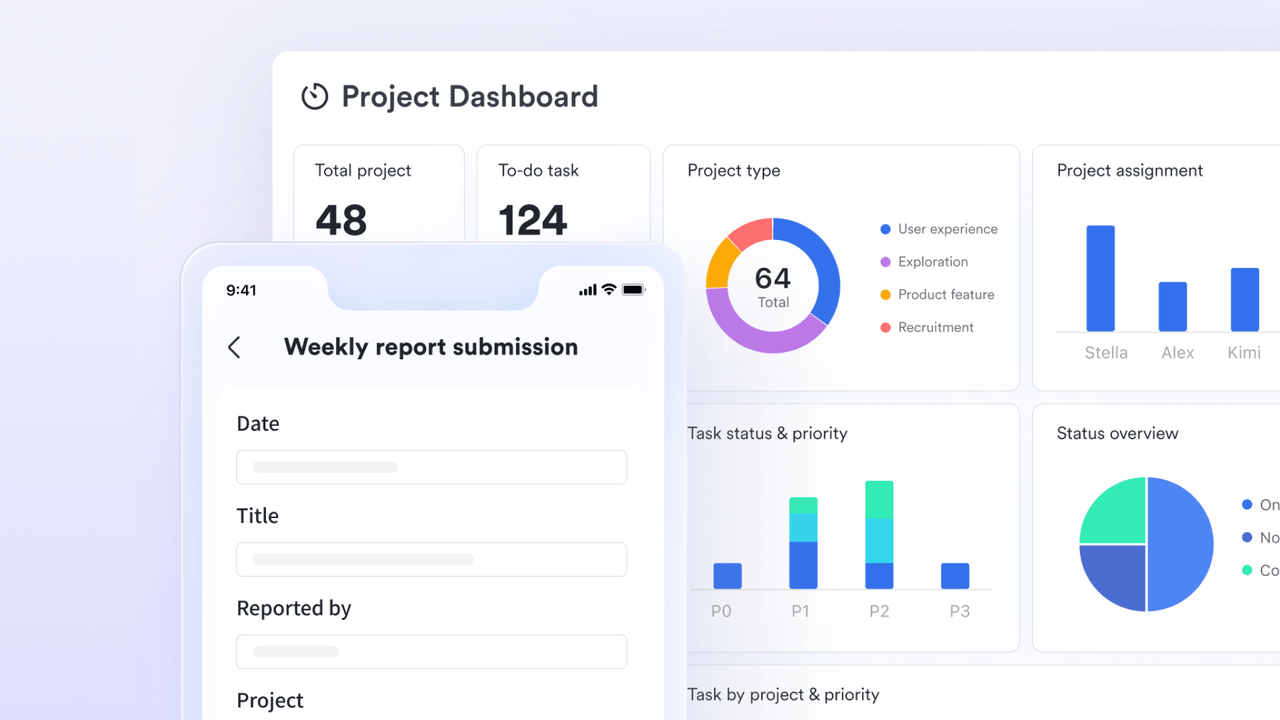
Lark Tasks for streamlined to-do lists
Lark Messenger as a centralized communication hub
Natively integrated intelligence
- True all-in-one platform that combines chat, meetings, docs, and tasks, reducing the need for other software.
- Generous free plan for up to 20 users, with project management features, file sharing, workflow automation, project templates, and more.
- Paid plans offer great value for money, replacing multiple tools in your tech stack. For example, if your team of 100 replaces Slack, Google Workspace, and Trello with Lark, you could save at least $12,600 per year.
- Robust collaboration tools, including real-time co-editing and AI-powered translation, make it ideal for remote and global teams.
- User-friendly interface that integrates multiple powerful tools into a single, easy-to-navigate experience.
- New users who are accustomed to simpler, single-purpose tools may need time to learn how to make use of the vast array of features.
- G2 rating: 4.5/5
- Capterra rating: 4.4/5
- Starter plan: Free forever plan that includes 11 powerful tools for up to 20 users. It also comes with 100GB of storage space, 1000 automation runs, AI translations, and more. No credit card needed.
- Basic plan: $6/user/month (billed annually) for up to 500 users. It includes everything in Starter and unlimited message history, 5TB of storage space, 1,000 automation runs, and more. Some users may need to contact sales to purchase this plan.
- Pro plan: $12/user/month (billed annually) for up to 500 users. It includes everything in Basic plus group calling for up to 500 attendees, 15TB of storage space, 50,000 automation runs, and more.
- Enterprise plan: Contact sales for custom pricing. Supports unlimited users and includes even more automation runs and advanced security, compliance, and management features.
Starter
For small teams with simple communication needs
$0
/ user / month

Pro
For companies with comprehensive collaboration and management needs
$12
/ user / month
Enterprise
For large companies with advanced security and organizational management needs
Get a personalized demo and pricing
Pro
For companies with comprehensive collaboration and management needs
$12
/ user / month
2. Trello: Best for visual task management with Kanban boards
- Drag-and-drop Kanban boards: Trello's signature feature for visual task management.
- Butler automation: A no-code tool to automate repetitive tasks and streamline workflows.
- Power-ups: Integrations that add functionality like calendars, voting, and connections to other apps, enhancing team collaboration.
- AI features: Includes an AI-powered analyst to provide valuable insights from your boards and AI-assisted text generation within cards.
- Extremely intuitive and easy to use, with virtually no onboarding required.
- The visual Kanban interface provides an excellent at-a-glance overview of project status.
- A generous free plan that includes unlimited cards and Power-Ups, making it accessible for small teams.
- Lacks the advanced features needed for complex project management, such as native Gantt charts, dependency management, and detailed reporting.
- Boards with many lists and cards can quickly become cluttered and difficult to manage.
- G2 rating: 4.4/5
- Capterra rating: 4.5/5
- Free: $0 for up to 10 collaborators per workspace. Includes unlimited cards and up to 10 boards.
- Standard: $5 per user/month (billed annually). Includes unlimited boards, advanced checklists, and custom fields.
- Premium: $10 per user/month (billed annually). Adds multiple views like Calendar and Timeline, plus advanced admin features.
- Enterprise: $17.50 per user/month (billed annually). Includes organization-wide permissions and enhanced security.
3. Asana: Best for growing teams and cross-functional project planning
- Multiple project views: Visualize project tasks in various formats, including lists, timelines (Gantt charts), kanban boards, and calendars to suit different project workflows.
- Portfolio management: Get a high-level overview of all complex projects to monitor progress and ensure alignment with strategic goals.
- Workload management: Helps project managers balance team assignments and prevent burnout by providing visibility into each team member's capacity.
- Asana AI: An integrated ai task management tool that provides smart summaries, generates custom fields, and helps identify project risks to improve outcomes.
- Highly flexible, with multiple project views to suit different workflows and team preferences.
- Powerful features for managing task dependencies, setting goals, and tracking workloads.
- The free plan is quite capable, offering unlimited tasks and projects for up to 10 team members.
- It comes with a higher price tag than many of its competitors, which can be a barrier for smaller teams.
- The extensive feature set can have a significant learning curve to master fully.
- G2 rating: 4.4/5
- Capterra rating: 4.5/5
- Personal: $0 for up to 10 teammates, including unlimited tasks, projects, and storage (100MB per file).
- Starter: $10.99 per user/month (billed annually). Adds Timeline view, a workflow builder, and project dashboards.
- Advanced: $24.99 per user/month (billed annually). Unlocks Portfolios, Workload management, and Goals.
- Enterprise: Custom pricing for advanced security, compliance, and dedicated support.
4. ClickUp: Best for highly customizable project management
- 15+ customizable views: Offers a wide array of views like List, Board, Gantt, and Calendar, allowing teams to visualize project tasks in the way that works best for them.
- Customizable task management: Create tasks with custom fields, priorities, and task dependencies for granular control over project tasks.
- All-in-one tools: Includes native Docs, Whiteboards, real-time Chat, and Goals, reducing the need to switch between different management software.
- ClickUp Brain: A powerful AI assistant integrated throughout the platform to help with writing, summarizing information, and generating essential tasks.
- An incredibly comprehensive feature set that can replace multiple other applications.
- A very generous free plan that includes unlimited members and tasks.
- Affordable paid plans that offer significant value for the number of features included.
- The sheer number of features and customization options can be overwhelming for new users, leading to a steep learning curve.
- Some users report occasional performance lag, especially in workspaces with a large volume of tasks.
- G2 rating: 4.7/5
- Capterra rating: 4.6/5
- Free Forever: $0 for unlimited members and tasks, with 60MB of storage and limited uses of certain features.
- Unlimited: $7 per user/month (billed annually). Includes unlimited storage, integrations, and Gantt charts.
- Business: $12 per user/month (billed annually). Adds advanced automations, workload management, and Google SSO.
- Enterprise: Custom pricing. Includes custom roles, advanced permissions, and a dedicated success manager.
5. monday.com: Best for visual workflows
- Versatile boards and views: The platform's core is its highly customizable boards, which can be adapted to visualize project tasks using kanban boards, calendars, timelines, and Gantt charts.
- Workflow automation: A powerful, code-free automation builder helps streamline workflows by handling repetitive tasks, sending notifications, and integrating with other tools.
- Customizable dashboards: Provides real-time, high-level valuable insights into project progress and team performance, helping project managers monitor progress effectively.
- AI features: monday.com has integrated AI to help create tasks, summarize updates, and predict potential bottlenecks, enhancing overall team communication and efficiency.
- A beautiful, modern, and highly intuitive user interface that is easy for teams to adopt.
- Extremely customizable, allowing teams to build workflows that perfectly match their processes.
- Strong features for team collaboration and visual data reporting.
- The pricing model requires a minimum of three seats for all paid plans, which can be costly for very small teams.
- The free plan is quite limited, with a cap of two users and three boards, making it difficult to use for team-based work.
- G2 rating: 4.7/5
- Capterra rating: 4.6/5
- Free: $0 for up to 2 users and 3 boards.
- Basic: $9 per user/month (billed annually, 3-seat minimum). Includes unlimited items and 5GB of storage.
- Standard: $12 per user/month (billed annually, 3-seat minimum). Adds Timeline & Gantt views, automations, and integrations.
- Pro: $19 per user/month (billed annually, 3-seat minimum). Unlocks private boards, time tracking, and more automation actions.
- Enterprise: Custom pricing. Includes enterprise-grade security, advanced analytics, and premium support.
6. Wrike: Best for enterprise-level project and portfolio management
- Advanced Reporting and Dashboards: Offers customizable dashboards and deep data analytics for a comprehensive view of project status and performance across the entire portfolio.
- Resource Management: Includes robust tools for resource and capacity planning, helping to assign tasks effectively and manage team workloads for complex projects.
- Proofing and Approvals: A standout feature for creative and marketing teams, allowing for direct feedback and approvals on digital assets, which streamlines the review process.
- Work Intelligence (AI): Integrates AI features like Wrike Copilot to generate content, predict project risks, and provide valuable insights, making it a powerful ai task management tool.
- Highly scalable platform that can support the needs of large, complex organizations.
- Powerful features for resource management, reporting, and workflow automation.
- Enterprise-grade security features provide granular control over data and access.
- The user interface can feel dated and less intuitive compared to more modern competitors.
- There is a steep learning curve, and unlocking its full potential often requires training.
- Key features like time tracking are only available on higher-priced plans.
- G2 rating: 4.2/5
- Capterra rating: 4.3/5
- Free: $0 for an unlimited number of users, but limited to 200 active tasks and basic features.
- Team: $10 per user/month (billed annually). For 2-15 users, adds Gantt charts and 50 automation actions per user/month.
- Business: $25 per user/month (billed annually). For 5-200 users, includes resource planning, time tracking, and proofing.
- Enterprise: Custom pricing. For large teams needing advanced security and admin controls.
- Pinnacle: Custom pricing. For teams with complex needs, including advanced reporting and budgeting tools.
7. Smartsheet: Best for teams that love spreadsheet-style project management
- Multiple views: While built on a familiar spreadsheet-style grid, it also supports Gantt, Card (kanban boards), and Calendar views to visualize project tasks in multiple formats.
- Automation engine: A key strength is its ability to streamline workflows by automating repetitive tasks like sending alerts, requesting updates, and moving data between sheets.
- Dashboards and reporting: Features customizable dashboards that provide real-time reporting on project progress, making it easy to share valuable insights with stakeholders.
- AI tools: Recently introduced AI capabilities help users generate formulas, summarize sheet data, and analyze trends, making data analysis more accessible.
- The spreadsheet-like interface is familiar and powerful for users with an Excel background.
- Extensive customization and automation capabilities allow for the creation of sophisticated workflows.
- Strong reporting and dashboard features provide excellent visibility for stakeholders.
- The interface can be less intuitive and visually engaging for teams not accustomed to spreadsheets.
- It lacks a consistent real-time autosave feature, which can be jarring for users accustomed to modern cloud apps.
- The pricing can become expensive, and many advanced features are only available on the higher-tier plans.
- G2 rating: 4.4/5
- Capterra rating: 4.5/5
- Pro: $9 per user/month (billed annually). For up to 10 users, includes unlimited sheets and 250 automations per month.
- Business: $19 per user/month (billed annually). Requires a minimum of 3 users and includes unlimited automations, dashboards with unlimited widgets, and Brandfolder integration.
- Enterprise: Custom pricing. Includes enterprise-grade security, AI tools, and access to premium apps and support.
8. Todoist: Best for individual productivity and simple to-do lists
- Natural language input: Allows users to create tasks quickly by typing due dates and recurring schedules in plain English, such as "every Friday at 4pm".
- Task organization: Provides robust tools to organize tasks, including priority levels, labels, and custom filters, making it a powerful personal task manager.
- Productivity gamification: The Karma system tracks your task progress and awards points for completing tasks and maintaining streaks, adding a motivational element to managing tasks.
- AI assistant: A feature on paid plans that helps break down complex projects into smaller, more manageable sub-tasks, improving task prioritization.
- A clean, minimal, and highly efficient user interface that makes task management a breeze.
- Excellent cross-platform support with seamless and reliable syncing across all devices.
- Powerful features for personal productivity, including natural language input and customizable filters.
- Not designed for managing complex, multi-stakeholder projects and lacks features like Gantt charts or advanced reporting.
- Many key features, such as reminders and unlimited activity history, are locked behind a paid subscription.
- G2 rating: 4.5/5
- Capterra rating: 4.6/5
- Beginner: $0 for individuals. Includes up to 5 personal projects and 5 collaborators per project.
- Pro: $4 per user/month (billed annually). Unlocks up to 300 projects, custom reminders, unlimited activity history, and the AI Assistant.
- Business: $6 per user/month (billed annually). Adds a team workspace, team billing, and admin roles.
9. Airtable: Best for building custom workflows with a database-style approach
- Relational database functionality: Its core strength is the ability to link records between different tables, creating a network of connected data that goes far beyond a simple to do list.
- Multiple views: Offers various ways to visualize information, including Grid, Calendar, kanban boards, and Gallery, making it adaptable for different project workflows.
- Interface Designer: A no-code tool that allows teams to build custom, interactive dashboards and applications, creating a tailored user friendly interface for their specific needs.
- Airtable AI (Omni): An agentic AI assistant that can help build apps, analyze data, and generate valuable insights conversationally, positioning it as a leading ai task management tool.
- Incredibly flexible and customizable, allowing you to build almost any workflow you can imagine.
- Powerful relational database features enable sophisticated data organization.
- The Interface Designer is a powerful tool for creating custom, user-friendly applications for your team.
- There is a significant learning curve to master its advanced database and formula features.
- Pricing can become expensive as you scale, with costs tied to both user seats and record limits.
- The free plan has strict limitations on records, storage, and automation runs, which can be quickly outgrown.
- G2 rating: 4.4/5
- Capterra rating: 4.6/5
- Free: $0 for up to 5 editors. Limited to 1,000 records and 1GB of attachments per base.
- Team: $20 per user/month (billed annually). Increases limits to 50,000 records per base and adds extensions and Gantt/timeline views.
- Business: $45 per user/month (billed annually). Increases limits to 125,000 records and adds an admin panel, SSO, and advanced sync integrations.
- Enterprise Scale: Custom pricing. Offers up to 500,000 records per base, enhanced security, and enterprise-level governance.
10. Jira: Best for agile software development teams
- Agile boards: Purpose-built Scrum and Kanban help software development teams plan sprints, manage backlogs, and visualize project tasks according to agile methodologies.
- Roadmaps: Provides tools for long-term strategic planning and visualization, helping teams connect their day-to-day work to larger project timelines.
- Advanced reporting: Includes agile-specific reports like burndown charts, velocity charts, and cumulative flow diagrams to help teams monitor progress and continuously improve their processes.
- Customizable workflows and integrations: Offers highly customizable project workflows to match any team's process and provides seamless integration with a vast ecosystem of developer tools like Bitbucket and GitHub.
- Powerful and specialized features that are great for agile software projects.
- Extensive customization options for workflows, issue types, and fields.
- Robust integration with a wide range of developer tools and other Atlassian products.
- The interface is complex and can be overwhelming and unintuitive for non-technical or non-agile teams.
- Requires significant time and expertise to configure and manage effectively.
- G2 rating: 4.3/5
- Capterra rating: 4.4/5
- Free: $0 for up to 10 users. Includes 2GB of file storage and community support.
- Standard: Approximately $7.53 per user/month. For up to 100,000 users, includes 250GB of storage and user roles/permissions.
- Premium: Approximately $13.53 per user/month. Includes unlimited storage, advanced roadmaps, and a 99.9% uptime SLA.
- Enterprise: Custom pricing (billed annually). Includes multiple sites, centralized security controls, and a 99.95% uptime SLA.
How we select and assess software in our reviews
- Features and functionality
- Ease of use
- Security, privacy, and compliance
- Integrations and compatibility
- Pricing and value
- Support and community
What are the benefits of task management software?
- Stop context switching: Unified platforms allow you to combine chat, docs, and tasks in one interface to solve the "productivity paradox". You can maintain focus on actual work instead of toggling between apps to find information.
- Get better visibility: Managers can use customizable dashboards and Gantt charts to turn raw data into clear, real-time insights. Spotting bottlenecks happens instantly rather than waiting for weekly status meetings or manually parsing complex data.
- Align your team: Features like shared calendars and assigned to-do lists ensure every member knows exactly what they are responsible for. Remote and distributed teams stay in sync because communication happens in a central hub rather than scattered email threads.
- Cut costs: All-in-one solutions can replace separate subscriptions for messaging, video conferencing, and file storage to significantly lower overhead. Companies often find that consolidating their tech stack reduces the administrative burden of managing disjointed systems.
- Automate busywork: No-code automation tools handle repetitive logistics like sending status updates or assigning due dates. Your team gains more time for high-value strategic work when they aren't bogged down by administrative maintenance.
How to choose the right task management tool for your team
What is your primary goal?
How does your team work?
What is your budget and team size?
How important is AI to your workflow?
Conclusion
FAQs on task management tools
What is the best tool to manage tasks?
What are the four types of task management?
What are task management tools?
Are there any free task management software?
Is there any task management software that is open-sourced?
Related reading

Start using Lark today

Manage all your work in one place
Boost team efficiency by 10x
Save up to 70% on software costs
Start using Lark today
Manage all your work in one place
Boost team efficiency by 10x
Save up to 70% on software costs
Keep reading








2026 Lark Technologies Pte. Ltd.
Headquartered in Singapore with offices worldwide.





