Your team probably searches for work-related information dozens of times a day. A proposal from last quarter. The latest status update on a project. A policy on remote work approvals. You open multiple tabs, dig through a few folders, and still come up empty. This happens because the information your team needs lives in fragments—scattered across email, chat messages, shared drives, and separate tools. This article explains what AI enterprise search is, reviews eight leading platforms available in 2026, and addresses the structural question most tool comparisons skip: why search often fails even when the technology is good. By the end, you'll have a framework for evaluating whether a new search tool is the right move, or whether the real problem is somewhere else entirely.
What is AI enterprise search?
is the retrieval of relevant information from an organization's internal data sources, powered by artificial intelligence that understands intent and context—not just exact keyword matches. Unlike web search, it operates within a governed, permission-aware environment, surfacing answers only from documents, wikis, chat histories, and databases that users are authorized to access.
How it differs from web search
Web search and enterprise search solve different problems in fundamentally different ways.
Web search optimizes for breadth and speed. Google's crawler indexes billions of public pages. Relevance ranking relies on link structure, page authority, and aggregated user behavior signals. The bar for accuracy is lower because wrong answers are often recoverable—you simply try another search.
Enterprise search optimizes for precision and permission. Your organization's knowledge is finite, but sensitive. Access controls matter. A search result that violates security boundaries or returns stale information can damage workflows or create compliance issues. The stakes are higher, and the data is messier—fragmented across disconnected tools, inconsistently tagged, and permission-governed differently by app.
AI enterprise search vs. traditional enterprise search: Key differences
The distinction between traditional and is not merely technical—it changes what search can do and how it fails.
When policies live in Google Drive, decisions are in Slack threads, and procedures are in Notion, even the best search index can only retrieve what it can reach. Enterprise search systems typically —far below consumer search benchmarks—and workers waste an average of 3.2 hours per week hunting for information. Organizations with inadequate search capabilities lose 45% of productivity. Fragmentation is the root problem; search technology is the symptom. Traditional search designed for connected data environments performs poorly on fragmented stacks.
How does AI enterprise search work?
To evaluate AI enterprise search tools, it helps to understand the mechanics—not the marketing language, but how the technology actually processes your organization's knowledge.
The four-stage retrieval pipeline
Modern AI enterprise search works through four distinct stages:
1. Data collection
Crawlers, connectors, and APIs gather content from structured and unstructured sources across your organization. This includes documents from cloud storage, messages from chat platforms, emails, database records, wiki pages, and any other system where knowledge lives. The system needs to know where data exists and how to access it—which is why connectors and permissions matter from the start.
2. Indexing
Raw content is processed and organized into a searchable index. This stage involves tokenization (breaking text into searchable units), stemming (grouping related words like "search," "searches," and "searched"), metadata extraction (pulling out dates, authors, document types), and entity detection (identifying people, projects, departments within the text). The quality of indexing directly affects search quality downstream—a poorly indexed document is effectively invisible.
3. Query processing
When a user types a question, the system interprets intent. Traditional search would look for exact keyword matches. AI-powered search uses and vector embeddings to understand what the user is actually looking for, even if the phrasing doesn't match the exact language in the indexed documents. A query like "How do I set up remote work?" should surface the remote work policy, the approval process, and the IT setup steps—not just pages containing those exact words.
4. Result generation
The system retrieves the most relevant content, ranks it based on relevance, user role, and recency, and surfaces results. In basic search mode, this means returning a ranked list. In generative mode (discussed below), the system goes a step further: it synthesizes a plain-language answer grounded in the retrieved documents.
The three core retrieval methods
Most enterprise search platforms combine three retrieval approaches. Understanding the tradeoffs between them clarifies what "hybrid search" really means and why it matters.
Keyword search (also called lexical search)
Keyword search matches exact terms or variations of terms across indexed documents. It is fast, literal, and predictable—if the word "invoice" appears in a document, a search for "invoices" will surface it. But keyword search breaks down when users phrase queries conversationally. A search for "How do I pay my vendor?" will miss invoicing documents unless the index happens to contain that exact phrasing. Keyword search is precise at retrieving exact-match content; it is poor at understanding intent.
Vector search (also called semantic search)
Vector search converts text into mathematical representations (embeddings) that capture meaning. A document about "paying suppliers" and a query about "vendor invoicing" can be recognized as related even though the words don't match, because their semantic representations are similar in embedding space. Vector search excels at handling natural language, ambiguity, and intent. The tradeoff is that it can sometimes surface results that are semantically related but not exactly what the user needs. A search about "designing dashboards" might surface "designing data visualizations," which is close but not identical.
Hybrid search
Hybrid search combines keyword and vector retrieval into a single query. Results are retrieved both ways, ranked by relevance, and merged. This is now the baseline standard across modern AI enterprise search platforms (IBM, Kore.ai, Moveworks, Glean, and Simpplr all describe this as their default). Hybrid search gets the precision benefits of keyword matching plus the intent-understanding benefits of semantic search. It is the practical sweet spot.
The role of LLMs, RAG, and agentic AI
To understand modern AI enterprise search, three layers are worth knowing about, because they determine what search can do beyond retrieval.
Large language models (LLMs)
Large language models are neural networks trained on vast amounts of text, capable of generating human-quality, natural-language responses. An LLM can read a question and produce a coherent, well-reasoned answer. The problem: an LLM trained only on public internet data has no knowledge of your organization's internal policies, decisions, or data. Ask an off-the-shelf LLM "What is our remote work policy?" and it will fabricate a plausible-sounding answer because it has no grounding in your actual organizational context. This is called hallucination, and it is why raw LLMs are not suitable for enterprise search without additional safeguards.
RAG: Retrieval-Augmented Generation
solves the hallucination problem by grounding LLM output in real organizational documents. Here is how it works: when a user asks a question, the system first retrieves the most relevant documents from your enterprise (using the hybrid search methods described above). Then, it passes those retrieved documents to an LLM with a prompt that says, effectively: "Here are the actual company documents. Answer the user's question based only on what is in these documents, and cite your sources." The LLM then generates an answer grounded in real, verifiable organizational content. This is the dominant architecture in modern AI enterprise search—IBM, Kore.ai, Moveworks, Simpplr, and Slack all explicitly describe their platforms as using RAG as the core pattern. RAG makes LLMs safe and traceable for enterprise use.
Agentic AI
Agentic AI extends this further. Instead of answering a single question, an AI agent uses enterprise search as its grounding layer and executes multi-step workflows. For example, an agent might search for a vendor contract, extract payment terms, check against a budget, and initiate an approval—all in one workflow.
The 8 best AI enterprise search tools in 2026
Understanding how AI-powered enterprise search technologies differ by use case and architecture is critical. The market in 2026 is diverse—some tools are dedicated connector layers built to search across existing apps, while others are purpose-built for specific departments or industries. One platform takes a structurally different approach by making search native to a rather than overlaying it on fragmented systems.
Below is a quick reference comparing the eight leading platforms:
1. Lark: Best for teams that want search built into their workspace, not added on top of it
is the strongest choice for growing teams and enterprises ready to consolidate their tool stack rather than layer another tool on top.What sets it apart is not a dedicated AI search module, but its all-in-one architecture: when , , , , , , , , and a all live natively in one platform, search operates on a single, coherent, permission-governed knowledge base from day one—without connector overhead, permission reconciliation complexity, or a separate search subscription.
How unified architecture changes search
Most teams end up evaluating AI enterprise search for a familiar reason: knowledge is fragmented. Decisions live in Slack threads. Policies are in Google Drive. Procedures are in Notion. Approvals are buried in email. Teams reach for an enterprise search AI tool to stitch it together.
The problem: as integration progresses, someone creates a new folder structure, a permission model changes, or a new app gets onboarded—and the connectors need updating. The ongoing cost compounds: subscription fees, integration engineering time, maintenance, security reviews, retraining, and governance overhead.
solves this by eliminating fragmentation at the source. When knowledge is created inside Lark—a decision in a chat thread, a policy published in , a checklist in , an approval record in —it already lives in one coherent, versioned, permission-governed environment. AI-assisted search has cleaner, more connected material to work with from day one. This is the practical outcome of consolidating before layering search on top.
Key features:
Lark Wiki — single-source-of-truth policies and procedures
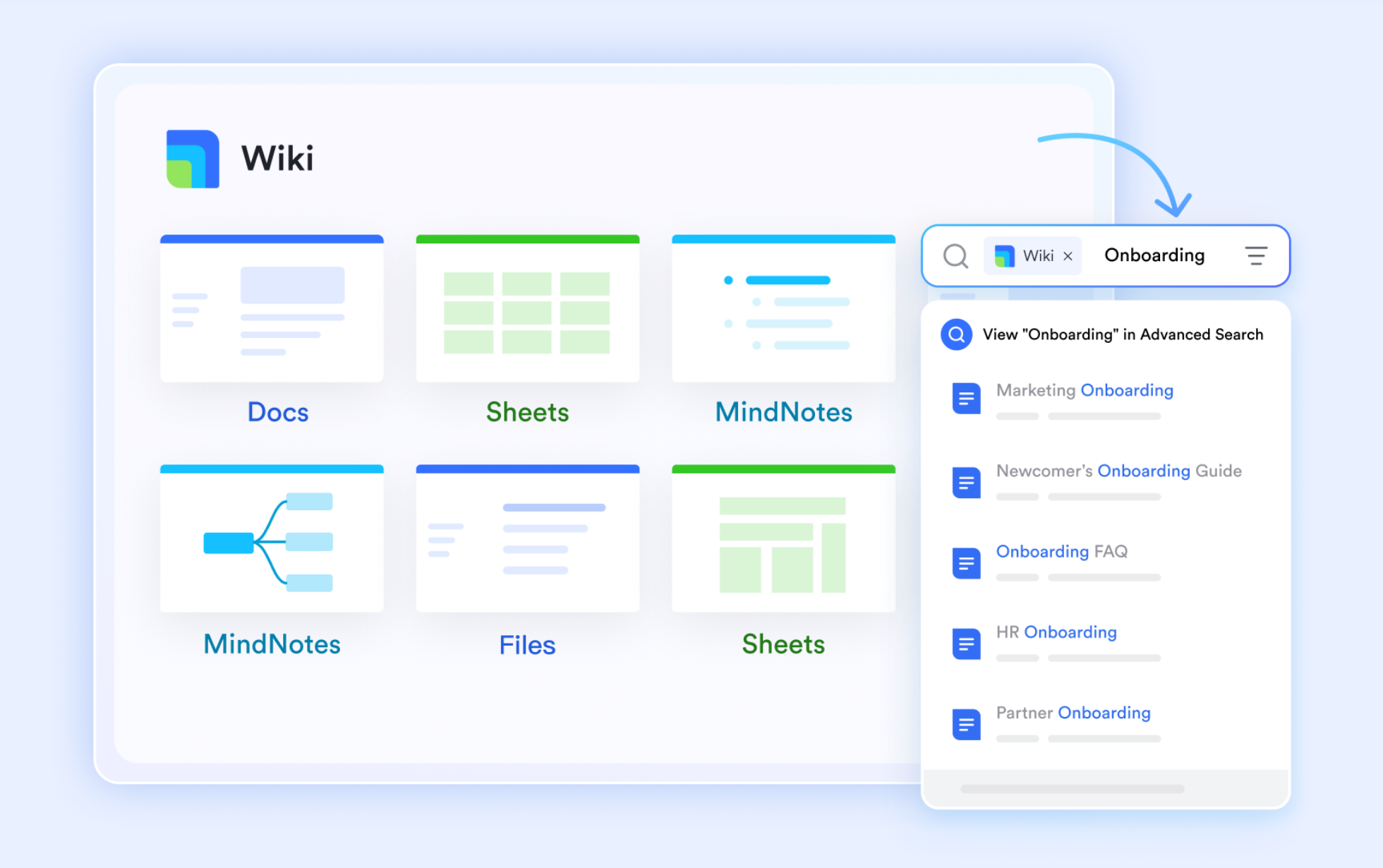
Policies and procedures live in a single, versioned wiki where employees find current documents without leaving the chat window. There's no confusion about whether a newer version exists somewhere else, and all changes are timestamped and tracked automatically. Unlike scattered Google Drive folders or Notion pages, ensures every team member is always working from the most recent, authoritative version.
Lark Approval — traceable, searchable decisions
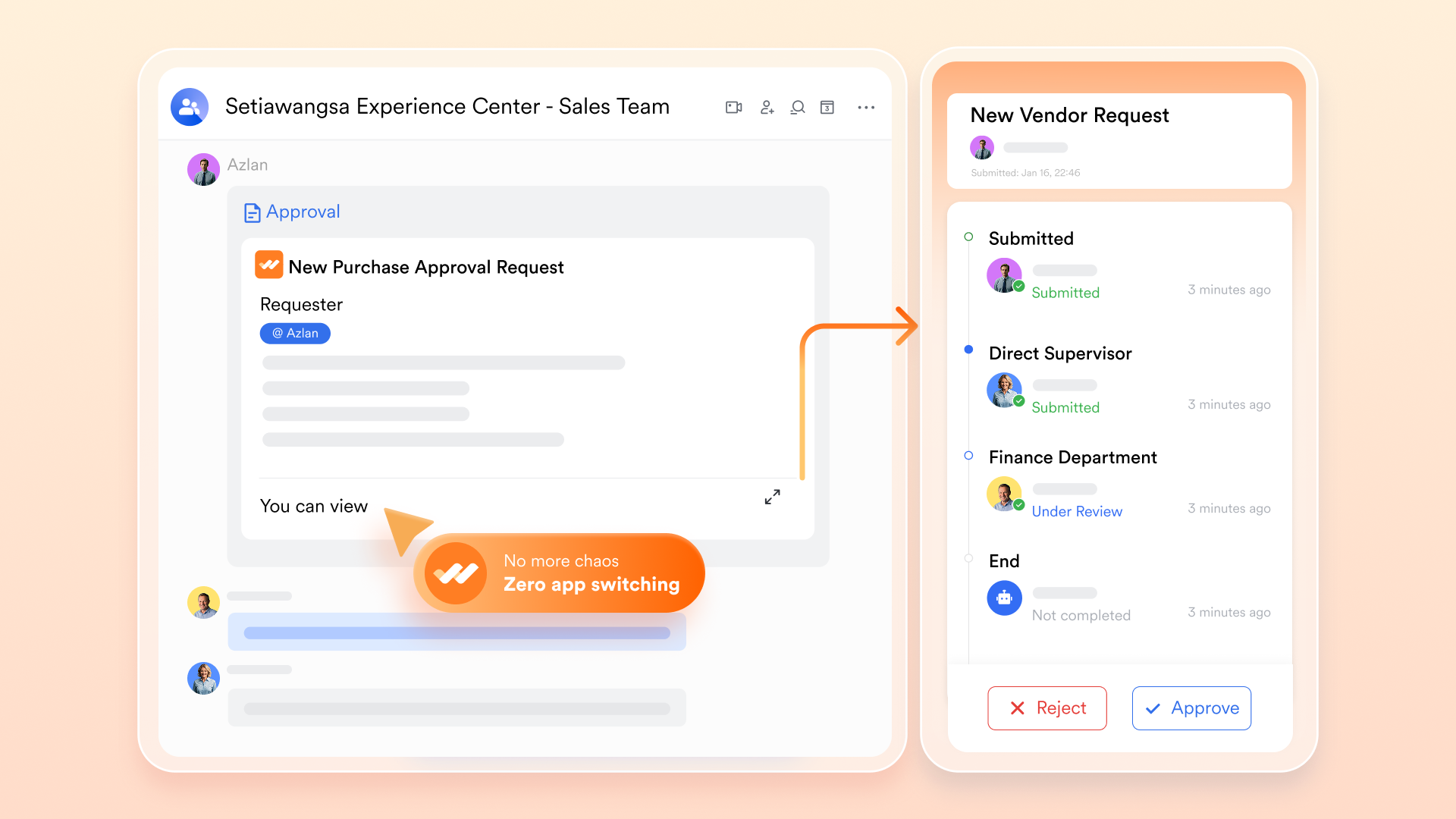
Decisions are recorded in the same platform where they were made, fully searchable, versioned, and traceable—rather than scattered across email threads. Every approval workflow generates a complete for compliance, and the entire history remains accessible for future reference. When a policy is approved, the approval record, the decision rationale, and the decision maker are all preserved in one location.
Lark Docs and Sheets — consistently versioned, reliably searchable content
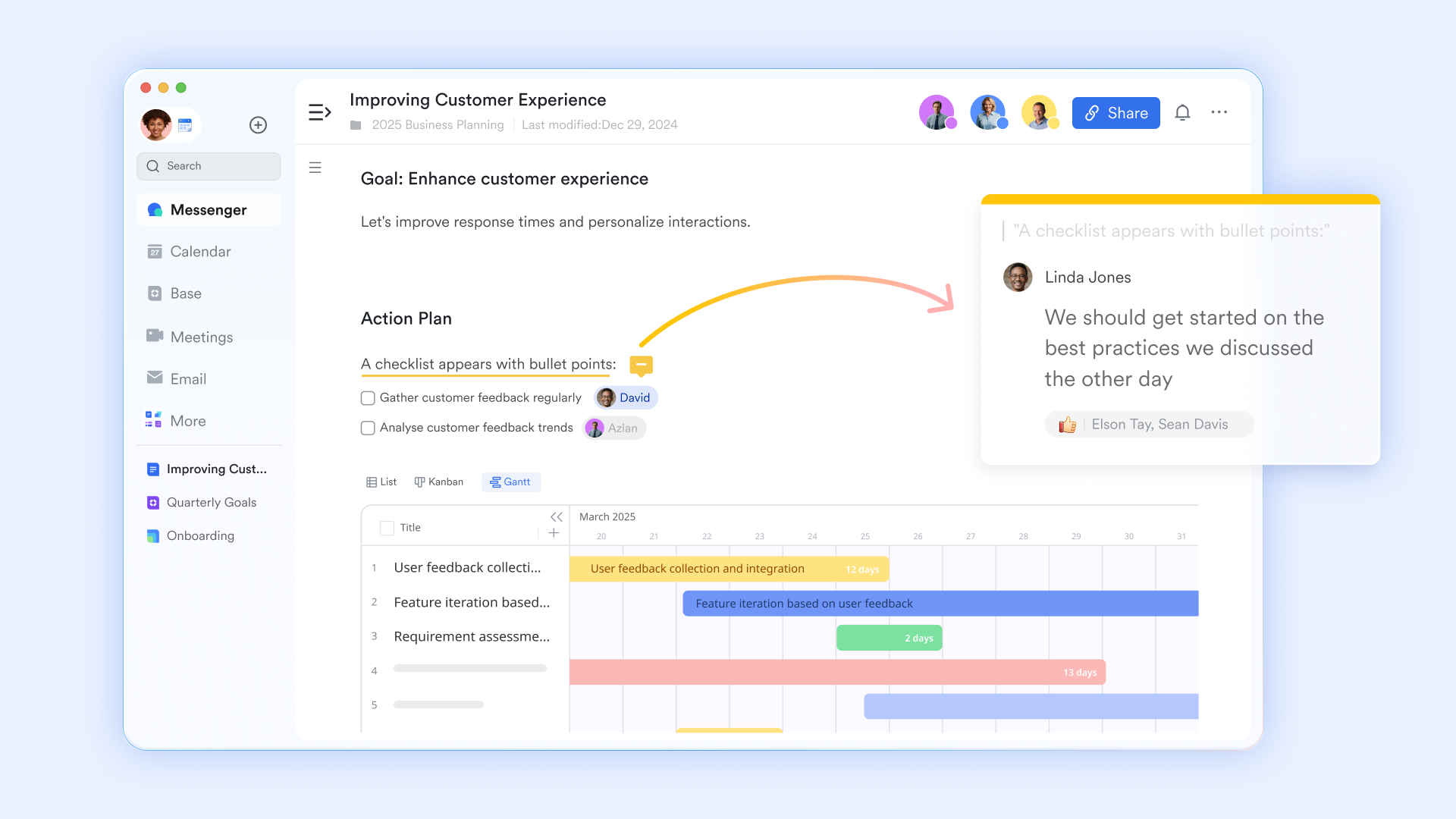
Cloud-native, real-time content means no dependency on who named the folder last or which version sits where. Version history is preserved automatically, and every team member can reliably search for current documents across the entire organization. Unlike files in shared drives that fragment and duplicate, and Sheets create a single, discoverable knowledge base.
Built-in AI translation — knowledge accessible across languages
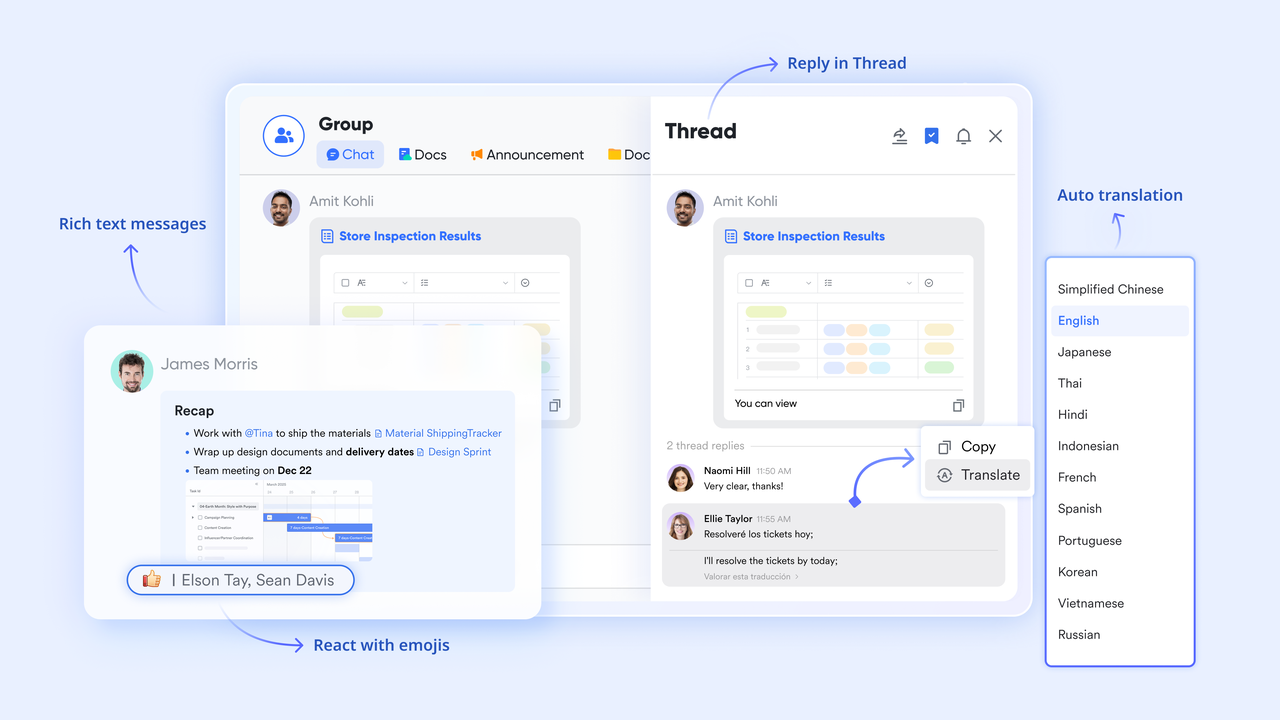
Knowledge written in one language is instantly accessible to teammates searching in another, included in the free Starter plan. This directly addresses the multilingual information silo problem that every dedicated ai-powered enterprise search tool in this list requires additional configuration to handle. For remote-first and globally distributed teams, this is a structural advantage: a policy written in English is searchable and readable by Mandarin, Spanish, and Japanese-speaking colleagues without manual effort or extra cost.
Integrated messaging, meetings, and calendar — context preserved and searchable
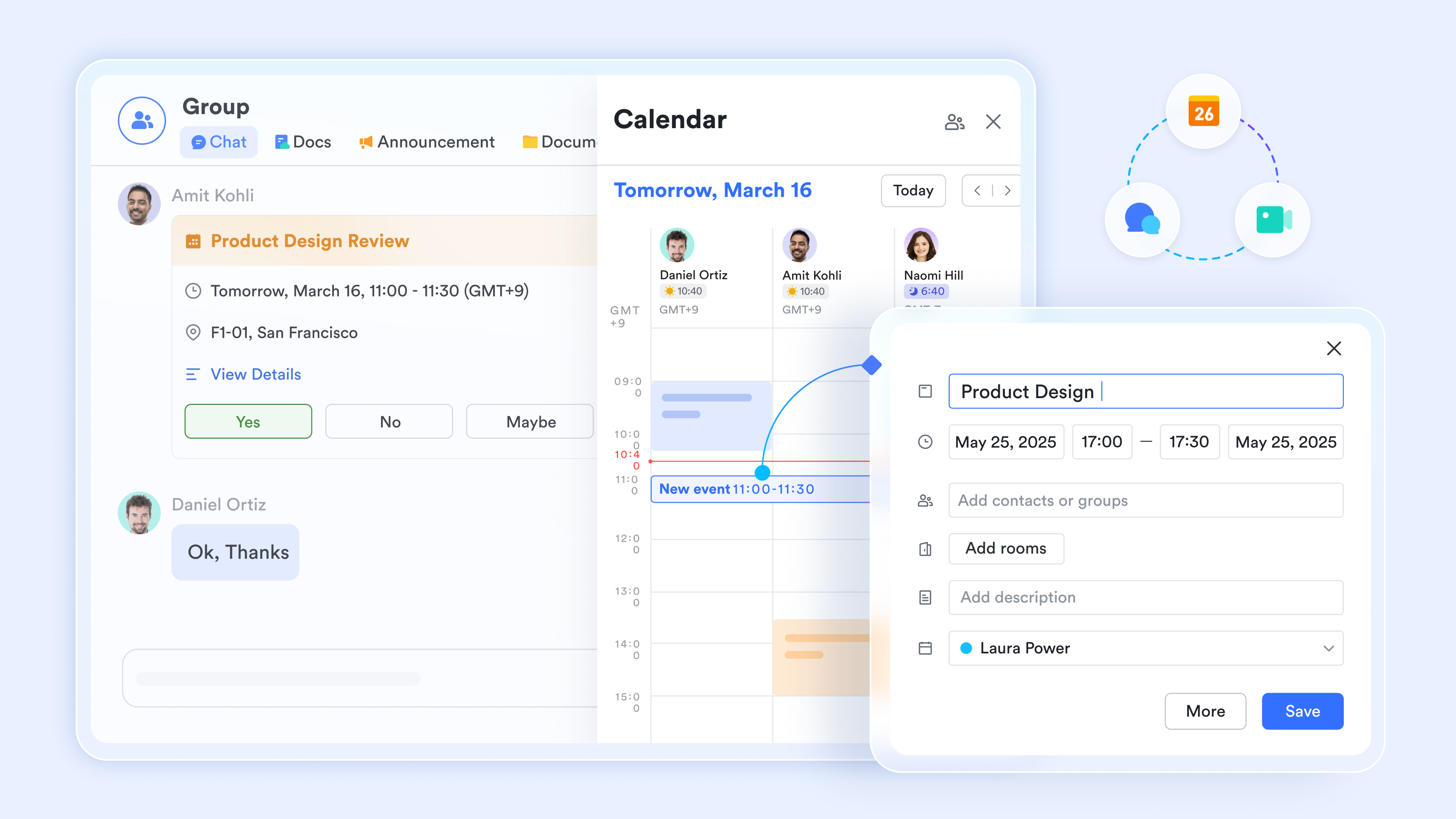
All communication and scheduling happens in , so context is preserved and searchable alongside documentation. There's no information loss to external platforms, no knowledge scattered across Slack, email, and calendar apps. Every decision, discussion, and scheduled event lives in the same searchable space, making it possible to trace the history of a policy decision from initial discussion to approval to implementation.
Automation and workflow native — search-to-action without tool-switching
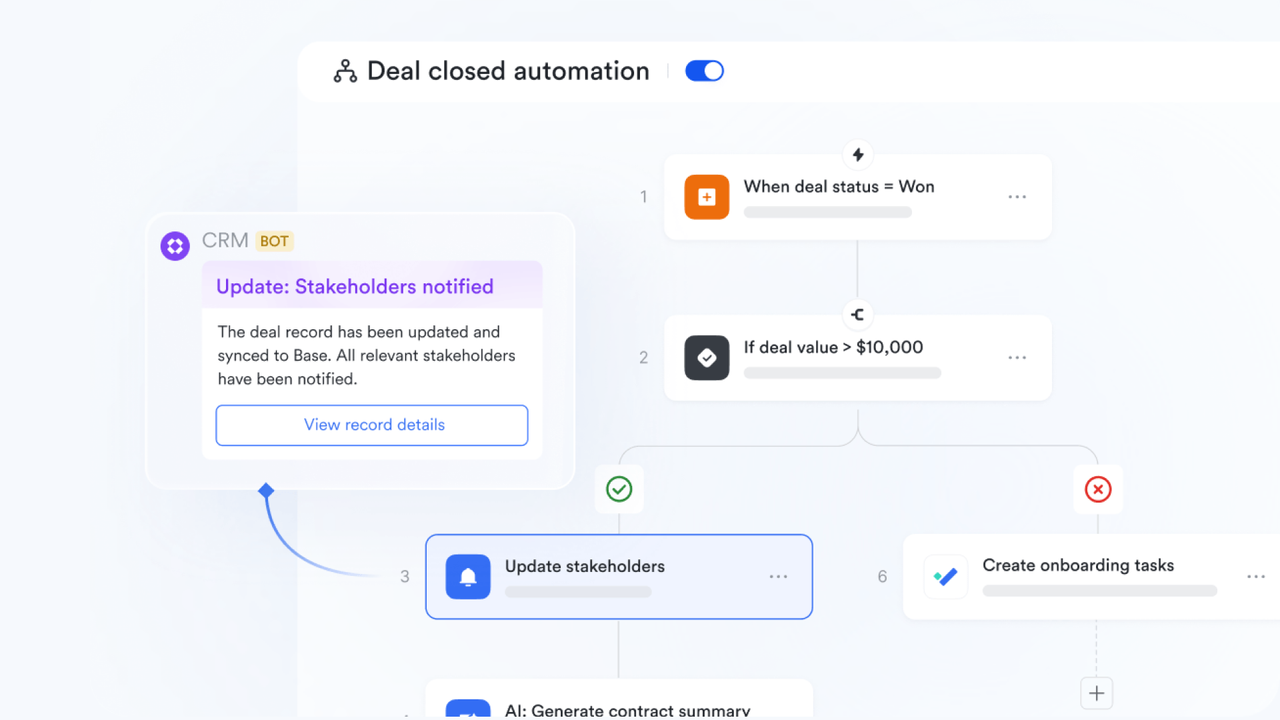
Approval chains, task assignments, and automations live in the same platform, without tool-switching. An employee finds a policy, triggers an approval, and receives confirmation—all without opening a separate app. Decisions trigger follow-up actions automatically, and the entire workflow remains traceable and searchable.
Pros:
- All-in-one architecture means knowledge is natively structured and searchable without connector overhead, integration maintenance, or a separate search subscription
- Built-in AI translation (free Starter plan) is a direct structural differentiator; no dedicated ai-powered enterprise search tool handles multilingual knowledge silos natively
- Highly cost-efficient entry point: the free Starter plan includes 11 tools for up to 20 users with 100GB storage and 1,000 automation runs—no credit card required
- Zero connector maintenance; permissions are enforced natively across all tools
Cons:
The platform includes a wide range of integrated tools, so there is a natural learning curve as teams explore everything available. The initial transition from separate wikis, spreadsheets, and approval systems to 's integrated environment takes adjustment. The Help Center makes the process manageable, but teams should plan for an onboarding phase.
- Starter plan: Free forever plan with 11 powerful tools for up to 20 users, 100GB storage, 1,000 automation runs, AI translations, and more. No credit card needed.
- Basic plan: $6/user/month (billed annually) for up to 500 users. Includes everything in Starter plus unlimited message history, 5TB storage, 1,000 automation runs, and more. Some users may need to to purchase.
- Pro plan: $12/user/month (billed annually) for up to 500 users. Includes everything in Basic plus group calling for up to 500 attendees, 15TB storage, 50,000 automation runs, and more.
- Enterprise plan: for custom pricing. Supports unlimited users and includes advanced automation, security, compliance, and management features.
For small teams with simple communication needs

18 months message history
1000 Base automation runs/month
2000 rows per table in Base
Most POPULAR
For companies with comprehensive collaboration and management needs
Unlimited message history
500-participant video meetings
50k Base automation runs/month
20k rows per table in Base
For large companies with advanced security and organizational management needs
Get a personalized demo and pricing
Unlimited message history
500-participant video meetings
15 TB storage + 30 GB storage/user
500k Base automation runs/month
50k Base automation runs/month
Most POPULAR
For companies with comprehensive collaboration and management needs
Unlimited message history
500-participant video meetings
50k Base automation runs/month
20k rows per table in Base
2. Kore.ai: Best for enterprises building agentic, multi-step AI workflows
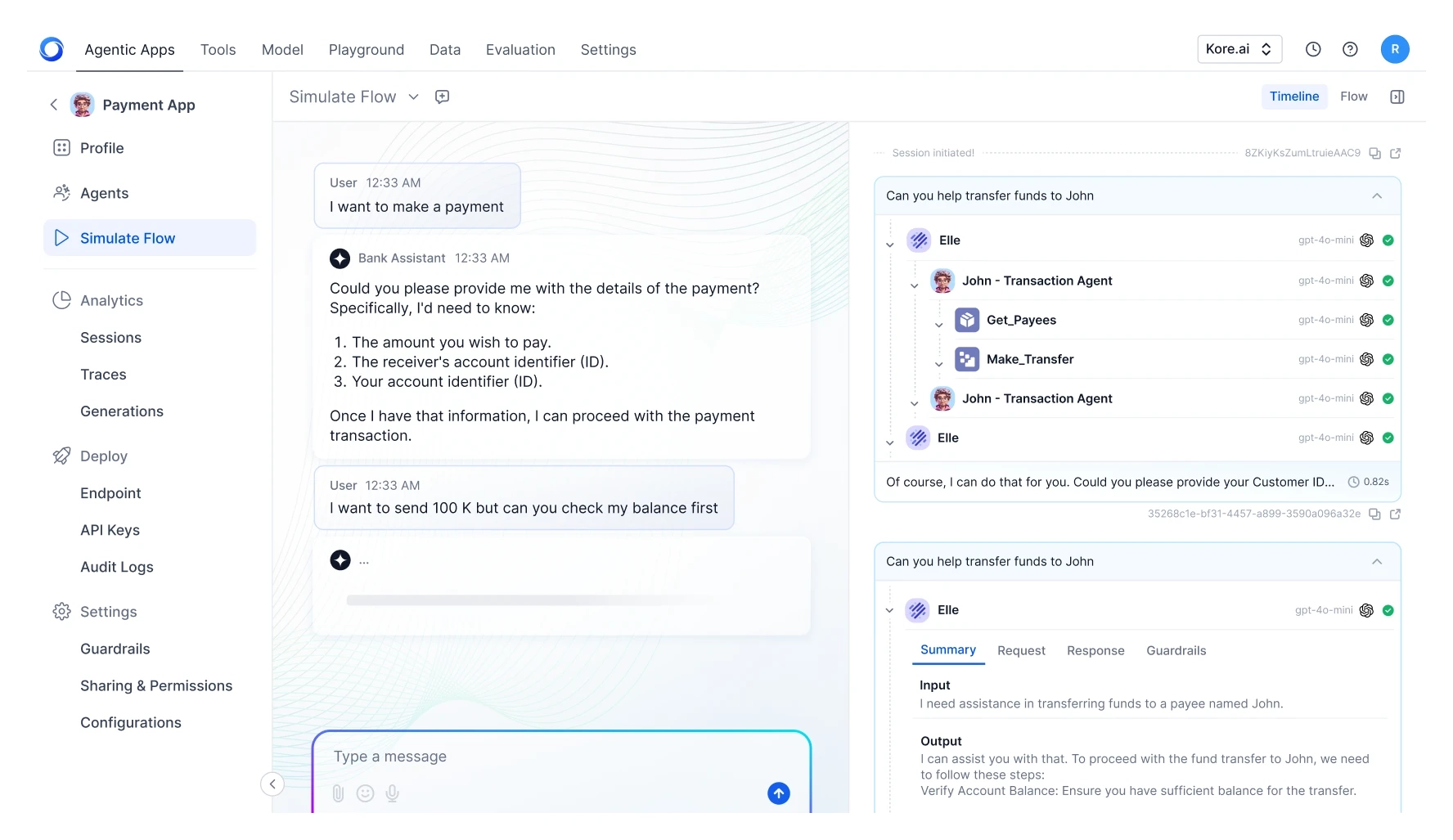
Image source: kore.ai
Kore.ai is the strongest choice for large enterprises where search becomes the foundation for AI agents, not just information retrieval.
Kore.ai treats enterprise knowledge as the backbone for agent-led workflows. The platform combines conversation-first AI enterprise search with a full execution layer for AI agents, enabling multi-agent orchestration across customer, employee, and operational workflows. The platform is positioned as a leader in conversational search with behavior-driven relevance optimization.
Key features:
- Multi-turn conversational search preserving context
- Multi-agent orchestration with 300+ pre-built agents
- 250+ enterprise-grade connectors
- Behavior-driven relevance optimization
- Enterprise-grade RAG and hybrid search pipelines
- Model-agnostic, cloud-agnostic architecture
Pros:
- Mature tooling for agent-ready RAG pipelines
- Multi-agent orchestration with clear agentic vision
- 400+ Fortune 2000 enterprises trust the platform
- Flexible pricing (session-based, usage-based, per-seat, pay-as-you-go)
Cons:
- Not well-suited for small and medium businesses with limited data
- Teams not building agentic workflows may find the platform overwhelming
- Finding the right agent template from 300+ options can require navigation
- Implementation requires more setup than connector-only tools
Pricing:
Session-based, usage-based, per-seat, or pay-as-you-go models available. Custom enterprise pricing. No public pricing; requires quote.
3. Glean: Best for workplace knowledge discovery across many SaaS apps
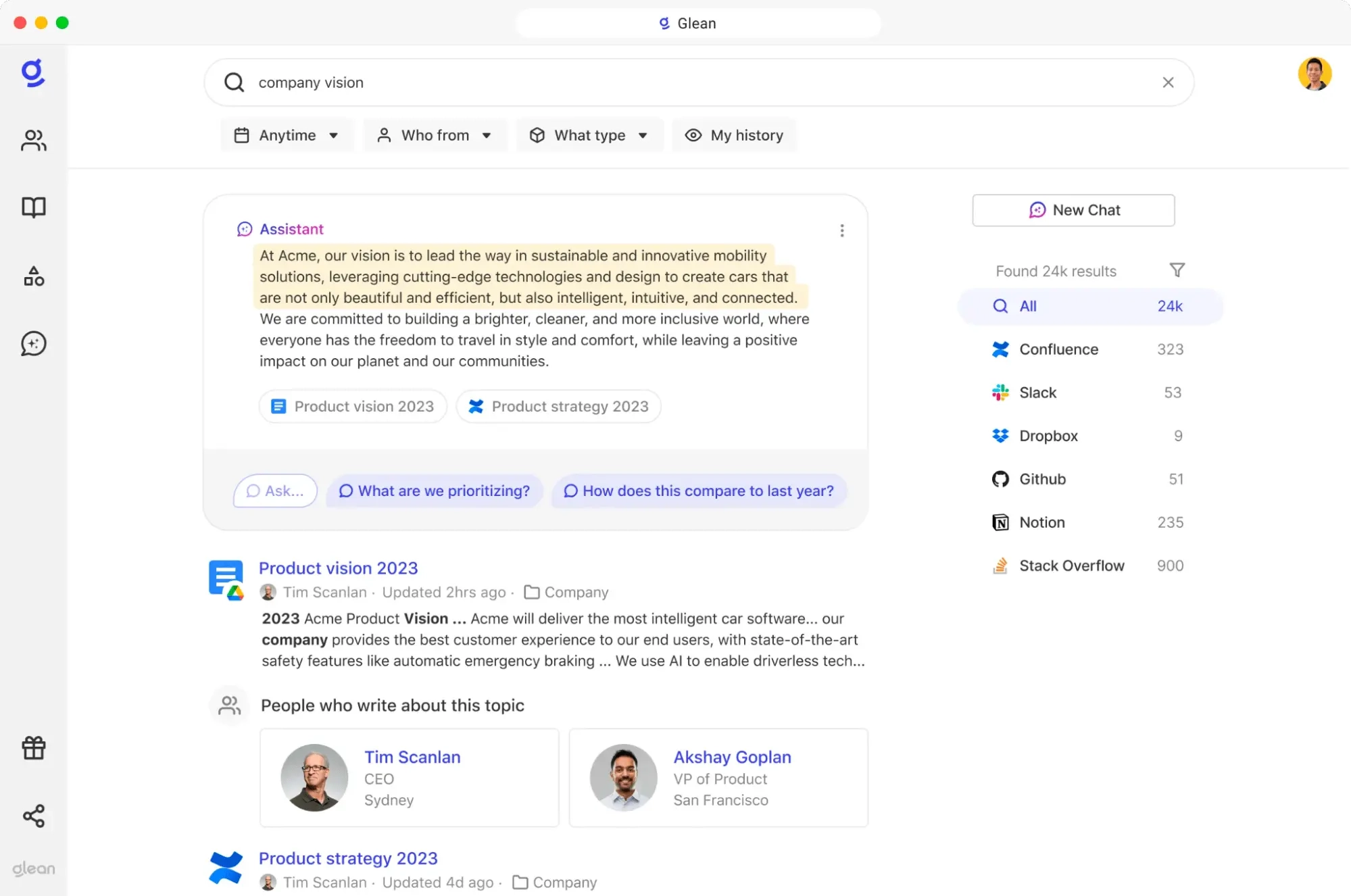
Image source: glean.com
Glean is the strongest choice for organizations using many different SaaS tools that need cross-app knowledge discovery without replacing their stack.
Glean connects to 100+ workplace applications and builds a unified search index with an enterprise mapping people, content, activity, and permissions. The platform has demonstrated adoption and usage across large, multinational organizations with complex tool ecosystems.
Key features:
- 100+ SaaS app integrations (Google Workspace, Microsoft 365, Slack, Salesforce, others)
- Enterprise knowledge graph for personalization
- Permissions-aware search
- Multi-modal knowledge ingestion (structured and unstructured)
- Proactive AI recommendations
Pros:
- Strong enterprise search with intent-driven, personalized results
- Enterprise-grade security ( , SOC 2, )
- Proven adoption and time savings at scale
Cons:
- Focused on knowledge discovery, not orchestration or complex workflows
- Connector ecosystem narrower than some competitors
- Quote-based pricing (no transparency)
Pricing:
User-based subscription model; enterprise tiers available for advanced administration and custom integrations. Quote-based. No public pricing available.
4. Moveworks: Best for HR and IT service desk search
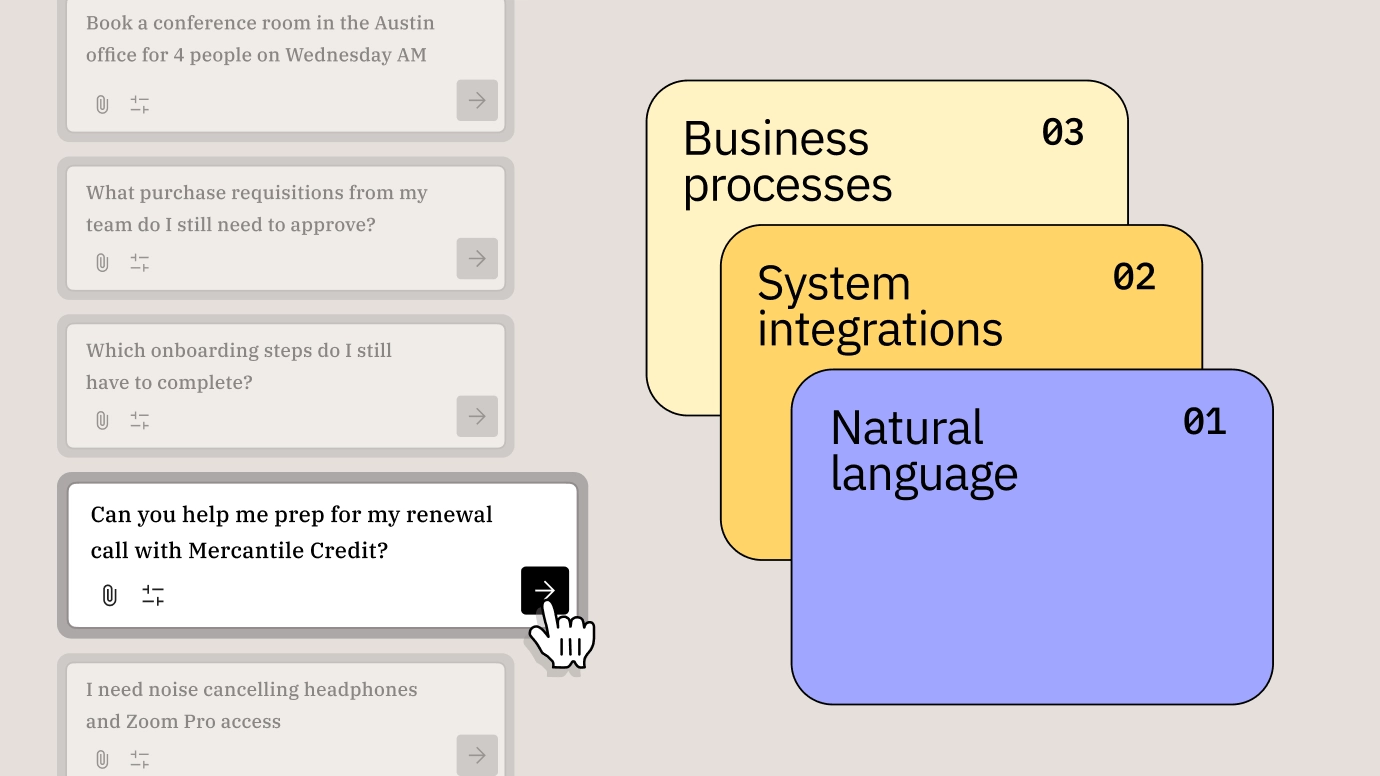
Image source: moveworks.com
Moveworks is an excellent choice for organizations whose primary use case is HR and IT self-service.
Moveworks embeds conversational search in a chat interface, enabling employees to resolve HR and IT queries in natural language. It handles 50+ built-in content integrations through hybrid retrieval, with strengths concentrated in service desk and HR automation use cases. The platform is designed for rapid deployment with minimal configuration overhead, making it particularly suitable for organizations seeking quick wins in IT and HR support deflection.
Key features:
- Multi-turn conversational search in chat interface
- 50+ built-in content integrations
- Knowledge-graph-based contextualization
- Granular filtering by source, date, content type
Pros:
- Excellent fit for HR/IT self-service use cases
- Competitive knowledge graph capabilities
- Proven with large enterprises across industries
Cons:
- Strengths concentrated in service desk; limited for broader workflows
- Limited multimodal understanding (images, charts, graphs)
- Acquisition uncertainty may affect roadmap continuity
Pricing:
Quote-based. Custom pricing for different team sizes and deployment scopes. No public pricing available.
5. Coveo: Best for search inside Salesforce, SAP, Adobe, and ecommerce
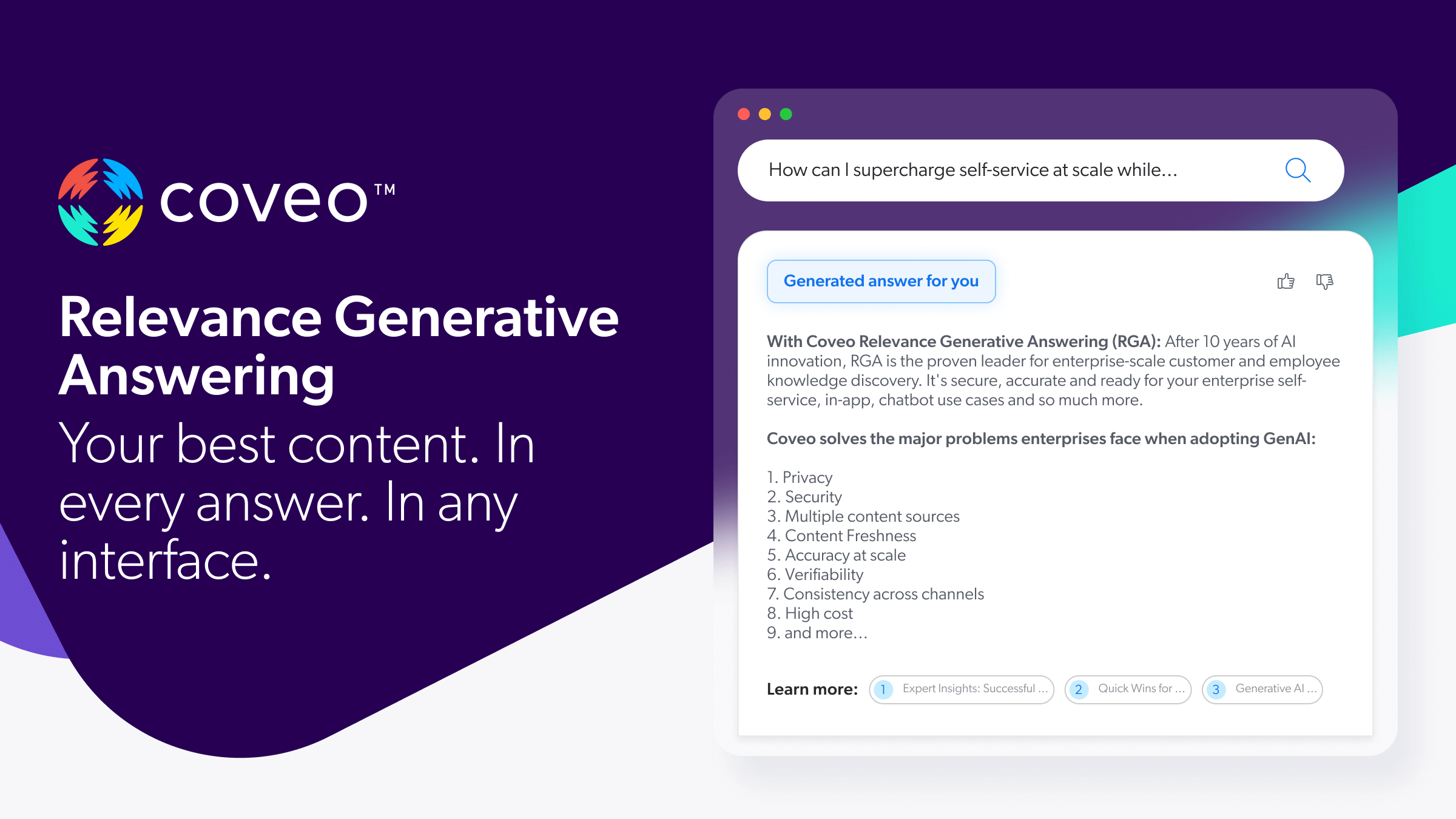
Image source: coveo.com
Coveo is the strongest choice for large enterprises enhancing search within existing application ecosystems, particularly where ecommerce is the priority.
Coveo is recognized as a leader in search and product discovery platforms. It delivers hybrid lexical and vector search with strong relevance and reranking capabilities. The platform is proven in enterprise implementations across industries.
Key features:
- Hybrid lexical and vector search with strong reranking
- 55+ customizable source connectors
- Behavior-based relevance tuning
- Digital commerce and AI search
- Scalable cloud architecture
Pros:
- Strong relevance and reranking across hybrid modes
- Broad connector coverage with app ecosystem customization
- 10+ years of proven CX and EX innovation
Cons:
- Limited agentic vision differentiation
- No native knowledge graph
- Conversational experiences typically integration-led, not native
Pricing:
Custom enterprise pricing. Based on usage, data volume, and implementation scope. No public pricing; requires quote.
6. Elastic: Best for developer-led, open-source search infrastructure
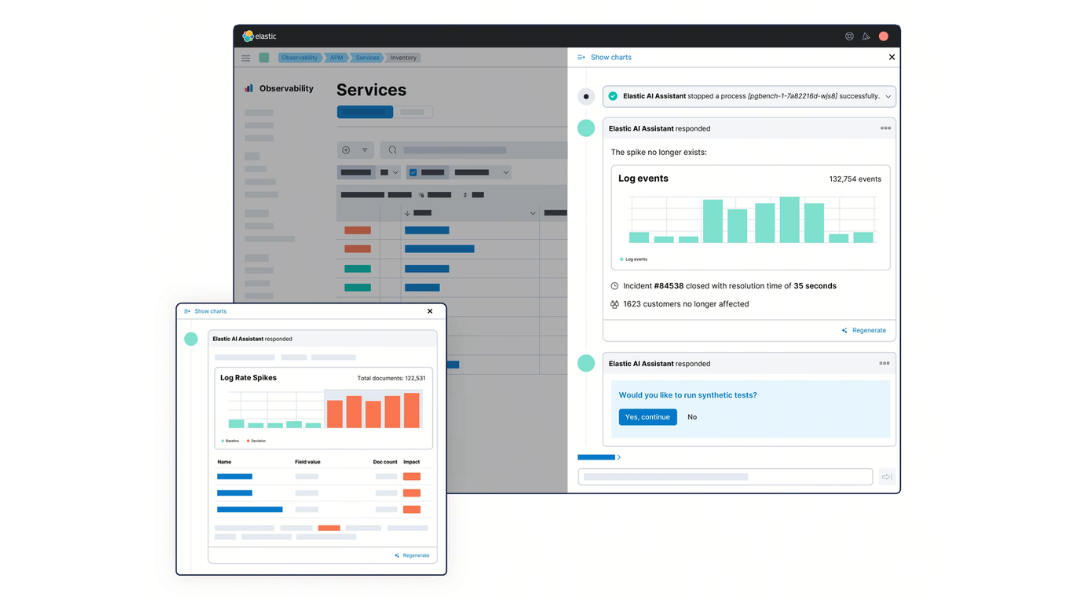
Image source: elastic.co
Elastic is the strongest choice for organizations with engineering teams wanting full control over search infrastructure.
Elastic (Elasticsearch) is an open-source search engine supporting distributed architecture, full-text and hybrid retrieval, and real-time analytics. Forrester highlights strength in relevance tuning and query control. The tradeoff: requires customer ownership of security, access control, auditability, and AI governance.
Key features:
- Open-source search engine with distributed architecture
- Deep controls for relevance tuning and ranking
- Strong scalability and performance at large data volumes
- Flexible deployment (cloud, hybrid, self-managed)
- Developer-focused roadmap
Pros:
- Excellent for developer-led teams and open-source environments
- Highly customizable search behavior
- Cost-effective infrastructure foundation
Cons:
- Requires greater customer ownership of security and AI governance
- More build-your-own platform than packaged solution
- Limited native intent understanding and conversational depth
- Achieving enterprise experiences requires specialized expertise
Pricing:
Elastic Cloud hosted plans start at around $99/month.
7. IBM Watson Discovery: Best for regulated industries and domain-specific document understanding
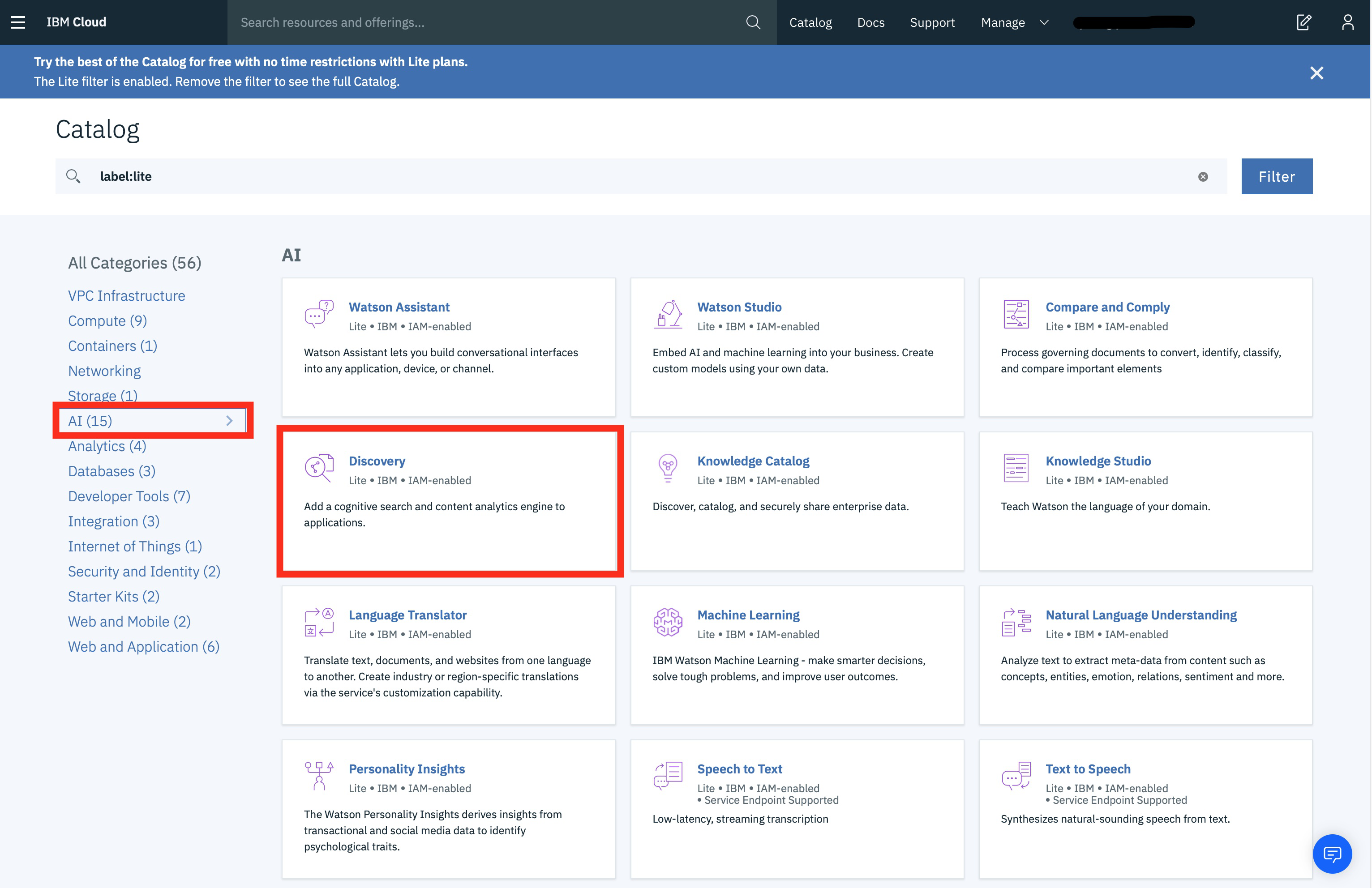
Image source: geeksforgeeks.org
IBM Watson Discovery is the strongest choice for large enterprises in regulated industries handling complex, domain-specific text.
Watson Discovery applies NLP to extract entities, relationships, and concepts from enterprise documents with pre-trained models for finance, healthcare, and legal. It excels at table and passage extraction from PDFs and scanned documents. Minimum G2 rating of 4 stars confirms user satisfaction in its focused domain.
Key features:
- NLP-enriched document search (entity, sentiment, concept extraction)
- Pre-trained models for finance, healthcare, legal
- Table and passage extraction from PDFs
- Smart document understanding
Pros:
- Strong document enrichment for regulated industries
- Domain-specific pre-trained models reduce customization
- Handles complex financial and legal documents
Cons:
- Scope narrow relative to general workplace search
- Requires technical setup and IBM Cloud integration
- Customization beyond pre-trained models requires significant investment
Pricing:
Quote-based. Custom pricing based on data volume, document processing, and cloud infrastructure
8. Microsoft 365 Copilot Search: Best for organizations deeply invested in Microsoft 365
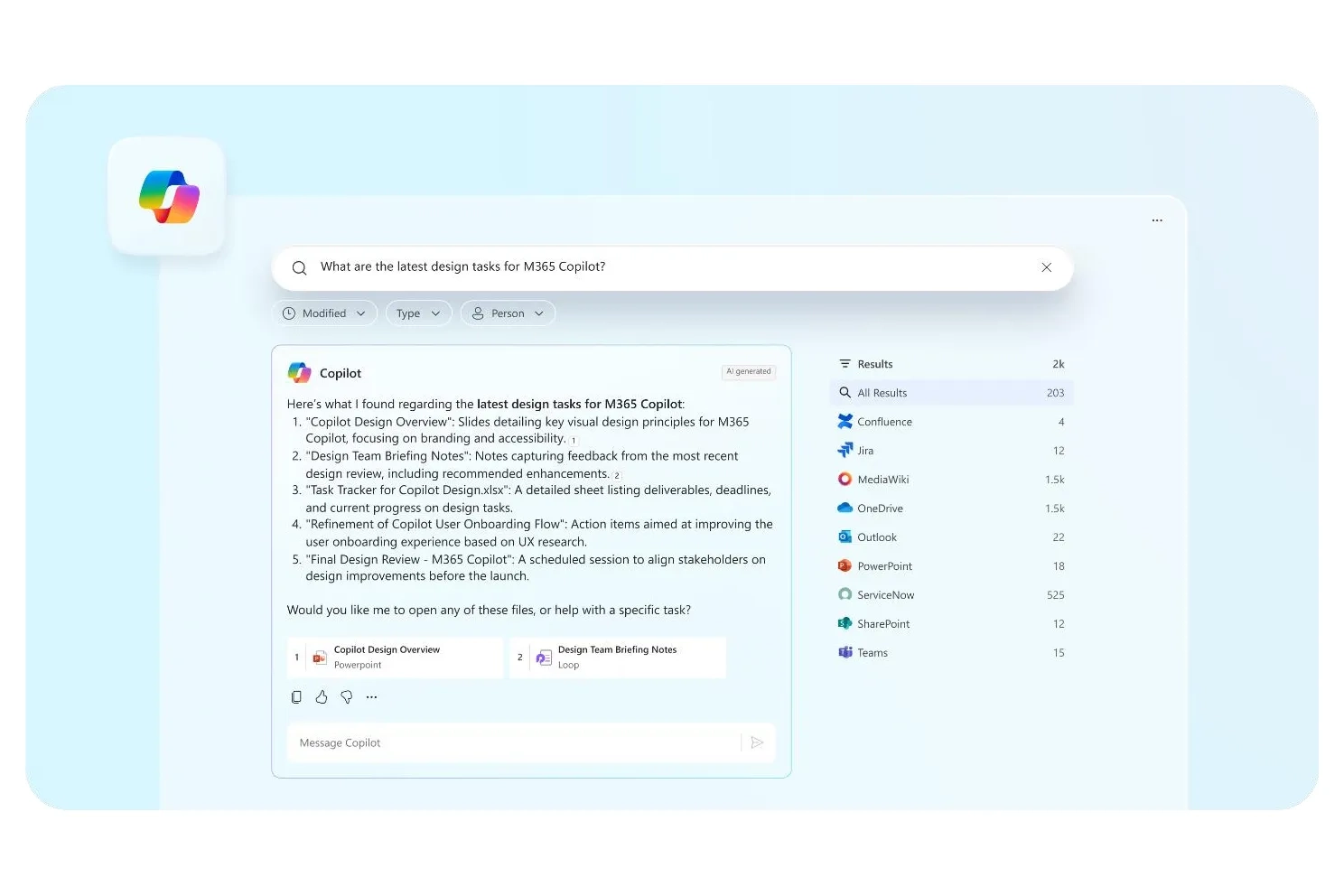
Image source: theverge.com
Microsoft 365 Copilot Search is the strongest choice for organizations already deeply invested in the Microsoft 365 ecosystem.
Copilot integrates across Outlook, Word, Excel, Teams, and other M365 apps using Microsoft Graph. It generates summaries, drafts documents, and answers questions grounded in user work data. Tight native integration means no additional setup for M365 content, but value is limited outside the ecosystem. Minimum G2 rating of 4 stars confirms user satisfaction.
Key features:
- AI search across M365 applications
- Microsoft Graph-based personalization
- Document summarization and draft generation
- Context-aware answers grounded in user data
Pros:
- Native integration with Microsoft ecosystem
- No additional connector setup needed
- Combines search with generation (summarize, draft, answer)
Cons:
- Limited value outside Microsoft 365
- Pricing tied to Microsoft 365 Copilot licensing
- Limited connector breadth for non-Microsoft systems
Pricing:
Microsoft 365 Personal costs $99.99/year, business plans start at around $18.00/user/month, paid yearly.
Why enterprise search fails for most teams — and what's actually causing it
The eight platforms reviewed above are all technically mature. Yet most organizations still struggle with search. The reason is usually not the technology—it is the data architecture underneath.
The fragmentation problem
Employees expect consumer-grade search relevance from enterprise systems, but enterprise data environments are fundamentally messier—fragmented across disconnected tools, inconsistently tagged, and permission-governed differently by app. The cost is concrete: workers must repeat searches across multiple platforms, managers cannot find the decisions they need to reference, and critical information remains buried in older channels or forgotten folders. This gap between expectation and reality compounds when knowledge lives in multiple platforms, turning what should be a simple lookup into a time-consuming hunt across systems.
The "AI search tax"
Adding a dedicated AI enterprise search tool on top of a fragmented stack creates hidden cumulative costs: subscription fees, integration engineering time, ongoing connector maintenance, security reviews, employee retraining, and governance overhead. These costs compound every time a new app is onboarded. Teams pay the "AI search tax"—layers of complexity and expense that exist because the workspace was never unified in the first place.
The alternative: address fragmentation at the source
Teams that consolidate their workspace before or instead of adding a search layer achieve better results with lower complexity and lower total cost. A unified workspace reduces fragmentation at the source—not just at the retrieval layer.
A scenario walkthrough: What AI search looks like inside a unified workspace
To make this abstract argument concrete, here is a real-world workflow comparison.
The scenario: onboarding setup across time zones
A remote onboarding manager at a 200-person company is preparing for a new hire's first week across three time zones—Singapore, Kuala Lumpur, and New York.
Inside a fragmented stack (with a dedicated search tool):
The manager searches for onboarding procedures:
- Opens Slack, searches for the policy—finds a thread from 6 months ago, with conflicting information
- Opens Google Drive, finds a folder with three versions of the checklist (dated 2024, 2025 early, 2025 recent—unclear which is current)
- Searches Notion—finds a duplicate procedure with slightly different wording
- Opens the dedicated AI search tool and re-enters the question, hoping it finds the most recent version across all systems
- Waits for the tool to reconcile permissions and return results
- Sends an email to HR asking which version is actually current
- Receives a reply 2 hours later: "Use the version in Google Drive from last week"
- Searches for the Malay translation manually; it does not exist, so the colleague in Kuala Lumpur has to figure it out
Inside a unified workspace (Lark):
1. The manager types a natural-language question in : "What's the current onboarding process for engineers in the Singapore office?"
2. Search surfaces the relevant policy page—versioned, timestamped, confirmed current
3. It retrieves the approved onboarding checklist from —not a stale copy from three months ago
4. It pulls the workflow record confirming the most recent policy sign-off, with the approver's name and date
5. The built-in AI translation feature surfaces a version of the checklist in Malay for a colleague in the Kuala Lumpur team—from the same search, in the same interface
6. Everything happens within a single interface, respecting existing permissions, with no tool-switching, no version confusion, and no waiting for an HR email reply
The key insight
The unified workspace search works well not because the underlying AI is more powerful. It works well because the knowledge architecture is already clean. This is the practical outcome of eliminating fragmentation before it compounds into a permanent infrastructure problem.
The dedicated search tool is not wrong—it is solving the wrong problem. It is treating the symptom (scattered knowledge) rather than the root cause (fragmented workspace).
How to choose the right AI enterprise search platform for your team
The right choice depends on your use case scope, data architecture, and budget constraints. Before evaluating tools, conduct an honest audit: is the reason you need AI enterprise search that your knowledge is fragmented, or is it that your current search tool is genuinely incapable?
1. Ask the architecture question before you evaluate tools
Start with your data landscape. Do you use Slack, Google Drive, Notion, Salesforce, and email—with no unifying layer? If yes, you face two strategic options:
Option A: Add a connector-based AI enterprise search overlay. Tools like Glean, Coveo, and Moveworks can stitch fragmented systems together. The tradeoff: ongoing maintenance, permission reconciliation complexity, and an additional subscription fee.
Option B: Consolidate your workspace. A unified platform like eliminates fragmentation at the source. Knowledge created inside Lark—decisions, policies, approvals, checklists—is native to one coherent environment. The AI search tax either shrinks dramatically or disappears.
For teams not yet ready to consolidate, Option A may be the practical interim step. For teams evaluating new infrastructure or facing high connector maintenance costs, Option B often delivers better long-term ROI.
2. Define your use case scope clearly
A narrow, high-value use case or a multi-team, multi-workflow foundation for the next 24 months?
If you're solving a narrow problem: IT service desk self-service → Moveworks. HR and employee benefit lookups → Moveworks. Customer-facing ecommerce search → Coveo. These focused tools deliver faster ROI in their domain.
If you need a multi-team foundation: Evaluate platforms built for scale and agentic readiness. Kore.ai's multi-agent orchestration, Glean's knowledge graph, or Lark's unified workspace architecture all support expanding use cases without re-platforming.
3. Evaluate retrieval intelligence depth
Hybrid retrieval (keyword + vector search) is now the 2026 baseline. But ask deeper questions:
- Does ranking account for user role, recency, and permission level at query time—or only at indexing time?
- Can it handle ambiguous, conversational queries, not just exact-match searches?
- Does it preserve document context and formatting for complex analyses ?
For high-stakes use cases in finance, legal, and healthcare, answers must be traceable back to specific source passages with full citation. Without traceability, search becomes a compliance risk rather than an asset.
4. Verify security, permissions, and compliance architecture
This is not optional. Ask:
- Are permissions enforced at query time or only at indexing time? (Query-time enforcement is stricter.)
- Does it produce audit trails for GDPR, SOC 2, HIPAA, or other relevant frameworks?
- For finance, legal, and healthcare: are answers traceable back to specific source passages with full citation?
5. Assess total cost of ownership honestly
License cost is one component. Add:
- Integration engineering (connectors, API work)
- Ongoing connector maintenance (as apps update)
- Security reviews and compliance audits
For specifically: the all-in-one architecture means no separate search subscription, no connectors to maintain, no permission reconciliation between disconnected systems. The TCO calculation starts from a structurally lower baseline.
6. Plan for your 24–36 month roadmap, not just the current pilot
As AI enterprise search becomes the foundation for AI agents, the quality of your knowledge determines the quality of your agents. Search is increasingly the "brains" behind AI-driven work, so choose a platform—or workspace—that can support agentic workflows and multi-step reasoning without requiring full replacement in at least 18 months.
Explore how Lark powers long-term AI workflows
How to measure the ROI of AI enterprise search
AI search ROI is real but diffuse. It shows up in per interaction, reduced support escalations, faster onboarding, and improved decision quality—not a single hard number.
Baseline before rollout; track after:
1. Search success rate
How often do users find what they need on the first attempt? Establish a pre-rollout baseline via surveys or existing support ticket volume. Post-rollout, this metric directly reflects search quality improvement.
2. Time-to-answer
Measure elapsed time between a question being asked and a confident, actionable answer being reached. notes that users spend less time hunting for answers with AI enterprise search, directly translating to reclaimed productivity.
3. Support ticket deflection rate
How many internal HR/IT tickets are resolved without human escalation after ai-powered enterprise search is introduced? For IT and HR teams, this is the most direct ROI metric.
4. Cross-source query rate
How often does a single search surface relevant content from multiple connected systems? A rising rate indicates integration is delivering real value. IBM's research emphasizes this as a key differentiator for enterprise search that truly eliminates silos.
5. Onboarding time-to-productivity
Do new hires reach independent work capability measurably faster after enterprise search is available? This metric captures knowledge accessibility at the organizational level.
Executive framing for budget holders
Start with this equation to quantify lost productivity:
Total search-related friction cost = (average unresolved searches per person per week) × (average minutes lost per unresolved search) × (loaded hourly salary)
Example calculation for a 100-person team:
- Average loaded salary: $100,000/year
- Unresolved searches per person per week: 5
- Average minutes lost per unresolved search: 15 minutes
(100 people) × (5 searches/week) × (15 minutes) ÷ 60 = 125 hours lost per week
125 hours × (100,000 ÷ 2,080 work hours/year) = 6,009 lost per week
Even a conservative 20% improvement in search success rate recaptures approximately $1,200 per week in productivity.
This math makes the business case concrete before rollout and provides a clear baseline to measure post-deployment ROI.
Conclusion
The eight platforms reviewed here are technologically mature. But maturity of tools does not equal maturity of implementation. Most organizations struggle with search because they layer AI on fragmented knowledge architectures—treating symptoms rather than root causes. Teams that consolidate workspace fragmentation first—whether through unified platforms like or deliberate investment in connector governance—achieve better results, lower total cost of ownership, and a more reliable foundation for AI agents. As agentic AI becomes part of daily work, the quality of your knowledge foundation will determine what your AI can do.
Build your knowledge foundation with Lark
FAQs
What is AI enterprise search?
AI enterprise search is the retrieval of relevant information from an organization's internal data sources, powered by artificial intelligence that understands intent and context—not just exact keyword matches. Unlike traditional search tools, ai-powered enterprise searchinterprets natural-language queries, applies permission-aware ranking, and can synthesize answers from multiple documents with citations. This is fundamentally different from web search: it operates within a governed, permission-aware environment and must respect organizational access controls.
How does AI enterprise search work?
AI enterprise search follows four stages:
1. Data collection—crawlers and connectors gather content from all sources;
2. Indexing—text is tokenized, stemmed, and organized into a searchable index;
3. Query processing—NLP interprets user intent rather than matching exact terms;
4. Result generation—relevant content is ranked, filtered by permissions, and returned. When powered by RAG (), the system grounds LLM-generated answers in real enterprise documents, eliminating hallucination.
What is the difference between federated search and unified search?
Federated search queries multiple disconnected systems simultaneously via a single interface, but preserves underlying fragmentation—each system maintains its own search engine. Unified search indexes everything into one coherent store, reducing fragmentation structurally. For teams evaluating workspace architecture, this distinction directly affects search quality and total cost of ownership. Unified search delivers better results and lower maintenance costs.
What are the key benefits of AI-powered enterprise search?
- Faster, more accurate first-attempt answers
- Reduced onboarding friction for new hires
- Better compliance posture with traceable, auditable results
- Lower cognitive load from constant tool-switching
- Foundation for agentic AI workflows
- Improved cross-functional collaboration through centralized knowledge
- Enhanced security through permission-aware results
Which AI enterprise search tool is right for my team?
It depends on your use case and architecture:
- Consolidating your workspace: Lark (all-in-one, search native)
- Agentic multi-step workflows: Kore.ai (multi-agent orchestration)
- Cross-app knowledge discovery: Glean (100+ integrations)
- HR/IT service desk: Moveworks (conversational, focused)
- In-app search within Salesforce/SAP: Coveo (55+ connectors, strong ROI)
- Developer-led infrastructure: Elastic (open-source, customizable)
- Regulated industries, domain-specific: IBM Watson Discovery (pre-trained models)
- Microsoft 365 organizations: Microsoft 365 Copilot Search (native ecosystem)
Reference the six evaluation criteria above to narrow your choice.
Is enterprise search AI worth it for small businesses?
Yes—particularly when built into a platform already used for daily work rather than added as a separate tool. Lark's free Starter plan (up to 20 users, 11 tools, 100GB storage, AI translations included, no credit card required) offers a practical, low-barrier entry point. Smaller teams benefit most when search is native to their workspace, not an additional subscription.
How do I measure the ROI of generative AI enterprise search?
Track five metrics:
1. Search success rate—how often users find what they need on first attempt;
2. Time-to-answer—elapsed time from question to confident answer;
3. Support ticket deflection—how many issues resolve without escalation;
4. Cross-source query rate—how often single searches surface multi-system results;
5. Onboarding time-to-productivity—whether new hires reach independence faster. Calculate total friction cost pre-rollout and compare post-rollout to quantify ROI.
Related reading