Imagine starting your day as an office manager with a simple goal: keep the workplace running smoothly.
Then reality hits. You log into one system just to check in a visitor, switch over to your email for a facilities request, and jump into a separate chat app to grant a quick team approval, and the morning is gone. By noon, you’ve spent more time constantly switching tools than actually moving work forward.
This endless toggling between disjointed apps isn’t just an annoying inconvenience, it’s also the exact pain point that the modern office management software is built to solve.
In this guide, you’ll get:
- A practical definition of office management tools today
- The real cost of fragmentation
- A comparison of 8 leading solutions
- Key features to prioritize when choosing the platform
What exactly are office management tools today?
Historically, managing a physical workspace meant keeping a clipboard checklist for visitor logs or sending manual emails to order printer toner. But the rapid rise of hybrid and remote work has completely redefined what office management entails.
Today, a true must function as a comprehensive digital office operations workspace. It needs to bridge the gap between the physical office and distributed remote teams, especially supporting hybrid teams seamlessly.
To evaluate what your organization actually needs, I recommend using a four-pillar framework to categorize modern requirements:
- Physical space control: Desk booking, meeting room scheduling, and visitor access.
- Digital communication: Team chat, internal announcements, and online meetings.
- Task delegation: Project tracking, time ticketing, and goal alignment.
- Security and compliance: Advanced permissions, data sovereignty, and secure document sharing for security purposes.
Generally, off-the-shelf office management software tools often fail to reach this fourth standard, because specific industries have strict regulatory environments that demand specialized office management software.
For instance, legal practices require secure law office management software to protect attorney-client privilege. They also rely on specialized law office document management software to handle daily administrative schedules and case files safely. Similarly, financial firms looking for family office wealth management software demand absolute data confidentiality combined with robust task tracking to handle investment portfolios. When basic chat apps lack these rigorous permission controls, companies are forced to adopt highly specialized and fragmented systems.
The hidden cost of a fragmented software stack
There is a prevailing contrarian view I share with many IT directors: the standard industry advice of buying multiple, highly specialized applications actually harms team alignment. Let’s look at a concrete mini-scenario.
An employee needs to request a new dual-monitor setup for a home office, so he messages the manager in a dedicated chat app. After the application is approved via an email thread, the IT admin has to manually log the purchase and track the shipment. Even if they are using what is marketed as the ideal software for office supply management, that tool is completely isolated from the original chat and email.
The approval happened in email but the record lives elsewhere, so administrative workflows break down. When questions arise months later regarding the IT budget, no one can easily find the original authorization without digging through three different platforms. Beyond this massive productivity loss, there’s also a severe : paying separate per-user licenses for 5 to 10 single-purpose platforms quickly eats into an SME's budget, with teams often spending $30 to $50 per user each month just to maintain a basic operational baseline.
So the most suitable office management software for today's company is that consolidates costs and streamlines daily work.
Office management software comparison by use case
No single office management tool fits every organization. In practice, buyers are usually solving one of two different problems: improving day-to-day collaboration and workflows, or managing physical workplace operations such as visitors, desks, facilities, and service requests. To make the comparison more useful, the tools below are grouped by primary use case rather than treated as if they all solve the same problem.
Category 1: Unified collaboration and workflow platforms
These tools are best for teams that want to manage communication, documents, approvals, and work tracking in one digital environment.
Category 2: Workplace operations and facilities-focused tools
These tools are better suited for organizations prioritizing visitor management, desk booking, IT tickets, workplace logistics, or structured facilities requests.
To evaluate these tools more fairly, we considered criteria such as collaboration depth, workflow continuity, workplace operations coverage, and governance capabilities. Based on those dimensions, the following tools represent strong options across different office management use cases. In the unified collaboration and workflow category, Lark merits a closer look because it combines communication, documentation, approvals, and operational tracking in one platform.
1. Lark: the best fit for unifying collaboration and operations workflows
is an all-in-one super app that brings , , , , , and into a single platform, enhancing team collaboration. It is the definitive choice for teams looking to completely eliminate the context-switching tax and drastically lower software costs.
Here’s how Lark transforms daily office operations:
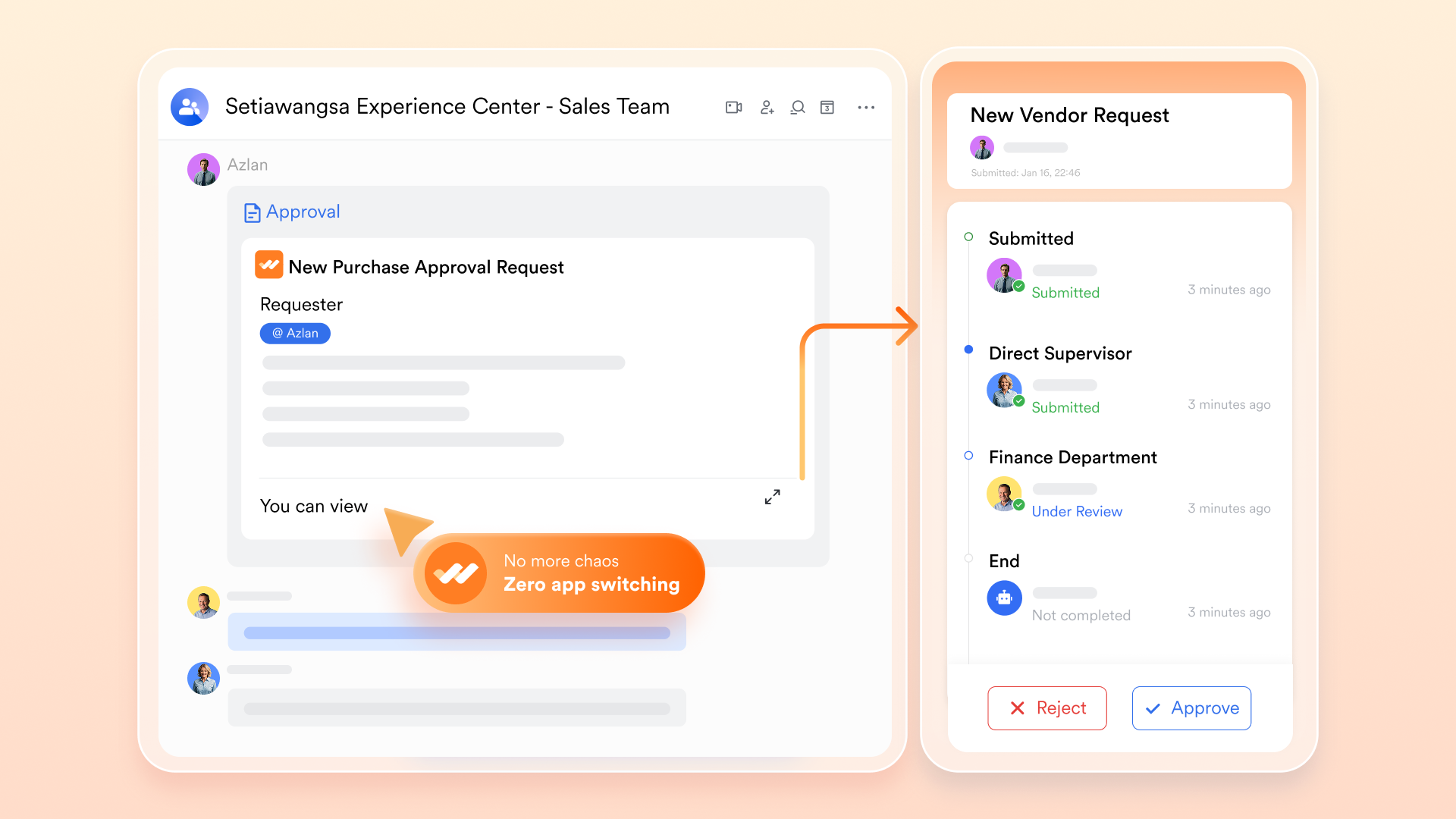
- Achieve workflow continuity in : An office manager can receive a facility request in chats, instantly convert it into , link it to a collaborative document, and trigger directly from the chats interface, all without ever switching applications. This comprehensive integration, extending to common requests like or , significantly boosts productivity and reduces administrative overhead by ensuring swift and traceable operational decisions
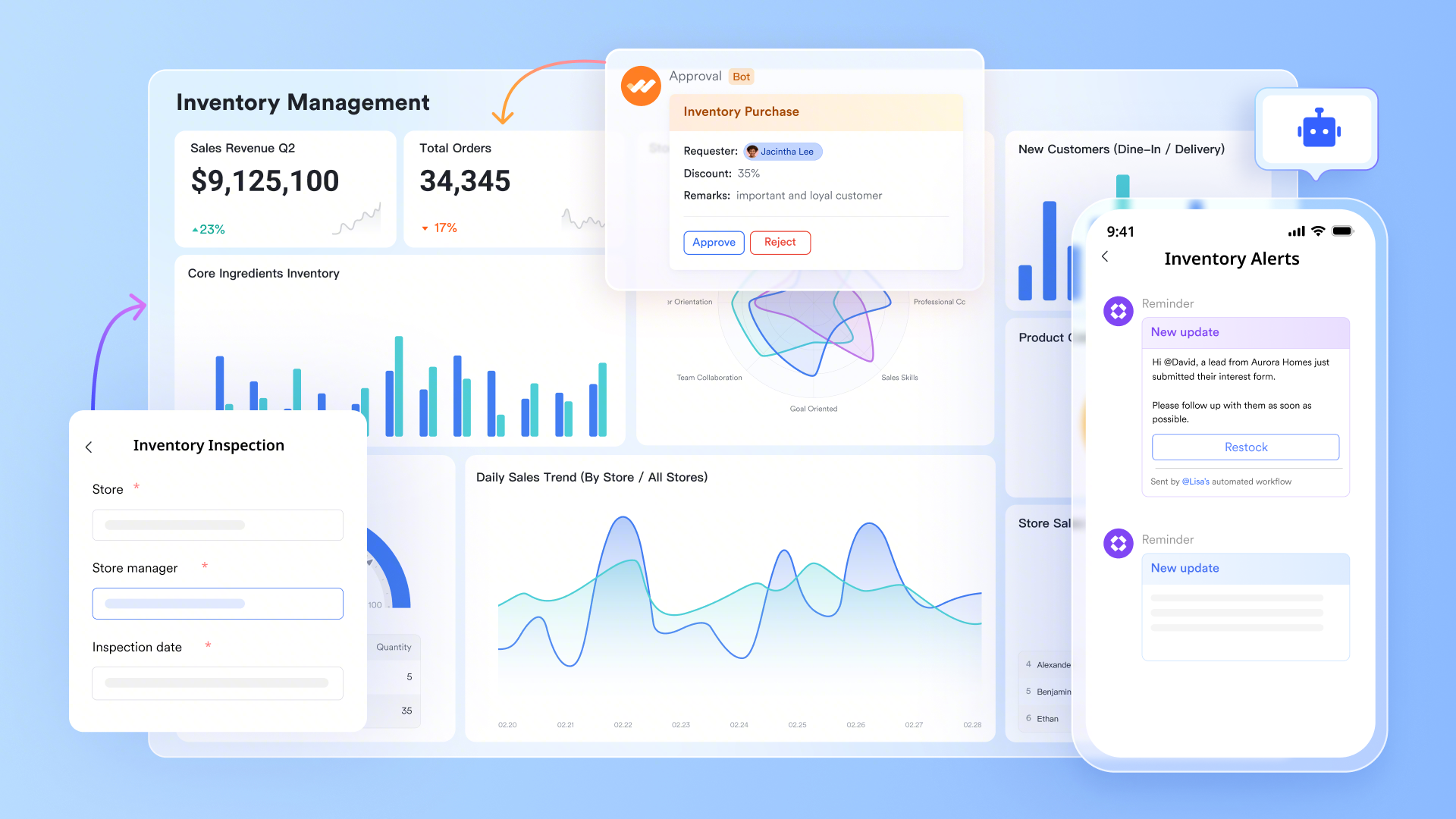
- Streamline inventory and space management with relational databases: An office manager can leverage to build customized and no-code relational databases, such as tracking current inventory levels for office supplies, IT assets, or even manage complex event logistics. With native automation, set rules like "send automated notifications to the purchasing channel when printer toner drops below five units." This transforms static records into active and self-monitoring systems, making it an ideal or an solution.
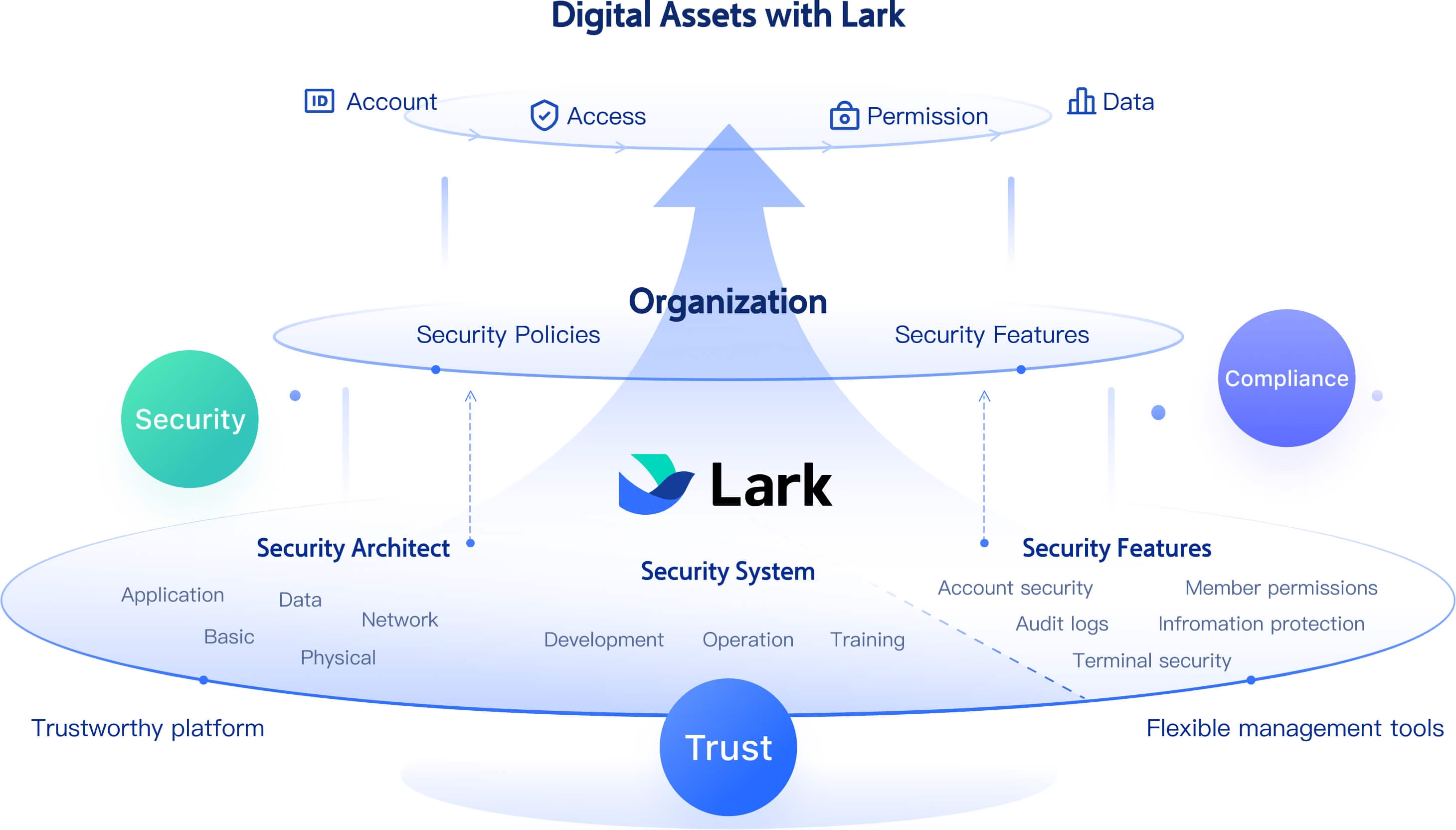
- Secure document centralization and collaborative editing: Move all company policies, vendor contracts, and critical team resources into a centralized hub with and its integrated . Teams can find project specifications without leaving their chat window. Besides, Lark offers , allowing administrators to strictly restrict copying, downloading, or forwarding. This bank-grade security makes Lark a robust solution for highly regulated industries, functioning as a , or family office .
Pros
- Eliminate context-switching fatigue and reduce software expenses by fostering effective collaboration and internal communication through natively integrating chat, documents, and approvals, truly one space for all work.
- Empower administrators to quickly build tailored, no-code relational databases for specific use cases, such as office supply tracking, space management, or even simple event management for hybrid teams.
- Provide robust permission controls and secure data silos, meeting the rigorous confidentiality and regulatory demands of highly sensitive sectors like legal and wealth management.
Cons
There are just so many features on the platform that it takes some time to try them out, but the comprehensive makes it painless.
- Starter plan: Free forever plan with 11 powerful tools for up to 20 users, 100GB storage, 1,000 automation runs, AI translations, and more. No credit card needed.
- Basic plan: $6/user/month (billed annually) for up to 500 users. Includes everything in Starter plus unlimited message history, 5TB storage, 1,000 automation runs, and additional features. Some users may need to to purchase.
- Pro plan: $12/user/month (billed annually) for up to 500 users. Includes everything in Basic plus group calling for up to 500 attendees, 15TB storage, 50,000 automation runs, and more.
- Enterprise plan: for custom pricing. Supports unlimited users and includes advanced automation, security, compliance, and management features.
For small teams with simple communication needs

18 months message history
1000 Base automation runs/month
2000 rows per table in Base
Most POPULAR
For companies with comprehensive collaboration and management needs
Unlimited message history
500-participant video meetings
50k Base automation runs/month
20k rows per table in Base
For large companies with advanced security and organizational management needs
Get a personalized demo and pricing
Unlimited message history
500-participant video meetings
15 TB storage + 30 GB storage/user
500k Base automation runs/month
50k Base automation runs/month
Most POPULAR
For companies with comprehensive collaboration and management needs
Unlimited message history
500-participant video meetings
50k Base automation runs/month
20k rows per table in Base
Streamline your operations and enhance team collaboration.
2. Envoy: best fit for visitor, onsite visibility, and workplace entry workflows
Envoy is the definitive choice for facility office managers dealing strictly with brick-and-mortar logistics. It excels as a comprehensive facilities management software by transforming chaotic front desks into secure and automated entry points.
The platform completely replaces manual clipboard sign-ins with a sleek, iPad-based kiosk experience. When a guest arrives, the system instantly pings the host via external chat apps and prints a temporary badge.
However, because its architecture is entirely focused on physical presence, its utility literally stops at the lobby. The moment your team sits down to actually collaborate on a document or track a project timeline, this tool becomes irrelevant. You are forced to switch to a completely different application, reintroducing the exact workflow friction that unified platforms solve.
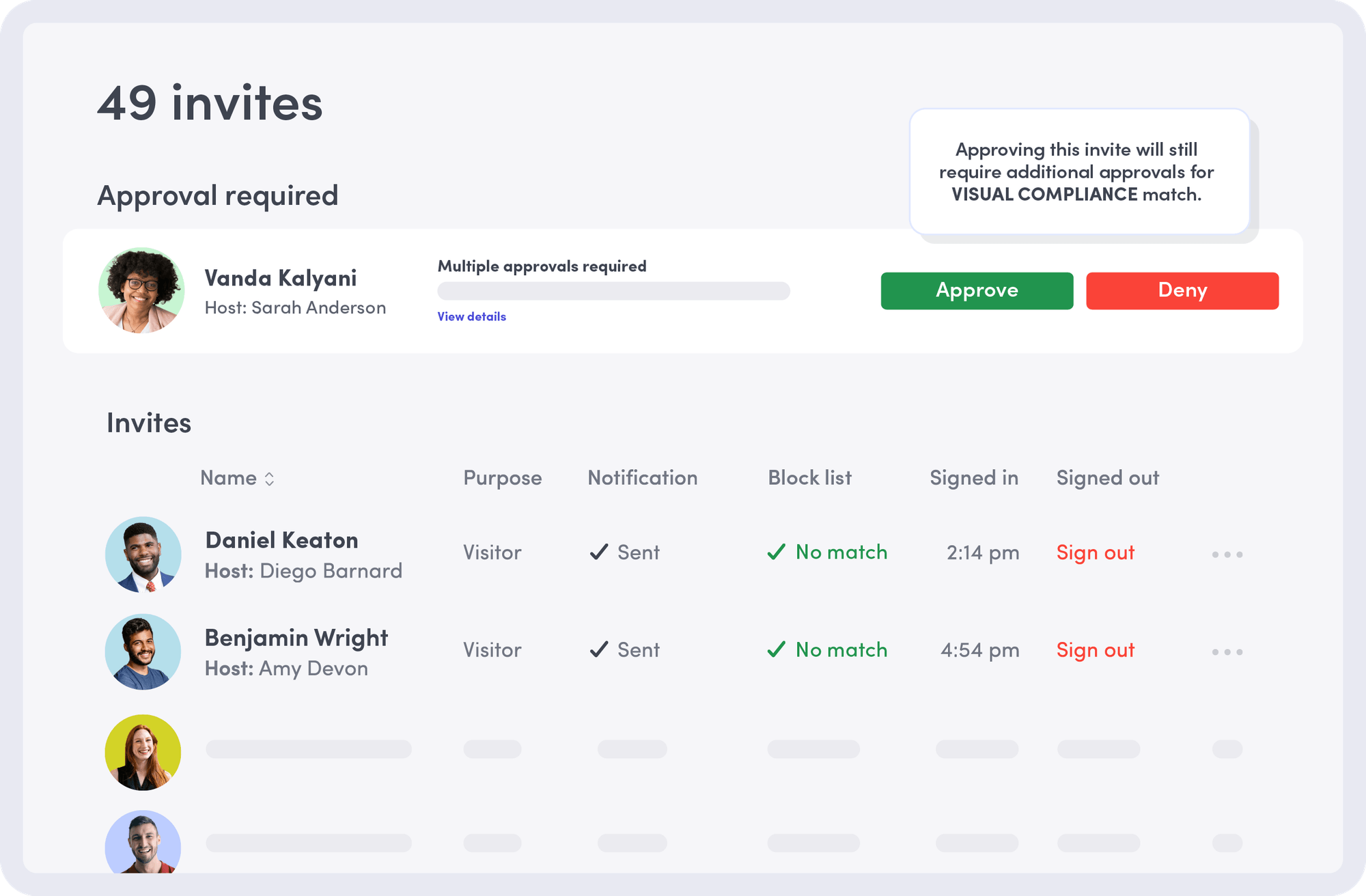
Image source: envoy.com
Pros
- Synchronize natively with corporate directories (like Azure AD and Okta) for instant user provisioning.
- Provide real-time evacuation dashboards to ensure accurate headcounts during building emergencies, and enhance customer relationships by ensuring a smooth visitor journey.
- Embed customizable health and NDA screening waivers directly into the arrival sequence.
Cons
- Lack any capabilities for cloud file creation, making it entirely unsuitable for teams requiring highly secure, centralized tools.
- Force IT departments to purchase and maintain a completely separate software stack for digital productivity, increasing the Total Cost of Ownership.
Pricing
- Basic: Free with limited features.
- Premium: $4,344/location/year.
- Enterprise: Contact sales for pricing.
3. OTRS: best fit for structured office/facilities request management
OTRS serves well for large organizations needing highly structured IT and facility request management. It is a solid choice for enterprises looking for deep integrations with existing complex backend ecosystems.
It provides a highly structured platform for managing facility service operations and IT requests. It operates as a heavy-duty facilities management software, facilitating the handling of maintenance tickets, workspace changes, and operational tasks through standardized, rule-based workflows.
However, its primary downside is its inherent complexity. Establishing these standardized workflows mitigates delays in the long run, but the initial setup is notoriously rigid. Furthermore, because it functions purely as a ticketing system, everyday team communication and real-time document editing are entirely outside its core focus. If you are looking for a modern, unified office management software, you will still need to purchase secondary chat and document apps.
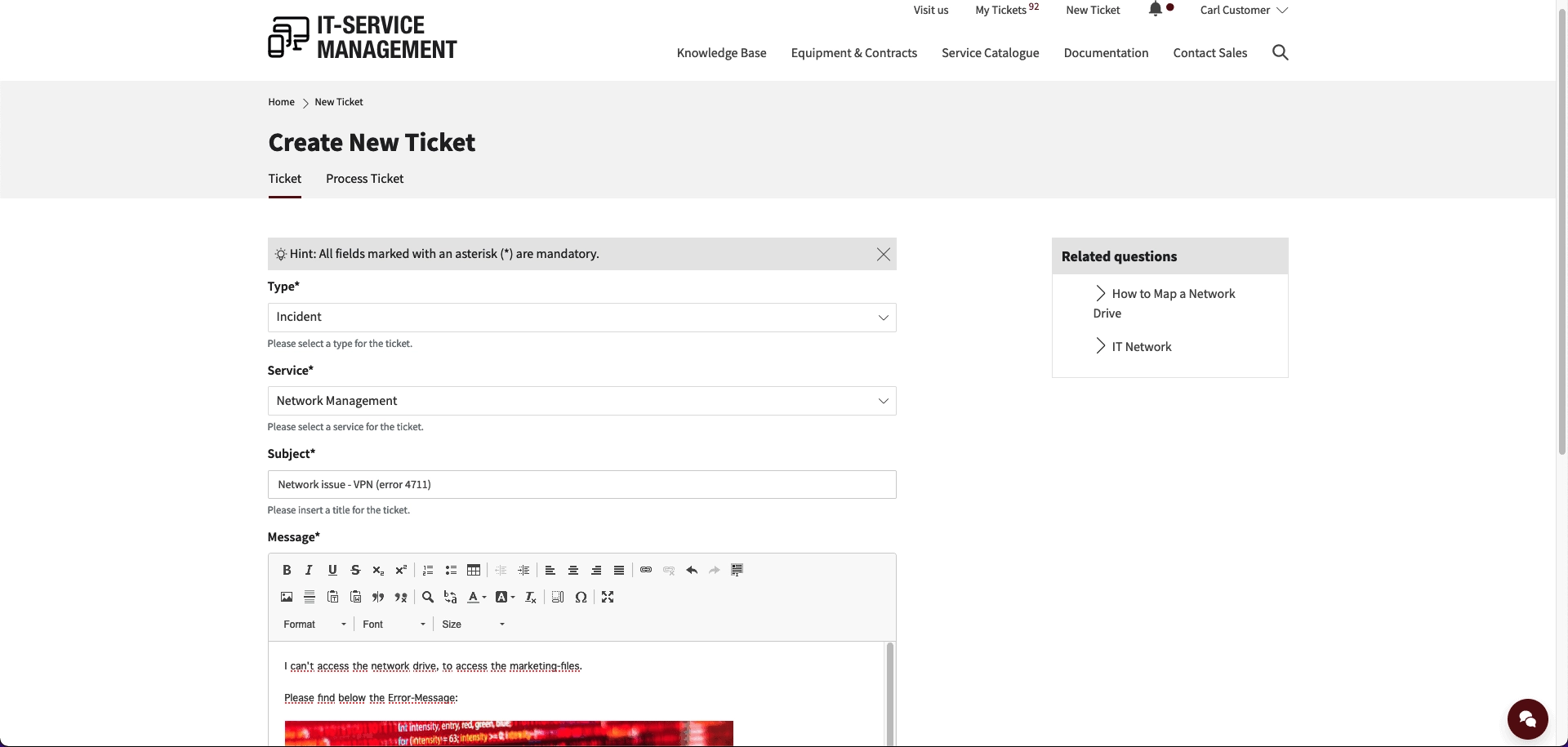
Image source: otrs.com
Pros
- Prevent request loss through highly structured IT and facility ticketing workflows.
- Provide powerful reporting dashboards for keeping track of team workload and SLA performance, allowing you to analyze trends.
- Integrate exceptionally well with complex enterprise backend systems.
Cons
- Require a steep learning curve for everyday employees and system administrators.
- Feel more like a traditional IT helpdesk than a collaborative workspace.
Pricing
- Starter: $19/agent/month.
- Growth: $49/agent/month.
- Enterprise: Contact sales for pricing.
4. Asana: best fit for project visibility and task tracking
Asana targets managers who need visual tracking and deadline management for effective project management across different projects. It excels at keeping project statuses clear, making it a highly popular general office management system.
Asana is renowned for its flexible project organization, allowing teams to visualize tasks through lists, boards, and timelines. It helps office managers delegate administrative duties clearly and track project progress without constant manual follow-ups. The vast template library allows teams to standardize repetitive workflows, from employee onboarding to quarterly facility audits.
Yet, a major friction point arises because it lacks native, and real-time team chat. You can leave comments on individual tasks, but active operational decisions still require jumping to a separate messaging application. This disconnect often leads to lost context. Furthermore, Asana is strictly a generalized tool. If your operations require advanced data isolation or automated document approvals, you will find its native controls lacking.
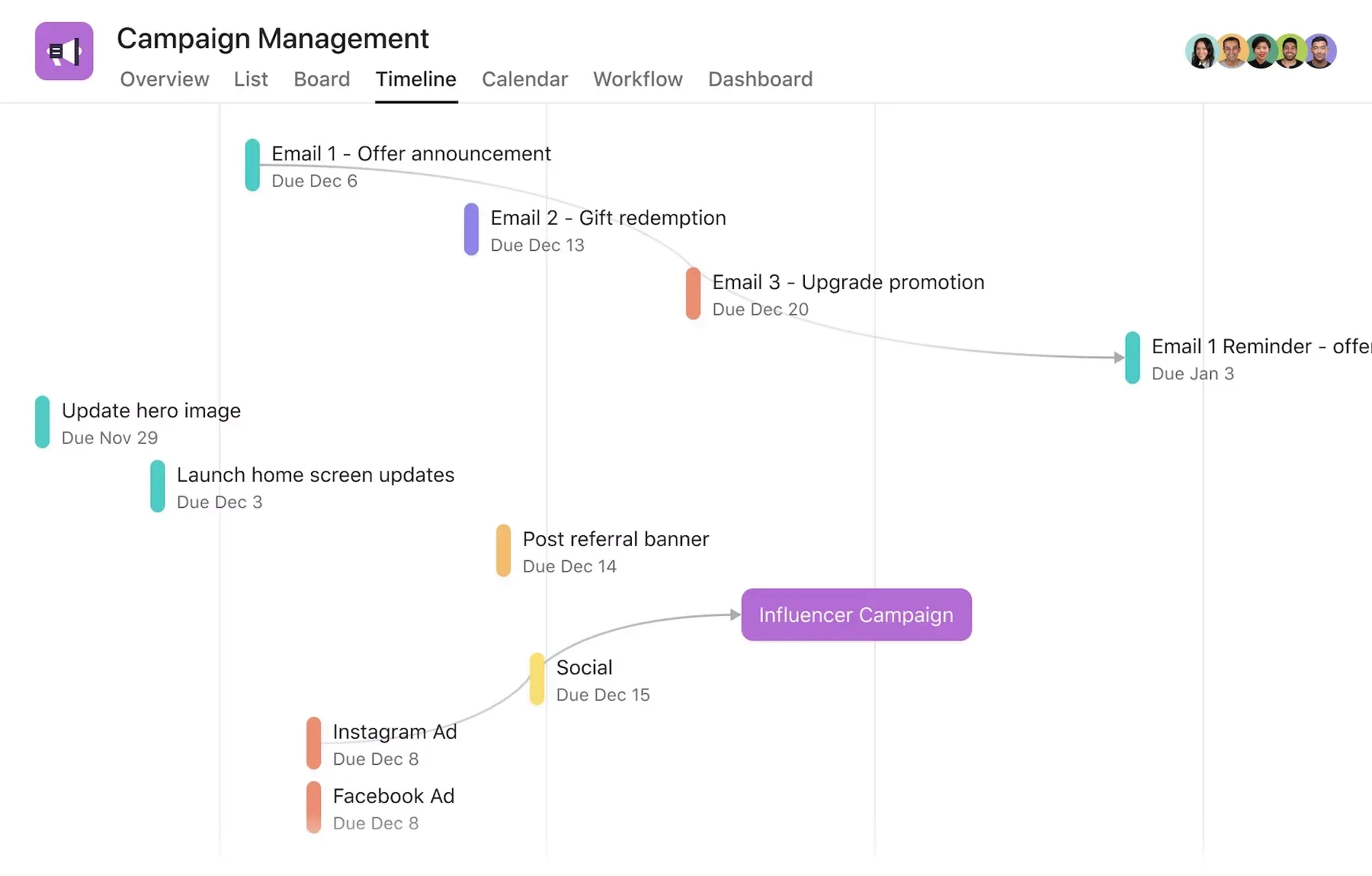
Image source: asana.com
Pros
- Deliver highly visual task tracking and flexible project organization capabilities.
- Provide clear dependency mapping and visual deadline management.
- Feature a vast template library for standardizing administrative workflows.
Cons
- Omit built-in real-time chat, requiring constant context switching to communication apps.
- Lack advanced native file co-editing and strictly siloed document permission settings.
- Require complex, paid third-party integrations to connect with broader enterprise resource planning ecosystems, rather than offering a native, all-in-one experience.
Pricing
- Personal: Up to 2 users.
- Starter: $10.99/user/month.
- Advanced: $24.99/user/month.
- Enterprise: Contact sales for pricing.
5. Slack: best fit for fast team communication
Slack is a dominant real-time communication tool platform designed specifically to improve communication for fast-moving teams that rely heavily on rapid and channel-based messaging. By serving as a dynamic digital headquarters, it empowers organizations to keep conversations fluid, highly organized by topic, and immediately accessible across the entire workforce, helping teams stay organized.
It replaces internal email with real-time messaging, making it incredibly easy to ping a colleague about an IT issue or an urgent facility request. Because of its massive app directory, teams frequently use it as a central hub, connecting it with everything from helpdesks to the best software for office supply management to receive automated alerts.
However, the hidden trap is that important operational decisions quickly turn into buried, unsearchable threads. For example, when an office manager approves a hardware budget in a chat, that record disappears under a mountain of daily messages. While Slack introduces basic features like Canvases and Lists, it still lacks the deep structural capabilities and strict security of office document management software or a unified workspace, leading to a false sense of productivity in which teams are talking constantly but struggling to retain institutional knowledge.
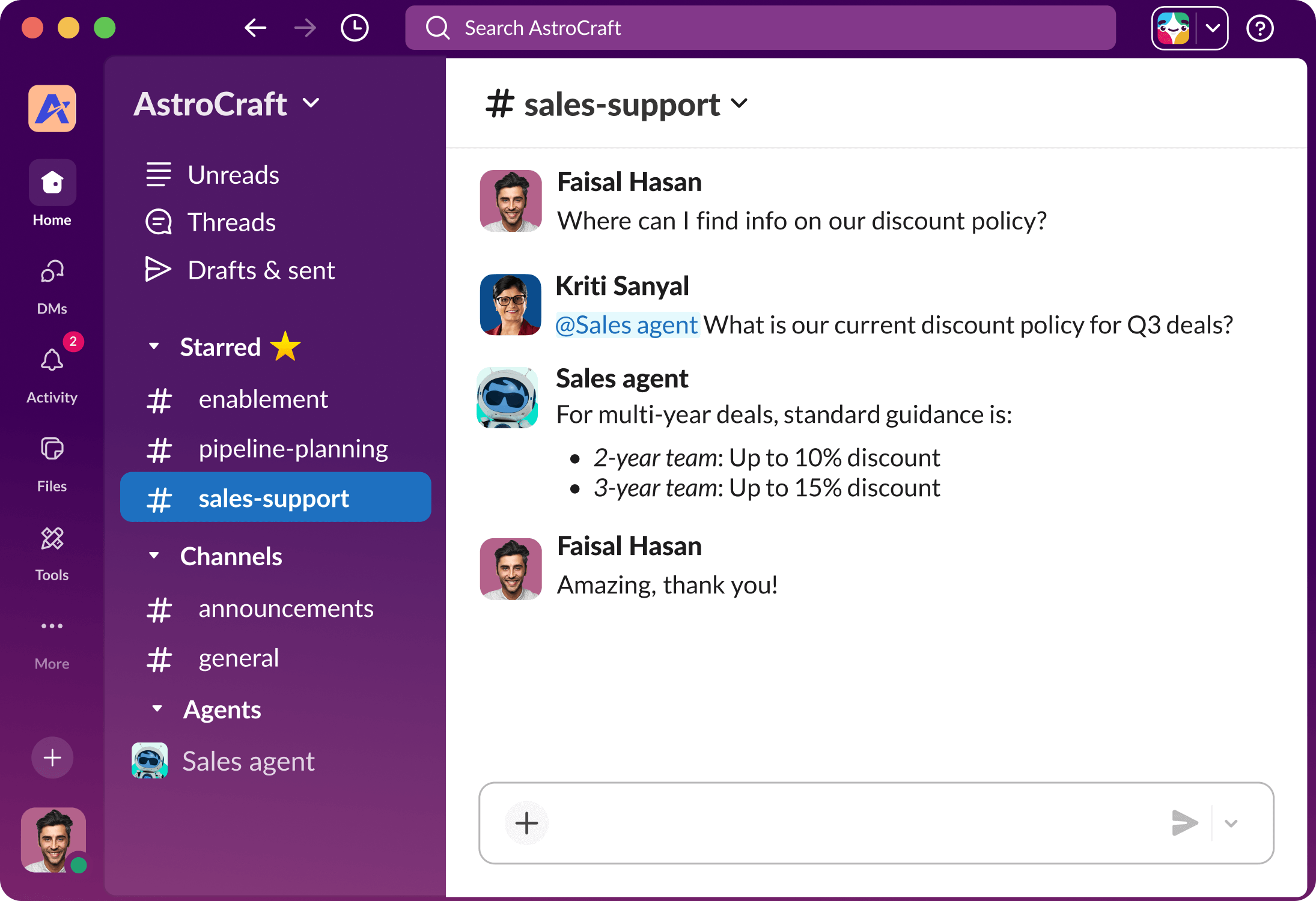
Image source: slack.com
Pros
- Provide an instant, highly responsive communication tools interface that drastically reduces email volume.
- Offer an extensive third-party app ecosystem and seamless integration capabilities.
- Organize topical discussions efficiently through customizable channels.
Cons
- Bury important information and formal approvals easily within fast-moving chat channels.
- Include native document and task features that remain too basic compared to fully integrated, all-in-one platforms.
Pricing
- Free: Message history to only the last 90 days.
- Business+: $9/user/month.
- Enterprise+: Contact sales.
6. Google Workspace: best fit for documents and email
Google Workspace is built for organizations prioritizing cloud-native document creation and secure email hosting. It serves as the foundational infrastructure for modern business operations, providing teams with a universally familiar, highly reliable ecosystem for seamless file sharing and effective team collaboration.
Google Workspace (including Google Docs, Sheets, Drive, alongside Google Calendar) supports essential document management by enabling multiple users to co-edit files simultaneously. It is highly reliable for drafting company policies, organizing tracking spreadsheets, and managing corporate email securely. Because of its universal familiarity, user adoption is practically immediate.
However, it is inherently a digital filing cabinet, not a centralized operational hub. It lacks the built-in relational databases and native approval flows required to automate daily admin tasks. Teams are constantly forced to rely on manual email threads for formal approvals rather than triggering automated workflows. Unlike a truly unified digital workspace that seamlessly merges chat, ticketing, and live data, Google requires you to purchase and duct-tape third-party add-ons to run complex operations.
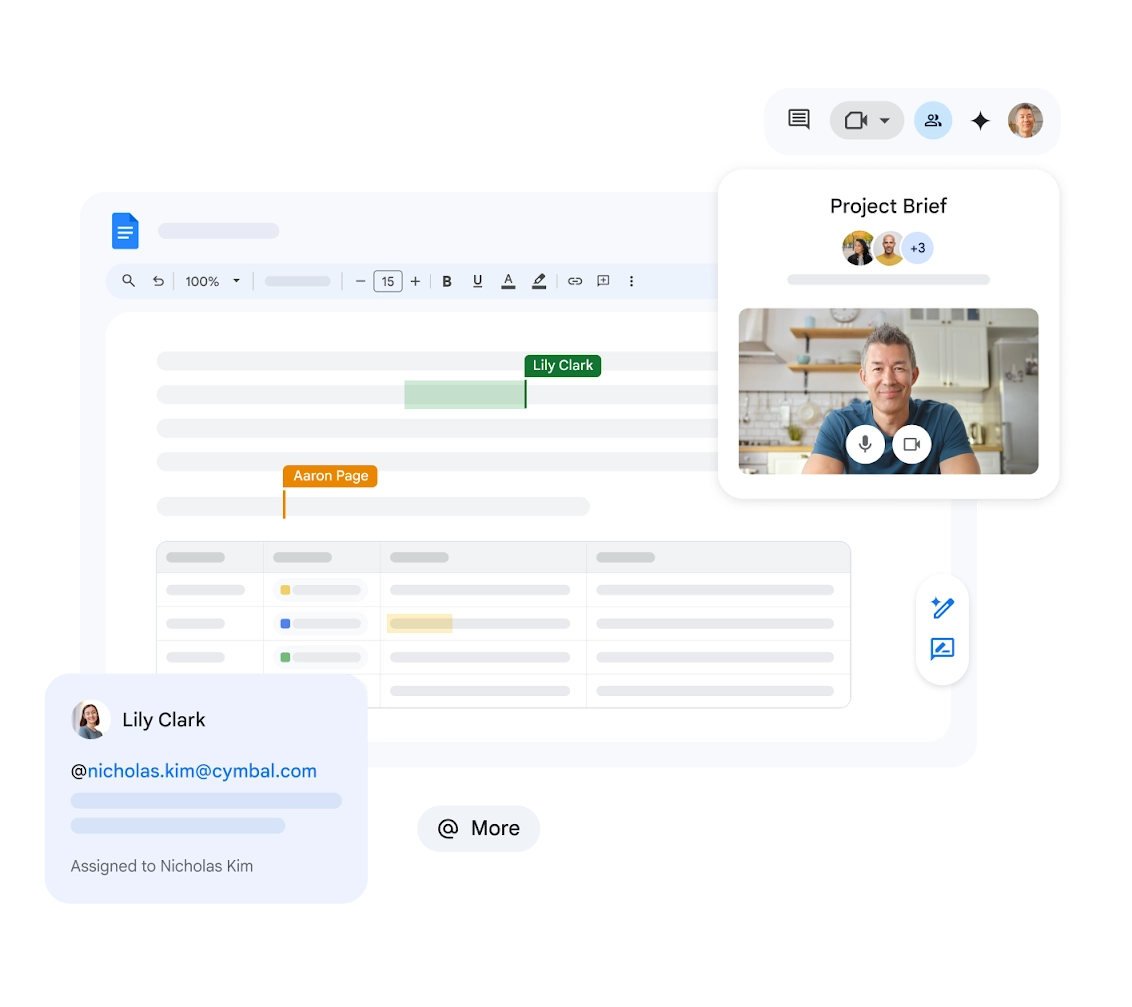
Image source: workspace.google.com
Pros
- Delivers exceptional real-time document co-editing (like in Google Docs) with universal user familiarity.
- Provides reliable cloud file storage infrastructure and secure enterprise email hosting, often integrated with Google Calendar.
- Facilitates easy version control and straightforward access permission management.
Cons
- Leaves documents inherently static and disconnected from active task tracking.
- Relies heavily on manual email threads for formal approvals rather than automated workflows.
Pricing
- Starter: $9.40/user/month.
- Standard: $18.80/user/ month.
- Plus: $29.40/user/month.
- Enterprise: Contact sales for pricing.
7. Dibsido: best fit for straightforward desk/workspace booking
Dibsido serves hybrid teams looking specifically for a simple and cost-effective way to manage desk and room booking. It is a targeted utility rather than a comprehensive operational suite.
As hybrid work models stabilize, it offers a straightforward solution for employees to reserve desks and coordinate office attendance. It solves the immediate logistical headache of ensuring you don't have 50 people showing up for 30 available desks, effectively preventing scheduling conflicts. The interface is highly visual, allowing administrators to easily set up intuitive floor plans, making it function as a highly reliable facilities management software for daily spatial coordination.
However, it is a classic point solution. Adding Dibsido to your stack means yet another login, another interface, and another separate directory for employees to navigate just to book a chair. Because it lacks broader operational tools—such as project tracking, document collaboration, or internal team chat—it ultimately adds to the very software fatigue office managers are trying to eliminate by adopting platforms that integrate various communication tools.
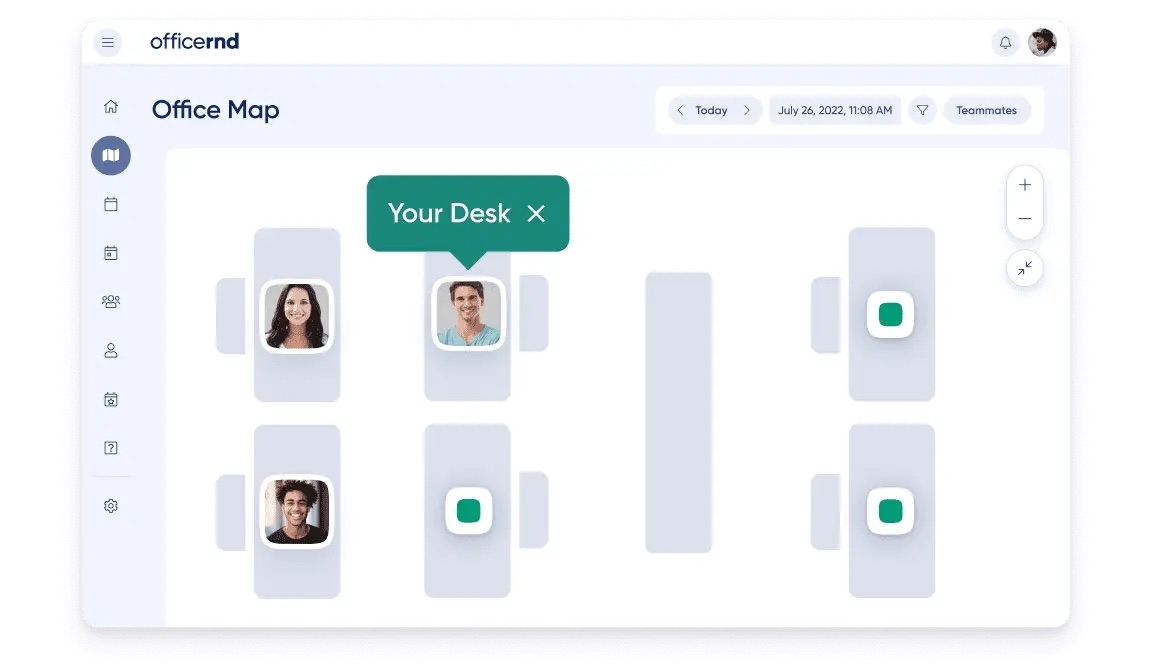
Image source: dibsido.com
Pros
- Feature a very simple, highly visual, and intuitive interface for desk booking and floor plans.
- Simplify the monitoring of workspace utilization and desk booking for hybrid attendance, ultimately enhancing the customer experience for visitors and employees.
- Offer a generous freemium tier for smaller teams testing hybrid models.
Cons
- Serve a highly narrow use case limited strictly to space and parking booking.
- Add another disjointed application to employee login fatigue.
Pricing
- Free: Offers a 14-day free trial.
- Growth: $1.7/user/month.
- Enterprise: Contact sales for pricing.
8. Zoho One: best fit for suite buyers who want a broad business OS
Zoho One appeals to businesses looking to purchase a massive bundle of software—from CRM to HR—under a single vendor license. It stands out as an incredibly expansive office management platform, functioning as a comprehensive "operating system for business" designed to let organizations holistically handle their diverse operations on one unified subscription.
It is a massive collection of cloud-based tools designed to replace nearly every administrative application. It bundles tools for secure email, team chat (Cliq), document management (WorkDrive), time tracking and project management. For a company wanting everything billed from a single vendor, the sheer breadth of functionality is unmatched in the market.
However, the primary drawback is the "Frankenstein" feeling of the suite. While these apps are sold together under one invoice, they often feel like completely separate products built by different companies with differing UI paradigms. For example, when jumping between Zoho Projects, Zoho Cliq, and Zoho Desk, users frequently experience a disjointed interface and a steep learning curve.
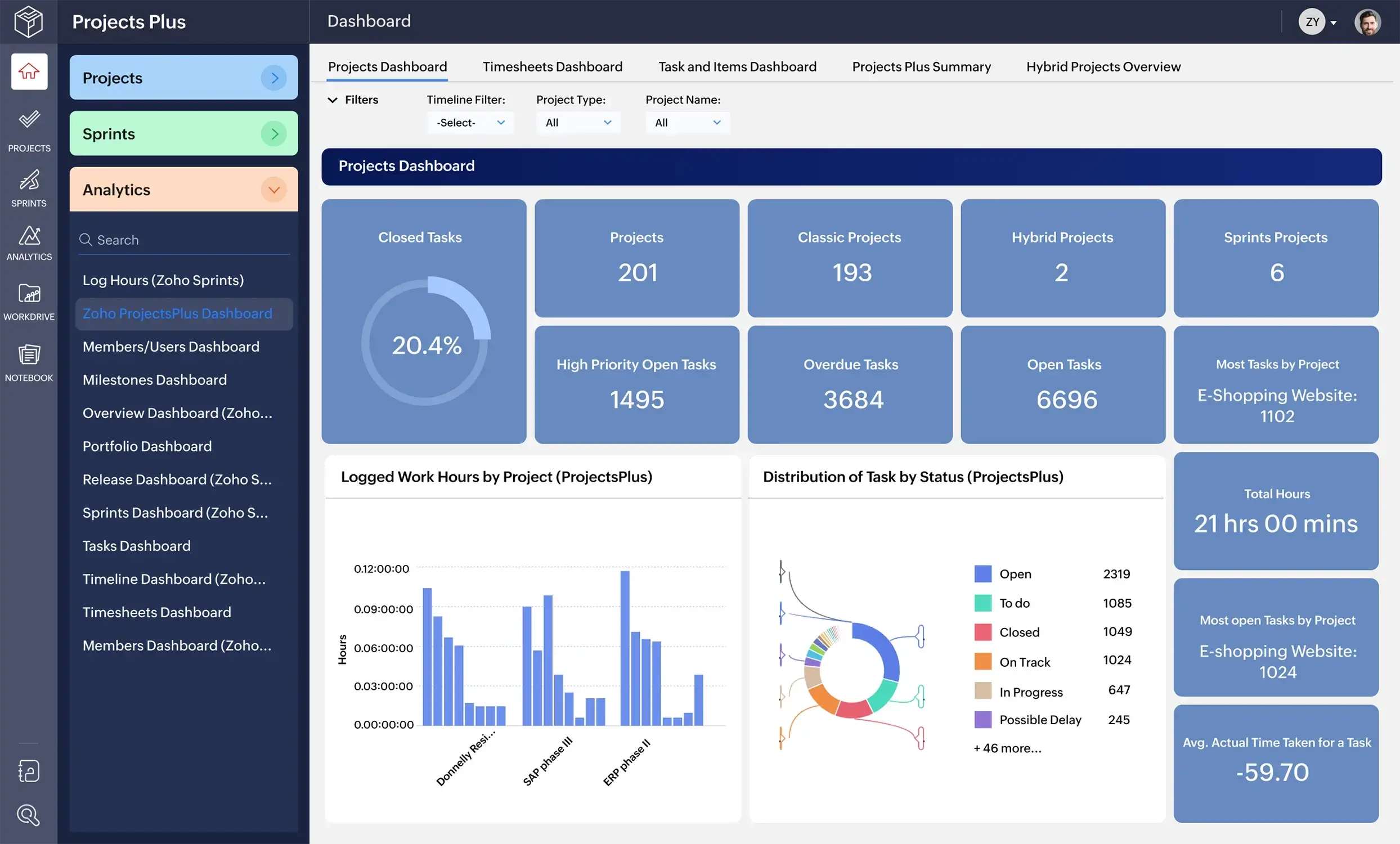
Image source: zoho.com
Pros
- Offer massive feature breadth covering almost every standard business need.
- Centralize vendor billing and provide unified account management.
- Include strong finance, CRM, and basic HR modules within the bundle, helping manage customer relationships effectively.
Cons
- Present a disjointed user experience with noticeable interface differences across different apps.
- Require a steep learning curve to configure and adopt the entire suite properly without an integration partner.
Pricing
- All employee pricing: $37/user/month (must purchase license for all employees).
- Flexible user pricing: $90/user/month (purchase license for any no. of users).
With clear differences in core focus, capability breadth, and workflow integration across these 8 tools, choosing the right platform isn’t just about picking the one with the most features, it’s about prioritizing the capabilities that will permanently solve your team’s fragmentation pain points. Here are the non-negotiable features to center in your evaluation.
Key features to prioritize when choosing your platform
When evaluating best office management software, buyers are often easily swayed by flashy dashboards or minor UI elements. However, to guarantee a high return on investment and actually reduce daily friction, your procurement framework must prioritize capabilities that actively eliminate the need for third-party add-ons. Here is what you should demand from a unified workspace to ensure it genuinely outperforms a fragmented app stack:
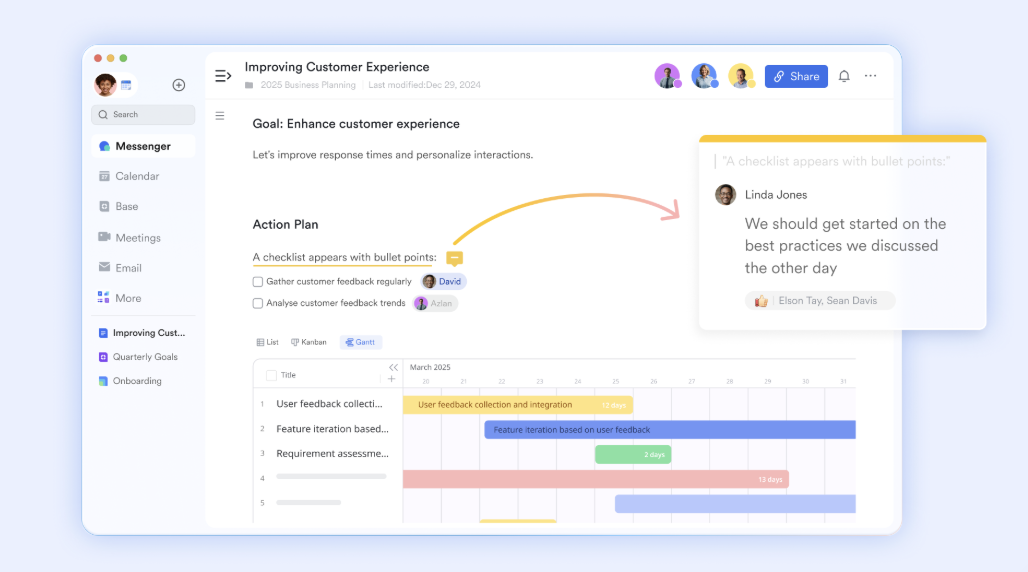
- : Simply storing files in the cloud is no longer enough; your team needs the ability to co-edit cloud-native documents dynamically and effectively handle task management tools within the same environment. If your current setup lacks integrated project management capabilities, relies on fragmented project management tools and forces you to open a separate video link and rely on clunky, delayed screen sharing just to discuss a floor plan, it is actively slowing your team down. fundamentally changes this dynamic by allowing users to natively open, share, and edit Docs directly inside an active video call window. Everyone can type and collaborate on the same page simultaneously, completely bypassing the lag of traditional screen sharing.
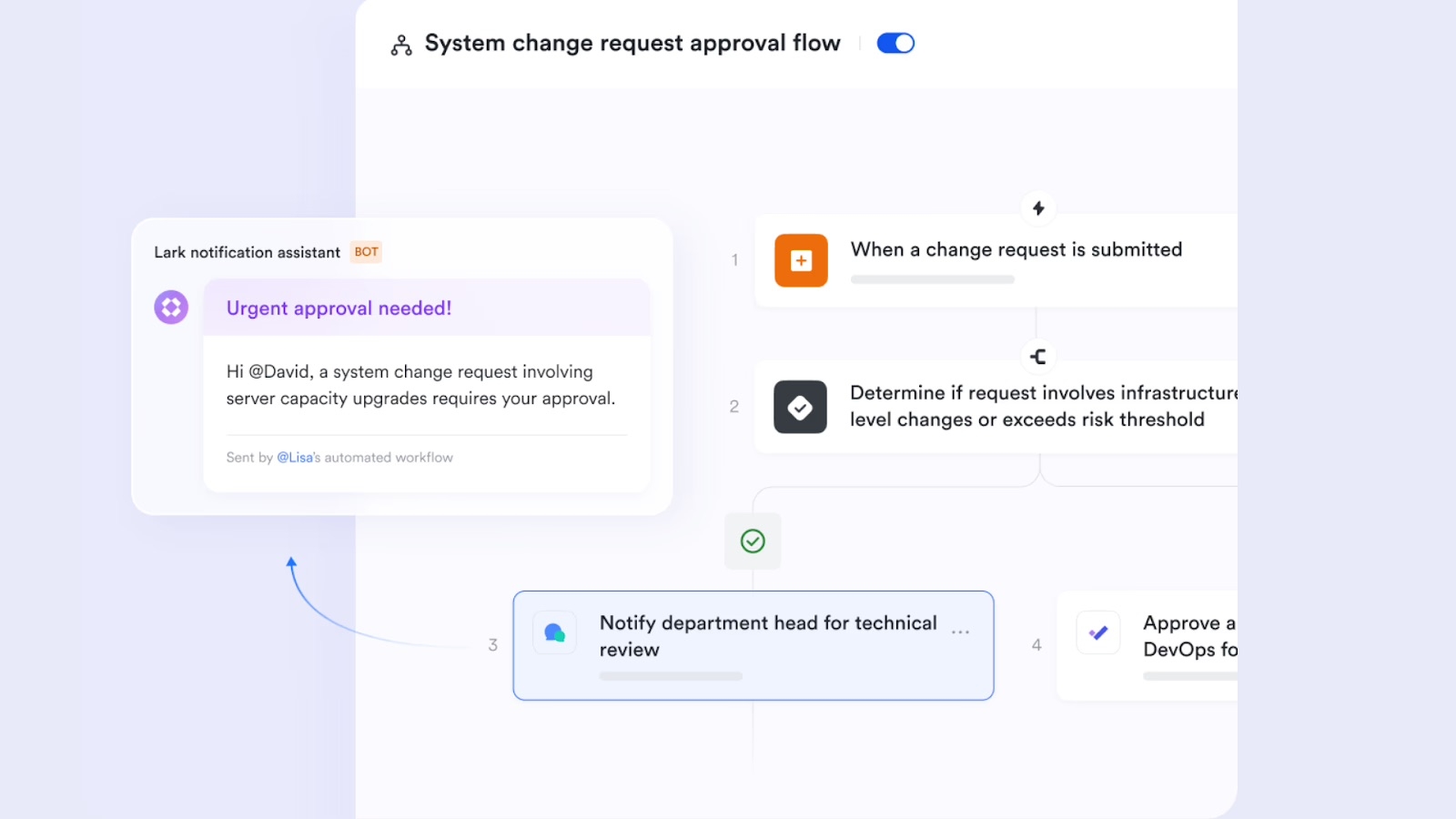
- : While many platforms boast about workflow builders, they frequently hide the actual execution behind steep paywalls or require expensive third-party integration connectors (like Zapier or Make) just to function. You should prioritize systems that include native automation runs out of the box. For example, includes 1,000 free automation runs per month right from its free Starter plan. This empowers office managers to deploy robust, zero-cost automated workflows across their entire workspace without constantly asking IT for more budget.
- : If your supply chain or facility management team spans different countries, relying on external translation tools breaks the flow of communication and delays urgent approvals. True enterprise alignment requires built-in multilingual support. Lark sets the standard here by embedding powerful AI translation seamlessly across its entire ecosystem. Whether it is automatically translating complex chat threads in real-time or generating translated subtitles during live video meetings, ensures your global workforce, including remote teams, remains perfectly aligned, regardless of their native languages.
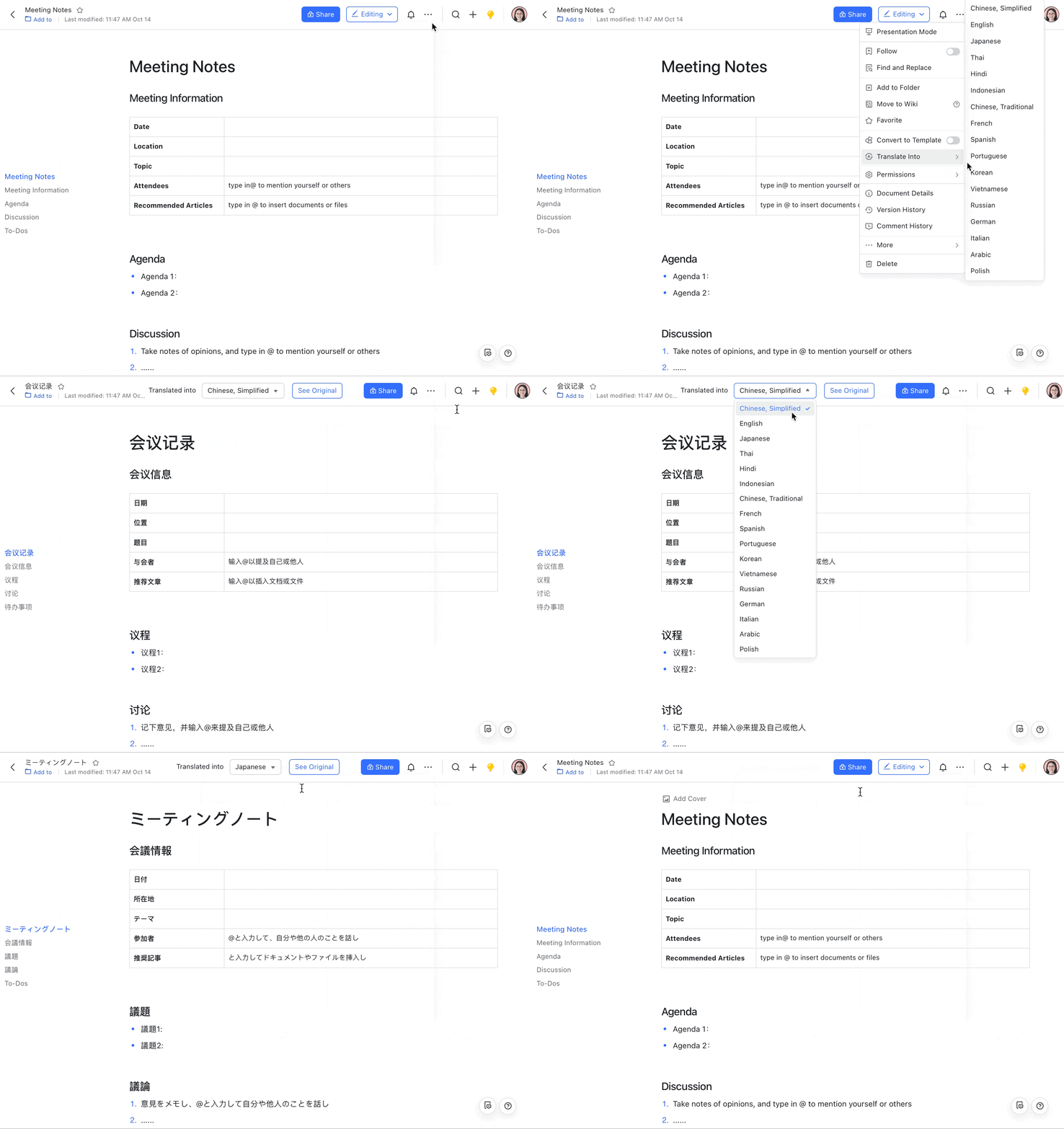
When you’ve verified that a platform meets these three non-negotiable functional standards, there’s one final, business-critical litmus test that will determine your long-term return on investment: total cost of ownership (TCO). A truly unified platform that delivers all these capabilities natively won’t just cut down on workflow friction, it will also eliminate redundant license fees, simplify vendor contract management, and deliver predictable, scalable pricing that grows with your team. This is the final, defining advantage that sets fully unified platforms apart from fragmented point solutions, and the core reason they’ve become the new standard for modern office management.
Conclusion
Whether you need strict compliance for legal teams or simply want to stop app-switching, adopting unified office management software provides a far more sustainable path forward. By consolidating chat, document storage, and task tracking into one native platform, empowers your team to focus on true productivity rather than managing endless software subscriptions. Stop paying the context-switching tax and start transforming your daily operations!
Master office management effortlessly with Lark
FAQs
Which software is commonly used for office management?
Historically, operations teams relied on a mix of disjointed applications—using Slack or MS Teams for messaging, Asana for projects, and cloud tools for files. Today, the industry standard has shifted heavily toward unified office management software like Lark. The comprehensive platform consolidates daily administrative tasks, ensuring that communication, approvals, and physical space tracking happen in the exact same digital environment.
What is the ideal WFM software?
When evaluating workforce management (WFM) platforms, the ideal choice for HR teams is a unified solution that seamlessly integrates employee scheduling, time tracking, and project management tools for task tracking and team communication. Lark stands out as the definitive WFM software because it replaces fragmented app stacks. Instead of using one application for shift coordination and another for team messaging, office managers can utilize Lark Base to build automated relational databases for schedule and attendance tracking, while simultaneously executing paid time off (PTO) approvals directly within native chat threads. This end-to-end unification ensures workforce operations remain entirely visible and highly efficient.
What is the best free office management software for small business?
Lark provides an exceptionally generous Free forever Starter plan, making it the ultimate choice for small businesses looking to eliminate heavy software costs. While traditional fragmented software stacks quickly drain a small to medium enterprise's budget—often costing $30 to $50 per user each month to string together chat, docs, and task apps—Lark offers a comprehensive digital headquarters at zero cost. The free tier supports up to 20 users and includes 11 natively integrated tools, 100GB of cloud storage, built-in AI translations, and 1,000 monthly automation runs. It empowers small teams to manage complex daily operations, including budget tracking, without ever needing a credit card.
What software makes office management easy?
Software that completely eliminates context-switching fatigue makes daily administration genuinely easy. Lark achieves this by functioning as an all-in-one super app built entirely on a single codebase, making daily work life easier. Instead of forcing office managers to toggle between a separate email inbox for facilities requests, a standalone chat app for team updates, and a different management apps for document storage, Lark unites them natively. You can co-edit cloud documents during a built-in video meeting, trigger inventory alerts via automated relational databases in Lark Base, handle simple event management needs, and streamline project management approvals directly in your active chat stream. By centralizing all communication and administrative data, Lark transforms chaotic, disjointed tasks into streamlined, effortless workflows.
Related reading




















![What Is a 2-2-3 Work Schedule? Explanation and More [2026]](https://framerusercontent.com/images/uKHRfkp4v7y4azRNTYUmuteNQz8.png)








