Your team is scattered across tools. Research finds answers, gets emailed, and lives in five different places. Someone asks a follow-up question—back to the search tool.
AI search platforms solve the finding problem brilliantly, but they create a workflow problem for teams. The real issue isn't whether you can find information—it's whether that information becomes actionable and reusable across your organization.
This guide compares eight AI-powered enterprise search solutions and shows how to bring AI-driven findings into your actual decision-making process without losing context or creating knowledge silos.
What is an AI search platform and why it matters for teams
An AI search platform combines , , and semantic understanding to deliver synthesized answers instead of just links. Unlike traditional search, these systems understand context and intent. When you ask a question, they read multiple sources and give you a coherent answer—not a list of URLs.
But here's what most teams miss: a great AI search tool doesn't automatically mean great team research. Individual researchers love these platforms because they're fast and accurate. The problem emerges the moment findings need to move beyond personal chat histories into team workflows—into approvals, decisions, and institutional memory.
Most teams ask the wrong question. They ask "which AI search tool is fastest?" when they should ask "how do we integrate AI-powered research findings into decisions?" That distinction changes everything. An enterprise search solution needs to handle discovery and workflow integration. Without the workflow layer, even the best AI-driven research gets lost in translation.
The eight best AI search and research platforms compared
Each of these eight platforms solves different parts of the research problem. The key is matching the right tool to your research type, then ensuring findings actually move into team workflows and organizational knowledge.
To help you navigate the landscape, here's a comparative breakdown of all eight platforms across critical dimensions: what they're built for, how they , and whether they solve the "research disappears" problem. Pay special attention to the Collaboration & Workflow column—that's where most standalone tools fall short.
Comparative table: AI search and research platforms
1. Lark: Best for turning research into team decisions
is an all-in-one collaboration workspace designed for teams that need AI search discoveries to flow directly into documented decisions and organizational knowledge. Unlike standalone AI search engines, Lark integrates , , , , , , , , and a into one platform, eliminating the friction of jumping between tools.
handles what AI search engines leave unfinished. When a researcher discovers information in Perplexity or Consensus, that information must move beyond individual chat histories into team workflows. Without integration, researchers export screenshots, paste into email or , and context fragments immediately. Approvals scatter across multiple threads. Decisions become disconnected from the evidence that informed them.
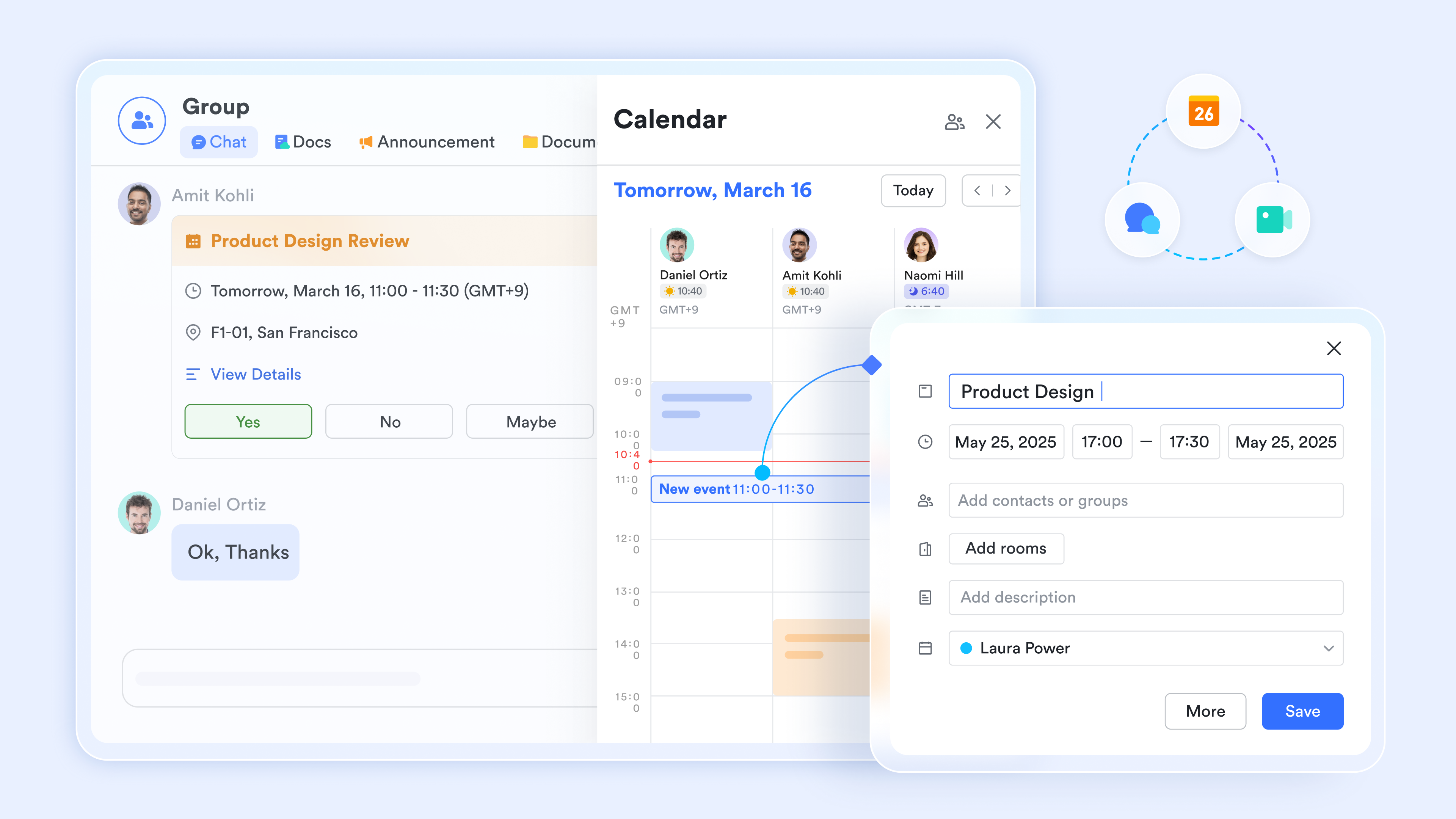
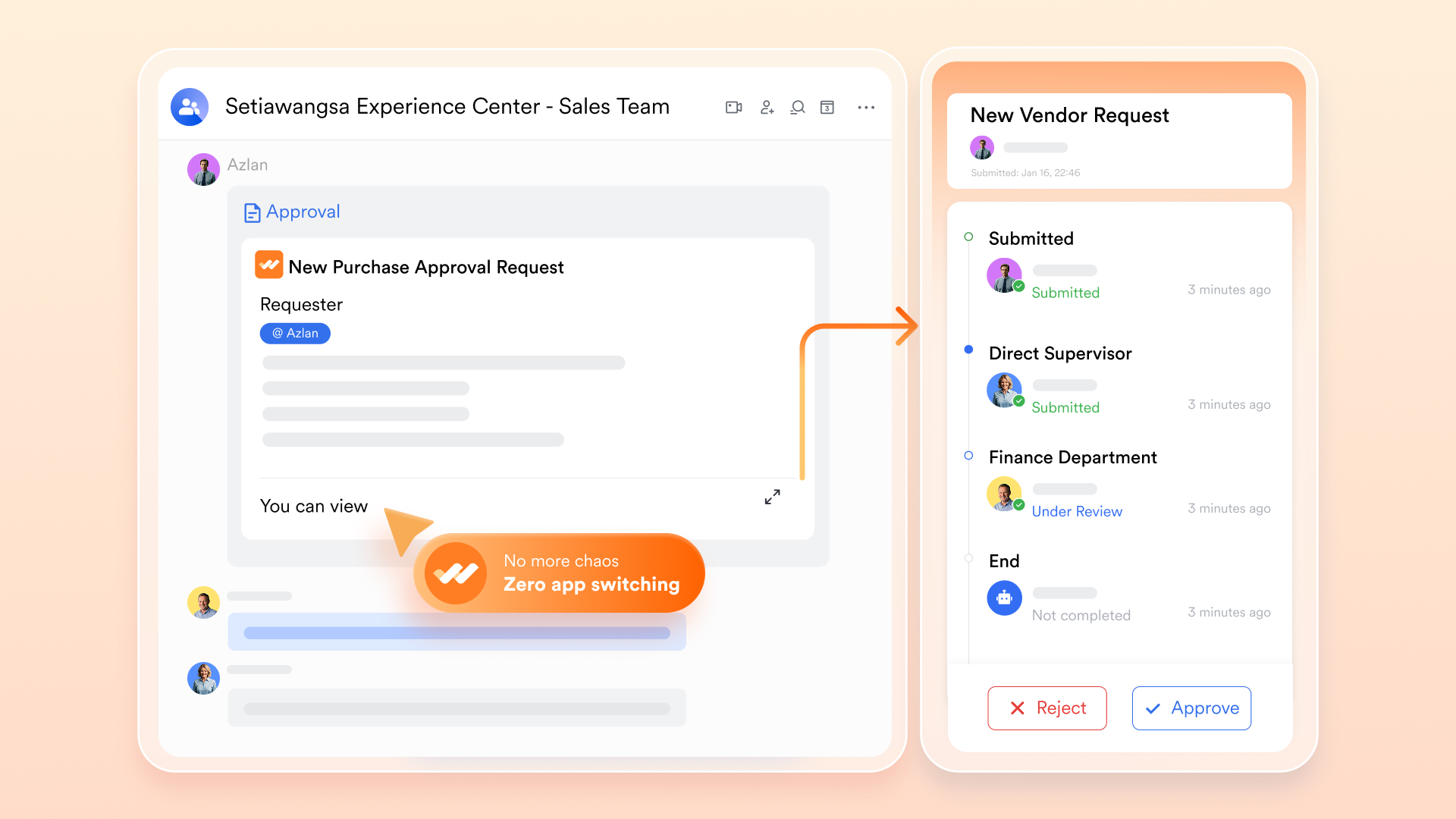
closes this gap. A researcher pastes findings directly into a with embedded source links. Finance comments: "Budget ceiling is $50k." Engineering flags: "Requires native API support." The PM responds in the same thread—all stakeholders see all input simultaneously, all tied to sources. When approvals are needed, Lark routes the doc with full context intact. Once approved, the complete decision—research plus all concerns addressed—auto-indexes to , fully searchable.
This solves the knowledge loss problem that plagues fragmented workflows. Lark ensures that once research enters the organization, it becomes a documented organizational asset.
Key Workflow Features:
Unified discussion thread: All stakeholder input stays tied to the original research. No fragmented email chains, no version confusion, no scattered feedback.
Documented approvals: Approval history is recorded with timestamps and versions. Decision reasoning stays connected to research indefinitely.
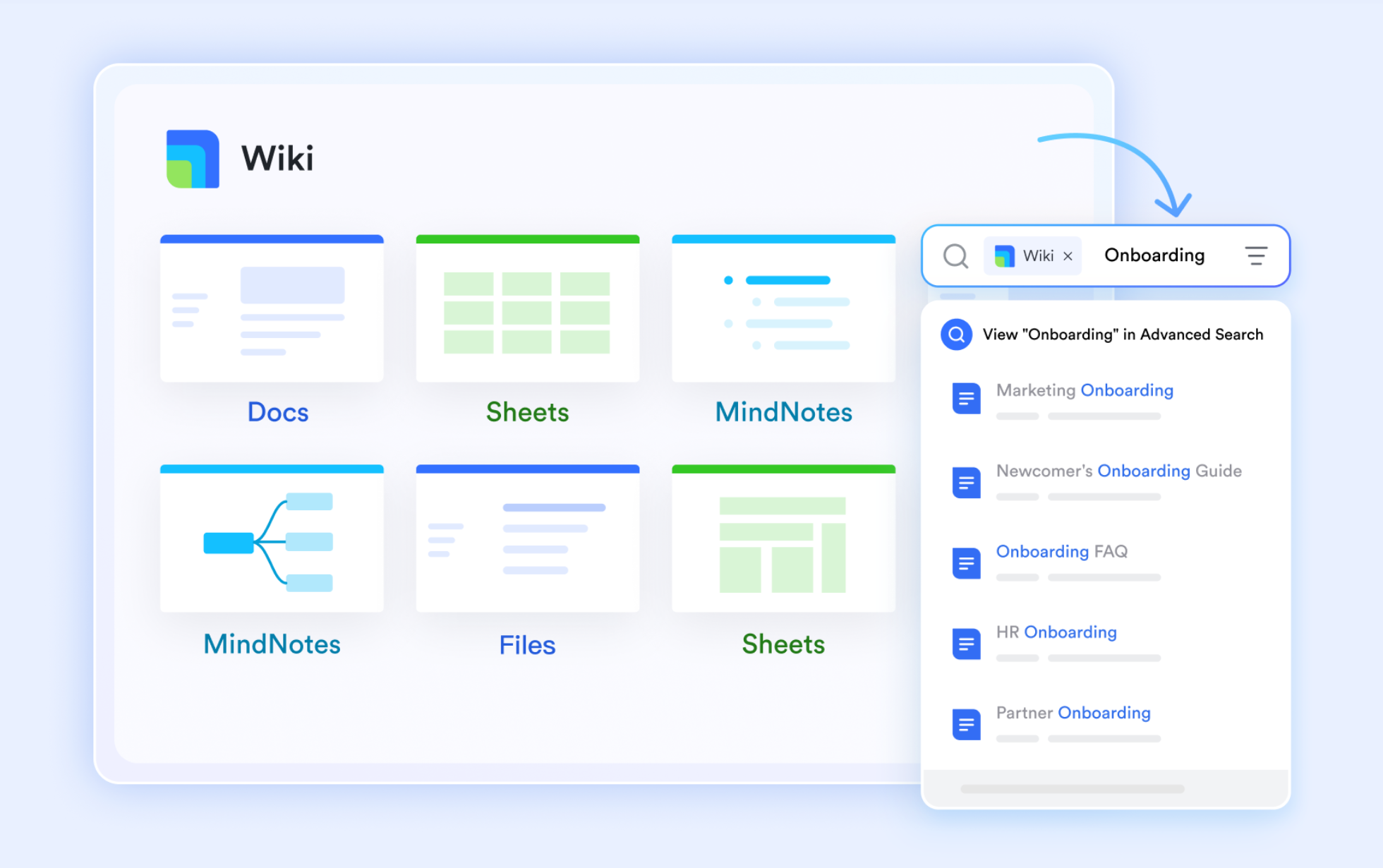
Searchable knowledge base: Completed research auto-indexes to . Teams avoid re-researching similar decisions, evaluations, and technical problems.
Pros & Cons
Pros:
- Unified workspace for research-to-decision workflow: Documents, approvals, messaging, and all in one platform—no between AI search tools and collaboration tools.
- Approval workflows with full traceability: Every decision is documented with who approved it, when, and which version was finalized—critical for compliance and future reference.
- Integrated Wiki for knowledge reuse: Approved research auto-indexes and becomes searchable organizational knowledge, reducing duplicate research and accelerating future decisions.
Cons:
Learning curve for teams switching from Slack/Google Docs: Lark combines many features, so teams need time to map their workflows. However, the structured onboarding resources in Help Center make it manageable.
- Starter plan: Free forever plan with 11 powerful tools for up to 20 users, 100GB storage, 1,000 automation runs, AI translations, and more. No credit card needed.
- Basic plan: $6/user/month (billed annually) for up to 500 users. Includes everything in Starter plus unlimited message history, 5TB storage, 1,000 automation runs, and more. Some users may need to to purchase.
- Pro plan: $12/user/month (billed annually) for up to 500 users. Includes everything in Basic plus group calling for up to 500 attendees, 15TB storage, 50,000 automation runs, and more.
- Enterprise plan: for custom pricing. Supports unlimited users and includes advanced automation, security, compliance, and management features.
For small teams with simple communication needs

18 months message history
1000 Base automation runs/month
2000 rows per table in Base
Most POPULAR
For companies with comprehensive collaboration and management needs
Unlimited message history
500-participant video meetings
50k Base automation runs/month
20k rows per table in Base
For large companies with advanced security and organizational management needs
Get a personalized demo and pricing
Unlimited message history
500-participant video meetings
15 TB storage + 30 GB storage/user
500k Base automation runs/month
50k Base automation runs/month
Most POPULAR
For companies with comprehensive collaboration and management needs
Unlimited message history
500-participant video meetings
50k Base automation runs/month
20k rows per table in Base
2. Perplexity: Best for conversational depth and real-time research
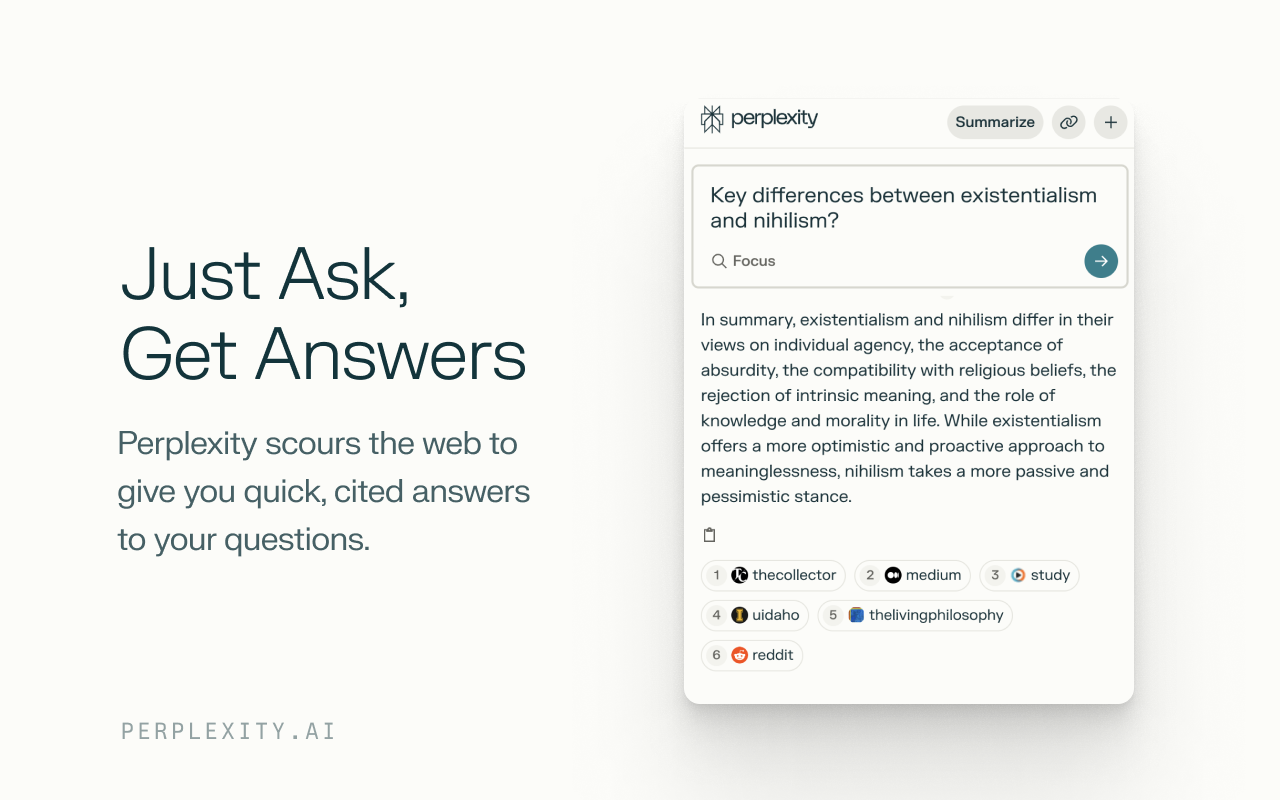
Image source: chromewebstore.google.com
Perplexity is the dominant AI-powered enterprise search engine for general research, excelling at synthesizing web information through natural conversation and transparent citations.It's fast, responsive, and reliable for competitive analysis, trend spotting, and real-time information needs.
Perplexity has become the standard for individual researchers because it mimics how humans naturally ask questions. You type a query conversationally—not as a keyword string—and it synthesizes answers from multiple sources with citations. The "Pro Search" mode goes deeper, reading more sources and providing more thorough answers. "Quick Search" is faster for straightforward questions.
The interface is designed for interaction. You ask a follow-up without restating context. You can refine your search direction mid-conversation. Real-time data integration works well for breaking news or current market conditions. Citation quality is consistently high across independent testing, which matters when you need to verify claims. For investors looking to apply AI to financial research, offers tools designed to support market analysis and investment research.
The limitation emerges in team contexts. Perplexity's strength is individual synthesis, not team decision-making. A researcher's Pro Search result is a snapshot. When shared with the team, that snapshot becomes a static artifact—a screenshot, a copy-paste, a summary. The source links stay, but context doesn't. Follow-up questions send people back to Perplexity instead of staying in the team conversation.
Pros & Cons
Pros:
- High-quality citations and transparent sourcing: You can verify claims by checking the sources Perplexity references.
- Natural conversational interface: Follow-up questions and refinements don't require restating context.
- Real-time data for current events: Excellent for market trends, breaking news, and time-sensitive research.
Cons:
- Limited team collaboration features: Team Spaces exist but lack approval workflows, version control, and knowledge indexing.
- No built-in knowledge persistence: Findings aren't automatically documented for future team reference or decision-making.
Pricing:
- Perplexity pro: $17/month (billed annually)
- Enterprise pro: $34/month per seat (billed annually)
- Enterprise Max: $271/month per seat (billed annually)
3. Consensus: Best for academic and peer-reviewed research
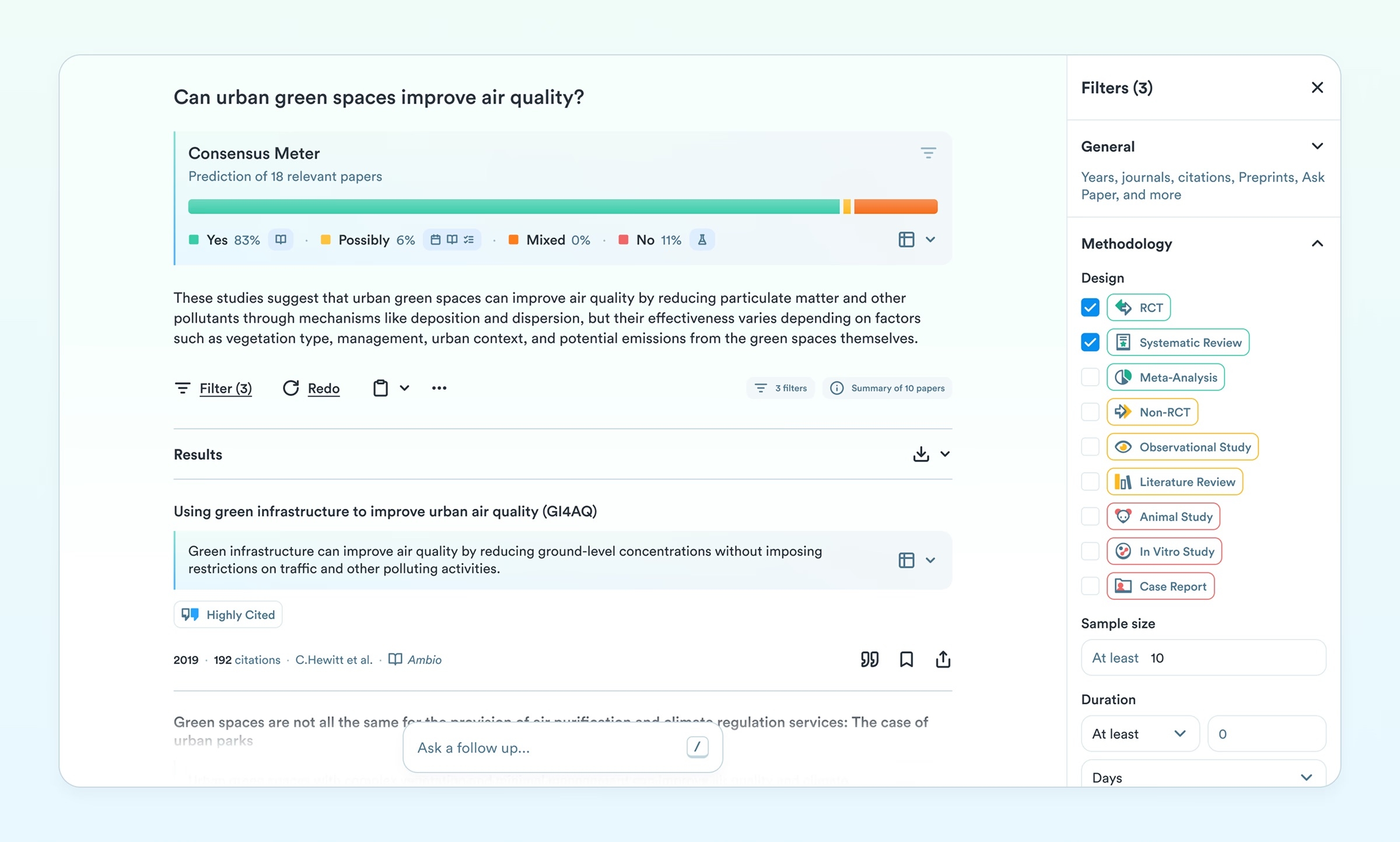
Image source: consensus.app
Consensus is the specialized enterprise search solution for evidence-based research, connecting directly to 200M+ peer-reviewed papers and displaying scientific consensus visually.Essential for healthcare, policy, and research-driven organizations.
Consensus solves a specific problem: finding reliable academic evidence quickly. Instead of wading through research databases, you ask a question and get evidence-backed answers from published papers. The interface shows which studies support or oppose a finding, with percentages, making consensus visible at a glance. Filtering by field, methodology, publication date, and confidence level is precise.
For healthcare teams evaluating treatment protocols, pharmaceutical companies assessing clinical data, or policy teams building evidence bases, this is invaluable. You're not synthesizing blog posts—you're working with peer-reviewed research. That distinction matters for accuracy and compliance.
The tradeoff is scope. Consensus is deep but narrow. It's not useful for general web queries or market research. If your team does mixed research (some academic, some competitive), you'll likely use Consensus alongside a general-purpose tool.
Pros & Cons
Pros:
- Peer-reviewed sources only: Research is grounded in published studies, not opinions.
- Visual consensus display: You see what the scientific evidence actually supports.
- Precise filtering options: Narrow results by field, methodology, and date.
Cons:
- Limited to academic queries: Not useful for general web research or current business news.
- Team pricing not transparent: Requires contacting sales for team/enterprise options.
Pricing:
- Teams plan: $20/seat/mo (billed annually)
- Enterprise plan: Contact sales
4. Phind: Best for technical and developer-focused search
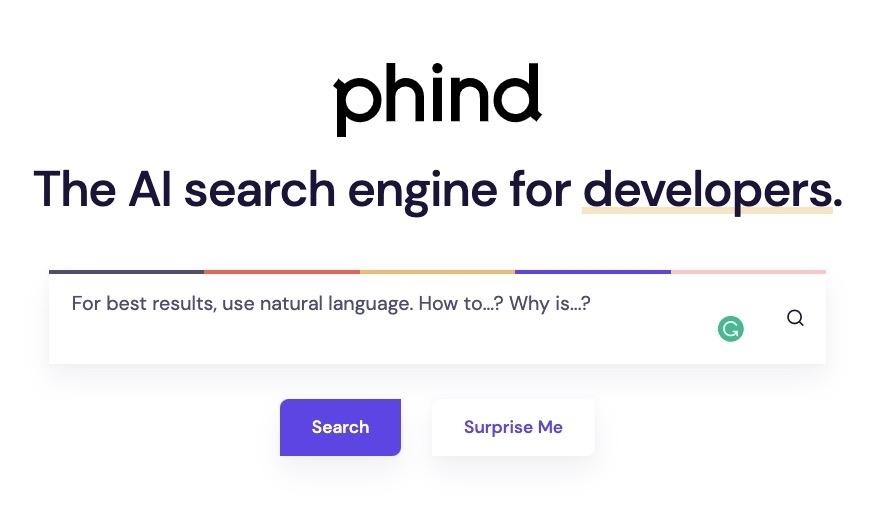
Image source: 80.lv
Phind is purpose-built for software engineers, delivering structured code snippets, debugging solutions, and technical documentation answers with clarity and speed. It's the AI search tool developers actually want because it gives them code, not explanations about code.
Phind understands that developers have different information needs. A developer doesn't need a conversational synthesis of web articles—they need a code solution with explanations. Results include code examples, step-by-step walkthroughs, and references to documentation. You can choose the underlying LLM (Phind-70B, GPT-4, Claude) depending on your preference and needs.
For debugging, API integration, architecture decisions, and algorithm questions, Phind delivers faster than general-purpose AI search tools because it's optimized for that use case. The interface doesn't clutter results with irrelevant web pages.
The limitation is specificity. Phind is niche. It's excellent for technical queries and less useful for general research. The model dropdown, while powerful, can be confusing for non-technical users or teams mixing technical and non-technical research.
Pros & Cons
Pros:
- Structured code output: Results are immediately implementable, not theoretical.
- Model flexibility: Choose the underlying LLM that best fits your problem.
- Team plans with zero-data-retention option: Enterprise-friendly for organizations with data sensitivity.
Cons:
- Niche to technical use cases: Not useful for general business or market research.
- Interface can be confusing for non-technical users: The model selection and advanced options aren't beginner-friendly.
Pricing:
Phind doesn't offer the public pricing.
5. Komo: Best for multi-perspective exploration
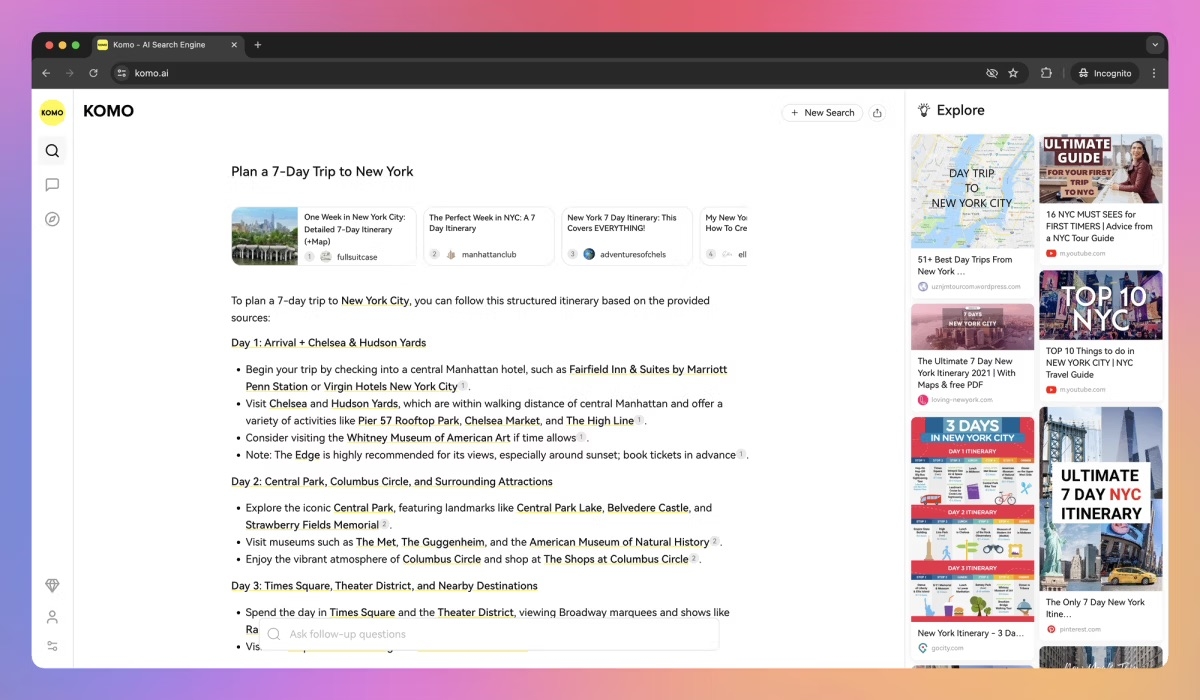
Image source: aitools.inc
Komo is useful for teams evaluating strategic or competitive questions where multiple viewpoints matter—it lets you compare how different LLMs and sources frame the same issue.Best for exploratory research where understanding different angles is the goal.
Komo combines model flexibility with a feature called "Perspective Plus." You can choose which LLM powers the search (OpenAI, Claude, DeepSeek, Grok), and Perspective Plus shows how strongly sources support or oppose a finding. This is useful when you're not looking for a single answer but rather exploring how different angles treat the same question.
For competitive analysis, strategy decisions, or scenarios with genuine disagreement, this approach has merit. You get visibility into what different AI models emphasize and how sources actually align or conflict.
The tradeoff is consistency. Perspective Plus had quality variability in testing. Citation accuracy also fluctuates depending on which model you select. The feature set feels broad but somewhat unfocused—good for exploratory use, less reliable for definitive decision-making.
Pros & Cons
Pros:
- Model flexibility: Choose OpenAI, Claude, DeepSeek, or Grok depending on your needs.
- Perspective Plus for multi-viewpoint exploration: See how different sources and models frame an issue.
- Clean interface: Easy to use despite feature complexity.
Cons:
- Quality inconsistency in Perspective Plus: Output quality varies; not always reliable for mission-critical decisions.
- Citation accuracy varies by model: Different models cite differently, making research verification inconsistent.
Pricing:
Komo doesn't offer the public pricing.
6. Brave: Best for privacy-first research
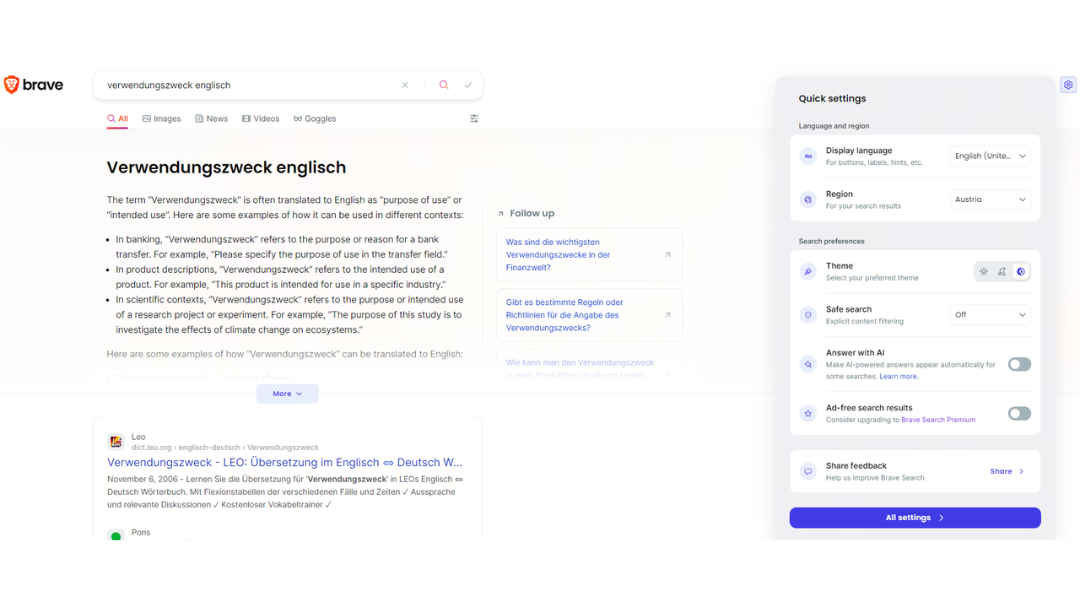
Image source: community.brave.app
Brave is the privacy-focused alternative, combining traditional search with optional AI answers—with zero user profiling or tracking. Essential for healthcare, finance, and legal teams where data privacy is non-negotiable.
Brave operates on a privacy-first principle. No user profiling. No query tracking. You get traditional search results with optional AI answers at the top—and you can ignore the AI answer and stick to traditional links if you prefer. The pricing is transparent and low-cost.
The tradeoff is breadth. Brave hasn't achieved Google's user base, so some users haven't made the switch. AI answer quality trails Perplexity because Brave hasn't optimized as heavily for synthesis. For privacy-sensitive industries, though, the tradeoff is acceptable.
Pros & Cons
Pros:
- Genuine privacy protection: No user profiling, no query tracking—compliant with strict .
- Low cost: Free or $3/month for ad-free access.
- Flexibility: Use AI answers when helpful; fall back to traditional search when you prefer.
Cons:
- Lower market adoption: Most users still default to Google.
- AI answer quality lags competitors: Synthesis quality isn't as strong as Perplexity or Consensus.
Pricing:
- Search: $5.00 per 1,000 requests
- Answers: $4.00 per 1,000 queries
- Enterprise: Contact sales
7. iAsk: Best for structured, source-backed answers
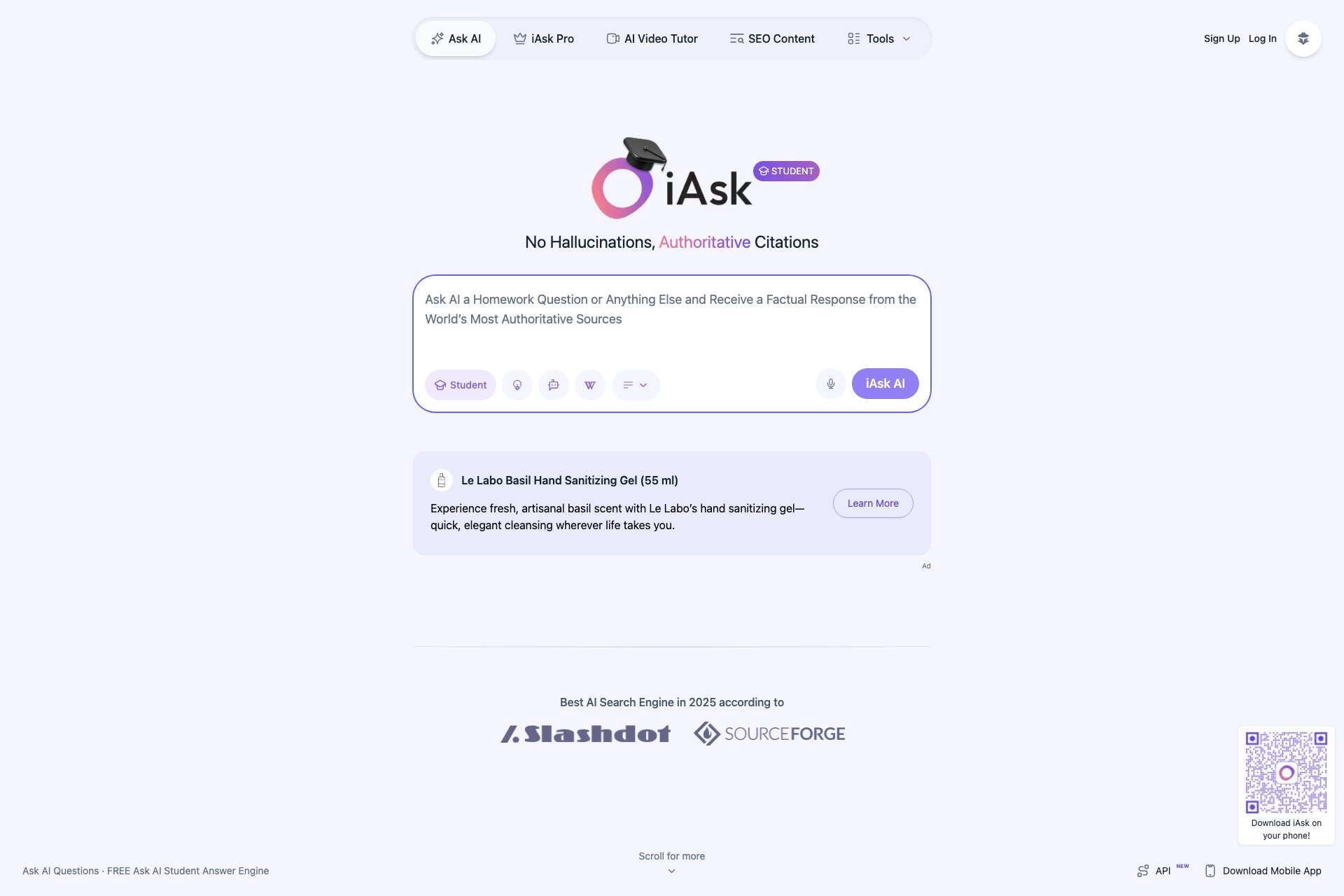
Image source: toolhunter.ai
iAsk is optimized for research that will be published or widely shared—it prioritizes structured citations, footnotes, and source clarity over conversational ease. Best for content teams, journalists, and marketing departments.
iAsk returns answers as clean citations and footnotes. You can choose answer depth (Concise, Average, Detailed) and specify source types (academic, forums, wikis). The "Ask 5 AIs" feature queries multiple LLMs, reconciles differences, and shows where consensus exists—useful when you want to know what different AI systems agree on.
For fact-checking before publication, iAsk's focus on citation structure is valuable. You're not just getting an answer; you're getting an answer with formatted sources that you can use directly in articles or reports.
The limitation is speed. Response generation is slower than Perplexity or Phind. For time-sensitive research or quick information needs, iAsk introduces friction.
Pros & Cons
Pros:
- Exceptional citation formatting: Sources are formatted cleanly and ready for publication.
- Flexible response depth: Choose concise summaries or detailed explanations.
- API available: Custom integrations possible for teams with specific workflows.
Cons:
- Slower response generation: Not ideal for time-critical research.
- Niche use case: Best for content and publishing; less useful for other research types.
Pricing:
- Basic plan: $1.20 per 1000 responses
- Regular plan: $6 per 1000 responses
8. Felo AI: Best for multilingual and multimedia research
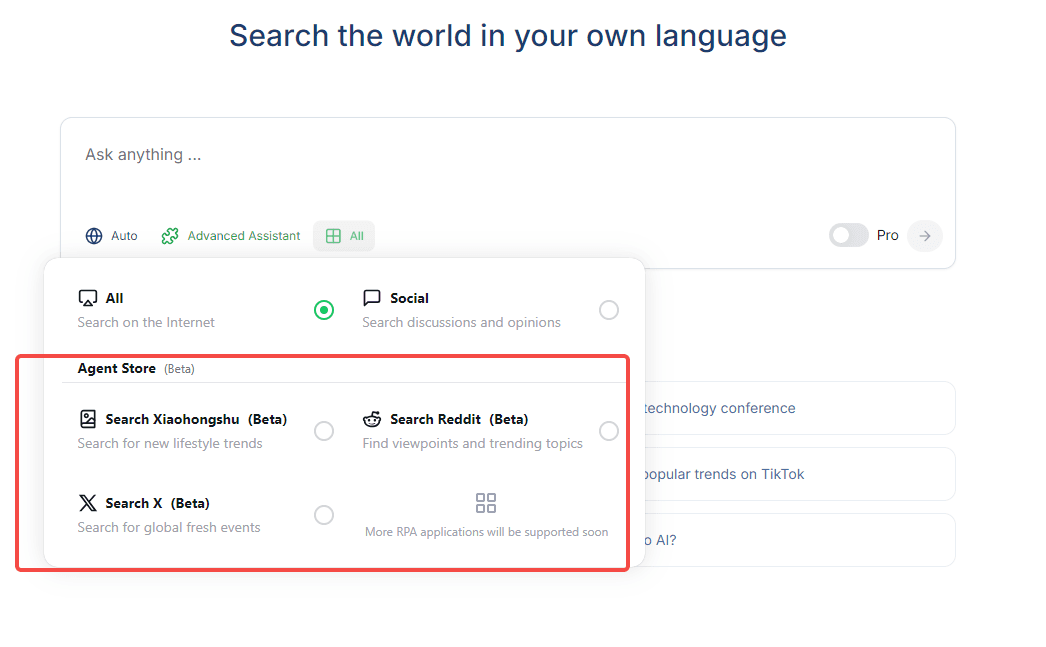
Image source: felo.ai
Felo excels at cross-language research and converts answers into multiple formats (mind maps, slide decks, interactive pages)—ideal for global teams and visual communicators.Best when you need research output in formats beyond text.
Felo's core strength is multilingual support. Query in one language; it translates results into yours. More importantly, it handles cross-language research—finding sources in multiple languages and synthesizing them into a coherent answer in your preferred language.
Beyond language, Felo converts research into visual formats. Mind maps, slide decks, interactive infographics—useful when you need to communicate findings quickly to non-technical stakeholders or when visual organization helps you think through complex information.
The limitation is over-engineering. For straightforward questions, generating mind maps adds friction. Response generation is also slower than Perplexity or Phind. For teams that need speed, Felo's flexibility becomes overhead.
Pros & Cons
Pros:
- Multilingual support superior to competitors: Cross-language research without manual translation.
- Multiple output formats: Mind maps, slides, and interactive pages beyond standard text.
- Browser extension: Access to trending content and quick research without switching apps.
Cons:
- Slower response generation: Not ideal for quick queries.
- Output can feel over-engineered: Visual formats for simple questions add unnecessary complexity.
Pricing:
- Premium plan: $39/month (billed annually)
- Ultimate plan: $65/month (billed annually)
Why standalone AI search tools fail teams
Individual researchers love AI-powered enterprise search tools. Perplexity is fast. Consensus is reliable. Phind is precise for technical problems. Each tool excels at discovery. The problem emerges the moment findings need to move into team decision-making: research gets scattered across tools instead of flowing into decisions.
A researcher uses Perplexity to find answers. Finance asks questions via email. Engineering comments in a separate thread. Product manually consolidates feedback into Google Docs. By the time something is decided, the research exists in five different places—or disappears entirely.
Three consequences follow
1. Knowledge loss: An engineer solves a database problem in Phind and posts it to Slack. Three months later, a new engineer faces the same issue. Slack search fails. Hours of duplicate research. The solution was never indexed.
2. Lost accountability: "Why did we choose Vendor X?" Six months later, no one remembers. The research was in Perplexity. The decision was made in email. The reasoning disconnected.
3. Team silos: Product uses Perplexity. Engineering uses Phind. Data science uses Consensus. Each team has the right tool for their research type, but findings never flow between teams. Knowledge compounds in silos instead of across the organization.
The fundamental reason is AI search tools are architected for individual researchers. They excel at discovery and synthesis. They fail at transforming discoveries into documented decisions and organizational assets.
How it Should work: Research-to-decision workflow
The fix isn't choosing a better search tool. It's building a workflow where research flows directly from discovery into team decisions, approvals, and searchable knowledge. Here's what that looks like:
A PM researches vendors in Perplexity and pastes findings directly into a with embedded source links. The PM @mentions finance, engineering, and CTO. Finance comments: "Budget ceiling is $50k." Engineering flags: "Requires native API integration." Product responds in the same thread with updated findings. All stakeholders see all input simultaneously—no email chains, no version confusion, no fragmentation.
routes the doc to the CFO and VP Engineering. Both review the complete context and approve. Once approved, the decision auto-saves to with complete history: who approved it, when, and what concerns were addressed.
The difference: Decision velocity drops from 4 days to 1 day—not because researchers work faster, but because findings flow directly into approvals without friction. Context stays intact. Stakeholders see full research, not screenshots. Knowledge compounds instead of evaporating.
The solution isn't a better search engine. It's a system that brings into team workflows, approval processes, and searchable institutional memory.
Experience faster decisions in Lark
How to choose your AI search tools based on research type
The real question isn't "which AI search tool is fastest?"—it's "how do we ensure research findings become organizational knowledge instead of evaporating?"
Different teams have different discovery needs. Product teams often rely on Perplexity for competitive analysis. prefer Phind for technical solutions. Healthcare organizations depend on Consensus for evidence-based decisions. Choose the AI search platform that fits your primary research type.
But choosing the right discovery tool is only half the equation. The other half— and preserved knowledge—is where most teams fail. This is where Lark becomes essential. Regardless of which AI search engine your team chooses, Lark provides the workflow infrastructure that transforms those discoveries into organizational assets.
The winning combination isn't one universal tool. It's specialized discovery paired with in Lark. Each team uses the right search platform for their research type. All findings flow through Lark for approval, documentation, and indexing. One system captures everything; nothing gets lost.
From a cost perspective, consolidating fragmented tools around Lark + 1–2 focused search tools provides better coherence and lower total cost than maintaining scattered solutions across multiple platforms.
Conclusion
AI search tools excel at discovery. But finding answers is only half the challenge. The real competitive advantage comes from turning discoveries into documented decisions and organizational knowledge that compounds over time. closes this gap. It brings AI-powered research into team workflows, routes findings through approvals, and indexes decisions as searchable knowledge. This combination—specialized discovery paired with unified workflow management—transforms research from individual artifacts into organizational assets, so the research-to-decision gap is solvable.
Close the research-to-decision gap with unified workflow
FAQs
Which is the best AI search platform?
There's no single "best" platform—it depends on your research type. Perplexity is the standard for general business research (competitive analysis, market trends). Phind is purpose-built for technical queries and code solutions. Consensus is specialized for peer-reviewed research and evidence-based decisions. Brave prioritizes privacy for healthcare and finance teams.
The actual answer is more important: the best platform is one that fits your primary research type andintegrates into team workflows. That's why choosing Perplexity, Phind, or Consensus for discovery, then pairing it with Lark for approval and knowledge management, gives you both specialized research capability and organizational asset preservation. The combination matters more than picking one "best" tool.
What are the most used AI search platforms?
Based on adoption patterns, Perplexity leads for general research due to its conversational interface and citation transparency. Phind dominates in technical communities. Consensus is essential in healthcare and policy organizations. Brave serves privacy-conscious teams. has grown rapidly among teams prioritizing research-to-decision workflows.
But usage tells only part of the story. A platform can be popular for individual research and still fail for teams. Perplexity, for example, is widely used by individual researchers but requires Lark-like infrastructure to work effectively in team contexts. Popularity ≠ organizational effectiveness.
Is there a free AI search?
Yes, multiple options offer free tiers:
- Lark Starter: Completely free for up to 20 users. Includes docs, messaging, Wiki, approval workflows, and 100GB storage. No credit card required. This is the free research-to-decision workflow platform.
- Perplexity: Free tier with limited Pro searches per day. Sufficient for occasional research.
- Consensus: Free tier with 10 Pro searches per month. Useful for spot-checking peer-reviewed research.
- Brave: Free search with optional AI answers. No tracking, genuine privacy.
- Felo: Free tier with 5 professional searches per day.
For teams, Lark's free Starter plan is unique because it provides not just search, but the complete workflow infrastructure (approvals, Wiki, documentation) that organizations actually need. Individual search tools are free but don't solve the team problem; Lark addresses both.
What about AI search tools for regulated industries?
Healthcare, finance, and legal teams have specific requirements: data privacy, compliance documentation, and audit trails.
For research discovery, Brave offers zero-query tracking. For decision documentation, Lark Enterprise provides SOC 2 Type II and HIPAA certification, ensuring that research findings and approval histories stay within organizational boundaries.
The combination of Brave (privacy-first search) + Lark Enterprise (compliant workflow management) is the setup that regulated industries need. You get specialized discovery without profiling, plus documented approvals for audits.
Related reading