Teams often struggle with juggling multiple tools for projects, brainstorming, and communication, leading to confusion and lost productivity. Choosing the right collaboration platform is key for streamlined teamwork. ClickUp and Miro tackle these challenges differently. ClickUp is a robust project management platform. Miro is a visual collaboration and online whiteboard.
This article offers a detailed ClickUp vs Miro project management comparison to help you choose the best tool for your team. We'll cover features, pricing, pros, cons, use cases and special alternative. A key aspect of this comparison involves understanding the ClickUp whiteboard vs Miro capabilities. Whether you're a manager or just want better team collaboration, this guide will provide the insights you need. Discover a unified collaboration solution.
Discover a unified collaboration solution
What is ClickUp?
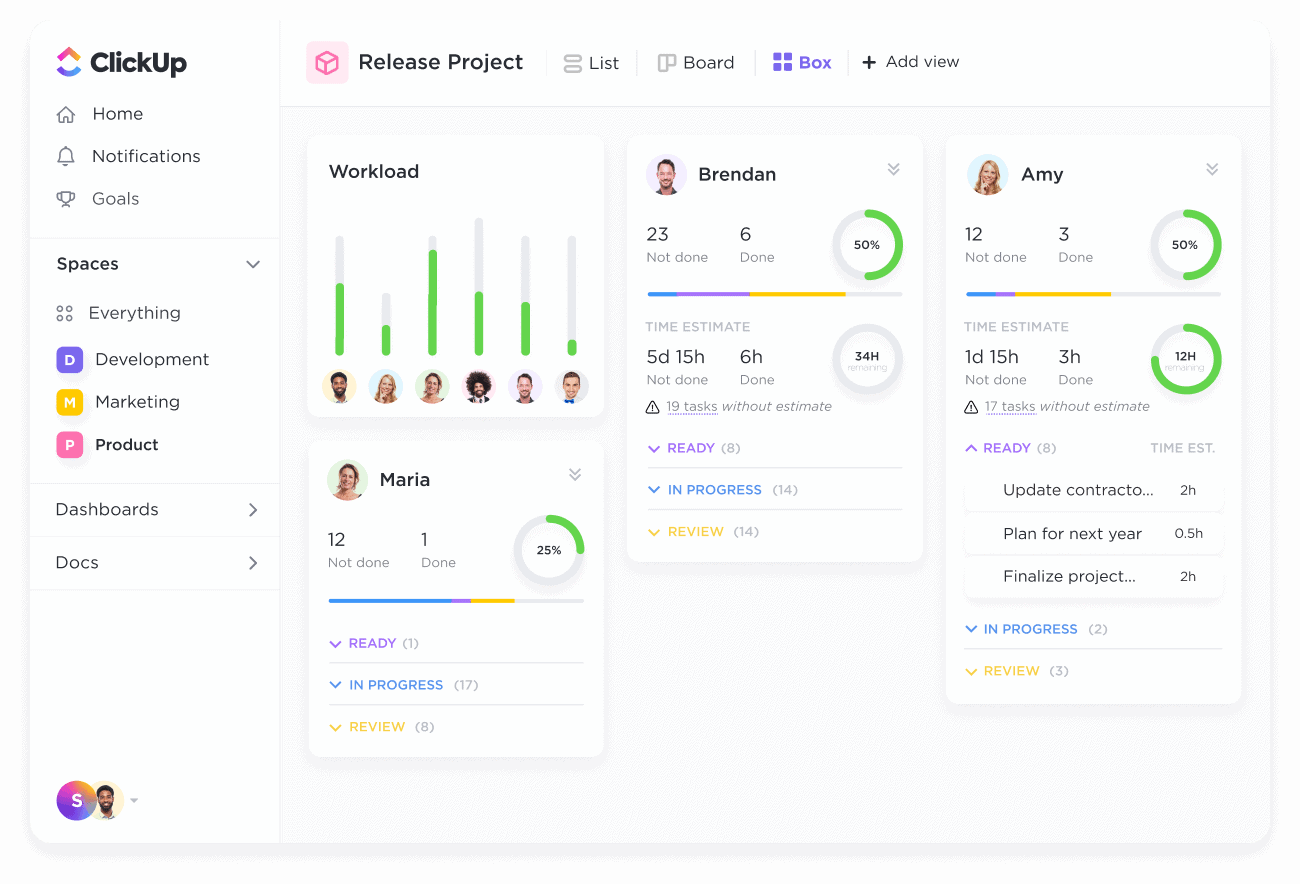
Image source: clickup.com
ClickUp is a productivity platform designed to help teams manage projects, tasks, and workflows in a centralized location. It aims to replace multiple tools with a single, customizable solution. It provides a comprehensive suite of features that cater to .
Key features of ClickUp include , allowing users to create, assign, and track tasks with ease. The platform offers a variety of views, such as list, board, and calendar, to visualize tasks in different ways. ClickUp also provides project planning tools like , , and timelines, enabling teams to plan and manage projects effectively.
Time tracking is another core feature of ClickUp, allowing users to monitor time spent on tasks and gain insights into productivity. Collaboration is facilitated through real-time chat, document sharing, and task-level comments. ClickUp also offers , enabling users to automate repetitive tasks and streamline workflows.
Furthermore, ClickUp has introduced ClickUp AI, which includes features designed to enhance productivity and automate tasks. The platform offers different plans, including a free plan, allowing users to explore its features before committing to a paid subscription.
What is Miro?
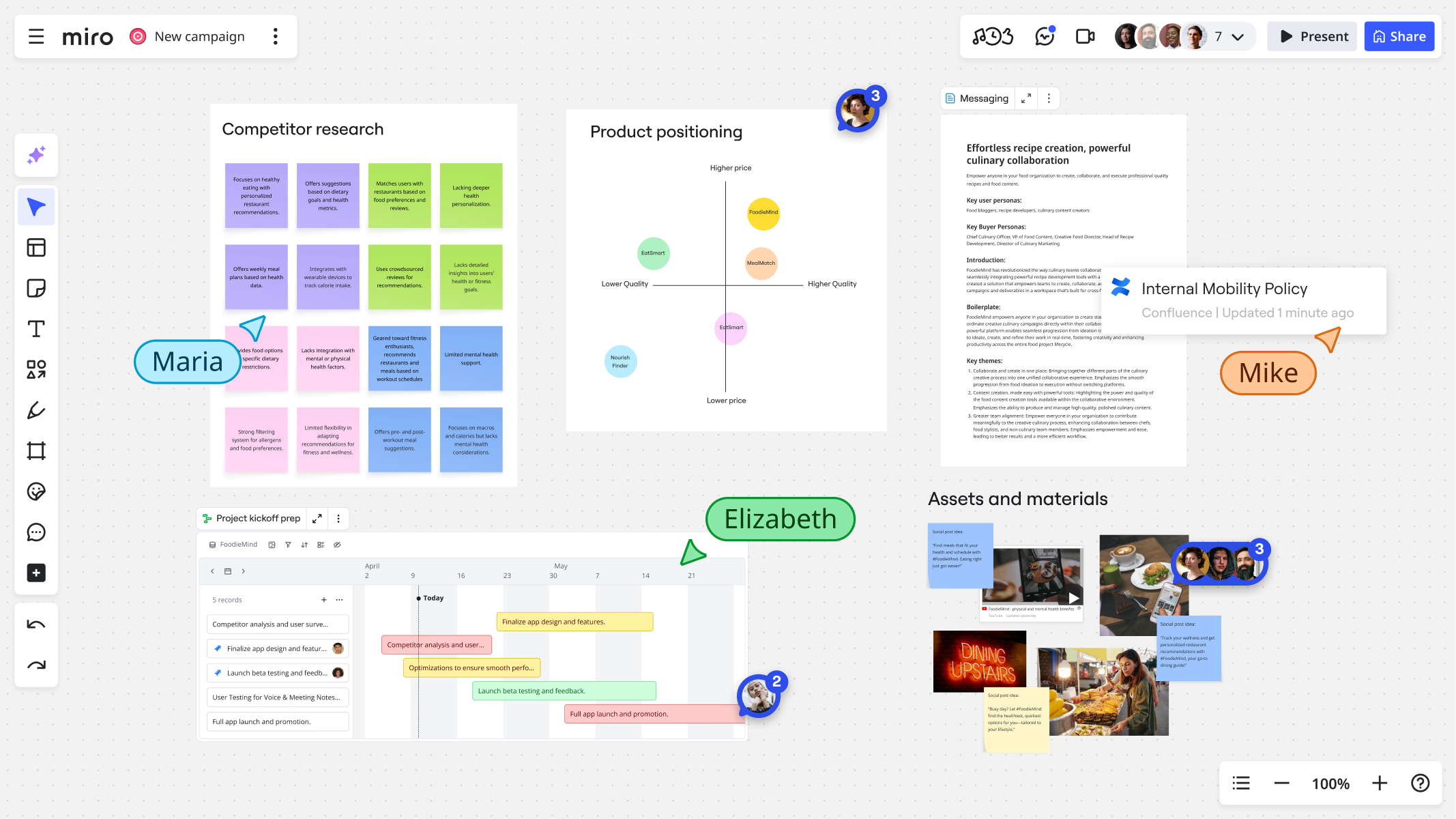
Image source: miro.com
Miro is a visual collaboration platform and online whiteboard designed to , diagramming, and real-time co-creation. It provides a digital canvas where teams can collaborate visually, share ideas, and develop strategies. Its features make it a versatile tool for various use cases.
Key features of Miro include an infinite canvas, providing ample space for teams to brainstorm and map out ideas. The platform offers a wide range of templates for various use cases, such as brainstorming, project planning, and design thinking. Miro enables real-time collaboration, allowing team members to co-create and provide feedback simultaneously.
Miro also offers integrations with popular tools, such as Slack, Microsoft Teams, and Google Workspace, enabling users to connect with other platforms. The platform has introduced Miro Assist, its AI features, which include capabilities like summarizing content and generating ideas.
Miro is available in different plans, including a free plan. The free plan provides access to core features, while paid plans offer additional functionality and capabilities. Its versatility and ease of use make it a popular choice for teams seeking to enhance their visual collaboration and brainstorming processes.
ClickUp vs Miro: Features compared
Before diving into the details, here's a quick overview comparing key features of ClickUp and Miro:
Task management
ClickUp provides highly detailed task management features. Users can create tasks, assign them to team members, set due dates, add custom fields, and . The platform also offers , enabling users to automate repetitive tasks and streamline workflows. ClickUp's task management features are well-suited for teams that require a structured and organized approach to task management.
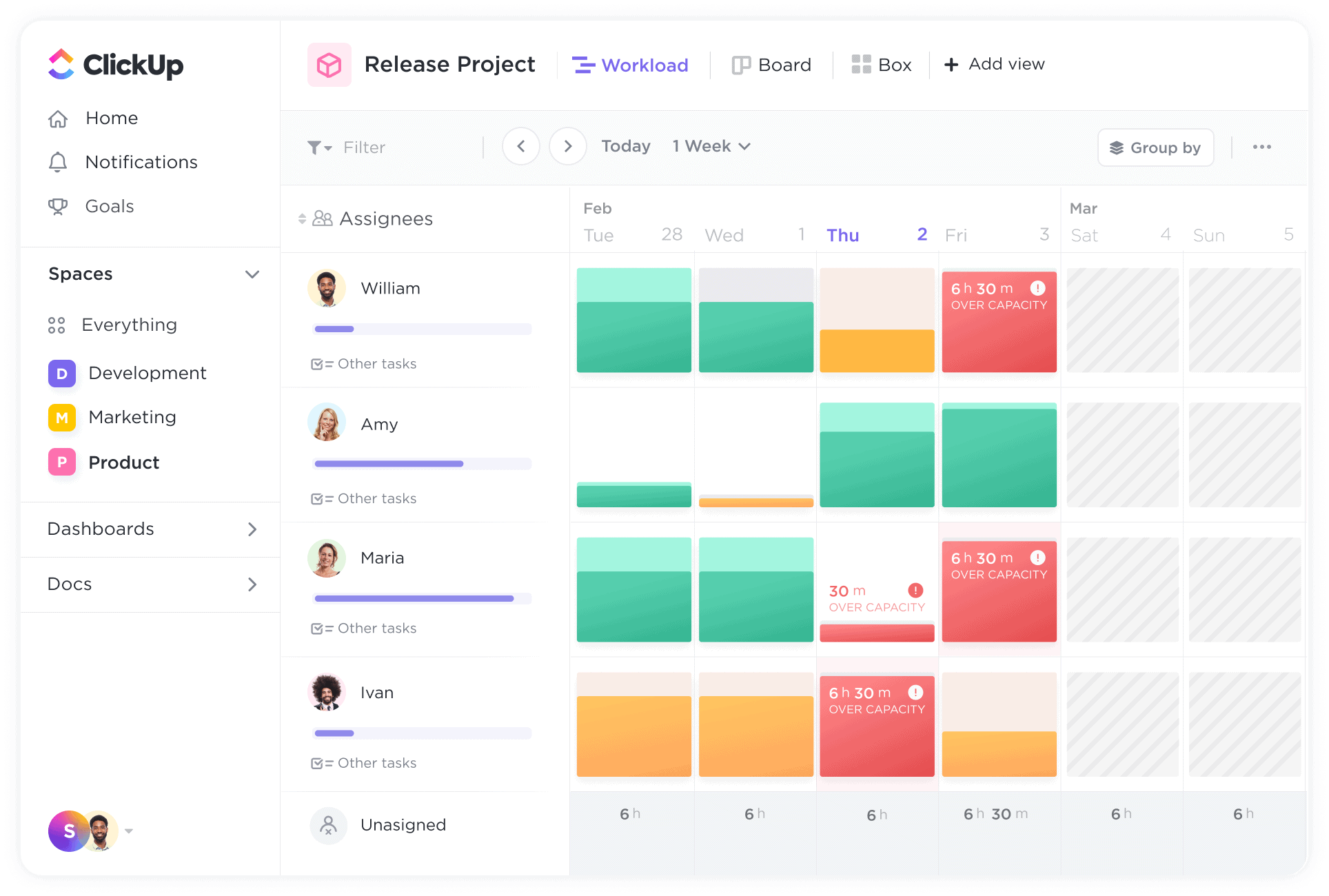
Image source: clickup.com
Miro, on the other hand, offers basic through sticky notes and visual organization. Users can create sticky notes to represent tasks, assign them to team members, and organize them on the whiteboard. While Miro's task management features are not as comprehensive as ClickUp's, they provide a visual and flexible way to manage tasks within a collaborative environment. Miro offers a more visual and flexible approach.
Project planning
ClickUp provides robust project planning tools, including Gantt charts, Kanban boards, and timelines. These tools enable teams to , track progress, and manage resources effectively. ClickUp's project planning features are well-suited for teams that require detailed project planning and tracking capabilities.
Miro offers visual roadmaps and high-level project visualization. Users can , milestones, and dependencies. Miro's project planning features are best suited for teams that require a visual overview of projects and prefer a more flexible approach to project planning. ClickUp provides robust project planning tools, while Miro is better for visual project overview.
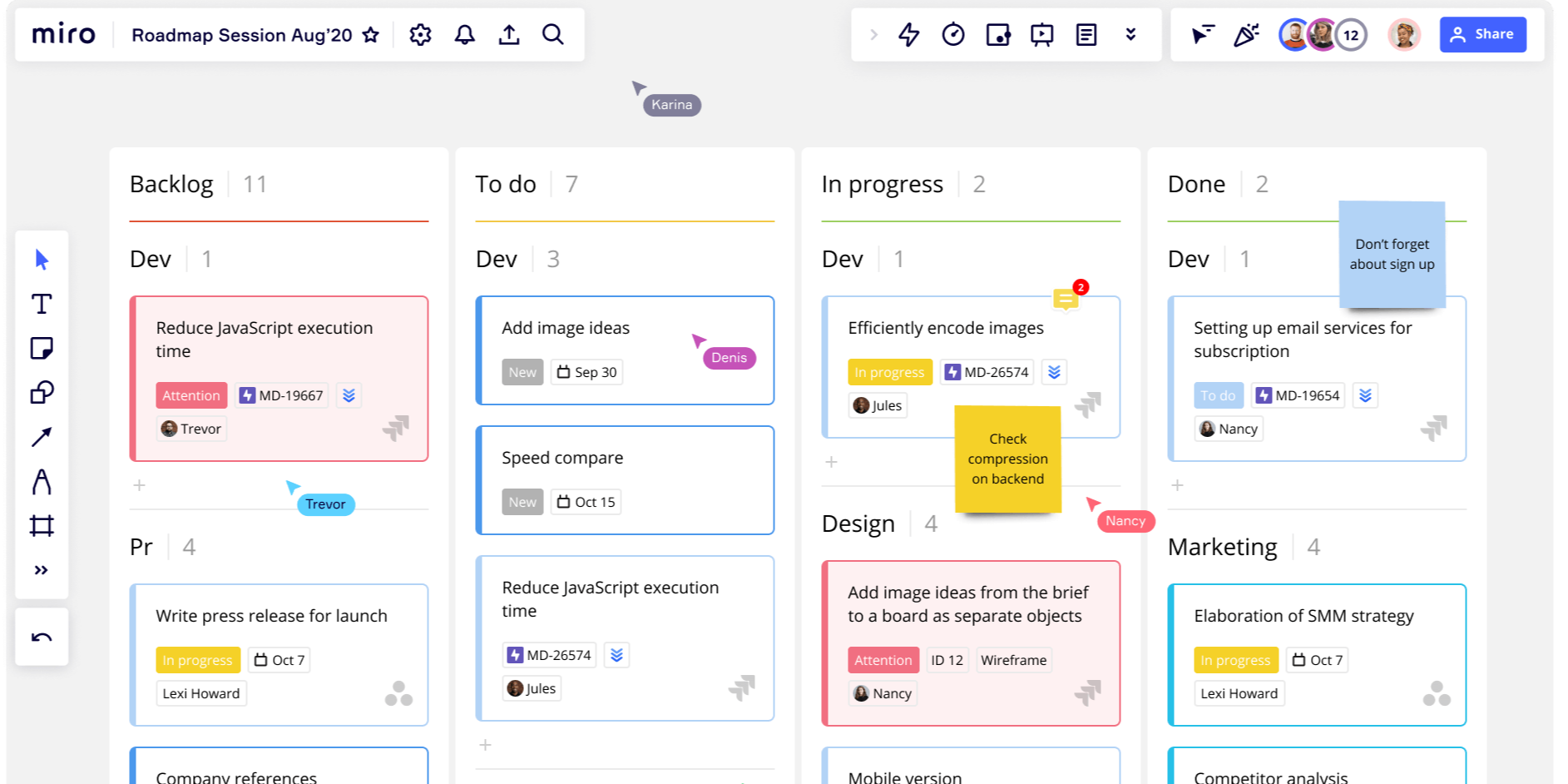
Image source: miro.com
Collaboration
ClickUp facilitates collaboration through real-time chat, document sharing, and task-level comments. Users can communicate with team members within the platform, , and provide feedback on tasks. These collaboration features are well-suited for teams that require seamless communication and collaboration within a project management environment.
Miro enables real-time co-creation, video conferencing, and voting. Users can collaborate on the whiteboard in real-time, participate in video conferences, and vote on ideas. Miro's collaboration features are best suited for teams that require a visual and interactive collaboration experience. Both tools offer excellent collaboration features, but Miro focuses on visual collaboration, while ClickUp integrates collaboration within project management.
Brainstorming
ClickUp offers mind map features and basic whiteboarding capabilities. Users can to visualize ideas and brainstorm solutions. While ClickUp's whiteboarding features are not as advanced as Miro's, they provide a basic canvas for teams to collaborate visually. ClickUp is more focused on integrating brainstorming activities within overall project management workflows.
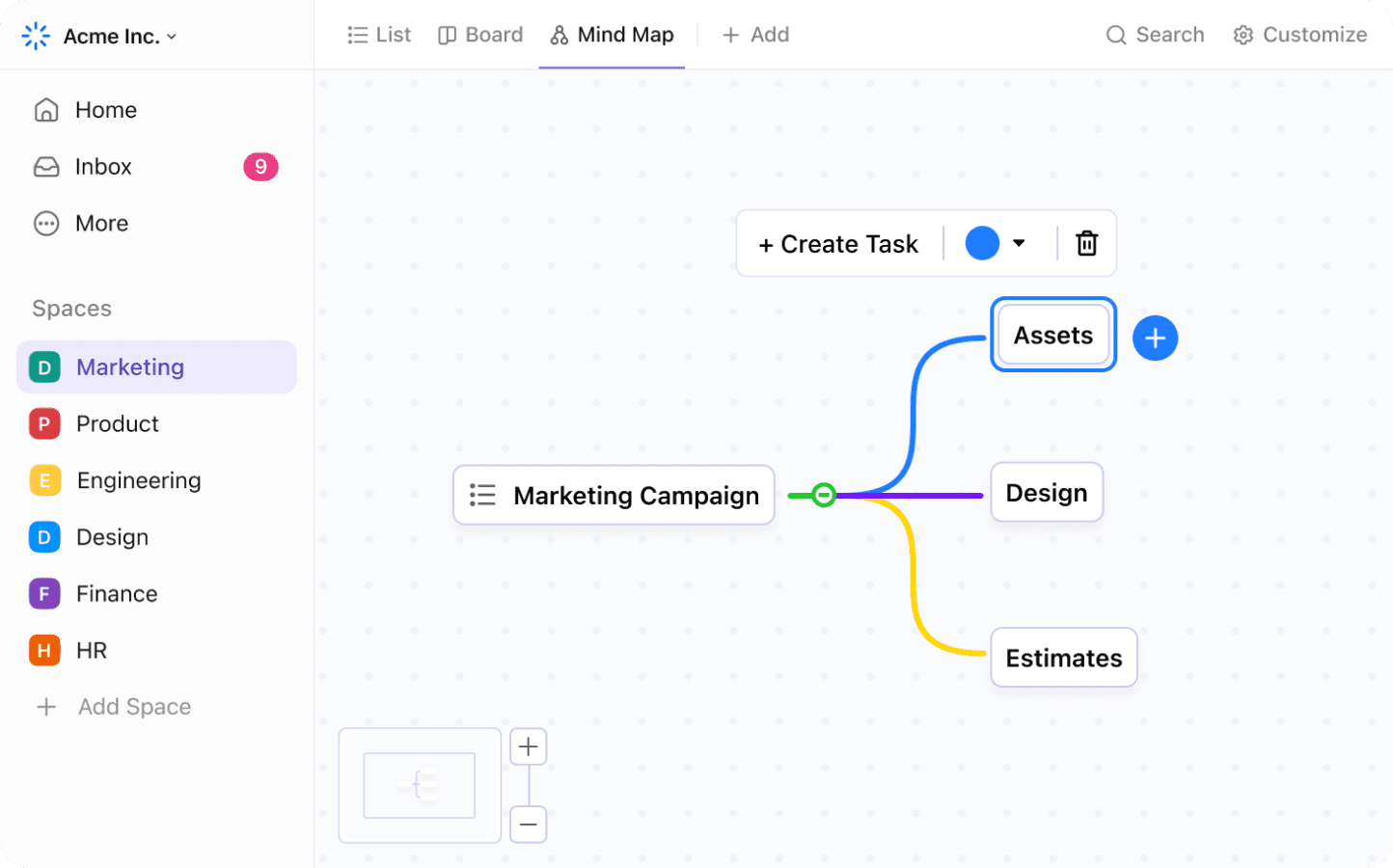
Image source: clickup.com
Miro excels in brainstorming and visual collaboration. Its infinite canvas, wide range of templates, and voting features make it an ideal platform for generating ideas, facilitating workshops, and developing strategies. Miro's brainstorming features are well-suited for teams that require a visual and interactive environment for creative problem-solving. Miro focuses on providing a dedicated space and toolset specifically designed for brainstorming and visual thinking.
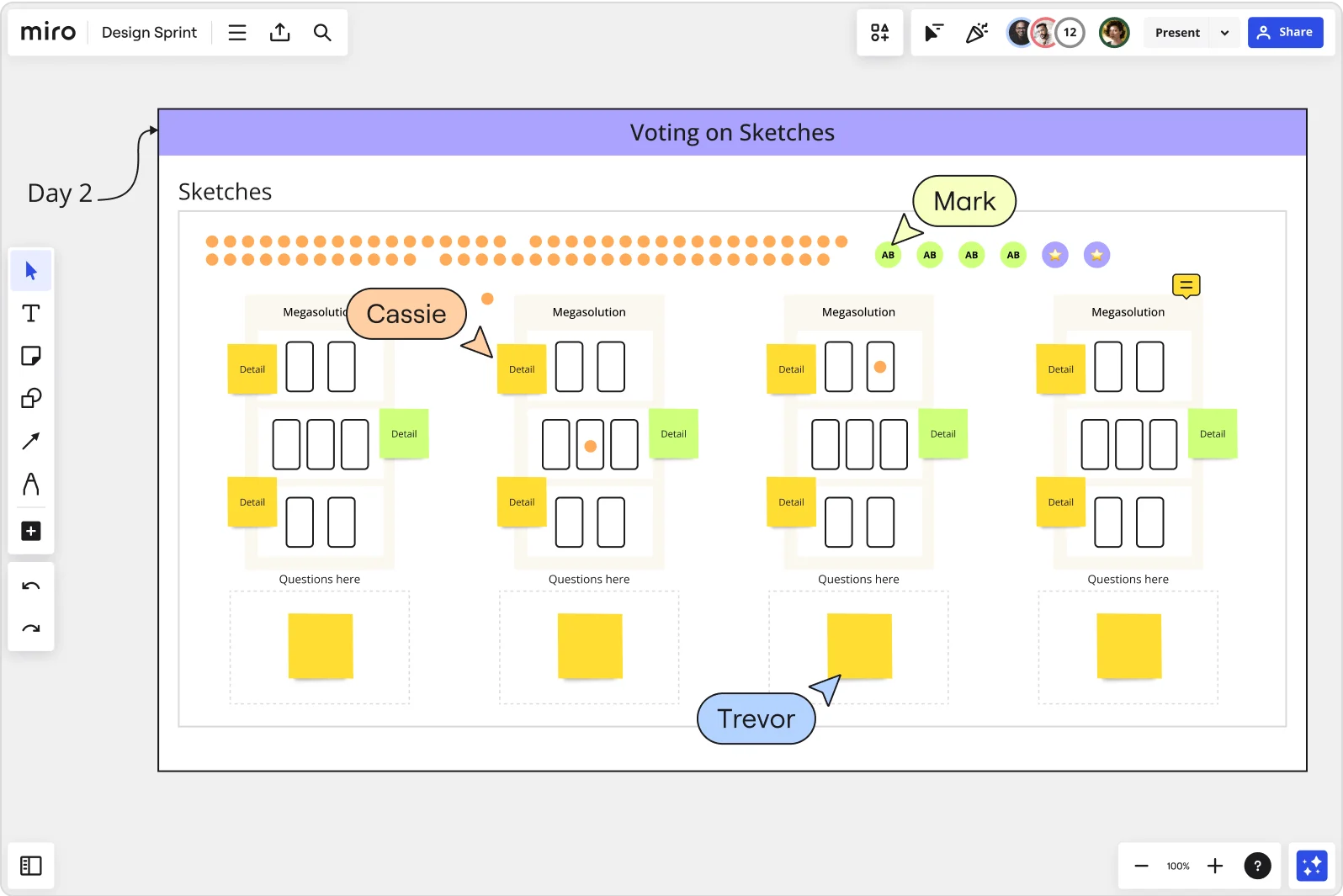
Image source: miro.com
Integrations
ClickUp offers extensive integrations with various tools, such as Slack, Google Calendar, and Microsoft Teams. These integrations enable users to connect ClickUp with other platforms and streamline workflows. For example, users can receive ClickUp notifications in Slack or synchronize ClickUp tasks with Google Calendar.
Miro offers integrations with popular tools, such as Microsoft Teams, Jira, and Google Workspace. These integrations enable users to connect Miro with other platforms and enhance collaboration. For example, users can embed Miro boards in Microsoft Teams channels or create Jira issues from Miro sticky notes.
See how Lark's features measure up
Miro vs ClickUp: Pros and cons
To further aid in your decision-making process, let's examine the pros and cons of ClickUp and Miro.
ClickUp pros
- Comprehensive project management features: ClickUp offers a wide array of features for managing projects, tasks, and workflows, making it a versatile solution for teams of all sizes.
- Highly customizable: ClickUp allows users to customize the platform to fit their specific needs, with options to create custom fields, workflows, and views.
- Robust automation capabilities: ClickUp's automation features enable users to , saving time and improving efficiency.
- Good value for money: ClickUp's pricing plans offer a good balance of features and affordability, making it a cost-effective solution for many teams.
- AI-powered features: ClickUp Brain brings AI into the platform, streamlining tasks.
ClickUp cons
- Steep learning curve: ClickUp's extensive feature set can be overwhelming for new users, requiring time and effort to learn the platform.
- Can feel overwhelming: The abundance of features can sometimes make it difficult to find the right tools and settings, leading to confusion.
Miro pros
- Intuitive and easy-to-use interface: Miro's interface is user-friendly and intuitive, making it easy for teams to get started quickly.
- Excellent visual collaboration tools: Miro provides a rich set of tools for , such as sticky notes, diagrams, and templates, enabling teams to brainstorm and co-create effectively.
- Wide range of templates: Miro offers a wide variety of templates for various use cases, such as brainstorming, , and design thinking, saving teams time and effort.
- Ideal for brainstorming and workshops: Miro is well-suited for and workshops, enabling teams to generate ideas and develop strategies collaboratively.
- AI-Powered Assistance: Miro Assist brings AI assistance to the platform to enhance brainstorming.
Miro cons
- Limited project management capabilities: Miro's project management features are not as comprehensive as ClickUp's, making it less suitable for teams that require detailed project planning and tracking.
- Can become expensive: For larger teams, Miro's pricing can become relatively expensive, especially if advanced features are required.
ClickUp vs Miro: Pricing
When choosing between ClickUp and Miro, pricing is a critical factor that aligns with your team's needs—whether you're , a scaling business, or an enterprise requiring advanced security. Both tools offer free plans to test core features, but their paid tiers differ in cost, AI capabilities, and collaboration limits. Below is a detailed breakdown of their pricing structures:
ClickUp vs. Miro pricing comparison table
Information source: clickup.com & miro.com
Update time: 2025-11-18
Key pricing differences to consider
- Entry-level cost: Miro's Starter plan ($8/user/month) is cheaper than ClickUp's Unlimited ($10/user/month) for teams focused solely on visual collaboration.
- AI inclusions: Miro ties AI credits to tiers (25–100/month), while ClickUp's Business plan offers 500 free AI credits—better for teams heavy on AI-assisted tasks like content writing or project planning.
- Enterprise flexibility: Miro's Enterprise plan is fully custom, whereas ClickUp lists a set $39/user/month rate—potentially more predictable for budget planning.
- Billing flexibility: Both offer annual discounts (16–20% off), but Miro charges a premium for monthly billing ($2–4 more per user) compared to ClickUp's unlisted monthly rates.
Get more value with Lark's cheaper pricing
Use cases: When to choose Miro vs ClickUp
The best choice between ClickUp and Miro depends on your team's specific needs and use cases. However, it's also worth considering how these tools integrate (or don't) with your existing communication and collaboration ecosystem. In particular, let's consider how Lark might fit into the picture.
When to choose ClickUp
- : When managing complex marketing campaigns with numerous tasks, deadlines, and team members, ClickUp's robust project management features can help streamline workflows, track progress, and ensure that everyone stays on the same page.
- : ClickUp's task management, project planning, and bug tracking features make it well-suited for software development teams that need to manage sprints, track issues, and coordinate releases.
- ClickUp's workflow automation and resource management features can help operations teams optimize processes, allocate resources effectively, and improve overall efficiency.
Choose ClickUp when your team needs structured workflows and detailed task management, but be mindful of potential communication and collaboration gaps that might require additional tools.
When to choose Miro
- Brainstorming sessions and workshops: Miro's infinite canvas, wide range of templates, and voting features make it an ideal platform for facilitating brainstorming sessions and workshops, enabling teams to generate ideas, develop strategies, and make decisions collaboratively.
- and : Miro's visual collaboration tools can help design thinking and product development teams map user journeys, create prototypes, and gather feedback from stakeholders.
- Strategic planning: Miro's visual roadmaps, SWOT analysis templates, and vision boards can help teams develop strategic plans, align on goals, and communicate their vision effectively.
Choose Miro when your team needs visual collaboration and creative problem-solving, but be mindful of potential limitations in documenting and sharing the outcomes of those collaborations.
Considering Lark as a unified solution
For teams seeking a more unified solution that combines project management, communication, and collaboration in a single platform, offers a compelling alternative. Lark's native combination of messaging, video conferencing, , and project management features can streamline workflows and reduce the need for multiple tools.
Try this unified solution
Beyond ClickUp and Miro: Top project management alternative
While ClickUp excels at project management and Miro leads in visual collaboration, both require teams to juggle multiple tools (or integrations) to cover end-to-end workflows. offers a compelling alternative by weaving core capabilities into a unified platform—here's how it solves real pain points beyond what ClickUp and Miro deliver.
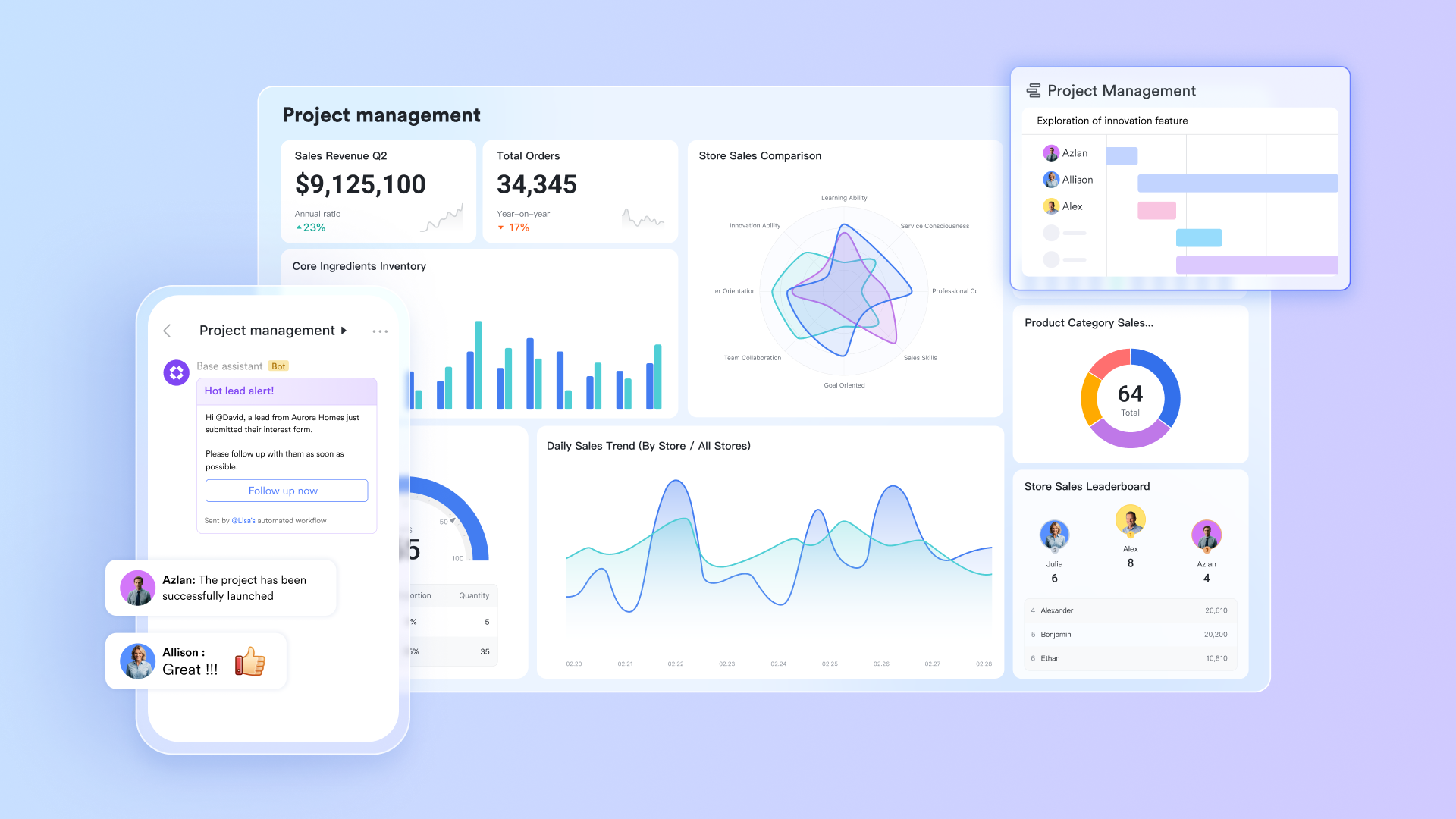
Connect end-to-end project workflows in one platform
While ClickUp users often need to integrate external communication tools (even with its built-in chat), Miro users must manually export whiteboard ideas to project management software. Lark eliminates this fragmentation by , visualization, task tracking, and documentation in a single space.
For example, a product team can start brainstorming in (with Boards and MindNotes), then directly convert key ideas into assignable tasks. These tasks auto-sync to the related persons' Kanban boards, and all comments and feedbacks are stored in the tasks. Unlike ClickUp's siloed "Spaces" or Miro's focus on standalone whiteboards, Lark ensures every project stage (from ideation to delivery) exists in an interconnected ecosystem, reducing the risk of lost information. 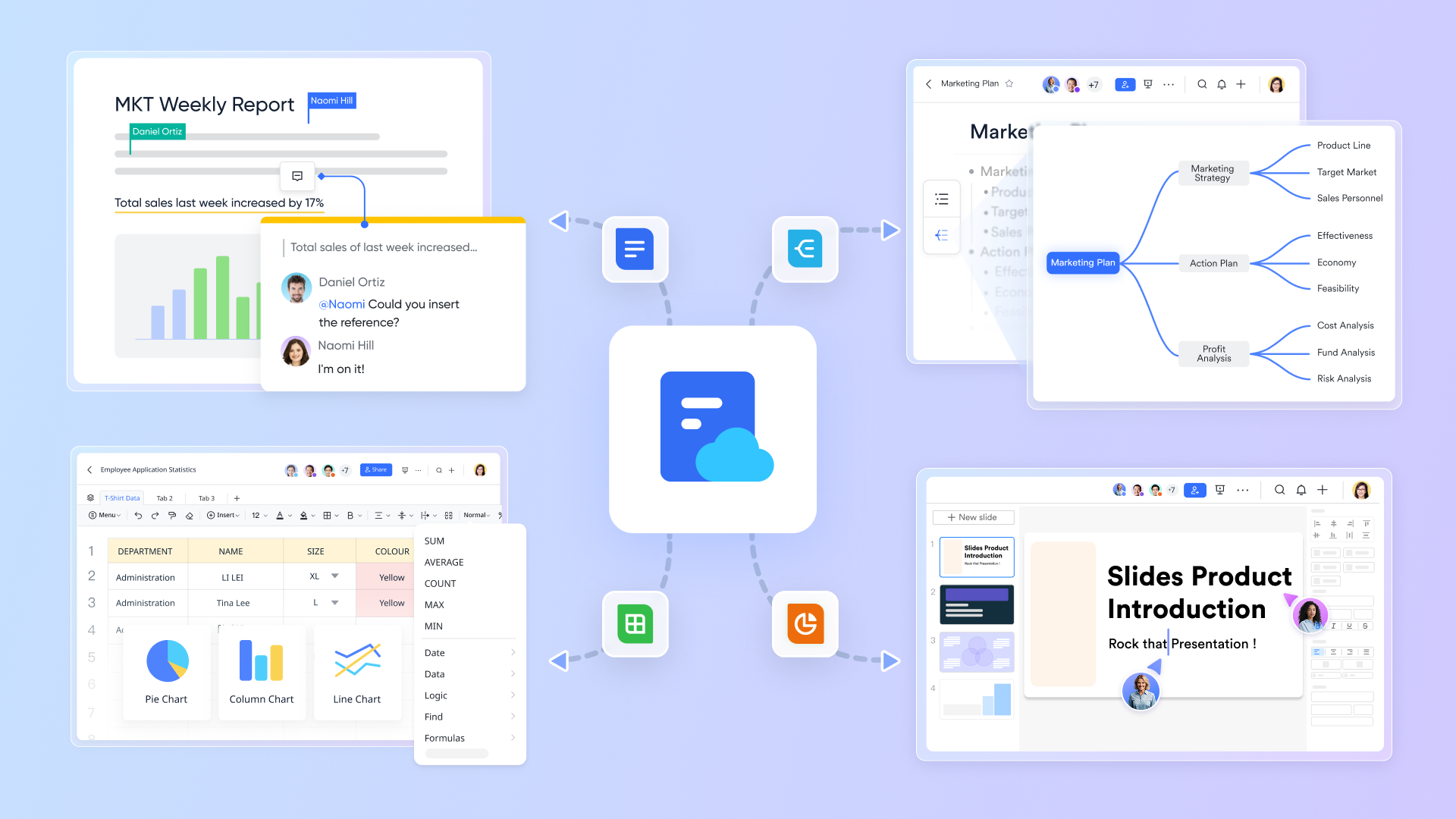
Close the loop between communication and collaboration
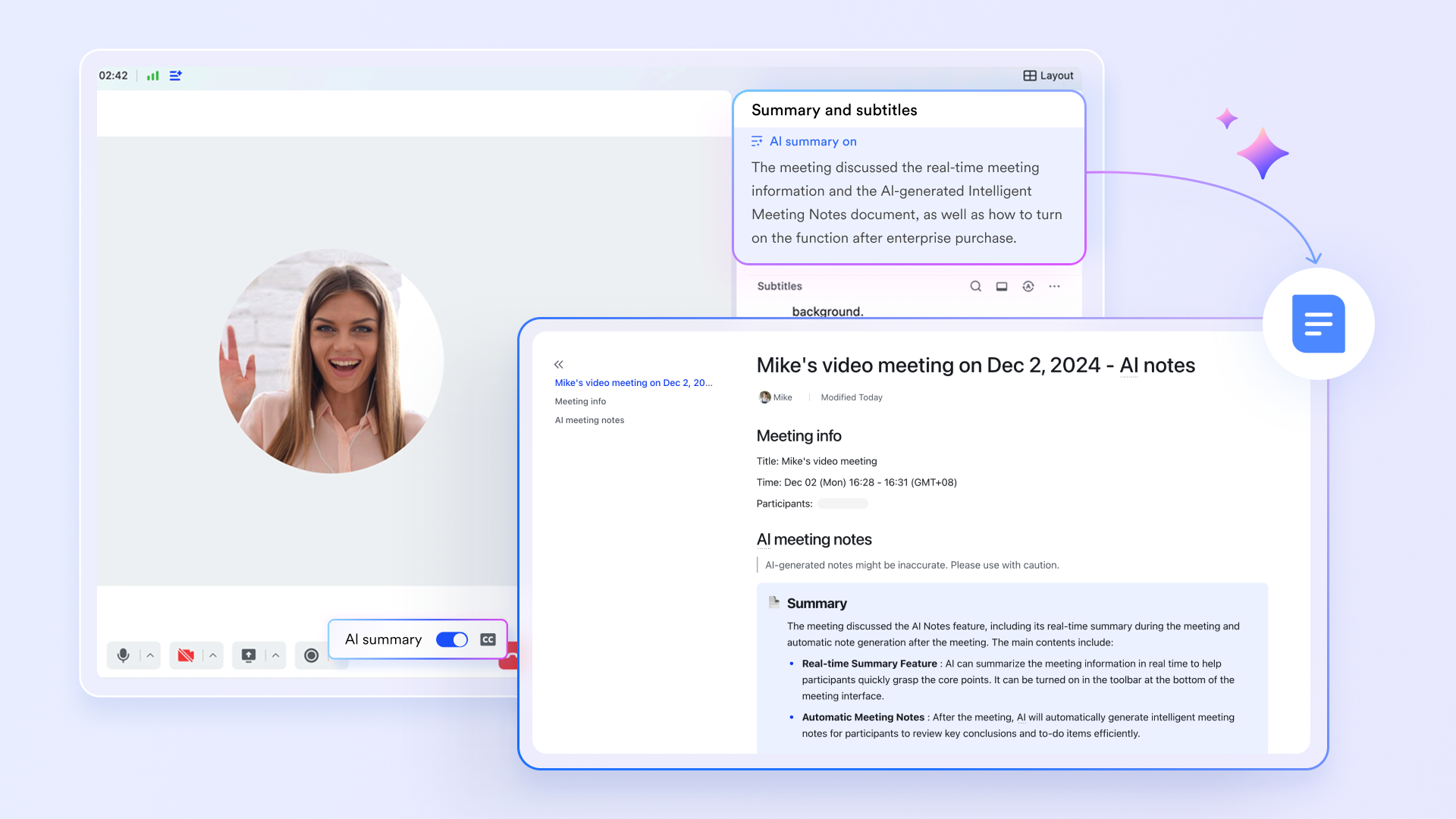
A common frustration with ClickUp and Miro is the "follow-up gap": Decisions made in chat or whiteboards require manual transfer to task lists. Lark closes this loop with. During a video meeting, Lark's AI Meeting Notes can automatically extract action items (e.g., "Finalize marketing copy by Friday"), and turn them into tasks with assignees and deadlines only with one click. If a team member mentions a task in a chat group, they can convert that message to a task with one click, preserving the conversation context.
Compare this to ClickUp, where you'd need to copy chat text into a new task form, or Miro, where whiteboard action items must be re-entered into a separate project tool. Lark's ability to turn "talk" into "action" in real time cuts down on administrative work and ensures nothing falls through the cracks.
Lightweight design lowers team onboarding barriers
ClickUp's extensive customization (e.g., custom fields, automations) creates a steep learning curve for non-technical teams, while Miro's advanced whiteboarding features (like complex diagramming) can overwhelm casual users. Lark balances functionality with simplicity by aligning tools with natural work habits.
For instance, Lark Tasks uses a default Kanban view with pre-built statuses (To Do/In Progress/Done) that require no setup—perfect for teams new to project tracking. Visual collaboration tools like Boards and MindNotes use drag-and-drop controls familiar to anyone who's used basic presentation software, so even non-designers can contribute to brainstorming. Unlike ClickUp, where configuring a workflow might take hours of training, or Miro, where mastering advanced features demands tutorials, Lark lets teams start collaborating within minutes. This accessibility is critical for cross-functional teams with members of varying tech comfort levels. 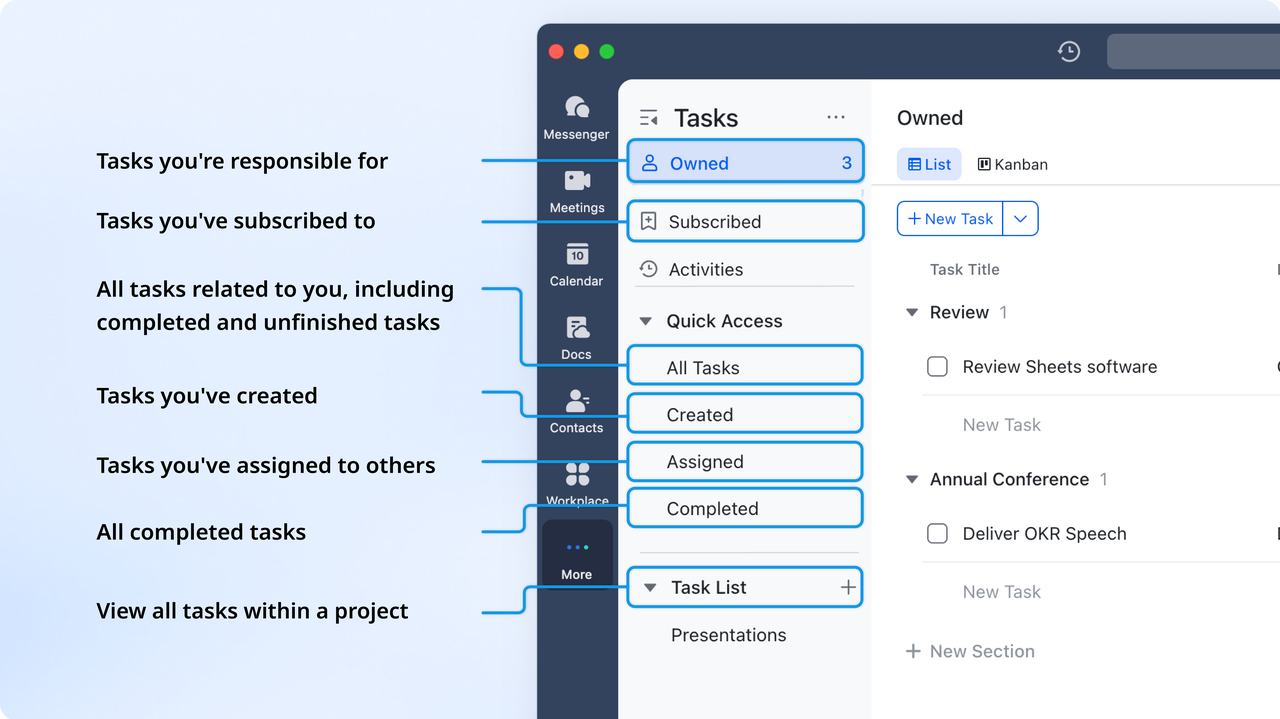
Full-featured mobile experience breaks office scene limitations
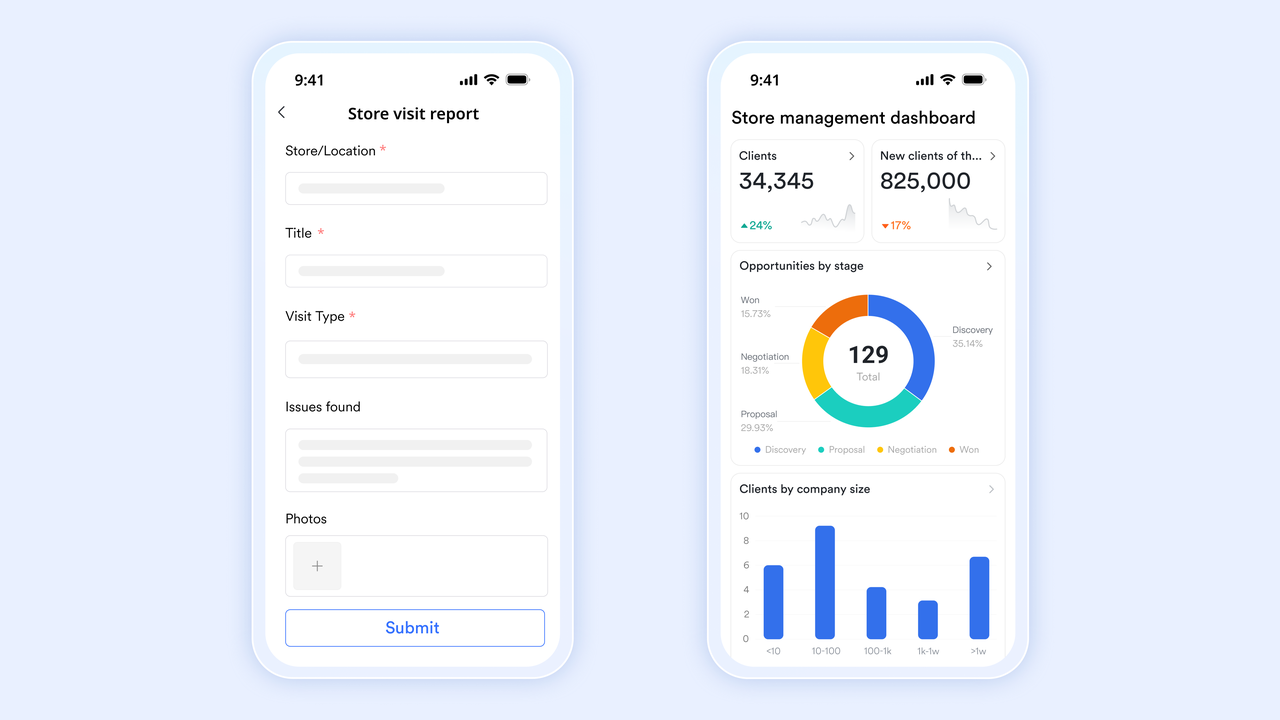
ClickUp and Miro's mobile apps often feel like "view-only" versions—complex tasks (like editing a project timeline or refining a whiteboard) still require a desktop. Lark's is fully functional, not just supplementary. Field sales teams can update client-related tasks anytime, edit collaborative documents offline, and even contribute to visual brainstorming sessions using touch-friendly controls.
ClickUp's mobile app limits access to certain automations, and Miro's mobile whiteboarding lacks precision for detailed diagrams. Lark's seamless mobile-desktop sync ensures productivity isn't tied to a desk, a game-changer for hybrid or field teams.
Achieve multi-scenario collaboration at lower cost
Teams using ClickUp and Miro often face hidden costs: ClickUp's free plan caps users at 5 and storage at 100MB, while Miro's free tier limits whiteboards to 3 per month. By contrast, offers unlimited users, 100GB of storage, and full access to core tools (Lark Messenger, Meetings, Tasks, Docs, and basic visual collaboration)—so small businesses and startups don't need to upgrade just to add members or store files.
Even (starting at $6/user/month) pack more features—including advanced AI and priority support—than equivalent tiers from ClickUp ($12/user/month) or Miro ($10/user/month). This cost efficiency doesn't compromise quality: Lark's tools match (and sometimes exceed) the usability of ClickUp and Miro's paid features, making it a budget-friendly choice for teams needing both structured project management and creative collaboration.
Lark's edge isn't "more features"—it's integrating the right ones to mirror real team workflows. By eliminating tool-switching friction, automating tedious follow-ups, and keeping complexity in check, it delivers a more cohesive experience than combining ClickUp, Miro, and their required integrations.
Here is Lark's detailed :
- Free plan: Includes 11 powerful products, supporting up to 20 users, 100 GB storage, 1,000 automation runs and unlimited AI translation in chats, docs and email.
- Basic plan: $6/user/month (billed annually) for up to 500 users. Includes everything in Starter plus unlimited message history, 5TB storage, 1,000 automation runs, and more. Some users may need to to purchase.
- Pro plans: $12/user/month, supporting up to 500 users. Includes unlimited message history, 50,000 automated Base workflow executions per month.
- Enterprise plan: for custom pricing. Supports unlimited users and includes even more automation runs and advanced security, compliance, and management features.
For small teams with simple communication needs

18 months message history
1000 Base automation runs/month
2000 rows per table in Base
Most POPULAR
For companies with comprehensive collaboration and management needs
Unlimited message history
500-participant video meetings
50k Base automation runs/month
20k rows per table in Base
For large companies with advanced security and organizational management needs
Get a personalized demo and pricing
Unlimited message history
500-participant video meetings
15 TB storage + 30 GB storage/user
500k Base automation runs/month
50k Base automation runs/month
Most POPULAR
For companies with comprehensive collaboration and management needs
Unlimited message history
500-participant video meetings
50k Base automation runs/month
20k rows per table in Base
Conclusion
ClickUp and Miro are strong contenders for project management and visual collaboration, respectively. ClickUp excels with detailed task management, while Miro shines at visual brainstorming.
Your team's specific needs should guide your choice. Select ClickUp for robust project management or Miro for dynamic visual collaboration.
For a truly unified experience, consider . It combines project management, communication, and collaboration in one platform, streamlining workflows.
The best way to decide is to experience the power of a unified platform firsthand. Visit Lark's website for a free trial today and see how it can revolutionize your team's productivity! Evaluate your needs and choose the collaboration tool that empowers your team's success.
Enhance your productivity now
FAQs
Can ClickUp replace Miro?
ClickUp can replace some Miro functions if your focus is task management with basic visual elements. However, Miro remains superior for dedicated brainstorming and complex visual collaboration.
Is Miro Russian owned?
Miro was founded by Andrey Khusid and Michael Shurock, and while they are originally from Russia, Miro is headquartered in San Francisco.
What are the cons of ClickUp?
ClickUp's cons include a steep learning curve due to its extensive features and the potential for feeling overwhelmed by its customizability.
Is there anything better than Miro?
"Better" depends on your needs. Lark offers a unified platform integrating project management, communication, and collaboration, which may be a better fit for some teams.
Related reading






























