Juggling multiple client projects, freelancers often find themselves scrambling to track deadlines, share files, and keep communication clear—all while trying to stay productive. Freelance project management software addresses this by offering features designed to streamline tasks, enhance collaboration, and ensure timely delivery. The best tools not only help track tasks, timelines, and budgets but also provide a collaborative space where freelancers can communicate with clients and team members in real time.
Among these software solutions are all-in-one collaboration platforms that boast integrated features like chat, document sharing, calendar scheduling, task management, and approval workflows—all designed to create a seamless working experience for users. This comprehensive functionality is essential for freelancers who juggle multiple projects and responsibilities, making it easier to stay organized and focused on what matters most: delivering quality work.
Key takeaways: Best 5 freelance project management software
In this article, we will cover five of the best freelance options available today, each with unique features to enhance your workflow and efficiency:
- Lark: Built-in collaboration tools for seamless workflows.
- Microsoft Project: Advanced features for complex project management.
- Asana: User-friendly interface with robust task tracking.
- Trello: Visual project management with flexible boards.
- ClickUp: Highly customizable solutions for diverse team needs.
What is freelance project management software
Freelance project management software refers to specialized tools designed to assist freelancers in managing their projects from start to finish. These applications provide essential features that support every stage of project management, including , executing, monitoring, and closing projects efficiently. Unlike traditional that often cater to larger teams and complex organizational structures, freelance software streamlines the management process for individual professionals or, making it more accessible and user-friendly.
With the right freelance project management software, freelancers can effectively keep track of deadlines and deliverables, ensuring that they meet client expectations. Additionally, these tools often include , allowing for seamless dialogue with clients and team members. Effective invoicing and automation capabilities further enhance productivity by minimizing administrative tasks. Overall, this software is crucial for maintaining high work standards and ensuring , ultimately paving the way for a successful and sustainable freelance career.
Key features to look for in freelance project management software
Effective collaboration is central to successful project management, especially for freelancers who often work with various clients and stakeholders. Robust collaboration tools, such as real-time chat, comments, and document sharing, are essential for seamless communication. These features allow freelancers to interact directly with clients and team members, reducing misunderstandings and ensuring everyone is aligned on project goals. Having a centralized space for communication fosters a more productive working environment, making it easier to track discussions, share , and collectively make decisions.
Task management capabilities
A good freelance project management software includes comprehensive features that empower freelancers to create, assign, and monitor tasks efficiently. This functionality is critical for organizing projects, prioritizing work, and ensuring deadlines are met. Features such as task assignments, deadlines, and progress tracking enable freelancers to stay on top of their responsibilities and keep projects from falling through the cracks. By visualizing tasks through boards or lists, users can manage their workload more effectively and reduce the chaos of juggling multiple projects simultaneously.
Time tracking and invoicing
capabilities are a must for freelancers, as they allow for precise monitoring of the time spent on various tasks. This information is crucial for accurate billing and helps freelancers ensure they are compensated fairly for their work. Additionally, the integration of invoicing features allows for the automation of billing processes, streamlining cash flow management. By simplifying the invoicing process, freelancers can focus more on their tasks instead of administrative duties, ensuring timely payments from clients and maintaining healthy financial practices.
Customization options
Freelancers often have unique workflows that necessitate tailored solutions. Thus, the ability to customize dashboards, task views, and workflows is vital. Customization ensures that the software aligns with individual needs, making project management more intuitive and user-friendly. With customizable templates and layouts, freelancers can create a workspace that reflects their personal style of working, enhancing productivity and reducing the frustration that can arise from rigid software configurations.
Discover these features in a smart PM tool
Highlighting the best 11 freelance project management software
1. Lark: A comprehensive solution for freelancers
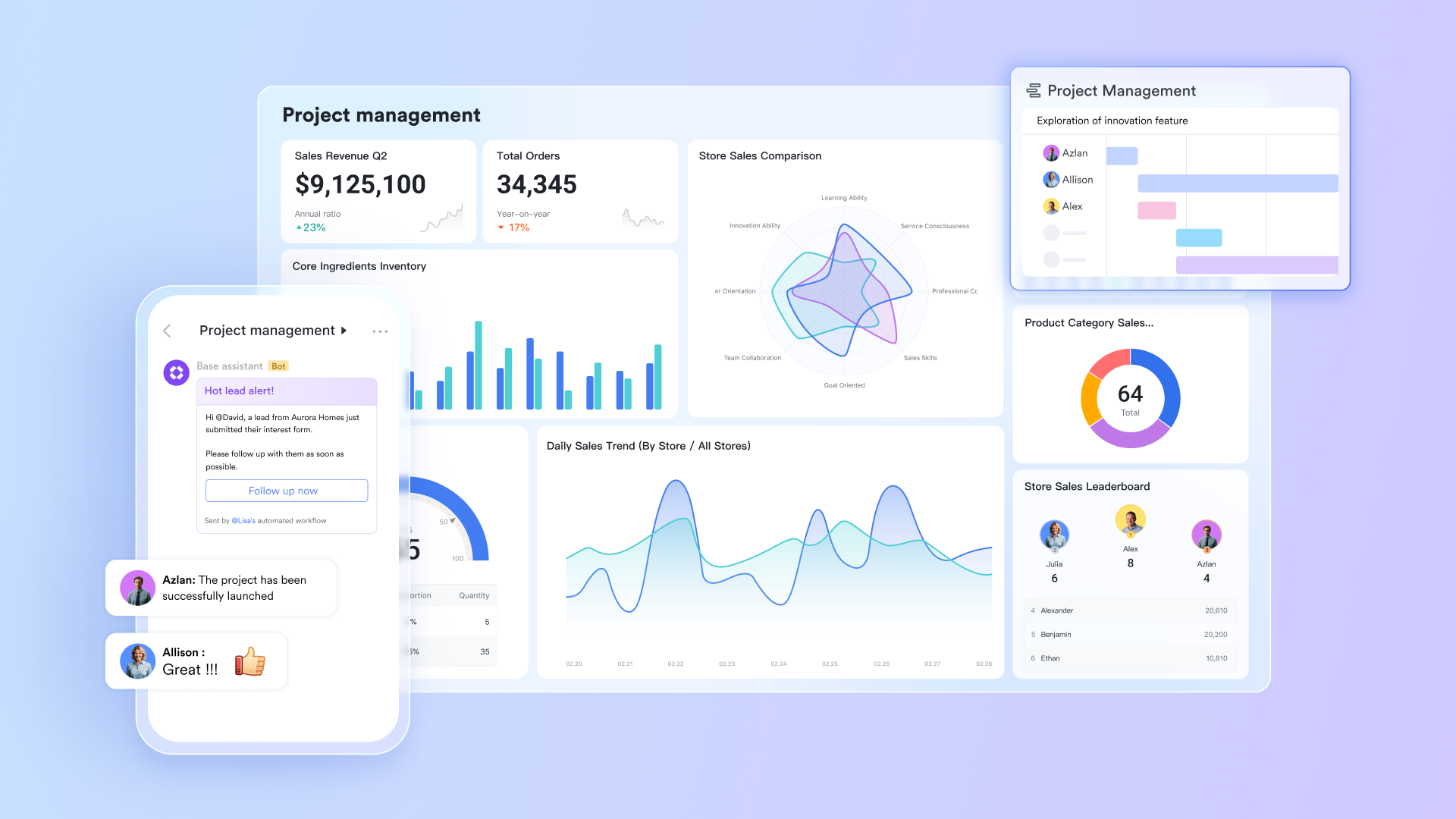
Overview: is an all-in-one collaboration platform built specifically for freelancers seeking to streamline their workflows and . Unlike traditional tools that require separate applications for communication, document sharing, and project management, Lark offers a unique suite of built-in features tailored to meet the diverse needs of freelancers. With tools for , collaborative documents, task management, and calendar scheduling, Lark provides a seamless experience that simplifies project oversight.
Freelancers can use Lark Tasks to create detailed task lists, assign responsibilities, and , ensuring that all project milestones are met efficiently. The built-in calendar helps users schedule meetings and deadlines without leaving the platform, minimizing disruptions to their workflow. Furthermore, Lark’s features allow for concurrent editing and instant feedback, fostering effective communication between freelancers and their clients. By consolidating key functionalities in a single platform, Lark empowers freelancers to manage their projects more effectively, leading to improved client satisfaction and successful project outcomes.
Key features:
Flexible no-code project databases:
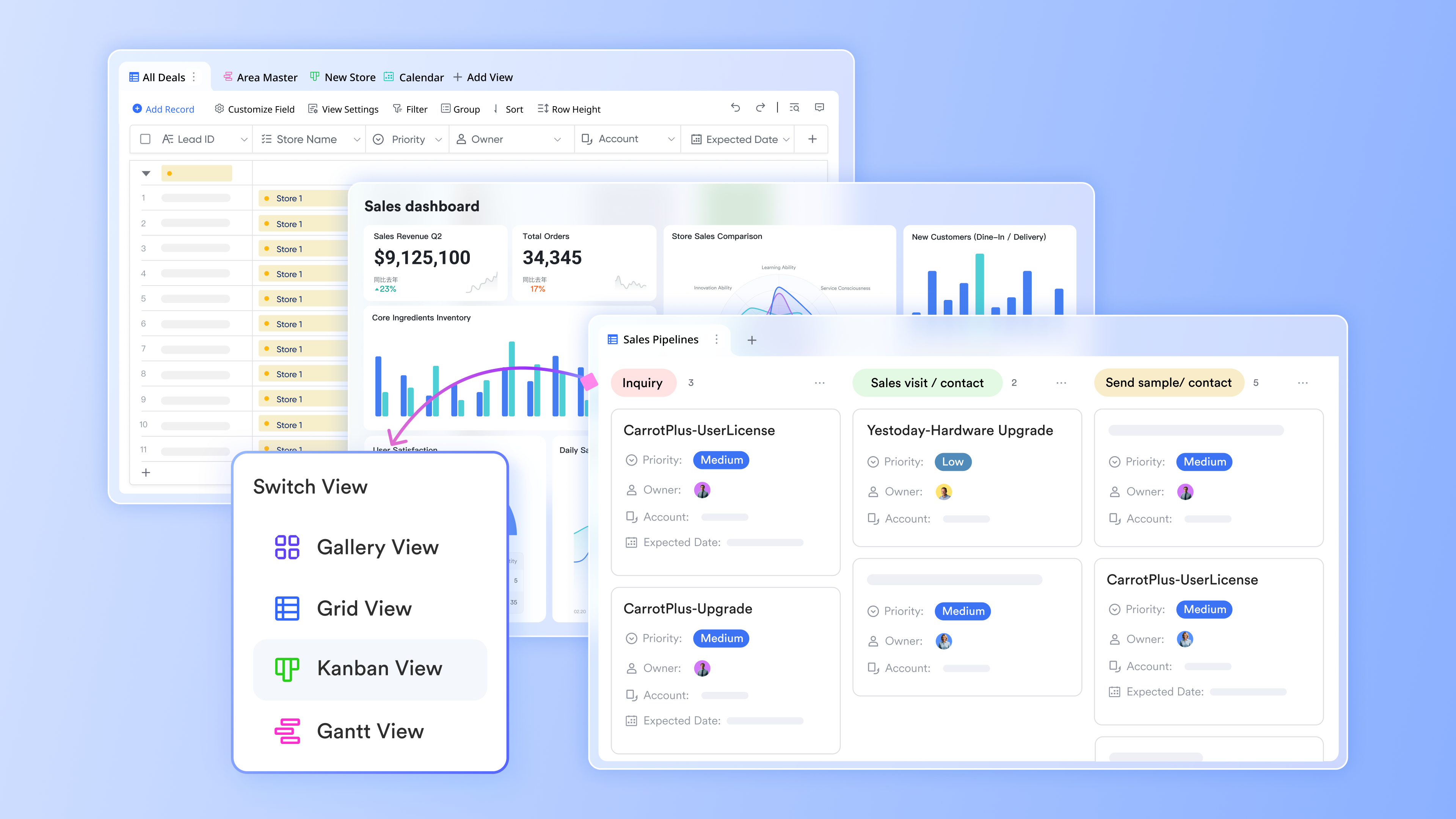
Lark Base allows you to create no-code project databases with flexible views, including tables and Kanban boards. Freelancers can model various aspects of their work, such as projects, tasks, and resources, in a way that aligns with their unique workflows. Unlike traditional project management tools that impose rigid structures, Lark Base offers tailored to individual processes, enabling users to create personalized systems. This flexibility allows freelancers to set custom fields, filter and sort data, and automate actions based on specific triggers. Whether managing client information, tracking deliverables, or , Lark Base becomes an indispensable tool for efficient project management.
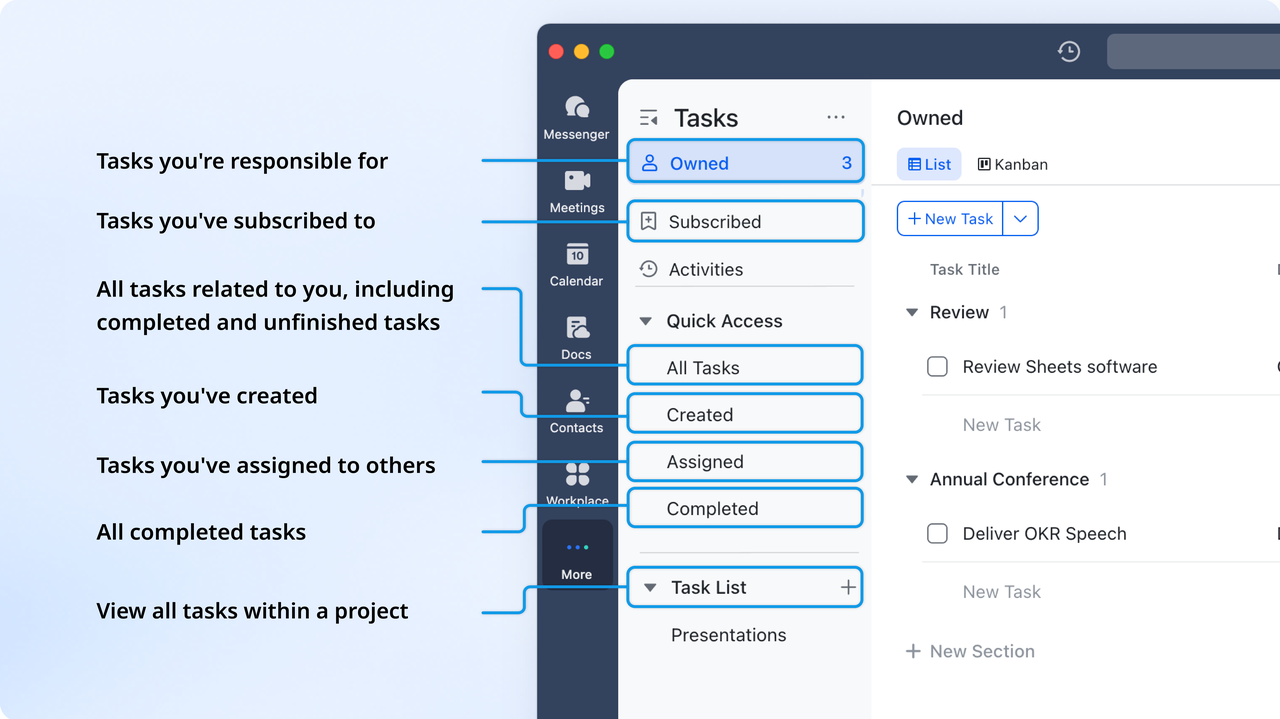
With Lark Tasks, managing projects and tracking progress becomes easy and intuitive. This straightforward task management interface enables freelancers to create, assign, and efficiently. You can set deadlines, prioritize tasks, and visualize progress, ensuring you stay organized and on track to meet client expectations. The ability to break projects into manageable tasks and assign them to yourself or team members facilitates accountability and ensures that nothing slips through the cracks. This feature is crucial for freelancers juggling multiple clients or projects, and overall project visibility.
Real-time document collaboration:
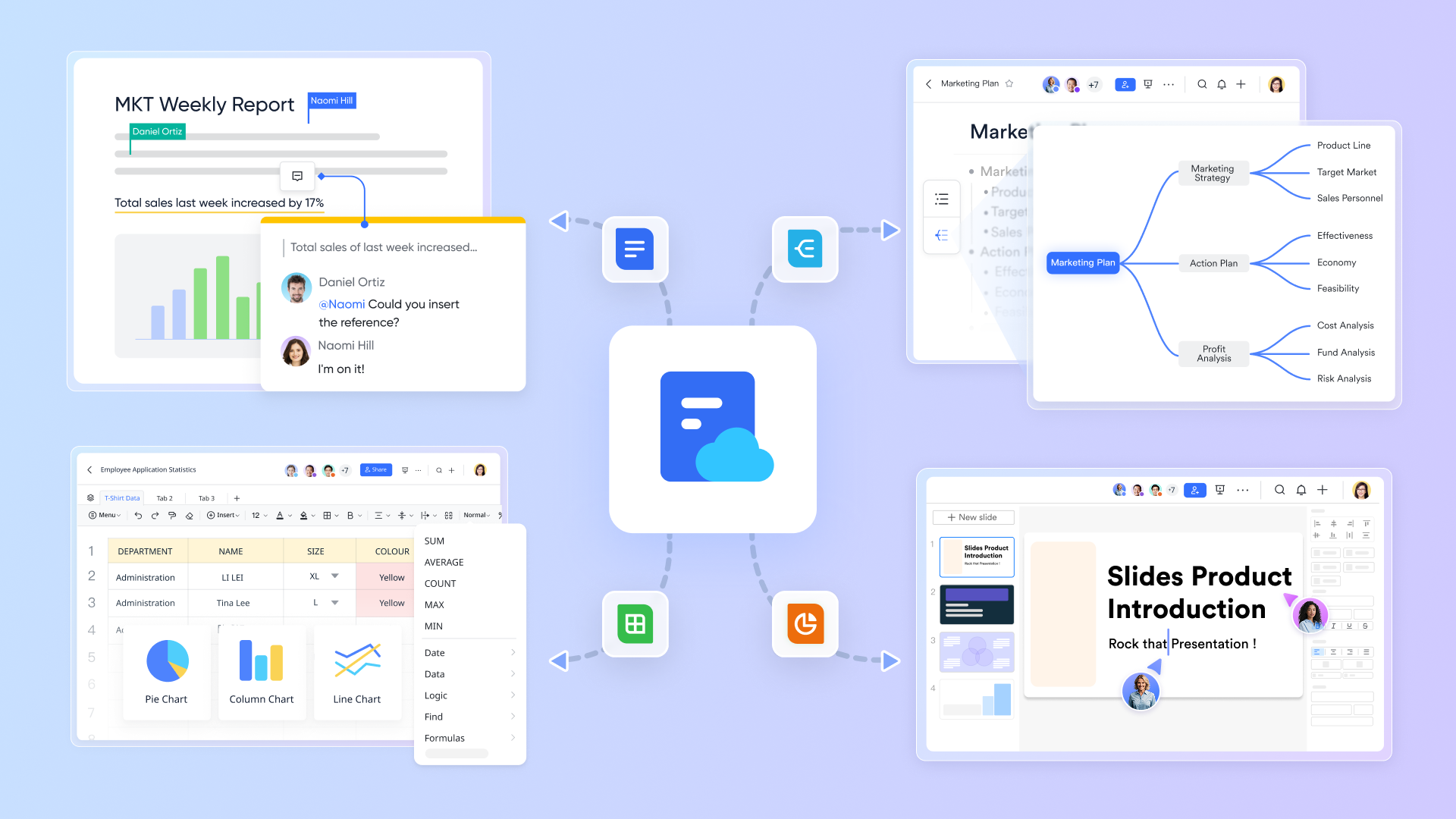
Lark Docs fosters real-time collaboration on documents, ensuring that all team members can stay aligned. This feature allows freelancers to write, edit, and share documents seamlessly with clients and collaborators, promoting . The ability to comment, suggest changes, and see edits instantly enhances teamwork, making it easier to gather feedback and implement revisions on the fly. Freelancers can use Lark Docs to draft proposals, contracts, and reports collaboratively, streamlining their workflow and improving the quality of deliverables.
Instant communication with clients and colleagues:
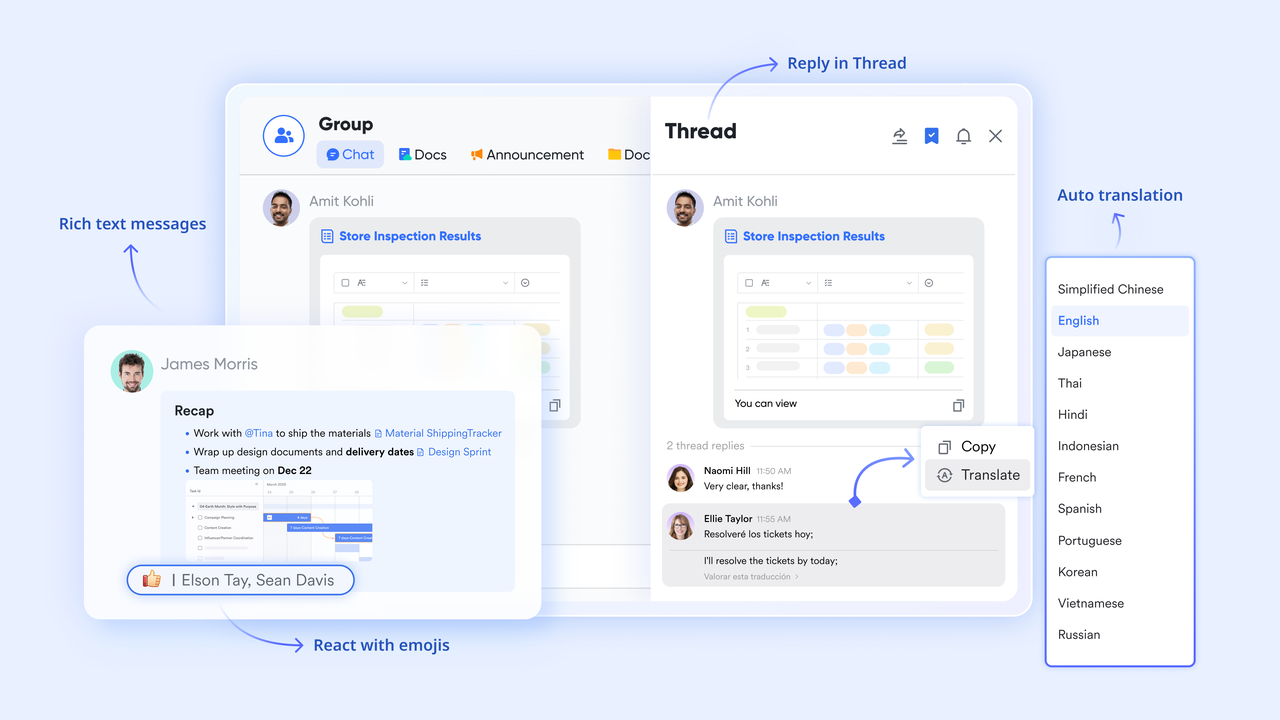
Lark Messenger features built-in chat functionality that facilitates immediate communication with clients and colleagues. You can send messages, , and create group chats, fostering quick interactions that maintain momentum on projects. This instant communication is vital for freelancers who need to clarify details or discuss changes promptly. By combining messaging directly into your project management flow, Lark Messenger helps you maintain essential connections without switching between multiple apps, ultimately enhancing your productivity.
Pros:
- Built-in communication, task management, and documentation features in one platform enhance efficiency.
- User-friendly interface with easy navigation allows freelancers to get started quickly.
- Real-time collaboration facilitates immediate feedback and faster decision-making.
- Seamless scheduling tools help freelancers and appointments effectively.
- Customizable task lists enable freelancers to prioritize work according to project needs.
- Cloud-based storage ensures that documents are accessible from anywhere, supporting remote work.
- Strong focus on team collaboration fosters improved relationships with clients and colleagues.
- Streamlined workflow reduces the need for multiple applications, saving time and effort.
Cons:
- A little learning curve. Although user-friendly, new users may require time to adapt to its functionalities. But can assist users with potential problems.
Who should choose Lark: Freelancers who value an unified approach to project management and collaboration.
:
- Starter plan: Free forever plan with 11 powerful tools for up to 20 users, 100GB storage, 1,000 automation runs, AI translations, and more. No credit card needed.
- Basic plan: $6/user/month (billed annually) for up to 500 users. Includes everything in Starter plus unlimited message history, 5TB storage, 1,000 automation runs, and more. Some users may need to to purchase.
- Pro plan: $12/user/month (billed annually) for up to 500 users. Includes everything in Basic plus group calling for up to 500 attendees, 15TB storage, 50,000 automation runs, and more.
- Enterprise plan: for custom pricing. Supports unlimited users and includes advanced automation, security, compliance, and management features.
For small teams with simple communication needs

18 months message history
1000 Base automation runs/month
2000 rows per table in Base
Most POPULAR
For companies with comprehensive collaboration and management needs
Unlimited message history
500-participant video meetings
50k Base automation runs/month
20k rows per table in Base
For large companies with advanced security and organizational management needs
Get a personalized demo and pricing
Unlimited message history
500-participant video meetings
15 TB storage + 30 GB storage/user
500k Base automation runs/month
50k Base automation runs/month
Most POPULAR
For companies with comprehensive collaboration and management needs
Unlimited message history
500-participant video meetings
50k Base automation runs/month
20k rows per table in Base
: Switching to Lark’s Pro plan can lead to significant cost savings— for example, a 100-employee company using Slack, Google Workspace, and Airtable could save approximately $19,800 annually by consolidating their tools with Lark.
2. Microsoft Project: Capabilities and limitations
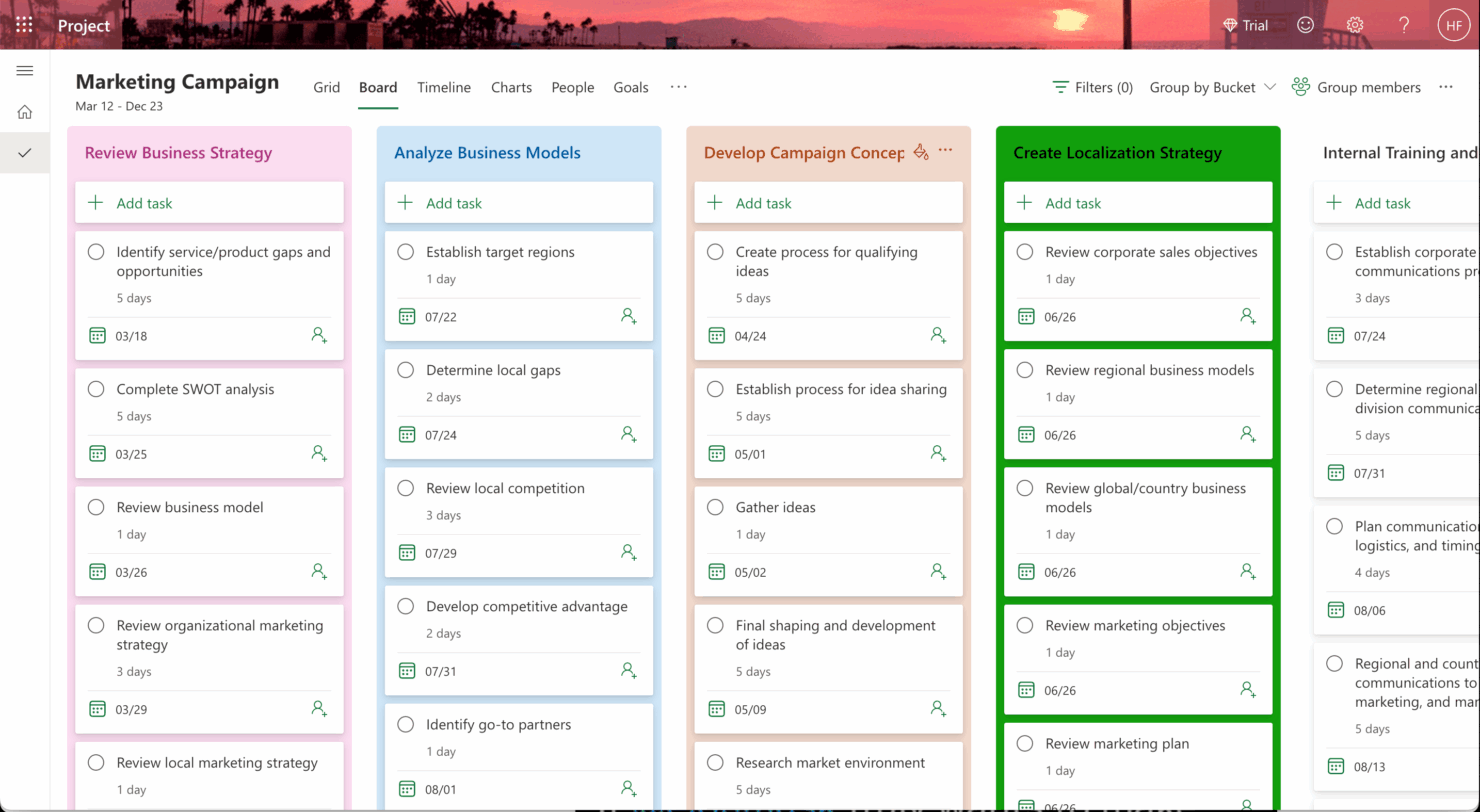
Image source: thedigitalprojectmanager.com
Overview: Microsoft Project is a premier project management software developed by Microsoft, renowned for its powerful features designed to assist project managers in planning, executing, and tracking complex projects. It is particularly beneficial for freelancers managing substantial and multifaceted projects across multiple teams or stakeholders. Microsoft Project provides various tools, such as Gantt charts for scheduling and resource management for optimizing allocations, allowing users to visualize project timelines and allocate resources efficiently. While it is more commonly used in larger organizations, freelancers in need of advanced project tracking and reporting capabilities have found it beneficial for meeting tight deadlines and maintaining high standards of quality in their work.
Key features:
- Gantt charts: Create visual timelines to track project progress.
- Task management: Manage and assign tasks within a team.
- Resource allocation: Optimize the distribution of tasks based on team capacity.
Pros:
- Robust functionality for detailed project management, allowing in-depth tracking of project tasks, timelines, and resources.
- Professional interface that integrates well with other Microsoft products, facilitating broader collaboration.
Cons:
- Higher cost compared to many other project management tools, which may not be justifiable for smaller projects.
- Steep learning curve for new users, particularly those unfamiliar with advanced project management principles.
Who should choose Microsoft Project: Freelancers managing large, complex projects or those working with multiple stakeholders who require comprehensive oversight.
Pricing: Microsoft Project offers various pricing plans starting from $10 per user per month for the Project Plan 1, while more advanced options can exceed $30 per user per month.
3. Asana: A popular choice for many freelancers
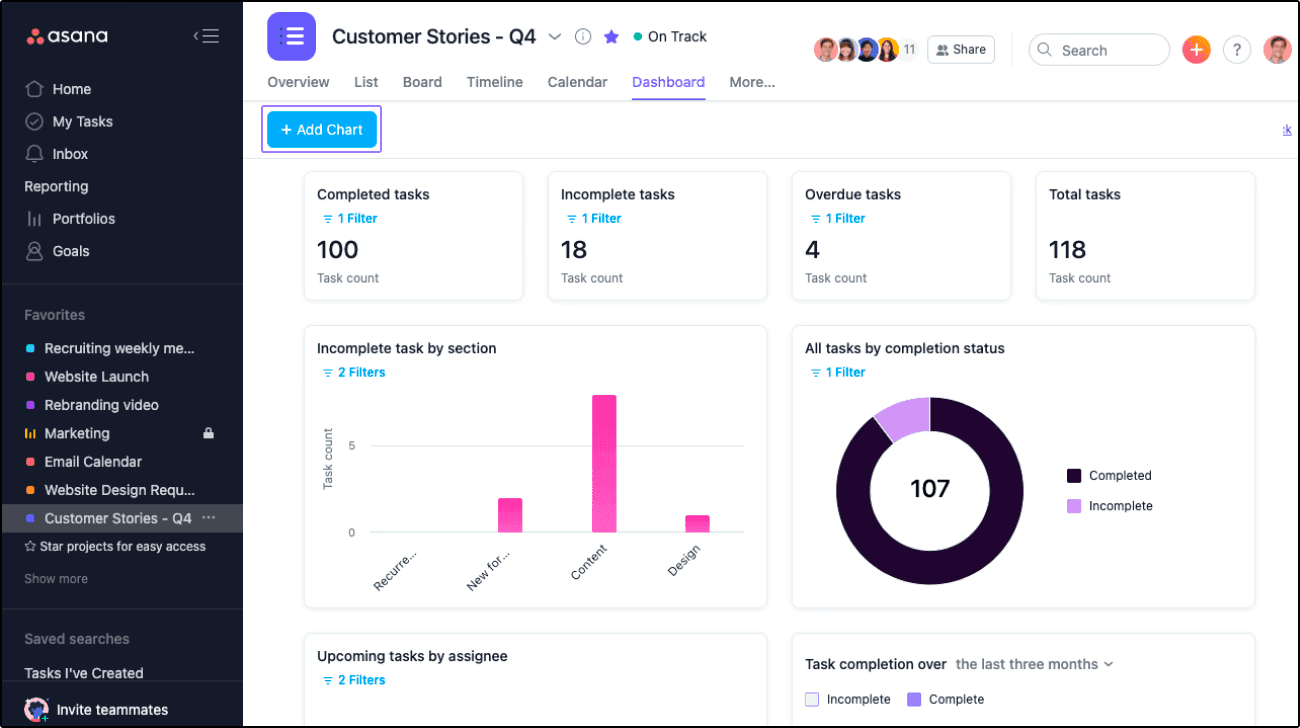
Image source: asana.com
Overview: Asana is a widely adopted project management tool that combines user-friendly design with powerful capabilities, aimed at helping teams and freelancers organize their work effectively. Launched in 2008, Asana has evolved into a robust platform that allows users to manage tasks, track projects, and communicate in real time. Its intuitive design makes it particularly appealing to freelancers who seek an easy-to-navigate interface without sacrificing functionality. With support for tasks, subtasks, project timelines, and calendars, Asana enables users to keep an eye on upcoming deadlines and the overall project flow, fostering better collaboration among teams and clients alike. This software's flexibility accommodates various workflows, making it suitable for diverse industries and project types.
Key features:
- Task management: Create tasks, subtasks, and assign deadlines to keep projects organized.
- Project templates: Easily set up new projects using predefined templates.
- Integrations: Connect Asana with numerous other applications like Slack, Google Drive, and Microsoft Teams for enhanced functionality.
Pros:
- An intuitive, easy-to-navigate interface that makes onboarding quick for new users.
- Strong capabilities for tracking progress through visual project boards and timelines.
Cons:
- Time tracking features are limited; you may need a third-party integration for full functionality.
- Some users find that advanced features require a premium subscription.
Who should choose Asana: Freelancers looking for a straightforward, visually engaging task management system that allows for easy collaboration and project tracking.
Pricing: Asana offers a free tier for small teams, with premium plans starting at $10.99 per user per month when billed annually.
4. Trello: Visual project management with flexible boards
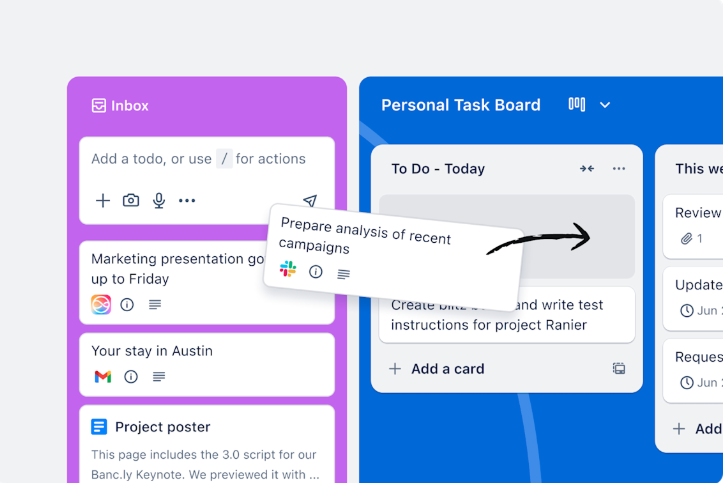
Image source: trello.com
Overview: Trello is a visual project management application that utilizes a card-based system to help freelancers and teams keep track of tasks and projects in a fun and engaging way. Launched in 2011, Trello simplifies project management by allowing users to create boards for different projects, where they can add lists (representing stages of the project) and cards (representing individual tasks). Each card can hold detailed information, including checklists, due dates, and attachments, making it easy to visualize and manage work. Trello's highly customizable nature, combined with its user-friendly interface, makes it a popular choice for freelancers who prefer a flexible approach to task management. It’s especially beneficial for visual thinkers, providing a clear overview of project statuses and team collaborations.
Key features:
- Boards and cards: Use boards to represent projects and cards for tasks, allowing users to visually track progress.
- Checklists and labels: Customize tasks with checklists, labels, and due dates to enhance organization.
- Power-ups: Integrate various applications like Google Drive and Slack to extend Trello’s functionality.
Pros:
- Very intuitive and easy to set up, making it perfect for freelancers new to project management software.
- Highly customizable workflow, which can be tailored to suit individual needs or preferences.
Cons:
- Lacks built-in reporting features, which may make tracking progress harder for larger projects.
- Limited data handling capabilities compared to more complex tools.
Who should choose Trello: Freelancers who prefer a highly visual project management platform that allows for straightforward task tracking and collaboration.
Pricing: Trello offers a free version with essential features, while premium plans start at $12.50 per user per month when billed annually.
5. ClickUp: Highly customizable solutions for diverse team needs
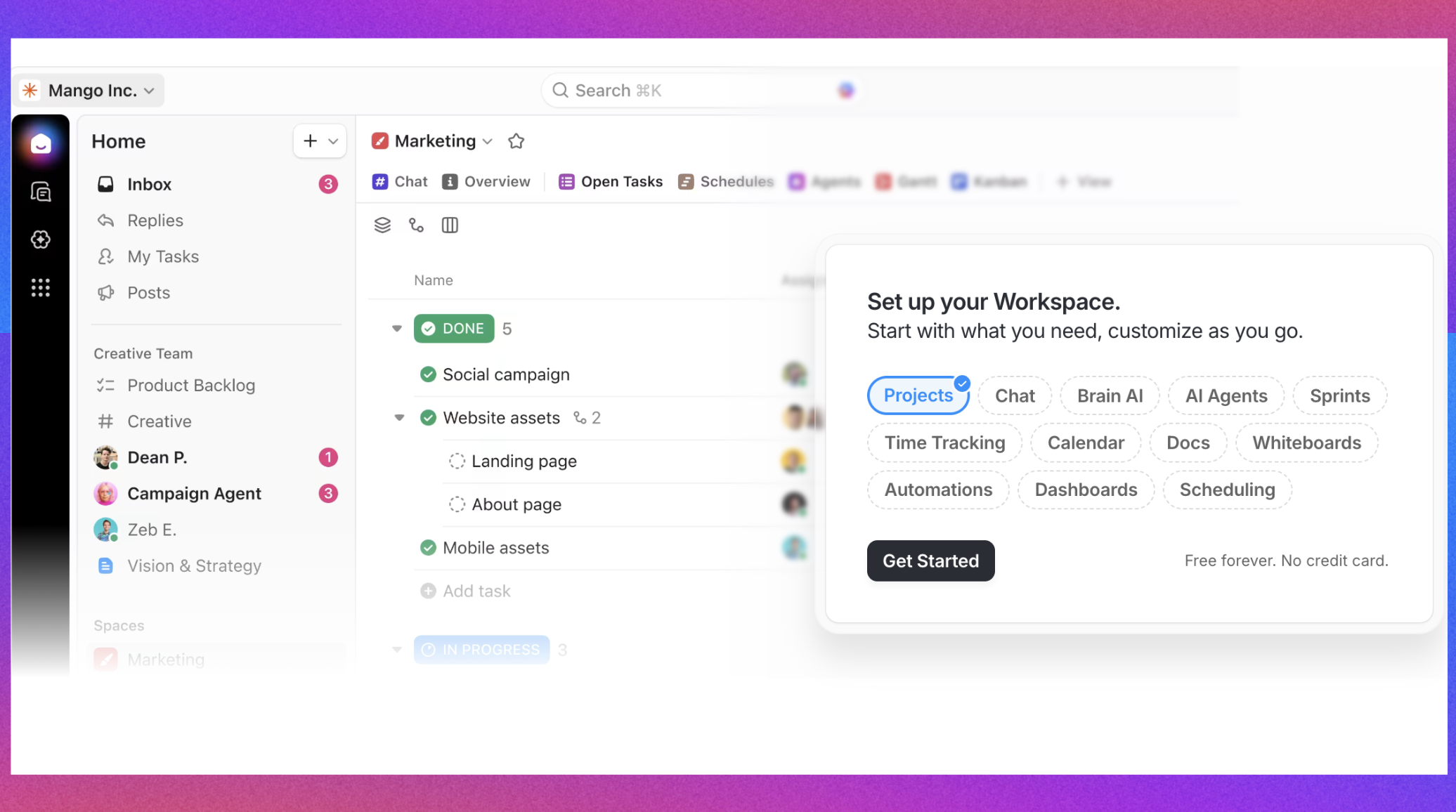
Image source: clickup.com
Overview: ClickUp positions itself as an all-in-one project management solution that aims to accommodate a variety of project management needs within a single platform. Since its launch, ClickUp has gained popularity among freelancers and teams due to its extensive customization options and diverse set of features. Users can choose from multiple views—including list, board, and Gantt views—allowing them to tailor their workspace to their unique workflow preferences. ClickUp integrates task management, goal tracking, time tracking, and collaborative tools seamlessly, making it a comprehensive solution for freelancers managing multiple projects. Additionally, ClickUp’s robust automation capabilities help users increase their efficiency by reducing repetitive tasks, making it a strong contender for those seeking versatility in their project management tools.
Key features:
- Multiple views: Choose from various views such as list, board, and calendar for project tracking.
- Goal setting: Set and track objectives to motivate productivity.
- Time tracking tools: Built-in tools to track time on tasks, aiding in accurate billing.
Pros:
- Extremely customizable, allowing users to tailor the software to their needs.
- Robust automation features to streamline repetitive tasks and boost productivity.
Cons:
- The extensive array of features can overwhelm new users, necessitating onboarding time.
- Some users have reported performance issues with larger datasets.
Who should choose ClickUp: Freelancers who seek extensive customization and diverse functionality to manage a variety of projects effectively.
Pricing: ClickUp has a free version with limited features, while paid plans start at $5 per user per month, providing increased functionality and options.
6. Monday.com: Flexible project management with visual tools
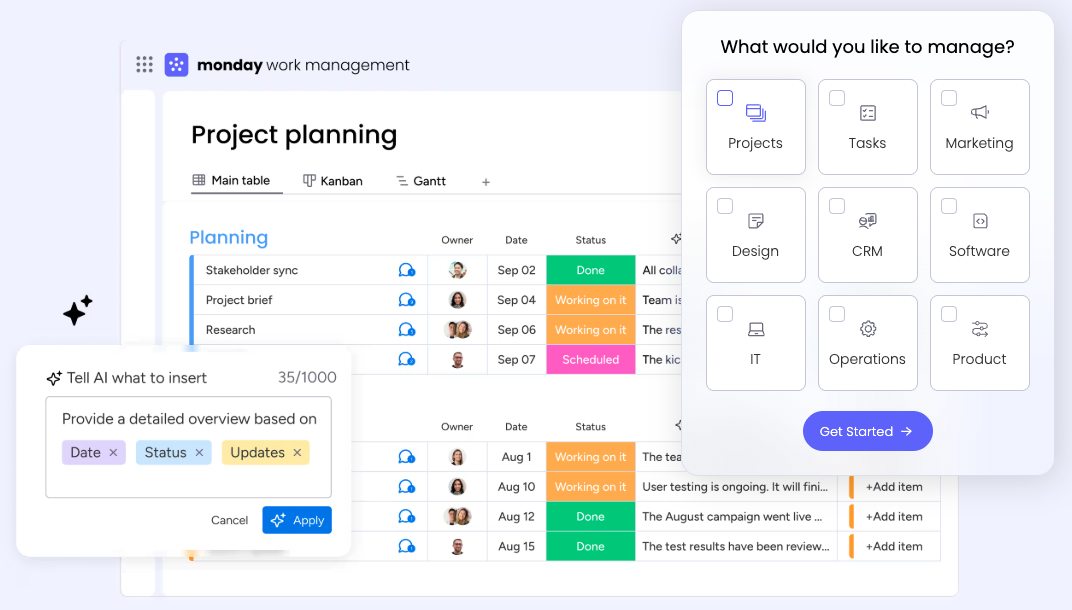
Image source: monday.com
Overview: Monday.com is a cloud-based project management platform known for its visually compelling interface and flexibility, designed to meet the diverse needs of teams and individuals. Catering to freelancers, creative professionals, and businesses alike, Monday.com offers the ability to customize workflows and projects effortlessly. The platform’s vibrant dashboards present information clearly, enabling users to visualize project status and metrics at a glance. With built-in automation features and integrations with various tools, Monday.com streamlines the project workflow, making it easier for freelancers to manage everything from client interactions to task completions. This adaptability, along with a focus on collaborative efforts, positions Monday.com as an effective tool for freelancers looking to optimize their project management experiences.
Key features:
- Customizable dashboards: Easily create dashboards to visualize project progress and metrics.
- Automation capabilities: Automate routine tasks to save time and reduce errors.
- Collaboration features: In-built tools for collaboration, including file sharing and comments.
Pros:
- User-friendly interface, making it accessible for users of all technical skill levels.
- Strong visual elements make project tracking and task assignment straightforward.
Cons:
- Pricing can increase rapidly as more features are added, which some users might find excessive.
- Some advanced functions require time to master fully.
Who should choose Monday.com: Freelancers who appreciate a visually engaging and customizable project management interface to enhance their workflow.
Pricing: Monday.com offers various plans starting from $8 per user per month, which can scale with the user's needs.
7. Basecamp: Simplifying project management for teams
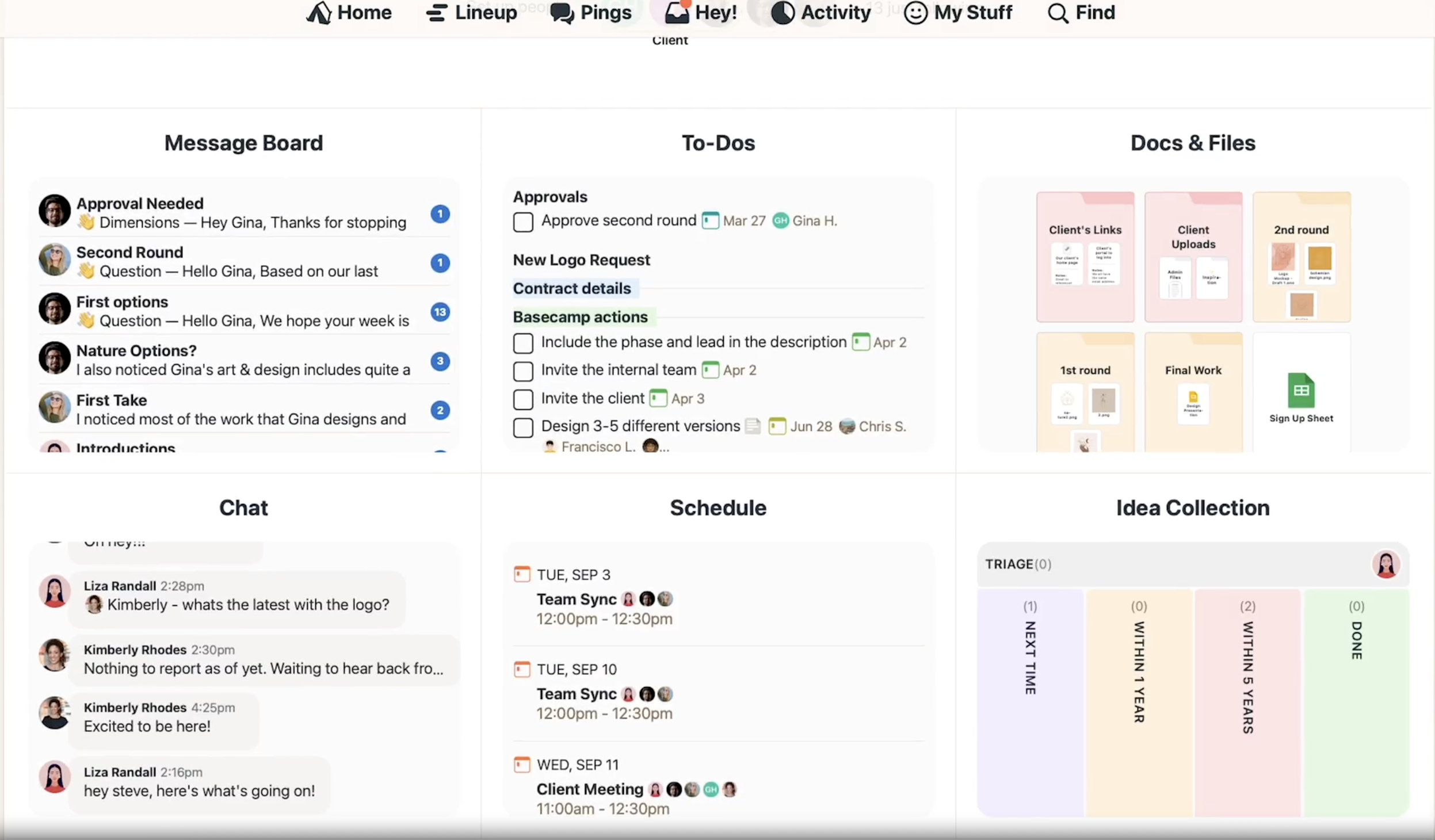
Image source: basecamp.com
Overview: Basecamp is a popular project management and team collaboration tool that emphasizes simplicity and ease of use. Designed to streamline communication and task management, it is particularly effective for freelancers who work with clients and need a straightforward way to manage projects. Basecamp combines to-do lists, file sharing, and messaging in one platform, ensuring that all project-related information is accessible in a centralized location. Its no-frills approach means users can focus more on getting their work done rather than navigating complex software. By stripping away unnecessary features, Basecamp helps freelancers maintain clarity and communication with all stakeholders, making it an ideal choice for those who prefer a more minimalist tool focused on straightforward project management.
Key features:
- To-do lists: Create, delegate, and track the completion of tasks easily.
- Campfires and message boards: Facilitate communication and collaboration among project stakeholders.
- File storage: Store and share files directly within the platform for easy access.
Pros:
- Simple setup and layout encourage quick understanding and usability.
- Eliminates unnecessary complexity with a focus on essential tools.
Cons:
- Limited advanced features can be a drawback for power users requiring robust tracking tools.
- Not as customizable as other project management platforms.
Who should choose Basecamp: Freelancers who value simplicity and need an effective communication tool for collaboration with clients and teams.
Pricing: Basecamp offers a flat fee of $99 per month for unlimited users and projects, making it budget-friendly for freelancers working with multiple clients.
8. Wrike: Powerful project management with detailed reporting
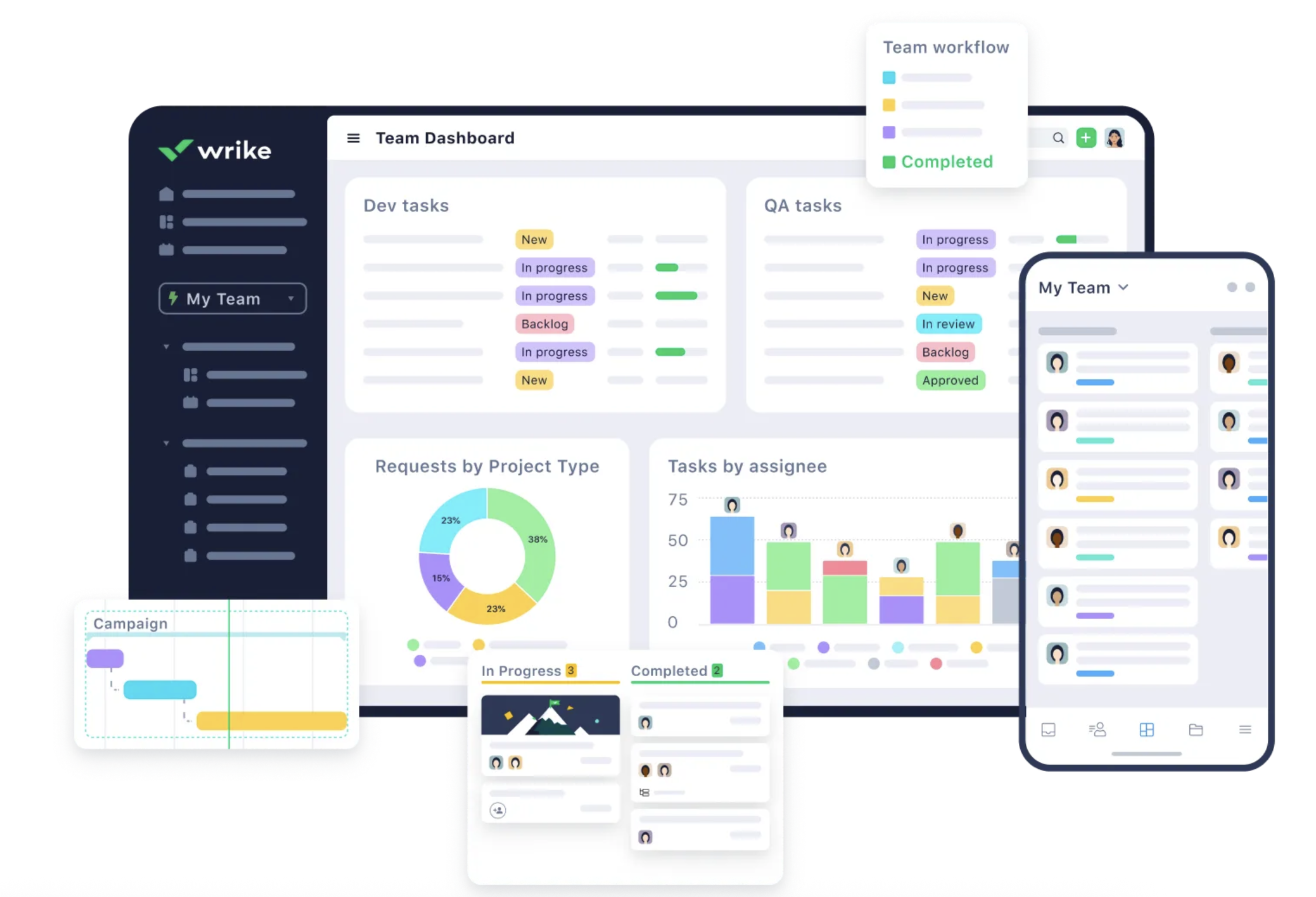
Image source: wrike.com
Overview: Wrike is a sophisticated project management platform that caters to teams and freelancers needing robust tracking and reporting capabilities. With its comprehensive tools for managing complex projects, Wrike offers features that allow users to plan and execute tasks with precision. Since its inception, Wrike has positioned itself as a tool that supports collaboration, time tracking, resource management, and real-time reporting—all essential for freelancers who require a higher level of oversight on their projects. The platform’s flexibility also enables it to serve various industries, making it suitable for freelancers in tech, marketing, and operations. With a strong emphasis on analytics and performance metrics, Wrike helps users monitor their progress efficiently and make informed decisions based on real-time data.
Key features:
- Comprehensive reporting tools: Analyze project performance and team productivity with advanced reporting features.
- Resource management: Manage workloads and resources effectively to optimize productivity across projects.
- Workload visualization: Gain insights into team capacity and project timelines through visual tools.
Pros:
- Excellent for managing complex projects and stakeholder collaboration.
- Strong integration capabilities with various third-party applications.
Cons:
- May be overwhelming for new users unfamiliar with detailed project management tools.
- Pricing can be high for advanced features compared to other software.
Who should choose Wrike: Freelancers who need powerful project management tools and detailed reporting capabilities for larger and more complex projects.
Pricing: Wrike pricing starts from $9.80 per user per month, with advanced plans offering additional features and functionalities.
9. Notion: All-in-one workspace for personal management
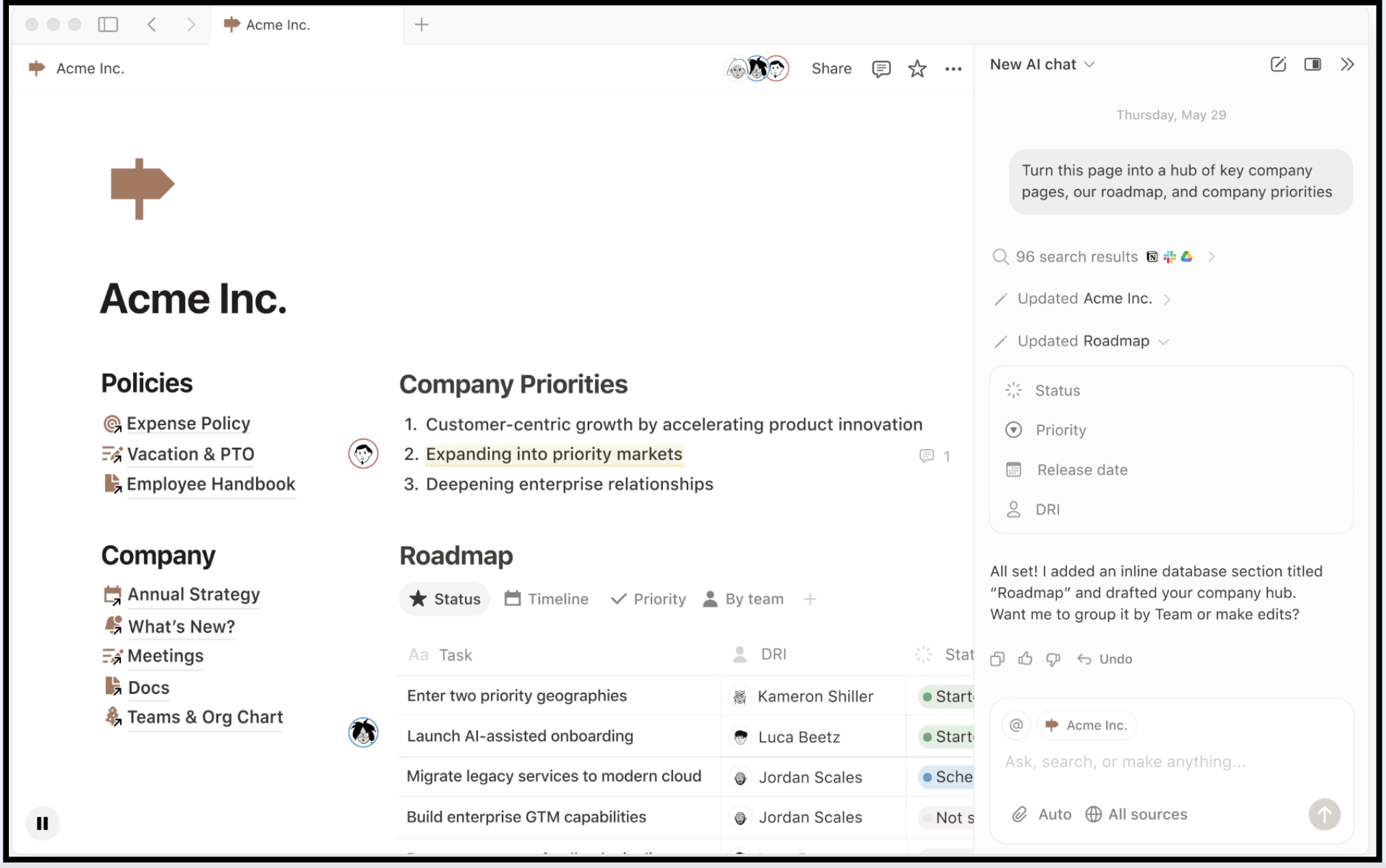
Image source: notion.com
Overview: Notion is more than just a project management tool; it functions as a fully customizable workspace that combines tasks, notes, and databases into one interface. Launched in 2016, Notion has gained traction among freelancers for its versatility and adaptability to different project management styles. Users can create personalized dashboards, set up databases for task management, and collaborate with others seamlessly. Notion's flexible structure allows for creative organization methods, making it ideal for freelancers who manage projects of varying complexity. Whether it's tracking daily tasks, planning projects, or storing client information, Notion provides a streamlined space for freelancers to keep everything in one location, enhancing productivity and efficiency.
Key features:
- Custom databases: Create databases to manage tasks, projects, and notes tailored to your needs.
- Templates and integrations: Access a library of templates and integrate with tools you already use.
- Collaborative editing: Work with others in real time on documents and notes.
Pros:
- Highly adaptable, allowing users to structure their work in a way that suits them.
- Great for managing personal projects as well as team collaboration.
Cons:
- Not as robust as dedicated project management tools for large-scale project tracking.
- Some users report a learning curve when setting up complex databases.
Who should choose Notion: Freelancers who want a versatile tool for organizing notes, projects, and daily tasks in one space.
Pricing: Notion offers a free personal plan, with paid plans starting at $4 per month for individuals looking for enhanced features.
10. Smartsheet: Spreadsheet-based project management
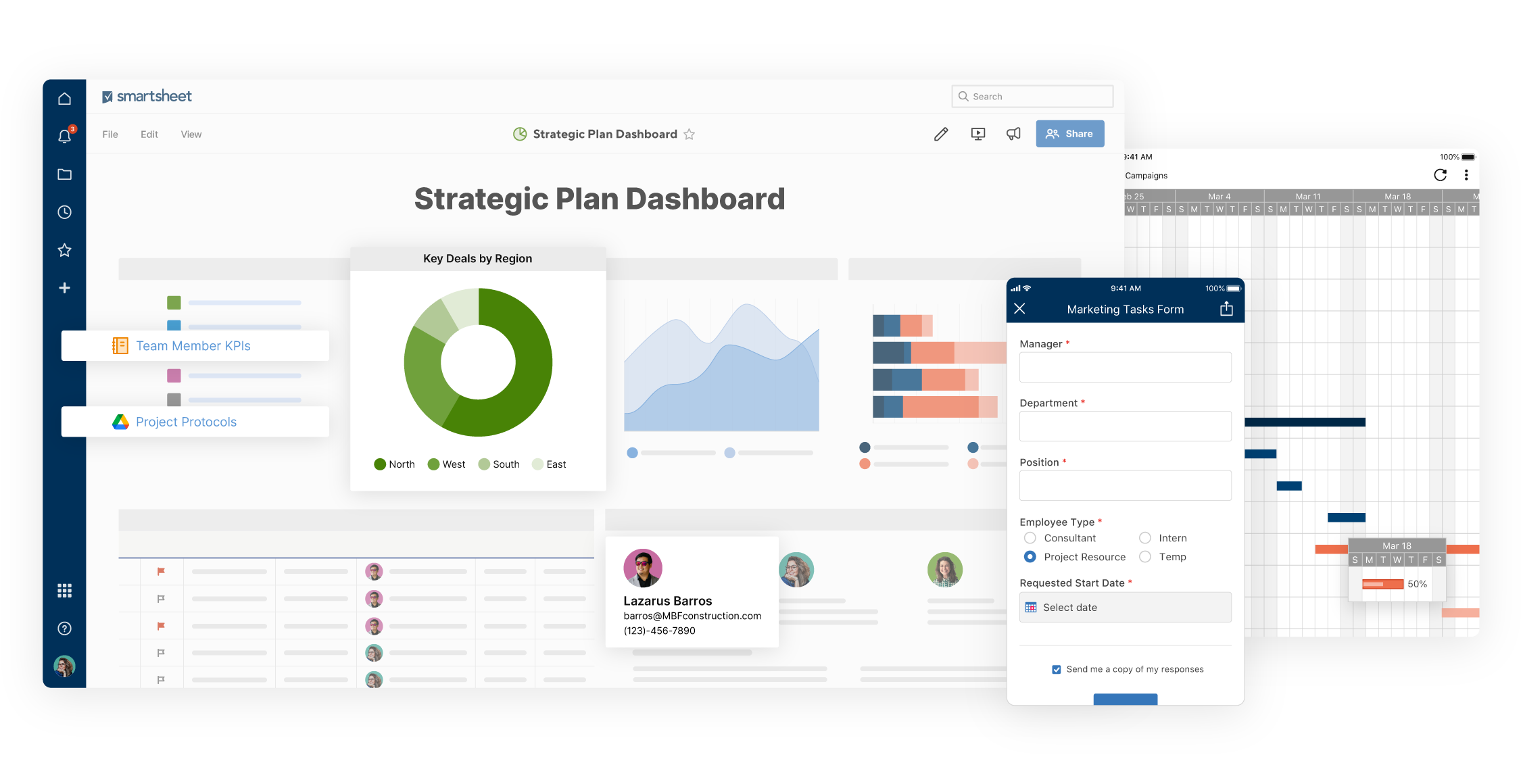
Image source: smartsheet.com
Overview: Smartsheet offers a unique approach to project management by combining the familiarity of a spreadsheet interface with powerful project tracking capabilities. Launched to harness the strengths of traditional spreadsheet software, Smartsheet has evolved into a comprehensive project management solution suitable for freelancers who prefer a structured, data-centric approach. The tool allows users to create Gantt charts, manage resources, and collaborate with clients all within a familiar spreadsheet format. This setup makes it particularly appealing to those who have a strong background in data management and analytics. By providing extensive customization options and powerful automation features, Smartsheet enables freelancers to effectively plan, execute, and report on their projects while benefiting from a user-friendly spreadsheet-like experience.
Key features:
- Gantt charts: Visualize project timelines to track progress.
- Automated workflows: Automate repetitive tasks and notifications.
- Collaboration tools: Share sheets with clients and stakeholders for feedback and updates.
Pros:
- Excellent for users comfortable with spreadsheets, making the transition to project management easier.
- Adaptable for different types of projects with various templates available.
Cons:
- May appear less intuitive for those unfamiliar with spreadsheet-oriented tools.
- Some advanced features may require additional training or practice.
Who should choose Smartsheet: Freelancers familiar with spreadsheets looking for an easy way to manage and track projects.
Pricing: Smartsheet pricing starts at $7 per user per month for the basic plan, which can increase with added features.
11. Teamwork: Collaboration and productivity in one
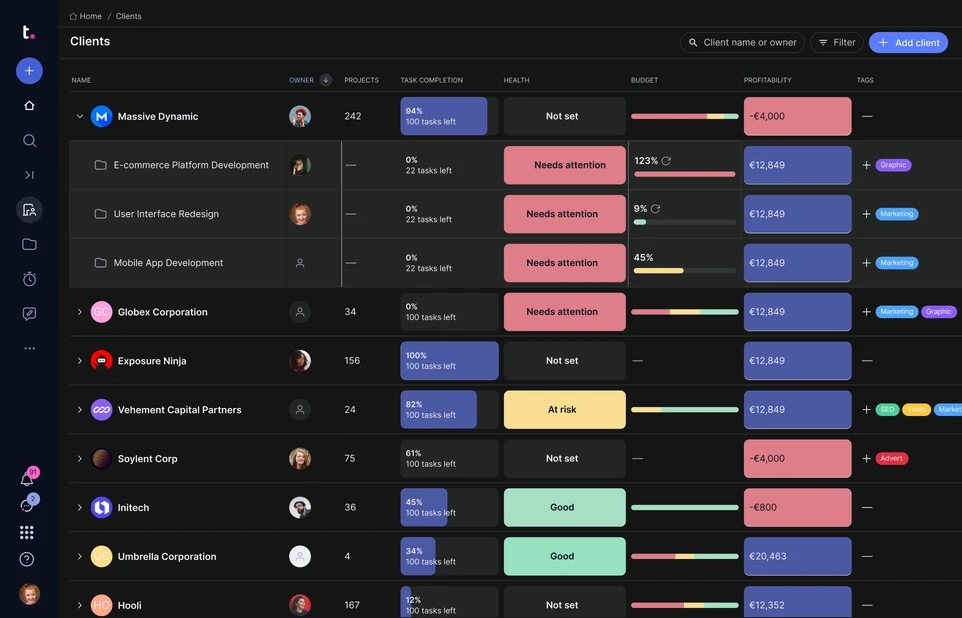
Image source: teamwork.com
Overview: Teamwork is a project management software tailored for enhancing collaboration among teams and providing freelancers with tools to manage multiple clients and projects effectively. With its inception aimed at promoting teamwork and communication, Teamwork combines task management, time tracking, and collaboration features in a single platform. Freelancers can easily assign tasks, manage deadlines, and communicate with clients all within Teamwork, creating a unified workflow. The platform’s emphasis on collaboration makes it ideal for freelancers who often work with teams or require input from clients throughout the project lifecycle. With features designed to streamline communication and improve productivity, Teamwork helps freelancers manage their workloads efficiently while ensuring transparency in project developments.
Key features:
- Task management: Assign tasks and set deadlines with clear visibility.
- Time tracking: Built-in tools help track time spent on tasks for accurate billing.
- Client access: Invite clients to view project progress and updates.
Pros:
- Focuses on communication and collaboration, which is crucial for team projects.
- Strong support resources and customer service available to assist users.
Cons:
- The user interface could be more intuitive for those new to project management software.
- Some features may be overly complex for solo freelancers who do not require extensive tools.
Who should choose Teamwork: Freelancers who frequently collaborate with clients and require a robust communication platform integrated into their project management system.
Pricing: Teamwork pricing starts from $10 per user per month, with more advanced features available in higher tiers.
Check out competitive pricing options in Lark
Which tool is right for you?
Choosing the right freelance project management software is crucial for and ensuring successful project outcomes. When evaluating your options, consider essential factors such as the size of your projects, the complexity of your tasks, and how you'll collaborate with clients.
For those seeking an all-in-one solution that combines communication, document sharing, and seamlessly, Lark is an excellent choice. Its built-in features—like Lark Tasks for task management, Lark Docs for collaborative writing, and Lark Messenger for real-time communication—make it ideal for freelancers who want to streamline their processes and enhance collaboration with clients and team members.
However, if your projects are smaller or involve simpler workflows, you might find that visual tools like Trello or ClickUp suit your needs better. These platforms are great for organizing tasks in a visually engaging way, making it easy to track progress and manage workloads without overwhelming complexity.
For larger projects that require detailed tracking, reporting, and resource management, more robust options like may be necessary. These tools are designed to accommodate advanced project requirements, ensuring that you keep everything on track, especially when juggling multiple stakeholders.
Guiding questions
- What specific features do you primarily need? (e.g., task tracking, time management, communication, reporting)
- How complex are your projects, and who will collaborate with you?
- Do you prefer managing tasks visually (using boards) or in a more traditional list format?
By answering these questions, you can determine which software aligns best with your unique workflow and scaling needs as a freelancer. While Lark is a fantastic all-in-one tool that can adapt to various project sizes and complexities, exploring options like Trello, ClickUp, Microsoft Project, and Wrike ensures that you find the best fit for your tasks and objectives. Ultimately, selecting the right tool is an investment in your productivity and professional growth.
Conclusion
In conclusion, choosing the right freelance project management software is essential for optimizing workflows and boosting productivity. By assessing the key features discussed in this guide and aligning them with your specific requirements, you can identify the tool that best meets your project management needs. As the freelance landscape evolves, effective practices will be vital for ensuring client satisfaction and achieving your goals. While considering your options, you may find that tools like offer collaboration and organization features that can truly enhance your workflow. Don't hesitate to explore different tools and utilize free trials to discover your perfect match.
Ready to embark on your freelance PM journey?
FAQs
Can you do freelance project management?
Yes, you can effectively manage freelance projects by using dedicated project management tools that help organize tasks, deadlines, and communication, ensuring efficient workflow and client satisfaction.
Does Google have a free project management software?
Google offers tools like Google Sheets and Google Tasks that can assist with project management, but they lack comprehensive features typical of dedicated software, like real-time collaboration on documents or task automation.
What is the best project management software for small business?
Lark is an excellent choice for small businesses due to its all-in-one capabilities, integrating tasks, communication, and document collaboration in one platform, unlike many options that are fragmented and less user-friendly.
What is the cheapest project management software?
While some software options are free or low-cost, they often lack essential features. Lark provides a competitive pricing structure with robust features that are often missing in free tools, making it a worthwhile investment.
What are the limitations of Google Workspace for project management?
Google Workspace lacks built-in task automation and advanced reporting features. While it offers basic functionalities, Lark provides a more comprehensive solution tailored for freelancers and small teams.
Related reading































