If you manage a team in 2026, you have likely felt the pressure to adopt AI. The idea of learning how to create an AI agent often sounds like a heavy technical lift, requiring software engineers and complex infrastructure. But the reality has shifted. Setting up a functional AI assistant for your team is now more about business strategy than writing code.
The main challenge isn't building the AI itself; it is dealing with fragmented tools. When team communication, documents, and task trackers are scattered across different apps, any AI you introduce struggles to access the full picture. The most effective AI agents are those that live exactly where your team already works, and you can build them without writing a single line of code.
Why custom AI agents matter for enterprise workflows
There is a significant difference between chatting with a generic language model and deploying a custom AI agent within your company. A standard chatbot answers general questions based on public internet data. A custom AI agent, however, understands your specific enterprise workflows, references internal documents, and can take actions on behalf of your team. This is made possible through an , which provides the framework for managing AI agents, connecting them with enterprise systems, and enabling secure, reliable, and scalable task execution.
The biggest hurdle for organizations isn't the intelligence of the AI, but the environment it operates in. When your enterprise data is scattered , an AI agent operates in a vacuum. A fragmented setup creates several bottlenecks:
- Context loss: The AI cannot connect a client email to the corresponding project document or chat thread.
- Increased tool fatigue: Employees must log into yet another standalone tool to access the AI, increasing context switching rather than reducing it.
- Manual data transfer: Users are forced to manually copy and paste context from different apps to get accurate AI summaries.
But when that AI agent operates within a unified workspace, the dynamic changes entirely. It can automatically read the relevant group chat, check the shared project document, and output a concise summary every Friday afternoon without human prompting. Bringing the agent into turns it from a novelty into a reliable digital team member.
The foundations of AI agents: What managers need to know
Before starting the setup process, it helps to understand what an AI agent actually does in a business setting. You do not need to be a developer to grasp the mechanics.
An AI agent is distinctly different from . Traditional automation follows a strict linear path. For example, if an email arrives, a rule-based tool simply saves the attachment to a folder. An AI agent uses a Large Language Model as a reasoning engine to handle nuance and make decisions.
To understand how an agent functions in a practical workflow, focus on these two main capabilities:
- Handling nuanced requests: An agent can read an incoming client request, determine the urgency level, decide which internal expert to contact, and draft a proposed response.
- Operating with context: An agent is only as smart as the information it can access. It needs permission to read your team's documents, view calendar availability, or update a spreadsheet.
For a manager, the most critical aspect of building an agent is not writing the underlying logic. Your main job is deciding which parts of your the AI should be allowed to see and act upon.
Build intelligent AI agents with Lark now
How to create an AI agent without coding: Platform choices
When you decide to build a custom assistant, your toolset dictates how quickly you can launch and what your maintenance costs will look like.
Depending on your team's technical bandwidth, you can take a few different paths:
- Custom code: Hiring developers to write scripts and manage servers gives you total control. This approach is often chosen for complex agentic initiatives where organizations need deep customization, enterprise integrations, and complete ownership over their AI workflows. However, this route takes weeks to launch and requires constant technical upkeep.
- Standalone automation tools: Using third-party visual builders saves time and removes the need for coding. Some teams use a dedicated for this — though the trade-off is that you still have to manage external API keys, handle logins, and fix connections when third-party apps update.
- Native workspace builders: Using the no-code tools built directly into your company's existing productivity suite means the builder lives alongside your team's chats and files. This setup helps you bypass the headache of configuring external data bridges.
Using a native builder lets you focus strictly on what the agent should do, rather than troubleshooting why two pieces of software refuse to talk to each other.
Step-by-step deployment: Launching your first agent
Rolling out a new automation tool across an organization requires a structured approach. Without a clear plan, teams often build workflows that are either too complex to maintain or too disconnected from daily tasks to be useful.
Step 1: Define a clear operational bottleneck
Avoid vague goals like "improving general productivity." Instead, identify a specific, repetitive task that consumes excessive team time. Good targets include routing incoming client requests or generating weekly status summaries from chat threads.
Step 2: Connect your data ecosystem
Your setup is only as intelligent as the data it can access. Rather than worrying about complex programming, focus on granting the right permissions. Ensure your workflow has access to the specific spreadsheets, document folders, and necessary to understand the task.
Step 3: Establish the activation rule
Decide exactly when and how the workflow should run. You might want it to trigger automatically at the end of every week, or you might prefer a manual approach where an employee calls upon the assistant in a chat channel when needed.
Step 4: Pilot and refine
Always run a test with a small group before rolling out the tool to the entire department. This gives you a chance to see how it handles edge cases, adjust the instructions, and ensure the output is actually helpful for daily operations.
Real-world example: Deploying an agent like OpenClaw
To understand how straightforward this process has become, consider the deployment of a third-party coding assistant like OpenClaw. In the past, bringing a tool like this into your organization would require a development team to configure servers and write custom connection scripts.
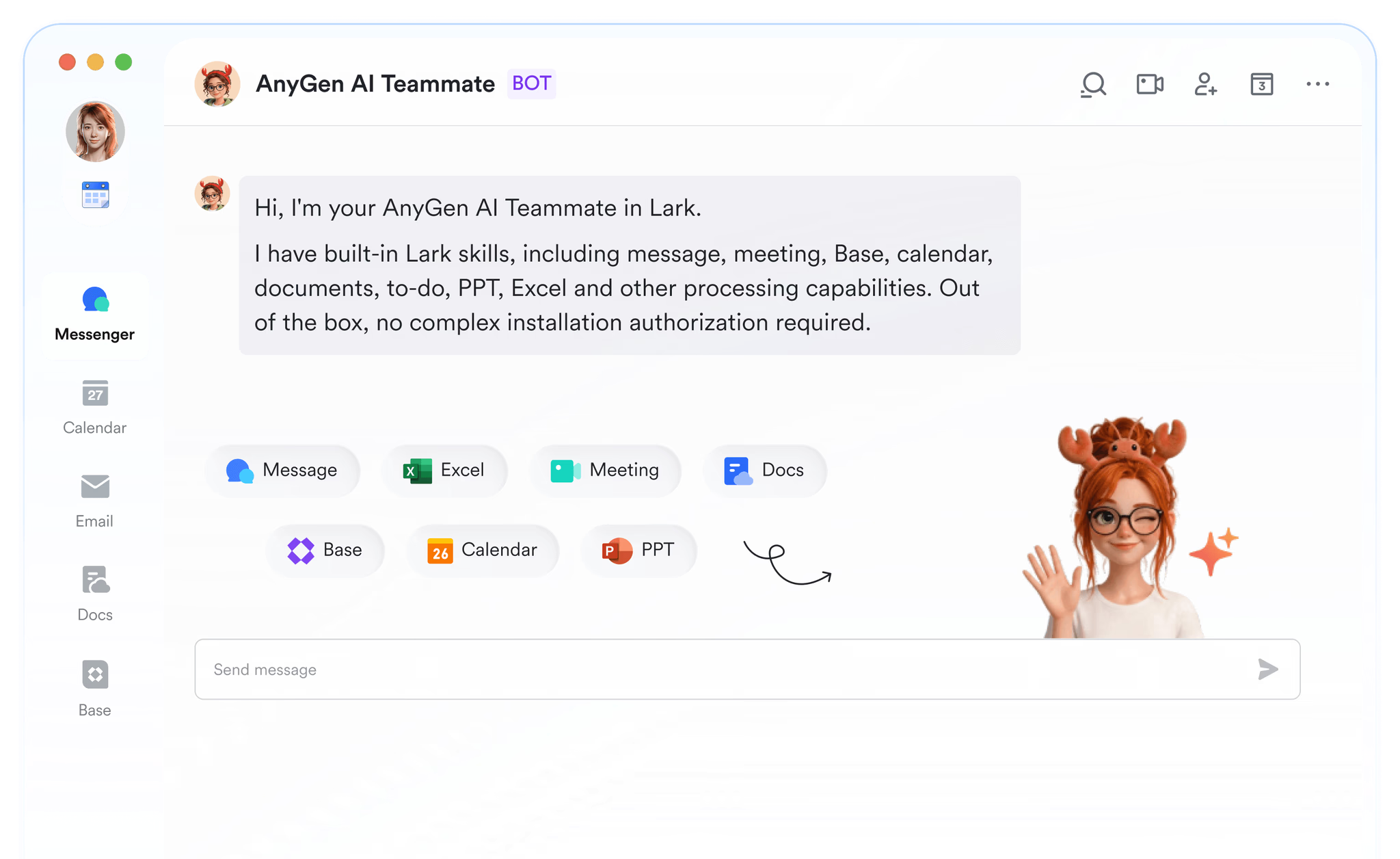
Today, utilizing a unified workspace significantly streamlines the setup. Managers can use built-in connection platforms, such as the AnyGen AI assistant within Lark, to bring OpenClaw online without touching any backend code. Businesses can also use an to generate personalized emails and campaigns without writing them manually. AnyGen simplifies the process, allowing you to deploy an AI assistant with minimal effort and no coding required. This method leverages the existing AnyGen infrastructure to bring OpenClaw's functionalities directly into your Lark workspace.
If you already have a Lark account, here's how to set up AnyGen AI Assistant for Lark:
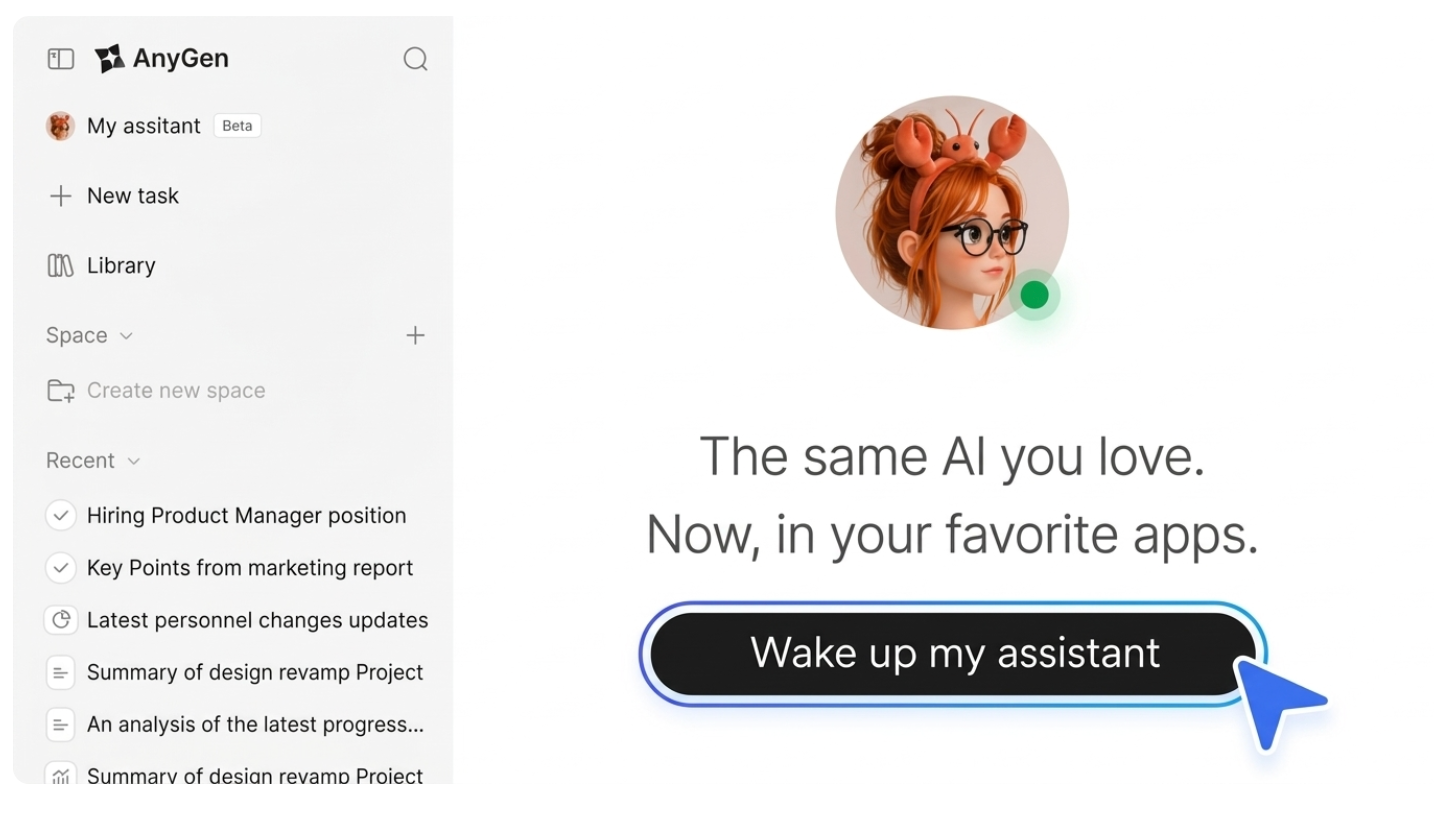
Step 1: Visit the , click "Wake up my assistant", and sign in with your Lark account.
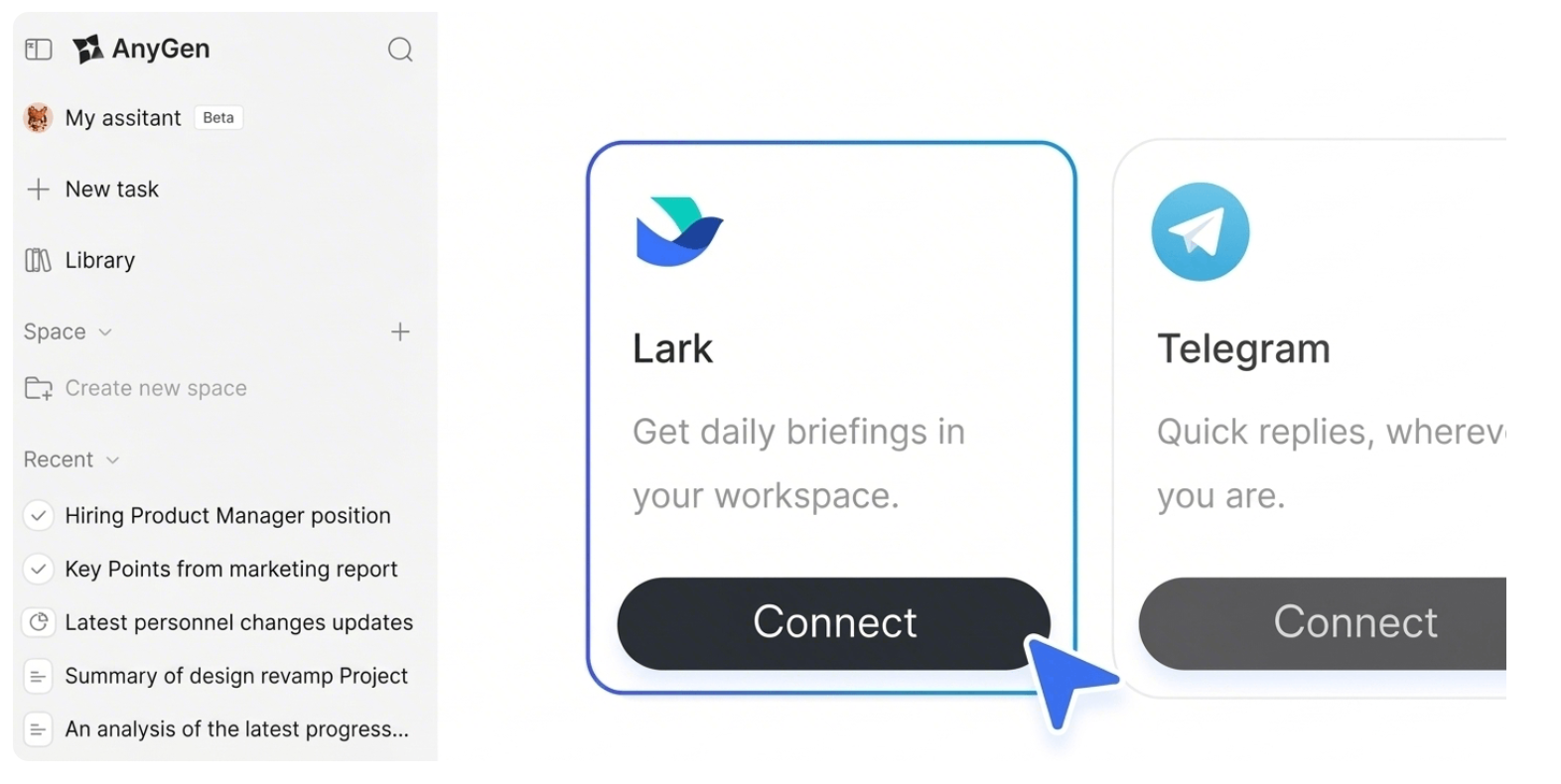
Step 2: Click "Connect" under Lark to start the setup.
Step 3: Once setup is complete, use AnyGen AI Assistant in Lark.
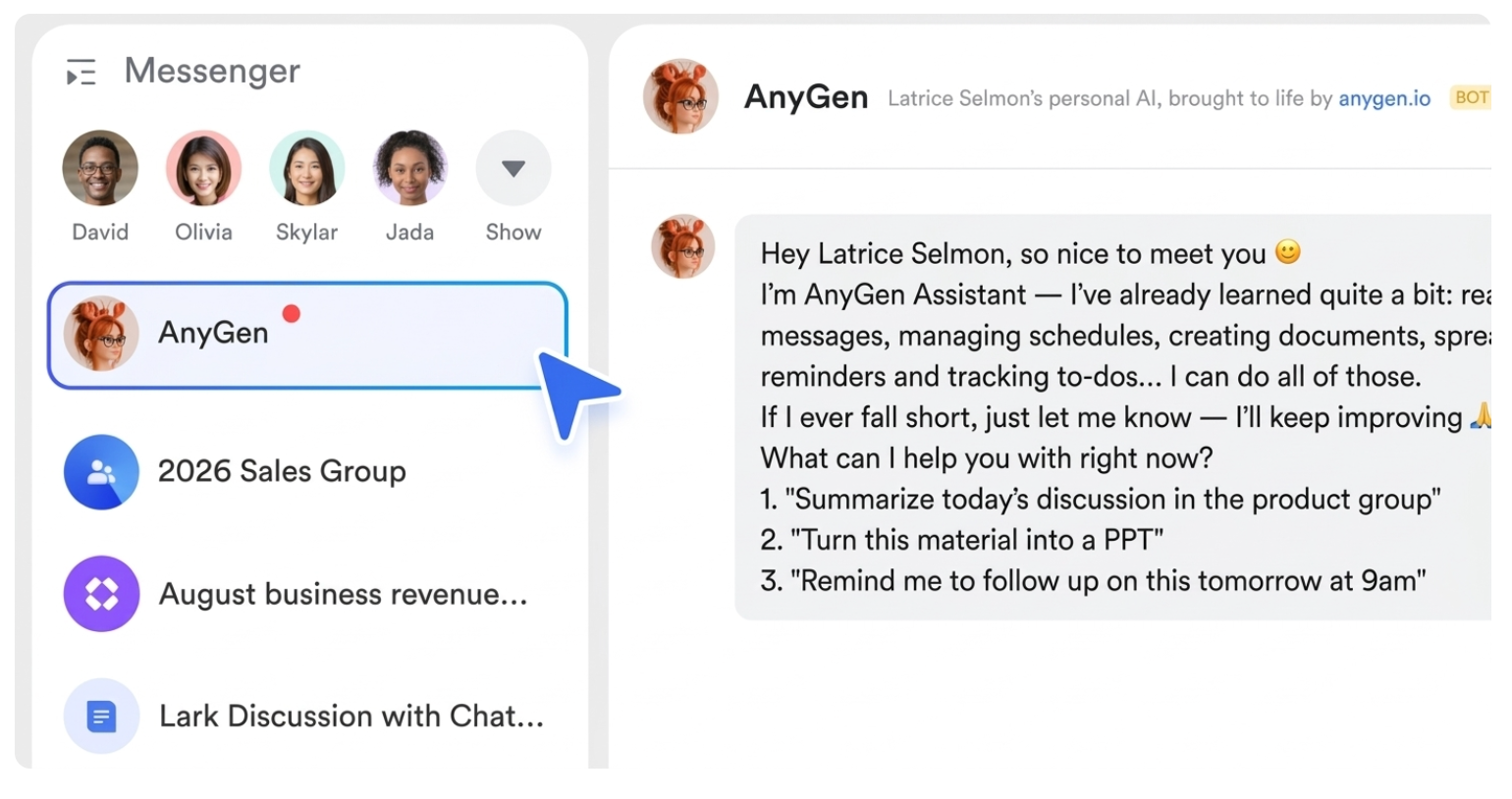
This method ensures rapid deployment, allowing you to quickly benefit from OpenClaw's features within your daily Lark operations.Bringing it all together with a unified productivity suite
Deploying an AI agent becomes remarkably straightforward when the underlying infrastructure already supports seamless data flow. An all-in-one suite naturally provides the rich context layer that AI needs to function effectively across different business operations.
Ready to upgrade your Lark with an intelligent AI assistant?
Lark: An integrated approach to AI deployment
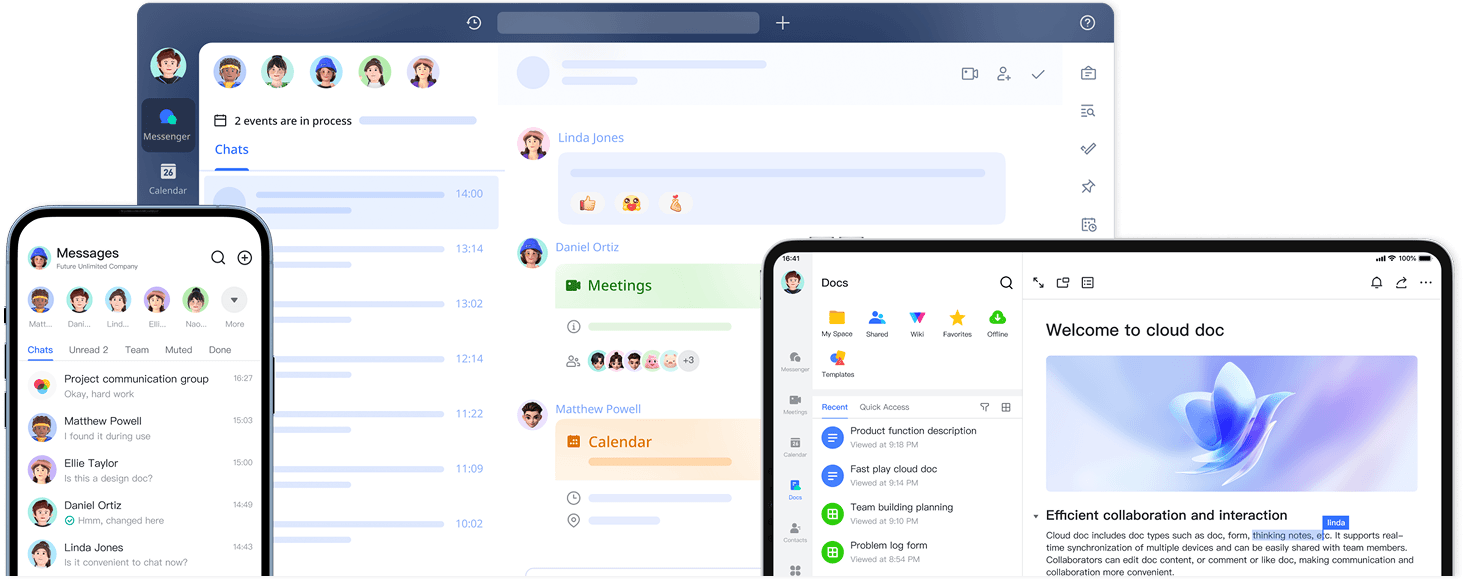
Deploying an AI agent becomes remarkably straightforward when the underlying infrastructure already supports seamless data flow. An all-in-one suite naturally provides the rich context layer that AI needs to function effectively across different business operations. is built to directly counteract the fragmentation and context loss I outlined earlier. By combining , , , , , , , , and into a single platform, Lark provides an ideal foundation for AI agent integration and orchestration.
Out-of-the-box automation engine
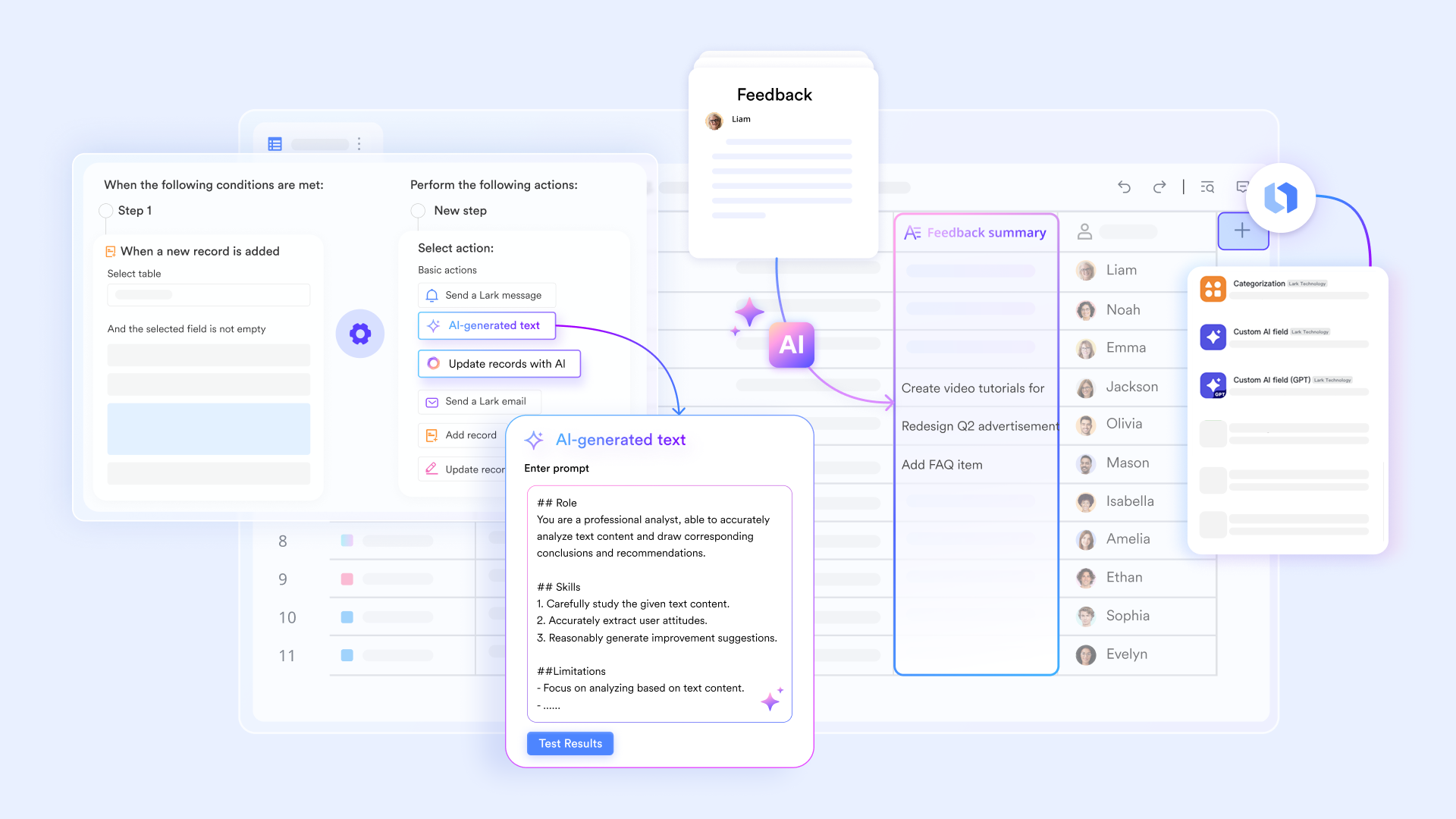
You do not need to study complex server architectures or manage commandline scripts to build an automated workspace. Lark features an intuitive, visual workflow builder that requires zero coding. Even on the free Starter plan, teams are provided with a generous 1,000 automated runs per month. For mid to large teams, the premium tiers scale up to 50,000 monthly executions, allowing organizations to connect their data directly to their communication channels without external programming.
Enterprise-grade, centralized security
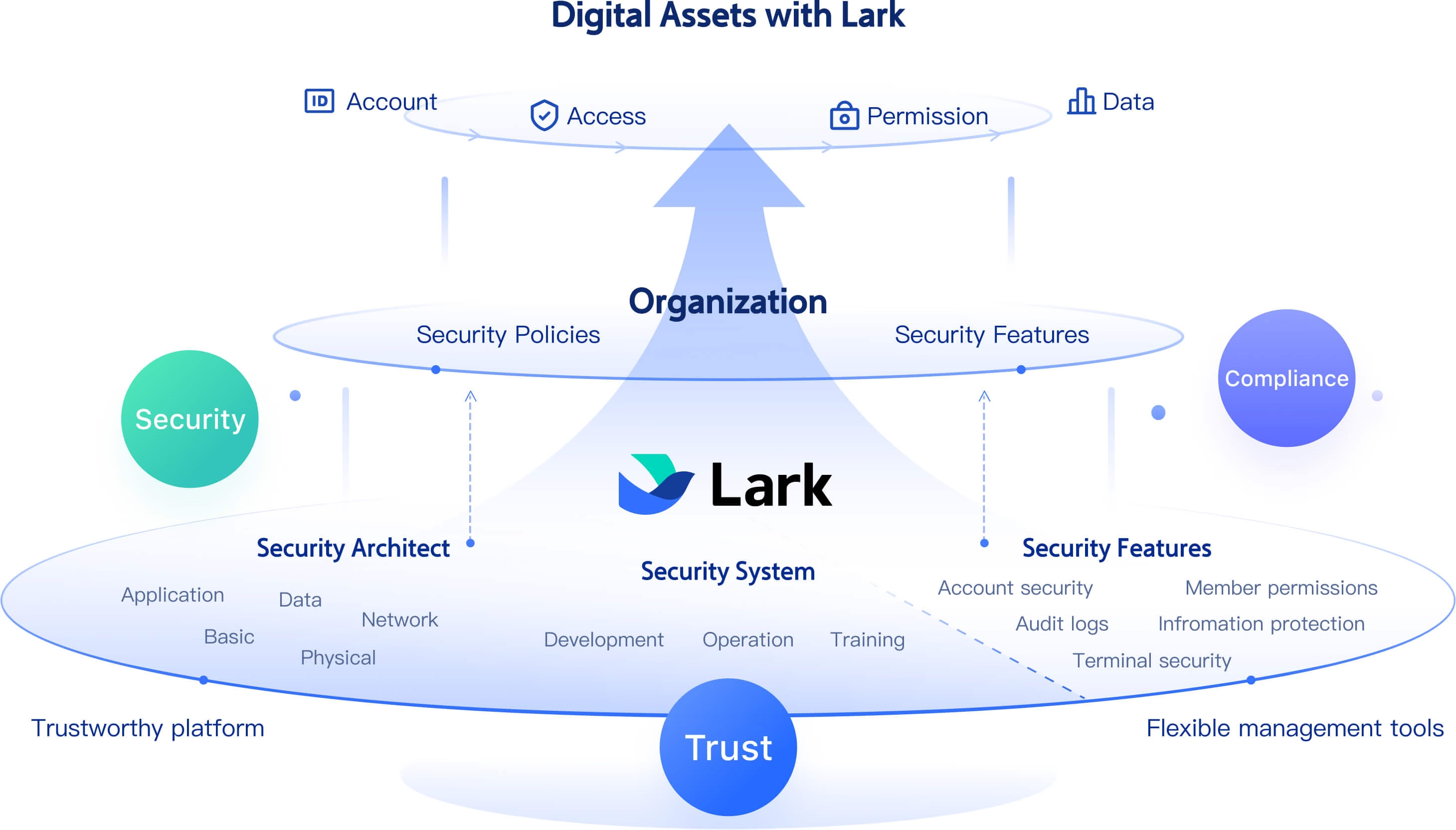
Rather than worrying if an employee accidentally installed a vulnerable community extension, provides centralized and officially vetted security. Because all automated data flows operate strictly within an enterprise controlled domain, the leaks is drastically reduced. The platform's compliance and backend management functionalities are built explicitly to provide enterprise security and administrative peace of mind.
Highly unified communication context
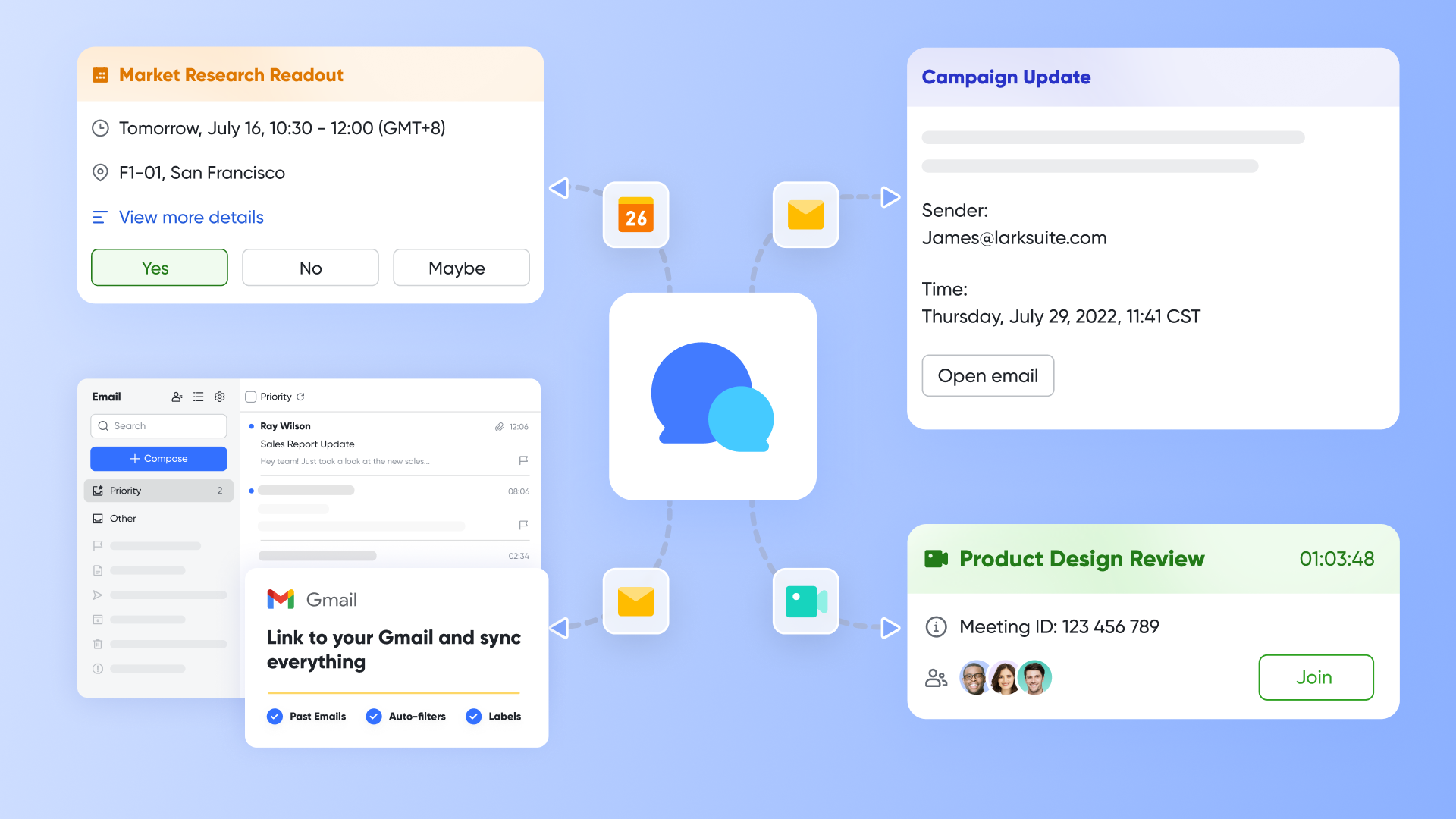
Open-source agents usually rely on fragile webhooks to report their progress to external messaging apps. This setup easily leads to fragmented and disorganized information. In Lark, automated bots and features like the AnyGen AI Teammate operate directly within your group chats or cloud documents. The communication and the actual work happen in the exact same interface, ensuring maximum accuracy and real time execution.
Deploy your dedicated digital assistant in minutes
If you set up a workspace, you can deploy a highly secure, dedicated digital assistant in less than a minute. It is fully capable of handling complex, cross-functional tasks that would normally require installing multiple external plugins. For businesses looking to maximize their productivity with the lowest possible technical overhead, Lark provides the shortest path to building a smart organization.
To explore how Lark can fit within your organization's budget and operational needs, consult the detailed pricing structure below:
:
- Starter plan: that includes 11 powerful tools for up to 20 users. It also comes with 100GB of storage space, 1000 automation runs, AI translations, and more. No credit card needed.
- Basic plan: (billed annually) for up to 500 users. It includes everything in Starter and unlimited message history, 5TB of storage space, 1,000 automation runs, and more. Some users may need to to purchase this plan.
- Pro plan: (billed annually) for up to 500 users. It includes everything in Basic plus group calling for up to 500 attendees, 15TB of storage space, 50,000 automation runs, and more.
- Enterprise plan: for custom pricing. Supports unlimited users and includes even more automation runs and advanced security, compliance, and management features.
For small teams with simple communication needs

18 months message history
1000 Base automation runs/month
2000 rows per table in Base
Most POPULAR
For companies with comprehensive collaboration and management needs
Unlimited message history
500-participant video meetings
50k Base automation runs/month
20k rows per table in Base
For large companies with advanced security and organizational management needs
Get a personalized demo and pricing
Unlimited message history
500-participant video meetings
15 TB storage + 30 GB storage/user
500k Base automation runs/month
50k Base automation runs/month
Most POPULAR
For companies with comprehensive collaboration and management needs
Unlimited message history
500-participant video meetings
50k Base automation runs/month
20k rows per table in Base
The future of AI agents in the enterprise
The role of automated assistants continues to expand far beyond simple chatbots. The software industry is steadily moving away from reactive tools that wait for human prompts, shifting instead toward digital workers that actively collaborate on background tasks.
A key development is the rise of multi-agent systems. Rather than relying on one general assistant, companies are deploying specialized bots that coordinate workflows across different departments, such as handing off a task from a customer support agent to a finance agent. As these systems mature, enterprise priorities will naturally shift toward trust and . Business leaders must ensure their chosen platforms can safely manage this level of autonomy while keeping a human decision-maker in the loop.
Conclusion
Creating an AI agent is now a manageable leadership task rather than a purely technical challenge. By shifting the focus from writing complex code to utilizing unified workspace platforms like Lark, managers can deploy intelligent workflows that actively improve daily operations. The most successful AI implementation is one that integrates naturally with your team's existing habits and centralizes organizational knowledge, a goal greatly facilitated by 's integrated environment. Start with a single, clear business problem, test your automated workflow with a small group, and build a more efficient collaboration environment today.
Deploy AI agents with Lark now
FAQs
How to create an AI agent for free?
You can create an AI agent for free by using collaboration platforms that offer generous starter plans. Many unified suites include workflow builders, a set number of automation runs, and core integration capabilities . This allows you to connect your language model of choice to basic document and chat environments to test functionality before committing to a paid tier.
What is the difference between an AI agent and workflow automation?
Standard workflow automation executes predefined steps based on rigid rules. If a specific event happens, it triggers a fixed action. An AI agent utilizes a language model to analyze context, process unstructured data, and make decisions when handling exceptions. Agents can adapt to varied inputs rather than just following a rigid script.
Do I need coding skills to build an AI agent in 2026?
No, coding skills are no longer a requirement. Modern enterprise platforms provide visual, drag-and-drop interfaces that allow you to connect data sources and define AI behavior without writing scripts. Managers can configure complex agents by setting clear text instructions and managing application permissions directly within their collaborative workspace.
Related reading






























