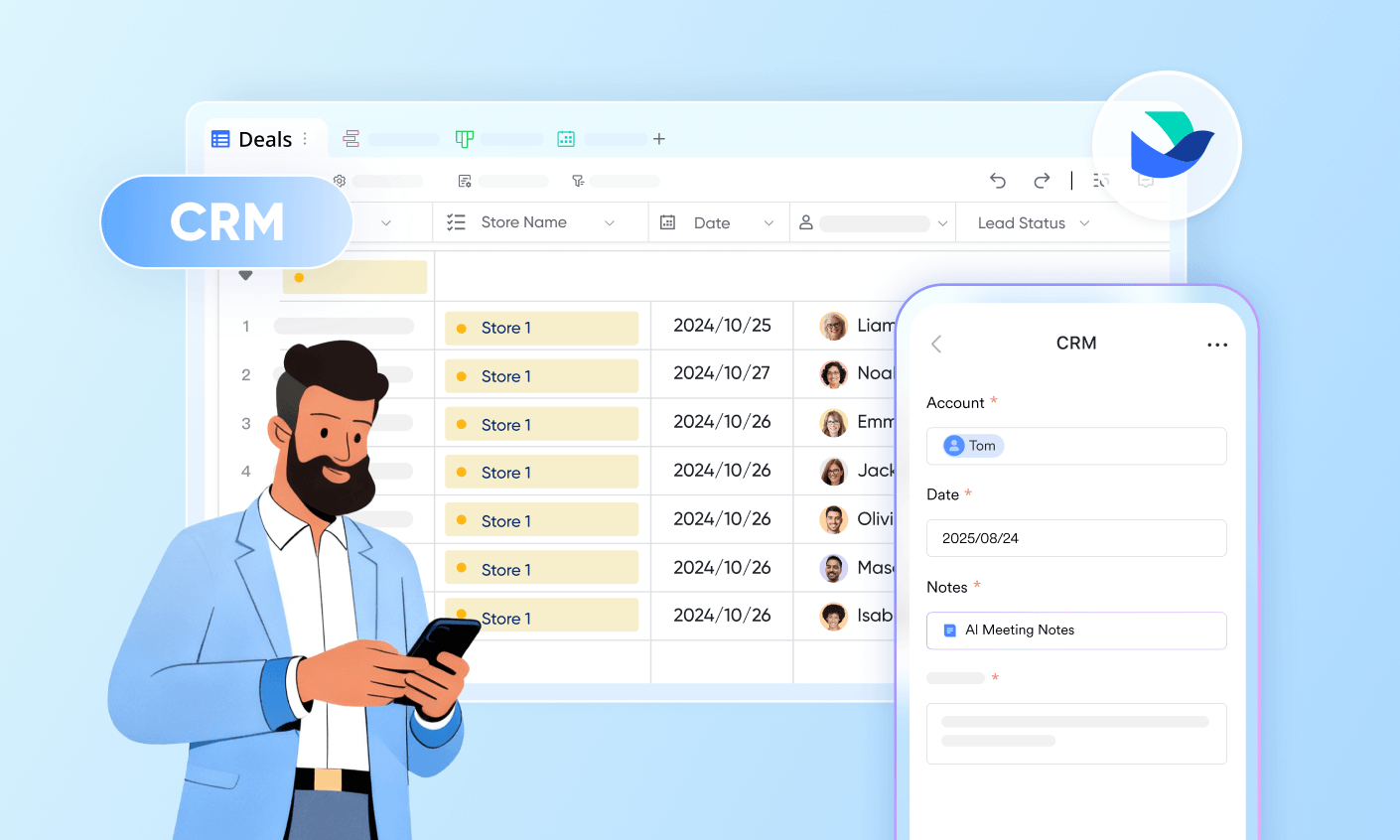
An inventory stock sheet template is the backbone of accurate stock control—whether you're running a retail store, warehouse, or service business. It helps you count what you have, track how inventory moves, and reorder at the right time to avoid costly stockouts or overstocking. While spreadsheets are a practical starting point for organizing data, they often rely heavily on manual updates, which can introduce errors as operations scale. This is why many teams gradually adopt smarter, connected systems. Tools like Lark can complement traditional templates by enabling real-time updates and collaboration without completely replacing familiar workflows.
Start tracking inventory with a simple stock sheet
What is an inventory stock sheet template?
An inventory stock sheet template is a structured document used to record, track, and manage inventory levels within a business. Typically created in tools like Excel or Google Sheets, it provides a centralized view of all items in stock, including key details such as item name, SKU, quantity, unit cost, and total value. This template helps businesses maintain accuracy in stock counts, , and identify when to reorder products before shortages occur.
It can be used for different purposes, such as periodic stock counts, ongoing tracking of inventory in and out, or managing reorder levels. While traditional templates rely on manual updates, they remain a practical starting point for organizing inventory data. As operations grow, many teams complement these templates with tools like Lark that enable real-time updates, collaboration, and better visibility across teams without sacrificing the simplicity of a structured inventory sheet. Key elements of a standard inventory stock sheet template
A well-structured inventory stock sheet template ensures accuracy, consistency, and better decision-making across your inventory operations. Without the right fields, even the most detailed sheet can lead to stock discrepancies and missed reorder points. The following elements form the foundation of a reliable system that works across industries and scales with your business.
- Item ID or SKU: Every item must have a unique SKU or ID to avoid confusion between similar products. Names can change or be duplicated, but a SKU remains constant and reliable. In a stock inventory sheet template, this field is and data consistency across systems.
- Item name and description: This field clarifies what each SKU represents, including key details such as size, variant, and specifications. A clear description reduces errors during stock counting and picking processes. It is especially useful in a Google Sheet stock inventory template, where multiple users access and update data collaboratively.
- Category or product group: Grouping items into categories simplifies filtering, reporting, and analysis. It helps businesses quickly understand stock distribution across product lines. A well-organized inventory sheet Excel template uses categories to improve visibility and streamline inventory reviews.
- Unit of measure: Defining whether items are counted in pieces, boxes, kilograms, or liters ensures consistency in tracking. Without this, stock quantities can become misleading or inaccurate. This field is critical when adapting the sheet for workflows such as an inventory check-out template for tracking issued items.
- Physical count or current quantity: This represents the actual stock available at a given time and is the core of any inventory system. Regular updates help prevent discrepancies between recorded and real stock. Accurate quantity tracking is what makes any template truly functional.
- Unit cost: Unit cost helps calculate the financial value of your inventory and supports pricing decisions. It also plays a key role in profit analysis and financial reporting. Keeping this field updated ensures better cost control.
- Total stock value: This calculated field shows the total value of each item in stock. It provides a quick snapshot of how much capital is tied up in inventory. reduces manual calculation errors.
Automate all your inventory data and processes with Lark
16 inventory stock sheet templates
Choosing the right template depends on whether you need a snapshot view, a transaction log, or a planning tool. Here are the templates that align with your and help you manage inventory without effort:
Inventory sheet
An inventory sheet is a simple yet essential template used to record and monitor stock levels across products or materials. It typically includes key details such as item names, quantities, locations, and unit costs, providing a clear snapshot of current inventory. This template is widely used by small businesses and teams to maintain organization, improve accuracy, and support better stock control decisions.
Inventory management
An inventory management template is a structured tool used to track, control, and optimize stock levels across the inventory lifecycle. It typically includes data on item details, stock movements, reorder levels, and supplier information to support better planning and decision-making. This template helps businesses balance supply and demand while improving visibility and reducing manual tracking errors.
Inventory
An inventory template is a basic tool for listing and organizing all items a business holds in stock. It typically captures essential details like item name, quantity, and location to provide a clear . This template serves as the foundation for more advanced tracking systems and helps maintain order, visibility, and control over stock.
Inventory inbound & outbound management
An inventory inbound & outbound management template is designed to track the movement of stock entering and leaving a business. It records details such as dates, item IDs, quantities, and transaction types to maintain a clear audit trail of all inventory activity. This template helps improve accuracy, monitor stock flow, and ensure better control over inventory operations.
Inventory report
An inventory report template is used to summarize and analyze stock data over a specific period. It typically includes details such as opening and closing stock, stock movements, total inventory value, and variances. This template helps businesses gain insights into inventory performance, identify trends, and make informed decisions.
Inventory management
An inventory management template is a structured tool used to plan, track, and control inventory . It typically includes fields for stock levels, movements, reorder points, and supplier details to ensure smooth operations. This template helps businesses maintain optimal stock levels, reduce waste, and improve overall efficiency.
Order & inventory management
An order & inventory management template is designed to track customer orders and inventory levels in a single system. It records order details, stock availability, fulfillment status, and dispatch information to ensure smooth coordination between sales and inventory. This template helps prevent overselling, improves order accuracy, and keeps stock levels aligned with demand.
E-commerce inventory and sales management
An e-commerce inventory and sales management template is used to track online product listings, stock levels, and in one place. It captures details such as SKU, orders, returns, pricing, and platform-specific sales data for better visibility. This template helps businesses manage demand fluctuations, prevent stockouts, and streamline online operations efficiently.
Smart inventory management system
A smart inventory management system template is designed to automate and streamline inventory tracking using real-time data and . It includes features such as automated stock updates, low-inventory alerts, and integrated stock movement tracking. This template helps businesses reduce manual effort, improve accuracy, and make faster, data-driven inventory decisions.
Office inventory management
An office inventory management template is used to track and manage office assets such as equipment, supplies, and furniture. It typically includes details like item name, quantity, assigned user or department, and location to ensure accountability. This template helps organizations maintain visibility over resources, prevent loss, and manage usage efficiently.
Inventory count sheet template
Used for periodic physical stocktakes. A static, point-in-time document listing every SKU with a space to record the physical count and compare it to the system count. Used monthly, quarterly, or during ad hoc audits. Does not track movement—only captures the stock state at a single moment.
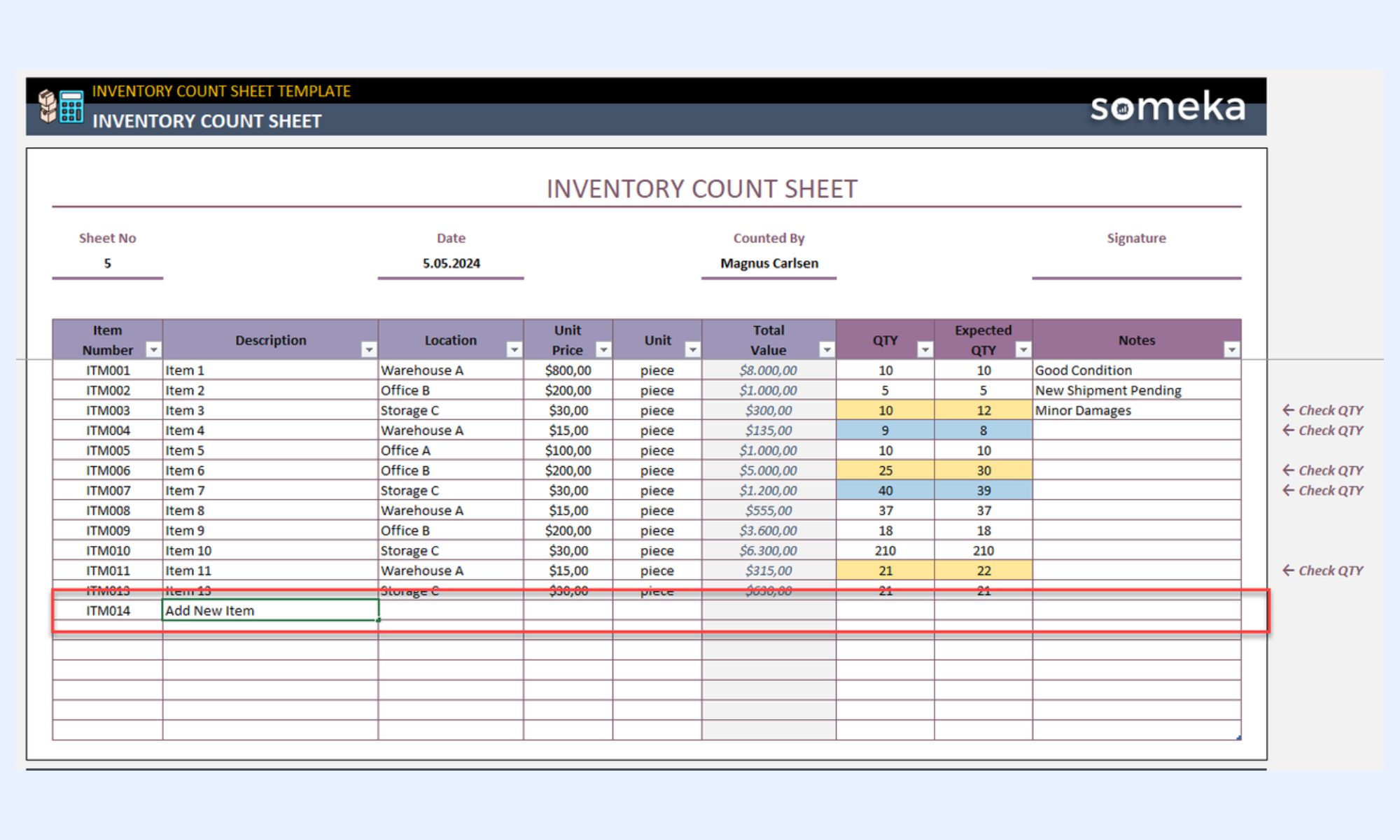
Image source: someka.net
Inventory in and out Excel template
Tracks every stock movement with a running balance. One row per transaction—date, item, movement type (inbound, outbound, adjustment), quantity, and closing balance. Updated continuously throughout the trading period. that a count sheet alone cannot.
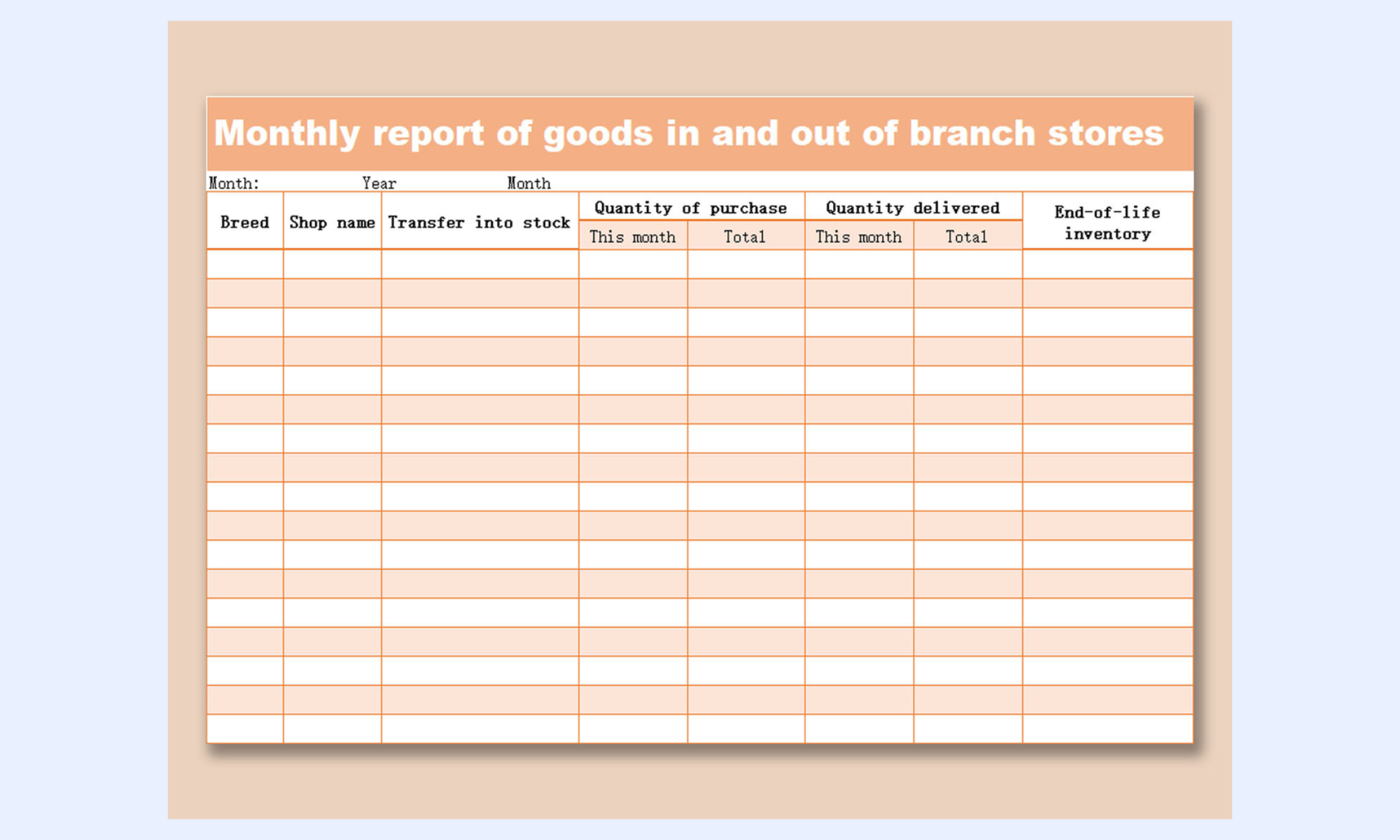
Image source: wps.com
Inventory par-level template
Records the minimum stock level (par level) for each item alongside current stock. Flags items where the current stock has fallen below par. Designed to trigger a reorder before a stockout rather than react to it after.
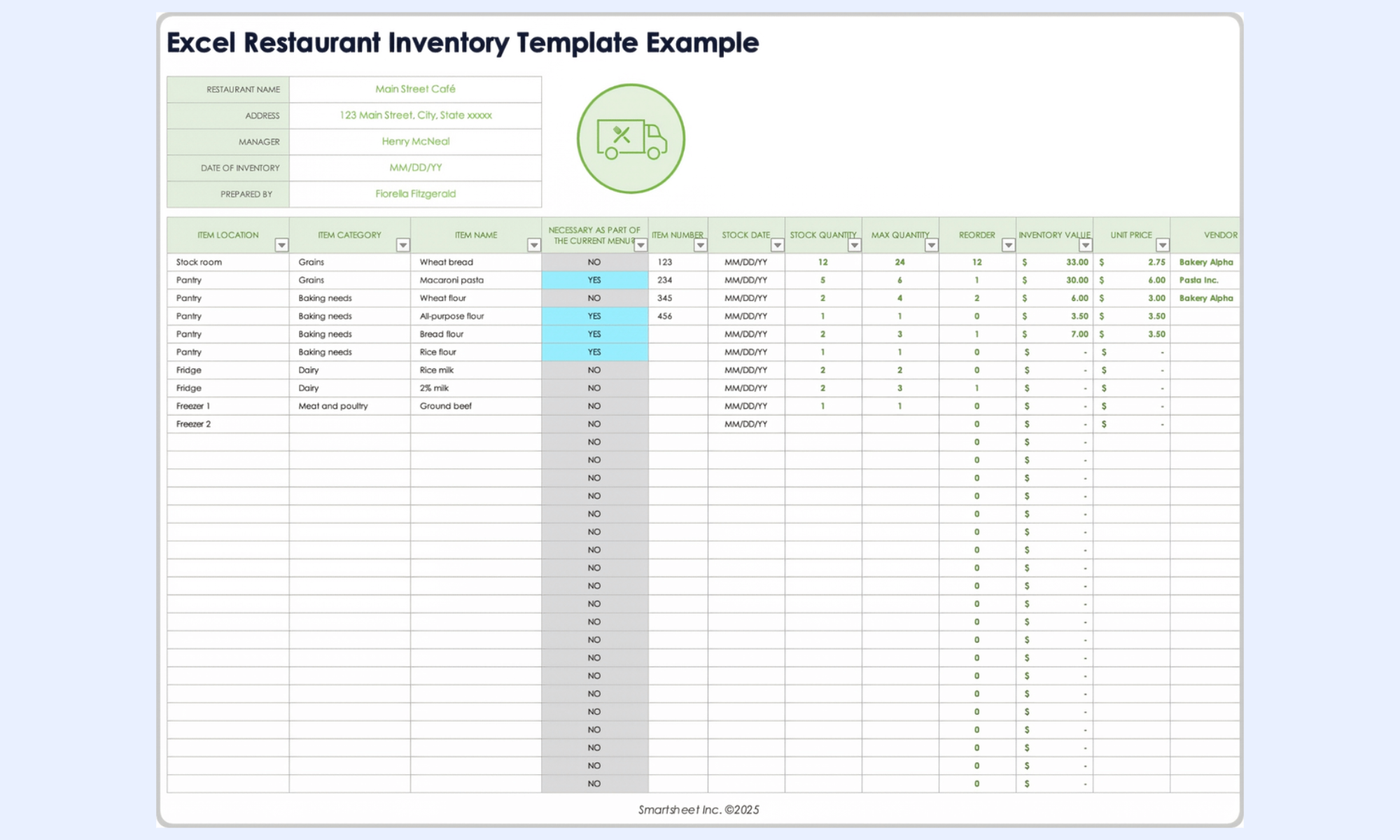
Image source: smartsheet.com
Inventory stocktake template
A structured stocktake sheet organized by location—shelf, bin, zone—rather than by item. Used in warehouses and multi-location retail where physical counting follows a location path, not an alphabetical item list.
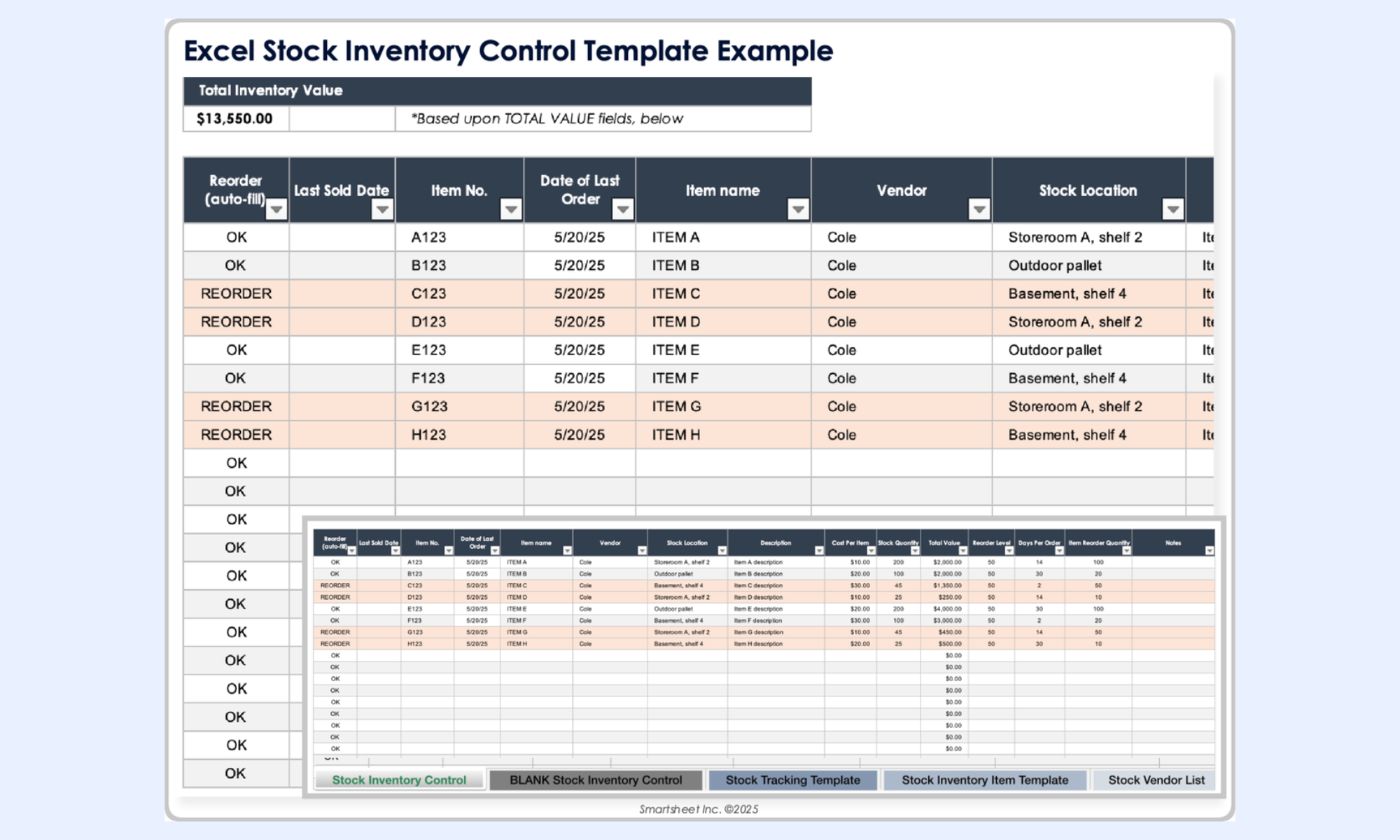
Image source: smartsheet.com
Inventory check-out template
Tracks items borrowed or issued to specific users or departments. Includes a checked-out date, expected return date, and return confirmation field. Used in IT asset management, equipment lending, and hospitality linen and uniform tracking.
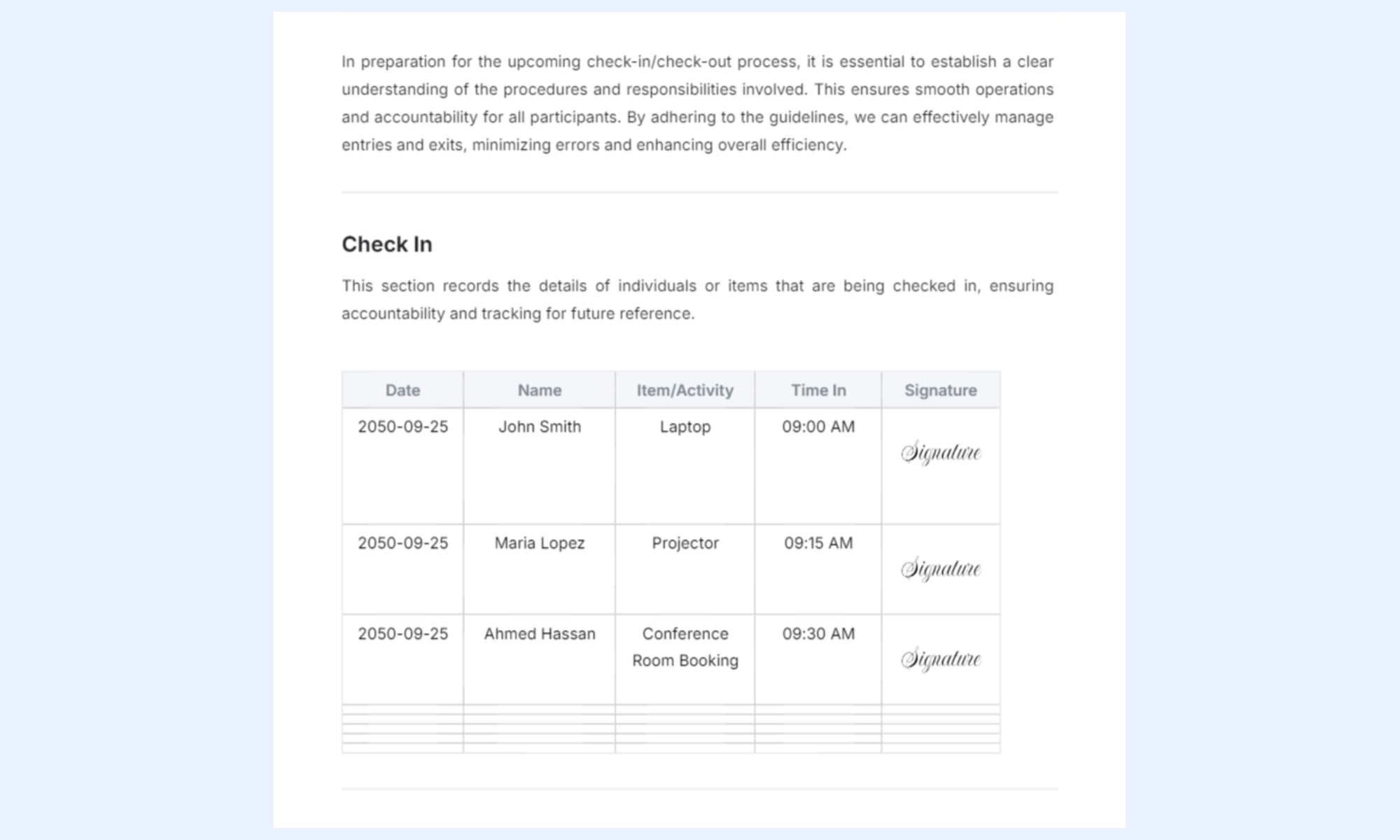
Image source: template.net
Inventory schedule template
Maps reorder dates, delivery windows, and supplier lead times against par levels and projected consumption rates. Used by procurement teams planning stock coverage across multiple weeks rather than reacting to individual stockouts.
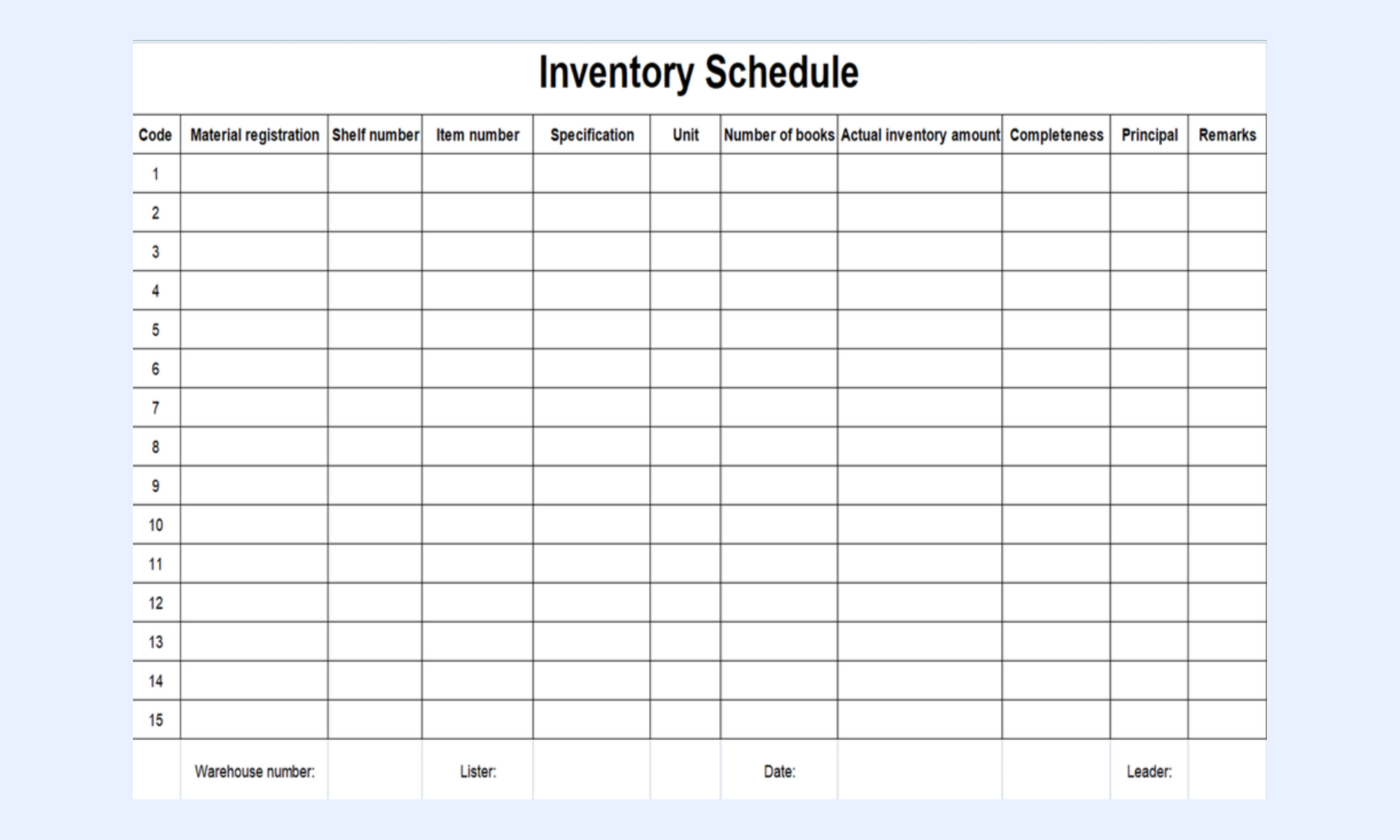
Image source: wps.com
Modern choice: Master real-time inventory tracking with Lark
Traditional inventory stock sheets are static by nature—they rely on manual updates, version control, and ongoing checks to remain accurate. As inventory operations grow, this approach often leads to delays, errors, and misalignment across teams.
transforms this experience by turning a simple stock sheet into a connected, real-time system where every update is instantly reflected. It combines database functionality, automation, and , reducing the need for repetitive manual work. The result is a more responsive and reliable inventory workflow that keeps everyone aligned.
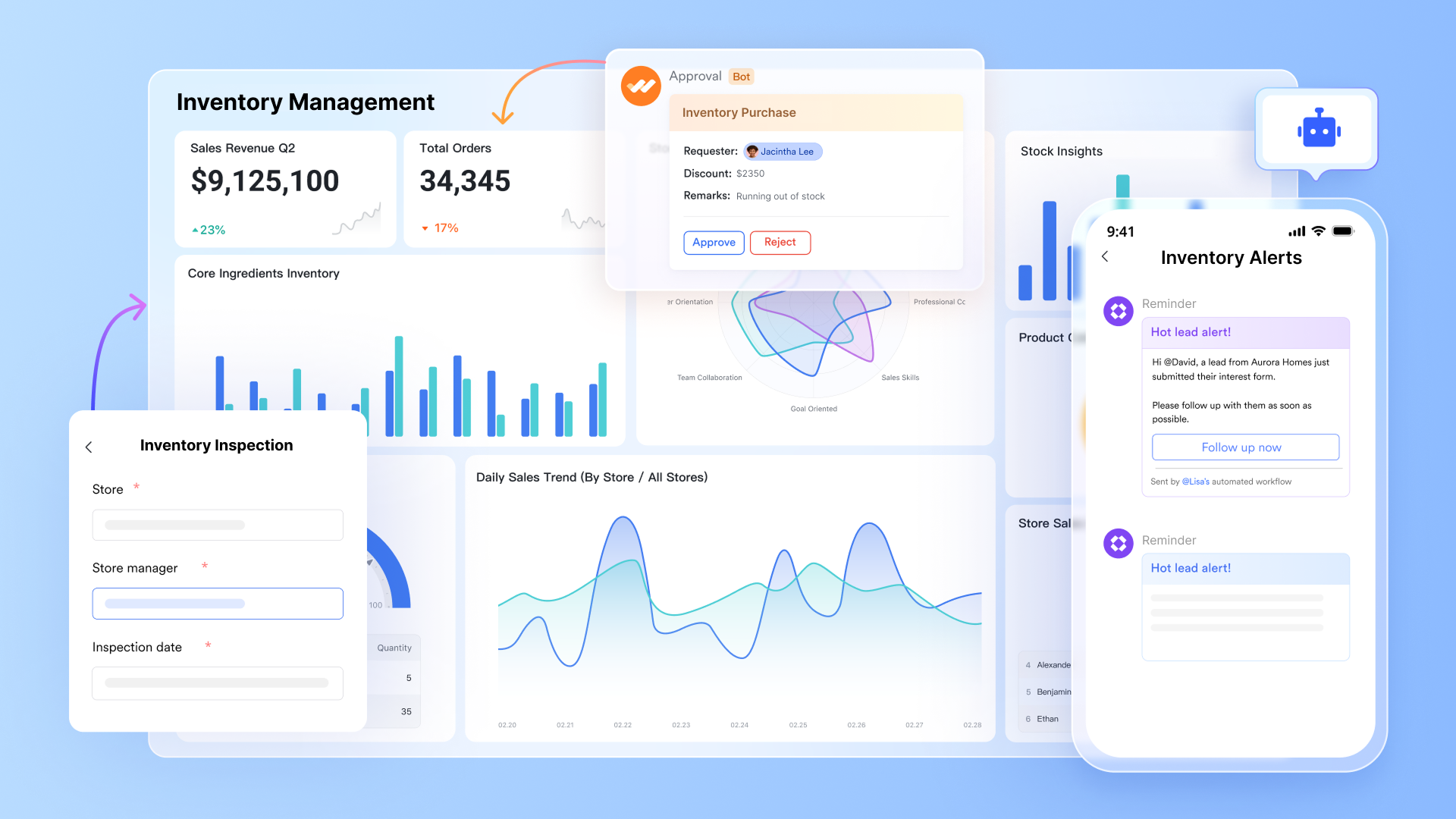
A livestock database with full movement history
stores every inventory item as a with number fields for quantity and par level, formula fields auto-calculating total stock value and days of stock remaining, barcode fields accepting scanner input directly into the record, date fields for last received and last counted, and single-select status fields with conditional coloring (On Track, At Par, Below Par, Critical). Every field update reflects instantly across all users simultaneously, with a full change history stored automatically.
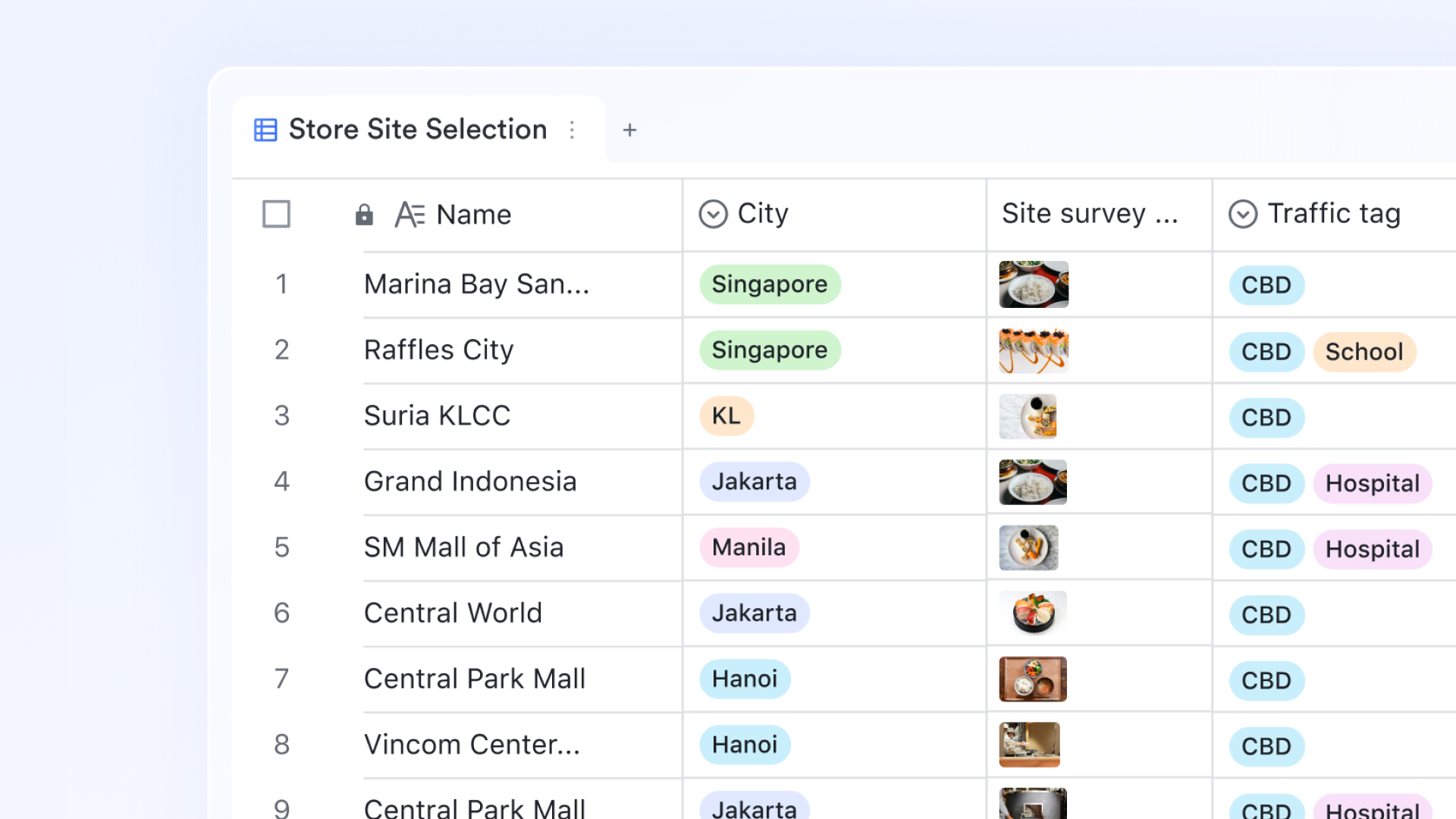
Count sheet, movement log, and dashboard from one dataset
The same stock table renders in multiple formats. The grid view gives the stock controller a complete, filterable item table—the equivalent of the spreadsheet stock sheet, but live and multi-user. A filtered Count Sheet view shows only items with a variance between physical count and system balance, sorted by variance size. generates live charts: stock value by category, items below par level by supplier, total inventory value trend, and variance count from the last stocktake.
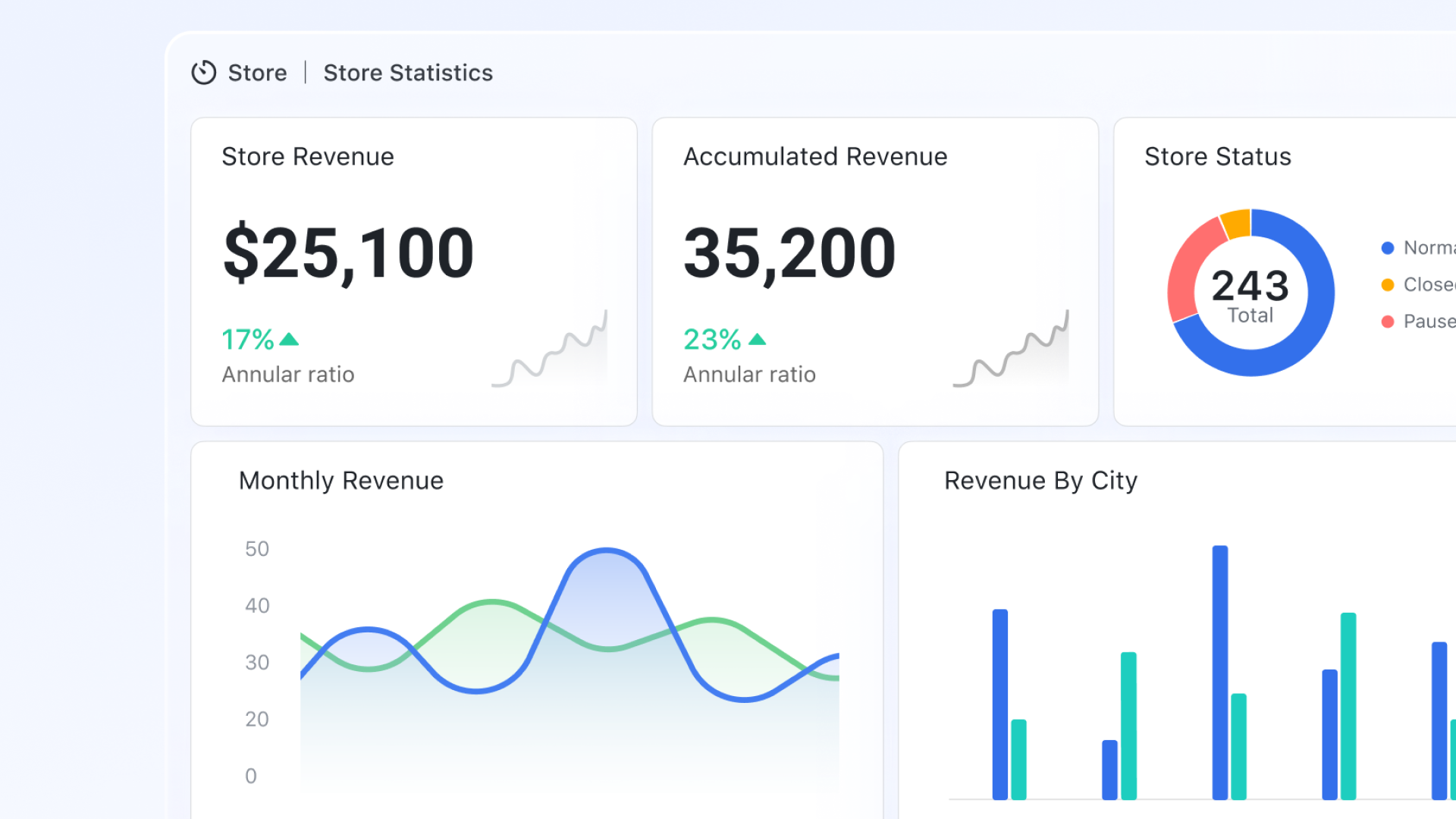
Par level alerts without anyone checking the sheet
Lark Base Automation sends a notification to the purchasing manager when a quantity field drops to or below the par level field value, with the item name, current balance, par level, preferred supplier, and reorder quantity embedded in the alert. When the status field changes to Critical (below 50% of par level), the automation escalates to the operations manager. When a new inbound receipt is logged, the and records the restocked date. 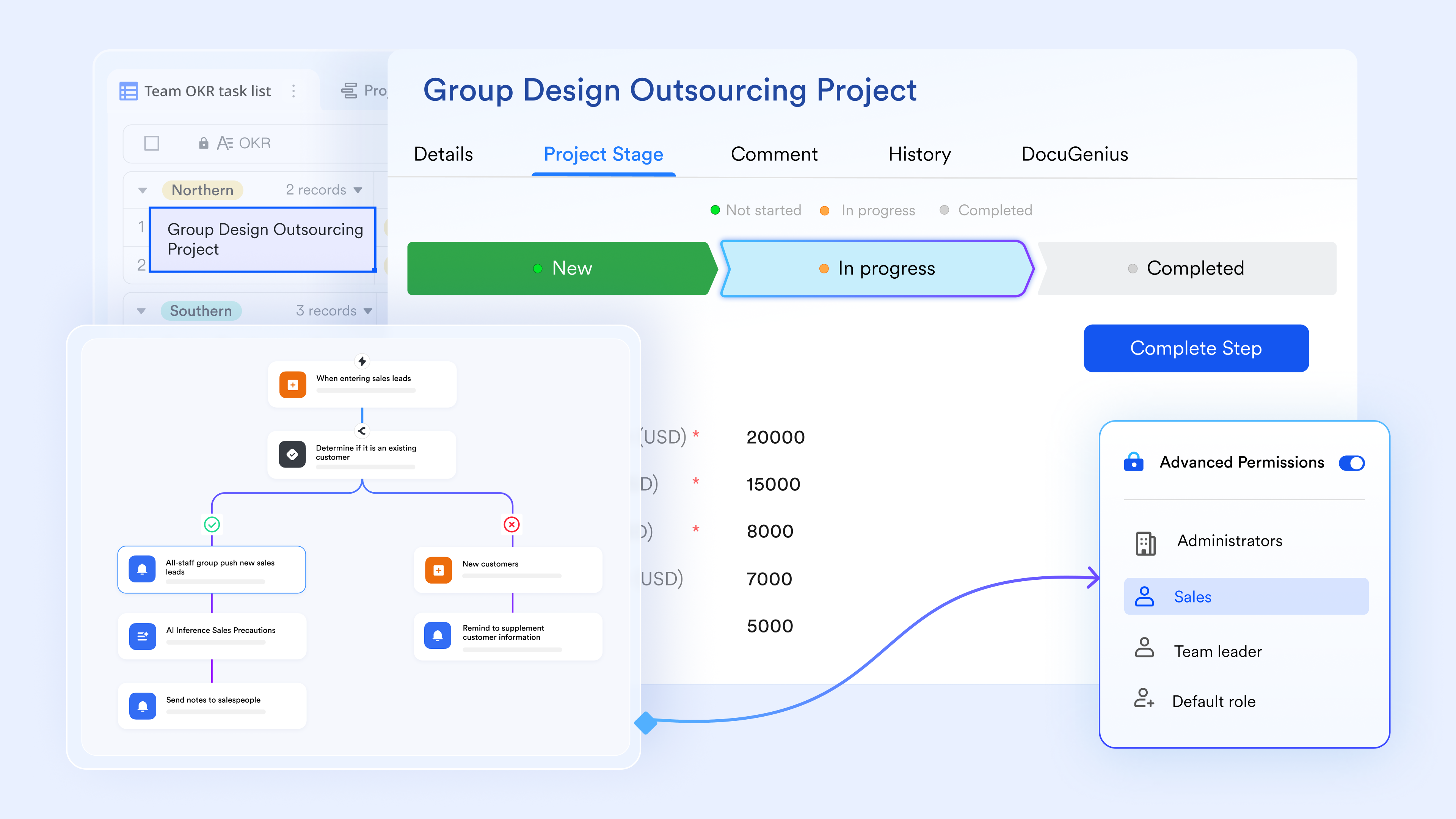
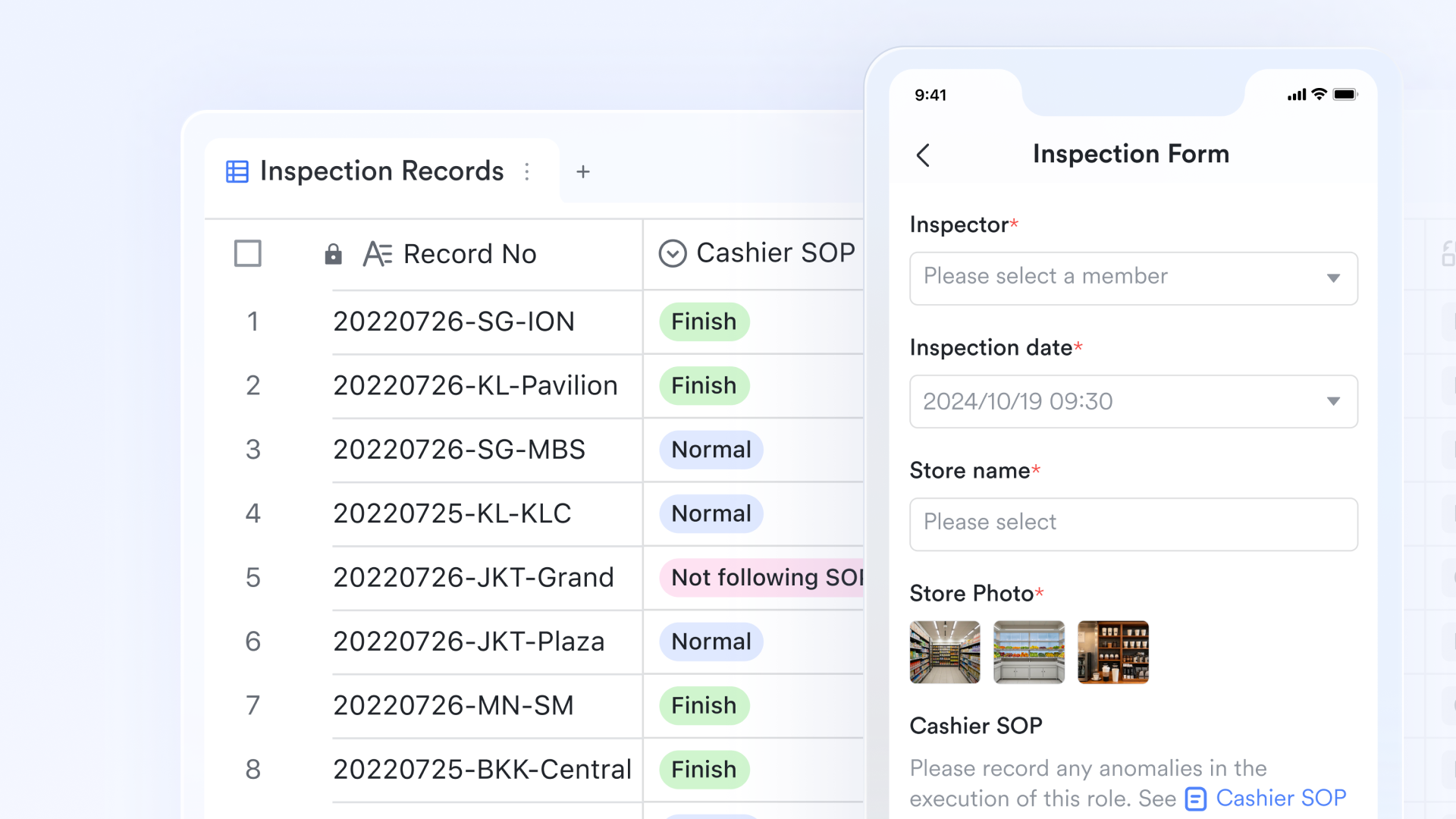
Barcode-enabled stock movement logging from any device
builds structured stock movement forms for inbound receipts, outbound issues, adjustments, and write-offs. The form includes a barcode field that accepts scanner or camera input on any mobile device. The scanned SKU Lark Base item record, pre-populating the item name, category, and current balance. Upon submission, Lark Base updates the quantity field, records the transaction with a timestamp and the submitter's name, and automatically recalculates the days of stock remaining formula.
:
- Starter plan: Free forever plan that includes 11 powerful tools for up to 20 users. It also comes with 100GB of storage, 1000 automation runs, AI translations, and more.
- Pro plan: $12/user/month (billed annually) for up to 500 users. It includes everything in Starter plus group calling for up to 500 attendees, 15TB of storage, 50,000 automation runs, and more.
- Enterprise plan: for custom pricing. Supports unlimited users and includes additional automation runs, as well as advanced security, compliance, and management features.
For small teams with simple communication needs

18 months message history
1000 Base automation runs/month
2000 rows per table in Base
Most POPULAR
For companies with comprehensive collaboration and management needs
Unlimited message history
500-participant video meetings
50k Base automation runs/month
20k rows per table in Base
For large companies with advanced security and organizational management needs
Get a personalized demo and pricing
Unlimited message history
500-participant video meetings
15 TB storage + 30 GB storage/user
500k Base automation runs/month
50k Base automation runs/month
Most POPULAR
For companies with comprehensive collaboration and management needs
Unlimited message history
500-participant video meetings
50k Base automation runs/month
20k rows per table in Base
Conclusion
An effective inventory stock sheet template is more than just a document—it is the foundation of accurate stock control, , and smoother operations. From basic inventory sheets to advanced inbound and outbound tracking and reporting templates, each format serves a specific purpose in helping businesses maintain visibility and avoid costly errors. However, as inventory grows and workflows become more complex, manual spreadsheets can limit efficiency and increase the risk of inconsistencies.
This is where modern tools make a difference. By combining structured data, real-time updates, and automation, helps transform traditional inventory templates into a more connected and reliable system. Instead of managing multiple files and updates, teams can collaborate, track changes instantly, and respond faster to inventory needs. If you're looking to move beyond static tracking and improve accuracy at scale, it's worth exploring how Lark can support your inventory management workflows.
Smart stock management starts with Lark today
FAQs
How often should an inventory stock sheet be updated?
An should be updated regularly based on business activity—daily for fast-moving items and periodically for slower-moving stock. Using an inventory count sheet sample helps standardize updates during audits and physical counts. With Lark, updates can happen in real time, reducing the need for manual refresh cycles.
Can an inventory stock sheet handle multiple locations?
Yes, an inventory stock sheet can track multiple locations by adding location-specific columns or separate tabs. This works well when combined with an inventory par level template to monitor stock thresholds across sites. Lark further simplifies this by centralizing multi-location data in a single shared system with instant visibility.
Can barcode scanning be used with inventory stock sheets?
can be integrated into inventory sheets using external tools or add-ons, improving speed and accuracy in data entry. This is especially useful when paired with an inventory schedule template to manage stock flow efficiently. Lark enhances this process by allowing direct barcode input and automatic record updates.
When should you stop using an inventory stock sheet?
You should move beyond a stock sheet when manual updates become time-consuming, error-prone, or difficult to manage across teams. As inventory grows, spreadsheets often fail to keep up with real-time tracking needs. Lark provides a scalable alternative by turning static sheets into a live, automated inventory system.
Related reading