Scope creep rarely announces itself. It arrives one small addition at a time, a feature that seems minor, a deliverable that feels obvious, a request that comes in after sign-off. By the time the team notices, the original plan is unrecognisable, and the deadline has already been missed. A project scope template is the first line of defence. It forces the project team to agree, in writing, on exactly what is in scope, what is not, and who has the authority to change either.
This guide covers the best free project scope templates available, what makes each one structurally sound, and when a template alone is no longer enough to protect the plan.
What is a project scope template?
A project scope template is a , deliverables, and expectations of a project before execution begins. It provides a standardized format for outlining what is included in the project (in-scope) and what is explicitly excluded (out-of-scope), helping teams avoid misunderstandings and uncontrolled changes later.
Typically, a project scope template includes key elements such as project objectives, deliverables, timelines, assumptions, constraints, and acceptance criteria. It also identifies stakeholders and defines how scope changes will be requested and approved. By documenting these details upfront, teams create a shared reference point that guides decision-making throughout the project lifecycle.
The primary purpose of a project scope template is to ensure alignment among stakeholders and prevent scope creep. It acts as both a and a control mechanism, enabling teams to track progress, manage expectations, and maintain clarity from project initiation to completion.
Build stronger scope plans with Lark today
Key components of a standard project scope template
A well-structured project scope template is more than a document—it is a control system that defines boundaries and prevents ambiguity. Each component plays a specific role in aligning stakeholders and guiding execution. Missing even one element can lead to confusion, delays, or scope creep.
- Project objective: The project objective defines the purpose and expected outcome in a clear, measurable way. It should follow the to avoid ambiguity. A vague objective leads to unclear priorities and an unstable scope baseline.
- In-scope deliverables: In-scope deliverables specify exactly what the project will produce. These outputs must be tangible, measurable, and easy to validate at completion. Clear deliverables ensure everyone agrees on what "done" looks like.
- Out-of-scope exclusions: Out-of-scope exclusions define what the project will not include. This section protects the team from unplanned additions and hidden expectations. It is often overlooked but critical to preventing scope creep.
- Assumptions: Assumptions are conditions the project relies on but has not fully confirmed. These may include , stakeholder inputs, or external dependencies. Documenting them reduces disputes when conditions change.
- Constraints: Constraints outline the limits within which the project must operate. These include budget, deadlines, resources, and regulatory factors. Recognizing constraints early helps teams make realistic plans and trade-offs.
- Acceptance criteria: Acceptance criteria define the standards each deliverable must meet to be approved. They ensure quality expectations are clear and agreed upon. This prevents disagreements during final sign-off.
- Change control reference: The change control reference defines how scope changes will be handled. It outlines the process for submitting, reviewing, and approving modifications. Without it, scope changes become informal and difficult to manage.
5 types of project scope templates
Different projects require different approaches to defining scope. A one-size-fits-all template often fails to capture the nuances of specific industries or workflows. Choosing the right type of project scope template ensures clarity, relevance, and better control from the start.
- IT and software development scope template: This template focuses on technical requirements, integrations, and system dependencies. It clearly defines supported platforms, user groups, and environments. Explicit exclusions help prevent the common issue of unplanned feature or integration requests.
- Marketing campaign scope template: This template outlines , including content, channels, and ad formats. It also specifies excluded activities, such as PR or SEO, that fall outside the defined limits. Budget boundaries and approval workflows ensure creative changes remain controlled.
- Construction and facilities scope template: This template defines physical outputs, site limits, and material specifications. It often follows a work breakdown structure for detailed execution planning. Phase-based sign-offs ensure accountability at each stage of the project.
- Client project/agency scope of work template: This is a formal agreement between a service provider and a client. It details services, exclusions, revision limits, and deliverable formats. A defined change order process protects teams from .
- Internal operations project scope template: This template is used for projects involving process or organizational change. It focuses on defining the desired future state rather than tangible outputs. Clear exclusions are essential to avoid assumptions about broader operational impact.
Plan, monitor, and execute your plans with Lark
Ready-to-use project scope templates
Ready-to-use project scope templates provide a fast and structured way to define project boundaries without starting from scratch. They are designed to cover essential scope elements while remaining flexible for different project types. With them, teams can standardize scope documentation, improve alignment, and reduce the risk of scope creep from the outset:
Project scope
A project scope template provides a clear , deliverables, and boundaries before execution begins. It helps teams align with what is included and excluded, reducing confusion and preventing scope creep. Documenting expectations early ensures consistent decision-making and smoother project delivery.
Scope of work
A scope of work template outlines the specific tasks, responsibilities, and deliverables agreed upon between stakeholders. It clearly defines what services will be provided, along with timelines, milestones, and expected outcomes. Setting clear expectations up front helps prevent misunderstandings and ensures accountability throughout the project.
Project charter
A project charter template defines the project's purpose, objectives, stakeholders, and overall direction at a high level. It serves as an official authorization document that gives the project manager the authority to proceed. Aligning stakeholders early establishes a clear foundation for planning and execution.
Requirements document
A requirements document template captures all functional and non-functional requirements a project must meet. It details user needs, system specifications, and performance expectations in a structured format. By clearly defining requirements up front, it reduces ambiguity and helps ensure that the final deliverable meets stakeholder expectations.
Workback plan
A workback plan template helps teams plan projects by starting from the final deadline and working backward to define key milestones. It ensures that every task is aligned with the end goal and scheduled realistically. Mapping dependencies and timelines in reverse improves coordination and reduces the risk of delays.
Project plan
A project plan template provides a comprehensive roadmap for executing and managing a project from start to finish. It outlines tasks, timelines, resources, and responsibilities in a structured format. Organizing all key elements in one place helps teams stay aligned, , and deliver projects efficiently.
Project planning & implementation
A and implementation template guides teams from initial strategy through execution and delivery. It combines planning elements like goals, timelines, and resources with actionable steps for implementation. By connecting strategy with execution, it ensures projects are carried out efficiently and stay aligned with objectives.
Workflow
A workflow template maps out the sequence of tasks, processes, and responsibilities required to complete a project. It helps teams visualize how work moves from one stage to the next, ensuring consistency and efficiency. Standardizing processes reduces errors, improves coordination, and keeps projects on track.
Business requirements document
A business requirements document template defines the business needs, objectives, and outcomes a project must achieve. It focuses on stakeholder expectations, success metrics, and high-level requirements rather than technical details. Aligning business goals with project deliverables ensures the solution delivers real value.
Roadmap
A roadmap template provides a high-level timeline of goals, milestones, and key deliverables over a defined period. It helps teams , priorities, and strategic direction at a glance. Aligning stakeholders on long-term plans ensures consistent focus and better decision-making throughout the project lifecycle.
Meet Lark: Turns a static scope document into a live project boundary
A static scope document defines boundaries, but it often fails to enforce them during execution. As projects evolve, decisions, changes, and discussions get scattered across tools, making the scope harder to control. transforms this by turning scope into a connected, living system rather than a one-time document. It links scope definitions directly to tasks, approvals, and . This ensures that the scope is not just documented, but actively managed and protected throughout the project lifecycle.
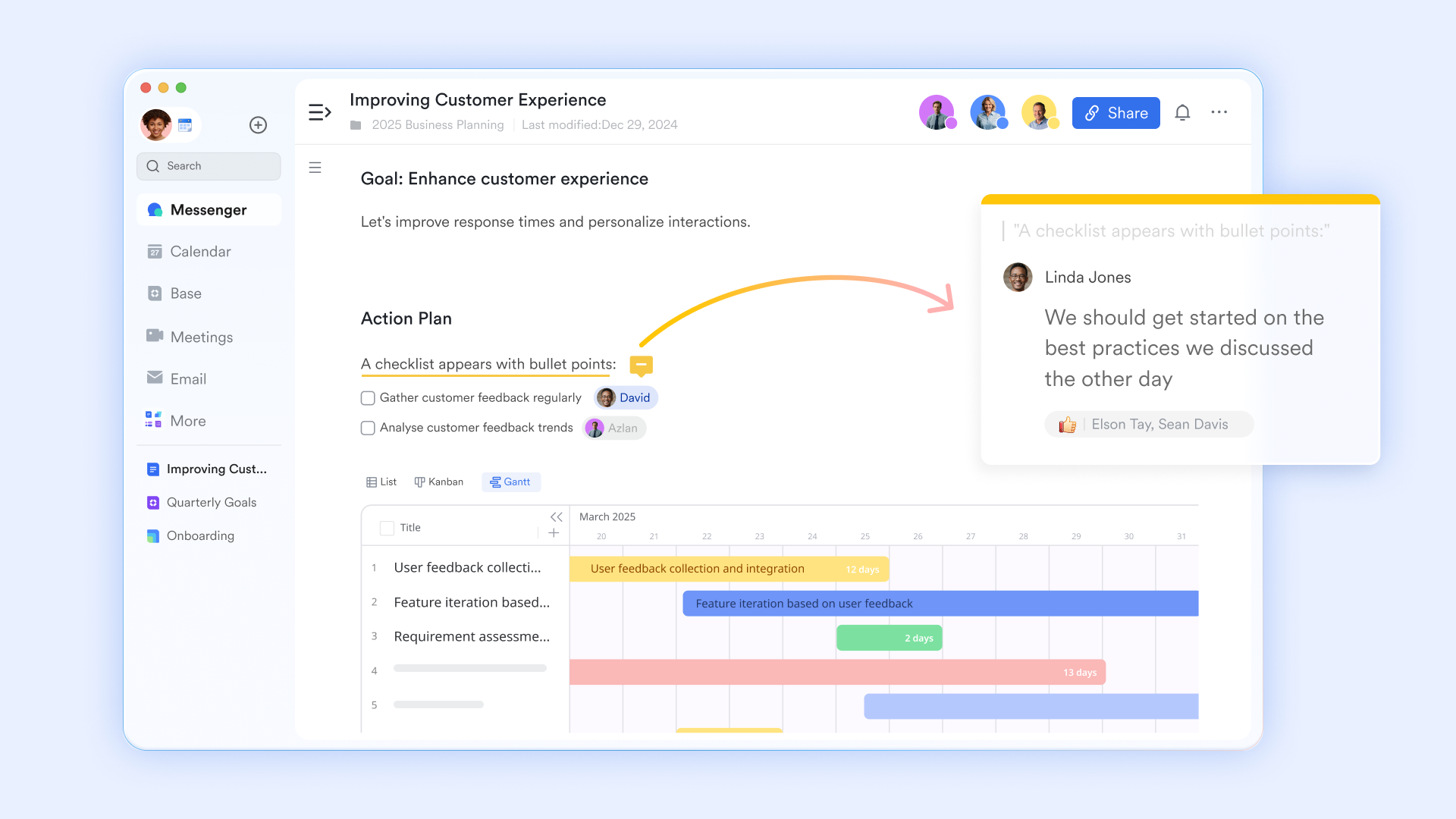
A scope statement that links directly to the tasks it governs
supports with inline comments, version history, and structured content blocks, including tables, checklists, and embedded Lark Base records. Project managers write the scope statement, exclusions list, assumptions log, and acceptance criteria in Lark Docs. Each deliverable record in Lark Base is linked directly to the relevant section of the Lark Doc. When a scope question arises in the mid-project, team members open the linked document in the task record and see the agreed scope as written.
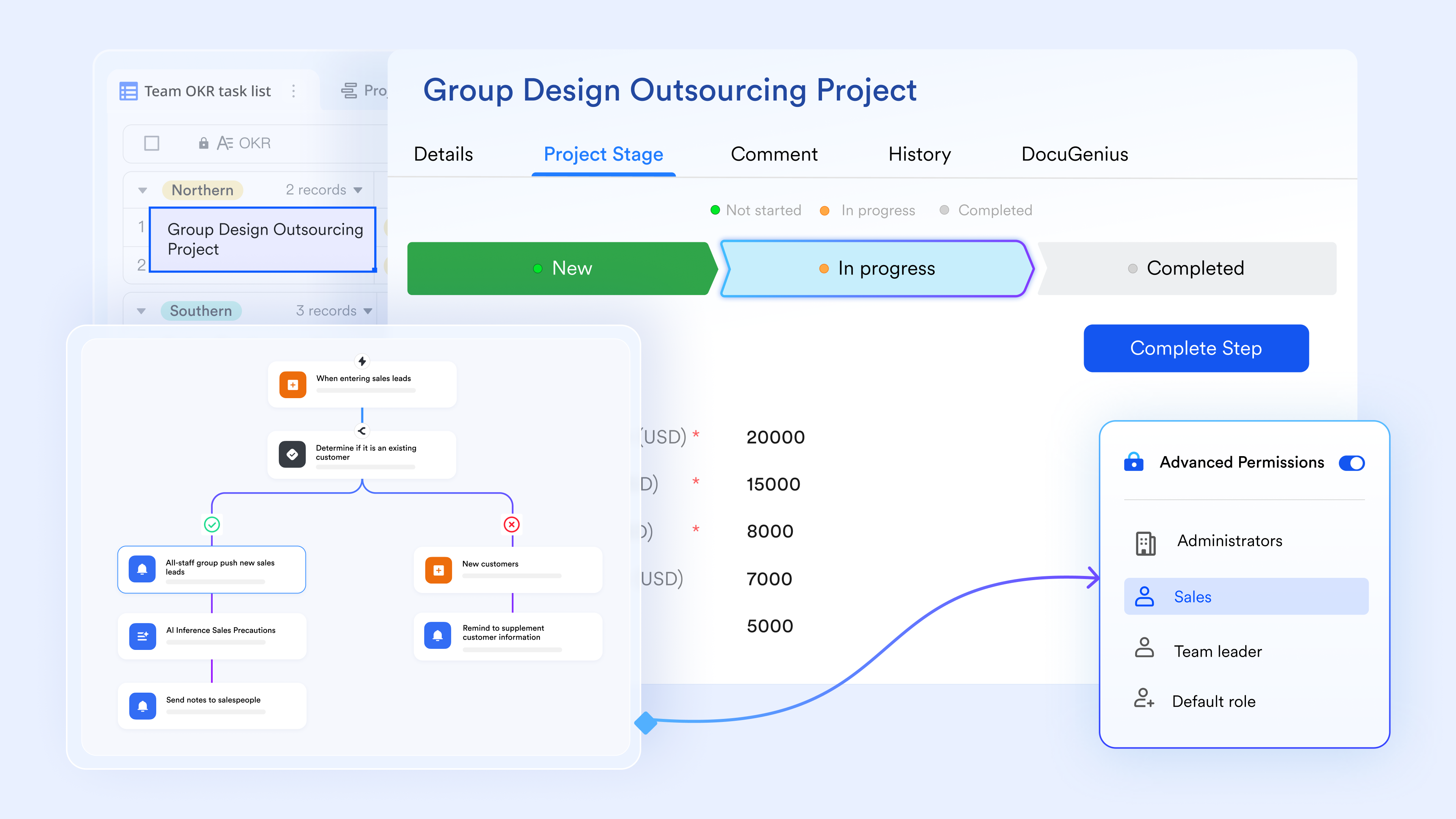
A change log that connects every scope modification to a record
lets project managers maintain a live scope change log as a for change request date, requestor, change description, impact on timeline and budget, status (Pending / Approved / Rejected), and approver name. Each change request record links to the original scope document in Lark Docs and to the affected task records in the project plan. When stakeholders ask what changed and when, the answer is in one place — not reconstructed from email threads or meeting notes.
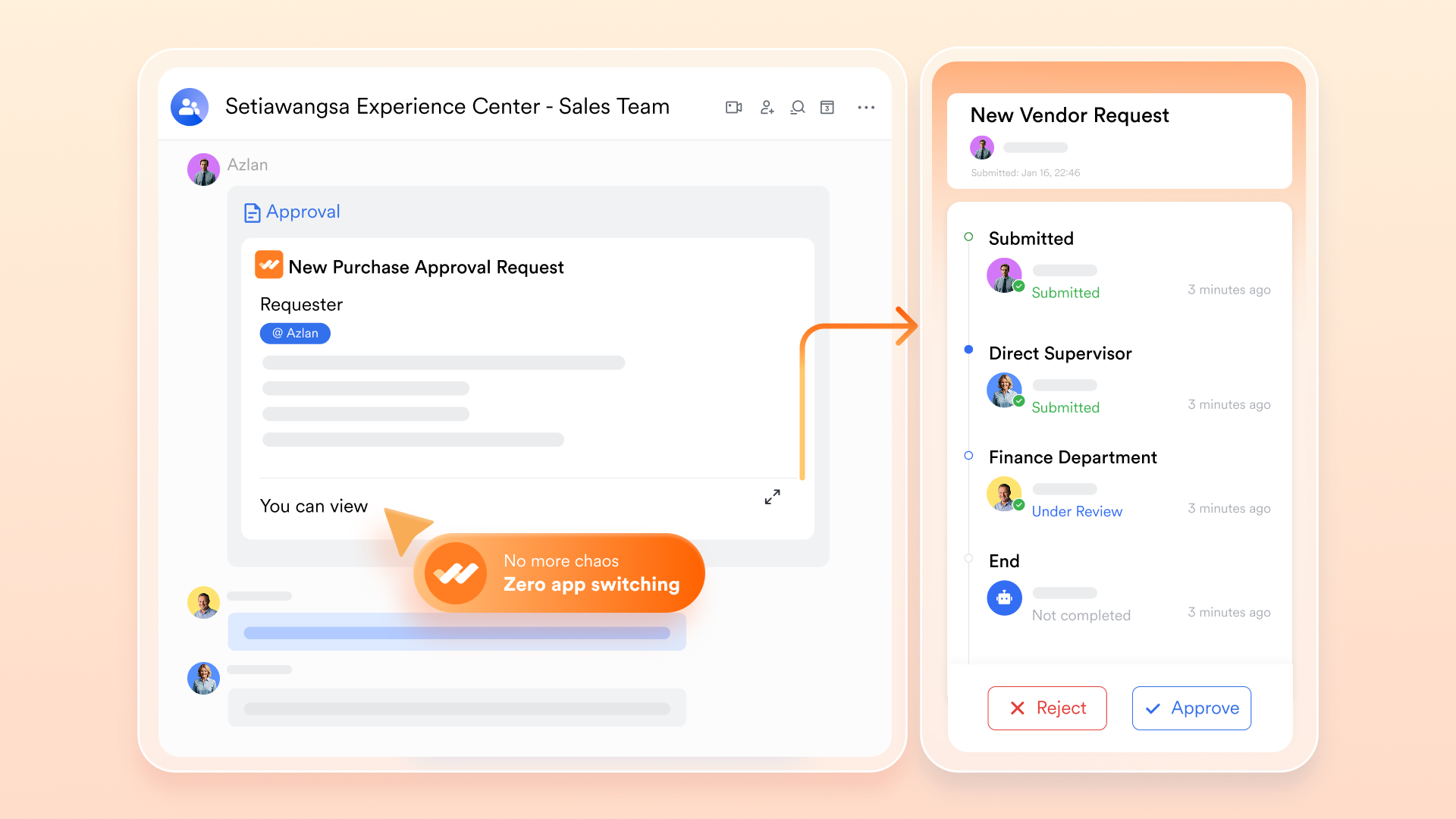
Formal scope change sign-off with a complete, timestamped audit trail
lets project managers configure a multi-step approval flow specifically for scope change requests. When a team member or stakeholder submits a change request, the to the defined approver sequence — project manager, then sponsor, then budget owner, if applicable. Each approver receives a notification in Lark Messenger containing the change description and the linked scope record. The approval decision is recorded with a timestamp and stored against the relevant Lark Base change log entry.
Scope creep alerts that fire before the problem compounds
Lark Base Automation lets project managers configure trigger-action rules that surface scope risk in real time. When a new record is added to the scope change log, an automation fires a notification to the project sponsor in Lark Messenger with the change description and a link to the pending approval record. When a change request has been sitting in Pending status for more than three days without a decision, the automation sends a follow-up notification to the approver. When an approved scope change requires a deadline adjustment in the project plan, the the affected task due dates and notify the owners — all without manual intervention. 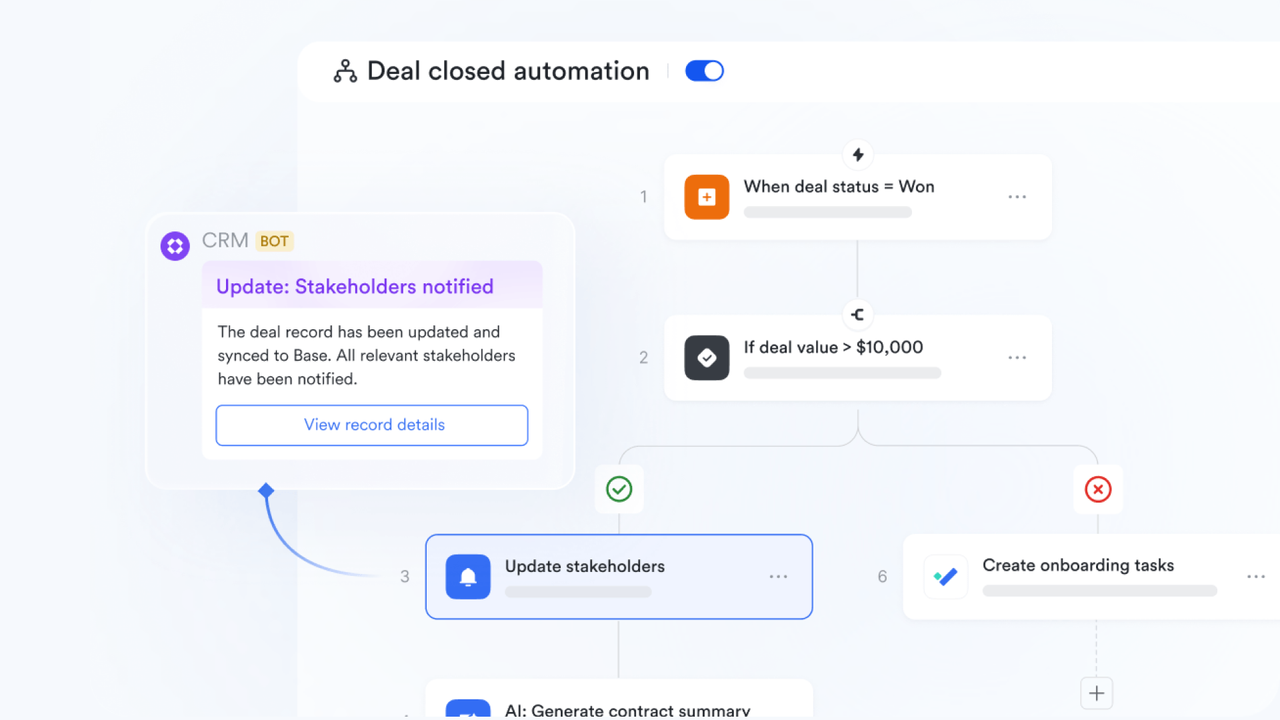
Scope decisions that stay connected to the record, not lost in a chat thread
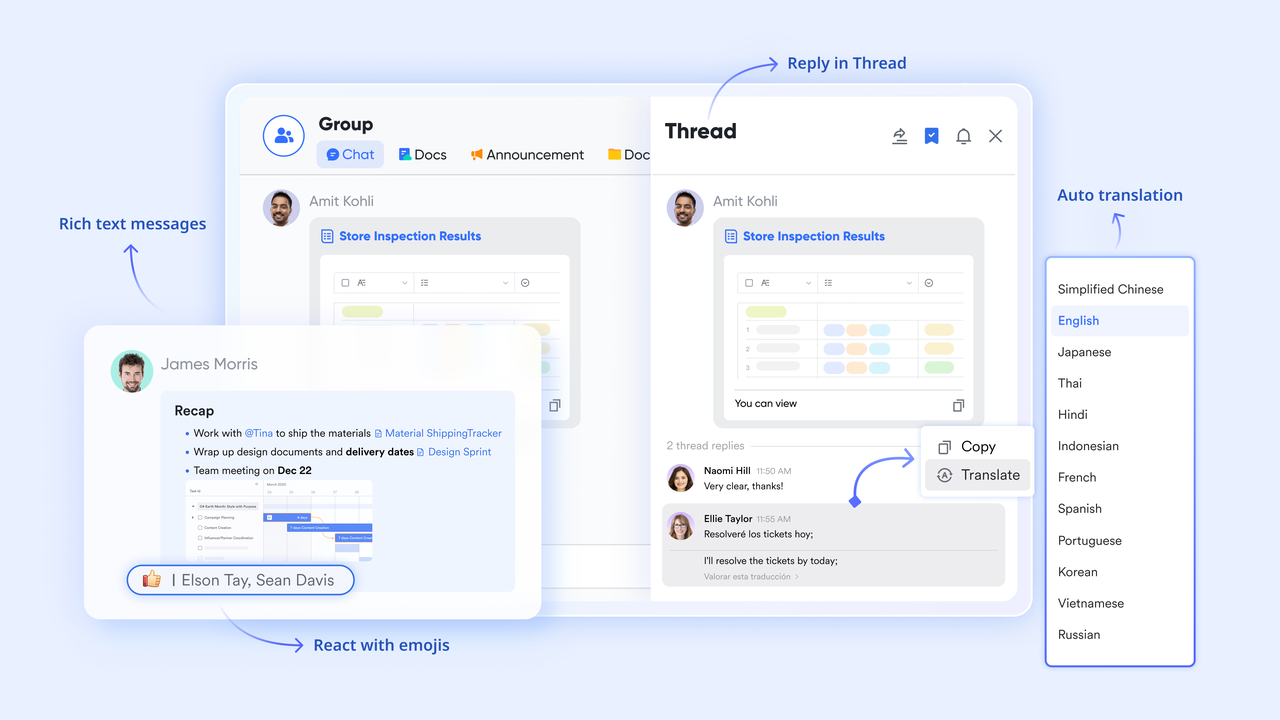
supports project group chats, direct messages, and topic-based threads within the same platform where the scope document and project plan live. When a stakeholder raises a scope question in a Messenger thread, the PM shares the specific Lark Base scope change record directly in the thread, and it appears as an embedded card showing the current status, the original request, and the approver. The in the same thread as the record.
:
- Starter plan: Free forever plan that includes 11 powerful tools for up to 20 users. It also includes 100GB of storage, 1000 automation runs, AI translation, and more.
- Pro plan: $12/user/month (billed annually) for up to 500 users. It includes everything in Starter plus group calling for up to 500 attendees, 15TB of storage, 50,000 automation runs, and more.
- Enterprise plan: for custom pricing. Supports unlimited users and includes additional automation runs, as well as advanced security, compliance, and management features.
For small teams with simple communication needs

18 months message history
1000 Base automation runs/month
2000 rows per table in Base
Most POPULAR
For companies with comprehensive collaboration and management needs
Unlimited message history
500-participant video meetings
50k Base automation runs/month
20k rows per table in Base
For large companies with advanced security and organizational management needs
Get a personalized demo and pricing
Unlimited message history
500-participant video meetings
15 TB storage + 30 GB storage/user
500k Base automation runs/month
50k Base automation runs/month
Most POPULAR
For companies with comprehensive collaboration and management needs
Unlimited message history
500-participant video meetings
50k Base automation runs/month
20k rows per table in Base
Conclusion
A well-defined project scope is the foundation of successful project delivery. and deliverables to documenting exclusions, assumptions, and constraints, the right project scope templates help teams stay aligned and avoid costly scope creep. Choosing the appropriate template for your project type further enhances clarity and ensures that expectations are shared among stakeholders.
However, templates alone are not enough. To truly protect scope, teams need a system that keeps documentation, communication, and change control connected in real time. This is where makes a difference. By turning static scope documents into dynamic, trackable workflows, Lark helps teams manage changes, maintain accountability, and keep projects on course.
If you want to move beyond static templates and gain full control over your project scope, try Lark. Start building smarter, more structured, and scalable project workflows today with a platform designed for modern teams.
Manage every phrase of your project in one single place
FAQs
What is the difference between a project scope statement and a scope of work?
A statement defines overall project boundaries, objectives, and deliverables at a high level, while a scope of work focuses on specific tasks, timelines, and responsibilities. The scope statement sets direction, whereas the scope of work governs execution. Using Lark, teams can manage both documents together for better alignment and visibility.
How do you prevent scope creep using a project scope template?
A project scope template prevents scope creep by clearly defining inclusions, exclusions, and a formal change control process. It ensures that all stakeholders agree on boundaries before work begins and systematically tracks any changes. With Lark, teams can monitor scope updates, approvals, and discussions in one place to maintain control.
What are the 4 components of a project scope statement?
The four core components typically include , deliverables, exclusions, and acceptance criteria. These elements create a clear and measurable definition of what the project will achieve and how success is evaluated. Using project scope statement templates in Lark helps standardize these components and ensures consistency across projects.
Related reading

















