A well-structured sample software project plan is the backbone of successful product delivery. Whether you're planning a SaaS launch, an enterprise implementation, or an internal automation tool, your project plan clearly defines the scope, timelines, roles, budget, risks, and governance standards. It aligns stakeholders, reduces uncertainty, and provides a measurable path from idea to release.
In an increasingly dynamic and technology-driven environment, planning software projects requires more than static documentation stored in isolated files. Teams need collaborative workspaces, iterative tracking, and real-time visibility across development cycles. Platforms like Lark can support structured documentation, task coordination, and communication in one place. This guide walks you through building a professional, scalable software development project plan—complete with practical examples and ready-to-use templates.
What is a sample software project plan?
A sample software is a structured document that outlines how a software initiative will be executed, monitored, and delivered from start to finish. It serves as a practical reference model that teams can adapt when creating their own sample project plan for web applications, mobile apps, SaaS platforms, or enterprise systems. The plan typically defines scope, objectives, timelines, milestones, resource allocation, risk management strategies, budget estimates, and governance processes.
In modern environments, a strong project plan software framework also includes collaboration workflows, sprint tracking, dependency mapping, and reporting mechanisms. This ensures transparency across stakeholders and keeps development aligned with . Whether used in Agile, Waterfall, or hybrid methodologies, a well-prepared sample software project plan reduces ambiguity, improves accountability, and increases the likelihood of delivering projects on time and within budget.
What a sample software project plan includes
A comprehensive sample software project plan provides structure, visibility, and clarity of execution across the development lifecycle. It transforms strategic objectives into actionable milestones and measurable deliverables. Many teams refer to sample project plan examples to ensure their documentation aligns with industry standards and practical workflows.
- Initiation phase artifacts: The initiation phase defines the business case, stakeholder alignment, feasibility assessment, and high-level scope. It typically includes a project charter, objectives, success metrics, and .
- Requirements definition: Requirements definition captures functional and non-functional specifications, compliance needs, and acceptance criteria. This stage clarifies what must be built and how success will be measured.
- Architecture planning: Architecture planning outlines system design, technology stack selection, integration points, scalability strategy, and security framework. It ensures the solution is technically viable and future-ready.
- Development roadmap: The development roadmap translates requirements into phased releases, sprint cycles, and milestone checkpoints. It visualizes delivery timelines and features prioritization across iterations.
- Testing and QA plan: The testing and QA plan defines validation methods, testing environments, automation strategy, regression cycles, and defect management processes. In software engineering , formal QA planning reduces post-deployment failures and improves product reliability.
- Deployment and maintenance planning: Deployment planning outlines release management, environment setup, rollback procedures, and stakeholder communication. Maintenance planning covers monitoring, support workflows, and update cycles
Timeline modeling in a software engineering project plan
Effective timeline modeling translates strategy into executable milestones and measurable delivery checkpoints. It helps teams visualize phases, , and anticipate bottlenecks early. A structured project plan software development approach ensures timelines are not just estimates, but controlled execution frameworks.
- Waterfall timeline example: A Waterfall timeline follows a sequential flow: requirements, design, development, testing, and deployment. Each phase must be completed before the next begins, making documentation and sign-offs critical. In many traditional project planning software development environments, this model works best for clearly defined, stable requirements.
- Agile release roadmap: An Agile release roadmap organizes delivery into short sprints with incremental feature releases. It prioritizes backlog refinement, continuous feedback, and iterative value delivery. Many project plan software development teams use Agile roadmaps to adapt quickly to evolving product and market demands.
- Hybrid model planning: Hybrid planning combines structured upfront architecture design with iterative sprint execution. It allows governance control while maintaining flexibility during development cycles. In enterprise project plan , hybrid models balance predictability with innovation.
- Critical path mapping: mapping identifies the sequence of tasks that directly impact the overall project duration. Delays in critical activities immediately affect delivery timelines. Within a disciplined project plan software development framework, mapping dependencies helps teams allocate attention to high-impact milestones.
- Dependency tracking strategy: Dependency tracking documents task interconnections across teams, systems, and deliverables. It prevents integration failures and reduces last-minute surprises during releases. Modern project plan software development practices rely on transparent dependency mapping to maintain cross-functional alignment and delivery stability.
Resource allocation in a sample project implementation plan
Effective resource allocation ensures that the right people, skills, and budget are aligned with project priorities. Without structured planning, even well-designed timelines can collapse due to overload or skill gaps. A strong sample project implementation plan defines ownership, workload balance, and financial visibility from the outset.
- Role clarity: A clear role definition prevents duplication of effort and accountability gaps. The Project Manager oversees scope, timelines, and , while Developers handle implementation, QA ensures quality validation, and DevOps manages deployment and infrastructure stability. When responsibilities are explicitly documented, teams move faster with fewer coordination conflicts.
- Capacity planning formulas: Capacity planning calculates how much work a team can realistically complete within a sprint or phase. Common formulas include: Available Hours × Focus Factor (typically 70–80%) = Effective Capacity. This structured estimation prevents overcommitment and ensures sustainable delivery velocity.
- Managing distributed engineering teams: Distributed teams require structured communication rhythms and visibility into progress. Clear documentation, shared dashboards, and timezone-aware scheduling reduce delays and misunderstandings. Proactive coordination ensures collaboration remains smooth despite geographic separation.
- Cost forecasting approach: Cost forecasting estimates expenses across development, infrastructure, licensing, testing tools, and contingency buffers. A common practice is to add a 10–15% risk reserve to account for uncertainties. Continuous cost tracking throughout the helps prevent budget overruns and supports informed decision-making.
Design an innovative and scalable project workflow
4 sample project plan examples across industries
Reviewing a structured sample project plan example helps teams understand how theory translates into real-world execution. It demonstrates how scope, timelines, resources, risks, and governance are documented in a practical format. These examples clarify how to align objectives with deliverables and . Below are detailed scenarios across different industries and methodologies to illustrate how a complete software project plan can be structured effectively.
Example 1: SaaS web application (Agile)
Project overview
- Project Name: Customer Feedback SaaS Platform
- Objective: Build an MVP web app that allows businesses to collect and analyze customer feedback.
- Methodology: Agile (2-week sprints)
Scope
- Feedback submission forms
Deliverables
- Product Requirements Document (PRD)
- Deployment documentation
Timeline
Resource plan
Risk management
- Scope creep → Controlled backlog prioritization
- Integration delays → API mock testing
- Deployment failure → Staging environment validation
Example 2: Mobile app development (Hybrid model)
Project overview
- Project name: Fitness Tracking Mobile App
- Objective: Launch an iOS and Android fitness tracking app
- Methodology: Hybrid (Waterfall planning + Agile sprints)
Scope
Milestones
- Architecture approval (Week 2)
- UI prototype approval (Week 4)
- Core build complete (Week 10)
- App store launch (Week 16)
Budget estimate
- Contingency (10%): $13,300
Risk plan
- App store rejection → Early compliance checks
- Payment gateway issues → Sandbox testing
Example 3: Enterprise software implementation
Project Overview
- Project Name: CRM System Implementation
- Objective: Replace legacy CRM with a
Scope
- Integration with marketing tools
Work Breakdown Structure (WBS)
Communication plan
Governance
- Change control board approval
- Security compliance review
- Executive sign-off before deployment
Example 4: Internal automation tool
Project overview
- Project name: HR Leave Automation System
- Objective: Automate leave request approvals
Key tasks
KPIs
- Reduce manual processing time by 60%
- Cut approval turnaround time to 24 hours
Ready-to-use sample project plan templates
Pre-built project plan templates help teams move from planning to execution faster without starting from scratch. They provide structured layouts for scope definition, timelines, resource planning, and . Below are ready-to-use templates designed to simplify software project planning and implementation:
Roadmap
A roadmap template helps teams visualize strategic goals, feature releases, and major milestones across a defined timeline. It connects long-term vision with short-term sprint execution, ensuring priorities remain aligned with business objectives. By clearly mapping phases and deliverables, the roadmap template improves stakeholder transparency and supports proactive planning decisions.
Project management Gantt chart
A project management template provides a visual timeline of tasks, durations, and dependencies across the entire project lifecycle. It helps teams identify overlaps, track progress against deadlines, and monitor the critical path. By offering a clear chronological view of execution, the Gantt chart improves scheduling accuracy and enhances coordination between cross-functional teams.
Multi-project tracker
A multi-project tracker template allows teams to monitor multiple initiatives simultaneously from a single, centralized view. It consolidates timelines, priorities, resource allocation, and status updates across projects to prevent bottlenecks and overload. By providing cross-project visibility, this template helps leadership balance workloads, align strategic objectives, and make data-driven decisions more efficiently.
Project planning & implementation
A & implementation template guides teams from initial scope definition through execution and delivery. It structures key components such as objectives, milestones, task breakdowns, resource assignments, and performance tracking in one cohesive framework. By connecting planning with operational execution, this template improves accountability, reduces coordination gaps, and ensures projects move systematically from strategy to results.
OKR task subdivision and progress control
An OKR task subdivision and progress control template helps teams break high-level objectives into measurable key results and actionable tasks. It ensures that daily activities directly contribute to strategic goals through structured tracking and accountability. By monitoring progress against defined metrics, this template enhances visibility into performance, alignment, and continuous improvement across teams.
Team task allocation
A template helps managers assign responsibilities based on skills, capacity, and project priorities. It provides a clear overview of who is working on what, along with deadlines and workload distribution. By balancing assignments and tracking accountability, this template improves productivity, prevents overload, and strengthens coordination across the team.
Simple project plan: Google Sheets
A simple project plan in Google Sheets offers an easy way to organize tasks, timelines, and responsibilities using a structured spreadsheet format. Teams can track progress with columns for owners, deadlines, and status, and even create basic Gantt charts using formulas and conditional formatting. It works well for small projects, though complex initiatives may require more advanced tracking and automation features.
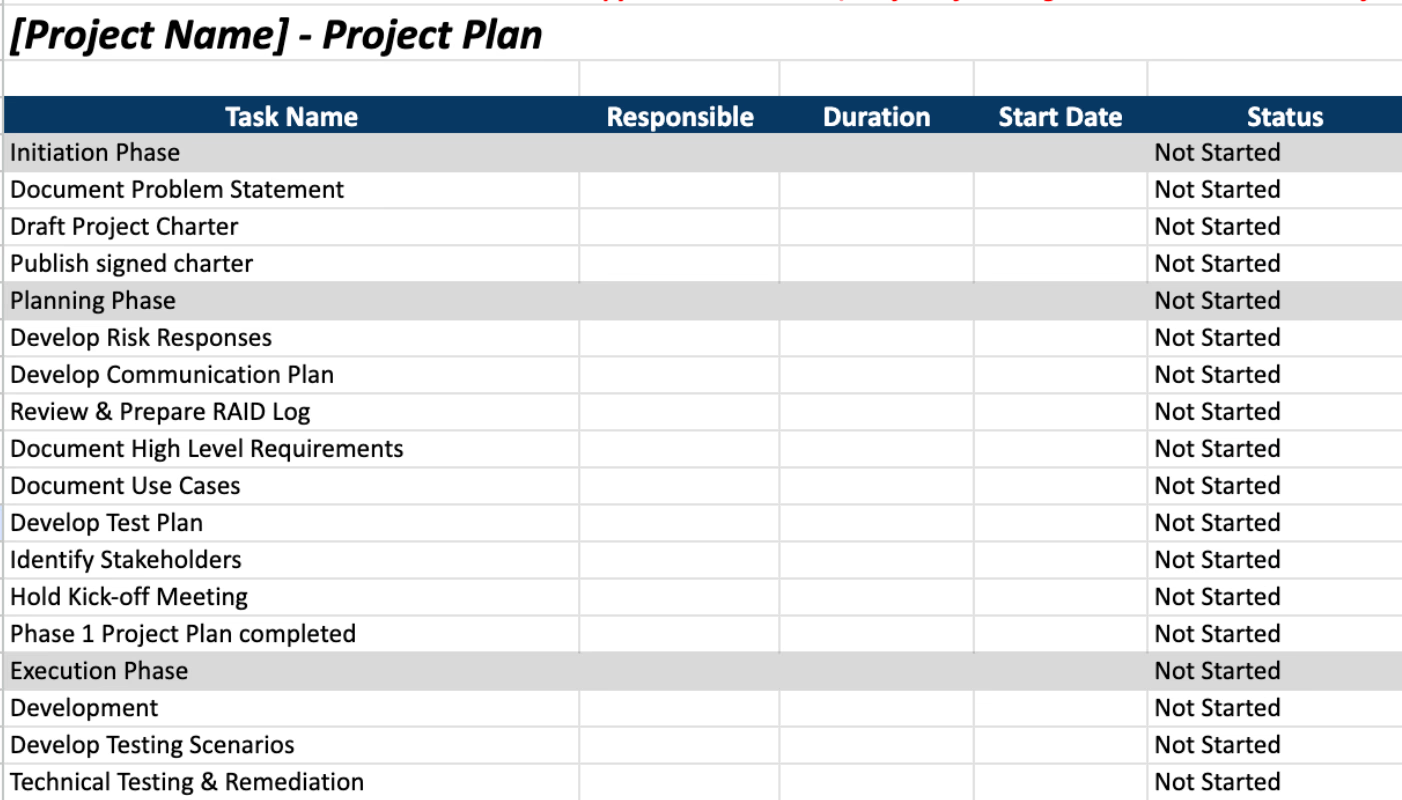
Image source: google.com
Project plan template: Microsoft Word
A project plan template in Microsoft Word provides a structured document format for outlining scope, objectives, timelines, and responsibilities. It is ideal for formal documentation, stakeholder presentations, and approval processes that require detailed narrative sections. While Word templates support clear formatting and version control, they may lack and dynamic tracking features found in specialized planning tools.
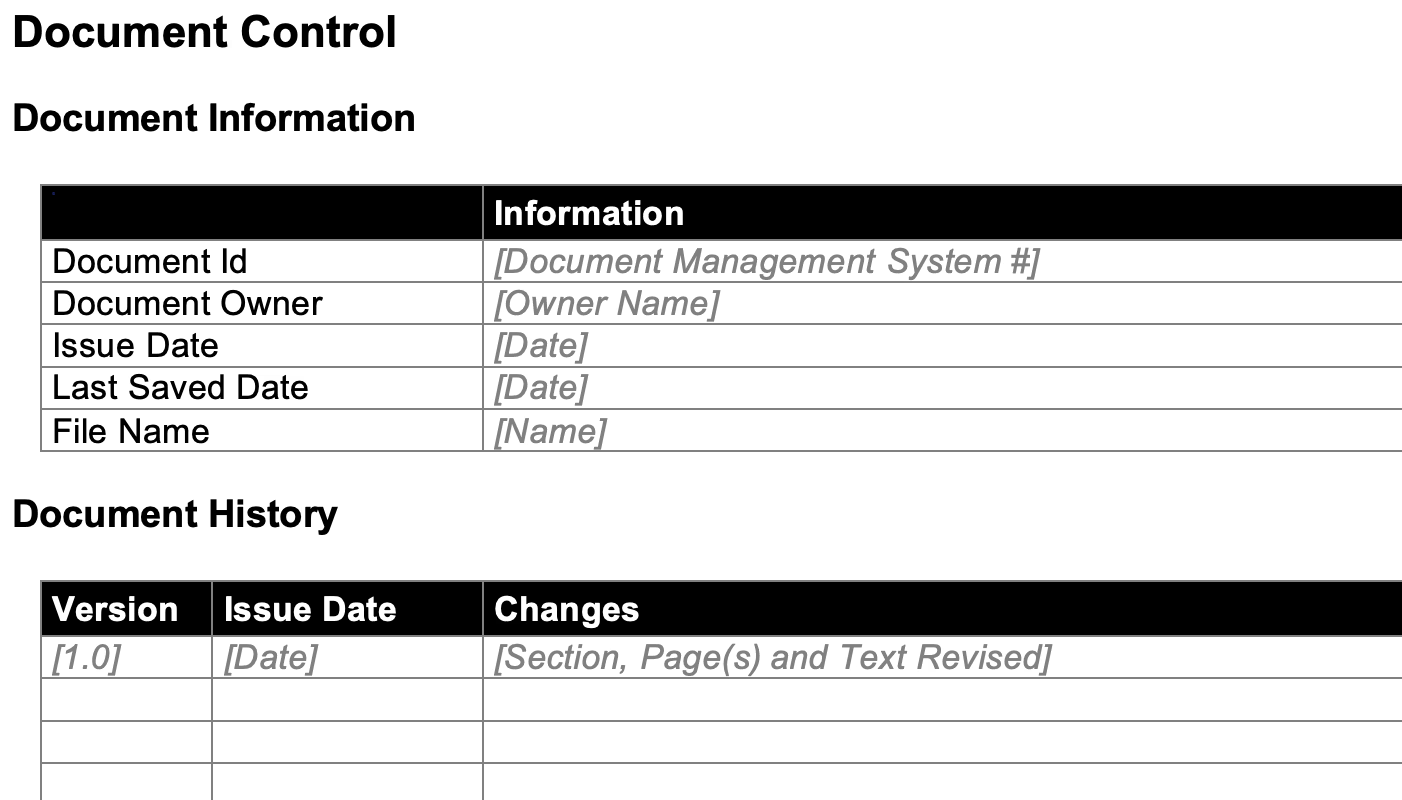
Image source: microsoft.com
Project plan mind map template: Canva
A project plan mind map template in Canva helps teams visually organize ideas, tasks, and dependencies in a creative, non-linear format. It is especially useful during brainstorming and early planning stages to map scope, features, and deliverables clearly. While visually engaging and easy to customize, mind maps are best complemented by structured execution tools for detailed tracking and milestone management.
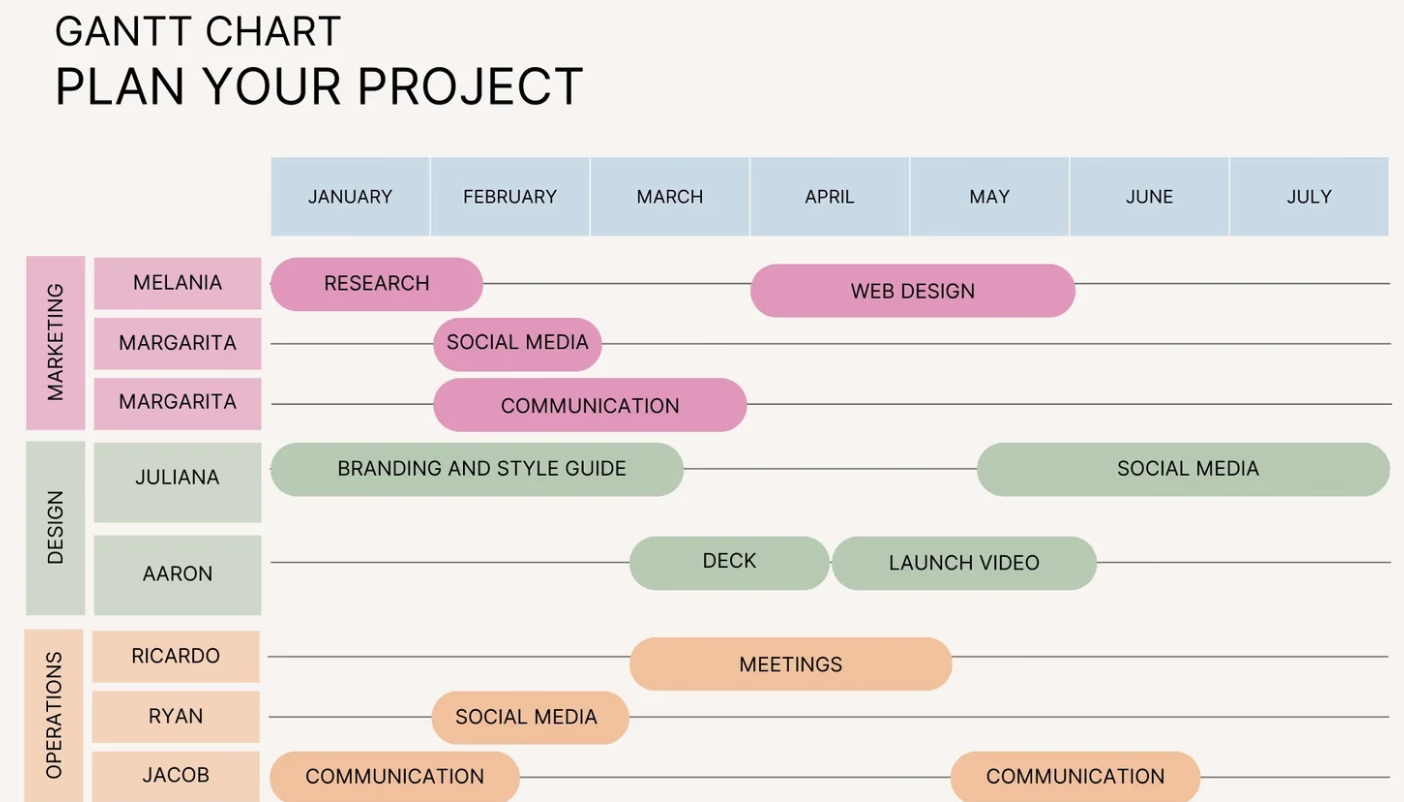
Image source: canva.com
Google Slides: Roadmap presentation template
A Google Slides roadmap presentation template helps teams communicate project strategy, timelines, and key milestones in a clear visual format. It is ideal for stakeholder updates, executive briefings, and product launch planning sessions. While effective for high-level communication, Slides templates typically require complementary tracking tools for day-to-day project execution and .
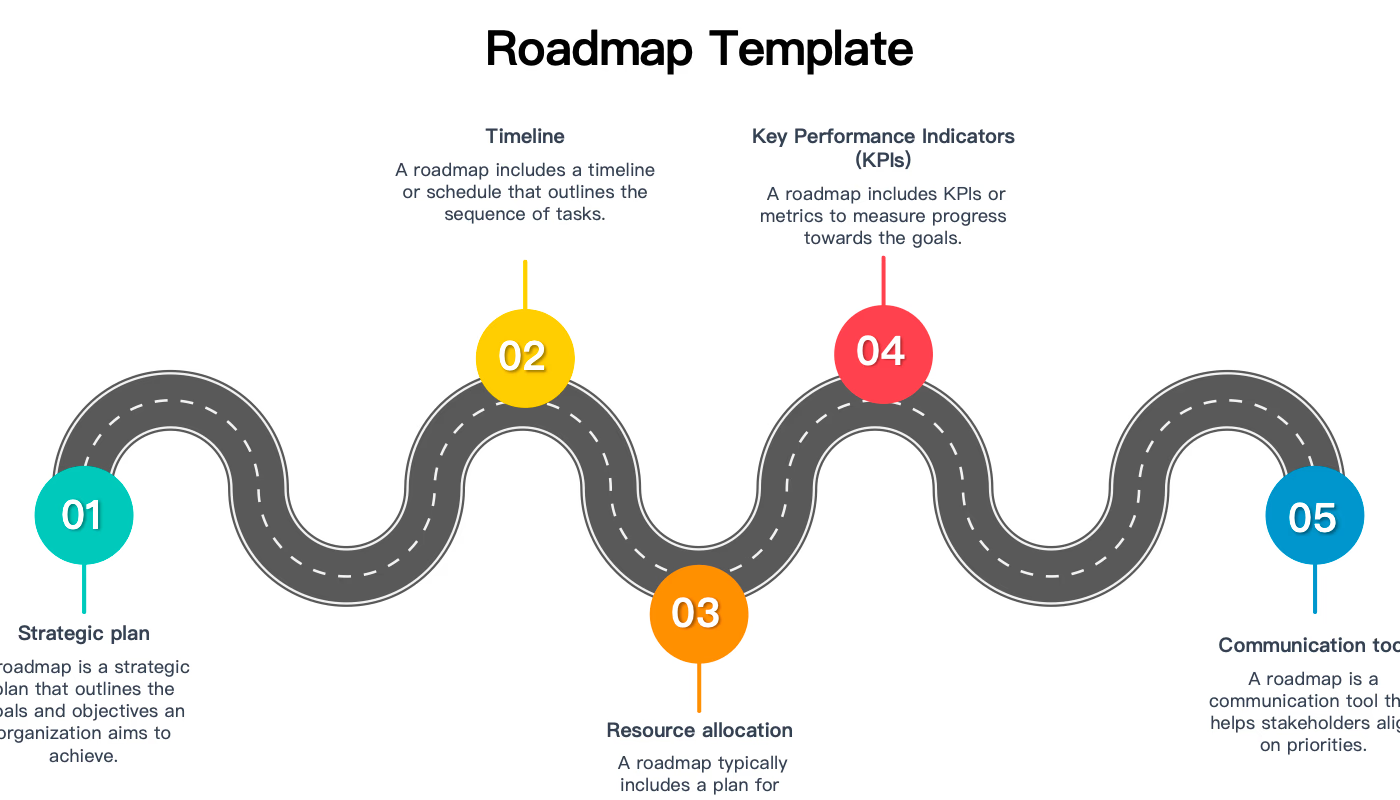
Image source: google.com
From plan to delivery: Try Lark to accelerate every stage of your project
Effective project planning is only valuable when it seamlessly connects to daily execution. Many teams struggle with scattered documents, disconnected task trackers, and fragmented communication channels. Lark brings project documentation, , automation, and team communication into a unified workspace. This integration helps reduce context switching and improves visibility across development cycles. By aligning planning with real-time collaboration, Lark supports more structured and transparent software delivery.
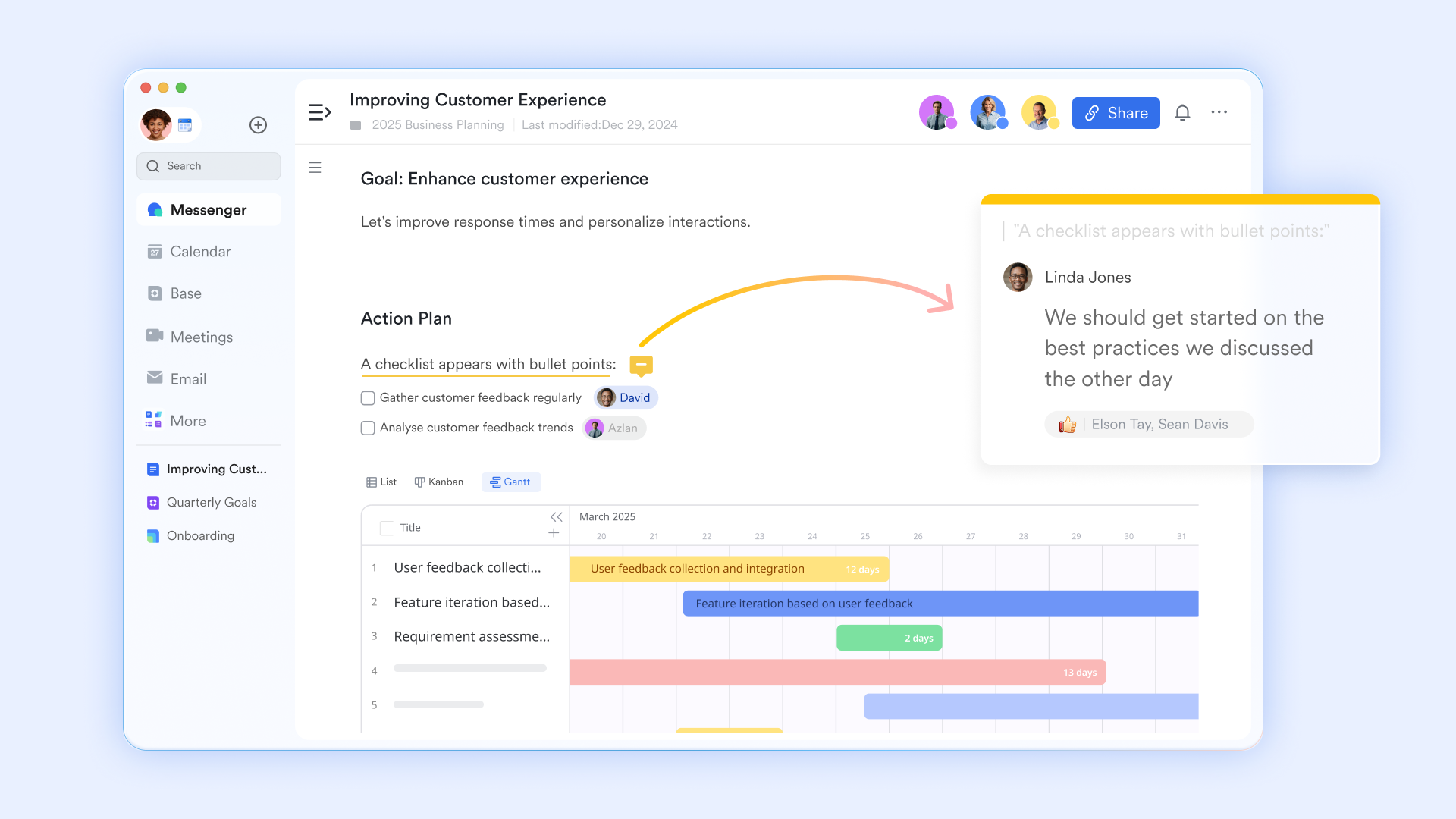
Draft scope inside collaborative docs
Using , teams can draft detailed project scope documents in a shared, environment. Stakeholders can comment, suggest edits, and approve requirements without version conflicts. Embedded tables, checklists, and linked tasks ensure scope elements remain structured and actionable. Permission controls help manage visibility across leadership, product, and engineering teams. This collaborative documentation reduces ambiguity and keeps the project scope aligned throughout the lifecycle.
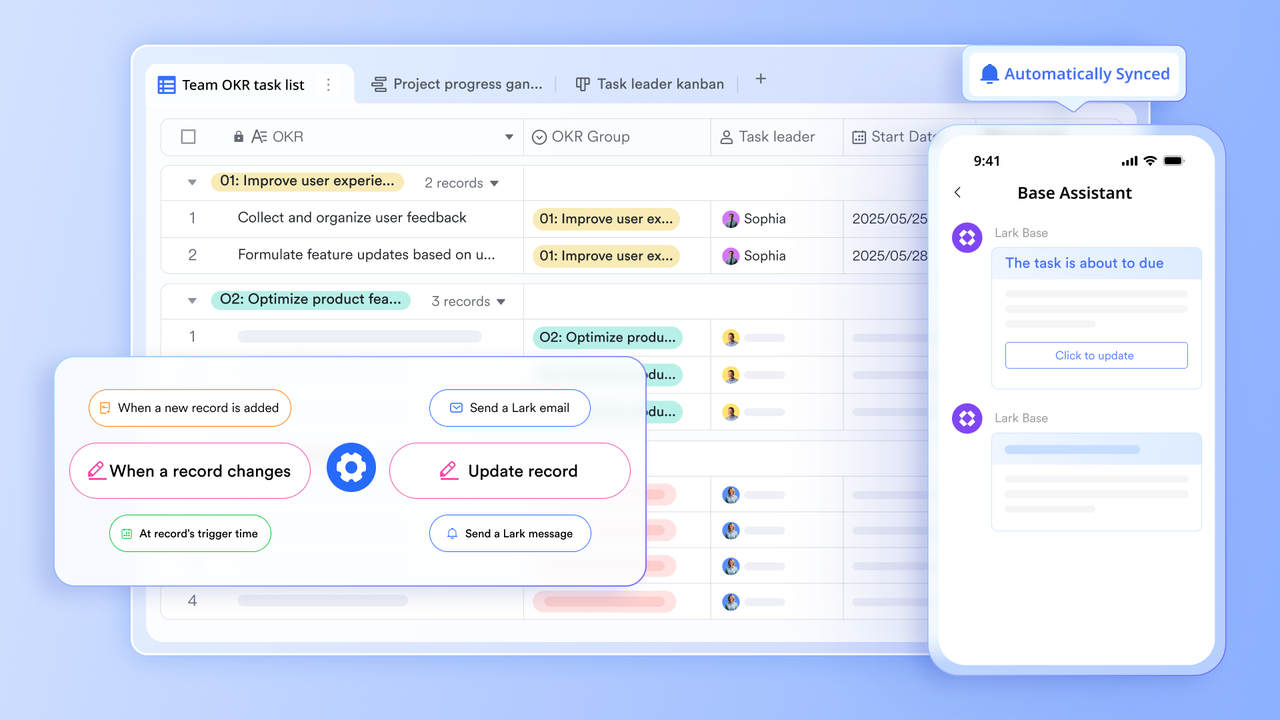
Track risks in centralized databases
Using , teams can build a centralized risk register with customizable fields for probability, impact, mitigation strategy, and ownership. Filters and views allow project managers to monitor high-priority risks in real time. Linked records can connect risks to . Access controls ensure sensitive risk information is appropriately managed. A centralized database makes risk tracking systematic and proactive.
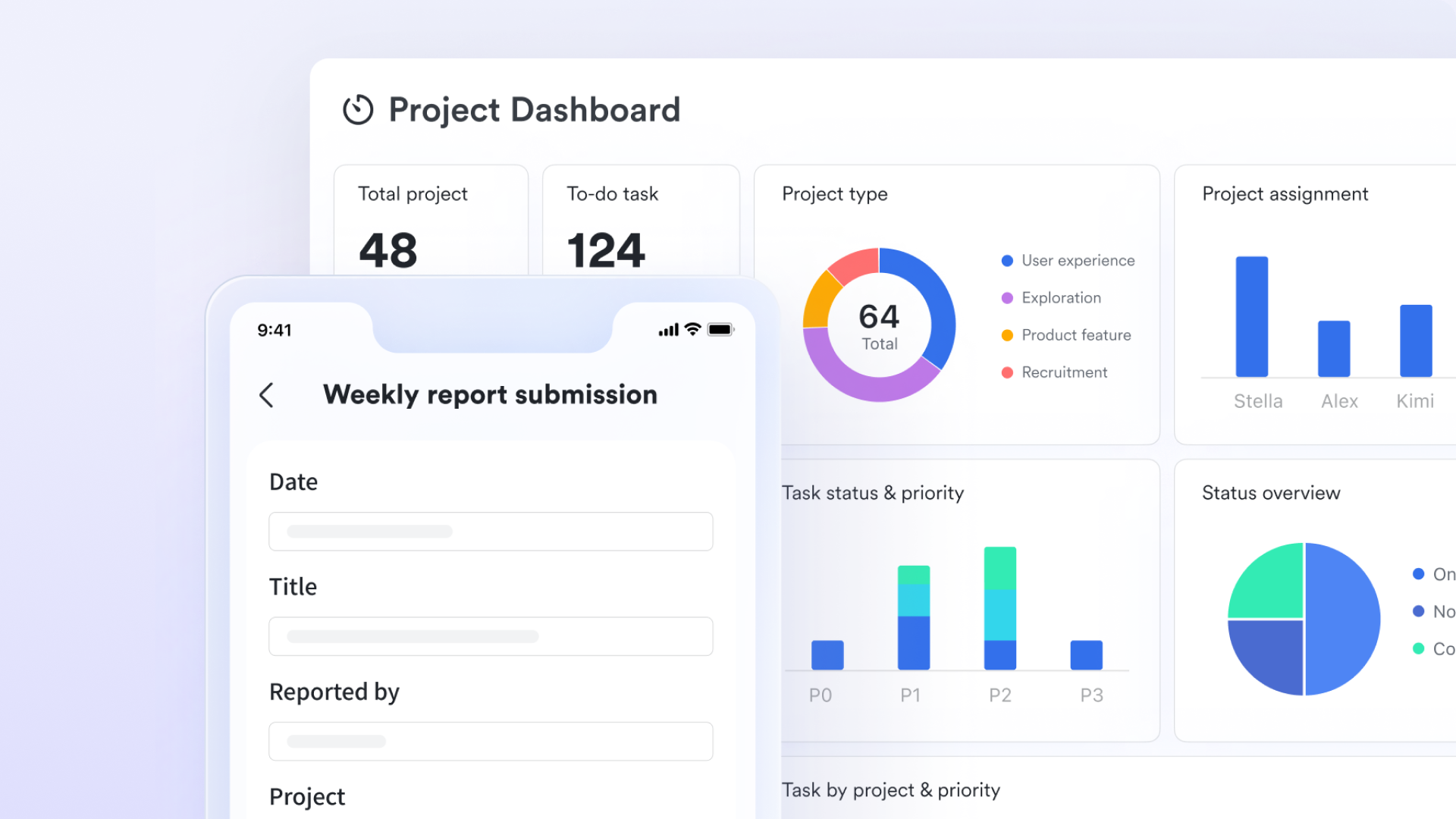
Generate real-time milestone dashboards
With built-in, project leaders can visualize milestone progress, sprint velocity, and resource utilization in real time. Data from Tasks and Base automatically feeds into dynamic charts and performance indicators. Custom widgets allow aligned with delivery goals. Executives gain instant insight without requesting manual reports. Real-time dashboards enhance decision-making and project governance.
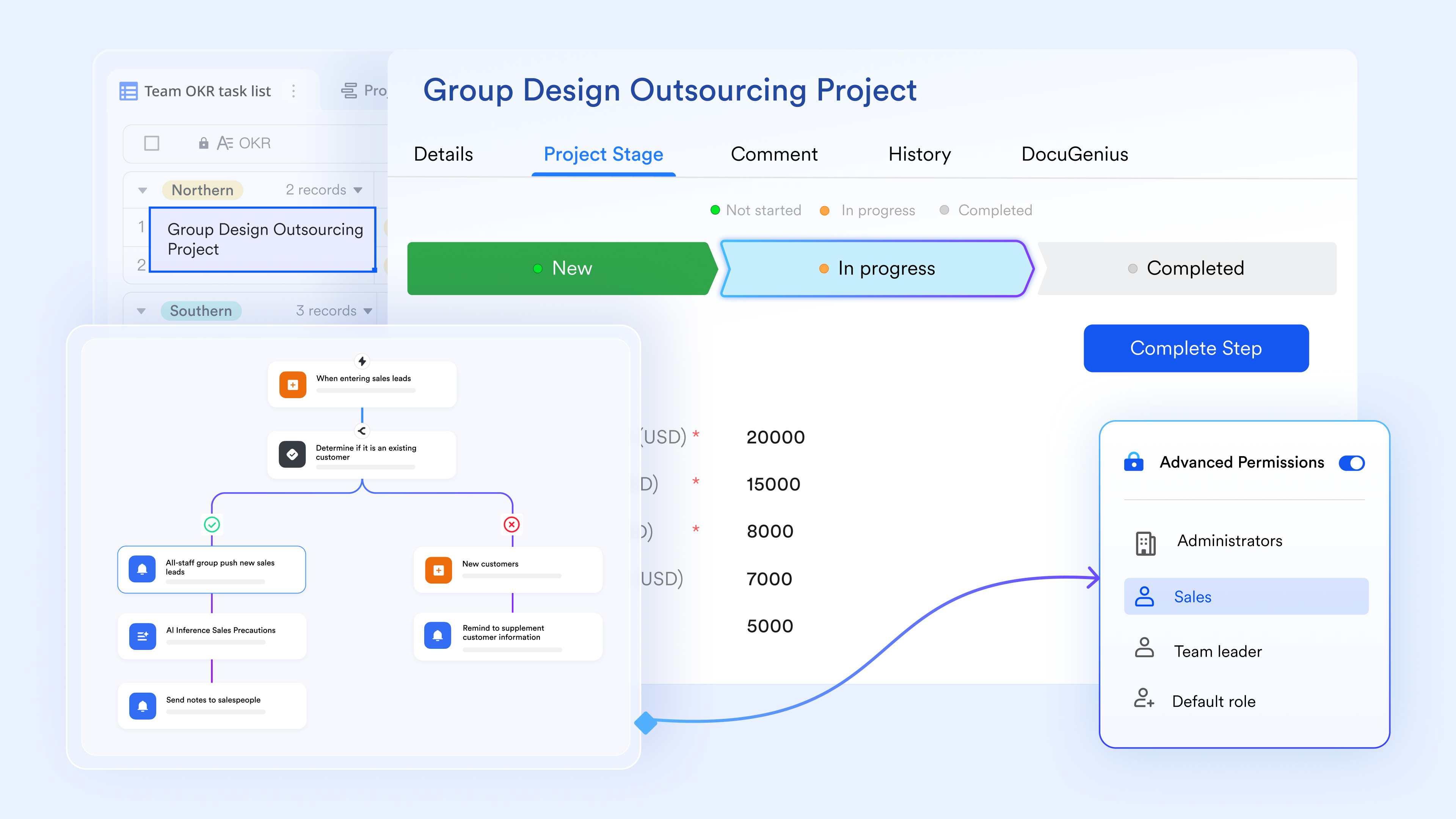
Automate sprint progress reporting
Native enable teams to automatically update sprint progress based on task status changes. Notifications, reminders, and summary reports can be triggered without manual intervention. reduce repetitive administrative work during standups and retrospectives. Teams can configure rule-based updates to maintain accurate reporting. This improves transparency while minimizing coordination overhead.
Convert project plans into structured tasks
With Lark Tasks, product features can be broken down into structured workflows with clear ownership and deadlines. Teams can convert items directly from Docs into trackable tasks to avoid duplication. Custom statuses, priority tags, and dependencies help manage sprint execution efficiently. Kanban and list views provide visibility into backlog progress. This structured workflow ensures feature delivery stays organized and measurable. 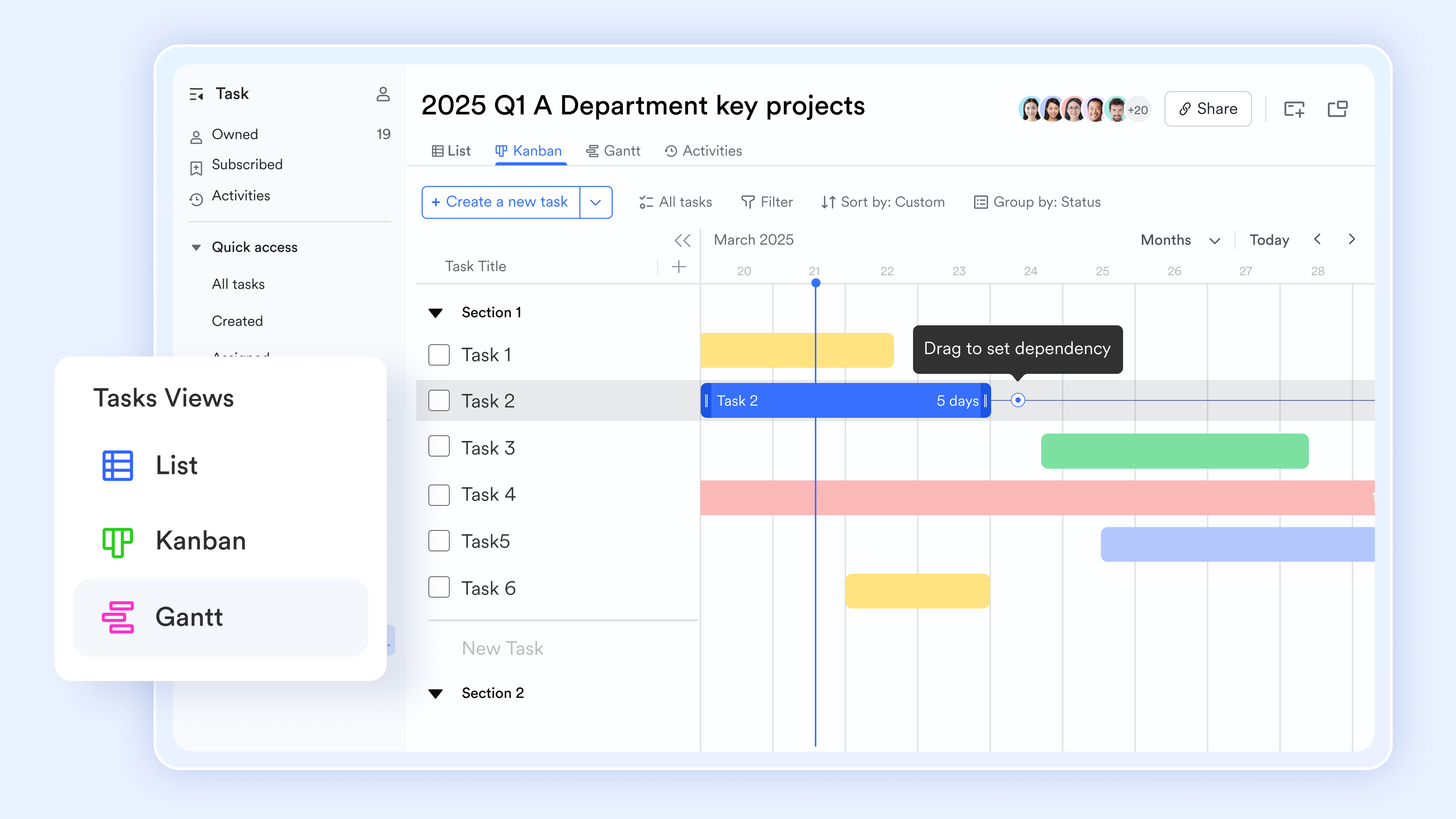
:
- Starter plan: Free forever plan that includes 11 powerful tools for up to 20 users. It also comes with 100GB of storage, 1000 automation runs, AI translations, and more.
- Pro plan: $12/user/month (billed annually) for up to 500 users. It includes everything in Starter plus group calling for up to 500 attendees, 15TB of storage, 50,000 automation runs, and more.
- Enterprise plan: for custom pricing. Supports unlimited users and includes even more automation runs and advanced security, compliance, and management features.
For small teams with simple communication needs

18 months message history
1000 Base automation runs/month
2000 rows per table in Base
Most POPULAR
For companies with comprehensive collaboration and management needs
Unlimited message history
500-participant video meetings
50k Base automation runs/month
20k rows per table in Base
For large companies with advanced security and organizational management needs
Get a personalized demo and pricing
Unlimited message history
500-participant video meetings
15 TB storage + 30 GB storage/user
500k Base automation runs/month
50k Base automation runs/month
Most POPULAR
For companies with comprehensive collaboration and management needs
Unlimited message history
500-participant video meetings
50k Base automation runs/month
20k rows per table in Base
Common mistakes in sample project management plan
Even well-documented plans can fail if foundational execution principles are overlooked. Many software initiatives struggle not because of poor strategy but because of planning blind spots. Understanding common mistakes helps teams create more resilient and realistic plans.
- Overloading scope early: Adding too many features at the beginning often leads to missed deadlines and resource strain. Teams may attempt to deliver a full-scale solution rather than focus on a minimum viable product. Prioritizing high-impact features first improves delivery speed and stakeholder satisfaction.
- Ignoring technical debt: Shortcuts taken during development can accumulate into long-term maintenance challenges. When refactoring and code quality are not planned, system performance and scalability suffer. Proactively allocating time for technical improvements prevents costly rework later.
- Underestimating QA effort: Testing is frequently compressed toward the end of the timeline, creating bottlenecks. Insufficient test cycles increase the risk of production defects and customer dissatisfaction. Allocating dedicated QA phases ensures reliability and smoother deployments.
- Weak communication design: Lack of leads to misalignment between stakeholders and development teams. Without clear reporting rhythms, risks and delays remain hidden until escalation. A defined communication matrix strengthens transparency and accountability.
- No automation layer: Manual reporting and repetitive administrative tasks slow down project momentum. Without automation, progress tracking becomes inconsistent and error-prone. Integrating workflow automation improves efficiency and supports scalable project execution.
Conclusion
A comprehensive sample software project plan provides the structure needed to turn strategic goals into successful product releases. By clearly defining the scope, requirements, architecture, timelines, resources, risks, and governance processes, teams reduce uncertainty and increase confidence in execution. Whether you follow Agile, Waterfall, or a hybrid model, disciplined planning strengthens alignment between stakeholders and engineering teams. It also creates measurable checkpoints that keep delivery on track and within budget.
As projects scale, collaboration and visibility become just as important as documentation. Managing tasks, risks, milestones, and communication across multiple tools can slow progress and create silos. helps unify planning and execution by combining collaborative docs, task workflows, automation, and real-time dashboards into a single workspace. If you’re looking to modernize your software project management approach and , consider exploring how Lark can support smarter, more connected project delivery.
Drive project success with actionable plans in Lark
FAQs
How detailed should a sample software project plan be for agile teams?
For , a sample software project plan should provide strategic clarity without becoming overly rigid. It should define vision, backlog structure, sprint cadence, roles, and key milestones while allowing flexibility within iterations. Using a platform like Lark helps maintain lightweight documentation while keeping tasks and progress transparently organized.
Can a software development project plan adapt mid-sprint?
While core sprint commitments should remain stable, adjustments can be made for critical issues or high-priority changes. Agile methodologies encourage controlled flexibility through backlog refinement and sprint reviews. Lark supports this adaptability by allowing real-time task updates, collaboration, and automated progress tracking.
What tools best support collaborative project planning?
Effective collaborative planning tools integrate documentation, , reporting, and communication into a single ecosystem. Solutions that integrate workflows and dashboards reduce context switching and improve transparency. Lark brings these elements together, enabling teams to plan, execute, and monitor projects within a unified workspace.
How do you accurately estimate timelines for early-stage products?
Early-stage estimation relies on breaking features into smaller tasks and using historical velocity or expert judgment. Adding contingency buffers helps manage uncertainty and technical risks. Lark assists teams by visualizing workloads, tracking sprint velocity, and maintaining structured planning records for future forecasting.
Should startups use the same project plan structure as enterprises?
Startups typically need leaner, more flexible plans, while enterprises require formal governance and compliance documentation. The structure should match organizational complexity and risk exposure. Lark supports both lightweight startup workflows and more structured enterprise planning frameworks within the same platform.
Related reading