In the complex world of enterprise resource planning (ERP), managing large-scale projects is often the difference between organizational growth and financial stagnation. For many global leaders, the SAP Project Systems (PS) module is the backbone of this effort.
Whether you are building a skyscraper, launching a new pharmaceutical line, or managing a massive IT transformation, the SAP PS project systems module offers the deep integration needed to keep timelines on track and budgets under control.
This guide provides a comprehensive overview of SAP Project Systems—from its core technical components, such as WBS elements, to the career paths it opens for professionals—while exploring how modern collaboration platforms like Lark can bridge the gap between heavy ERP data and real-time team agility.
What are SAP project systems?
SAP Project Systems (SAP PS) is an enterprise-level module within the SAP ERP ecosystem that plans, executes, and monitors complex projects. It is primarily used by organizations managing large-scale initiatives such as construction, engineering, IT implementations, infrastructure development, and capital investment programs. The module enables businesses to structure projects using Work Breakdown Structures (WBS), define activities and milestones, allocate resources, and control timelines with precision.
A key strength of SAP PS lies in its deep integration with other SAP modules, including Finance (FI), Controlling (CO), Materials Management (MM), and Human Capital Management (HCM). This integration ensures that project-related costs, revenues, procurement activities, and labor allocations are automatically recorded and reflected in financial statements. By combining operational planning with real-time financial tracking, SAP PS provides strong governance, compliance, and profitability analysis. It is particularly suited for enterprises requiring strict budget control, , and detailed reporting across long project lifecycles.
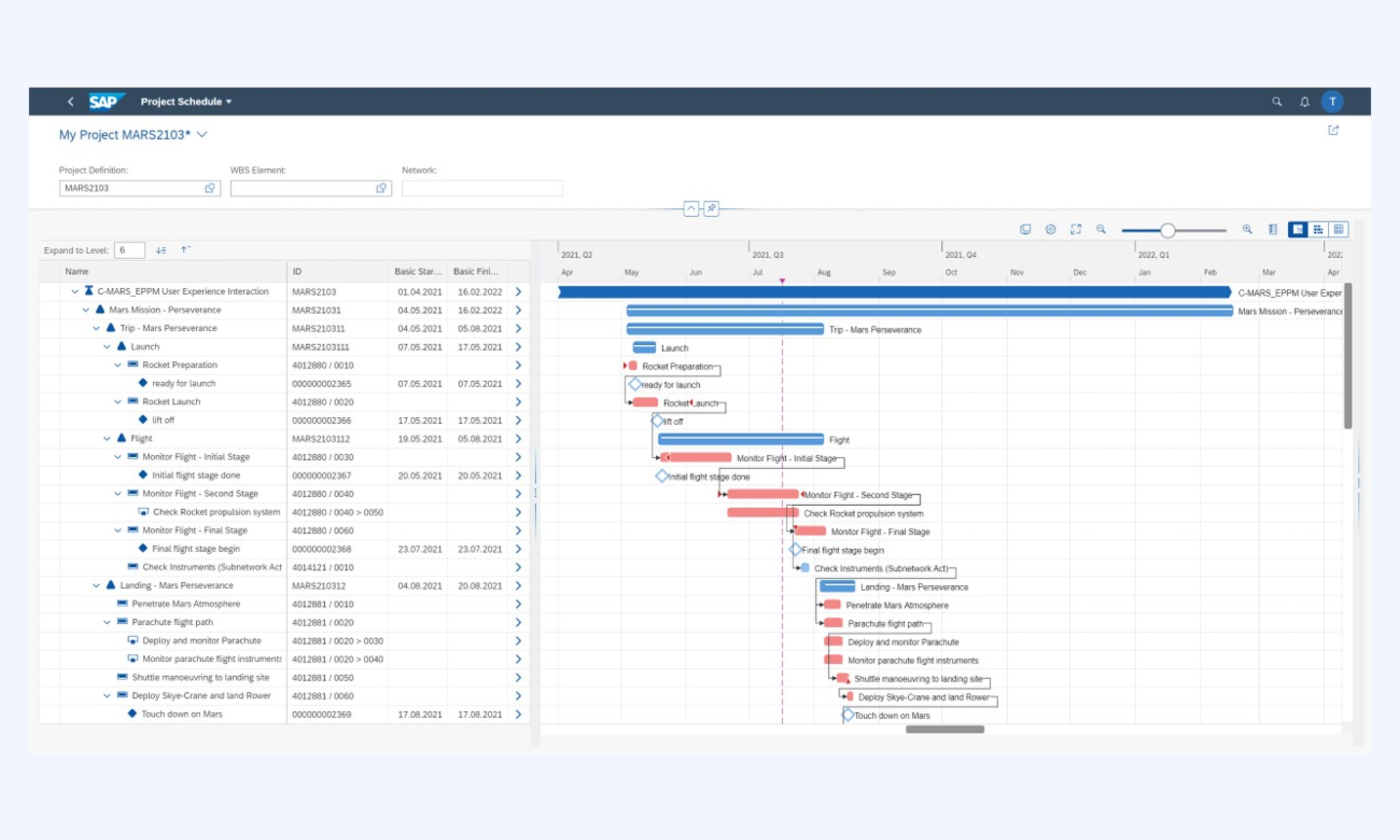
Image source: community.sap.com
SAP project systems module overview
The SAP Project Systems (PS) module is designed to help enterprises manage complex, long-term projects with financial precision and operational control. It connects project planning with accounting, procurement, and workforce management to create a unified execution environment. By combining structure, scheduling, and cost governance, SAP PS enables organizations to maintain visibility across the entire project lifecycle.
- Project lifecycle support: SAP PS supports projects from initial concept and planning through execution, monitoring, and final settlement. Each phase is financially integrated, ensuring real-time cost postings and revenue tracking. This end-to-end visibility strengthens governance, compliance, and profitability analysis.
- Work breakdown structure management: The (WBS) forms the backbone of SAP PS, dividing projects into logical, manageable components. Each WBS element can carry budgets, timelines, and responsibility assignments. This structured hierarchy ensures accountability and clear financial control across project layers.
- Scheduling and resource planning: SAP PS enables through network activities and milestone tracking. Resources—including labor, materials, and equipment—can be planned and allocated directly within the system. This ensures optimal utilization while preventing delays and budget overruns.
Key features of the SAP PS project systems module
The SAP PS project systems module provides enterprises with structured control over financials, timelines, and resources within large-scale projects. It combines operational execution with integrated cost management to ensure transparency at every stage. These core features make SAP PS particularly valuable for capital-intensive and long-duration initiatives.
- Budget planning: SAP PS enables at both project and WBS element levels. Organizations can define original budgets, revise allocations, and set availability controls to prevent overspending. This structured approach ensures financial discipline across complex project hierarchies.
- Cost tracking: The module captures real-time cost postings from procurement, labor, and materials and directly posts them into the project structure. Planned costs can be compared with actual expenditures to identify variances early. This continuous monitoring supports accurate forecasting and profitability analysis.
- Timeline management: SAP PS supports network activities, , and dependency mapping for structured scheduling. Project managers can monitor progress against baseline plans and adjust timelines when required. This improves delivery predictability and reduces delay risks.
- Workforce allocation: Resources such as employees, contractors, and equipment can be assigned to specific activities within the project network. Capacity planning tools help prevent resource conflicts and underutilization. This ensures optimal workforce deployment aligned with project priorities.
Cost and budgeting in SAP PS projects
Effective cost and budgeting control is central to the value of SAP Project Systems (PS). The module integrates financial planning with operational execution, ensuring that every project activity has a measurable financial impact. This tight integration helps enterprises maintain transparency, prevent overruns, and safeguard profitability across complex initiatives.
- Expense monitoring: SAP PS captures expenses in real time from procurement, payroll, and material movements linked to . Each cost is automatically assigned to the relevant WBS or network activity. This continuous visibility enables early detection of budget deviations and corrective action.
- Forecasting project costs: The system compares planned, committed, and actual costs to generate accurate forecasts. Managers can use variance analysis and trend projections to estimate final project costs. This supports proactive financial decision-making before risks escalate.
- Financial reporting: SAP PS provides detailed financial reports at project, WBS, and activity levels. Reports integrate with controlling and accounting modules for consolidated visibility. This ensures compliance, audit readiness, and clear insight into .
Track real-time project expenses in a smart way
Pros of SAP as a project management solution
SAP Project Systems (PS) is designed for enterprises managing large, complex, and capital-intensive projects. Its strength lies in deep financial integration, structured governance, and cross-departmental visibility. For organizations operating at scale, SAP provides a level of control and compliance that lightweight tools often cannot match.
- Deep financial integration: SAP PS integrates directly with Finance (FI) and Controlling (CO) modules for real-time cost postings. Every procurement, labor entry, or material movement is reflected instantly in project accounts. This ensures accurate budgeting, profitability tracking, and audit-ready reporting.
- Strong governance and compliance: The system enforces , availability controls, and structured authorization roles. Budget overruns can be automatically blocked based on predefined thresholds. This makes SAP highly suitable for regulated industries and large enterprises.
- Scalable project structuring: Through Work Breakdown Structures (WBS) and network activities, SAP supports highly detailed project hierarchies. Organizations can manage multi-year, multi-location programs within a unified structure. This scalability makes it ideal for infrastructure, engineering, and global IT initiatives.
- Real-time cost visibility: SAP PS provides immediate access to planned, committed, and actual cost comparisons. Managers can continuously conduct variance analysis and . This helps prevent financial surprises late in the project lifecycle.
- Cross-functional integration: The module connects seamlessly with procurement, HR, logistics, and asset management systems. This eliminates data silos and manual reconciliation across departments. As a result, project execution aligns closely with enterprise-wide operational processes.
Cons of SAP as a project management solution
While SAP Project Systems (PS) offers strong enterprise capabilities, it is not without limitations. Its complexity and structure can create operational challenges, particularly for organizations seeking flexibility and rapid deployment. Understanding these constraints helps enterprises evaluate whether SAP aligns with their project management maturity and agility needs.
- High implementation complexity: SAP PS requires detailed configuration aligned with and processes. Implementation often involves consultants, cross-department coordination, and extensive testing. This makes deployment time-consuming and resource-intensive.
- Significant cost investment: Licensing, customization, infrastructure, and consulting fees can be substantial. Ongoing maintenance and system upgrades further increase the total cost of ownership. Smaller organizations may find the investment difficult to justify.
- Steep learning curve: The interface and technical structure require formal training to be used effectively. Project managers without SAP experience may struggle initially. This increases onboarding time and training requirements.
- Limited flexibility for rapid changes: SAP's structured environment can feel rigid when projects require frequent scope adjustments. Modifying configurations or workflows may require technical support. This can slow down fast-moving or agile project environments.
- Less intuitive collaboration features: Native communication and real-time collaboration tools within SAP are limited. Teams often rely on external platforms for messaging and document sharing. This can create friction between structured ERP data and daily .
Career paths in SAP project systems jobs
Professionals skilled in SAP Project Systems (PS) are in demand across industries that manage large-scale, capital-intensive projects. As organizations continue investing in ERP-driven governance, expertise in SAP PS opens doors to both technical and functional career tracks. From consulting to enterprise transformation roles, these careers combine financial insight with project execution knowledge.
- SAP PS consultant: An SAP PS consultant configures and optimizes the module to align with and financial controls. They gather business requirements, design WBS hierarchies, and integrate PS with FI/CO and other modules. Consultants often work with implementation partners or advisory firms, earning competitive compensation due to specialized expertise.
- Project analyst: A project analyst uses SAP PS data to monitor budgets, timelines, and . They generate reports, conduct variance analysis, and support decision-making for project managers and finance teams. This role bridges operational execution with financial accountability.
- SAP implementation specialist: An SAP implementation specialist focuses on deploying SAP PS during ERP rollouts or system upgrades. They coordinate with cross-functional teams to ensure proper configuration, testing, and user training. Their work is critical in ensuring smooth transitions and long-term system stability.
Challenges in SAP project systems adoption
Adopting SAP Project Systems (PS) can significantly enhance enterprise project control, but the journey is often complex. Organizations must align technical architecture, financial structures, and operational processes before realizing full value. Without , implementation risks can delay ROI and strain internal resources.
- Technical setup: SAP PS requires detailed configuration of project structures, cost elements, networks, and integration points. This setup must align with existing financial and controlling frameworks. Misalignment during configuration can lead to reporting inconsistencies and operational disruptions.
- Training requirements: The module's demands formal training for project managers, finance teams, and administrators. Users must understand WBS logic, cost postings, and reporting tools to operate effectively. Insufficient training can reduce adoption rates and limit the benefits of the system.
- Integration with enterprise systems: SAP PS must integrate with finance, procurement, HR, and logistics modules for seamless data flow. Complex IT landscapes may require custom development or middleware support. Integration challenges can increase costs and extend implementation timelines.
While SAP Project Systems delivers strong financial governance and structural control, modern enterprises also require speed, flexibility, and seamless . Project execution today depends not only on ERP precision but also on real-time collaboration across distributed teams. Bridging structured SAP data with agile, day-to-day workflows is essential for sustained momentum. This is where Lark complements enterprise project environments by connecting planning, communication, and execution into a single unified platform.
Align strategy, execution, and teamwork in one place
New alternative: Try Lark to build streamlined workflows across projects
Modern project environments demand more than structured planning—they require continuous communication, shared visibility, and rapid decision-making. While ERP systems manage financial control, teams need efficiently across departments and locations. enables real-time, synchronized workflows that connect conversations, documentation, approvals, and task tracking. By centralizing collaboration, it ensures that project execution remains aligned with strategic objectives across every phase.
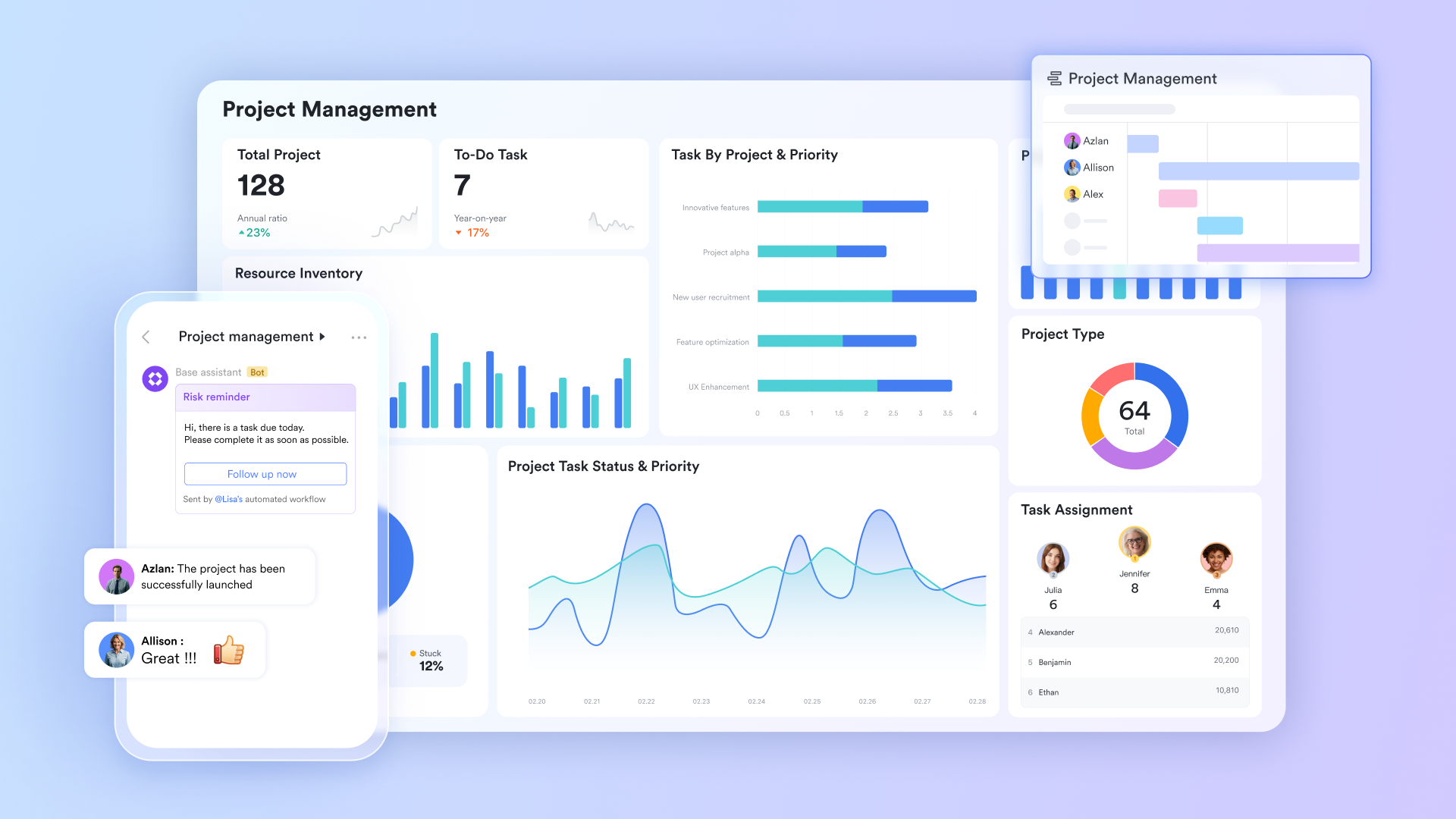
Unified Agile project database
serves as the dynamic, no-code engine that bridges the gap between high-level SAP structural planning and daily tactical execution. While SAP PS is the master of the Work Breakdown Structure (WBS), Lark Base provides the flexibility to manage the "living" data of a project. It allows teams to through multiple lenses, including Gantt, Kanban, and Gallery views, which sync in real-time across the entire organization. By setting up automated workflows within Base, a status change on a single task can trigger a notification to a project lead.
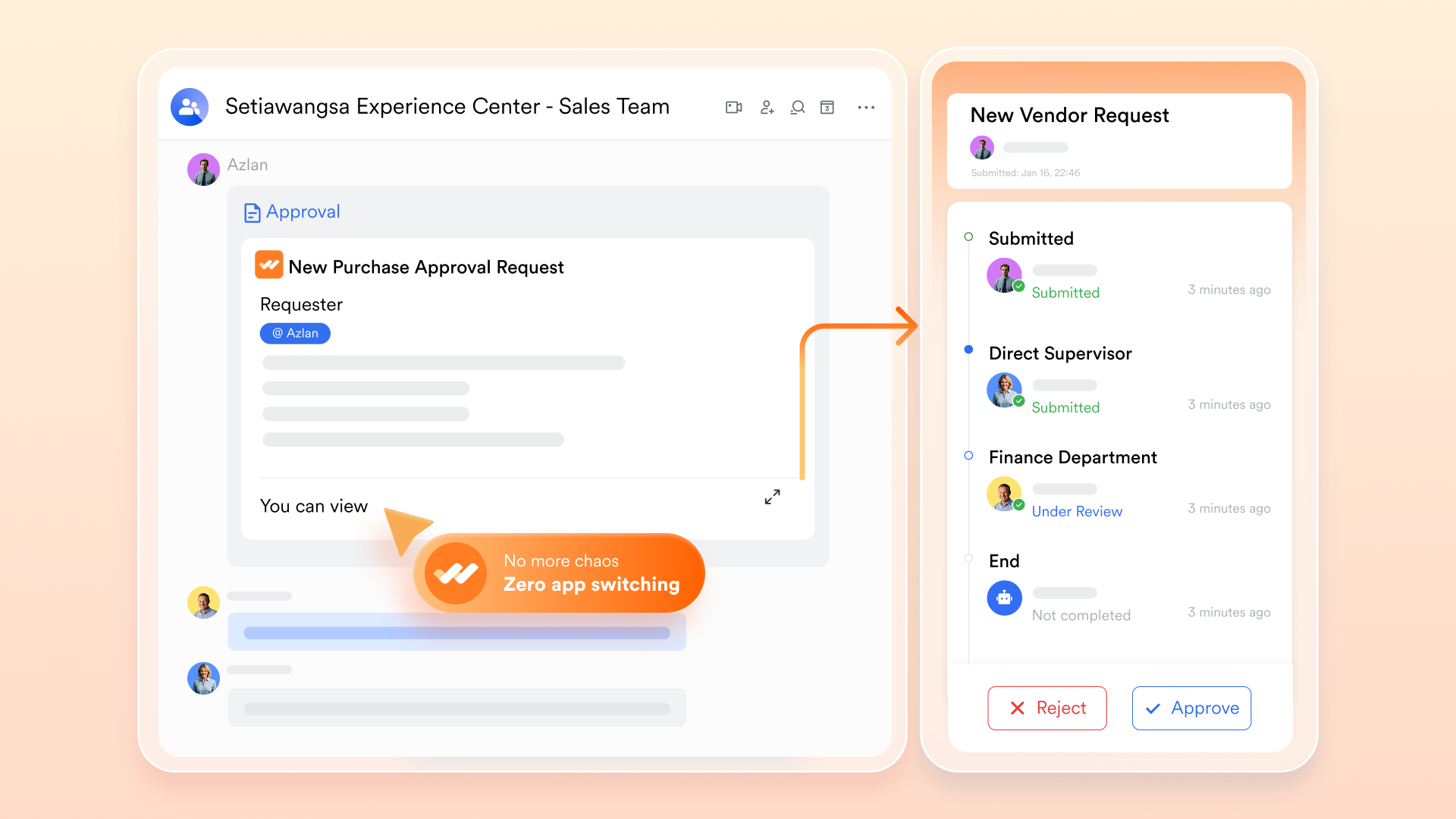
Streamlined approvals and sign-offs
The feature is designed to eliminate the administrative "dead time" that often plagues large-scale enterprise projects. In a traditional SAP environment, approving a purchase requisition or a change in project scope often requires a manager to be at their desk, logged into a complex interface. Lark Approval brings these to a mobile-first interface, allowing executives to review, comment on, and sign off on project expenses or timeline changes with a single tap on their smartphones.
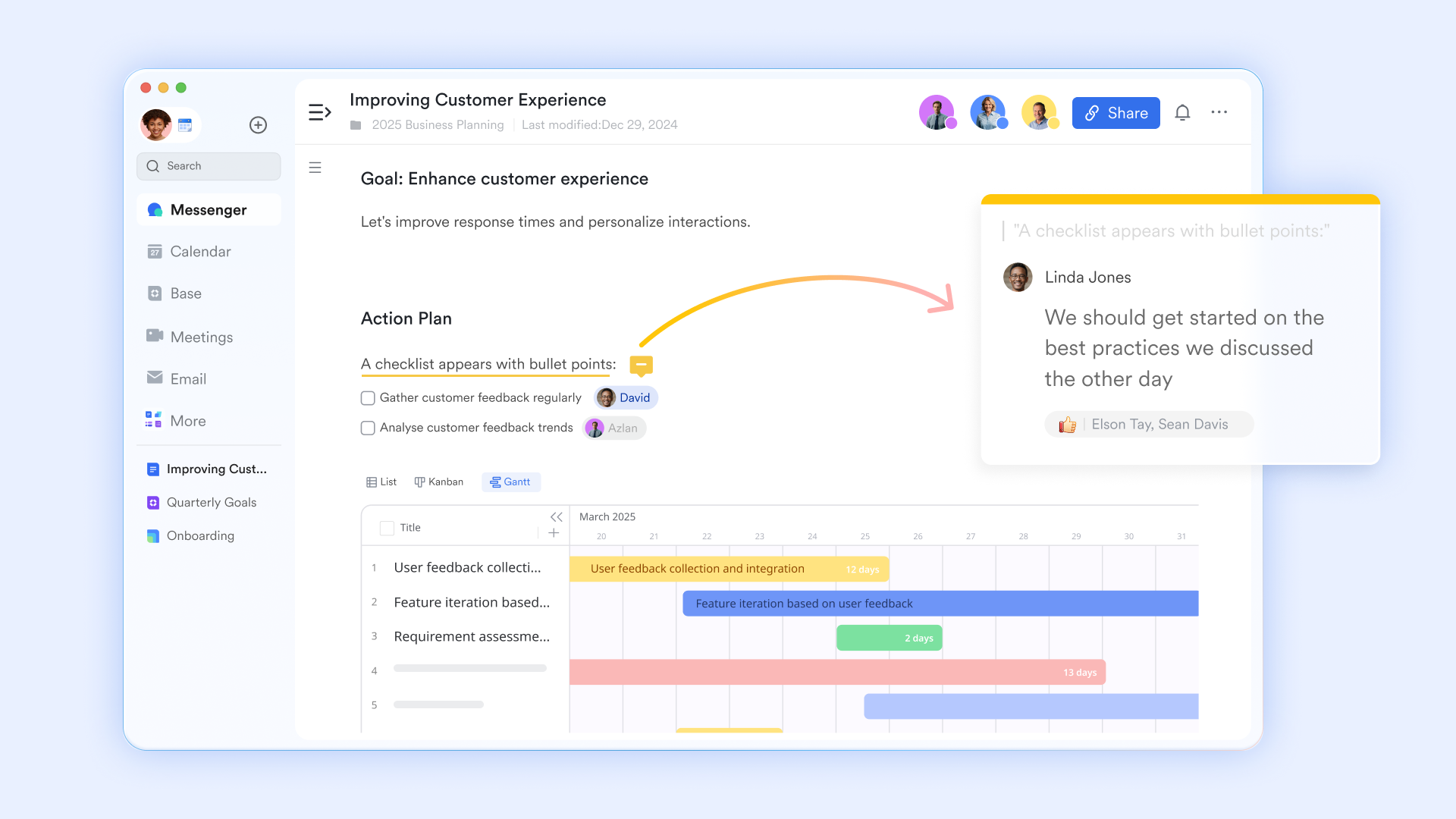
Live data visualization and project plans
moves beyond static reporting by providing a collaborative canvas where project data becomes actionable insight. Standard reports from SAP PS can often be dense and difficult for non-technical stakeholders to interpret; Lark allows teams to pull that data via API into Live Sheets for real-time visualization. These sheets can be embedded directly into a Project Wiki (Lark Doc), where the , tag colleagues for feedback, and document the "why" behind the numbers.
Flexible integration layer
Lark AnyCross is the sophisticated integration layer that acts as the "connective tissue" between SAP's backend data and the team's frontend collaboration. It is a specialized platform that enables IT teams to build between SAP's OData/API layers and Lark's productivity suite without extensive custom coding. For example, AnyCross can be configured to automatically sync employee time logs or task completions from Lark directly into the SAP PS module for accurate cost accounting and labor tracking. 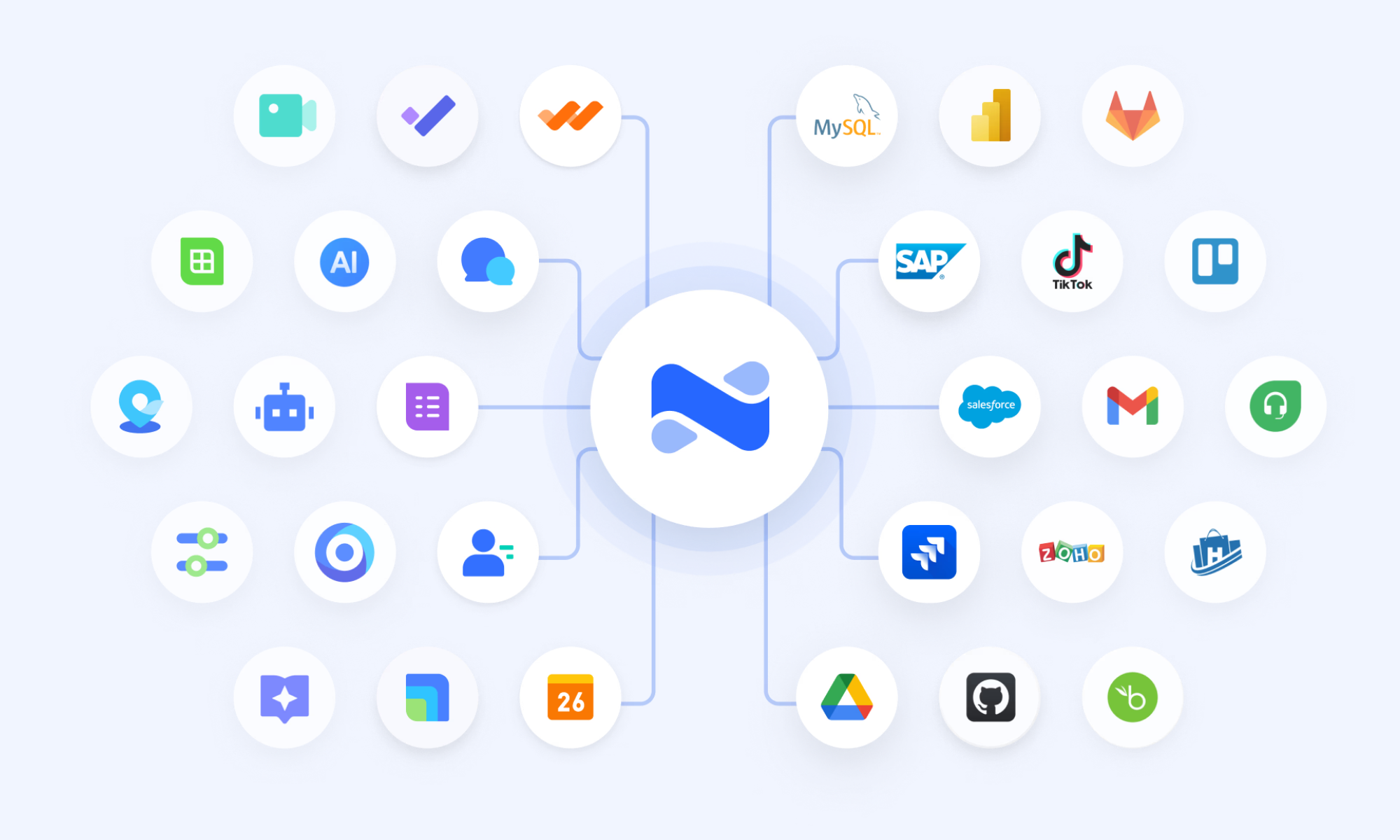
:
- Starter plan: Free forever plan that includes 11 powerful tools for up to 20 users. It also includes 100GB of storage, 1,000 automation runs, AI translations, and more.
- Pro plan: $12/user/month (billed annually) for up to 500 users. It includes everything in Starter, plus group calling for up to 500 attendees, 15 TB of storage, 50,000 automation runs, and more.
- Enterprise plan: for custom pricing. Supports unlimited users and includes even more automation runs and advanced security, compliance, and management features.
For small teams with simple communication needs

18 months message history
1000 Base automation runs/month
2000 rows per table in Base
Most POPULAR
For companies with comprehensive collaboration and management needs
Unlimited message history
500-participant video meetings
50k Base automation runs/month
20k rows per table in Base
For large companies with advanced security and organizational management needs
Get a personalized demo and pricing
Unlimited message history
500-participant video meetings
15 TB storage + 30 GB storage/user
500k Base automation runs/month
50k Base automation runs/month
Most POPULAR
For companies with comprehensive collaboration and management needs
Unlimited message history
500-participant video meetings
50k Base automation runs/month
20k rows per table in Base
SAP PS vs Lark: Which platform suits you better
Choose SAP Project Systems if you require a rigid, enterprise-grade framework for complex, large-scale industrial or financial projects. It is the ideal choice for organizations that rely on structured Work Breakdown Structures (WBS) to manage deep financial integration, procurement, and high-level resource planning within a strictly governed environment.
Choose Lark if your priority is team agility and a modern, collaborative workspace where communication and project data are natively linked. It is the superior option for cross-functional teams that need flexible Lark Base views, real-time Messenger integration, and "living" documents to maintain high-velocity task tracking and automated workflows.
Conclusion
SAP Project Systems (PS) remains a powerful solution for enterprises managing complex, high-value projects that demand financial precision, structured governance, and cross-functional integration. From Work Breakdown Structures and cost tracking to budgeting and lifecycle management, SAP PS provides the backbone required for large-scale execution. However, as project environments become more dynamic and distributed, organizations increasingly need tools that complement ERP strength with , flexible workflows, and seamless communication.
This is where adds strategic value. By connecting messaging, documentation, approvals, task management, and automation into one unified workspace, Lark bridges the gap between structured SAP data and everyday team execution. The result is improved visibility, faster coordination, and reduced operational friction across projects. If your organization is looking to modernize project collaboration while maintaining enterprise-grade control, now is the time to explore a smarter way of working. Discover how Lark can elevate your project execution strategy today.
Enable faster, smarter team coordination with Lark
FAQs
What is the SAP PS project systems module used for?
SAP PS is used to plan, execute, and monitor complex enterprise projects with integrated financial control. It manages WBS structures, budgets, schedules, and cost tracking within the ERP environment. Many organizations complement SAP PS with Lark to enhance and daily project coordination.
How does SAP Project Systems manage budgeting?
SAP PS enables budget allocation at the project and WBS levels, with availability controls to prevent overspending. It tracks planned, committed, and actual costs in real time for accurate variance analysis. Teams often use Lark alongside SAP PS to communicate budget updates and approvals more efficiently.
Is SAP project systems training required for jobs?
Yes, most SAP PS roles require formal training due to the module's structured configuration and financial integration. Understanding WBS logic, cost elements, and reporting tools is essential for professional roles. Combining SAP PS expertise with collaboration tools like Lark can further strengthen career prospects.
What industries use SAP PS the most?
Industries such as construction, engineering, manufacturing, energy, and IT rely heavily on SAP PS for capital-intensive projects. These sectors require strict cost control, regulatory compliance, and structured project governance. Many also integrate Lark to improve cross-team communication and execution speed.
How long does SAP PS implementation take?
Implementation timelines vary depending on project complexity, integration scope, and customization needs. Large enterprises may require several months for full deployment and testing. During rollout, platforms like Lark can support communication, training coordination, and change management efforts.
Related reading





























