Modern teams juggle multiple projects, stakeholders, deadlines, and tools, often all at once. Choosing the right project management platform can directly impact productivity, visibility, and collaboration across teams. Two tools frequently compared in online discussions, including on Reddit threads, are Teamwork and ClickUp. While both platforms aim to streamline project execution and help teams deliver work on time, they differ significantly in structure, flexibility, and use cases.
In this guide, we explore Teamwork vs ClickUp by comparing their features, pricing, strengths, and limitations, along with where other project management tools may fit, so you can determine which option best aligns with your team's needs.
Reduce tool overload with an all-in-one workspace
What is Teamwork?
Teamwork is a designed primarily for client-focused teams, agencies, and professional services businesses. It helps teams plan, manage, and deliver projects while maintaining visibility into timelines, workloads, and billable work. In many Teamwork vs ClickUp comparisons, Teamwork stands out for its strong emphasis on time tracking, budgeting, and client profitability.
At its core, Teamwork organizes work around projects, milestones, and task lists, making it easy to manage structured client engagements. Built-in time-tracking and allow teams to monitor effort, compare planned versus actual work, and understand how resources are used across multiple projects. This approach is frequently highlighted in Teamwork.com Reddit discussions, especially among agencies managing recurring client work.
For teams evaluating ClickUp vs Teamwork projects, Teamwork is often favored when predictable workflows, financial tracking, and client accountability are higher priorities than deep customization.
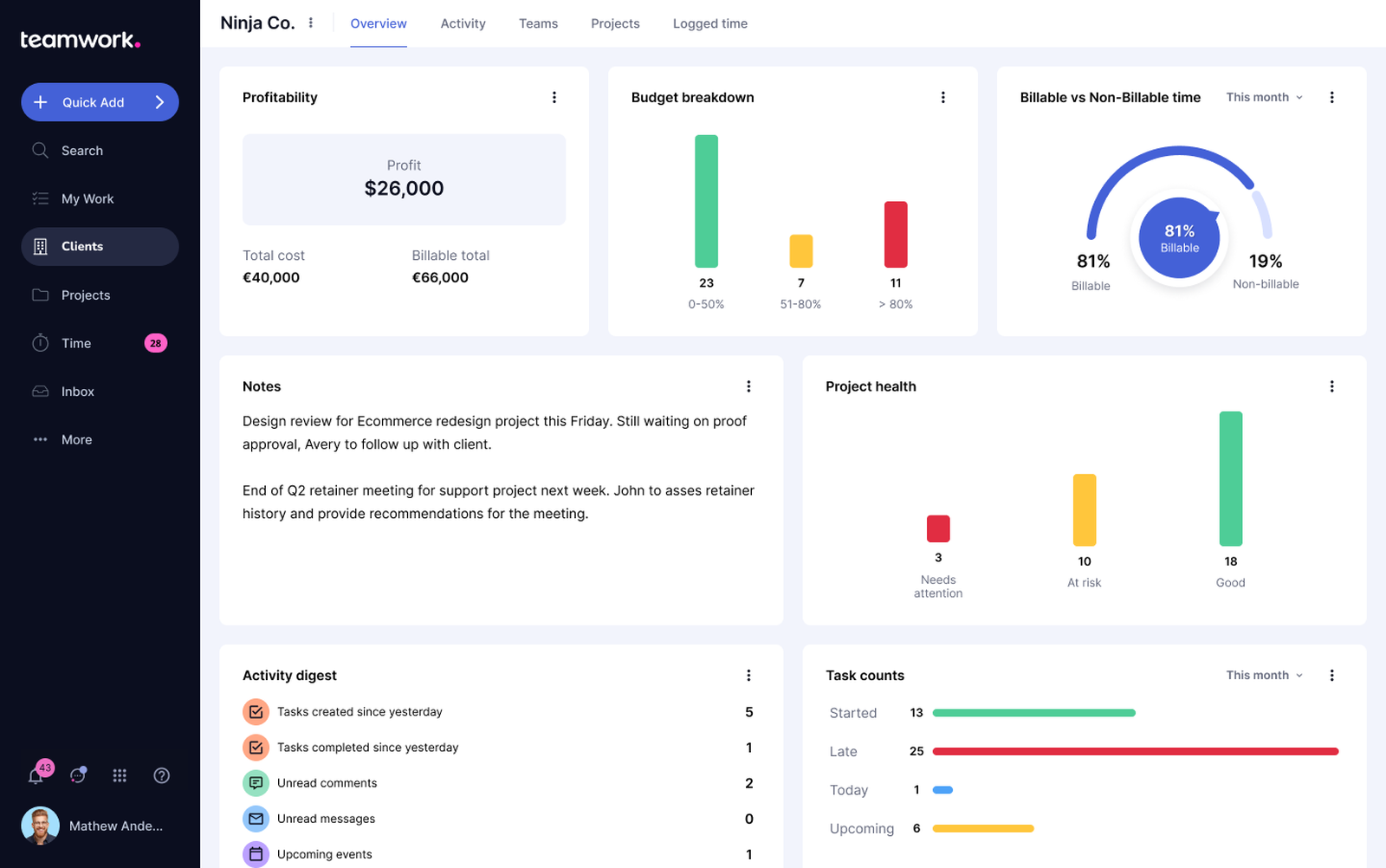
Image source: teamwork.com
What is ClickUp?
ClickUp is a flexible, all-in-one productivity and project management platform designed to support a wide range of teams and workflows. It is commonly compared with tools like Teamwork in ClickUp vs Teamwork evaluations, particularly by startups, product teams, and cross-functional organizations seeking customization. ClickUp allows teams to manage work using tasks, lists, folders, and spaces, with extensive options for custom fields, statuses, and views.
Unlike more structured tools, ClickUp emphasizes adaptability. Teams can configure workflows for everything from software development and to operations and internal projects. Features such as native time tracking, goals, dashboards, documents, and automations make it a popular choice in ClickUp vs Teamwork Reddit discussions focused on replacing multiple tools with a single platform.
When assessing ClickUp vs Teamwork projects, ClickUp is often chosen by teams that value flexibility and centralized over predefined project structures.
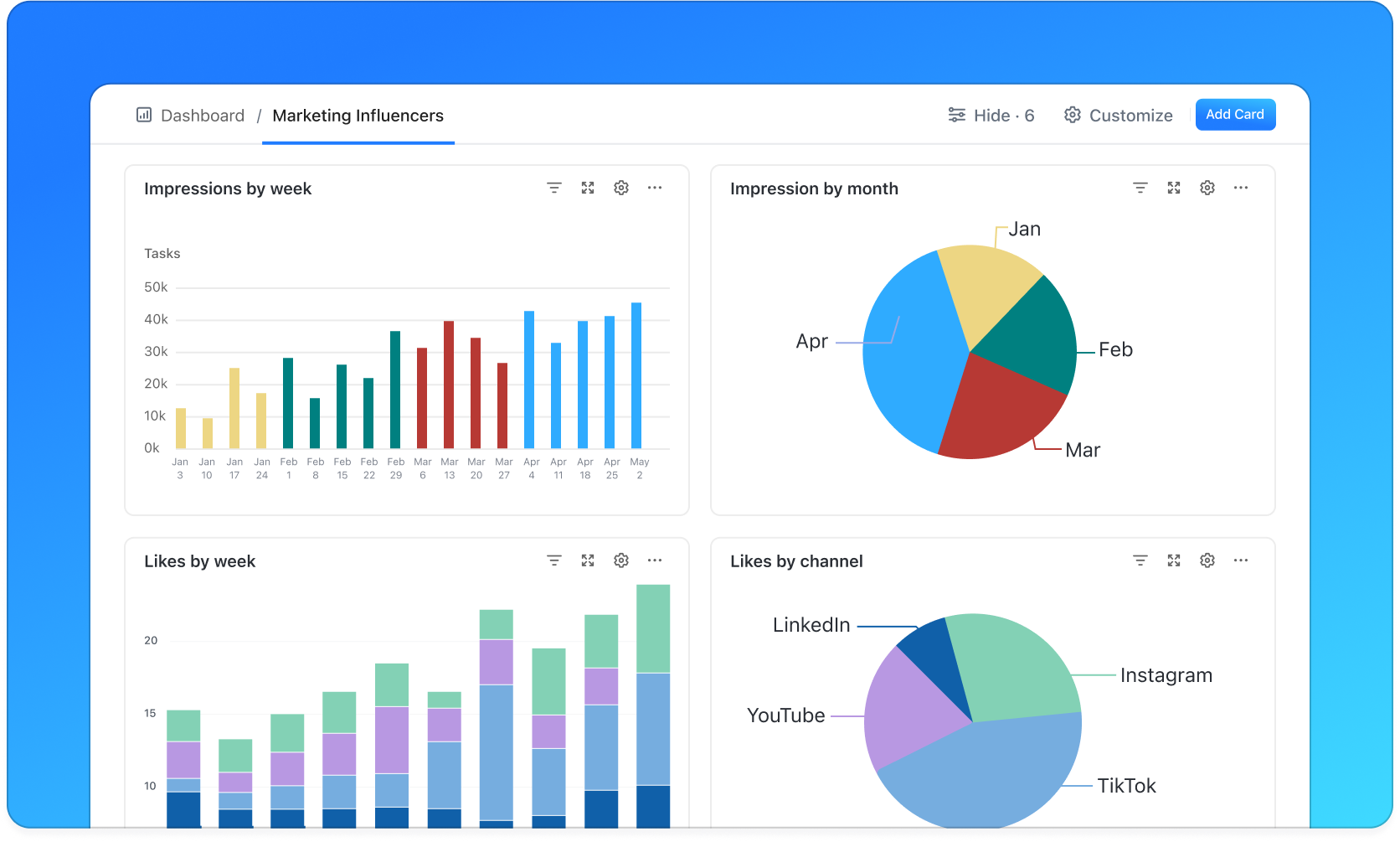
Image source: clickup.com
Teamwork vs ClickUp: How core project features differ
The following table breaks down the core functional differences between these two leaders to help you decide which project management style aligns best with your existing CRM workflows.
How Teamwork and ClickUp pricing stack up
When comparing Teamwork vs ClickUp, understanding pricing is essential to choosing the right platform for your team's budget and needs. Both tools offer free tiers and multiple paid plans, but they differ in how features are packaged and scaled. Evaluating cost alongside functionality helps you determine the best value for your workflows and team size. Below, we break down each tool's pricing structure and what you get at each level.
Teamwork pricing breakdown
Below is an overview of Teamwork's pricing plans, highlighting what each tier includes and who it's best suited for. Understanding these options can help you decide how Teamwork fits your team's budget and project needs.
- Free Forever: Up to 5 users, 5 projects, milestone tracking, basic time tracking, and task dependencies.
- Deliver ($10.99/user/month): Unlimited client users, 300 projects, 5,000 automation actions, project status reports, intake forms, and 100GB storage. (Minimum 3 users).
- Grow ($19.99/user/month): 600 projects, 20,000 automations, workload/capacity management, advanced budgeting, profitability tracking, and 250GB storage. (Minimum 5 users).
- Scale ($54.99/user/month): Unlimited projects, 100,000 automations, advanced resource scheduling, custom reports, and 500GB storage.
- Enterprise (Custom Pricing): Dedicated Success Manager, SSO, priority support, HIPAA compliance options, and unlimited storage.
ClickUp pricing breakdown
Here's a look at ClickUp's pricing plans and what each tier offers, helping you evaluate features and costs as part of your ClickUp vs Teamwork comparison. Use this breakdown to find the plan that best matches your team's workflow and scaling needs.
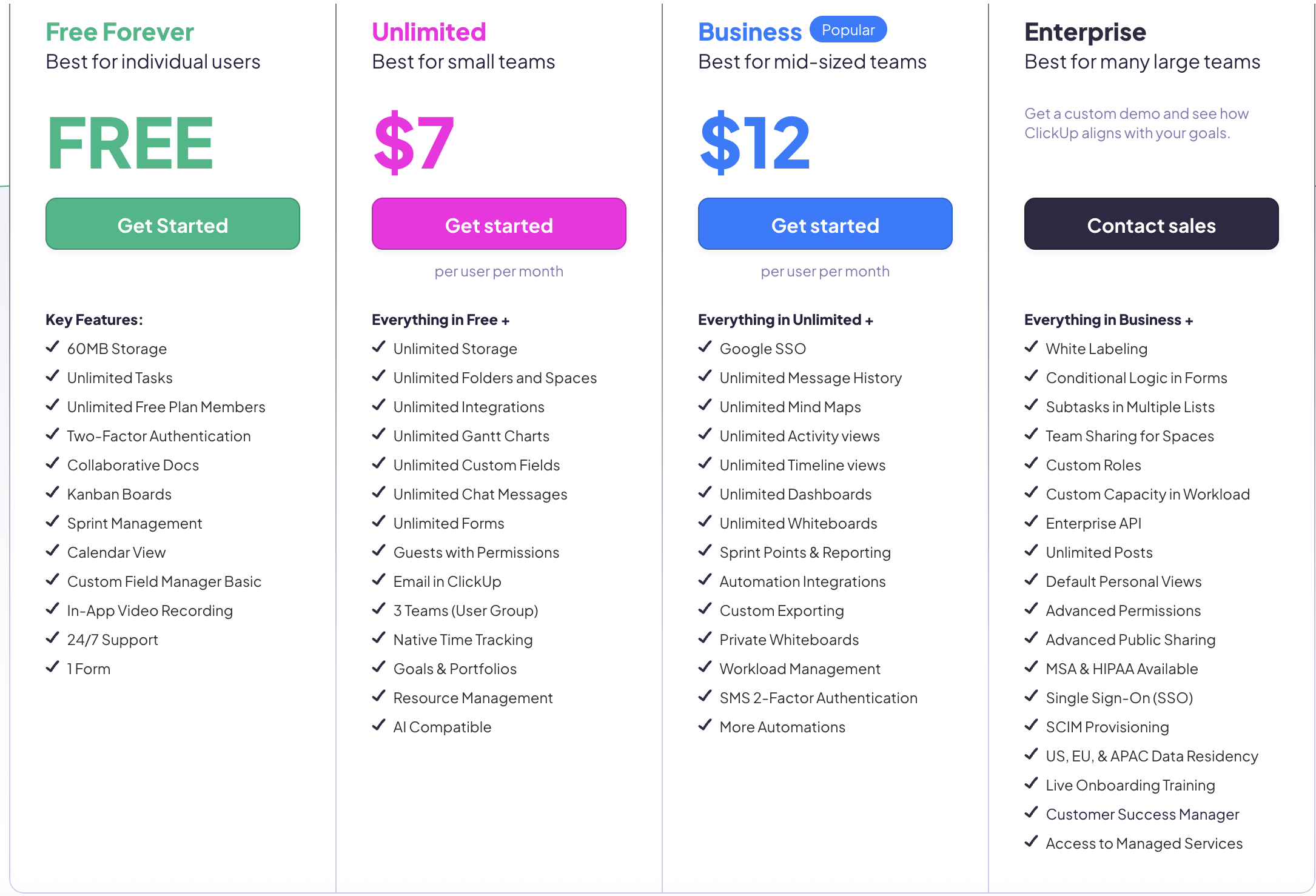
Image source: clickup.com
Update time: 2025-12-21
Note: Pricing and plan details reflect publicly available data as of the update date and may vary based on region, billing cycle, and number of agents.
For more information? 👉
Pros and cons: ClickUp vs Teamwork in real-world uses
When evaluating Teamwork vs ClickUp, real-world performance often depends on how well each tool aligns with a team's structure, priorities, and workflow maturity. Below is a practical breakdown of where each platform performs best and where teams commonly encounter limitations.
Where Teamwork performs best
Teamwork is well-suited for agencies and managing structured, client-facing projects. Its built-in time tracking, budgeting, and profitability reports provide clear visibility into billable work and project health. This makes it easier for managers to control scope, monitor margins, and maintain client accountability.
Where Teamwork falls short
Compared to more flexible platforms, Teamwork offers limited customization for non-traditional workflows. Teams that need highly tailored task views, complex automations, or cross-functional setups may find it restrictive. This often comes up in ClickUp vs Teamwork discussions where adaptability is a priority.
Where ClickUp excels
ClickUp stands out for its flexibility and breadth of features, allowing teams to customize workflows across departments. With multiple views, custom fields, dashboards, and automations, it adapts well to evolving processes. In teamwork vs ClickUp comparisons, ClickUp is often favored by teams replacing multiple tools.
Common challenges teams face with ClickUp
ClickUp's flexibility can also introduce complexity, especially for new users. Without clear structure or governance, workspaces can become cluttered and difficult to manage. Performance concerns and setup fatigue are commonly discussed in ClickUp vs Teamwork Reddit threads, particularly in large or heavily customized environments.
Afterthought
While Teamwork vs ClickUp covers many everyday project management needs, some teams find that traditional don't fully address how modern work actually happens. As collaboration, communication, and automation become increasingly intertwined, teams often look beyond standalone project managers. This is where unified work platforms enter the conversation. Instead of relying on multiple disconnected tools, these platforms aim to bring projects, communication, and workflows into a single environment. Lark is one example of a unified workspace designed to support this more integrated way of working.
Simplify project work without juggling tools
Meet Lark: Unified workspace for smooth workflows
As teams navigate Teamwork vs ClickUp, many struggle with tool overload and fragmented workflows. offers a unified workspace that combines , team communication, documents, and automation in one platform. By centralizing work, teams can collaborate more efficiently, reduce context switching, and streamline processes. In this section, we explore key Lark functions that help modern teams stay organized and productive. Dynamic and centralized data management console
acts as a versatile data management hub that brings stakeholders and resources into a unified workspace for seamless project tracking. It includes multi-dimensional views, such as Gantt and Kanban, for visualization, alongside multiple fields, such as person and attachment fields, for massive data import. Teams can collaborate directly in the tables and templates, while granular permissions ensure data security at every level. This combination of no-code flexibility and real-time dashboards allows teams to plan, execute, and deliver goals with minimal administrative effort. 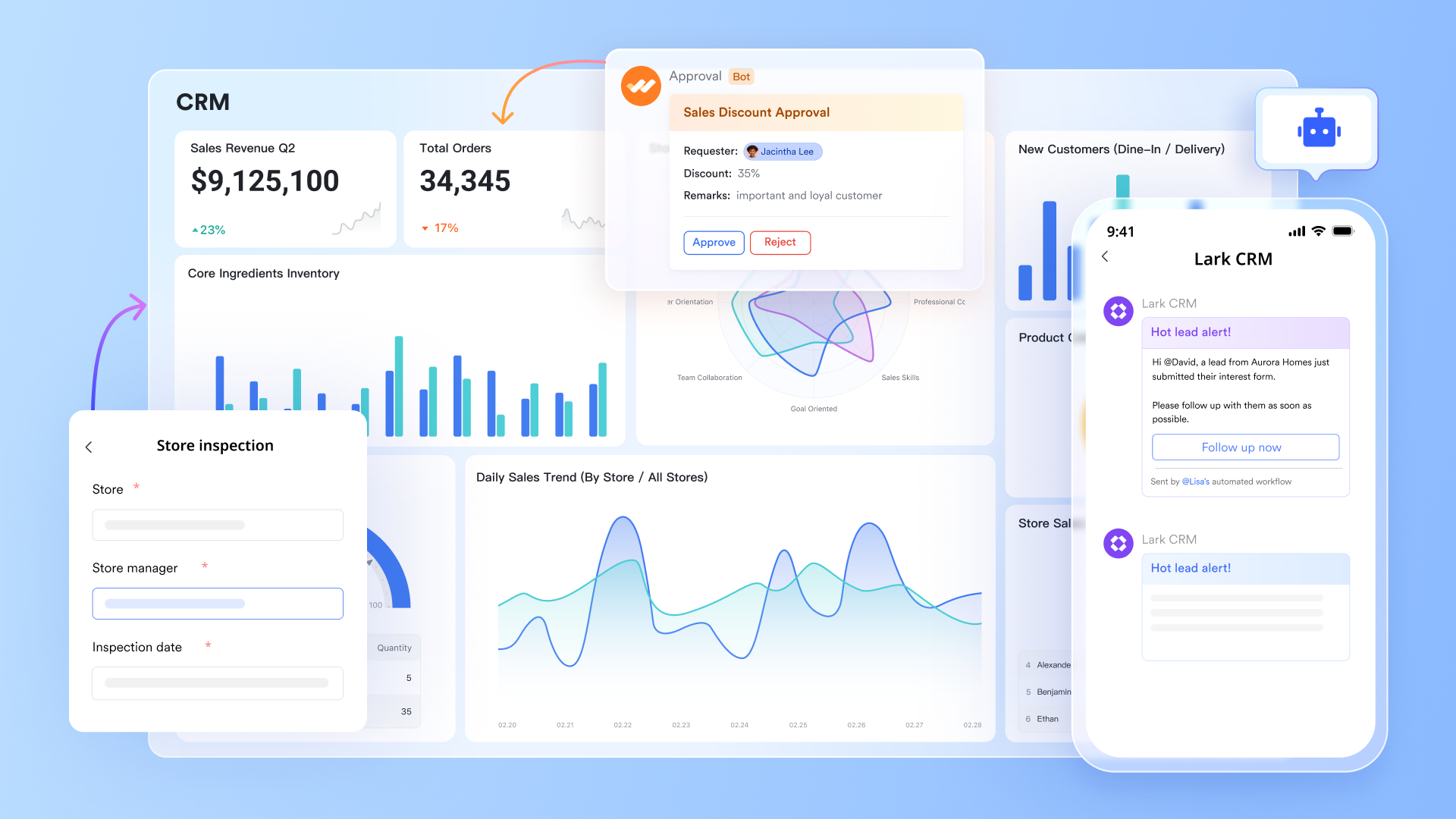
Real‑time collaborative documents, spreadsheets, and slides
, Lark Sheets, and let teams , spreadsheets, and slides in real time, making collaboration seamless during planning, reporting, or requirements gathering. You can comment, @mention teammates, and track version history without switching platforms, centralizing project artifacts that would otherwise be scattered across tools. This enhances cross‑team alignment and complements traditional PM capabilities compared with ClickUp vs Teamwork project setups. 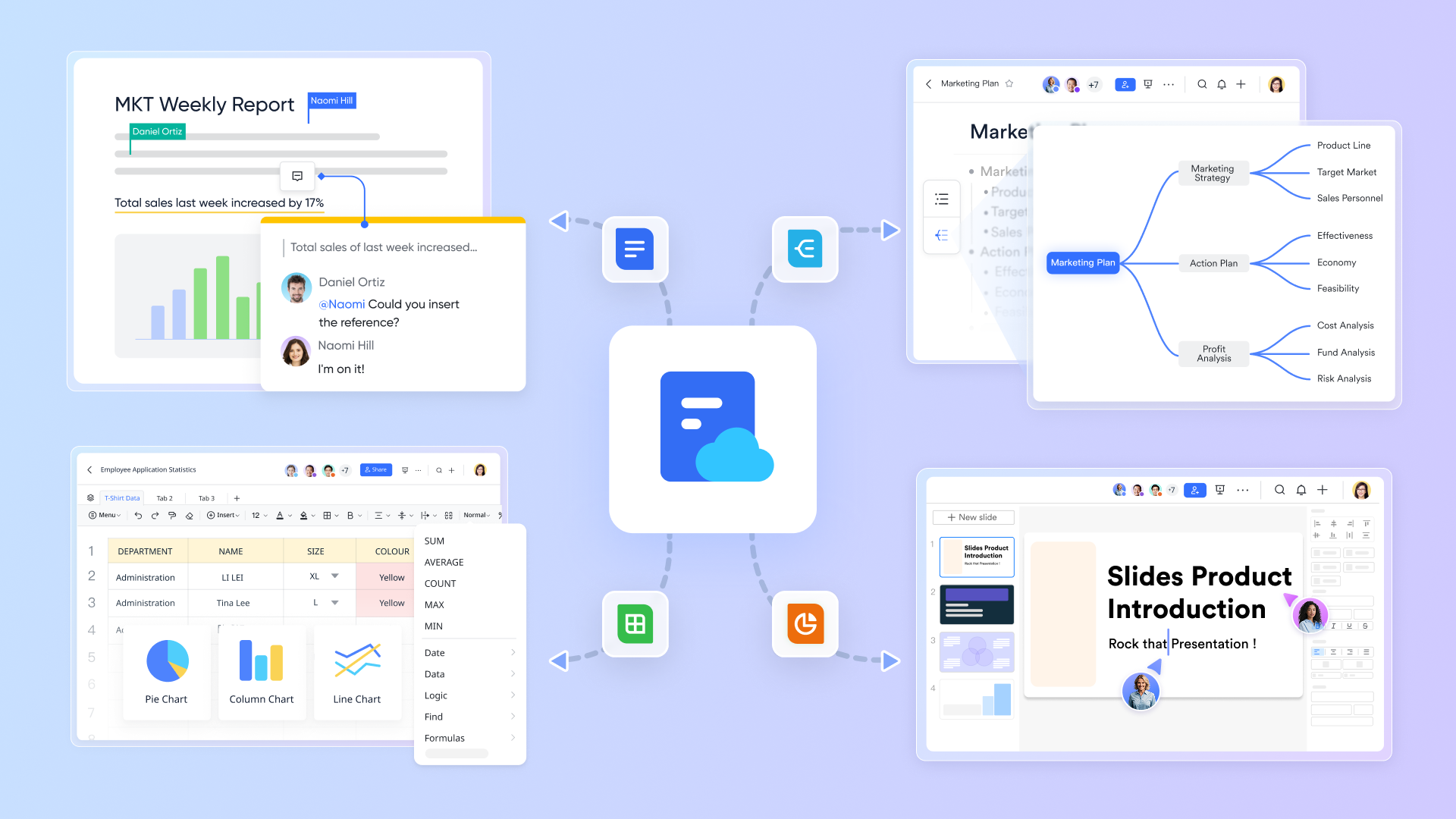
Instant text and video communication
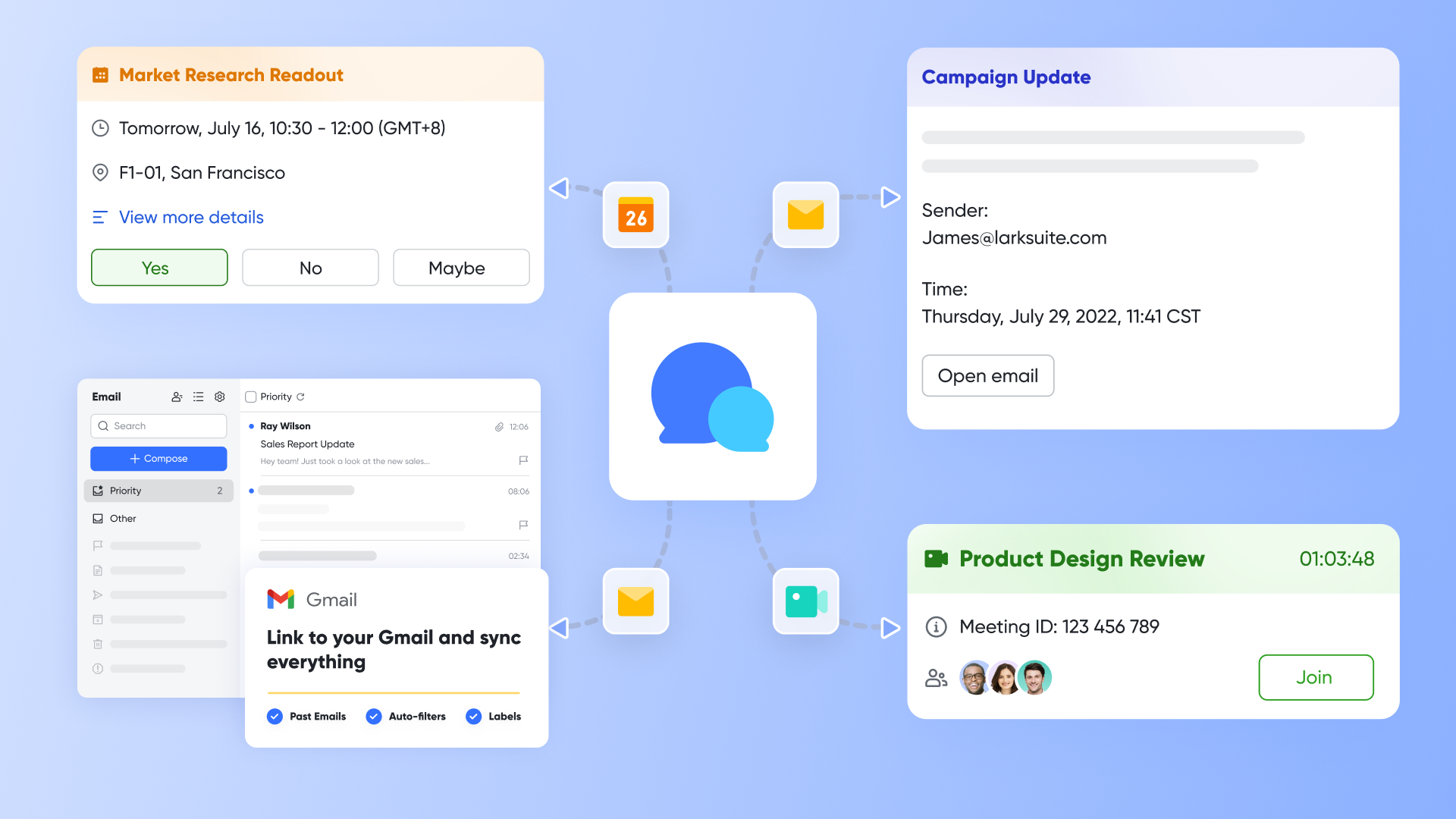
Via and , Lark's unified chat and video conferencing bring discussions, planning, and decision‑making into one space. Teams can start a meeting directly from chat or calendar and co‑edit docs during calls. This eliminates context switching between chat, meetings, and task tools, helping teams collaborate faster and stay aligned throughout .
Smart calendar & agenda scheduling
Lark Calendar syncs meetings, deadlines, and shared team events with chat notifications and integrated video links. You can view team availability side‑by‑side, schedule sessions in a few clicks, and attach relevant documents for prep. This keeps planning and execution synchronized without juggling separate calendar apps. 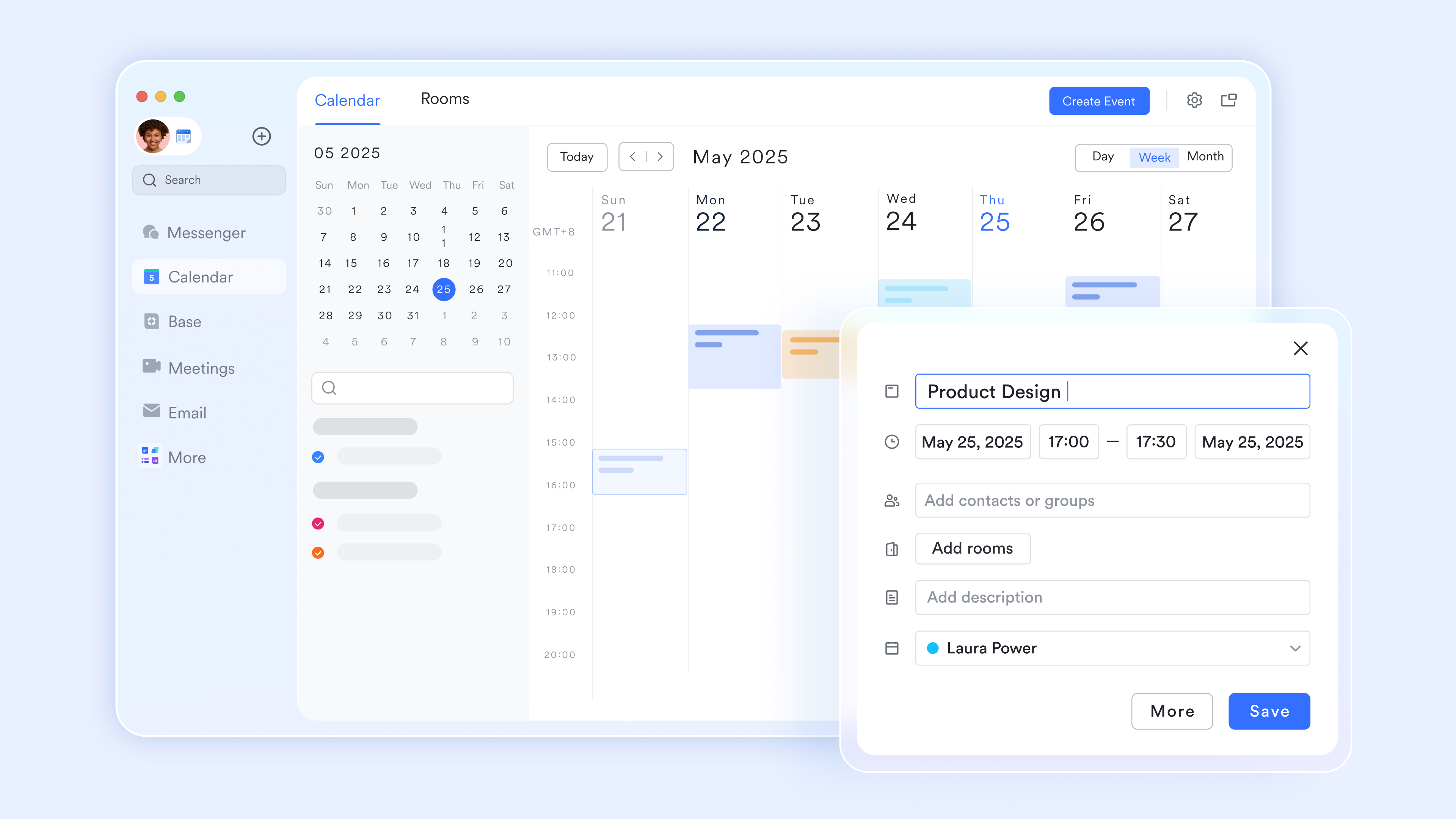
Unified task & project tracking
Lark Tasks can be created from Messenger or a document with due dates and assignees, giving a centralized view of work in progress. or help teams monitor responsibilities without adding a standalone task tool, ideal for teams seeking a more integrated alternative to ClickUp vs Teamwork Reddit debates. 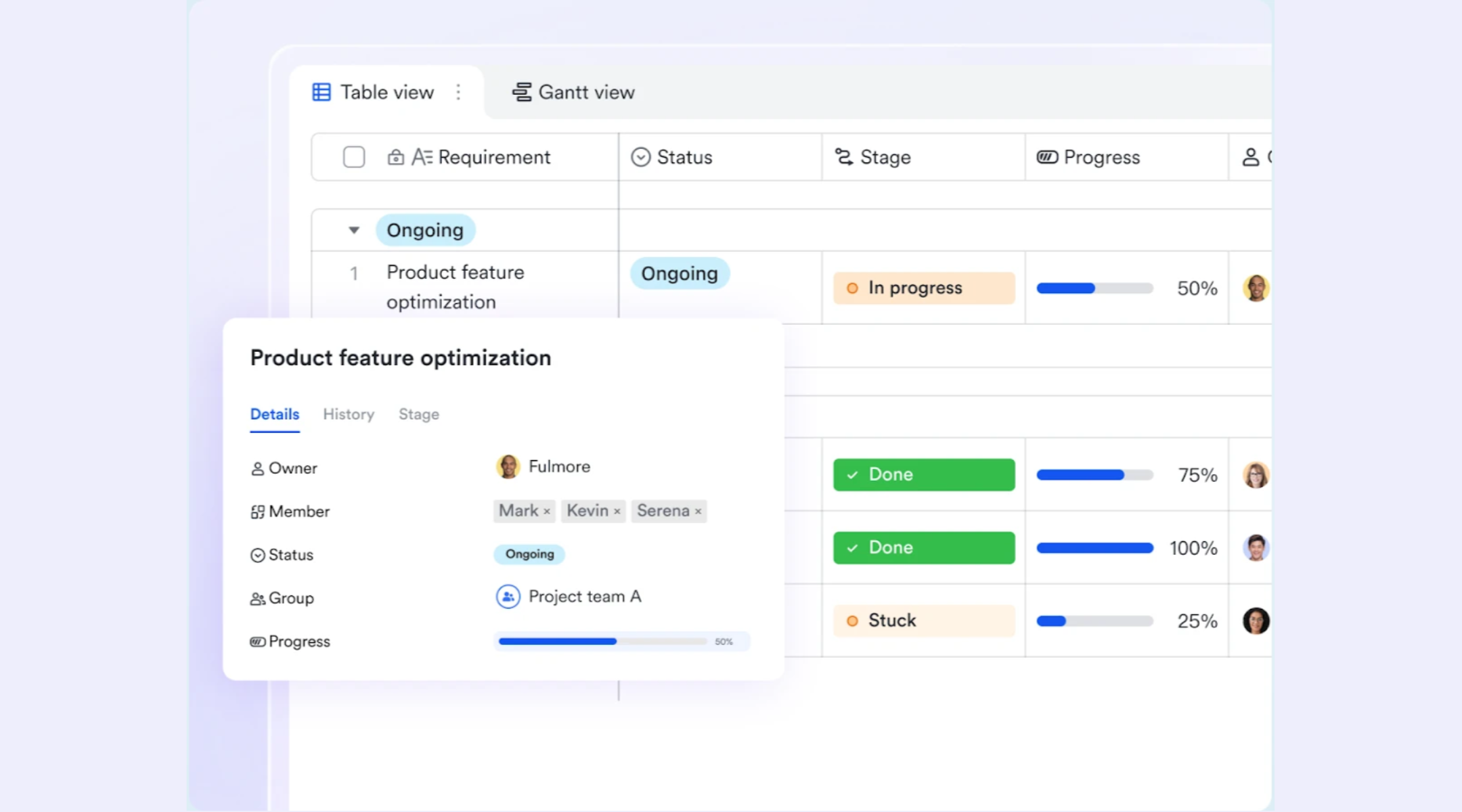
Automation & workflow management
Lark Base workflow and let teams build for repetitive processes, like leave requests or onboarding steps, without coding. You can create approval templates, define routes, and automatically notify stakeholders, reducing manual follow‑ups and keeping teams focused on high‑value work. 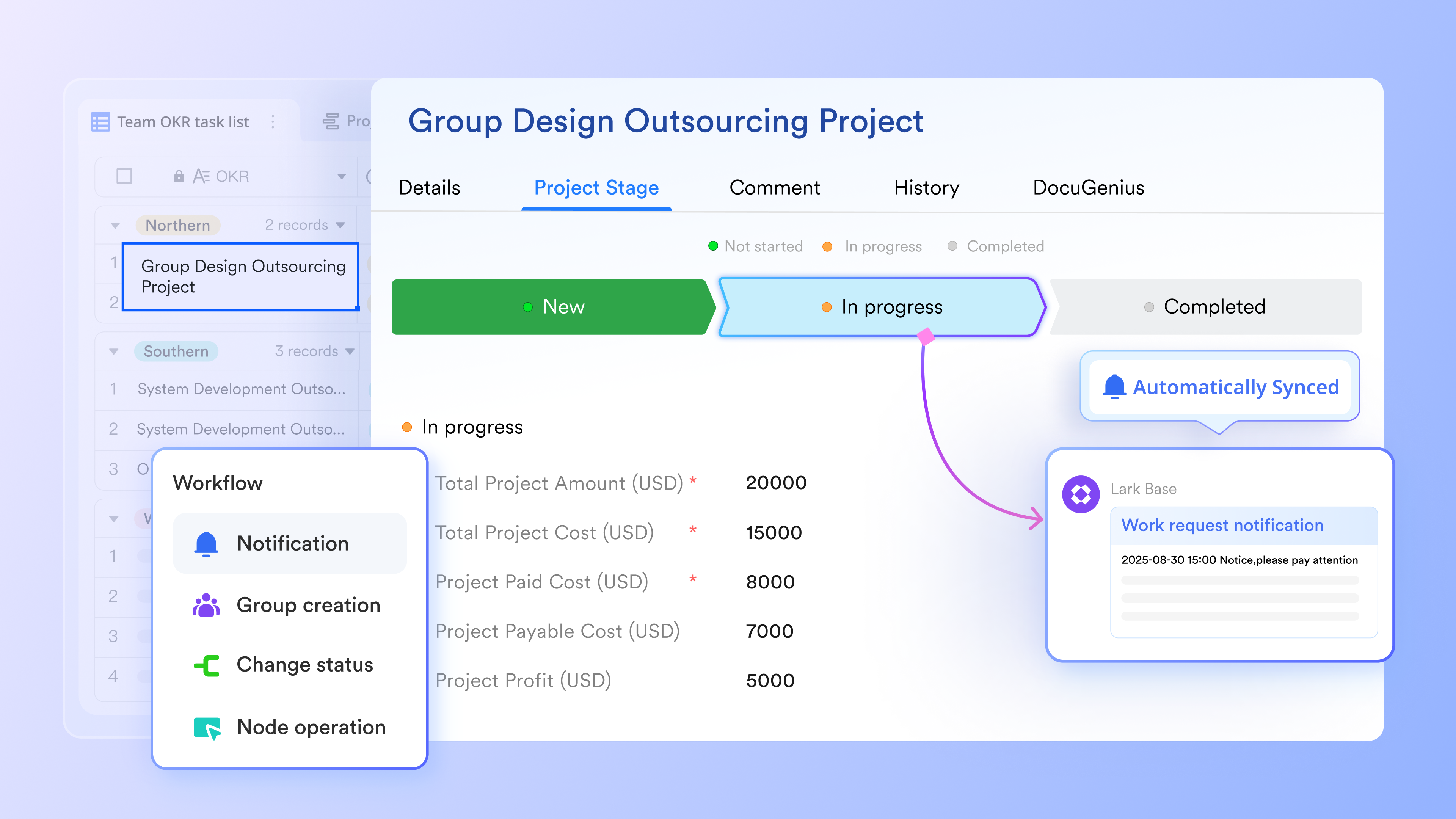
:
- Starter plan: Free forever plan that includes 11 powerful tools for up to 20 users. It also comes with 100GB of storage, 1000 automation runs, AI translations, and more.
- Pro plan: $12/user/month (billed annually) for up to 500 users. It includes everything in Sarter plus group calling for up to 500 attendees, 15TB of storage, 50,000 automation runs, and more.
- Enterprise plan: for custom pricing. Supports unlimited users and includes even more automation runs and advanced security, compliance, and management features.
For small teams with simple communication needs

18 months message history
1000 Base automation runs/month
2000 rows per table in Base
Most POPULAR
For companies with comprehensive collaboration and management needs
Unlimited message history
500-participant video meetings
50k Base automation runs/month
20k rows per table in Base
For large companies with advanced security and organizational management needs
Get a personalized demo and pricing
Unlimited message history
500-participant video meetings
15 TB storage + 30 GB storage/user
500k Base automation runs/month
50k Base automation runs/month
Most POPULAR
For companies with comprehensive collaboration and management needs
Unlimited message history
500-participant video meetings
50k Base automation runs/month
20k rows per table in Base
Which tool is right for your team: Lark vs Teamwork vs ClickUp
Choosing the right project management platform depends on how your team works, collaborates, and scales. While Teamwork vs ClickUp highlights key differences between structured and flexible project tools, other platforms also approach work management differently. Comparing these tools side by side helps clarify where each one fits best. Below is a high-level overview of Lark, Teamwork, and ClickUp to guide your decision.
Choosing the right platform based on your team's needs
Selecting the right project management platform depends on how your team works and collaborates. Agencies focused on client billing and structured projects may find Teamwork fits their workflow, while teams seeking flexibility often turn to ClickUp.
However, for teams looking to streamline work without juggling multiple tools, Lark offers a unified workspace that combines project management, , docs, chat, and automation in one platform. By and tasks, Lark reduces context switching, accelerates decision-making, and supports teams of any size, making it a strong alternative to Teamwork vs ClickUp conversation.
Conclusion
When evaluating Teamwork vs ClickUp, the right choice depends on your team's priorities. Teamwork excels for client-focused agencies needing structured projects, time tracking, and financial visibility. ClickUp is ideal for teams that require flexible, customizable workflows and multiple task views across departments. Both tools offer robust features, but each has trade-offs in complexity, learning curve, and workflow style. For teams looking to streamline work, reduce tool sprawl, and centralize collaboration, provides a unified workspace that combines project management, communication, and automation, making it a versatile alternative worth exploring for modern teams.
Explore a smarter way to manage team projects
FAQs
Which tool is better for a marketing or creative agency that bills clients for time?
For agencies that bill clients based on tracked hours, structured visibility is key. Teamwork's built‑in , budgeting, and profitability reports often make it a stronger choice than ClickUp. While ClickUp can track time, Teamwork's financial‑centric tools help creative agencies manage client billing and project profitability more directly.
I keep hearing that ClickUp has performance issues. Is that still true?
Some users in ClickUp vs Teamwork projects discussions note that performance can lag with large, highly customized workspaces or extensive automations. ClickUp continues to improve its platform, but complexity and heavy customizations can affect responsiveness. Light configurations usually run smoothly. Evaluating real user feedback and testing your own data volume helps determine if performance will affect your team.
What are the alternatives to Teamwork?
Beyond Teamwork, many teams explore tools focusing on flexibility, collaboration, or unified work. Platforms often mentioned alongside ClickUp vs Teams Reddit threads include ClickUp, Asana, Monday.com, Jira, and unified workspaces like Lark. Each alternative offers different strengths, from deep workflow customization to integrated communication, so teams should match tool capabilities to their specific workflow and collaboration needs.
Is there anything better than ClickUp?
"Better" depends on your priorities. In ClickUp vs Teams Reddit conversations, users cite tools like Teamwork, Asana, and unified work platforms as preferable for structured agency work, simpler interfaces, or all‑in‑one collaboration. If ClickUp's flexibility feels overwhelming, alternatives with more guided workflows may deliver a smoother experience for your team's unique needs.
What is the difference between ClickUp and Teamwork?
The core difference in Teamwork vs ClickUp is structure versus flexibility. Teamwork emphasizes structured project delivery, with financial tracking and client-billing transparency. ClickUp prioritizes customizable workflows with numerous views, automations, and workspace flexibility. Teams seeking clear, client‑centric project processes may favor Teamwork, while those needing adaptable work management or across functions often choose ClickUp.
Related reading






























