As teams become more distributed and projects more complex, having a clear, visual way to manage work is essential. Trello project management tools have built their reputation on simplicity, using a card-based, Kanban-style interface that lets anyone—from freelancers to growing teams- organize tasks and track progress in minutes. By breaking work into boards, lists, and cards, Trello turns complex workflows into an easy-to-follow visual system.
But as organizations scale, questions often arise about their ability to support advanced reporting, automation, and cross-team collaboration. This guide explores how Trello works, its features and pricing, common limitations, and when it may be time to consider more robust alternatives, such as Lark.
What is the Trello project management tool?
Using Trello for is a visual, flexible approach to organizing tasks and workflows using a simple Kanban-style system. At its core, the Trello project management tool helps individuals and teams break down projects into boards, lists, and cards, making work easy to track and understand at a glance. A board represents a project or workspace, lists show different stages of progress, and cards capture individual tasks, complete with due dates, labels, attachments, and comments.
Using Trello for project management allows teams to collaborate in real time, assign responsibilities, and move tasks through workflows as work progresses. Its drag-and-drop interface and optional automation features make it easy to adapt to different industries and project types. This guide explains why the Trello project management tool excels at helping startups and freelancers manage workflows without the steep learning curve of traditional platforms.
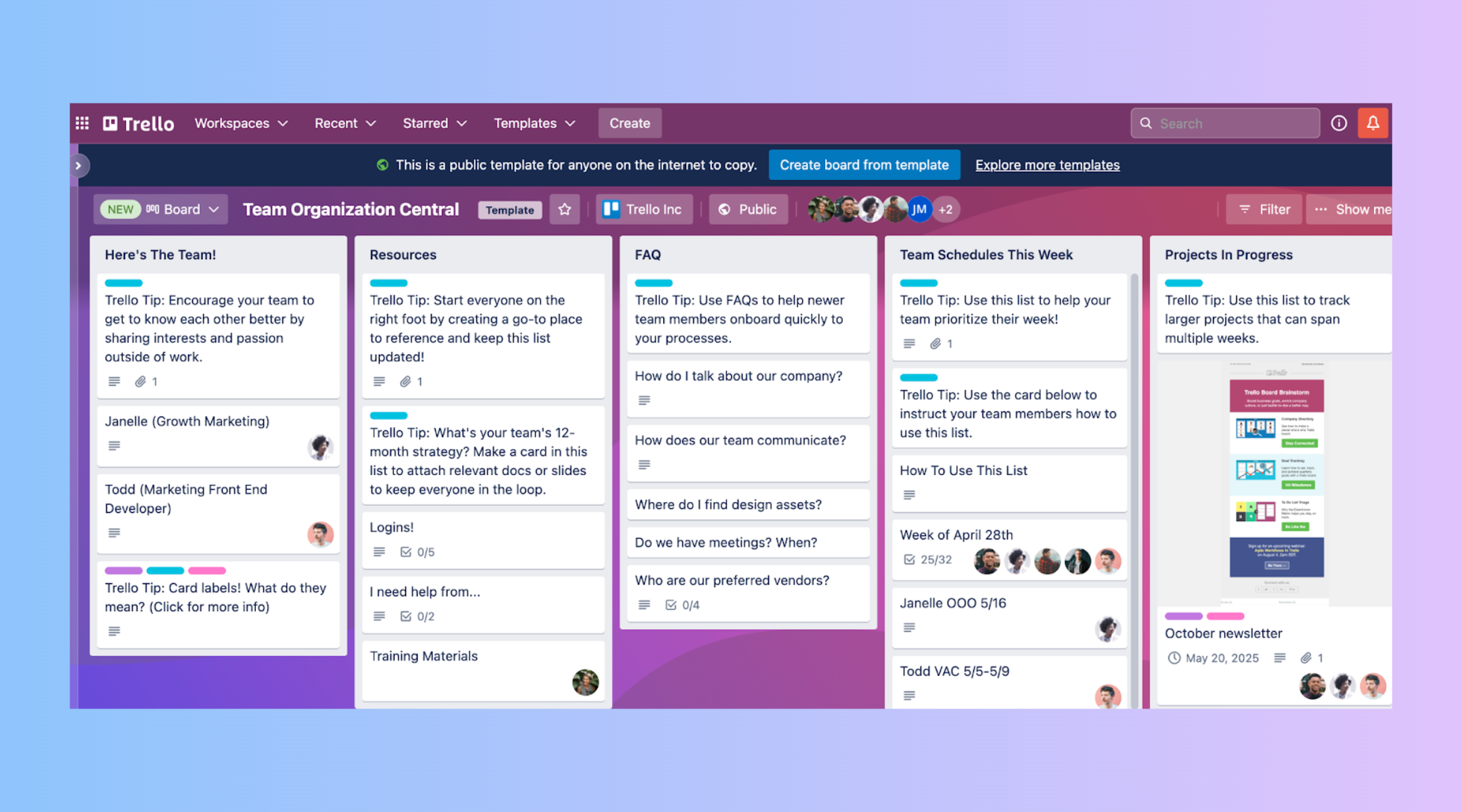
Image source: trello.com
5 core components of the Trello project management tool
The Trello project management tool is built around a simple yet powerful structure that helps teams visualize work and stay organized. Each component works together to create a clear, flexible system for managing tasks and .
- Boards for project spaces: Boards act as the main workspace in Trello, representing an entire project, team, or workflow. They provide a big-picture view, with all related tasks and stages organized in one place.
- Lists for workflow stages: Lists divide a board into different phases of work, such as "To Do," "In Progress," and "Completed." They help teams understand where each task stands in the overall process.
- Cards for tasks: Cards represent individual tasks or work items within a list. Each card can store detailed information, making it easy to track progress and ownership.
- Labels and due dates: Labels use colors or tags to categorize tasks by type, priority, or status. Due dates help teams manage deadlines and stay on schedule.
- Attachments and comments: Attachments let you add files and links directly to cards for easy access. Comments keep all task-related discussions in one place, .
5 key Trello project management features
Trello offers a range of intuitive and flexible capabilities that help teams manage tasks visually and collaborate more effectively. These features make it a popular choice for teams looking for simplicity without sacrificing functionality.
- Drag-and-drop interface: The Trello is known for its smooth drag-and-drop system that lets users move cards between lists effortlessly. This visual interaction makes it easy to update task status and track progress in real time.
- Butler automation rules: With built-in automation, the project management tool Trello lets teams create rules, triggers, and scheduled actions to reduce manual work. This helps streamline repetitive tasks and keep workflows consistent.
- Power-Ups for extended functionality: The Trello project management tool's features can be expanded with Power-Ups that add integrations such as calendars, , and reporting. These extensions allow Trello to adapt to more advanced project needs.
- Collaboration tools: Trello enables team members to comment on cards, mention colleagues, and assign tasks for better coordination. This keeps communication tied directly to the work being done.
- Mobile access: Trello's mobile apps ensure users can manage tasks, receive updates, and collaborate from anywhere. This flexibility supports remote and on-the-go teams.
Trello pricing plans explained
Trello offers a range of pricing plans designed to support everyone, from individuals and small teams to large enterprises. Each plan builds on the core features of Trello project management software, adding capabilities such as advanced views, automation, and enhanced security. Understanding these tiers makes it easier to choose the right plan based on your team's size, needs, and budget.
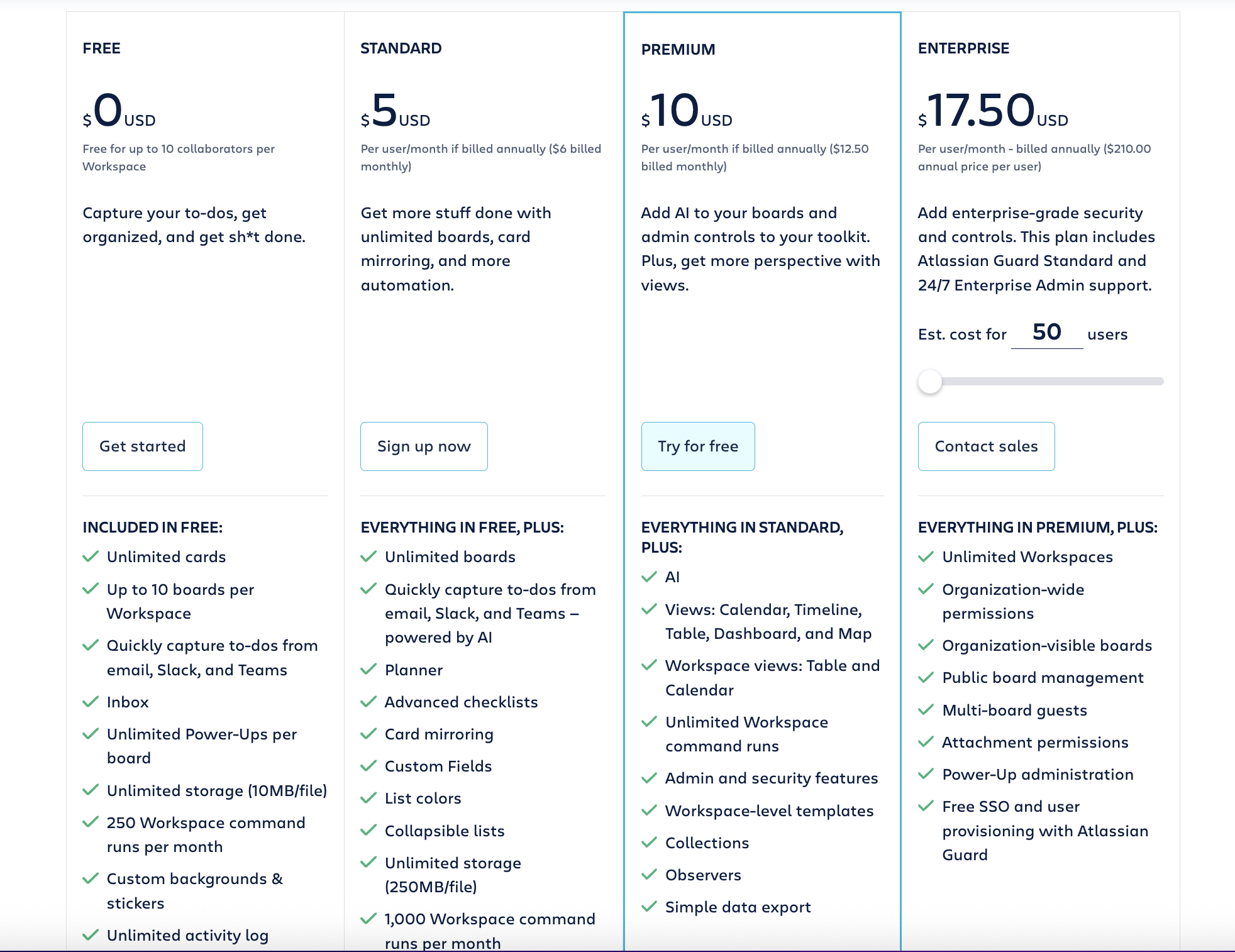
Image source: trello.com
Information source: trello.com
Update time: 2026-01-15
Note: Pricing and plan details reflect publicly available data as of the update date and may vary based on region, billing cycle, and number of agents.
Shift to a smarter tool to organize your projects
How to use Trello for project management
Trello makes it easy to and keep everyone aligned with tasks and progress. By following a simple, step-by-step setup, teams can create a clear workflow that supports collaboration and accountability.
Step 1: Create a board for your project
Start by setting up a new board that represents your project or team workspace. Give it a clear name and invite relevant members so everyone can access and contribute.
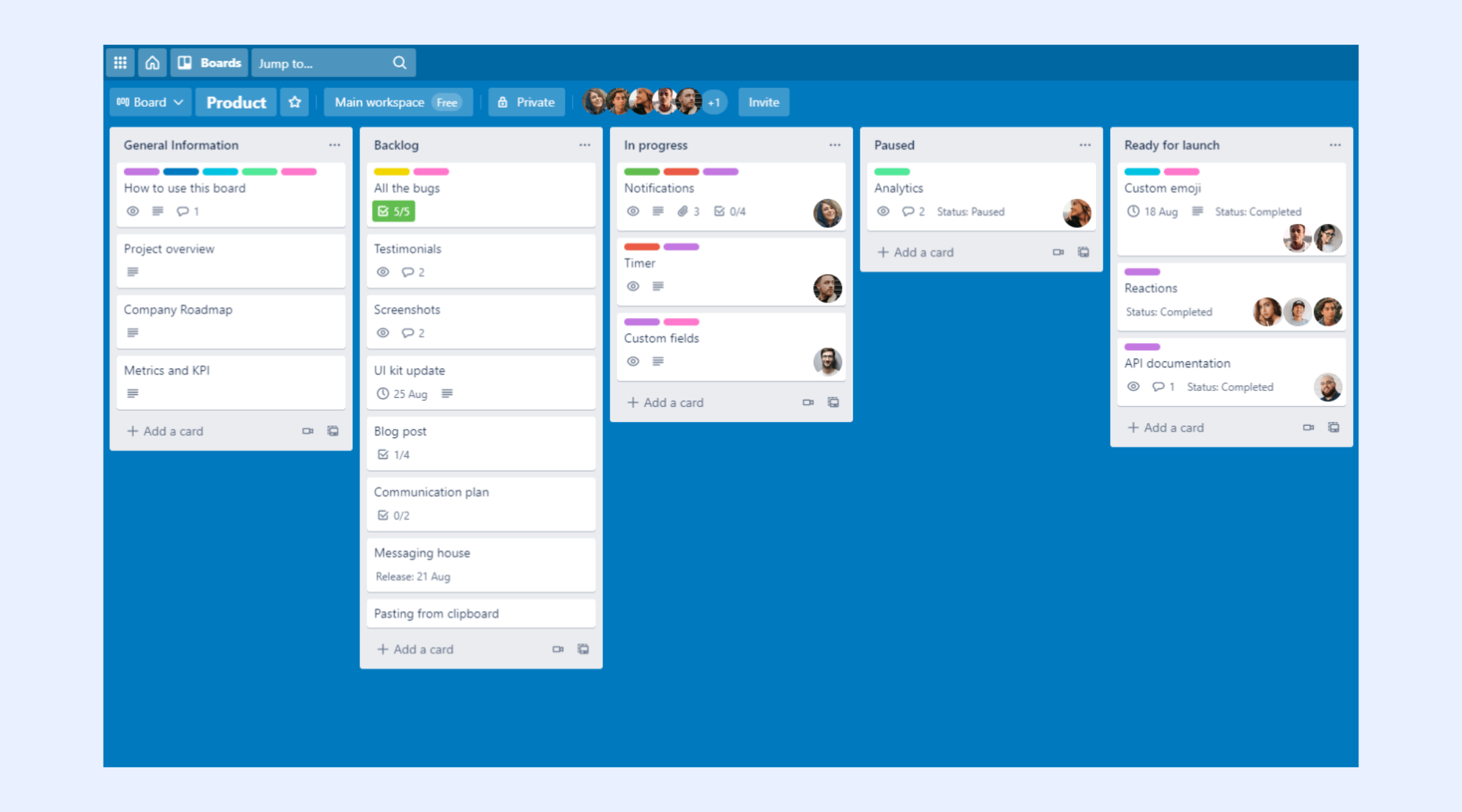
Image source: trello.com
Step 2: Set up lists for workflow stages
Add lists that reflect the main phases of your work, such as planning, in progress, and completed. This structure helps visualize how tasks move through the project.
Step 3: Add cards for individual tasks
Create cards for each task and include details like descriptions, checklists, and assigned team members. This keeps responsibilities and expectations clear.
Step 4: Use labels and due dates
Apply labels to categorize tasks by priority or type and set due dates to . These tools help teams stay organized and focused on what matters most.
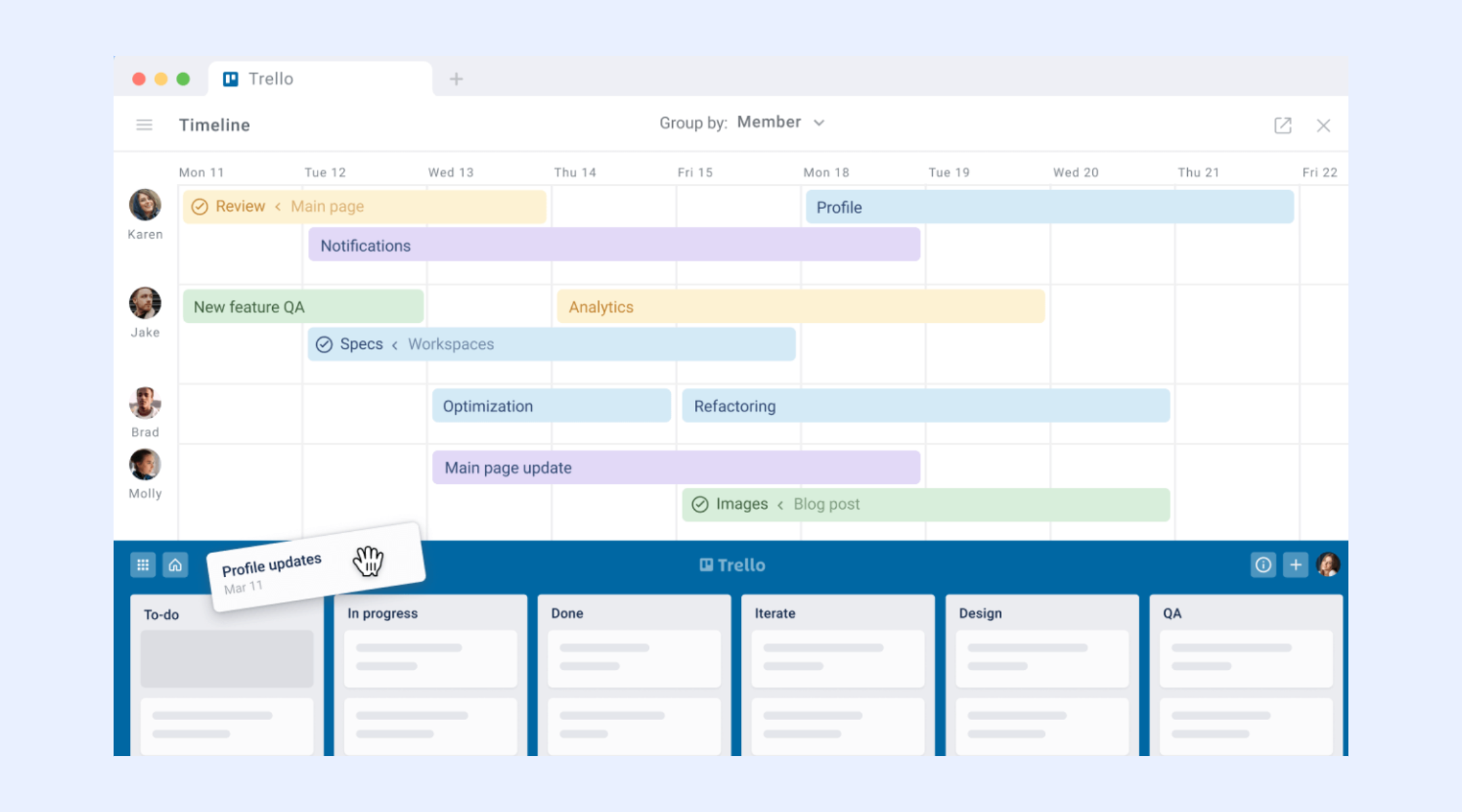
Image source: trello.com
Step 5: Review and update regularly
Move cards between lists as work progresses and hold regular check-ins to review the board. This keeps the project up to date and ensures accountability across the team.
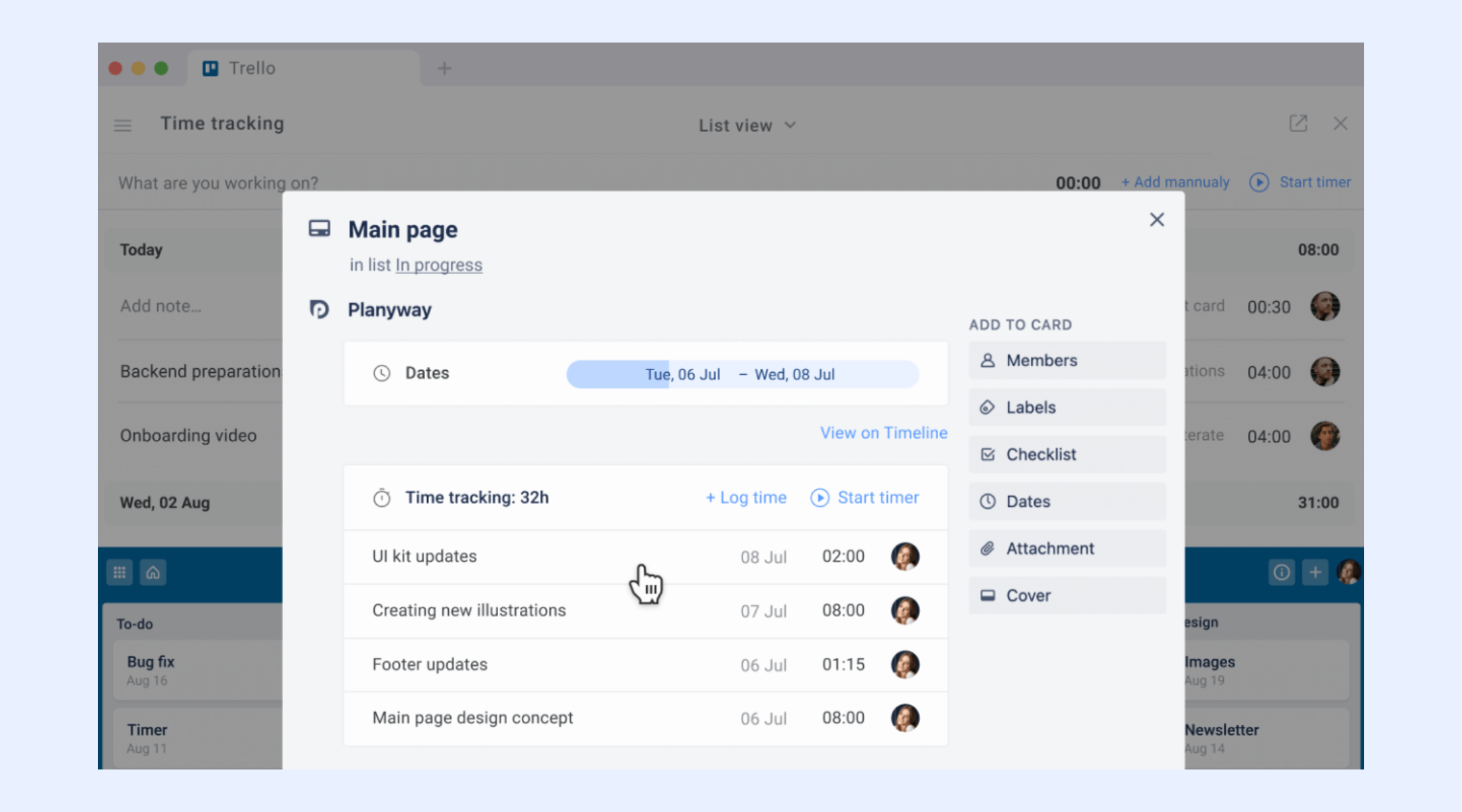
Image source: trello.com
5 common limits of using Trello for project management
While Trello is widely appreciated for its simplicity and visual approach, it may not meet the needs of more complex or large-scale projects. As teams grow and workflows become more advanced, certain functional gaps can start to impact efficiency and visibility.
- Limited reporting: Trello offers only basic insights into project performance and task progress. Teams that need detailed analytics or custom reports often rely on third-party tools.
- Basic automation: Although Trello helps , it may not support complex, multi-step workflows. Advanced process automation typically requires external integrations.
- No native Gantt charts: Trello lacks or timeline views for long-term project planning. Users must add Power-Ups to visualize schedules and dependencies.
- Scaling challenges: As the number of boards and users increases, maintaining consistency and governance becomes harder. Large teams may struggle with standardization and oversight.
- Dependency-tracking gaps: Trello lacks native tools to link tasks by dependency. This can make it difficult to manage projects where the sequence of work is critical.
Avoid these limits with a brand new solution
Why Lark is a stronger alternative to Trello
While Trello project management offers a simple and visual way to track tasks, many teams today need more than boards and cards to manage complex work. Project management Trello works well for basic task tracking, but it often requires multiple integrations to support communication, documentation, and . Lark, by contrast, brings project planning, real-time collaboration, and communication into one unified platform. With built-in tools like chat, video meetings, live documents, and , Lark reduces the need to switch between apps. This approach helps teams stay aligned, streamline processes, and scale more effectively than relying solely on Trello.
Built-in project database for all projects
allows teams to create fully structured, that go far beyond simple task lists. You can track tasks, owners, deadlines, budgets, and project status all in one centralized workspace. Records can be linked across different tables, helping teams connect related data such as resources, milestones, and dependencies. Filters and custom views make it easy to surface the most important information for different roles. This turns project data into a living system rather than a static board. As projects grow in size and complexity, Base helps maintain clarity and control. 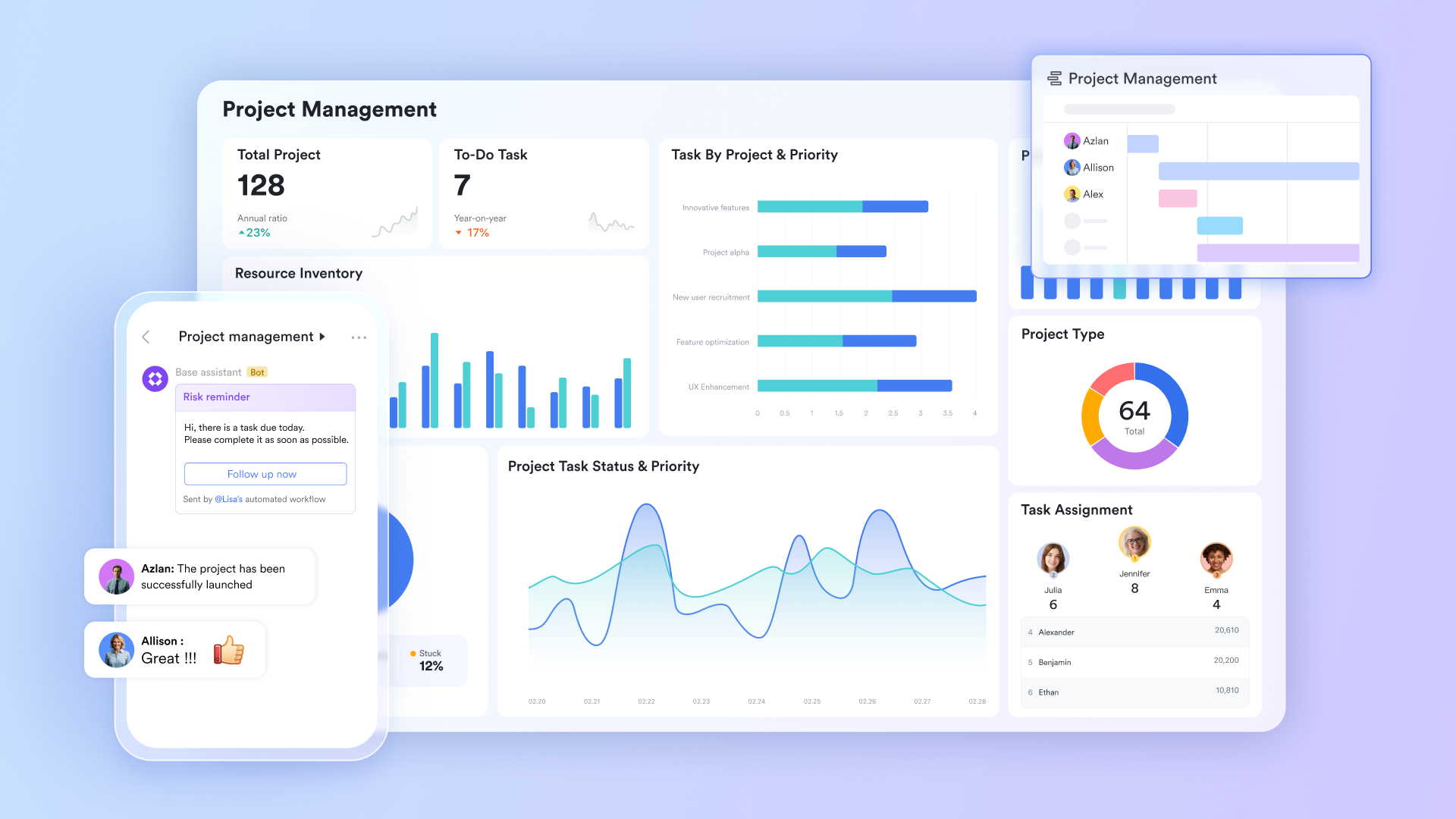
Visual timelines and Kanban views
Lark Base views offer both and timeline-style planning tools in the same system. Teams can switch between visual task tracking and schedule-based project planning depending on their needs. Timelines help map milestones, deadlines, and workload distribution over time. Kanban views provide a real-time snapshot of task progress. This combination supports both day-to-day execution and long-term strategy. Managers gain better visibility into capacity and potential bottlenecks. 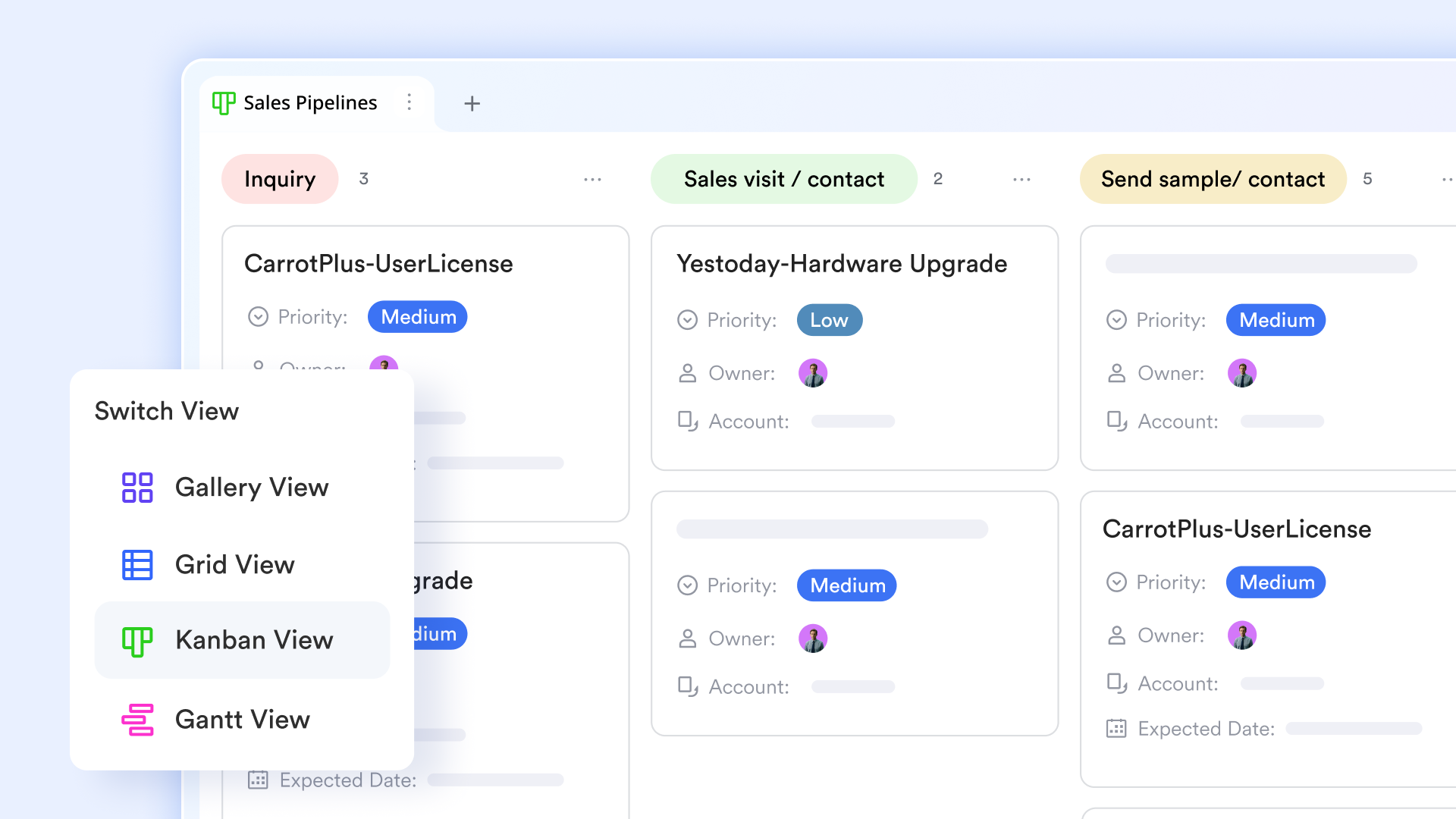
Native dashboards for data insights
Lark Base dashboards help you uncover insights from current data trends with 36 types of visual blocks. For example, with specialized blocks like Pivot Tables and YoY (Year-over-Year) metrics, managers can analyze complex data trends and compare performance across different periods. This high-level visibility allows teams to identify bottlenecks instantly and make data-driven decisions directly 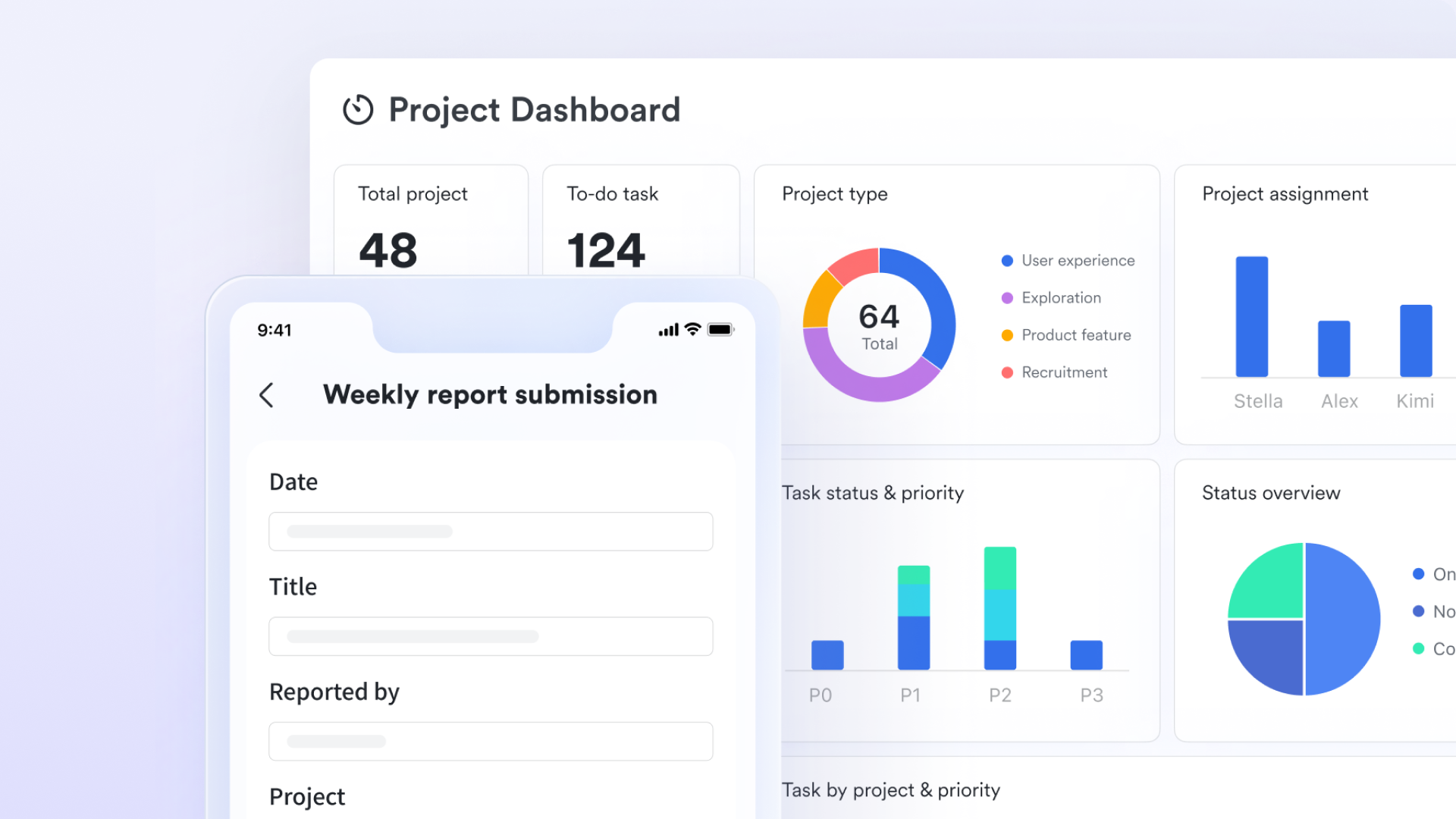
Automated workflows for smart project processing
With Lark Base automation, teams can design workflows that automatically trigger actions when project status changes. For example, when a task is marked complete, notifications can be sent, approvals requested, or new tasks created. This reduces repetitive manual steps and ensures consistency across processes. Conditional logic allows workflows to adapt to different project scenarios. Teams can maintain momentum without constant oversight. Over time, and reduces the risk of missed steps. 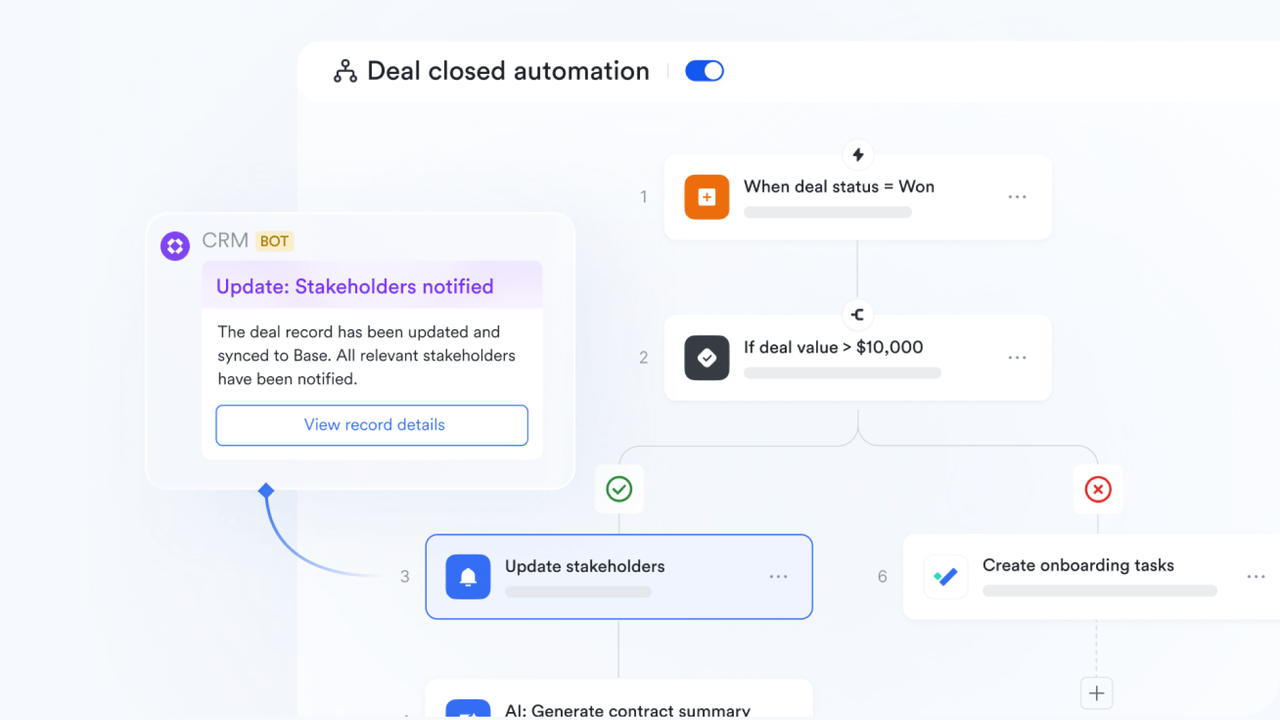
Real-time chat and meetings
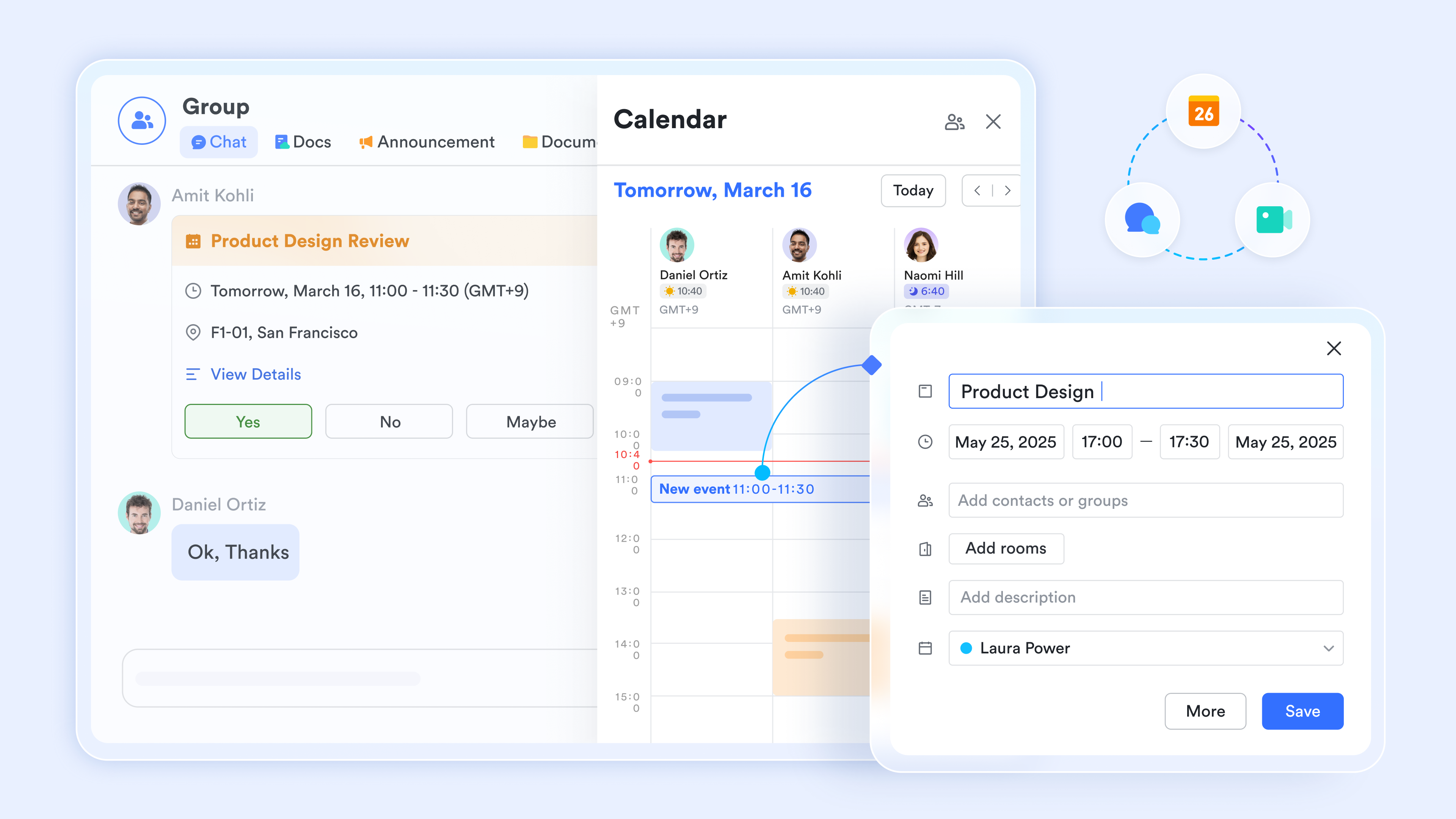
and bring communication directly into the project environment. Team members can discuss tasks in dedicated chats, start video calls instantly, and share screens to resolve issues quickly. On the other hand, to the work being done, reducing the need to switch between separate apps. This creates faster feedback loops and clearer decision-making, providing remote and hybrid teams with a shared space that fosters stronger alignment and more responsive collaboration.
Live document collaboration
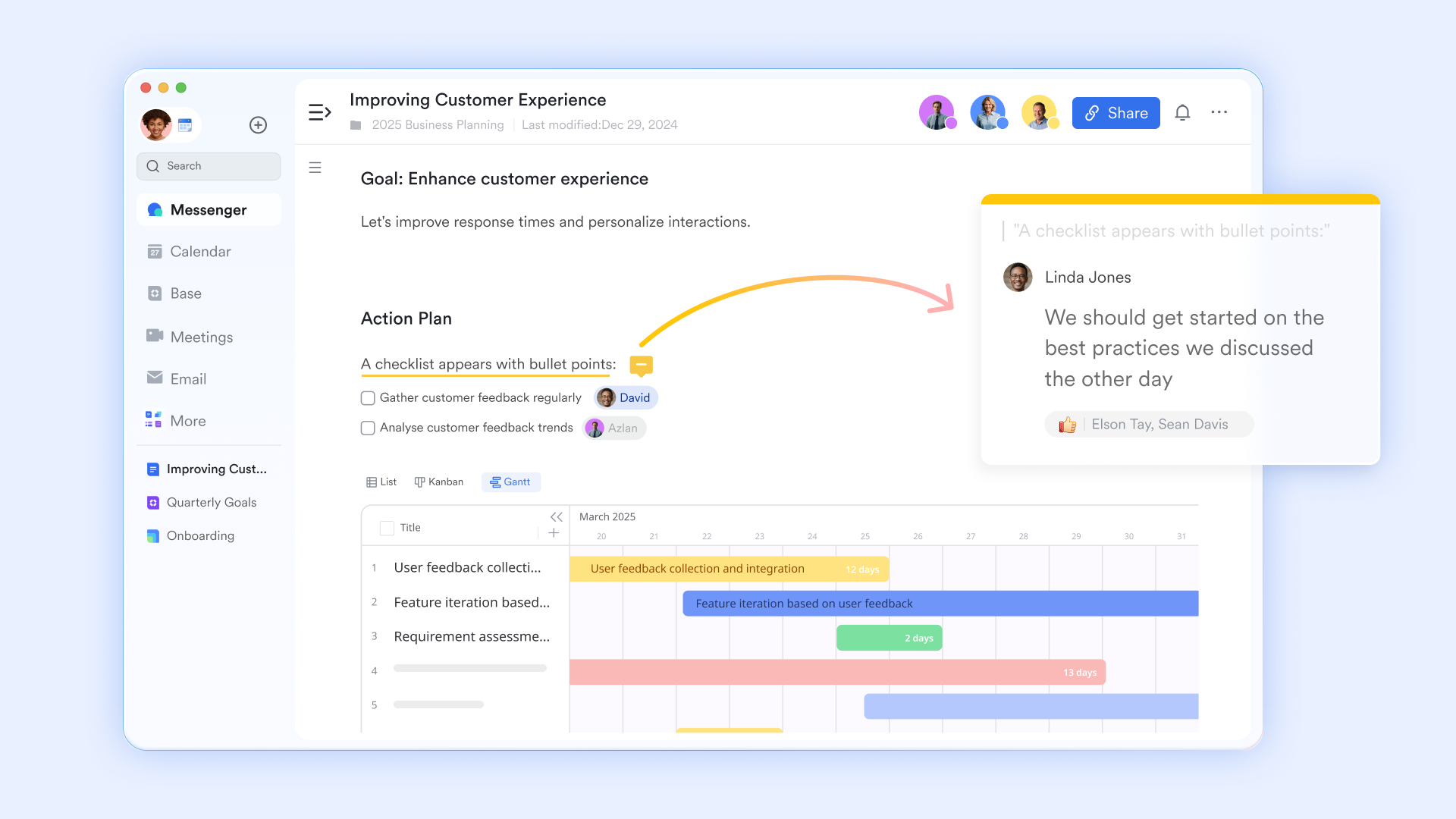
Using , teams can create and edit documents, spreadsheets, and knowledge pages together in real time. Multiple contributors can work on the same file simultaneously, with comments and suggestions added directly in context. Version history ensures that changes are tracked and easily reversible. Documents can be embedded into , keeping information tied to tasks. This helps maintain a single source of truth. Teams stay informed without having to hunt for the latest file.
:
- Starter plan: Free forever plan that includes 11 powerful tools for up to 20 users. It also comes with 100GB of storage, 1000 automation runs, AI translations, and more.
- Basic plan: $6/user/month (billed annually) for up to 500 users. It includes everything in Starter plus group calling for up to 500 attendees, 5TB of storage, 1000 automation runs, and more. For more details, please .
- Pro plan: $12/user/month (billed annually) for up to 500 users. It includes everything in Basic plus group calling for up to 500 attendees, 15TB of storage, 50,000 automation runs, and more.
- Enterprise plan: for custom pricing. Supports unlimited users and includes even more automation runs and advanced security, compliance, and management features.
For small teams with simple communication needs

18 months message history
1000 Base automation runs/month
2000 rows per table in Base
Most POPULAR
For companies with comprehensive collaboration and management needs
Unlimited message history
500-participant video meetings
50k Base automation runs/month
20k rows per table in Base
For large companies with advanced security and organizational management needs
Get a personalized demo and pricing
Unlimited message history
500-participant video meetings
15 TB storage + 30 GB storage/user
500k Base automation runs/month
50k Base automation runs/month
Most POPULAR
For companies with comprehensive collaboration and management needs
Unlimited message history
500-participant video meetings
50k Base automation runs/month
20k rows per table in Base
When Trello project management works best
Trello project management is especially effective in environments where simplicity and visual clarity are more important than advanced controls or complex reporting. It works well for teams that value flexibility, quick setup, and an easy way to track everyday tasks.
- Small teams: Trello is ideal for small groups that need a shared space to organize work without heavy processes. Its intuitive and keeps collaboration straightforward.
- Simple workflows: Projects with clear, linear stages benefit most from Trello's board-and-list structure. Teams can easily move tasks through basic phases without needing complex rules or dependencies.
- Short-term projects: Trello works well for projects with defined timelines and limited scope. Its visual format helps teams stay focused on immediate goals and deliverables.
- Visual task tracking: Teams that prefer seeing progress at a glance will appreciate Trello's card-based system. It provides instant clarity on what's pending, in progress, and completed.
- Budget-conscious users: The free and low-cost plans make Trello attractive for individuals and startups. It offers essential without requiring a large financial commitment.
When to move beyond Trello
As projects grow in size and complexity, teams may start to feel the limits of a purely visual, board-based system. Certain organizational needs often require more structure, automation, and visibility than Trello is designed to provide.
- Scaling teams: When team size increases, managing multiple boards and permissions can become difficult. At this stage, relying solely on Trello's project management features may not provide the governance and consistency that larger teams require.
- Multi-department projects: Projects that span across departments need standardized processes and shared reporting. Using Trello for project management in these cases can lead to fragmented workflows and reduced visibility.
- Automation needs: As processes become more complex, teams often require multi-step, conditional automation. Trello's built-in tools may not be enough to support these advanced workflow demands.
- Advanced reporting requirements: Leadership teams often need dashboards, analytics, and performance tracking across multiple projects. This is where the limits of Trello project management software features become more apparent.
- Compliance needs: Organizations in regulated industries require strong access controls, audit trails, and data governance. Trello's simple structure may not fully meet these compliance and security expectations.
Best practices for Trello project management success
Using Trello effectively is not just about setting up boards and cards, but also about over time. Following a few simple best practices can help teams stay organized, improve collaboration, and keep projects moving smoothly.
- Keep boards simple: Avoid overloading boards with too many lists, labels, or Power-Ups. A clean, focused layout makes it easier for everyone to understand the workflow at a glance.
- Use consistent naming: Create clear naming conventions for boards, lists, and cards. This helps team members quickly find information and reduces confusion across projects.
- Archive unused cards: Regularly remove completed or outdated cards from active lists. Archiving keeps boards uncluttered and helps teams focus on current priorities.
- Review boards weekly: Set aside time to and update task statuses. Weekly check-ins help identify bottlenecks and ensure deadlines stay on track.
- Assign clear owners: Make sure every card has a responsible person assigned. Clear ownership improves accountability and ensures tasks don't fall through the cracks.
Future trends in visual project management
Visual project management tools continue to evolve as teams seek smarter, more connected ways to plan, execute, and analyze their work. Emerging technologies are shaping platforms that go beyond simple boards and cards to deliver deeper insights and automation.
- AI task prioritization: Artificial intelligence will help identify high-impact tasks based on deadlines, dependencies, and team capacity. This ensures teams focus on the most critical work at the right time.
- Smart automation: Future systems will automate complex, multi-step workflows with minimal setup. This will reduce manual effort and maintain consistency across large, .
- Predictive timelines: Advanced algorithms will analyze past project data to forecast delays and risks. Teams will gain early warnings and more accurate delivery estimates.
- Unified collaboration tools: Project platforms will increasingly combine chat, video, documents, and task management in one space. This creates seamless communication without switching between multiple apps.
- Advanced analytics: Deeper reporting and into performance, workload, and resource utilization. Leaders will be able to make data-driven decisions with greater confidence.
Conclusion
In conclusion, Trello project management remains a popular choice for individuals and small teams who value simplicity, visual clarity, and quick setup. Its board, list, and card system makes it easy to track tasks, collaborate, and maintain momentum on straightforward projects. However, as organizations scale and workflows become more complex, the need for , advanced reporting, stronger governance, and integrated communication becomes more apparent. This is where modern, all-in-one platforms can offer greater long-term value.
If your team is ready to move beyond basic task tracking and adopt a more connected, scalable approach, provides a powerful alternative. With built-in databases, automation, real-time communication, and collaborative documents, Lark brings your projects, conversations, and knowledge into one unified workspace. Explore how Lark can help your team work smarter, stay aligned, and grow with confidence.
Explore project management solutions for your team
FAQs
Can I easily migrate my existing Trello boards?
Yes, many teams move their data by exporting Trello boards and recreating them in Lark using Base and project views. This allows you to retain your task structure while gaining access to Trello project management tool features in a more scalable environment. Lark's flexible databases make it easier to rebuild workflows with added automation and .
Are there ready-made layouts similar to Trello templates?
Lark provides customizable workspace and project templates that can mirror or improve upon a Trello project management template. Teams can quickly set up standardized boards, timelines, and databases tailored to their workflows. This helps maintain consistency while adding advanced views and automation.
How do integrations compare to Trello's Power-Ups?
With Lark, many tools such as chat, documents, and automation are built directly into the platform rather than added through extensions. Teams exploring the Trello project management tool features often find that Lark reduces the need for third-party apps. This creates a more unified and secure work environment.
Can long-term project planning be handled more effectively?
Lark offers timeline and database views that go beyond a basic Trello template for planning milestones and workloads. This supports both daily task tracking and long-term strategy. Managers gain better visibility into progress and potential risks across projects.
Is it suitable for remote or hybrid teams?
For distributed teams, Lark combines task tracking with chat, video meetings, and live documents in one workspace. Teams familiar with the Trello project management tool often appreciate how Lark reduces app switching. This helps remote collaborators stay aligned and productive.
Related reading





























