














Workflow Design: The Ultimate Guide to Streamlined Processes

Matthew Sia
Product Marketing Manager
Sep 18, 2026
Matthew Sia
Sep 18, 2026

12 min read


Motion doesn't always equal progress. Teams often drown in endless emails and unclear handoffs, blaming "communication" when the real culprit is the invisible structure of how work gets done. This is where workflow design comes in. Just as an architect blueprints a building, successful teams must intentionally map their operations. Whether streamlining a complex ux design workflow or daily approvals, the goal isn't just installing workflow design software; it is about removing friction so clarity can replace chaos.
What is workflow design?
At its core, workflow design is the systematic process of mapping out, analyzing, and organizing the sequence of tasks required to achieve a specific business outcome. It acts as the blueprint for your operations.
Think of your business as a busy city. If the tasks are cars, workflow design is city planning. It determines where the roads go, where the stoplights are placed, and how to prevent traffic jams during rush hour. Without this design, you might still get to your destination, but it will likely involve a lot of wrong turns and wasted gas.
It is important to distinguish between a process and a workflow, as these terms are often used interchangeably but mean different things.
- A process is the high-level "what." For example, "Employee Onboarding" is a process.
- A workflow is the detailed "how." It specifies that first, HR sends an email; then, IT creates an account; then, the manager schedules a welcome meeting.
Workflow design applies to virtually every department. A creative agency might use a specialized graphic design workflow to move assets from draft to final print. A software team relies on a development workflow to push code to production. In every case, the goal is the same: to take a raw input, pass it through a series of value-adding steps, and produce a high-quality output with minimal waste.
While many people start with a simple pen and paper, modern operations usually rely on a workflow design tool to visualize these steps. However, the tool is secondary to logic. A bad process digitized is still a bad process. True design involves understanding the dependencies between tasks—knowing that Step C cannot happen until Step B is approved—and ensuring that information flows smoothly between them.
Why effective workflow design matters for your team
You might fear bureaucracy, but structure actually creates freedom. Effective workflow design automates the routine, giving your team mental space for complex problem-solving.
- Eliminating bottlenecks: Mapping your process exposes hidden inefficiencies, like unnecessary approvals or duplicated efforts. Good design removes this "shadow work," ensuring every step adds value.
- Boosting accountability: Ambiguity kills productivity. A clear design workflow assigns specific ownership to every stage. Explicit rules prevent tasks from falling into the void by ensuring everyone knows exactly who is responsible for what.
- Scaling sustainably: You cannot scale chaos. As teams grow, ad-hoc communication breaks down. Formalizing processes turns tribal knowledge into standardized systems, allowing you to onboard faster and maintain quality using scalable design workflow software.
- Reducing burnout: Bad processes frustrate good employees. By optimizing the internal ux design workflow, you remove daily administrative friction, allowing your team to spend less time fighting tools and more time driving results.
The 3 core types of workflows
Before we dive into the "how-to," it is essential to understand that not all workflows behave the same way. Trying to force a complex, non-linear process into a straight line is a common mistake that leads to frustration. Generally, most business processes fall into one of three categories.
Sequential workflows
This is the most common and easiest to understand. A sequential workflow moves in a straight line: Step A must be completed before Step B can begin. There are no deviations.
A classic example is a graphic design workflow for printing business cards. The designer creates the file, then sends it to the client for proofing, and only after the client approves does it go to the printer. This type of flow is perfect for processes with strict dependencies where the order of operations is non-negotiable.
Complex projects rarely stay within a single department. Vertical swimlane workflows are designed specifically to visualize the interaction and handoffs between different teams or roles.
By organizing the process into vertical columns—one lane for "Customer," one for "Presales," and one for "Aftersales"—you clarify exactly who owns each step. Consider a product inquiry: the Customer submits a request, Presales handles the demo and contract, and finally, Aftersales takes over for implementation. This structure highlights the transition points between these lanes, allowing you to instantly spot where communication might break down as a prospect becomes a user.
Rules-driven workflows
These are the smartest types of workflows. They don't just follow a path; they follow logic. They rely on specific data points to decide where to go next.
For example, in a purchase request workflow, you might set a rule: "If the amount is under $100, auto-approve. If it is over $1000, send it to the Manager." This is where modern AI workflow design platforms for service teams shine. They can read the context of a request and route it intelligently without human intervention, saving countless hours of manual triage. Platforms like Lark can perfectly meet this kind of need.
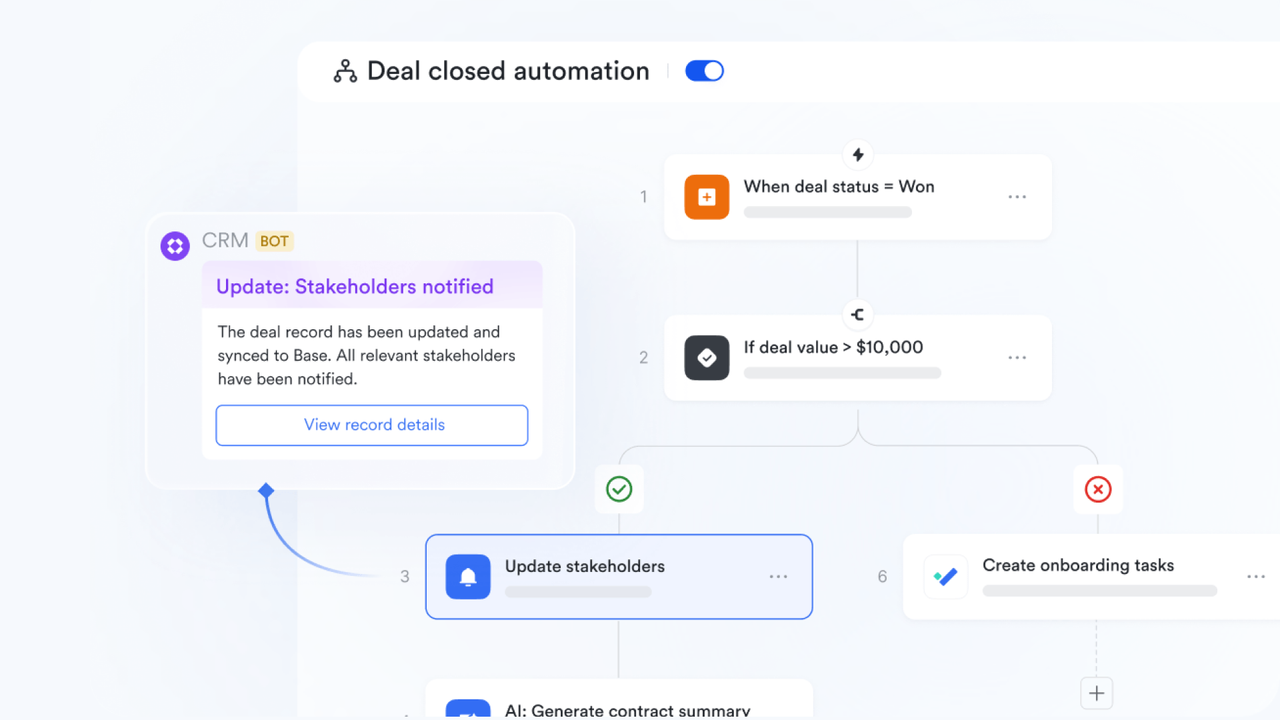
How to design a workflow in 5 actionable steps
Designing a workflow isn't just about drawing a pretty picture; it is about engineering a solution that works for humans. Many leaders make the mistake of designing for the "ideal world" rather than the real world. Here is a comprehensive, step-by-step guide to building a design workflow that your team will actually adopt.
Step 1: Identify the process and the desired outcome
You cannot fix everything at once. The first step is to pick a specific, bounded process to improve. Avoid vague goals like "improve communication." Instead, target something concrete, like "streamline the design approval workflow for social media assets."
Once you have the target, define the "Definition of Done." For example, if you are optimizing a ux design workflow, your primary goal might not be speed, but rather ensuring that every screen passes an accessibility check before development starts. Knowing your destination ensures you don't optimize for the wrong metric.
Step 2: Conduct a workflow audit
Don't guess how work gets done; ask the people doing it. There is often a gap between the official process and reality. Talk to your team to uncover where they really get stuck, what steps they skip, and where they waste time switching apps. Identifying these hidden friction points is the only way to build a solution that actually works.
Step 3: Map out the current steps (The "As-Is")
Now, visualize the current reality, warts and all. List every single action, decision point, and handoff.
If you are mapping a workflow website design project, don't just list "Design Homepage." Break it down: "Receive brief -> Create wireframe -> Email client -> Wait for feedback -> Interpret vague email feedback -> Update wireframe."
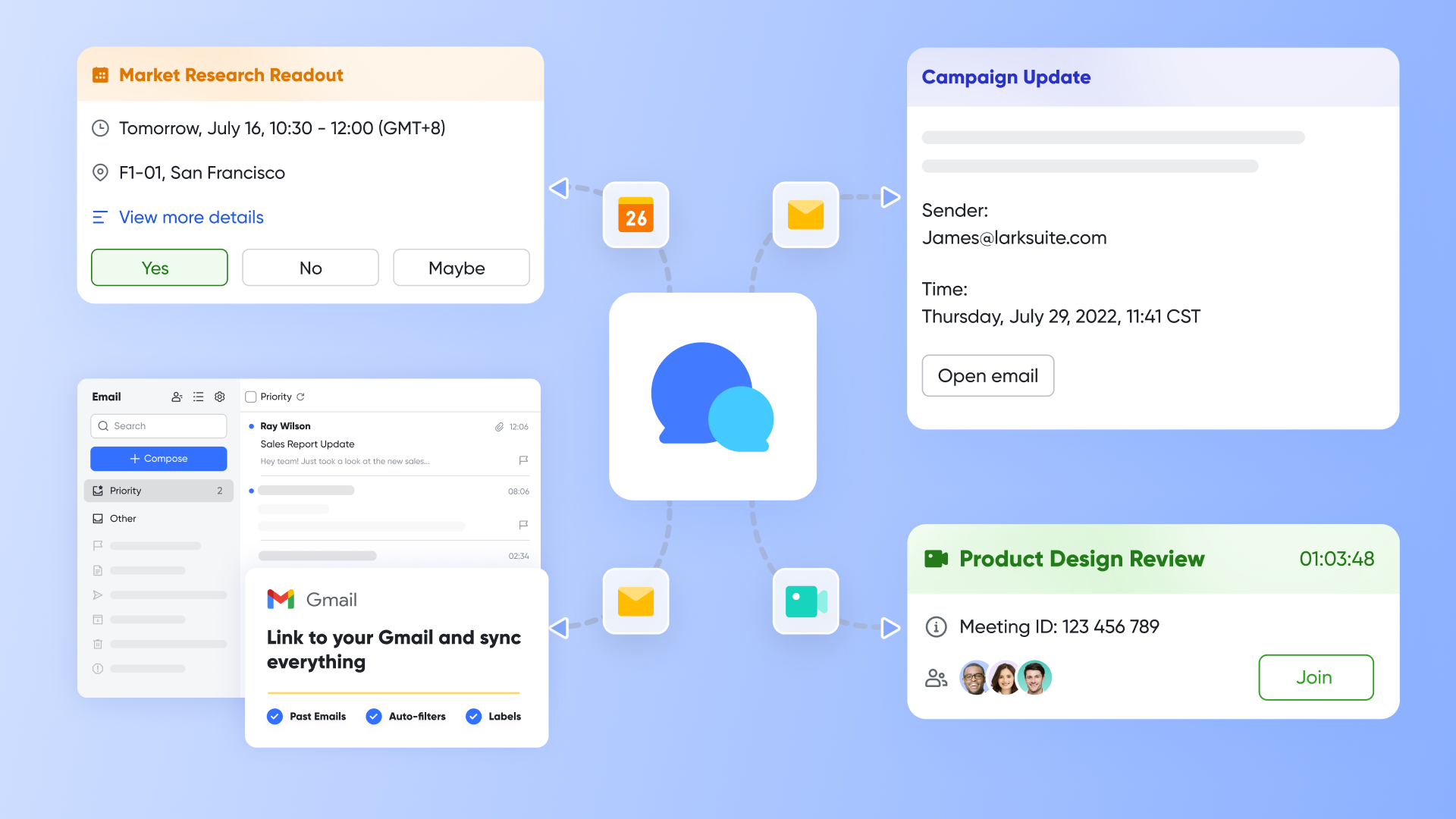
Traditional workflow design tools will make you face the messes, including the parts where people send messages to nudge managers or where files get lost in email threads. But a collaborative tool can fix this problem by unifying designing workflows, communicating, and setting an approval in one place.
Step 4: Design the ideal flow (The "To-Be")
This is the creative part. Look at your "As-Is" map and start pruning. Ask yourself three questions for every step:
- Can this be eliminated? (Is this step adding value?)
- Can this be automated? (Is this a repetitive data entry task?)
- Can this be parallelized? (Can the copywriter start writing while the designer is still working, or do they have to wait?)
Use a workflow design tool to sketch the new path. Keep it simple. The most robust workflows are usually the simplest ones. If your diagram looks like a plate of spaghetti, it is probably too complex to function in real life. Aim for a linear flow with clear decision nodes.
Step 5: Test, gather feedback, and iterate
Launch day is not the finish line. No matter how well you planned, your new workflow will break when it meets reality. There will be edge cases you didn't predict.
Treat your workflow like a product. Release it to a small group first (a pilot). Watch how they use it. Are they bypassing your new design approval workflow because the form is too long? Are they confused by the terminology?
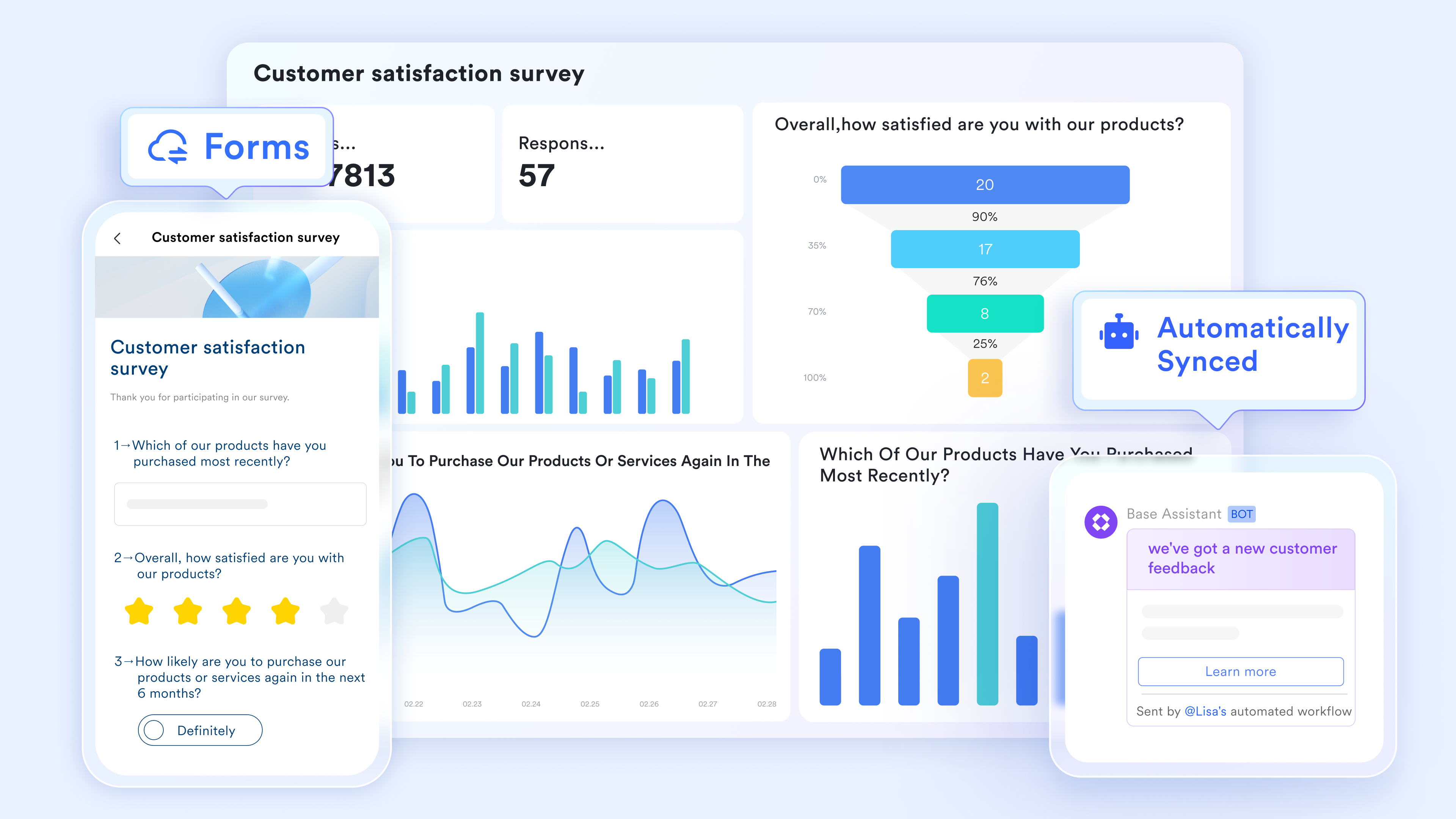
You can save significant time by leveraging features such as Lark Forms to gather your team's feedback and new requirements. You should expect to tweak the workflow regularly. A static workflow is a dying workflow. As your team grows and your business strategy changes, your processes must evolve with you. Continuous improvement is the secret to staying efficient.

The gap between design and execution
There is a dirty secret in the world of operations: most workflow design projects end up as "shelf-ware." You spend weeks creating a beautiful, color-coded flowchart. You print it out, stick it on the wall, and everyone nods in agreement. Then, on Monday morning, everyone goes right back to doing things the old way.
Why does this happen? It is usually because there is a massive canyon between where the workflow is designed and where the work is executed.
- The problem with static diagrams: Most teams use a workflow design tool that is purely visual. It creates a map, but not the territory. If you design a web design workflow in a diagramming app, but the actual work happens in email and coding tools, you are asking your team to memorize the map. When the pressure is on, human memory fails, and people revert to their default habits. Engaging the best web designers ensures that your workflows are not just mapped but executed efficiently, bridging the gap between diagrams and real-world delivery.
- The friction of context switching: If following your process requires an employee to close their current tab, open a separate manual, read a rule, and then go back to their work, they won't do it. Friction kills compliance. Modern workers are already overloaded. Adding a "process layer" that sits outside their daily tools feels like a tax on their time.
- The need for "executable" workflows: The future of workflow design isn't static; it's executable. This means the design is the machine that runs the work. Instead of having a "process map" in one app and a "chat tool" in another, tools like Lark merge them. You can design a workflow where the next step is triggered automatically within the chat interface. When a design approval workflow is embedded directly into the conversation where the team is already collaborating, the gap between design and execution disappears.
How Lark transforms workflow design into action
A well-designed workflow needs the right environment to move from a theoretical diagram to a lived reality. Lark's integrated suite turns your process blueprints into executable systems, reducing friction and ensuring your team follows the path you've designed. Here's how specific features bring clarity and automation to your workflow design.
Visualize workflows on a dynamic canvas
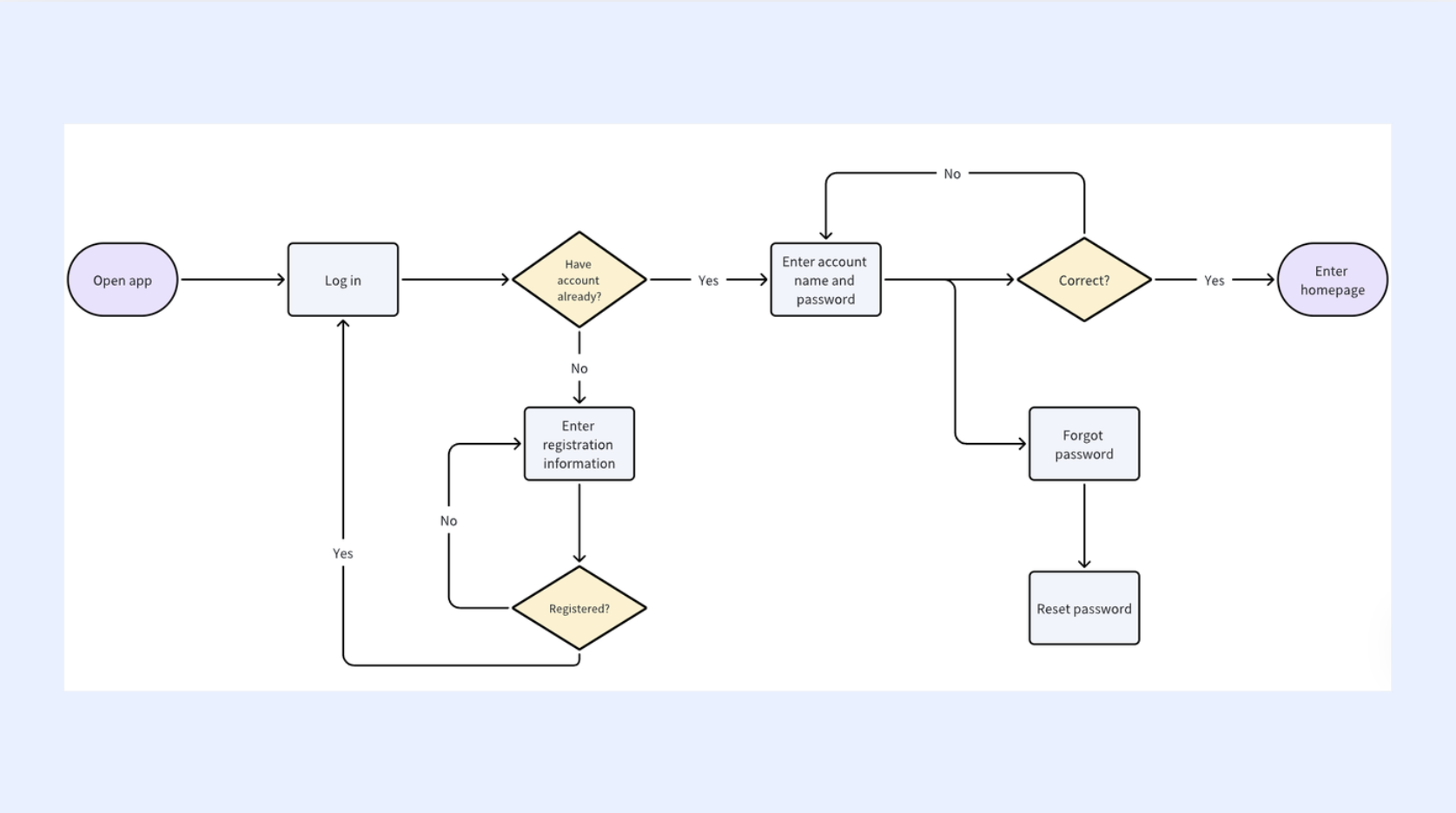
The first step from idea to action is creating a clear visual map. Lark Board provides a flexible canvas where you can drag and drop cards to build a workflow diagram that mirrors your process. Unlike a static image, this board becomes a living tracker. More importantly, you can co-edit the Board with your team in real time and receive comments reflecting different opinions, which means this designed workflow is better aligned with collective needs.
Structure your process with clear, actionable fields
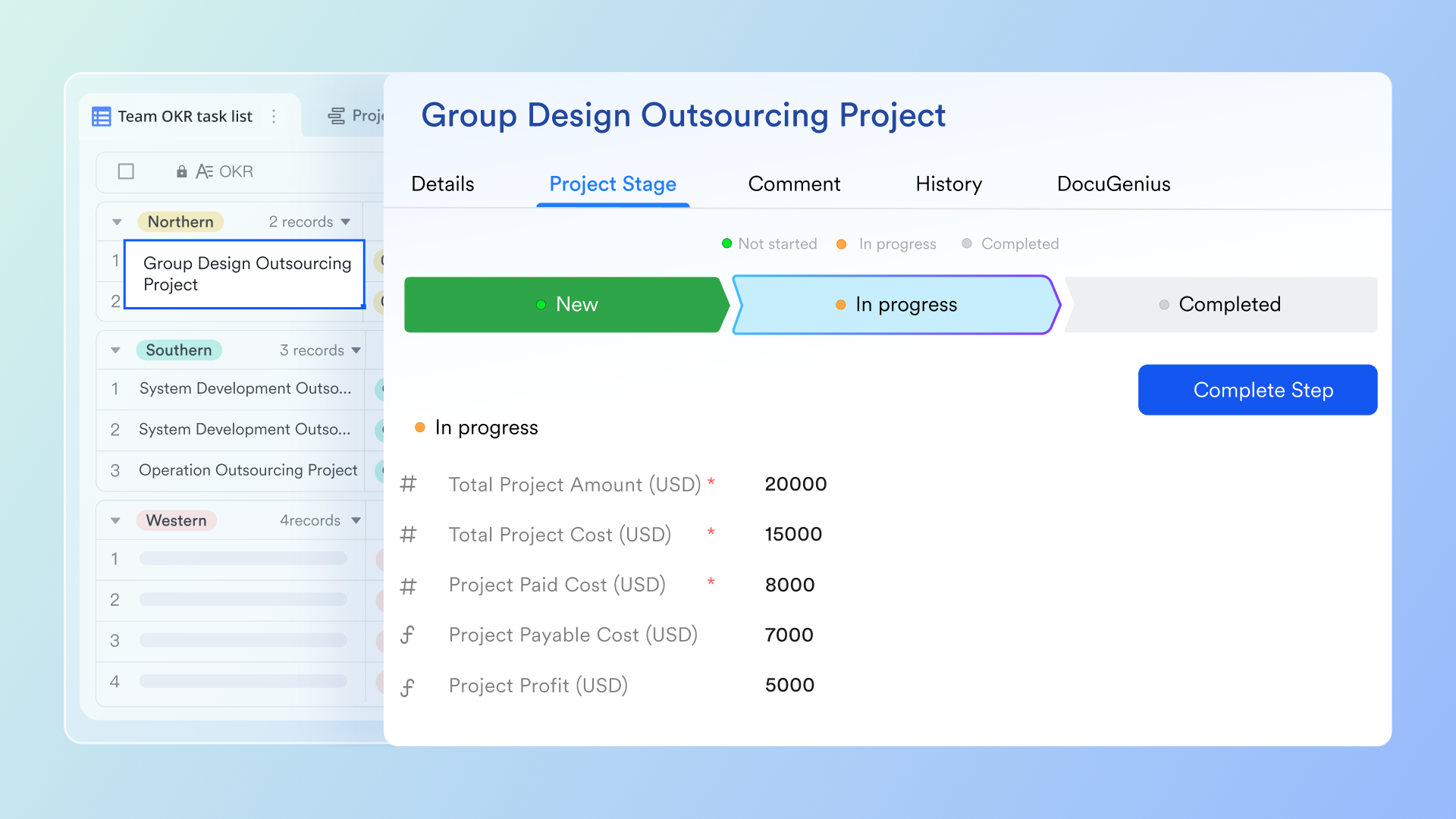
A well-designed workflow is built on clear data. In a platform like Lark Base, each step in your process can be represented and managed through specific fields within a record. Think of fields like "Status," "Owner," "Due Date," and "Priority" as the core components that give your workflow structure and context. For example, in a project intake workflow, a "Priority" field can instantly route high-impact requests to a dedicated team, while a "Flow" field visually tracks progress from "Backlog" to "Done." This structured approach turns a vague list of tasks into a manageable system.
Model and execute sophisticated multi-stage processes
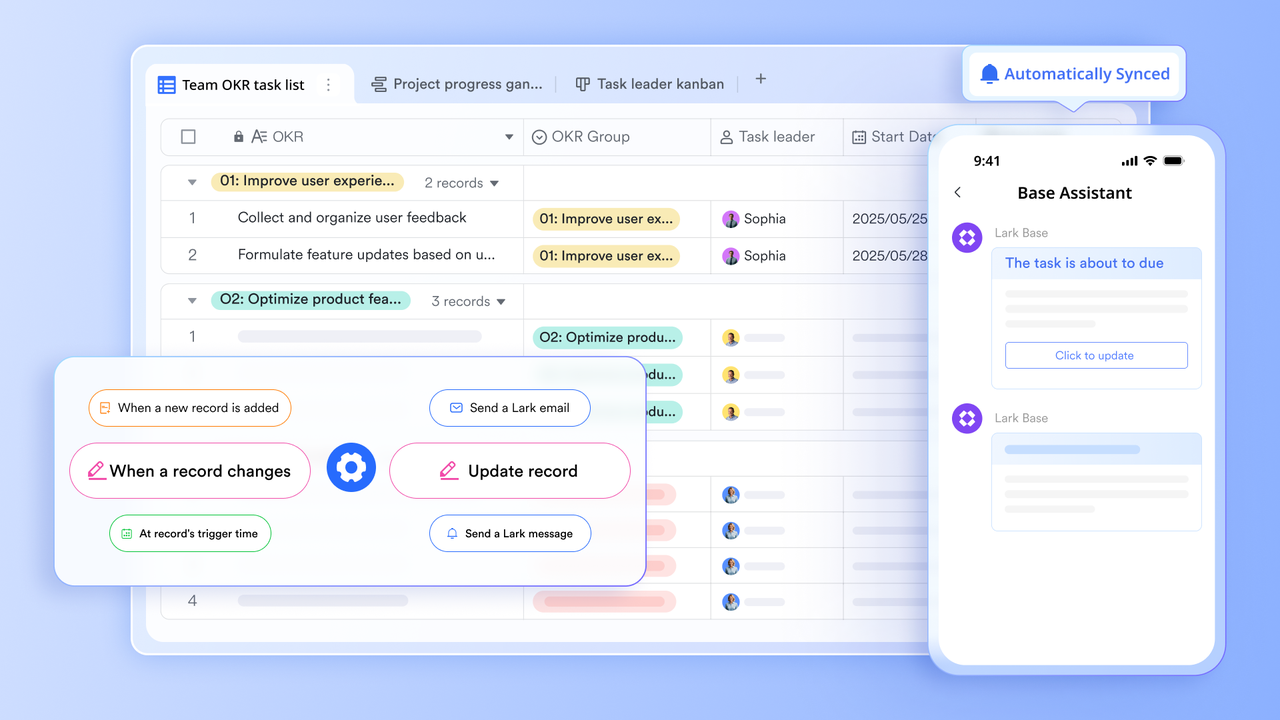
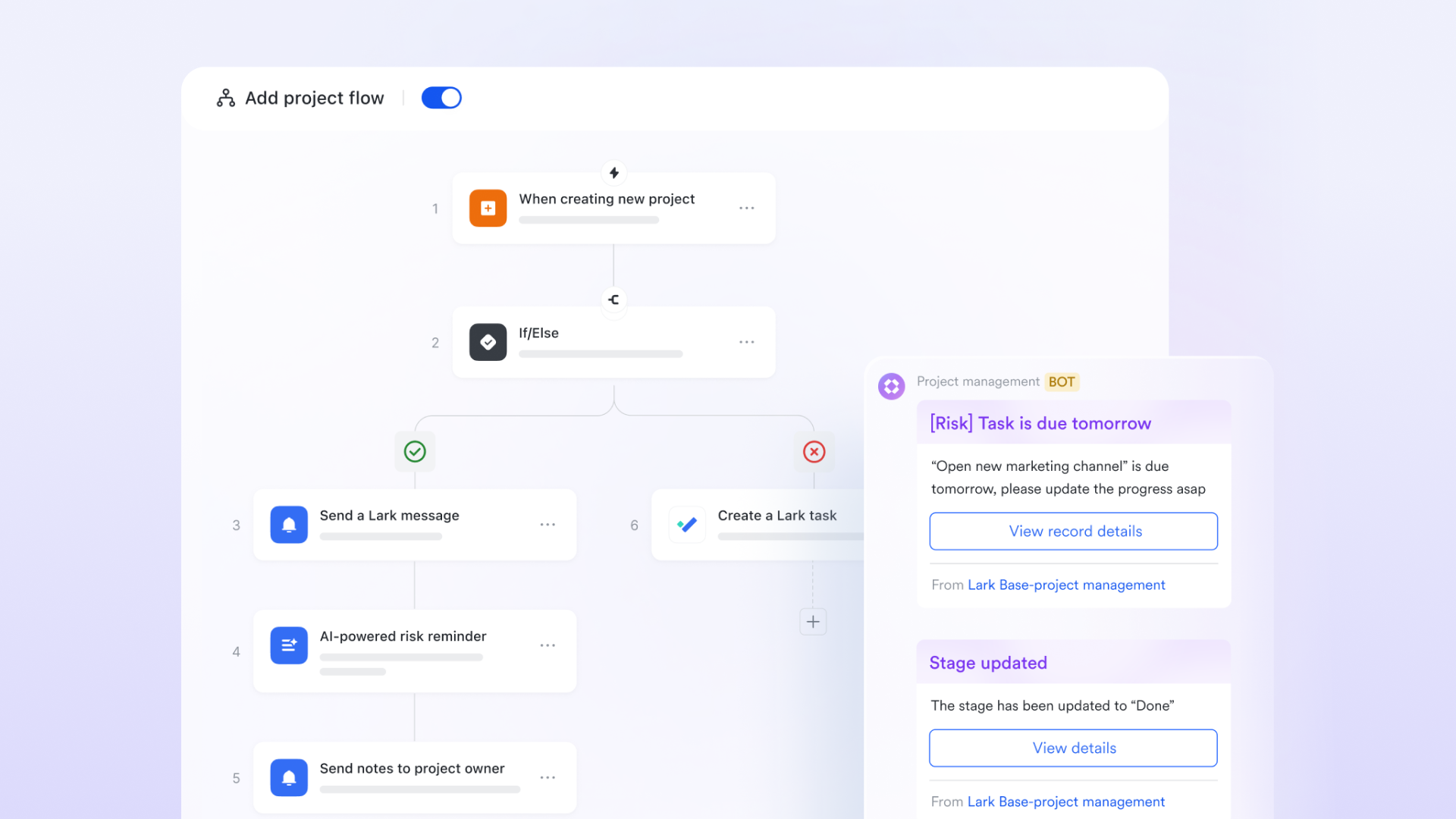
When your workflow involves multiple dependent steps, time delays, or conditional branches, you need a more powerful tool. Workflows in Lark Base provide a visual node editor for building this kind of complex business logic.
For instance, you can design an end-to-end project launch workflow. When a new project is created, Lark Bots will send a notification to relevant groups and create tasks for team members. When the deadline of the tasks is coming, Lark will automatically send a risk reminder. This is no longer a single action, but a sequence that includes decisions, waiting periods, and multiple connected steps, reliably executing even your most complex designed logic.
Formalize and accelerate approval chains
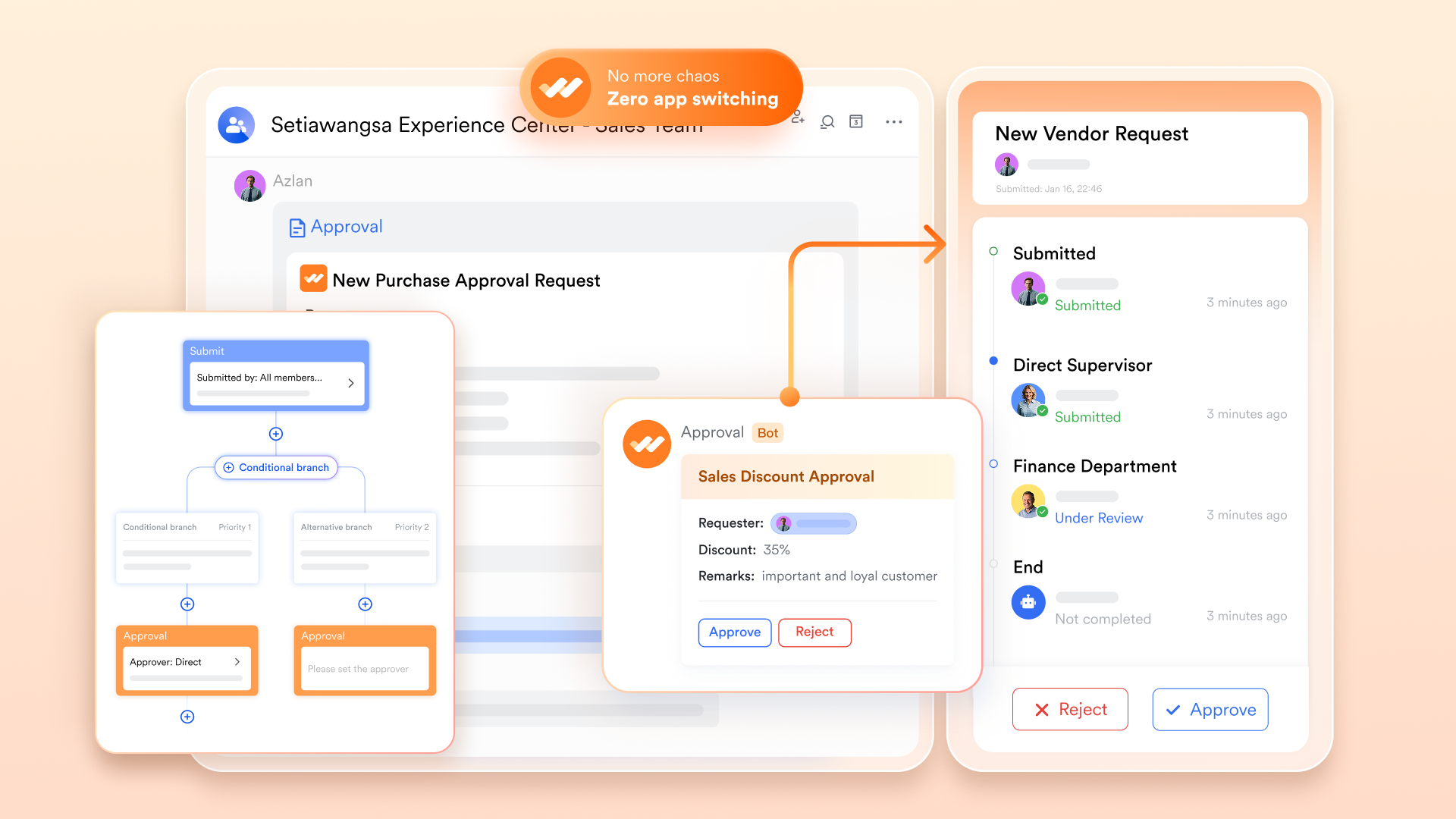
Approval bottlenecks are a common workflow killer. Lark Approval provides a dedicated framework to design and manage these chains. When a team member submits a purchase request, a pre-defined workflow takes over. The request is automatically routed to their manager, then perhaps to a finance officer based on the amount, with clear visibility for the requester at each stage. This turns a previously informal and opaque approval process into a fast, transparent, and auditable workflow.
Best practices for designing sustainable workflows
Creating a workflow is easy. Keeping it alive is hard. A "sustainable" workflow is one that creates value without requiring constant maintenance or policing. Here are a few principles to keep your design workflow healthy.
- Keep it simple (KISS principle): Over-engineering is the enemy of adoption. Trying to map every "what if" scenario creates a graphic design workflow that is impossible to follow. Instead, stick to the "happy path"—the 80% of cases that go smoothly—and handle exceptions manually. A simple process people actually use is infinitely better than a complex one they ignore.
- Design for the user, not the manager: If a workflow exists only to generate reports, teams will resent it and find workarounds. To avoid these "Shadow Workflows," prioritize the employee's experience. Approaches like a thoughtful ux design workflow ensure the process actually helps the doer—perhaps by automating data entry—rather than just adding administrative red tape.
- Document directly in the workflow: Traditional Standard Operating Procedures (SOPs) are where knowledge goes to die. Nobody reads a 40-page PDF before starting a task. Instead, embed the instructions into the workflow itself. If a step requires a specific file format, put that instruction right next to the "Upload" button. In Lark, you can embed rich Docs directly into your project tasks. This means the "training manual" and the "execution button" live on the same screen. This "just-in-time" information is the key to maintaining quality in any workflow design.
Real-world examples of workflow design
Theory is great, but let's look at how this plays out in practice. Here are three common scenarios where effective workflow design transforms chaos into clarity.
- The marketing content approval loop: Marketing teams often struggle with version control. A structured workflow solves this by strictly sequencing steps: a "Draft" moves to the Editor, then the SEO Specialist, and finally the "Publish" queue. This eliminates conflicting feedback and guarantees every post goes live with the necessary checks.
- The new hire onboarding journey: Onboarding requires synchronizing HR, IT, and managers. Instead of scattered checklists, a unified design workflow automates handoffs: signing a contract triggers IT ticket creation and schedules team intros. This ensures new hires arrive on Day 1 with equipment ready, rather than waiting while IT scrambles.
- Purchase order requests: Manual finance approvals are slow and prone to error. A digital design approval workflow uses logic to balance speed and control. Small requests (e.g., under $50) are auto-approved instantly, while high-value items automatically route to leadership for oversight.
Conclusion
Workflow design is not a one-time project; it is a mindset. It is the commitment to continuously look at how your team works and ask, "Can we make this smoother?"
By moving from static diagrams to executable systems, you stop fighting against your tools and start letting them work for you. You remove the bottlenecks, clarify the confusion, and give your team the greatest gift of all: the ability to focus on the work that actually matters.
Don't let your process maps gather dust. If you are ready to turn your designs into action, try building your next workflow in Lark. With its all-in-one blend of chat, docs, and databases, you can finally build a system that moves as fast as you do.
FAQs
What is workflow design?
Workflow design is the strategic blueprint of a business process, mapping the sequence of tasks from start to finish to ensure efficiency. It defines exactly who does what and when to eliminate bottlenecks. Tools like Lark allow you to easily visualize and automate these designs, turning static plans into active, trackable team operations.
What are the 5 stages of workflow?
The typically cited stages are Identification, Definition, Modeling (design), Execution, and Optimization. This cycle ensures a process is not just built but continuously improved based on real-world results. Lark streamlines this entire loop by combining process mapping, automated execution, and real-time performance analytics in a single platform.
What are the four types of workflows?
Common classifications are Sequential (linear), State-machine (status-based), Rules-driven (logic-based), and Parallel (simultaneous tasks). Choosing the right type depends on whether your process is a straight line or complex logic. Lark accommodates all these styles, allowing you to build everything from simple linear approvals to complex parallel logic chains without coding.
How to build a workflow plan?
Start by auditing your current process to identify bottlenecks, then map the ideal steps and assign clear ownership. Keep the initial design simple to ensure team adoption before adding complex rules. Lark simplifies this by letting you translate your plan directly into an executable workflow, allowing you to test, run, and refine it immediately.
Related reading
Table of contents
Start using Lark today

Manage all your work in one place
Boost team efficiency by 10x
Save up to 70% on software costs
Table of contents
Start using Lark today
Manage all your work in one place
Boost team efficiency by 10x
Save up to 70% on software costs
Keep reading








2026 Lark Technologies Pte. Ltd.
Headquartered in Singapore with offices worldwide.






Explore: