From working with fast-growing teams, I've found the biggest productivity killer is a lack of connection, not effort. Many teams start with simple to-do lists but end up overwhelmed by fragmented chats, disconnected spreadsheets, and missing email approvals. That's why dedicated workflow task management software matters.
Modern remote and hybrid teams need more than just task tracking—they need an integrated system for communication, documentation, and automation. In this guide, I'll break down the top tools, key features, and help you choose the right platform to streamline work and cut down on context switching.
Below is a comparison matrix of leading workflow task management software, so you can quickly evaluate each platform by core strengths, target users, onboarding ease, and pricing transparency.
What is workflow task management software?
To understand the value of workflow task management software, it is helpful to clarify the difference between a task and a workflow. A task is a single unit of work—like "write a blog post." A workflow is the sequence of tasks and approvals required to take that work from ideation to publication.
Traditional often act as digital sticky notes. They tell you what needs to be done, but they rely entirely on human intervention to move things along. Project workflow software, on the other hand, acts as the central nervous system for your operations. It actively moves work forward.
When a content writer finishes a draft and changes the status to "Review," a robust online workflow system doesn't just sit there. It automatically notifies the editor, updates the project timeline, and perhaps even generates an approval request in the team's shared chat. By combining task tracking with rule-based automation, these tools ensure that standard operating procedures are followed flawlessly, minimizing bottlenecks and manual follow-ups.
Benefits of workflow task management software
Investing in a dedicated online workflow system goes far beyond just getting a digital to-do list. When implemented correctly, the right platform delivers highly tangible ROI for your team:
- Eliminates expensive context switching: By keeping communication, documents, and task execution connected, teams stop wasting hours daily jumping between disconnected apps.
- Automates the mundane: Built-in triggers automatically route approvals, notify stakeholders, and update timelines, acting as a tireless digital project manager.
- Creates absolute accountability: Clear task ownership and real-time mean no more guessing who is responsible for what, drastically reducing the need for status update meetings.
- Aligns daily execution with big-picture OKRs: High-quality team workflow software ensures that every individual micro-task is transparently linked to company-wide strategic goals.
- Breaks down departmental silos: Centralized workspaces allow cross-functional teams (like design, marketing, and IT) to collaborate on the exact same workflow seamlessly, without data getting lost in translation.
Check what workflow task management software can offer
Top workflow task management software compared
Navigating the crowded market of productivity tools can feel overwhelming. To help you make an informed decision, let's compare some of the leading solutions available today, focusing on their unique strengths and ideal use cases.
1. Lark: Unified all-in-one workspace for seamless team collaboration
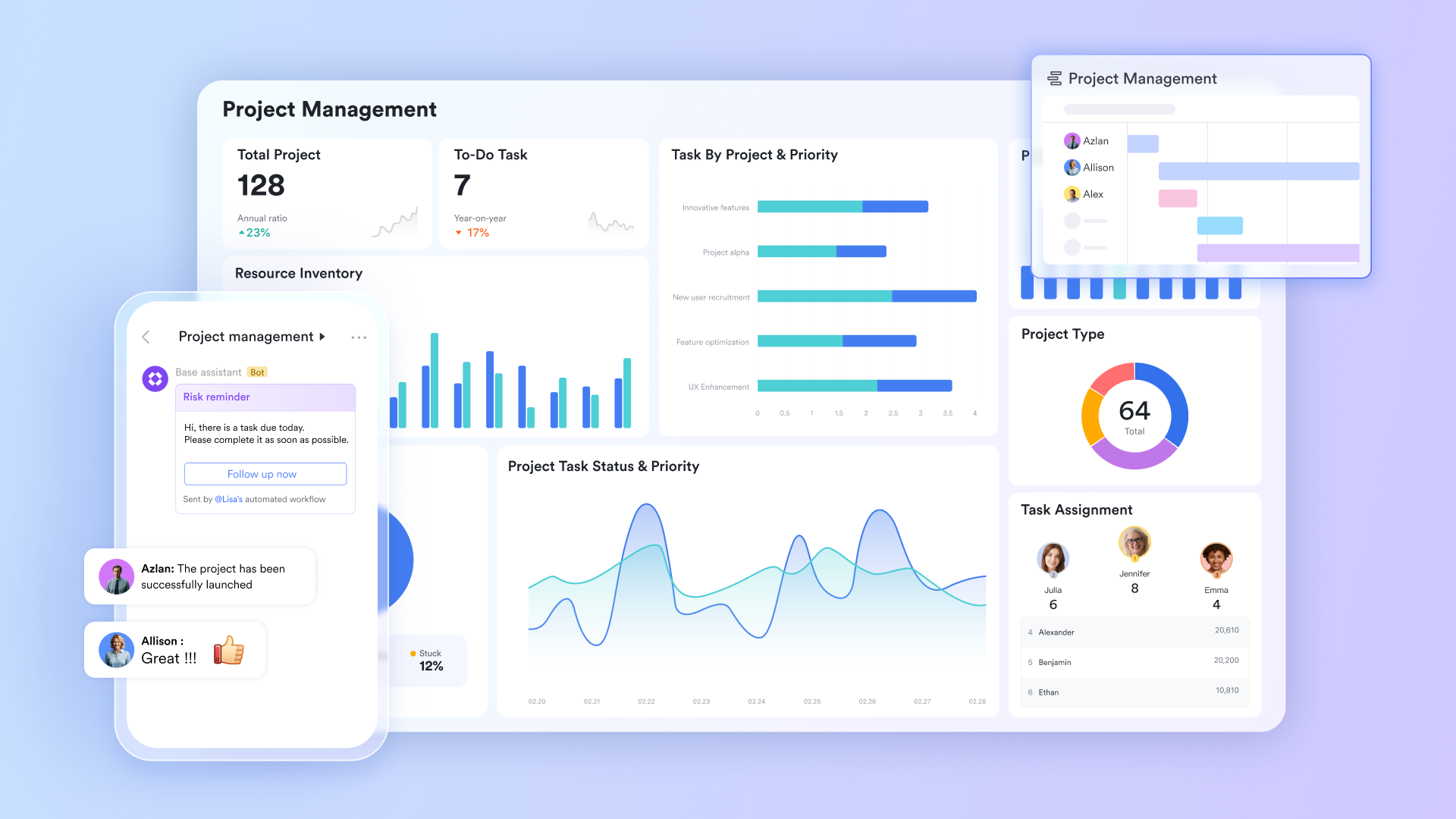
completely redefines workflow task management by breaking down the walls between different software categories. Instead of forcing users to constantly switch between separate applications for communication, project management, and document editing, Lark combines messaging, , , shared calendars, email, wikis, approval workflows, and OKR tracking into a single, cohesive platform.
Furthermore, Lark is engineered to support global, scalable operations. It features built-in AI translations to support multilingual teams and offers robust workflow automation tools that connect high-level strategic goals (OKRs) down to daily task execution. For organizations feeling the financial and operational strain of integrating Microsoft Teams, Slack, Asana, and Google Workspace, Lark provides a streamlined, highly cost-efficient alternative that acts as the true central nervous system for daily workflows.
Pros:
Streamlining daily deliverables and cross-functional handoffs
In fast-paced work environments, work is often assigned informally in meetings, shared docs, or group chats. With Lark Tasks, teams can instantly turn chat messages into tracked deliverables without opening separate . Managers can assign owners, set deadlines, and build checklists. Syncing automatically with calendars and reminders, this removes the miscommunication common in disconnected teams. 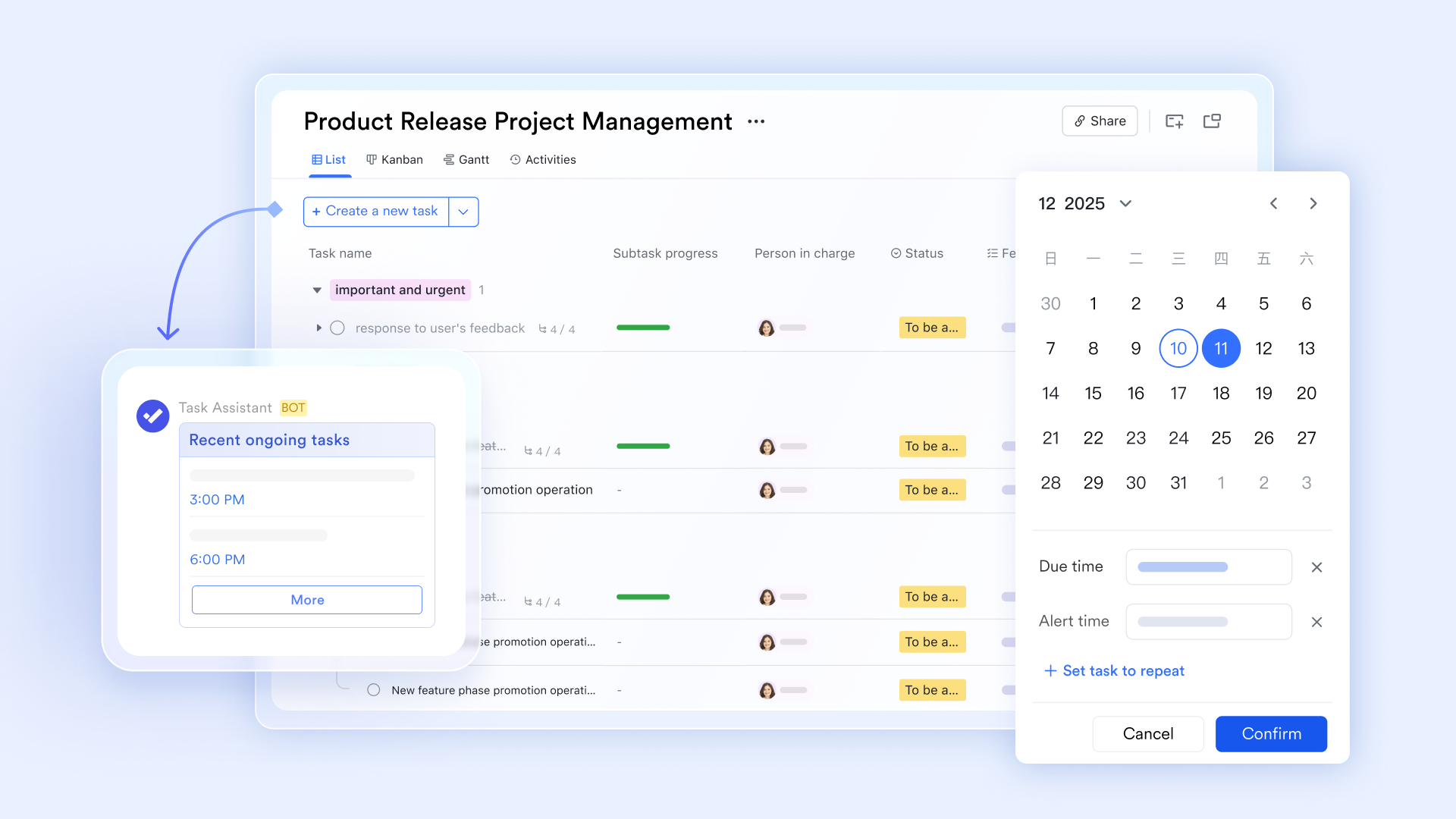
Architecting scalable, rule-based operational pipelines
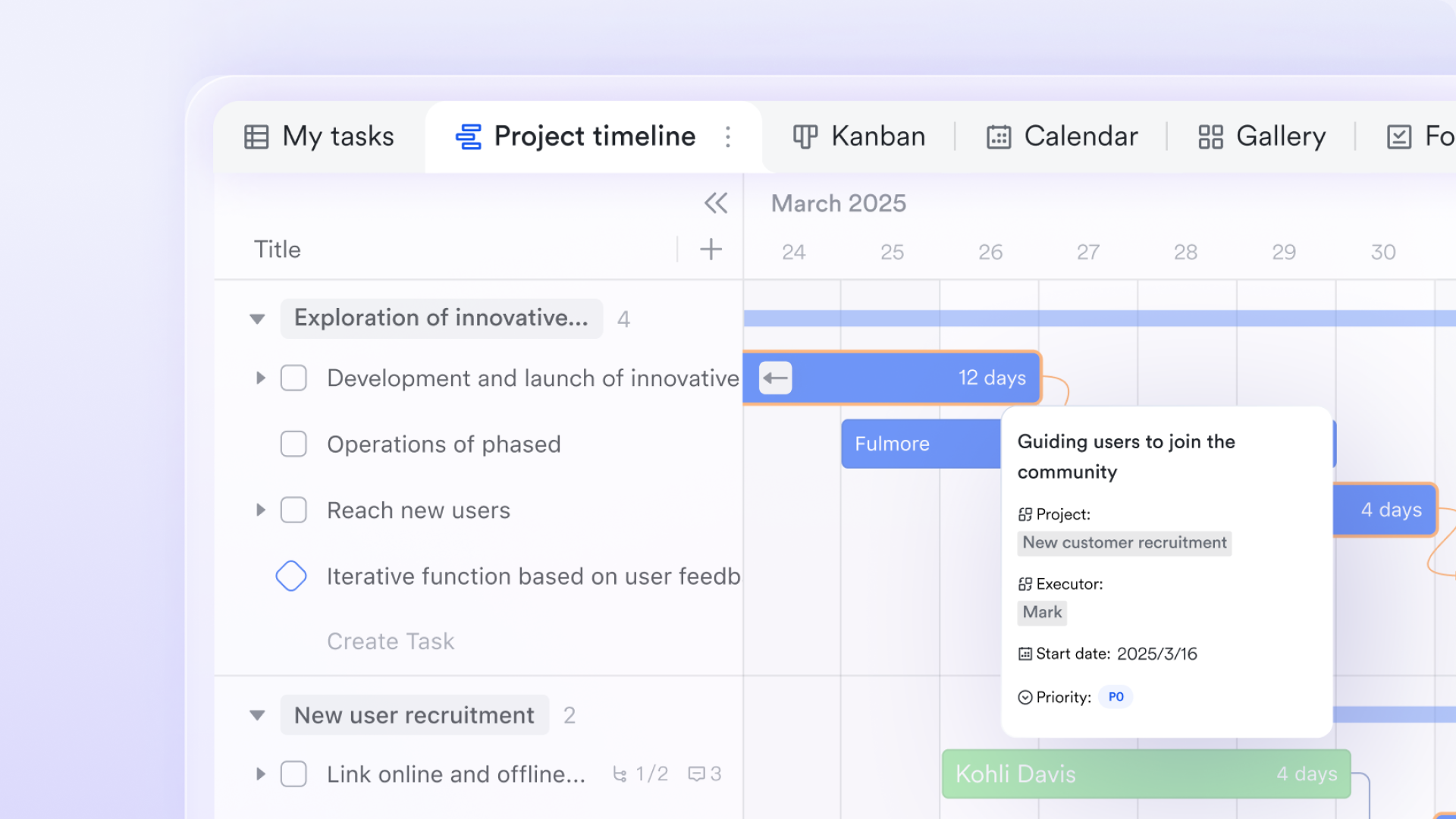
For structured, data-heavy workflows such as , onboarding, or bug tracking, provides a flexible relational database workspace. Teams can visualize the same data as tables, Kanban boards, or timelines, and build automated workflows to replace manual routing. For example, when a writer marks a draft "Ready for Review," the system automatically assigns the review task and sends an approval card in chat.
Gaining real-time executive visibility and resource tracking
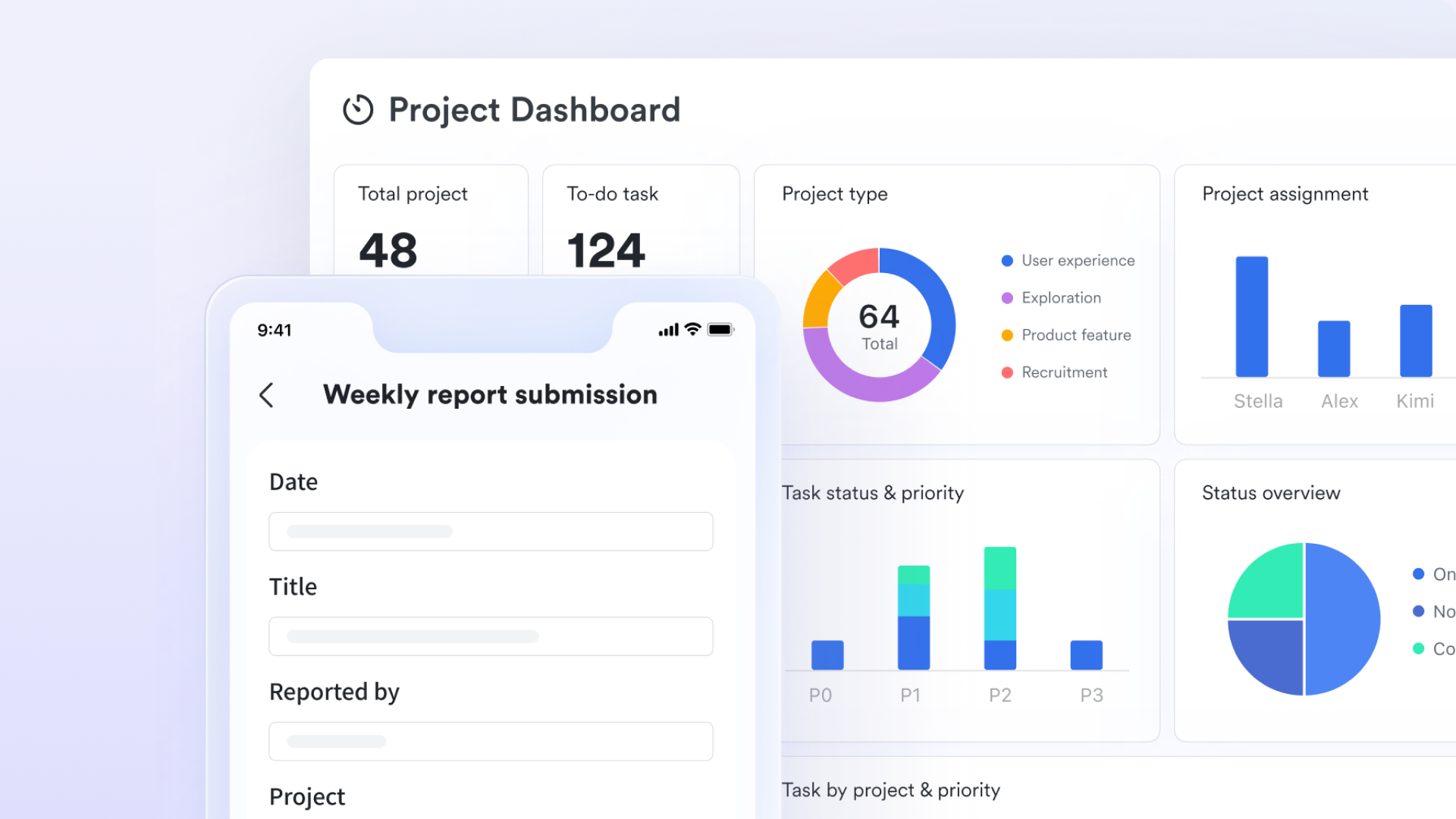
Lark Base dashboards pull live project data into visual charts and workload metrics, giving leaders real-time visibility into team bandwidth and bottlenecks. This avoids hours of manual report creation and helps quickly to protect deadlines.
Cons:
- It may take some time to adapt, but helps a lot.
The verdict: Lark is an exceptional, all-in-one productivity suite best suited for growing SMEs and large enterprises—especially remote or hybrid teams—that are struggling with fragmented tool stacks and want to consolidate everything into one unified workspace.
:
- Starter plan: Free forever plan that includes 11 powerful tools for up to 20 users. It also comes with 100GB of storage, 1000 automation runs, AI translations, and more.
- Basic plan: $6/user/month (billed annually) for up to 500 users. It includes everything in Starter plus group calling for up to 500 attendees, 5TB of storage, 1000 automation runs, and more. For more details, please .
- Pro plan: $12/user/month (billed annually) for up to 500 users. It includes everything in Basic plus group calling for up to 500 attendees, 15TB of storage, 50,000 automation runs, and more.
- Enterprise plan: for custom pricing. Supports unlimited users and includes even more automation runs and advanced security, compliance, and management features.
For small teams with simple communication needs

18 months message history
1000 Base automation runs/month
2000 rows per table in Base
Most POPULAR
For companies with comprehensive collaboration and management needs
Unlimited message history
500-participant video meetings
50k Base automation runs/month
20k rows per table in Base
For large companies with advanced security and organizational management needs
Get a personalized demo and pricing
Unlimited message history
500-participant video meetings
15 TB storage + 30 GB storage/user
500k Base automation runs/month
50k Base automation runs/month
Most POPULAR
For companies with comprehensive collaboration and management needs
Unlimited message history
500-participant video meetings
50k Base automation runs/month
20k rows per table in Base
2. Monday: Highly visual, customizable Work OS for any workflow
Monday approaches workflow management with a "building block" philosophy. Its user interface is famously colorful, intuitive, and highly visual, relying on customizable boards where users can add dozens of different column types (status, timeline, numbers, people, etc.) to track data exactly how they want. This flexibility solves the pain point of rigid project management tools that force teams to work in a specific way. Whether you are running an agile sprint or managing a content editorial calendar, Monday allows you to visually map out the process with minimal technical knowledge.
Beyond its UI, Monday excels in its easily configurable automation recipes and extensive third-party integrations. Users can set up simple "If This Then That" rules (e.g., "If status changes to Done, notify the manager") without writing any code. However, because it is so flexible, administrators must be careful to standardize boards early on; otherwise, different departments can create silos of inconsistent data structures.
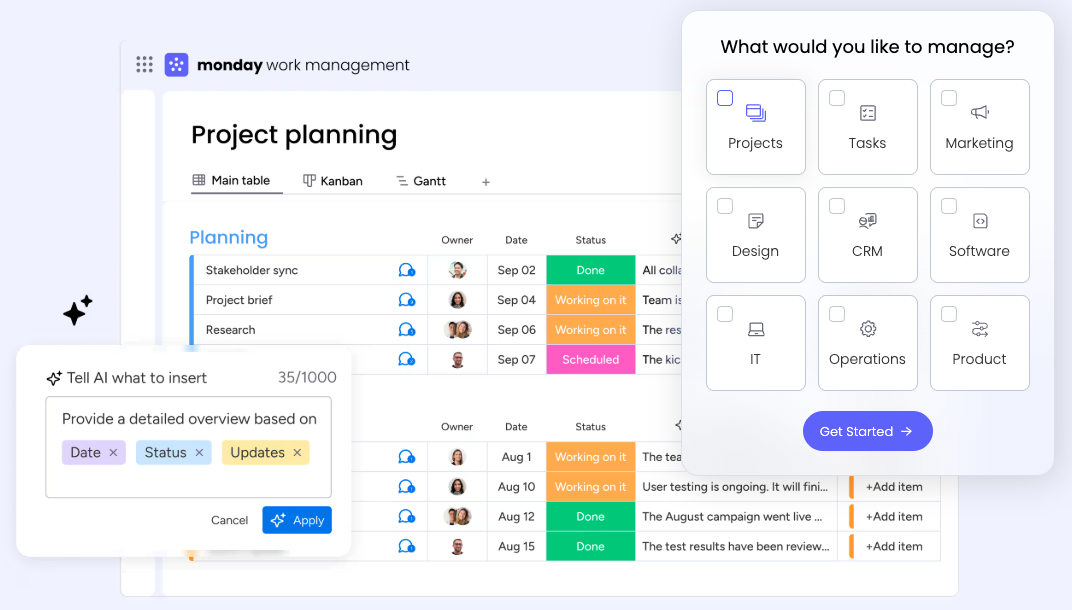
Image source: monday.com
Pros:
- Highly intuitive and colorful visual interface drives strong user adoption.
- An extensive library of pre-built templates for almost any industry or department.
- Customizable column types allow for granular tracking of unique data points.
- No-code "recipes" make setting up workflow automations incredibly easy.
- Strong reporting dashboards that can pull data across multiple boards.
Cons:
- Complex, data-heavy boards can become visually cluttered and slow to load.
- Pricing tiers enforce specific "user seats" blocks (e.g., you must buy for 5, 10, or 15 users), which can force smaller teams to pay for unused licenses.
The verdict: Monday is best for teams that crave a highly visual, customizable Work OS capable of adapting to almost any departmental workflow, from marketing campaigns to CRM and HR pipelines.
Pricing:
- Standard: $12/seat/month (billed annually).
- Pro: $19/seat/month (billed annually).
- Enterprise: Contact sales.
3. Adobe Workfront: Enterprise-grade work management for complex creative pipelines
Adobe Workfront is not a lightweight task manager; it is a heavy-duty enterprise work management platform. It is specifically designed to handle complex, multi-layered workflows that involve strict compliance, detailed resource management, and intensive asset approvals. Workfront solves the notorious "creative bottleneck" by integrating directly with tools like Adobe Photoshop and Illustrator. Designers can receive tasks, view briefs, log hours, and submit proofs for approval without ever leaving their native Adobe design software, dramatically reducing friction in creative pipelines.
The platform also shines in the hands of enterprise executives and resource managers. It offers highly advanced capacity planning capabilities, allowing managers to forecast workload demands, balance employee utilization, and track financial metrics tied to specific projects. However, this level of power comes with a significant trade-off: Workfront is notoriously complex to implement, usually requiring dedicated administrators and a lengthy onboarding process.
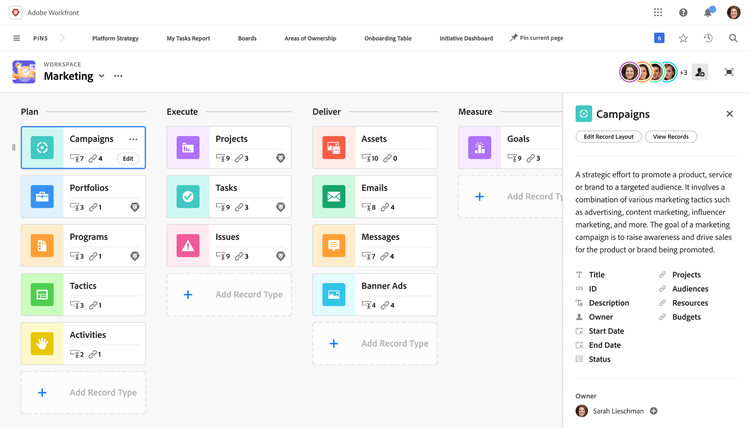
Image source: adobe.com
Pros:
- Flawless native integration with Adobe Creative Cloud and Adobe Experience Manager.
- Advanced resource and capacity planning tools for enterprise teams.
- Highly customizable intake forms and request queues for standardizing work.
- Robust, enterprise-grade reporting and financial tracking for project ROI.
- Sophisticated proofing tools for reviewing and approving digital assets.
Cons:
- An exceptionally steep learning curve that requires formal training and dedicated administration.
- Premium enterprise pricing makes it inaccessible for small businesses or startups.
The verdict: Adobe Workfront is the ultimate enterprise-grade solution for large marketing departments, creative agencies, and PMOs that require deep integration with the Adobe Creative Cloud ecosystem and advanced capacity planning.
Pricing:
4. ClickUp: Feature-rich, highly customizable all-in-one productivity platform.
ClickUp's primary value proposition is its sheer density of features. It offers an incredibly flexible hierarchy system (Spaces, Folders, Lists, and Tasks) that allows teams to organize everything from high-level company roadmaps down to sub-tasks and checklists. ClickUp actively solves the issue of teams needing different views for the same data; it allows users to toggle seamlessly between lists, Kanban boards, Gantt charts, calendars, and even mind maps. This means a developer can look at a project as an agile sprint board, while a manager can view the same data as a timeline.
In addition to task management, ClickUp includes built-in collaborative documents, digital whiteboards, and real-time chat natively within the platform. While this breadth of functionality is a massive selling point, it is also its Achilles' heel for some users. The sheer number of toggles, custom fields, and notification settings can make the interface feel overwhelming for less technical users, requiring a strict governance strategy to keep the workspace clean.
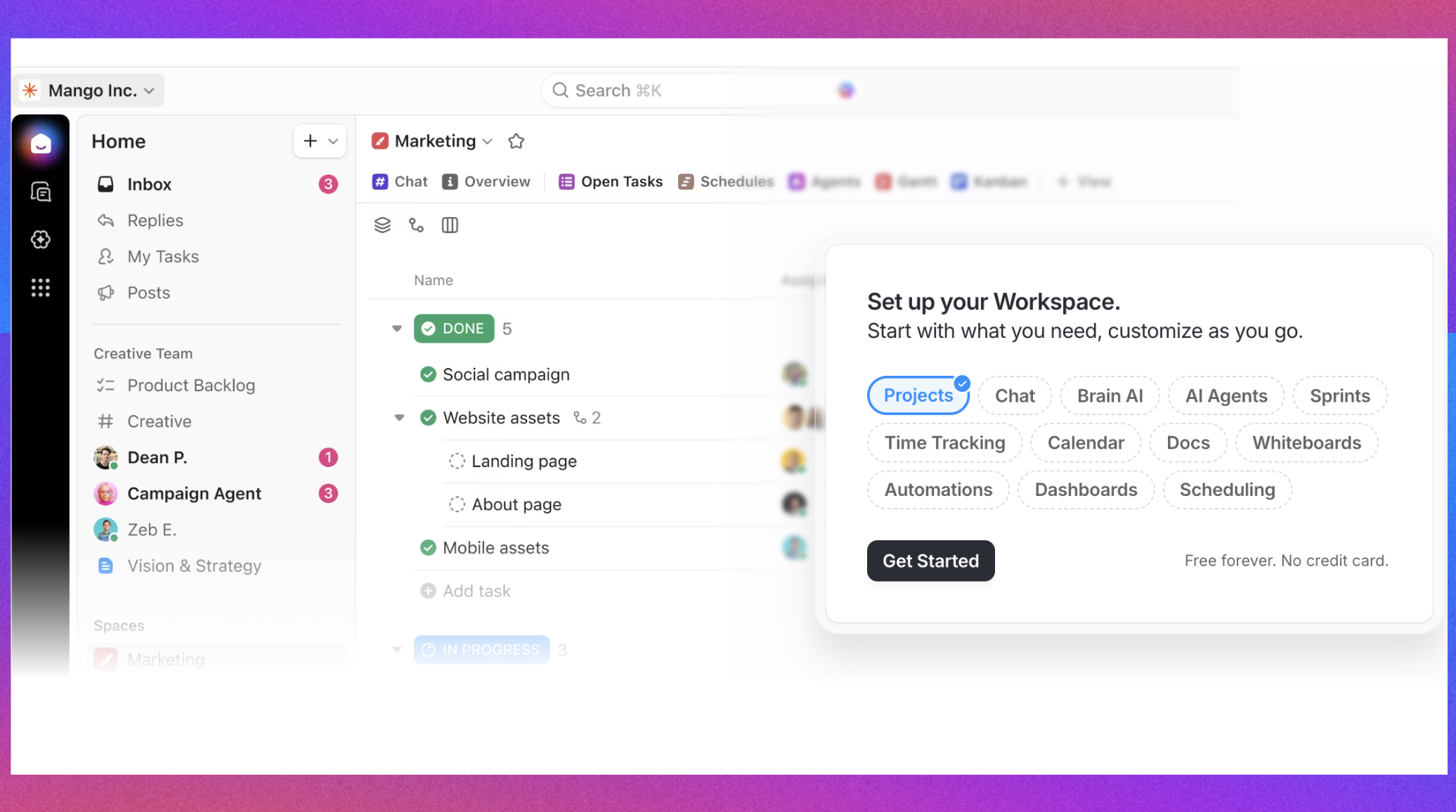
Image source: clickup.com
Pros:
- Incredible variety of data views (Board, List, Gantt, Box, Mind Map, etc.).
- Deep customizability of task hierarchies, statuses, and custom fields.
- Includes native collaborative documents and digital whiteboards.
- Robust built-in time tracking feature for individual tasks.
- Highly aggressive product development cycle with frequent feature updates.
Cons:
- The interface can feel cluttered and overwhelming, leading to a steep learning curve.
- Users occasionally report performance lags or sluggish load times in data-heavy workspaces.
The verdict: ClickUp is ideal for teams that want "one app to replace them all" and desire extreme granular customizability, allowing them to mold the software to their exact organizational hierarchy.
Pricing:
- Unlimited: $7/seat/month (billed annually).
- Business: $12/seat/month (billed annually).
- Enterprise: Contact sales.
For more information? 👉
5. Wrike: Structured enterprise project management with deep reporting
Wrike provides a highly structured, folder-based approach to workflow management. It is engineered to handle complex, multi-phase projects where visibility across different departments is critical. Wrike's unique architecture allows a single task to live in multiple folders or projects simultaneously without being duplicated. This solves the classic problem of cross-functional workflows, ensuring that when the design team updates a shared asset, the marketing and IT teams see the update instantly in their respective project folders.
The platform also caters heavily to management and executives. It offers enterprise-grade security, deep time-tracking capabilities, and highly customizable reporting dashboards that can aggregate data across hundreds of projects. While it is exceptionally powerful for structured, traditional project management (including Agile and Waterfall methodologies), Wrike's interface is often viewed as more utilitarian and less modern than some of its newer competitors, which can sometimes hinder adoption among purely creative teams.
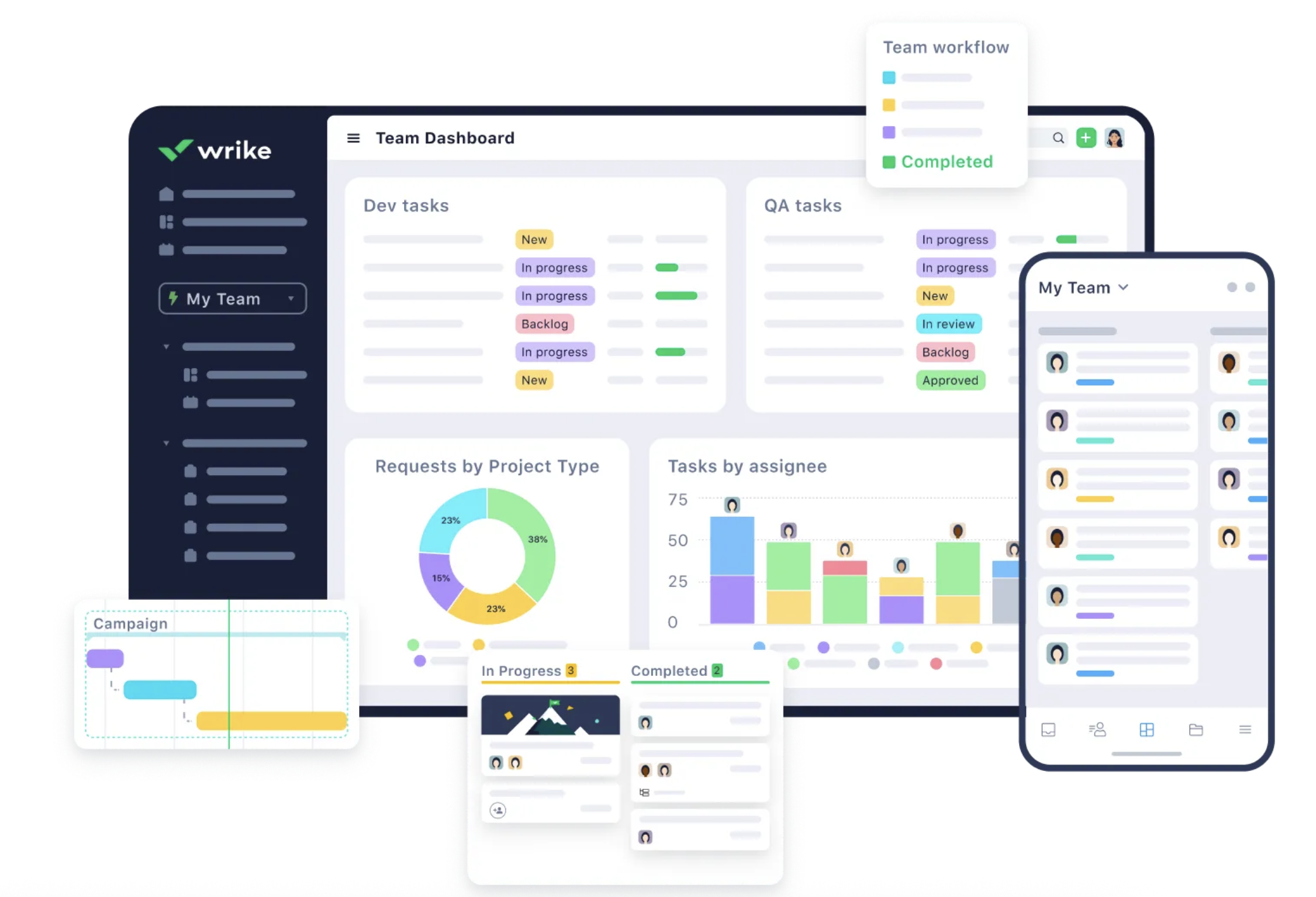
Image source: wrike.com
Pros:
- Powerful cross-tagging allows tasks to exist in multiple projects without duplication.
- Advanced, customizable dashboards and reporting for executive visibility.
- Built-in time tracking and comprehensive resource management tools.
- Dynamic request forms that automatically trigger specific project templates.
- Enterprise-grade security features, including Wrike Lock for customer-managed encryption.
Cons:
- The UI is functional but somewhat dated and less intuitive than modern competitors.
- The structural complexity of the platform demands a steep learning curve and dedicated onboarding.
The verdict: Wrike is best suited for enterprise Project Management Offices (PMOs) and professional services teams that require rigorous structure, deep cross-tagging of tasks, and advanced reporting capabilities.
Pricing:
- Team: $10/seat/month (billed annually).
- Business: $25/seat/month (billed annually).
- Pinnacle: Contact sales.
6. Asana: Clean, timeline-driven project tracking for cross-functional teams
Asana is a masterclass in balancing powerful project management capabilities with a clean, user-friendly interface. It excels at breaking down large, complex projects into manageable, assignable pieces. Asana's core philosophy is accountability; it intentionally restricts task assignment to a single owner to prevent the "bystander effect" where no one takes responsibility. This directly solves the pain point of confusing handoffs and missed deadlines, providing absolute clarity on task ownership and progress.
The platform is particularly famous for its Timeline view (its version of a Gantt chart) and its Workload management feature, which allows managers to visually see if team members are over- or under-capacity based on task weight. With its highly intuitive "Rules" builder, teams can easily automate mundane steps in their workflows. However, because Asana strictly focuses on task and project tracking, teams still must rely heavily on third-party integrations (like Slack or Teams) for real-time communication.
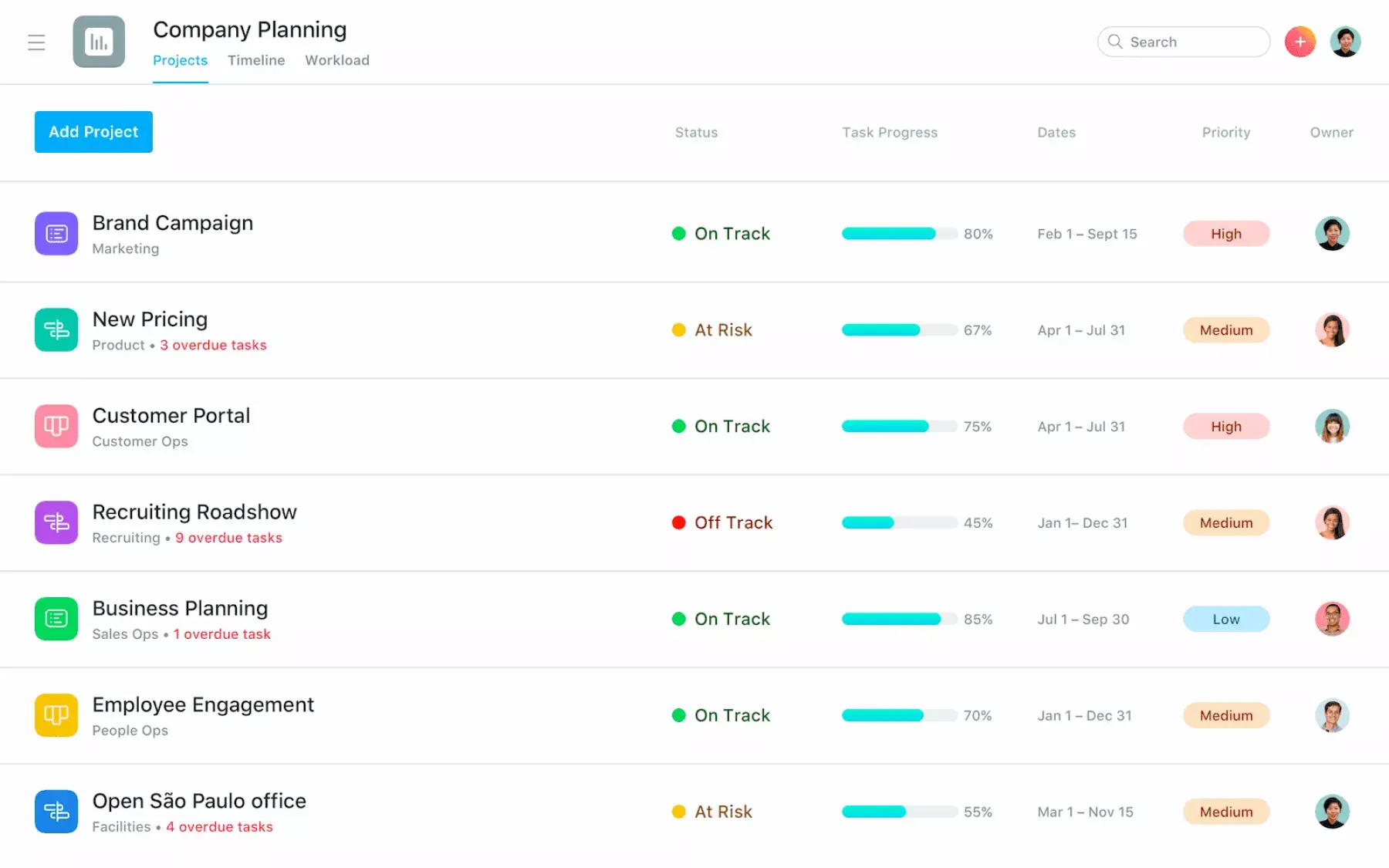
Image source: asana.com
Pros:
- Exceptionally clean, modern, and intuitive user interface.
- Best-in-class Timeline view for mapping out project dependencies.
- Visual workflow builder (Rules) makes automating task routing easy.
- Strong Portfolio and Workload views for managing team capacity.
- Clear goal-tracking features that link projects to company objectives.
Cons:
- Intentionally prohibits assigning multiple people to a single task, which frustrates some collaborative workflows.
- The pricing for advanced features (like Portfolios and advanced rules) scales up quite expensively.
The verdict: Asana is perfect for cross-functional teams (like marketing, operations, and product) that prioritize clear project timelines, clean interfaces, and absolute clarity on who is doing what by when.
Pricing:
- Starter: $10.99/user/month (billed annually).
- Advanced: $24.99/user/month (billed annually).
- Enterprise: Contact sales.
7. Jira: The industry standard for agile software development teams
Built by Atlassian, Jira is specifically engineered to track bugs, manage code releases, and plan software development sprints. It solves the complex workflow requirements of engineering teams by providing deep, native integrations with developer tools like GitHub, Bitbucket, and GitLab. When a developer commits code, Jira can automatically update the corresponding issue status, seamlessly tying the actual coding work to the project management timeline.
Jira is organized around "Issues" (which can be tasks, bugs, or epics) and allows for highly complex, customized workflow routing. You can mandate that an issue cannot move from "In Progress" to "Review" without specific code-review criteria being met. While it is incredibly powerful for technical teams and offers unparalleled velocity reporting, Jira is notoriously hostile to non-technical business teams (like HR or Marketing) due to its heavy configuration requirements and rigid, developer-centric terminology.
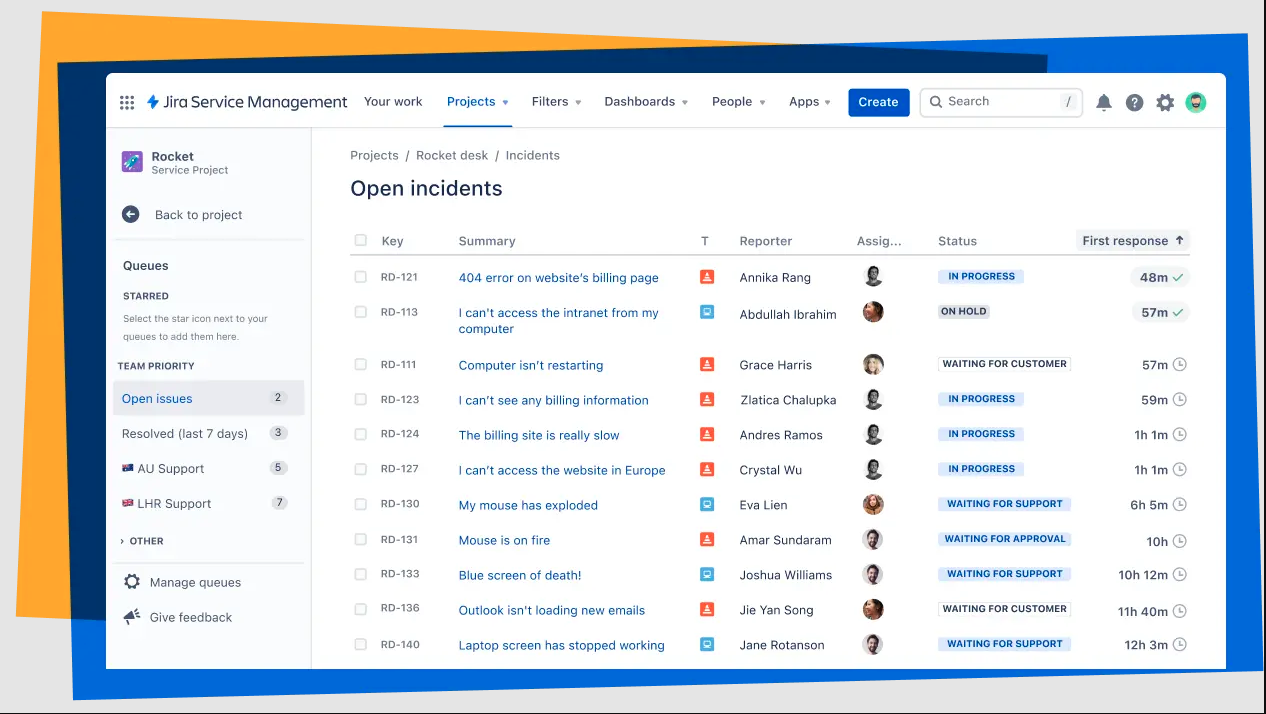
Image source: atlassian.com
Pros:
- Unmatched deep integrations with CI/CD pipelines and code repositories.
- Powerful native support for Agile frameworks (Scrum boards, sprint planning, epics).
- Advanced Agile reporting tools (burndown charts, velocity tracking).
- Highly customizable issue types and workflow transition rules.
- JQL (Jira Query Language) allows for incredibly precise data filtering and search.
Cons:
- An extremely complex configuration that usually requires a dedicated Jira Administrator.
- The UI and terminology are highly technical, causing friction for non-engineering departments.
The verdict: Jira is the undisputed industry standard for software development teams, QA testers, and product managers who strictly follow Agile, Scrum, or Kanban methodologies.
Pricing:
- Standard: $7.91/user/month (billed monthly).
- Premium: $14.54/user/month (billed monthly).
- Enterprise: Contact sales.
8. Notion: Flexible, document-first workspace with powerful relational databases
Notion completely flips the script on traditional workflow management by starting with a blank document rather than a task board. It operates on a system of "blocks" (text, images, toggles, tables), allowing users to build exactly what they need. Its most powerful feature is its relational databases, which can be embedded directly inside documents. This solves the problem of disconnected knowledge; a team can have a detailed design brief document that natively houses the actual task-tracking board for that specific project, all on the same page.
Because it is a blank canvas, Notion is incredibly versatile—it can be a company intranet, a CRM, a sprint tracker, or a content calendar. However, this flexibility is a double-edged sword. Notion requires someone to actually "build" the workflow system. Without strict architectural guidelines, a team's Notion workspace can quickly devolve into a chaotic maze of interconnected pages. Furthermore, it lacks some native heavy-duty project management features, like advanced built-in Gantt charts or native time tracking.
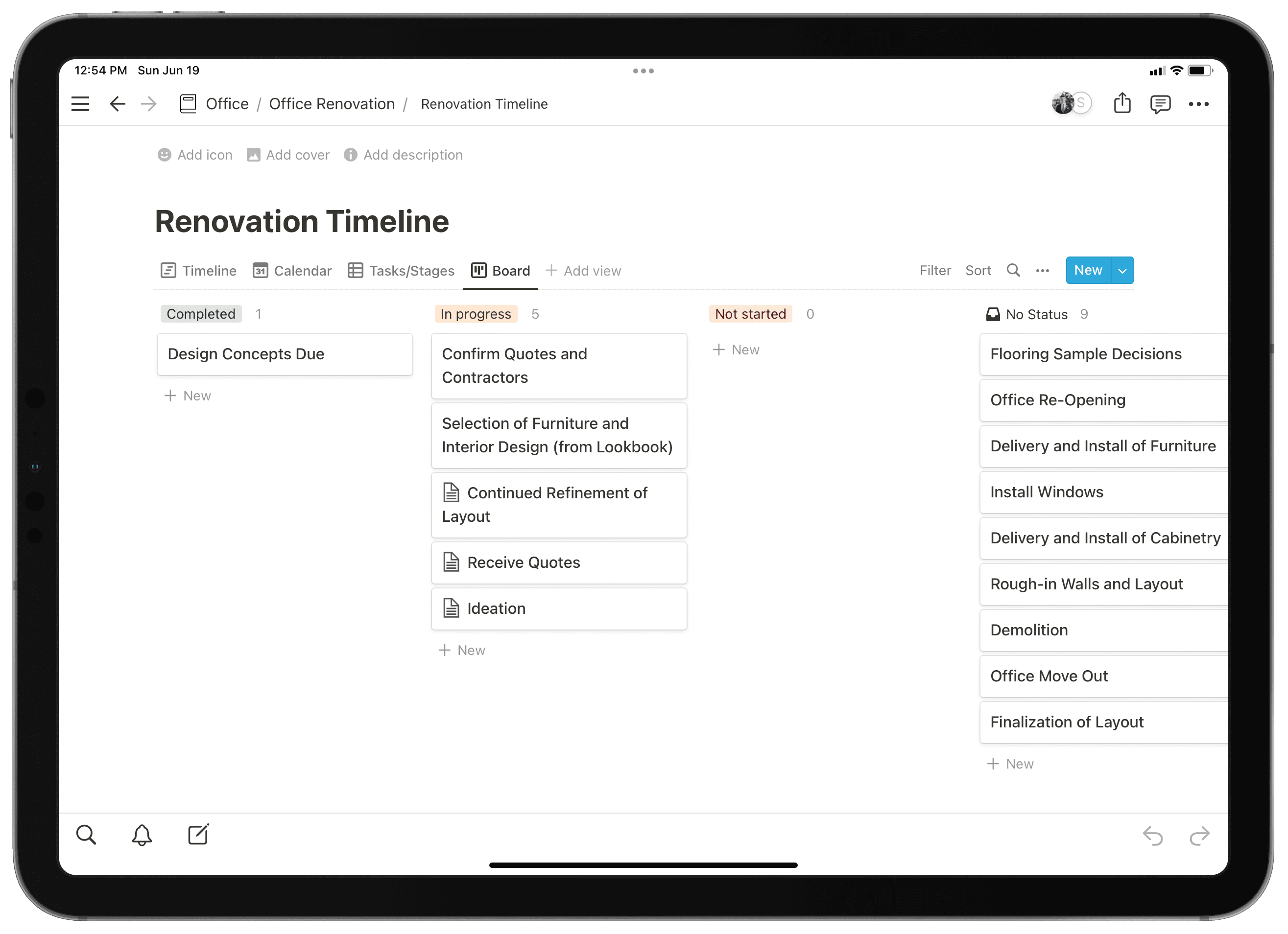
Image source: notion.com
Pros:
- Unparalleled flexibility to design custom workspaces and wikis.
- Powerful relational databases that seamlessly connect different sets of information.
- Clean, minimalist writing environment that excels at document collaboration.
- Massive community-driven template gallery for quick setups.
- Notion AI integration assists with drafting, summarizing, and data extraction.
Cons:
- Requires significant manual setup and ongoing maintenance to keep the workspace organized.
- Lacks native, advanced project management features like complex dependency mapping and workload tracking.
The verdict: Notion is ideal for teams and creators who want a highly flexible, document-first workspace where they can build their own custom wikis, knowledge bases, and task tracking systems from scratch.
Pricing:
- Plus: $10/user/month (billed annually).
- Business: $20/user/month (billed annually).
- Enterprise: Contact sales.
9. Smartsheet: Powerful spreadsheet-driven platform for data-heavy enterprise workflows
At first glance, Smartsheet looks exactly like a traditional spreadsheet, which drives rapid adoption among teams accustomed to Microsoft Excel or Google Sheets. However, underneath the grid interface lies a powerful relational database and project management engine. Smartsheet solves the nightmare of spreadsheet version control and manual data entry. It allows users to write complex formulas, but it also enables automated cell linking across multiple sheets, ensuring that when a metric is updated in a department sheet, the master executive dashboard updates in real time.
Smartsheet goes beyond grids by allowing users to toggle their spreadsheet data into Gantt charts, card views, or calendars. It is highly favored by enterprise organizations for its robust security, compliance certifications, and ability to handle massive datasets. However, because it remains inherently a spreadsheet-first tool, it lacks the fluid conversational collaboration and modern UI found in newer, more visually oriented workflow platforms.
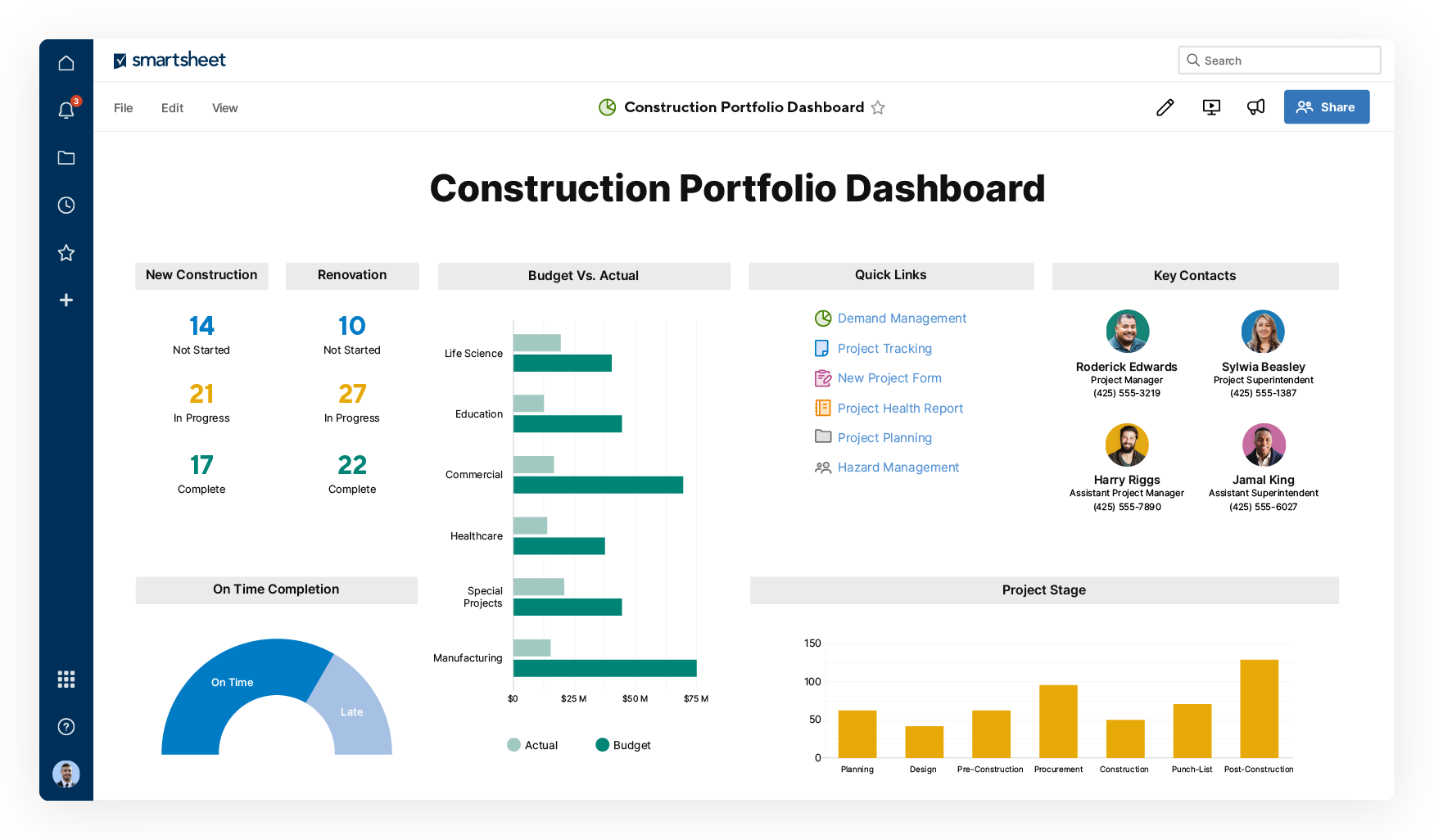
Image source: smartsheet.com
Pros:
- Familiar spreadsheet interface lowers the barrier to entry for Excel power users.
- Powerful formula engine and cross-sheet data linking.
- Automated update requests allow for gathering data from external stakeholders without logging in.
- Strong enterprise-grade security, governance, and administration controls.
- Dynamic dashboards that aggregate data from multiple sheets in real time.
Cons:
- Real-time co-authoring can feel clunky compared to modern cloud docs, often requiring manual saves.
- The interface is highly utilitarian and lacks the visual appeal of modern workflow tools.
The verdict: Smartsheet is the perfect bridge for data-heavy operations, finance, and enterprise teams that want to transition away from fragile Excel spreadsheets into a secure, automated workflow platform.
Pricing:
- Business: $19/user/month (billed annually).
- Enterprise: Contact sales.
- Advanced Work Management: Contact sales.
10. Airtable: Visual relational database for complex, interconnected content workflows
Airtable beautifully merges the simplicity of a spreadsheet with the structural power of a relational database. It is designed to track complex, interconnected data—like a content calendar where a single piece of content must link to specific authors, budget codes, and digital assets. Airtable solves the limitation of flat 2D spreadsheets by allowing users to easily link records between different tables, creating a dynamic web of data without needing to know SQL.
One of Airtable's standout features is its Interface Designer, which allows teams to build custom, drag-and-drop web applications on top of their data. This means an operations manager can look at the raw database, but build a simplified, button-driven interface for the actual employees doing the data entry. While it is an exceptional tool for organizing structured data and workflows, it can be overkill (and overly complex) if a team simply needs to check off a linear list of daily to-dos.
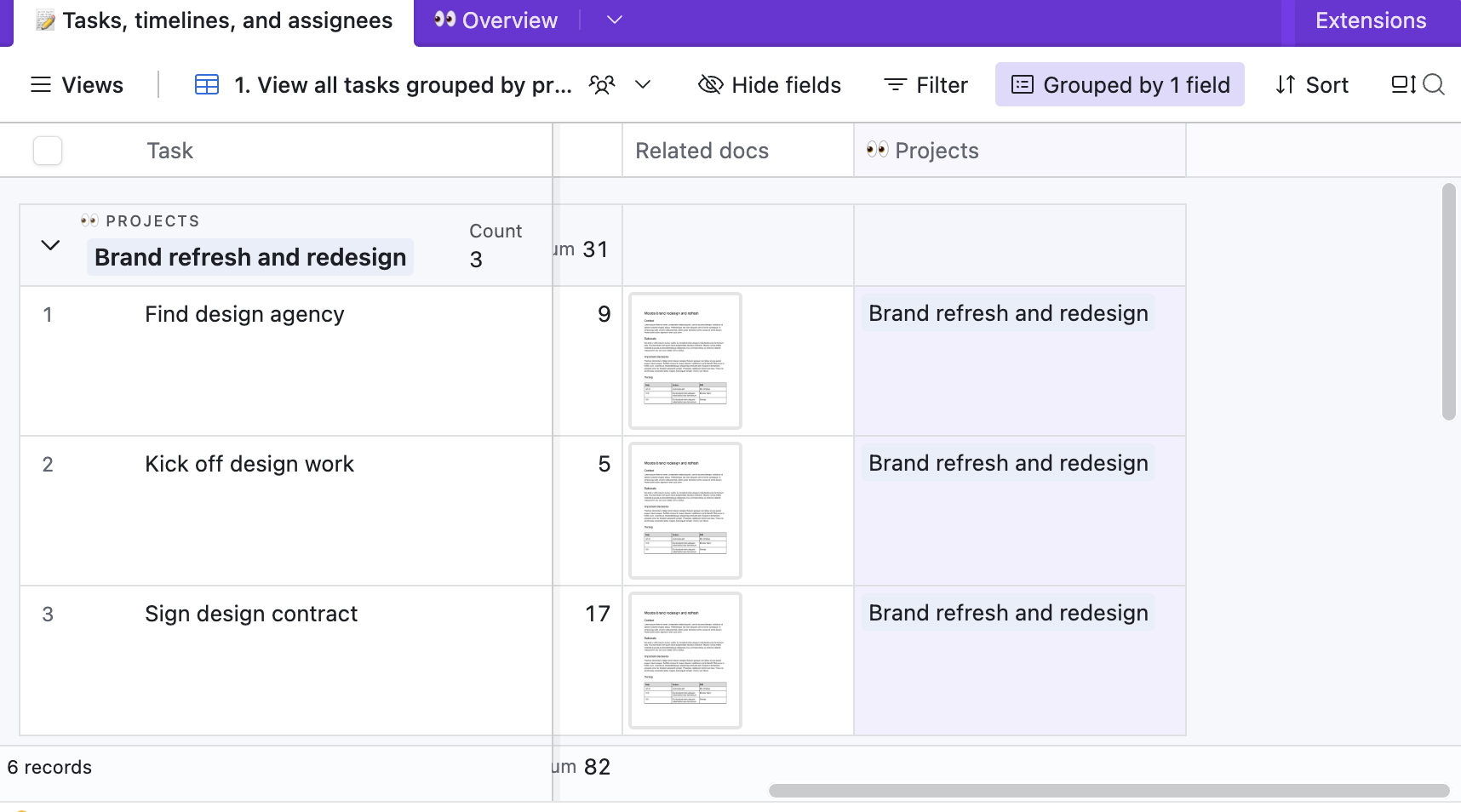
Image source: airtable.com
Pros:
- Exceptional relational database capabilities that are easy for non-developers to use.
- Interface Designer allows for the creation of custom internal apps and dashboards.
- Rich field types include attachments, barcodes, and linked records.
- Highly visual views, including Grid, Calendar, Kanban, Gallery, and Gantt.
- Powerful API and robust automation integrations with thousands of apps.
Cons:
- Pricing can escalate rapidly due to strict limits on records and attachment space per base.
- Navigating relational database concepts can be confusing for teams used to simple task boards.
The verdict: Airtable is best for content teams, marketers, and operations managers who need the power of a relational database wrapped in a highly visual, user-friendly, and customizable interface.
Pricing:
- Team: $20/seat/month (billed annually).
- Business: $45/seat/month (billed annually).
- Enterprise Scale: Contact sales.
11. Trello: Dead-simple, visual Kanban boards for linear task workflows.
Trello is the tool that popularized the digital Kanban board. Its interface consists of Boards, Lists, and Cards, mimicking the experience of moving sticky notes across a whiteboard. This extreme simplicity is Trello's greatest strength; it solves the problem of over-engineered software that paralyzes small teams. You can create a Trello board and have a team using it effectively within five minutes, making it ideal for content pipelines, basic IT ticketing, or event planning.
To extend its functionality, Trello relies on "Power-Ups," which are integrations or add-ons (like calendars, custom fields, or voting modules) that you can attach to a board. It also features "Butler," a built-in no-code automation bot that handles routine actions like moving cards based on due dates. However, as organizations grow and projects require complex dependencies, sub-task hierarchies, and high-level portfolio reporting, Trello's flat card structure quickly hits its limits.
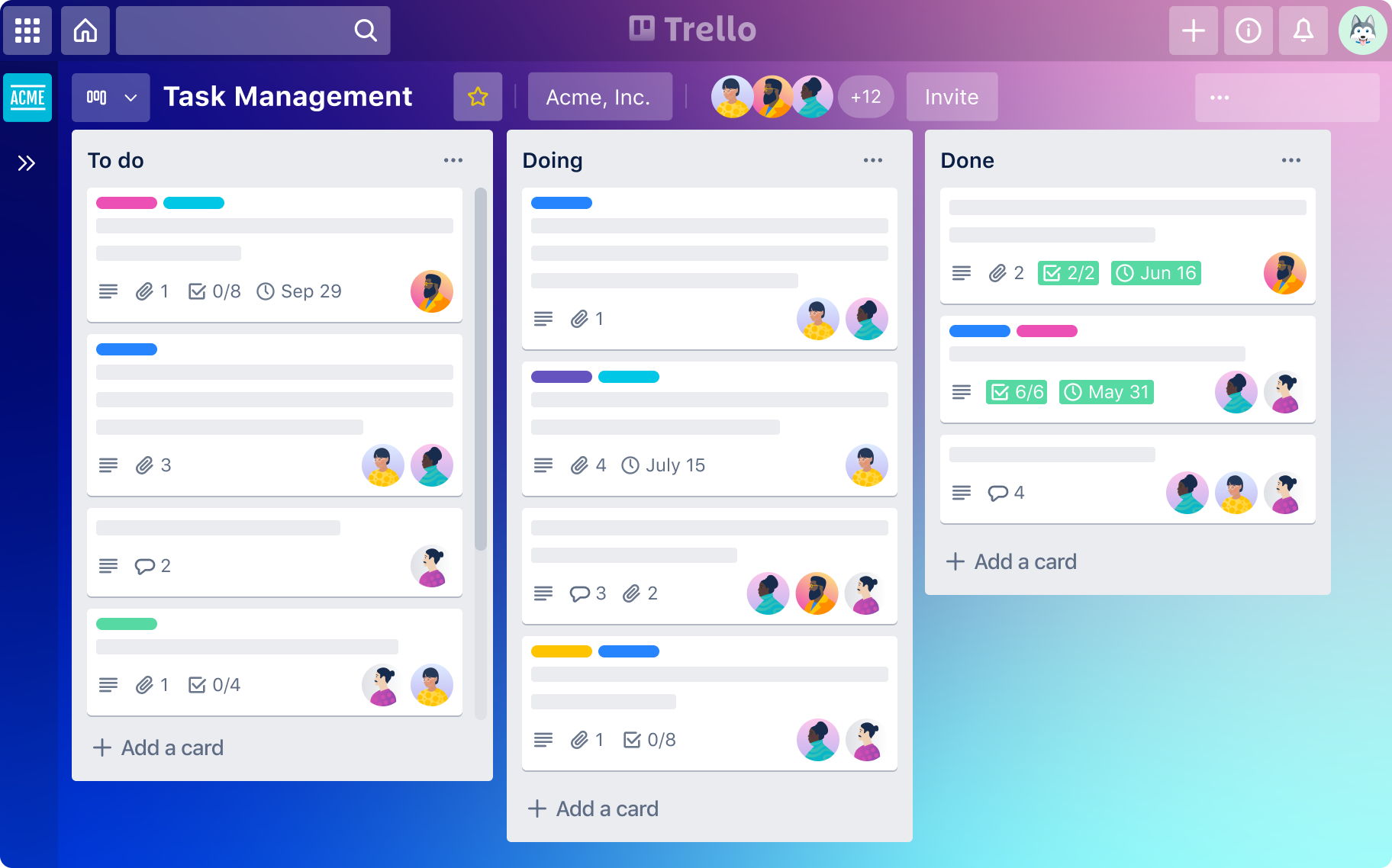
Image source: trello.com
Pros:
- Extremely intuitive, near-zero learning curve for new users.
- Highly visual, drag-and-drop Kanban interface.
- Butler automation engine makes setting up rule-based card movements easy.
- Extensive library of Power-Ups to customize board functionality.
- Fast and responsive mobile application.
Cons:
- Struggles significantly with complex projects requiring deep task dependencies or Gantt charts.
- Native reporting and high-level cross-board visibility are very weak compared to enterprise tools.
The verdict: Trello is the go-to tool for individuals, freelancers, and small teams looking for a dead-simple, highly visual Kanban board to manage straightforward, linear workflows.
Pricing:
- Standard: $5/user/month (billed annually).
- Premium: $10/user/month (billed annually).
- Enterprise: $17.5/user/month (billed annually).
12. Nifty: Centralized project portal bridging team and client collaboration
Nifty positions itself as a centralized workspace that bridges the gap between communication and project tracking, explicitly aiming to replace combinations like Slack + Asana. It is structured heavily around the project "Milestones," which acts as an automated progress tracker. When a team completes the underlying tasks, the overarching project milestone automatically updates, solving the pain point of managers having to constantly ask for status reports.
Where Nifty truly shines is in client management. It makes it incredibly easy to invite external guests (like clients) into specific project portals where they can view roadmaps, approve documents, and participate in project-specific group chats—all while keeping internal team data private. While Nifty provides a great all-in-one feel for agencies, its ecosystem of third-party integrations is not as massive as older legacy tools, and some users find the UI slightly crowded when managing dozens of active projects.
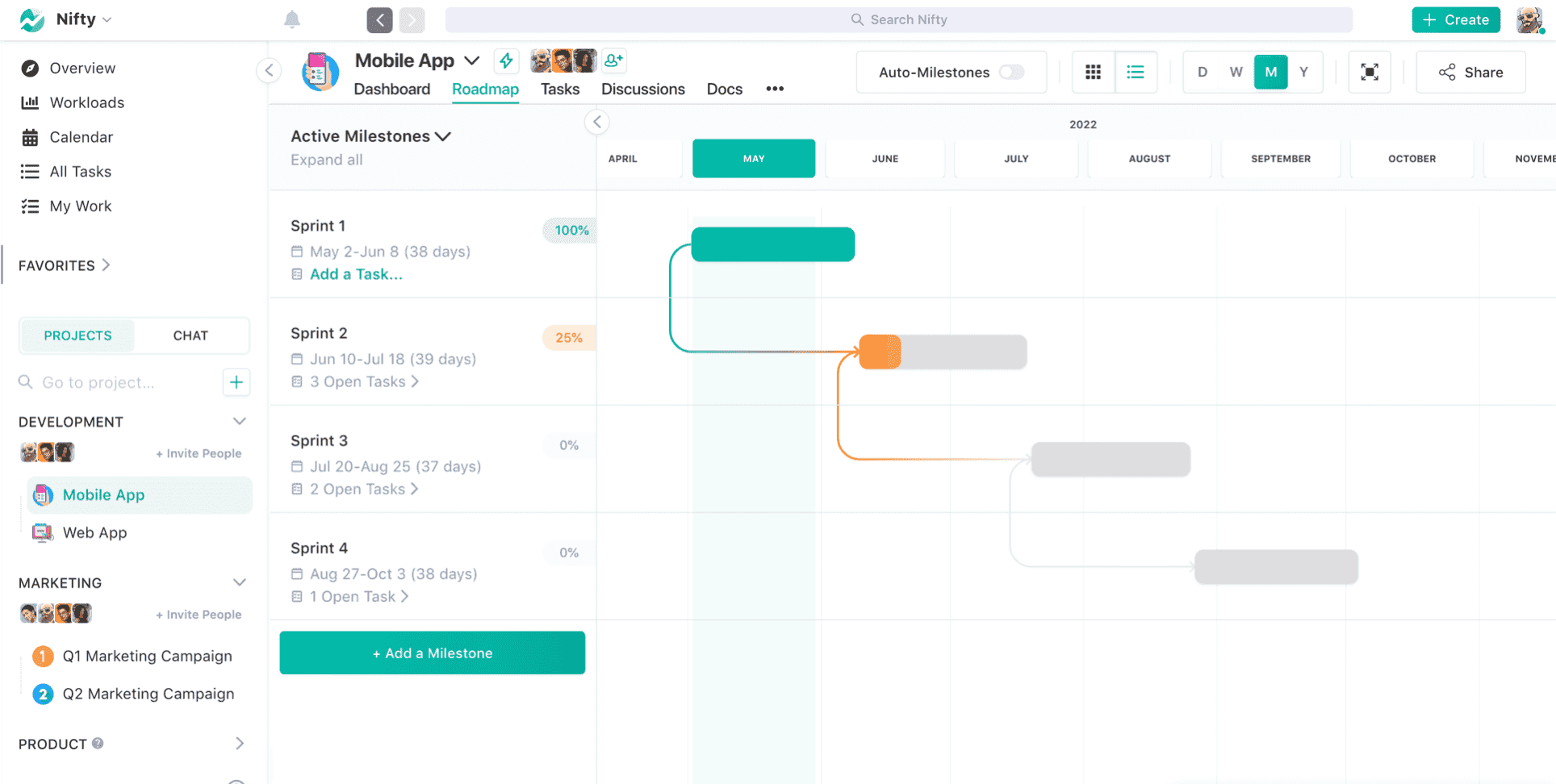
Image source: nifty.com
Pros:
- Built-in project discussions eliminate the need for separate chat apps.
- Automated milestone tracking visualizes project progress instantly.
- Excellent client portal features with customizable guest access.
- Native document and file collaboration within each project.
- Built-in time tracking tied directly to tasks and billable hours.
Cons:
- The interface can feel a bit cluttered when navigating across multiple large portfolios.
- Fewer native third-party app integrations compared to giants like Monday or ClickUp.
The verdict: Nifty is an excellent choice for client-facing agencies and mid-sized teams looking to consolidate project management, team chat, and client collaboration into one seamless portal.
Pricing:
- Starter: $39/month (billed annually).
- Business: $124/month (billed annually).
- Unlimited: $399/month (billed annually).
13. Cflow: No-code business process management for strict approval routing
Unlike visual task boards designed for creative or agile projects, Cflow is a pure workflow automation and BPM platform. It focuses entirely on digitizing standardized, rule-based processes—such as employee onboarding, purchase order approvals, or IT support ticketing. Cflow solves the chaos of manual email approvals by allowing users to draw a process flowchart visually. Once published, the system automatically routes digital forms from one person to the next based on pre-set conditions (e.g., "If budget > $500, route to CFO").
Cflow provides deep audit trails and SLA (Service Level Agreement) tracking, ensuring that bottlenecks are immediately identified and compliance is maintained. Because it is highly specialized for structured routing, it is not a general-purpose collaborative project management tool. You wouldn't use Cflow to brainstorm a marketing campaign, but you would absolutely use it to process the invoice for that campaign.
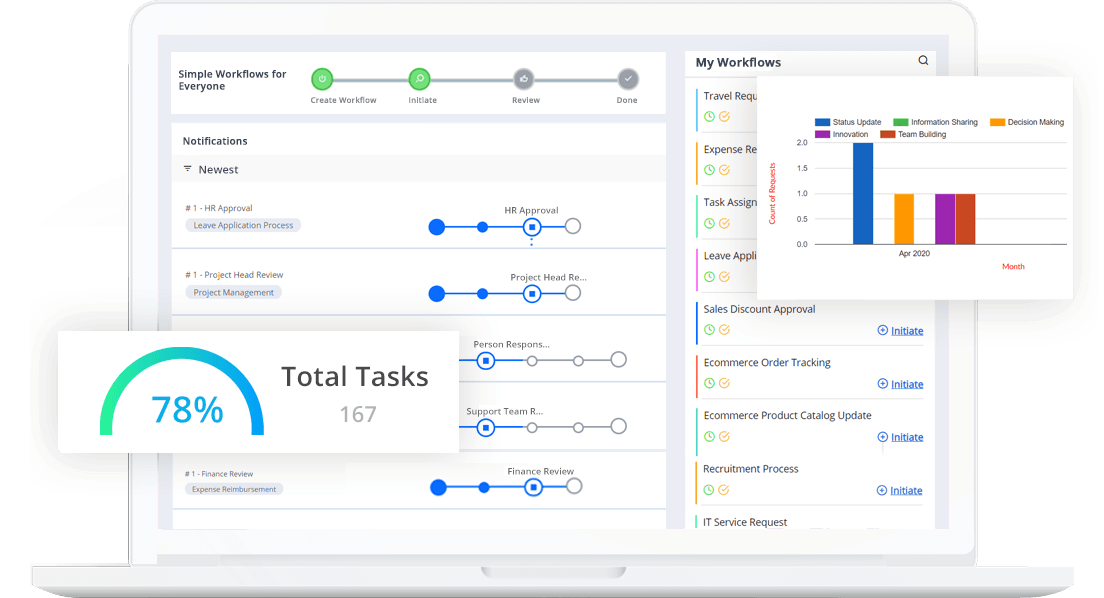
Image source: cflow.com
Pros:
- Visual, drag-and-drop flowchart builder for designing complex approval routes.
- Strong no-code form builder to capture specific data at every step.
- Detailed audit trails and SLA tracking for compliance and accountability.
- Automated notifications and reminders prevent approvals from stalling.
- Easily handles conditional logic (routing based on form data).
The verdict: Cflow is best for HR, Finance, and IT departments that need a no-code Business Process Management (BPM) tool specifically designed to automate forms, standardized routing, and strict approval workflows.
Cons:
- Not suited for agile project management, task collaboration, or creative workflows.
- The user interface is functional but feels more like legacy enterprise software.
Pricing:
- Joy: $11/user/month (billed annually).
- Bliss: $16/user/month (billed annually).
14. Miro: Infinite digital whiteboard for agile brainstorming and planning
Miro is not a traditional workflow task manager; rather, it is the space where workflows are born. It acts as an infinite digital canvas where remote and hybrid teams can stick digital post-it notes, draw mind maps, map out user journeys, and host agile ceremonies (like sprint retrospectives). Miro solves the massive pain point of remote collaboration, losing the spontaneous, visual creativity of an in-person whiteboard session.
While Miro allows you to create "cards" and assign basic tasks, its true power in a workflow stack comes from its integrations. Teams typically use Miro to visually map out a complex project architecture or sprint plan, and then push those sticky notes directly into Jira or Asana as tracked issues. Navigating massive boards can become chaotic if not properly structured, but for visual collaboration, it is virtually unmatched.
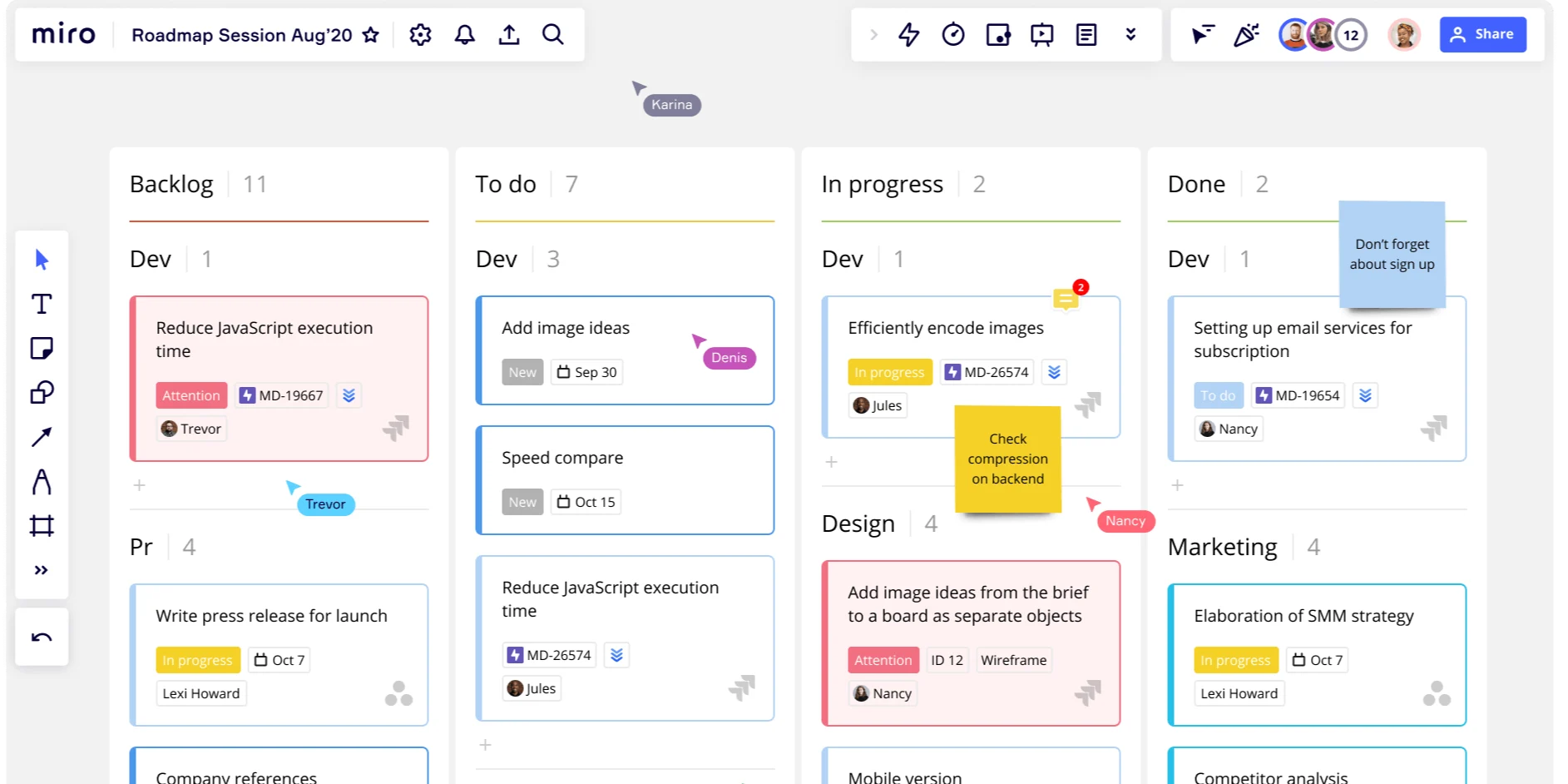
Image source: miro.com
Pros:
- Infinite, lag-free digital canvas that supports hundreds of simultaneous users.
- Massive library of templates for agile ceremonies, UX mapping, and strategic planning.
- Excellent two-way integrations with heavy workflow tools like Jira and Asana.
- Robust workshop facilitation tools (timers, voting, presentation modes).
- Highly intuitive drawing, diagramming, and sticky-note tools.
Cons:
- It is a visual planner, not a structured task manager; lacks native timeline/Gantt scheduling.
- Massive, heavily populated boards can become difficult to navigate and organize over time.
The verdict: Miro is an indispensable tool for distributed product, design, and agile teams that need a collaborative, infinite digital whiteboard to brainstorm, wireframe, and plan before tasks enter a formal workflow system.
Pricing:
- Starter: $8/user/month (billed annually).
- Business: $20/user/month (billed annually).
- Enterprise: Contact sales.
15. Pipedrive: Highly visual, activity-driven CRM for sales pipelines
Pipedrive was built by salespeople, for salespeople. Unlike bloated traditional CRMs that act purely as data repositories, Pipedrive is built around the "pipeline" workflow. It solves the pain point of clunky data entry by visualizing the sales process as a Kanban board where deals are dragged from one stage to the next. Its entire philosophy is activity-based selling; the software actively prompts sales reps to schedule their next action (email, call, meeting) so that no deal ever sits idle.
Beyond the visual pipeline, Pipedrive offers excellent workflow automations tailored for sales, such as automatically sending follow-up emails or transferring ownership of a deal when it reaches the negotiation stage. While it is incredibly effective for managing a sales pipeline, it is strictly a CRM workflow tool. It lacks the features necessary to manage post-sale project execution, meaning organizations will need a separate PM tool once the deal is closed.
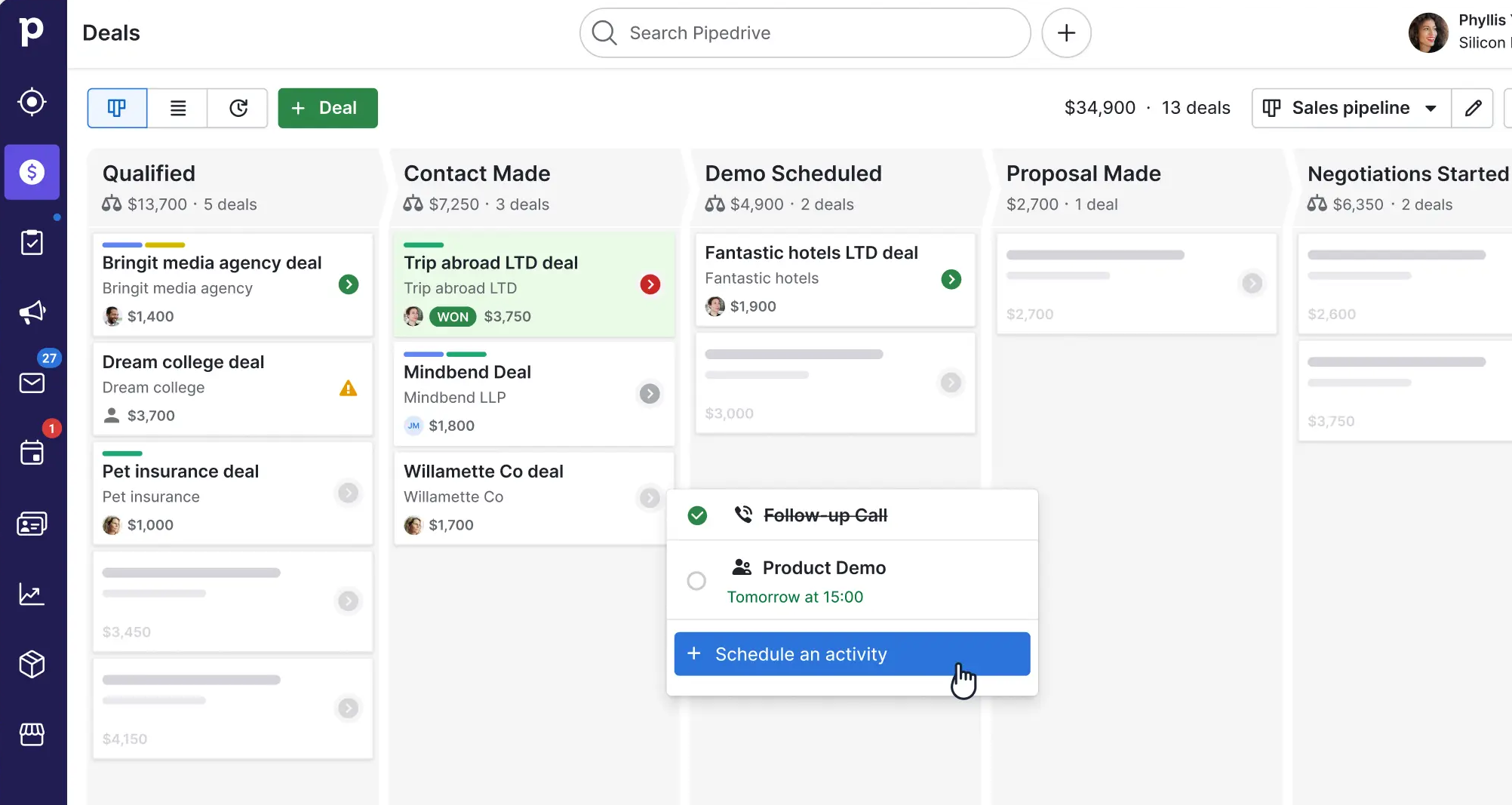
Image source: pipedrive.com
Pros:
- Highly visual and intuitive sales pipeline interface.
- Activity-focused design ensures reps always know their next actionable step.
- Strong email integration with built-in tracking (opens and clicks).
- Customizable web forms and chatbots to capture leads directly into the workflow.
- Easy-to-configure sales automation rules to eliminate repetitive admin tasks.
Cons:
- Strictly a sales and CRM workflow tool; it cannot be used for general project management.
- Marketing automation and mass-emailing capabilities are limited compared to hybrid CRM platforms.
The verdict: Pipedrive is a highly specialized workflow tool strictly designed for sales teams that want a visually intuitive, activity-driven CRM to seamlessly manage their sales pipeline.
Pricing:
- Lite: $14/user/month (billed annually).
- Growth: $39/user/month (billed annually).
- Premium: $59/user/month (billed annually).
- Ultimate: $79/user/month (billed annually).
Essential features to look for in online workflow software
When you begin evaluating different platforms, it is easy to get distracted by flashy interfaces or an overwhelming list of integrations. However, in my experience, the best online workflow software focuses on solving core operational bottlenecks. If you want to build a system that your team will actually adopt and use daily, I highly recommend prioritizing the following essential features:
- Visual : People process information differently. A robust project workflow management platform should offer multiple views for the same data. Look for software that includes Kanban boards for visualizing task stages, Gantt charts or timelines for planning dependencies, and calendar views for deadline management.
- : This is the engine of any modern online workflow system. Instead of manually assigning the next person in line, the software should do it for you.
- Unified collaboration: The highest hidden cost in modern business is context switching. If your team has to leave the project workflow software to discuss a task in a separate chat app, and then open a third app to view a document, you are losing valuable time. Platforms that natively combine messaging, cloud-native documents, and task creation drastically reduce this friction.
- Scalability and role-based access: The tool you choose must grow with you. A five-person startup might thrive on an open board where everyone sees everything, but a fifty-person team requires strict role-based access controls to protect sensitive financial or HR approval workflows.
- Cost efficiency and total cost of ownership (TCO): Don't just look at the monthly subscription fee of the task tool itself. Consider how many other subscriptions (like separate chat, video conferencing, and document storage apps) you might be able to consolidate by choosing a more comprehensive team workflow software.
Explore these features in Lark
How to choose the right project workflow management tool for your team
Selecting the right software is a critical decision that will impact your team's daily rhythm. In my experience, making the wrong choice usually happens when leaders buy a tool based on a flashy demo rather than their team's actual working habits. To ensure you choose the best project workflow management platform, I recommend running your decision through this three-step framework:
- Assess your current tool stack (and look for consolidation): Before adding another subscription, audit what you already have. Are you paying for a chat app, a separate video conferencing tool, a document storage solution, and a basic task tracker? If so, look for a unified workspace that can replace three or four of these isolated apps. Consolidation not only saves money but also dramatically reduces the mental fatigue of context switching.
- Define your budget and calculate the hidden costs: The sticker price of an online workflow system is rarely the total cost. You must factor in the "integration tax." If you choose a standalone , will you need to pay for a premium Zapier account just to make it talk to your CRM or your messaging app? Look for platforms that offer native integrations or built-in, no-code automation out of the box.
- Evaluate your team's technical maturity: A platform with incredibly complex database structures and steep learning curves might be perfect for a dedicated IT department, but it will likely be abandoned by your marketing or sales teams. Always prioritize intuitive interfaces. If a non-technical employee cannot figure out how to submit a basic leave request or update a task status within five minutes of logging in, the adoption rate will plummet.
Best practices for implementing an online workflow system
Even the most powerful team workflow software will fail if you simply throw it at your employees and expect them to figure it out. Successful digital transformation requires thoughtful change management. Here are the best practices I always share with teams transitioning to a new system:
- Map out your existing processes before digitizing them: Never automate a broken process. Before you build a single workflow in your new software, sit down with your team and map out how the work actually gets done right now. Identify the bottlenecks, the unnecessary approval layers, and the redundant steps. Clean up the process on a whiteboard first, then build it in the software.
- Start small with a pilot program: Resist the urge to overhaul the entire company's operations overnight. Choose one specific, highly repetitive workflow to digitize first.
- Train your team on the "why," not just the "how": It is easy to teach someone which button to click. It is harder to change their habits. When introducing the new online workflow system, explain exactly how it will make their individual lives easier—how it will eliminate the need for them to write weekly status update emails, or how it will stop them from being interrupted by manual check-ins on chat.
Conclusion
Upgrading to dedicated workflow task management software is no longer a luxury; it is a necessity for modern teams. By moving away from fragmented tools and embracing a unified platform, you eliminate context switching and empower your team to focus on meaningful work. Whether you are a small startup or a growing enterprise, bridging the gap between communication and task execution is the key to lasting productivity. Ready to transform how your team collaborates? Start building smarter, automated processes today with a comprehensive workspace like that scales with your ambition.
Take the next step toward better task workflow management
FAQs
What is the best workflow management software?
The "best" software depends entirely on your team's specific needs, budget, and technical maturity. However, if your primary goal is to eliminate context switching and consolidate a fragmented tool stack, Lark stands out as a premier choice. By natively unifying team chat, cloud documents, and automated task routing into a single platform, Lark provides an unparalleled and cost-effective workspace for modern remote and hybrid teams.
Does Microsoft have a workflow management tool?
Yes, Microsoft offers several tools within its Microsoft 365 ecosystem to handle different aspects of workflow management. For basic team task tracking, users typically rely on Microsoft Planner, while Microsoft Project is used for complex, enterprise-grade timelines. To automate actual business processes and connect various apps, Microsoft Power Automate (formerly Microsoft Flow) serves as its dedicated, highly powerful workflow engine.
Does Google have a workflow management tool?
Google Workspace does not include a dedicated, heavy-duty project management application in its core suite, relying instead on Google Tasks for simple, individual to-do lists. However, Google allows users to build basic approval workflows directly within Google Docs and Drive. For teams needing advanced, automated business processes, Google provides AppSheet, a no-code development platform used to build custom workflow applications.
For more Google Workspace's information, you can refer to and .
How does workflow automation save time?
Automation acts as an invisible project manager. Instead of an employee finishing a task and manually emailing their boss to review it, workflow task management software automatically detects the status change, pings the manager in their unified chat, and updates the overall project timeline. This eliminates the "wait time" between handoffs and drastically reduces manual data entry.
Related reading































