An Agile user story template is more than formatting—it's how modern teams turn ideas into working software. High-performing teams don't just write stories; they write ones that are clear, testable, and actionable.
Poorly defined stories lead to confusion, scope creep, and missed sprint goals. Well-structured stories align product managers, developers, and QA around what to build and why.
In this guide, you'll learn what an agile user story template is, its five essential components, how to write effective stories step by step, and see examples across formats like Excel and Word. You'll also see how tools like Lark help keep user stories connected to real sprint execution.
Accelerate your sprint cycles with complete user stories
What is a user story template?
A user story template is a structured format used in to describe a feature or requirement from the end user's perspective. It helps teams focus on delivering value rather than just implementing technical tasks.
The most common format is: "As a [type of user], I want [goal] so that [reason]." This simple structure ensures every story clearly identifies who the user is, what they need, and why it matters.
A good user story template also includes supporting elements such as acceptance criteria, priority, and story points. These additions make the story testable, estimable, and ready for . By standardizing how requirements are written, teams can maintain consistency across the backlog, improve collaboration, and reduce ambiguity.
5 components of a user story
A well-defined user story is more than a single sentence—it includes key components that make it actionable, testable, and ready for delivery. These elements ensure clarity for the entire team and reduce ambiguity during development. When consistently applied, they help teams plan, estimate, and execute work more effectively within each sprint.
- The story statement: The core three-part format: As a [type of user], I want [some goal] so that [some reason]. The user type identifies who is affected. The goal describes the action or . The reason explains the value it delivers. All three parts must be present. A story without the "so that" clause removes the value justification that helps the team prioritize and make trade-off decisions.
- Acceptance criteria: The specific conditions that must be true for the story to be considered complete. Written before development begins. The Given-When-Then format is the most actionable: Given [a context or precondition], When [a user action or event], Then [an observable system response]. Acceptance criteria are not implementation instructions—they describe observable outcomes, not code behavior.
- Story points: A relative effort estimate assigned by the development team during sprint planning. Story points measure complexity, uncertainty, and effort together—not time alone. A story pointing to 1 is straightforward. A story pointing to 8 is complex or uncertain enough to warrant decomposition before it enters a sprint. Teams calibrate story points relative to each other, not against external time benchmarks.
- Priority: Assigned by the product owner based on business value, user impact, and dependency order. Priority determines which stories enter the next sprint when capacity is constrained. Common priority frameworks: MoSCoW (Must Have, Should Have, Could Have, Won't Have) and a simple High, Medium, Low scale.
- Definition of done: A on the conditions that must be met before any story can be marked complete—not just the acceptance criteria specific to the story. Typically includes: code reviewed, unit tests passing, acceptance criteria verified, documentation updated, and product owner sign-off. The definition of done applies to every story in the backlog. It is neither optional nor story-specific.
Map, draft, and track every user story with Lark today
10 Agile user story template examples
Agile user story templates can vary depending on the team's workflow, tools, and level of detail required. Different formats—such as Excel, Word, or —offer flexibility while maintaining the same core structure. Exploring these examples helps teams choose a format that best fits their process and improves consistency across the backlog.
User story mapping
Visualize your product's functionality and prioritize your development goals with the user story mapping template. This collaborative workspace helps agile teams map out the complete user journey, identify missing features, and manage specific tasks within a single sprint.
AI prompts for user stories
This template provides a library of specialized prompts to help product managers and developers generate comprehensive character profiles, unexpected plot twists, and emotional arcs for their user narratives.
AI prompts for LinkedIn user story
This template offers curated AI prompts for content creation, networking outreach, and profile optimization. Use these tools to craft high-impact posts and personalized messages that resonate with your audience.
User journey map template
The user journey map template helps businesses visualize the end-to-end customer experience to uncover hidden opportunities for optimization. By centralizing feedback and emotional data into one shared map, teams can collaborate in real time to resolve friction points and enhance user satisfaction.
Product plan user story example
A Product Plan example shows how teams structure stories within a roadmap, linking each story to broader product goals and releases. It typically includes fields for priority, dependencies, and outcomes, making it a strong user story template that agile teams can scale. This format is ideal for product managers who need visibility across features and timelines.
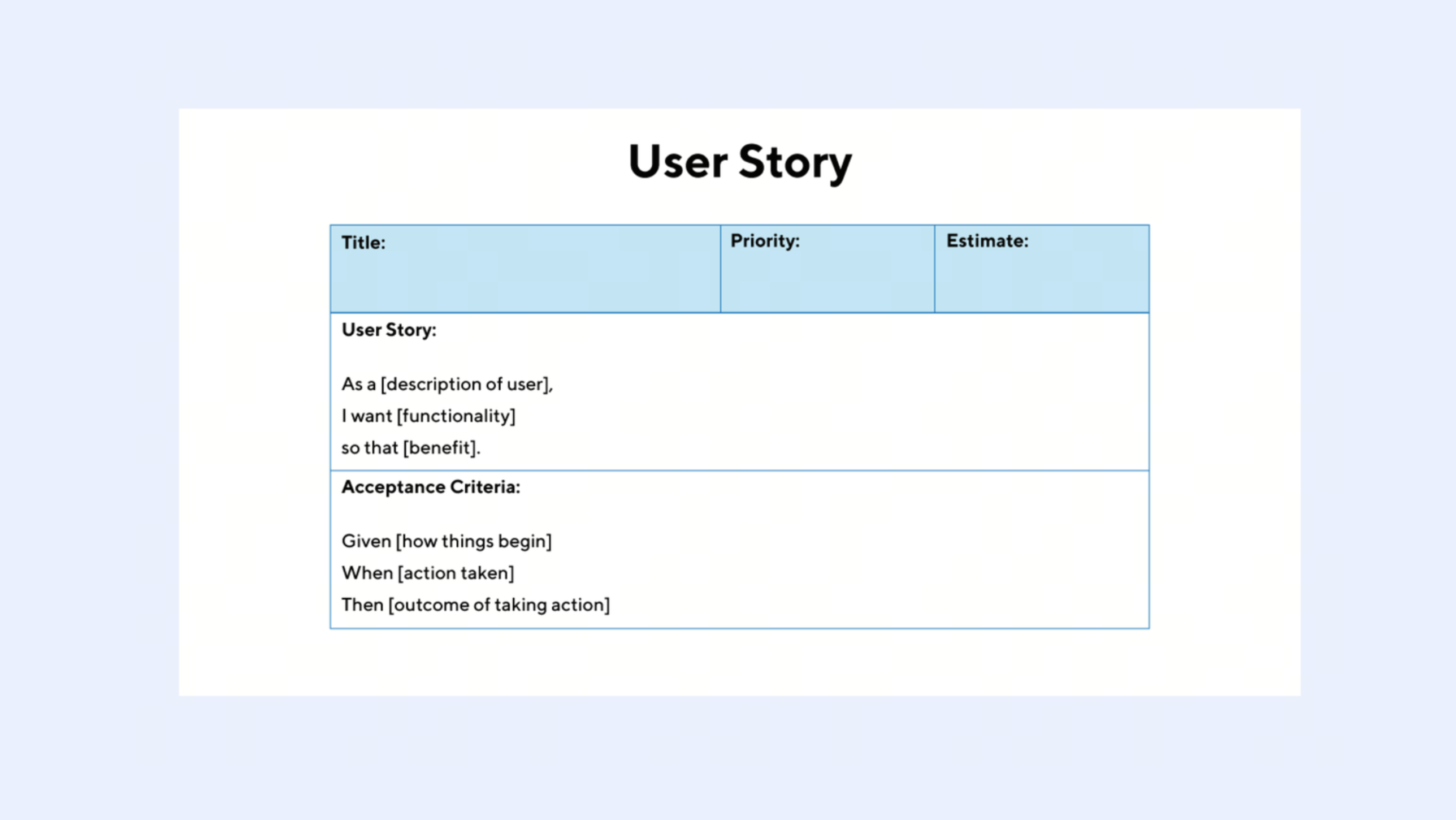
Image source: productplan.com
Word doc user story example
A Word-based format is simple and widely accessible, making it useful for smaller teams or early-stage projects. It allows teams to document stories, acceptance criteria, and notes in a clean, shareable format using an Agile user story template. However, it may lack real-time collaboration and tracking capabilities.
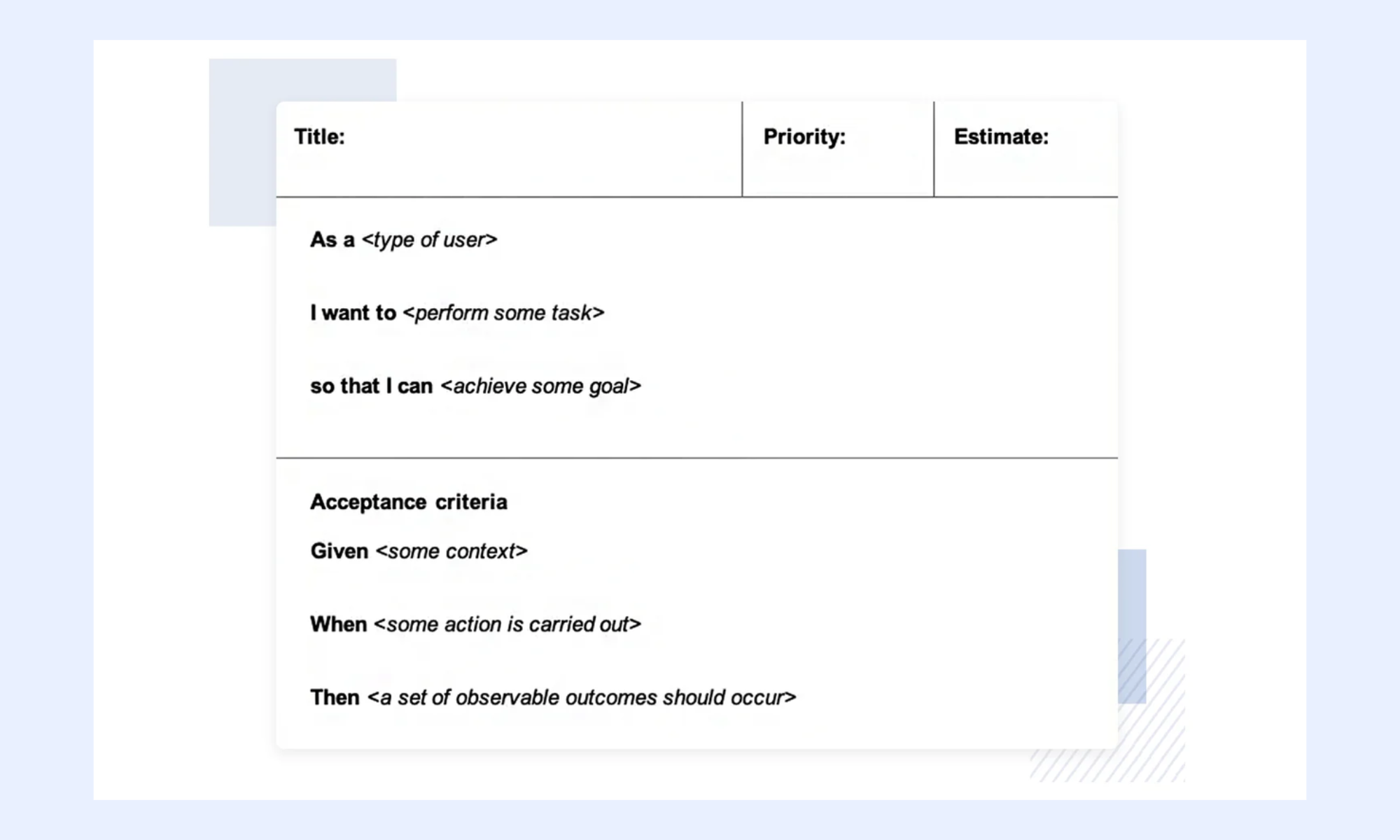
Image source: microsoft.com
Excel user story example
Excel templates organize user stories in rows with columns for story points, priority, and status, enabling easy sorting and filtering. This structured approach works well for teams managing large backlogs using an agile user story template in Excel. It's especially useful for and performing quick estimations.
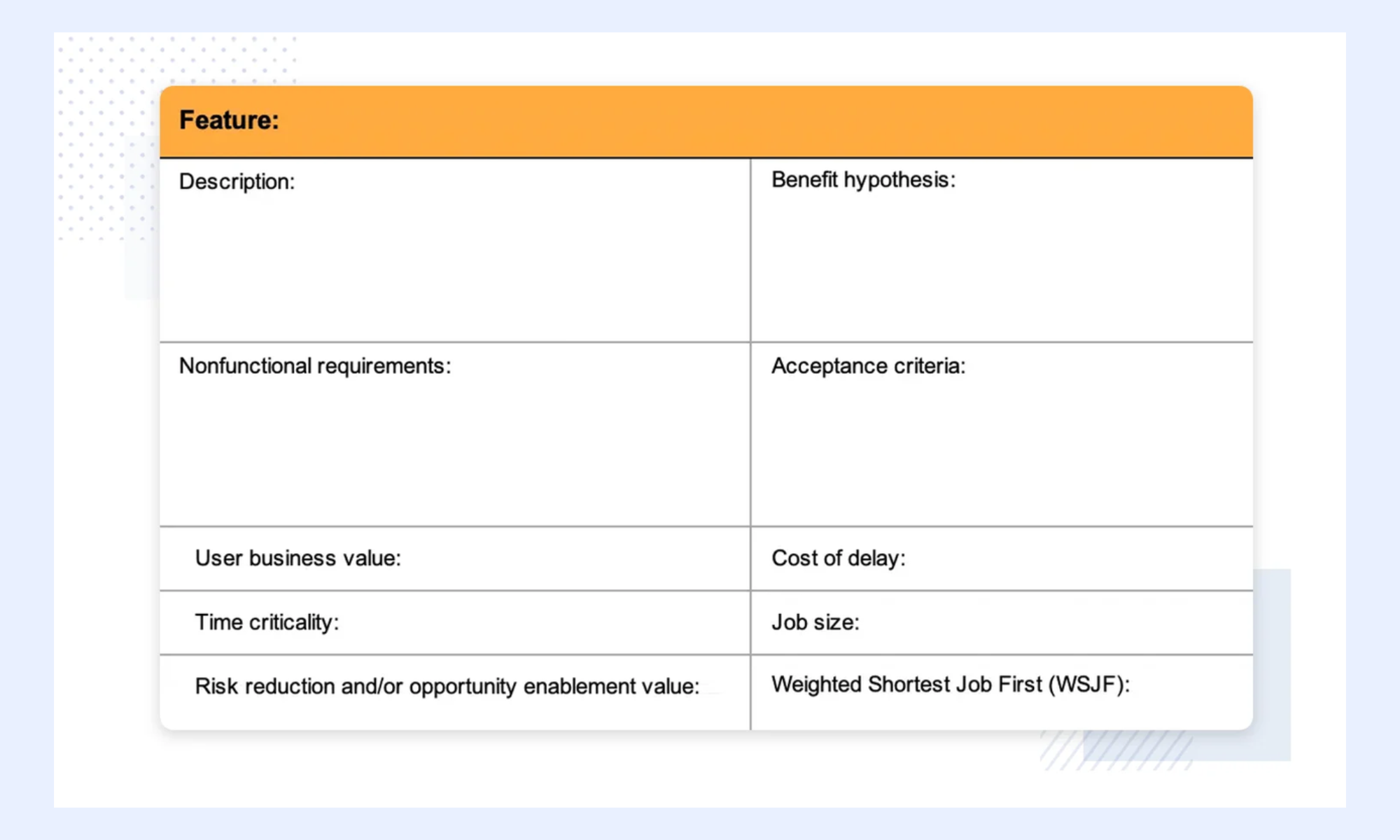
Image source: aha.io
Thematic user story example
Thematic user stories group related stories under a common business objective or theme, helping teams focus on delivering cohesive value. This approach enhances prioritization and ensures alignment with strategic goals using a user story template for . It's commonly used in roadmap planning and release cycles.
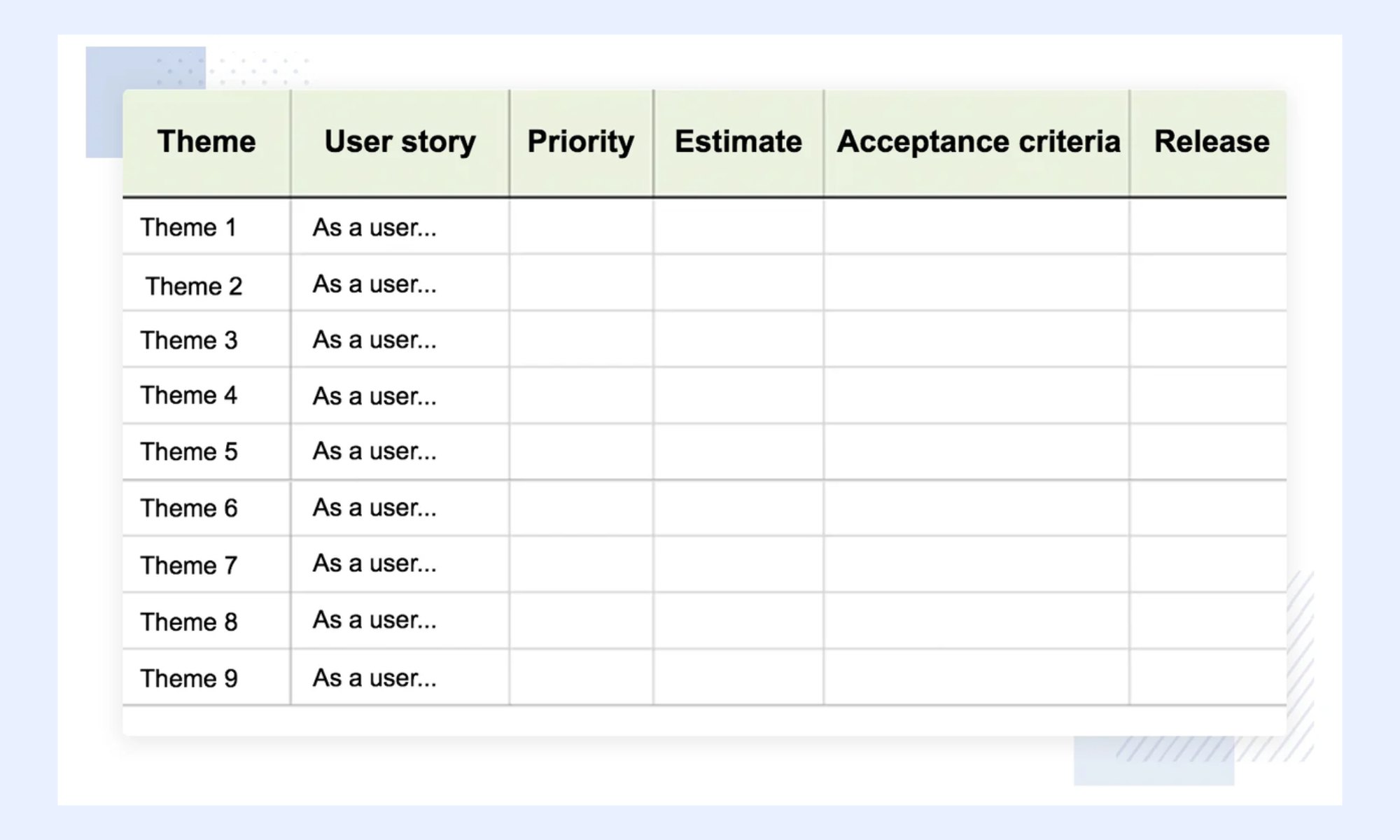
Image source: aha.io
Epic user story example
An epic is a large body of work broken down into smaller, manageable user stories over time. This format helps teams handle complex features while maintaining clarity and structure within an agile user story template framework. Epics ensure that long-term initiatives are still aligned with .
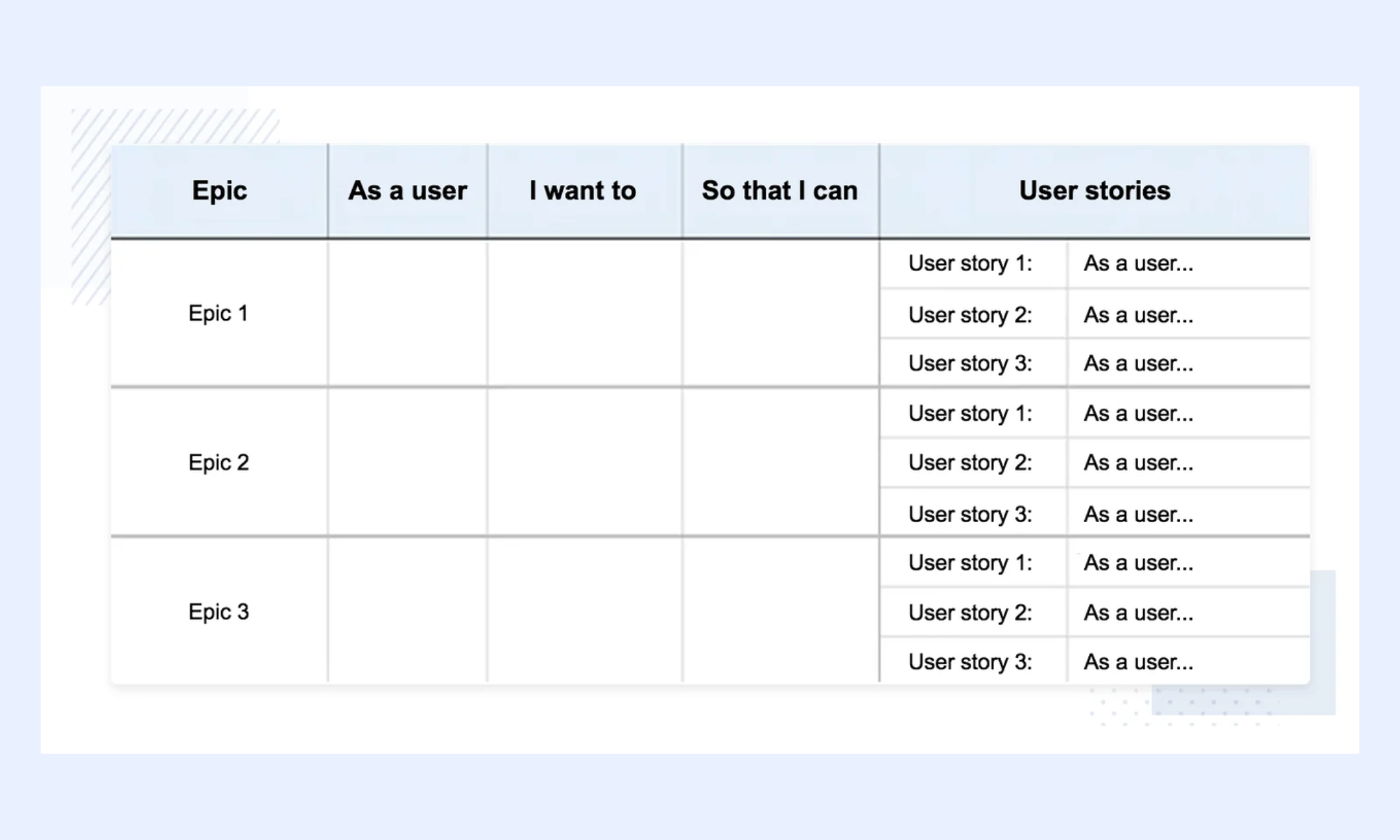
Image source: aha.io
PowerPoint user story example
PowerPoint-based user story templates are useful for stakeholder presentations and sprint reviews. They visually communicate user needs, goals, and progress in a concise format using an Agile user story template. While not ideal for backlog management, they are effective for aligning non-technical audiences.
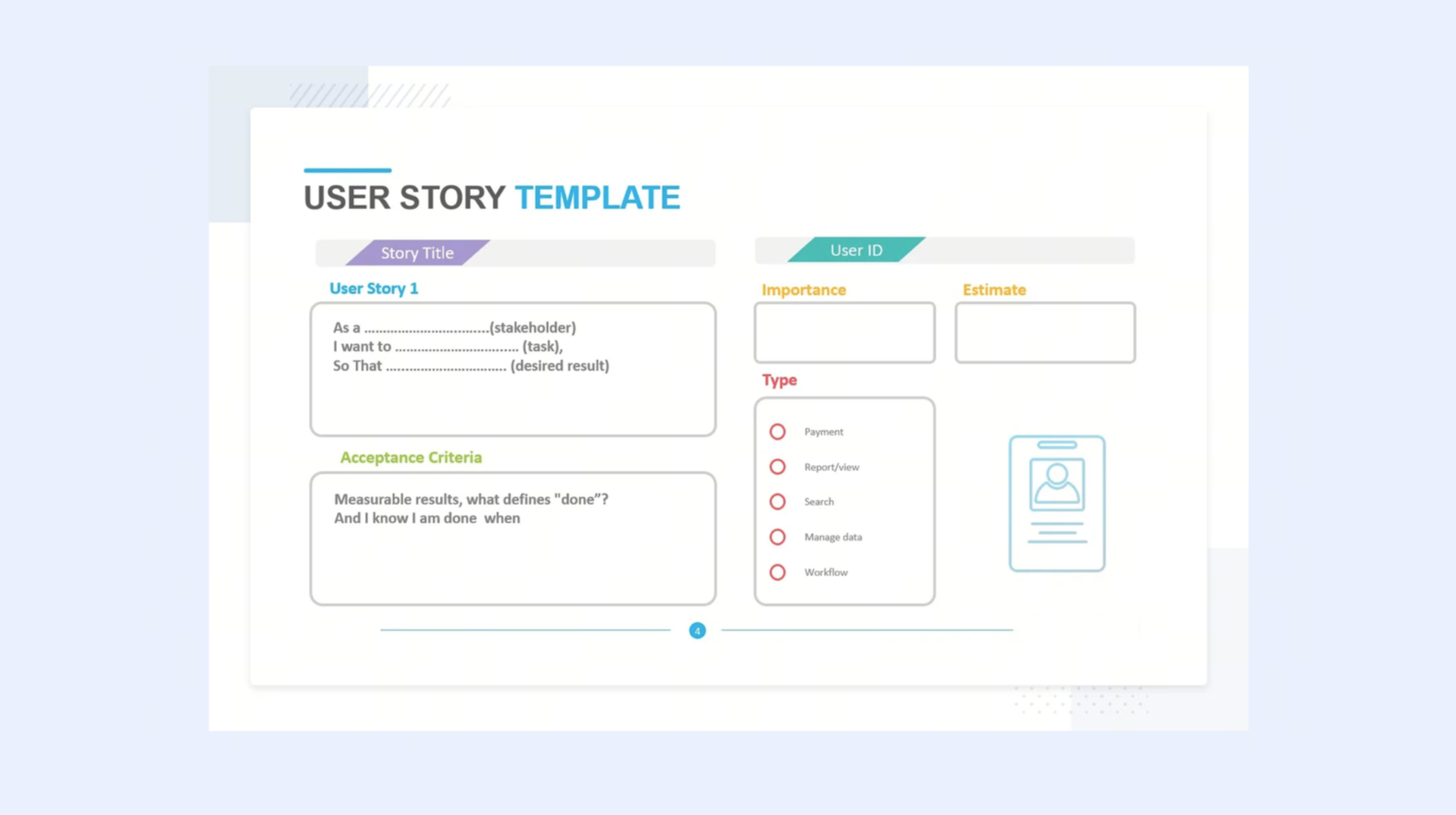
Image source: powerslides.com
Modern choice: Connects user stories to live sprint execution with Lark
User stories only deliver value when they stay connected to real sprint execution, not just stored in a static backlog. Teams often struggle when stories, discussions, and progress updates are scattered across multiple tools. This disconnect leads to delays, missed context, and poor visibility during sprints. addresses this by bringing backlog management, communication, and . As a result, teams can move from planning to delivery with better alignment, faster updates, and fewer execution gaps.
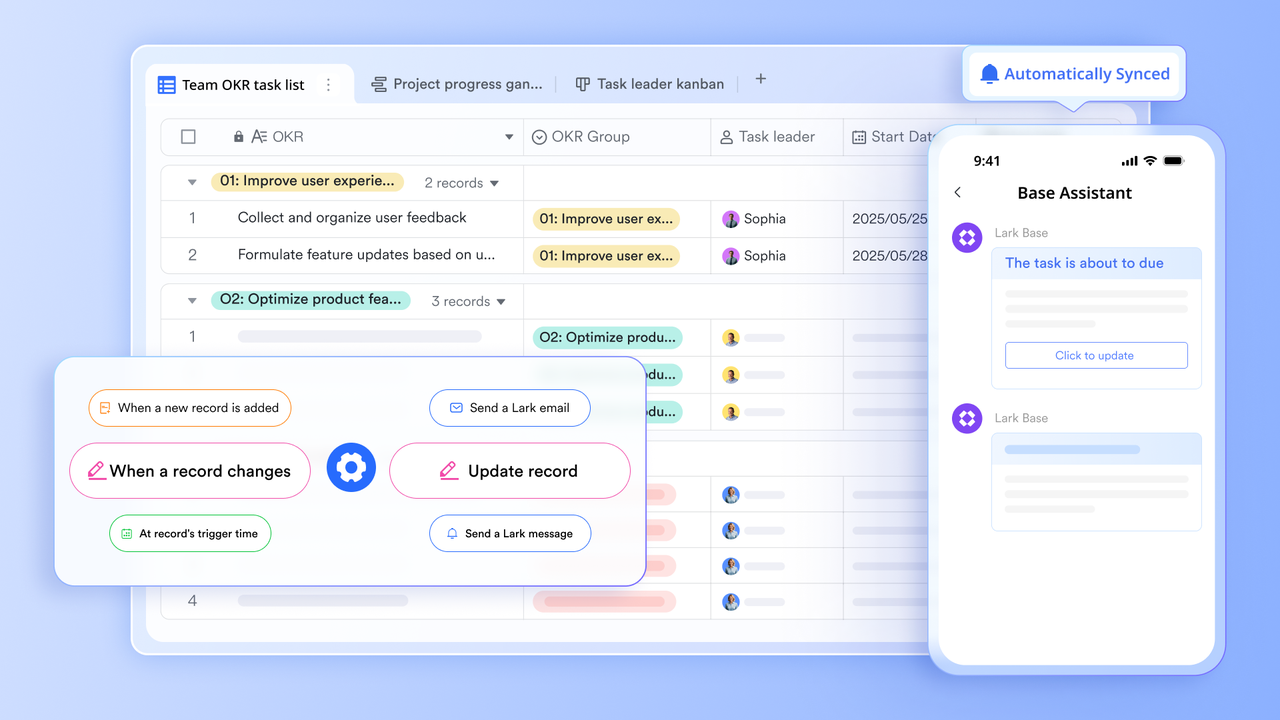
A live backlog where every user story is a structured record
stores user stories as with text fields for the story statement, multi-line fields for acceptance criteria, number fields for story points, single-select fields for priority and status, member fields for developer assignment, and link fields connecting each story to its parent epic. Every record updates in real time across all team members simultaneously, with a full change history stored automatically.
Sprint alerts and status updates without manual follow-up
Lark Base Automation configures trigger-action rules to keep sprint execution aligned with the backlog. When a story status changes to Blocked, the automation sends a notification to the Scrum Master with the story name, the blocker description, and a direct link to the record. When all acceptance criteria for a story are marked verified, the to Done and notifies the product owner for sign-off. When the sprint end date arrives, and stories remain In Progress, the automation posts a summary of incomplete stories to the sprint group chat. These rules run inside Lark Base with no third-party tool required. 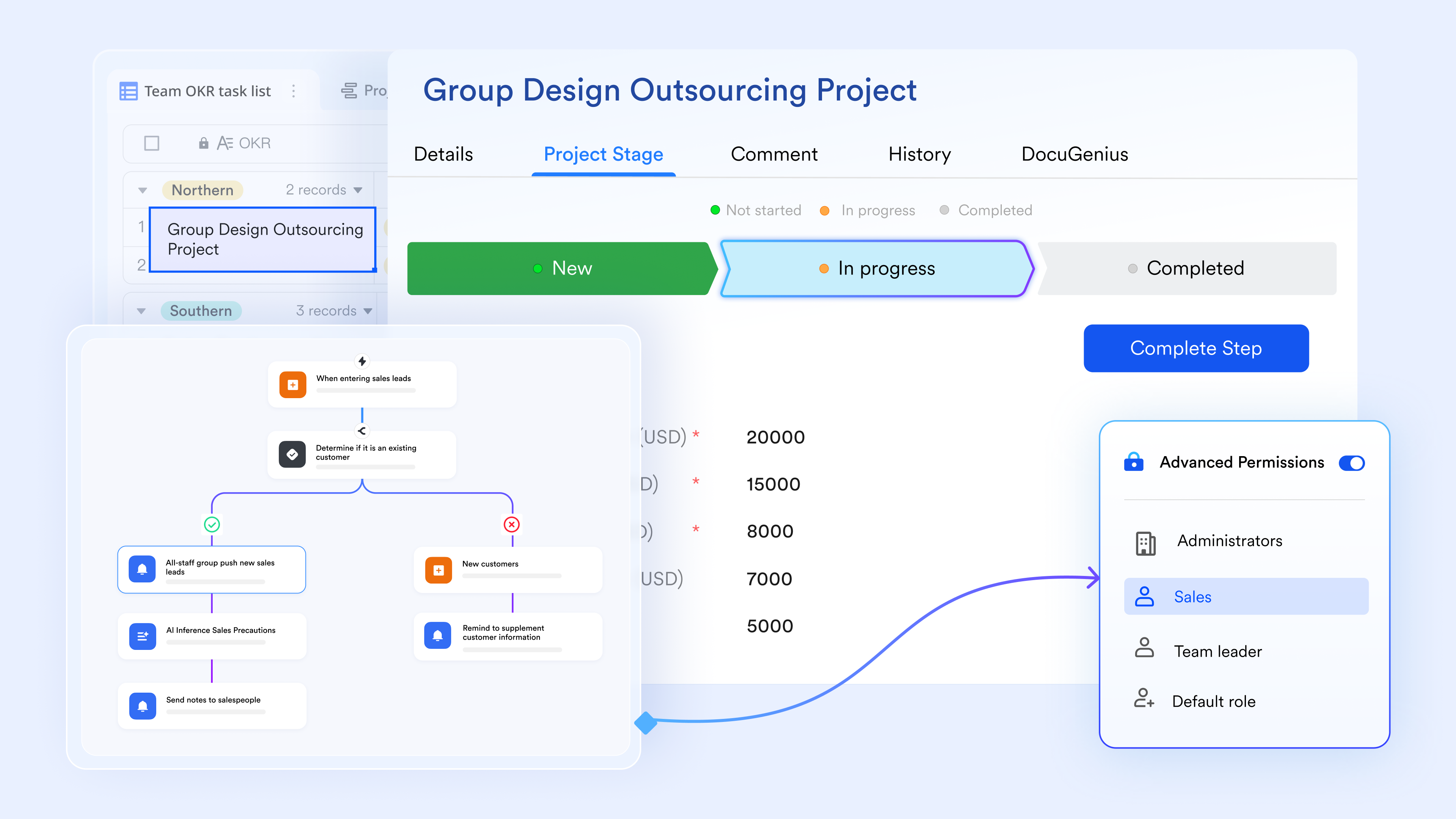
Sprint documentation linked directly to backlog records
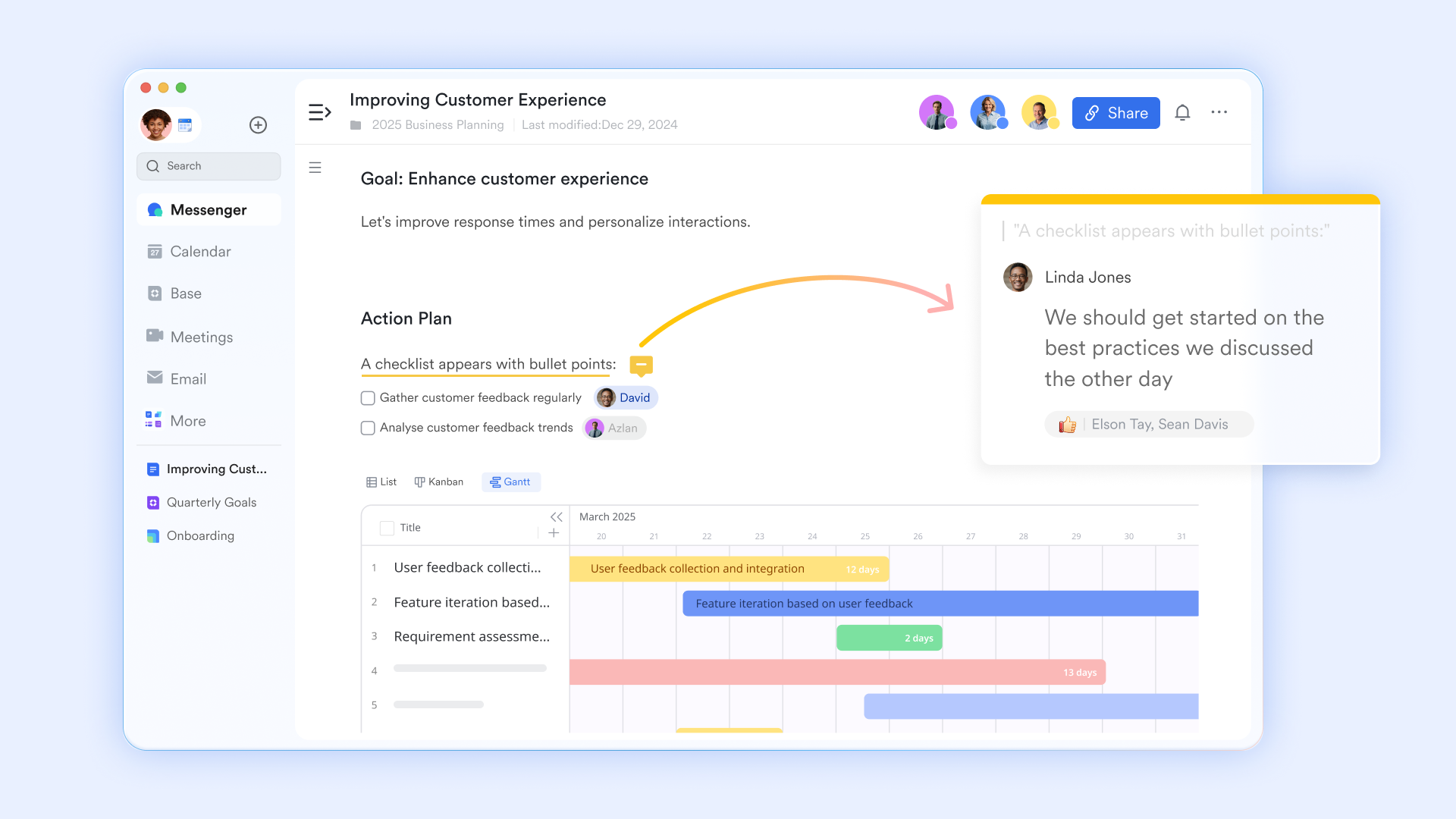
stores sprint goals, retrospective notes, and definition-of-done documentation, with and version history. Each sprint's Lark Docs links directly to the sprint's user story records in Lark Base. When a developer needs to reference the sprint goal or the agreed definition of done during a stand-up, the linked Lark Docs opens from the sprint record view.
Sprint stand-ups and story discussions connected to records
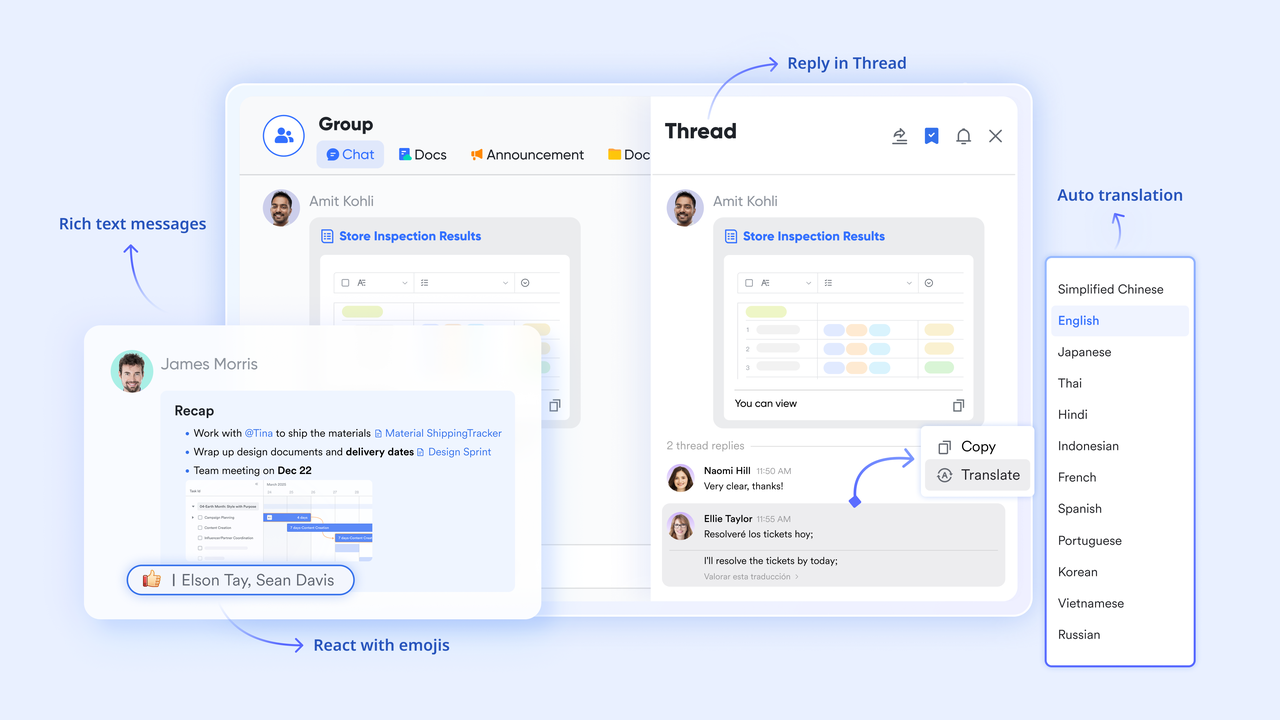
supports dedicated sprint group chats and topic threads within the same platform where the backlog lives. During stand-ups, team members share specific Lark Base story records directly into the Messenger thread—the record appears as an embedded card showing the story name, status, story points, assigned developer, and acceptance criteria completion. Blocker as the record they reference.
:
- Starter plan: Free forever plan that includes 11 powerful tools for up to 20 users. It also comes with 100GB of storage, 1000 automation runs, AI translations, and more.
- Pro plan: $12/user/month (billed annually) for up to 500 users. It includes everything in Starter plus group calling for up to 500 attendees, 15TB of storage, 50,000 automation runs, and more.
- Enterprise plan: for custom pricing. Supports unlimited users and includes additional automation runs, as well as advanced security, compliance, and management features.
For small teams with simple communication needs

18 months message history
1000 Base automation runs/month
2000 rows per table in Base
Most POPULAR
For companies with comprehensive collaboration and management needs
Unlimited message history
500-participant video meetings
50k Base automation runs/month
20k rows per table in Base
For large companies with advanced security and organizational management needs
Get a personalized demo and pricing
Unlimited message history
500-participant video meetings
15 TB storage + 30 GB storage/user
500k Base automation runs/month
50k Base automation runs/month
Most POPULAR
For companies with comprehensive collaboration and management needs
Unlimited message history
500-participant video meetings
50k Base automation runs/month
20k rows per table in Base
User story template best practices
Using a user story template effectively requires more than just following a format—it demands consistency and discipline in how stories are created and refined. Best practices help ensure stories remain clear, actionable, and aligned with user value. They also reduce ambiguity during sprint planning and execution. When applied consistently, these practices improve estimation accuracy, collaboration, and overall delivery quality.
- Write stories during backlog refinement, not in sprint planning: Sprint planning should validate and estimate stories, not write them. Stories written during sprint planning under time pressure produce incomplete acceptance criteria, inflated estimates, and stories that fail the INVEST check. A healthy backlog has at least two sprints' worth of sprint-ready stories refined and estimated before each .
- Keep the story statement to one sentence: A user story statement that requires more than one sentence describes two different user goals. Split it. The template format "As a, I want, so that" enforces brevity by design. If the sentence runs long, the goal is too broad to estimate and too complex to test with a single set of acceptance criteria.
- Write acceptance criteria before assigning story points: Story points estimate the effort to deliver the story to completion. Without acceptance criteria, the team is estimating against an undefined done state. Estimates made before acceptance criteria are written are consistently lower than the actual effort required, producing sprint overcommitment and incomplete stories at review.
- Store the definition of done separately from the story: The definition of done is a team-level agreement, not a story-level agreement. Including it in the user story template as a repeated field creates maintenance overhead—when the definition changes, every story record needs to be updated. Store the definition of done in a linked to the backlog, rather than embedding it in every story.
- Review blocked stories daily, not at the sprint review: A story blocked on day three of a ten-day sprint that is not surfaced until the sprint review costs the team the full remaining sprint capacity in that story. Blocked status should trigger an immediate notification—either manually through a team norm or automatically through a backlog tool—so the Scrum Master can resolve the blocker while time remains in the sprint.
Conclusion
An effective agile user story template helps teams move from ideas to delivery with clarity, consistency, and user focus. By structuring stories around user value, adding clear acceptance criteria, and following best practices like INVEST, teams can reduce ambiguity and improve sprint outcomes. Whether you use Excel, Word, or dedicated tools, the goal remains the same—create stories that are actionable, testable, and .
However, the real impact comes when user stories are not only well written but also connected to execution. This is where tools like make a difference by bringing backlog management, sprint tracking, and team collaboration into one place. Instead of juggling multiple tools, teams can manage, update, and act on user stories in real time. If you want to streamline your agile workflow and keep delivery aligned, Lark is a practical place to start.
Move from user story to shipped feature faster with Lark
FAQs
How many acceptance criteria should a user story have?
A user story typically has 2–5 acceptance criteria, enough to cover the main scenario and key edge cases. Too few creates ambiguity, while too many signals that the story may be too large. Using an agile user story acceptance criteria template in Lark helps teams keep criteria clear, testable, and consistent.
Who is responsible for writing user stories in Agile teams?
The product owner is primarily responsible for writing and maintaining user stories, but it's a collaborative effort with input from developers and QA. This ensures clarity, feasibility, and testability before sprint planning. With tools like Lark, teams can co-create and refine stories in , using formats such as an agile user story template in Word.
How do you handle user stories that are too large or complex?
Large or complex stories, often called epics, should be broken down into smaller, independent stories that can be completed within a sprint. This improves estimation accuracy and reduces delivery risk. Teams using Lark can manage this breakdown effectively with structured views similar to an agile user story template in Excel.
How do user stories connect to Sprint execution in practice?
User stories move from the backlog to a sprint based on priority and , then are tracked through stages such as in progress and done. Acceptance criteria guide development and testing, ensuring the story meets its intended outcome. Lark connects these steps by linking stories, tasks, and updates in one place, keeping execution aligned with planning.
Related reading





























