Most teams treat audio transcription as a standalone task—something that ends when the text is generated. Yet converting recordings into actionable knowledge requires integrating transcripts into workflows where they become searchable, linked to decisions, and auditable. Some tools excel at converting speech to text. Others go further, integrating that text into team knowledge bases where it matters most: in your daily operations. This guide examines eight leading audio transcription AI solutions—from specialist services to unified platforms—with honest analysis of what each solves and where integration gaps remain.
What is audio transcription AI and why your team needs it
converts spoken words into written text using models—algorithms trained on vast audio datasets to recognize speech patterns, language nuances, and accents. But here's the disconnect: most teams think of transcription as the finish line. In practice, it's just the starting line.
Consider what happens after a meeting recording is transcribed:
1. Download the transcript file (DOCX, PDF, or other format)
2. Manually paste it into your team docs or knowledge base
3. Add context—links to decision logs, action items, or related documents
4. Later, search for "who decided on this feature?" across multiple systems (recording, transcript file, meeting notes doc, project wiki)
Each step introduces friction. Versions multiply. . For legal teams managing depositions, this fragmentation creates compliance risks. For remote teams, decisions stay buried in isolated recordings instead of becoming searchable collective knowledge.
The best AI transcription service approach integrates transcripts into team workflows where they become findable, editable, collaboratively maintained, and linked to related work. This guide explores which tools solve just the transcription problem versus which ones solve the entire integration challenge—and why that distinction matters far more than raw transcription accuracy.
The five core pain points teams face with transcription today
Speaker diarization inconsistency
Who said what? This matters most in legal depositions and multi-person meetings where attribution carries weight. Some best automatically identify and label speakers; others require manual cleanup. When fails, you're left either with generic "Speaker 1, Speaker 2" labels or hours of manual relabeling—both outcomes undermine the value of transcription.
File size limits create operational friction
Long meetings require splitting, API workarounds, or complexity. A 90-minute client call becomes "split this into 3 files, upload separately, stitch transcripts together afterward." For teams recording sessions regularly, this becomes invisible time waste—overhead that compounds monthly.
Pricing opacity makes budget planning impossible
Most tools hide actual per-minute or monthly costs behind "flexible pricing" or credit systems. You can't predict how much your team's transcription will cost at scale. Start with a free tier, grow the team, suddenly face unexpected per-minute charges. This uncertainty creates friction in vendor evaluation and team adoption.
Transcript silos break workflows
Download DOCX → paste into docs → link manually → search later involves checking multiple systems. Transcripts exist as isolated artifacts instead of integrated knowledge. The extra handoff steps are invisible but accumulate: 15 minutes per meeting × 20 meetings per month = hours of integration overhead per team member annually.
Compliance and audit trail gaps
Legal and healthcare teams need access logs: who viewed this transcript, when, and what changes were made. Most standalone transcription tools don't provide unified audit trails. When compliance audits ask, "Who accessed the deposition transcript on January 15?"—your answer involves checking multiple separate systems, creating forensic-grade uncertainty.
How AI transcription actually works (the tech explained simply)
Audio transcription follows three straightforward steps, though the technology powering each step is sophisticated.
Step 1: Audio input
The system receives audio files in various formats—MP3, WAV, MP4, FLAC, OGG, and others. Quality varies significantly. Clear speech with minimal background noise transcribes accurately. Noisy environments, overlapping speakers, and accented speech create processing challenges. The audio quality you send in directly determines the accuracy you get out.
Step 2: AI processing
An processes the audio. This model has been trained on vast datasets of human speech, learning to recognize patterns in how language is spoken across different accents, languages, and speaking styles. The model analyzes the audio and outputs text, adding timestamps that show when each word was spoken. Advanced systems add speaker labels (identifying where one speaker ends and another begins—called diarization) and even identify non-speech sounds like laughter, applause, or background noise.
Step 3: Text output
The system generates a structured transcript: who said what, when they said it, and occasionally what happened around the speech (background sounds, emotional tone through punctuation). This transcript can be exported in multiple formats—plain text, Word documents, PDFs, subtitle files (SRT, ), or data formats (JSON)—depending on your downstream needs.
Why accuracy varies, and what "99% accuracy" actually means
Transcription accuracy depends almost entirely on audio conditions, not just the AI model. Clean audio with native speakers and no background noise approaches 95–99% accuracy. Noisy audio, accented speech, or overlapping conversations typically drops to 70–85%. When vendors claim "99% accuracy," they're usually reporting performance on ideal audio—clean recordings, native speakers, professional settings. Real-world conditions are messier. A deposition with background hallway noise, multiple overlapping speakers, or accented testimony will see lower accuracy. This is why transcripts always benefit from human review, especially for legal and healthcare use cases.
The gap between "99% accuracy" marketing and real-world performance is where many teams discover friction after selecting a tool.
8 leading AI audio transcription tools compared
The following eight tools represent the current landscape of best AI audio transcription solutions. Some specialize purely in transcription—converting speech to text. Others are unified platforms where transcription is one component of a larger workspace.
Quick comparison table:
1. Lark: Best for remote teams + integrated workflow
is ideal for remote teams struggling with fragmented tool stacks who need transcription integrated into a —not scattered across isolated exports. Unlike standalone transcription tools, Lark combines meeting recording, transcription, documents, wiki, and workflow tools into one platform.
is an all-in-one SaaS suite that combines , , , , , , , , and a into a unified workspace. This architecture directly addresses the core pain point: fragmentation.
Why unified workspace matters for transcripts:
1. Single platform: Meetings, transcription, documents, and wiki all exist in one system—eliminating the "download-edit-import" cycle that plagues specialists.
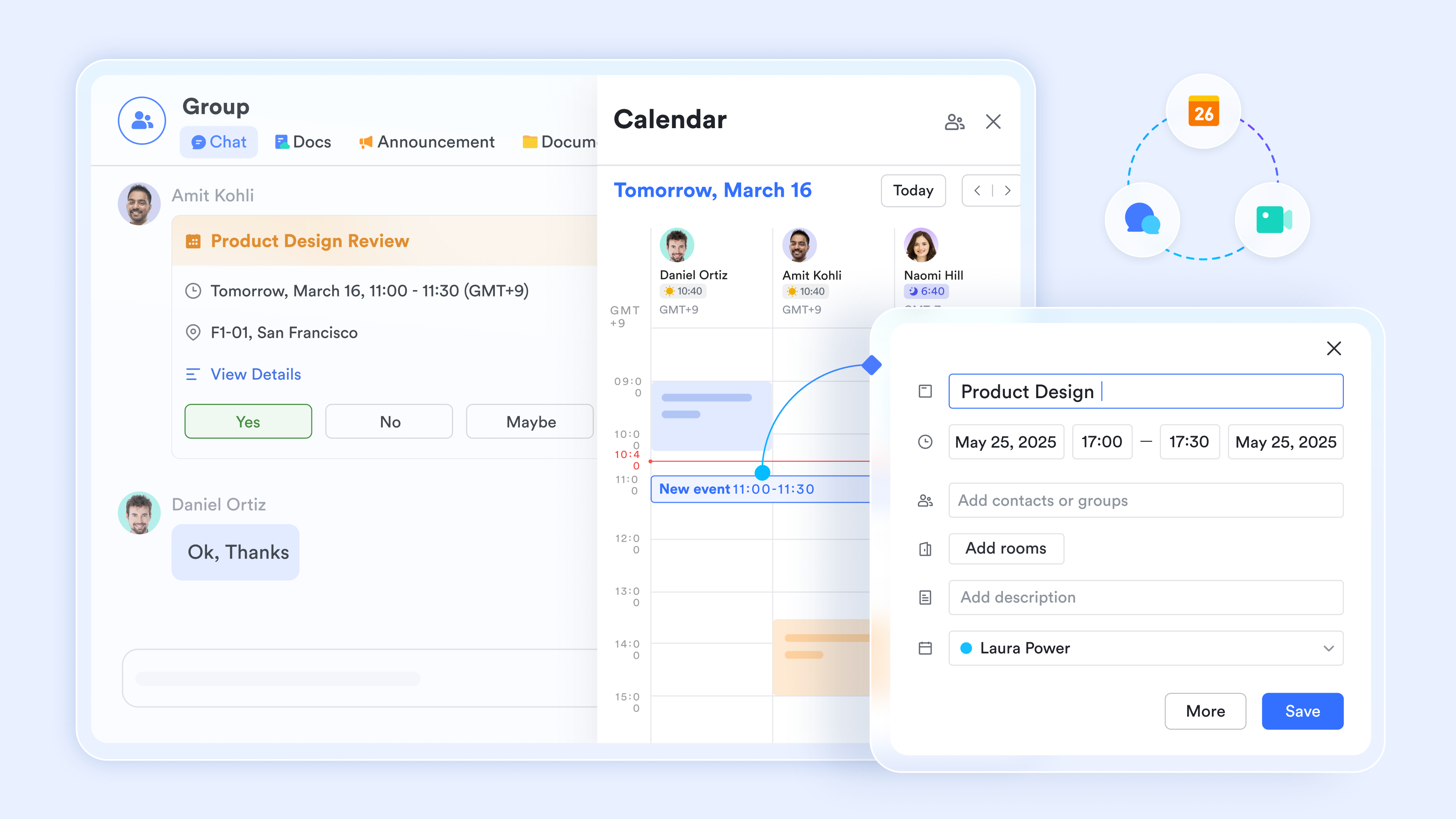
2. Real-time collaboration: Multiple team members can work on documents simultaneously while referencing in the same workspace.
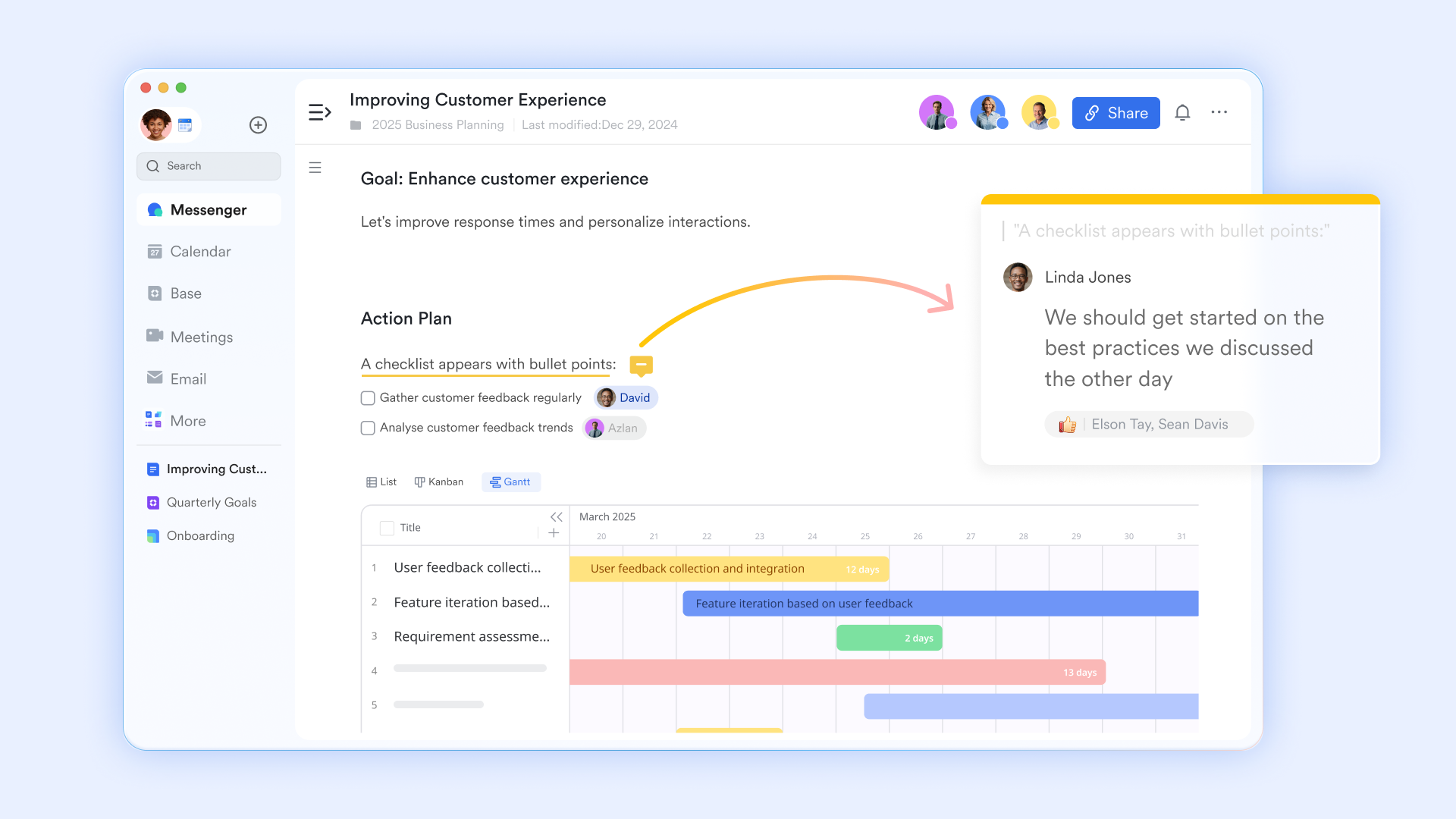
3. Multilingual support: Native support for diverse languages across messaging, documents, and meetings— needed.
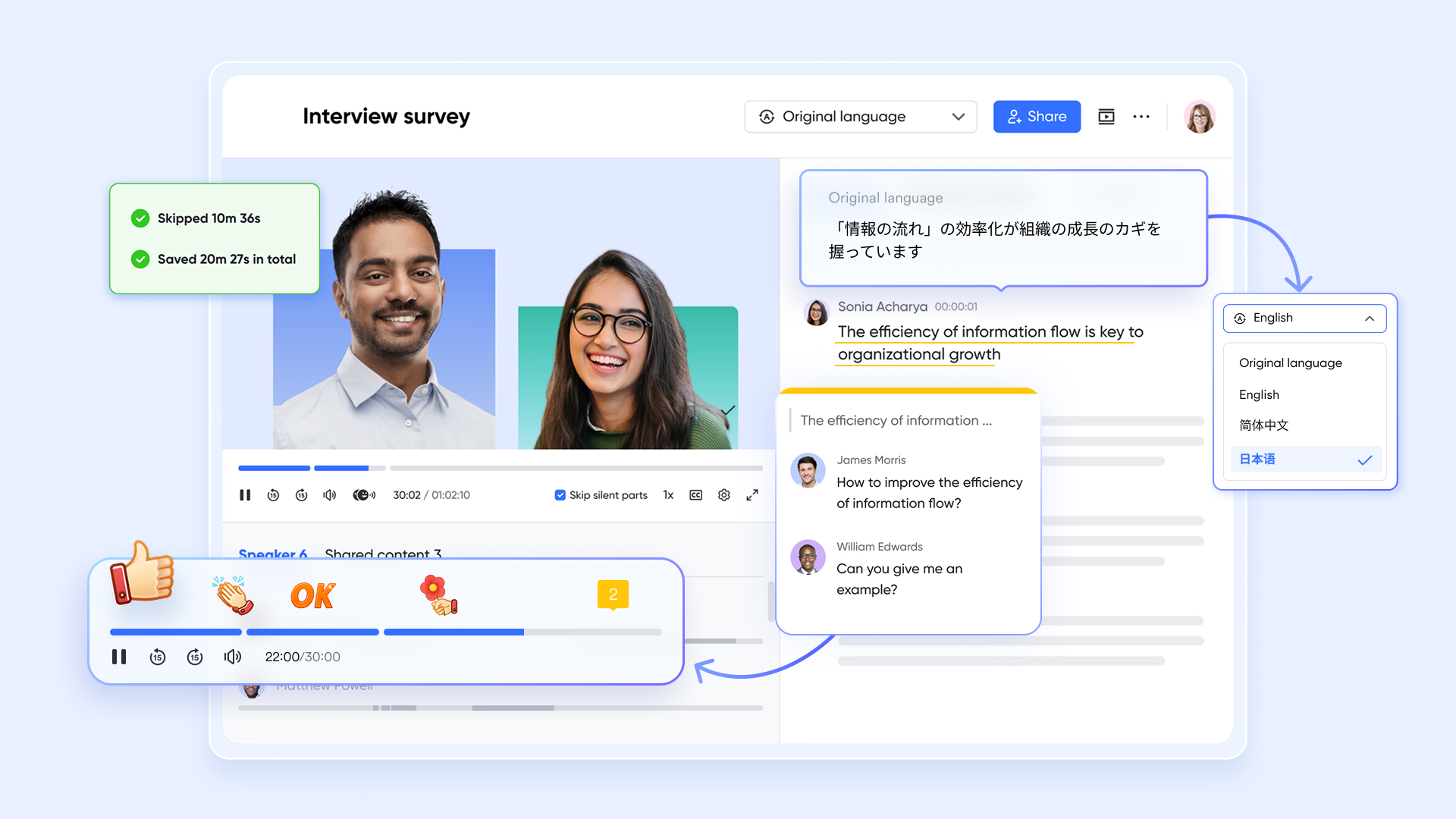
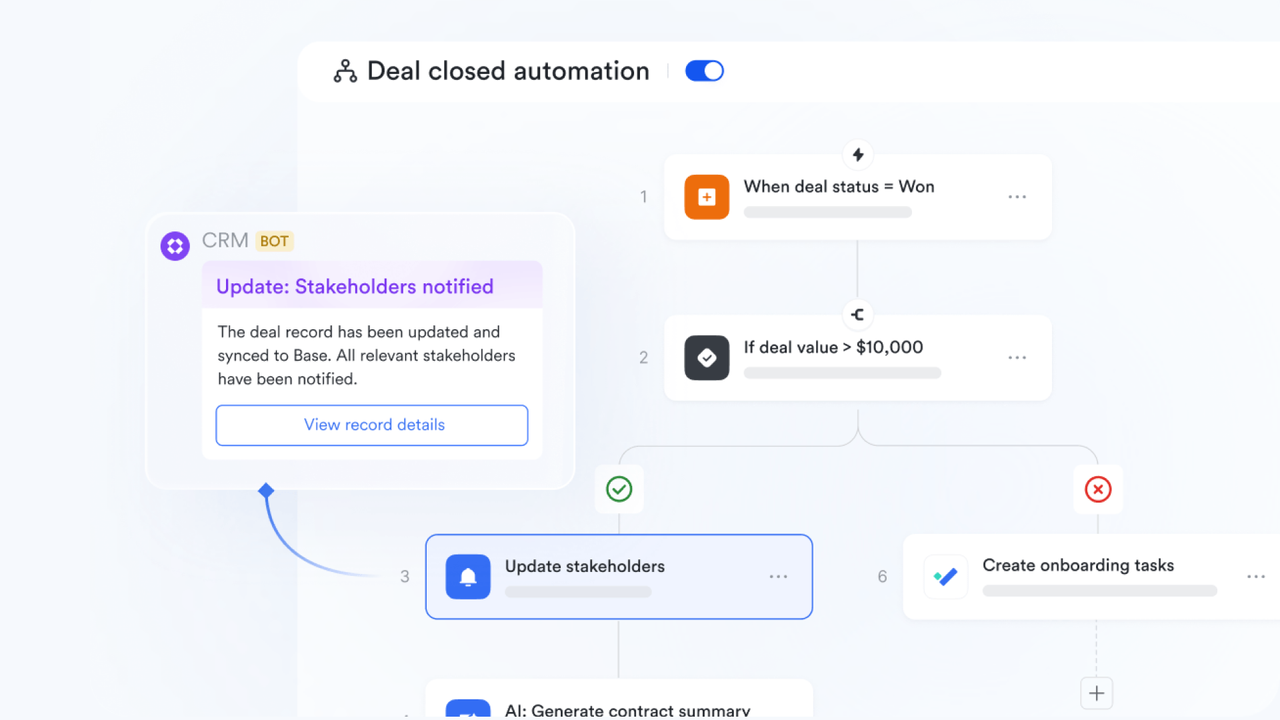
4. Workflow automation: Connect transcription outputs to approval workflows, , or automation rules—reducing manual handoffs.
Pros:
- Unified platform reduces tool sprawl: No need for Slack + Zoom + Docs + separate transcription service; includes 11 integrated tools
- Transparent, predictable pricing: Clear per-seat model with no hidden per-minute costs or surprise overage fees
- Real-time collaboration: Team members edit documents and transcripts simultaneously without version control conflicts
- Scalable cloud-native documents: Supports large teams (up to 500 users per plan) with real-time sync and multilingual support
- Starter plan ($0 forever): 20 users, 100GB storage, 1,000 automation runs, and all 11 tools—zero financial risk to evaluate
Cons:
Learning curve for comprehensive platform: With 11 tools integrated, new teams need time to discover and adopt all features. However, the , templates, and no-cost Starter tier reduce friction.
- Starter plan: Free forever plan with 11 powerful tools for up to 20 users, 100GB storage, 1,000 automation runs, AI translations, and more. No credit card needed.
- Basic plan: $6/user/month (billed annually) for up to 500 users. Includes everything in Starter plus unlimited message history, 5TB storage, 1,000 automation runs, and more. Some users may need to to purchase.
- Pro plan: $12/user/month (billed annually) for up to 500 users. Includes everything in Basic plus group calling for up to 500 attendees, 15TB storage, 50,000 automation runs, and more.
- Enterprise plan: for custom pricing. Supports unlimited users and includes advanced automation, security, compliance, and management features.
For small teams with simple communication needs

18 months message history
1000 Base automation runs/month
2000 rows per table in Base
Most POPULAR
For companies with comprehensive collaboration and management needs
Unlimited message history
500-participant video meetings
50k Base automation runs/month
20k rows per table in Base
For large companies with advanced security and organizational management needs
Get a personalized demo and pricing
Unlimited message history
500-participant video meetings
15 TB storage + 30 GB storage/user
500k Base automation runs/month
50k Base automation runs/month
Most POPULAR
For companies with comprehensive collaboration and management needs
Unlimited message history
500-participant video meetings
50k Base automation runs/month
20k rows per table in Base
2. ElevenLabs: Best for developers + multilingual projects
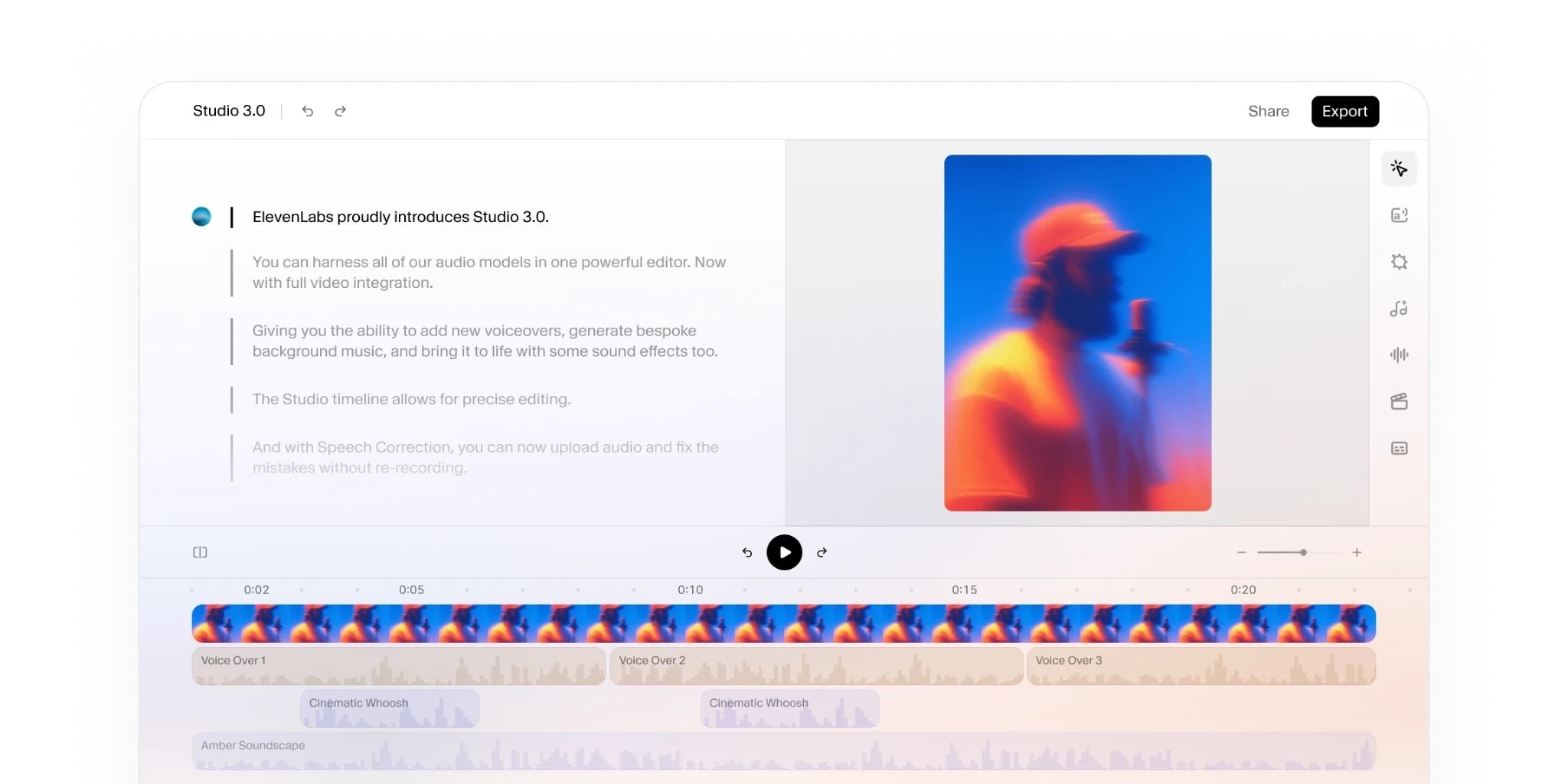
Image source: elevenlabs.io
ElevenLabs is ideal for developers and multilingual teams needing 99+ language support and audio event tagging. However, pricing opacity and lack of workflow integration limit it for non-developer enterprises.
ElevenLabs positions transcription as "Audio Understanding"—identifying speaker identity, audio events (laughter, applause, footsteps), and context. For multilingual teams, 99+ language support (including Cantonese, Malayalam, Serbian) is a genuine differentiator. Files over 8 minutes process in parallel for speed.
Limitation: Transcription is the endpoint. Your transcript downloads, gets edited externally, and manually imports elsewhere. No workspace integration, no team collaboration, no audit trails. For compliance-heavy organizations, this isolation creates forensic-grade uncertainty.
Pros:
- 99+ languages with exceptional accent handling across diverse dialects (verified across Malayalam, Cantonese, Serbian, and others)
- Audio event tagging adds context (non-speech sounds) most competitors omit
- 7+ export formats provide flexibility for downstream workflows
- Strong developer API ecosystem with 100k+ community and native SDKs
Cons:
- Pricing entirely opaque; users cannot estimate monthly cost for their meeting volume
- No team collaboration or workspace integration; transcripts are isolated exports, not linked to team workflows
- Transcription is the finish line—no integration into broader knowledge systems
Pricing:
- Starter plan: $6/month (billed annually)
- Creator plan: $11/month (billed annually)
- Pro plan: $99/month (billed annually)
3. Riverside: Best for podcasters + content creators
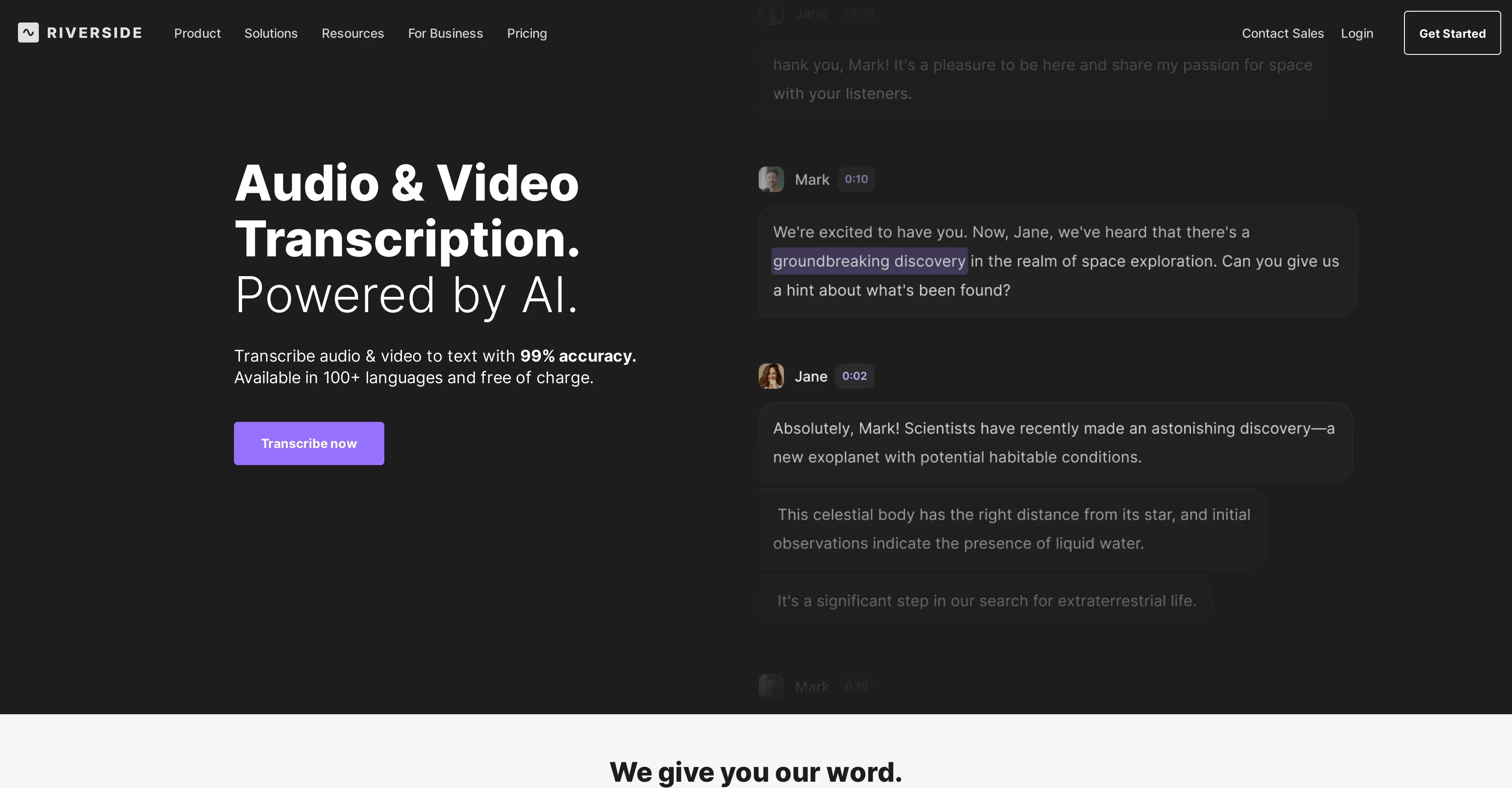
Image source: theresanaiforthat.com
Riverside is best for podcasters and content creators who prioritize fast turnaround and speaker detection. The all-in-one platform (record up to 4K + transcribe + edit + export) reduces tool switching. However, creator-centric design excludes enterprise/remote team workflows, and pricing remains hidden.
Riverside bundles recording, transcription, editing, and export into one platform. The "Quick as the Flash" positioning emphasizes speed—critical for time-sensitive creator workflows where time-to-publish drives revenue. High-quality audio capture during recording directly improves free AI audio transcription accuracy. Transcription "starts as soon as you're done recording," eliminating the delay of uploading files post-hoc.
100+ languages natively supported without manual language selection. Speaker detection shows "exactly who said what." The editing interface lets creators modify transcripts directly from the waveform or transcript view, reducing external edit cycles.
Limitation: Creator-centric; excludes enterprise/remote team workflows. No mention of team collaboration, shared permissions, approval workflows, or integration. Pricing plans are mentioned in FAQs but never displayed on the product page—same opacity issue as ElevenLabs.
Pros:
- Fast turnaround ("starts transcribing as soon as you're done recording") for time-sensitive workflows
- All-in-one platform (record + transcribe + edit + export) reduces tool switching
- 100+ languages natively supported without manual selection
- Speaker detection positioned clearly ("exactly who said what")
Cons:
- Pricing not displayed on product page; users cannot estimate monthly cost
- No team collaboration, shared editing, or knowledge integration; transcripts remain isolated artifacts
- Creator-centric positioning; enterprise workflows not addressed (no audit trails, compliance features, or team permissions)
Pricing:
- Pro plan: $24/month (billed annually)
- Grow plan: $34/month (billed annually)
- Webinar plan: $79/month (billed annually)
- Business plan: Contact sales
4. Evernote AI Transcribe: Best for knowledge workers + bundled tools
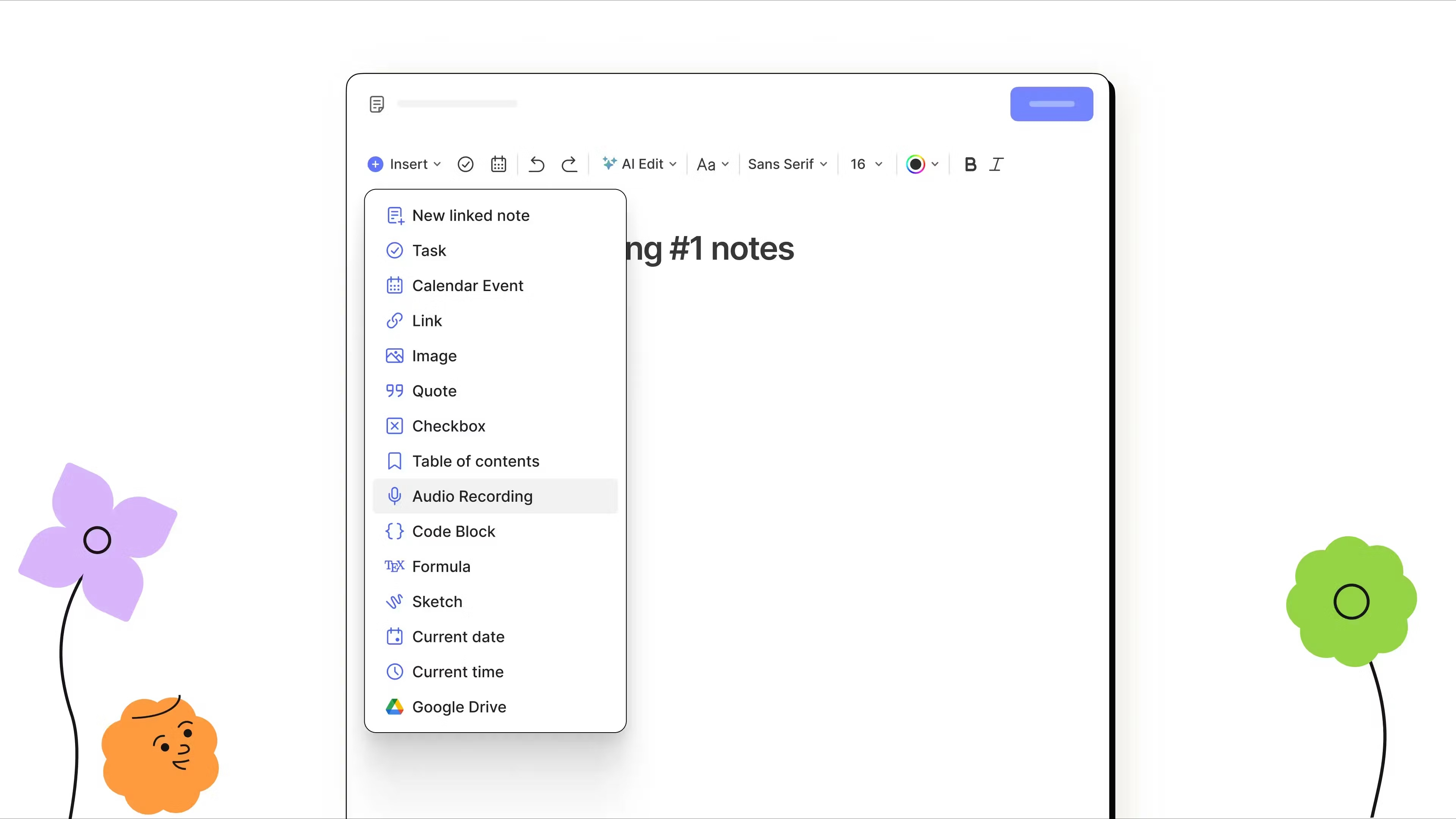
Image source: evernote.com
Evernote AI Transcribe is suitable for knowledge workers already in Evernote who want transcription bundled with PDF editing, text rewriting, and citation generation. Massive user base (248M registered users, 2M notes created daily) signals product stability. However, transcription accuracy and pricing details are missing, limiting evaluation for serious use cases.
Evernote positions transcription as one tool in a broader AI suite. Unlike ElevenLabs (developer-focused) or Riverside (creator-focused), Evernote targets knowledge workers wanting transcription integrated into note-taking. Its file support is broader than audio-only competitors.
Limitation: Transcription accuracy is never quantified. Competitors claim 99%; Evernote is silent. No FAQ answers "How accurate is transcription in noisy environments or with different accents?" Pricing is entirely absent—unclear which tier includes transcription or what limits exist. Integration depth is vague: can you search transcripts by keyword? Set granular permissions? Export specific formats?
Pros:
- Ecosystem bundling appeals to existing Evernote users who want one integrated note-taking environment
- Massive user base signals product stability
- Supports audio, video, and image files (broader file format support than competitors)
- Mentions team collaboration capability
Cons:
- Transcription accuracy unquantified; no benchmarking provided or methodology disclosed
- Pricing entirely absent; unclear tier structure and which features are included
- Integration depth vague; no explanation of searchability, permission controls, or export formats
Pricing:
- Starter plan: $6.65/month (billed annually)
- Advanced plan: $16.65/month (billed annually)
- Enterprise plan: Contact sales
5. Otter.AI: Best for remote teams (premium tier)
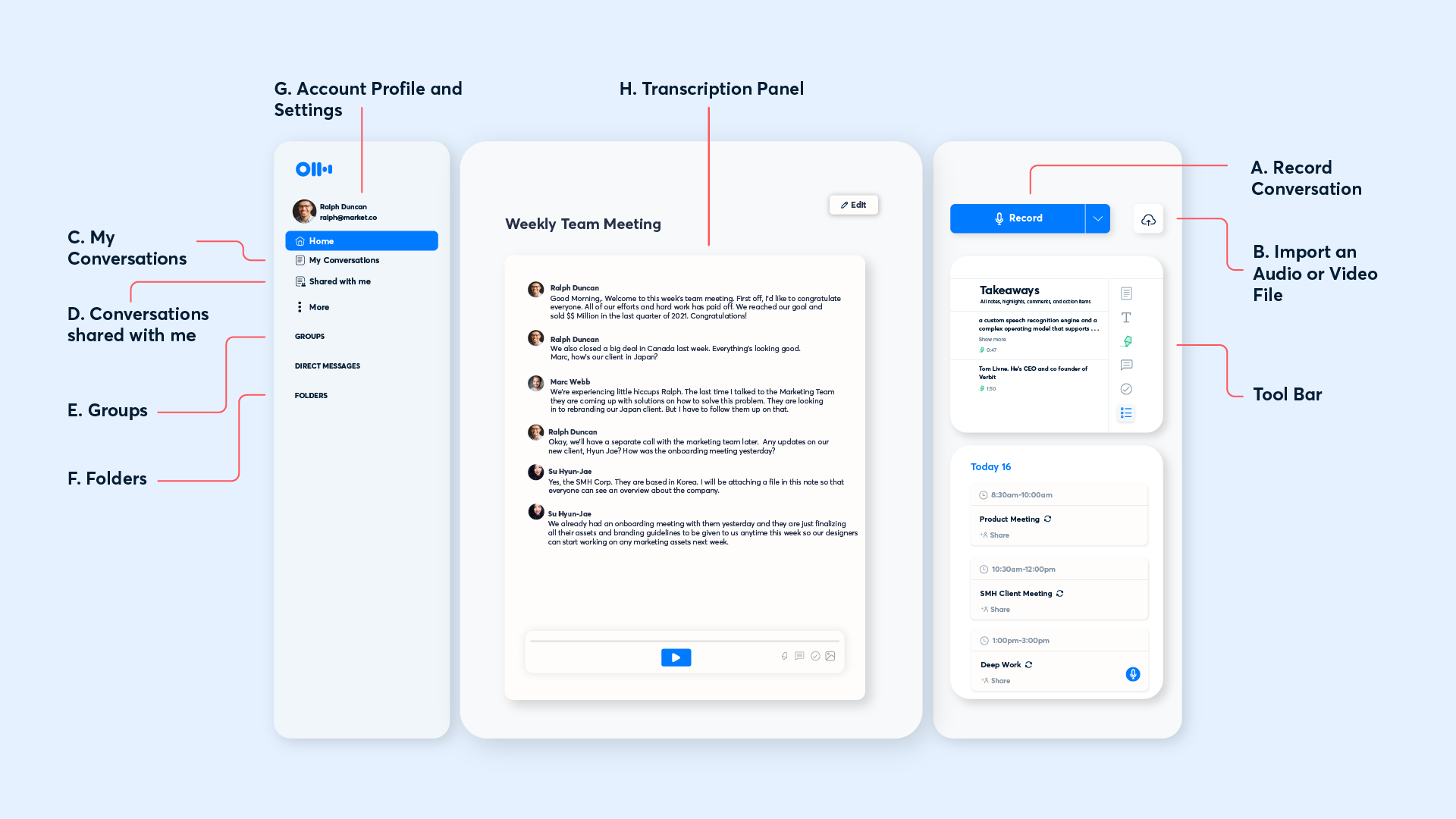
Image source: otter.ai
Otter.AI is designed for remote teams needing premium speaker labeling, meeting summaries, and keyword highlighting. Strong reputation in legal and professional services (verified through community recommendations). Premium-tier pricing excludes budget-conscious teams and startups.
Otter.AI focuses on speaker identification, meeting summaries, and keyword highlighting—tailored for work teams and professionals making decisions in meetings. Unlike Riverside (creator-centric), Otter.AI targets the work-team segment. Premium pricing (features locked behind paywall) targets teams willing to pay for quality speaker diarization and meeting intelligence.
Limitation: Premium-tier pricing locks out SMEs and startups. Not featured in top SERP pages; secondary to ElevenLabs and Riverside in brand visibility. Community feedback confirms pricing is "expensive" for budget-conscious users.
Pros:
- Premium speaker labeling specifically designed for meeting transcription and decision capture
- Meeting summaries and keyword highlighting add intelligence beyond raw transcription
- Strong reputation in legal/professional services (community-verified)
- Built for remote team workflows with meeting context integration
Cons:
- Premium-tier pricing excludes budget-conscious teams; free tier not available
- Secondary brand positioning vs. ElevenLabs and Riverside; lower mainstream discoverability
Pricing:
- Pro plan: $8.33/user/month (billed annually)
- Business plan: $19.99/user/month (billed annually)
- Enterprise plan: Contact sales
6. Whisper (OpenAI): Best for developers + researchers
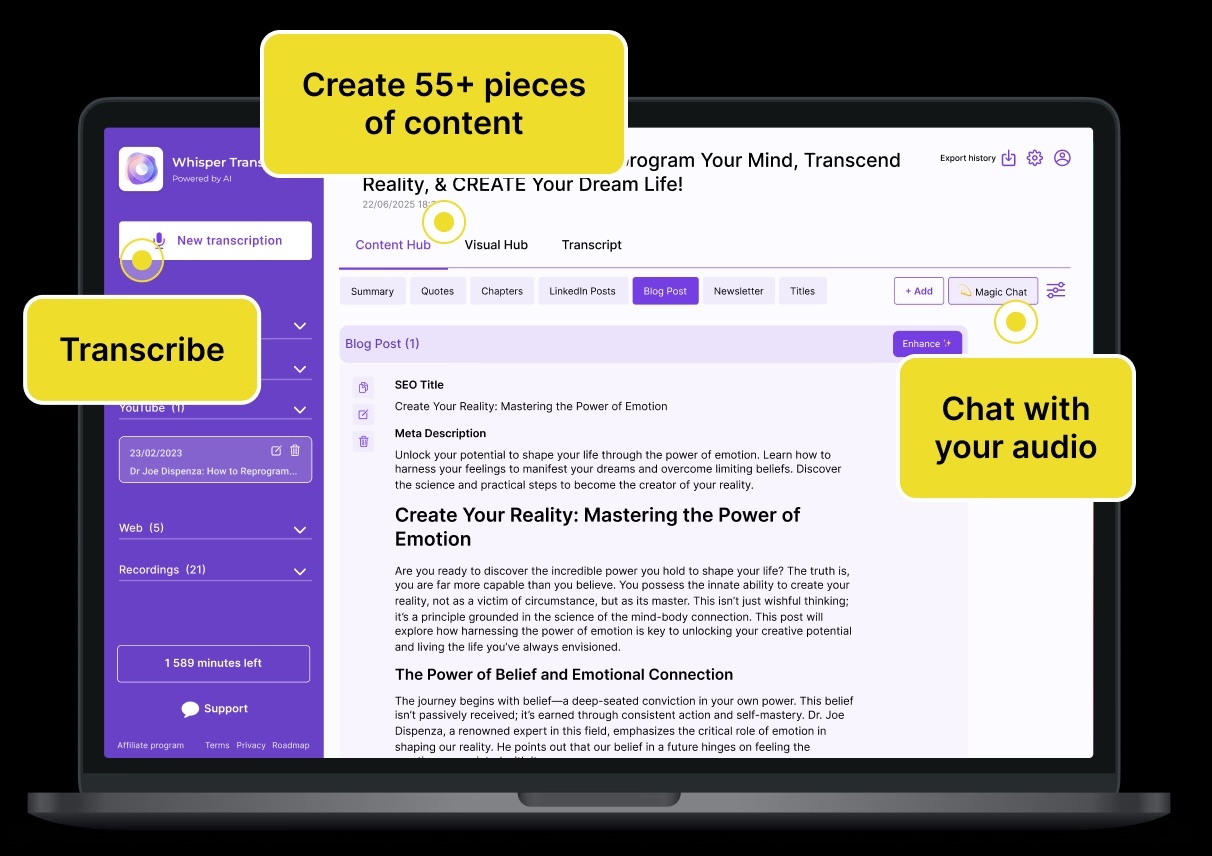
Image source: whispertranscribe.com
Whisper is ideal for developers and researchers who accept trade-offs for free, open-source accuracy. Exceptional performance on noisy environments and diverse accents. The 25MB file limit, missing speaker diarization, and computational overhead make it impractical for non-technical teams.
Whisper is the open-source baseline for AI audio transcription. Community feedback confirms strong accuracy in challenging audio: "By far the best model is Open AI's Whisper (large model). It listens perfectly through many different accents and has amazing performance when there's a lot of noise around." For medical and research settings with background noise, Whisper's performance is differentiated.
Limitation: The 25MB file limit, missing speaker diarization, and computational overhead make Whisper impractical for business teams. Whisper is a model, not a platform—requires custom development or third-party wrappers (n8n, Azure integrations) to operationalize.
Pros:
- Free and open-source; transparent, auditable, no vendor lock-in
- Exceptional performance on noisy audio and diverse accents (verified in medical/research use cases)
- Self-hostable for teams with strict data privacy requirements
Cons:
- 25MB file limit; long recordings require manual splitting or complex API workarounds
- No speaker diarization; unsuitable for multi-speaker conversations (meetings, interviews, depositions)
- Computational overhead unsuitable for non-technical teams
- No UI or integration; requires custom development or third-party wrapper services
Pricing:
- Pro plan: $8.33/month (billed annually)
- Business plan: $19.99/month (billed annually)
- Ultra plan: $73.99/month (billed annually)
7. VomoAI: Best for budget-conscious teams
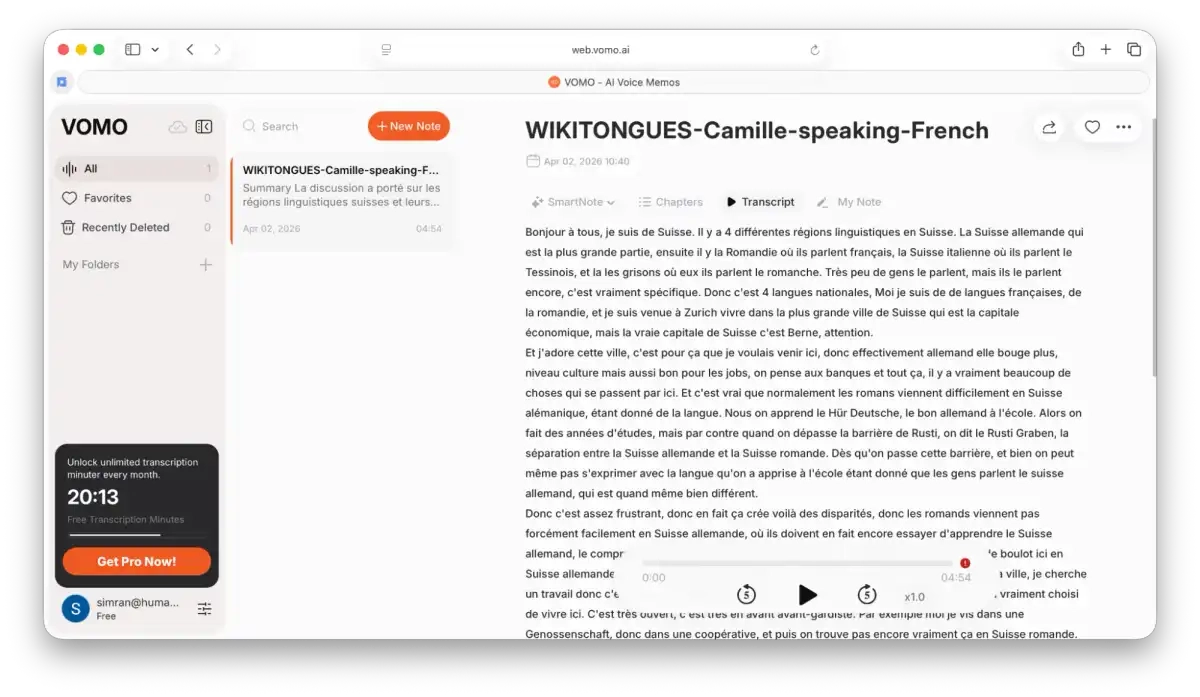
Image source: reduct.video
VomoAI is a practical middle ground for budget-conscious teams. Uses Whisper's free, accurate technology with added features (speaker separation, custom vocabulary) to address Whisper's two critical gaps: long-file support and speaker identification. More affordable than premium tools while easier than raw Whisper setup.
VomoAI combines Whisper's free, proven-accurate technology with speaker separation and long-recording handling. Community users recommend it for multi-speaker meetings: "It uses Whisper for accurate transcription, supports long recordings, and can separate speakers. I've used it for multi-speaker meetings, and it even lets you review and clean up transcripts before exporting, which could be useful if you're preparing them for court."
Custom vocabulary (add names, legal jargon, domain-specific terms) improves accuracy for specialized use cases—legal depositions, medical interviews, industry-specific terminology.
Limitation: Weaker brand presence; discovered primarily via community recommendations rather than mainstream marketing. No mention of team collaboration or workspace integration; appears to be a standalone transcription service similar to Riverside.
Pros:
- Cheap compared to premium tools like Otter.AI
- Supports long recordings (removes Whisper's 25MB limit)
- Speaker separation built-in (unlike free Whisper)
- Custom vocabulary addition improves domain-specific accuracy
- Whisper-based foundation offers proven accuracy on accented and noisy audio
Cons:
- Weaker brand presence; limited mainstream discoverability (community-discovered)
- No team collaboration or workspace integration; transcripts are isolated exports
Pricing:
- Pro plan: $1.92/week (billed annually)
8. Vizard: Best for legal professionals
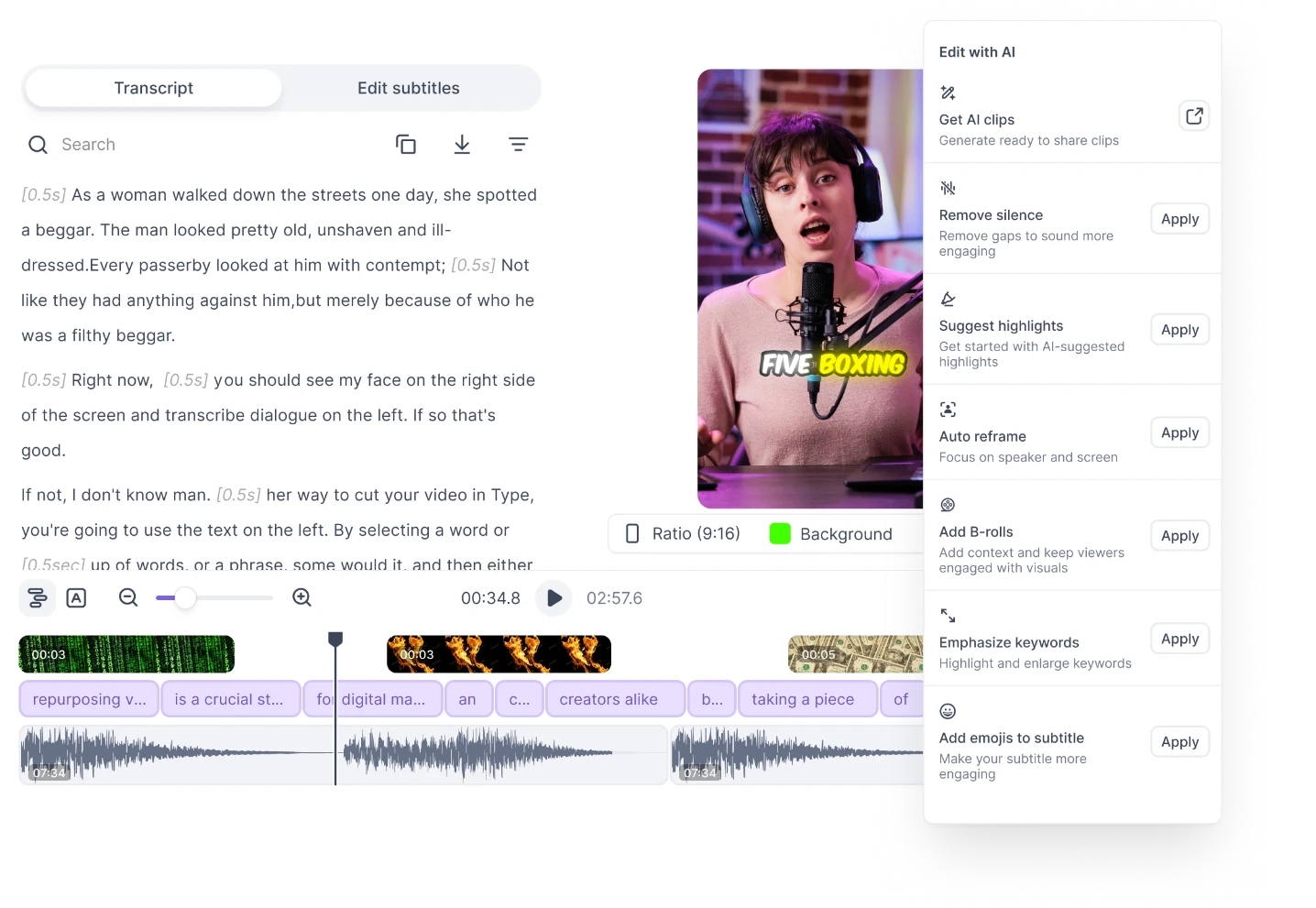
Image source: vizard.ai
Vizard is suitable for legal professionals and journalists handling long, multi-speaker recordings who need reliable speaker identification and court-ready exports. More affordable than premium tools while easier than raw Whisper setup. Practical for workflows where transcript accuracy and speaker attribution are non-negotiable.
Vizard handles long recordings with speaker separation and word-level timestamps. Community feedback specifically recommends it for legal transcription: "Handles long recordings, gives clean text, and the transcript editor makes it easy to correct small mistakes. It's not a full 'forensic-level' speaker ID tool, but for organizing who said what, it does a decent job and is way faster than manual cleanup."
100+ language support. Exports court-ready transcripts in multiple formats (DOCX, PDF, etc.). The transcript editor enables post-hoc corrections—important for legal workflows where accuracy matters.
Limitation: Not "forensic-level" speaker ID; some manual speaker labeling may still be needed. Weaker brand presence; not featured in top SERP results, suggesting limited mainstream discoverability.
Pros:
- Handles long recordings and maintains speaker separation with timestamps
- Exports court-ready transcripts in multiple formats (DOCX, PDF, etc.)
- 100+ languages supported
- Practical for legal workflows (depositions, interviews, research)
- More affordable than Otter.AI premium; easier than raw Whisper setup
Cons:
- Not forensic-level speaker ID; some manual labeling still needed for high-accuracy legal work
- Weaker brand presence; limited mainstream discoverability (not featured in top SERP pages)
Pricing:
- Creator plan: $14.5/month (billed annually)
- Business plan: $19.5/month (billed annually)
Why unified workspaces win over standalone transcription tools
Look at the eight tools above. Seven are transcription specialists—they excel at . One——is a platform that makes transcription part of a broader workflow.
The specialist approach: Hidden costs in integration overhead
When you transcribe with a standalone tool, the workflow looks simple: convert audio to text, export, done. But here's what actually happens:
- Record meeting → use ElevenLabs to transcribe
- Paste transcript into Slack/Teams
- Manually link to decision log
- Later, search "who decided pricing strategy?"
- Find yourself checking: recording, transcript file, meeting notes doc, wiki—separately
Each handoff introduces version control risks, compliance gaps, and lost context.
The unified approach: Everything in one place
In contrast, integrated workflow looks like this:
Record in → transcription auto-indexes into Wiki/Docs → search "who decided pricing strategy?" → find original quote with speaker attribution, timestamp, and linked decision doc
Everything lives in one place. Friction vanishes.
The cost difference: Visible and hidden (for a 10-person team)
Fragmented Stack Approach:
- Typical combined cost: Slack + Zoom + Google Workspace + separate transcription tool = $250–400/month
- Plus: Unpredictable overage charges for per-minute transcription usage at scale
Lark Unified Approach:
- Starter plan: $0/month (free forever up to 20 users; includes all 11 tools + transcription)
- Or: 60–120/user/month(billed annually)
Why specialists can't bridge this gap
ElevenLabs, Riverside, and Otter.AI are best-in-class at transcription, but they're not incentivized to solve team workflow integration—that's outside their product scope. is a platform, so integration is woven into its architecture from the start, not bolted on later.
The real question: Which teams benefit most from integration?
The architecture difference between specialists and unified platforms isn't academic—it directly impacts which teams face the least friction and which ones inherit hidden costs. A solo podcaster using Riverside might never feel the pain of transcript silos. A legal team managing depositions across multiple case files feels it acutely. The choice isn't "which tool is objectively better?" but rather "which tool solves the specific friction points your team actually faces?"
To help you make that decision, let's look at three concrete scenarios where transcription matters most: legal workflows, remote team decision-making, and content production. Each reveals different pain points and how integrated platforms like eliminate them.
Experience unified transcription with Lark
Audio transcription AI use cases: who benefits most
The value of transcription integration becomes clear when you zoom into real workflows. Below are three scenarios where teams spend the most time wrestling with transcripts—and where unified platforms eliminate hours of overhead monthly.
Use Case 1: Legal depositions and compliance
A two-hour deposition requires more than just accuracy. It needs attribution, timestamps, and an audit trail.
The specialist approach creates friction:
- Record with standalone tool → export to DOCX → upload to case management system → maintain access logs in separate platform
- Later, when opposing counsel asks for chain of custody: you check multiple platforms, reconstruct timelines, hope nothing was missed
What unified workspace enables:
- Record in → transcription auto-generates with speaker diarization → transcript stores in shared Doc with permission controls → audit log automatically captures every view, edit, export
- One source of truth. When audits arrive, the answer is one query away.
Legal teams save hours per deposition avoiding cross-system record-hunting and version conflicts.
Use Case 2: Remote team decision capture
The problem isn't recording technology—it's finding decisions later.
Without integration, decision capture is painful:
- Standup recorded in a 45-minute meeting
- Decision buried: "We're de-prioritizing legacy API migration"
- Two months later, new engineer asks: "Why did we keep the legacy API?"
- Answer: Download recording → search for "API" → listen to timestamps → find 23-minute mark → hope audio is clear
- Time cost: 15–20 minutes per question
With integration, decisions become discoverable:
- Standup is transcribed and auto-indexed into team Wiki
- Product manager links "legacy API" snippet to roadmap
- Months later, search "legacy API" → get decision with speaker names, timestamp, linked roadmap context
- Compound this across 10 queries/month across a growing team
New hires skip the "who can explain why we decided this?" stage and jump straight to searchable institutional knowledge.
Use Case 3: Content production
For creators, two problems collide: speed (time to publication matters) and consistency (one source of truth across channels).
The manual approach creates version drift:
- Record interview → export transcript → paste into blog CMS → add speaker bios, format timestamps
- Same transcript uploaded to: knowledge base, email marketing platform, social media descriptions
- Someone finds error in blog version and fixes it → knowledge base and email versions now outdated
- Editing becomes whack-a-mole across platforms
Unified approach: Edit once, update everywhere
- Record, transcribe, and edit directly in shared Docs (speaker bios, timestamps all inline)
- Publish formatted document
- All team members see the same version → updates propagate naturally
- No export-reimport cycles, no version conflicts
The result: faster time to publication without the consistency overhead.
Make decisions searchable
How to choose the right transcription tool for your workflow
Start with four questions:
1. What's your primary use case?
- Legal/compliance workflows: Choose (native audit trail + unified permissions) or Vizard (court-ready exports, specific legal focus)
- Remote team decision capture: Choose (integrated wiki search + auto-indexing) or Otter.AI (meeting summaries)
- Podcast/content production: Choose Riverside (fast turnaround, native editing) or ElevenLabs (multilingual support)
- Budget-conscious, single-person/small team: Choose Starter ($0 forever, includes transcription + 10 other tools), VomoAI, or Whisper (free open-source, requires technical setup)
2. Do you need speaker diarization?
All tools except Whisper and Evernote offer speaker identification. It's essential for legal depositions, multi-person meetings, and interviews. Unnecessary for lectures or monologues.
3. Is pricing transparency critical?
Only Lark publishes clear per-seat pricing with no hidden per-minute costs. All other tools obscure pricing behind "flexible" or "contact sales" models. If budgeting is essential for your team, Lark removes vendor uncertainty.
4. Does workflow integration matter?
If your transcripts need to be searchable, editable, and auditable within your team's existing tools—not as isolated exports—choose . If you're comfortable with download-edit-import workflows, any specialist tool works.
Most teams discover the integration question after investing in a standalone tool and facing friction. Starting with Lark's free Starter tier eliminates that risk and provides immediate value with 11 tools from day one.
Conclusion
AI audio transcription is now table-stakes for remote work. Yet choosing based on accuracy alone misses the real differentiator: whether transcripts remain isolated exports or become integrated, searchable parts of your knowledge system. Specialist tools excel at converting speech to text. solves the harder problem—making transcripts work within team workflows. For legal teams, remote teams, and growing organizations, Lark offers one platform, one audit log, transparent pricing, and zero data silos. Start free with Lark Starter today.
Eliminate integration friction
FAQs
What is audio transcription AI and how does it work?
Audio transcription AI converts spoken words into written text using Automatic Speech Recognition (ASR) models—algorithms trained on vast audio datasets. The process has three steps: audio input (files in MP3, WAV, MP4 formats), AI processing (ASR model analyzes audio and adds timestamps), and text output (structured transcript with speaker labels and metadata). Quality depends entirely on audio conditions—clean audio approaches 95–99% accuracy, while noisy environments or accented speech drops to 70–85%.
What is speaker diarization and why does it matter?
Speaker diarization answers "who said what?"—identifying when one speaker ends and another begins, labeling each speaker with names or "Speaker 1, Speaker 2" tags. It's essential for legal depositions, multi-person meetings, and interviews where attribution carries legal weight. Some tools (Lark, Otter.AI, Vizard) handle it automatically; others require manual cleanup. Poor diarization undermines transcript value.
What are the five core pain points teams face with transcription?
1. Speaker diarization inconsistency: Hours of manual relabeling
2. File size limits: 90-minute calls require splitting into multiple files
3. Pricing opacity: Can't predict costs at scale; surprise per-minute charges
4. Transcript silos: Manual integration across multiple systems creates version conflicts
5. Compliance gaps: No unified audit trails; checking multiple platforms for access logs
Which tool should I choose for legal/compliance workflows?
Choose (native audit trail, permission controls, unified compliance logging) or Vizard (court-ready exports, speaker separation, legal focus). Legal teams need forensic-grade accountability—who viewed the transcript, when, and what changes were made. Lark's unified approach provides one source of truth; Vizard specializes in court-ready formatting. Avoid specialist tools that leave transcripts as isolated artifacts across multiple case management systems.
Which tool is best for remote team decision capture?
Choose (integrated wiki search, auto-indexing into team docs, linked decision logs) or Otter.AI (meeting summaries, keyword highlighting). The problem isn't recording—it's finding decisions later. With Lark, search "legacy API migration" and instantly find the decision with speaker names, timestamps, and linked roadmap context. This eliminates the 15–20 minute context-hunting per query that kills team productivity.
Realated reading