Typing out meeting minutes or listening to project interviews on half-speed is a massive drain on your productivity. While there are hundreds of transcription tools available today, paying for standalone apps often creates severe app fatigue and silos your company data. In this guide, I review the top eight automatic transcription software options on the market. I will also explain why transitioning to an all-in-one unified workspace is the most secure and efficient choice for high-performing remote and hybrid teams.
What is automatic transcription software and how does it work?
If you have ever stared at a blank document while trying to remember exactly what your manager said during a chaotic Monday sync, you already know the problem this technology solves. Automatic transcription software uses Artificial Intelligence (AI) and to convert spoken audio into written text in a matter of seconds.
At a technical level, these engines break down audio files into milliseconds of sound, identify phonemes (the distinct sounds that make up words), and run them through complex language models to predict the correct spelling and grammar. Historically, early dictation software required users to speak slowly, clearly, and directly into a microphone in a perfectly quiet room. Today's advanced AI models are entirely different. They are trained on millions of hours of diverse audio, allowing them to handle heavy regional accents, disruptive background noise, and highly specific industry jargon.
However, the real revolution in this space is the shift from providing raw text to generating actionable data. Modern project managers do not just need a 10-page text dump of a one-hour meeting. They need intelligent software that analyzes the transcript to automatically , , and . Transitioning from a static text file to an interactive workflow is what separates basic transcription from a modern productivity ecosystem.
The crucial role of speaker diarization in modern teams
If you plan on transcribing team meetings, interviews, or multi-person legal calls, raw accuracy metrics mean very little without one specific feature: speaker diarization.
Speaker diarization is the technology's ability to recognize different voices within a single audio track, separate them, and assign them distinct speaker tags (e.g., Speaker 1, Speaker 2). Without this capability, a dynamic, 30-minute brainstorming session between four colleagues is exported as one giant, continuous paragraph of text. Finding out who approved a budget increase or who took ownership of a specific marketing deliverable becomes impossible.
This remains a massive gap in the market. Many default computer dictation tools and cheap web transcribers completely fail at diarization. They are built for one person speaking into a phone. For business applications, HR disputes, and agile project planning, knowing exactly who said what is the most critical feature to verify before choosing your software.
The hidden costs of using a free online transcribe audio to text tool
When trying to save money on software, it is incredibly common for teams to search for a "free online transcribe audio to text" tool. Unfortunately, the freemium models dominating this space often introduce severe hidden costs to your business operations:
- The paywall trap: Many web-based tools advertise themselves as completely free, but aggressively cut your recording off after 15 to 30 minutes. If you upload a 60-minute Q3 financial planning meeting, the software will process half of it and hold the remaining text behind a premium subscription prompt.
- Data privacy risks: When an employee uploads a confidential internal audio file to a random third-party server, they create a massive shadow IT vulnerability. Free tools often lack robust SOC 2 compliance and may even train their public language models on your proprietary company data.
- The "dead text" problem: Even if a standalone web transcriber perfectly processes your meeting for free, the text lives on an isolated website. A project manager is still forced to spend 20 minutes reading the transcript, highlighting action items, switching browser tabs, and manually typing those tasks into a separate project management tool.
Top 8 automatic transcription software options for 2026
Rather than risking your company's data and wasting hours on fragmented free tools, investing in a reliable, enterprise-grade transcription solution is a strategic necessity. However, not all transcription tools are built for the same purpose. Some are designed specifically for academic researchers, others for media production, and a select few for seamless daily business collaboration. To help you navigate this crowded market and find the right fit for your team's workflow, here is a detailed breakdown of the top eight automatic transcription software options for 2026.
1. Lark - Best for agile & remote B2B teams
is best for growing SMEs and large enterprises looking to consolidate fragmented tool stacks into a single, for communication, document collaboration, and project management.
When teams rely on a messy combination of for chat, Zoom for video calls, Google Docs for notes, and a standalone tool for transcription, they lose hours every week to . You finish a video meeting, wait 20 minutes for a third-party app to process the transcript, download it as a PDF, paste it into a chat, and then log into or just to assign the tasks mentioned in the call. Lark resolves this friction entirely. is an all-in-one collaboration workspace that combines , , , , and into a single platform. When you record a video call or receive an audio message in Lark, the platform natively transcribes the audio with incredible precision. It automatically identifies exactly who said what through advanced speaker diarization, ensuring context is never lost. Because the text lives directly inside your workspace, Lark’s integrated features ensure your team can highlight a and instantly turn it into a —without ever leaving the chat window.
Pros:
- One unified interface eliminates the need to pay for multiple separate software subscriptions, drastically reducing IT overhead.
- Advanced speaker diarization perfectly separates voices in multi-person meetings, making transcripts highly readable.
- Built-in workflow automation allows you to instantly transfer transcribed meeting notes directly into powerful approval flows and project management boards.
Cons:
- There are just so many features on the platform that it takes some time to try them out, but the comprehensive made it easy to learn.
- Starter plan: Free forever plan with 11 powerful tools for up to 20 users, 100GB storage, 1,000 automation runs, AI translations, and more. No credit card needed.
- Basic plan: $6/user/month (billed annually) for up to 500 users. Includes everything in Starter plus unlimited message history, 5TB storage, 1,000 automation runs, and more. Some users may need to to purchase.
- Pro plan: $12/user/month (billed annually) for up to 500 users. Includes everything in Basic plus group calling for up to 500 attendees, 15TB storage, 50,000 automation runs, and more.
- Enterprise plan: for custom pricing. Supports unlimited users and includes advanced automation, security, compliance, and management features.
For small teams with simple communication needs

18 months message history
1000 Base automation runs/month
2000 rows per table in Base
Most POPULAR
For companies with comprehensive collaboration and management needs
Unlimited message history
500-participant video meetings
50k Base automation runs/month
20k rows per table in Base
For large companies with advanced security and organizational management needs
Get a personalized demo and pricing
Unlimited message history
500-participant video meetings
15 TB storage + 30 GB storage/user
500k Base automation runs/month
50k Base automation runs/month
Most POPULAR
For companies with comprehensive collaboration and management needs
Unlimited message history
500-participant video meetings
50k Base automation runs/month
20k rows per table in Base
2. Rev - Best for media & legal professionals
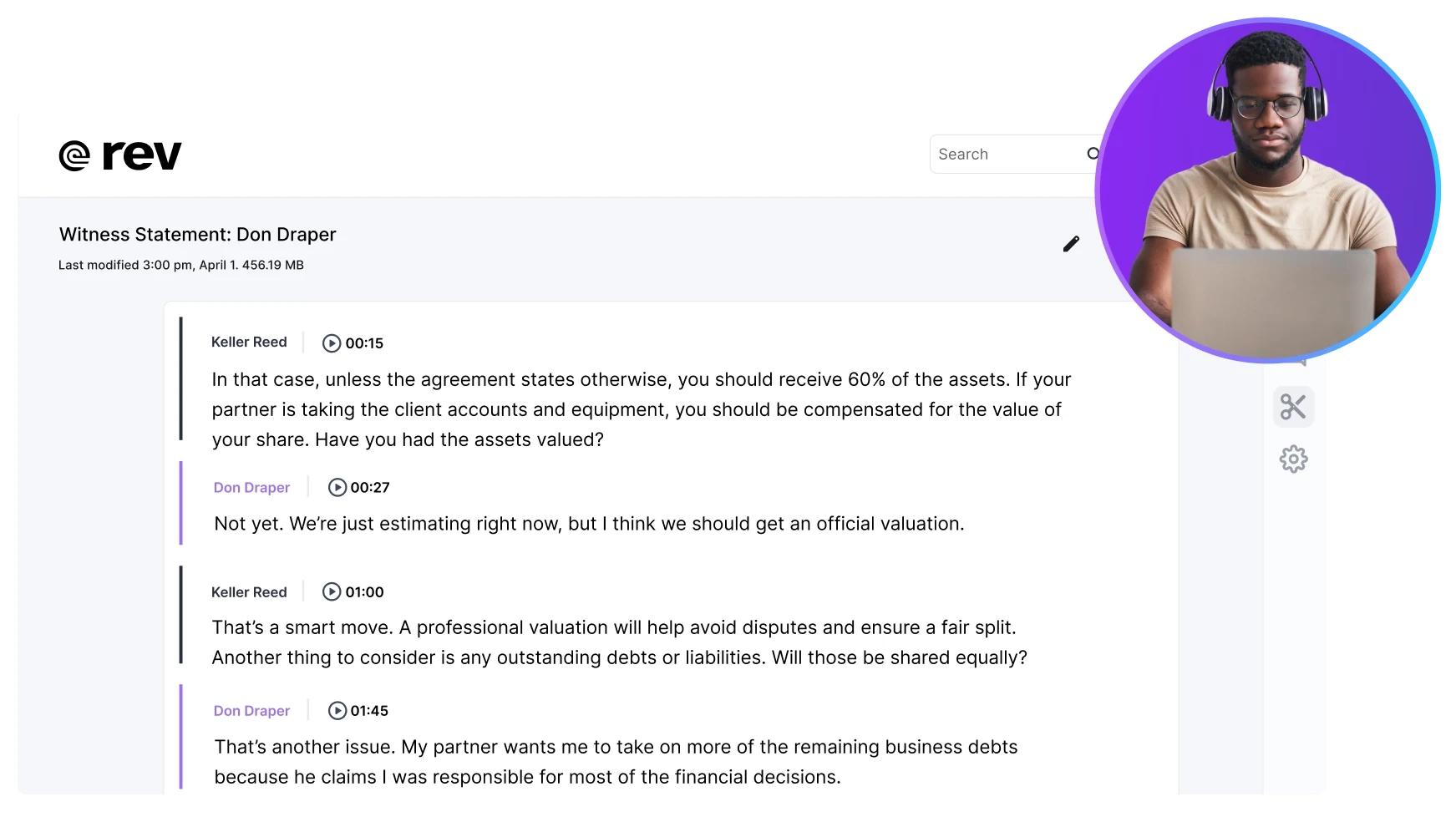
Image source: rev.com
Rev is best for media professionals and legal teams who require guaranteed high accuracy through human-assisted transcription.
Rev offers a hybrid model of automated AI and premium human-reviewed transcription. It handles heavy background noise well and exports text in various industry-standard formats. However, Rev is built purely as a transactional, pay-per-minute service rather than a daily communication hub. Relying on it for high-volume, daily internal team syncs becomes cost-prohibitive very quickly. Furthermore, as an isolated file processor, it completely lacks the native task management needed to turn meeting minutes into trackable work for an agile business.
Pros:
- Offers a 99% accuracy guarantee when utilizing their human transcription service.
- Provides robust export formats for media editing software.
- Excellent ability to handle difficult audio files with heavy background noise.
Cons:
- Pay-per-minute pricing structures scale poorly for standard B2B teams holding multiple daily meetings.
- Completely isolated from daily communication channels, lacking native task assignment features.
Pricing:
Free plan: $0.
Essentials plan: Starts around $29.99 per seat/month (billed monthly).
Pro plan: Starts around $59.99 per seat/month (billed monthly).
Unlimited plan: Contact sales to get exact pricing.
3. Otter.ai - Best for individual meeting attendees
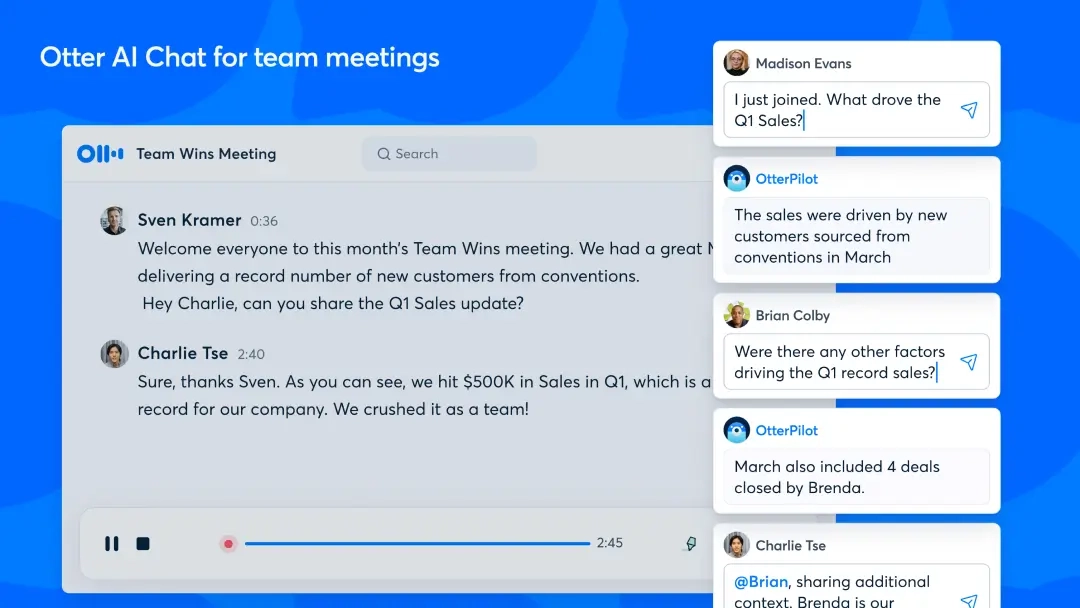
Image source: otter.ai
Otter.ai is best for individuals needing a dedicated AI meeting assistant to generate automated summaries.
Otter joins live video calls to provide real-time transcription, automatically pulling in presentation slides to provide visual context alongside the text. Despite its popularity, its reliance on external bot participants is a significant drawback. To transcribe a call, the Otter bot must request permission to enter the meeting room, which can disrupt private team calls and make clients uncomfortable. Additionally, purchasing Otter adds yet another standalone subscription to your company's tech stack, increasing app fatigue.
Pros:
- Automatically captures and aligns presentation slides with the spoken text.
- Generates reliable AI meeting summaries post-call.
- Offers a functional mobile app for recording in-person conversations.
Cons:
- Requires an external bot to actively join video meetings, disrupting natural call flow.
- Operates as a completely separate software subscription, contributing to software bloat.
Pricing:
- Basic plan: Free, but imposes strict limits on minutes transcribed per month.
- Pro plan: Starts around $8.33/user/month (billed annually).
- Business plan: Starts around $19.99/user/month (billed annually).
- Enterprise plan: Contact sales to get exact pricing.
4. Sonix - Best for healthcare & researchers
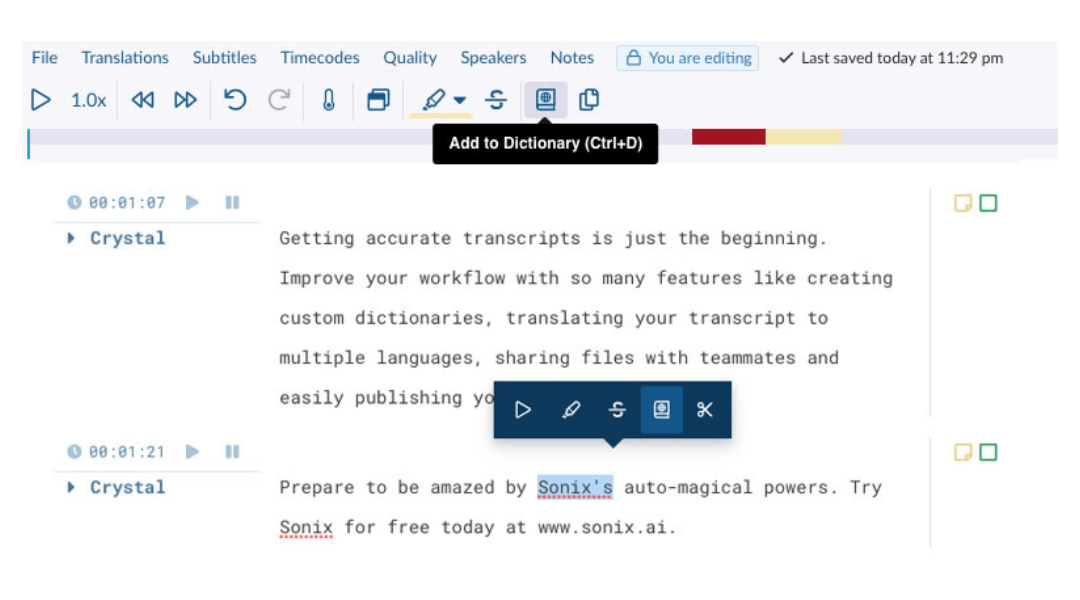
Image source: sonix.ai
Sonix is best for researchers and healthcare organizations needing strict SOC 2 compliance and multi-language support.
Sonix is an enterprise-grade processing tool that supports over 50 languages and offers robust security for sensitive pre-recorded files. While it provides an excellent in-browser text editor, the major downside is its isolation from your daily workflows. Users must manually record elsewhere, upload files, wait for processing, and export the text. For fast-paced SaaS teams that require instant collaboration and rapid task assignment, this fragmented upload-and-download process slows down momentum significantly.
Pros:
- Provides strict SOC 2 compliance for handling sensitive audio files.
- Supports highly accurate transcription across over 50 different languages.
- Features a strong text editor linking text directly to the audio waveform.
Cons:
- Functions entirely as an isolated tool, requiring manual uploads and text exports.
- Lacks the native team chat and workflow automation required for daily collaboration.
Pricing:
- Standard plan: A pay-as-you-go model costing $10 per hour of transcribed audio.
- Core plan: Starts around $25/mo (billed monthly).
- Advanced plan: Starts around $50/mo (billed monthly).
- Pro plan: Starts around $80/mo (billed monthly).
5. Microsoft Word Transcription - Best for existing M365 commercial tenants
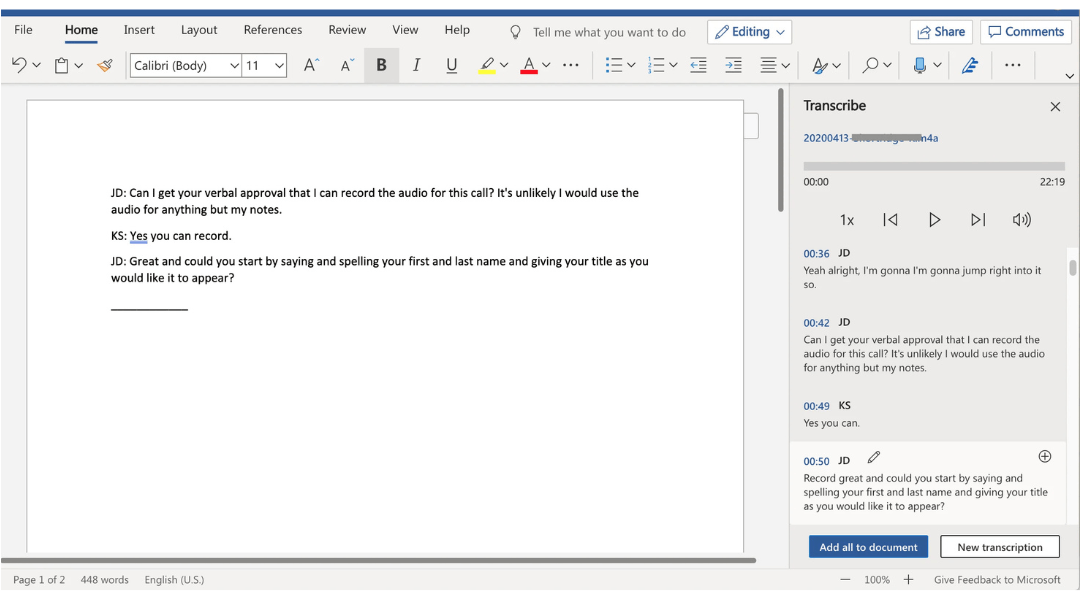
Image source: pcmag.com
Microsoft Word Transcription is best for existing Microsoft 365 commercial tenants needing basic dictation.
This native feature provides a simple way to record live conversations or upload audio files directly into a text document. For single-user dictation, it is highly accessible. However, standard commercial users face a strict 300-minute monthly limit for uploads unless they purchase an expensive AI Copilot upgrade. A busy team will exhaust that quota in just a few days. Furthermore, the transcribed text remains static on a page; it lacks the integrated project management boards required to turn notes into trackable goals.
Pros:
- Built into a familiar text editor, requiring zero learning curve.
- Allows both live dictation and the uploading of pre-recorded audio files.
- Connects transcribed text to audio playback for easy editing.
Cons:
- Severely restricted by a 300-minute monthly limit for uploaded audio on standard plans.
- Lacks integrated project management boards to make the text actionable.
Pricing:
- Included with standard Microsoft 365 subscriptions (pricing varies).
- Copilot upgrades (to bypass limits) require an additional expensive enterprise license.
6. Jamie AI - Best for offline/privacy-conscious workers
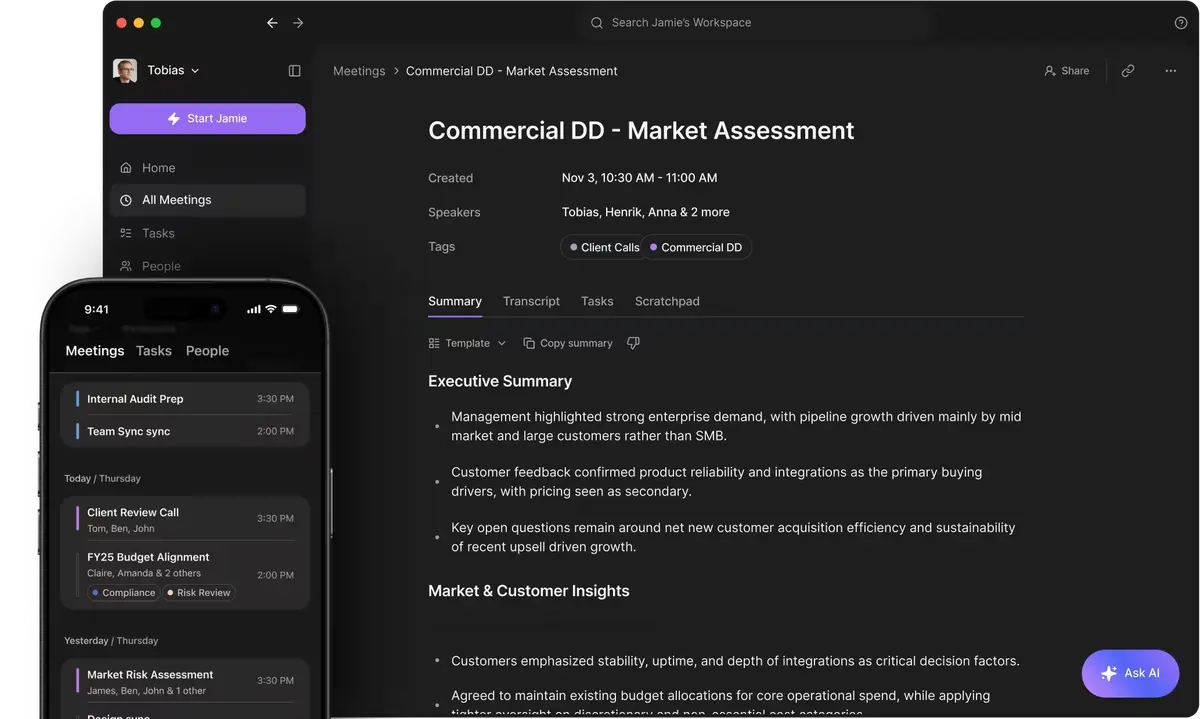
Image source: meetjamie.ai
Jamie AI is best for offline workers who want meeting summaries without inviting an invasive bot to client calls.
Jamie sits locally on your desktop and captures audio natively through your computer's system sound. This maintains privacy during sensitive calls since you do not need to invite an external bot to the meeting. While it generates excellent summaries, adopting Jamie across a whole company adds another significant subscription cost. Furthermore, because it does not integrate fully into your company's workspace, users still have to manually copy action items from Jamie and paste them into a separate project management hub.
Pros:
- Captures audio locally without needing an external bot to join the video call.
- Functions effectively both online and offline.
- Generates accurate summaries and follow-up emails from the audio.
Cons:
- Adds another standalone subscription to your tech stack.
- Lacks native workspace integrations, forcing manual copy-pasting of tasks.
Pricing:
- Team plan: Starts around €33 per month (billed annually).
- Enterprise plan: Contact sales to get the exact pricing.
7. Trint - Best for content creators & newsrooms
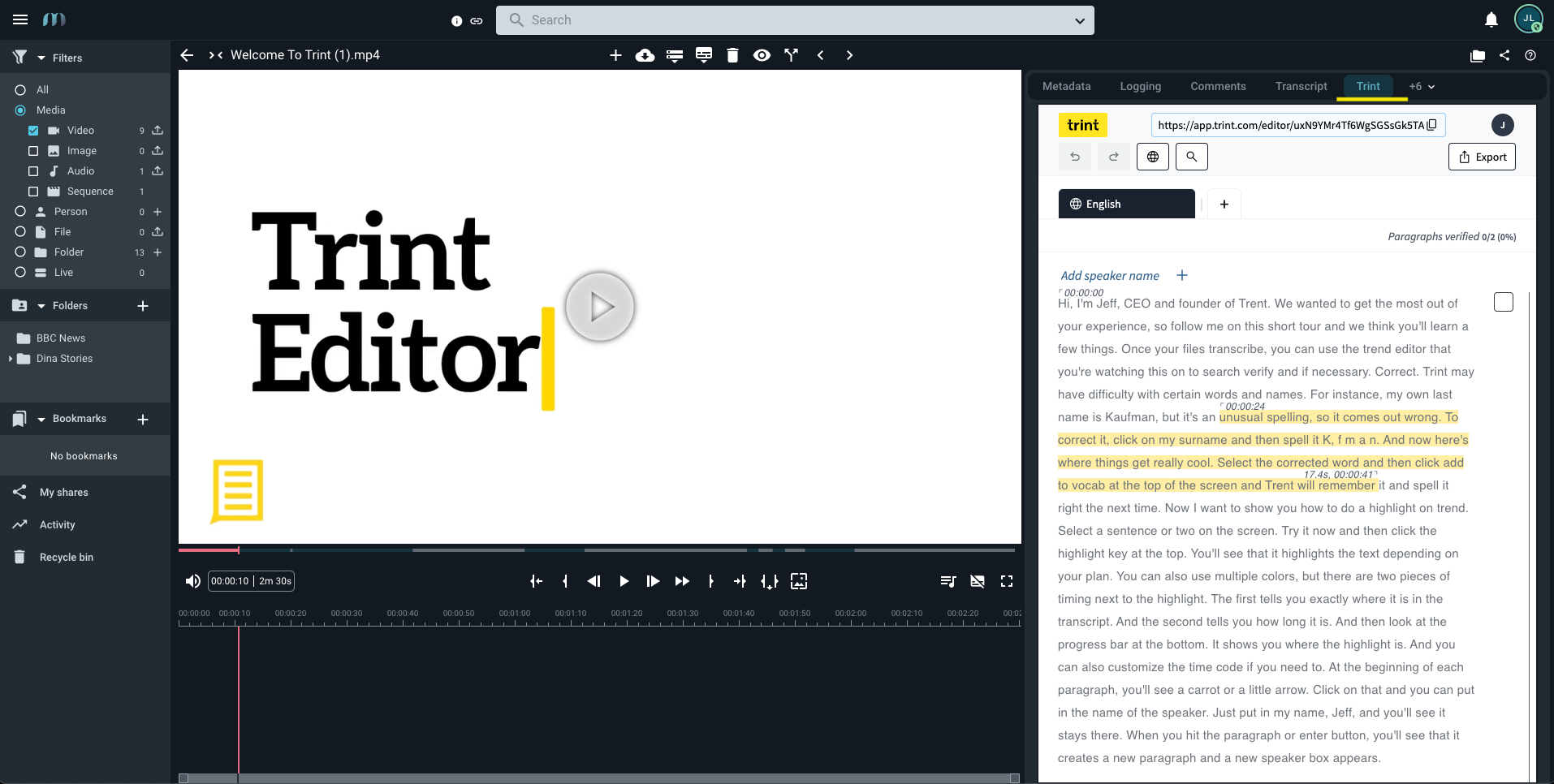
Image source: info.trint.com
Trint is best for content creators and newsrooms who need to link text transcripts directly to video frames.
Trint turns video editing into a text-based process. If you delete a sentence in its text editor, Trint automatically cuts that corresponding scene from the uploaded video. While this functionality is invaluable for a media production team, it is massively over-engineered for standard business teams. The interface is heavy with production features that standard corporate teams will never use, making it unnecessarily complex and cost-prohibitive for simple meeting management.
Pros:
- Features a brilliant media editor for editing video by deleting text.
- Supports highly collaborative storyboarding for media teams.
- Offers strong multi-language translation for global newsrooms.
Cons:
- The media-heavy interface is unnecessarily complex for standard project management workflows.
- Pricing is significantly higher than standard tools, making it cost-prohibitive for general use.
Pricing:
- Team plan: Starts around $90 per seat/month (billed monthly).
- Pro plan: Starts around $100 per seat/month (billed monthly).
- Business plan: Custom pricing for large newsrooms.
8. MAXQDA - Best for academic researchers
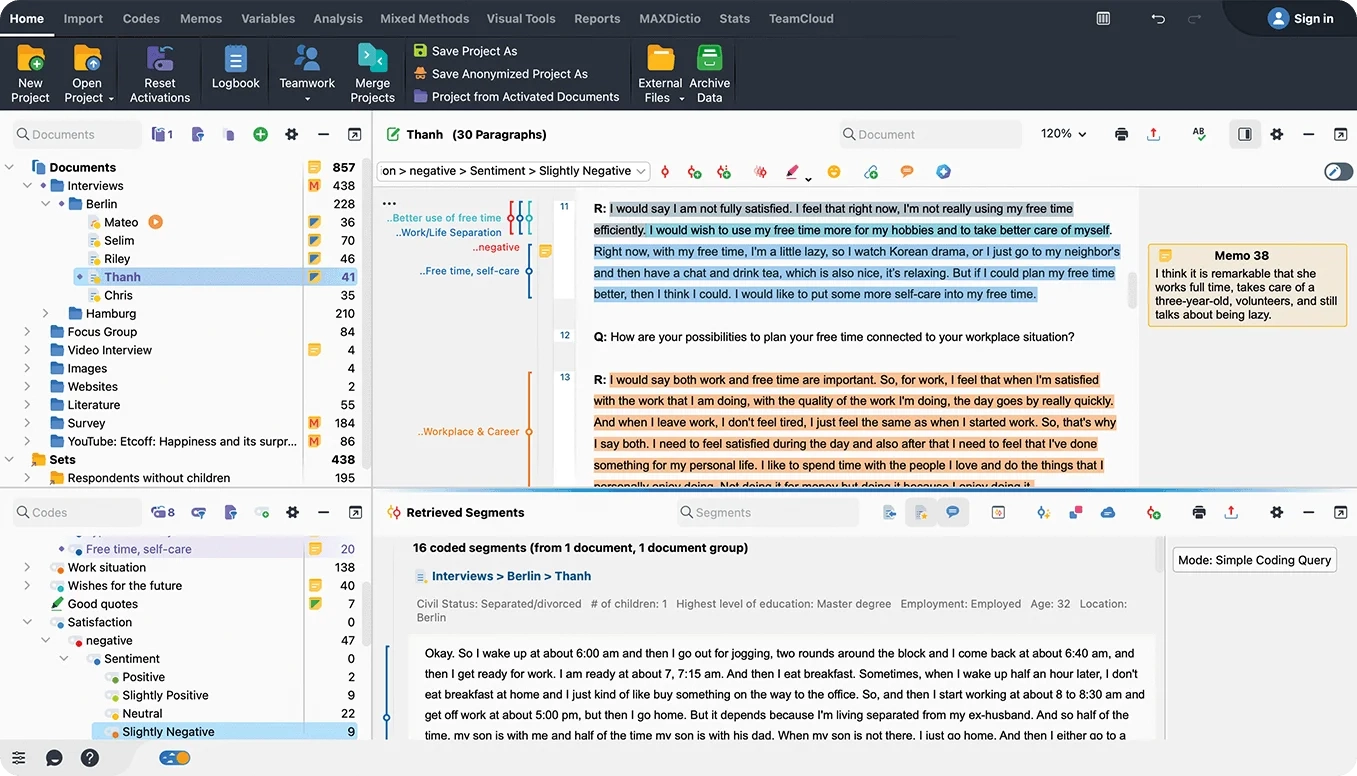
Image source: maxqda.com
MAXQDA is best for academic researchers who require rigorous text coding and qualitative data analysis.
MAXQDA occupies a highly specific niche in the scientific research sector. It provides advanced tools for tagging thematic data points, quantitative text analysis, and creating custom dictionaries across hundreds of hours of audio. While it is a powerhouse for academia, it has almost no practical application for agile business communication. It carries a steep learning curve that is entirely unnecessary for standard corporate workflows, such as extracting simple tasks from a daily product stand-up.
Pros:
- Provides unparalleled tools for qualitative data analysis and thematic coding.
- Offers incredibly strict timestamping for scientific documentation.
- Handles massive volumes of complex data sets effectively.
Cons:
- Features a steep learning curve unnecessary for business professionals.
- Not designed for fast-paced, real-time team communication.
Pricing:
- Operates primarily on high-cost one-time licenses or yearly subscriptions specific to academic and commercial entities.
Why a unified workspace beats a standalone transcribe service online
When evaluating productivity software, I often see IT administrators fixate purely on raw accuracy metrics while completely ignoring the human cost of "app fatigue." Context switching—the act of bouncing between a separate app for chat, another for video meetings, a third for document collaboration, and a fourth just for transcription—.
Consolidating these fragmented tools into a single, all-in-one platform resolves this friction while drastically reducing software procurement costs. When you utilize a unified workspace, you are no longer paying separate monthly invoices to Zoom, Slack, Asana, and a standalone transcription service. You simplify IT onboarding for new employees because they only have to learn one interface.
Most importantly, you transform static text into dynamic workflows. In a unified system, transcribed text does not just sit in an isolated folder. It lives inside a cloud-native workspace where highlighting a sentence can instantly trigger an , tag a team member, and update a . You bridge the gap between having a conversation and actually executing the work.
Consolidate tools and reduce app fatigue with Lark
Step-by-step: How to transcribe an audio file and assign tasks directly
Turning an asynchronous audio message into an actionable, assigned task should take seconds, not minutes. Here is how you can execute this workflow flawlessly inside an all-in-one platform like .
Step 1: Convert the audio message to text
When a colleague sends you a voice note explaining a new project requirement, do not waste time typing it out. On your desktop app, simply hover over the audio message, click the More icon, and select "Convert to Text." The system instantly generates a highly accurate, readable transcript directly in your chat window.
Step 2: Open your project management hub
To ensure the work gets done, you need to turn that text into a tracked objective. Navigate to your unified workspace by opening "Tasks" directly from your main navigation bar.
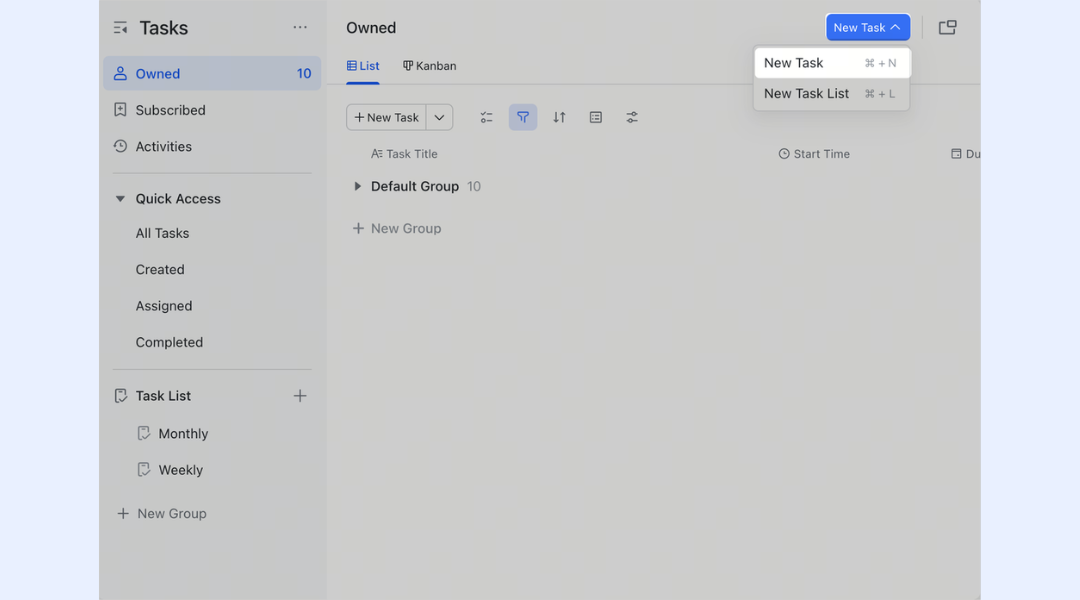
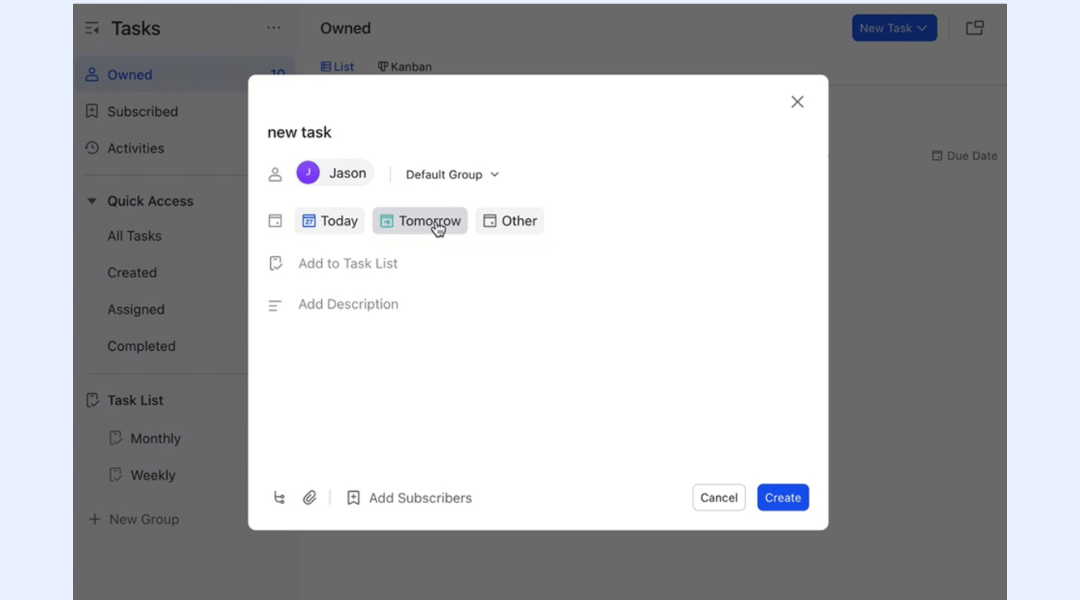
Step 3: Assign the task and paste the details
Click "New Task," and quickly enter the core details, such as the task name, the specific deadline, and the designated assignee. You can easily copy the transcribed text directly into the task content field when creating the task. By keeping this entire process inside one application, you guarantee that zero context is lost between the initial conversation and the final execution.
Replace your fragmented tool stack with Lark's unified workspace
Best practices for recording high-quality audio for transcription
Even the most advanced AI engines perform better when fed high-quality audio. If you want to ensure your transcripts are perfectly accurate with minimal need for manual editing, follow these foundational best practices.
First, optimize your microphone setup. Relying on the built-in microphone on a cheap laptop often results in hollow, echoing audio. Equip your team with dedicated headsets or standalone external microphones that capture voice data clearly and intimately.
Second, rigorously manage your background noise. While modern software features noise-cancellation technology, recording a highly technical software review in a crowded, echoing coffee shop will inevitably introduce spelling errors. Conduct important meetings in quiet environments.
Finally, enforce basic meeting etiquette. The concept of speaker diarization is powerful, but it works best when people do not talk over one another constantly. Encourage clear turn-taking during video calls. When participants wait for their colleague to finish a thought before speaking, the NLP engine can perfectly identify the voices, resulting in the cleanest possible final transcript.
Conclusion
You do not just need raw text on a page; you need an intelligent system that makes your business conversations instantly actionable. Paying for isolated, single-function transcription software inevitably leads to siloed company information, bloated software budgets, and fragmented workflows. By transitioning to a comprehensive, all-in-one collaboration suite, like , you equip your team with the tools to record, transcribe, and execute projects in one secure place. Stop paying for app fatigue and replace your disconnected tech stack today.
Upgrade your productivity with Lark's all-in-one workspace
FAQs
What is the best software for transcription?
If you are asking about the best audio transcription tool, the answer depends entirely on your daily workflows. For standalone media editing, Trint is excellent. For academic research, MAXQDA is the standard. However, if you are a remote or hybrid B2B team, the best software for transcription is a unified workspace like Lark. Instead of just giving you a static text file, Lark integrates messaging, video conferencing, docs, and transcription into one unified platform so you can instantly turn meeting minutes into assigned tasks.
How long does it take to transcribe an audio file?
With modern AI transcription software, processing times are incredibly fast. For most automated voice-to-text platforms, it generally takes about one-third to half the duration of the original audio file. For example, a 60-minute meeting might take 15 to 30 minutes to process in a standalone tool. However, for shorter asynchronous communication—like a quick voice note sent in a unified chat platform like Lark—conversion is nearly instantaneous. By contrast, manual human transcription usually takes about four hours for every one hour of audio.
Can you recommend any companies that provide automated voice-to-text software?
Yes. If you need highly secure, all-in-one collaboration, I recommend Lark, as it builds accurate automated voice-to-text natively into your team chat and video meetings without requiring invasive bots. If you require human-assisted review for strict legal compliance, Rev is a highly reliable company. For strictly live transcription with slide capture, Otter.ai is a popular dedicated service.
How can I transcribe audio to text free online securely?
Using a random free web tool is highly insecure, as you risk exposing confidential company data to third-party servers with poor compliance standards. To transcribe audio securely for free, you should look for a unified workspace platform that offers a generous free tier. For instance, reputable all-in-one suites like Lark provide built-in transcription and robust data storage on their Starter plan, ensuring your files remain within your company's secure ecosystem rather than floating around public servers.
Can an automatic Google transcribe audio to text tool identify different speakers?
Basic dictation tools, including the automatic Google transcribe audio to text features found in standard document voice typing, are primarily built for single-user dictation. They typically lack advanced speaker diarization. This means they cannot accurately identify or separate multiple voices in a team meeting. This limitation is a primary reason why growing businesses prefer advanced, unified platforms that automatically recognize who is speaking and format the transcript accordingly.
Realated reading






























