I see it every day: teams drowning in SaaS sprawl. You jump from a chat app to a project board, then over to a document, losing hours to manual data entry and context switching. This fragmentation kills productivity and inflates budgets. While automation software solution covers everything from basic app connectors to heavy enterprise bots, finding the right fit shouldn't be a guessing game. I've compared the top automation tools of 2026 so you can decide: keep patching up a broken, disconnected tech stack, or upgrade to a modern, unified workspace that actually does the heavy lifting for you.
What is automation software?
Automation software relies on predefined rules to execute routine work without human intervention. But if you are evaluating tools for your team, you need to understand the fundamental difference between two heavily confused concepts: task automation and process automation.
Task automation handles single, isolated triggers. Imagine you receive an email with an invoice attachment. A task automation tool detects this and automatically saves the file to a specific cloud drive folder. It is a linear, one-and-done action.
, however, across different departments. Consider an employee onboarding flow. When HR marks a candidate as "hired," the system doesn't just do one thing. It triggers IT to provision software licenses, sends a welcome wiki document to the new hire, alerts the payroll system, and posts an automated introduction in the department's chat group.
If you only need to connect two disconnected apps, simple task automation works. But if you want to align remote or hybrid teams around complex business operations, you need a platform capable of handling deep process automation natively.
The evolution of automation: From siloed bots to unified workspaces
Choosing an automation tool usually means navigating three distinct approaches, and the market has shifted significantly by 2026.
Approach 1: Heavy enterprise RPA (Robotic Process Automation)
This involves deploying bots to mimic human clicks on legacy software interfaces. It is powerful for Fortune 500 banks processing thousands of forms on outdated systems, but it requires massive IT budgets and dedicated developers. For most modern B2B teams, this is overkill.
Approach 2: The iPaaS "band-aid"
Integration Platform as a Service acts as a bridge between separate apps. This became popular when teams started using a . However, the fatal flaw here is cost and complexity. You are paying expensive subscription fees for your , your , and your document editor—and then paying an additional fee for the integration tool just to force them to talk to each other.
Approach 3: The unified workspace
Instead of stitching together fragmented apps, modern teams are moving toward all-in-one suites. In this model, messaging, , , and project management natively communicate with built-in automation features. There are no expensive third-party bridges required. For growing remote and hybrid teams struggling with fragmented tool stacks, this unified approach is the most cost-efficient and practical standard. Why automation software is essential for modern teams
Understanding the landscape of automation approaches is one thing, but recognizing its indispensable role in today's fast-paced, distributed work environment is another.
In today's highly competitive and remote-first landscape, relying on manual processes is no longer sustainable. Automation software isn't just a luxury; it's a strategic necessity for teams looking to thrive. It directly tackles the core challenges highlighted at the beginning of this article:
- Combating SaaS sprawl & context switching: By consolidating functions or seamlessly connecting disparate tools, automation reduces the need to constantly jump between applications. This keeps teams focused and dramatically cuts down on the cognitive load of .
- Boosting productivity & efficiency: Automation eliminates repetitive, rule-based tasks, freeing up valuable human capital for more creative, strategic work. From automating data entry to streamlining approval flows, it accelerates workflows and allows teams to achieve more with less.
- Reducing operational costs: Beyond saving labor hours, effective automation can significantly lower your overall software expenditure by reducing the need for multiple, overlapping subscriptions and expensive third-party integration tools. It also minimizes costly human errors in data handling.
- Enhancing collaboration & alignment: Especially critical for remote or hybrid teams, automation ensures that information flows correctly and tasks are assigned appropriately across departments. It creates a single source of truth for projects and communications, fostering better team alignment.
- Improving accuracy & compliance: Automated systems follow predefined rules precisely, drastically reducing errors in data processing and reporting. This is particularly vital for tasks requiring high accuracy or adherence to regulatory standards.
Investing in the right automation solution transforms a fragmented collection of tools into a powerful, cohesive system that drives growth and efficiency.
The 8 best automation software solutions in 2026
To see how these three approaches play out in the real world, I spent time evaluating the top platforms on the market this year. The list below covers the entire spectrum: heavy RPA bots for legacy systems, iPaaS connectors for fragmented stacks, and modern unified workspaces. As you compare these tools, pay close attention to the hidden costs of integrating separate apps versus the efficiency of having automation built natively into your communication and project management layer. Here is a high-level breakdown before we look at each tool in detail.
1. Lark
is an all-in-one productivity powerhouse designed for growing SMEs and large enterprises, especially remote or hybrid teams, aiming to eliminate . It consolidates communication, collaboration, and project management into a single, cost-efficient unified workspace.
When your remote team relies on scattered tools like for chatting and for project specs, valuable context gets buried. You end up chasing approvals across different browser tabs, which brings momentum to a complete halt and causes critical deadlines to slip. Lark eliminates this friction by operating as a unified workspace that:
- Combines essential tools: Integrates , , , , , and AI-powered functionalities.
- Preserves context: Features an integrated for project specifications directly accessible within chat, removing the need to switch applications.
- Streamlines document collaboration: Allows native access and editing of documents within communication channels, so you don't need to generate external shareable links for reviews.
- Connects project management: , its built-in project management tool, integrates natively with goal and , ensuring project milestones automatically update high-level objectives without third-party tools.
- Simplifies approvals: Budget requests and other approvals appear as interactive cards directly within messaging flows, enabling one-click approval from managers while maintaining conversation context.
Pros:
- Dramatically reduces software costs by acting as an all-in-one alternative to multiple subscriptions (chat, video, docs, PM).
- Built-in real-time translation features support natural multilingual communication for global teams.
- Highly rated by users, holding a 4.5/5 on G2 and 4.4/5 on Capterra.
Cons:
- The platform offers so many integrated features that it requires a mindset shift from using single-purpose apps, but the comprehensive makes it painless.
- Starter plan: Free forever plan with 11 powerful tools for up to 20 users, 100GB storage, 1,000 automation runs, AI translations, and more. No credit card needed.
- Basic plan: $6/user/month (billed annually) for up to 500 users. Includes everything in Starter plus unlimited message history, 5TB storage, 1,000 automation runs, and more. Some users may need to to purchase.
- Pro plan: $12/user/month (billed annually) for up to 500 users. Includes everything in Basic plus group calling for up to 500 attendees, 15TB storage, 50,000 automation runs, and more.
- Enterprise plan: for custom pricing. Supports unlimited users and includes advanced automation, security, compliance, and management features.
For small teams with simple communication needs

18 months message history
1000 Base automation runs/month
2000 rows per table in Base
Most POPULAR
For companies with comprehensive collaboration and management needs
Unlimited message history
500-participant video meetings
50k Base automation runs/month
20k rows per table in Base
For large companies with advanced security and organizational management needs
Get a personalized demo and pricing
Unlimited message history
500-participant video meetings
15 TB storage + 30 GB storage/user
500k Base automation runs/month
50k Base automation runs/month
Most POPULAR
For companies with comprehensive collaboration and management needs
Unlimited message history
500-participant video meetings
50k Base automation runs/month
20k rows per table in Base
Consolidate your tools and reduce SaaS costs with Lark
2. Make (formerly Integromat)
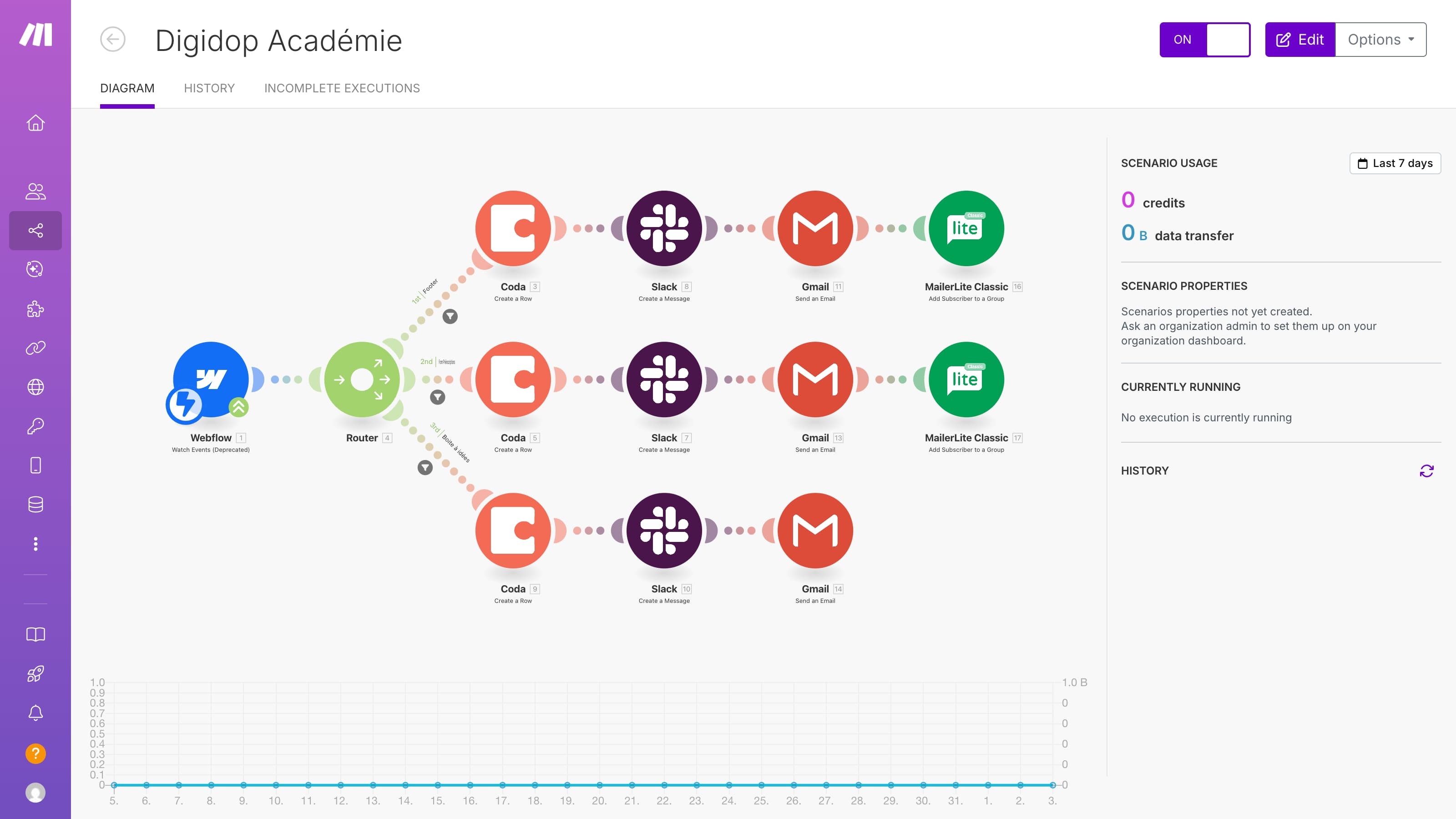
Image source: digidop.com
Make is best for technical operations teams that need to build complex data routing between completely separate software systems. It stands out for its highly visual drag-and-drop integration builder.
When your company is locked into a highly fragmented SaaS stack, you need a way to pass data between those isolated apps. Make operates as an Integration Platform as a Service (iPaaS), allowing you to visually design workflows that connect tools via their APIs. For instance, if you want a lead from a custom web form to automatically populate into your CRM and then trigger a customized email sequence, Make handles that data mapping brilliantly.
However, it is vital to understand that Make is strictly a connector, not a workspace. It does not replace any of your existing software. You must still pay the expensive monthly licensing fees for your dedicated project management tools, communication apps, and document editors. The platform is also quite technical; while they advertise a visual builder, understanding API responses and data arrays is often necessary to get complex flows working correctly.
Pros:
- Highly visual interface for mapping out complex, multi-step integrations.
- Supports thousands of third-party apps and custom API connections.
- Offers more advanced data manipulation tools compared to basic integration software.
Cons:
- Does not consolidate your tool stack; you are adding another subscription on top of your existing SaaS bills.
- Steep learning curve for non-technical users who do not understand API data structures.
Pricing:
- Make offers a Free plan that includes up to 1,000 credits per month.
- Paid plan pricing varies by user count and billing option — check the Make pricing calculator for the latest rates.
3. Zapier
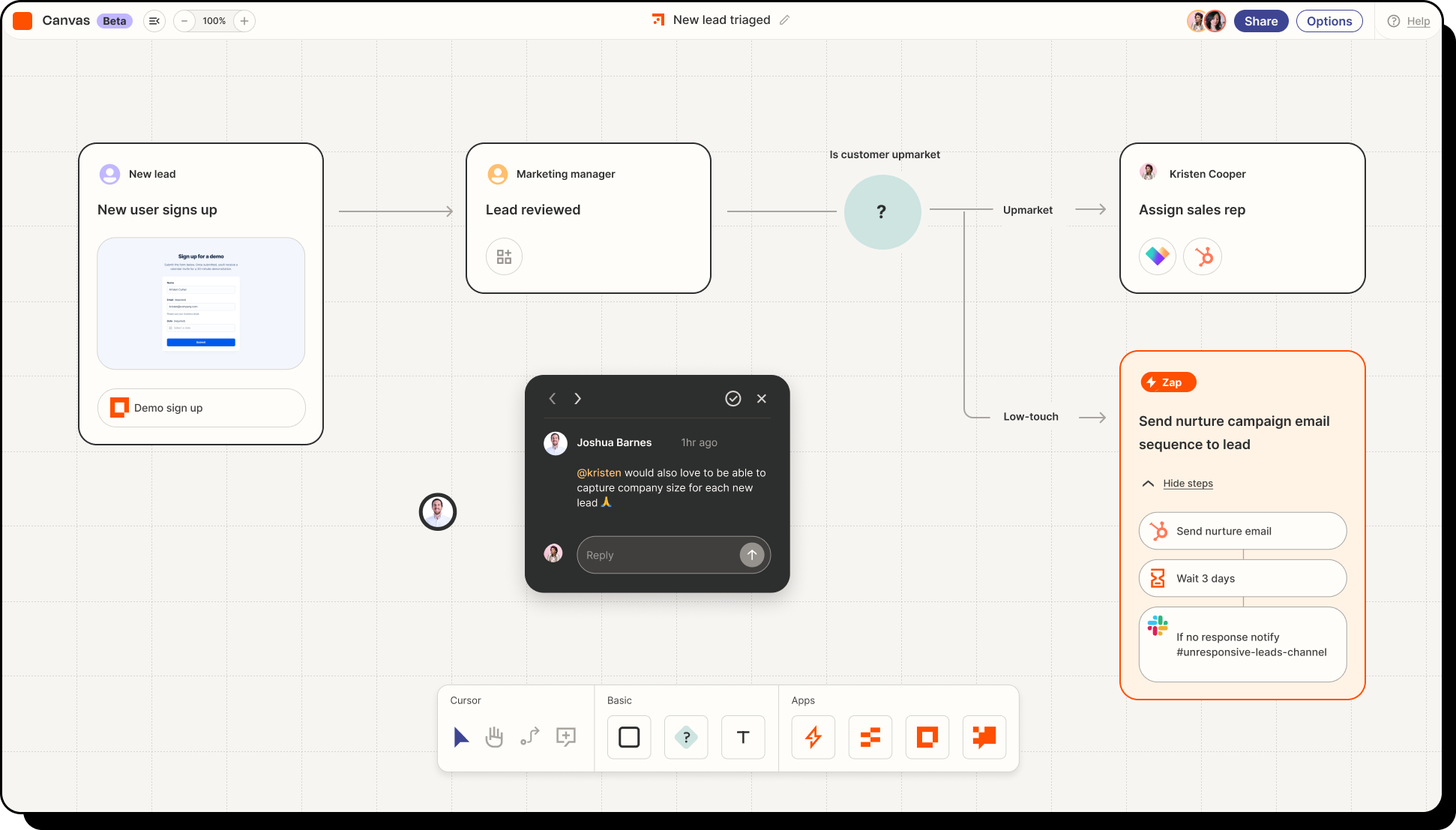
Image source: zapier.com
is best for non-technical users who need to set up simple, linear triggers between well-known apps. It stands out for its massive directory of supported software and ease of use.
Zapier is the industry standard for basic "If this, then that" automation. If you have a marketing team that wants to send a chat notification every time a new row is added to a spreadsheet, Zapier can set that up in under three minutes. Its primary value proposition is making API connections accessible to anyone, regardless of their coding ability.
The major limitation lies in its pricing and scalability. Zapier charges based on the number of "tasks" executed. If your team sets up a high-frequency automation—like updating task statuses across hundreds of daily customer support tickets—your task limit will deplete rapidly. Compared to unified platforms that include generous allowances natively, relying heavily on Zapier to patch together disjointed apps often results in unexpected and exorbitant monthly bills.
Pros:
- Incredibly user-friendly for beginners creating simple triggers.
- Integrates with over 6,000 different web applications.
- Extensive template library that requires zero setup time.
Cons:
- Task-based pricing model becomes extremely expensive for high-volume workflows.
- Multi-step workflows require higher-tier paid plans and become difficult to manage at scale.
Pricing:
- Zapier provides a Free plan strictly limited to 100 tasks per month and single-step automations.
- Paid plans begin around $19.99 per month (billed annually).
4. Automation Anywhere
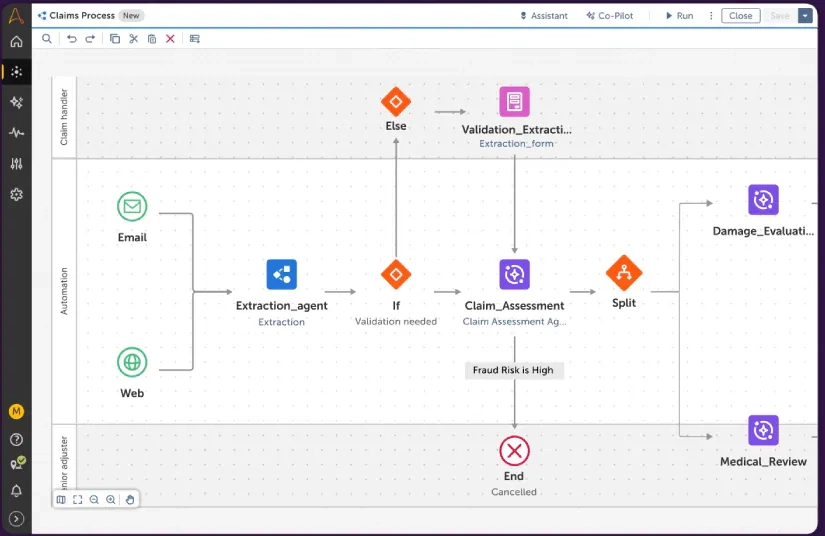
Image source: automationanywhere.com
is best for Fortune 500 enterprises that need to scrape and interact with legacy systems that lack modern APIs. It stands out for its heavy robotic process automation (RPA) capabilities.
For global banks or healthcare institutions running on decades-old software, standard integrations do not work. Automation Anywhere deploys digital bots that mimic human actions—like clicking buttons on a legacy screen, copying text, and pasting it into a secure database. It excels at high-volume, repetitive data entry tasks where security and compliance are paramount.
The downside is the extreme implementation barrier. Deploying Automation Anywhere is not a weekend project; it requires specialized developers, dedicated IT servers, and an enormous budget. For a standard marketing, HR, or product team looking to , RPA is massive overkill.
Pros:
- Capable of automating legacy systems that do not have API access.
- Enterprise-grade security and compliance frameworks.
- Highly scalable for processing millions of data rows.
Cons:
- Deployment and maintenance costs are exceptionally high.
- Provides zero team collaboration or communication features.
Pricing:
- Automation Anywhere does not list public pricing. You must contact their enterprise sales team for a custom quote.
5. Jira
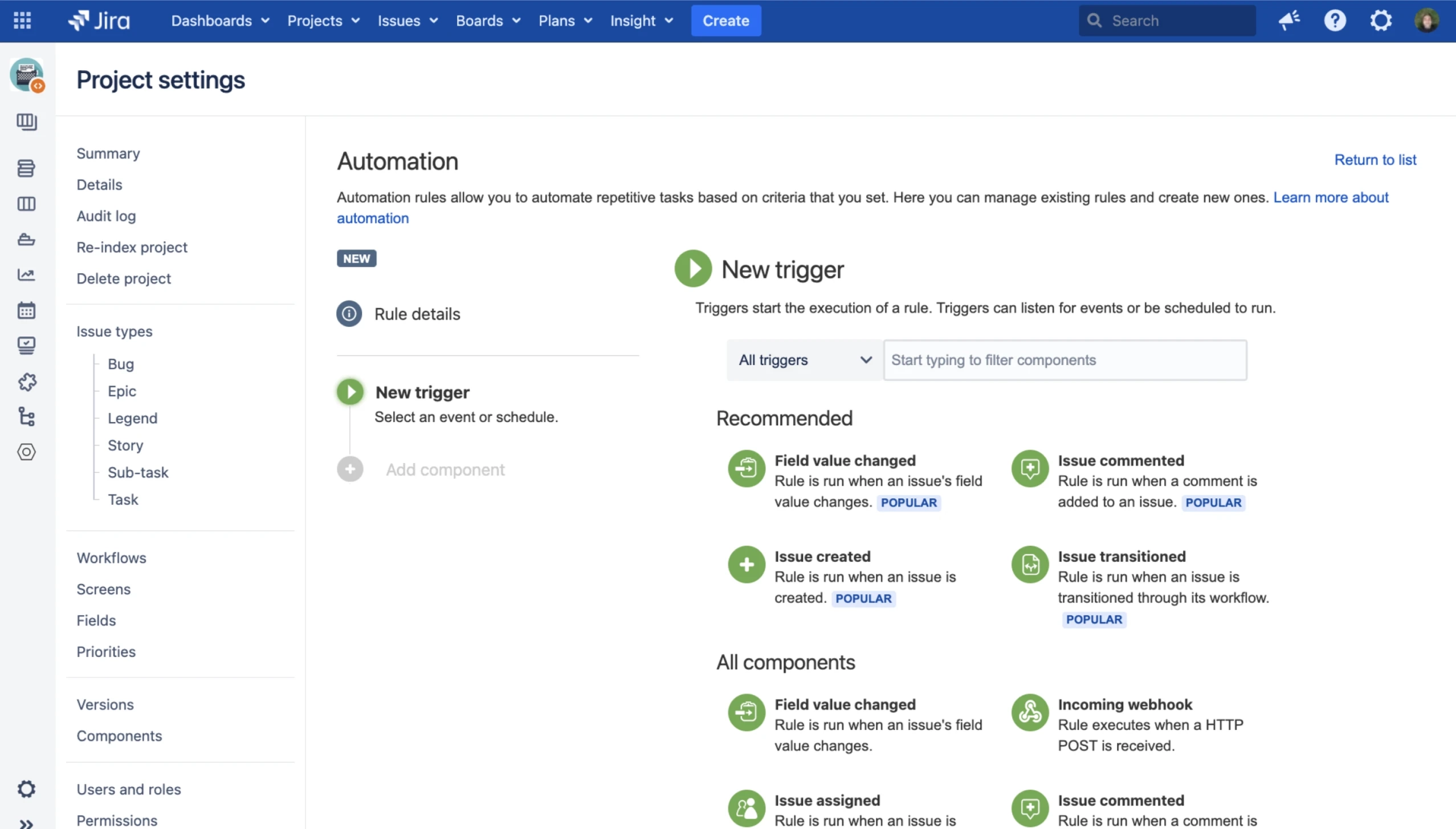
Image source: atlassian.com
is best for software engineering and DevOps teams tracking sprints and code deployments. It stands out for its deep integrations with developer tools and IT ticketing.
Jira is a powerhouse for agile software development. Its native automation rules are built specifically around engineering workflows. For example, when a developer merges code in Bitbucket, Jira can automatically transition the related issue to "Done" and notify the QA team. This keeps sprint boards perfectly updated without developers having to leave their command line.
However, Jira suffers from a severe silo effect. The interface is notoriously rigid and highly technical, meaning marketing, sales, and HR departments generally refuse to use it. This forces the company to buy a completely different project management tool for non-technical staff, re-creating the exact SaaS fragmentation that destroys company-wide alignment.
Pros:
- Deep, native integrations with developer environments.
- Robust agile reporting and sprint tracking.
- Pre-built automation templates for IT and DevOps workflows.
Cons:
- Interface is too rigid and complex for non-technical teams.
- Fails to act as a unified company-wide collaboration space.
Pricing:
- Jira offers a Free plan for up to 10 users with limited automation rules.
- Paid plan pricing varies by user count and billing option — check the Jira pricing calculator for the latest rates.
6. Hive
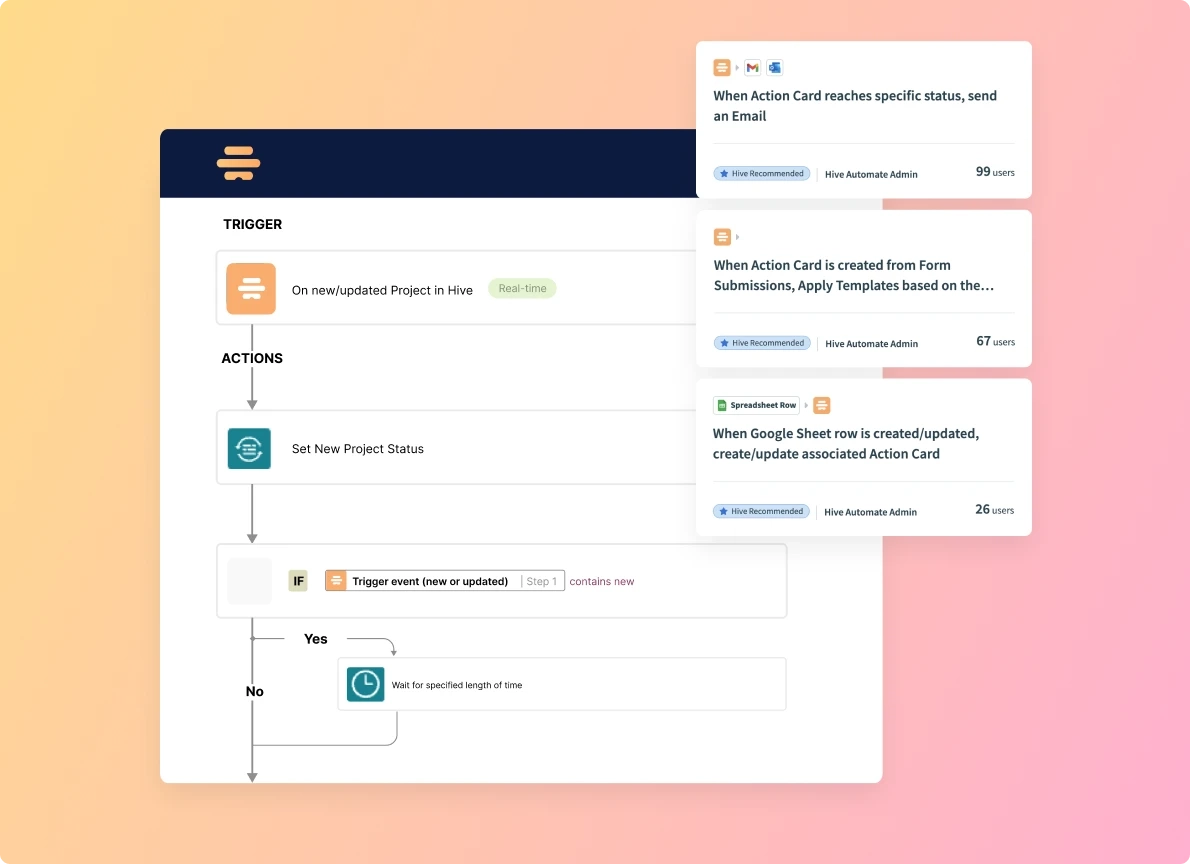
Image source: hive.com
is best for teams that need visual project management boards with basic task automation capabilities. It stands out for its flexible project views and time tracking.
Hive functions primarily as a project management layer. It allows teams to view tasks as Kanban boards, Gantt charts, or calendars. Its automation engine focuses on task management—for example, if a task's status changes to "Approved," Hive can automatically assign the next subtask to a designer and change the due date.
While it handles task routing well, Hive lacks the depth of a true unified workspace. It does not offer native enterprise-grade video conferencing or cloud-native document creation on the level of dedicated suites. Your team will still need to jump out of Hive and into a separate video or chat application to actually discuss the work, keeping your tool stack fragmented.
Pros:
- Multiple ways to view the same project data (Kanban, Gantt, Table).
- Built-in time tracking and resource allocation tools.
- Easy-to-use action cards for task management.
Cons:
- Lacks native, deep document collaboration features.
- You still have to pay for separate communication and video tools.
Pricing:
- Hive has a Free tier for light project management.
- Paid plans start around $5 per user/month (billed annually).
7. Blue Prism (now part of SS&C)
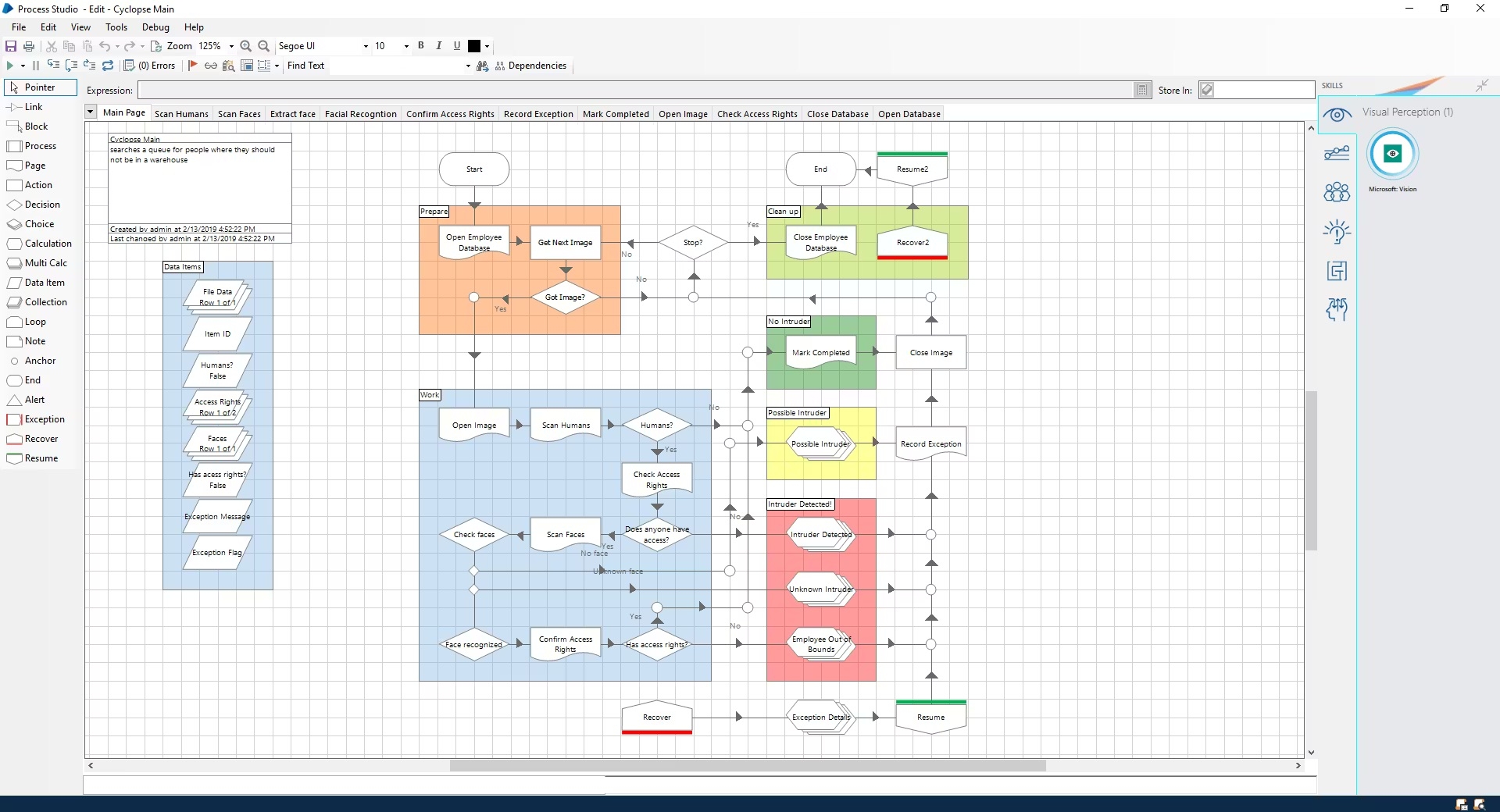
Image source: documentation.agilepoint.com
is best for heavily regulated industries like banking and insurance that require an intelligent digital workforce. It stands out for its highly secure, unattended RPA bots.
Similar to Automation Anywhere, Blue Prism focuses on automating back-office tasks that require absolute precision and auditability. If an insurance company needs to process 10,000 identical claims across three legacy mainframes every night, Blue Prism's unattended bots will handle it flawlessly.
This is strictly an enterprise IT tool. It offers no project management interfaces, no chat applications, and no document editing. The learning curve is incredibly steep, requiring certified RPA developers to build and maintain the workflows.
Pros:
- Unmatched audit trails for strict regulatory compliance.
- Bots can run unattended 24/7 on remote servers.
- Highly stable architecture for mission-critical data processing.
Cons:
- Requires a dedicated team of certified developers to operate.
- Completely disconnected from everyday team communication and project planning.
Pricing:
- Pricing is strictly opaque and customized for enterprise deployments. There is no standard free tier for commercial use.
8. ClickUp
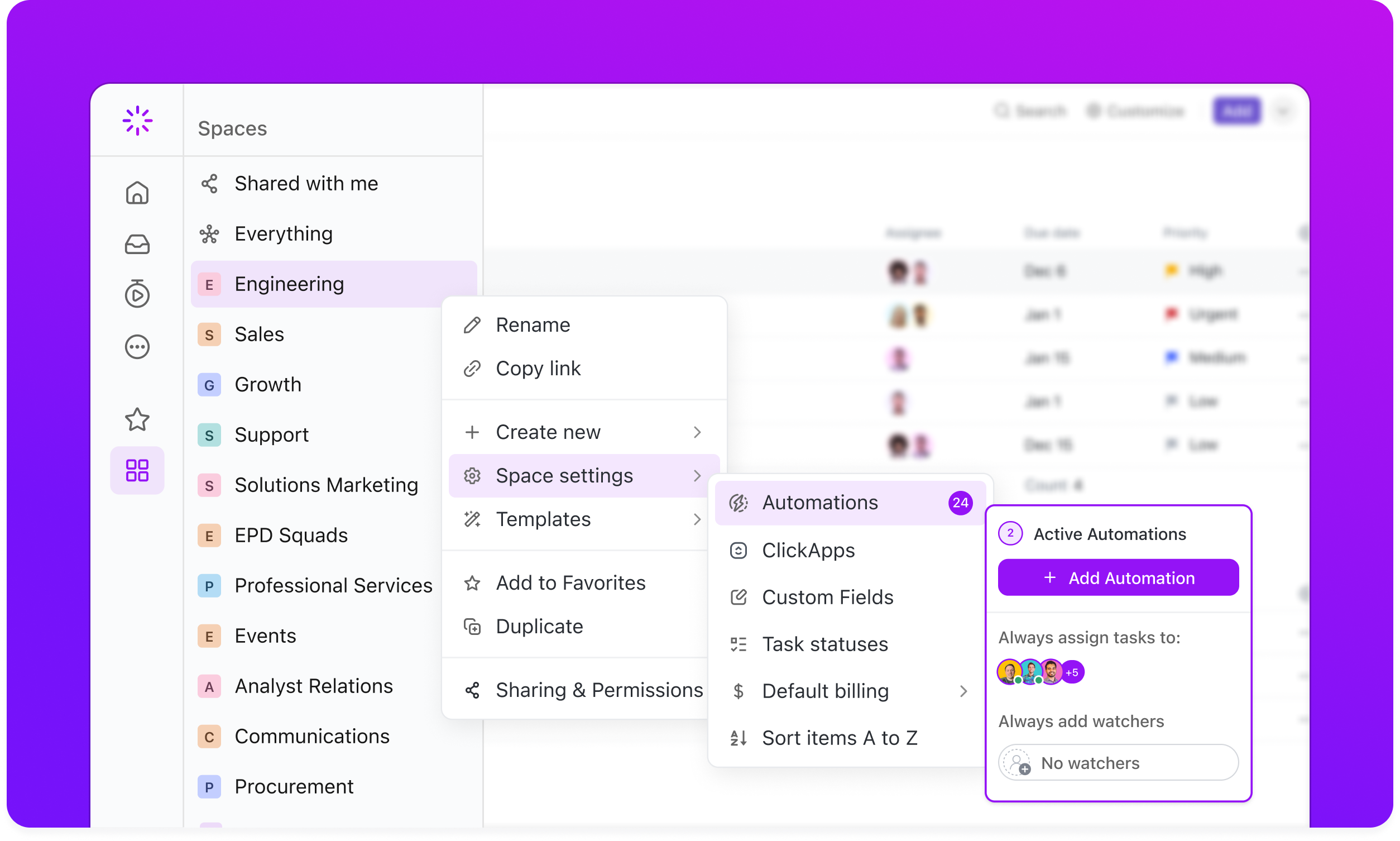
Image source: clickup.com
is best for small, highly detail-oriented teams that obsess over customizing every aspect of their project dashboards. It stands out for its sheer volume of customization options.
ClickUp markets itself as the app to replace them all, offering tasks, whiteboards, and dashboards. Its automation features allow you to create specific rules, such as changing priority levels based on due dates or applying pre-set templates when a new client is onboarded.
The primary drawback of ClickUp is feature bloat. Because you can customize almost everything, workspaces frequently become messy and disorganized. This high level of complexity often leads to slow load times and low adoption rates among new employees, who find the interface overwhelming compared to cleaner, more focused unified suites.
Pros:
- Highly customizable task statuses and custom fields.
- Offers a massive library of pre-built workflow templates.
- Includes basic whiteboarding and document features.
Cons:
- Feature bloat leads to a cluttered, overwhelming user interface.
- High customization often results in low adoption rates across non-technical staff.
Pricing:
- ClickUp offers a Free Forever plan with limited storage and automation limits.
- Paid plans start at $7 per user/month (billed annually).
How to choose the right automation software for your team
Now that we have explored the top contenders across heavy RPA, iPaaS connectors, and unified workspaces, how do you actually make the final call for your team? Navigating a list of distinct tools can feel overwhelming. Selecting requires looking past flashy marketing claims and examining how your team actually works day-to-day.
To narrow down your choices and ensure you make a sustainable decision, I recommend evaluating your options through the following three lenses.
Ecosystem consolidation vs. external integration
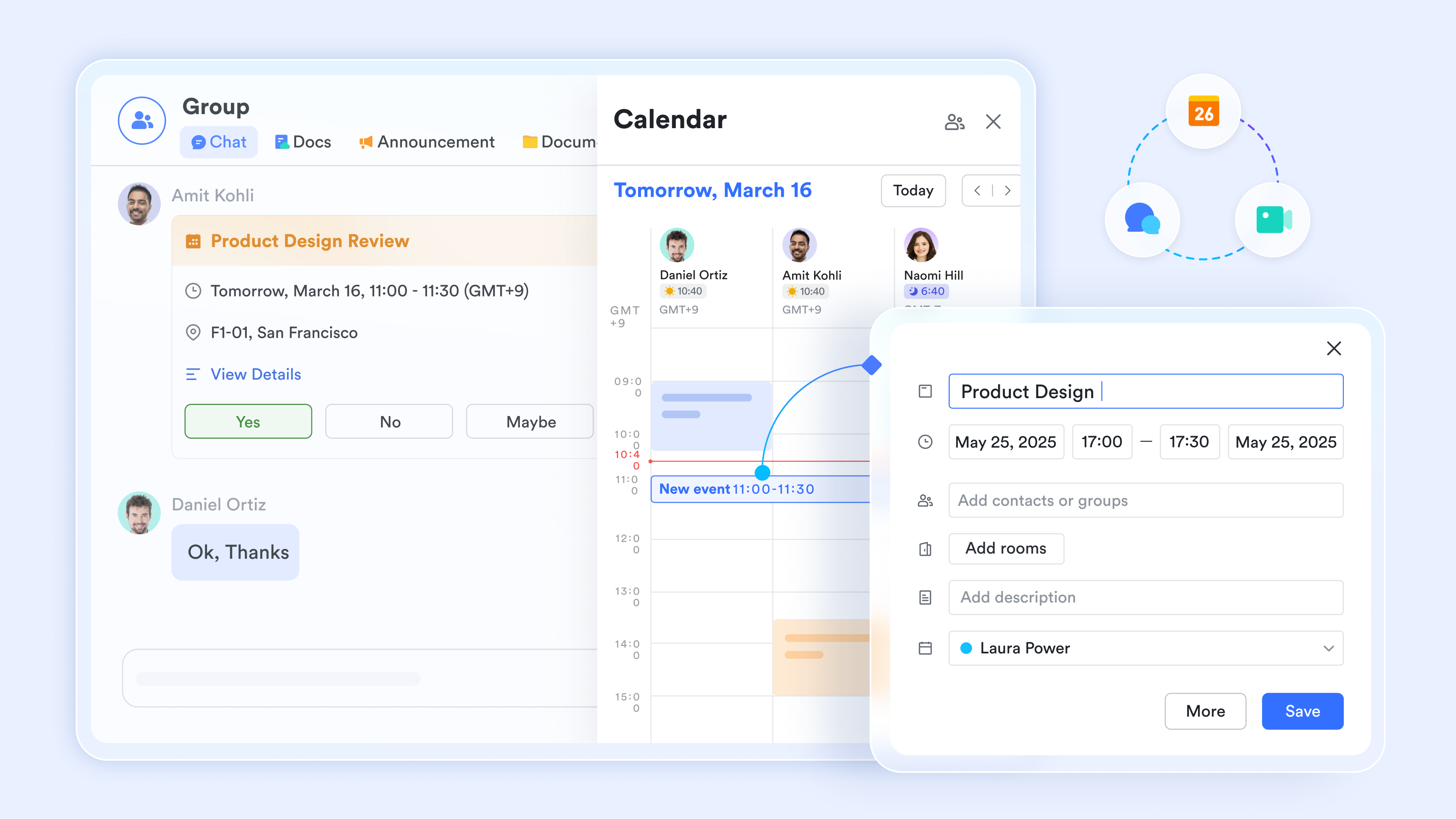
The biggest decision you will make is whether to integrate separate tools or consolidate them. If your team absolutely refuses to move away from a specific legacy CRM, you will need an iPaaS tool like Make to act as a bridge. However, if your primary goal is to stop paying for separate chat, video, and document subscriptions, you should evaluate an all-in-one unified workspace, like . Consolidation always yields better alignment because the automations happen natively within the platform where the communication is already occurring.
Scalability and run limits
Do not get trapped by hidden costs. Many standalone automation connectors look cheap on the surface but charge per "action" or "run." If you set up an automation that syncs customer data every five minutes, you will burn through a 1,000-task limit in a few days. Look closely at the volume limits. Unified platforms typically offer much larger native allowances—for instance, provides 50,000 automation runs on standard pro tier—because the data does not have to travel through expensive third-party APIs.
Ease of use and no-code interfaces
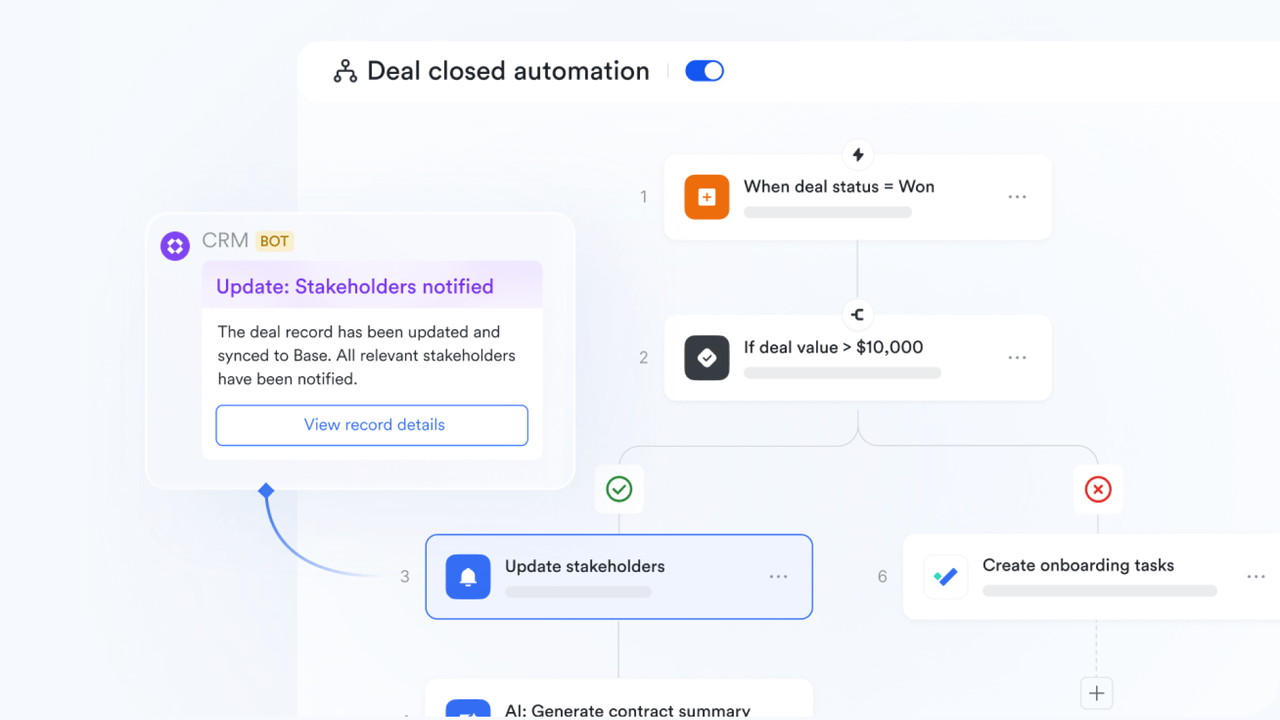
Automation is useless if only your IT department knows how to build it. Modern businesses need HR managers to build onboarding workflows and marketing leads to build approval chains. Prioritize software with visual, no-code interfaces. If a tool requires understanding API payloads or JSON formatting just to set up a , it will never see widespread adoption across your company.
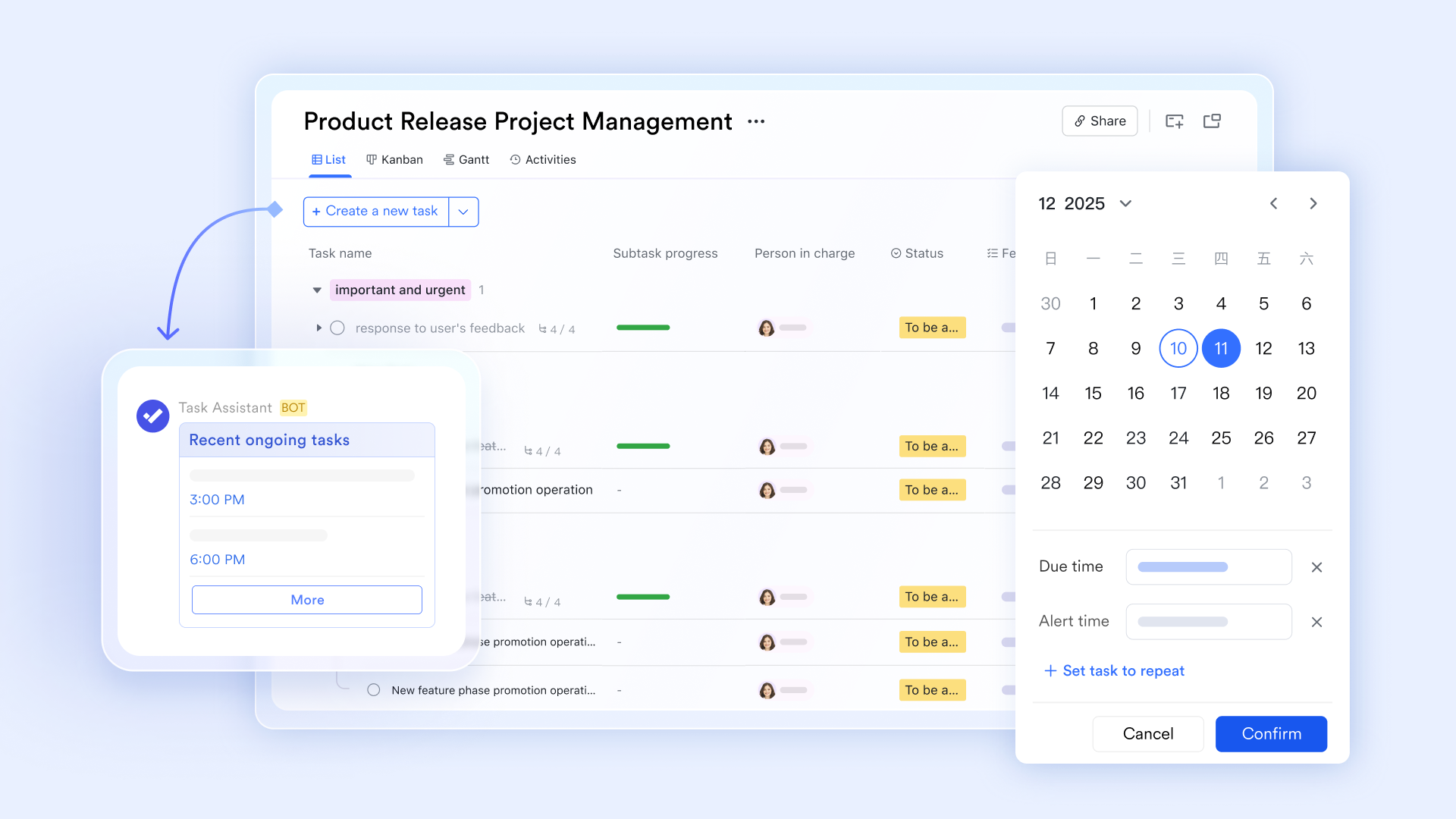
Once you find a user-friendly tool that your team will actually adopt, the final step is justifying the financial investment to your leadership.
The true ROI of automation: Beyond time savings
When business leaders , they often focus entirely on the labor hours saved. They use a standard formula: hours saved per week multiplied by the average hourly wage. While saving 15 hours a week on manual data entry is fantastic, it only tells half the story. The most significant financial win of modern automation isn't just saving time—it is slashing your overall software procurement costs through SaaS consolidation.
Consider a standard hybrid team of 100 employees. They are likely paying $15 per user for a project management tool, $10 per user for a dedicated chat app, $15 for video conferencing, and another $20 for a basic automation connector. That equates to $6,000 a month just to keep a fragmented tech stack running.
When you shift to a unified workspace, like Lark, that has automation built directly into the communication and project management layer, you do not just save time. You actively cancel three or four independent software subscriptions. You are completely removing the subscription cost of the integration tool itself because the chat function and the document function no longer need an external bridge—they live in the same ecosystem. This allows companies to slash their software procurement budgets while simultaneously reducing the human errors that occur when manually copying data from one tab to another.
This is an illustrative example using assumed market prices. Actual costs vary by vendor, plan, and contract.
Conclusion
Fixing your automation strategy shouldn't mean buying yet another expensive integration tool to connect fragmented apps. If your team is exhausted from jumping between disconnected chat windows, project boards, and scattered documents, it is time to upgrade. You need a unified platform where collaboration and automation exist natively in the same space. I highly recommend trying . It gives you the exact features you need to consolidate your tech stack, cut redundant software costs, and finally get real work done.
Build smarter workflows in one unified workspace with Lark
FAQs
What are examples of automation software?
Automation software typically falls into three main categories based on how it connects your workflows. Examples include unified workspaces like Lark (which builds automated approvals and workflows directly into your chat and documents), iPaaS connectors like Zapier or Make (which link separate, disconnected apps via APIs), and enterprise Robotic Process Automation (RPA) platforms like Automation Anywhere (which use digital bots to mimic human clicks on legacy interfaces).
What are the top 5 automation tools?
Based on the needs of modern B2B teams, the top five automation tools include:
- Lark: Best all-in-one unified workspace for consolidating your tech stack and team communication.
- Make: Best for technical operations teams building complex data routing and visual API mapping.
- Zapier: Best for non-technical users needing to set up simple, linear triggers between apps.
- Automation Anywhere: Best for Fortune 500s scraping and interacting with heavy legacy systems.
- Jira: Best for software engineering and DevOps teams tracking agile development sprints.
Will RPA be replaced by AI?
No, AI will not entirely replace RPA in the near future; rather, it will aggressively enhance it. Traditional RPA is excellent at handling highly structured, rule-based tasks on legacy systems, but it breaks when a process deviates from the script. AI brings cognitive capabilities—like Lark's built-in AI translations and smart workflows—allowing software to interpret unstructured data, make contextual judgments, and adapt to workflow changes without requiring constant developer intervention.
Related reading