If you've ever launched Facebook Lead Ads and watched new contacts drip into an inbox, you already know the anxious feeling of "who is following up, and when?" Imagine a Tuesday afternoon: a promo post starts trending, a hard‑won lead form fills up, and then your team's messages scatter across email, chat, and personal phones. Without a proper pipeline, the fastest path from interest to deal gets lost in handoffs. This is exactly where a CRM for Facebook leads earns its keep—by capturing every form submission in real time, distributing it to the right rep, and orchestrating fast, personalized follow‑ups across channels.
Key takeaways: Top 8 CRM for Facebook leads
- Lark: Built-in suite: chat, docs, calendar, database CRM
- HubSpot CRM: Native lead ads sync, growth automation
- Zoho CRM: Customizable workflows with strong value
- Salesforce Sales Cloud: Enterprise workflows and governance
- Pipedrive: Visual pipelines with simple automation
- Freshsales: AI sequences with calling and email
- Monday sales CRM: No‑code boards, flexible automations
- Copper: Google Workspace‑native, lightweight CRM
What is CRM for Facebook leads
A CRM for Facebook leads is the operational backbone that reliably captures and normalizes lead data from Facebook Lead Ads, on‑page forms, messenger, and Instagram forms, then routes, enriches, and tracks each record through your sales pipeline. Beyond ingestion, the system should cleanly map custom fields, de‑duplicate records, preserve campaign/ad set/ad creative for attribution, and trigger the exact next step—owner assignment, tasks, sequences, and alerts—without manual work. Teams starting small may opt for a genuinely free CRM for Facebook leads to pilot their flow, while growth‑stage teams look for the arguably best CRM for Facebook leads to scale precision, compliance, and reporting. If you operate Perfex, the widely used Facebook leads integration module for perfex CRM can sync submissions directly into your instance; self‑hosted teams sometimes explore a carefully free CRM for Facebook leads download to validate requirements before committing. Ultimately, picking the for your Facebook leads comes down to fast sync, dependable automations, built‑in collaboration, and trustworthy analytics.
- Definition: Central system of record for Facebook‑sourced leads across forms and messaging.
- Scope: End‑to‑end journey management from capture and routing to nurturing, deal stages, and handoff.
- Data model: Custom fields and mappings that preserve UTM/campaign context for accurate attribution.
- : Rules, sequences, and SLAs that assign owners, create tasks, and escalate if no response.
- : Built‑in chat/docs/calendar so teams triage and act in one place, reducing context switching.
- Extensibility: APIs, webhooks, and connectors to unify ads, website events, email, telephony, and billing apps.
See how CRM for facebook leads transforms follow‑ups
Key benefits of using a CRM for Facebook leads
- Faster, cleaner lead capture: Real‑time ingestion, robust field mapping, and automatic deduplication improve speed to first touch and eliminate double work. Small teams can prudently start on a notably best free CRM for Facebook leads to validate this motion before upgrading.
- Deeper personalization: Unify Facebook data with website activity, email engagement, and call notes to drive segmented nurturing and tailored sales outreach. This is where an arguably best CRM for your Facebook leads will surface intent signals and automate the right sequence.
- Streamlined follow‑ups: Automations assign owners, , trigger sequences, and enforce SLAs—so you respond faster and convert more. If you're on Perfex, consider the widely adopted Facebook leads integration module for perfex CRM to keep records flowing consistently into queues.
- matters: When chat, docs, calendar, meetings, tasks, approvals, and a no‑code database with views and automation are built‑in (not merely integrated), teams can triage and act in one place—reducing context switching and tightening the loop from lead to opportunity. This approach often outperforms a loosely connected stack, even compared to a seemingly free CRM for Facebook leads, once volume increases.
- Attribution clarity: Preserving campaign/ad set/ad creative enables reliable comparisons of form length, copy, and creative against stage‑level conversion, guiding reinvestment toward high‑velocity paths. Many buyers shortlist the arguably best CRM for Facebook leads based on this exact reporting discipline.
- Scalability and governance: As teams grow, you'll need permissioning, field‑level audit trails, and data lifecycle policies. An initially convenient free CRM for Facebook leads download can be useful for prototyping, but production success typically requires enterprise‑grade roles, logs, and backup strategies available in mature platforms.
In practice, the path is simple: Pilot quickly (even with a thoughtfully free CRM for Facebook leads), measure time‑to‑first‑touch and conversion lift, then standardize on the best CRM for your Facebook leads that demonstrates consistent SLA compliance, built‑in collaboration, and clear attribution.
Find all benefits in an all-in-one CRM
Product‑by‑product deep dive: 8 CRMs that handle Facebook leads well
1. Lark: Built-in workspace for capture, routing, and conversion
Overview
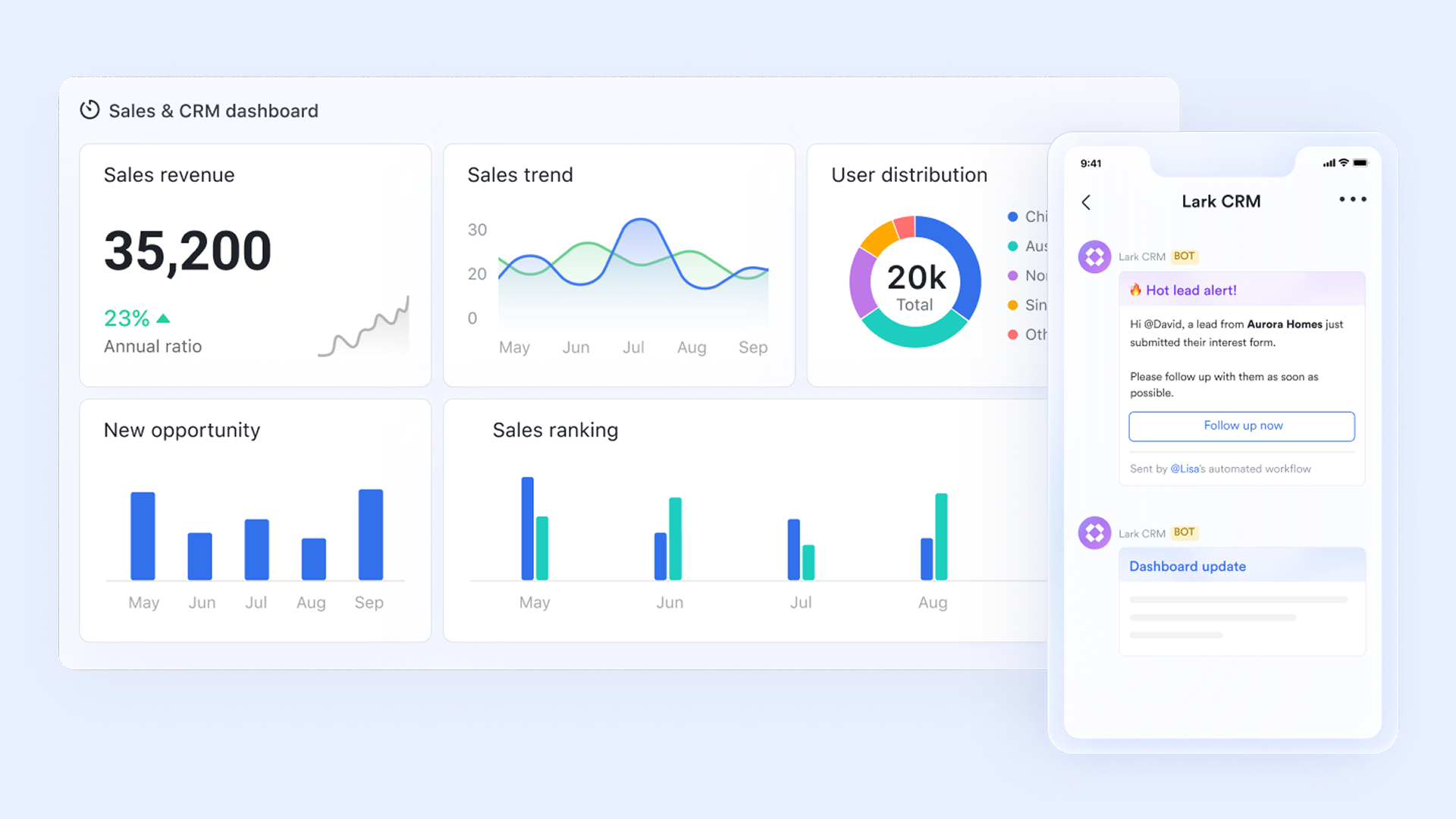
brings CRM essentials for Facebook leads into a single, built-in workspace—so your team captures, routes, and converts faster without stitching tools together. With (no‑code database), , , , , , , , and more in one place, new Facebook Lead Ads submissions can flow into Base, trigger automations via webhooks/bots or connectors, and kick off real follow‑ups right where your team already collaborates. Because everything is built‑in (not merely integrated), you get fewer failure points, tighter SLAs, and a clearer path from "lead captured" to "deal closed."
Key features
The core of your lead management CRM software:
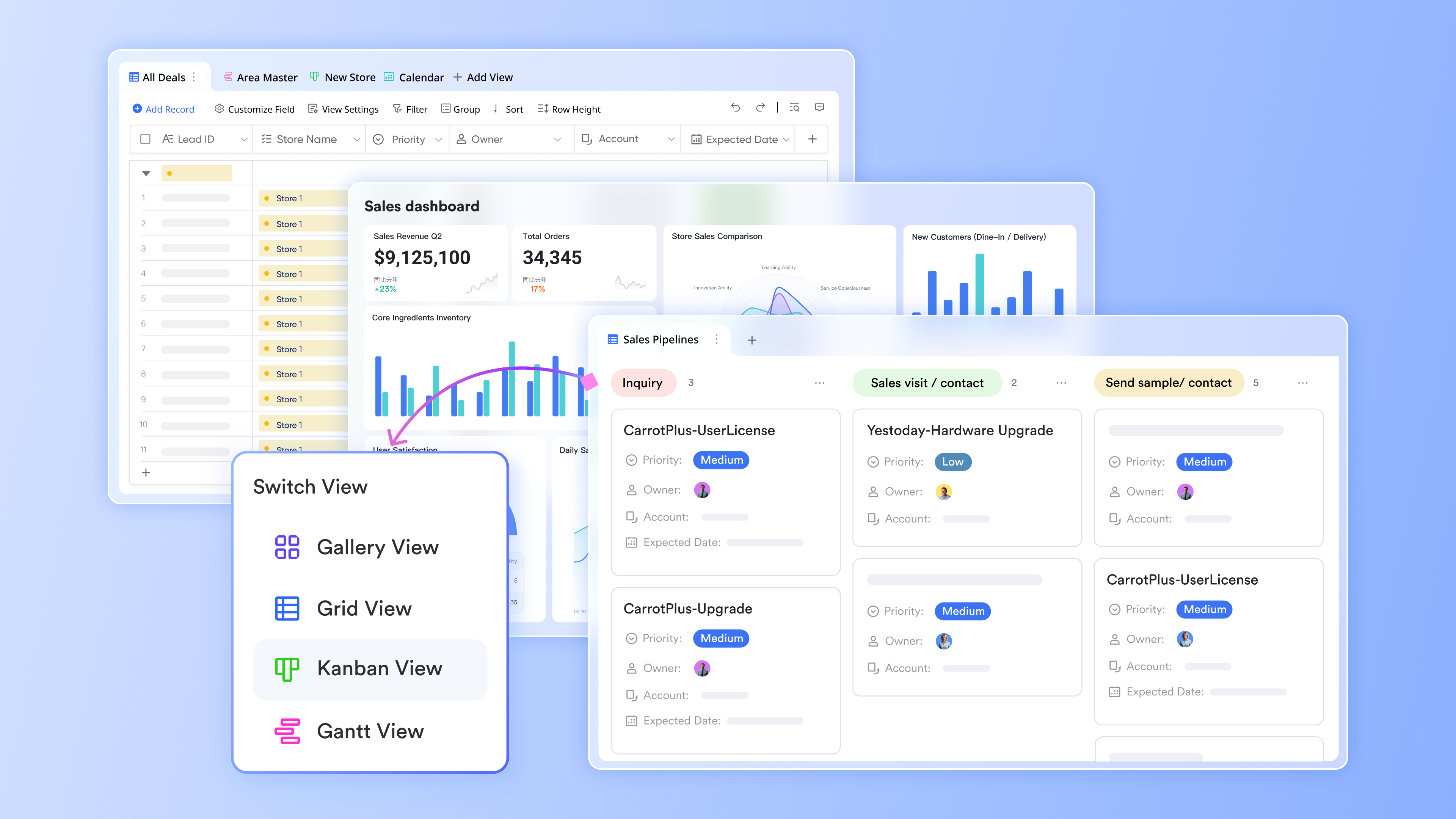
Lark Base is the no‑code backbone of your lead management CRM software. You can design a custom CRM for Facebook leads with fields for lead source, campaign, ad set, form ID, deal stage, contacts, and activities—every Facebook lead ad goes straight into Base, replacing manual CSV exports with one clean system of record.
Teams get flexible views (table, , filtered boards like "New FB leads" or "Needs follow‑up"), and reps can update records from desktop or mobile. Automations in Lark Base assign owners, create follow‑up tasks, and move deal stages as soon as a new lead arrives. Managers track time‑to‑first‑touch, conversion by campaign, and pipeline health via live dashboards, while fine‑grained permissions and AI features (such as activity summaries and account profiles) keep data secure, actionable, and ready for scale.
Real‑time routing and collaboration on leads:
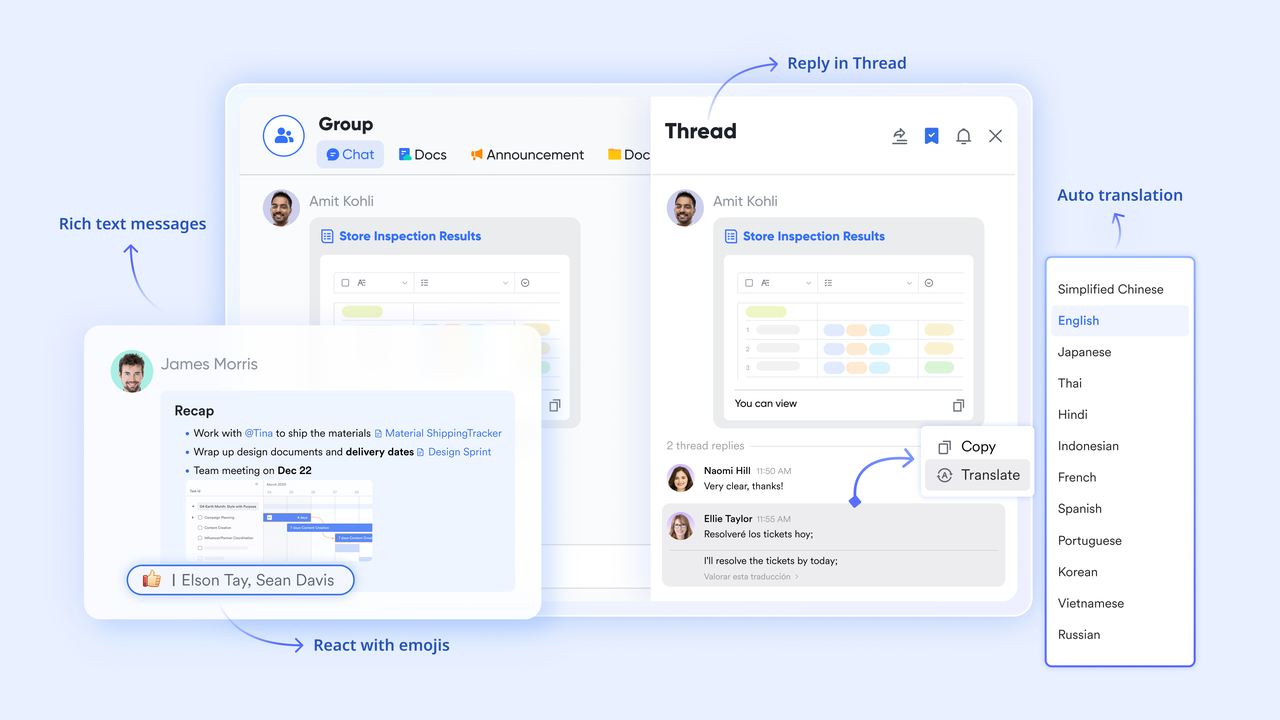
Lark Messenger keeps your team on top of new Facebook leads with instant, targeted notifications. When a lead comes in, the right channel and owner are @mentioned so they can respond within minutes, and focused discussions stay tied to that specific opportunity.
For approvals or escalations, Lark Messenger supports quick manager reviews of pricing, discounts, or next steps directly in chat. With key context and decisions in one place, teams avoid scattered email threads and coordinate follow‑ups faster and more reliably.
Smarter decisions across the lead lifecycle: Lark AI and
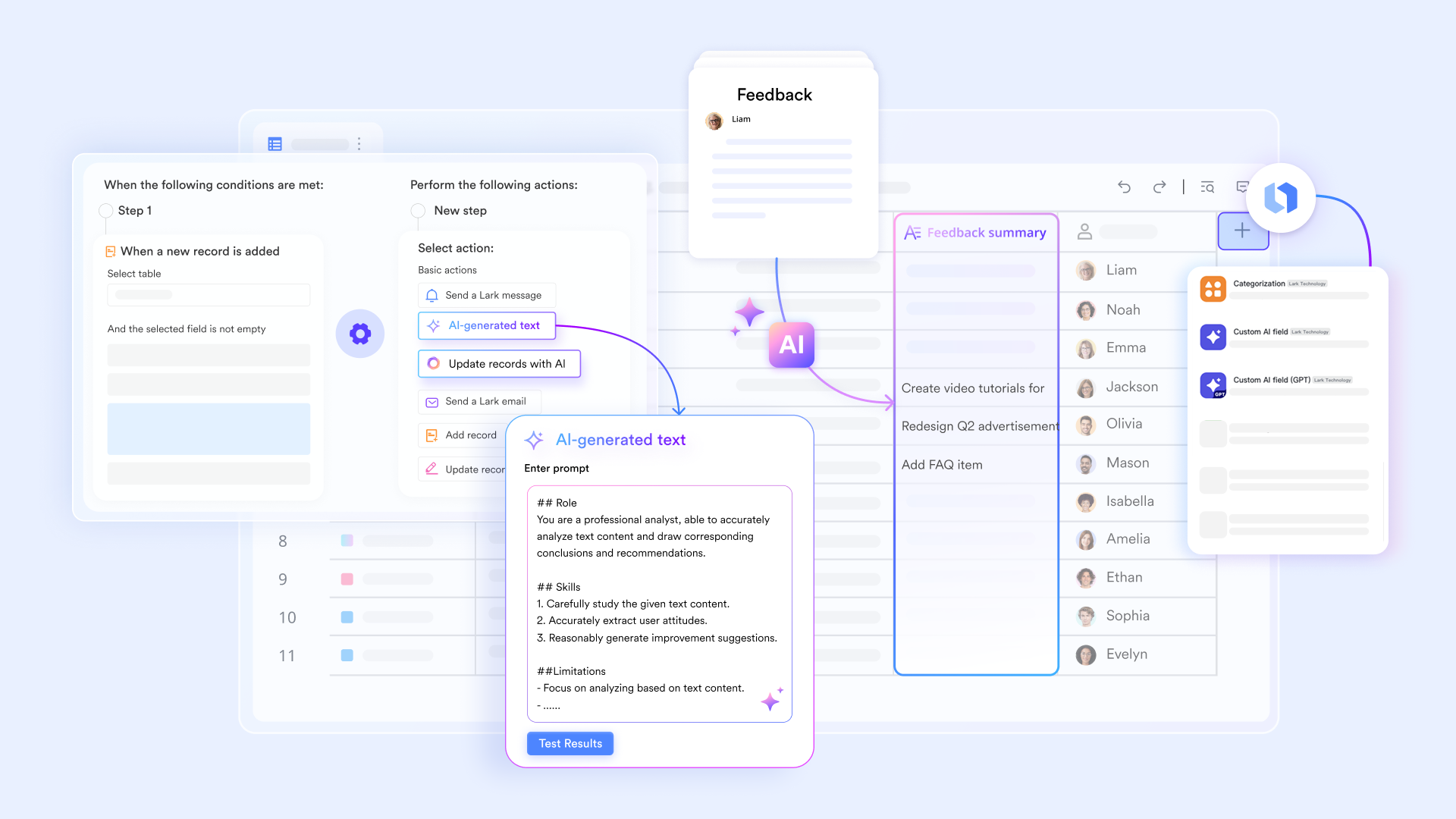
Lark AI enhances the data stored in Lark Base, helping your team move from raw Facebook leads to prioritized opportunities. From a Base record, reps can use AI to generate concise summaries of past interactions, compile richer customer profiles, or draft outreach and call scripts tailored to each lead. Over time, AI‑driven insights on engagement and activity patterns can help you identify which Facebook campaigns or lead types are more likely to convert, guiding how you allocate budget and effort.
With automation rules defined in Lark Base and powered by AI where needed, repetitive lead management tasks—such as tagging records, updating fields based on behavior, or surfacing at‑risk opportunities—run in the background. This keeps your lead management CRM software current, reduces manual errors, and gives both reps and managers a clearer, real‑time picture of .
Pros
- One workspace from capture to close: Chat, docs, meetings, tasks, approvals, and data live together—minimizing context switching and tool sprawl.
- Faster first response: Real‑time bot alerts in Lark Messenger, instant Lark Calendar scheduling, and Lark Mail templates accelerate day‑0 follow‑ups.
- No‑code agility: Ops can iterate Base fields, views, automations, and Forms without engineering tickets.
- Meeting intelligence: Minutes and AI Meeting Notes keep discovery calls and demos searchable and shareable for smooth handoffs.
Cons
- A little learning curve. Although user-friendly, new users may require time to adapt to the integrated functionalities. But can assist users with potential problems.
Who should choose Lark
Teams that want collaboration‑first CRM execution for Facebook leads—marketing, sales, and service working in one built‑in platform to speed handoffs, enforce SLAs, and keep every touchpoint in context. Ideal for fast‑moving SMBs and mid‑market teams that value no‑code agility with enterprise‑grade controls.
:
- Starter plan: Free forever plan with 11 powerful tools for up to 20 users, 100GB storage, 1,000 automation runs, AI translations, and more. No credit card needed.
- Basic plan: $6/user/month (billed annually) for up to 500 users. Includes everything in Starter plus unlimited message history, 5TB storage, 1,000 automation runs, and more. Some users may need to to purchase.
- Pro plan: $12/user/month (billed annually) for up to 500 users. Includes everything in Basic plus group calling for up to 500 attendees, 15TB storage, 50,000 automation runs, and more.
- Enterprise plan: for custom pricing. Supports unlimited users and includes advanced automation, security, compliance, and management features.
: Switching to Lark's Pro plan can lead to significant cost savings— for example, a 100-employee company using Slack, Google Workspace, and Airtable could save approximately $19,800 annually by consolidating their tools with Lark.
For small teams with simple communication needs

18 months message history
1000 Base automation runs/month
2000 rows per table in Base
Most POPULAR
For companies with comprehensive collaboration and management needs
Unlimited message history
500-participant video meetings
50k Base automation runs/month
20k rows per table in Base
For large companies with advanced security and organizational management needs
Get a personalized demo and pricing
Unlimited message history
500-participant video meetings
15 TB storage + 30 GB storage/user
500k Base automation runs/month
50k Base automation runs/month
Most POPULAR
For companies with comprehensive collaboration and management needs
Unlimited message history
500-participant video meetings
50k Base automation runs/month
20k rows per table in Base
2. HubSpot CRM: Native lead ads sync, growth automation
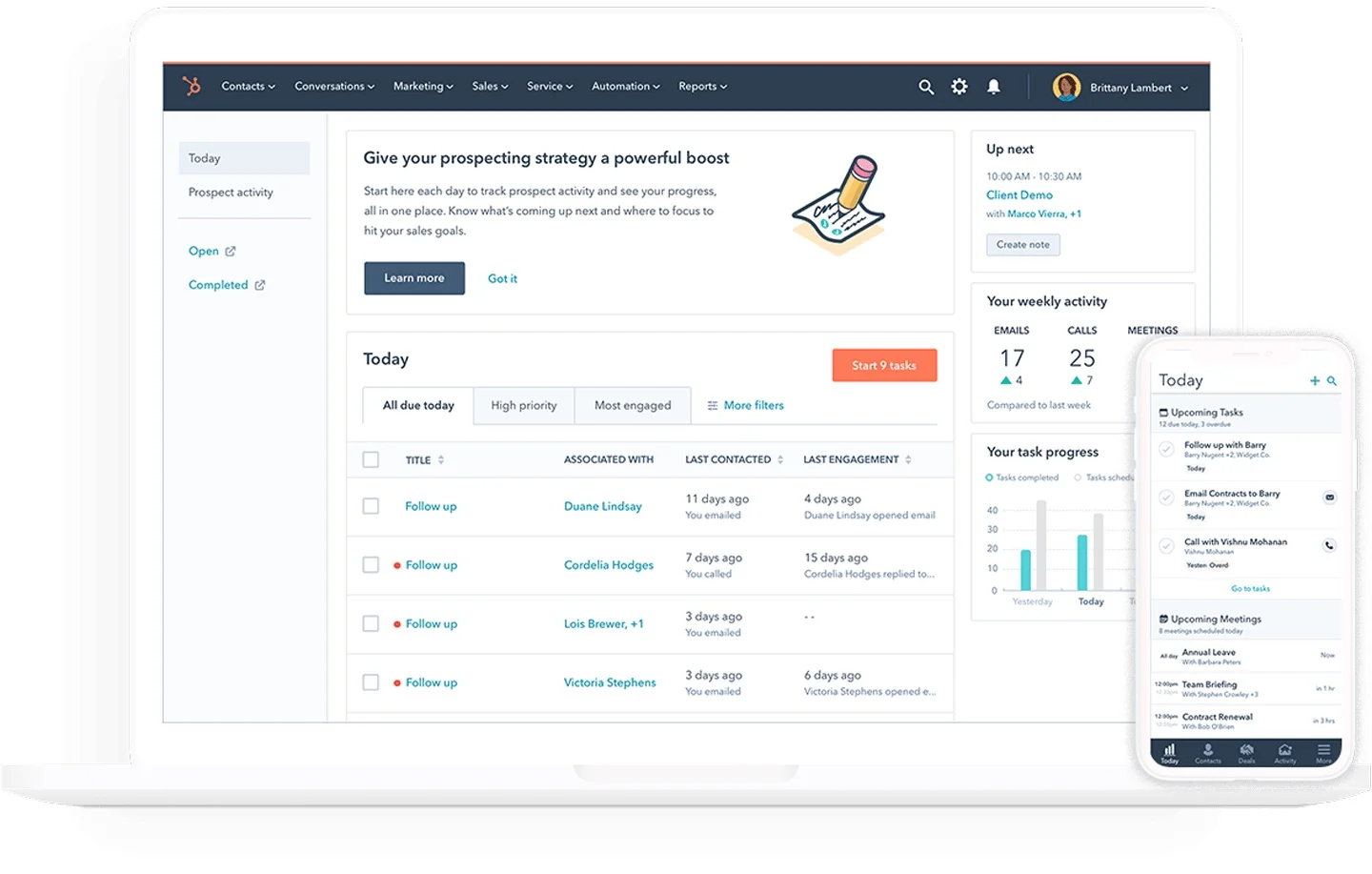
Image source: hubspot.com
Overview
HubSpot is a popular marketing‑sales platform with native Facebook Lead Ads sync. It offers a unified database, email templates, sequences, and pipeline tools, backed by reporting that spans marketing to closed‑won. Its free tier makes it easy to pilot Facebook lead capture and follow‑up before expanding into automation at scale.
Key features
- Native Facebook Lead Ads sync with field mapping
- Workflows, sequences, templates for outreach and nurturing
- Contact activity timelines unify email, site interactions, and sales touches
- Dashboards for lifecycle, source attribution, and rep performance
Pros
- Generous free tier for quick validation
- Strong automation in paid tiers; robust ecosystem
- Easy to set up basic lead capture and routing
Cons
- Can become pricey as you add hubs and contacts
- Power users may need admin time to keep workflows clean
Who should choose HubSpot CRM
SMBs to mid‑market teams wanting an end‑to‑end growth stack from marketing to sales—and especially teams looking for a convincingly best free CRM for Facebook leads initially.
Pricing:
- Free plan: Available for up to 2 users
- Paid plans: Start at $13/month per user (free trial available)
3. Zoho CRM: Best for customizable workflows with strong value
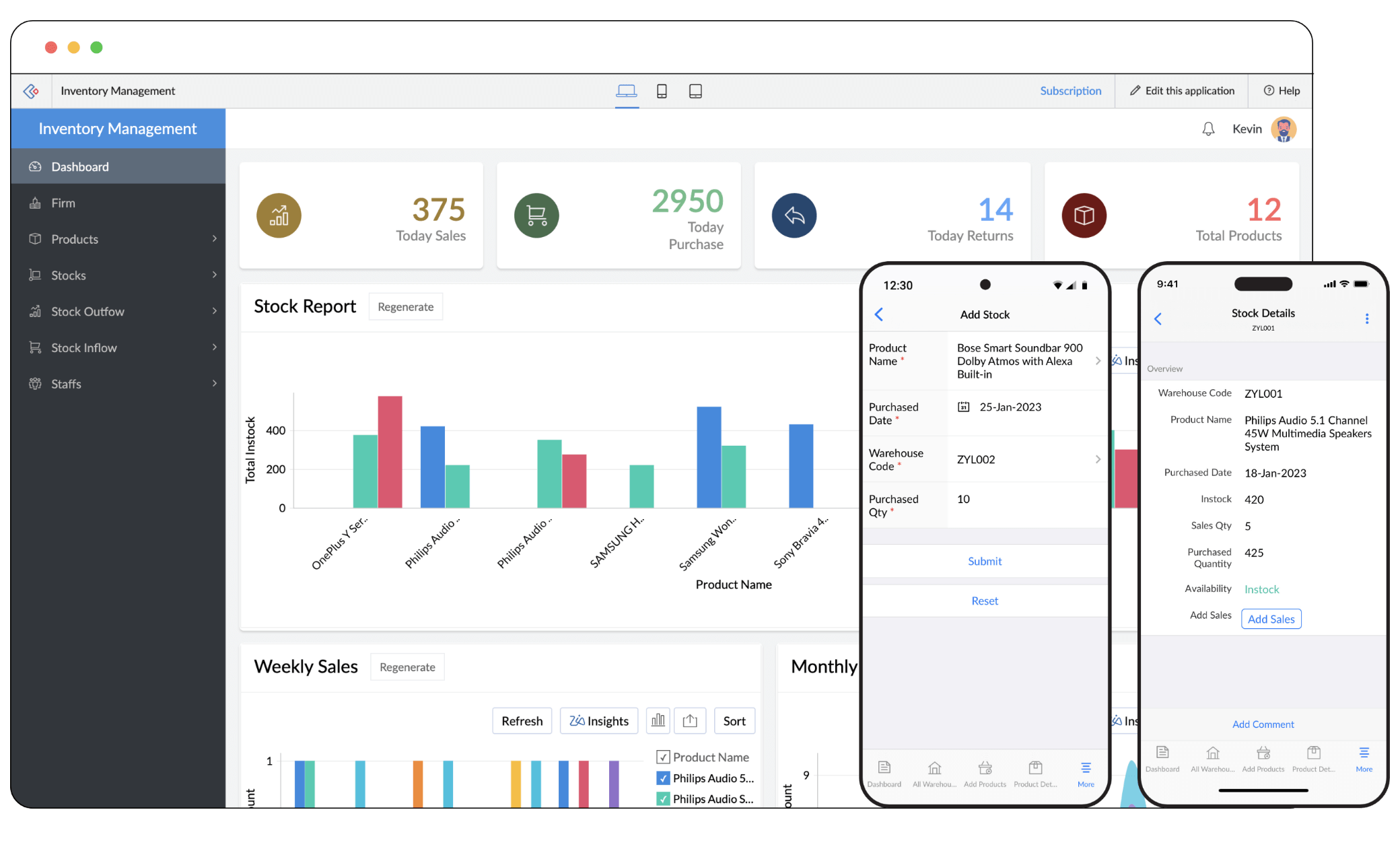
Image source: zoho.com
Overview
Zoho CRM focuses on value and breadth. It supports Facebook lead capture via connectors and offers custom modules, process automation (Blueprint), scoring, and solid reporting. It's known for balancing affordability with flexibility, especially when paired with other Zoho apps.
Key features
- Custom modules and fields; blueprint for process orchestration
- Lead scoring and assignment rules
- Reporting and dashboards with sharing controls
- Broader Zoho ecosystem (email, docs, finance) if needed
Pros
- Strong price‑to‑capability ratio
- Flexible configuration to match varied sales processes
- Scales with broader Zoho apps for back‑office needs
Cons
- Admin learning curve for deeper customizations
- UI consistency can vary across the ecosystem
Who should choose Zoho CRM
SMBs that want deep customization without enterprise‑level costs and that plan to grow into a broader suite of business apps.
Pricing:
- Free plan: Available(3 users)
- Paid plans: Starts at $14/month per user (free trial available)
4. Salesforce Sales Cloud: Best for enterprise workflows and governance
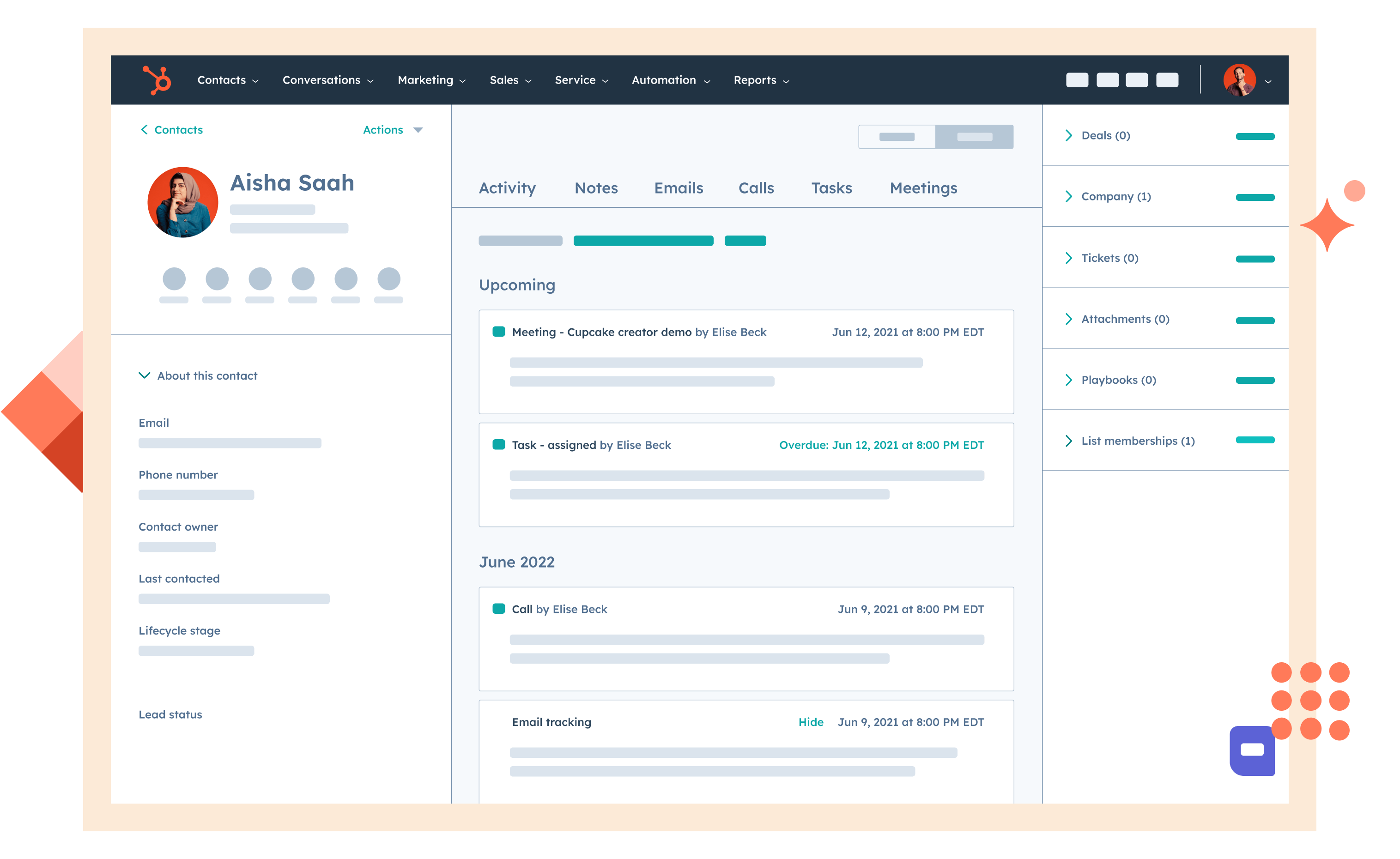
Image source: salesforce.com
Overview
Salesforce is the enterprise standard for complex sales automation. Facebook leads can arrive via connectors, then flow through robust objects, flows, and approval processes. It's a strong choice for multi‑team, multi‑process organizations that need scale, governance, and deep integrations.
Key features
- Object model for leads, accounts, opportunities, and beyond
- Powerful flows, validation rules, assignment, and approvals
- AppExchange ecosystem for specialized add‑ons
- Extensive reporting and dashboards with role‑based access
Pros
- Enterprise‑grade scalability and governance
- Highly extensible with a massive ecosystem
- Mature reporting and security
Cons
- Requires admin expertise to keep complexity in check
- Licensing and customization can be expensive
Who should choose Salesforce
Mid‑market to enterprise teams with complex structures, multiple regions or product lines, and rigorous compliance.
Pricing:
- Free plan: Not available
- Paid plans: Start at $25/user/month(billed annually)
5. Pipedrive: Best for visual pipelines with simple automation
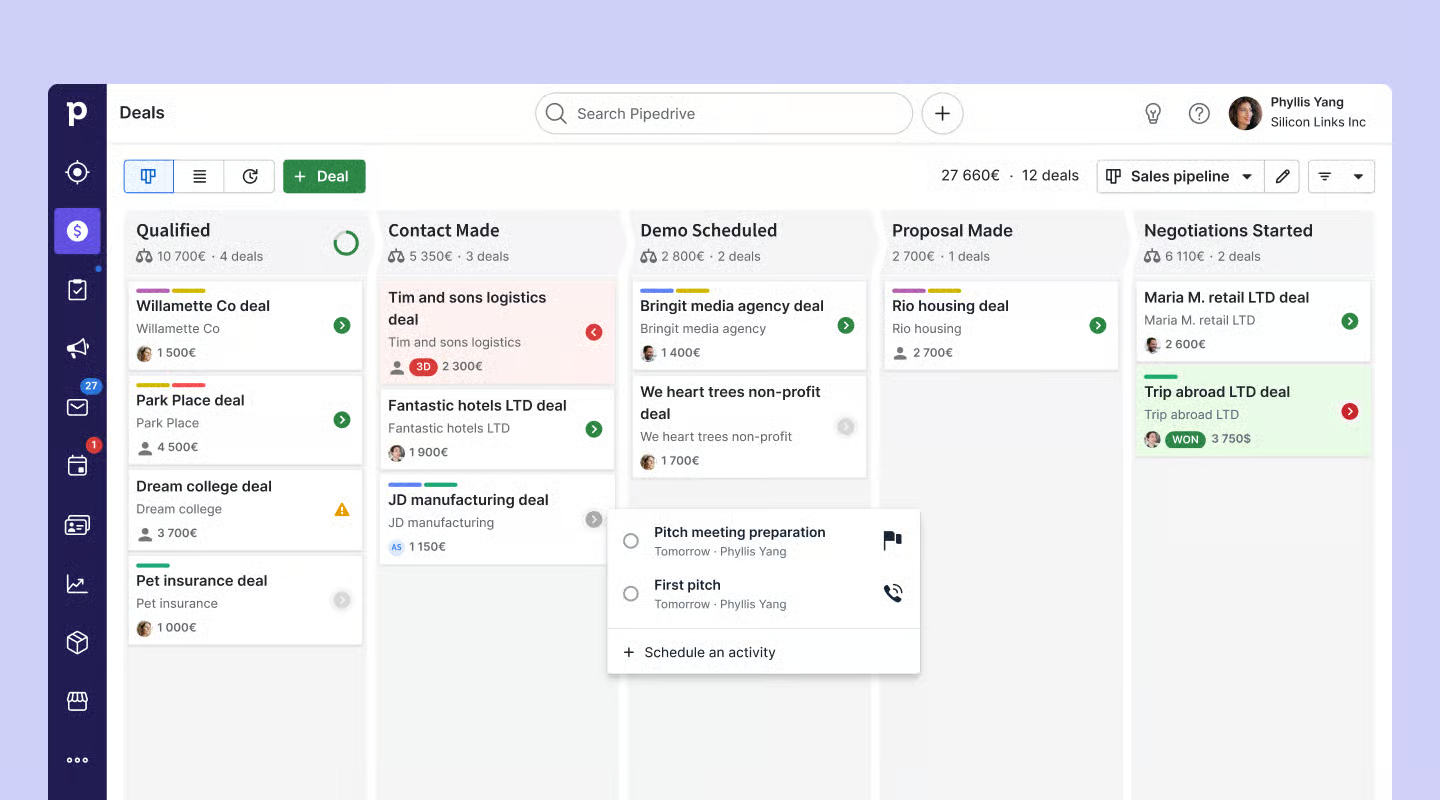
Image source: pipedrive.com
Overview
Pipedrive is a sales‑first CRM built around visual pipelines and quick actions. It's popular with teams wanting simplicity without giving up core automation and reporting. Facebook lead capture flows can be set up via native apps or connectors, keeping reps focused on moving deals stage by stage.
Key features
- Visual pipeline boards with drag‑and‑drop
- Automations for assignments, reminders, and follow‑ups
- Email sync, template basics, and activity tracking
- Reporting/dashboards with customizable fields
Pros
- Intuitive UI lowers training time
- Good balance of simplicity and power
- Affordable for small sales teams
Cons
- Marketing automation is lighter vs. suites
- Advanced analytics may feel limited
Who should choose Pipedrive
Sales‑driven teams wanting clarity and speed—especially those new to CRM and eager for a quick win with Facebook leads.
Pricing:
- Free plan: Not available (free trial available)
- Paid plans: Start at $14 per user/month
6. Freshsales: Best for AI sequences with calling and email
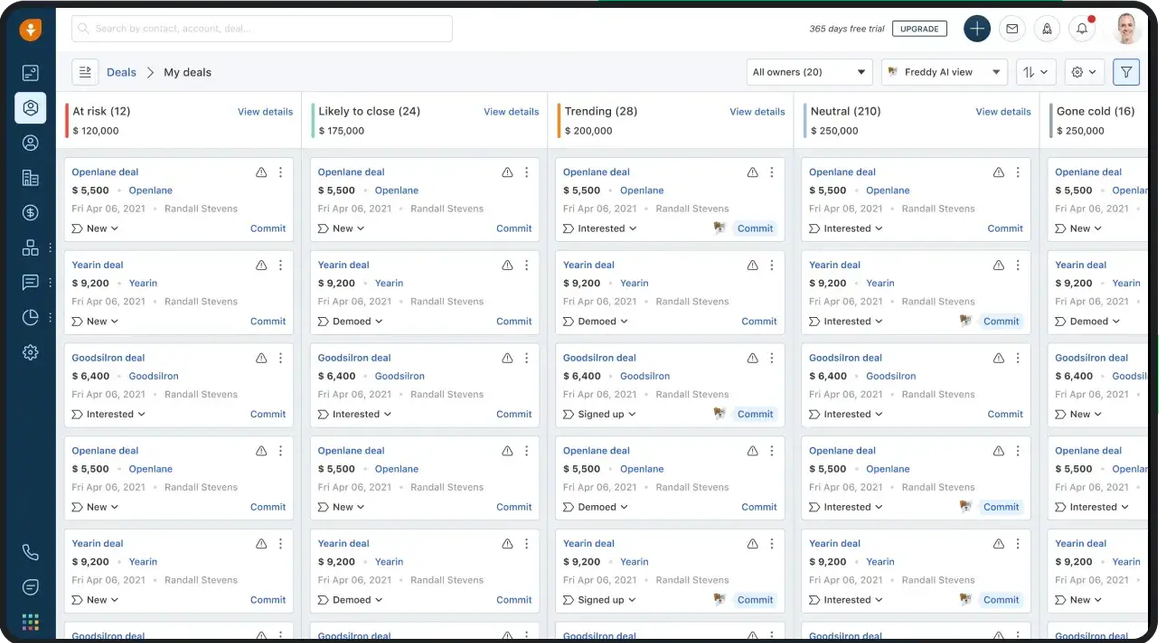
Image source: freshsales.com
Overview
Freshsales blends CRM essentials with built‑in telephony and email, sequences, and AI‑assisted insights. It's designed to help reps respond to Facebook leads quickly via unified communications and guided next steps.
Key features
- Built‑in calling and email with logging
- Sequences for outreach and follow‑up
- AI‑assisted insights and lead scoring
- Pipeline and deal analytics
Pros
- Strong follow‑up tooling in one place
- Helpful AI nudges and scoring
- Reasonable learning curve
Cons
- Some advanced marketing features require pairing with other Freshworks tools
- Customization depth may trail enterprise suites
Who should choose Freshsales
SMBs to mid‑market teams that want robust communication and sequences built in, without stitching together too many tools.
Pricing:
- Free plan: Not available (free trial available)
- Paid plans: Start at $9 per user/month (without AI)
7. Monday sales CRM: Best for no‑code boards, flexible automations
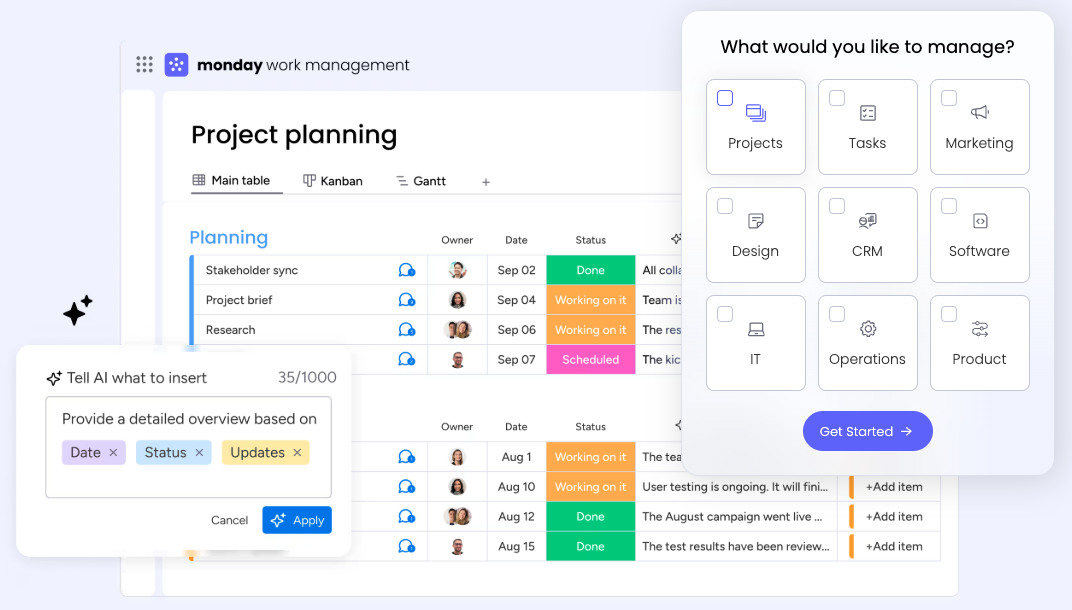
Image source: monday.com
Overview
Monday sales CRM layers sales objects and automations onto the monday.com work OS. Teams build visual boards for leads and deals, customize fields, and create automations without code to ensure timely follow‑ups on Facebook leads.
Key features
- No‑code boards and fields; visual dashboards
- Automations for assignments, notifications, and SLAs
- Integrations across the monday.com ecosystem
- Customizable pipelines and views
Pros
- Intuitive, visual interface teams adopt quickly
- Flexible, no‑code automations
- Suits cross‑functional collaboration
Cons
- Complex reporting may require additional setup
- Best practices needed to keep boards tidy at scale
Who should choose Monday sales CRM
Teams that love building processes visually, prefer no‑code automation, and want to centralize lead work alongside projects and ops.
Pricing:
- Free plan: Available for up to 2 users
- Paid plans: $12/month per user (free trial available)
8. Copper: Best for Google Workspace‑native, lightweight CRM
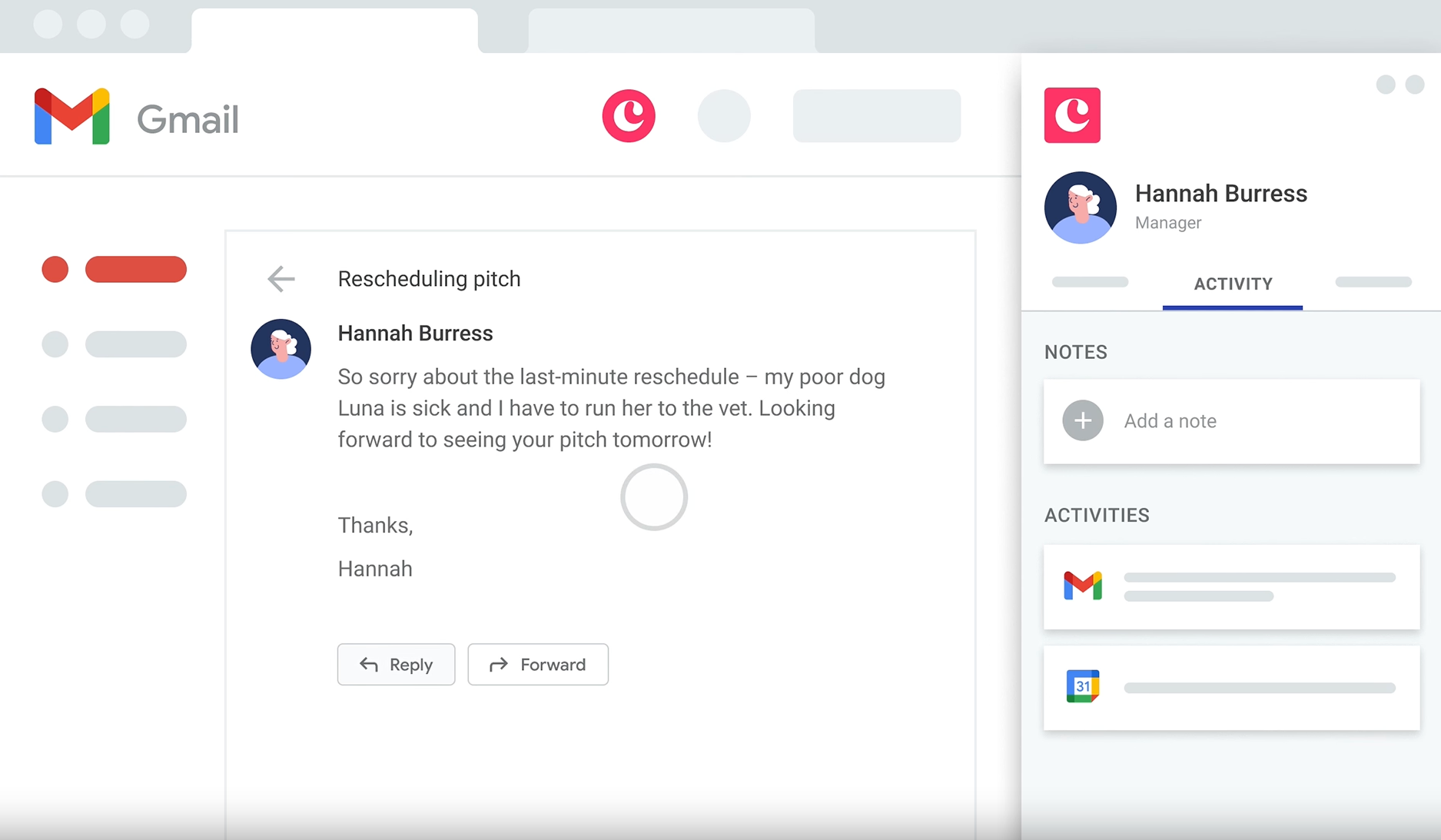
Image source: copper.com
Overview
Copper is a Google‑native CRM designed for teams living in Gmail, Calendar, and Drive. For teams that process Facebook leads and then work mostly inside Google Workspace, Copper keeps things lightweight and contextually integrated.
Key features
- Deep Gmail, Calendar, and Drive alignment
- Automated data capture from email threads
- Pipelines with activities and reminders
- Basic automations and reporting
Pros
- Extremely familiar for Google‑centric teams
- Low friction data capture
Cons
- Marketing automation is limited
- Less suitable for complex enterprise workflows
Who should choose Copper
Small teams that operate primarily in Google Workspace and want CRM features to feel native to Gmail and Calendar.
For more Google Workspace's information, you can refer to and .
Pricing:
- Paid plans: Start at $9/month per user (free trial available)
How to choose the right CRM for your Facebook leads
Selecting a CRM for Facebook leads is less about brand names and more about how well the system fits your actual , team habits, and growth plans. You can use the checklist below as a practical guide, then validate options with a small pilot.
Facebook Lead Ads connection and data quality
- Confirm the CRM can pull Facebook Lead Ads into your pipeline in near real time.
- Check whether it supports custom fields from your forms and preserves key metadata such as campaign, ad set, and creative.
- Test a few sample leads to ensure data appears consistently and does not get merged or lost.
Automation for speed and consistency
- Look for built‑in workflows that auto‑assign leads based on territory, campaign, or rep capacity.
- Ensure you can trigger email or message sequences as soon as a lead arrives and automatically update stages as actions are completed.
- Verify SLA logic (e.g., first‑response time alerts) and mobile notifications so reps can react quickly while on the go.
Reporting, dashboards, and exports
- Review default dashboards for lead source performance, funnel stage, rep productivity, conversion rates, and response time.
- Confirm you can filter by Facebook source details to see which campaigns truly drive qualified leads.
- Make sure reports can be customized and exported to spreadsheets or BI tools for deeper analysis.
Usability, collaboration, and total cost
- Assess how simple the CRM is for non‑technical sales reps: Is the interface clear, and are daily actions (log call, update stage, send email) obvious?
- Consider how your team communicates around leads. Some teams like Lark for messaging, shared docs, and meeting notes, so that context around each lead is easy to find.
- Look beyond list price, such as factor in onboarding effort, admin time, training, and any add‑ons you will likely need in year one.
Start small, then harden for production
- A free or low‑cost CRM plan for Facebook leads can be useful to validate your basic flow—from ad click to first reply.
- As you move to production, confirm support for audit logs, role‑based permissions, , and extensibility through apps or APIs.
- Shortlist two or three products, run a time‑boxed trial with real leads, and compare not only features but how confidently your team uses each system.
Turning your Facebook leads strategy into a repeatable workflow
Choosing the right CRM for Facebook leads is only the first step. The next challenge is turning each new lead into a predictable, fast, and that your team can execute every day.
1. Capture every lead before it expires: Facebook Lead Ads data is only available inside Facebook for a limited window, so your CRM needs a reliable, near real‑time connection. Make sure new submissions flow automatically into your pipeline with all key fields and campaign metadata preserved. Many teams use integration platforms to route fresh leads into shared tables or tasks so nothing depends on manual CSV downloads.
2. Assign ownership and enforce SLAs: Once a lead lands in your CRM, the system should immediately decide who owns it and how quickly they must respond. Set up rules that assign leads based on region, campaign, or capacity, and surface those assignments where the team already works. Some companies pair their CRM with a collaboration hub like Lark so that every new Facebook lead triggers a channel notification, @mentions the owner, and starts an internal checklist. This keeps response‑time SLAs visible, not just buried in a dashboard.
3. Orchestrate follow‑up across tools: Effective follow‑up usually spans multiple channels: Emails, calls, chat, and calendar invitations. Your CRM should trigger these steps automatically, but your team often coordinates the actual conversations elsewhere. By connecting your CRM with tools such as Lark for messaging, meetings, and shared documents, you can keep scripts, notes, and next steps linked back to the original lead record, instead of scattering context across inboxes.
4. Close the loop with reporting and feedback: Finally, treat every Facebook lead as a learning opportunity. Use CRM reports to understand which campaigns, forms, and messages convert best, and then share those insights where marketers and sales reps can act on them. A workspace like Lark can host playbooks, experiment results, and weekly summaries generated from CRM data, helping both teams refine targeting, forms, and follow‑up sequences over time.
By combining a well‑chosen CRM with a collaborative layer that integrates your Facebook leads in real time, you create a workflow where capturing, contacting, and converting each lead feels consistent—no matter how many campaigns you launch.
Conclusion
Converting Facebook leads reliably comes down to seconds, not days: Real-time capture, accurate field mapping, clean deduplication, clear ownership, and automation that enforces SLAs while preserving campaign context for attribution. Tie every follow-up to a shared record, centralize notes and meetings, and govern access so handoffs are fast and auditable. Measure time-to-first-touch, reply rate, speed-to-appointment, and source-to-revenue to refine creative, forms, and sequences.
Choose a CRM approach that blends data, workflows, and collaboration in one place, with APIs and governance to scale. For example, brings chat, docs, calendar, meetings, tasks, approvals, and a no-code database together for CRM on Facebook leads. It helps teams capture, route, and follow up in a single workspace.
Accelerate conversions with CRM for Facebook leads
FAQs
How to connect CRM to Facebook leads?
Use Facebook Lead Ads Webhooks/Graph API or a connector (LeadsBridge). In Lark, send leads into Base via AnyCross or webhooks, map fields/UTMs, trigger Messenger alerts, tasks, and Calendar links. Many CRMs rely on fragile plug-ins; a built-in workspace reduces failure points.
How much do 1000 clicks cost on Facebook?
Costs vary widely by country, audience, and quality. Typical CPC ranges ~$0.50–$2.50+. So 1,000 clicks may cost $500–$2,500+. Monitor real-time in Ads Manager. Optimize forms and speed-to-lead in Lark to lower effective CPA.
What is the best CRM for Facebook ads?
Best depends on speed-to-lead, attribution, automation, and collaboration. Lark unifies chat, docs, calendar, meetings, mail, and a no-code database for built-in workflows. Alternatives: HubSpot/Zoho (great, but add-on costs/plug-ins), Salesforce (powerful, heavier admin). Choose what minimizes handoffs and maintenance.
What is the best way to generate leads on Facebook?
Use Facebook Instant Forms with strong value, minimal fields, and matching creative. Retarget engaged visitors, test audiences, and respond within minutes. In Lark, auto-assign leads to Base, alert owners in Messenger, schedule via Calendar, and capture Minutes for consistent follow-up.
Related reading
































