Designing a project requires more than a simple checklist; it demands synergy between visionary goals and the practical mechanics of team delivery. Most projects fail not because of a lack of effort, but due to a misalignment between what is promised and what is actually achievable. By focusing on designing a project that prioritizes clarity, you can bridge the gap between high-level strategy and daily tasks. Tools like Lark can support this process by bringing communication and documentation into a shared workspace without adding complexity.
This approach ensures that every stakeholder understands their role, risks are mitigated before they escalate, and the final output truly reflects the initial intent, transforming a static idea into a living, successful reality.
Key takeaways
1. The blueprint for success: Why outcomes matter more than simple task lists.
2. Research mastery: A 7-step guide to validating your ideas before execution.
3. Cost management: Understanding professional fees and "soft costs" in your budget.
4. Unified delivery: How centralizing communication eliminates the "silo effect."
Designing a project: What does it really mean today?
In the past, project design was often seen as just "making a plan." You would sit in a room, write down a list of tasks, and hope for the best. Today, the world moves too fast for static plans. now means building a dynamic system where the goals, the people, and the tools all work together in real-time.
Shifting from task lists to outcome-based architecture
Most people start by listing tasks: "Call the vendor," "Write the report," "Build the website." While these are necessary, they don't explain why the project exists. focuses on outcomes. Instead of "building a website," the goal might be "creating a portal that converts 10% of visitors." When you design for an outcome, every task you add is measured against that specific goal. If a task doesn't help reach that 10% conversion, it gets cut.
Why the design phase dictates most project success
Think of a project like a house. If the blueprint is wrong, it doesn't matter how good the carpenters are—the house will be crooked. Research shows that most project failures can be traced back to the "fuzzy front end" or the design phase. This is where expectations are set. If you don't define the scope, budget, and roles now, you will spend the rest of the project fighting fires. Spending extra time in the design phase actually saves time during delivery because there are fewer surprises.
Design a project that balances vision, teams, and timelines
7 steps in designing a project plan
Before you start building, you need to validate your ideas with data. Whether you are launching a product or designing a playground project, following a structured research design ensures you aren't just guessing. Here are the steps in that leads to actionable insights.
Step 1: Identify the core problem
Every project starts with a specific question. You must clearly define the gap you are trying to fill. Instead of a broad goal like "we want to grow," focus on a tangible problem like "our mobile users are dropping off at the checkout page." A well-defined problem acts as the compass for the entire project, ensuring you don't waste resources solving the wrong issue.
Step 2: Review existing knowledge
Don't reinvent the wheel. Look at previous project data, market reports, or internal case studies to see what has been done before. This step involves "secondary research," where you gather insights from existing sources. Understanding what has already been tried prevents you from repeating past mistakes and helps you find a unique angle for your current work.
Step 3: Define your hypothesis
A hypothesis is an educated guess about the solution. For example: "If we simplify the checkout form to three fields, then completion rates will increase by 15%." This gives your research a clear target and a way to measure success. It transforms a vague idea into a testable statement that guides your data collection.
Step 4: Choose your research methodology
Decide based on your goals. You might use qualitative methods, like one-on-one interviews or focus groups, to understand "why" people behave in a certain way. Alternatively, you might use quantitative methods, like large-scale surveys or A/B testing, to gather "how many" or "how often" data. Many successful projects use a mix of both.
Step 5: Design the data collection tools
Prepare your scripts, survey questions, or tracking software. This is a critical stage where you must ensure your questions are neutral and unbiased. If you ask leading questions, you will get skewed results. The goal is to design tools that provide honest, objective answers that can truly inform your project design.
Step 6: Collect and organize the data
Execute your plan by talking to users, running your tests, or observing behaviors. It is vital to keep this data organized in a central place. If notes are scattered across different emails and notebooks, you will lose context and miss important details. High-performing teams use a single workspace to store all raw data for easy access.
Step 7: Analyze findings and refine the design
Look for patterns, trends, and outliers in the data you've gathered. Did the evidence prove or disprove your hypothesis? Use these insights to adjust your . This is where you pivot if necessary, ensuring that when you move into the full delivery phase, you are building on a foundation of facts rather than assumptions.
The biggest danger in project design is the "I think" trap. "I think the customers want this feature." Evidence-based planning replaces gut feelings with data-driven certainty. When you design a project plan based on evidence, you reduce the emotional stress on the team because every decision is backed by facts. This creates a culture of accountability where the focus remains on what actually works for the end-user.
Key consideration: Resource and cost in project design
A project is more than just a set of ideas; it is a financial commitment. If you do not design your budget as carefully as your workflow, the project will likely stall halfway through. Financial planning in the design phase is about more than just totaling up the bills; it is about predicting the total cost of ownership and delivery.
Budgeting for expertise and "soft costs"
Many project leads focus solely on "hard costs," such as materials or software subscriptions. However, professional services and "soft costs" often take up a significant portion of the budget. For example, in or construction, architectural fees for designing a facility project typically range from 5% to 15% of the total cost.
If you are designing a facility and haven't factored in that 15% for the design itself, your budget is already broken before you even start. These fees cover vital services like feasibility studies, schematic designs, and permit filings. Similar "soft costs" exist in tech—such as legal compliance, data security audits, and UX consulting—which must be accounted for early to avoid budget shortfalls.
Managing human capital and technology costs
Your most valuable (and expensive) resource is your team's time. In your project design, you must account for "capacity." If you assign ten high-priority tasks to a person who only has the bandwidth for five, your project design is flawed and will lead to burnout.
Furthermore, you need to evaluate your technology stack. Many teams overspend by paying for five different individual software subscriptions that don't talk to each other. By designing a project plan that utilizes a unified platform, you can often consolidate costs while . Investing in the right tools during the design phase ensures you aren't paying "efficiency taxes" later on.
5 common collaboration challenges in project design
Designing a project is a team sport, but without a clear playbook, even the most talented groups can clash. Misalignment during the design phase is often more expensive than errors during delivery. Here are five common collaboration challenges and how to solve them:
The "Silo Effect" where information gets trapped
Different departments (like Marketing and Engineering) often work in isolation using their own tools. This creates a vacuum where one team is unaware of the other's progress or constraints.
The fix: Establish a single source of truth—a —where all design documents and timelines are visible to every stakeholder from day one.
Vague ownership and the "not my job" syndrome
When roles aren't clearly defined during the design phase, critical tasks fall through the cracks because everyone assumes someone else is handling it.
The fix: Use a DRI (Directly Responsible Individual) model. Each component of the project design should have a single name, ensuring clear accountability for every decision and deliverable.
The gap between creative vision and technical reality
Conflicts often arise when stakeholders design a project with "blue sky" thinking that the technical team cannot realistically build within the budget or timeframe.
The fix: Bring technical leads into the design phase early. Their input on feasibility prevents the team from designing features that will eventually have to be cut, saving weeks of wasted effort.
Context switching across too many communication channels
Teams often lose track of design decisions because they are scattered across emails, chat apps, and meeting notes. By the time the project moves to delivery, the original intent is lost.
The fix: . Link specific chat discussions directly to the project tasks they refer to, so the "why" behind a decision is always easy to find.
Slow approval cycles causing design bottlenecks
A project design can stall for weeks if it is waiting for a signature from a busy executive. These delays kill momentum and push back delivery dates.
The fix: Design an automated approval workflow. Instead of chasing people down, use a system that automatically pings the next person in line as soon as a design milestone is ready for review.
Align your team, goal, and tasks in a smart solution
Meet Lark: A smarter way to design and execute projects
The biggest risk in designing a project is creating a plan that sits on a digital shelf, disconnected from the actual work. To build a resilient project, you need a system where high-level design and daily execution live in the same place. , one of the most robust , provides a unified environment that ensures your project design remains a "" throughout the entire lifecycle.
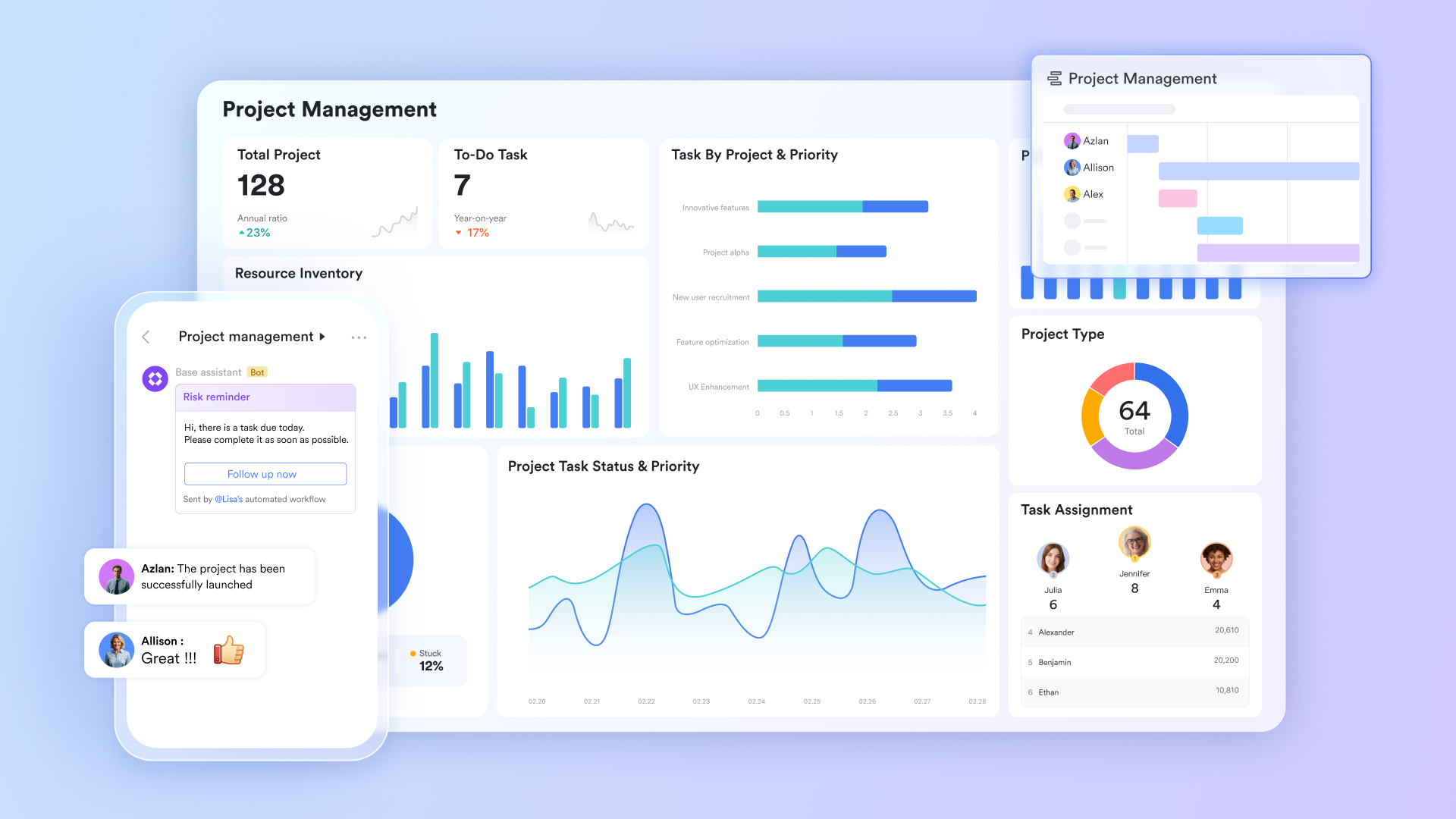
The architectural foundation for custom workflows
functions as a multidimensional database that goes far beyond the capabilities of a standard spreadsheet. It allows you to structure your project design using advanced field types such as formulas, multi-select tags, and person columns. By switching between Grid, Kanban, Calendar, and , you can manage complex timelines and task dependencies in one place. Its can trigger notifications or status changes, ensuring your project architecture remains dynamic and responsive.
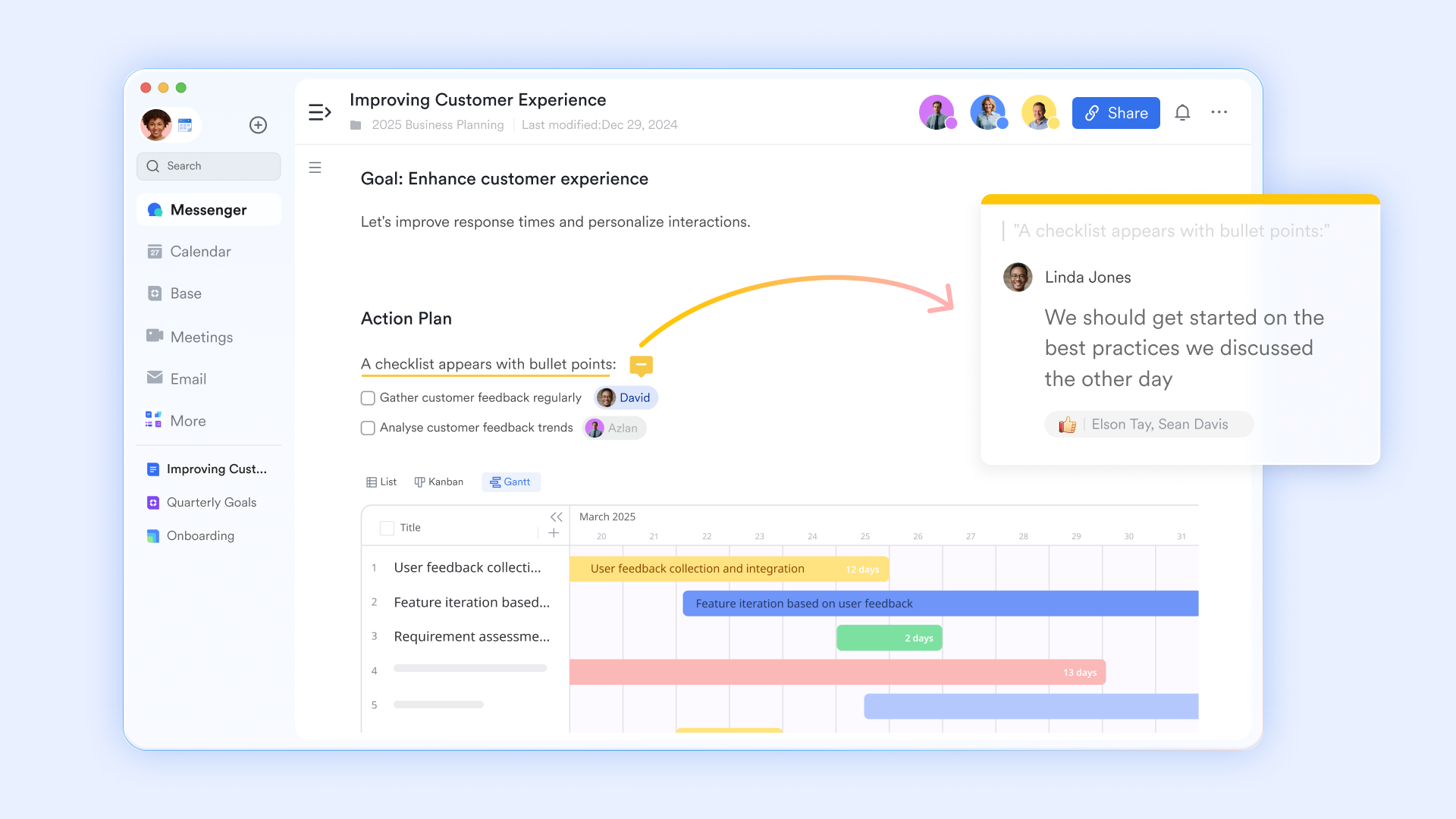
An interactive blueprint for centralizing information
serves as the "living" headquarters for your project design. Unlike static files, it allows you to embed Base views, Tasks, and Bitable widgets directly into the canvas. This creates a unified document where stakeholders can view high-level strategy and real-time execution data side-by-side. With and block-level comments, your team can refine project plans collaboratively, ensuring that the latest version of the truth is always accessible to everyone.
Organized communication through topic groups
Effective project design requires focused dialogue, which is where Lark Messenger's topic groups become essential. This feature allows you to separate project discussions into specific, threaded "Topics" rather than a single, cluttered chat stream. By this way, design decisions and feedback are archived logically. Team members can subscribe to relevant topics, reducing "notification fatigue" while ensuring that the historical context of every project decision is preserved and searchable. 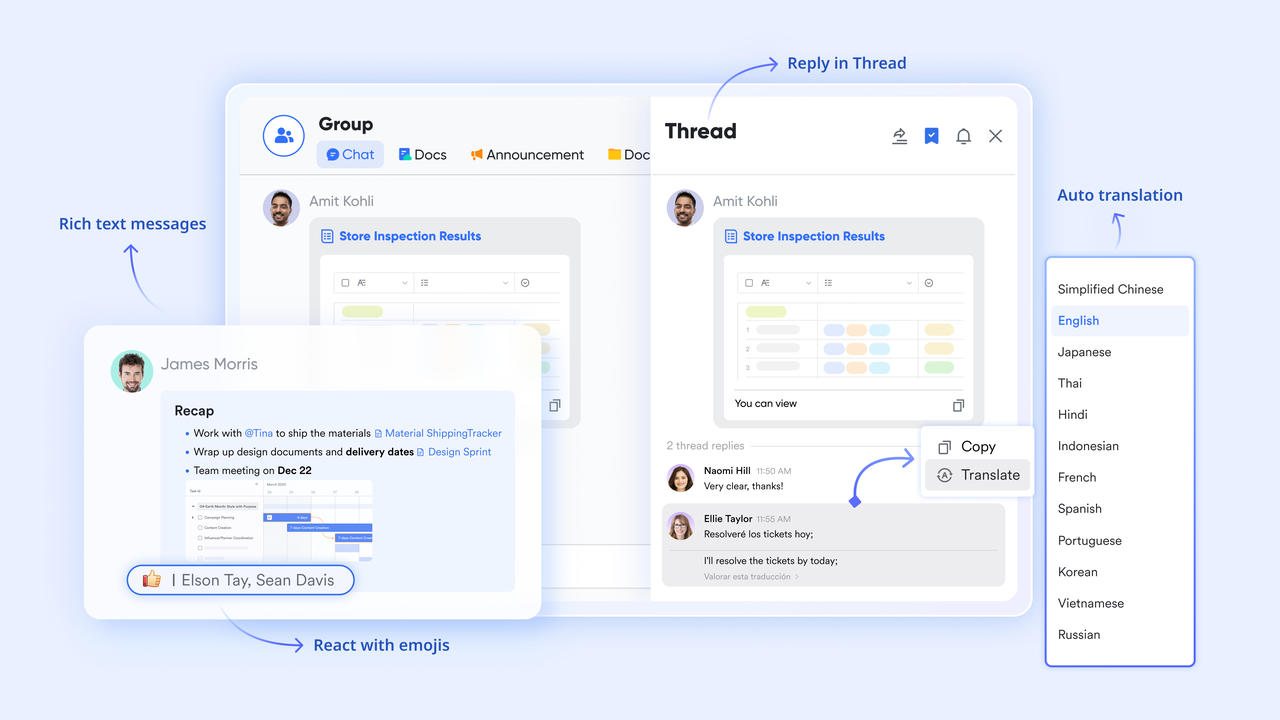
Connecting the project design to external ecosystems
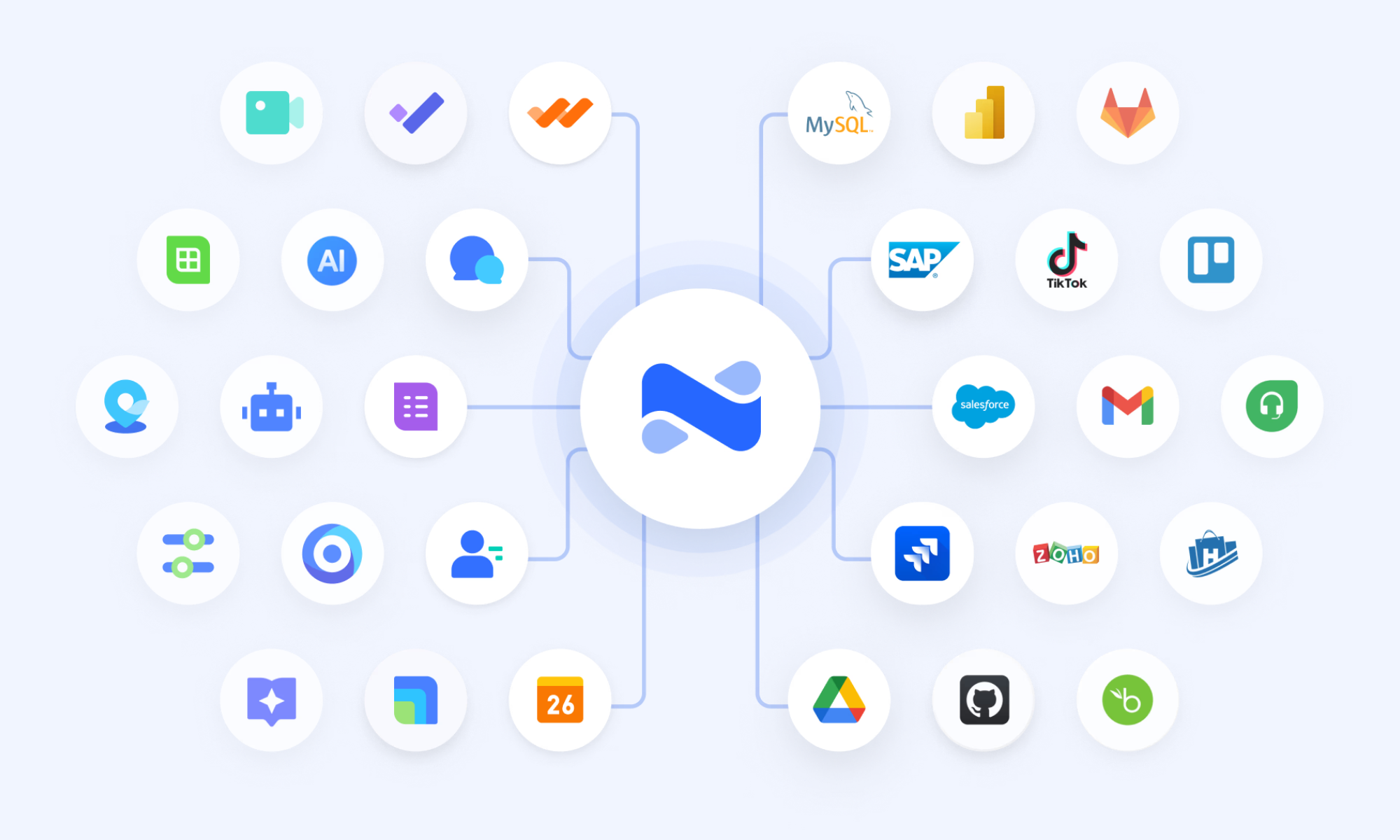
acts as the engine that keeps your project design synchronized with external technical tools. It allows you to build no-code between Lark and third-party apps like Jira, GitHub, or Salesforce. For instance, if a developer closes a ticket in an external bug tracker, AnyCross can automatically update the corresponding task status within your Lark Base. This creates a resilient "single source of truth" across your entire tech stack.
:
- Starter plan: Free forever plan that includes 11 powerful tools for up to 20 users. It also comes with 100GB of storage, 1000 automation runs, AI translations, and more.
- Pro plan: $12/user/month (billed annually) for up to 500 users. It includes everything in Starter plus group calling for up to 500 attendees, 15TB of storage, 50,000 automation runs, and more.
- Enterprise plan: for custom pricing. Supports unlimited users and includes even more automation runs and advanced security, compliance, and management features.
For small teams with simple communication needs

18 months message history
1000 Base automation runs/month
2000 rows per table in Base
Most POPULAR
For companies with comprehensive collaboration and management needs
Unlimited message history
500-participant video meetings
50k Base automation runs/month
20k rows per table in Base
For large companies with advanced security and organizational management needs
Get a personalized demo and pricing
Unlimited message history
500-participant video meetings
15 TB storage + 30 GB storage/user
500k Base automation runs/month
50k Base automation runs/month
Most POPULAR
For companies with comprehensive collaboration and management needs
Unlimited message history
500-participant video meetings
50k Base automation runs/month
20k rows per table in Base
Case study from a real project design example
Applying a standard framework to unique industries requires a tailored approach. Whether you are managing physical construction or , the design of your project must reflect the specific constraints and requirements of that field. Below are two distinct examples of how project design functions in different sectors.
Case study: Designing a playground project for community impact
When designing a playground project, the design phase involves much more than selecting slides and swings. It requires a project plan that integrates land surveys, safety compliance audits, and community fundraising goals.
- The design focus: In this scenario, the design must prioritize inclusivity (ADA compliance) and safety (impact-attenuating surfacing).
- The execution: By using a centralized platform, project leads can track volunteer shifts, equipment lead times, and municipal permit approvals alongside the physical site design. This ensures that the community's needs are met while staying within a strict municipal or grant-based budget.
Example: Designing a retail expansion project plan
For retail brands, designing a project plan for a new store opening is a high-stakes, time-constrained effort. The design must account for site selection, interior build-outs, inventory logistics, and staff training simultaneously.
- The design focus: The goal here is "repeatability." Retailers need a modular project design that can be applied to different locations with minimal changes.
- The execution: By creating a standardized design template, retailers can ensure that store #10 opens with the same brand consistency and efficiency as store #1. This allows the team to use historical data to refine timelines, predict staffing needs, and reduce construction waste through .
How to evaluate whether your project design is ready
Before moving from the drawing board to full-scale execution, you must pressure-test your plan. A design that looks good on paper can often crumble under real-world pressure if it hasn't been properly vetted. Use these five evaluation points to ensure your project is truly ready for delivery:
- Conduct a "Pre-Mortem" to identify failure points: Instead of waiting for a project to fail, imagine it already has. Ask your team, "What went wrong?" This exercise helps you identify hidden risks—such as a single point of failure in your supply chain or a shortage of specialized labor. By predicting these issues during the design phase, you can build "if-then" contingency plans .
- Verify budget alignment, including "soft costs": A project design is only ready if it is financially viable. Ensure your budget accounts for more than just raw materials. If your design hasn't accounted for professional fees, legal permits, or emergency buffers, your project is at risk of stalling before it reaches the 50% mark.
- Check resource capacity vs. task allocation: Review your team’s actual bandwidth. Many project designs fail because they assume 100% productivity from every member. A ready design accounts for "human reality"—including holidays, existing workloads, and meeting time. If your timeline requires your lead developer to work 80 hours a week to succeed, your project design needs to be adjusted.
- Validate the "North Star" alignment: in your plan and ask: "Does this directly contribute to our primary goal?" Over time, projects often suffer from "feature creep," where extra bells and whistles are added that don't serve the core objective. If a task doesn't move the needle on your main KPI, remove it. A ready design is lean and focused entirely on the desired outcome.
- Confirm stakeholder and technical sign-off: A design isn't ready until the people who have to build it and the people who are paying for it agree on the plan. This means the technical team has confirmed the vision is feasible, and the stakeholders have approved the timeline and budget. Using a tool like Lark Approval ensures these sign-offs are documented and official, preventing "he-said-she-said" conflicts later in the project.
Conclusion
Designing a project is ultimately about creating a clear bridge between vision and execution. From defining outcomes and validating ideas through research, to budgeting for both visible and "soft" costs, every design choice shapes how smoothly delivery unfolds. Strong project design replaces assumptions with evidence, silos with shared understanding, and scattered tools with a unified system that keeps people, data, and decisions connected. When goals, roles, and resources are aligned from the start, teams move with confidence instead of reacting to constant surprises.
This is where becomes more than just a platform—it becomes the foundation of your project. By bringing communication, workflows, documentation, and , Lark helps ensure that your original design evolves seamlessly into real-world results. If you’re ready to turn planning into measurable progress, explore how Lark can help you design projects that truly deliver.
Design ideal project and walk to success with Lark
FAQs
What is the most critical step in designing a research project?
The most critical step is clearly defining the problem and objectives, because this determines the direction of your methods, data, and analysis. A well-framed research question ensures resources are not wasted on irrelevant insights. Using Lark to document goals and collaborate in real time helps keep all stakeholders aligned from the start.
How do I account for scope creep during the design phase?
Scope creep can be controlled by setting measurable boundaries, deliverables, and approval checkpoints early in the design. Regular reviews ensure that new ideas are evaluated against the original objectives before being added. With Lark, you can centralize change requests and maintain a transparent approval workflow.
What are the typical professional fees for facility design projects?
Professional fees often range between , depending on complexity and services included. These usually cover feasibility studies, design development, and regulatory approvals. Tracking these "soft costs" in Lark helps keep budgets visible and aligned with timelines.
How does project design differ from project management?
Project design focuses on defining the structure, goals, and blueprint of the work before execution begins. , on the other hand, is about guiding tasks, resources, and performance during delivery. Lark connects both by linking planning documents directly to live tasks and workflow tracking.
Why is Lark better than traditional tools for project alignment?
Traditional tools often separate communication, documentation, and into different platforms. This fragmentation can cause misalignment and loss of context over time. Lark unifies these elements in one workspace, ensuring that strategy, execution, and collaboration stay continuously connected.
Related reading





























