














The Best Enterprise Project Portfolio Management Software: An Expert Guide for 2026

Matthew Sia
Product Marketing Manager
Sep 18, 2026
Matthew Sia
Sep 18, 2026

40 min read


Modern organizations face an increasingly complex challenge. They must manage dozens, sometimes hundreds, of projects simultaneously, all competing for the same finite resources. Without a centralized system, this leads to strategic misalignment, resource conflicts, and a lack of visibility into what truly drives business value. This is where enterprise project portfolio management software becomes indispensable in driving business and digital transformations. It provides the strategic framework and tools needed to connect project execution to overarching business outcomes, transforming how companies plan, execute, and deliver value.
This guide explores the core capabilities of these powerful platforms for strategic portfolio management , identifies how they deliver tangible benefits, and presents a practical roadmap for selecting and implementing the right solution for your organization.
A quick glance at the best 15 enterprise project portfolio management software

What is enterprise project portfolio management software
Enterprise Project Portfolio Management (PPM) software is a centralized system for strategic planning, execution, and analysis across an entire project portfolio. It moves far beyond simple project management, which focuses on the tasks and timeline of a single initiative. Instead, PPM provides a holistic view of all projects, enabling leaders to make informed decisions about which projects to pursue, how to allocate resources effectively, and how to ensure every effort aligns with strategic business goals.
This software acts as a system of record, offering visibility and control over the complete project lifecycle, from initial idea through to delivery and review. It helps organizations answer a critical question: "Are we doing the right projects?" rather than just "Are we doing projects right?".
Understanding the difference between related disciplines is key:
- Project Management (PM): Tactical and focused on the successful delivery of a single project, managing its scope, budget, and schedule.
- Enterprise Project Management (EPM): A strategic framework that coordinates all projects across an organization, connecting tactical execution with enterprise-wide strategic vision and governance.
- Project Portfolio Management (PPM): Often a component of EPM, PPM focuses specifically on the selection, prioritization, and oversight of a collection of projects, balancing risk and value to maximize overall business impact.
In essence, enterprise project management software is the technological engine that powers strategic PPM and EPM, providing the tools for execution, portfolio visualization, and strategic control.
Top 15 enterprise project portfolio management software
The market offers a variety of PPM solutions, each with unique strengths. The best choice depends on your industry, company size, and specific workflow needs. Here are fifteen leading enterprise project management solutions platforms.
1. Lark: All-in-one suite unifying all features you need
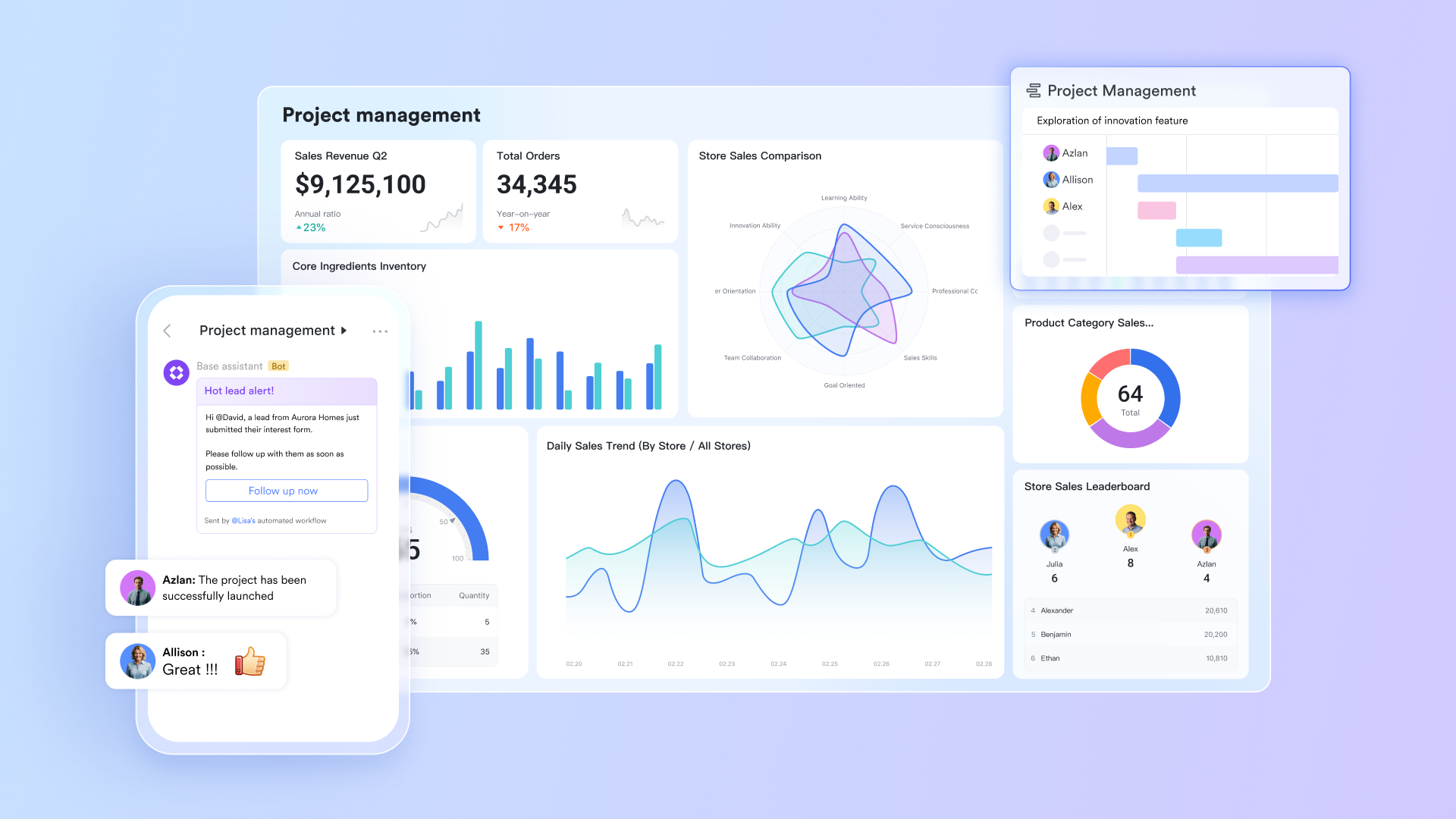
Lark represents a new generation of enterprise project portfolio management software that seamlessly blends traditional PPM capabilities with real-time collaboration tools. Unlike standalone solutions that create information silos, Lark's unified approach ensures portfolio goals remain connected to daily execution. The platform combines messaging, document collaboration, task management, and video conferencing and other features in a unified environment, enabling organizations to maintain strategic alignment while adapting to changing priorities. This holistic framework helps bridge the critical gap between high-level portfolio planning and team-level execution, making it particularly valuable for organizations pursuing digital transformation.
Key features:
- Command center for strategic decisions
For enterprise project portfolio management, global visibility is the cornerstone of sound strategic decision-making. Lark Base serves as a centralized information hub, aggregating disparate project data, resource information, and performance metrics, transforming them into high-value strategic insights.
- Centralized portfolio dashboard: Managers can use Base to build interactive dashboards that provide a real-time view of multiple portfolio statuses, budget consumption, and Key Performance Indicators (KPIs). This means portfolio managers and senior leadership can track Return on Investment (ROI) and strategic alignment at any time, without waiting for periodic reports from subordinate teams.
- Relational project database: Using linked record fields in Base's database, intrinsic links between projects, teams, deliverables, and strategic goals can be easily established. For example, when a milestone date for a core project is adjusted, the timelines of all dependent projects and resource allocation views update automatically.
- Customizable portfolio views: Enterprise portfolio managers can flexibly filter and view information based on different management needs (e.g., by business unit, strategic theme, or risk level). This configurable visibility allows managers to quickly focus on high-risk or high-value portfolios for precise control.
- Breaking down communication barriers between strategy and execution
In large enterprises, a significant communication gap often exists between strategic decision-making and frontline execution. Lark Messenger's value lies in accelerating the flow of critical information, ensuring strategic intent is accurately and swiftly communicated to the execution level.
- Instant transformation from conversation to action: During chats discussing strategy or project progress, users can instantly pin a message to create a task. This feature significantly shortens the path from "decision" to "assignment" to "execution," ensuring strategic discussions lead to immediate action rather than remaining theoretical.
- Focused and traceable decision logs: By creating dedicated groups for specific topics or projects, all discussions and context related to strategic decisions are preserved intact. This not only provides new members with background for quick onboarding but also leaves a clear record for future review and auditing.
- Smart notifications ensure critical information isn't missed: Messenger can intelligently deliver important notifications (e.g., task completions, approval requests) while filtering out noise. This helps portfolio managers stay focused amidst information overload, being notified only at critical moments, thereby enhancing management efficiency.
- Real-time translation: This feature is particularly beneficial for global teams, automatically translating chat messages to effectively break down language barriers and ensure accurate information flow across multinational and regional teams.
- Translating Portfolio Strategy into Automated Workflows
A core challenge in enterprise project portfolio management is ensuring macro-level strategy is systematically broken down into executable, trackable actions. Lark Tasks effectively addresses this need through automated workflow management.
- Automated task workflows: Managers can create automated tasks for highly repetitive and standardized business processes (e.g., project initiation approvals, phase reviews). Tasks are automatically assigned to the correct responsible persons with clear instructions, reducing significant manual coordination and reminder efforts.
- Clear responsibility matrix: Each task can have a clearly defined owner, set due dates, subtasks, and dependencies. This transparent assignment of responsibilities allows portfolio managers to quickly identify bottlenecks, ensuring the entire portfolio's execution chain runs smoothly.
- Real-time progress kanban board: The real-time Kanban board provided by Tasks offers managers a bird's-eye view of the overall progress of the project portfolio. Based on this, outcomes can be predicted more accurately, and resource allocation strategies can be adjusted promptly.
- Effectively communicating strategic vision and knowledge retention
Clear, unified strategic documentation and standards are the foundation for large-scale team collaboration. Lark Docs transforms documents from static archives into dynamic, collaborative vehicles for strategic communication.
- Single source of truth for strategic communication: Overall project plans, business requirements, and specification documents can be created in Docs and distributed as the sole authoritative version to all relevant parties. This eliminates misunderstandings and execution errors caused by version confusion.
- Living documents integrated with communication context: Unlike traditional cloud documents, Lark Docs allows users to directly embed relevant chat group cards. This means team members reading a plan can easily access historical decision-making discussions, understanding the deeper context.
- Real-time co-authoring and review: Multiple members can simultaneously edit and comment on the same document, significantly improving the efficiency of creating and finalizing strategic documents, project weekly reports, review reports, and more.
- Syncing portfolio rhythm with execution cadence
Enterprise project portfolio management requires all projects to follow a coordinated "rhythm." Lark Calendar and Lark Meetings are designed to synchronize the organization's strategic rhythm with its execution cadence.
- Centrally manage portfolio milestones: Managers can clearly see all key project milestones and decision gates in the Calendar. This centralized view helps identify resource conflicts in advance and ensures individual projects align with the overall strategic rhythm.
- Directly link schedules to actions: Tasks created in Lark Tasks automatically appear in the Calendar view. This allows individuals or teams to visualize their commitments against time, promoting better time management and commitment fulfillment.
- Efficient portfolio review meetings: Using Lark Meetings to organize regular portfolio reviews, combined with Lark AI Meeting Notes, ensures meeting conclusions and action items are accurately recorded and automatically distributed to relevant personnel, making every meeting drive tangible progress.
- Managing complex data and aligning strategic objective
Faced with the complexity of enterprise project portfolios and the high demand for strategic alignment, Lark provides a more robust tool for tracking goals.
- Lark OKR ensure strategic alignment: Unlike managing goals disparately within task lists, Lark OKR helps teams systematically manage and track their objectives, ensuring portfolio execution remains aligned with quarterly strategic goals.
Ideal for: Enterprises seeking to break down silos between strategic planning and team execution
Pricing:
- Free plan: Includes 11 powerful products, supporting up to 20 users, 100 GB storage, 1,000 automation runs and unlimited AI translation in chats, docs and email.
- Basic plan: Starts at $6/user/month, supporting teams with over 20 users. Includes 1,000 runs/month for workflows and automations, 2,000 rows in a single Base table, 5TB storage, unlimited Open API calls, and 10 SSO apps.
- Paid plans: Starts at $12/user/month, supporting up to 500 users. Includes unlimited message history, 50,000 automated Base workflow executions per month.
- Enterprise plan: Contact sales for custom pricing. Supports unlimited users and includes even more automation runs and advanced security, compliance, and management features.
2. OnePlan: AI-powered platform connecting strategic portfolios with execution tools
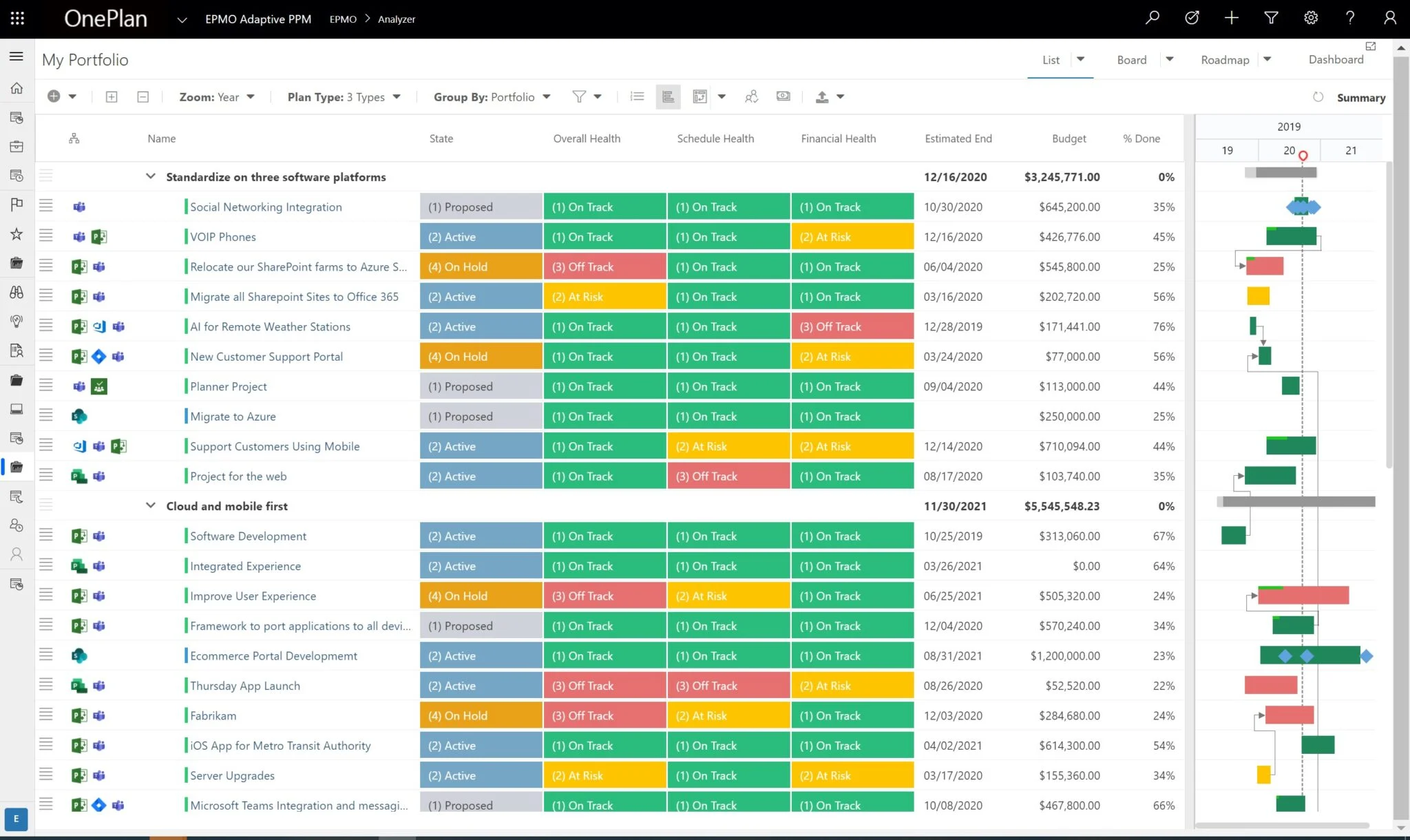
Image source: oneplan.ai
OnePlan stands out in the enterprise project management software landscape through its exceptional ability to connect strategic planning with execution across multiple platforms. The platform's AI-powered capabilities help organizations optimize resource allocation and predict potential bottlenecks before they impact portfolio performance. By serving as a central nervous system that integrates with popular tools like Microsoft Project, Azure DevOps, and Jira, OnePlan provides a comprehensive view of all work happening across the enterprise. This makes it particularly valuable for organizations undergoing digital transformation while maintaining existing tool investments.
Key features:
- Connects with Microsoft Project, Azure DevOps, Jira.
- Strategic portfolio, financial, and resource management.
- AI-enabled capacity planning and risk analysis.
- Real-time strategic alignment scoring.
- Comprehensive financial management and ROI tracking.
Limitations:
- Requires considerable initial configuration and ongoing administration.
- AI features have a learning curve and require quality data inputs.
Ideal for:
Large organizations with complex tool ecosystems needing centralized portfolio oversight.
Pricing:
- Free plan: $0, max 1 user, for individuals starting with project/work management, includes Insights AI, Portfolio Plan, Work Plan, etc.
- Basic plan: $10 per user (3+ users), for small teams collaborating on project progress, adds Timesheets, Sofia GPT, etc. on top of free features.
- Professional plan: $30 per user (3+ users), for companies aligning strategies and projects, includes Status Reports, Innovation Portal, Resource Plan, Financial Plan, etc.
- Enterprise plan: Custom pricing, for companies managing complex portfolios with security and advanced analytics, includes all professional features plus enterprise-grade capabilities.
3. Wrike: Highly customizable work management with robust analytics
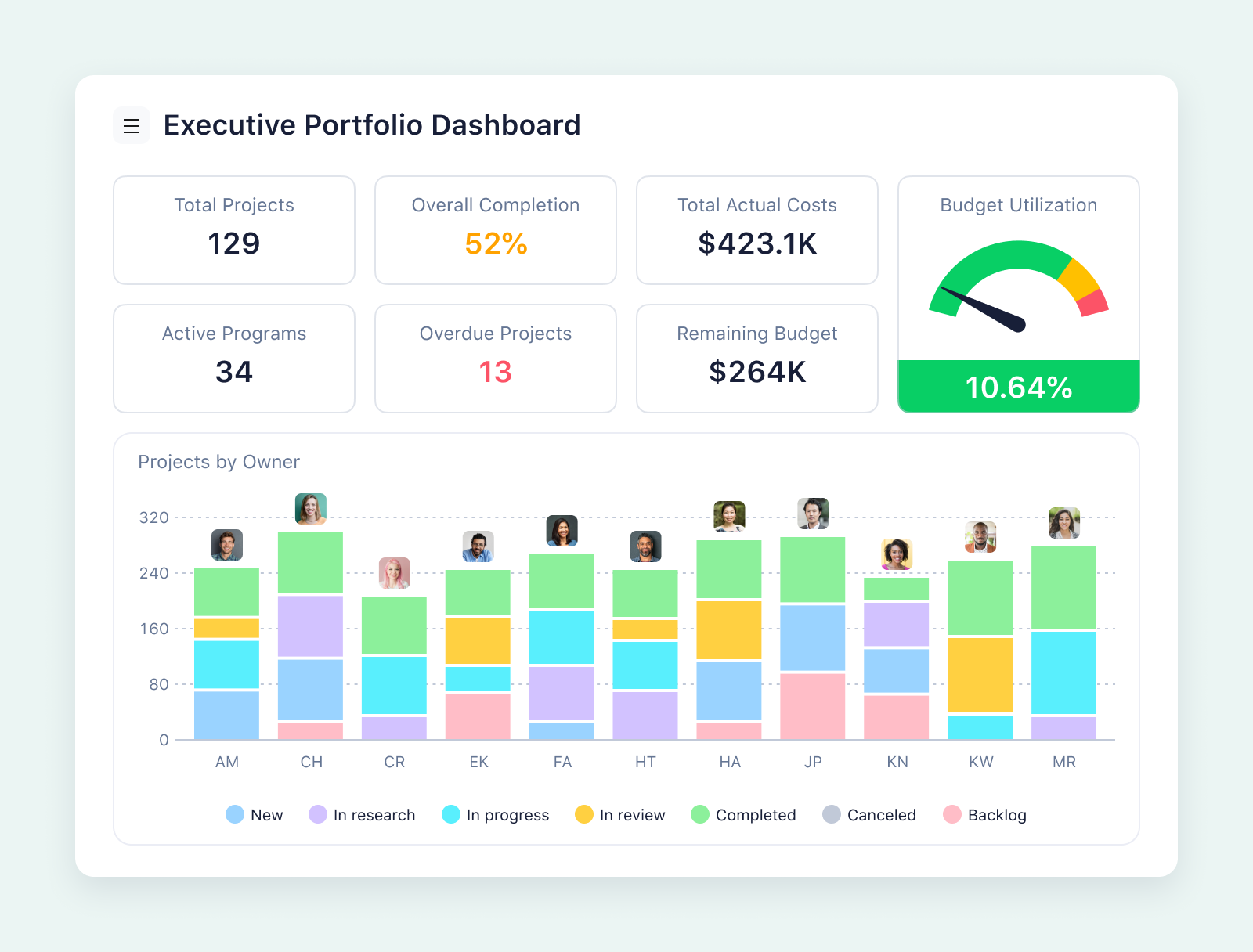
Image source: wrike.com
Wrike delivers a sophisticated yet flexible approach to enterprise project portfolio management, combining powerful customization options with advanced analytics. The platform adapts to various work methodologies, from traditional waterfall to agile approaches, making it suitable for diverse enterprise requirements. Wrike's strength lies in its ability to provide both high-level portfolio visibility and detailed project insights, enabling organizations to balance strategic control with execution flexibility. Its proofing and approval workflows are particularly robust, supporting creative teams and marketing organizations with complex review processes.
Key features:
- Customizable dashboards, workflows, and reports.
- Real-time visibility with Gantt charts and analytics.
- Proofing and approval workflows.
- Resource management and capacity planning.
- AI Highlights widget in dashboards for urgent updates.
- Advanced resource management with workload tracking.
Limitations:
- Interface can be overwhelming for casual users without proper training
- Advanced customization requires technical expertise and ongoing maintenance
Ideal for: Marketing departments and product teams managing complex, cross-functional initiatives
Pricing:
- Free plan: $0 per user/month, for teams getting started, with basic task management features (web/mobile apps, board/table views, AI Essentials).
- Team plan: $10 per user/month, for small teams (2-15 users), includes nested projects, Gantt charts, unlimited custom fields, and 2GB storage per user.
- Business plan: $25 per user/month, for all teams across an organization (5-200 users), adds project blueprints, resource planning, automations (200 actions/user/month), and AI Elite features.
- Enterprise plan: Custom pricing, for large teams, with enterprise-grade security (SAML SSO, 2FA), custom access roles, and 10GB storage per user.
- Pinnacle plan: Custom pricing, for teams with complex work needs, includes advanced reporting & BI, resource capacity planning, budgeting tools, and 15GB storage per user.
4. Asana: Intuitive work management for coordinating team tasks and projects
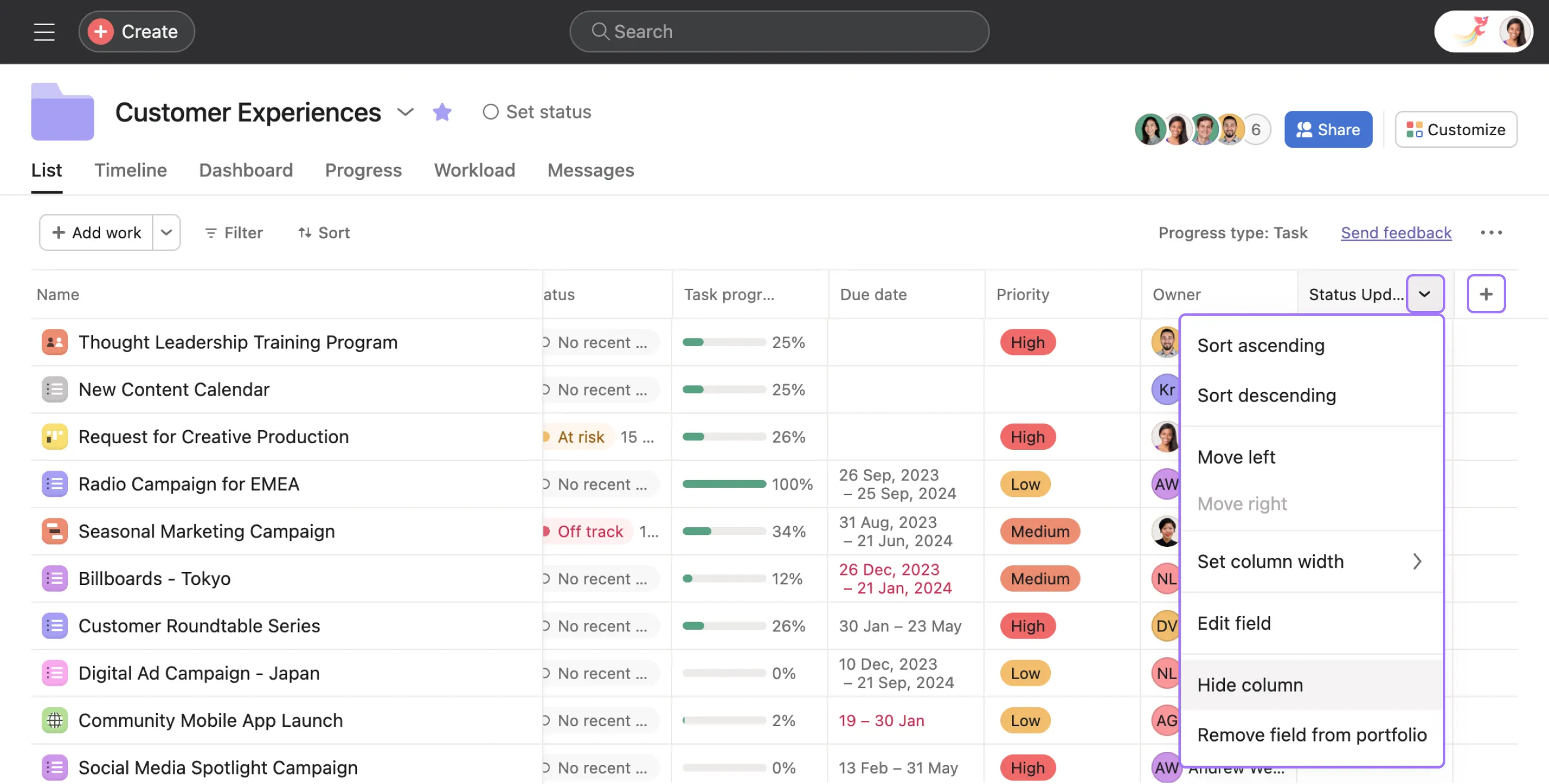
Image source: help.asana.com
Asana brings a user-friendly approach to enterprise project portfolio management, emphasizing visual project tracking and team coordination. The platform excels in making complex portfolio information accessible to all stakeholders, from executives seeking high-level insights to team members managing daily tasks. Asana's flexible framework supports various work styles through multiple project views and intuitive collaboration features. While not as specialized as some enterprise-focused tools, its balance of simplicity and powerful features makes it particularly effective for organizations prioritizing user adoption and cross-team collaboration.
Key features:
- Multiple project views (List, Board, Timeline, Calendar).
- Workload management for capacity planning.
- Automation and custom fields.
- Portfolio overview and progress tracking.
- Integrated AI capabilities and AI Studio for building agents.
- Goals and advanced reporting tools.
Limitations:
- Limited advanced financial management and budget tracking capabilities.
- Less suitable for highly regulated industries with complex compliance requirements.
Ideal for:
Growing organizations needing balance between powerful features and user adoption.
Pricing:
- Personal plan: $0 (free forever), for individuals/small teams, includes up to 10 teammates, unlimited tasks/projects, multiple views (list, board, calendar), etc.
- Starter plan: $10.99/user/month (billed annually) / $13.49/user/month (billed monthly), for growing teams, includes Asana AI, Timeline & Gantt view, workflow builder, custom fields, etc.
- Advanced plan: $24.99/user/month (billed annually) / $30.49/user/month (billed monthly), for teams managing portfolios across departments, includes Goals, Workload, native time tracking, advanced integrations, etc.
- Enterprise plan: Custom pricing, for companies needing complex work coordination, includes resource management, SAML, custom branding, 24/7 support, etc.
5. Jira Align: Enterprise-scale agile platform connecting business strategy to technical execution
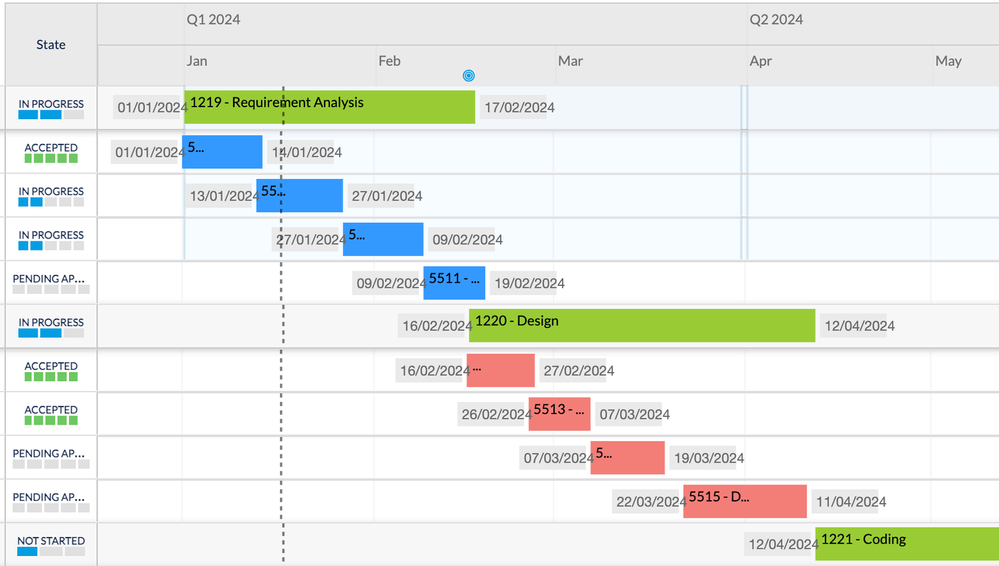
Image source: atlassian.com
Jira Align specializes in connecting enterprise business strategy with technical execution at scale, particularly for organizations practicing agile methodologies. The platform provides comprehensive visibility across multiple teams, programs, and portfolios, enabling organizations to maintain alignment while preserving team autonomy. Jira Align excels at managing the complexity of large-scale software development, with specialized features for managing dependencies, tracking technical debt, and ensuring that team-level work contributes to strategic business outcomes. Its robust reporting capabilities make it invaluable for enterprises undergoing agile transformations.
Key features:
- Designed for large-scale agile frameworks (SAFe).
- Connects team-level work in Jira to business objectives.
- Portfolio visibility into progress, dependencies, and risks.
- Advanced dependency mapping and impact analysis.
- Real-time value stream metrics and flow-based forecasting.
Limitations:
- Significant implementation complexity requiring specialized expertise.
- Cost-prohibitive for small to mid-sized organizations.
Ideal for: Large enterprises practicing scaled agile frameworks with complex software delivery.
Pricing:
- Up to 30 full + 120 integrated users: Standard plan for $27,000/year; enterprise plan for$46,440/year.
- Up to 60 full + 240 integrated users: Standard plan for $54,000/year; enterprise plan for $92,880/year.
- Up to 100 full + 400 integrated users: Standard plan for $90,000/year; enterprise plan for $154,800/year.
6. Scoro: Comprehensive business management solution combining projects with operations
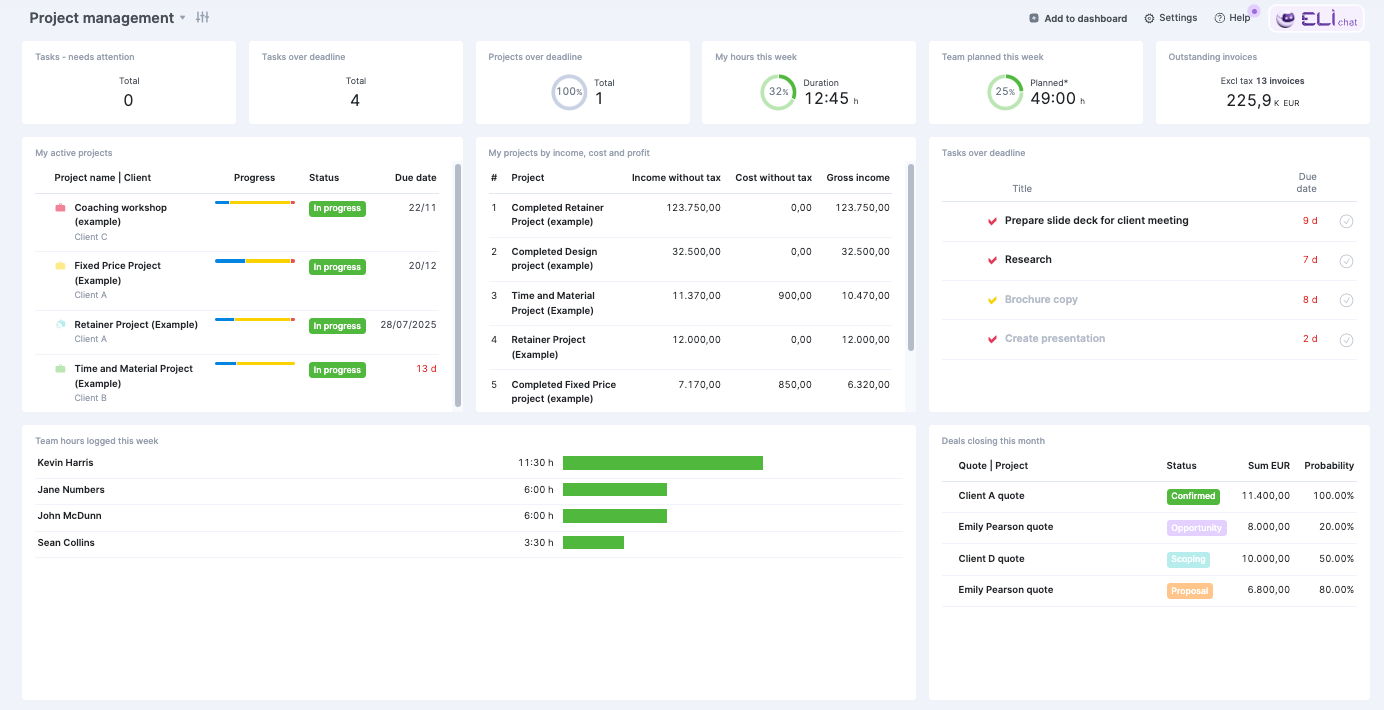
Image source: scoro.com
Scoro delivers an end-to-end business management platform that integrates project portfolio management with CRM, billing, and financial tools. This comprehensive approach provides organizations with complete business visibility, from initial client engagement through project delivery to final invoicing. Scoro's strength lies in connecting project performance with business outcomes, enabling organizations to make data-driven decisions about resource allocation, client relationships, and strategic direction. The platform is particularly valuable for professional service organizations seeking to streamline their operations and improve profitability.
Key features:
- End-to-end work management (projects, CRM, finances).
- Gantt charts, dependencies, and advanced reporting.
- Time tracking and invoicing.
- Dashboards for a 360° business view.
- Integrated capacity planning and resource management.
- Automated invoicing based on time tracking and projects.
Limitations:
- Broad feature set requires significant training and change management.
- Higher entry cost compared to specialized project management tools.
Ideal for:
Professional service firms and agencies needing integrated business and project management.
Pricing:
- Core plan: $19.90/user/month, consolidates data and manages full project life cycles.
- Growth plan: $32.90/user/month, standardizes work, automates flows, and improves cost management.
- Performance plan: $49.90/user/month, plans resources and forecasts capacity to maximize profitability.
- Enterprise plan: Custom pricing, maintains scalability with granular process control and advanced customization.
7. Smartsheet: Collaborative work management platform with familiar spreadsheet interface
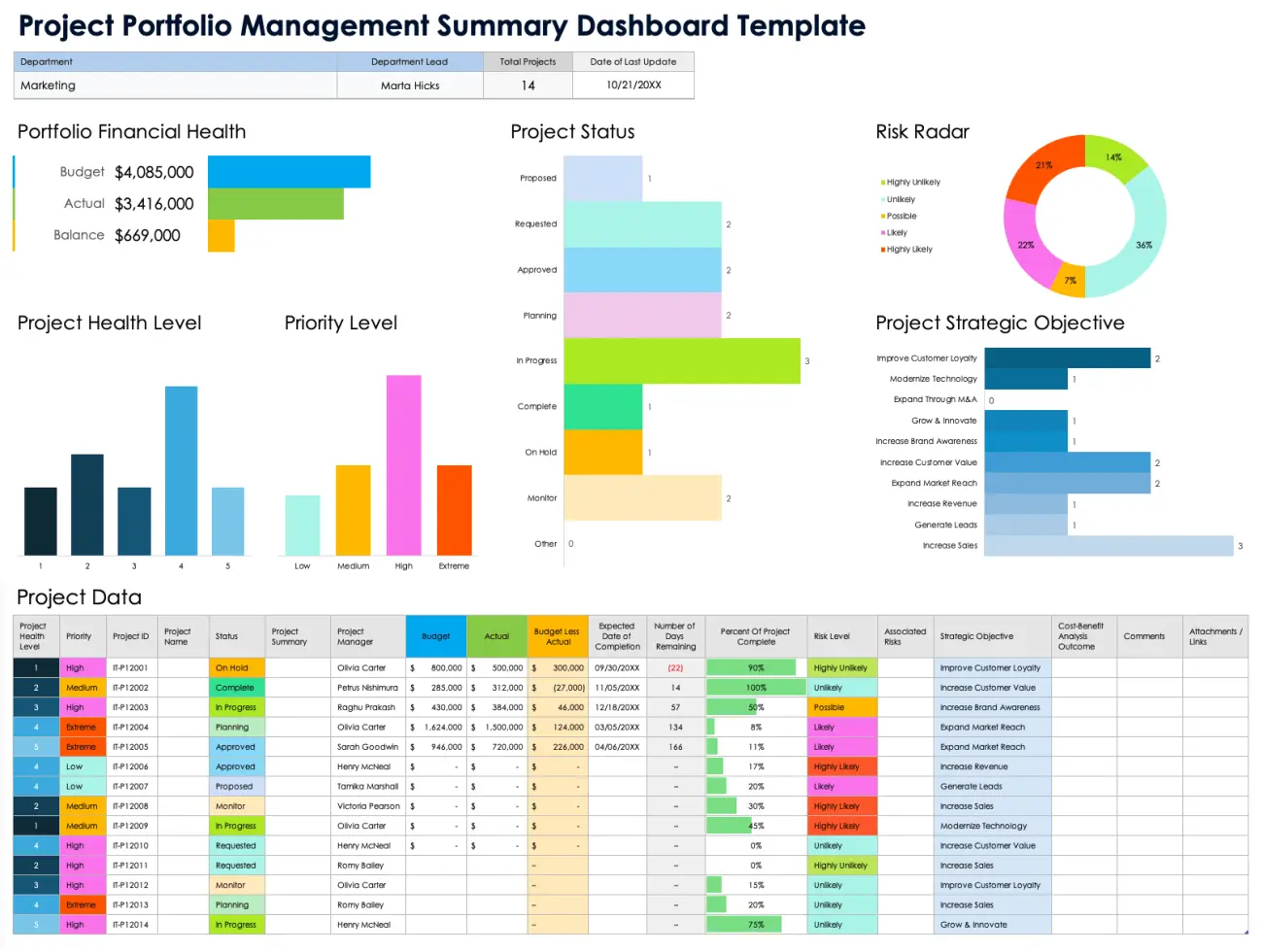
Image source: smartsheet.com
Smartsheet brings the familiarity of spreadsheet interfaces to enterprise project portfolio management, making it particularly accessible for organizations transitioning from manual tracking methods. The platform combines the flexibility of spreadsheets with robust work management capabilities, including automated workflows, resource management, and advanced reporting. Smartsheet's control center capabilities enable organizations to standardize processes while maintaining flexibility for different department needs. Its strong governance features make it suitable for regulated industries and organizations requiring strict compliance controls.
Key features:
- Grid, Card, Gantt, and Calendar views.
- Powerful automation and reporting dashboards.
- Resource management and portfolio oversight.
- Strong integration with other enterprise systems.
- Control Center for standardizing processes across the organization.
- Advanced analytics and resource utilization tracking.
Limitations:
- Advanced functionality requires formula knowledge and technical understanding.
- Can become complex when managing very large-scale portfolios.
Ideal for:
Organizations with spreadsheet-dependent processes seeking more structure and automation.
Pricing:
- Pro plan: $9/member/month (yearly), for 1-10 members, ideal for project tracking with multiple views and formulas.
- Business plan: $19/member/month (yearly), for 3+ members, suits businesses aligning people/projects with timeline view and team workload tracking.
- Enterprise plan: Custom pricing, for 10+ members, builds complex solutions with AI tools and SAML SSO.
- Advanced work management: Custom pricing, manages large-scale work portfolios and connects systems with Control Center and Data Shuttle.
8. Adobe Workfront: Enterprise work management solution for marketing organizations
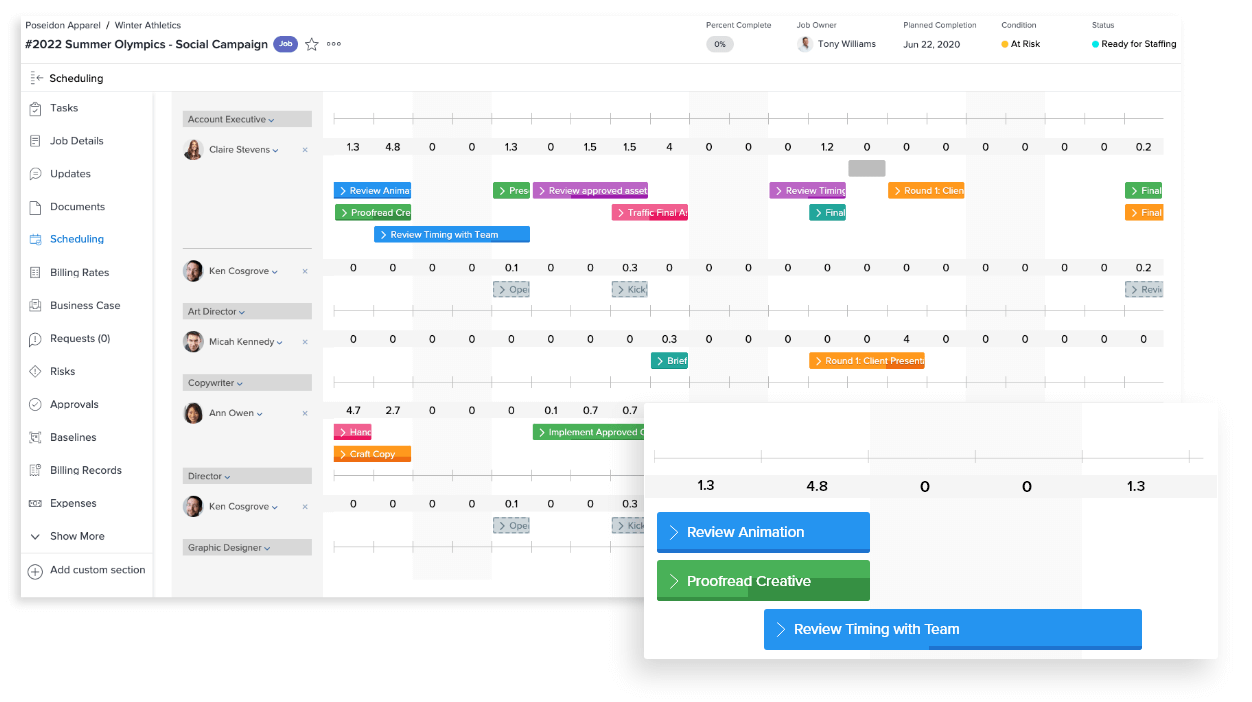
Image source: business.adobe.com
Adobe Workfront provides specialized enterprise work management capabilities tailored for marketing organizations and creative teams. The platform excels at managing complex content production workflows, from initial creative briefs through final approval and distribution. Workfront's deep integration with Adobe Creative Cloud makes it particularly valuable for organizations producing large volumes of digital content, enabling seamless collaboration between project managers and creative professionals. The platform's proofing and review capabilities are among the most advanced in the market, supporting complex approval processes and regulatory compliance requirements.
Key features:
- Robust capacity and resource planning.
- Advanced proofing and digital asset review.
- Customizable portfolios and scenario planning.
- Deep integration with Adobe Creative Cloud.
- Workflow templates and intake processes tailored for marketing.
- Advanced analytics and reporting for marketing performance.
Limitations:
- Primarily optimized for marketing workflows rather than general business use.
- Can be overly complex for organizations with simple project needs.
Ideal for:
Large marketing organizations managing complex digital content production.
Pricing:
- Select plan: Upon request. It encompasses essential work management functions, collaboration tools, resource and task management, basic reporting, time tracking, integrations, and customer support.
- Prime plan: Upon request. It includes all features of the Select plan, plus advanced strategic portfolio planning, enhanced security capabilities, and advanced reporting.
- Ultimate plan: Upon request. It incorporates all features of the Prime plan, along with automation capabilities through the Workfront Fusion add-on.
9. Monday.com: Highly customizable Work OS for diverse teams
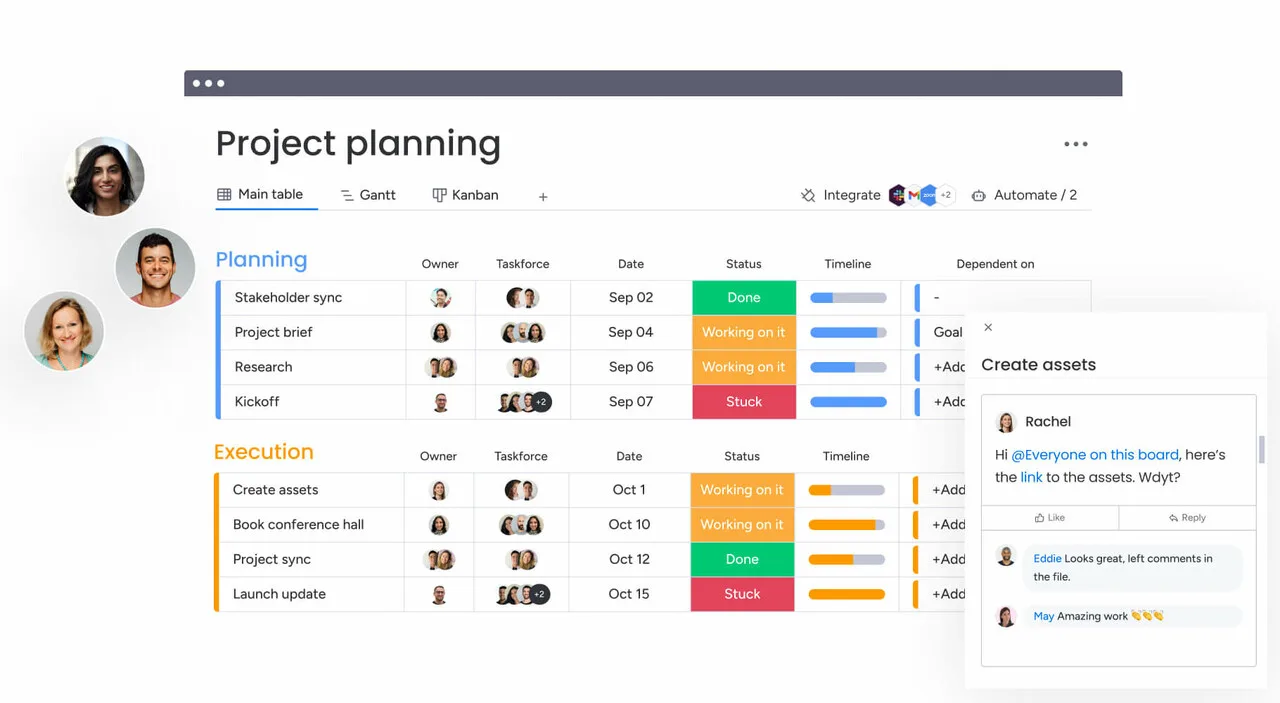
Image source: monday.com
Monday.com stands out as a highly visual and flexible Work Operating System (Work OS) that enables teams to build custom workflow applications without coding knowledge. Its strength lies in transforming structured processes into living, collaborative applications that adapt to various work methodologies. The platform serves as a centralized hub for work management, allowing organizations to coordinate everything from simple task tracking to complex project portfolios through customizable boards, dashboards, and automation. Particularly valuable for marketing teams and creative agencies, Monday.com helps visualize project pipelines while maintaining flexibility to accommodate changing priorities and unique workflow requirements across different departments.
Key features:
- Adaptable boards, dashboards, and over 200 templates to model unique workflows.
- Multiple data visualization options including Kanban, Gantt, timeline, and calendar views.
- Built-in automation to reduce manual work and support for 200+ integrations.
- High-level dashboards that consolidate data from multiple boards for portfolio-level visibility.
- Wide range of pre-built templates for various use cases and industries.
Limitations:
- Advanced features and automation are available in higher-tier plans, which can increase the overall cost.
- The platform's extensive customization options may require an initial time investment to master.
Ideal for:
Teams of all sizes, from startups to enterprises, that value visual project tracking and need a flexible platform to manage diverse workflows.
Pricing:
- Free plan: $0 (free forever), for individuals, includes up to 2 seats, up to 3 boards, up to 3 docs, 200+ templates, etc.
- Standard plan: $12/seat/month (billed annually, 10 seats pricing), for teams collaborating across departments, includes unlimited items/boards, guest access, automations (250 actions per month), Timeline & Gantt views, etc.
- Pro plan: $19/seat/month (billed annually, 10 seats pricing), for teams streamlining complex workflows, includes private boards, chart view, time tracking, automations (25k actions per month), trial AI credits, etc.
- Enterprise plan: Custom pricing, for organizations needing enterprise-grade solutions, includes portfolio management, resource management, multi-level permissions, enterprise-grade security & governance, advanced reporting & analytics, etc.
10. Microsoft Planner: Lightweight task management within Microsoft 365
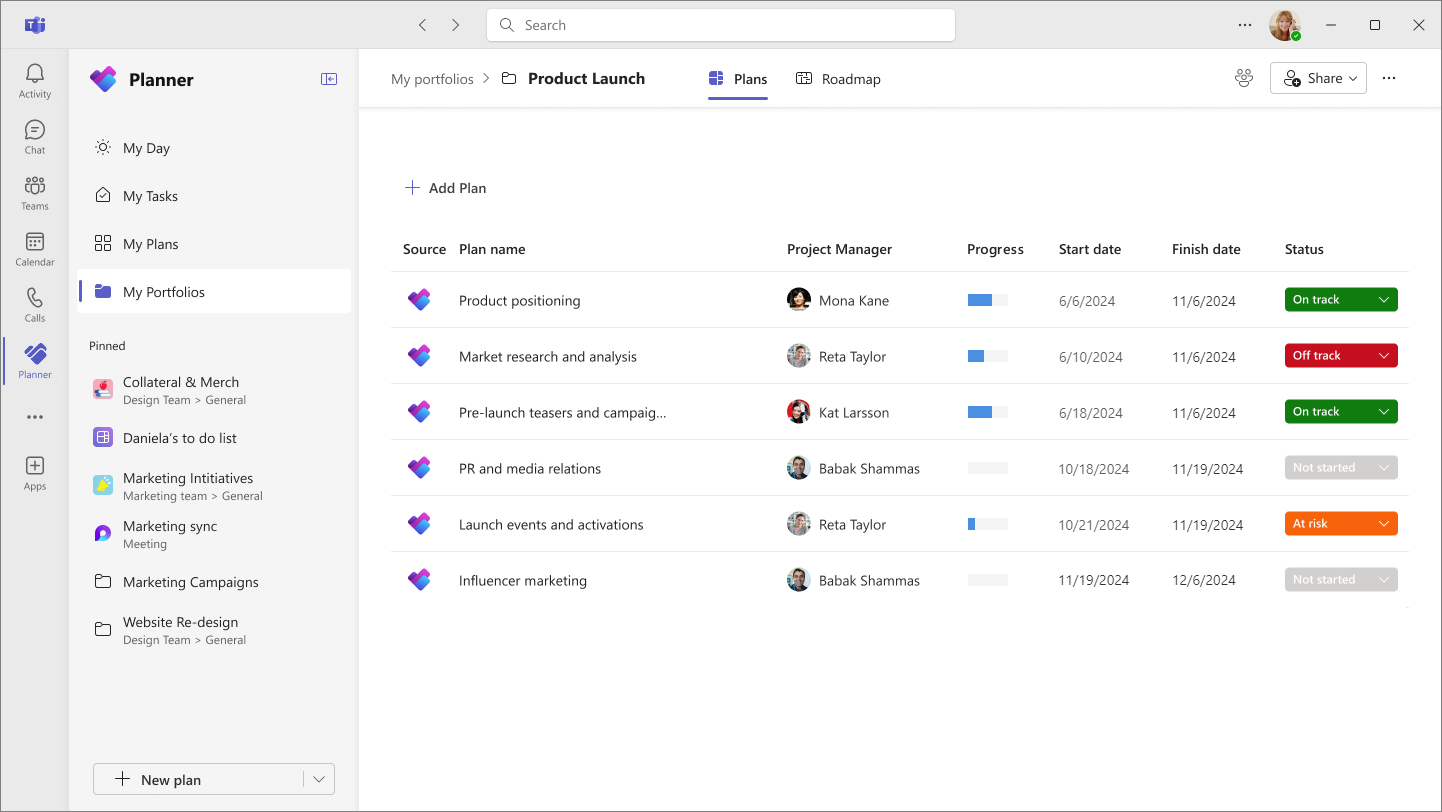
Image source: support.microsoft.com
Microsoft Planner provides straightforward, intuitive task management deeply embedded within the Microsoft 365 ecosystem, offering a simplified approach to team coordination and work organization. As part of the Microsoft suite, it delivers seamless integration with Teams, Outlook, and other Microsoft applications that teams already use daily. The platform focuses on visual task management through its board interface, making it easy for teams to create plans, assign tasks, and track progress without complex setup or training. For organizations fully committed to the Microsoft environment, Planner serves as a natural extension that enhances team collaboration while maintaining the familiar interface and security features of the Microsoft ecosystem.
Key features:
- Use boards, buckets, and cards to organize and prioritize tasks intuitively.
- Native integration with Microsoft Teams, Outlook, and other Microsoft 365 apps.
- Team members can collaborate on tasks, share files, and receive notifications within the familiar Microsoft environment.
Limitations:
- Lacks advanced portfolio management capabilities like sophisticated resource capacity planning or in-depth financial tracking.
- Offers basic progress charts but may not satisfy the need for complex, customizable portfolio reports.
Ideal for:
Teams deeply invested in the Microsoft 365 ecosystem that need a lightweight, collaborative tool for task management within their existing workflow.
Pricing:
- Included with Microsoft 365: Free (bundled with Microsoft 365 subscriptions), covering real-time collaboration, task management, and basic views.
- Planner plan 1: $10.00/user/month (billed annually), supporting rich-content task creation, project goal management, multi-views (e.g., Gantt charts), and custom integrations.
- Planner and project plan 3: $30.00/user/month (billed annually), including all features of Plan 1, plus advanced capabilities like task history, roadmaps, critical paths, and project financial budgeting.
- Planner and project plan 5: $55.00/user/month (billed annually), covering all features of Plan 3, with additional enterprise-grade functions such as advanced project portfolio management and enterprise resource allocation.
11. Celoxis: Comprehensive project and portfolio management suite
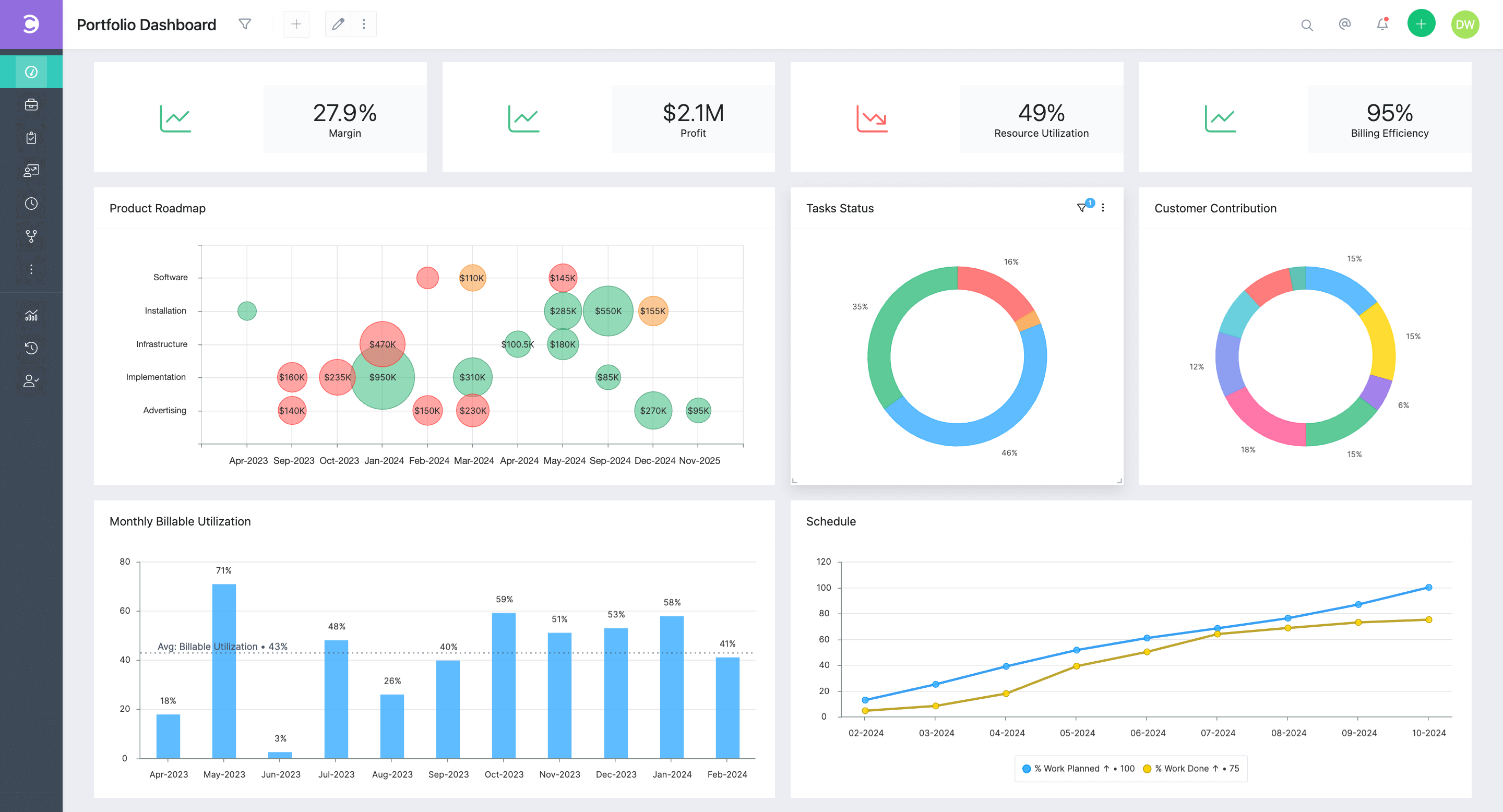
Image source: celoxis.com
Celoxis delivers an enterprise-grade project portfolio management solution that combines sophisticated project planning with comprehensive portfolio analysis and financial management capabilities. Designed to handle complex, large-scale projects across multiple departments, it provides powerful scheduling tools, resource optimization features, and advanced analytics that support data-driven decision making at both project and portfolio levels. The platform excels in environments requiring rigorous project accounting and detailed financial tracking, offering robust reporting capabilities that give executives clear visibility into portfolio performance and resource utilization across the organization.
Key features:
- Tools for portfolio selection, what-if analysis, and tracking financial metrics like ROI and NPV.
- Features for capacity planning, resource scheduling, and workload management with overload alerts.
- Capabilities for project accounting, budget management, cost tracking, and revenue forecasting.
- Highly configurable dashboards and reporting tools that support custom fields and drill-down analytics.
Limitations:
- The extensive feature set and customization options can lead to a more involved implementation process.
- Some users find the user interface less modern compared to some newer competitors.
Ideal for:
Medium to large enterprises, particularly in consulting and IT, that require rigorous project accounting, in-depth portfolio analysis, and strong reporting.
Pricing:
- Core: $10/Standard user/month (prepaid annually), includes 2 free read-only users.
- Essentials: $25/Standard user, $18/Team-member, $12/Timesheet user per month (prepaid annually), includes 5 free read-only users.
- Professional: $35/Standard user, $24/Team-member, $12/Timesheet user per month (prepaid annually), includes 10 free read-only users.
- Business: $45/Standard user, $29/Team-member, $14/Timesheet user per month (prepaid annually), includes 15 free read-only users.
- Enterprise: Custom pricing for large teams with complex needs.
12. Forecast: AI-powered platform for project predictions
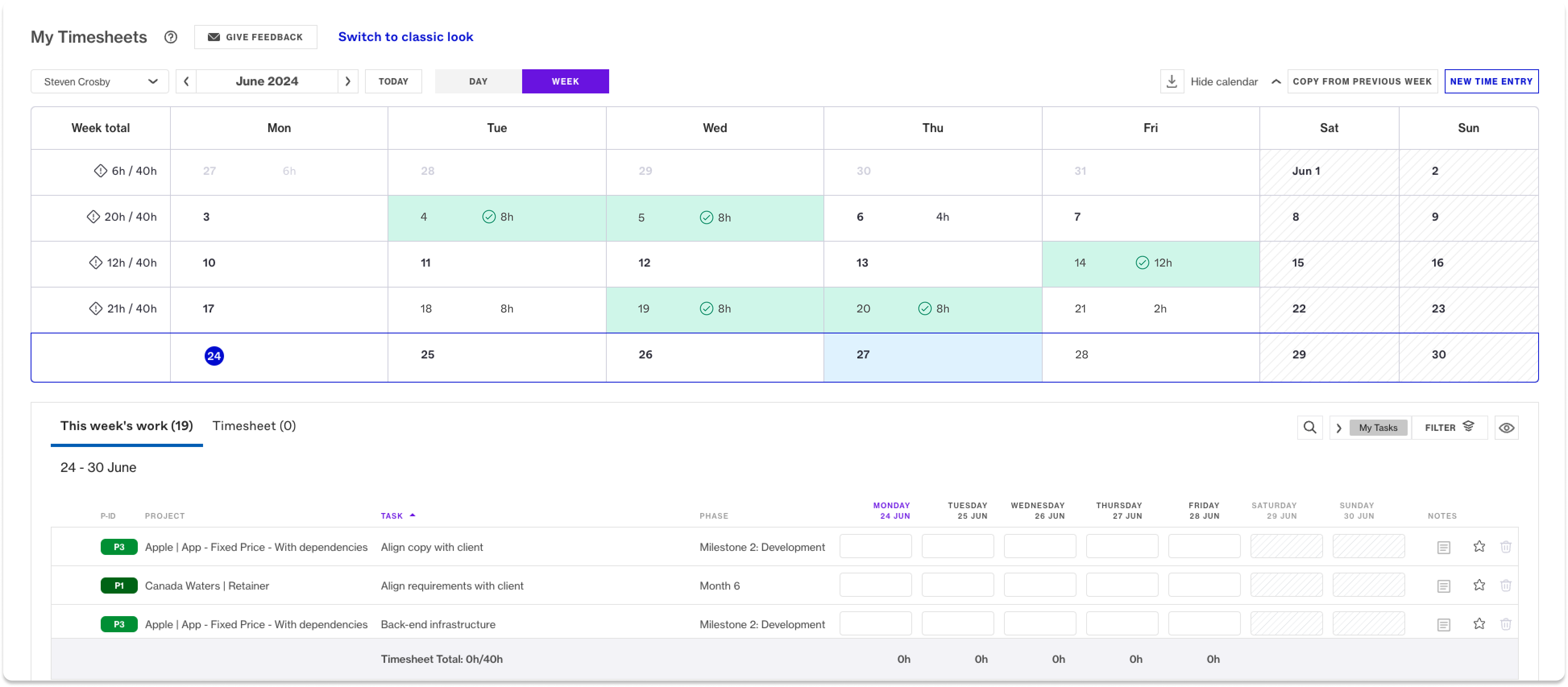
Image source: forecast.app
Forecast represents the next generation of project management platforms by leveraging artificial intelligence to automate planning and provide predictive insights for better decision making. This AI-native approach transforms how organizations manage projects, moving beyond traditional manual tracking to intelligent automation and forecasting. The platform specializes in resource management and project prediction, using machine learning algorithms to analyze historical data and current project patterns to forecast timelines, identify potential bottlenecks, and recommend optimal resource allocation. Particularly valuable for professional services organizations, Forecast helps maximize resource utilization and project profitability through its smart recommendations and automated scheduling capabilities.
Key features:
- Utilizes AI for tasks like auto-scheduling, predicting project success, and identifying potential bottlenecks.
- Provides a unified view of team capacity, skills, and availability to optimize utilization across projects.
- Tools for budgeting, tracking time and expenses, and monitoring project profitability.
- Supports planning and tracking with Gantt charts, Kanban boards, and task lists.
Limitations:
- Positioned as a premium solution, which may be a consideration for budget-conscious teams.
- Its feature set is particularly tailored to the needs of professional services organizations, which might not be the best fit for all industries.
Ideal for:
Medium to large-sized professional services organizations and consultancies focused on maximizing resource utilization and project profitability through data and AI.
Pricing:
- Pricing information is not publicly listed and requires contacting for a custom quote.
13. Planisware: Strategic PPM for product development and IT
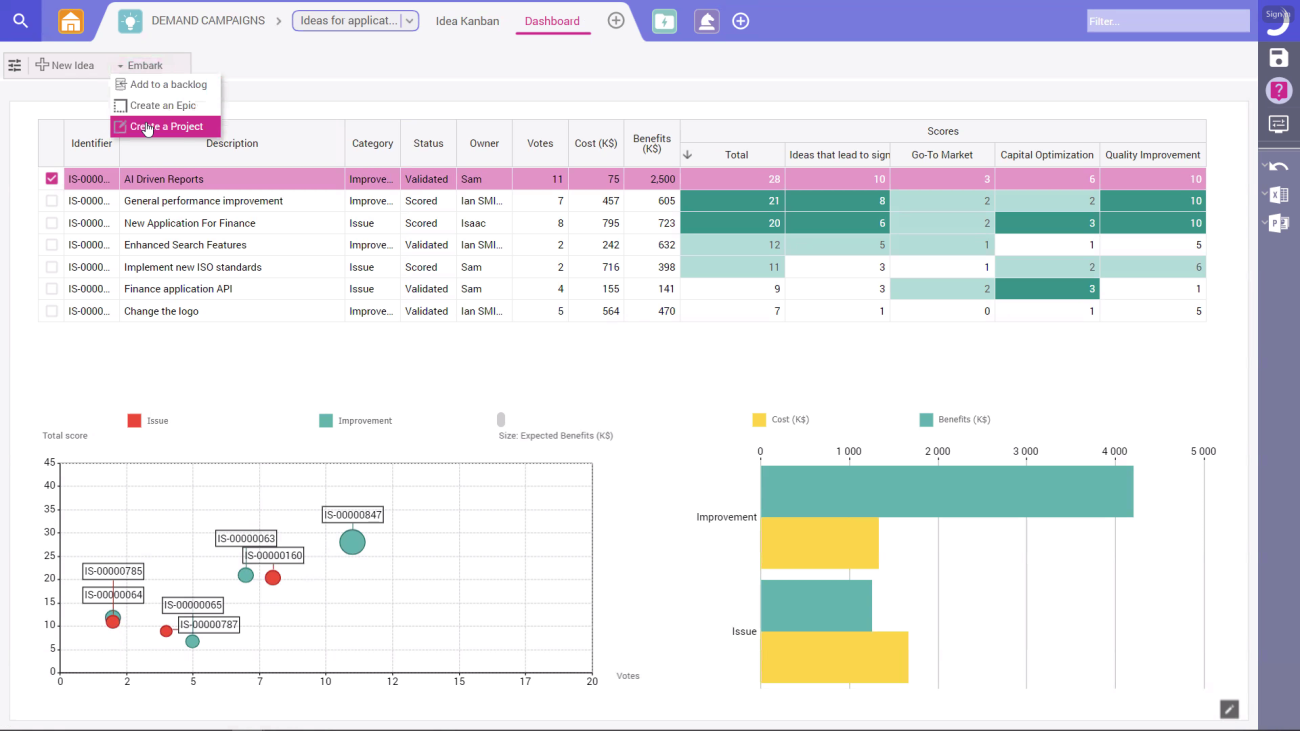
Image source: planisware.com
Planisware offers enterprise-scale project portfolio management specifically designed for strategic initiatives in product development, R&D, and IT transformation. The platform supports the complete lifecycle from initial idea generation and business case development through execution and benefits realization, providing organizations with a structured approach to managing their innovation pipelines. With strong capabilities in stage-gate processes and portfolio optimization, Planisware helps large enterprises align their project investments with strategic objectives while maintaining governance and control over complex, long-term initiatives. Its comprehensive feature set makes it particularly suitable for industries with rigorous compliance and documentation requirements.
Key features:
- Supports idea management, project scoring, business case development, and capacity planning to align projects with strategy.
- Manates complex product development processes with structured workflows and governance.
- Provides tools for detailed resource planning, time tracking, and project financial control.
- Delivers robust reporting and interactive dashboards for portfolio performance analysis.
Limitations:
- The solution is aimed at large enterprises, which is reflected in its pricing structure.
- Given its scope and depth, implementing Planisware can be a significant undertaking best suited for larger organizations.
Ideal for:
Large enterprises in R&D-heavy industries like pharmaceuticals, manufacturing, and technology that need to manage complex product pipelines and strategic investment portfolios.
Pricing:
- Pricing is not publicly advertised and is typically quote-based, tailored to the enterprise's needs.
14. Zoho Projects: All-in-one project planning and collaboration
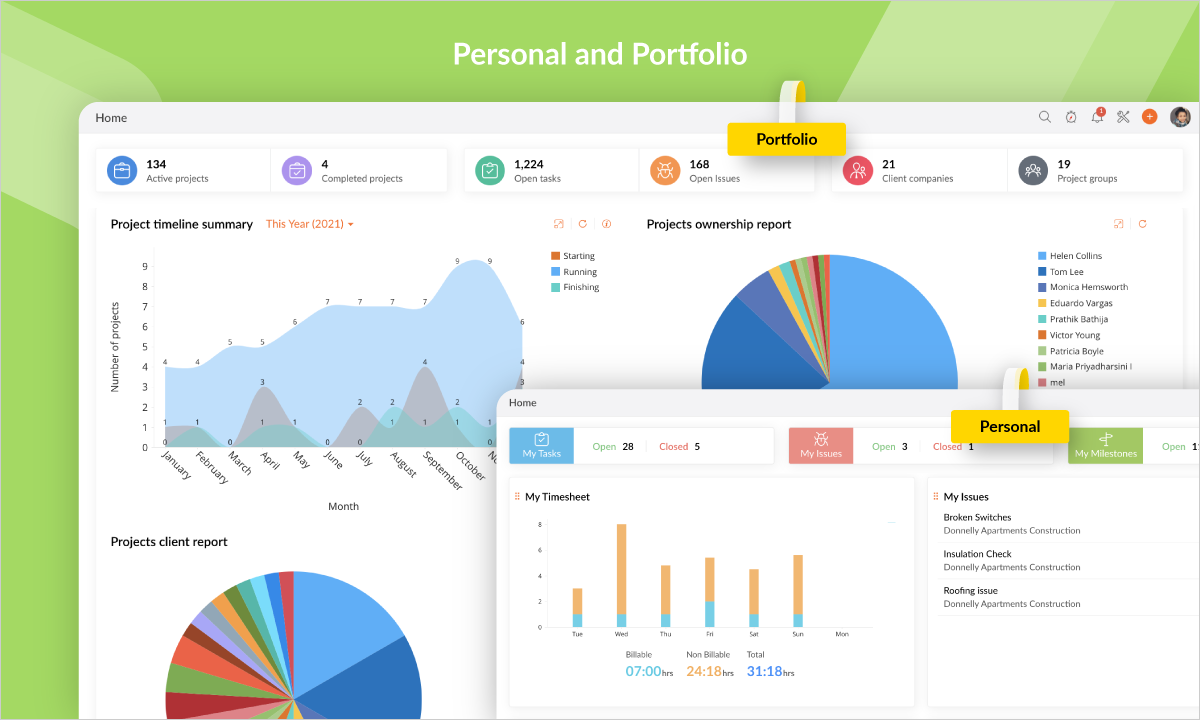
Image source: zoho.com
Zoho Projects delivers a comprehensive project management solution that balances robust functionality with affordability, making advanced project tracking accessible to businesses of various sizes. As part of the broader Zoho ecosystem, it offers seamless integration with other Zoho applications while maintaining strong standalone capabilities for project planning, team collaboration, and progress tracking. The platform covers the entire project management spectrum from task organization and time tracking to document management and reporting, providing teams with all the essential tools needed to manage projects effectively without overwhelming complexity. Its intuitive interface and flexible pricing make it particularly appealing to growing businesses that need enterprise-level features without enterprise-level costs.
Key features:
- Tools for task creation, Gantt charts, dependencies, and milestones to keep projects on schedule.
- Features like feeds, forums, document management, and integrated chat to enhance team communication.
- Built-in timesheets and the ability to log and manage project-related expenses.
- Offers custom fields, workflows, and automation rules to adapt the platform to specific processes.
Limitations:
- While it integrates with many tools, its deepest integrations and smoothest experience are within the Zoho app suite.
- May not have the same depth of enterprise-level PPM features (like advanced portfolio analysis) as some specialized competitors.
Ideal for:
Small to medium-sized businesses and teams seeking a powerful, all-in-one project management solution with a good price-to-value ratio.
Pricing:
- Free: $0, up to 5 users, includes 3 projects, subtasks, etc.
- Premium: $4/user/month (billed annually), includes unlimited projects, time tracking, Zia Insights.
- Enterprise: $9/user/month (billed annually), includes Zia Search, single sign-on, two-factor authentication.
- Projects plus: Custom pricing, contact sales team.
15. ProjectManager: Real-time dashboard for project tracking
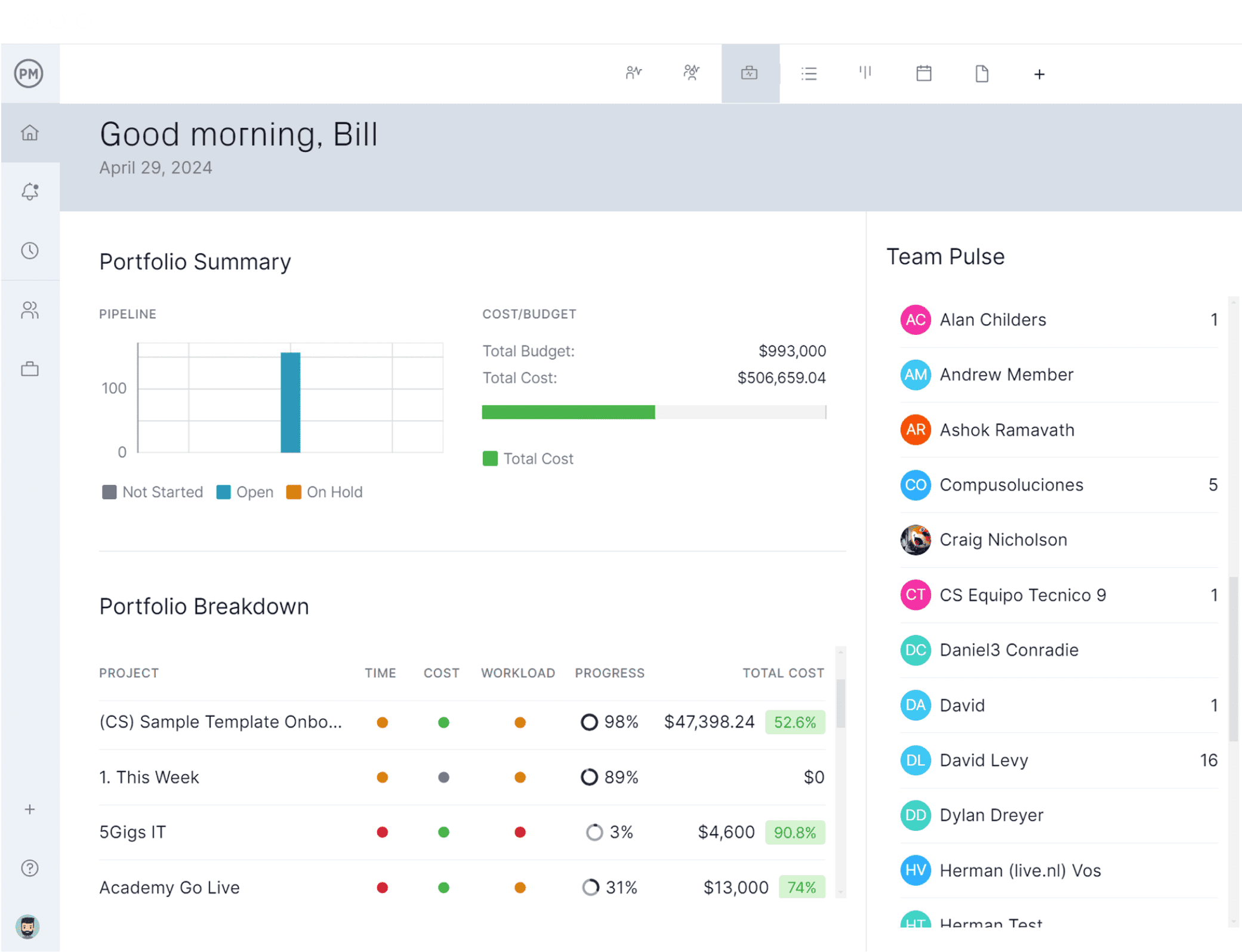
Image source: projectmanager.com
ProjectManager provides an online project management solution focused on delivering real-time visibility into project performance through dynamic dashboards and multiple project views. The platform emphasizes live tracking and instant reporting, enabling project managers to quickly identify issues, monitor progress, and make data-driven decisions based on current project status. With its flexible interface that accommodates different working styles through Gantt charts, Kanban boards, task lists, and calendar views, ProjectManager helps teams stay coordinated while giving managers the tools they need to maintain control over project timelines and resource allocation. The emphasis on real-time data makes it particularly valuable for organizations that require up-to-the-minute insights into their project portfolios.
Key features:
- High-level and project-specific dashboards that automatically aggregate and display key metrics.
- Offers teams the flexibility to work in their preferred view, including Gantt, Kanban, list, and calendar.
- Tools to plan and track resource allocation, ensuring balanced workloads and preventing burnout.
Limitations:
- While strong in core project management, it may not offer the same level of advanced, granular PPM capabilities as some enterprise-focused tools.
Ideal for:
Project managers and teams across various industries who need immediate, data-driven insights into project status and resource allocation to facilitate quick decision-making.
Pricing:
- Team: $14/user/month (billed annually) / $17/user/month (billed monthly), includes project management & collaboration with Gantt views, project dashboards, API access, etc.
- Business: $26/user/month (billed annually) / $30/user/month (billed monthly), includes all Team features plus resource management, AI-powered Project Insights, portfolio dashboards, etc.
- Enterprise: Custom pricing, includes all Business features plus custom permissions, dedicated customer success manager, advanced security & compliance, etc.
Benefits of enterprise project portfolio management software
Investing in a robust PPM system delivers significant and measurable advantages across the organization. These benefits translate directly into improved financial performance, operational efficiency, and strategic agility.
- Enhanced strategic alignment: One of the most powerful benefits is the ability to ensure that every project undertaken directly supports a key business objective. PPM software provides a framework to evaluate and select projects based on their strategic value, preventing resource drain on low-value initiatives and ensuring the portfolio reflects business priorities.
- Informed decision-making: With a centralized platform, leaders have access to real-time data on portfolio health, resource availability, and financial metrics. This visibility enables faster, more confident decisions about project priorities, funding, and potential course corrections. It moves decision-making from gut instinct to data-driven analysis.
- Optimal resource allocation: Advanced resource management modules provide clarity into team capacity, skills, and current workload. This allows managers to allocate people and assets effectively, avoid overloading team members, and identify capacity bottlenecks before they cause project delays. It transforms resource allocation from a reactive guessing game into a proactive, strategic process.
- Improved risk management: A proactive approach to risk is a hallmark of mature organizations. PPM tools provide a structured way to identify, analyze, and manage risks across all projects. By maintaining a central risk register and facilitating mitigation planning, these systems help portfolio managers foresee potential issues and take corrective action before risks escalate.
- Increased portfolio value and ROI: By focusing resources on the highest-value projects and improving the efficiency of execution, PPM software directly contributes to a better return on investment for the entire project portfolio. It also enables robust financial forecasting and tracking, helping to control costs and ensure projects stay within budget.
- Greater transparency and accountability: Customizable dashboards and reports provide a single source of truth for all stakeholders. Executives can see status updates at a glance, while project managers can drill down into details. This fosters a culture of transparency and clear accountability for project outcomes.
Key features of project portfolio management software
When evaluating potential solutions, it is crucial to look for a set of core functionalities that enable strategic portfolio control. The best enterprise project portfolio management software will offer a robust suite of features in these key areas:
- Strategic planning and demand management
- This is the foundation of strategic PPM. This module involves capturing, evaluating, and selecting project ideas based on their strategic value and resource requirements. Effective PPM tools help organizations create a standardized intake process, score proposed projects against defined criteria, and decide which initiatives will deliver the greatest return on investment.
- Resource management and capacity planning
- This feature provides visibility into resource availability, skills, and current workload. It allows leaders to allocate people and assets effectively, avoid overloading team members, and identify capacity bottlenecks before they cause project delays. Some systems include timesheet tracking to compare planned versus actual effort.
- Enterprise PPM software extends budgeting and cost tracking from the project level to the portfolio level. It enables robust financial forecasting, tracks actual spending against budgets, and helps calculate the projected return on investment for the entire portfolio. This gives finance and leadership teams a clear picture of the financial health and value of their project investments.
- Risk management and mitigation
- PPM tools provide a structured way to identify, analyze, and manage risks across all projects. By maintaining a central risk register and facilitating mitigation planning, these systems help portfolio managers foresee potential issues and take corrective action before risks escalate into full-blown crises.
- Reporting, analytics, and real-time dashboards
Visibility is the cornerstone of good governance. Modern PPM solutions offer customizable dashboards and reports that provide a real-time, single source of truth for portfolio health, performance, and progress toward goals. Executives can see status updates at a glance, while project managers can drill down into detailed analytics.
How to choose your enterprise project portfolio management software
Selecting the right enterprise project management solutions is a strategic decision that impacts your entire organization. With numerous options available, making the best choice requires careful consideration of your organization's unique needs and future direction. The ideal platform should not only address current challenges but also support your long-term growth and evolution.
When evaluating potential solutions, organizations should focus on four critical areas that determine implementation success and long-term value. These considerations help ensure the selected platform aligns with both operational needs and strategic objectives.
- Strategic alignment and governance form the foundation of effective portfolio management. The software must support your organization's specific methodology, whether it's traditional waterfall, agile, or hybrid approaches. Look for robust governance features that enable standardized project intake, scoring, and selection processes. The platform should provide clear visibility into how each project contributes to strategic business objectives, helping prioritize initiatives that deliver the greatest value.
- Integration capabilities determine how well the new system will fit into your existing technology ecosystem. The software should seamlessly connect with essential tools your teams use daily, including communication platforms, development environments, and financial systems. Deep integration capabilities prevent the PPM solution from becoming another siloed application and ensure a smooth flow of data across your organization. Platforms like Lark demonstrate how unified environments can eliminate context switching and improve adoption rates.
- User experience and adoption considerations are crucial for long-term success. The most feature-rich platform will prove ineffective if users find it cumbersome or difficult to navigate. Evaluate the interface from multiple perspectives - executives need clear dashboards, portfolio managers require advanced analytics, and team members need straightforward task management. An intuitive user experience reduces training time and encourages consistent use across all levels of the organization.
- Scalability and flexibility ensure your investment continues to deliver value as your organization evolves. The platform must handle increasing numbers of projects, users, and more complex reporting requirements without performance degradation. Flexible configuration options allow the system to adapt to changing business processes rather than forcing your organization to conform to software limitations. This future-proofing is essential in today's dynamic business environment.
The selection process should include hands-on testing through pilots or proof-of-concept deployments. Involve stakeholders from different departments to assess how well each platform addresses their specific needs. Their feedback provides valuable insights into real-world usability and potential adoption challenges.
Remember that choosing enterprise project portfolio management software is not just about features and functionality. It's about selecting a platform that enhances collaboration, provides actionable insights, and ultimately helps your organization execute its strategy more effectively. The right choice will serve as both a management tool and a catalyst for improved organizational performance.
A step-by-step guide to PPM implementation and adoption
Selecting the right software is only the first step. A thoughtful, phased implementation is crucial for realizing the full value of your enterprise project portfolio management software.
Phase 1: Strategy and planning
Begin by establishing a clear vision and governance model. Define the objectives you want to achieve with PPM and form a steering committee or PMO to lead the effort. Identify key stakeholders and secure executive sponsorship. In this phase, you define the "why" and the "rules of the road" before any software is configured.
Phase 2: Configuration and integration
With the strategy defined, the focus shifts to the tool. Configure the software to support your defined processes, including workflow stages, custom fields, and reporting dashboards. Load initial data on resources, ongoing projects, and strategic goals. Critically, execute the integration plan, connecting the PPM system with key collaborative and operational tools to break down silos from the start.
Phase 3: Change management and training
Technology alone cannot drive transformation. A dedicated change management program is essential to overcome resistance and build buy-in. Communicate the benefits clearly and often to all user groups. Provide role-based training—empowering executives with high-level dashboard navigation, portfolio managers with advanced analytics, and team members with simple procedures for task updates.
Phase 4: Pilot launch and feedback
Roll out the software to a small, selected group of projects or a single department first. This pilot program allows you to test configurations, gather user feedback, and identify any unforeseen issues in a controlled environment. Use this feedback to make adjustments and refine your approach.
Phase 5: Full deployment and continuous improvement
After a successful pilot, proceed with a phased organization-wide rollout. Continue to provide strong support and listen to user feedback. Establish a rhythm of regular portfolio reviews to assess performance. Treat the PPM implementation as an ongoing journey of refinement, not a one-time project, to ensure the system remains a valuable and evolving asset.
Conclusion
Enterprise project portfolio management software is far more than a tool for tracking projects; it is a strategic engine for growth. It empowers organizations to move from reactive task management to proactive portfolio optimization, ensuring that every investment of time and resources drives the company toward its most important goals. The journey to effective PPM requires careful planning. It begins with understanding your strategic needs, continues with a thoughtful selection process, and culminates in a dedicated implementation focused on people and processes.
As you consider the future of your organization's project portfolio management, we invite you to experience the Lark difference firsthand. Discover how our unified platform can transform your strategic planning and execution—explore Lark's enterprise project portfolio management capabilities today and see how seamless alignment can drive better business outcomes. The transition from disconnected tools to unified portfolio excellence begins with a single step, and that journey starts with Lark.
FAQs
What is the best project portfolio management software?
The best project portfolio management software depends on your organization's specific needs. Leading options include Lark for unified collaboration, Wrike for customization, and Jira Align for large-scale agile development. The ideal solution should align projects with strategy while integrating seamlessly with your existing workflows.
What is enterprise project portfolio management?
Enterprise project portfolio management (EPPM) is a strategic approach to managing all projects across an organization as a coordinated portfolio. It focuses on selecting the right projects, optimizing resource allocation, and ensuring execution aligns with business objectives to maximize overall value and ROI.
What is the difference between EPM and PPM?
Enterprise Project Management (EPM) is the comprehensive framework for managing all projects across an organization, while Project Portfolio Management (PPM) specifically focuses on selecting and prioritizing projects within portfolios. EPM encompasses PPM along with project execution and delivery methodologies.
What is enterprise project management software?
Enterprise project management software is a centralized platform that helps organizations plan, execute, and track projects across multiple teams and departments. It typically combines portfolio management, resource optimization, collaboration tools, and advanced analytics to support strategic decision-making and execution efficiency.
Related reading
Table of contents
Start using Lark today

Manage all your work in one place
Boost team efficiency by 10x
Save up to 70% on software costs
Table of contents
Start using Lark today
Manage all your work in one place
Boost team efficiency by 10x
Save up to 70% on software costs
Keep reading








2026 Lark Technologies Pte. Ltd.
Headquartered in Singapore with offices worldwide.






Explore: