Imagine you're leading a project for your small business, juggling tasks, deadlines, and team communications while trying to keep everything organized. The array of project management tools can feel overwhelming, each promising to simplify your life but often leading to confusion instead. Enter Freedcamp, a powerful project management software designed to help teams collaborate, manage tasks, and stay on track efficiently. However, to fully capitalize on Freedcamp's potential, understanding its pricing options is essential. Whether you're a freelancer, a small business owner, or part of a large organization, knowing which plan suits your needs can significantly affect your workflow and budget. In this article, we will explore Freedcamp pricing, the features that come with each plan, and how it compares to other tools on the market.
Overview of Freedcamp
What is Freedcamp?
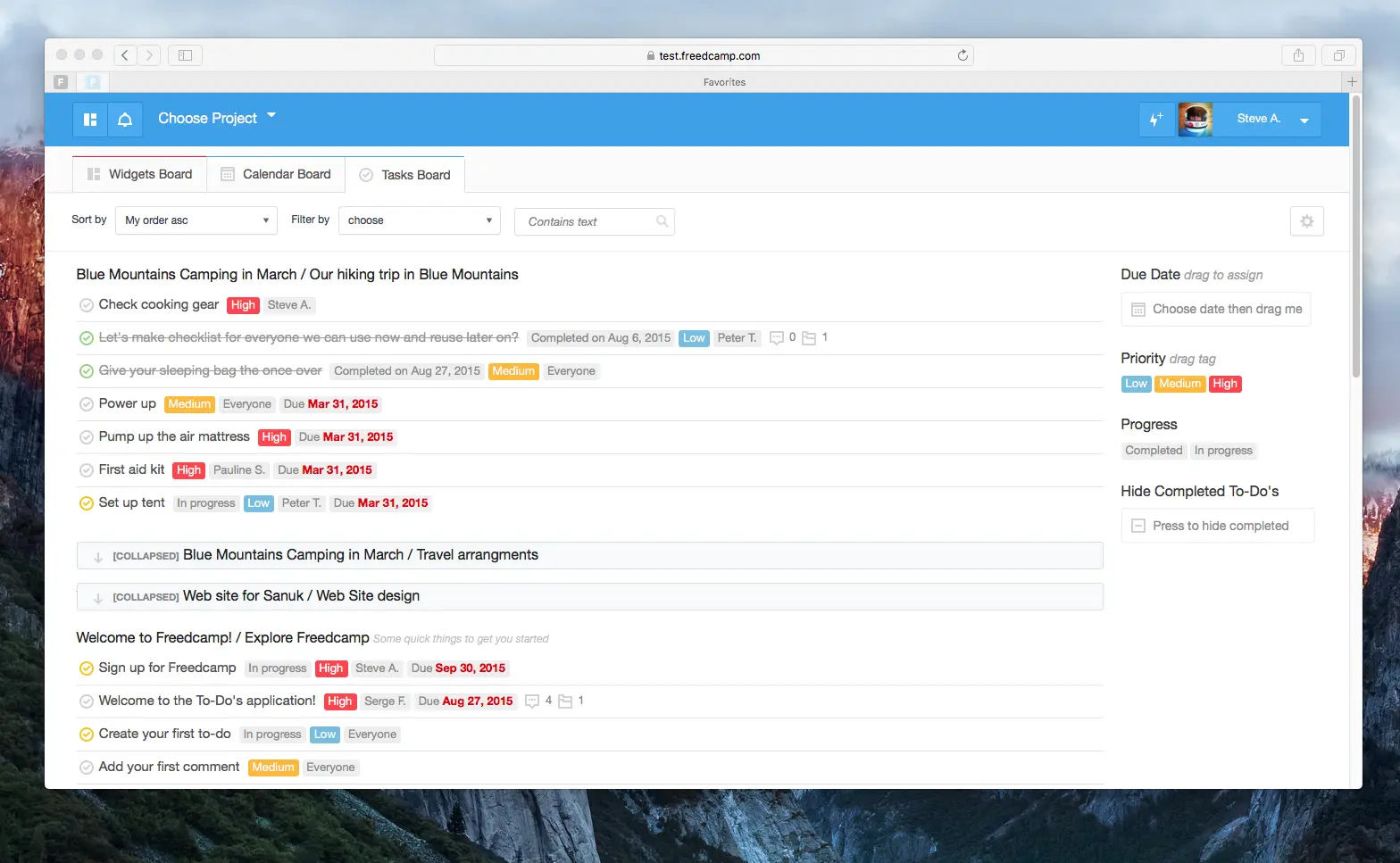
Image source: freedcamp.com
Freedcamp is a robust project management tool that offers a user-friendly interface for teams of all sizes. It is designed to facilitate collaboration by providing a range of features that streamline task management, communication, and . From freelancers managing individual projects to large teams coordinating complex tasks across multiple departments, Freedcamp caters to various user needs.
Core features that set Freedcamp apart from competitors
One of Freedcamp's standout features is its flexibility. Users can customize their workflows and templates, adapting them to fit their unique requirements. Additionally, Freedcamp integrates various essential tools such as calendars, kanban boards, , and time tracking, all of which can enhance productivity. Unlike some other project management tools, Freedcamp prioritizes ease of use, enabling teams to onboard quickly and start implementing their projects without steep learning curves.
Furthermore, Freedcamp is also known for its collaboration features, which include shared calendars and , making it easier for teams to remain aligned and informed. The ability to integrate with other applications such as Google Drive and Dropbox increases its versatility, allowing users to work within their preferred ecosystems.
For more Google Workspace's information, you can refer to and .
User feedback on functionality and ease of use
User feedback on Freedcamp has been generally positive, focusing on its straightforward interface and comprehensive features. Many users appreciate the free version, which offers sufficient functionality for small teams and freelancers, allowing them to effectively without upfront investment. However, some have noted occasional limitations in customer support and advanced features, which may prompt larger organizations to consider the paid tiers.
Interested in a more versatile PM tool?
Quick glance of Freedcamp pricing plans
Freedcamp offers a range of pricing plans designed to accommodate diverse user needs, from freelancers just getting started to large organizations seeking comprehensive project management solutions. Understanding the specifics of each plan is essential for making an informed decision that aligns with your project requirements and budget. Below is a detailed analysis of Freedcamp's current pricing tiers, highlighting the features included with each plan. Here's a quick glance at Freedcamp's pricing plans:
Detailed analysis of Freedcamp pricing plans
Freedcamp offers a variety of pricing plans designed to cater to the diverse needs of users, from freelancers to large organizations. Each plan provides different features and capabilities, ensuring that teams of all sizes can optimize their project management processes. Understanding the specifics of each pricing tier is essential for making informed decisions that align with your project requirements and . Below is a thorough analysis of Freedcamp's current pricing plans.
Free plan
The Freedcamp Free Plan is designed for individuals, freelancers, and who just want to get started with project management. This plan offers basic functionalities without any cost, allowing users to understand the platform's capabilities before making a financial commitment.
Included features:
- : An intuitive way to create, assign, and manage tasks.
- Calendar and Kanban boards: Gain insights into timelines and workflows.
- 10 MB of storage: Suitable for small projects with basic file upload needs.
- Milestones: Keep your team on track by setting and monitoring important project deadlines.
- : Measure productivity levels and activity across team members.
- Discussions: A central hub for ongoing conversations, questions, and ideas within teams.
- Files: Upload and manage files related to tasks and projects seamlessly.
- Passwords: A tool for managing passwords for different projects within your team.
The Free Plan allows users to explore Freedcamp's functionalities. With unlimited free collaborators included in this plan, teams can invite other members and clients to view projects and participate without adding to their costs.
Pro plan
The Pro Plan costs $1.49 per user per month and is designed for growing teams that require advanced features to and project oversight. This plan adds essential tools that extend the capabilities of the Free Plan.
Included features:
- Everything in the Free Plan: All the basic functionalities are included.
- 25 MB of storage: A modest increase in file upload capacity.
- Email-in functionality: Create tasks, discussions, and issues directly from email to streamline workflow.
- Google Drive, Dropbox, and OneDrive integration: Easily link cloud files with the system for convenience, as if they were natively uploaded.
- Subtasks: Break tasks into smaller components for better organization and tracking.
- Recurring tasks: Manage tasks that need to be repeated at specified intervals, enhancing scheduling flexibility.
The Pro Plan is ideal for teams that need to maintain higher organization levels and collaborate more effectively through increased integrations and features.
Business plan
The Business Plan, priced at $7.49 per user per month, targets medium to large organizations that manage multiple, complex projects. This plan includes advanced tools that enhance project management capabilities and provide greater control over workflows.
Included features:
- Everything in the Pro Plan: All functionalities from the previous tier are included.
- 100 MB of : More extensive storage capabilities for larger projects.
- Permissions control: Manage access levels for team members, ensuring a secure collaboration environment.
- : Visual project management tools for planning and resource allocation, enabling users to see task dependencies visually.
- Advanced reporting and analytics: Comprehensive reporting tools and insights into project performance metrics to inform decision-making.
- : A centralized space for documentation and knowledge sharing, enhancing collective understanding among team members.
- Invoices+: Features for straightforward invoicing and generating estimates to streamline financial processes.
The Business Plan provides a comprehensive suite of tools designed not only for project execution but also for effective management and reporting, making it valuable for organizations aiming to boost productivity and strategic oversight.
Enterprise plan
For organizations requiring tailored solutions and advanced features, the Enterprise Plan is available for $16.99 per user per month. This tier is crafted specifically for large teams or enterprises with extensive project management needs.
Included features:
- All features included in the Business Plan: Full access to all the functionalities from the Business tier.
- 250 MB of storage: Substantial storage for extensive projects.
- White labeling: Customize Freedcamp's branding with your own company's logo to present a professional appearance.
- Lightning fast support: Priority email and phone support with guaranteed response times of less than one business day.
- Private cloud options: Freedom to operate on a dedicated instance of Freedcamp hosted on Amazon web services, providing enhanced data security.
- Two-factor authentication (2FA): An additional layer of security during the login process.
- Single sign-on (SSO) with SAML: Streamlined access using corporate credentials, enhancing security and user management.
The Enterprise Plan is ideal for businesses that deal with sensitive information, require extensive support, and prioritize data security. It ensures that all administrative tasks and user management are streamlined, allowing teams to focus on project success.
Eager to try a bargain with more features?
Core applications featured in every plan
Freedcamp is designed with a user-friendly approach, making essential project management applications available across all plans. Here's a closer look at the core applications that every Freedcamp user can utilize:
- Calendar: Provides a comprehensive view of project timelines and important deadlines, helping teams keep track of what needs to be done and when.
- Time tracking: This feature enables users to monitor productivity and assess activity levels within the team, providing insights that can enhance efficiency.
- : Critical project deadlines can be set and tracked, ensuring that important milestones are met in a timely manner.
- Discussions: A dedicated space for team members to ask questions, share ideas, and facilitate discussions related to ongoing projects.
- Files: Users can easily bring together project-related files and cloud content in one place, enhancing organization and accessibility.
- Tasks: The most straightforward way to stay organized, allowing teams to create, assign, and with ease.
- Passwords: A centralized password manager that enhances security and simplifies access to project-specific passwords. In distributed teams or complex workflows, using a solution like helps ensure credentials are stored consistently and accessed only by the right people when needed.
Premium features & add-ons
For users on the Business Plan and above, Freedcamp offers several premium features and add-ons that enhance the user experience and streamline project management:
- : A simple, yet effective tool for tracking issues, perfect for managing bugs or support tickets.
- Wiki: An invaluable resource for documenting processes, policies, and collective knowledge in one easily accessible location.
- Invoices+: Simplifies the process of billing clients and generating estimates, helping businesses run their finances smoothly.
- CRM: Enables users to manage client relationships effectively, ensuring that no meetings or follow-ups are missed.
- Project copy: Users can convert any existing project into a template, streamlining project setup for future tasks.
- Reports: Provides visual representations of project progress, aiding teams in understanding their workload and focusing their efforts where needed.
- Email-in: Create tasks, discussions, and issues by sending emails to Freedcamp, making it convenient to update projects on the go.
- Integration with cloud services: Link files from , Dropbox, and OneDrive seamlessly, facilitating easier .
Comparing features across Freedcamp's pricing tiers is essential for users to determine which plan best suits their operational requirements. The clear comparison allows organizations to identify the right tier based on their project management needs, team size, and budget constraints. Freedcamp's diverse range of pricing options makes it a flexible and versatile choice that can scale with your organization's growth.
By understanding the specifics of each plan and its corresponding features, users can align their project management tools with their unique goals and collaborative needs. This strategic approach ensures that teams are equipped with the necessary resources to manage their projects effectively, ultimately leading to enhanced productivity and successful project outcomes.
Analysis of Freedcamp features and pricing
Freedcamp's strength lies in its versatility and breadth of features at every pricing tier. The free plan offers essential functionalities, making it perfect for freelancers or very small teams. Users can create tasks, set deadlines, and effortlessly. As individuals or teams grow, moving to the Pro or Business Plan unlocks critical features that support larger project scopes, including advanced reporting and more extensive integrations, which enhance collaboration across departments.
Comparison with industry standards in project management tools
When comparing Freedcamp to other project management tools, it stands out for its competitive pricing. Many comparable tools, such as , either offer limited free versions or higher costs for premium features. Freedcamp provides an ample free plan alongside affordable paid tiers, making it accessible for teams across various sectors.
Additionally, Freedcamp's ensures that even those unfamiliar with project management tools can use it effectively. Many users have noted that Freedcamp feels more intuitive compared to some competitors that may come with a steeper learning curve.
Analysis of value for money based on features offered
Evaluating Freedcamp's pricing against the features provided reveals strong value for money, particularly for small to medium-sized teams.
Even with the free plan, users gain a substantial amount of functionality, which is often atypical in the landscape of .
The Pro Plan and Business Plan, while still competitively priced, unlock features that significantly enhance productivity and oversight, justifying the cost for users who require more than the basics.
The Enterprise Plan is customizable, allowing larger organizations to negotiate terms that suit their unique operational needs, providing exceptional value through tailored solutions.
A modern and smart alternative: Lark
Overview
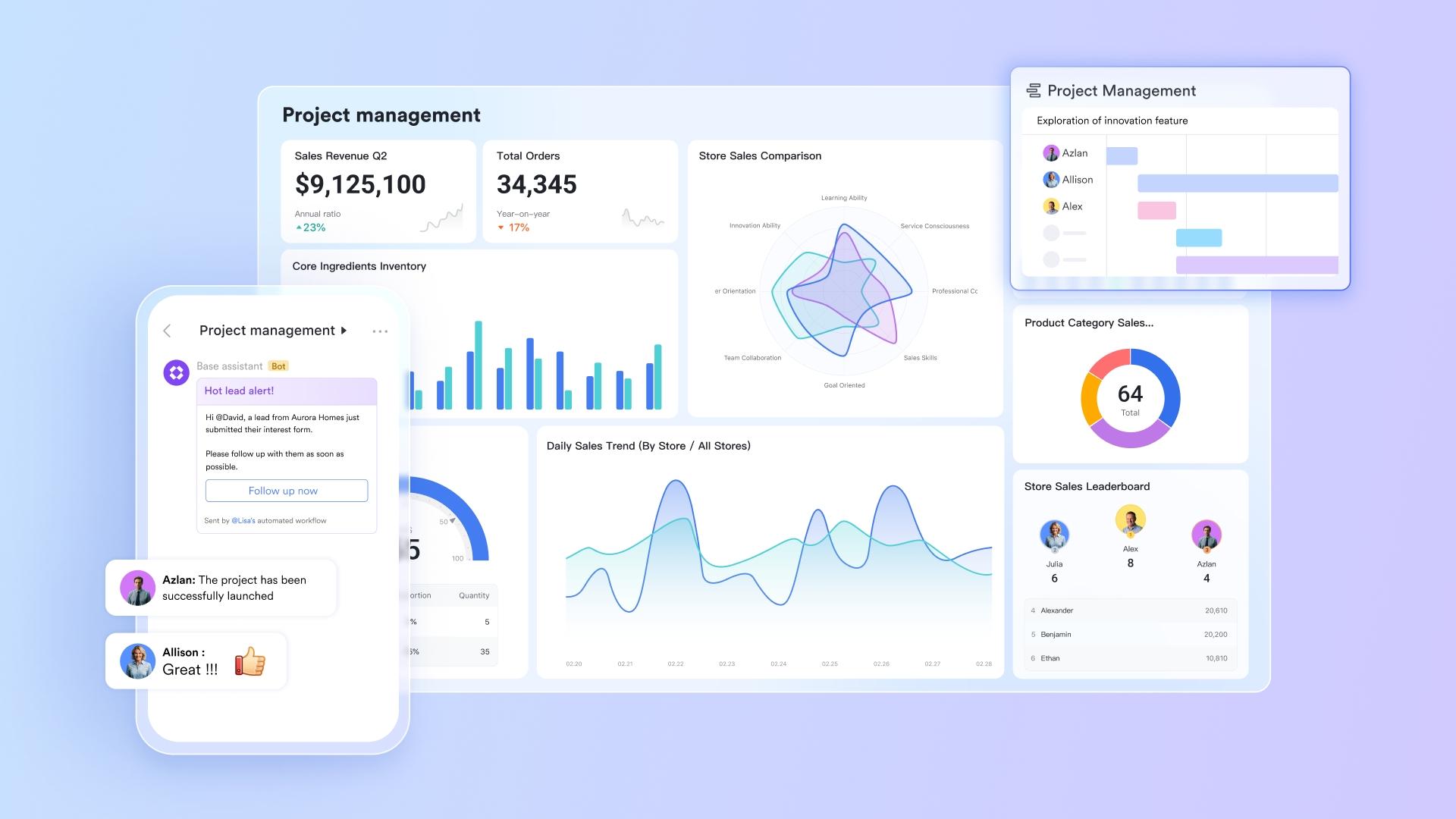
is an all-in-one collaboration suite that combines , , and into a single platform, making it a powerful alternative to traditional project management tools like Freedcamp. What sets Lark apart is its focus on seamless connection of these functionalities, allowing teams to collaborate more effectively without the need to switch between multiple applications. This holistic approach simplifies workflows, enhances communication, and , catering to both small teams and large organizations.
Key features of Lark
Streamlined task management:
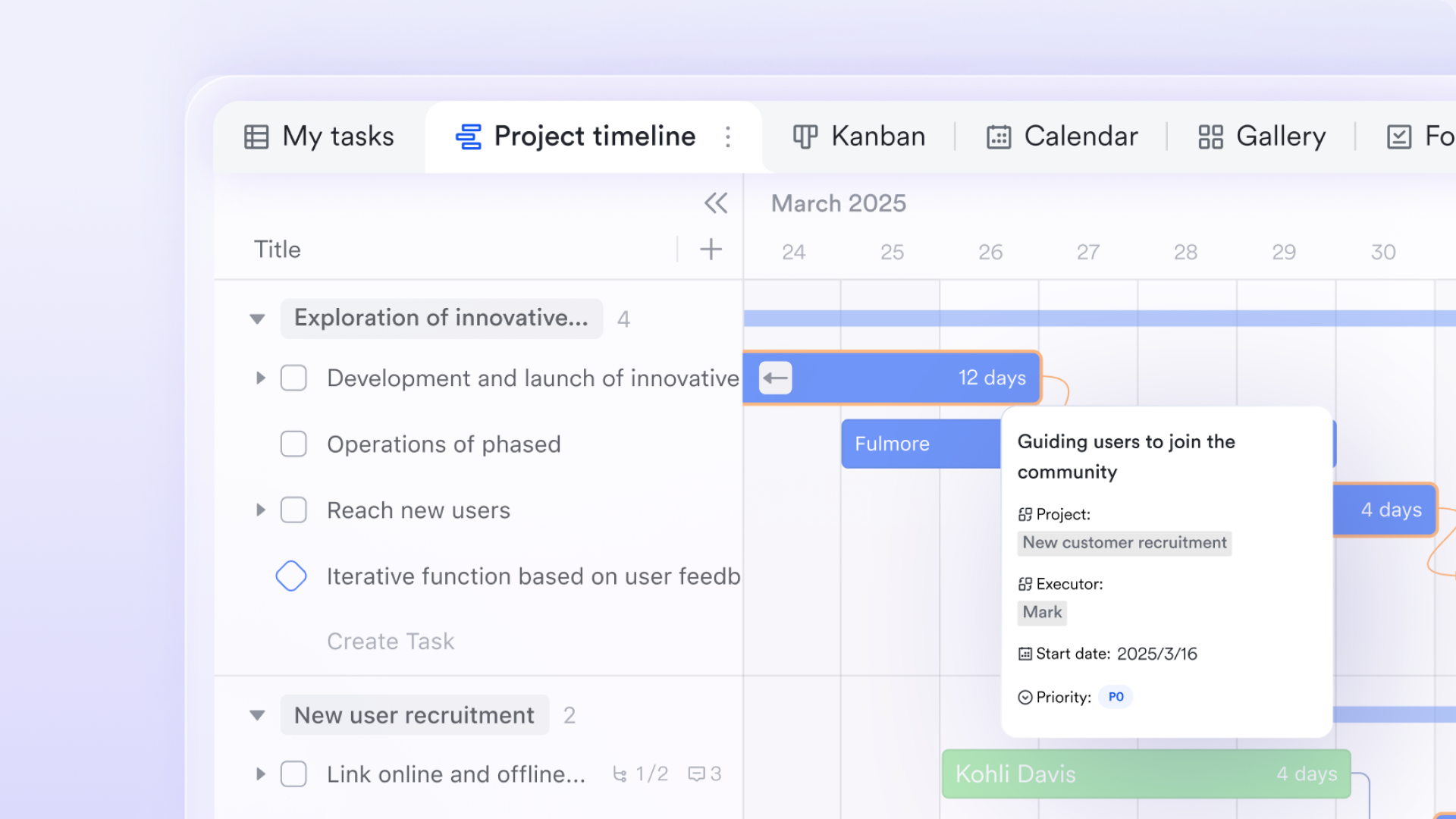
Lark Base provides an intuitive solution that enables teams to organize and prioritize their work effectively. Users can create tasks, set deadlines, and assign responsibilities within a single interface, eliminating the confusion often caused by tracking tasks across different platforms.
Each task in Lark Base supports detailed descriptions, due dates, and checklists, ensuring that team members have all the necessary context to complete their assignments efficiently. The built-in notification system keeps everyone updated on approaching deadlines and task changes, fostering accountability throughout the team. Additionally, Lark Base features visual tools like , allowing managers to monitor progress at a glance and make quick adjustments to project plans as necessary.
Moreover, Lark Base facilitates collaborative efforts by enabling team members to comment directly on tasks. This encourages dynamic feedback and discussion, ensuring potential issues are addressed promptly, thereby maintaining momentum within projects.
Centralized communication:
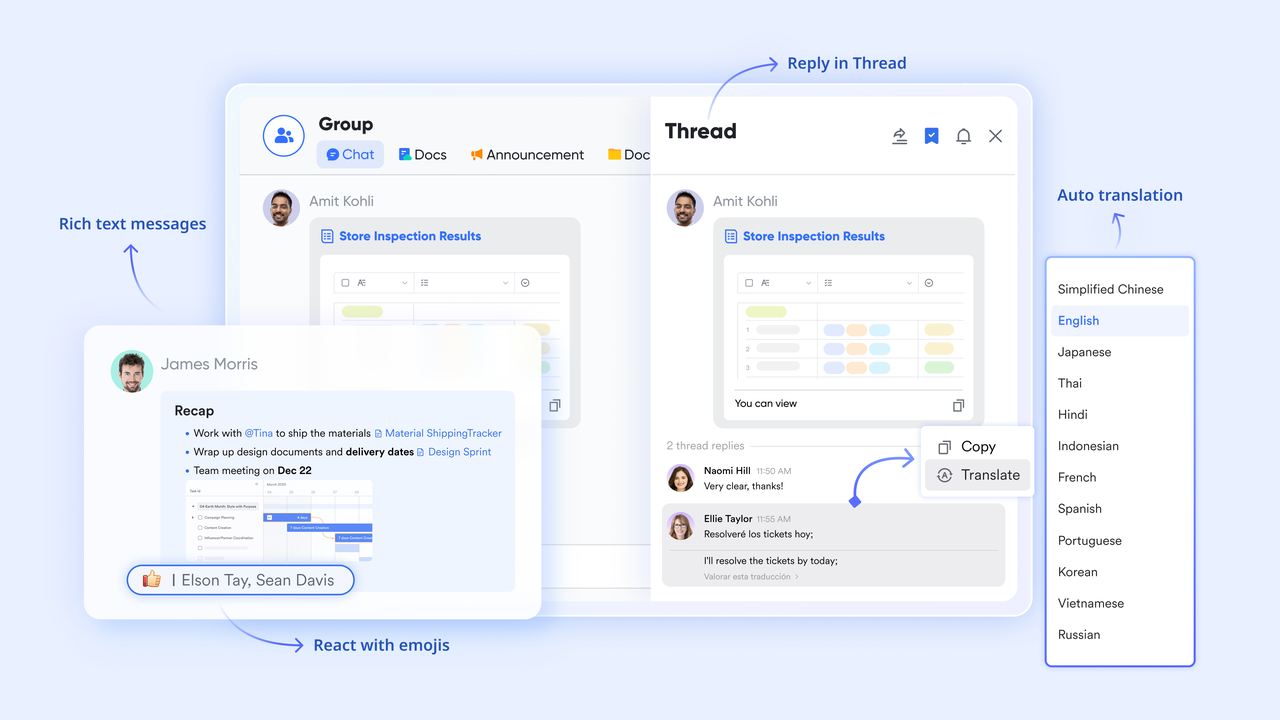
At the core of Lark's functionality is Lark Messenger, which serves as a centralized hub for team communication. This feature allows users to engage in real-time chats, send files, and share quick updates, fostering an agile workflow that enhances decision-making and minimizes delays. Unlike many that require users to navigate through separate applications for communication, Lark Messenger incorporates messaging directly into the workflow.
With Lark Messenger, teams can create dedicated for specific projects or tasks, organizing conversations for easier reference. The platform supports features such as @mentions, ensuring that messages reach relevant team members promptly. This immediacy is vital for keeping everyone aligned on project goals and timelines, thereby enhancing the collaborative environment and allowing for quicker adjustments as project circumstances evolve.
Real-time document collaboration:
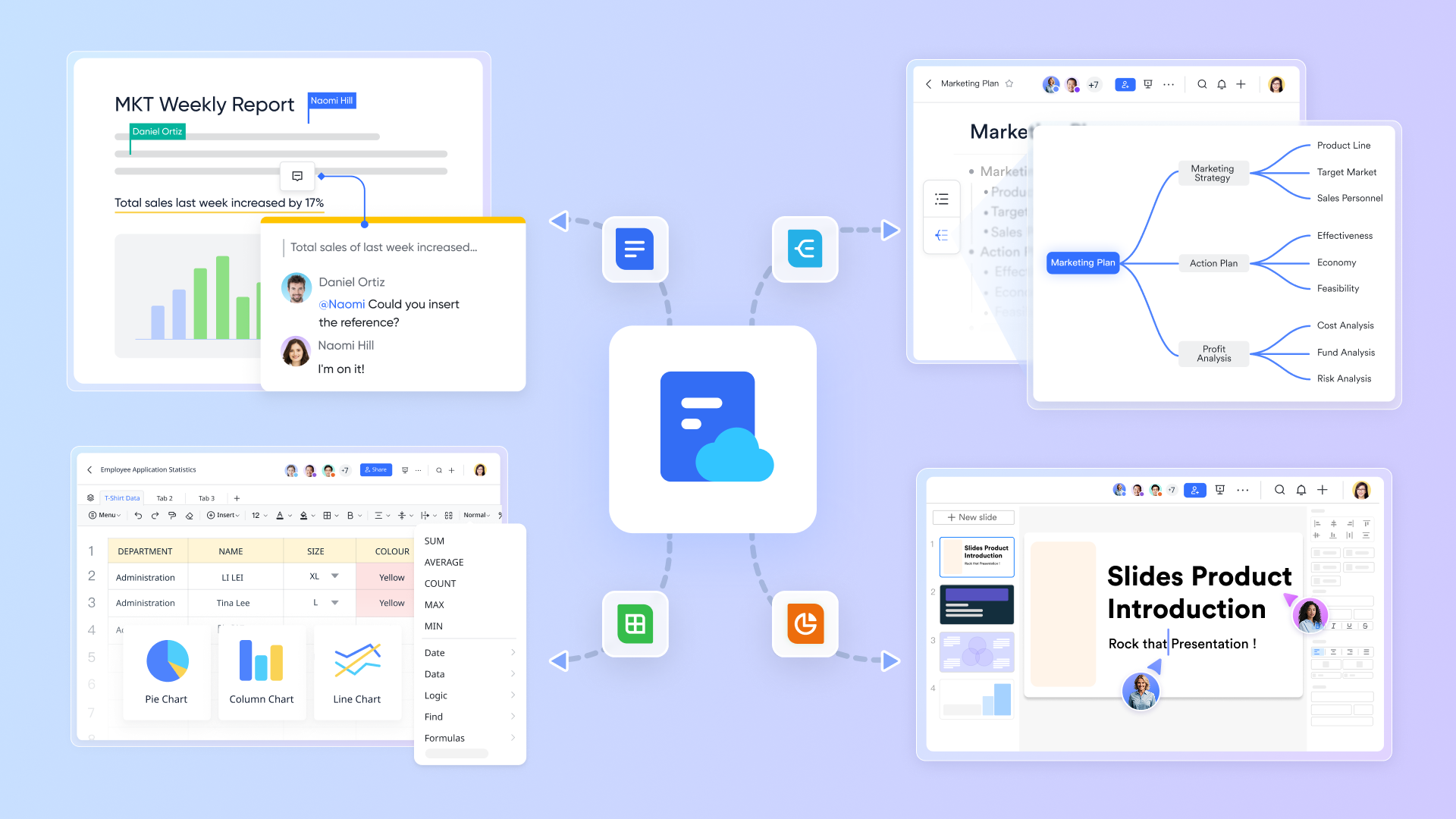
Lark Docs revolutionizes by allowing team members to edit and share documents simultaneously. This feature dramatically reduces the time spent on emails and version control issues that often plague traditional document management systems. With Lark Docs, multiple users can contribute to a document in real time, creating a fluid collaborative experience.
Users can comment directly on specific sections of a document, fostering context-rich discussions that make feedback actionable and straightforward. Lark Docs supports various file types and seamlessly connects with Lark's other features, letting users attach documents directly to communications in Lark Messenger.
This is particularly valuable during project planning phases, where input from multiple stakeholders is critical. Lark Docs offers robust formatting tools, including the ability to create tables, charts, and visuals, transforming it into a comprehensive platform for drafting proposals, reports, and all within one cohesive environment.
:
- Starter plan: Free forever plan with 11 powerful tools for up to 20 users, 100GB storage, 1,000 automation runs, AI translations, and more. No credit card needed.
- Basic plan: $6/user/month (billed annually) for up to 500 users. Includes everything in Starter plus unlimited message history, 5TB storage, 1,000 automation runs, and more. Some users may need to to purchase.
- Pro plan: $12/user/month (billed annually) for up to 500 users. Includes everything in Basic plus group calling for up to 500 attendees, 15TB storage, 50,000 automation runs, and more.
- Enterprise plan: for custom pricing. Supports unlimited users and includes advanced automation, security, compliance, and management features.
For small teams with simple communication needs

18 months message history
1000 Base automation runs/month
2000 rows per table in Base
Most POPULAR
For companies with comprehensive collaboration and management needs
Unlimited message history
500-participant video meetings
50k Base automation runs/month
20k rows per table in Base
For large companies with advanced security and organizational management needs
Get a personalized demo and pricing
Unlimited message history
500-participant video meetings
15 TB storage + 30 GB storage/user
500k Base automation runs/month
50k Base automation runs/month
Most POPULAR
For companies with comprehensive collaboration and management needs
Unlimited message history
500-participant video meetings
50k Base automation runs/month
20k rows per table in Base
Comparison of Lark's pricing structures with Freedcamp's
Here's a revised comparison table that directly contrasts Freedcamp and Lark side by side for each plan, allowing for a clearer comparison of features and pricing between the two project management tools.
Analysis of Lark's advantages
- Cost-effective: Both Freedcamp and Lark offer free options; however, Lark's Starter plan allows up to 20 users with substantial storage and features, making it an excellent choice for small teams.
- Unlimited collaborators: Lark allows unlimited free users across all plans, which is advantageous for involving clients and other stakeholders without incurring additional costs.
- features: Lark provides unlimited message history and AI translation capabilities in its free plan, which are not available with Freedcamp, enhancing user experience with robust communication tools.
- Automated workflows: Lark excels with higher automated workflow executions, especially in the higher tiers, significantly improving productivity for users managing tasks and communications.
- Advanced feature set: Lark's Pro and Enterprise plans offer extensive features such as video conferencing, meeting transcription, and enhanced collaboration tools, making it a more comprehensive solution for team collaboration compared to Freedcamp.
This table effectively highlights the key differences in features and pricing between Freedcamp and Lark, showcasing Lark's strengths in flexibility, collaboration, and enhanced functionality, making it a compelling choice for teams of all sizes.
Conclusion
In conclusion, Freedcamp's pricing structure caters to a wide range of user needs, making it an attractive option for individuals, small teams, and large organizations alike. The tiered structure allows for scalability, providing sufficient features even in the free plan for those just starting with project management. As teams grow and require more robust functionality, the Pro, Business, and Enterprise plans present excellent value with enhanced features and support.
As you evaluate Freedcamp, consider your organizational needs and how the available pricing plans align with them. Additionally, explore other tools like Lark that may offer different advantages, particularly in integration and communication. The right project management tool is essential in today's fast-paced work environment, so take the time to understand how Freedcamp can fit into your workflow, ensuring you can manage projects effectively and efficiently.
Embark on you PM journey in Lark
FAQs
How much does Freedcamp cost?
Freedcamp offers a free plan with essential features. Paid plans start at $1.49 per user per month for Pro, $7.49 for Business, and $16.99 for Enterprise, providing varying levels of functionality and storage.
What are the pros and cons of Freedcamp?
Pros: Cost-effective, user-friendly, offers a robust free plan.
Cons: Limited advanced features in the free version, occasional issues with customer support, and less sophisticated reporting compared to competitors.
How does Freedcamp compare to Asana?
Freedcamp is more affordable and offers a free plan, making it ideal for small teams. However, Asana provides more advanced features, better integrations, and a more polished user interface, which can enhance productivity for larger organizations.
What are Freedcamp alternatives?
Freedcamp alternatives include Asana, Trello, and Lark. While Asana and Trello are popular, they can become costly with advanced features. Lark offers a comprehensive suite for project management and communication at competitive prices, making it an attractive choice for teams seeking an all-in-one solution.
Related reading
























