A project schedule without a Gantt chart is a list of dates. A Gantt chart without a dependency structure is a list of dates with colored bars. An Excel project management schedule template gives teams the structure to build something genuinely useful—tasks sequenced correctly, dependencies mapped, milestones visible, and a timeline that reflects the critical path rather than wishful thinking. For teams that want to build a functional schedule without purchasing dedicated software, Excel remains the most accessible starting point. This guide covers what a complete schedule template needs, how to build one with a working Gantt chart, the best free downloads, and when Excel is no longer the right foundation.
What is a project management schedule template?
An Excel schedule template is a structured spreadsheet for planning, organizing, and tracking project timelines. It brings together tasks, dates, durations, and dependencies into one centralized view, so teams can see how work progresses from start to finish.
Typically, it includes columns for task names, owners, start and end dates, duration calculations, and predecessor relationships that define task order. Many templates also feature a visual timeline—usually a Gantt chart—to make scheduling easier to understand at a glance.
Unlike a simple task list, a project management schedule Excel template helps teams identify the critical path, anticipate delays, and . It ensures that tasks are sequenced correctly and milestones are clearly defined. For small to mid-sized teams, it serves as a practical starting point before transitioning to more advanced, real-time tools like Lark.
Prefer a systematic way to manage your project schedules?
6 free project management schedule Excel templates worth downloading
Finding the right project management schedule template in Excel can save hours of setup and help teams start planning immediately. Free templates offer pre-built structures with task lists, timelines, and sometimes Gantt charts, making them ideal for quick adoption. They also provide a practical way to test different scheduling formats before committing to a system. Below are some of the most reliable options that balance usability, structure, and functionality for real project tracking.
Microsoft project schedule template with Gantt chart
Accessible via File > New; search for "project schedule." Horizontal date-grid layout with task names in the left column and week-by-week cells manually shaded to show the schedule. No formula-driven Gantt—shading is applied manually per cell. Best for short-duration projects presented in a calendar format. No status column, no dependency tracking, no automated conditional formatting.
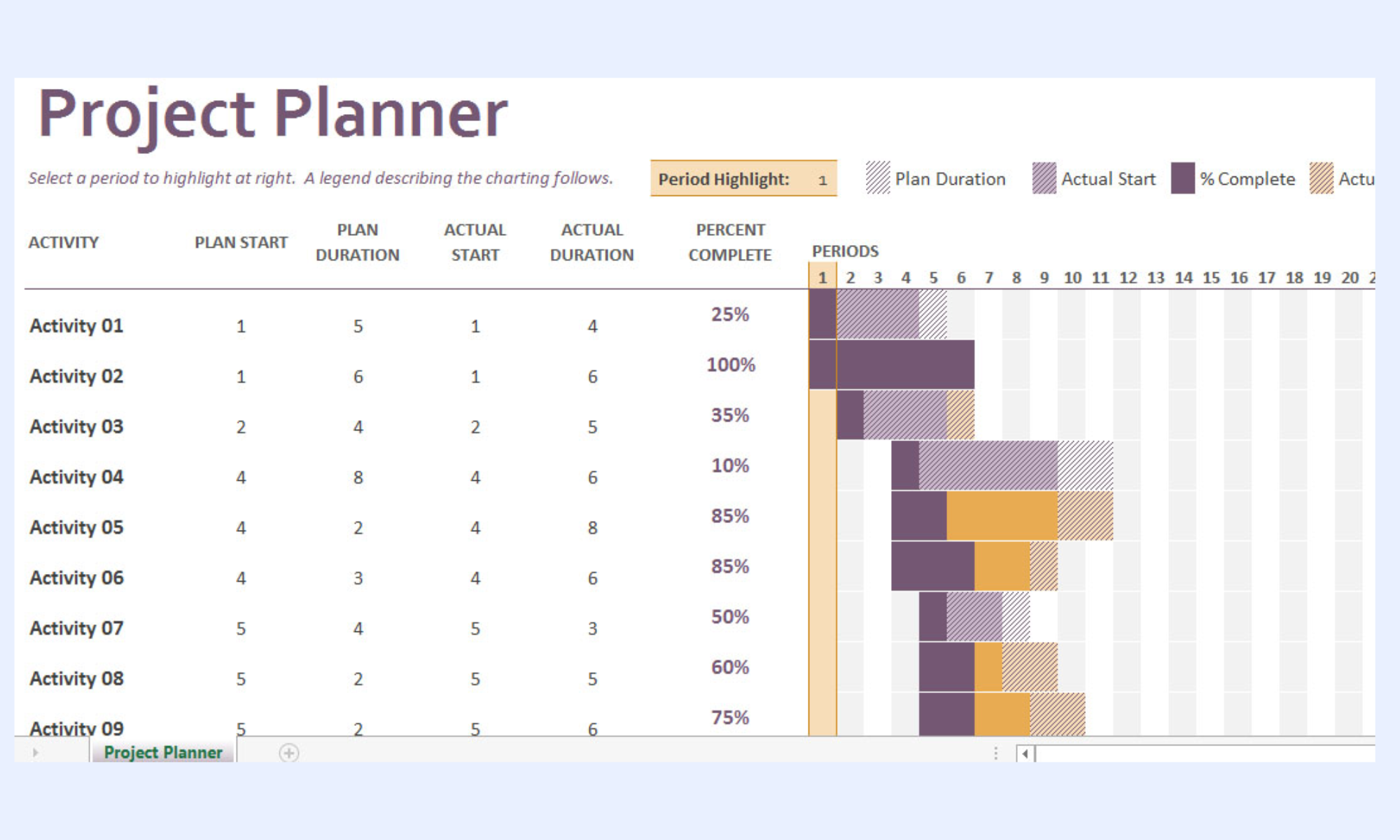
Image source: microsoft.com
Vertex42 Gantt chart template Excel
A formula-driven Gantt chart created using conditional formatting rather than a stacked bar chart. Tasks, start dates, and durations are entered in the task table; the Gantt bars generate automatically in the date grid to the right. Includes milestone row formatting and a completion percentage indicator inside each bar. Main limitation: the date grid formula approach makes the file slow to load on large projects and difficult to extend beyond the pre-built column range.
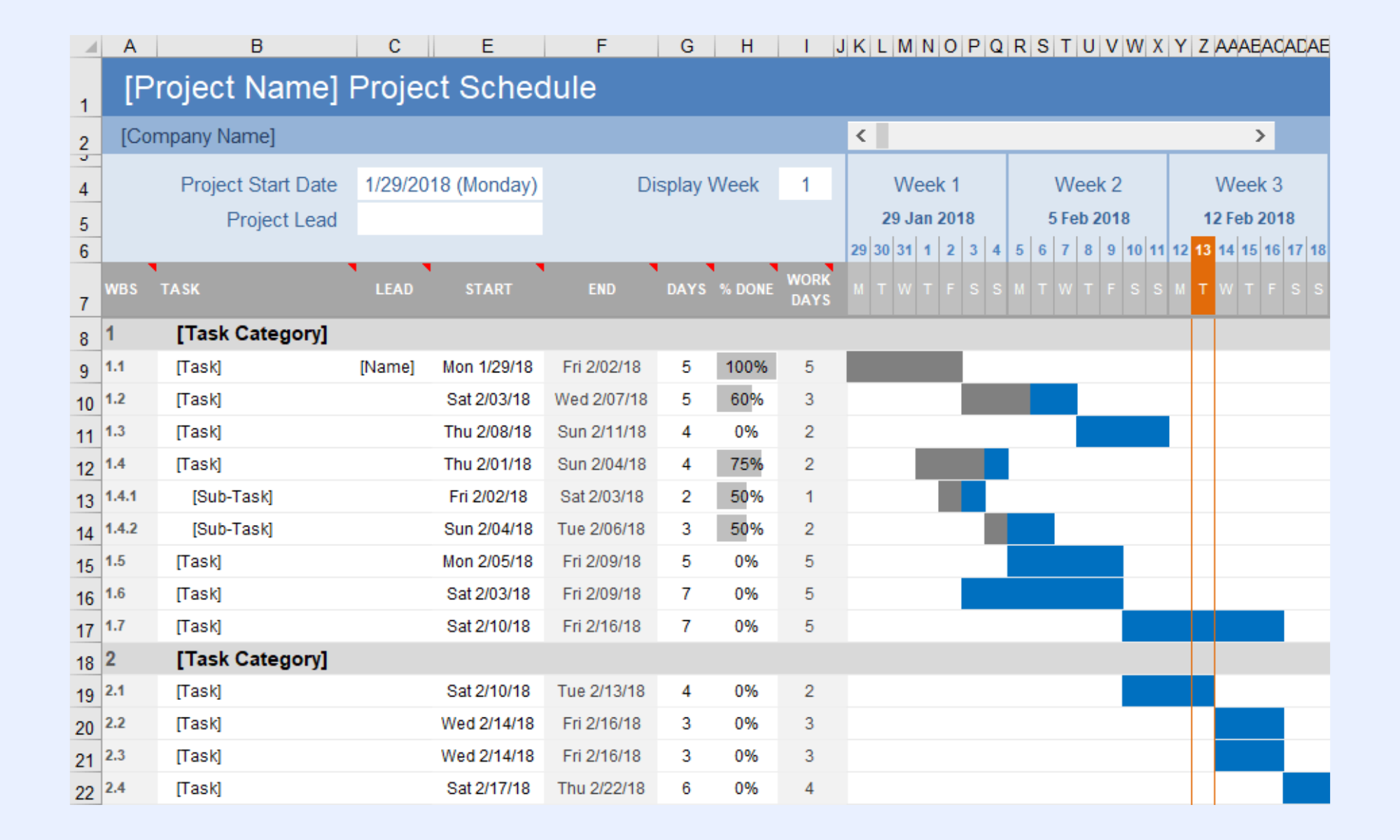
Image source: vertex42.com
ProjectManager free project schedule template Excel
Multi-tab workbook with a task table, Gantt chart auto-generated from date entries, and a resource allocation section. Includes owner, priority, predecessor, and status columns. The most structurally complete free Gantt Excel template. Main limitation: the Gantt chart is a stacked bar chart that requires manual axis reconfiguration when the project start date changes significantly.
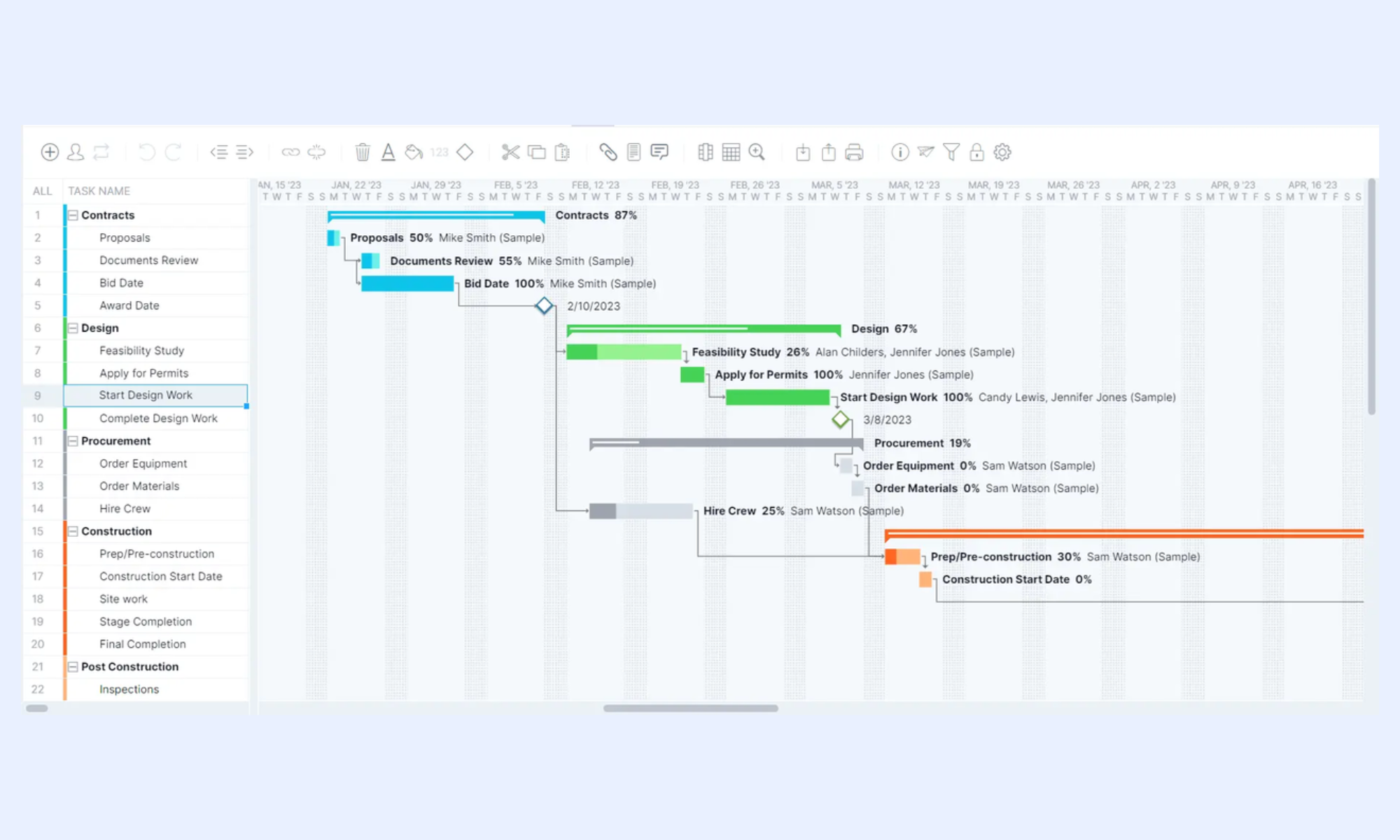
Image source:projectmanager.com
TeamGantt free Excel project schedule template
Biweekly Gantt format with task name, owner, start date, end date, and dependency notation. Phase-grouped with color-coded bars per phase. Best for stakeholder-facing . Main limitation: no status dropdown, no completion percentage column, and no conditional formatting for overdue tasks—designed for planning presentations, not execution tracking.
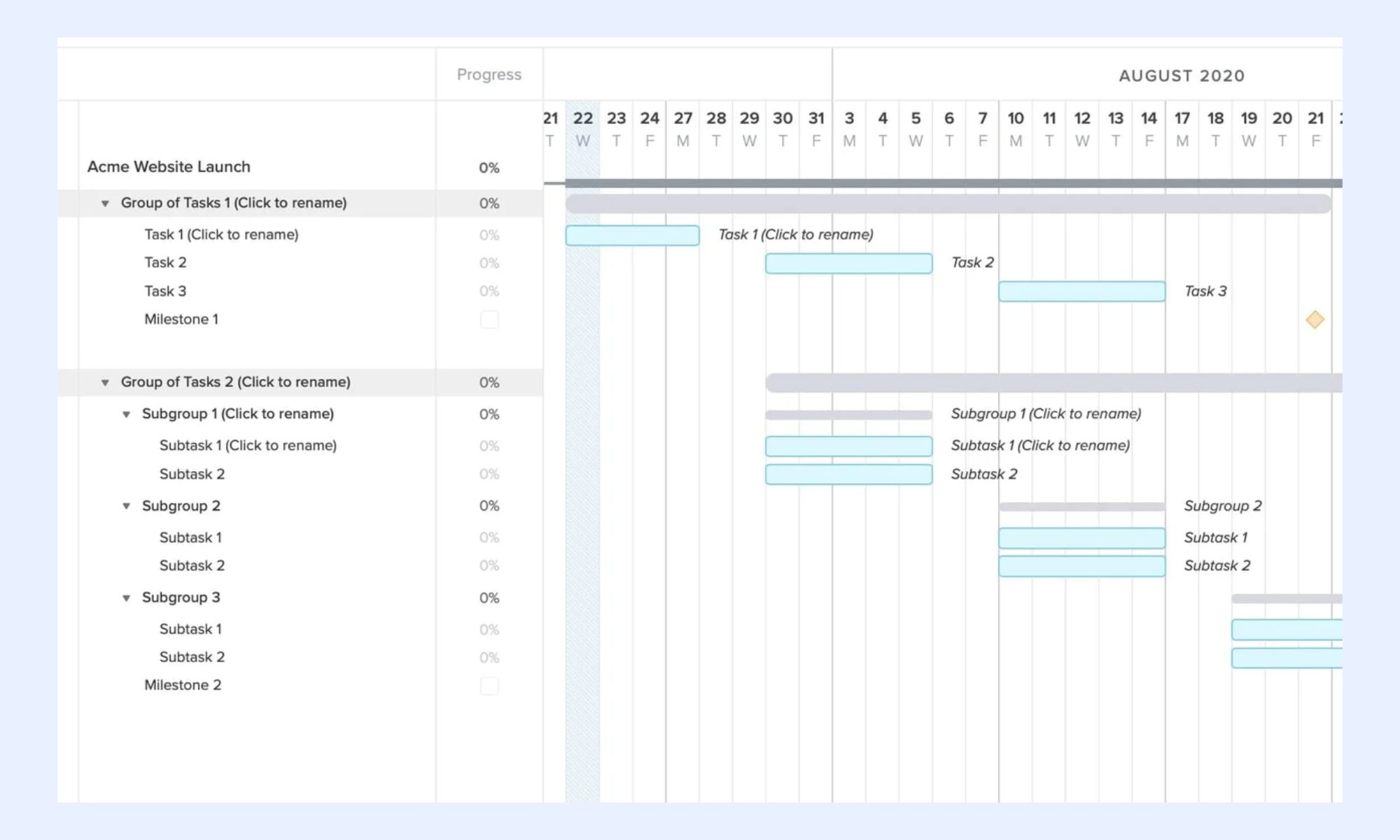
Image source: teamgantt.com
Smartsheet free Excel project schedule template
Grid-based schedule with phase grouping, task ownership, priority, start date, end date, predecessor column for dependency tracking, and pre-configured conditional formatting. Imports cleanly into Smartsheet for teams ready to move beyond Excel. Main limitation: no Gantt chart tab—the schedule is table-only, with no visual timeline.
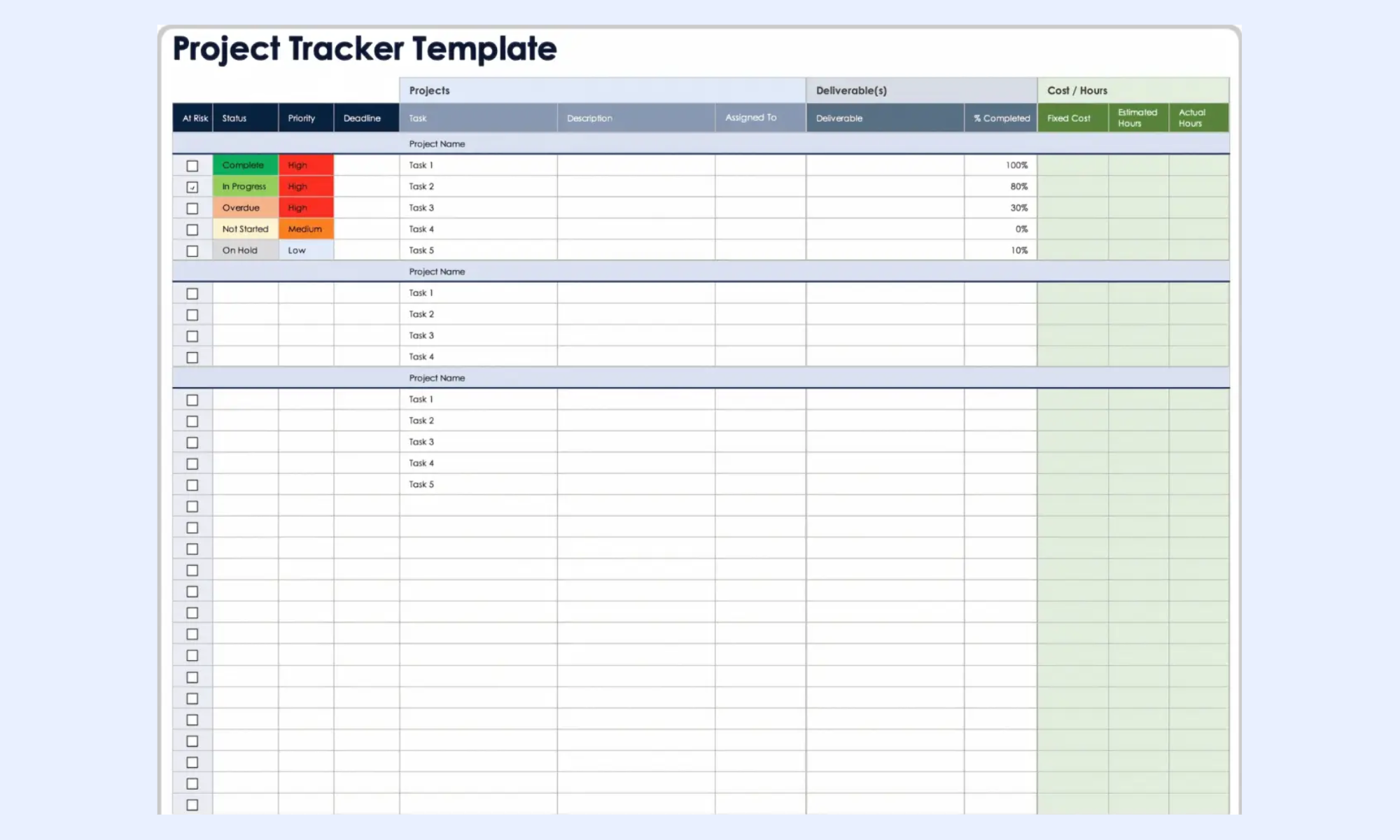
Image source: smartsheet.com
Excelx.com project schedule template Excel
Dynamic that updates as data is entered—no chart reconfiguration required when dates change. Includes man-day tracking, task status percentages, and a project summary header section. Best for PMs who want a Gantt that behaves more like dedicated software. Main limitation: the free version is capped at 25 task rows; more rows require a premium purchase.
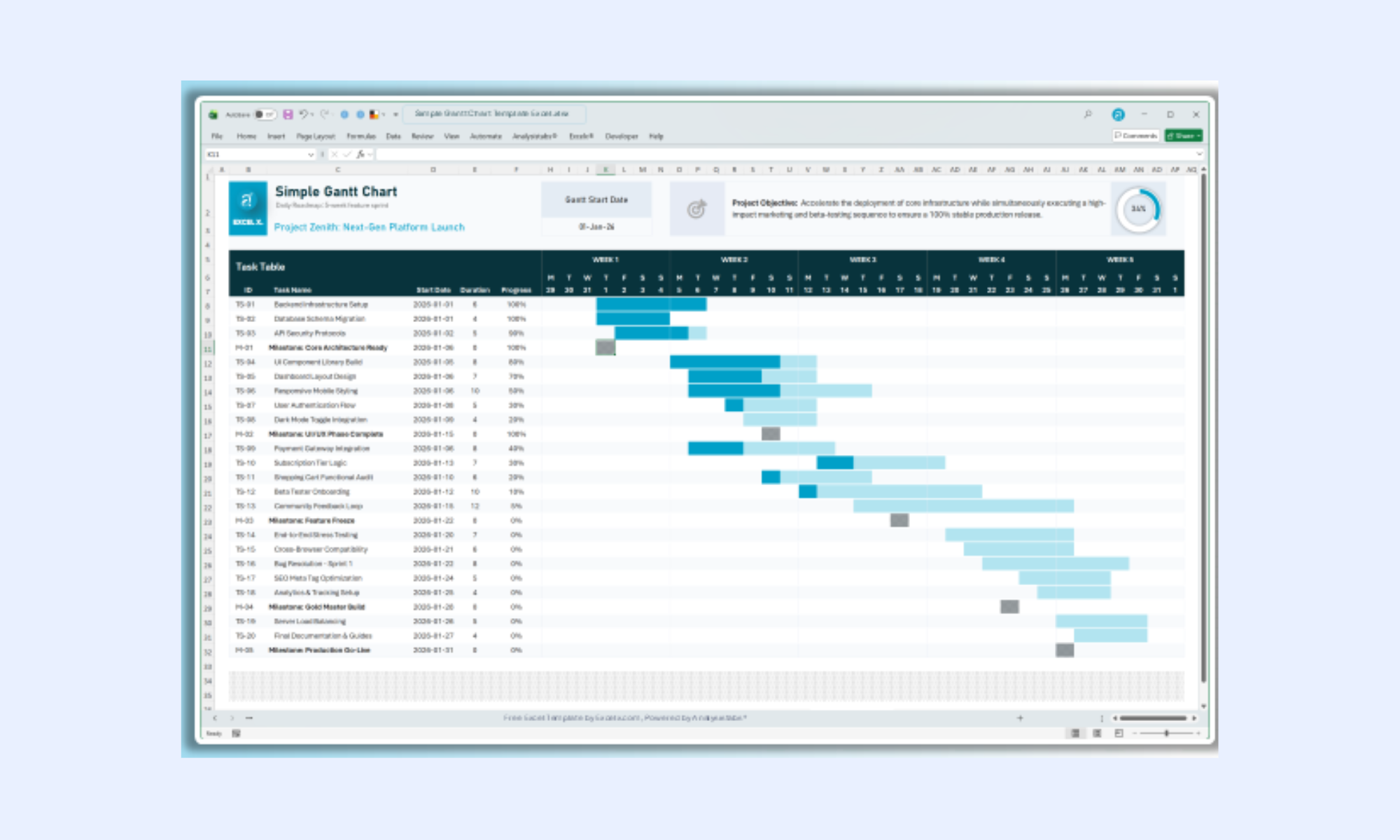
Image source: excelx.com
Meet Lark: Plan, track, and execute in one collaborative workspace
Excel helps teams get started, but modern project scheduling demands real-time collaboration, automation, and dynamic updates that spreadsheets struggle to deliver. provides a unified platform where schedules, communication, and data live together, eliminating the need for constant file switching. reduces manual effort, especially in managing dependencies and alerts. For growing teams and complex projects, Lark offers a more scalable and reliable way to plan and execute schedules.
A live schedule database for all projects
stores the project schedule in a with date fields for start and end dates, formula fields that auto-calculate duration and deadlines, member fields for project owners, link fields that connect dependent task records, and priority fields with conditional coloring. Every field update reflects instantly across all users simultaneously, with a full change history stored automatically.
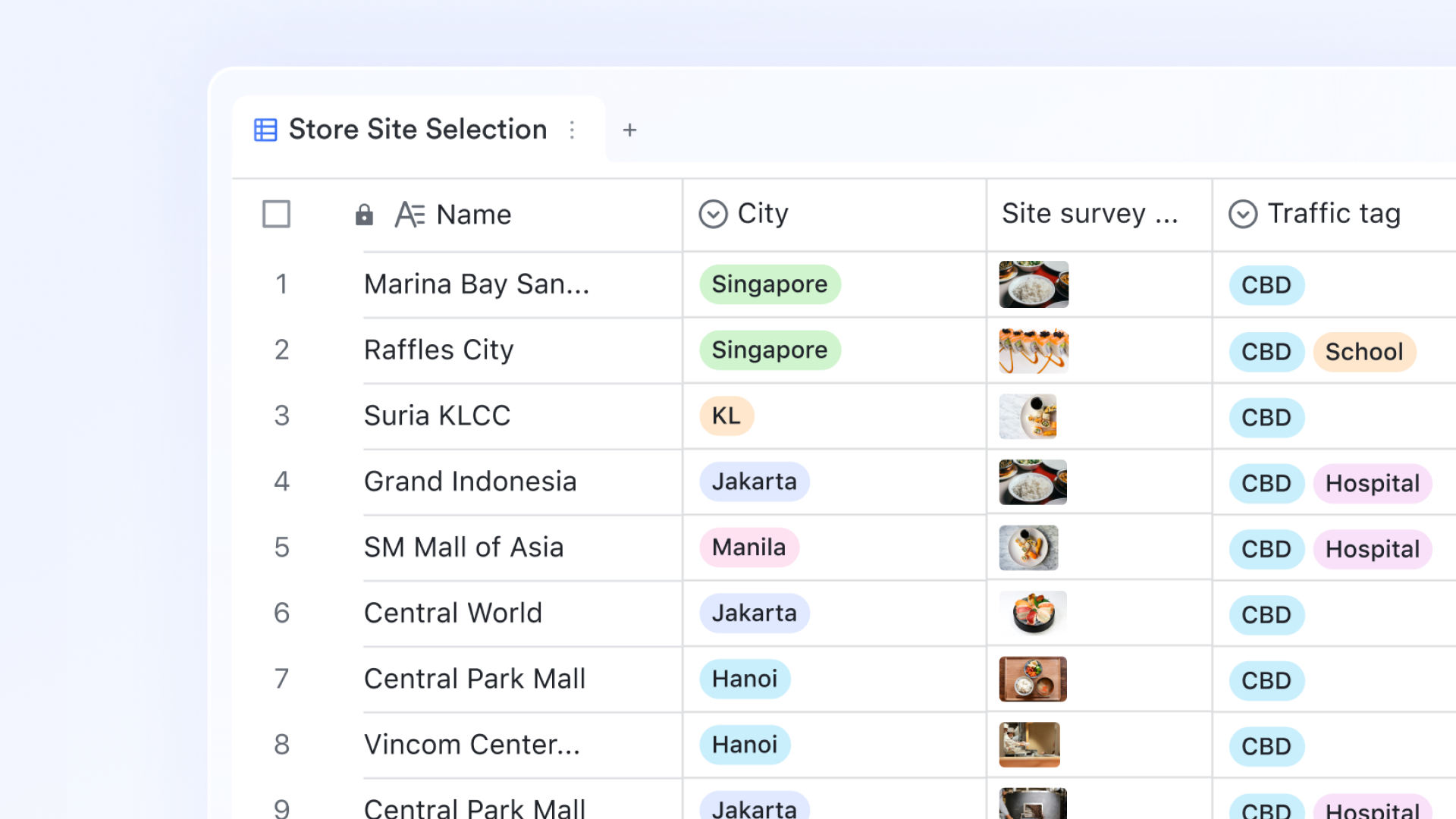
A timeline that rebuilds when any date changes
Lark Base Gantt View renders task start dates, end dates, and dependency links as a visual horizontal timeline directly from database fields. When a task end date changes, the Gantt bar repositions automatically without axis reconfiguration or chart reformatting. Project managers switch between oversight and the Grid view for data entry from the same dataset with no duplication required. 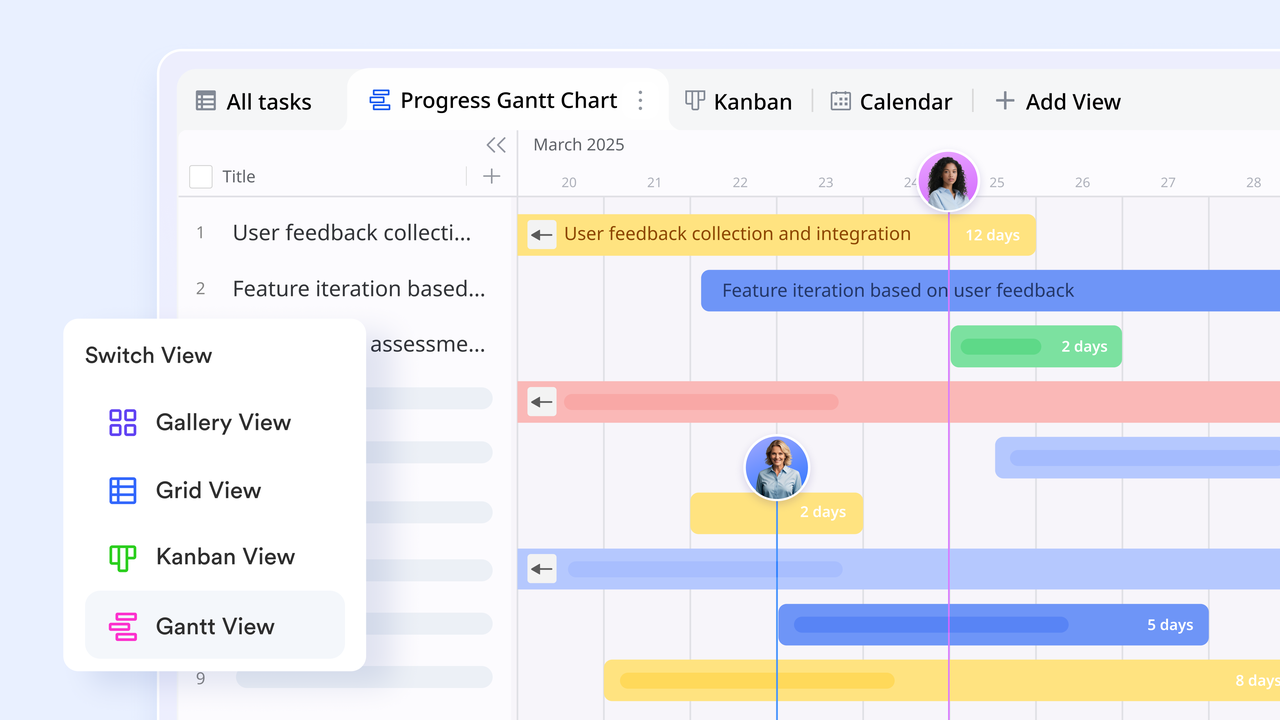
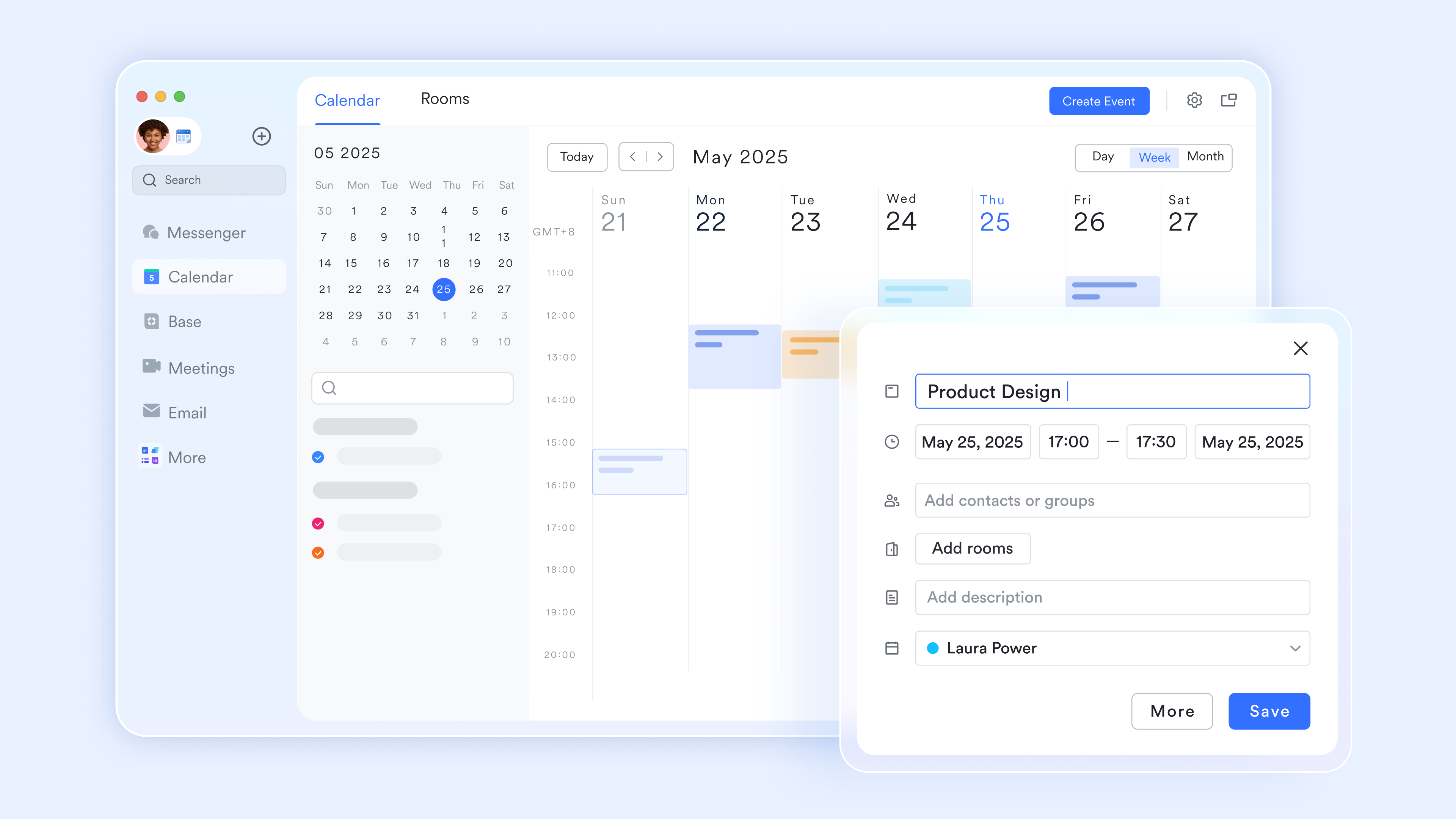
Smart and unified project calendar
serves as a unified scheduling engine by integrating tasks, meetings, and into a single, synchronized timeline. It simplifies complex coordination by enabling real-time availability checks for both internal teams and external stakeholders, ensuring alignment without back-and-forth. By linking directly to Lark Docs and supporting two-way sync with Google or Outlook, it transforms your calendar into a functional project hub.
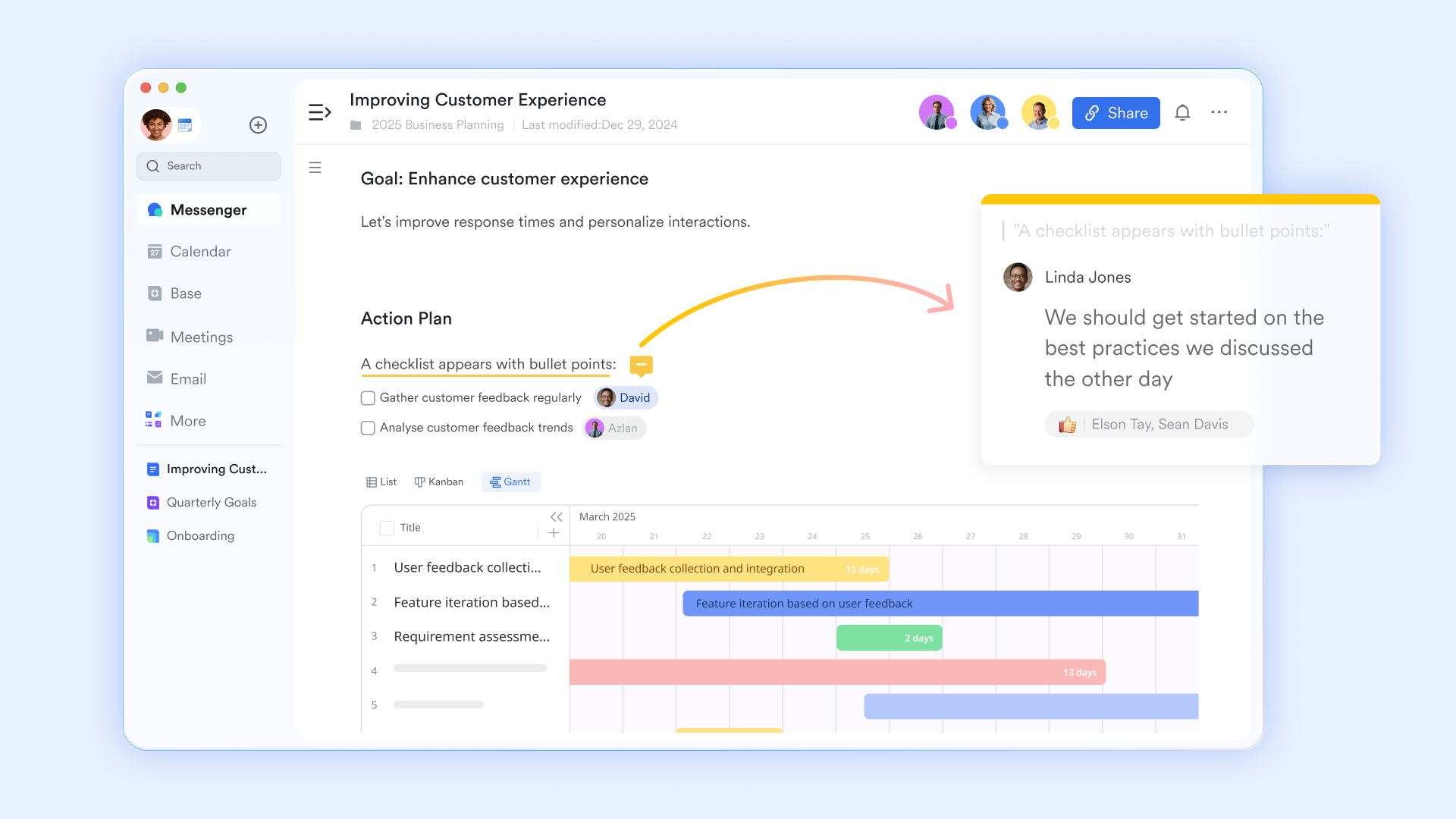
Schedule context and scope documentation linked to the plan
stores the project brief, scope statement, milestone acceptance criteria, and meeting notes with and version history. Each document links directly to the relevant phase or milestone record in Lark Base. When a stakeholder opens a milestone record and needs to confirm the acceptance criteria before sign-off, the linked Lark Doc is accessible from the same view—no folder search, no attachment download, no version confusion.
:
- Starter plan: Free forever plan that includes 11 powerful tools for up to 20 users. It also comes with 100GB of storage, 1000 automation runs, AI translations, and more.
- Pro plan: $12/user/month (billed annually) for up to 500 users. It includes everything in Starter plus group calling for up to 500 attendees, 15TB of storage, 50,000 automation runs, and more.
- Enterprise plan: for custom pricing. Supports unlimited users and includes even more automation runs and advanced security, compliance, and management features.
For small teams with simple communication needs

18 months message history
1000 Base automation runs/month
2000 rows per table in Base
Most POPULAR
For companies with comprehensive collaboration and management needs
Unlimited message history
500-participant video meetings
50k Base automation runs/month
20k rows per table in Base
For large companies with advanced security and organizational management needs
Get a personalized demo and pricing
Unlimited message history
500-participant video meetings
15 TB storage + 30 GB storage/user
500k Base automation runs/month
50k Base automation runs/month
Most POPULAR
For companies with comprehensive collaboration and management needs
Unlimited message history
500-participant video meetings
50k Base automation runs/month
20k rows per table in Base
Ready-to-use Lark project schedule templates
These templates are built on Lark Base, so every project schedule is live, collaborative, and viewable in Gantt, Kanban, Calendar, and Dashboard formats from a single dataset. Change a task date, update a status, or mark a milestone complete—the change is reflected instantly across every view and automatically triggers the right team notification.
Gantt chart
A Gantt chart template is a visual project scheduling tool that maps tasks against a timeline, making it easy to track progress and deadlines. In a project management schedule template in Excel, stacked bar charts are typically used to represent task durations. This format helps teams quickly understand dependencies, overlaps, and the overall project flow at a glance.
Production planning and scheduling management
A production planning and scheduling management template helps teams organize manufacturing tasks, , and efficiently track production timelines. In a project management schedule Excel template, production stages are aligned with deadlines, ensuring a smooth workflow across departments. This structure improves visibility into bottlenecks, capacity planning, and delivery commitments.
OKR task subdivision and progress control
An OKR task subdivision and progress control template helps break high-level objectives into smaller, actionable tasks that teams can execute and track. Within a project management schedule template in Excel, goals are linked to timelines, ensuring every task contributes to measurable outcomes. This approach improves accountability, visibility, and alignment across teams while continuously monitoring progress.
Project roadmap Gantt chart
A project roadmap Gantt chart template provides a high-level timeline of key initiatives, milestones, and phases across a project or product lifecycle. This format is especially useful for stakeholder communication, strategic planning, and tracking progress against broader objectives.
Project timeline
A project timeline template provides a clear, chronological view of tasks, milestones, and deadlines across the entire . It helps teams visualize when activities start and finish without focusing heavily on dependencies. This format is ideal for high-level planning, stakeholder updates, and keeping everyone aligned on key dates.
Project tracking
A project tracking template helps teams monitor task progress, deadlines, and overall project performance in real time. It includes status updates, completion percentages, and owner accountability to ensure work stays on track. This structure improves visibility, reduces delays, and supports better decision-making throughout the project lifecycle.
Multi-project tracker
A multi-project tracker template helps teams manage and from a single, centralized view. It consolidates timelines, priorities, and progress across projects to improve coordination and resource allocation. This format enables better visibility into overlapping deadlines, workload distribution, and overall portfolio performance.
Milestone tracker for software projects
A milestone tracker for software projects helps teams monitor key deliverables such as releases, sprints, and feature completions. It highlights critical checkpoints with dates, owners, and status to ensure timely delivery. This structure improves visibility into progress, reduces the risk of missed deadlines, and keeps development aligned with roadmap goals.
Employee task tracker
An employee task tracker template helps teams assign, monitor, and evaluate individual workloads across projects. This captures task ownership, deadlines, priorities, and completion status for each team member. This structure improves accountability, balances workload distribution, and ensures tasks are completed on time.
Conclusion
A well-built project management schedule template in Excel gives teams a strong foundation for planning tasks, mapping timelines, and visualizing progress through Gantt charts. It helps structure work, define dependencies, and without the need for complex tools. However, as projects grow in complexity, Excel's limitations start to slow teams down. What begins as a simple solution can quickly become difficult to maintain and error-prone.
That's where offers a smarter approach. With real-time updates, automated workflows, and integrated communication, Lark transforms static schedules into dynamic, collaborative systems. Teams can manage timelines, track progress, and respond to changes instantly without switching between tools. If you're ready to move beyond spreadsheets and build a more efficient project scheduling process, try Lark for free and experience a faster, more connected way to manage your projects.
Organize every project milestone with Lark
FAQs
What is the difference between a project schedule and a project plan in Excel?
A project plan outlines the overall strategy, scope, resources, and goals, while a schedule focuses specifically on timelines, tasks, and sequencing. In Excel, the plan is broader, and the schedule is execution-focused. Tools like Lark combine planning and scheduling in a single unified workspace.
What is the critical path in a project management schedule template?
The critical path is the sequence of tasks that directly determines the project's finish date. Any delay in these tasks delays the entire . Lark automatically identifies and tracks critical tasks without manual calculations.
When should I stop using Excel for project schedule management?
You should move beyond Excel when projects require real-time updates, multiple collaborators, and dynamic dependency tracking. Frequent manual adjustments and version conflicts are clear signs of limitation. Lark solves these issues with live collaboration and automation.
How do you manage a project schedule when the team is distributed across multiple time zones?
Managing distributed teams requires shared visibility, clear deadlines, and . Excel lacks built-in coordination tools for time zone differences. Lark enables seamless, synchronized updates, notifications, and communication across global teams.
Related reading





























