














The Ultimate Project Management Toolkit Guide of the Top 15 Tools

Matthew Sia
Product Marketing Manager
Sep 18, 2026
Matthew Sia
Sep 18, 2026

34 min read


In any project, teams battle friction from disconnected tools. Information gets lost across emails and chat threads, leading to missed deadlines and redundant work. The problem isn't the team's effort; it's the chaotic collection of software. The solution is to adopt a cohesive "project management toolkit"—a seamless system of tools, processes, and methodologies. A well-designed toolkit, whether for a startup or a formal Project management office toolkit, transforms this friction into a powerful engine for productivity. This guide will show you how to build one, defining the core components, offering a framework for choosing the right software, and presenting the 15 best tools to create a system that delivers results.
1. Lark: The all-in-one suite for collaboration and project management
2. Asana: The powerful task manager for team alignment
3. Trello: The simple and visual Kanban board
4. Monday.com: The highly customizable and visual Work OS
5. ClickUp: The feature-dense platform for limitless customization
6. Wrike: The enterprise-grade tool for marketing and creative teams
7. Jira: The industry standard for Agile software development
8. Smartsheet: The powerful platform with a spreadsheet-like interface
9. Notion: The flexible workspace for custom solutions
10. Basecamp: The simple and centralized hub for remote communication
11. Airtable: The flexible database that builds powerful apps
12. Microsoft Project: The traditional powerhouse for complex projects
13. Teamwork: The client-focused platform for agencies
14. Zoho Projects: The integrated solution for the Zoho ecosystem
15. Nifty: The collaborative hub for modern teams

What is a project management toolkit?
The term "project management toolkit" is often used interchangeably with project management software, but this misses the bigger picture. A single piece of software, like traditional Microsoft project management software, is just one instrument. A true toolkit is the entire orchestra—a complete system where every part works in harmony to create a productive workflow.
Moving beyond the software-only mindset
A holistic project management toolkit consists of three distinct layers:
- Methodology: This is the strategic approach or philosophy guiding the work. It could be Agile for fast-paced, iterative projects or Waterfall for linear, sequential work.
- Software: These are the digital tools used to execute the methodology—for planning, tracking, communicating, and collaborating.
- Processes and Templates: These are the standardized documents and repeatable workflows, such as those found in project management toolkit templates, that ensure consistency and quality.
Think of it like a professional workshop. The methodology is the blueprint for what is being built. The software represents the power tools—the saws, drills, and sanders that do the heavy lifting. The processes and templates are the measuring tapes, safety checklists, and finishing techniques that ensure everything is precise and well-crafted. Without all three, the workshop is incomplete and inefficient.
The costly problem with a disconnected toolkit
When these layers are not integrated, chaos ensues. Teams suffer from poor stack management when they use one application for chat, another for task lists, a separate one for documents, and email for everything in between. This fragmentation creates significant problems.
Information becomes siloed, forcing team members to hunt for data across multiple platforms. The constant context switching—jumping from one app to another—drains mental energy and kills productivity. It creates multiple "sources of truth," leading to confusion about which information is the most current. This friction ultimately results in missed deadlines, decreased quality, and a frustrated team that spends more time managing its tools than doing meaningful work.
Why does a holistic toolkit beat a single "best" tool?
The market is flooded with applications claiming to be the single "best" project management tool. While many are excellent, the idea of a one-size-fits-all solution is a myth. The needs of a ten-person creative agency are vastly different from those of a 500-person engineering department.
A tool lauded for its simplicity might lack the robust features a complex project requires. Conversely, a feature-rich enterprise platform could overwhelm a small team with unnecessary complexity and a steep learning curve. Chasing a single perfect tool often leads to compromise, where the chosen software is a master of none and a poor fit for many. The goal shouldn't be to find one tool to rule them all, but to build a system—applying smart stack management—that is perfectly tailored to the team's unique workflow and challenges.
Assembling a cohesive toolkit, whether it's a collection of integrated apps or an all-in-one platform, offers distinct advantages over a single, mismatched tool.
- Adaptability: A flexible toolkit allows teams to use the right component for the right task. They can use a Kanban board for one project and a Gantt chart for another, all within a connected system.
- Scalability: As a team or organization grows, its toolkit can evolve. This is a key feature of scalable project management toolkits; new tools or processes can be involved without needing to uproot and replace a monolithic system that the entire company relies on.
- Team Empowerment: When teams have a say in the tools and processes they use, they feel a greater sense of ownership. This buy-in, which can sometimes be at odds with a standardized project management office toolkit, is critical for successful adoption and leads to a culture where the toolkit is seen as a valuable asset, not a corporate mandate.
15 top project management tools for every team need
While many articles focus on the top 10 project management tools, we've expanded our list to 15 to provide a broader view that covers more specialized and all-in-one solutions that are defining the future of work.
1. Lark: The all-in-one suite for collaboration and project management
Overview: While most solutions on this list are powerful project management tools, they typically represent only one piece of a project's puzzle, forcing teams to stitch together a fragmented toolkit of separate apps for chat, documents, and video calls. Lark has an overwhelming advantage because it is not just a tool; it is a unified platform that is the toolkit. It natively combines the essential layers of project management—communication (Messenger), planning and execution center (Base), collaborative documentation (Docs), and meetings—into a single, context-aware environment. This eliminates friction, creates a definitive single source of truth, and allows work to flow seamlessly from a conversation to a plan and into execution without ever leaving the platform.
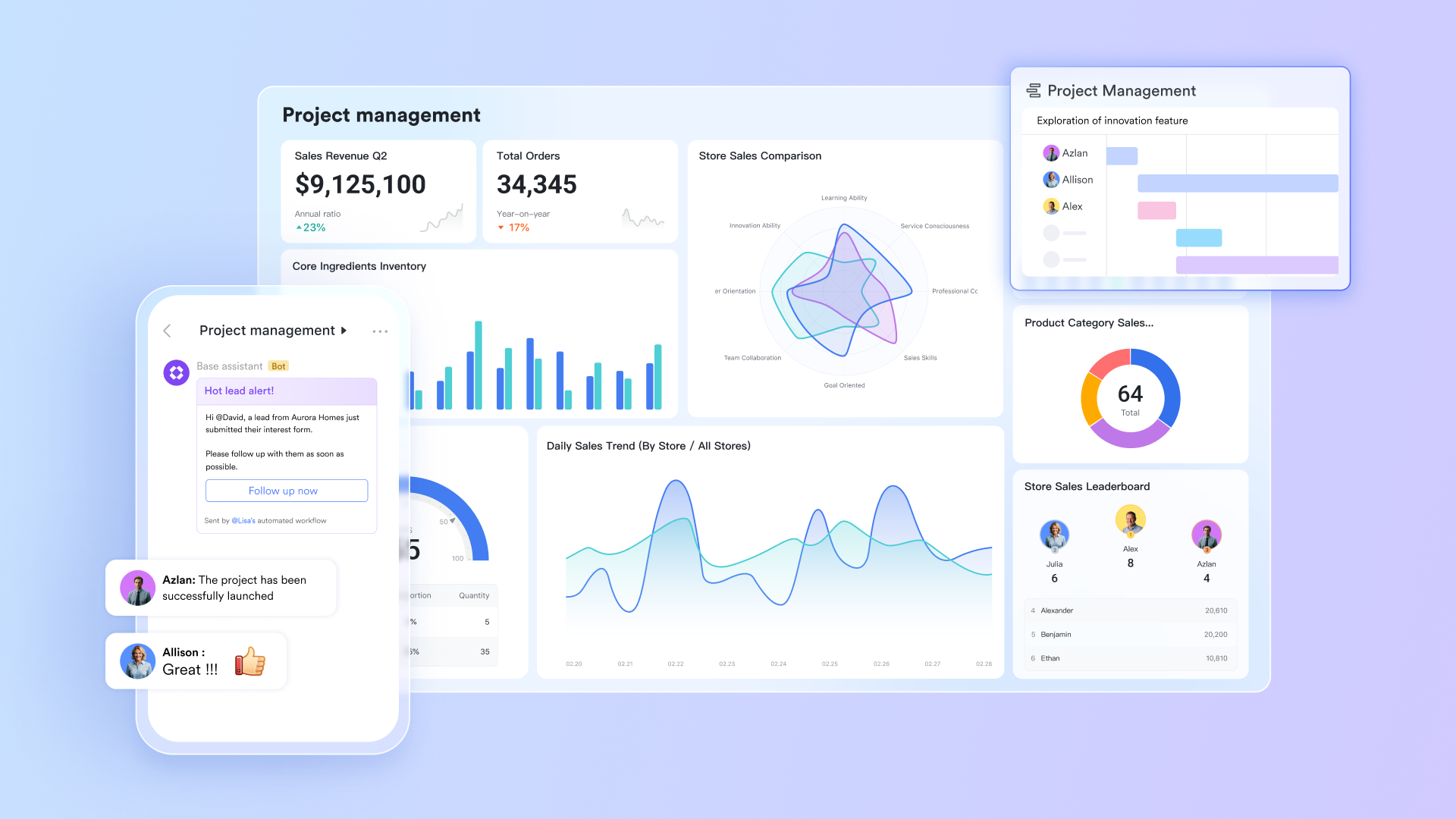
Centralizing project information and documentation
Scattered project documents across multiple platforms create significant management challenges. Teams often spend valuable time searching for current file versions while project managers struggle to maintain clear visibility into project progress. This fragmentation frequently leads to communication gaps and missed deadlines that impact overall project outcomes.
Lark Base addresses these challenges by serving as a centralized platform for project documentation and tracking. Teams can create customized databases for different project types with tailored fields to track task status, ownership, and deadlines. The platform offers multiple viewing options, including Kanban boards for workflow visualization and calendar views for deadline management. Automated features trigger notifications for approaching deadlines and update task statuses automatically when dependencies are met.
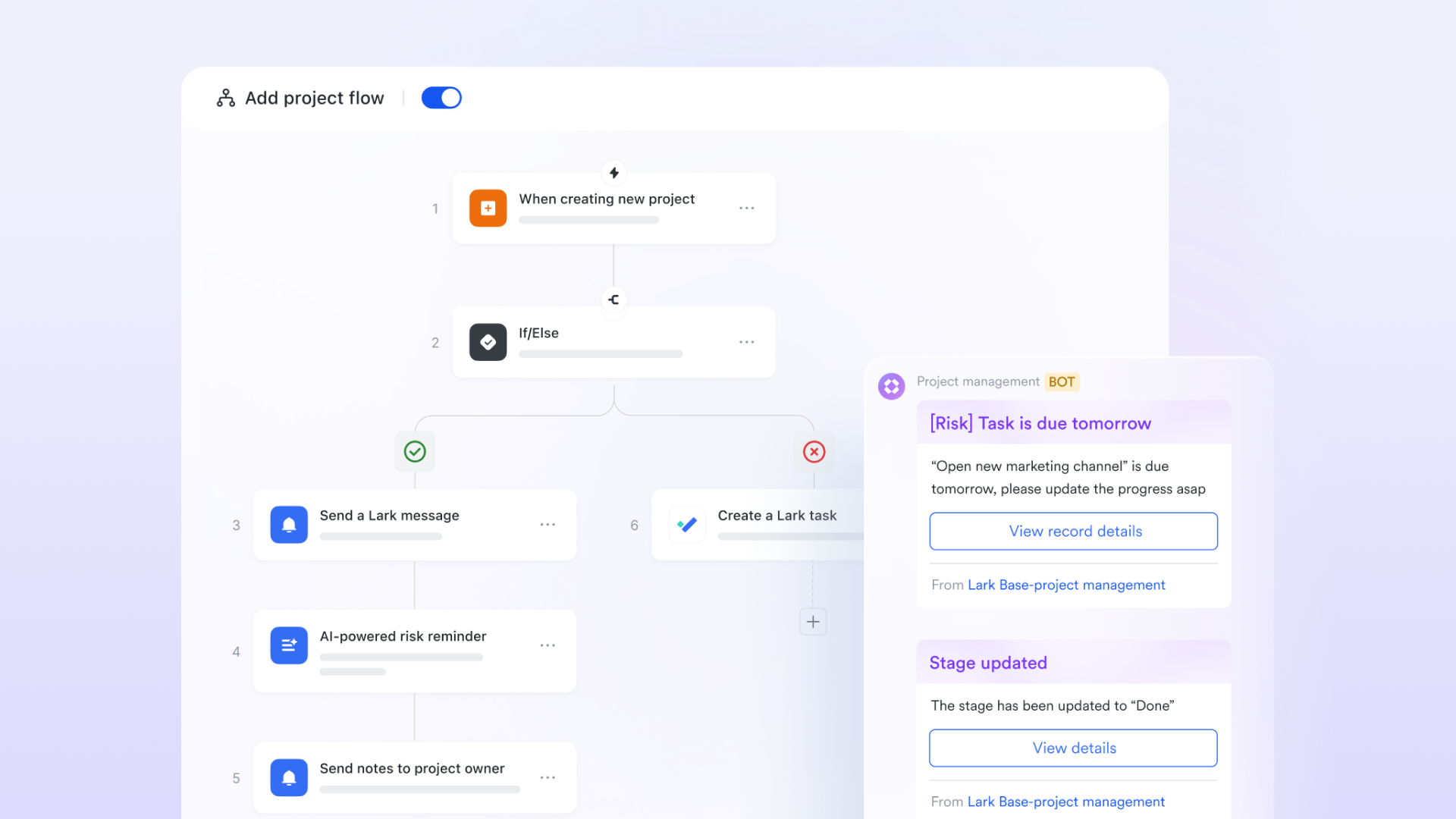
Enhancing team communication and coordination
Effective project execution relies on seamless communication and coordinated efforts across teams. Traditional communication methods often create information silos that delay critical decisions and hinder progress.
Lark Messenger facilitates instant communication through dedicated project chat groups, enabling teams to convert conversation points directly into actionable tasks in Lark Tasks without switching between platforms. Lark Calendar allows for efficient scheduling of follow-up meetings, while direct file sharing from Lark Docs ensures all team members have access to the latest resources. This seamless approach helps eliminate communication barriers and maintains team alignment.
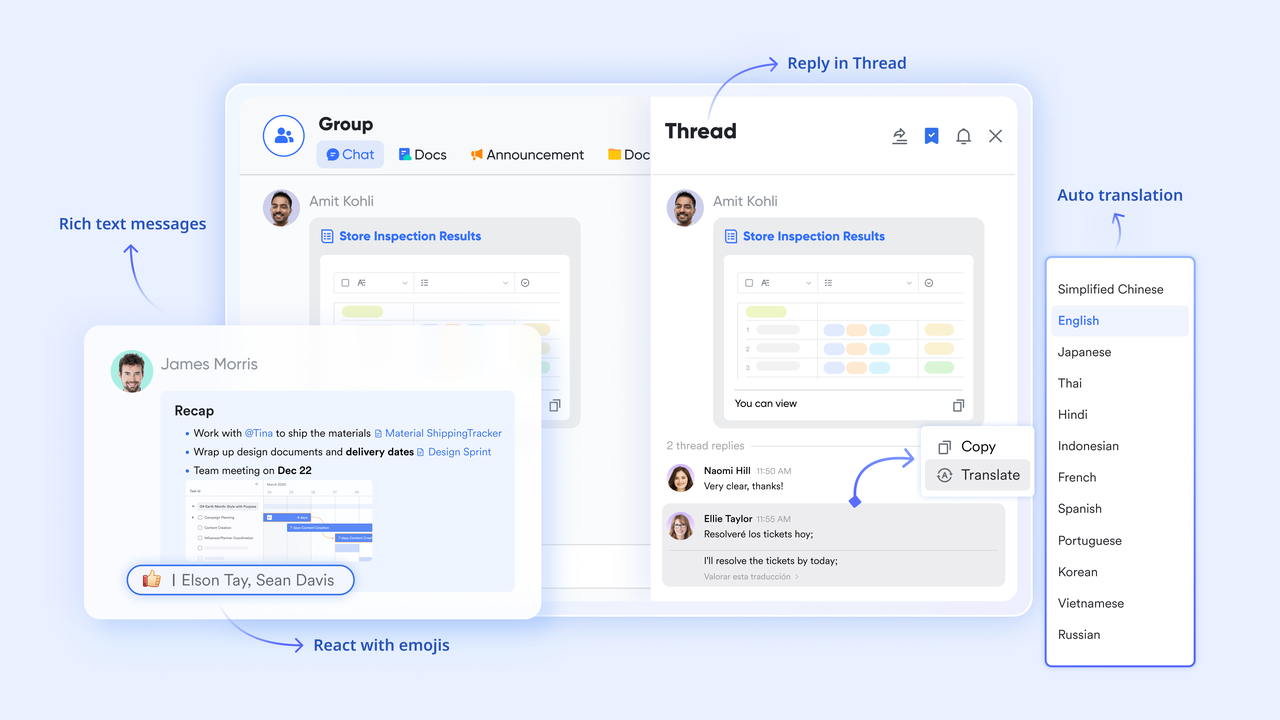
Automating approval workflows
Manual approval processes often create bottlenecks that delay project milestones and increase administrative burdens. Traditional methods typically lack the transparency and tracking mechanisms needed for efficient project governance.
Lark Approval streamlines project governance by automating routine approval processes for budget requests and change orders. The system enables customized approval paths that automatically route requests to appropriate stakeholders based on project parameters. Users can track approval status in real-time with automated notifications. The platform maintains complete audit trails to support compliance and reporting requirements.
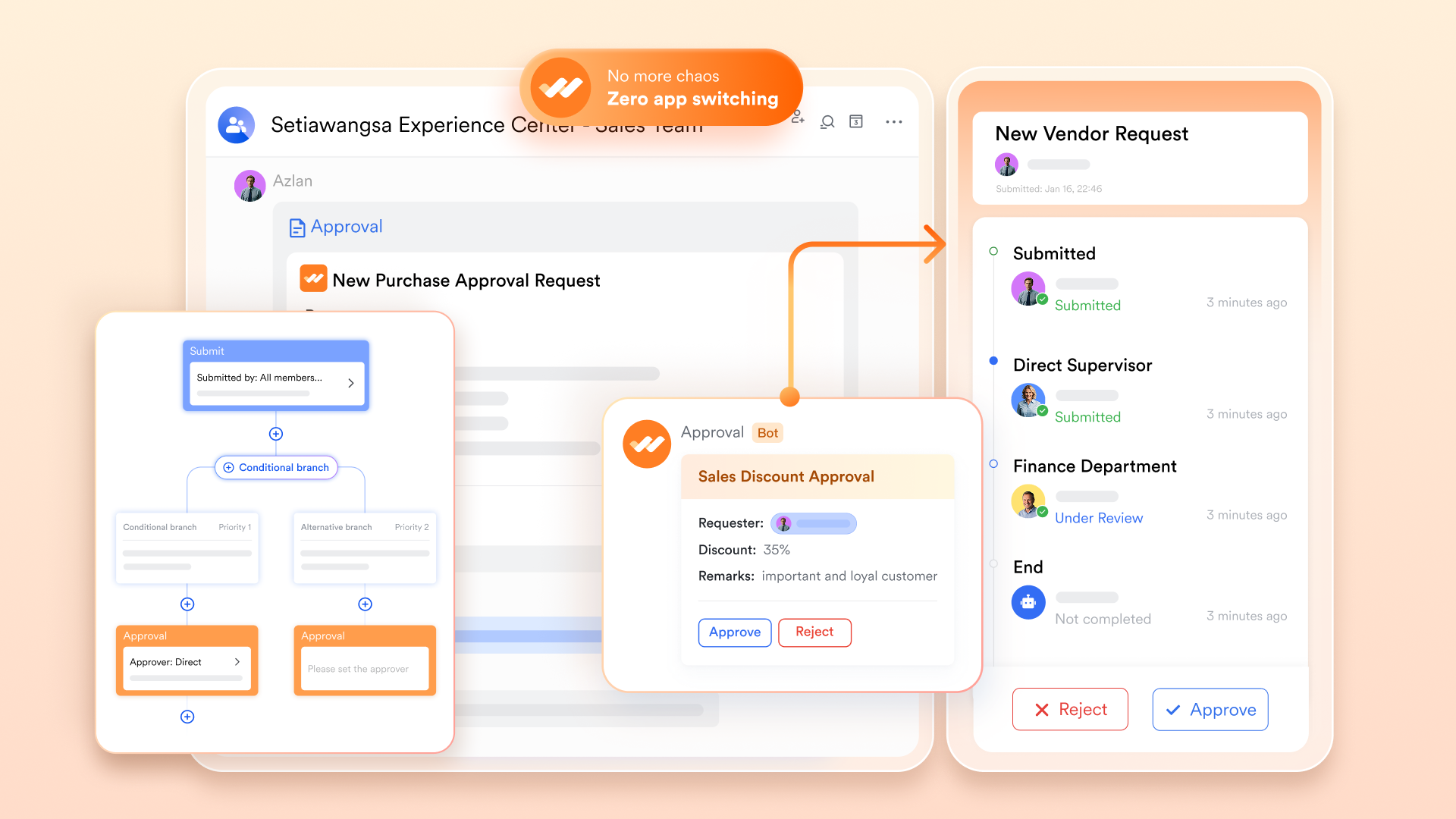
Improving meeting efficiency
Inefficient meeting management often results in unclear action items and duplicated discussions. Poorly organized meetings can consume valuable time without producing meaningful outcomes.
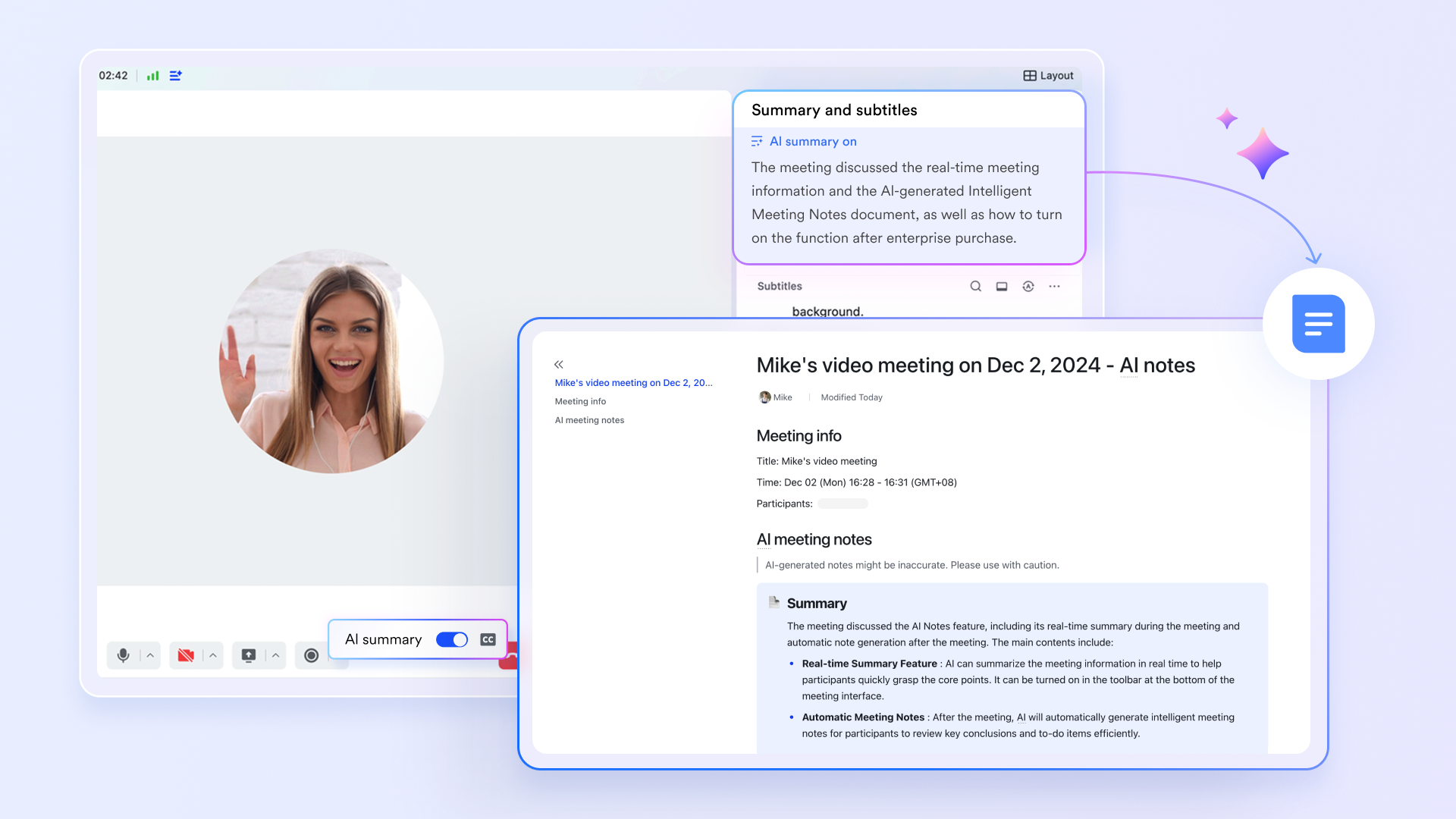
Lark Meetings provides comprehensive video conferencing capabilities enhanced by Lark AI Meeting Notes. The feature automatically transcribes discussions and identifies action items. Integration with Lark Calendar enables efficient scheduling based on participant availability.
Aligning projects with strategic goals
Projects frequently drift from their original objectives as teams focus on immediate tasks, leading to wasted resources and compromised business value. Maintaining strategic alignment throughout project execution remains a common challenge.
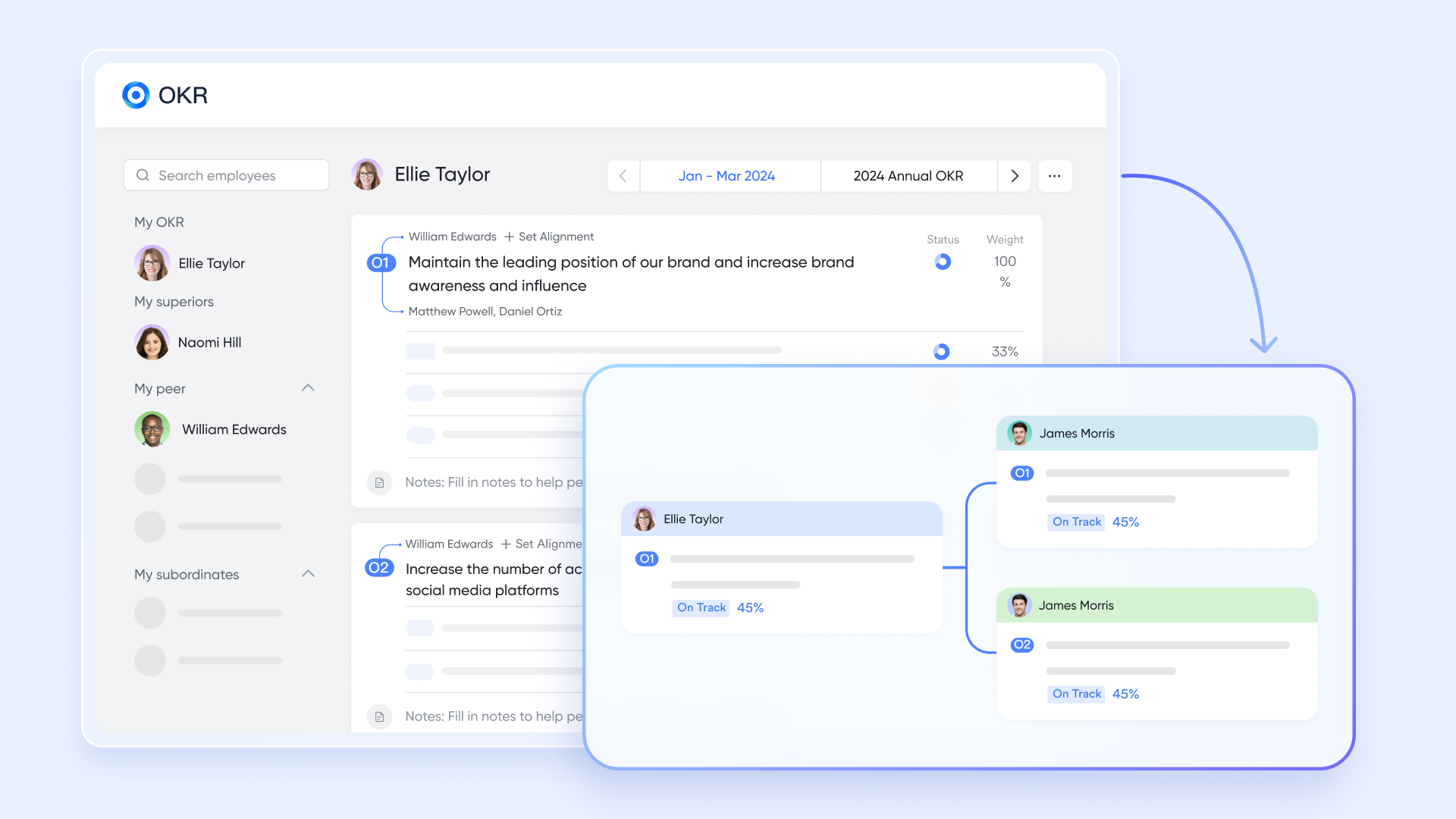
Lark OKR helps maintain strategic focus by creating transparent connections between project tasks and organizational goals. Teams can map project activities to specific key results within Lark Base. This helps ensure projects stay aligned with strategic objectives throughout their lifecycle.
Centralizing knowledge management
Scattered project knowledge often creates dependencies on individual team members and slows down new member onboarding. Critical information frequently gets lost during team transitions, impacting project continuity.
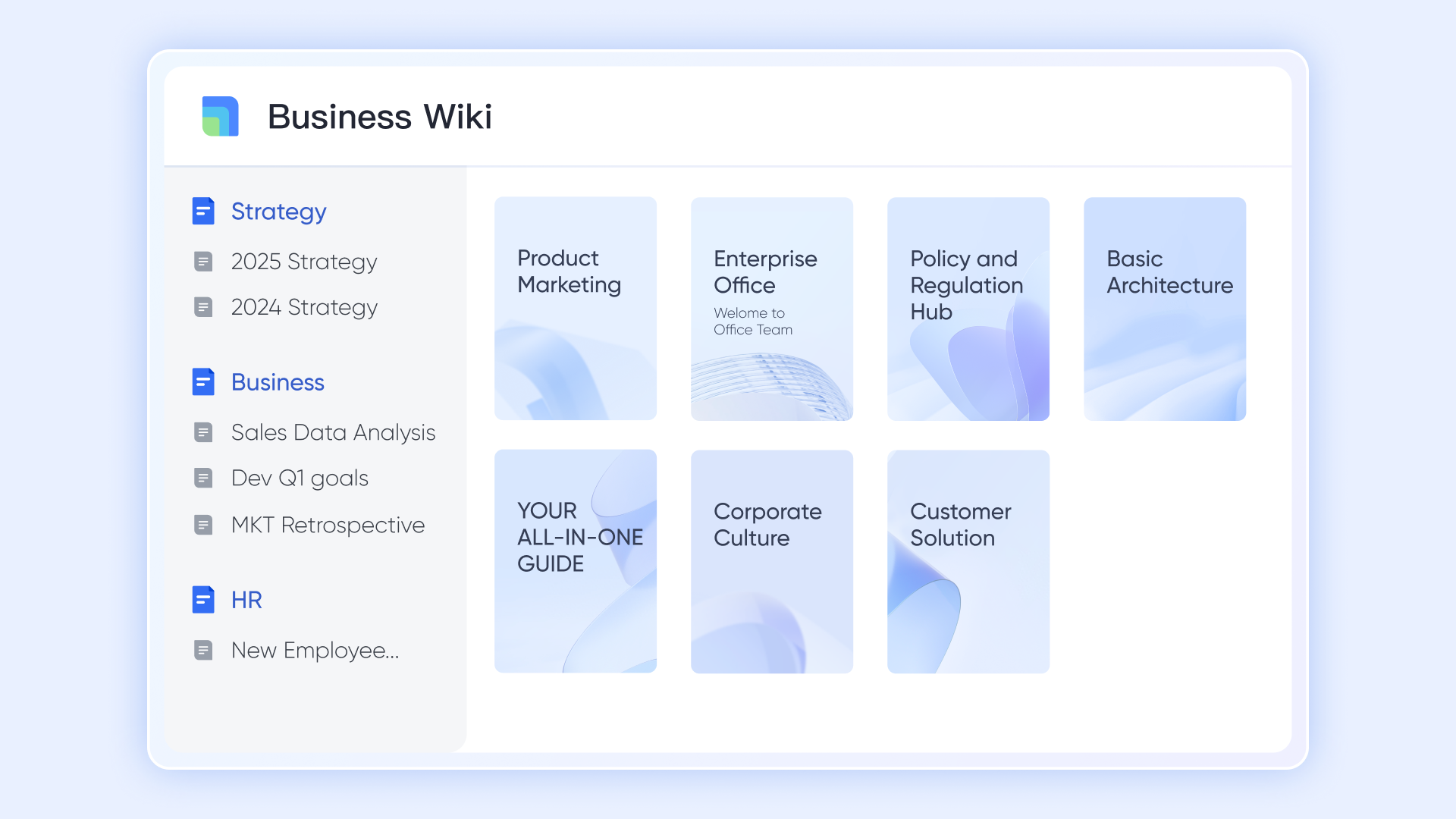
Lark Wiki addresses these challenges by providing a centralized repository for all project documentation. Teams can create organized knowledge bases with robust search and navigation capabilities. The platform allows direct linking of relevant documents to project tasks in Lark Base, while version control and access management features ensure information remains current and secure. This approach helps preserve institutional knowledge and supports smoother team transitions.
Pros:
- Dramatically reduces app-switching, saving time and improving focus.
- Creates a single source of truth where conversations and related work are always connected.
- Offers significant cost savings by consolidating the functionality of multiple apps into one subscription.
- Fosters deep, contextual collaboration that is difficult to achieve with separate tools.
- Features a modern, intuitive interface that is easy for teams to adopt.
- Includes an exceptionally powerful and generous free tier suitable for many teams.
Best for: Teams seeking an all-in-one platform to unify collaboration and project management.
Pricing:
- Free plan: Includes 11 powerful products, supporting up to 20 users, 100 GB storage, 1,000 automation runs and unlimited AI translation in chats, docs and email.
- Basic plan: $6/user/month (billed annually) for up to 500 users. Includes everything in Starter plus unlimited message history, 5TB storage, 1,000 automation runs, and more. Some users may need to contact sales to purchase.
- Pro plans: $12/user/month, supporting up to 500 users. Includes unlimited message history, 50,000 automated Base workflow executions per month.
- Enterprise plan: Contact sales for custom pricing. Supports unlimited users and includes even more automation runs and advanced security, compliance, and management features.
2. Asana: The powerful task manager for team alignment
Overview: Asana is a market leader that excels at providing clarity and structure to team tasks. Its core strength lies in breaking down large, ambitious goals into a clear hierarchy of manageable tasks and subtasks. It offers multiple ways to visualize this work, including traditional Lists, Kanban-style Boards, Calendars, and a Timeline view for Gantt-style planning. Features like Portfolios allow managers to get a high-level overview of progress across multiple projects, while Workload helps prevent team burnout by visualizing capacity.
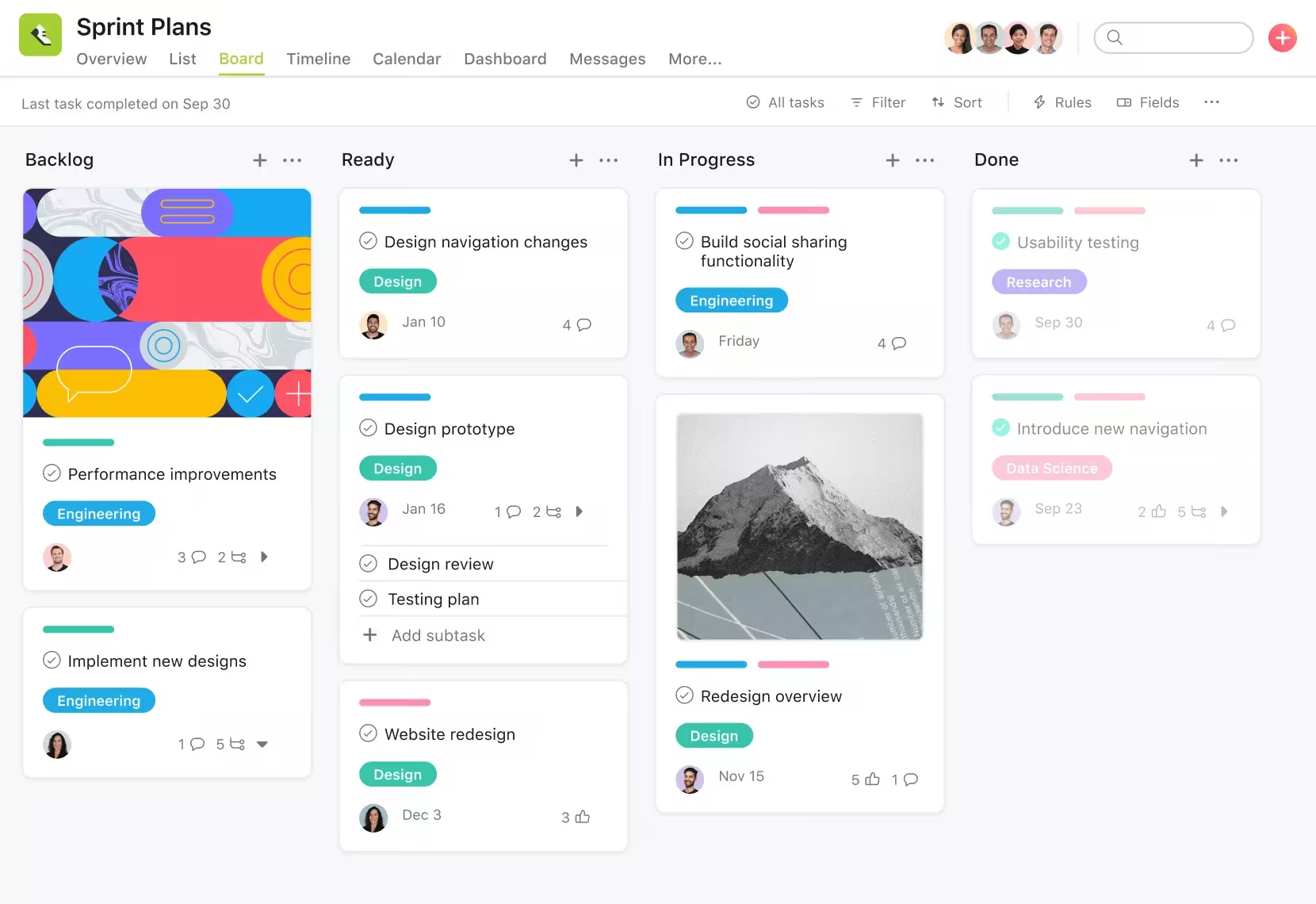
Image source: asana.com
Pros:
- Highly intuitive interface designed specifically for clear and effective task management.
- Creates excellent clarity around accountability by defining who is doing what by when.
- Offers multiple project views (List, Board, Timeline) to suit different work styles.
- Provides strong reporting capabilities and dedicated goal-tracking features.
- Integrates with hundreds of popular third-party applications.
Cons:
- Can become cluttered and overwhelming without a consistent organizational structure.
- The free plan is limited to 15 users and lacks key features like the Timeline view.
Best for: Teams that need strong task management and multiple project views.
Pricing:
- Basic: $0 for up to 15 users.
- Premium: ~$10.99 per user/month, adds Timeline, reporting, and more.
- Business: ~$24.99 per user/month, adds Portfolios, Workload, and advanced integrations.
- Enterprise: Custom pricing for advanced security and controls.
3. Trello: The simple and visual Kanban board
Overview: Trello is famous for its simplicity and its visual approach to project management. The entire system is built around the Kanban methodology, using a simple and intuitive system of boards, lists, and cards. Teams move cards from one list to another to signify progress, making the workflow instantly understandable. While simple at its core, Trello can be enhanced with "Power-Ups," which are integrations and add-ons that bring additional functionality like calendars, custom fields, and reporting into the Trello interface.
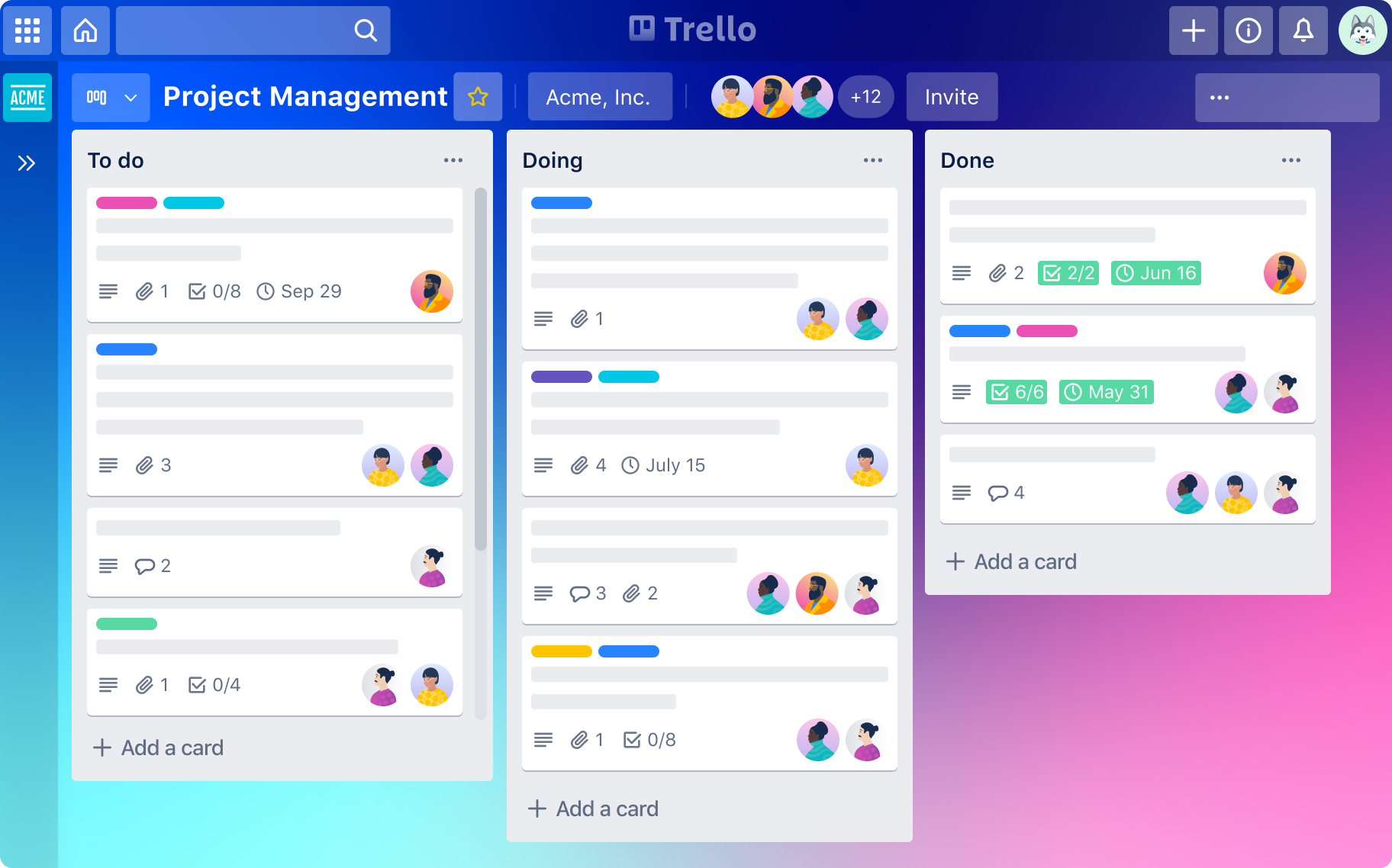
Image source: trello.com
Pros:
- Extremely easy to learn and use, with a very gentle learning curve.
- Visual Kanban boards make it easy to understand project status and identify bottlenecks.
- Offers a very capable and generous free version for individuals and small teams.
- Has an extensive ecosystem of "Power-Ups" to add new functionality.
- Excellent mobile apps provide a great on-the-go experience.
Cons:
- Lacks advanced features for complex projects, such as detailed reporting or task dependencies.
- Core functionality is heavily reliant on "Power-Ups," which are limited on the free plan.
Best for: Individuals and small teams who love visual, Kanban-style project management and value simplicity.
Pricing:
- Free: $0, includes up to 10 boards per workspace.
- Standard: ~$5 per user/month, includes unlimited boards and custom fields.
- Premium: ~$10 per user/month, adds multiple views (Calendar, Timeline) and admin features.
- Enterprise: Starts at ~$17.50 per user/month for large teams needing enterprise-grade security.
4. Monday.com: The highly customizable and visual Work OS
Overview: Monday.com brands itself as a "Work OS" (Work Operating System), a testament to its extreme flexibility. It is built around highly visual and customizable boards that can be configured with dozens of different column types to track anything from dates and statuses to budgets and locations. It offers a wide range of project views, powerful automation capabilities for reducing manual work, and extensive integration options. This adaptability makes it a powerful tool for creating bespoke workflows, such as a custom pipeline for teams learning how to implement AI in B2B sales by tracking lead engagement stages and automating follow-up sequences.
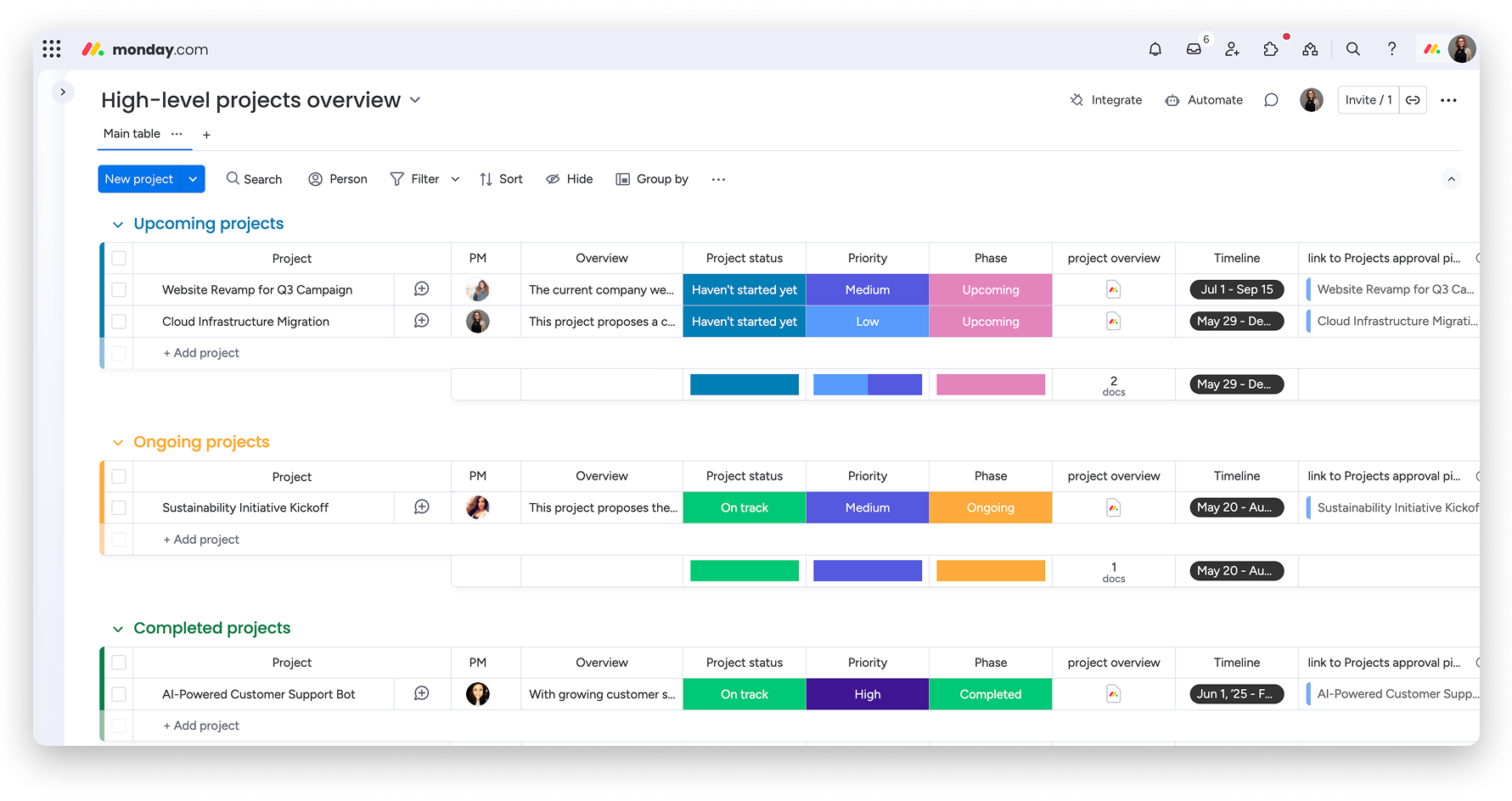
Image source: monday.com
Pros:
- Beautiful, colorful, and highly engaging interface that boosts user adoption.
- Exceptionally customizable to fit nearly any unique process or workflow a team might have.
- Features a large library of pre-built templates to get started quickly.
- Powerful and intuitive automation features help reduce repetitive manual work.
- Provides multiple project views, including Kanban, Gantt, and Calendar.
Cons:
- Can be one of the more expensive options on the market, especially for larger teams.
- The sheer number of customization choices can be overwhelming for new users.
Best for: Teams looking for a highly customizable and visually appealing work OS that can be adapted for almost any workflow.
Pricing:
- Individual: $0 for up to 2 users.
- Basic: ~$8 per user/month.
- Standard: ~$10 per user/month, a popular choice with more views and automations.
- Pro: ~$16 per user/month, adds more advanced features like time tracking.
- Enterprise: Custom pricing for enterprise-grade features and security.
5. ClickUp: The feature-dense platform for limitless customization
Overview: The level of customization is nearly endless, allowing teams to tailor everything from workflow statuses to custom task fields to suit their specific needs. Its "Free Forever" plan is one of the most generous, making it an excellent project management toolkit free option for teams to get started.
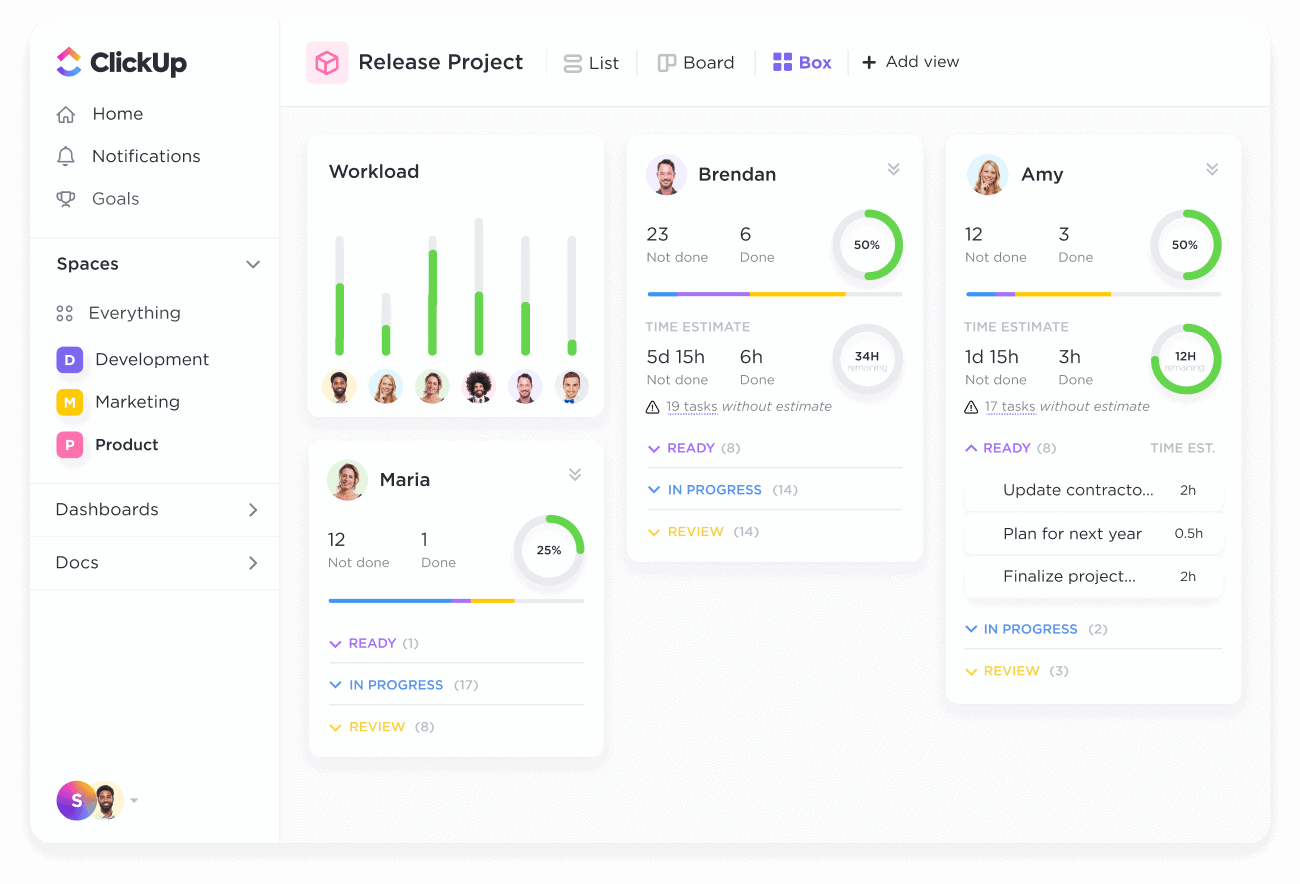
Image source: clickup.com
Pros:
- Provides an incredible number of features for its price point.
- Highly flexible and can be configured to work for almost any kind of team or project.
- Offers over 15 different project views to cater to all work styles.
- The platform is updated with new features and improvements at a rapid pace.
- Includes built-in features like Docs, Whiteboards, and Goal Tracking.
Cons:
- The vast feature set can result in a steep learning curve and a feeling of being overwhelmed.
- With so much functionality packed in, the platform's performance can occasionally be sluggish.
Best for: Teams who want one application to replace them all, with an extensive and constantly growing feature set.
Pricing:
- Free forever: $0 for personal use with generous limits.
- Unlimited: ~$7 per user/month for small teams.
- Business: ~$12 per user/month for mid-sized teams needing more advanced features.
- Enterprise: Custom pricing for large, complex teams.
6. Wrike: The enterprise-grade tool for marketing and creative teams
Overview: Wrike is a powerful and secure project management platform designed for enterprise-level needs, with a particular strength in serving marketing and creative teams. Its standout feature is an integrated proofing and approval tool, which allows collaborators to leave specific, actionable feedback directly on images, videos, PDFs, and other documents. It helps streamline project intake with custom request forms and provides powerful analytics and interactive Gantt charts for detailed planning.
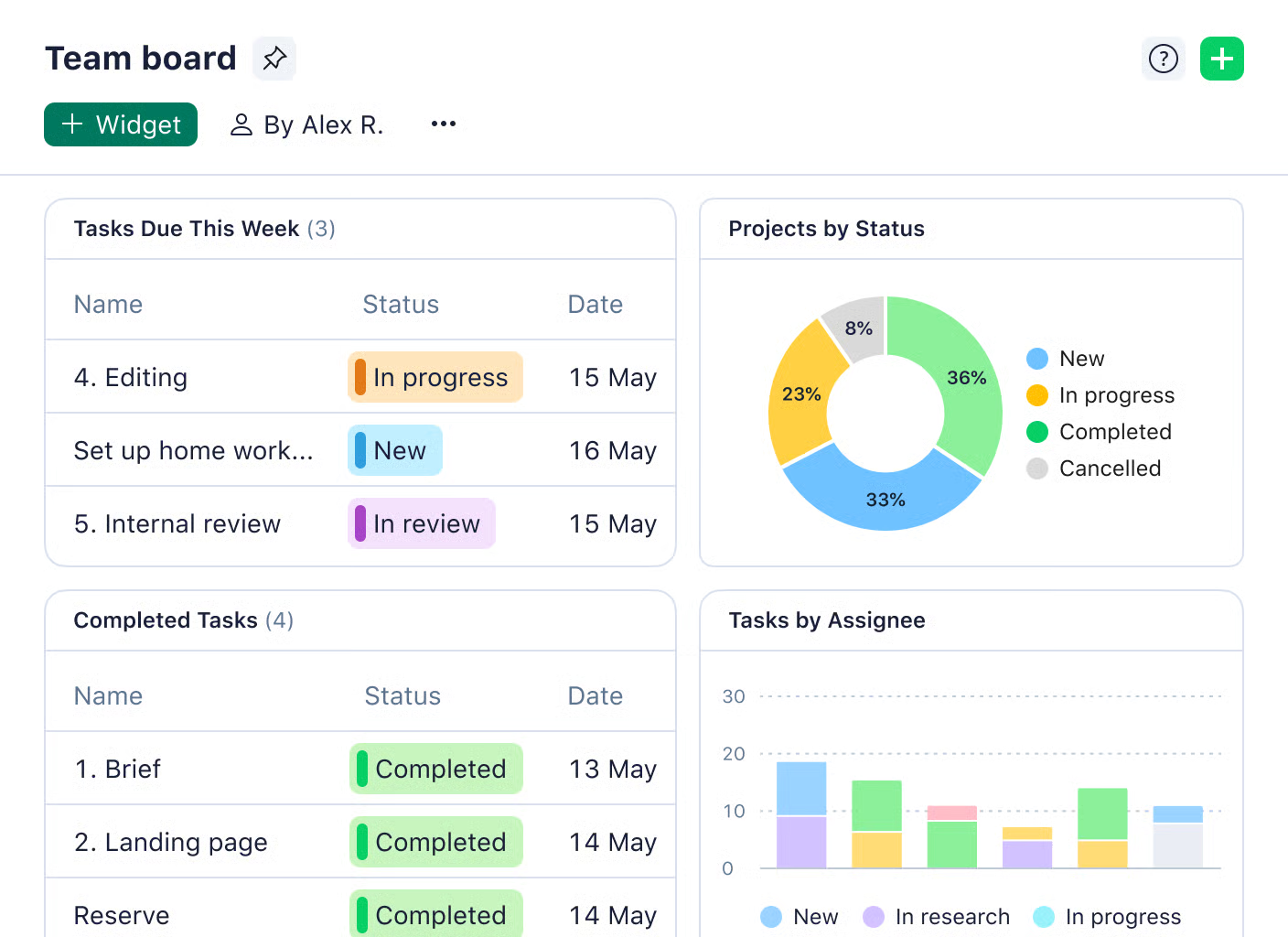
Image source: wrike.com
Pros:
- Excellent for managing complex workflows that involve creative review and multiple stakeholder approvals.
- Highly secure and scalable, making it a good fit for enterprise use.
- Provides robust and customizable reporting and analytics dashboards.
- Custom request forms help standardize and streamline project intake.
- Features role-based access control for granular permission settings.
Cons:
- The user interface can feel a bit dated and less intuitive when compared to some modern competitors.
- There can be a steep learning curve to master its more advanced features.
Best for: Marketing and creative teams, as well as enterprise-level organizations needing a powerful Project management office toolkit with advanced planning and proofing capabilities.
Pricing:
- Free: $0 for a basic, centralized task list.
- Team: ~$9.80 per user/month, with Gantt charts and integrations.
- Business: ~$24.80 per user/month, with proofing, custom fields, and automation.
- Enterprise: Custom pricing for enterprise-grade security and scalability.
7. Jira: The industry standard for Agile software development
Overview: In the world of software development, Jira is the undisputed industry standard. It is purpose-built for teams that practice Agile methodologies, offering highly customizable Scrum and Kanban boards, detailed backlog grooming features, and essential Agile reporting tools like burndown charts and team velocity reports. As part of the Atlassian suite, it integrates seamlessly with Confluence (for documentation) and Bitbucket (for code repositories), creating a deeply connected ecosystem for engineering teams. It's often used to manage the development of sophisticated systems, including projects related to AI in B2B marketing and sales.
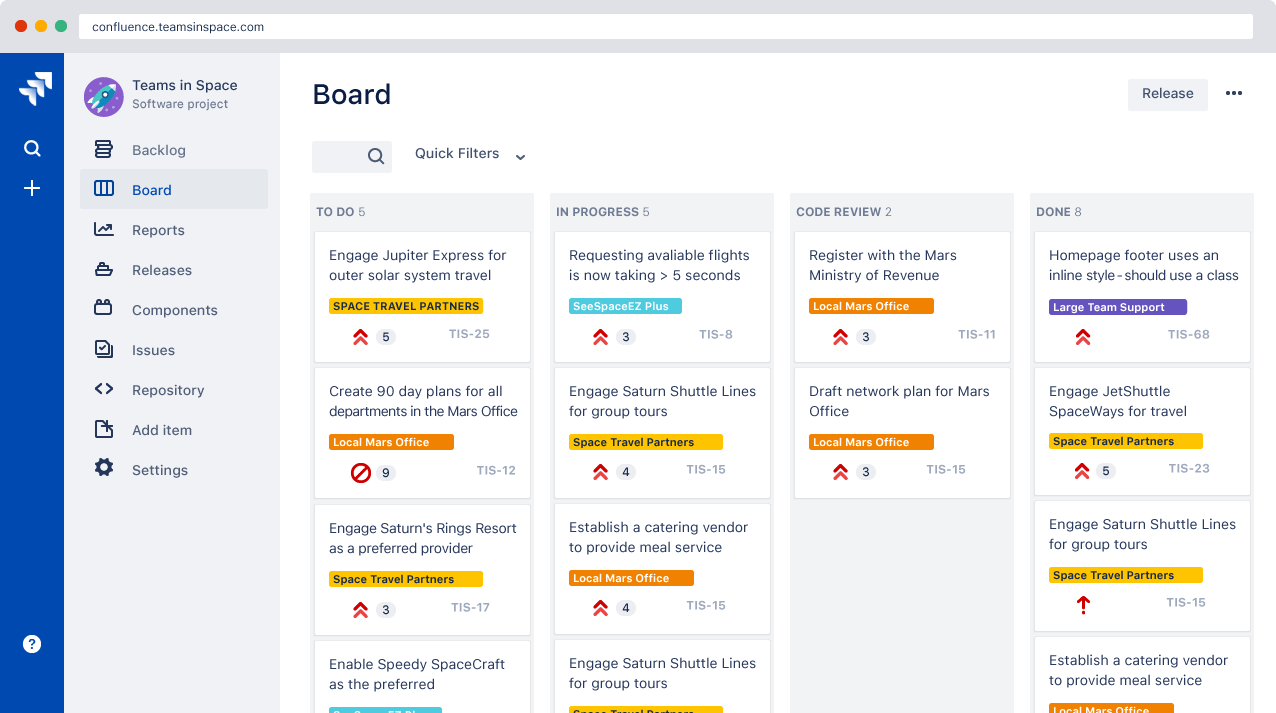
Image source: atlanssian.com
Pros:
- Offers unmatched functionality and depth for Agile and Scrum software development workflows.
- Highly customizable, with an extensive marketplace of integrations and add-ons.
- Deep integration with the Atlassian ecosystem creates a powerful development hub.
- Provides powerful Agile-specific reporting like burndown and velocity charts.
- Extremely scalable, supporting teams from small startups to massive enterprises.
Cons:
- Can be overly complex, rigid, and filled with jargon for non-technical or non-Agile teams.
- The interface is heavily geared toward the specific needs and language of software developers.
Best for: Software development and engineering teams that practice Agile methodologies like Scrum and Kanban.
Pricing:
- Free: $0 for up to 10 users.
- Standard: ~$7.75 per user/month, for growing teams.
- Premium: ~$15.25 per user/month, adds advanced features and unlimited storage.
- Enterprise: Custom pricing for enterprise needs.
8. Smartsheet: The powerful platform with a spreadsheet-like interface
Overview: Smartsheet’s unique proposition is that it combines the familiarity and structure of a spreadsheet with the power of a project management tool. For teams who have outgrown basic spreadsheets but find traditional Microsoft project management software too rigid, it offers a compelling middle ground. It looks and feels like a spreadsheet on steroids, allowing users to manage projects in a grid interface while accessing features like task hierarchies, automated workflows, and interactive Gantt charts. It is particularly strong in data collection through custom forms and offers robust dashboards for reporting on project data.
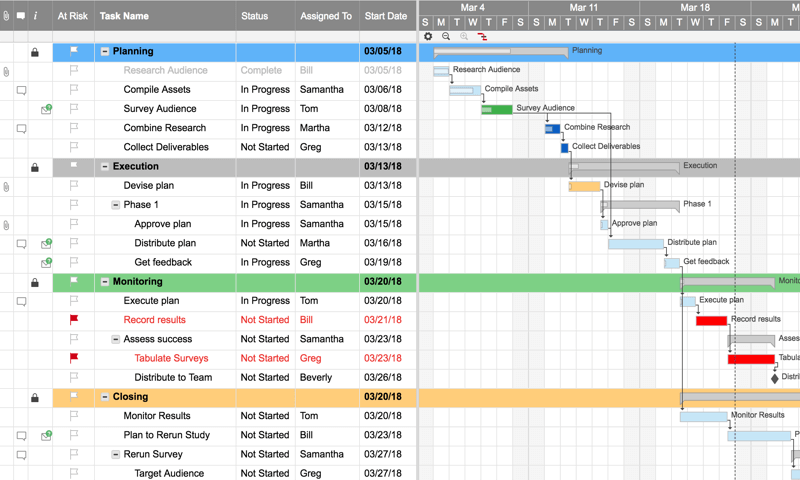
Image source: smartsheet.com
Pros:
- Very easy to adopt for anyone who is already familiar with Excel or Google Sheets.
- Features a powerful and intuitive automation engine to reduce manual work.
- Meets high enterprise-grade security and compliance standards.
- Offers robust and highly customizable reporting and dashboarding features.
Cons:
- The spreadsheet-centric interface may not appeal to teams who prefer more visual Kanban tools.
- The pricing can increase significantly as you add more users and advanced features.
Best for: Teams that are comfortable with a spreadsheet-like interface but need the power of a project management tool.
Pricing:
- Free: $0 for one user and up to two editors.
- Pro: ~$7 per user/month.
- Business: ~$25 per user/month, with advanced features and reporting.
- Enterprise: Custom pricing for large-scale enterprise needs.
9. Notion: The flexible workspace for custom solutions
Overview: A common question is, Is Notion a project management tool? The answer is that it's a uniquely flexible, modular workspace that you can build into one. Notion provides a set of building blocks—like pages, databases, and boards—that teams can use to construct their own custom solutions. It can be a simple task list, a complex company wiki, a CRM, or a project management system. Its key feature is the ability to create relational databases, allowing you to link different sets of information together (e.g., linking project tasks to meeting notes and team members).
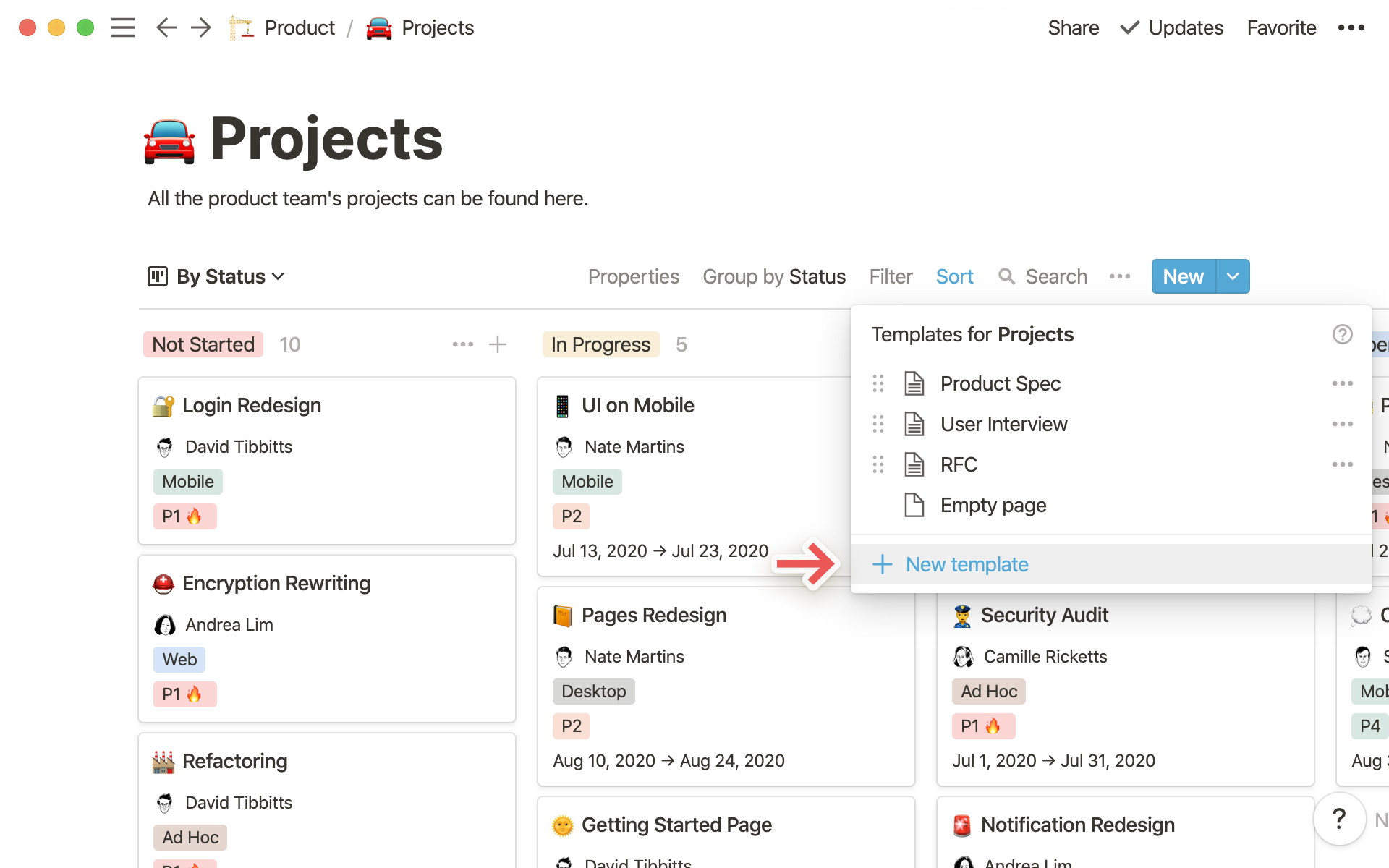
Image source: notion.com
Pros:
- Extremely flexible and can be adapted to almost any conceivable workflow.
- The ability to seamlessly blend long-form documents with structured databases is powerful.
- Features a clean, minimalist, and aesthetically pleasing user interface.
- Has a vibrant community that creates and shares a wealth of useful templates.
Cons:
- The "do-it-yourself" nature requires a significant upfront time investment to design and build a proper system.
- Lacks some of the dedicated, out-of-the-box reporting features found in specialized PM tools.
Best for: Teams wanting to build a completely custom workspace with interconnected documents, wikis, and databases.
Pricing:
- Personal: $0 for individuals.
- Plus: ~$8 per user/month for small groups.
- Business: ~$15 per user/month with more advanced features.
- Enterprise: Custom pricing for advanced controls.
10. Basecamp: The simple and centralized hub for remote communication
Overview: Basecamp is built on a philosophy of simplicity and clear, centralized communication. It organizes work into distinct projects, and each project contains everything related to that work: a to-do list, a message board for discussions, a schedule, a document repository, and a group chat called "Campfire." The goal is to keep everything in one place, creating a single source of truth and promoting a calmer, asynchronous work style that is ideal for remote teams.
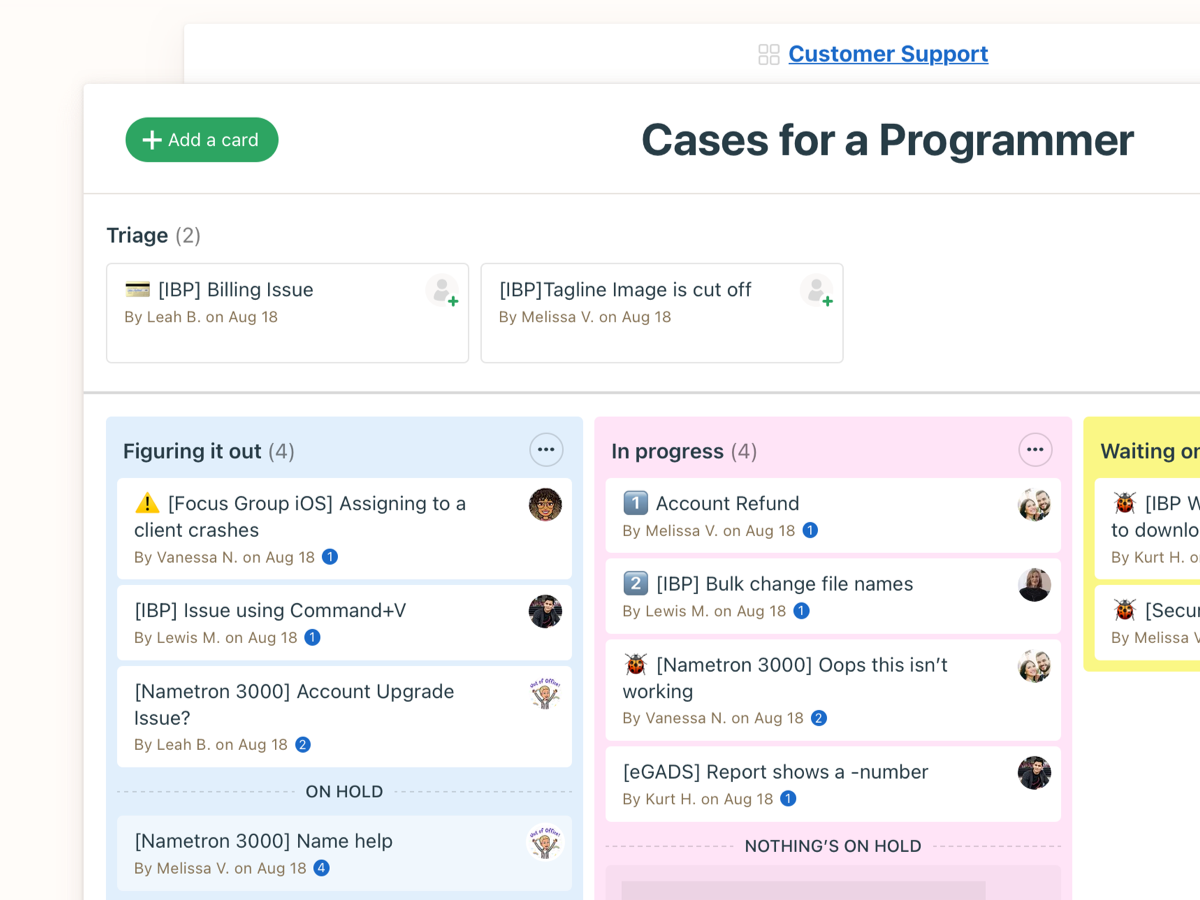
Image source: basecamp.com
Pros:
- Very simple and straightforward to use, with a strong focus on eliminating scattered communication.
- Transparent, flat-rate pricing is highly affordable for large teams and growing businesses.
- Actively promotes a healthier, less frantic, and asynchronous work culture.
- Keeps all communication and files for a single project in one organized place.
Cons:
- Intentionally lacks advanced project management features like Gantt charts or task dependencies.
- May be too simple for teams that are managing highly complex, data-intensive projects.
Best for: Remote teams who prioritize simple, centralized communication and want to move away from scattered emails and chats.
Pricing:
- Basecamp: ~$15 per user/month.
- Basecamp pro unlimited: $299/month flat for unlimited users.
11. Airtable: The flexible database that builds powerful apps
Overview: Airtable masterfully combines the flexibility of a spreadsheet with the structural power of a relational database. Users create "Bases" to manage any kind of structured information, from content calendars to bug trackers. It supports dozens of field types (attachments, barcodes, checkboxes) and allows data to be viewed in multiple ways, including grids, calendars, forms, and Kanban boards. Its automation features and growing marketplace of extensions allow for the creation of powerful, code-free applications. Its structure is ideal for complex tracking, where data-driven AI agents in B2B sales explained and their performance metrics can be meticulously managed.
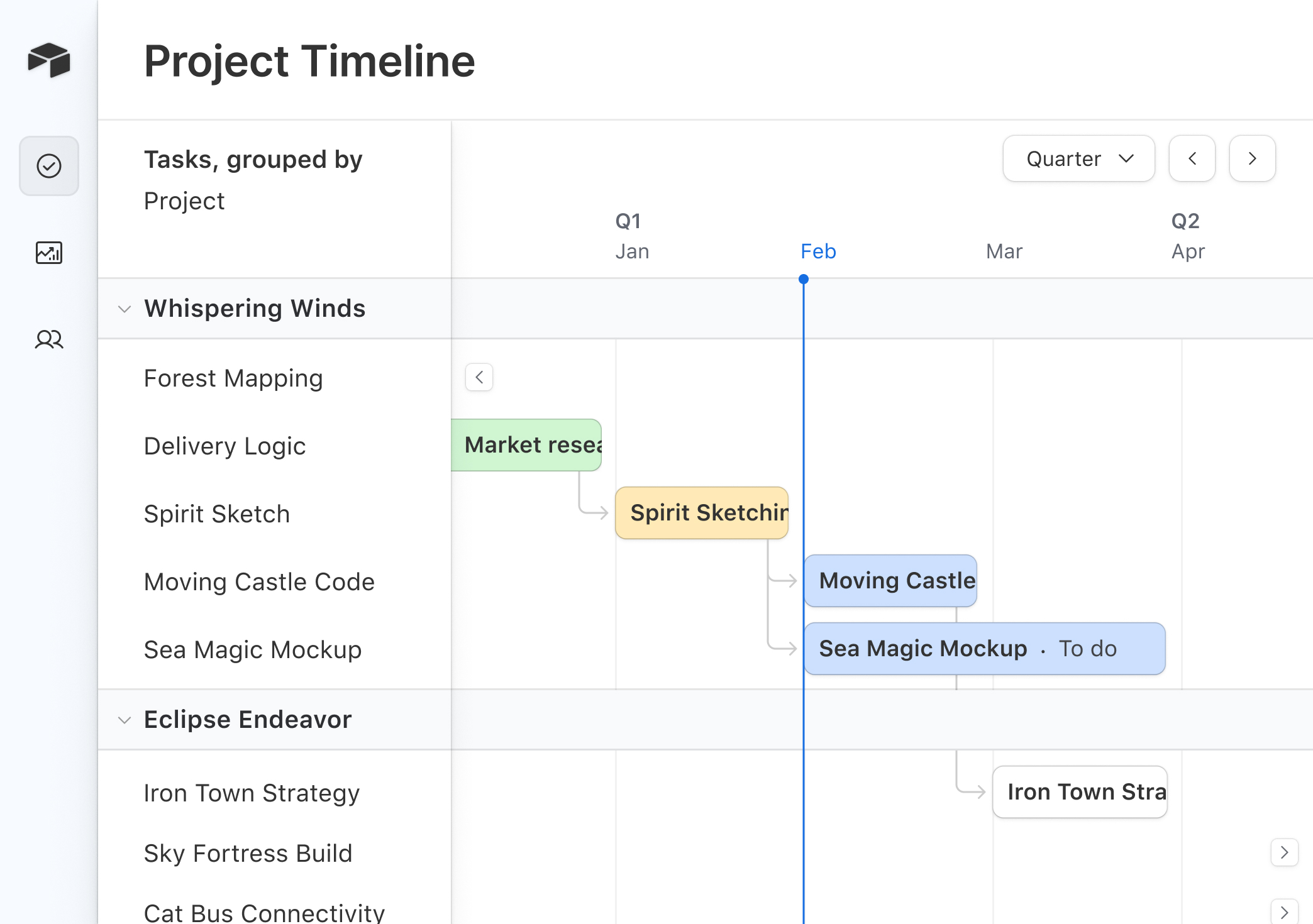
Image source: airtable.com
Pros:
- An incredibly flexible and powerful tool for managing structured data of any kind.
- The interface is colorful, modern, and user-friendly.
- Great for creating custom business solutions without needing to write any code.
- Supports multiple data views that can be customized for different needs.
Cons:
- Can be complex to set up correctly in the beginning, as it is more of a blank slate.
- It is more of a flexible database than a dedicated, out-of-the-box project management tool.
Best for: Teams needing a powerful, flexible database that can be configured for project management and other workflows.
Pricing:
- Free: $0 with generous limits for small teams.
- Team: ~$20 per user/month, with more capacity and features.
- Business: ~$45 per user/month, for departments needing advanced features.
- Enterprise: Custom pricing for enterprise-wide needs.
12. Microsoft Project: The traditional powerhouse for complex projects
Overview: As the original Microsoft project management software, MS Project is one of the oldest digital project management tools and remains a powerhouse for traditional, formal project management. It is designed for professional project managers who need to handle immense complexity. Its strengths lie in detailed project scheduling, sophisticated resource management, budget analysis, and creating complex Gantt charts that include critical path analysis. It also integrates deeply into the broader Microsoft 365 enterprise ecosystem.
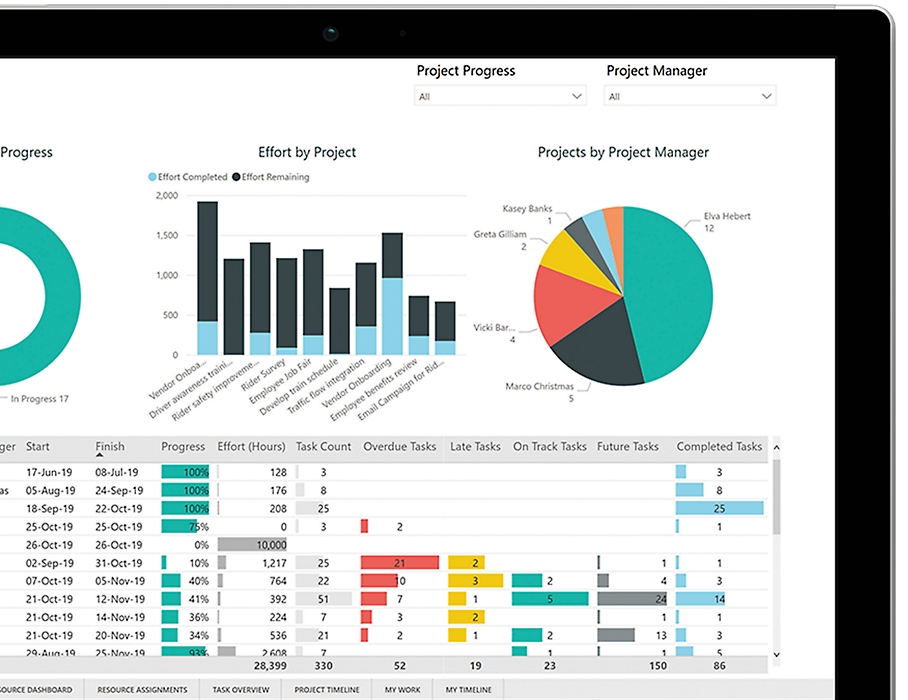
Image source: microsoft.com
Pros:
- Offers unparalleled depth and control for planning and managing large, complex projects.
- It is the industry standard in fields like construction, manufacturing, and engineering.
- Reporting features are extremely powerful and detailed.
- Features sophisticated resource management and leveling capabilities.
Cons:
- It is very expensive compared to most other tools on this list.
- Has a notoriously steep learning curve and is often considered too complex for modern, agile projects.
Best for: Large enterprises and professional project managers with complex projects needing traditional, robust project management features.
Pricing:
- Project plan 1: ~$10 per user/month for web-based project management.
- Project plan 3: ~$30 per user/month, includes a desktop client and resource management.
- Project plan 5: ~$55 per user/month, adds portfolio management and demand management.
13. Teamwork: The client-focused platform for agencies
Overview: Teamwork is a project management platform built from the ground up with client work in mind. It combines robust task and project management with essential business features like time tracking, billing, and client portals. This allows agencies and service-based businesses to manage the entire client lifecycle, from creating quotes to sending invoices, all within a single platform. Its feature set provides a solid foundation for service teams looking to understand how to use AI in B2B sales to improve project estimation and deliver more accurate client reports.
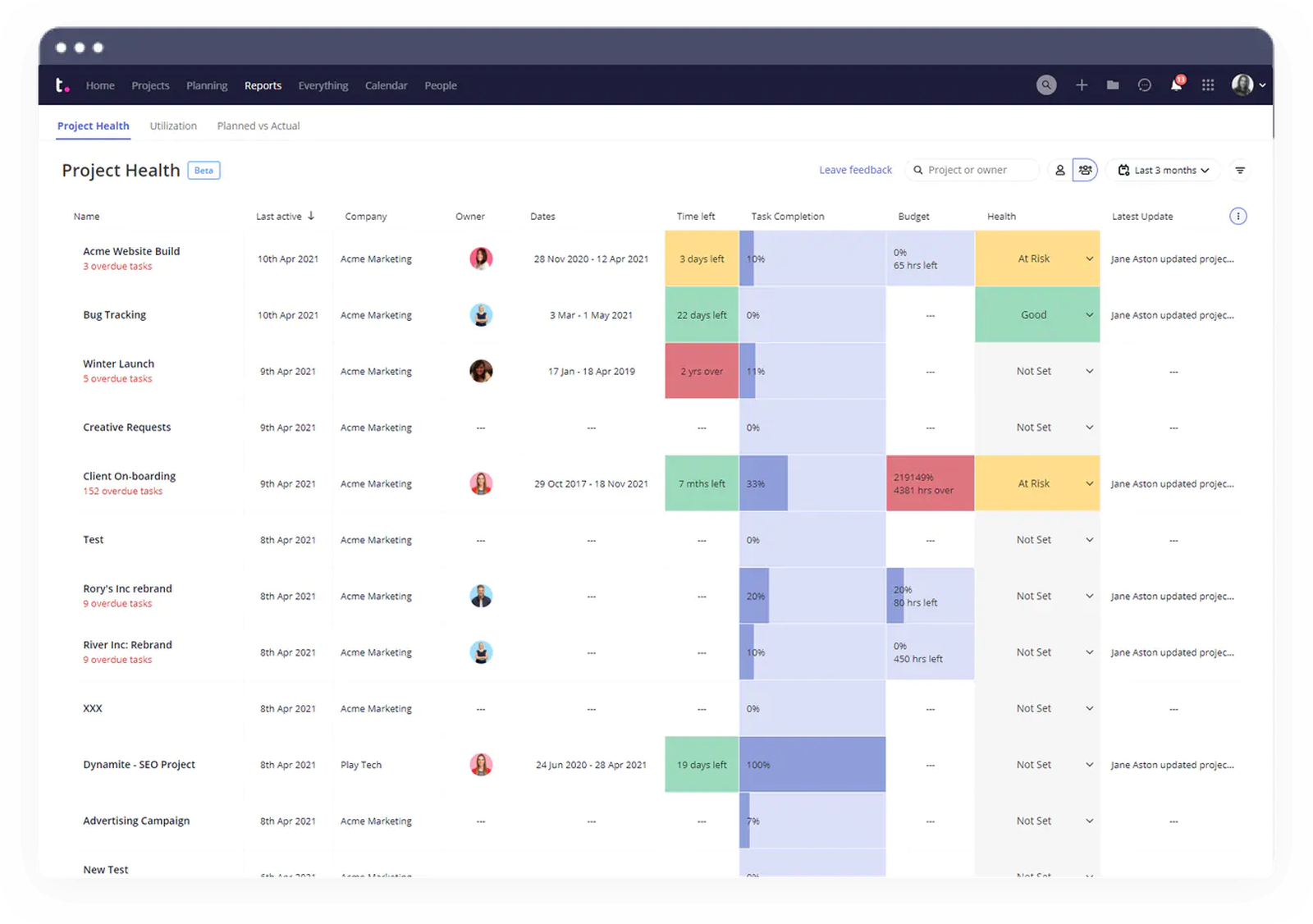
Image source: teamwork.com
Pros:
- Excellent for agencies, consultancies, and any business that manages client projects.
- Effectively combines project management with core business operations like billing.
- Strikes a great balance between a rich feature set and overall ease of use.
- Includes integrated time tracking and profitability reporting for projects.
Cons:
- The interface can feel a bit cluttered with all the available options.
- The most valuable features for agencies are locked behind the higher-priced tiers.
Best for: Client-facing teams, agencies, and service-based businesses that need to manage client work, track time, and handle billing.
Pricing:
- Free: $0 for up to 5 users with basic features.
- Starter: ~$5.99 per user/month.
- Deliver: ~$9.99 per user/month, a popular plan with more templates and integrations.
- Grow: ~$17.99 per user/month, adds more advanced project and resource management.
- Scale: Custom pricing for unlimited financial budgets and advanced features.
14. Zoho Projects: The integrated solution for the Zoho ecosystem
Overview: Zoho Projects is a comprehensive project management tool that is part of the massive Zoho ecosystem of business applications. It offers a full suite of features, including task management, Gantt charts, time tracking, and issue tracking for both classic and Agile projects. Its primary advantage is its seamless, native integration with the 40+ other apps in the Zoho suite, including Zoho CRM, Zoho Books, and Zoho Desk. This allows businesses to create a deeply integrated and powerful business operating system. The platform is also exploring new ways to connect project delivery with sales outcomes, adding features relevant to AI agents in B2B sales yougotus.
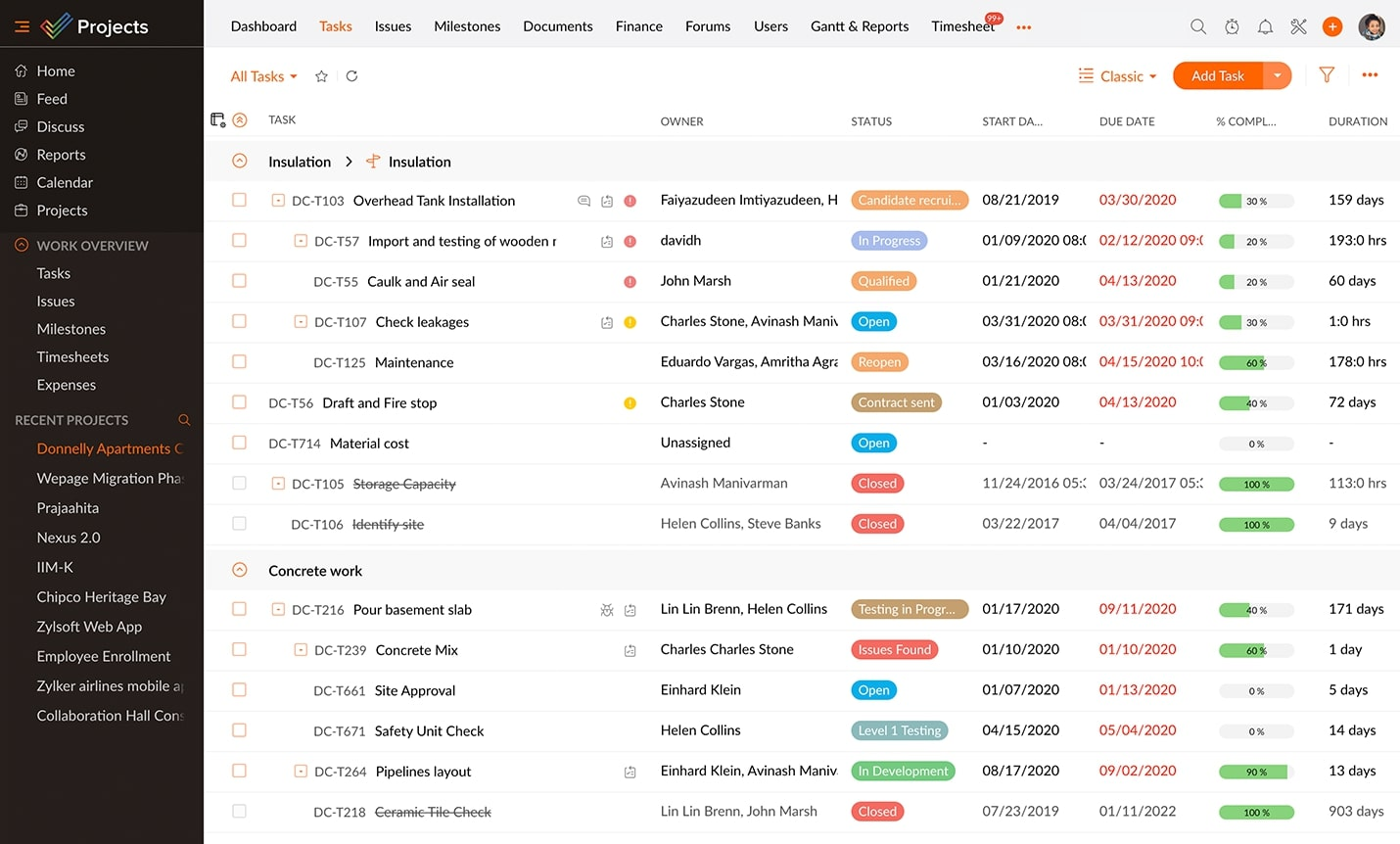
Image source: zoho.com
Pros:
- Offers incredible value for its price, with feature-rich plans at competitive rates.
- Deep integration with the vast Zoho ecosystem is a major selling point for existing Zoho users.
- Provides a very well-rounded feature set that supports both classic and Agile methods.
- Includes a built-in issue tracking module that is great for software and bug-fixing projects.
Cons:
- The interface can feel less polished and modern than some of its direct competitors.
- The sheer number of apps in the Zoho suite can be overwhelming to navigate.
Best for: Businesses of all sizes that are already invested in or are considering the extensive Zoho ecosystem of business apps.
Pricing:
- Free: $0 for up to 3 users and 2 projects.
- Premium: ~$4 per user/month, for up to 50 users.
- Enterprise: ~$9 per user/month, with no user limit and more advanced features.
15. Nifty: The collaborative hub for modern teams
Overview: Nifty is a modern project management tool that aims to consolidate team workflows by combining project discussions, tasks, milestones (Gantt charts), and documents into a single, collaborative hub. It features built-in chat for real-time communication and offers a unique "Roadmap" feature that provides a high-level, visual overview of project milestones, which is excellent for reporting progress to stakeholders. This makes it easy to present findings on AI in B2B sales examples or manage experimental campaigns exploring what is the future of AI in B2B sales outreach? Furthermore, its flexibility allows teams to plan and track complex technology rollouts, such as managing projects related to Salesforce AI in B2B marketing sales 2025 updates.
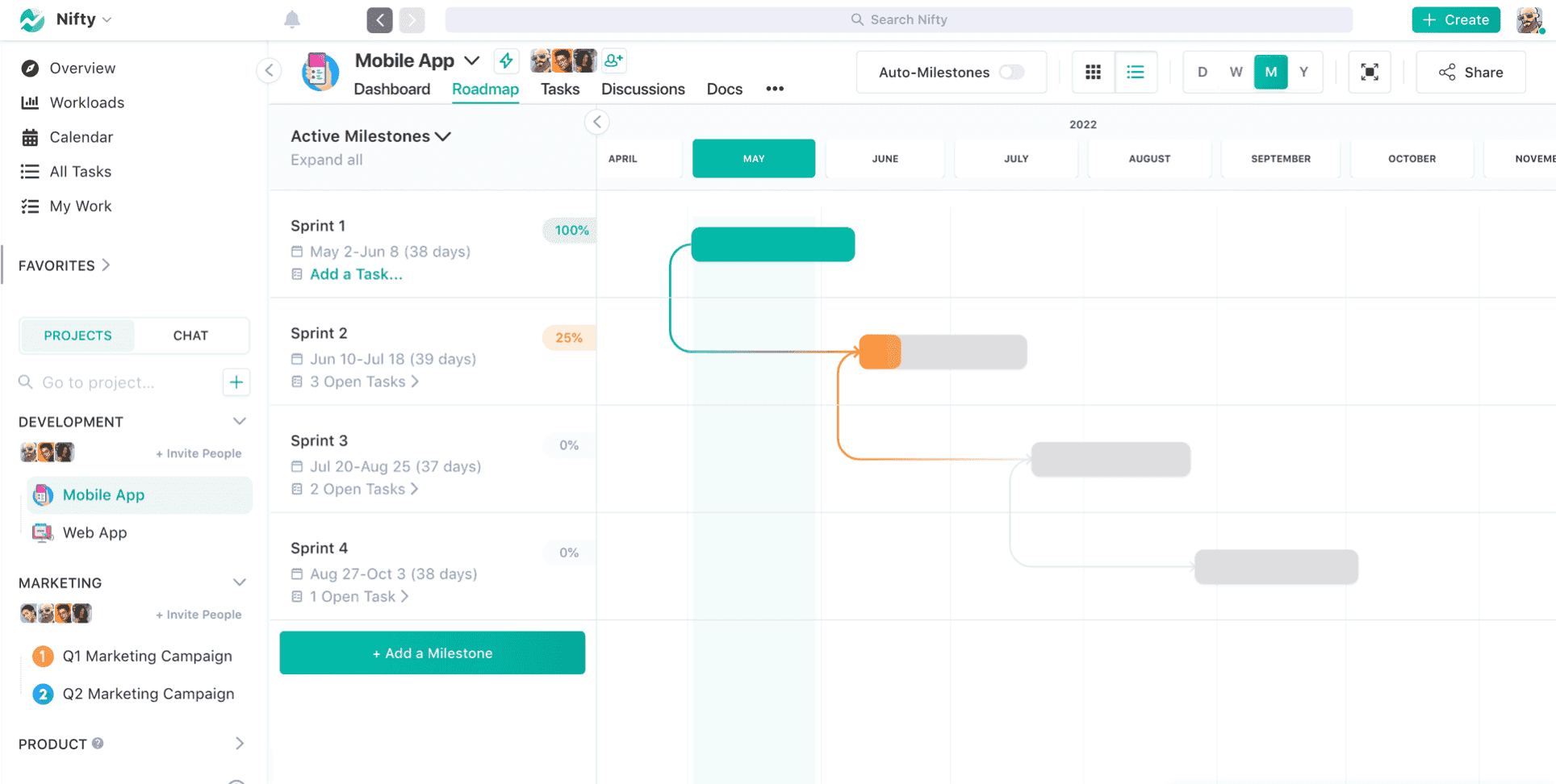
Image source: nifty.com
Pros:
- Features a modern, beautiful, and highly intuitive user interface.
- Offers a great balance of core project management and collaboration features for its price.
- The emphasis on a central, collaborative hub is great for team alignment.
Cons:
- As a newer player, its marketplace of third-party integrations is not as extensive as those of established tools.
- Some advanced reporting and customization features are still in development compared to mature rivals.
Best for: Teams looking for a modern, affordable, and collaborative all-in-one project management solution.
Pricing:
- Free: $0 for unlimited users with limited features.
- Starter: ~$39 per month for up to 10 users.
- Pro: ~$79 per month for up to 20 users.
- Business: ~$124 per month for up to 50 users.
- Enterprise: Custom pricing with unlimited users.
What to look for when choosing a project management tool
With a clear understanding of your needs, the process of evaluating software becomes much more focused. Use the following criteria as a checklist to assess potential tools and ensure they align with your team's goals and workflow.
- Core features and functionality: This is the most straightforward criterion. Does the tool do what you need it to do? Go beyond the marketing claims and dig into the specifics. If your team relies on task dependencies to manage complex workflows, confirm the tool supports them effectively. If time tracking is essential for billing, explore how that feature is implemented. Make a list of "must-have" and "nice-to-have" features based on your team's primary pain points.
- Usability and user experience: A powerful tool is useless if no one wants to use it. An intuitive, clean, and responsive interface is crucial for team-wide adoption. The tool should be easy for all members to navigate, not just the tech-savvy project manager. A steep learning curve can doom a tool from the start, as team members will quickly revert to their old, familiar methods if the new system is too cumbersome.
- Customization and scalability: Your workflow is unique. The right tool should adapt to your process, not the other way around. Look for the ability to create custom fields, statuses, and even your own project management toolkit templates. Furthermore, consider the future. Will the tool grow with your team? This is where scalable project management toolkits prove their worth. A platform that works well for five people might struggle to support fifty. Assess its ability to handle more users, more projects, and increasing complexity over time.
- Pricing and value for money: Budget is always a factor. Compare pricing tiers carefully, paying close attention to user limits, feature restrictions, and storage caps. Many tools offer a project management toolkit free version, which is excellent for small teams or for testing the platform. Consider the total cost of ownership—a cheaper tool that requires more manual workarounds may ultimately be more expensive in terms of lost productivity.
- Support and training: When you encounter a problem, you need help quickly. Evaluate the level of customer support offered. Is it limited to email, or is live chat and phone support available? Look for a comprehensive knowledge base, video tutorials, and webinars that can help your team get up to speed quickly and master the platform's more advanced features.
How to choose a project management toolkit
Choosing the right toolkit is a project in itself. Following a structured process ensures the final decision is a strategic one that has the full support of the team.
Step 1: Define your team's requirements
Using the criteria outlined in the previous section, gather your team and create a definitive checklist of needs. Frame the discussion around current pain points. Are we struggling with communication? Is our workload unbalanced? Do we lack visibility into project progress? This exercise will help you prioritize what matters most and create a scorecard for evaluating potential tools.
Step 2: Shortlist and test your top contenders
Based on your requirements, research and select two or three tools that appear to be a strong fit. Do not rely on marketing materials alone. Sign up for free trials for each of your shortlisted candidates. Create a small pilot project and have a few team members test the core functionalities in a real-world scenario. This hands-on experience is invaluable and will reveal pros and cons that are not apparent from a simple feature comparison.
Step 3: Gather feedback and make a decision
After the trial period, bring the pilot team together to discuss their experiences. What did they like? What frustrated them? Which tool felt the most intuitive and helpful? Involving the end-users in the decision-making process is the single most effective way to ensure buy-in. When the team feels a sense of ownership over the choice, they are far more likely to embrace the new toolkit and make it a success.
Conclusion
Choosing a project management toolkit is a strategic decision that has a lasting impact on a team's productivity, collaboration, and morale. The "best" toolkit is not the one with the most features or the flashiest interface. It is the one that thoughtfully addresses your team's unique challenges and seamlessly involves into its workflow, forming the foundation of scalable project management toolkits that can grow with you.
By moving beyond the mindset of a single software solution and embracing the concept of a holistic toolkit, teams can build a system that provides clarity instead of clutter. Use this guide to assess your needs, evaluate your options, and take the first step toward building a more organized and effective way of working. For teams ready to experience the power of a truly unified system, exploring an all-in-one platform like Lark is the ideal next step. Its powerful free plan provides a complete, unified toolkit from day one, empowering you to do your best work together.
FAQs
What are the 5 C's of project management?
The 5 C's provide a foundational framework for successful project leadership and execution. While variations exist, a common model includes Clarity (clear goals and roles), Competence (having the right skills on the team), Communication (free-flowing information), Control (managing scope, budget, and schedule), and Collaboration (working together effectively). Adhering to these principles helps ensure that projects remain aligned and on track from start to finish.
What are the 7 C's of project management?
The 7 C's are most famously a framework for effective communication, a critical component within any project. They stand for Clear, Correct, Complete, Concrete, Concise, Considered, and Courteous. Applying these principles to all project communications—from team messages to stakeholder reports—helps eliminate ambiguity, reduce misunderstandings, and build stronger, more professional relationships.
What are the tools needed for project management?
Effective project management today relies on a "toolkit" rather than a single application. The essential components include work management software for creating and tracking tasks on timelines or Kanban boards, communication platforms for real-time chat and video meetings, and collaborative document editors for planning and knowledge sharing. The best toolkits, like all-in-one platforms, integrate these functions to create a seamless workflow.
What is the most commonly used project management tool?
While not a dedicated PM tool, Microsoft Excel is still incredibly common for basic task tracking due to its universal availability. Among specialized software, the most used tool varies by industry; Jira is the standard for software development, while tools like Asana and Trello are extremely popular for business and marketing teams. Ultimately, there isn't one single dominant tool, as the best choice depends entirely on a team's specific workflow.
Related reading
Table of contents
Start using Lark today

Manage all your work in one place
Boost team efficiency by 10x
Save up to 70% on software costs
Table of contents
Start using Lark today
Manage all your work in one place
Boost team efficiency by 10x
Save up to 70% on software costs
Keep reading








2026 Lark Technologies Pte. Ltd.
Headquartered in Singapore with offices worldwide.






Explore: