TimeCamp alternatives are increasingly essential for teams seeking a balance between precise time tracking, project visibility, and streamlined collaboration. In this guide, we explore a range of options—from all-in-one collaboration platforms to dedicated time-tracking tools-to help you choose the right fit for your workflows. You'll see how platforms can serve as TimeCamp alternatives by combining communication, task management, documents, and lightweight time awareness in one workspace. Throughout, we keep an eye on practical considerations such as TimeCamp pricing, the availability of TimeCamp free alternatives, and how different solutions align with real-world team needs.
Key takeaways: Top 5 TimeCamp tools at a glance
In this article, I've tested 12 complementary tools that cater to diverse team needs, from unified collaboration to specialized on-location tracking. Here's the list of the first five tools:
1. Lark: Unified collaboration platform for time tracking
2. Clockify: A dedicated time-tracking and timesheet solution
3. Toggl Track: A streamlined time-tracking tool
4. Hubstaff: GPS-enabled time tracking tool
5. Desklog: Lightweight time-tracking and attendance software
What is TimeCamp
TimeCamp is an AI-powered time tracking tool with built-in employee monitoring, allowing organizations to oversee productivity and activity levels, though some users may find employee monitoring features more invasive than those of lighter alternatives. The platform also offers a broad integration landscape with common , CRM, and payroll tools, supporting end-to-end workflows. Additionally, TimeCamp provides timesheets and offline capabilities, which can be valuable for field-based work or teams with intermittent connectivity.
Explore excellent business cases that manage time efficiently
Features of TimeCamp
TimeCamp presents a highly adaptable time tracking solution that combines automatic and manual time capture, integrated project and task management, reliable billable hours tracking, expense monitoring, and idle time detection.
- Dual time-tracking modes: Supports automatic activity tracking alongside manual time entry, offering flexibility to match individual work styles.
- Integrated project and : Enables assigning, monitoring, and completing tasks within broader projects, creating a cohesive management environment.
- Financial precision features: Provides billable hours tracking, expense monitoring, and idle-time detection to ensure time and costs are accurately captured.
TimeCamp's pricing
- Starter plan: Starts at $2.99 per user/month (billed annually) for basic time tracking functionalities suitable for freelancers or small teams.
- Premium plan: Costs $4.49 per user/month, providing more advanced features like invoicing and project management tools.
- Ultimate plan: Priced at $5.99 per user/month, which includes enhanced reporting and integration.
- Enterprise plan: Custom pricing tailored for larger organizations needing specialized solutions.
Limitations of using TimeCamp
TimeCamp offers a robust set of features, but it also comes with some notable limitations. While it provides dual time-tracking modes, strong project/task integration, and solid reporting, certain advanced customizations, mobile experiences, and industry-specific needs may require workarounds or higher-tier plans.
- Advanced customization and workflows: Deep customization options may be limited on lower-tier plans, potentially constraining complex approval processes or highly tailored workflows.
- Mobile experience and offline support: The mobile app may not deliver the same responsiveness or feature depth as the desktop experience, and offline time entry can be limited in some scenarios.
- Integrations and ecosystem depth: While TimeCamp integrates with key tools, the breadth and depth of integrations (and some accounting/payroll connectors) can vary by plan and region, potentially requiring add-ons or workarounds.
- User roles and permissions: Role management capabilities can differ by plan, which may affect governance and access control in larger teams needing granular permissions.
- Custom reporting and analytics: Some advanced analytics or custom report configurations may be restricted to higher-tier plans, impacting in-depth insights for very specific needs.
- Support and onboarding: Response times and onboarding resources may not fully meet all enterprise expectations, depending on the chosen plan and service level agreement.
Shift to a time tracking tool to avoid limitations
Top 12 TimeCamp alternatives that are worth a try
1. Lark: Unified collaboration platform for time tracking
is a unified collaboration platform that combines messaging, video calls, documents, spreadsheets, tasks, automation, and a calendar. It supports lightweight time awareness through in-context notes and integrated task management, helping teams stay aligned without juggling multiple apps.
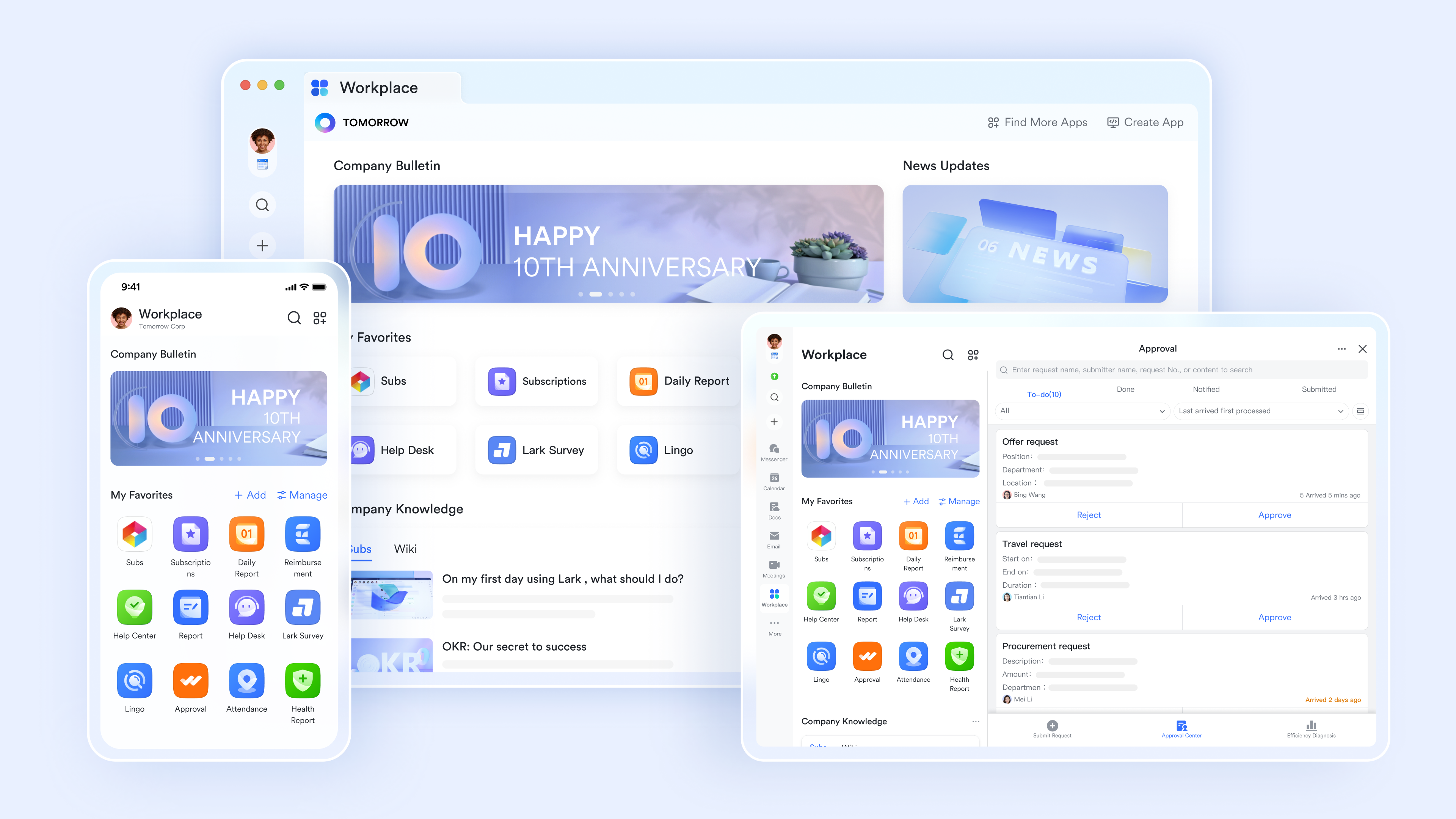
Key features:
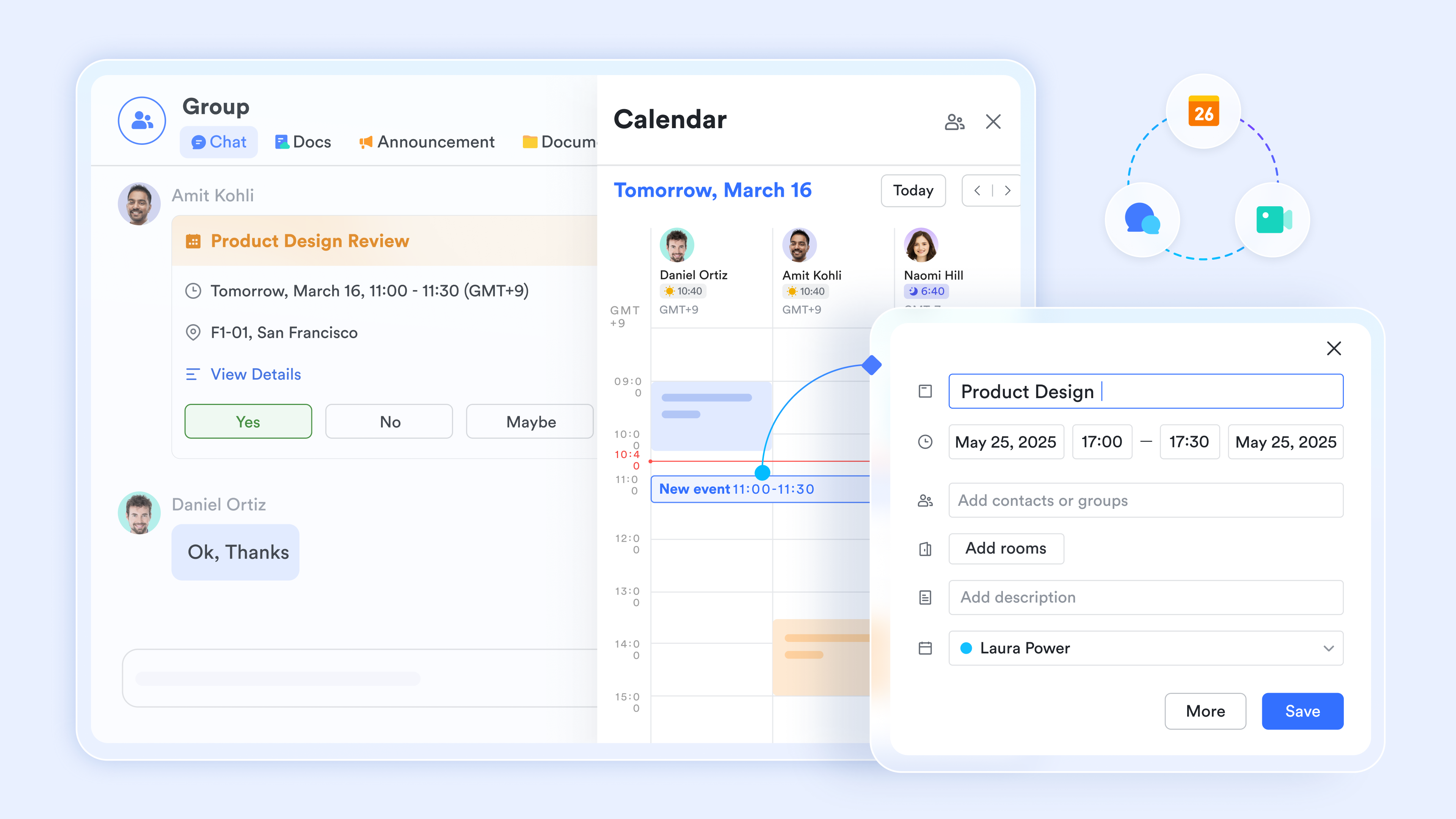
Native intelligent attendance and time management: Lark Attendance's core lies in creating a closed-loop system for personal time management and team working hour tracking through real-time clock-in, scheduling rules, leave and attendance approval, data statistics, and ecosystem consistency. It is suitable for diverse work scenarios, including fixed shifts, rotating schedules, and flexible working arrangements. Core calendar-driven scheduling: supports creating personal/team calendars, with topics, times, participants, reminders, etc. Color-coded distinctions for work, meetings, and personal matters; views available by day/week/month for intuitive time distribution. One-on-one and rotating bookings to streamline internal and external work arrangements and reduce communication costs. In addition, multiple reminders with notifications via messages, email, and mobile push to minimize missed appointments.
To-do and task management: Lark Tasks allows multiple ways of adding a new task, including converting from a text in Lark Docs, from a messenger, or from meeting notes. Priority tags can be easily added to capture tasks and focus on key items. Tasks can be linked to calendar events; when deadlines are set, they automatically sync to the calendar, creating a strong task-time correlation. 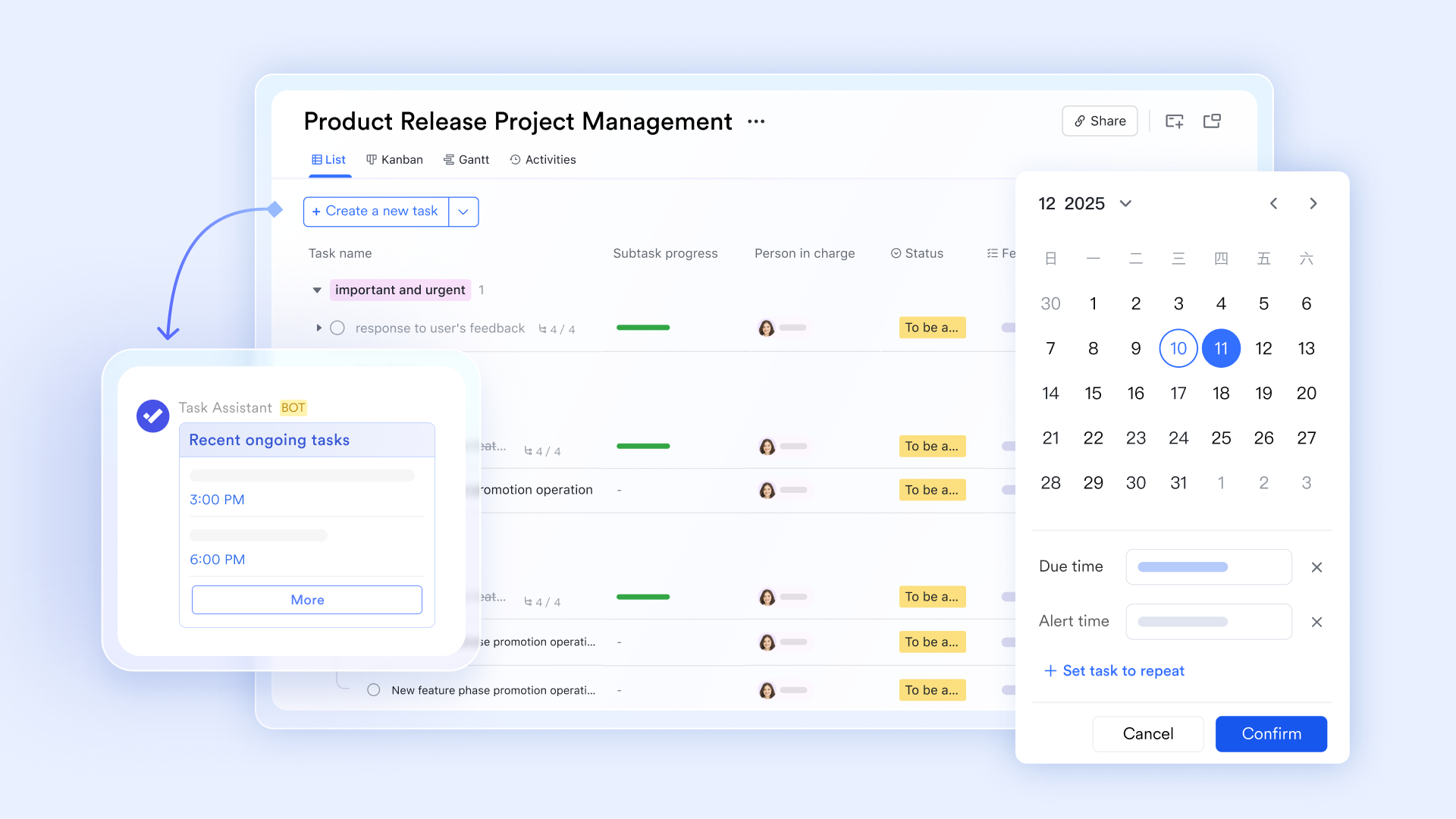
Cloud documents and time-node control: Documents can relate to schedules and tasks, enabling quick retrieval of relevant materials during task handling and reducing search time. In addition, in a document, users can insert a timer, which is a type of block, to perform countdowns for meetings, brainstorms, events, and more. The background color of the timer can be changed to suit different needs. Visual timing and tracking: 's dashboards show time distribution and daily/weekly/monthly analyses to support continual improvement and reviews. Lark Base and Lark Tasks also provide for visual management.
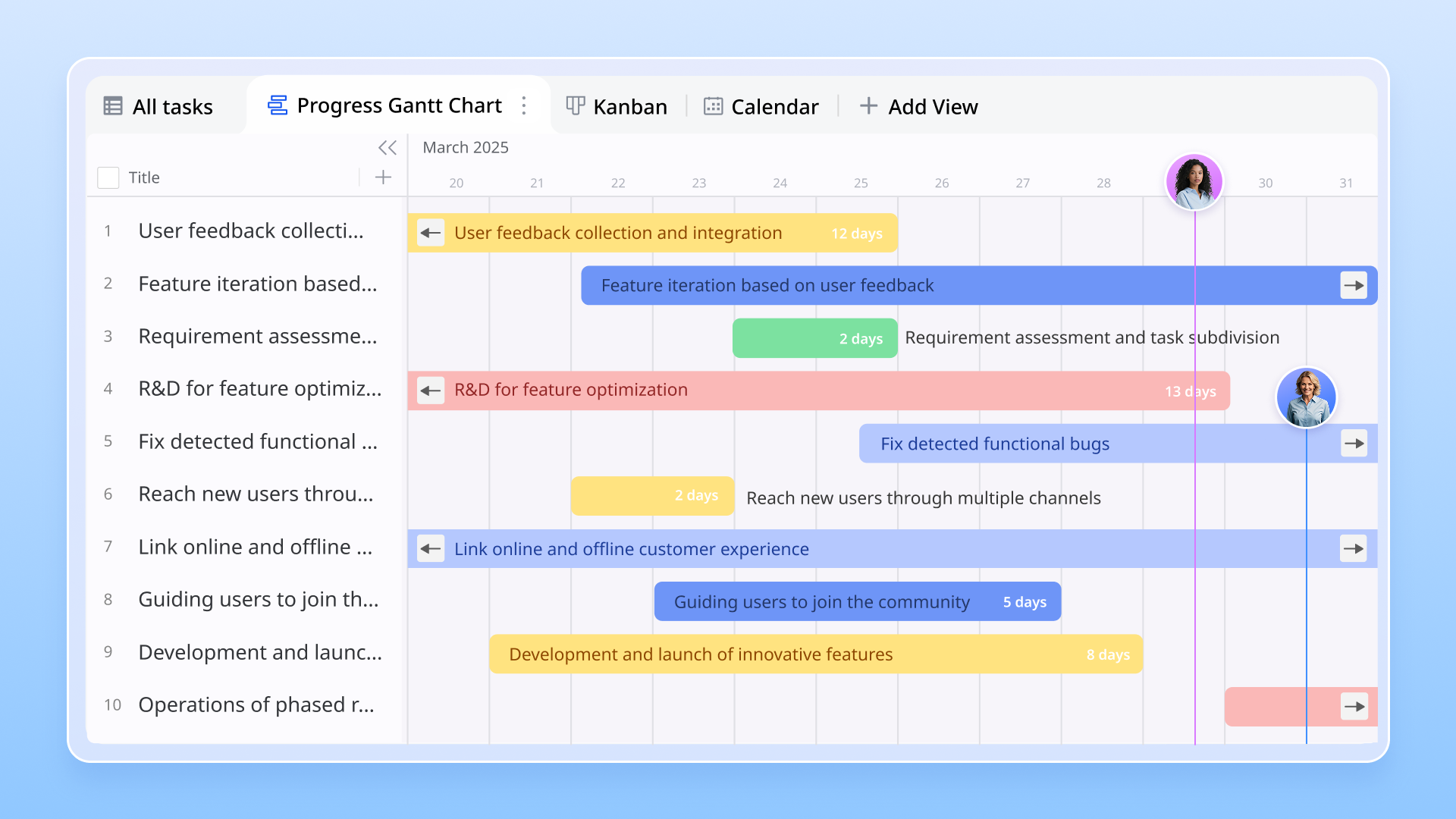
& timers: Lark Base provides ready-to-use time tracking templates with customizable fields (start/end times, duration, task category, focus level, etc.), enabling simple time logging with formulas to auto-calculate durations and drive status-based automation. Users can set customizable automated workflows with pre-set triggers to auto-record time when changes, reducing manual input.
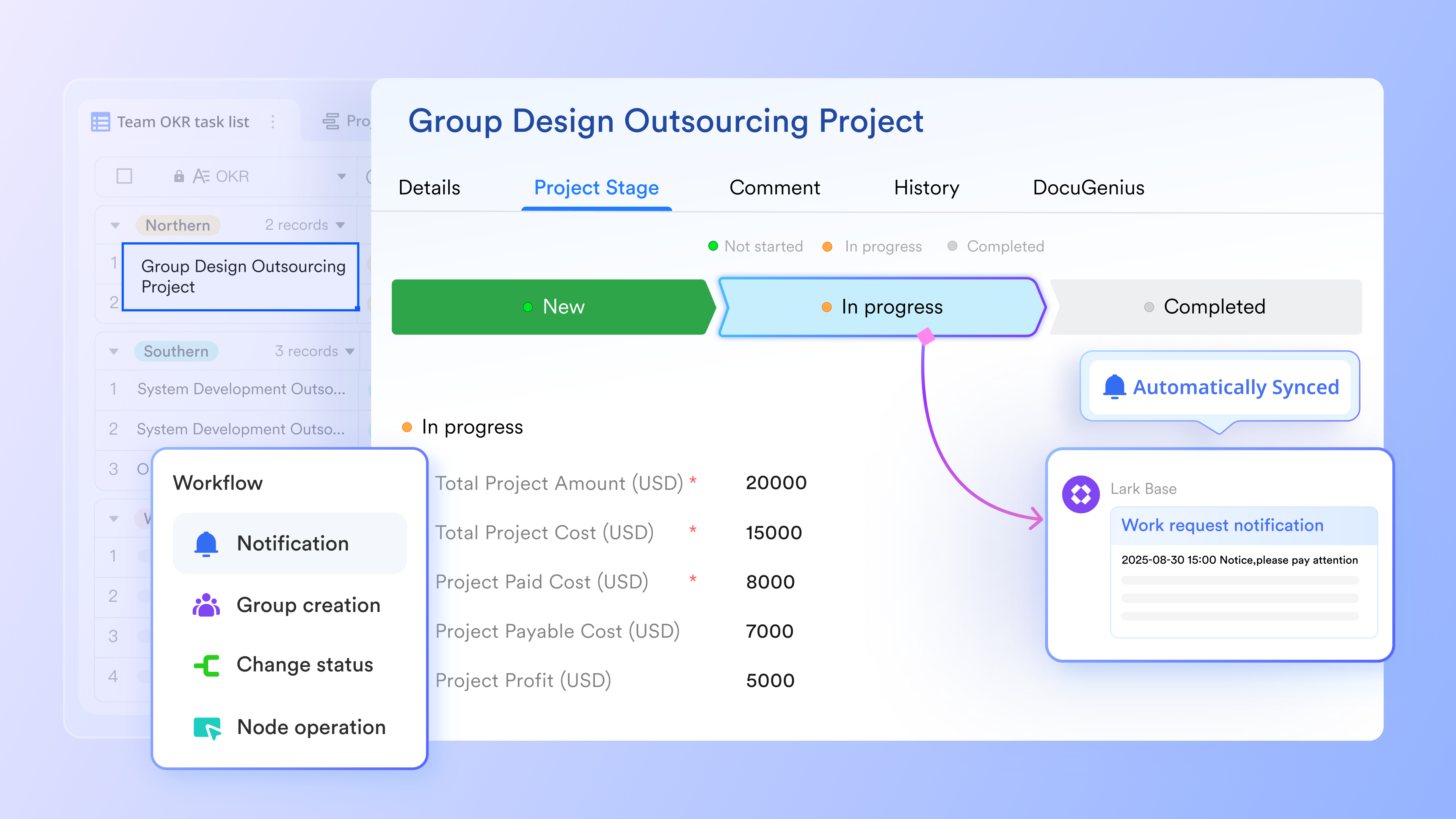
How does Lark compare to TimeCamp: Lark emphasizes collaboration and in-context work artifacts, which can reduce tool sprawl and support lightweight time awareness within daily workflows.
:
- Starter plan: that includes 11 powerful tools for up to 20 users. It also comes with 100GB of storage space, 1000 automation runs, AI translations, and more. No credit card needed.
- Basic plan: (billed annually) for up to 500 users. It includes everything in Starter and unlimited message history, 5TB of storage space, 1,000 automation runs, and more. Some users may need to to purchase this plan.
- Pro plan: (billed annually) for up to 500 users. It includes everything in Basic plus group calling for up to 500 attendees, 15TB of storage space, 50,000 automation runs, and more.
- Enterprise plan: for custom pricing. Supports unlimited users and includes even more automation runs and advanced security, compliance, and management features.
For small teams with simple communication needs

18 months message history
1000 Base automation runs/month
2000 rows per table in Base
Most POPULAR
For companies with comprehensive collaboration and management needs
Unlimited message history
500-participant video meetings
50k Base automation runs/month
20k rows per table in Base
For large companies with advanced security and organizational management needs
Get a personalized demo and pricing
Unlimited message history
500-participant video meetings
15 TB storage + 30 GB storage/user
500k Base automation runs/month
50k Base automation runs/month
Most POPULAR
For companies with comprehensive collaboration and management needs
Unlimited message history
500-participant video meetings
50k Base automation runs/month
20k rows per table in Base
2. Clockify: A dedicated time-tracking and timesheet solution
Clockify is a dedicated time-tracking and timesheet solution designed for freelancers and small teams. It offers flexible time capture, including manual entries and automatic timers, enabling accurate logging across projects. Its timesheets support approvals, while project tracking and budgeted hours help monitor costs. Detailed reports reveal utilization and billable versus non-billable time, and broad integrations keep workflows intact. Clockify's free plan allows unlimited users and unlimited projects, making it a scalable and cost-effective choice for organizations of any size.
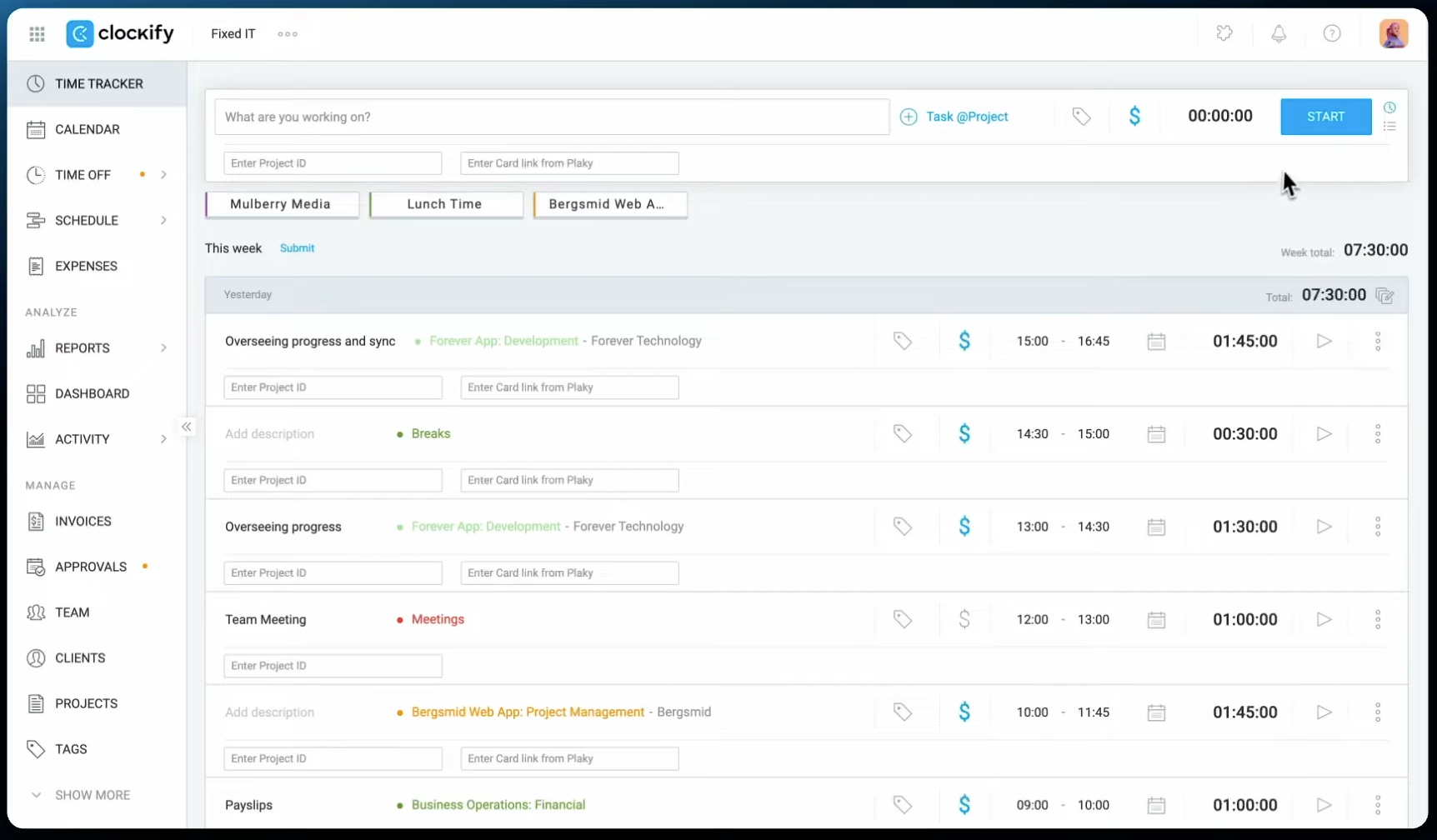
Image source: clockify.me
Key features:
- Flexible time capture with manual entry and automatic timers to suit different work styles.
- Timesheets with approval workflows to manage team billing.
- Project tracking and budgeted hours to monitor project costs.
- Detailed reporting, including utilization and billable vs non-billable time.
- Integrations with popular project management, , and productivity tools.
- The free plan includes unlimited users and unlimited projects.
How does Clockify compare to TimeCamp: Clockify is highly focused on time tracking and analytics, offering strong reporting with a pricing model that appeals to smaller teams. Its free plan stands out as a budget-friendly option for teams due to unlimited users and unlimited projects.
Pricing (billed annually):
- Standard: $5.49/user/month
- Enterprise: $11.99/user/month
- Productivity Suite: $12.99/user/month
3. Toggl Track: A streamlined time-tracking tool
Toggl Track is a streamlined time tracking app renowned for simplicity and reliable reporting. It provides stopwatch-style entry, flexible projects and clients, and quickstart timers with keyboard shortcuts to accelerate logging. The platform supports offline mode with data syncing when online, and robust team management with role-based access.
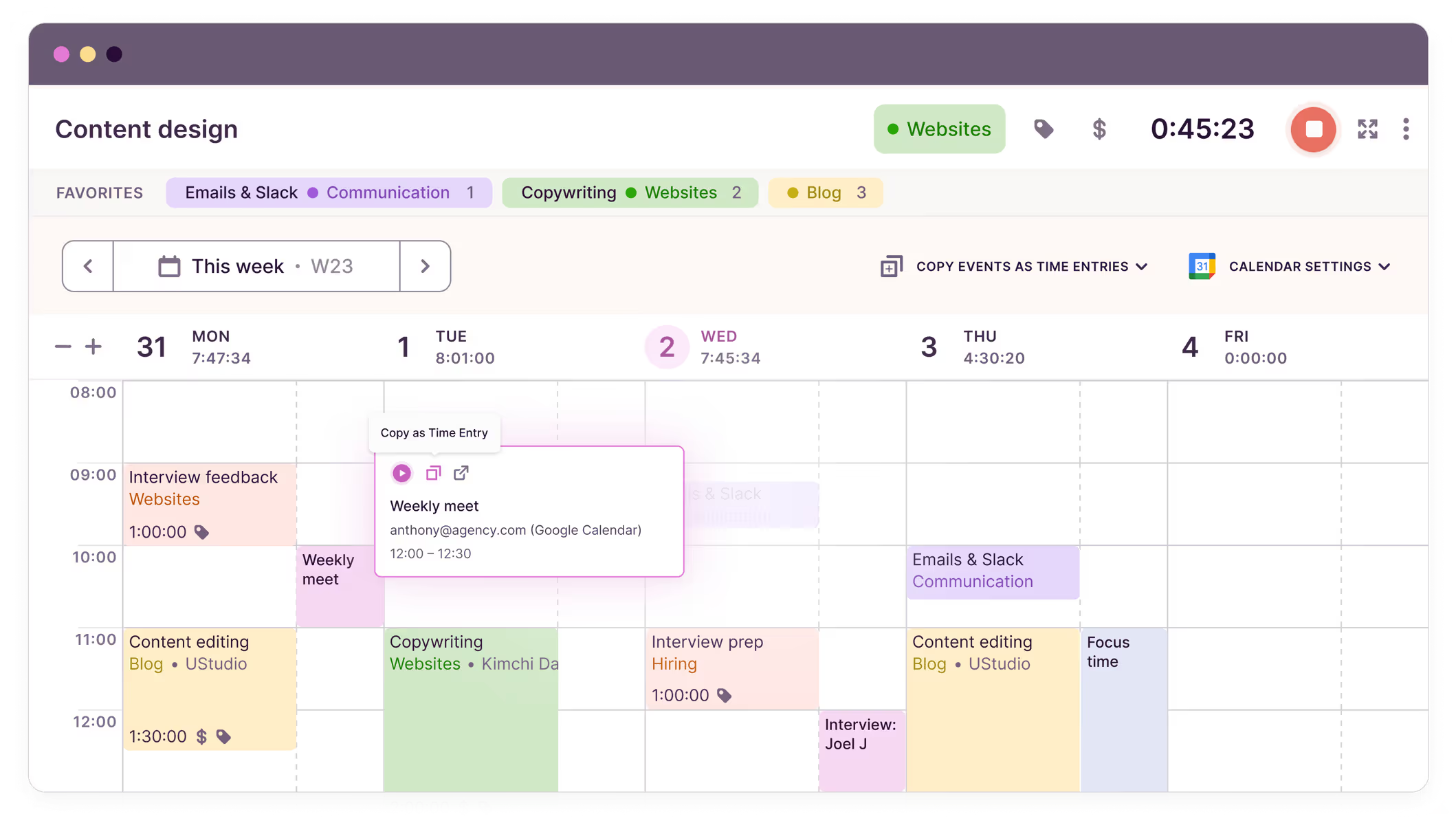
Image source: toggle.com
Key features:
- Stopwatch-style time capture with flexible projects and clients.
- Quickstart timers and keyboard shortcuts to accelerate entry.
- Detailed project and team reporting with insights into billable time.
- Offline mode with data synchronization when connectivity resumes.
- Global team management with role-based access and permissions.
How does Toggl Track compare to TimeCamp: Toggl Track emphasizes ease of use and fast ROI-focused reporting, making it a strong alternative for teams prioritizing a quick setup.
Pricing (billed annually):
- Enterprise: Custom pricing
4. Hubstaff: GPS-enabled time tracking tool
Hubstaff merges automatic time capture with detailed activity analytics and location-based tracking for distributed and field teams. The platform integrates tracked time directly with payroll processing and invoicing, streamlining payment workflows and client billing. Its activity monitoring—including app usage, URL tracking, and optional screenshots—helps managers understand how time is spent and identify productivity gaps.
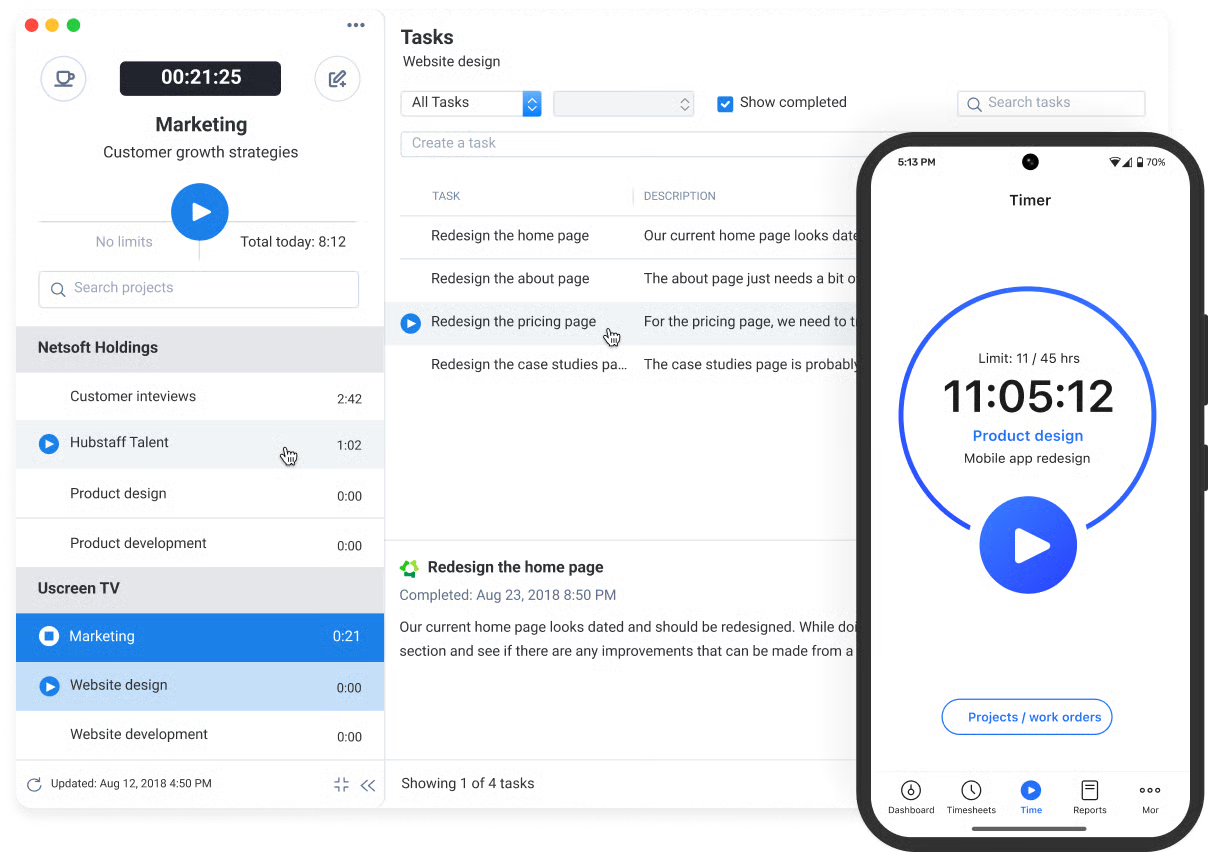
Image source: hubstaff.com
Key features:
- GPS and geofencing-based time tracking for field and remote teams with automatic clock-in/out.
- Activity monitoring with app/URL tracking and optional screenshots for detailed visibility.
- Automatic and manual time entry options for flexible work environments.
- Integrated payroll processing with automated calculations and batch payment support.
- Built-in invoicing tied to tracked time for seamless client billing.
- Real-time dashboards displaying productivity metrics, time distribution, and team performance.
How Hubstaff compares to TimeCamp: Hubstaff emphasizes workforce accountability and productivity monitoring through activity tracking and GPS capabilities, making it ideal for teams requiring granular visibility into how time is spent. While TimeCamp focuses on straightforward time tracking and project management, Hubstaff delivers deeper employee monitoring and geolocation features, particularly valuable for field-service and remote-first organizations [ref:18].
Pricing (billed annually):
- Starter: $4.99/user/month
- Enterprise: $25/user/month
5. Desklog: Lightweight time-tracking and attendance software
Desklog focuses on lightweight time tracking and attendance to simplify team time management. It provides straightforward timers and manual entries, with project association to map time to work. Basic reporting helps illuminate distribution across initiatives, while attendance tracking features support scheduling, punctuality, and automated employee monitoring. Desklog is accessible across devices, enabling seamless logging from anywhere.
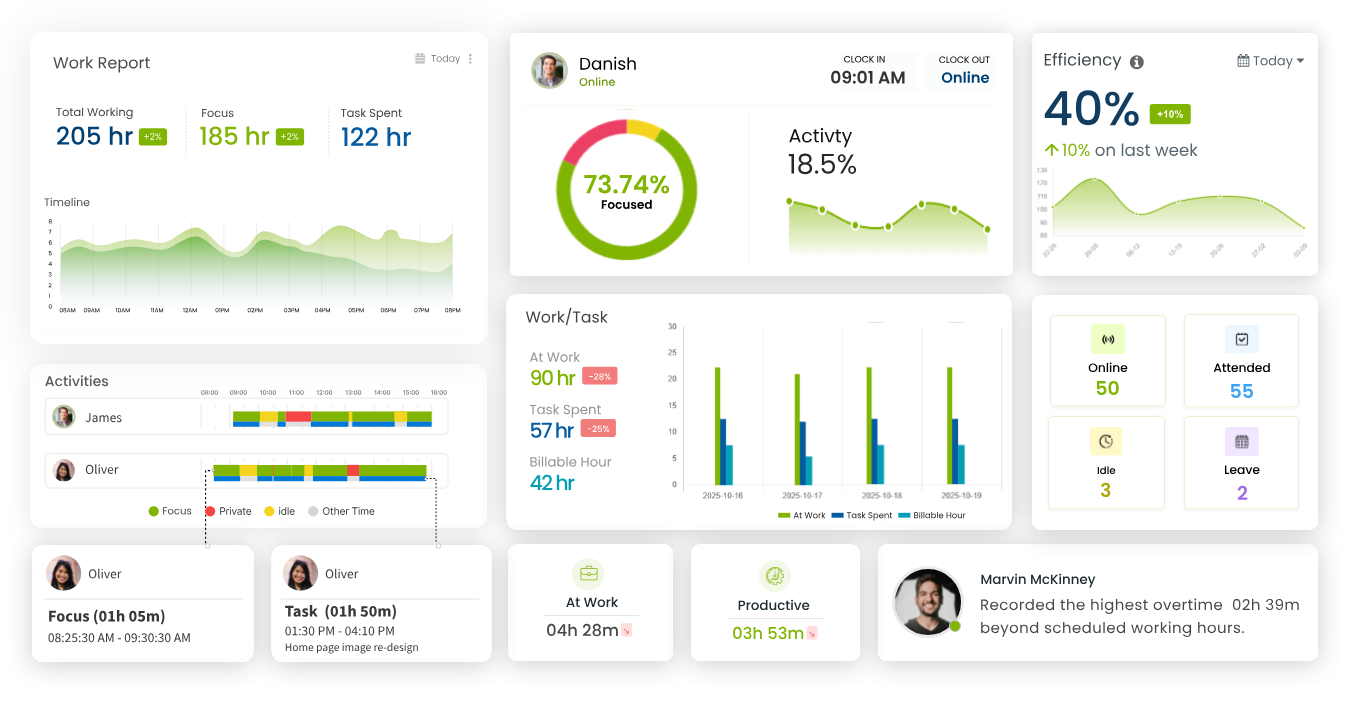
Image source: desklog.io
Key features:
- Simple timers and manual entries for flexible time capture.
- Project association to track time against specific work.
- Basic reporting to monitor time distribution across projects.
- Attendance tracking and presence features to support team scheduling and workforce oversight.
- Cloud-based access with multi-device support.
How does Desklog compare to TimeCamp: Desklog provides a leaner option with essential time-tracking features, suitable for teams not requiring deep analytics. Additionally, Desklog offers real-time insights into project progress and integrates with tools like Jira.
Pricing (billed annually):
- Free for individuals and freelancers
- Business: $3.15/user/month
- Enterprise: $4.32/user/month
6. Jibble: A time-tracking and attendance solution
Jibble is a user-friendly time-tracking and attendance solution that emphasizes ease of use and cloud access. It is particularly suitable for remote teams, offering features tailored for managing off-site or distributed workforces. Jibble provides manual and automatic time entry, plus clock-in/clock-out with optional geolocation for on-site tracking.
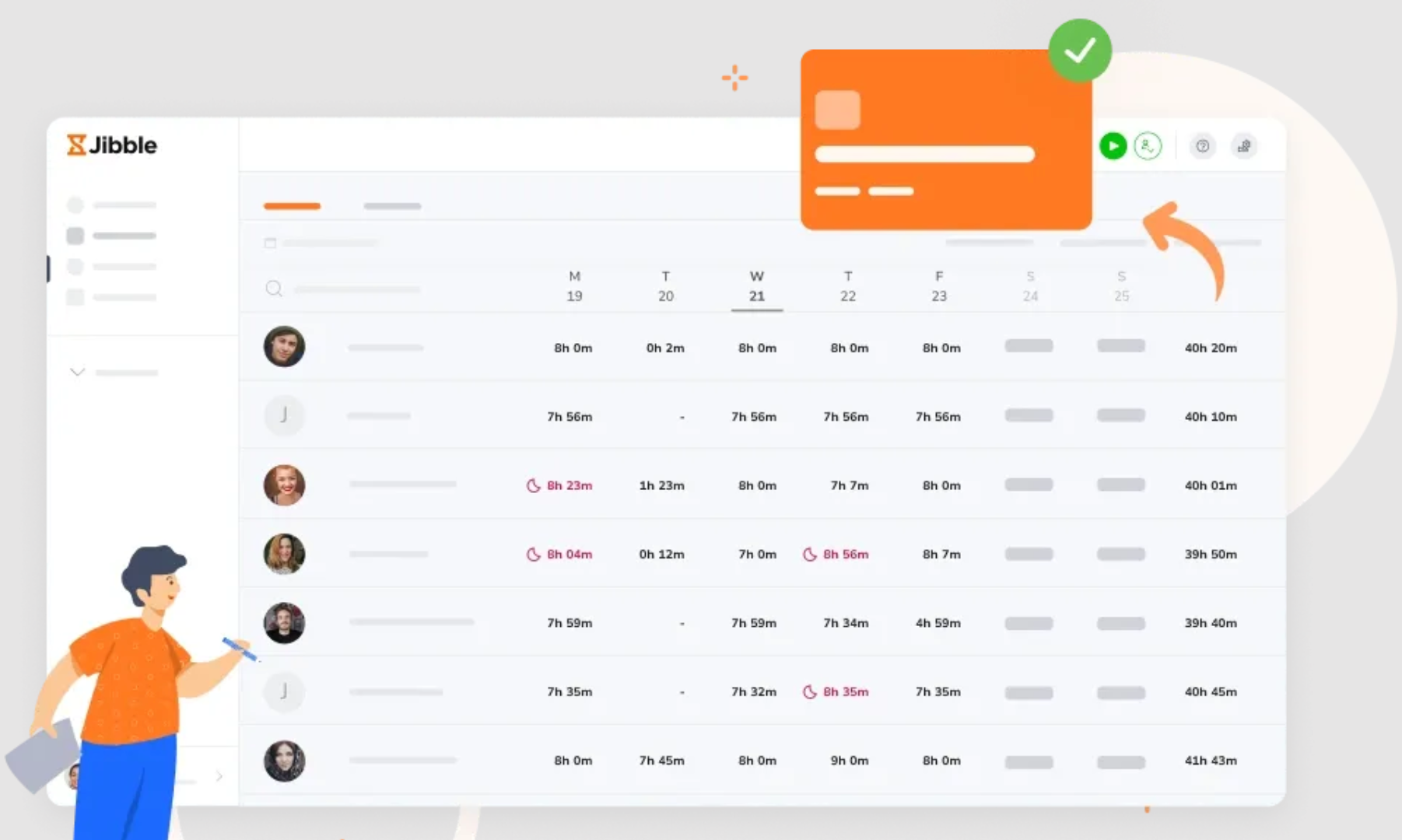
Image source: jibble.io
Key features:
- Handy time-tracking with both manual and automatic entry options.
- Attendance features include clock-in/clock-out and geolocation.
- Project tracking to tie time to client work.
- Robust reporting and export options for payroll and client invoicing.
- Integrations with popular project management and HR systems.
How does Jibble compare to TimeCamp: Jibble is known for its generous free offering and is especially suitable for remote teams. It offers a strong blend of time tracking and attendance, with straightforward reporting that suits teams seeking practical payroll-ready data.
Pricing (billed annually):
- Free for 1 work schedule
- Premium: $3.49/user/month
- Ultimate: $6.99/user/month
- Enterprise: $8.99/user/month
7. Timegram: A tool that emphasizes automation and analytics
Timegram centers on automation and analytics to streamline time tracking and team insights. Automated time capture reduces manual entry, while project and client association ensure entries support billing. Real-time dashboards reveal utilization metrics, and time intelligence highlights productivity patterns. The platform offers productivity monitoring to help teams track and analyze work efficiency. It also integrates with common project management tools to fit existing workflows.
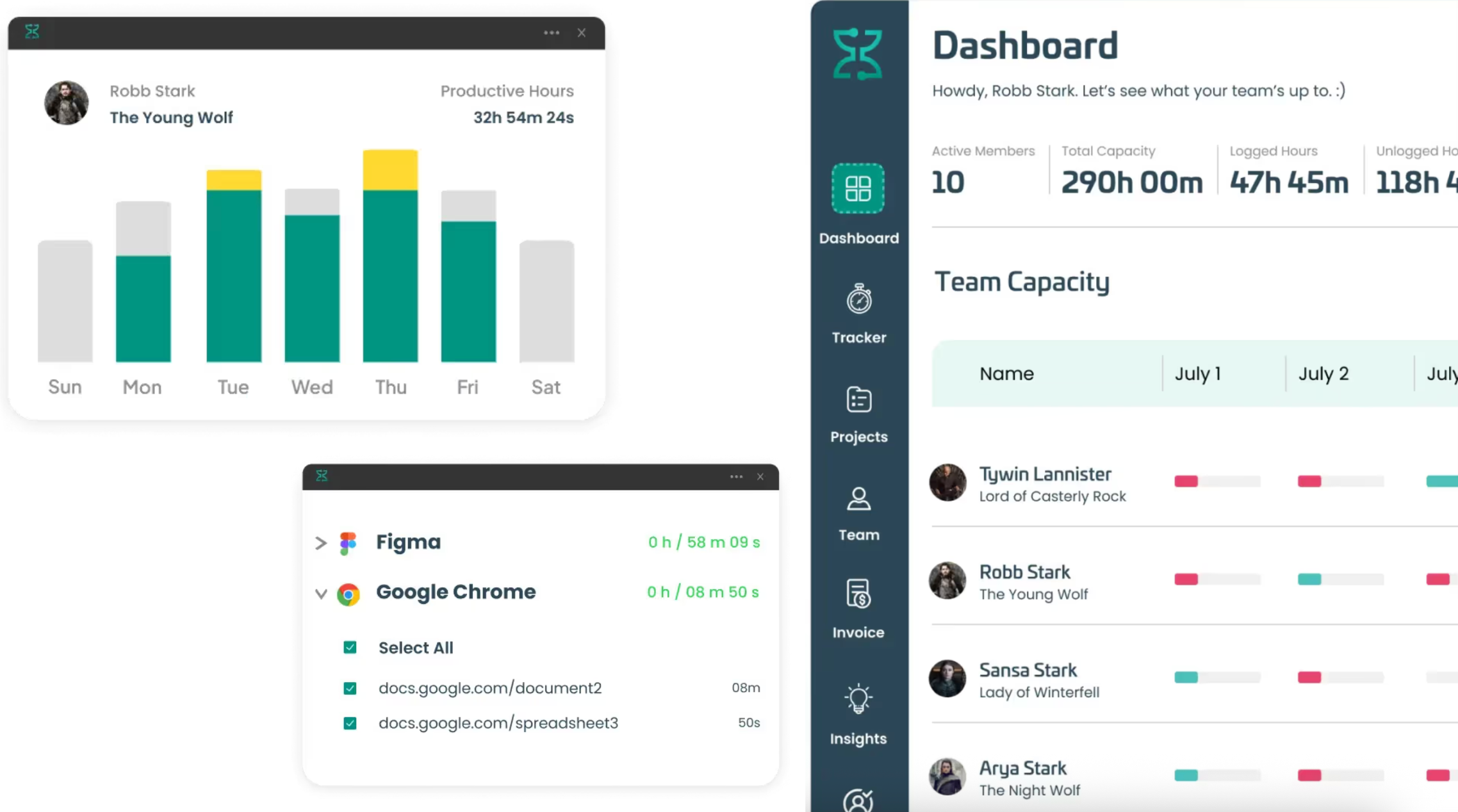
Image source: timegram.io
Key features:
- Automatic time tracking based on app activity and work patterns.
- Project and client association to make time entries relevant to billing.
- Real-time dashboards with utilization metrics for quick decisions.
- Time intelligence features to identify productivity patterns and support productivity monitoring.
- Integrations with common project management tools to fit into existing workflows.
How does Timegram compare to TimeCamp: Timegram's automation and insights complement teams seeking to minimize manual entry and gain deeper usage analytics.
Pricing (billed annually):
- Free for 1 user per account, 5-day data history
- Planning Pro: $4/user/month
8. Paymo: Time tracking tool with project management, outlining tasks, timelines, & billing
Paymo is project management software that combines time tracking with project management to outline tasks, timelines, resource scheduling, and billing in one tool. Client-facing proposals and estimates help with sales, and integrated invoicing and expense tracking streamline administration.
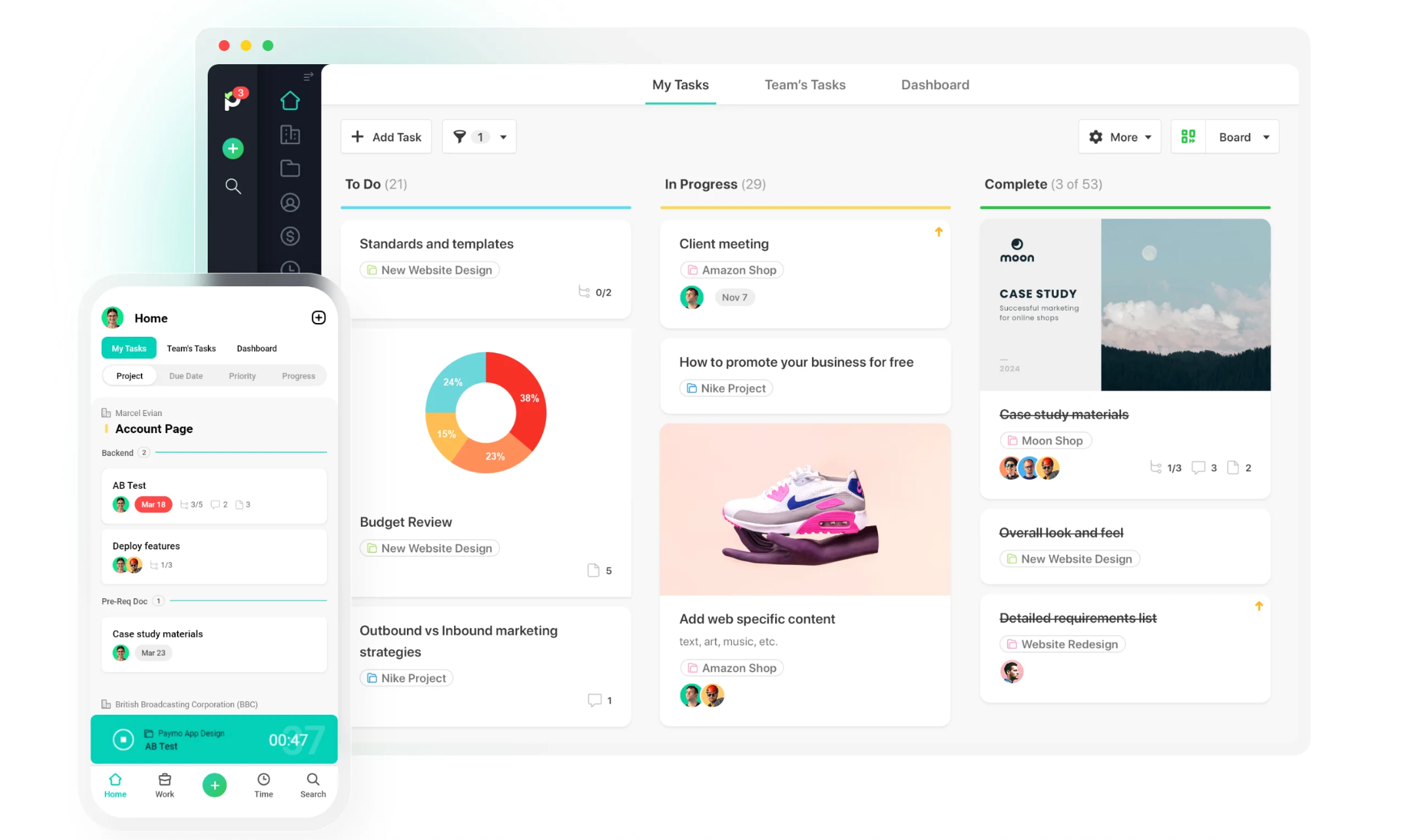
Image source: paymoapp.com
Key features:
- Time tracking linked to tasks and projects for precise invoicing.
- Project planning tools with milestones, timelines, and resource scheduling.
- Client-facing proposals and estimates to support sales workflows.
- Invoicing and expense tracking are integrated with time data.
- Reports and dashboards for project profitability and utilization.
How does Paymo compare to TimeCamp: Paymo blends PM with time tracking and billing, offering a comprehensive workflow for agencies and studios. Paymo also offers strong project management tools that benefit freelancers and small teams, unlike TimeCamp.
Pricing (billed annually):
- Free for 1 client and 2 projects
9. Harvest: Time tracking with strong invoicing and expense management
Harvest pairs time tracking with invoicing and expense management for service teams. Time entries align with projects and tasks, enabling accurate timesheets. Invoicing directly from tracked time and expenses simplifies billing, while client-facing reports improve transparency. Its project profitability reporting helps track labor costs for better budgeting and profitability, and broad integrations connect with accounting and PM tools.
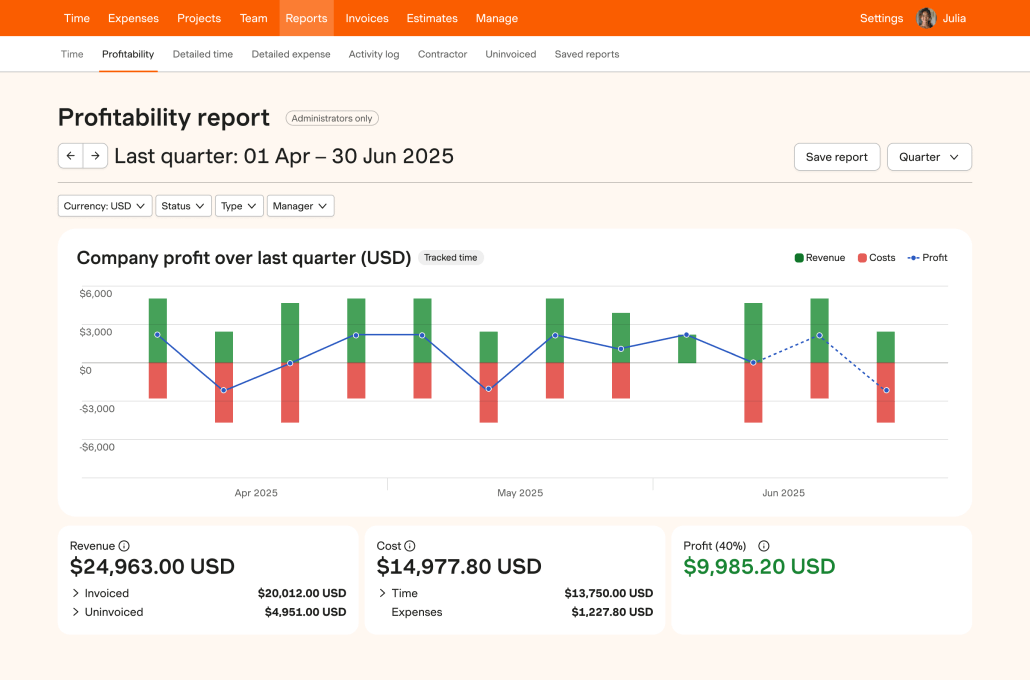
Image source: harvest.com
Key features:
- Time tracking aligned to projects and tasks with accurate timesheets.
- Invoicing directly from tracked time and expenses.
- Expense capture and client-facing reports for billing transparency.
- Project profitability reporting to guide resource decisions and track labor costs for improved budgeting.
- Broad integrations with accounting and project management tools.
How does Harvest compare to TimeCamp: Harvest's emphasis on end-to-end billing and profitability reporting makes it especially valuable for professional services teams.
Pricing (billed annually):
- Free for 1 seat, 2 projects
10. ClickTime: Enterprise-grade time tracking and project management
ClickTime targets mid-market and enterprise teams with enterprise-grade time tracking and project management. It supports time entry across projects with approvals, plus time-based budgeting and cost tracking to help organizations manage budgets effectively. Its robust reporting includes utilization and payroll-ready data, while timesheet automation helps reduce administrative overhead. Integrations with payroll, ERP, and PM systems ensure cohesive workflows.
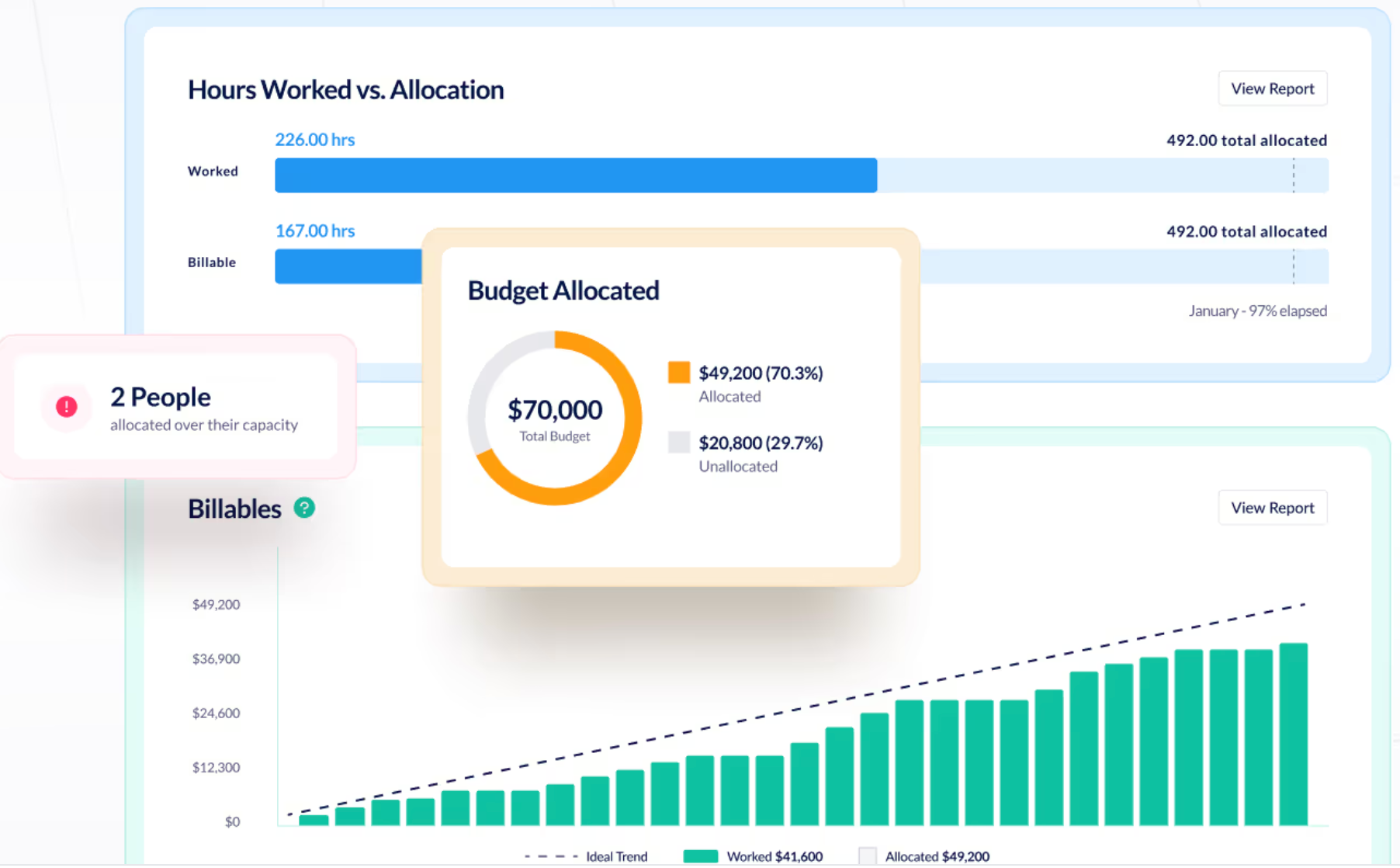
Image source: clicktime.com
Key features:
- Time entry across projects and activities with approvals.
- Time-based budgeting and project cost tracking to manage budgets.
- Robust reporting, including utilization and payroll-ready data.
- Timesheet automation and reminders to reduce administrative overhead.
- Integrations with payroll, ERP, and project management systems.
How does ClickTime compare to TimeCamp: ClickTime targets mid-market and enterprise contexts with strong governance and reporting capabilities, complementing billing workflows.
Pricing (billed annually):
- Enterprise: Custom pricing
11. Time Doctor: Focuses on monitoring productivity and detailed time tracking
Time Doctor emphasizes productivity analytics alongside time tracking. It offers screen monitoring, app usage insights, and detailed logs by project or task. Attendance features cover clock-in/clock-out, with comprehensive reports for payroll and client invoicing. Integrations with common business tools help align with existing stacks. Time Doctor also provides advanced employee monitoring features such as screenshots, activity tracking, and distraction management tools like website blocking and real-time alerts, giving organizations greater control and transparency.
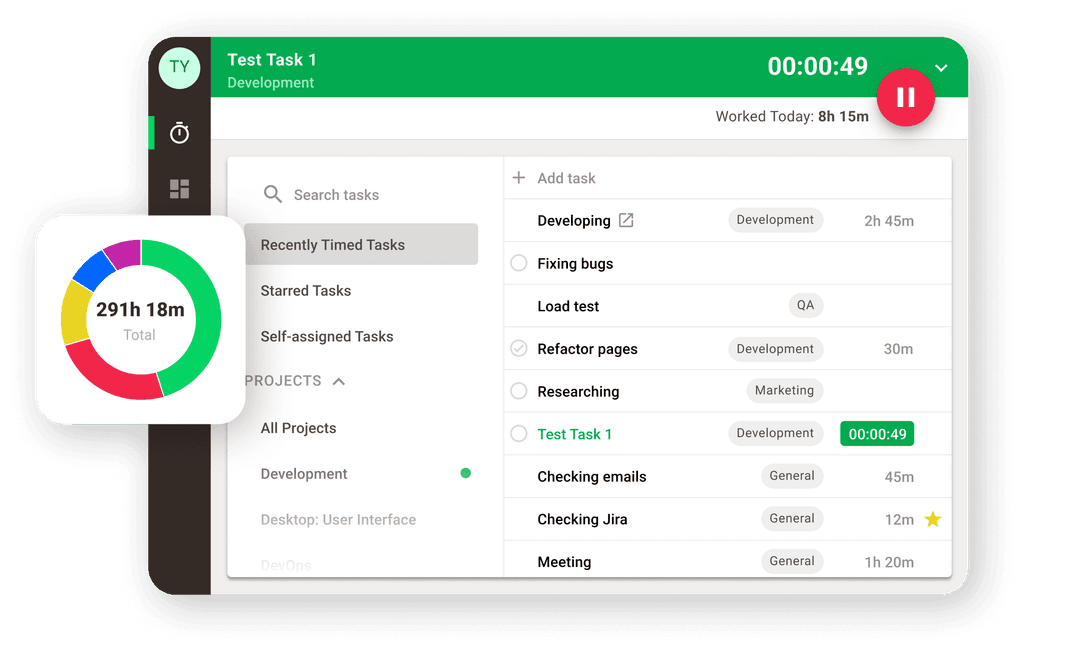
Image source: timedoctor.com
Key features:
- Screen monitoring and automated time capture for accurate logs.
- Activity and app usage analytics to assess productivity.
- Employee monitoring features including screenshots and activity tracking.
- Distraction management tools to minimize interruptions and improve focus.
- Time tracking by project or task with detailed reporting.
- Attendance features include clock-in/clock-out.
- Integrations with common business tools to fit existing stacks.
How does Time Doctor compare to TimeCamp: Time Doctor offers more advanced monitoring and distraction management than TimeCamp, making it a stronger choice for organizations needing robust employee monitoring features and tools to manage distractions. Time Doctor leans toward analytics-driven oversight, which can be valuable for organizations focusing on productivity metrics alongside time tracking.
Pricing (billed annually):
- Standard: $11.67/user/month
- Premium: $16.70/user/month
12. MyHours: A time-tracking solution aimed at small to mid-sized teams
MyHours targets small to mid-sized teams with project-based time-tracking insights. It supports client- and project-linked logging, plus timesheets with approvals to ensure accuracy. Project budgeting and cost-tracking assist profitability management, while customizable reports and dashboards provide leadership visibility. Mobile and offline access enable on-the-go logging. MyHours also allows tracking of non-billable hours for better project analysis.
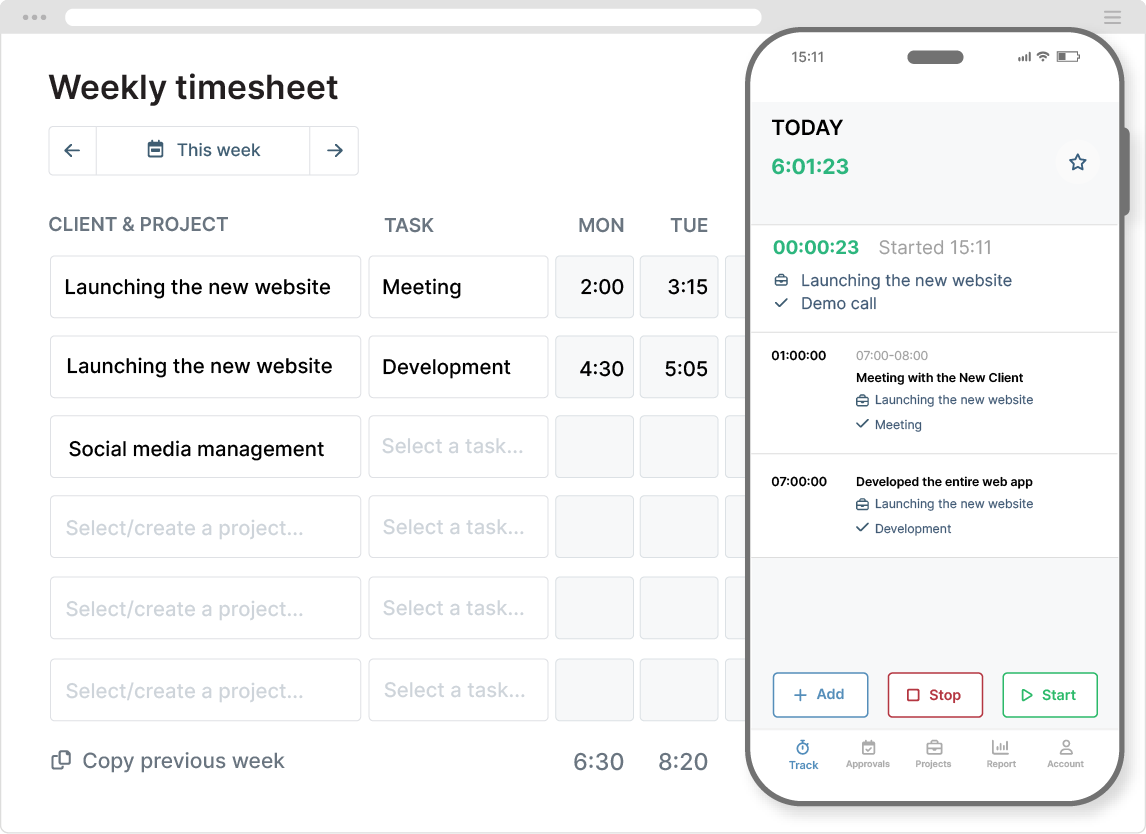
Image source: myhour.com
Key features:
- Time tracking linked to clients and projects for precise billing.
- Timesheets with approval workflows to ensure accuracy.
- Project budgeting and cost-tracking to manage profitability.
- Customizable reports and dashboards for leadership visibility.
- Mobile and offline access for on-the-go logging.
- Track non-billable hours for comprehensive project analysis.
How does MyHours compare to TimeCamp: MyHours offers a straightforward, cost-effective time-tracking option with solid project alignment.
Pricing (billed annually):
- Enterprise: Custom pricing
Today's time tracking software offers a refreshingly simple way to observe our work rhythms, create meaningful reports, and discover valuable insights about our professional patterns. These reliable tools become trusted allies in project management, helping teams thoughtfully distribute resources, confidently meet deadlines, and comfortably stay within budget constraints
Choose the best all-in-one TimeCamp alternative
How to choose the right TimeCamp alternative
Choosing the right TimeCamp alternative depends on whether your priority is precise time tracking, seamless collaboration, or a blend of both. This framework outlines a practical, repeatable approach to evaluating tools, ensuring you select a solution that fits your team's workflows and governance needs.
- Assess integration requirements: List your essential apps (, HR, accounting) and confirm that each candidate can integrate smoothly to minimize workflow disruption.
- Consider onboarding speed and ongoing cost: Balance rapid deployment against long-term maintenance. A tool with intuitive onboarding may yield faster adoption and better long-term value.
- Define : Run a short pilot with 4–6 candidates, set clear KPIs such as logging accuracy, reconciliation speed, and user satisfaction, and collect feedback from actual users.
- Evaluate user experience and adoption potential: Prioritize tools with a clean interface and straightforward workflows to reduce training time and boost day-to-day usage.
- Inspect data governance and security: Review data access controls, audit trails, and privacy settings to align with your company's .
- Test cross-functional fit: Ensure the tool supports both individual contributors and managers, including project-level visibility, approvals, and workload insight.
By following this framework, you can systematically compare TimeCamp alternatives and identify solutions that balance precise time tracking with collaborative capabilities.
Implementation tips and best practices for time tracking
To maximize adoption and data quality, establish clear governance around time-tracking policies, data retention, and privacy. Roll out the selected TimeCamp alternatives with a phased plan that includes stakeholder sponsorship and a concise training program. Many provide automatic time tracking features that eliminate the need for manual entry, helping save time and ensuring work hours are tracked automatically.
- Governance and policy framework: Define time-tracking policies, data retention periods, access controls, and audit requirements to ensure consistent behavior and traceability across teams. Establish data classification and governance processes to protect sensitive information and meet compliance needs.
- Role-based onboarding and fast-start resources: Develop onboarding materials tailored to different roles (project managers, finance, HR, frontline staff) and provide practical, quick-start guides to speed up proficiency. Use real-world workflows in onboarding exercises to minimize resistance and boost engagement.
- Policy and compliance review: Produce a clear policy document covering time capture scope, exception handling, reconciliation processes, and role-based access management. Integrate privacy protections into daily operations, such as least-privilege access, encrypted transmission and storage, and auditable change histories.
- Data quality and monitoring: Introduce KPI dashboards covering timeliness of entries, reconciliation accuracy, project visibility, and report reliability. Implement and review workflows to reduce manual errors and improve data consistency.
This top-down approach helps organizations implement TimeCamp alternatives effectively, ensuring governance, user friendliness, and reliable data while enabling continuous improvement.
Empower your business and optimize time management
Future trends of time tracking
As time tracking evolves into a comprehensive productivity tool, readers should expect richer cross-functional insights that enhance project planning and resource allocation. The increasing importance of , desktop apps, and browser extensions means users can track time seamlessly across devices and platforms, whether on iOS, Android, Windows, Mac, Linux, or directly in their web browser. As remote and distributed teams expand, privacy and data governance will remain central, with tools offering stronger controls and auditing capabilities.
- AI-driven automation and : User-friendly time tracking will increasingly rely on AI to infer activity patterns and automatically block time, reducing manual entry.
- Deeper financial integrations: Payroll, accounting, and invoicing workflows will become more tightly integrated with time data, streamlining billing and financial reporting.
- Enhanced workforce analytics: More granular analytics will enable better , utilization tracking, and resource allocation across teams.
- Privacy, governance, and security: As distributed work grows, tools will strengthen privacy controls, data governance policies, and auditing capabilities to safeguard information.
- UX, onboarding, and TCO competition: Vendors will focus on smoother onboarding and more intuitive experiences, driving down total cost of ownership through streamlined workflows.
These trends point toward time tracking becoming more automated, financially integrated, and insight-driven, while maintaining strong governance and user-friendly experiences.
Conclusion
As remote and hybrid work persists, governance, privacy, and data security remain non-negotiables, driving robust controls and transparent auditing. Importantly, user experience and onboarding speed will continue to improve as vendors compete on simplicity and total cost of ownership. To maximize value, organizations should balance collaboration-first platforms with dedicated time-tracking tools, ensuring each choice aligns with practical workflows and governance requirements. Many businesses now prefer less worker surveillance and more flexible ways to track time than TimeCamp, making the appeal of a free time tracker with automatic tracking and integration capabilities even stronger for organizations seeking cost-effective and user-friendly solutions. When selecting a path, run short pilots, gather frontline feedback, and track through time saved and billing accuracy.
FAQs
What are the best alternatives to TimeCamp?
Some popular TimeCamp alternatives include Toggl Track for simplicity, Clockify for a robust free option, Paymo for project management and time tracking, Harvest for invoicing and expenses, and Time Doctor or Hubstaff for productivity analytics. The right choice depends on whether you prioritize straightforward time tracking, strong project/billing features, or deeper workforce insights.
How should I evaluate TimeCamp alternatives for my team?
Start with must-have features (invoicing, payroll-ready reports, or embedded time logs). Check integrations with existing tools, onboarding speed, and data governance. Run a short pilot with 4–6 candidates, gather user feedback, and measure ROI via time saved and billing accuracy.
What features differentiate time-tracking tools from collaboration platforms?
Time-tracking tools focus on accurate time capture, billing, and reporting. Collaboration platforms emphasize communication, file sharing, and task management. Some tools blend both, but you should prioritize according to whether your team needs stricter time governance or seamless cross-functional workflows.
How important are privacy and data governance when choosing an alternative?
Very important. Look for role-based access, audit trails, data encryption, and clear data retention policies. As teams go remote, strong governance ensures compliance and protects sensitive information while maintaining usability.
What's a practical approach to onboarding and adoption?
Implement a phased rollout with executive sponsorship, role-based onboarding materials, and quick-start guides. Provide practical training using real workflows, migrate data carefully, and schedule regular policy reviews and KPI monitoring to sustain momentum.
Related reading






























