Every growing company hits a specific breaking point: manual processes like tracking approvals and updating spreadsheets stop working and start eating up hours each week. Many teams rush to buy integration tools, but patching together a fragmented stack creates more data silos. The most effective business automation platform doesn't just connect disjointed apps; it unifies your entire workspace—chat, docs, meetings, and workflows—into one environment. This guide covers what to look for, how to avoid common traps, and reviews the top tools to help you eliminate software bloat.
What makes an intelligent business automation platform different?
When operations leaders ask me for software recommendations, they often confuse basic scripts with a true platform. To clarify, an intelligent business automation platform goes far beyond moving a file from folder A to folder B. It is software designed to coordinate complex, multi-step workflows that involve both data management and human decision-making.
Historically, automation was strictly the . If you wanted to automate an onboarding sequence, you had to submit a ticket and wait months for a developer to write custom code. Today, the industry has shifted toward the low code business automation platform model. This means an HR lead or operations manager can use visual drag-and-drop builders to design exact workflows on their own.
It is also important to differentiate between and an automation platform for digital business. RPA is built to mimic human keystrokes on legacy systems—like a bot scraping data from an outdated 1990s database. In contrast, a modern digital business automation platform manages the entire lifecycle of a collaborative workflow.
A practical example: Imagine an employee submitting an expense report. A basic RPA bot might just copy the receipt numbers into a ledger. But a complete business operations automation platform handles the entire journey: it captures the data via a customized intake form, routes it to the correct department head for a single-click approval, and instantly updates the shared budget tracker—all while keeping the original employee notified of the status.
Why traditional automation tools create more data silos
There is a contrarian reality in enterprise software right now: buying more integration tools often makes your team less productive.
The standard industry advice is to purchase highly specialized software for every distinct task and then use a third-party middleware tool to force them to talk to each other. You keep your team communication in a chat app, your task tracking in a project management tool, and your invoice approvals in a dedicated business payments automation platform.
This approach fundamentally misunderstands how human beings actually work. Wiring together isolated applications leads to broken links, lost context, and the heavy tax of constant context switching.
The cost of context switching: Consider a standard procurement request in a fragmented company. A team member submits a form in App A. The manager gets a notification in App B (their email inbox). To understand the context of the request, the manager has to open App C (a cloud document repository) to read the vendor proposal, then log into App D (a business payment automation platform) to officially click approve. Finally, they open App E (the team chat) to tell the employee the task is done.
That process might be technically "automated" in the background via APIs, but for the human user, it is an exhausting, disjointed experience. Every time you require an employee to switch windows, you lose time, increase the chance of errors, and reduce the likelihood that they will actually adopt the process.
If your goal is to find the best platform for , you have to look beyond API connectors. The unified alternative is bringing automation directly into the place where your teams actually talk and collaborate daily. When your databases, approval routing, and daily chat interface live in the exact same workspace, there are no silos to bridge.
Unify your workflows and eliminate data silos
Top 10 business automation platforms for growing teams
I evaluated the following business automation platforms based on ease of use, cost-efficiency, and their ability to handle real-world operations for remote and hybrid teams without requiring expensive middleware.
1. Lark: Best for consolidating tool stacks into a single unified workspace
is best for growing SMEs and enterprise teams that want to eliminate tool sprawl by consolidating chat, docs, and automation into . It stands out because it doesn't just connect third-party apps—it natively runs your entire digital workplace, saving significant software costs.
When evaluating automation, I frequently talk to operations managers who are overwhelmed by a scattered software approach. They pay for one app to chat, another for cloud documents, a third to track tasks, and a fourth expensive middleware tool to string them all together. This fragmentation leads to a severe drop in productivity; employees constantly miss notifications, projects get delayed due to disjointed context, and new hires face a steep learning curve trying to master five different interfaces just to submit a vacation request.
solves this fundamental issue by bringing everything under one roof. It is an all-in-one collaboration workspace that combines , , , , , , , , a and essential workflows within a single interface. Instead of leaving your chat window to find a project specification or approve a budget, everything happens in one continuous flow. Because Lark natively integrates its powerful databases () with team communication, when a status changes in a spreadsheet, the relevant team members are immediately notified right where they are already working.
Key Features:
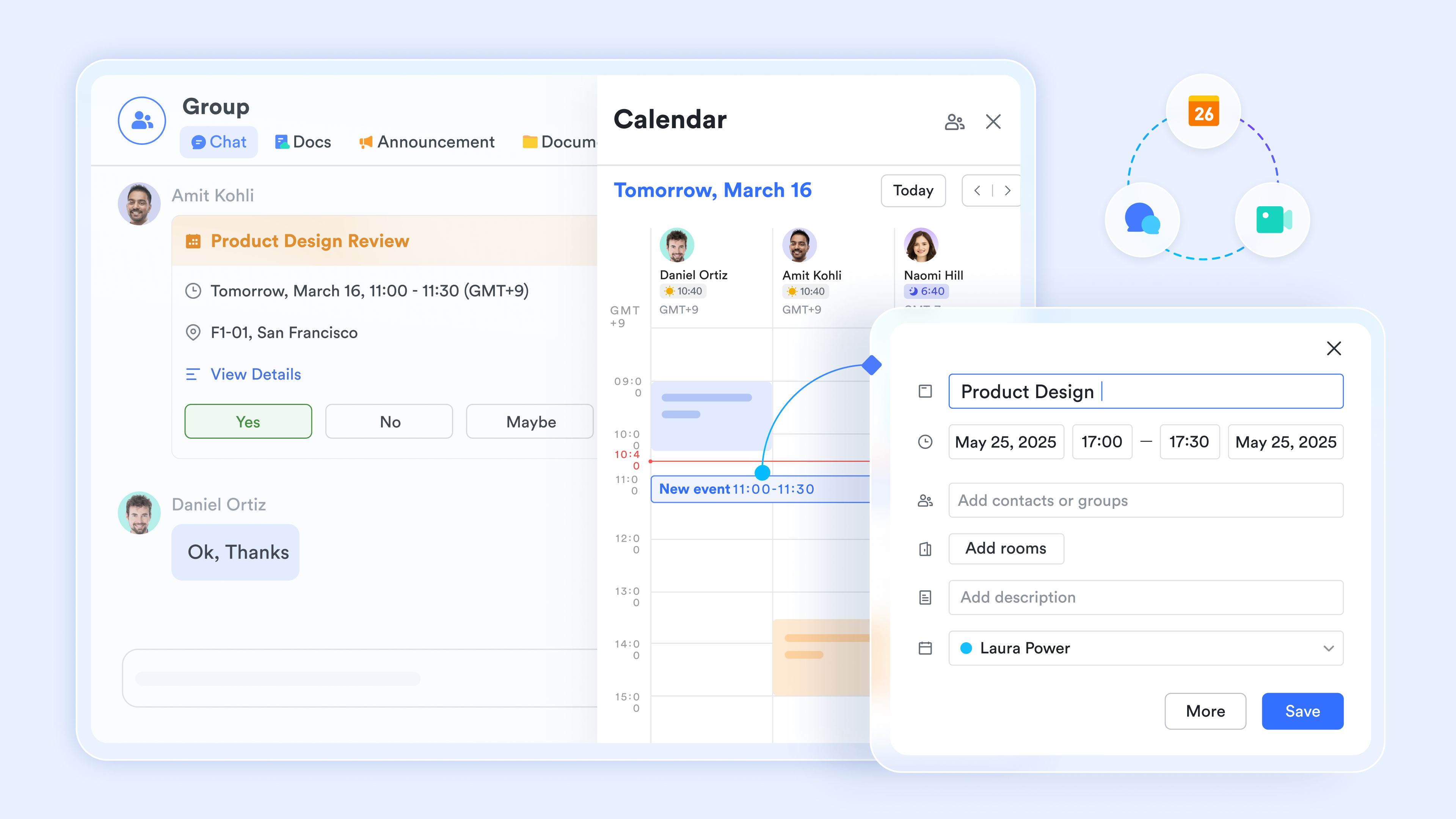
Unified messaging and video meetings: Keeps all project context, , and group calls in one central hub.
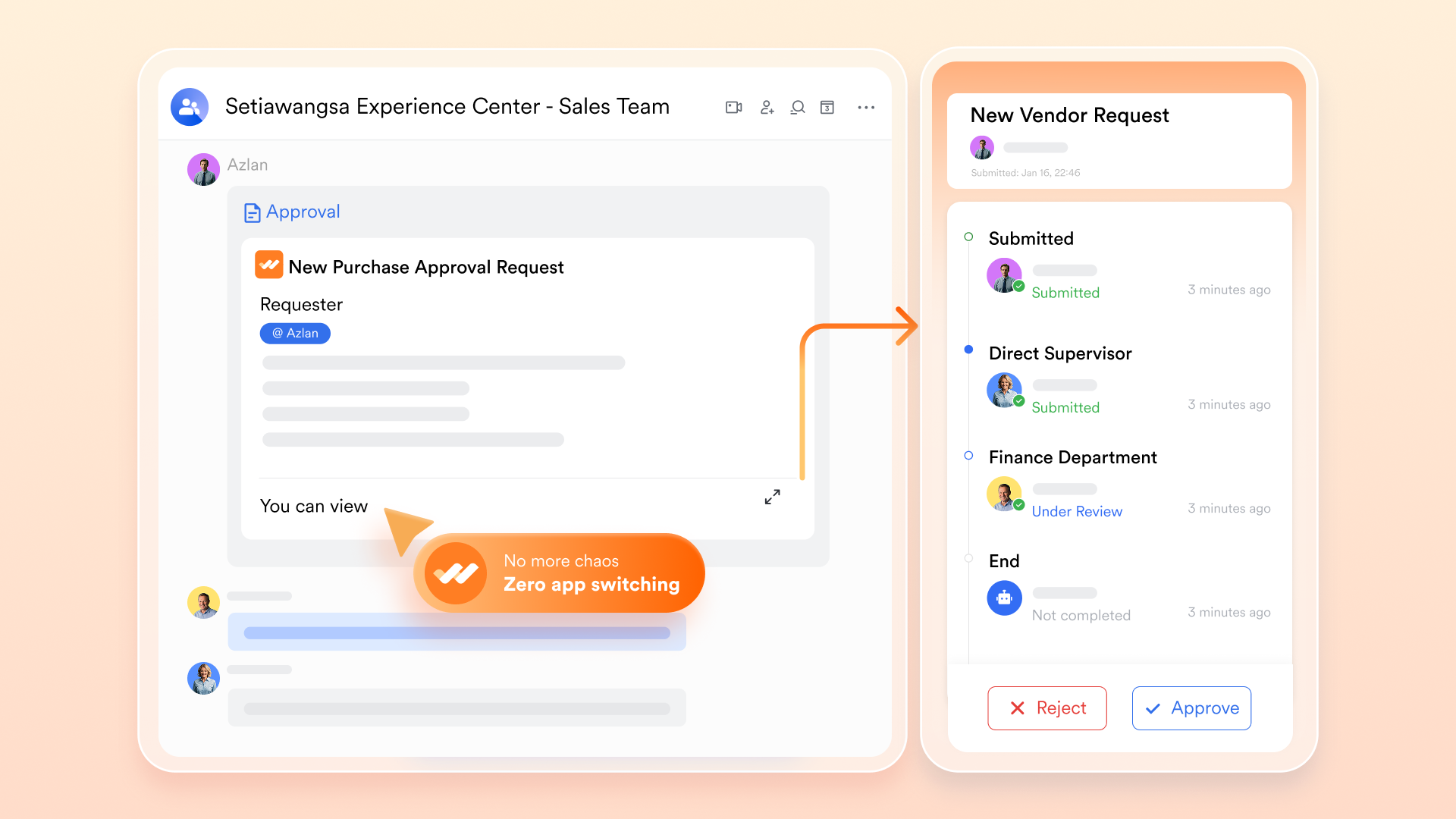
Lark Base and approval workflows: Turns static spreadsheets into relational databases with .
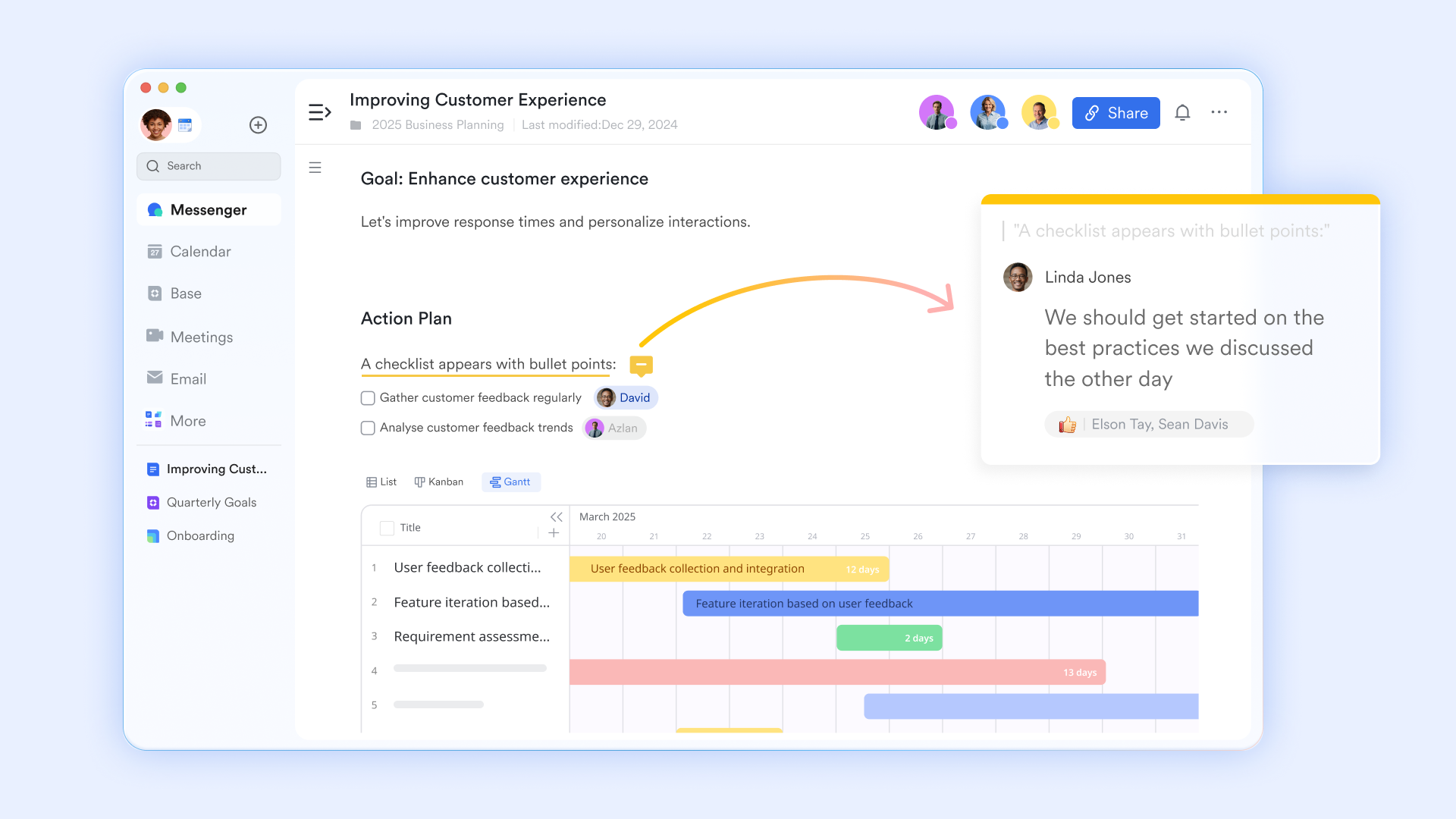
Cloud-native documents and sheets: Enables without paying for a separate or subscription.
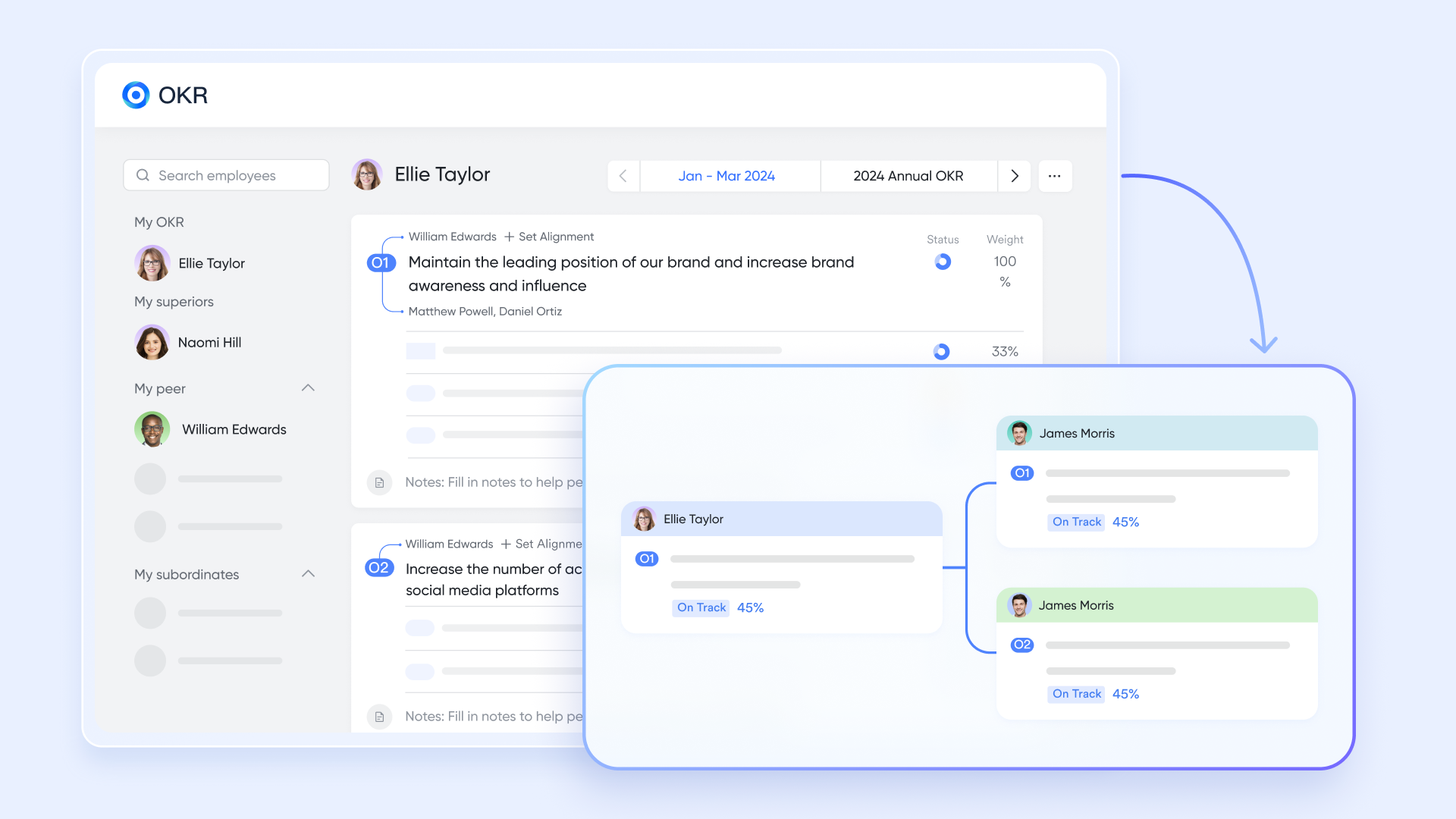
Goal and OKR tracking: Aligns daily automated tasks directly with company-wide objectives natively within the platform.
Pros & Cons:
- Replaces multiple fragmented tools (chat, video, docs, project management) with one highly cost-effective subscription.
- Native approval workflows integrate directly into team chat and calendars, ensuring managers never miss a request.
- Offers robust OKR tracking and low-code database management right out of the box.
- There are just so many features on the platform that it takes some time to try them out. The initial switch from using basic spreadsheets to also took some getting used to, but the built-in templates and made it painless.
- Starter plan: Free forever plan with 11 powerful tools for up to 20 users, 100GB storage, 1,000 automation runs, AI translations, and more. No credit card needed.
- Basic plan: $6/user/month (billed annually) for up to 500 users. Includes everything in Starter plus unlimited message history, 5TB storage, 1,000 automation runs, and more. Some users may need to to purchase.
- Pro plan: $12/user/month (billed annually) for up to 500 users. Includes everything in Basic plus group calling for up to 500 attendees, 15TB storage, 50,000 automation runs, and more.
- Enterprise plan: for custom pricing. Supports unlimited users and includes advanced automation, security, compliance, and management features.
For small teams with simple communication needs

18 months message history
1000 Base automation runs/month
2000 rows per table in Base
Most POPULAR
For companies with comprehensive collaboration and management needs
Unlimited message history
500-participant video meetings
50k Base automation runs/month
20k rows per table in Base
For large companies with advanced security and organizational management needs
Get a personalized demo and pricing
Unlimited message history
500-participant video meetings
15 TB storage + 30 GB storage/user
500k Base automation runs/month
50k Base automation runs/month
Most POPULAR
For companies with comprehensive collaboration and management needs
Unlimited message history
500-participant video meetings
50k Base automation runs/month
20k rows per table in Base
2. Zapier: Best for quick, simple point-to-point web app integrations
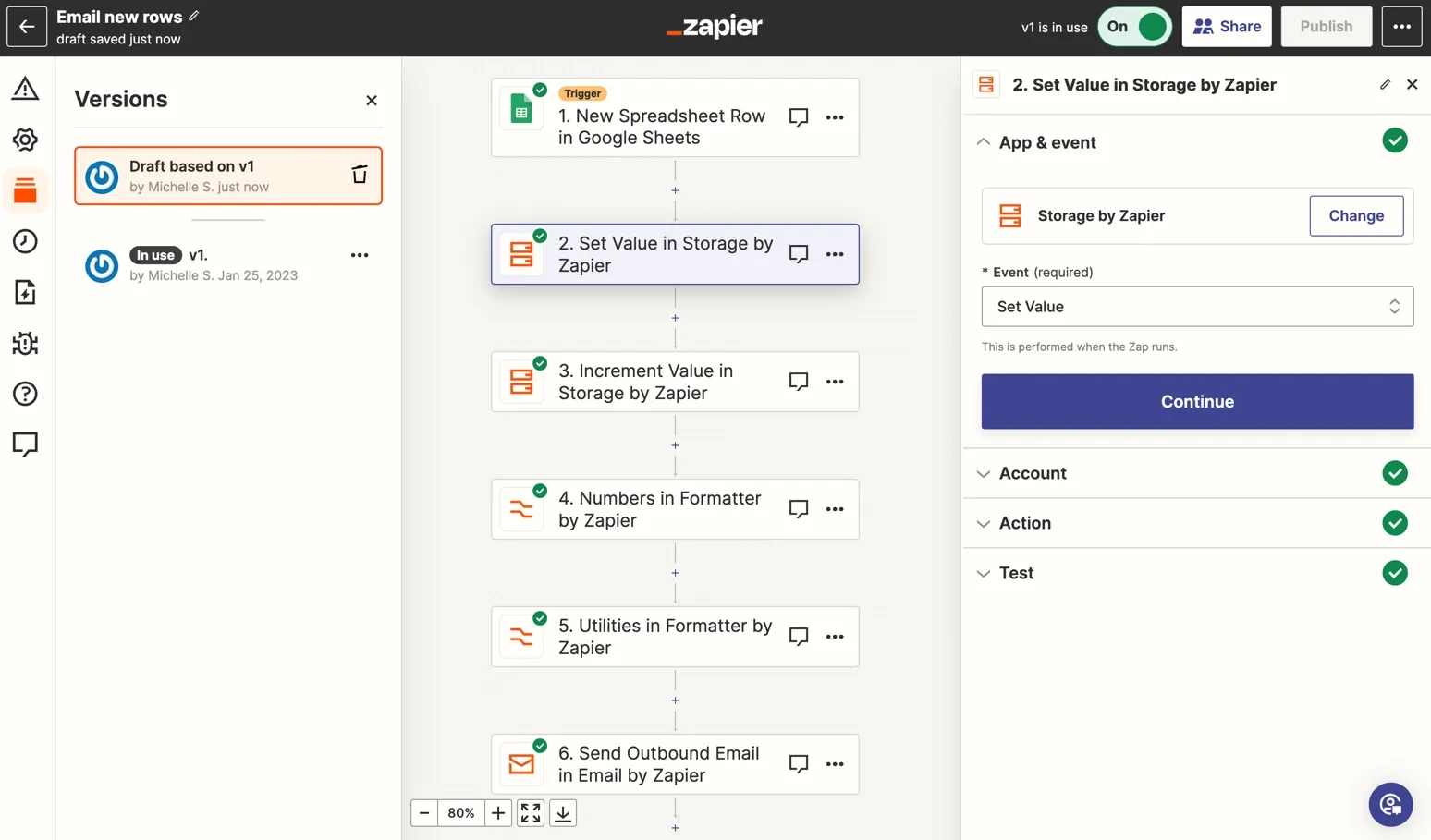
Image source: quso.ai
Zapier is best for individuals or very small teams who need a quick way to pass data between two completely separate web applications. It stands out for its massive library of supported third-party integrations.
Zapier operates exclusively as a background connector. Its core function is to listen for an event in one application (like receiving a new email) and trigger an action in another application (like creating a row in a spreadsheet). The interface is straightforward for building basic "if this, then that" logic, making it a popular entry point for people exploring automation.
However, relying heavily on Zapier entrenches tool sprawl. You are forced to pay for five or six different SaaS applications plus your Zapier subscription. Furthermore, because Zapier relies on third-party APIs, your entire workflow can break if a vendor updates their code, requiring constant technical maintenance.
Pros & Cons:
- Supports thousands of different web applications.
- No coding required for simple, linear automations.
- Easy setup for basic data-passing tasks.
- Acts as an invisible tax, forcing you to maintain multiple disjointed software subscriptions.
- Provides zero native collaboration space, chat, or document management for your team.
Pricing:
- Professional: $19.99/month
- Enterprise: Contact for pricing
3. Microsoft Power Automate: Best for enterprises heavily invested in the MS Office ecosystem
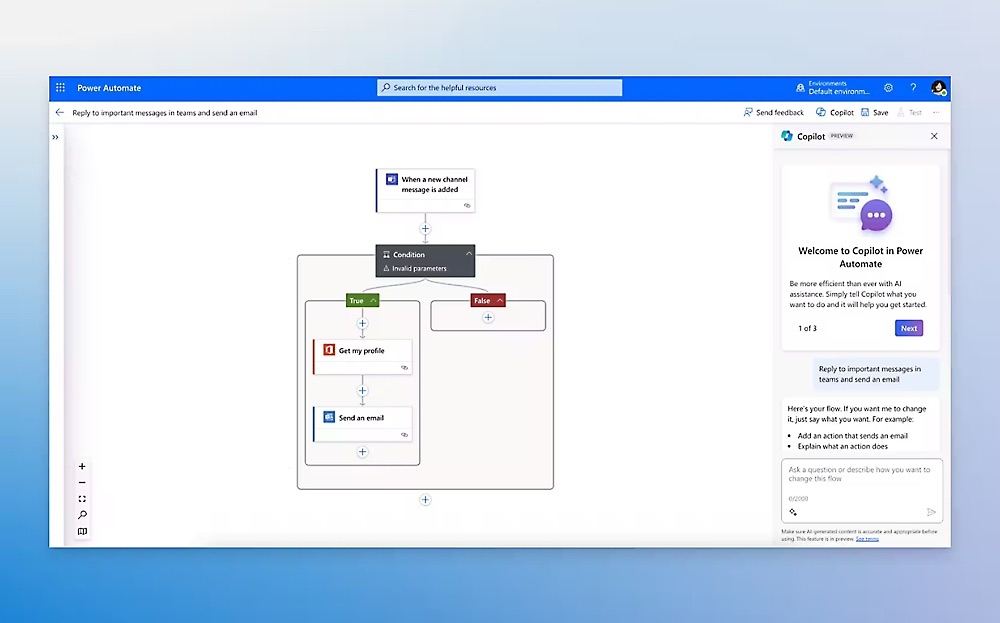
Image source: microsoft.com
Microsoft Power Automate is best for massive enterprises that are already deeply entrenched and heavily invested in the Microsoft Office 365 ecosystem. It stands out for its robust robotic process automation (RPA) features.
Power Automate is a heavy, enterprise-grade solution designed to handle complex data manipulation across legacy Microsoft infrastructure. It offers both cloud flows for API-based automation and desktop flows for recording human keystrokes to automate older, on-premise software.
The major flaw is its incredibly steep learning curve. It requires deep technical knowledge of the Microsoft architecture. For non-technical HR managers or marketing leads who just want to automate a simple time-off approval, the interface is rigid, overly complex, and absolute overkill.
Pros & Cons:
- Deep integration with legacy Microsoft products (SharePoint, Teams, Excel).
- Strong RPA capabilities for legacy desktop applications.
- Enterprise-grade security and governance controls.
- Highly complex interface that often requires dedicated IT staff to build and maintain workflows.
- Creates friction if your team prefers working outside the strict Microsoft ecosystem.
Pricing:
- Premium: $15.00 user/month, paid yearly
- Process: $150.00 bot/month, paid yearly
- Hosted Process: $215.00 bot/month, paid yearly
4. ClickUp: Best for highly customizable task and project management
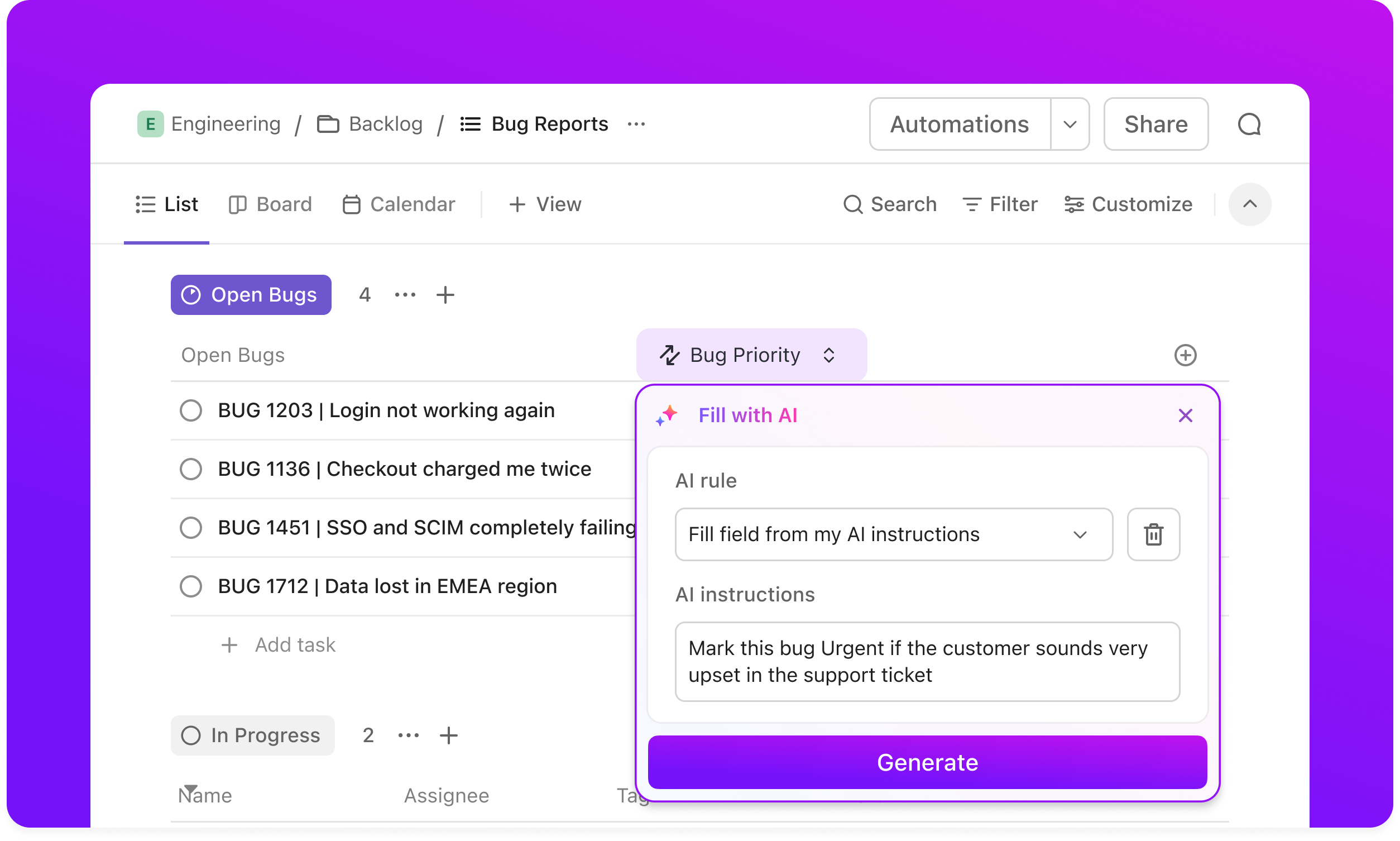
Image source: clickup.com
ClickUp is best for project managers who want highly customizable task boards and the ability to automate status updates within those boards. It stands out for its flexibility in project visualization.
ClickUp allows teams to build detailed project hierarchies and apply rules-based automation to tasks. For example, you can set a rule that automatically assigns a specific developer to a task once a status is changed to "In Progress." The interface is highly modular, appealing to teams that want absolute control over how their Kanban boards and lists look.
The critical limitation is that ClickUp completely lacks native enterprise-grade chat and video conferencing. You can automate a task status, but you still have to pay for (and switch to) a separate tool like Slack or Zoom to actually discuss the work with your team, perpetuating data silos.
Pros & Cons:
- Highly customizable task views (Kanban, List, Gantt).
- Simple rule-based automations for task statuses and assignees.
- Good native time tracking features.
- Lacks a robust native messaging system, forcing teams out of the platform for real-time collaboration.
- The extreme customizability often leads to a cluttered and overwhelming interface for new users.
Pricing:
- Unlimited plan: $7 per user per month, paid yearly
- Business plan: $12 per user per month, paid yearly
- Enterprise plan: Contact sales
5. Asana: Best for structured project timelines and visual task tracking
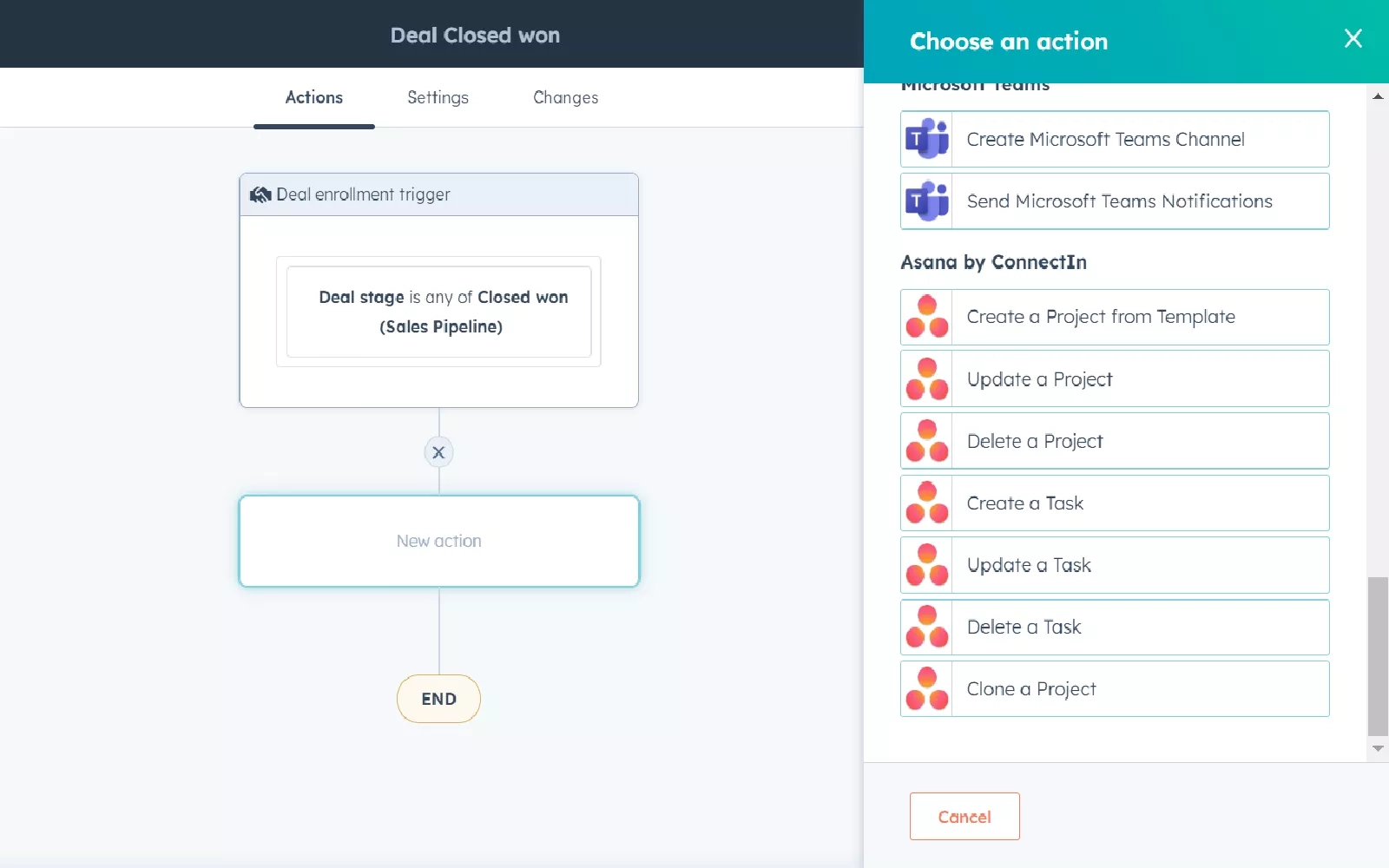
Image source: asana.com
Asana is best for marketing and creative teams that need structured project timelines, dependencies, and visually pleasing task tracking. It stands out for its intuitive, clean design.
Asana excels at taking a macro project and breaking it down into distinct, assignable steps. Its automation features, built around a visual workflow builder, allow managers to set up rules that shift due dates, reassign work, or alert stakeholders when a milestone is reached. It is particularly strong at managing complex dependencies between different teams.
Similar to ClickUp, Asana operates in a vacuum. Because it doesn't natively integrate robust document creation or real-time messaging, teams end up with fragmented conversations scattered across different platforms. Discussing a project still requires an external chat application, leading to a disjointed workflow.
Pros & Cons:
- Clean, user-friendly interface for tracking project milestones.
- Excellent visualization of task dependencies.
- Pre-built templates for common department workflows.
- Requires expensive external integrations for true document collaboration and team messaging.
- Strict limits on custom rules and automations on lower-tier pricing plans.
Pricing:
- Unlimited plan: $7 per user/month, billed yearly
- Business plan: $12 per user/month, billed yearly
- Enterprise plan: Contact sales
6. Make (formerly Integromat): Best for building complex, multi-step visual data pipelines
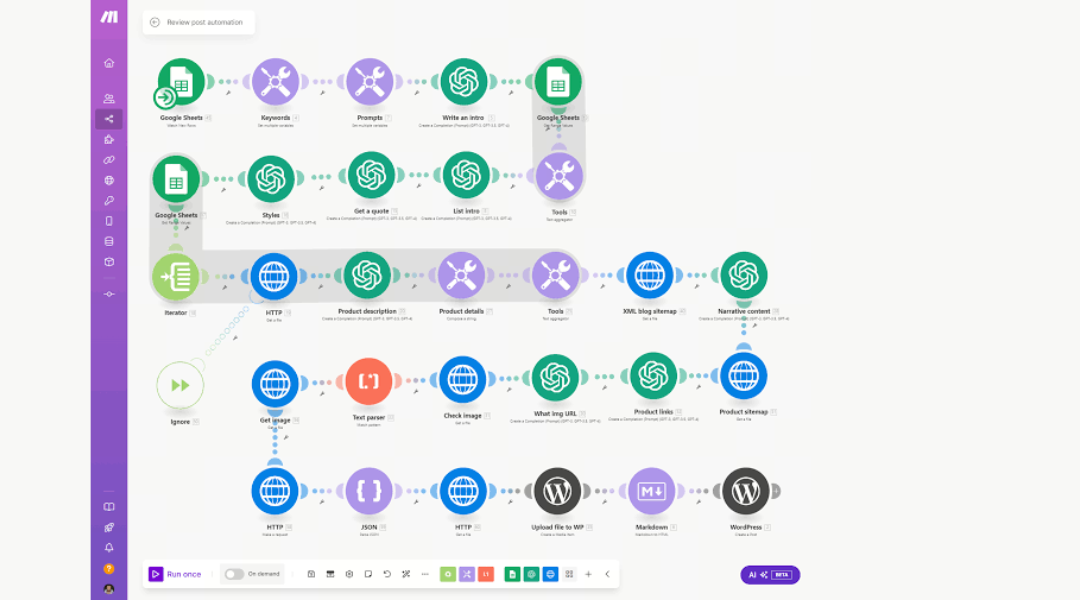
Image source: amperly.com
Make is best for technical operations professionals comfortable with API logic who need to build complex, multi-step data pipelines. It stands out for its highly visual, node-based integration builder.
Make takes a more visual approach to data integration than Zapier. It allows users to watch the literal flow of data across different nodes, making it easier to build and debug complex workflows featuring multiple branches and conditions. It is a powerful tool for routing data from a CRM to a marketing platform and then to an analytics dashboard.
However, the interface is highly technical and intimidating for average business users. Furthermore, Make operates strictly in the background as middleware. It offers zero native collaboration features, chat, or project boards for humans to actually work together.
Pros & Cons:
- Visual builder makes complex data mapping easier to conceptualize.
- Handles advanced multi-step branching and conditional logic well.
- Often more cost-effective per operation than Zapier for heavy data users.
- Steep learning curve requiring an understanding of JSON and API structures.
- Does not solve tool sprawl, as it is just another subscription required to connect separate apps.
Pricing:
- Paid plans: Start at $9/month, scaling based on operation volume.
7. UiPath: Best for RPA and automating legacy systems without APIs
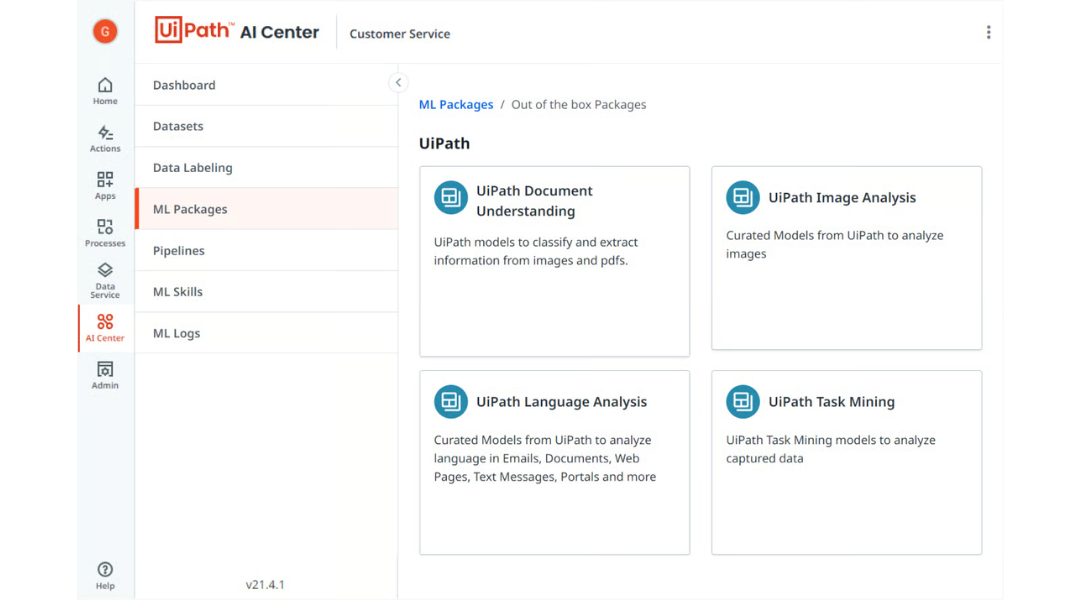
Image source: uipath.com
UiPath is best for enterprise IT departments managing massive, legacy data entry processes that lack modern APIs. It stands out as the dominant player in the Robotic Process Automation (RPA) space.
UiPath is designed to deploy software bots that mimic human actions—like opening an ancient on-premise accounting program, copying numbers, and pasting them into an Excel spreadsheet. It is an incredibly powerful tool for digitizing historically manual, paper-based enterprise operations.
The major flaw is that it is built for IT developers, not modern business teams. It is heavily focused on replacing data-entry bots rather than streamlining human-centric approvals. It is entirely disconnected from daily team communication and is notoriously difficult to implement without a dedicated engineering team.
Pros & Cons:
- Industry-leading screen scraping and RPA capabilities.
- Can automate legacy systems that have no modern API access.
- Highly secure for enterprise compliance standards.
- Extremely complex implementation requiring certified developers.
- Completely unsuitable for lightweight team collaboration or agile workflow building.
Pricing:
- Basic plan: Starting at $25 per month
- Standard plan: Contact sales for pricing
- Enterprise plan: Contact sales for pricing
8. Workato: Best for secure enterprise-grade platform integrations (e.g., SAP, Salesforce)
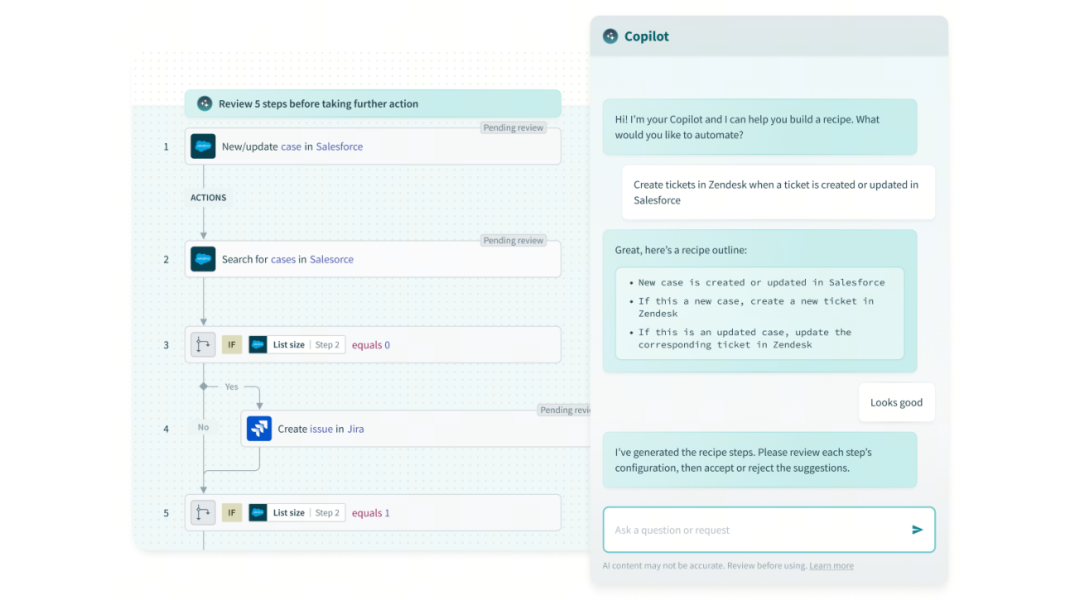
Image source: workato.com
Workato is best for enterprise RevOps and IT teams that need a secure, scalable way to integrate major enterprise platforms like Salesforce, SAP, and Workday. It stands out for its enterprise-grade security and complex integration capabilities.
Workato focuses on "enterprise automation," providing highly secure recipes to move sensitive data between massive corporate systems. It is robust enough to handle the complex data transformations required when syncing an ERP with a global CRM.
The primary drawback is its extremely prohibitive pricing model. It requires a dedicated technical team to manage and maintain. Workato is entirely inaccessible for growing SMEs or agile teams looking for a quick, low-code solution to automate a daily approval process.
Pros & Cons:
- Built for massive scale and complex enterprise data transformations.
- Exceptional security and compliance features.
- Pre-built "recipes" for major enterprise software integrations.
- Enterprise-tier pricing that prices out most small to mid-sized businesses.
- Offers no native user interface for daily team collaboration or project tracking.
Pricing:
Workato does not offer public pricing.
9. ActiveBatch: Best for cross-platform IT workload and batch processing
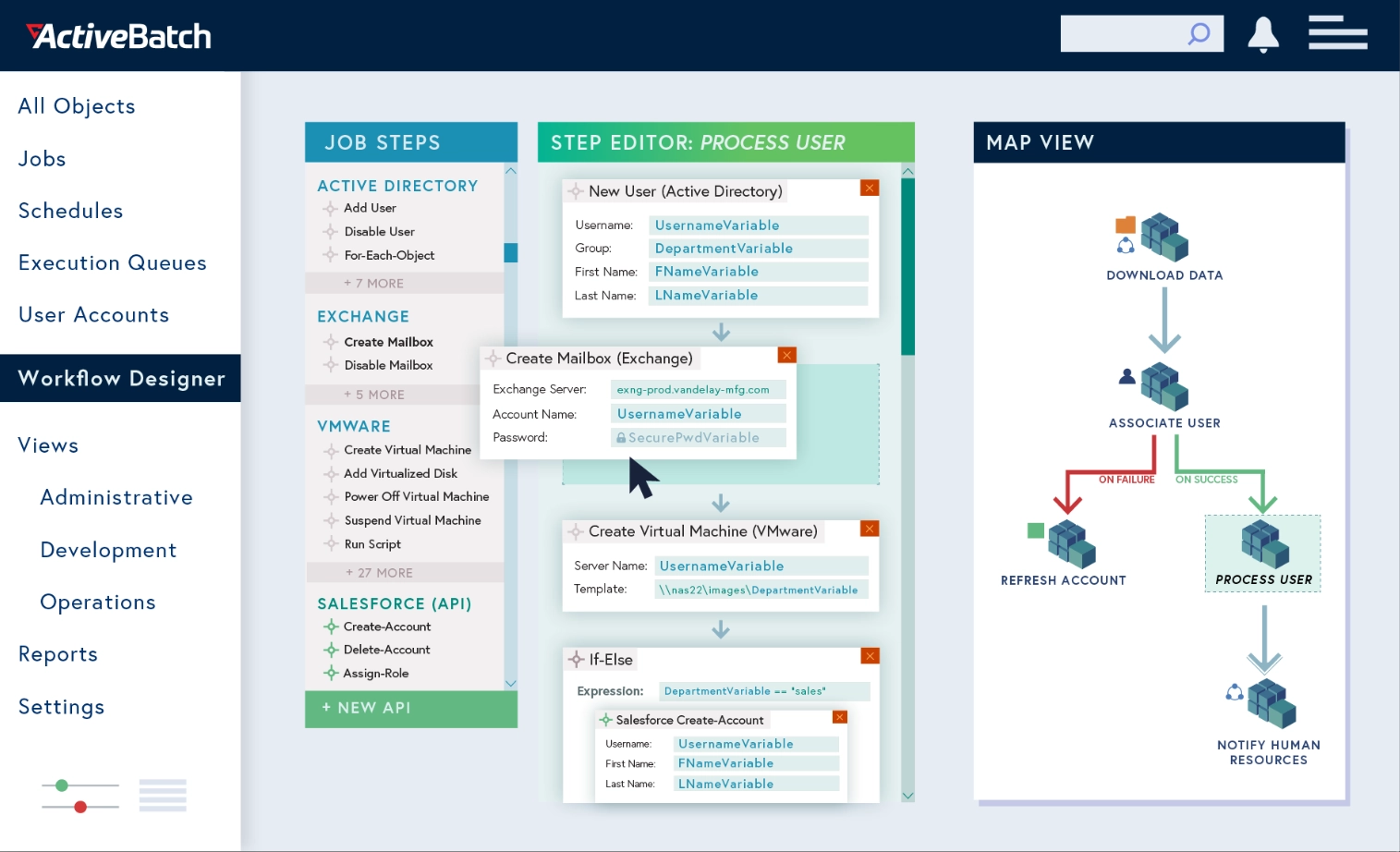
Image source: sourceforge.net
ActiveBatch is best for IT infrastructure teams that need to manage cross-platform workload scheduling and batch processing. It stands out for its ability to coordinate complex IT scripts and data warehousing tasks.
ActiveBatch acts as a central orchestrator for an IT department's scheduled jobs. If a company needs to pull data from a mainframe every night at 2:00 AM, transform it, and load it into a cloud data warehouse, ActiveBatch handles the scheduling and error reporting.
However, it is strictly an infrastructure tool. It does not help project managers, HR, or marketing teams automate their daily collaborative workflows, as it lacks any interface for document sharing, human approvals, or chat.
Pros & Cons:
- Excellent for IT workload scheduling and script management.
- Centralizes error reporting for background IT processes.
- Integrates well with major data warehousing tools.
- Irrelevant for business operations managers or HR teams.
- Highly technical interface requiring IT expertise to navigate.
Pricing:
ActiveBatch does not offer public pricing.
10. Celigo: Best for e-commerce operations syncing storefronts with ERPs
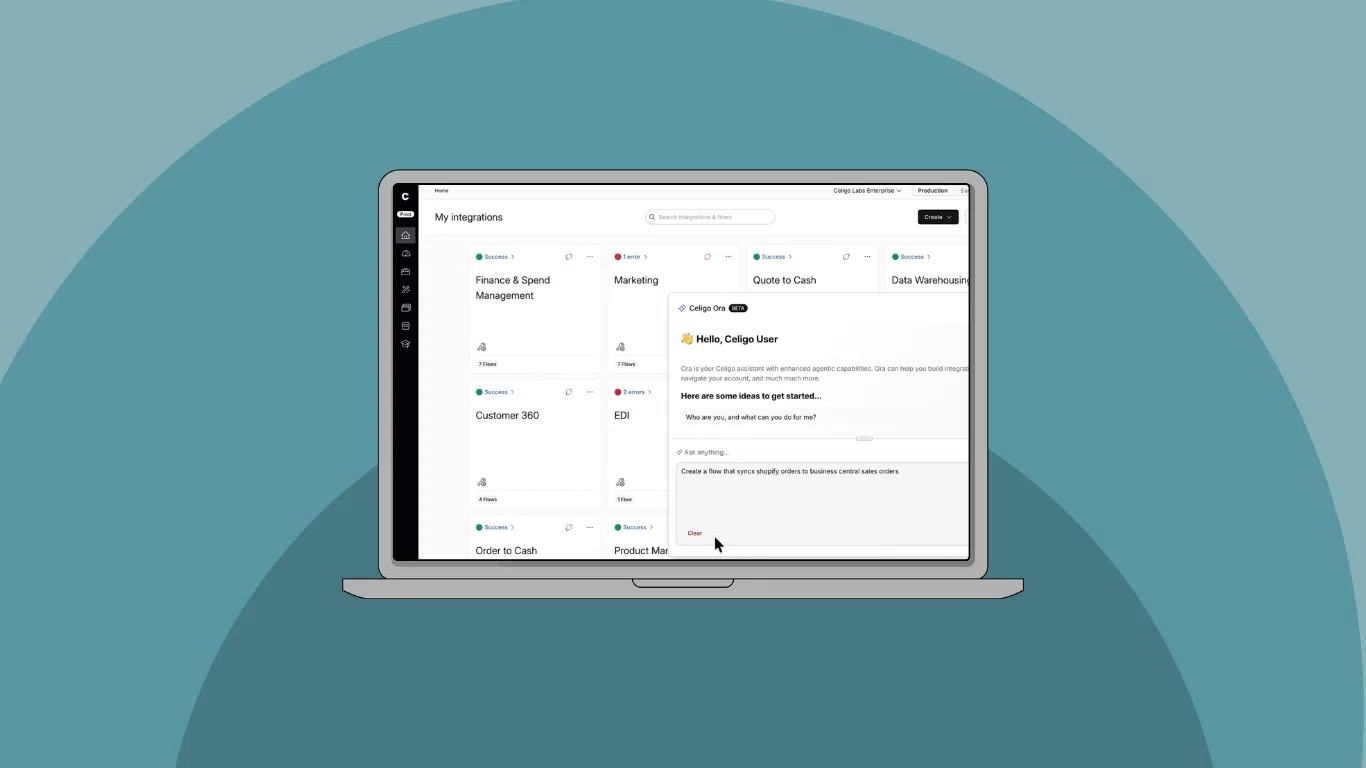
Image source: celigo.com
Celigo is best for e-commerce and retail operations that specifically need to synchronize backend ERP data with frontend storefronts. It stands out for its specialized prebuilt commerce connectors.
Celigo is an integration platform as a service (iPaaS) that heavily targets the e-commerce sector. It is very effective at taking an order from a platform like Shopify and ensuring it syncs perfectly with a backend inventory system like NetSuite.
Its major flaw is that it is too niche. It only synchronizes backend data and fails to address the daily collaboration, approval routing, and knowledge management needs of a growing company. It is a data pipeline tool, not a holistic digital workplace solution.
Pros & Cons:
- Deep, prebuilt connectors for major e-commerce platforms and ERPs.
- Reliable handling of high-volume transaction data.
- Good visibility into integration errors for commerce ops teams.
- Niche focus makes it less useful for general business workflow automation.
- Lacks native features for team communication or human-in-the-loop approvals.
Pricing:
Celigo does not offer public pricing.
Reviewing these top tools reveals a frustrating pattern in the industry. Most platforms force you to choose: either you get powerful backend automation that lacks a user interface, or you get basic task management that requires you to constantly jump into a separate chat application to talk to your team. Relying on fragmented point-solutions creates two massive bottlenecks for growing companies.
The hidden tax of API connectors and middleware
Relying on point-to-point integration tools creates a fragile technical environment. Every time an external application updates its software architecture, your custom risk breaking. I have seen operations teams spend hours troubleshooting a failed integration simply because a vendor changed a single data field in their backend.
There is also a significant financial burden that companies rarely account for. I call this the "middleware tax." When you use a fragmented stack, you are paying for the team chat application, the cloud database application, and the integration tool that connects them. This means you are essentially paying three separate subscriptions to accomplish one operational goal.
An intelligent business automation platform avoids this entirely by keeping everything in the same ecosystem. When your database, approval workflows, and chat interface are built on the same native codebase, nothing breaks. A unified digital business automation platform ensures that your workflows remain stable, and you never have to pay a third-party vendor just to make your own tools talk to each other.
Why employee adoption requires native communication
The single biggest reason automation initiatives fail is poor user adoption. If a business operations automation platform requires employees to log into a separate, unfamiliar portal just to approve a request, they will ignore it. We have all seen the graveyard of expensive, abandoned software dashboards that management purchased but teams refuse to use.
Employees suffer from app fatigue. To guarantee adoption, you have to meet your team exactly where they already work. The most successful platforms push notifications, data entry forms, and approvals directly into the primary team chat window.
Mini-scenario: Consider a routine IT hardware request. If a manager receives an email linking to a separate portal, they might leave it unread for days. But if the request pops up as a direct message in their daily chat app, complete with a green "Approve" button right inside the message bubble, the delay is cut from days down to seconds. Native communication accelerates decision-making because it removes the friction of switching contexts.
Building automated workflows: The fragmented way vs. the Lark approach
using disjointed tools is a painful, multi-step process. In the fragmented model, an operations manager has to build an intake form in one application, configure a middleware tool to extract that data, and then attempt to route an alert into a completely separate chat application.
A unified low code business automation platform completely changes this dynamic. Let's look at how you can build a scalable vendor onboarding workflow using Lark as the exact standard for a unified approach:
- Step 1: Data intake without silos: Instead of paying for dedicated form software, you create the intake form natively using Lark Base. When an employee submits a new vendor request, the data feeds directly into a centralized relational database within your workspace.
- Step 2: Native approval routing: Once the row is created in Lark Base, Lark's built-in Approval workflows take over. The system automatically routes the request to the department head's chat inbox. The manager reviews the vendor details and clicks "Approve" directly inside the chat interface, completely avoiding the need to open another tab.
- Step 3: Instant team alignment: The moment the manager approves the request in chat, the master Lark Base sheet automatically updates the vendor's status. Simultaneously, the platform can push an automated notification to your project group chat, allowing the team to immediately start collaborating on the vendor's contract using native cloud documents.
This entire sequence requires zero API maintenance, no third-party webhooks, and happens entirely within the platform your team uses to communicate.
Build scalable automated workflows effortlessly
The ROI of consolidating your digital business automation
When evaluating the best platform for business process automation, the return on investment comes from consolidation. Paying per-user licenses for five different single-purpose apps destroys IT budgets. Consolidating your chat, video meetings, project management, and automation into one automation platform for digital business frees up capital that can be reinvested into actual growth.
This is exactly where an all-in-one suite creates a massive financial advantage. Instead of risking thousands of dollars testing disconnected tools, a unified platform lowers your trial-and-error costs. For example, Lark offers a Free forever Starter plan that gives up to 20 users access to 11 core tools, 100GB of storage, and 1,000 automation runs. Even as your company scales, moving to their $6 per user Basic plan effectively replaces the combined, bloated costs of paying separately for Slack, Google Workspace, and Zapier. Furthermore, a consolidated approach drastically improves your centralized data security. Every time you pass company data through an external API to another app, you create a . Keeping your messaging, emails, and project databases inside a unified workspace provides and eliminates blind spots.
Finally, there is the undeniable speed to market. Teams that do not waste time toggling between different applications execute faster, communicate clearer, and stay strictly aligned on company goals.
Conclusion
Growing businesses cannot afford to rely on manual data entry or fragile, fragmented apps that refuse to communicate. Choosing an all-in-one business automation platform like cuts expensive software costs and brings your team together in a single, highly efficient workspace. I recommend auditing your current tool stack and calculating your monthly SaaS spend. Try Lark's free Starter plan to see how consolidating your digital workplace can streamline operations.
Optimize your software budget and business operations with Lark
FAQs
What is a business process automation platform?
It is software designed to execute recurring tasks, approval routing, and data entry with minimal human intervention, replacing manual administrative work.
What is the difference between BPA and RPA?
Business process automation focuses on holistic workflows and team collaboration. Robotic process automation (RPA) involves deploying software bots to mimic human keystrokes, usually to extract data from legacy systems.
Can automation platforms handle business payments?
While some specialized tools integrate directly with financial software to act as a business payment automation platform, core unified platforms typically handle the internal approval routing for the business payments automation platform experience, rather than executing the actual financial transaction.
Do I need coding skills to use a low code business automation platform?
No. Modern platforms utilize visual, drag-and-drop builders, meaning operations teams and project managers can build complex workflows without a computer science background.
Related reading






























