Modern businesses depend on clearly defined processes to stay competitive, efficient, and prepared for growth. A business management system enables organizations to connect workflows, employees, and operational data in a centralized environment, improving visibility and enabling faster decision-making. As workplace demands continue to evolve, teams require solutions that encourage collaboration, automate processes, and enable real-time performance tracking.
Tools such as Lark are reshaping how companies manage operations by bringing communication, project coordination, and workflow management into a single workspace. In this blog, you will learn how a business management system works and how to choose solutions that support sustainable growth and stronger operational control.
What does a business management system really mean today?
Organizations once viewed management systems as documentation tools used mainly for reporting and compliance. Today, companies expect platforms to drive execution, automation, and collaboration across departments. A modern business management system helps teams transform strategic planning into daily while improving accountability and visibility.
Businesses rely on technology to coordinate multiple departments such as finance, HR, marketing, and project operations. A business management system project now focuses on real-time execution, automation, and rather than simple record storage.
Why do growing teams need a business management system?
Business expansion introduces operational complexity that can overwhelm teams using disconnected tools and manual workflows. A business management system helps companies maintain structure, coordination, and visibility into performance during rapid growth.
Organizations without centralized systems often face communication gaps, delayed reporting, and inconsistent workflow execution. A structured business management system project enables companies to standardize operations while allowing flexibility for department-specific processes. Benefits of adopting management systems for growing teams include:
- Improved : Growing organizations rely on coordinated workflows across sales, finance, HR, and operations. A centralized system allows departments to share updates, align priorities, and manage dependencies more efficiently. Teams gain visibility into each other's progress, reducing delays and communication errors.
- Enhanced resource management: Managers can monitor workloads, availability, and project timelines across teams. Resource planning tools help organizations allocate staff and budgets effectively. Visibility into capacity prevents burnout and improves overall productivity.
- Reduced operational inefficiencies: Manual processes slow down business execution and increase the risk of human error. Automation features within business management system software streamline approvals, task assignments, and reporting workflows, allowing teams to complete projects faster.
- Support for remote and hybrid work environments: Distributed teams require centralized to maintain productivity. Management systems allow employees to access workflows, communication channels, and operational dashboards from any location, improving coordination across global teams.
- Faster and more accurate decision-making: Leadership teams rely on performance data to guide strategic initiatives. Real-time dashboards and reporting features help executives monitor key metrics and respond quickly to changing market conditions.
Communicate and collaborate smoothly at one place
What you need before implementing a business management system
Organizations must prepare carefully before launching a business management system project. Preparation ensures that workflows align with operational goals and employees can adopt the system effectively.
Preparation steps include:
- Define clear : Companies must identify measurable objectives such as improving reporting accuracy or reducing workflow delays. Clear goals guide system configuration and help teams measure implementation success. Without defined goals, organizations may adopt software that does not align with business priorities.
- Map existing workflows and processes: Documenting current operational workflows helps organizations identify inefficiencies and opportunities for automation. Workflow mapping ensures that the system design reflects real execution processes rather than theoretical assumptions. It also helps teams standardize approvals and reporting structures.
- Identify key stakeholders: Leadership, department managers, and operational teams must participate in planning discussions. Stakeholder input ensures the business management system software supports diverse workflow requirements and improves organization-wide adoption.
- Review current tools and systems: Organizations should evaluate existing software used for project management, communication, and reporting. Tool audits help determine which systems should be replaced or retained. Consolidating redundant tools reduces operational costs and simplifies workflows.
- Develop a training and adoption strategy: Employee training improves system acceptance and efficiency of use. Structured onboarding programs help employees understand processes, and reporting dashboards. Adoption planning reduces resistance to change and improves implementation success.
- Establish performance measurement metrics: Organizations must track indicators such as workflow completion time, reporting accuracy, and productivity improvements. Performance tracking ensures continuous optimization of the business management system project after deployment.
How to set up a business management system step-by-step
Implementing a management system requires structured planning and gradual deployment across teams. A phased implementation approach helps organizations minimize disruption while improving workflow alignment.
Step 1: Define organizational workflows
Organizations begin by identifying workflows across departments, such as HR onboarding, procurement approvals, and project management. Workflow mapping helps teams define responsibilities, process triggers, and approval stages. Clearly ensure system configuration reflects real operational processes and supports automation opportunities.
Step 2: Centralize operational data
Businesses should consolidate operational data into one centralized platform. Data consolidation improves reporting consistency and reduces duplication errors. A centralized environment ensures employees have access to accurate information while leadership gains unified visibility across departments and projects.
Step 3: Configure automated workflows
Automation allows organizations to convert manual processes into structured digital workflows. Automated triggers can assign tasks, send notifications, and route approvals based on predefined rules. Workflow automation reduces administrative workload and ensures consistent execution across departments. 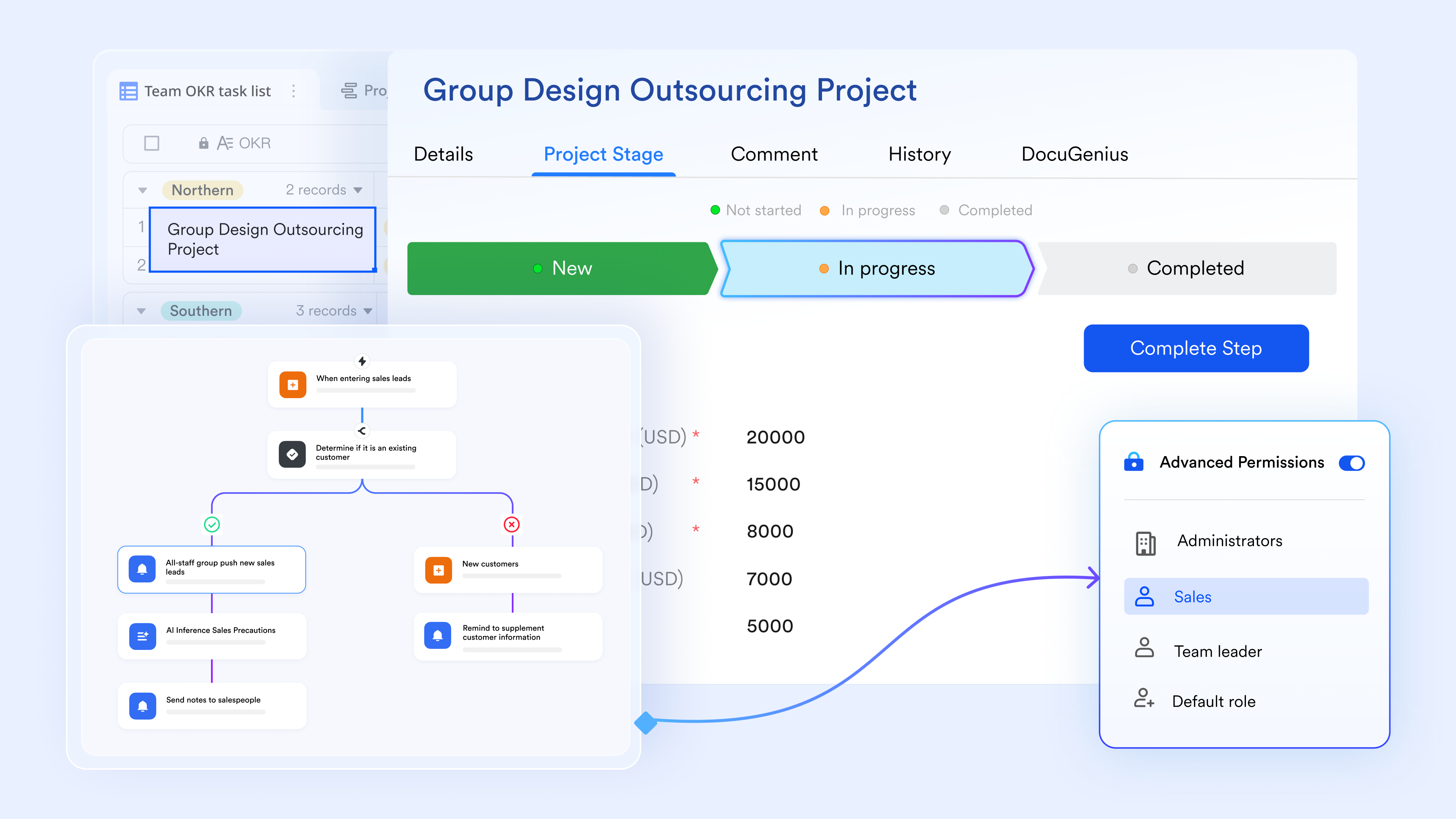
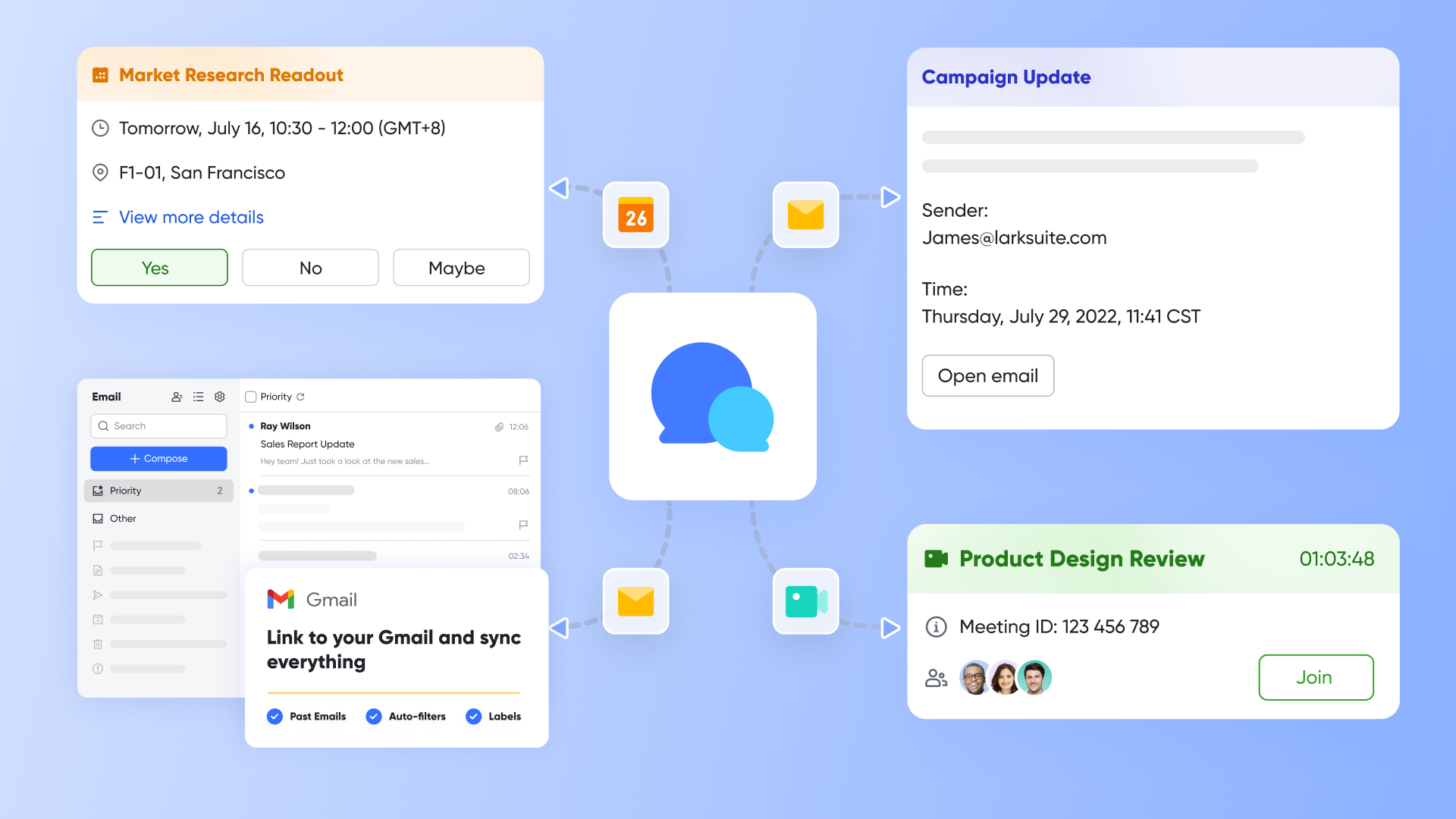
Step 4: Enable collaboration tools
Collaboration tools allow employees to communicate directly within workflow environments. Teams can update documents, discuss tasks, and share feedback without switching platforms. Connected communication improves accountability and reduces delays caused by scattered conversations.
Step 5: Monitor performance and optimize processes
After implementation, organizations must regularly monitor workflow performance. Performance dashboards help identify bottlenecks and opportunities for improvement. Continuous optimization ensures the business management system software adapts to evolving operational requirements.
Pros and cons of the traditional business management system software
Traditional management tools helped organizations standardize operations, but often lacked the flexibility and collaboration capabilities required by modern teams. Evaluating strengths and limitations helps businesses choose better solutions.
Pros
- Structured process standardization: Traditional systems helped organizations establish standardized workflows and compliance frameworks. Standardization improves operational consistency and reduces process variation across departments. Businesses benefit from documented processes that support training and quality assurance.
- Centralized documentation and reporting: Many traditional platforms provide centralized repositories for company records and performance reports. Centralized documentation improves record management and regulatory compliance while simplifying data retrieval for audits and performance reviews.
- Improved accountability through : Early management tools helped organizations assign responsibilities and track project progress. Task tracking features improve accountability and ensure employees meet operational deadlines and performance targets.
- Enhanced compliance and regulatory support: Traditional systems helped organizations maintain compliance documentation and audit trails. Compliance features reduce regulatory risks and improve transparency in reporting for industries with strict governance requirements.
Cons
- Limited : Many traditional systems focused on documentation rather than team collaboration. Employees often relied on external communication tools, which created workflow fragmentation and reduced operational transparency.
- Complex implementation processes: Traditional business management system software often requires extensive IT support and long deployment timelines. Complex implementation increased costs and delayed productivity improvements.
- Restricted customization flexibility: Some platforms offer limited workflow customization options. Organizations struggled to adapt their systems to evolving business requirements, resulting in operational inefficiencies.
- Disconnected communication environments: Communication often occurs outside operational workflows, creating data silos and delayed decision-making. Teams lost important context when discussions were separated from workflow records.
Streamline business management workflows in one platform
Meet Lark: A smarter business management system for modern teams
Modern organizations need platforms that combine collaboration, automation, and workflow execution within one ecosystem. offers an advanced alternative to traditional business management system software by connecting communication, , and operational data into a unified workspace.
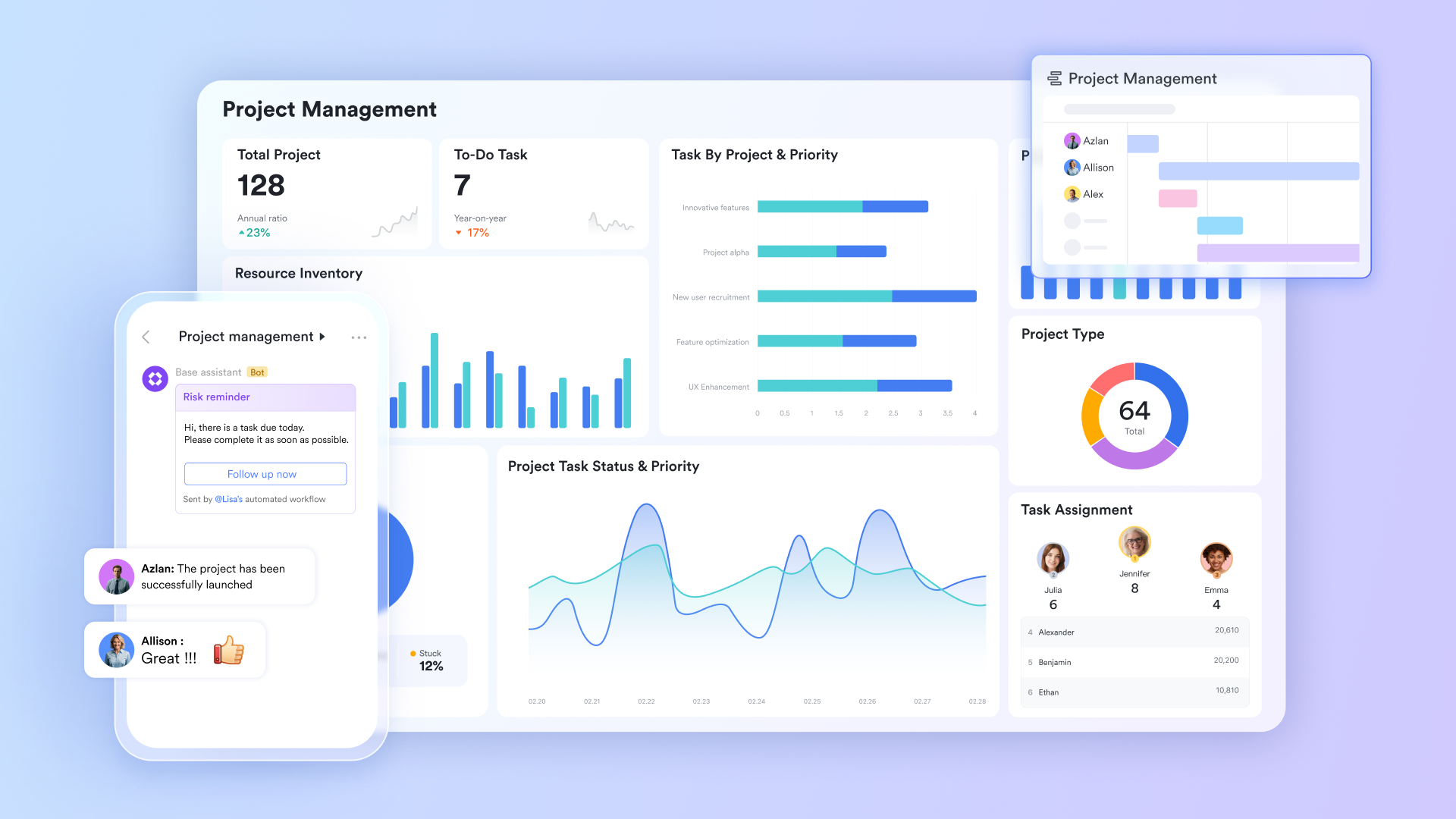
Unified business operational hub
is the engine of your business management, acting as a flexible, no-code database that adapts to any workflow. Unlike static spreadsheets, it allows you to visualize business data through , Kanban boards, and automated tables. By centralizing everything from sales leads to , it ensures that your team is always working from a "single source of truth," allowing leadership to make data-driven decisions without requesting manual status reports.
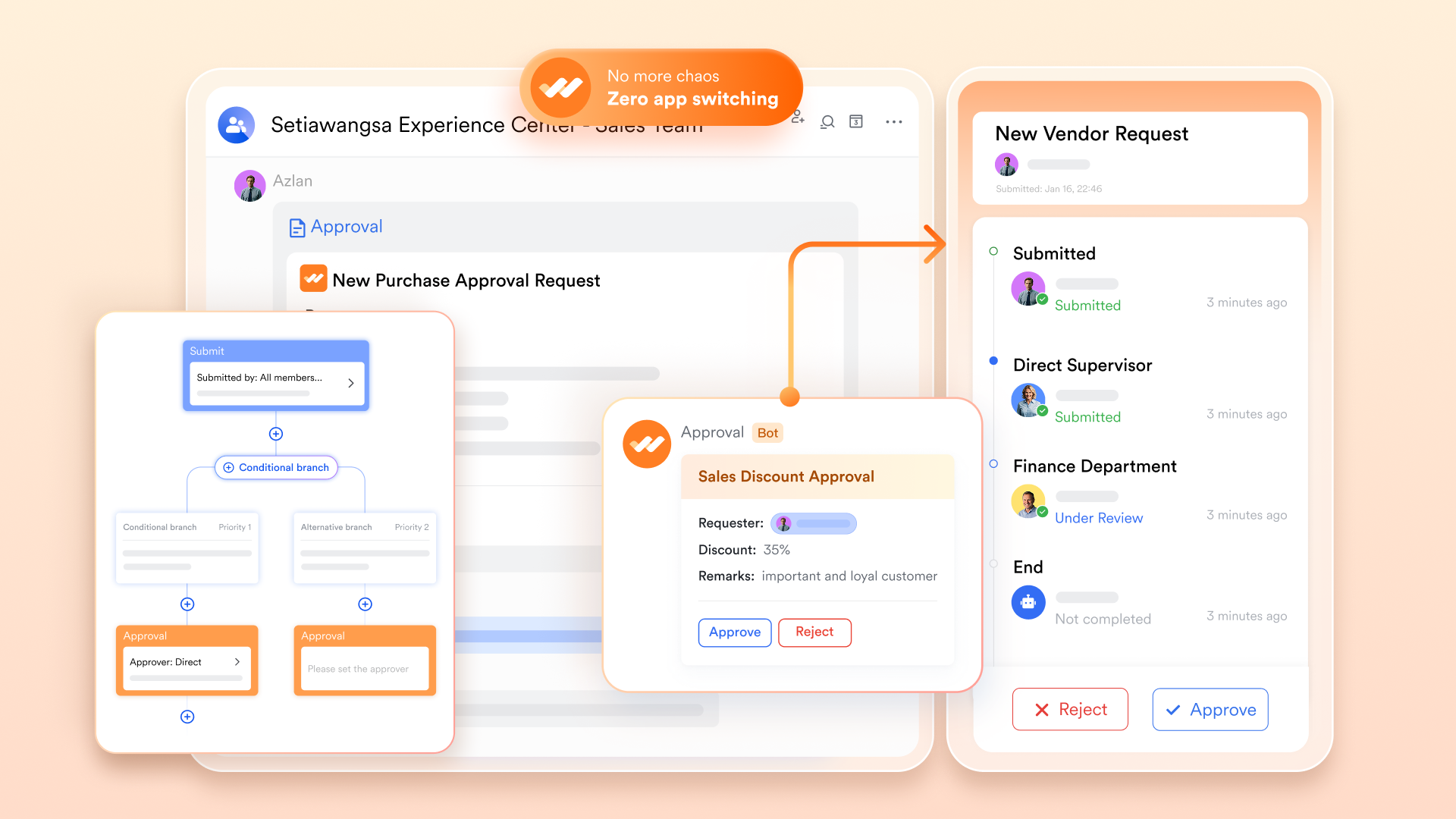
Automated business approvals and workflows
Lark streamlines administrative bottlenecks with . Organizations can build custom workflows for expense reimbursements, contract sign-offs, or leave requests that trigger automatically based on predefined logic. These requests land directly in a manager's feed, where they can be approved with a single tap, significantly reducing the cycle time for critical business decisions.
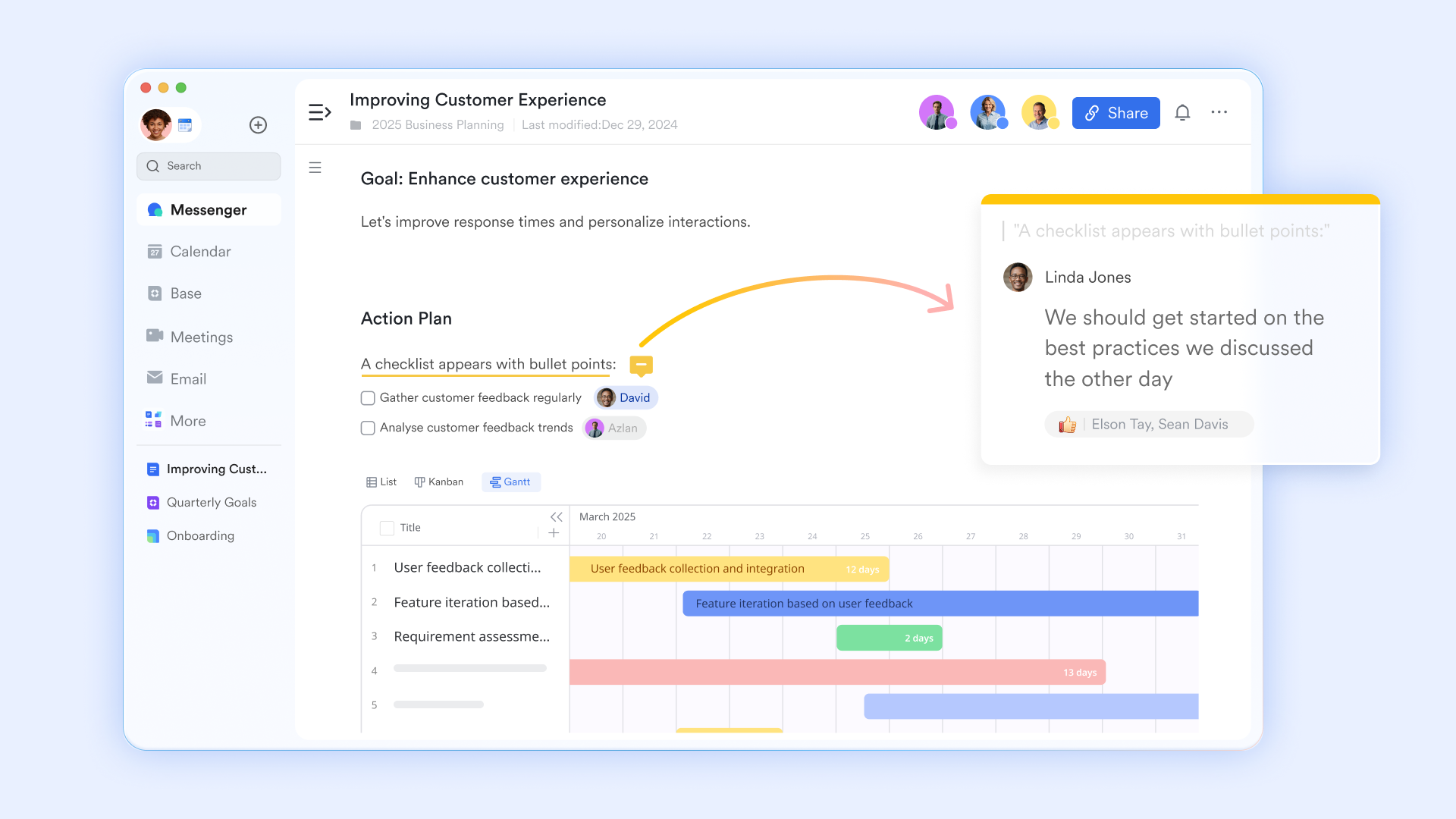
Collaborative knowledge management
serves as the collective brain of your organization. Beyond simple word processing, these interactive documents allow you to embed live Lark Base tables, task lists, and even video clips. Teams can co-edit strategy papers or SOPs in real-time, using @mentions to drive accountability. This ensures that organizational knowledge is never siloed in private folders but is instead a living, breathing resource for the entire company.
Native communication center
Effective business management requires communication within the context of work. Lark unifies with every other feature, allowing you to launch a video call from a calendar invite or discuss a specific database record directly in a chat thread. This proximity between conversation and execution ensures that context is never lost, and teams can resolve issues or pivot strategies faster than those using fragmented legacy tools.

Smart resource and team calendars
Managing the time and availability of a modern workforce is simplified with . Managers can view team bandwidth across multiple time zones, schedule "Focus Mode" to protect deep work, and coordinate large-scale events with ease. Because the calendar is natively synced to , every business review or stand-up comes with automated transcripts and action items, ensuring that every minute spent in a meeting translates into measurable business progress. 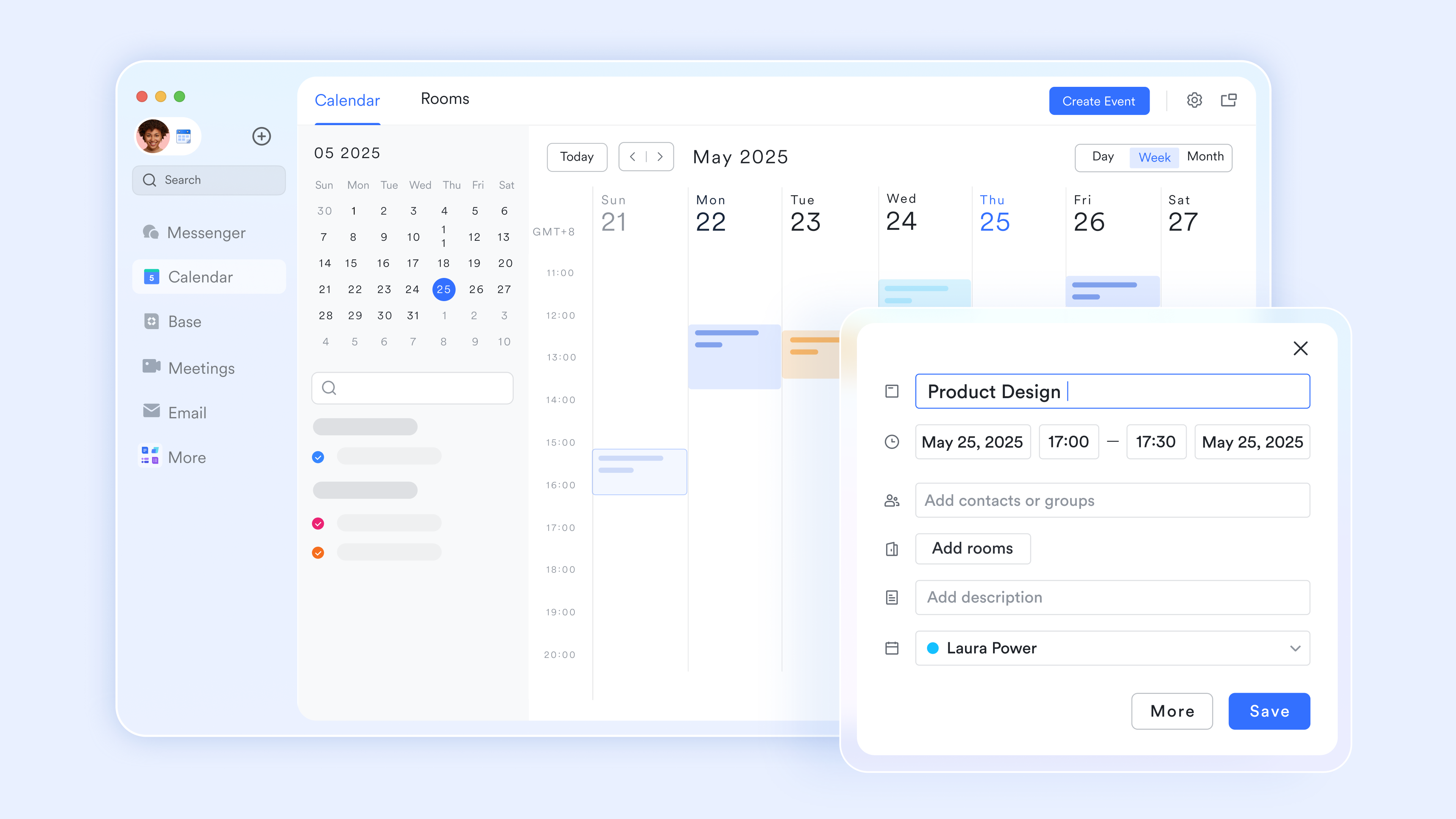
:
- Starter plan: Free forever plan that includes 11 powerful tools for up to 20 users. It also comes with 100GB of storage, 1000 automation runs, AI translations, and more.
- Pro plan: $12/user/month (billed annually) for up to 500 users. It includes everything in Starter plus group calling for up to 500 attendees, 15TB of storage, 50,000 automation runs, and more.
- Enterprise plan: for custom pricing. Supports unlimited users and includes even more automation runs and advanced security, compliance, and management features.
For small teams with simple communication needs

18 months message history
1000 Base automation runs/month
2000 rows per table in Base
Most POPULAR
For companies with comprehensive collaboration and management needs
Unlimited message history
500-participant video meetings
50k Base automation runs/month
20k rows per table in Base
For large companies with advanced security and organizational management needs
Get a personalized demo and pricing
Unlimited message history
500-participant video meetings
15 TB storage + 30 GB storage/user
500k Base automation runs/month
50k Base automation runs/month
Most POPULAR
For companies with comprehensive collaboration and management needs
Unlimited message history
500-participant video meetings
50k Base automation runs/month
20k rows per table in Base
Common mistakes businesses make when adopting management systems
Organizations often encounter challenges when deploying management systems due to inadequate planning or adoption strategies. Avoiding common mistakes improves implementation success and employee acceptance.
- Deploying systems without : Some organizations replicate outdated manual processes within digital platforms. Instead of improving efficiency, they transfer inefficiencies into new systems. Reviewing and redesigning workflows before deployment ensures automation delivers meaningful productivity improvements.
- Ignoring employee training programs: Lack of training reduces user confidence and increases adoption resistance. Employees must understand system workflows, reporting tools, and automation features. Structured training improves consistency of usage and enhances system performance.
- Selecting software that lacks scalability: Some tools meet current operational needs but fail to support future growth. Businesses should select platforms that support expanding teams, international operations, and advanced automation features to avoid costly system replacement.
- Over-customizing workflows: Excessive customization can make systems difficult to maintain or update. Organizations should balance flexibility with simplicity to ensure long-term usability and scalability.
- Failing to monitor performance after implementation: Continuous ensures workflows remain efficient and relevant. Organizations that neglect optimization may experience declining productivity and system adoption over time.
Conclusion
A business management system helps organizations transform operational complexity into structured workflows that support productivity, collaboration, and . Companies implementing a business management system project gain improved visibility, standardized processes, and enhanced accountability across departments. Modern organizations increasingly prefer platforms that combine workflow automation with communication and collaboration tools.
Solutions like represent the next generation of business management system software by connecting operational execution with team collaboration and knowledge management. Businesses adopting unified platforms reduce tool fragmentation and improve operational clarity. As companies expand, selecting scalable, flexible management systems helps maintain efficiency, supports long-term strategic growth, and enables teams to adapt to changing business demands.
Strengthen operational clarity and collaboration with Lark
FAQs
How long does it take to implement a business management system fully?
Implementation timelines depend on organizational size, workflow complexity, and employee adoption readiness. Smaller teams may complete deployment within a few weeks, while larger enterprises often require several months for full rollout and optimization. A structured business management system project with clear goals and stakeholder alignment typically accelerates the process. Modern platforms such as Lark simplify onboarding by offering no-code workflow configuration and built-in tools, enabling organizations to launch quickly and gradually expand automation.
Can a business management system replace both ERP and project tools?
Some modern business management software solutions combine workflow automation, collaboration, and project tracking features, reducing reliance on multiple standalone systems. While specialized ERP platforms may still support advanced financial or supply chain requirements, unified tools can handle a significant portion of daily operational management. Solutions like Lark bring communication, documentation, and workflow execution into a single environment, helping businesses reduce tool fragmentation and improve cross-department coordination.
What security features should businesses prioritize in management systems?
Organizations should prioritize role-based access controls, data encryption, compliance certifications, and detailed audit logs to safeguard sensitive operational information. These features ensure secure collaboration across departments and remote teams. Platforms such as Lark provide enterprise-grade security frameworks alongside workflow and collaboration capabilities, helping companies maintain compliance while supporting scalable growth.
How do business management systems support remote-first teams?
Business management systems centralize workflows, reporting dashboards, and communication tools within a single platform, enabling distributed teams to stay aligned. Remote employees can access operational data, update tasks, and participate in automated workflows from any location. Unified environments reduce miscommunication and improve visibility across projects.
How can teams ensure long-term success after implementing a business management system?
Long-term success depends on continuous optimization, regular training, and . Organizations should review workflow efficiency, gather employee feedback, and refine automation processes as operations evolve. A scalable business management system project enables teams to expand capabilities without frequently replacing tools. Platforms such as Lark support ongoing adaptability by enabling workflow adjustments, automation upgrades, and collaboration improvements within one connected ecosystem.
Related reading





























