Creating a clear and organized format of a project plan is essential for ensuring project success. A well-structured project plan serves as a roadmap, outlining objectives, timelines, resources, and responsibilities while keeping all stakeholders aligned. Whether you're managing a small team or a large-scale initiative, understanding the right structure helps streamline communication, track progress, and mitigate risks. In this guide, we'll explore different project plan formats, provide ready-to-use templates, and showcase examples that make planning more efficient and effective, helping you execute projects with confidence and clarity.
What is a project plan template?
A is a pre-designed framework that outlines the key components of a project, helping teams plan, organize, and track work efficiently. Using a template ensures consistency and saves time by providing a ready-made structure for tasks, , resources, and responsibilities. It also serves as a guide for creating a comprehensive project plan, allowing project managers to customize it to their team's or project's specific needs while maintaining clarity and alignment across all stakeholders.
7 standards of project plan format
- Project overview and objectives: This section provides a high-level summary of the project, including its purpose, goals, and expected outcomes. It helps stakeholders quickly understand the project's aims and why they are important.
- Scope and deliverables: Clearly define what is included in the project and what is not. List the key deliverables and outcomes to ensure everyone understands the boundaries of the project and what will be produced.
- Timeline and milestones: Outline the , including start and end dates, key phases, and major milestones. This helps track progress and ensures deadlines are met efficiently.
- Roles and responsibilities: Identify all team members, their specific roles, and responsibilities. Clarifying accountability ensures tasks are assigned appropriately and reduces confusion during .
- Resources and budget: List the resources required, including personnel, equipment, and materials, along with the estimated budget. This section ensures that the project has the necessary support to be completed successfully.
- Risks and assumptions: Document potential risks that could impact the project and the assumptions made during planning. This allows the team to proactively plan mitigation strategies and prepare for uncertainties.
- Communication plan: Define how information will be shared with stakeholders, including the frequency, methods, and channels. A solid communication plan ensures transparency and keeps everyone informed throughout the project lifecycle.
How to choose the right project plan format
- Project size and complexity: The size and complexity of your project play a key role in selecting the right format. Smaller, straightforward projects may benefit from a simple project plan format that focuses on essential tasks and timelines. Larger or more complex projects may require detailed structures, including dependencies, milestones, and , to ensure nothing is overlooked.
- Stakeholder requirements: Different stakeholders have different expectations for project visibility and detail. Understanding their needs helps you select a format that provides the right level of information, whether it's a concise summary or a detailed action plan format for project execution.
- Team experience and tools: The familiarity of your team with and processes will influence the format choice. A user-friendly, easy-to-follow template works best for teams new to project planning, while experienced teams may handle more complex formats with advanced features like dashboards and automation.
- Reporting and compliance needs: Some projects require formal reporting or adherence to regulatory standards. Choosing a project plan format that accommodates reporting schedules, audit trails, and compliance documentation ensures you meet these requirements without extra effort, keeping the project on track and aligned with organizational standards.
See how your plan can be delivered successfully
5 steps to create a project plan
This step-by-step approach helps teams create a clear, usable project plan without unnecessary complexity.
Step 1: Define project goals and success criteria
Start by clarifying what the to achieve and how success will be measured. Clear objectives align stakeholders and guide every planning decision that follows.
Step 2: Outline scope, deliverables, and constraints
Identify what is included in the project, what is excluded, and any limitations related to time, budget, or resources. This prevents scope creep and sets realistic expectations early.
Step 3: Break work into tasks and milestones
Divide the project into manageable tasks and key . Assign owners and deadlines so responsibilities are clear and progress can be tracked consistently.
Step 4: Plan resources, timelines, and dependencies
Estimate effort, sequence tasks, and map dependencies. This step ensures work is scheduled logically and highlights potential bottlenecks before execution begins.
Step 5: Review, communicate, and update the plan
Share the project plan with stakeholders, confirm alignment, and establish a process for updates. A project plan should evolve as work progresses, not remain static.
Ready-to-use project plan templates for any project
Project planning & implementation
This template provides a streamlined framework to plan and execute your projects effectively, covering key elements such as project background, objectives, milestones, and core team members. With Lark's powerful features, teams can collaborate seamlessly, monitor progress in real time, and ensure all members remain aligned throughout the entire project lifecycle.
Project plan
A project plan template is a detailed document that lays out all the essential steps and information needed to complete a project successfully. It acts as a roadmap for project managers and team members, offering clear guidance, , and timelines for each milestone. Using Lark's project plan template, you can quickly create, customize, and share your project plan, ensuring that everyone stays aligned and works toward the same objectives.
Marketing project plan
This template serves as your central hub for transforming marketing strategies into actionable projects. It offers a structured framework to map out your entire campaign, including objectives, key performance metrics, target audience analysis, competitive research, and budget planning. With this marketing project plan template, you can efficiently organize tasks, set deadlines, and track milestones.
Roadmap template
This template offers a complete project management solution, covering the project overview, objectives, scope, goals, and key stakeholders. It keeps the entire team aligned and focused on shared outcomes. With the roadmap feature, you can easily visualize task progress and milestones, making it simple to track, manage, and successfully execute your project from start to finish.
Project management Gantt chart
The project management Gantt chart template is a visual tool designed for efficient project planning and scheduling. It displays the project timeline, key tasks, and assigned owners, providing a clear view of progress at a glance. Ideal for managing complex projects with multiple tasks and stakeholders, this helps teams track deadlines, monitor dependencies, and ensure that every aspect of the project stays on schedule.
Multi-project tracker
This template is a complete project management tool designed to help you organize and track projects systematically. It features a Gantt chart for visualizing progress, a task priority view to highlight critical tasks, and customizable fields to adapt the template to your project's specific requirements. You can filter, group, and sort tasks by project, priority, status, or assignee, while maintaining a clear record of start and end dates for each task.
OKR task subdivision and progress control
The template is a powerful tool for breaking down key results into actionable tasks and monitoring their execution. It includes a Gantt chart for visualizing timelines, status- and priority-based views for easy sorting, and customizable fields for personalized tracking. Additionally, it offers an owner-based view to ensure accountability and a weekly report section to provide consistent updates on progress. This template helps teams stay focused, organized, and aligned with their objectives.
Team task allocation
Managing tasks and deadlines is crucial for any team to function effectively. Our team task allocation template helps you assign tasks to team members, set priorities, enter deadlines, and track the progress of each task. With Lark's powerful features, you can easily collaborate with your team, share updates, and ensure that everyone is on the same page.
Gantt chart template
A Gantt chart is a visual representation of a project schedule, illustrating the start and end dates of both individual tasks and overall project elements. It is an essential tool for planning, coordinating, and efficiently. Our Gantt Chart template allows you to input tasks, start and end dates, durations, progress, dependencies, assigned team members, and task status. By providing a clear overview of the project timeline and progress, this template makes managing and coordinating tasks simpler and more effective.
Meet Lark: Create your project plan and deliver it smartly
Managing projects effectively requires more than just a task list—it demands clear planning, collaboration, and real-time tracking. provides an all-in-one platform where teams can create structured project plans, assign tasks, set deadlines, and monitor progress seamlessly. With built-in tools for , documents, calendars, and automation, Lark makes it easy to manage every stage of a project, ensuring alignment, accountability, and on-time delivery.
Collaborative document editing platform
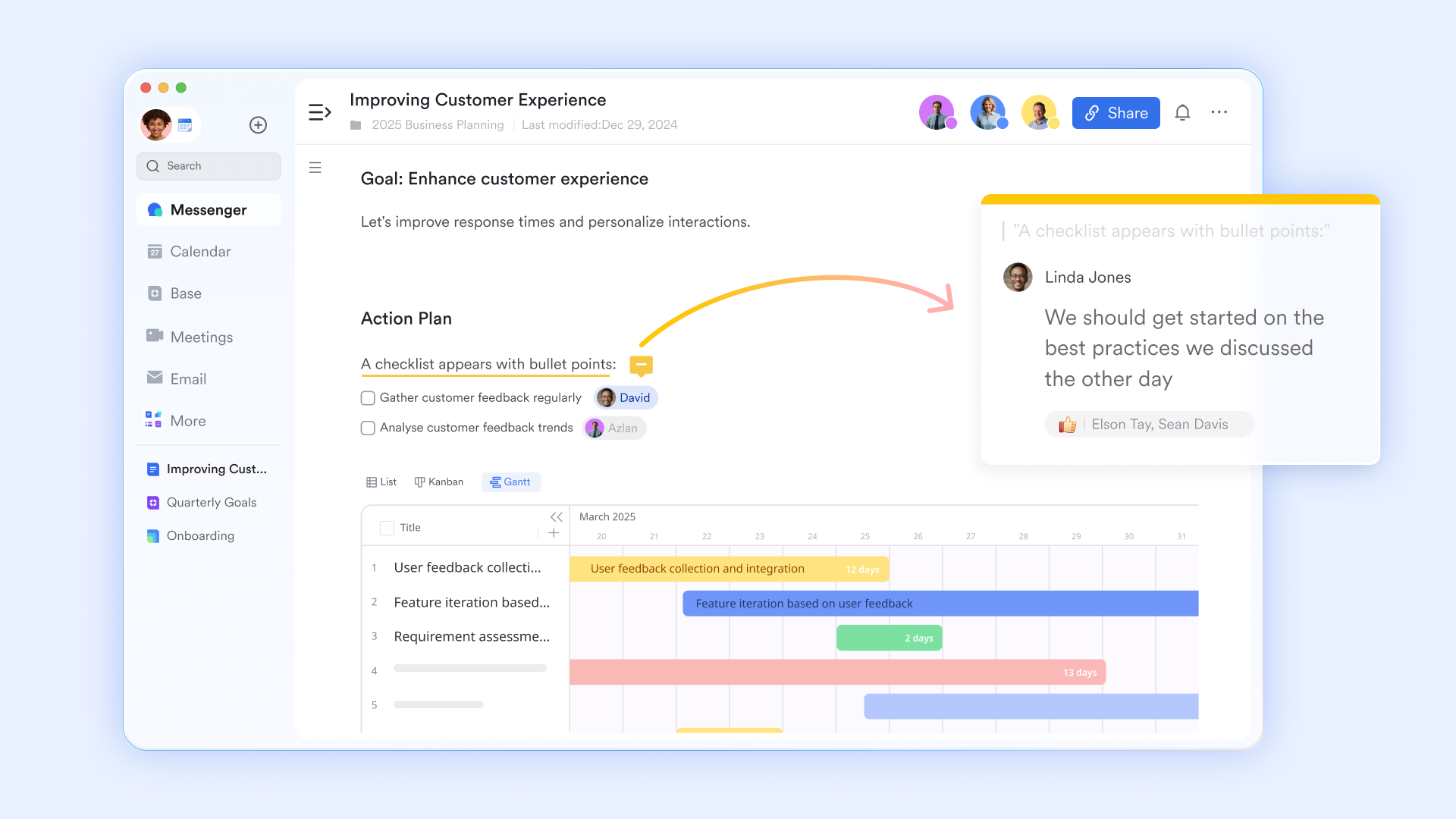
provides an online platform for collaborative editing. Teams can build structured plans using built-in templates and "slash commands" to quickly insert task lists, timelines, and mind maps directly into the page. Real-time alignment is simplified through @mentions, suggestions, and comments that keep feedback tied to specific plan items. With it, teams can brainstorm in one place and refine the plan with creative ideas.
Multi-dimensional tables
uses multi-dimensional tables to allow teams to view the same project plan through different lenses. You can switch between Grid, Kanban, Gantt, and Gallery views without duplicating data. This is essential for project planning because it allows a developer to see a "To-Do" list (Kanban) while a stakeholder views the high-level roadmap (Gantt), ensuring everyone works from the same live dataset. 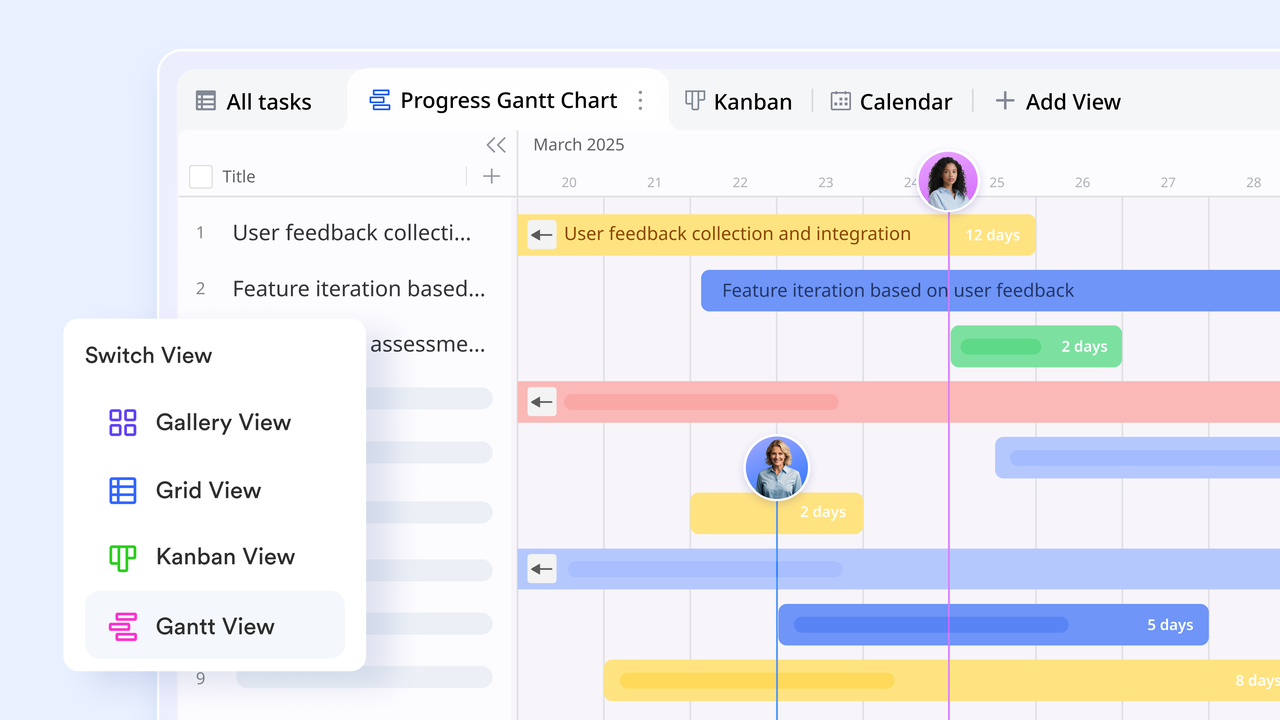
Related links and live records
Two-way links allow you to connect data across different tables in Lark Base, ensuring information stays synchronized. For example, if you link a "Task" to a "Project," that task will automatically show up in the project's record, and the project name will appear in the task's record. This eliminates the need for double-entry and ensures that all related project assets and milestones are interconnected and easily navigable. 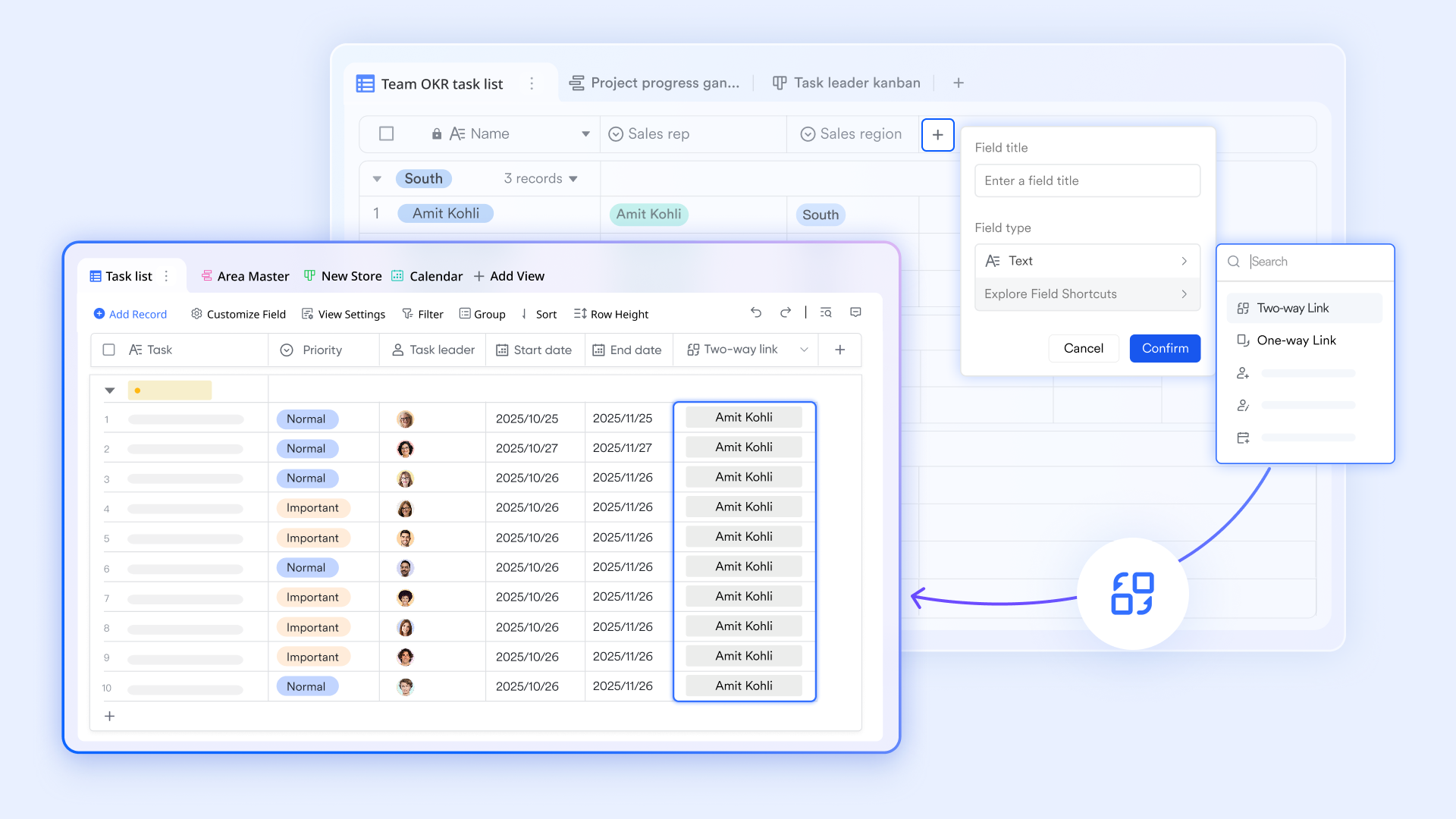
Automated progress dashboard
Lark Base allows you to create dashboards that use "Charts" and "Pivot tables" to provide real-time reporting on project progress chart. These dashboards aggregate data to show completion percentages, workload distribution among team members, and budget tracking. Instead of manually creating weekly status reports, managers can share a live dashboard link that stakeholders can check at any time for the most current progress metrics. 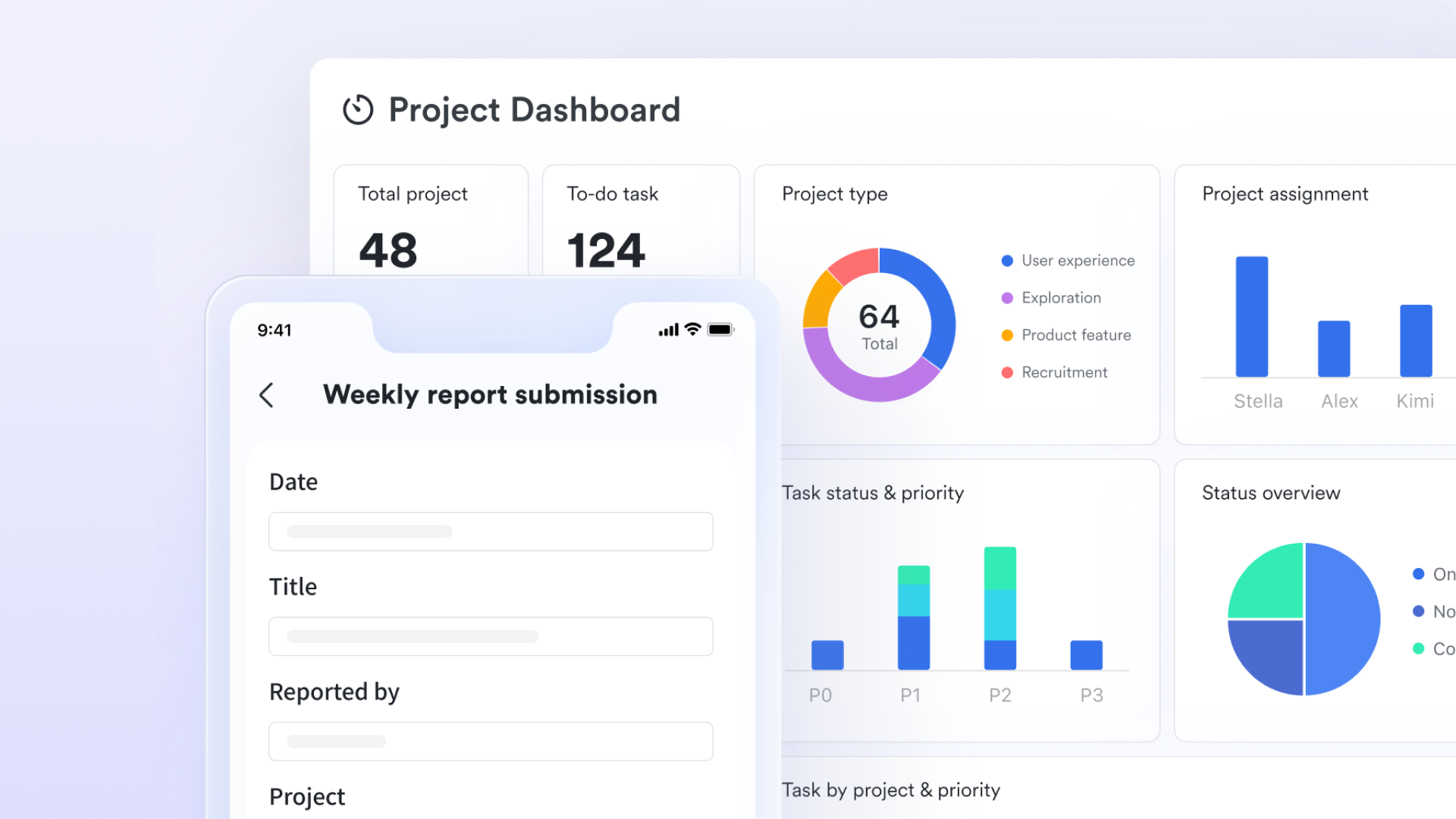
Seamless communication and coordination
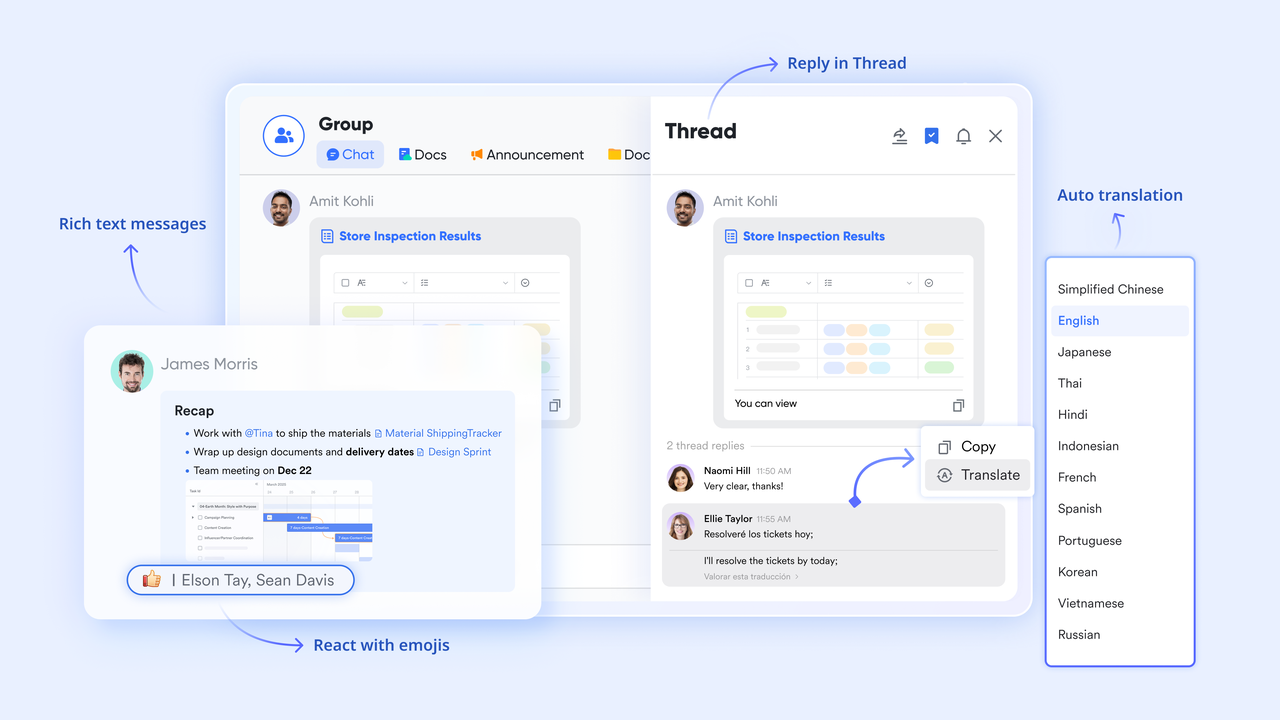
turns standard chat into a centralized command center for team execution. It allows users to convert messages directly into actionable tasks, pin critical announcements for high visibility, and organize focused discussions through threaded replies to reduce noise. On the other hand, teams can check collaborator availability by clicking the calendar button and manage document permissions without leaving the chat interface.
:
- Starter plan: Free forever plan that includes 11 powerful tools for up to 20 users. It also comes with 100GB of storage, 1000 automation runs, AI translations, and more.
- Pro plan: $12/user/month (billed annually) for up to 500 users. It includes everything in Starter plus group calling for up to 500 attendees, 15TB of storage, 50,000 automation runs, and more.
- Enterprise plan: for custom pricing. Supports unlimited users and includes even more automation runs and advanced security, compliance, and management features.
For small teams with simple communication needs

18 months message history
1000 Base automation runs/month
2000 rows per table in Base
Most POPULAR
For companies with comprehensive collaboration and management needs
Unlimited message history
500-participant video meetings
50k Base automation runs/month
20k rows per table in Base
For large companies with advanced security and organizational management needs
Get a personalized demo and pricing
Unlimited message history
500-participant video meetings
15 TB storage + 30 GB storage/user
500k Base automation runs/month
50k Base automation runs/month
Most POPULAR
For companies with comprehensive collaboration and management needs
Unlimited message history
500-participant video meetings
50k Base automation runs/month
20k rows per table in Base
Common mistakes when creating project plans
- Overcomplicating the format: One of the most frequent mistakes is using an overly complex project plan document format that overwhelms team members instead of guiding them. Including too many sections, unnecessary details, or confusing charts can make the plan hard to follow, reducing its effectiveness. A clear, concise structure that aligns with the project's scope and objectives is usually far more productive.
- Missing ownership or timelines: A is only effective if each task has a designated owner and a clear deadline. Failing to assign responsibility or timelines creates confusion, accountability gaps, and delays. Every task and milestone should clearly indicate who is responsible and when it needs to be completed.
- Treating the plan as static: Another common error is treating a project plan as a one-time document rather than a living guide. Projects evolve, priorities shift, and risks emerge. Without regularly updating your project plan document format to reflect changes, the plan becomes outdated and loses its value as a management tool.
- Ignoring communication needs: Many plans overlook how information will be shared with stakeholders. A robust project plan sample format should include a communication plan detailing what will be reported, to whom, and how often. Ignoring communication needs can lead to misunderstandings, missed deadlines, and disengaged stakeholders.
Conclusion
A well-structured format of a project plan is essential for turning ideas into actionable steps, keeping teams aligned, and ensuring and within scope. From simple task lists to detailed project implementation plan formats and work plan formats for the project, choosing the right structure depends on your project size, complexity, and stakeholder needs. With ready-to-use templates and examples, planning becomes more efficient and less error-prone. Tools like take project planning to the next level by combining tasks, timelines, collaboration, and real-time tracking in one centralized workspace, helping teams execute projects with clarity and confidence.
Simplify your project planning today
FAQs
What are the 7 parts of a project plan?
A typical format of a project plan includes seven essential parts: project overview and objectives, scope and deliverables, timeline and milestones, roles and responsibilities, resources and budget, risks and assumptions, and a communication plan. These components provide a complete roadmap to guide project execution and ensure alignment among stakeholders.
How do you write a project plan?
Writing a project plan involves defining the project goals, identifying key tasks and deliverables, setting timelines and milestones, assigning roles, allocating resources, assessing risks, and establishing communication channels. Using a clear format of a project plan ensures all aspects are covered, making the plan actionable and easy to follow.
Is an action plan the same as a project plan?
While similar, an action plan is more focused on specific tasks and steps needed to achieve a goal, whereas a project plan format provides a comprehensive roadmap including scope, timeline, budget, and risk management. Essentially, an action plan can be part of a larger project plan, but does not cover all elements.
Can project plan formats vary by industry?
Yes, the format of a project plan often varies depending on the industry and project type. For example, IT or software implementation projects may require technical milestones, while marketing campaigns focus on content, channels, and audience targeting. Customizing the format of a project plan to fit industry-specific needs ensures better clarity and effectiveness.
Related reading





























