I know that creating a project schedule can feel overwhelming, especially when you're juggling multiple tasks and team members. But here's the truth: a well-structured project schedule is the backbone of any successful project. In this guide, I'll walk you through everything you need to know about how to create project schedule that actually works. Whether you're managing a small team project or coordinating a large initiative, mastering project scheduling will save you time, reduce stress, and keep everyone aligned toward the same goal.
What is a project schedule?
is your roadmap for success. It's a comprehensive timeline that organizes all your project tasks, resources, and deadlines in a logical sequence. Think of it as the operational blueprint that transforms your project plan into actionable daily work.
I've learned that many people confuse project schedules with —but they're distinct. Your project plan is the big picture; the schedule is how you'll actually execute it. A project schedule includes your task list, start and end dates, milestones, resource assignments, and task dependencies. It's not just a document sitting in a folder—it's a living tool that guides your team daily.
The beauty of a project schedule lies in its ability to translate strategic objectives into concrete steps. Whether you're managing a software development initiative, a marketing campaign, or a construction project, the fundamentals remain the same. Your schedule becomes the reference point that keeps everyone aligned, prevents timeline surprises, and enables proactive decision-making.
Why is project scheduling important?
Creating a project schedule isn't just busy work. It provides immense value that directly impacts your project's success. Let me share what I've discovered through managing various projects:
- Prevents delays and surprises: You'll catch timeline issues before they derail your project. By mapping out dependencies early, you can identify potential bottlenecks and address them before they become problems. This proactive approach transforms reactive crisis management into strategic planning.
- Improves : Everyone knows what they're responsible for and when. When your team understands how their work fits into the larger timeline, they're more engaged and accountable. There's no confusion about priorities or deadlines.
- Enables better : You can balance workloads and avoid bottlenecks. If you know that your senior developer is critical to three sequential tasks, you can plan accordingly and avoid creating a resource crunch that derails everything.
- Facilitates confidence: Clear timelines build trust with clients and leaders. Stakeholders appreciate transparency, and a well-documented schedule demonstrates that you've thought through the work carefully. This confidence translates into smoother project execution and fewer difficult conversations about delays.
- Supports : You can identify dependencies and potential roadblocks early. The earlier you spot risks, the more options you have to mitigate them. Whether it's uncertain external dependencies or resource constraints, your schedule helps you see these challenges coming.
Unlock seamless project execution now
Project schedule vs. project plan
I want to clarify this distinction because it matters. Your project plan answers "what and why"—it defines scope, goals, methodologies, and overall costs. Your project schedule answers "when and how"—it assigns specific dates, durations, and sequencing to each task.
Think of your as the strategic document that comes first. It's your master blueprint. You can't create an effective project schedule without first having your project plan in place. The plan establishes what work needs to happen; the schedule determines when and in what order it happens.
The project plan typically includes project goals, stakeholder information, budget parameters, and the overall approach. The schedule takes that framework and creates a detailed timeline with specific task sequences, resource assignments, and milestone dates. Without a solid plan, your schedule becomes a collection of arbitrary dates. With a strong plan, your schedule becomes a powerful execution tool.
Key components of an effective project schedule
So, what are these crucial elements that form the backbone of a successful project timeline? Let's break them down.
What goes into your project schedule?
When I'm building a project schedule, I always ensure these essential components are included. Each element plays a crucial role in creating a schedule that actually works:
Tasks and subtasks: Break your project into manageable pieces. This means defining what work is actually needed to deliver your final product. The more clearly you define individual tasks, the easier they are to estimate, assign, and track. Tasks should be specific, measurable, and deliverable.
Start and end dates: Every task needs both. This gives you precise control over your timeline and helps with resource planning. Clear dates create accountability and prevent ambiguity about when work should begin and when it's due.
: Many tasks can't start until another is complete. Mapping these relationships prevents bottlenecks and ensures logical sequencing. Understanding dependencies is critical—miss one, and you might find yourself scheduling tasks in an impossible order that creates delays when you discover the dependency later.
Resource assignments: Who's responsible for what? Clearly assign team members to tasks based on their skills and availability. When people know they're assigned to specific work, ownership increases and progress becomes trackable.
Duration estimates: How long will each task actually take? Be realistic here—underestimating creates stress and missed deadlines; overestimating wastes capacity and leaves your team idle. I always encourage getting input from people who've actually done similar work before.
Budget and costs: Link tasks to their associated costs. This helps you stay within while executing. Every task consumes resources, and tracking those costs throughout the schedule ensures you're not overspending.
Project calendar: Include holidays, vacations, and other non-working days. This prevents overcommitting your team. A common mistake is forgetting that your team won't be working at full capacity on certain dates. Building these constraints into your schedule upfront saves you from discovering problems when execution begins.
Milestones: These are key achievement points in your project. They help you measure progress and celebrate wins with your team. serve as important checkpoints where you can assess whether you're on track and make adjustments if needed. They give both your team and stakeholders visible markers of success.
Building clarity through visual tools
The most successful project schedules use visual representations. Gantt charts have become my go-to tool because they show the entire project timeline at a glance, including how tasks overlap and where dependencies exist. You can see the critical path immediately, spot resource conflicts, and understand task sequencing all at once.
For simpler projects, task lists work well—they're straightforward and easy to maintain. Calendars help manage time-sensitive milestones and are particularly useful for deadline-driven work. The key is matching your visualization method to your project's complexity. A small three-person project managing a website redesign might only need a task list, while a larger initiative benefits from the comprehensive view that a provides.
Visual tools do something powerful: they make abstract timelines concrete. When team members can see their work in relation to others' work, dependencies become obvious, and the sequence of activities makes sense. This clarity reduces confusion and helps everyone work more efficiently.
See how these components work out in a powerful tool
Step-by-step: How to create a project schedule
Crafting an effective project schedule might seem complex, but by following a structured approach, one can create a clear roadmap for success. Let's walk through the essential steps, seeing how tools like Lark can streamline each stage.
Step 1: Plan your schedule management approach
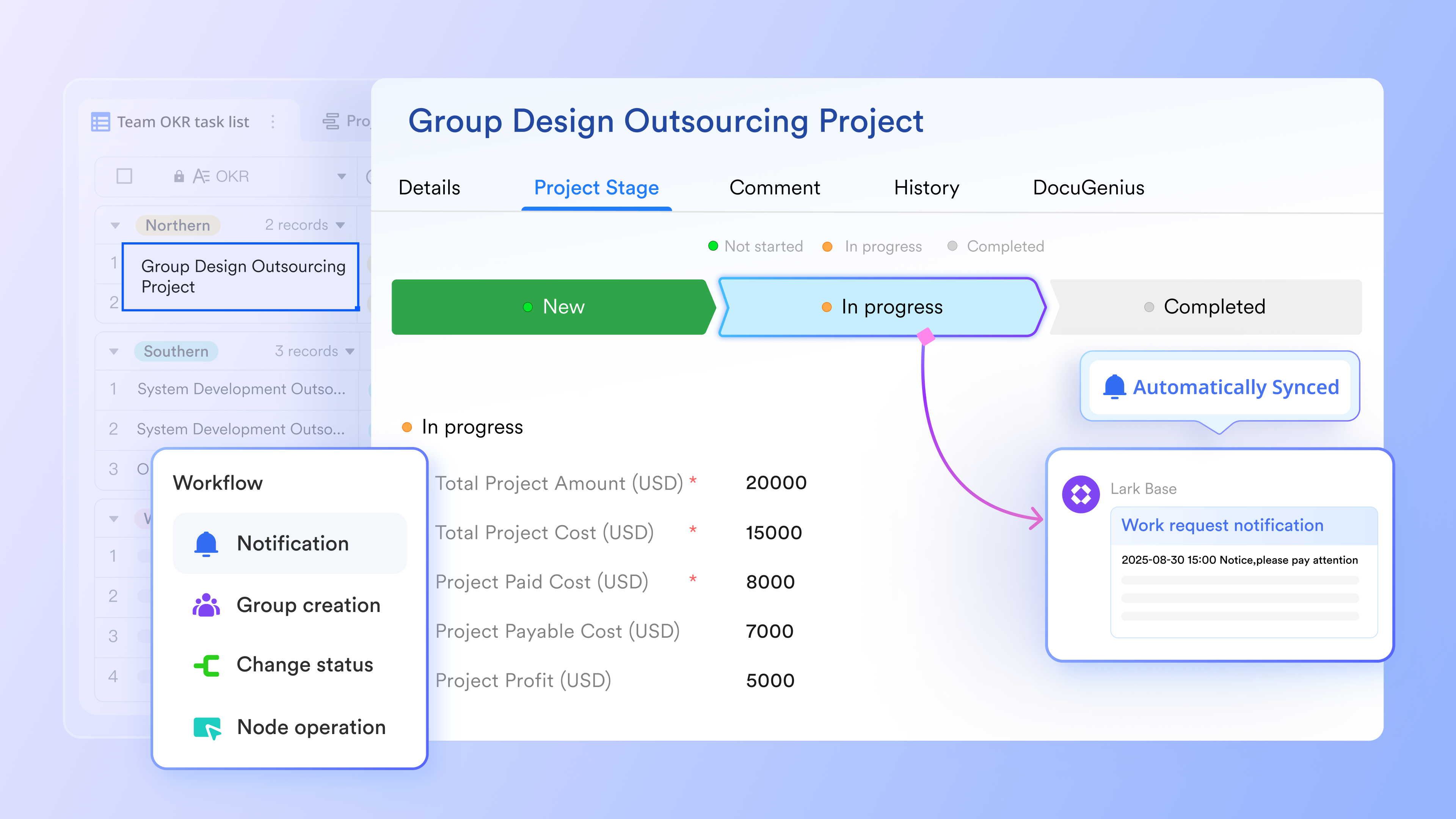
Before diving into task creation, it is crucial to establish the framework. Define who has authority over schedule changes, what processes the team will follow to request modifications, and how updates will be communicated. This planning protects the timeline from uncontrolled changes. Resources, constraints, and should also be documented, including contingency plans. Lark's robust workflows and centralized document sharing make defining these protocols simple and transparent for the entire team.
Step 2: Define all project activities
Here is where the project scope is broken down into concrete tasks. The 8/80 rule is often used: each task should take between 8 and 80 work hours, ensuring a manageable granularity level.
When defining activities, ask these critical questions:
- What deliverables do we need to produce?
- What work is necessary to achieve each deliverable?
- How granular should we go?
- Are tasks measurable and estimable?
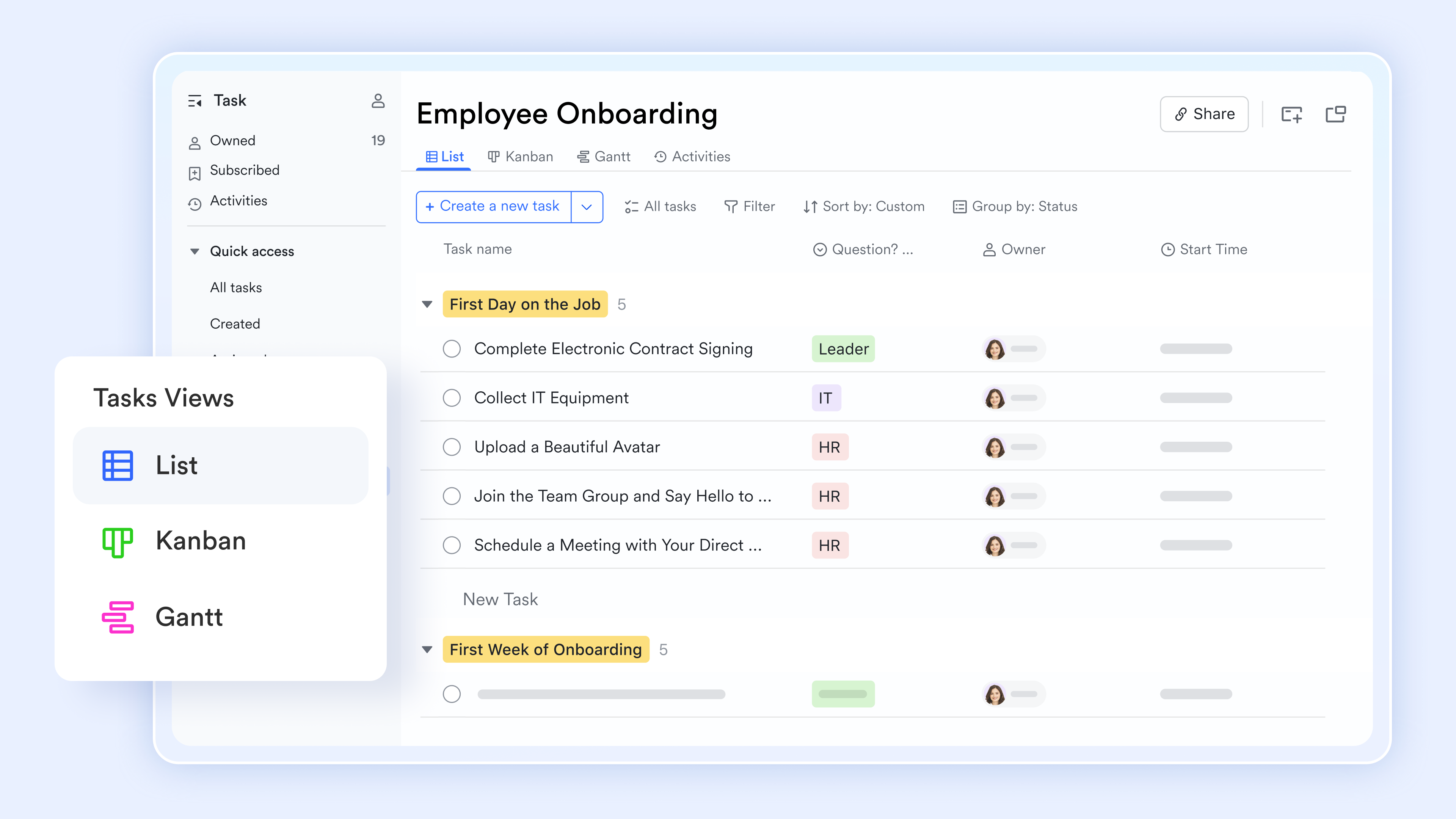
The goal is to create a that is detailed enough to be useful but not overwhelming. With Lark's project management features, one can easily create and organize tasks, ensuring every activity is clearly defined and ready for assignment.
Step 3: Identify task dependencies
This step requires critical thinking. Which tasks must be finished before others can start? Which can run in parallel? These relationships should be mapped out carefully in the following categories:
- Finish-to-start: One task must finish before the next begins (the most common type)
- Start-to-start: Tasks begin at the same time
- Finish-to-finish: Tasks must end simultaneously
- Start-to-finish: One task starting means another must finish
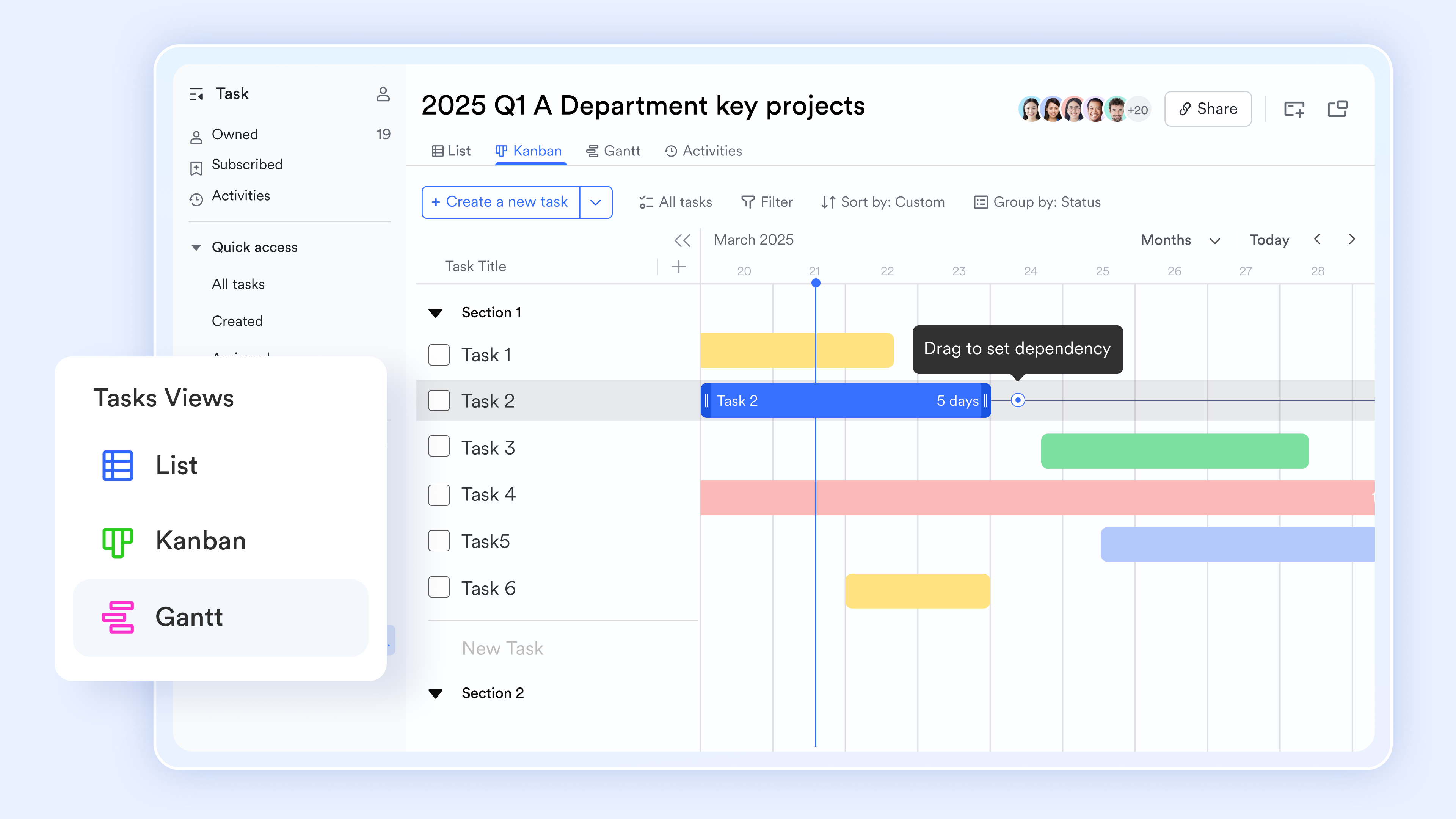
Understanding these relationships is crucial for creating a project schedule that actually works. Lark's visual project views, like Gantt charts, allow one to intuitively link tasks and visualize dependencies, preventing potential bottlenecks before they arise.
Step 4: Sequence your activities
Now the tasks are arranged in logical order. This isn't just about dates yet—it's about determining the most efficient workflow. Good sequencing minimizes idle time and keeps the team working productively. Lark helps one drag and drop tasks to quickly reorder them, ensuring the most efficient flow and clearly communicating the sequence to the team.
Step 5: Estimate resources needed
Each task requires resources: people, tools, equipment, workspace. An assessment should be made of what's available and what's required for each activity. This is critical because resource constraints directly affect the schedule. forces one to confront reality—what is actually available versus what is needed? Lark's resource management tools allow one to assign team members to tasks and visualize their workload, helping to balance capacity and identify potential overloads.
Step 6: Estimate task durations
Multiple approaches for duration estimation are used to increase accuracy:
- Historical data: How long did similar tasks take on past projects? This is my most reliable source. If you've done this work before, you have real experience to draw from.
- Team input: Ask experienced team members who've done this work. People who've performed similar tasks multiple times develop good intuition about duration. Their experience is valuable and should be weighted heavily.
- Three-point estimation: Calculate the best case, worst case, and most likely scenarios, then use the formula: (Optimistic + 4×Most Likely + Pessimistic) ÷ 6. This approach accounts for uncertainty better than single estimates.
- Be realistic throughout this process: Overestimating wastes capacity; underestimating causes stress and missed deadlines. I've found that getting team input during estimation creates both more accurate estimates and greater buy-in from the people who'll do the work.
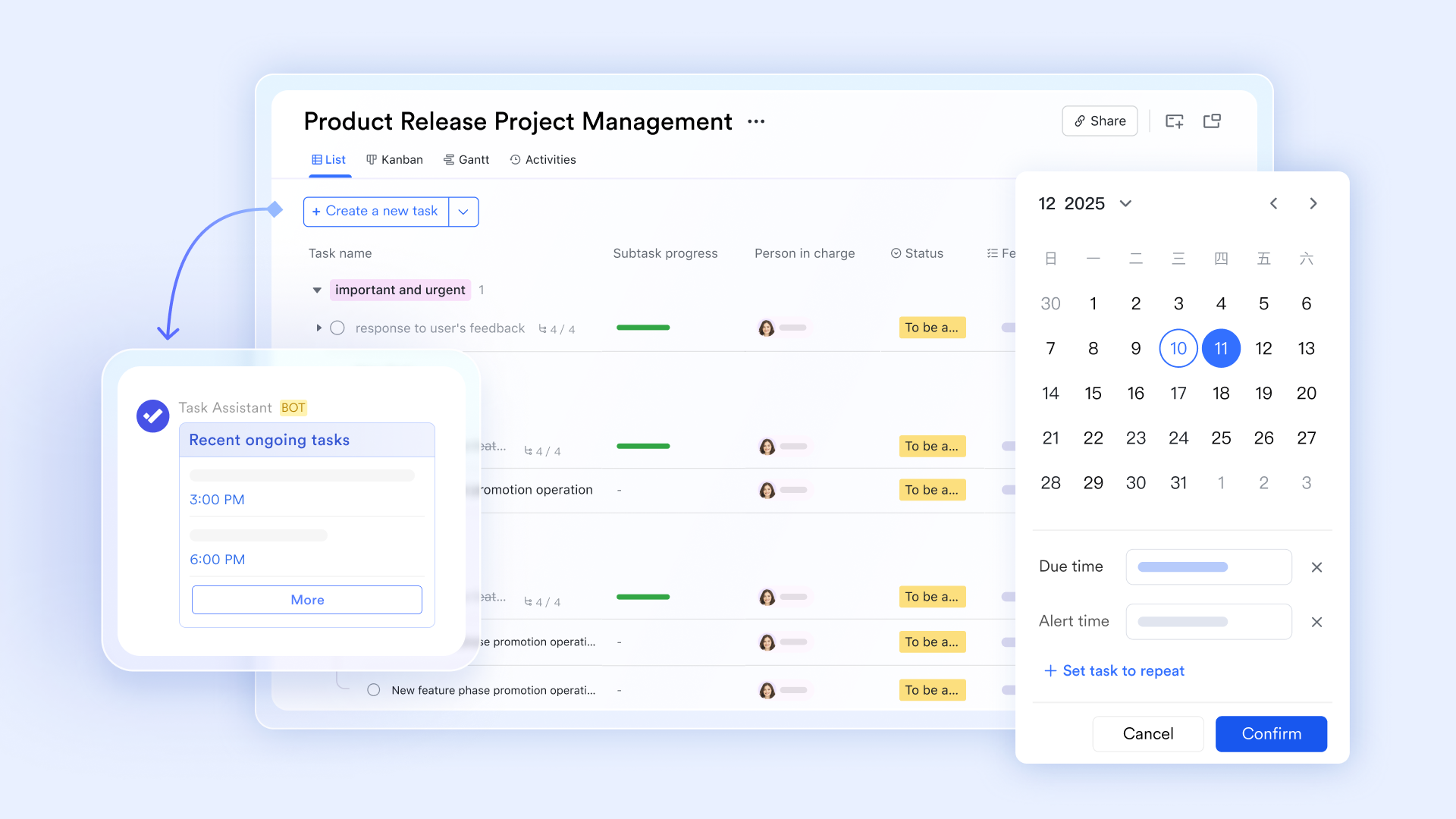
Lark allows one to easily input ,track estimated durations for each task, and set up reminder via Lark Messenger, providing a clear reference for project timelines.
Step 7: Develop your project schedule
With all the pieces in place, I now build the actual schedule. I assign start dates and due dates for each activity, considering durations, dependencies, and resource availability.
I use several depending on the project's complexity:
- : Identifies which tasks directly impact your final delivery date
- : Factors in resource constraints alongside task dependencies
- Resource leveling: Balances team workload to avoid overallocation
Step 8: Monitor and control throughout execution
Creating the schedule is just the beginning. Progress should be continuously tracked, actual performance compared against the schedule baseline, and changes managed. This ongoing step ensures the team stays on track and issues get addressed quickly. With Lark, one can easily track task progress, update statuses in real-time, and get immediate insights into whether the project is on track, enabling proactive management.
Follow these steps right now
How Lark supports project scheduling
A project schedule is the operational blueprint that transforms your project plan into actionable daily work. It's a living tool that guides your team through tasks, resources, and deadlines in a logical sequence. brings the entire project scheduling workflow into one connected workspace, ensuring your schedule remains a reliable guide from kickoff to delivery. Instead of juggling static spreadsheets and disconnected communication, Lark allows teams to build, track, and adapt their project schedules in real time, keeping everyone aligned and on track.
Here's how Lark supports the essential components of an effective project schedule:
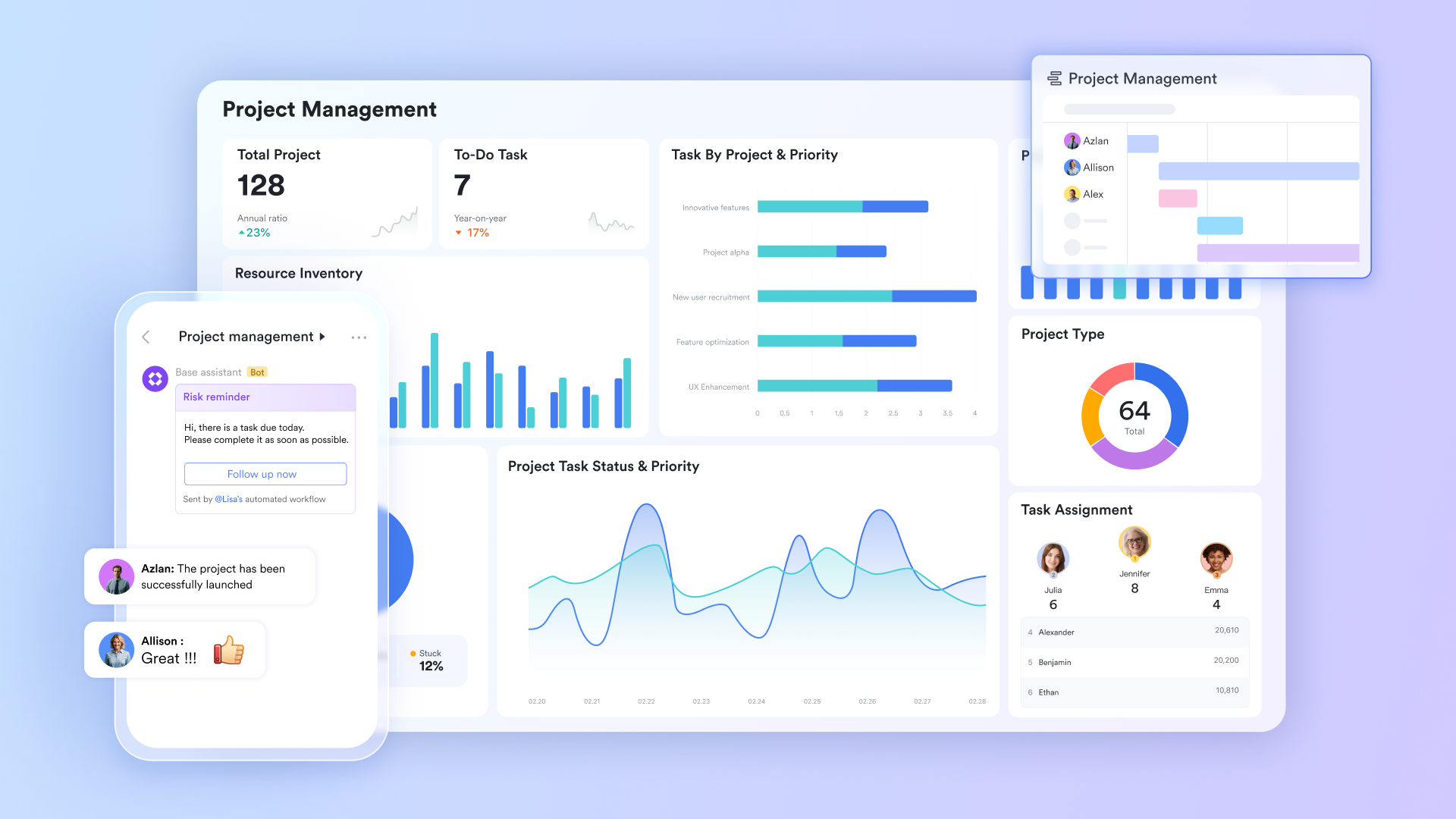
Structure tasks, milestones, and dependencies with Lark Base
acts as a dynamic hub for all your project schedule's core components, transforming static task lists into an interactive, visual schedule.
Define tasks and subtasks: Within Lark Base, you can easily define your project tasks and break them down into granular subtasks. Each task can be enriched with detailed descriptions, ensuring clarity on the work to be done.
Establish milestones: Mark key achievement points as milestones within Base. These serve as critical checkpoints for measuring progress and signaling significant accomplishments within your schedule.
Set start and end dates: Assign precise start and end dates to every task and milestone. This provides granular control over your timeline, crucial for accurate resource planning and accountability. Base automatically updates visual timelines as dates are set or adjusted.
Visualize the schedule: Utilize Base's views such as Grid, Kanban, and Gantt, to visualize your project schedule. The Gantt view is particularly powerful for scheduling, offering a clear visual representation of task durations, dependencies, and the overall project timeline. Automate schedule updates: Set up automation rules within Base to keep your schedule dynamic. For instance, rules can automatically flag overdue tasks, notify team members of upcoming deadlines, or update status fields based on predefined conditions, ensuring your schedule is always current.
Turn scheduled tasks into action with Lark Tasks
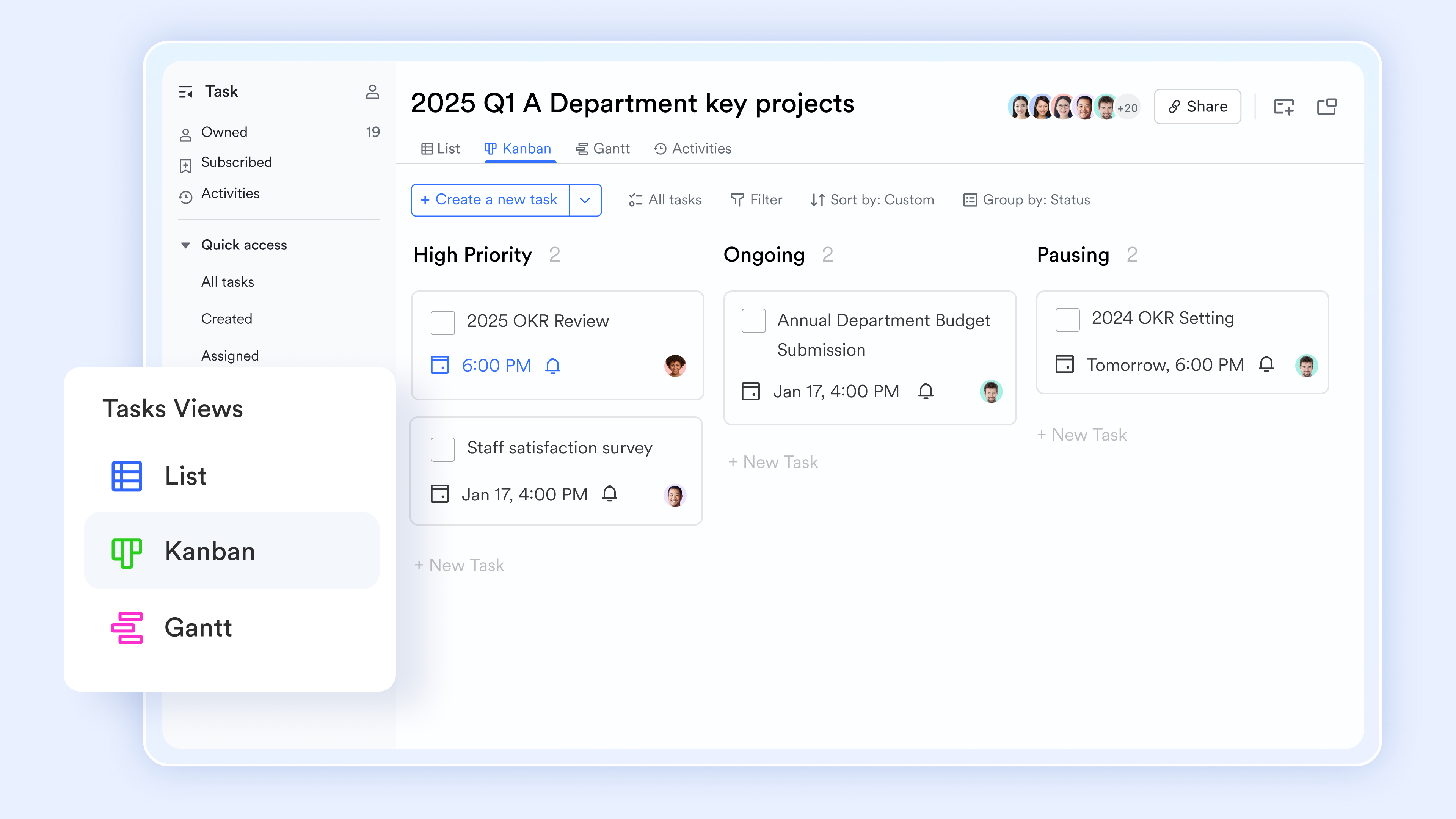
Lark Tasks ensures that what is planned in the schedule is effectively executed by transforming deliverables and action items into clear, trackable work. Assign and track tasks: Create tasks from your project schedule, assigning clear owners, priorities, and due dates. This ensures every scheduled item has a responsible party and a deadline, driving accountability.
Monitor progress: Subtasks created in Lark Tasks roll up into parent tasks, providing a real-time, accurate view of progress against the overall project schedule without requiring extra status reporting.
Automate reminders: Automated reminders and updates within Lark Tasks keep execution in sync with the original schedule and milestones, helping to prevent missed deadlines.
Personalize task views: Team members can customize their task views to see what they own, are assigned, or are following, helping individuals manage their workload efficiently within the larger project schedule.
Manage schedule documentation in Lark Docs
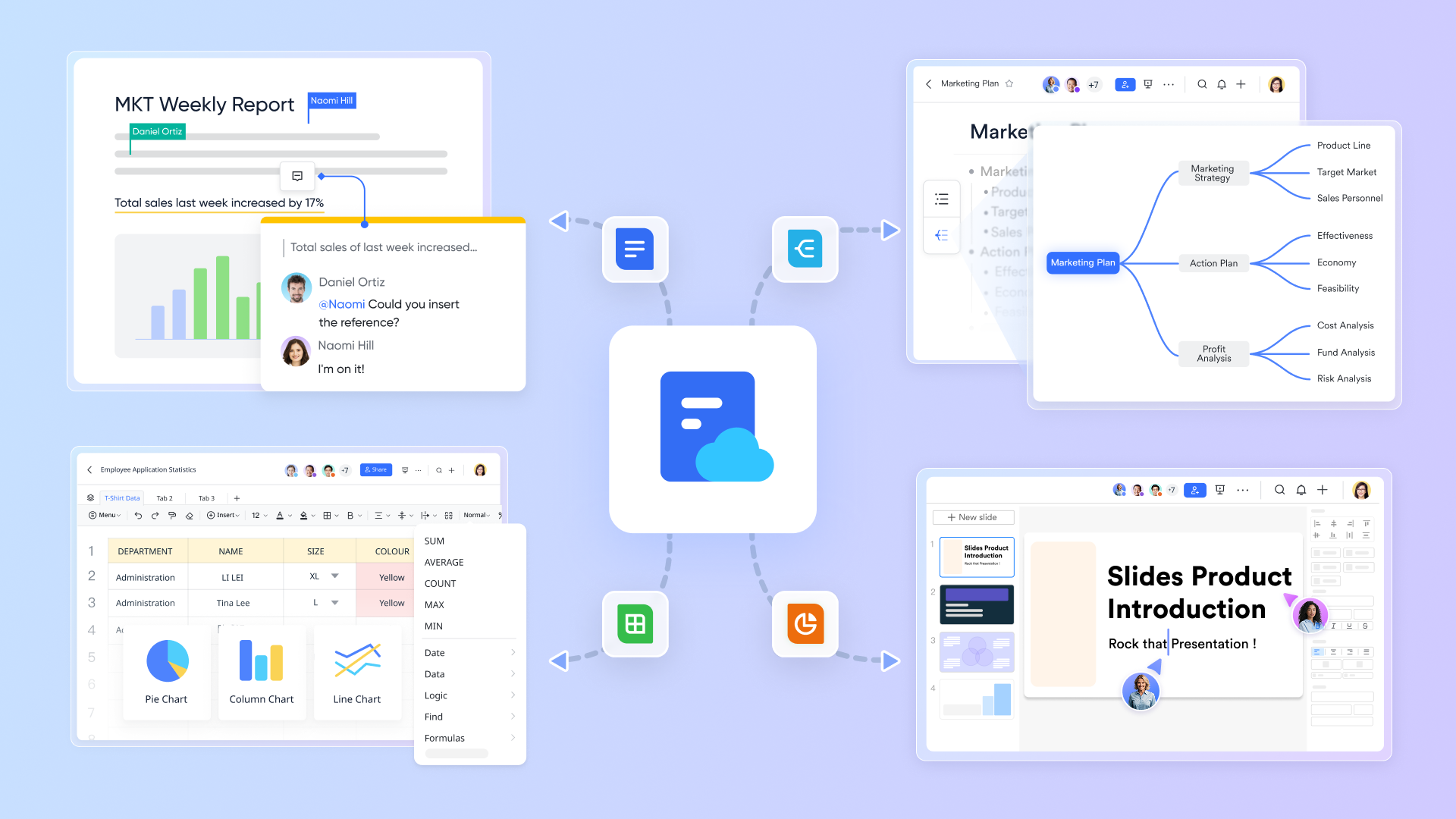
provides a collaborative and centralized space for all documentation supporting your project schedule, ensuring it remains accurate and accessible.
- Centralized schedule documentation: Draft and maintain critical schedule-related documents, such as resource plans, budget estimations, and communication strategies, directly in Lark Docs.
- Collaborate on schedule details: Stakeholders can co-edit, comment, and suggest changes to schedule documents, ensuring everyone is aligned with the underlying assumptions and details of the project timeline.
Connect schedule conversations in Lark Messenger
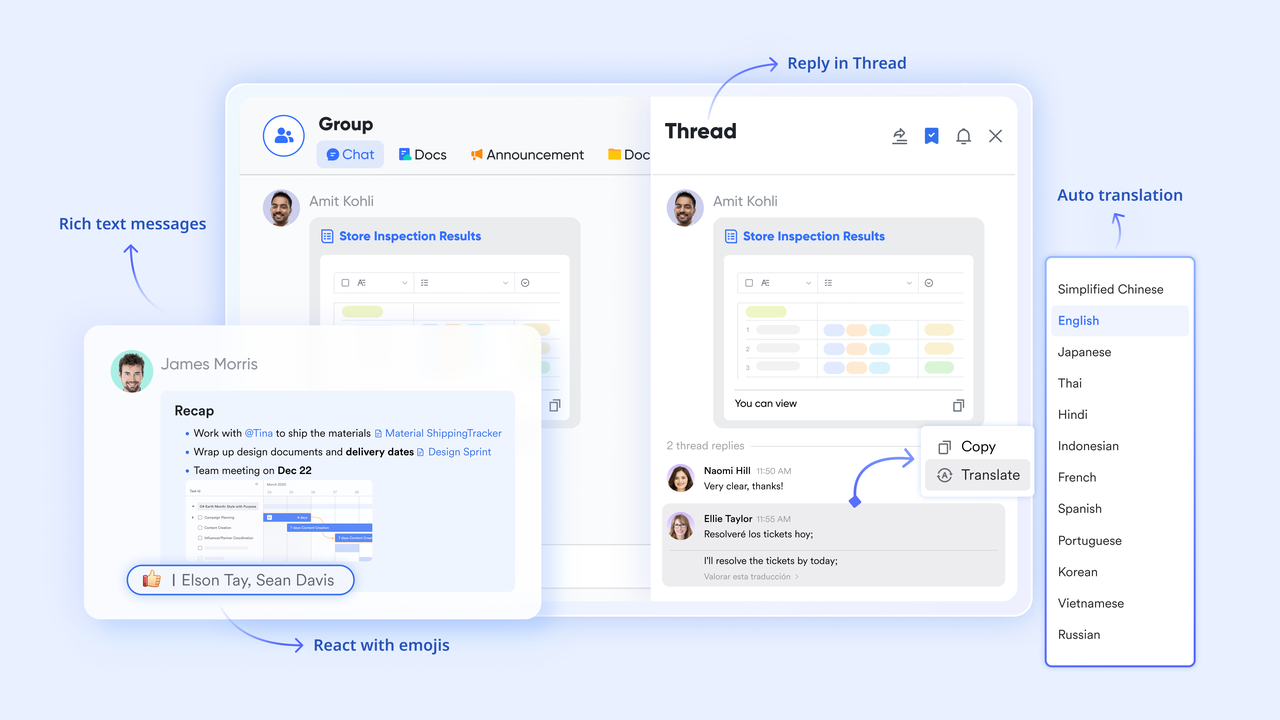
facilitates immediate and contextual communication around your project schedule, fostering rapid decision-making and preventing delays.
Contextual schedule discussions: Conduct discussions related to schedule adjustments, resource availability, or dependency issues within group chats and threaded replies. This keeps conversations organized and directly linked to the work.
Streamline feedback: Team members can discuss proposals, trade-offs, and agree on schedule updates directly within Messenger, shortening feedback cycles and enabling agile adjustments to the project timeline.
Align schedule reviews and follow-up with Lark Meetings
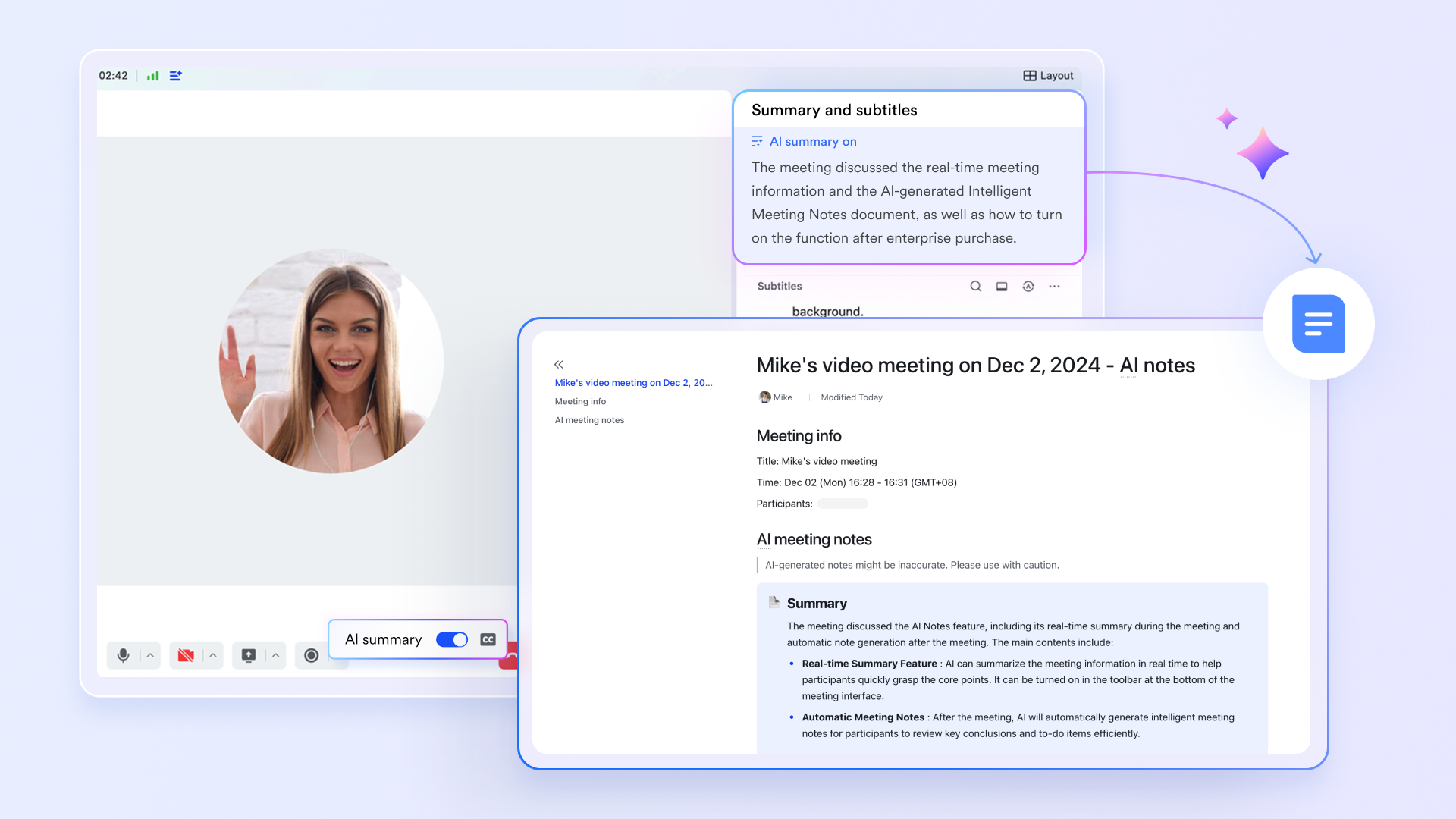
bridges the gap between schedule discussions and concrete actions, ensuring that decisions made in meetings are immediately updated to the live project schedule.
Updated schedule review: During project kickoff, scheduling workshops, or regular progress reviews, teams can open Base dashboards, task boards, and Docs directly within the meeting. This enables real-time review of task statuses, resource allocation, and timeline adherence.
Automated meeting notes: The Minutes file, with recording, transcript, and , automatically captures decisions, identified risks, and next steps related to the schedule discussed during meetings.
:
- Starter plan: Free forever plan that includes 11 powerful tools for up to 20 users. It also comes with 100GB of storage, 1000 automation runs, AI translations, and more.
- Pro plan: $12/user/month (billed annually) for up to 500 users. It includes everything in Starter plus group calling for up to 500 attendees, 15TB of storage, 50,000 automation runs, and more.
- Enterprise plan: for custom pricing. Supports unlimited users and includes even more automation runs and advanced security, compliance, and management features.
For small teams with simple communication needs

18 months message history
1000 Base automation runs/month
2000 rows per table in Base
Most POPULAR
For companies with comprehensive collaboration and management needs
Unlimited message history
500-participant video meetings
50k Base automation runs/month
20k rows per table in Base
For large companies with advanced security and organizational management needs
Get a personalized demo and pricing
Unlimited message history
500-participant video meetings
15 TB storage + 30 GB storage/user
500k Base automation runs/month
50k Base automation runs/month
Most POPULAR
For companies with comprehensive collaboration and management needs
Unlimited message history
500-participant video meetings
50k Base automation runs/month
20k rows per table in Base
Best practices for successful project scheduling
Effective project scheduling goes beyond simply listing tasks and dates; it's a strategic process that requires a thoughtful approach. Here are some best practices that can significantly improve your project's success rate.
Be realistic about estimates and embrace flexibility
Overly optimistic estimates can derail even the most well-planned projects. Realistic estimation is an art that requires honesty, experience, and a collaborative spirit. It is crucial to build in a buffer for unknowns and actively involve the entire team in the estimation process, as the most valuable insights often come from those who have previously completed similar tasks. No project runs exactly according to a perfectly rigid plan, which is why incorporating buffer time (or float) is crucial for managing unexpected challenges and ensuring the schedule remains adaptable. This proactive approach to estimation and flexibility significantly reduces stress and improves delivery reliability.
Maintain dynamic scope management and proactive risk assessment
is rarely static, and changes are an inevitable part of the process. How these changes are managed ultimately determines a project's success. This involves always conducting thorough impact assessments before accepting new work, proactively communicating potential timeline shifts, and ensuring stakeholder agreement on any scope changes. Furthermore, effective project schedules anticipate potential challenges rather than merely reacting to them. Regularly reassessing the critical path, identifying potential bottlenecks early on, and are paramount. This combined approach ensures the schedule remains robust against unforeseen changes and risks.
Leverage collaborative tools for continuous monitoring and communication
Technology should enhance, not replace, human collaboration. When scheduling projects, tools are powerful enablers of team communication and . This means actively involving team members throughout the scheduling process, utilizing platforms that allow for real-time input and visibility, and creating environments where team members feel comfortable sharing their insights. Successful project scheduling is an ongoing process of tracking, learning, and adapting. It requires continuously comparing actual progress against planned timelines, identifying patterns in estimation accuracy, and maintaining transparent documentation of any schedule changes. Clear audit trails are essential for stakeholder confidence and treating each project as a valuable learning opportunity to refine future scheduling processes.
Common project scheduling challenges and solutions
Even with the best intentions and meticulous planning, project scheduling often presents a unique set of challenges. Recognizing these common hurdles and having proactive solutions in place is key to maintaining a robust and adaptable schedule.
Unrealistic time estimates
Time estimation is arguably the most critical and challenging aspect of project scheduling. Optimistic estimates can create a cascade of problems, leading to missed deadlines, increased stress, and reduced morale. To combat unrealistic estimates, a multi-pronged approach is advocated. This involves actively engaging team members with direct experience, thoroughly analyzing historical data, and breaking down complex tasks into smaller, more manageable units. Furthermore, building in conservative contingency margins and creating provides a more resilient schedule, accounting for potential unforeseen delays.
Scope, resource, and dependency management
Changing , limited resources, and complex dependencies are persistent challenges that can significantly impact project scheduling. Navigating these requires a combination of clear communication, strategic planning, and adaptive management. Key strategies include developing comprehensive initial scope documents to establish a clear baseline and establishing clear change management processes for modifications. It is also crucial to identify critical skills and potential resource constraints early, utilizing resource leveling techniques to optimize allocation. For dependencies, using visual tools like to map them out helps identify opportunities for parallel task execution, ensuring a logical and efficient workflow.
Stakeholder alignment and communication challenges
Misaligned expectations from stakeholders and communication barriers can create significant scheduling difficulties, leading to conflicts and rework. Proactive communication and systematic stakeholder management are therefore crucial for schedule success. Recommended practices include presenting detailed schedules to before project execution to confirm their understanding and agreement on timelines, and establishing clear change control processes involving stakeholders. Providing regular, transparent progress updates keeps everyone informed, while leveraging real-time collaborative tools ensures information flows smoothly and fosters a shared sense of ownership across distributed teams.
By anticipating these common challenges, developing robust strategies, and maintaining a flexible, collaborative approach, one can create project schedules that not only survive unexpected changes but truly drive project success.
Conclusion
Creating a project schedule might seem daunting, but it's one of the highest-impact activities you can do as a project manager. Start with clear goals, break work into manageable tasks, estimate honestly, and use visual tools like Gantt charts to manage timelines. Most importantly, remember that your schedule isn't static—it's a living tool that guides execution and adapts to reality. With Lark's collaborative features, you have everything you need to create schedules your team actually follows. Begin today, and watch your project success improve.
FAQs
How do you create a project schedule?
Creating a project schedule is a systematic process that combines careful planning, team collaboration, and strategic tool selection. Start by clearly defining your project's scope and breaking it down into specific, manageable tasks. Estimate task durations realistically by involving team members with relevant experience. Use to visualize dependencies, allocate resources, and create a comprehensive timeline. The key is flexibility—build in buffer time, maintain open communication, and be prepared to adapt as project dynamics evolve.
Does Excel have a project schedule template?
Excel offers basic project schedule templates, but they come with significant limitations. These templates provide simple task lists, start/end date columns, and rudimentary Gantt chart layouts. However, they require manual updates, lack real-time collaboration features, and demand complex formulas for advanced tracking. Modern project management platforms like Lark provide more dynamic, integrated solutions that automatically update, visualize dependencies, and seamlessly connect team communication—making traditional Excel templates feel outdated and inefficient.
What is the 5 project rule?
The 5 project rule is a productivity strategy that recommends limiting active projects to five or fewer. This approach helps teams maintain focus, prevent burnout, and improve overall project quality. By concentrating efforts on a smaller number of initiatives, organizations can allocate resources more effectively, reduce context switching, and increase the likelihood of successful project completion. The rule encourages deeper engagement, more thoughtful problem-solving, and a more strategic approach to work management.
What are the five steps in project scheduling?
Project scheduling involves a structured approach to planning and execution. Begin by defining all necessary project activities and breaking them down into specific tasks. Next, determine the logical sequence and dependencies between these tasks. Estimate the resources required, including team skills and material needs. Calculate realistic time frames for each task, considering potential challenges and using historical data. Finally, develop a comprehensive schedule that creates a clear roadmap, establishes milestones, and provides a baseline for tracking progress.
Related reading































