Imagine you're leading a team of developers working on a critical project with a tight deadline. Every day, team members struggle to keep track of tasks, deadlines, and updates, often leading to confusion and missed milestones. In such scenarios, the choice of project management software can mean the difference between delivering on time and falling short. GoodDay is a project management tool that promises to streamline workflows and enhance collaboration for teams of all sizes, making it an appealing choice. In this article, we'll conduct an in-depth GoodDay review, exploring its features, benefits, and drawbacks, while also comparing it with modern alternatives like Lark. By the end of this review, you'll have the insights needed to determine if GoodDay is the right fit for your team's unique needs.
What is GoodDay?
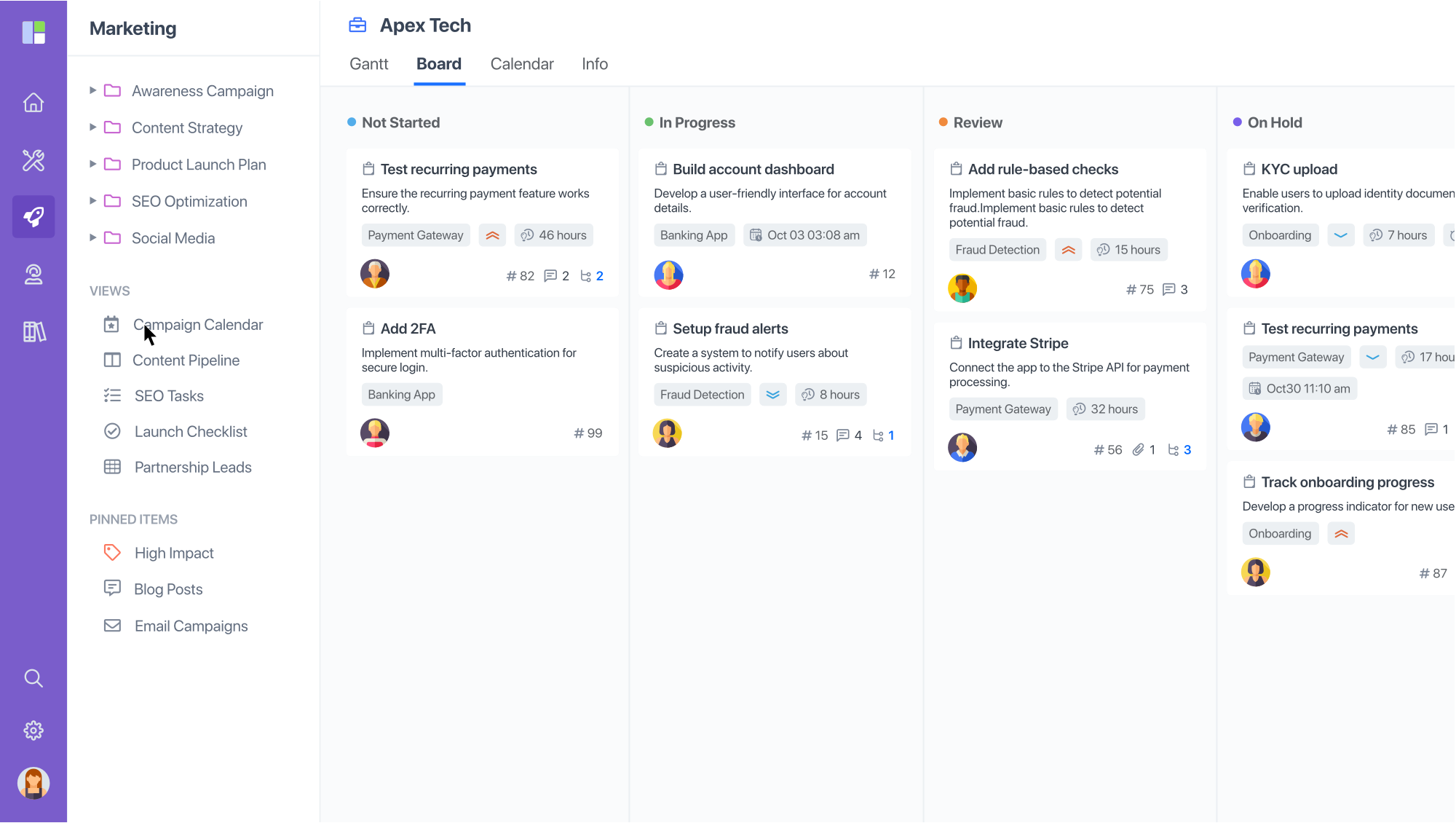
Image source: goodday.com
GoodDay is a comprehensive designed to assist teams in planning, executing, and monitoring projects efficiently. It was established in recent years to meet the growing demand for effective project management solutions amidst an increasingly competitive landscape. With its rapid rise in popularity across various sectors, including , , and non-profit organizations, GoodDay has carved a niche for itself by facilitating seamless collaboration and project tracking.
The software's primary goal is to enable teams to work effectively from diverse locations, equipped with varying needs and responsibilities. GoodDay incorporates elements that are particularly beneficial for , which have become more common in today's work environment.
By addressing the specific needs of these varied teams, GoodDay has positioned itself as a competitive option in the project management software market. Its ability to unify multiple aspects of project management into a single platform enhances productivity and collaboration for its users.
Key features of GoodDay
GoodDay's strength lies in its extensive array of features tailored to enhance project management. Below, we delve deeper into some of its core functionalities.
Task management capabilities
At the heart of GoodDay's software is its robust . Users can:
- Create, assign, and prioritize tasks across multiple projects
- Track the progress of tasks in real-time to ensure transparency and accountability
- Utilize task comments and file attachments to facilitate among team members
- Customize workflows to adapt the system to fit the specific processes of different teams
This level of task management not only improves individual accountability but also enhances team synchronization and project tracking, allowing all members to be aware of ongoing tasks and deadlines.
Scheduling tools and Gantt charts
GoodDay offers effective scheduling tools that help teams in real-time. Notable features include:
- Gantt charts: These provide a graphical representation of project timelines, enabling teams to easily see task dependencies and overall project progress.
- Calendar integration: Users can view task deadlines and milestones alongside their personal or team calendars, helping to align schedules and organize work more efficiently.
This capability aids project managers in effective planning and helps anticipate potential bottlenecks well before they arise, ensuring smoother project execution.
Time tracking and reporting functionalities
Another standout feature of GoodDay is its built-in capabilities. With this feature, users can:
- Log hours spent on tasks directly within the platform, simplifying the process of tracking productivity and resource allocation
- Generate comprehensive reports that offer insights into team performance and project timelines
These reporting functionalities enable teams to identify areas for improvement and assess how effectively resources are being utilized. By having access to detailed reports, teams can make informed decisions to enhance their workflows and overall efficiency.
The combination of these powerful features collectively benefits teams by enhancing visibility,, and streamlining workflow processes. As a result, organizations can better meet deadlines, achieve project objectives, and ultimately drive better results in their respective fields.
Pricing plans of GoodDay
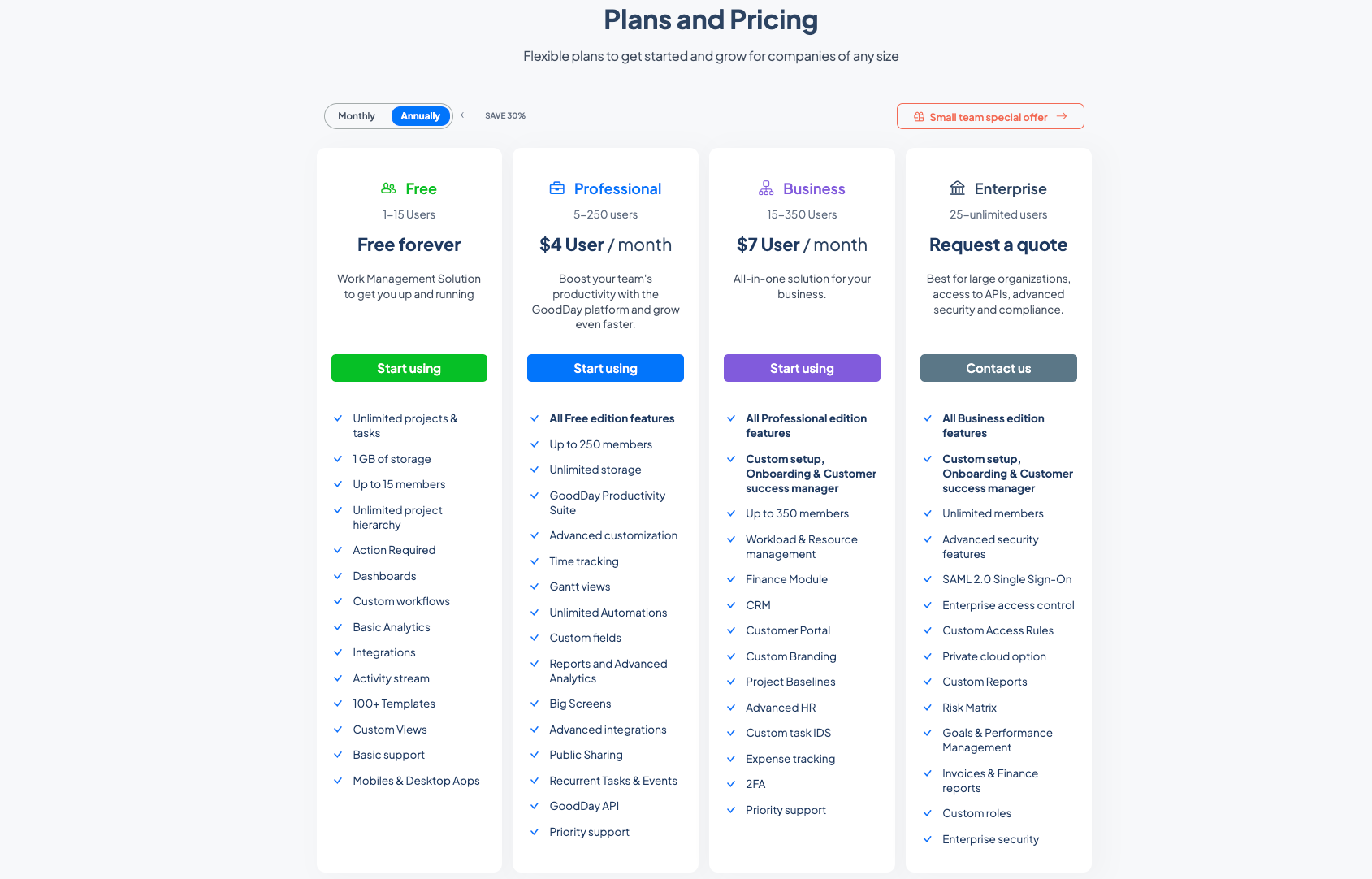
Image source: goodday.com
Update time: 2025.12.08
GoodDay offers a competitive pricing model tailored to meet the needs of various users, ranging from small startups to large enterprises. The pricing plans are divided into multiple tiers: Free, Professional, Business, and Enterprise. Each tier provides distinct features and support services designed to enhance project management capabilities and improve overall productivity.
Comparison of features included at different pricing tiers
Below is a breakdown of the features offered at each pricing tier, illustrating the scalability and versatility of GoodDay:
Free plan
Target audience: 1-15 users
Price: Free forever
Features:
- Unlimited projects and tasks
- Unlimited project hierarchy
- Dashboards and custom workflows
- Basic analytics and activity stream
- Access to over 100 templates
- Custom views and basic support
- Available on mobile and desktop apps
The Free Plan serves as a great entry point for small teams or individuals looking to manage their projects effectively without any initial investment.
Professional plan
Target audience: 5-250 users
Price: $4 per user/month
Features:
- All features from the Free plan
- Support for up to 250 members
- Unlimited storage options
- GoodDay productivity suite
- Advanced customization options
- Unlimited automations and custom fields
- Detailed reporting and advanced analytics
- Big screens support for enhanced visualization
- Advanced integrations and public sharing capabilities
- Recurrent tasks and events
- Access to the GoodDay API and priority support
This tier is aimed at growing teams wanting a more robust set of project management tools to boost productivity and expand their capabilities.
Business plan
Target audience: 15-350 users
Price: $7 per user/month
Features:
- All features from the Professional plan
- Custom setup and onboarding support
- Dedicated customer success manager
- Support for up to 350 members
- Finance module and customer relationship management (CRM)
- Customer portal and custom branding options
- Project baselines and advanced HR features
- Custom task IDs and expense tracking
- Two-factor authentication (2FA) and priority support
The Business Plan is designed as an all-in-one solution for organizations needing comprehensive project management and support.
Enterprise plan
Target audience: 25-unlimited Users
Price: Request a quote
Features:
- All features from the Business plan
- Custom setup, onboarding, and dedicated customer success manager
- Advanced security features, including SAML 2.0 Single Sign-On and enterprise access control
- Custom access rules and private cloud options
- Custom reports and risk matrix functionality
- Goals and performance management, along with invoices and finance reports
- Customized roles for enhanced security settings
The Enterprise Plan is tailored for large organizations requiring advanced security configurations and comprehensive project management controls.
Discussion on value for money in GoodDay project management
GoodDay provides a compelling value proposition, particularly for smaller teams and organizations. The Free Plan allows entry users to harness powerful project management tools without any financial commitment, enabling companies to start managing their projects effectively.
The flexible pricing structure ensures organizations can choose a plan that best fits their budget, while also gaining access to a suite of robust features. Smaller teams will find significant benefits in the Professional Plan, while larger organizations may see enhanced productivity and support through the Business and Enterprise Plans.
However, larger organizations should evaluate whether the features offered in each tier align with their extensive requirements, particularly regarding integration and customer support. Overall, GoodDay's pricing strategy allows for scalability, making it an attractive option for teams looking to grow their project management capabilities without overwhelming costs.
Try a real bargain with more featues
Pros and cons of GoodDay
Like any software, GoodDay has its advantages and disadvantages. Here's a quick overview.
Advantages of using GoodDay Software
- : GoodDay is designed with ease of use in mind. Its intuitive interface means that new users can get up to speed quickly without extensive training. This focus on simplicity ensures that teams can adopt the tool without enduring lengthy onboarding processes, allowing for a more seamless integration into daily workflows.
- Flexible pricing plans: GoodDay offers a variety of pricing options, making it accessible to teams of different sizes and budgets. Whether you are a startup or an established enterprise, there's a plan that can fit your needs. This flexibility is crucial for organizations that are scaling up or adjusting their project management processes, as it allows them to select a plan that matches their specific requirements without overspending.
- Customization options: Users can tailor GoodDay's functionalities to align with their , ensuring a personalized approach to project management. This level of customization allows teams to create a unique environment that fosters productivity by catering to their specific processes and methodologies.
Potential drawbacks or limitations
- Integration issues: While GoodDay has several integrations, some users have reported limitations in connecting with other popular tools commonly used by teams, such as advanced communication platforms and file sharing services. This can hinder overall productivity, as users may find themselves needing to switch between multiple applications, complicating workflows that ideally would be more streamlined. Many successful project management solutions emphasize seamless integration with a wide range of tools, enabling teams to maintain continuity in their work without unnecessary friction.
- Customer support challenges: Some users have expressed dissatisfaction with the responsiveness of GoodDay's customer support. In fast-paced environments, timely assistance is crucial, especially when teams face urgent questions or technical difficulties. Delays in support can lead to frustration and decreased productivity, as teams may struggle to resolve issues that directly impact their work. In contrast, some alternatives in the market excel in providing robust customer support, often offering multiple channels of communication, comprehensive help resources, and responsive assistance that can help users navigate challenges more effectively. Fast, reliable support is increasingly becoming a key factor for teams when selecting project management software, as organizations seek partners who can help them overcome hurdles swiftly.
Overall, while GoodDay presents a robust platform with notable strengths, particularly in its user-friendly design, flexible pricing, and customization capabilities, potential users should carefully consider the integration limitations and customer support responsiveness. Evaluating these aspects against the offerings of competing solutions can help teams make a more informed decision about whether GoodDay is the for their needs.
Tired of GoodDay's shortcomings?
User reviews of GoodDay
Gathering user feedback is crucial in assessing any software. Below are some authentic reviews sourced from G2 and Reddit, highlighting both positive and negative experiences with GoodDay.
Positive reviews
Negative reviews
These reviews reflect a mixed response from users, with many praising GoodDay's ease of use and functionality while acknowledging areas for improvement, particularly regarding customer service and integrations.
Modern alternatives to GoodDay
While GoodDay presents a strong option for project management, it's essential to consider modern alternatives that may offer enhanced functionalities or a more cohesive experience. Here, we explore 4 other powerful project management tools as leading options.
1. Lark
is a comprehensive collaboration tool designed as a modern alternative to GoodDay, standing out with its seamless combination of various productivity features into a single platform. By addressing the multifaceted needs of teams, Lark and efficiency across all stages of project management.
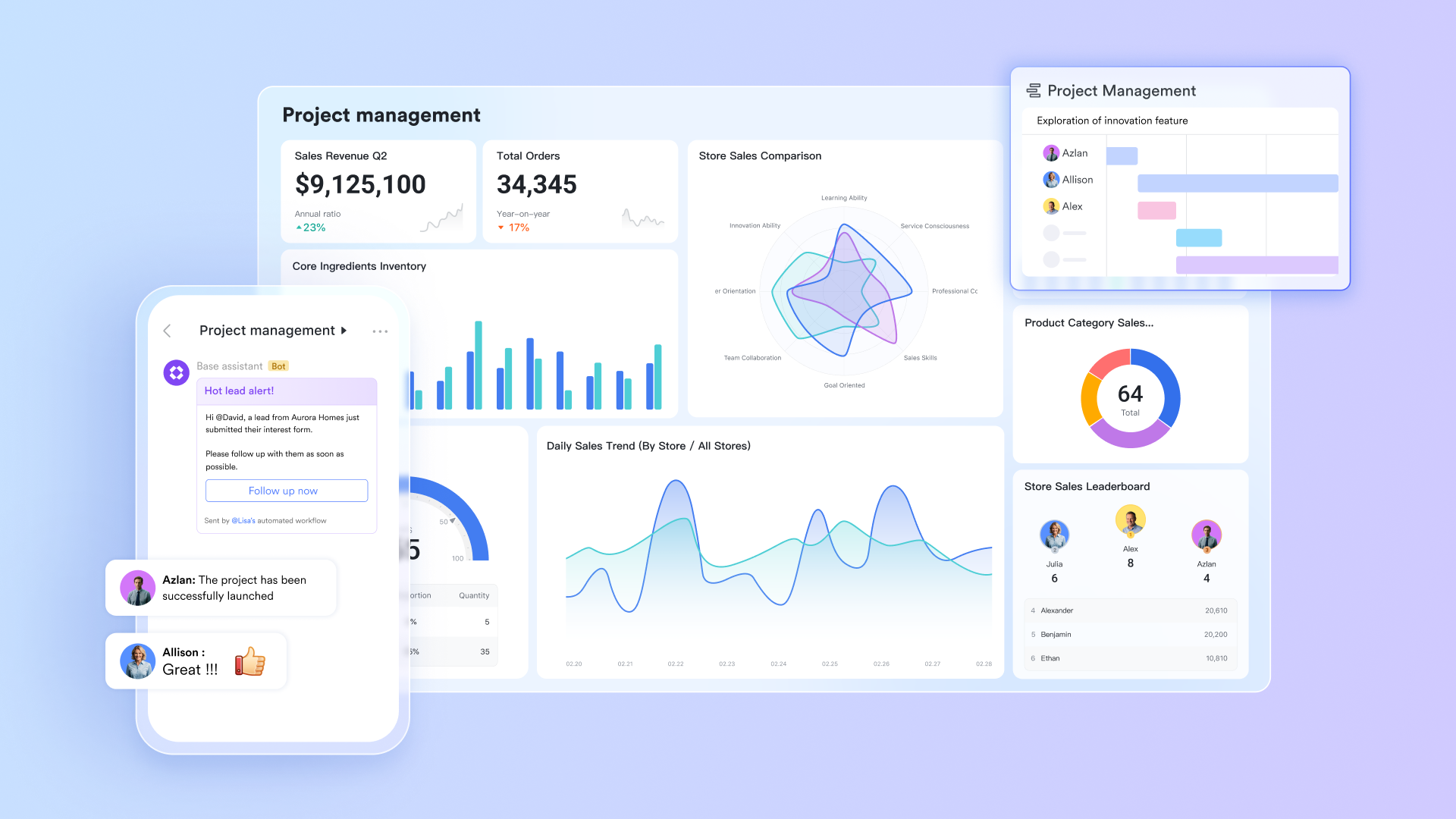
Why it's a good alternative
Lark's all-in-one platform combines essential productivity tools, making it a compelling option for teams looking for simplification without sacrificing functionality. Key highlights of Lark include:
- Unified tools: Combines chat, document creation, , and into one cohesive interface, reducing the need to switch between multiple applications.
- Real-time collaboration: Facilitates live edits on documents and projects, allowing multiple team members to collaborate simultaneously, regardless of location.
- : Designed for ease of use, Lark's intuitive layout and functionalities make it accessible to all team members, irrespective of their technical skills.
What it can do where GoodDay cannot
While GoodDay offers valuable project management features, Lark introduces several advanced functionalities that significantly enhance user experience and productivity:
Centralized documentation and task management
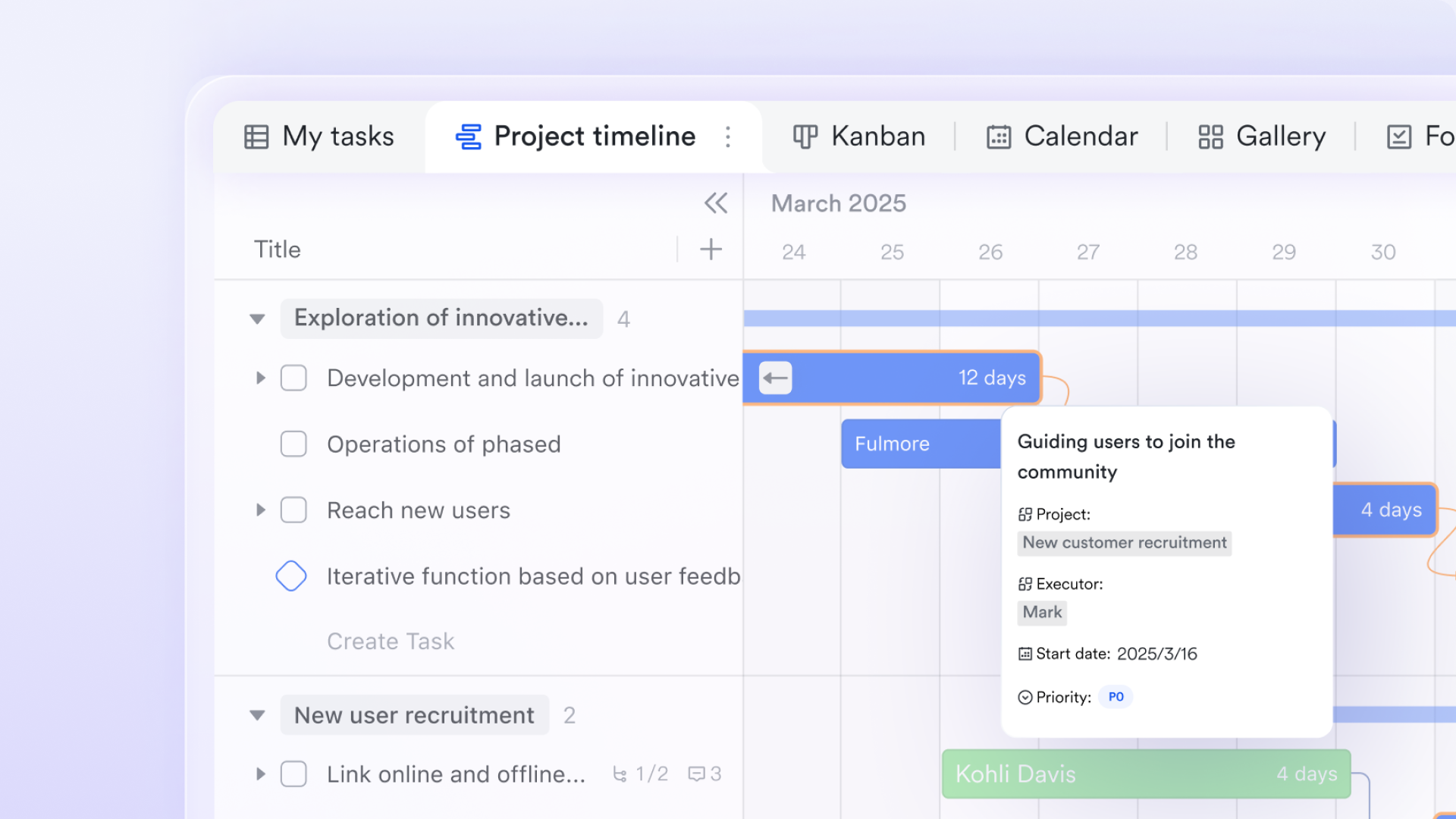
effectively addresses the challenges posed by scattered project information across multiple platforms, a common drawback of GoodDay. Fragmented documentation often results in wasted time searching for the latest file versions and creates communication gaps.
By centralizing project documentation and tracking, Lark Base allows teams to create tailored to specific project types. This includes fields for tracking task status, ownership, and deadlines. The platform supports various viewing options, such as for workflow visualization and calendar views for deadline management. Additionally, automated features trigger notifications for approaching deadlines and automatically update task statuses, significantly improving project oversight and reducing the risk of missed deadlines.
AI-powered features:
- : Automatically generates concise summaries after meetings, alleviating the manual effort of note-taking and ensuring critical information is recorded and easily accessible.
- Smart suggestions: Lark's AI can analyze patterns and suggest optimal times for meetings or task assignments based on past interactions.
Enhanced document collaboration
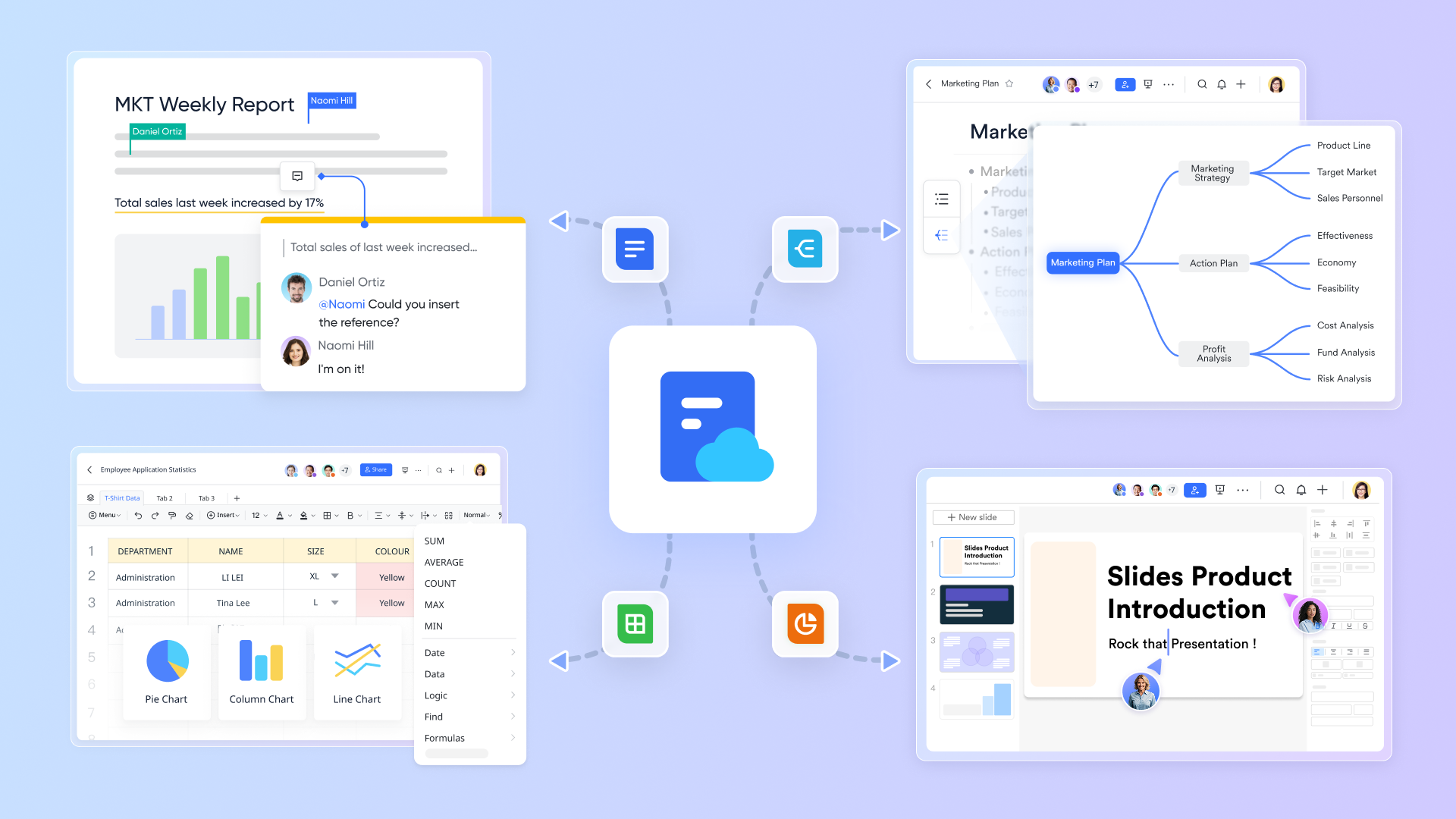
- : Users can work on documents simultaneously, with changes visible to all participants, fostering immediate feedback and iteration.
- Version control: Keeps track of document changes, allowing teams to revert to previous versions if necessary, securing the collaborative process.
Robust communication tools
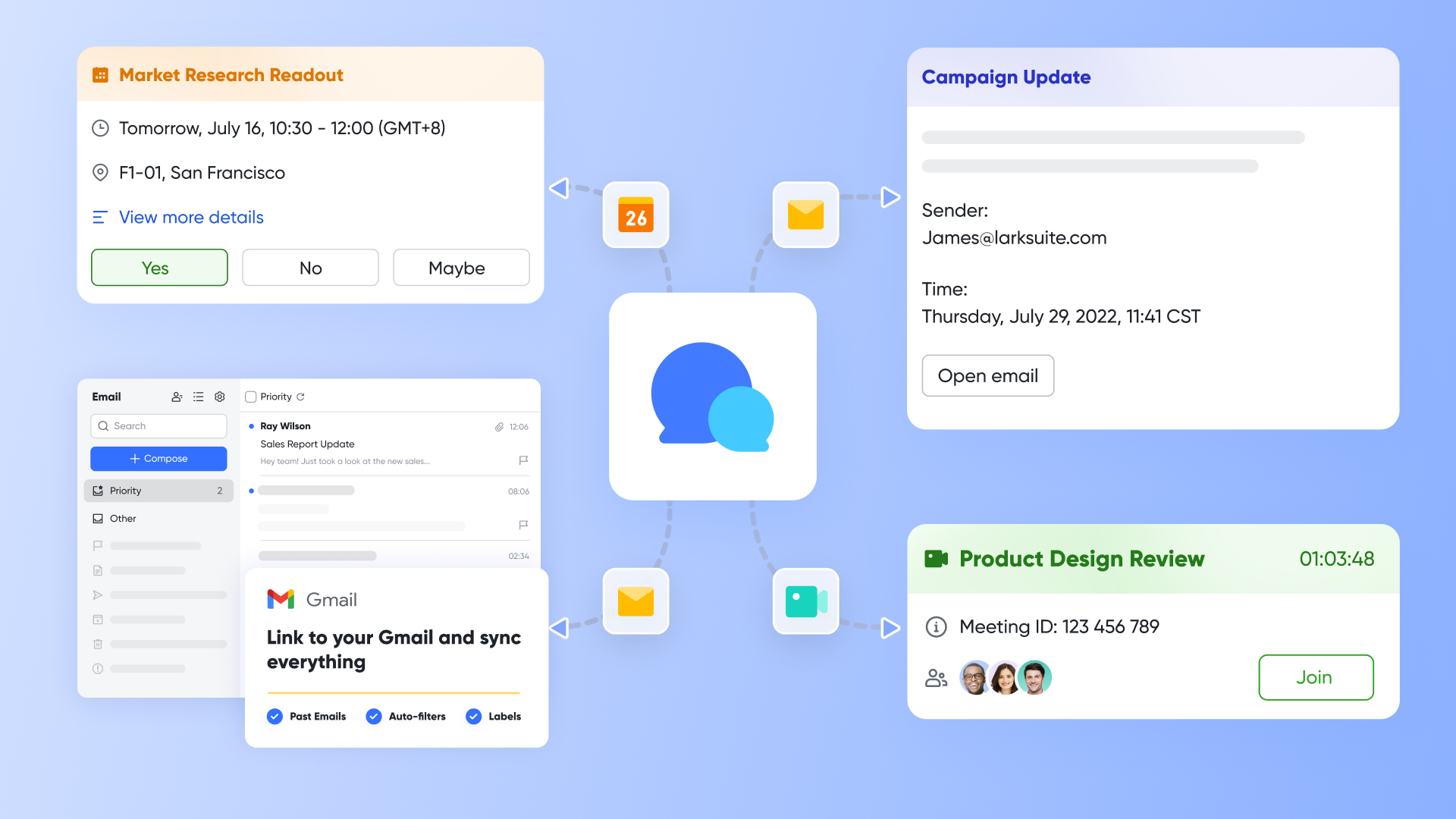
- Built-in video conferencing: Supports seamless video calls within the platform, eliminating the need for external tools and simplifying communication.
- : Offers customizable channels for different teams or projects, helping to reduce information overload and enhance focused discussions.
Comprehensive task management
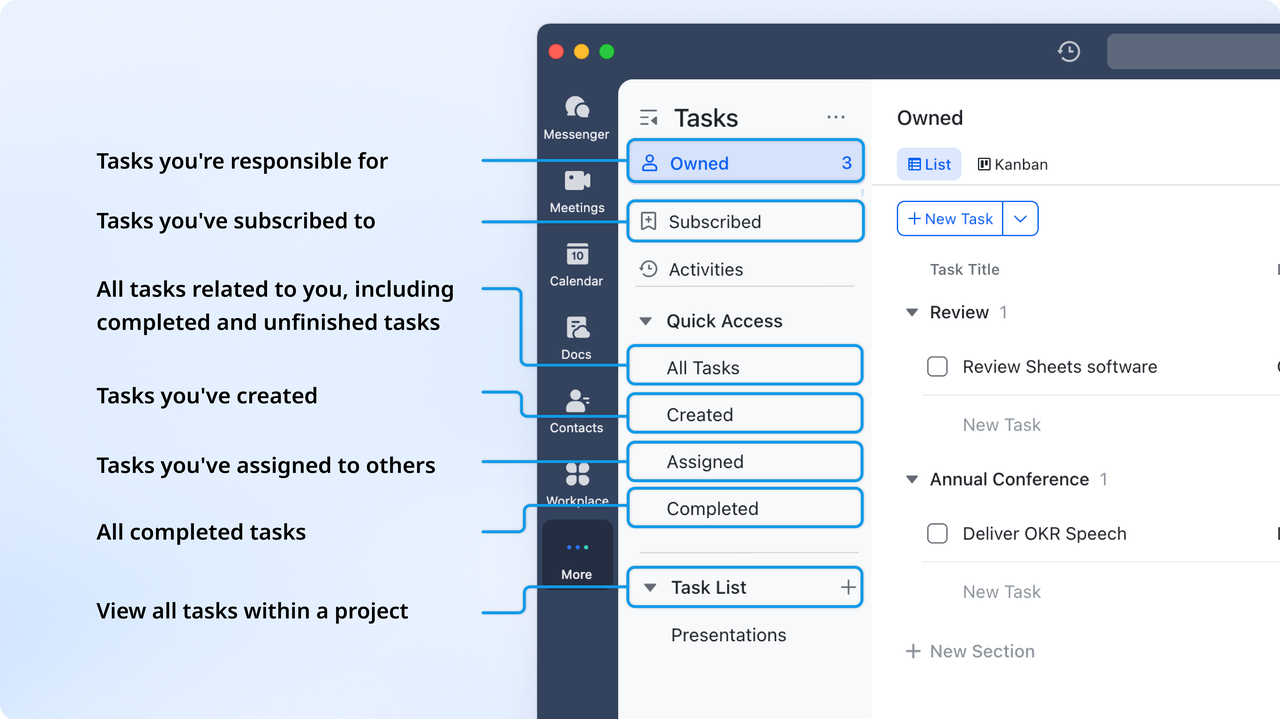
- Task dependencies: Enables teams to set dependencies between tasks, which helps in effectively managing timelines and priorities.
- Customizable : Users can create personalized dashboards to track metrics and project progress in a way that fits their operational needs.
:
- Starter plan: Free forever plan with 11 powerful tools for up to 20 users, 100GB storage, 1,000 automation runs, AI translations, and more. No credit card needed.
- Basic plan: $6/user/month (billed annually) for up to 500 users. Includes everything in Starter plus unlimited message history, 5TB storage, 1,000 automation runs, and more. Some users may need to to purchase.
- Pro plan: $12/user/month (billed annually) for up to 500 users. Includes everything in Basic plus group calling for up to 500 attendees, 15TB storage, 50,000 automation runs, and more.
- Enterprise plan: for custom pricing. Supports unlimited users and includes advanced automation, security, compliance, and management features.
For small teams with simple communication needs

18 months message history
1000 Base automation runs/month
2000 rows per table in Base
Most POPULAR
For companies with comprehensive collaboration and management needs
Unlimited message history
500-participant video meetings
50k Base automation runs/month
20k rows per table in Base
For large companies with advanced security and organizational management needs
Get a personalized demo and pricing
Unlimited message history
500-participant video meetings
15 TB storage + 30 GB storage/user
500k Base automation runs/month
50k Base automation runs/month
Most POPULAR
For companies with comprehensive collaboration and management needs
Unlimited message history
500-participant video meetings
50k Base automation runs/month
20k rows per table in Base
: Switching to Lark's Pro plan can lead to significant cost savings— for example, a 100-employee company using Slack, Google Workspace, and Airtable could save approximately $19,800 annually by consolidating their tools with Lark.
For more Google Workspace's information, you can refer to and .
2. Asana
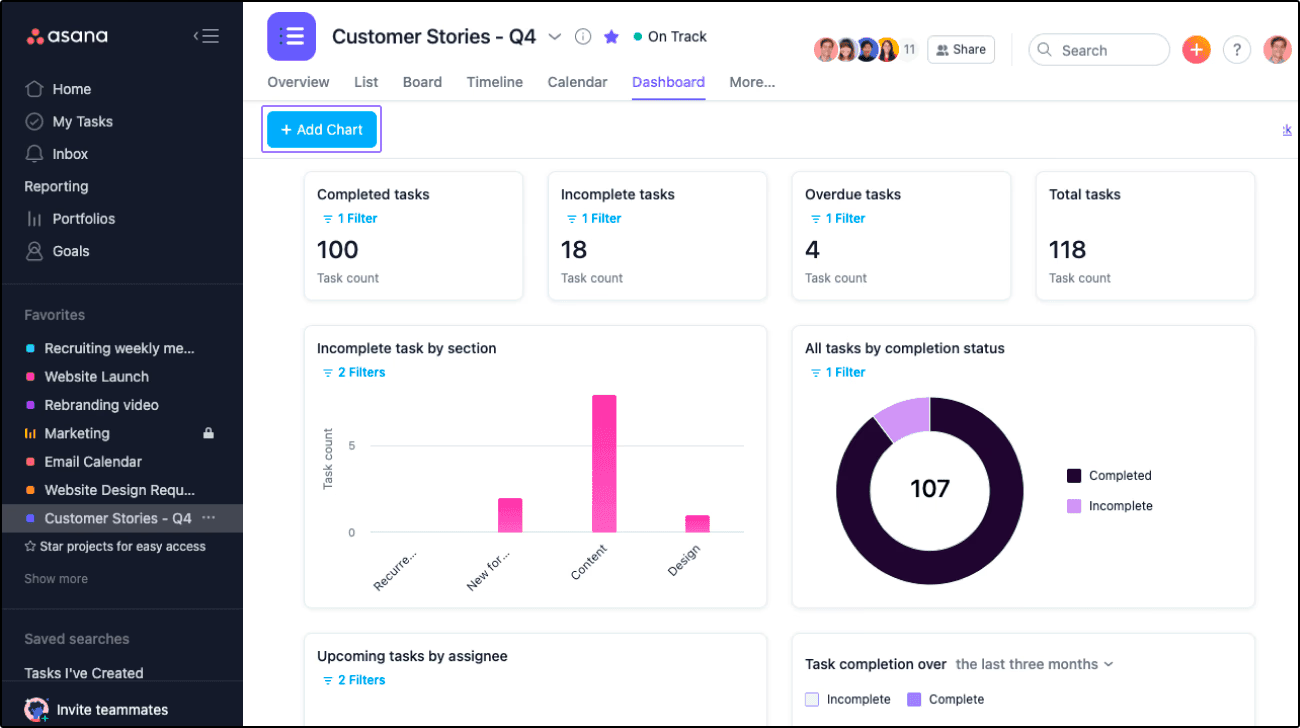
Image source: asana.com
Asana is a popular project management tool designed to improve team collaboration and project tracking. With its emphasis on visual organization and task management, Asana streamlines workflows, making it easier for teams to stay focused and aligned on their goals.
Why it's a good alternative
Asana distinguishes itself with a visually driven interface that emphasizes clarity and organization. Its task management features are intuitive, making project tracking straightforward and efficient. Users can create tasks, set deadlines, and assign responsibilities without navigating through complicated menus, which helps maintain focus on project goals.
What it can do where GoodDay cannot
Asana allows for more advanced project visualization options, including multiple view types: list view for a straightforward task overview, board view for kanban-style management, and calendar view for deadline tracking. This flexibility in presentation caters to diverse user preferences and team dynamics, enabling members to interact with projects in the way that suits them best. For instance, teams that thrive on visual cues may prefer the board layout, while those needing detailed task tracking may favor the list view. Additionally, Asana integrates with a wide range of other tools and services, which can enhance its utility across various contexts and minimize disruptions in workflow.
3. Trello
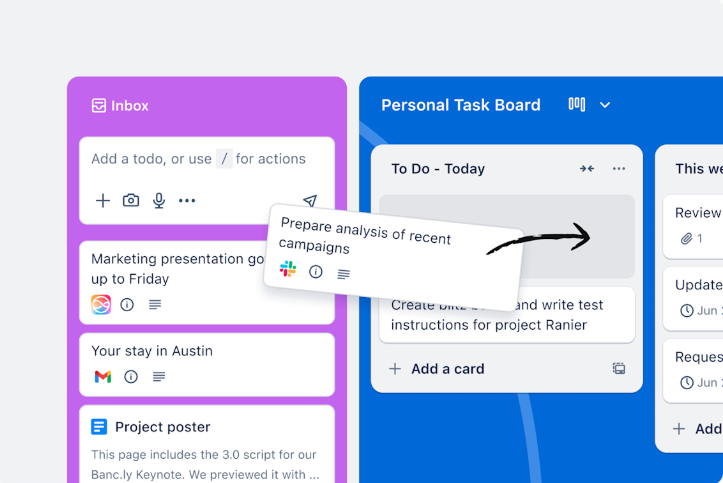
Image source: trello.com
Trello is an easy-to-use project management tool that utilizes a card-based system to help teams visualize their tasks and projects in a structured format. Known for its simplicity and intuitive interface, Trello facilitates effective task management and collaboration among team members.
Why it's a good alternative
Trello employs a card-based system that offers a visually appealing and highly accessible means to manage tasks. Its interface is straightforward, allowing users to create boards for different projects and populate those boards with visually distinct cards representing individual tasks. This design not only makes it easy to see the status of tasks at a glance but also allows for straightforward organization.
What it can do where GoodDay cannot
Trello excels in simplicity and ease of use, particularly for teams that prefer kanban-style boards. Its drag-and-drop functionality empowers users to move tasks between lists effortlessly, enabling teams to adapt their processes dynamically in response to changes in priorities or other workflow needs. This flexibility can significantly enhance team agility, as members can quickly re-prioritize tasks without the need for extensive planning or discussions. Furthermore, Trello's integration capabilities allow it to connect seamlessly with a variety of applications, enriching its functionality and allowing for a more integrated approach to project management.
4. ClickUp
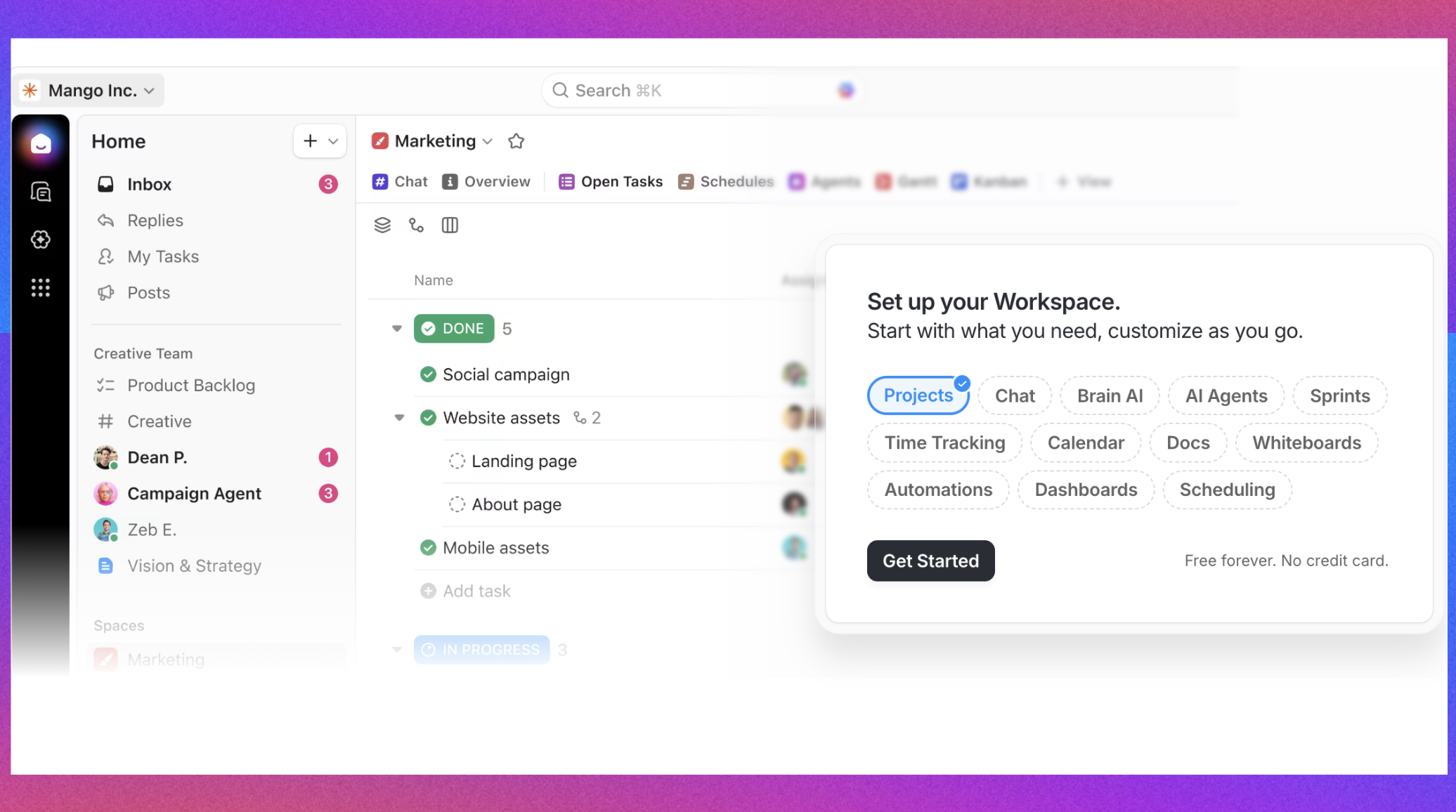
Image source: clickup.com
ClickUp is a highly versatile project management platform known for its extensive customization options and wide array of features. By combining various tools into one platform, ClickUp caters to different project management methodologies and team preferences, making it suitable for organizations of all sizes.
Why it's a good alternative
ClickUp is known for its high degree of customization, making it an excellent choice for teams that require extensive feature sets. Its adaptability allows teams from various disciplines—such as marketing, software development, and operations—to tailor their workspaces to meet their specific needs effectively. With a range of tools encompassing task management, document sharing, goal tracking, and time management, ClickUp positions itself as a one-stop solution for project management.
What it can do where GoodDay cannot
ClickUp offers comprehensive features such as goal tracking and time management, which allow teams to link individual tasks to larger project objectives effectively. This feature is complemented by powerful time tracking tools that help teams account for work hours against project timelines and budgets. Additionally, ClickUp supports unlimited integrations with various third-party applications, enabling teams to incorporate preferred tools directly into their workflow. This flexibility not only enhances productivity but also ensures that teams can maintain continuity across different platforms. Furthermore, the rich reporting capabilities provided by ClickUp allow teams to analyze performance metrics in detail, facilitating informed decision-making and ongoing improvement throughout projects.
For more information? 👉
Conclusion
In summary, GoodDay presents a solid option for teams looking for a user-friendly and customizable project management tool. Its task management capabilities, scheduling tools, and robust reporting features make it suitable for a variety of industries. However, potential users should be aware of its limitations, particularly regarding customer support and integration with other tools.
For teams seeking a modern and comprehensive collaboration platform, Lark stands out as an excellent alternative, offering unique tools that enhance productivity without the need for multiple software applications. Ultimately, the best choice will depend on your team's specific needs, workflow preferences, and growth aspirations.
In conclusion, while GoodDay may work well for many, exploring alternatives like could provide the enhanced functionality and support that teams require in today's fast-paced environment.
Embark on your fresh journey in Lark
FAQs
Can I trust glowday reviews?
While many reviews can provide insights into Glowday's services, always approach them with caution. Look for patterns in multiple reviews for a clearer picture, and consider checking independent sources for a balanced view.
How to use Goodday?
To use GoodDay, sign up for an account, set up your team and projects, and create tasks for each project. Familiarize yourself with its features like time tracking and collaboration tools through the onboarding tutorial.
Is NewDay a good company?
NewDay's reputation varies based on individual experiences. It is advisable to read multiple reviews and testimonials to gauge customer satisfaction, employee feedback, and overall performance before making assumptions.
What is Goodday DB?
GoodDay DB is a database feature within GoodDay that helps users organize and manage data concerning projects and tasks. It provides a structured way to store information, enhancing collaboration and task management.
Related reading
























