Managing inventory accurately is critical for any business—whether you're running a retail store, a warehouse, a restaurant, or managing office assets. A well-structured inventory checklist template helps teams standardize stock tracking, reduce human errors, and maintain clear visibility over inventory levels. Without a reliable checklist, businesses often struggle with mismatched counts, lost items, and delayed replenishment decisions.
In this guide, you'll learn what makes an effective inventory checklist, key fields to include, how to create one that teams actually use, and when to move beyond basic spreadsheets. You'll also explore ready-to-use examples tailored for different industries and discover how tools like Lark can simplify and automate inventory tracking at scale.
What is an inventory checklist template?
An inventory checklist template is a used to record, verify, and manage stock items during inventory audits or routine checks. It provides a standardized format for capturing key details, including item names, stock-keeping units (SKUs), storage locations, expected quantities, counted quantities, and any discrepancies. By following a checklist, teams can ensure consistency in how inventory is tracked, reducing the chances of missed items or inaccurate counts. Many businesses start with an inventory checklist template free download to quickly implement a reliable tracking system without additional setup costs.
This template can be used across industries, including retail, warehousing, food service, and asset management, to and support better decision-making. It also helps assign accountability by including fields for the person responsible and the check date. Whether maintained in Excel, Google Sheets, or a digital platform, an inventory checklist template simplifies inventory control and improves overall operational efficiency.
Key fields in an inventory checklist template for accurate audits
An effective inventory checklist ensures every audit is consistent, complete, and easy to follow. Including the right fields helps teams capture accurate data, identify discrepancies quickly, and maintain accountability. A well-designed structure also improves usability across tools and teams.
- Item name and SKU: This field uniquely identifies each product with a clear name and SKU. It eliminates confusion between similar items and ensures . A well-structured inventory checklist template in Word format makes it easy to standardize naming conventions.
- Location or bin number: Recording the exact storage location helps teams find and verify items quickly during audits. It reduces time spent searching and improves operational efficiency. Many teams prefer an template in Google Sheets format for easy updates across locations.
- Expected quantity: This field captures the system-recorded stock level at the start of the audit. It acts as a benchmark for comparison with physical counts. A reliable checklist inventory template ensures expected values are always visible and up to date.
- Counted quantity: Counted quantity reflects the actual number of items physically present during the audit. This step is critical for identifying mismatches at stock levels. Using an inventory checklist template, the free version helps teams standardize counting processes without added costs.
- Variance: Variance measures the difference between expected and observed counts, highlighting discrepancies. This helps teams quickly identify shrinkage, errors, or misplaced stock. A structured inventory checklist template in Word improves clarity when analyzing these differences.
- Condition status: This field records whether items are in good, damaged, or expired condition. It ensures quality control alongside quantity tracking. Teams using an inventory checklist template in Google Sheets can easily categorize and filter condition statuses.
- Checked by and date: Including the checker's name and date ensures accountability and traceability of each audit. It helps track who performed the check and when it was completed. A clear checklist inventory template supports audit history and compliance requirements.
Accelerate your inventory workflows with Lark today
Inventory checklist template examples by use case
Inventory checklist templates vary depending on the industry, inventory type, and audit purpose. Different use cases require tailored fields and formats to ensure accurate tracking and compliance. Many teams begin with an inventory checklist template Excel format for flexibility and ease of customization, then adapt it to fit their operational workflows. The examples below highlight how templates can be adjusted to meet specific needs.
Ready-to-use Lark inventory checklist templates help teams get started quickly without building systems from scratch. These templates are designed for different use cases, including retail, warehouse, and asset tracking. They come with pre-built fields, workflows, and views to simplify inventory management from day one. By using Lark templates, teams can standardize processes, improve accuracy, and scale operations more efficiently.
Inventory management
The inventory management template provides a structured way to track stock levels, item details, and movement across locations. It includes essential fields and views for monitoring availability, updating quantities, and managing inventory efficiently. This template helps teams maintain accurate records, reduce errors, and improve overall stock control.
Order & inventory management
The order & inventory management template helps teams track orders and inventory levels in a single unified system. It connects order data with stock updates to ensure accurate fulfillment and prevent overselling. This template improves visibility, , and supports efficient order processing.
Office inventory management
The office inventory management template helps track equipment, supplies, and assets across departments and locations. It provides clear visibility into item usage, availability, and condition to prevent loss or overstocking. This template supports better organization, accountability, and efficient resource management.
Orders & inventory
The orders & inventory template helps track incoming and outgoing orders alongside real-time stock levels. It ensures accurate synchronization between sales and inventory to prevent stockouts or overstocking. This template improves visibility, streamlines fulfillment, and supports efficient inventory control. Inventory management
The inventory management template helps track stock levels, item details, and movements across locations in a structured way. It provides clear visibility into availability, ensuring timely updates and better stock control. This template supports accurate tracking, reduces errors, and improves overall inventory efficiency.
Inventory inbound & outbound management
The inventory inbound & outbound management template helps as items enter and leave inventory. It records details such as quantities, dates, and sources or destinations for complete visibility. This template improves accuracy, streamlines logistics, and ensures better control over inventory flow.
Garment inventory management system
The garment inventory management system template helps track apparel stock by size, color, and style across locations. It provides clear visibility into variations, stock levels, and movement to prevent mismatches. This template supports accurate tracking, efficient restocking, and better control over fashion inventory.
Inventory sheet
The inventory sheet template provides a simple and organized way to record item details, quantities, and locations. It helps teams maintain and update records consistently. This template is ideal for basic tracking, error reduction, and improved inventory organization.
Marketing material inventory list for marketing material coordinators
The marketing material inventory list template helps coordinators track brochures, banners, and promotional assets across campaigns and locations. It provides visibility into quantities, usage, and availability to prevent shortages during events or launches. This template supports better planning, reduces waste, and ensures marketing materials are always ready when needed.
Retail inventory checklist template for daily stock verification
A checklist template for daily stock verification helps stores quickly track fast-moving items, compare expected and actual quantities, and identify discrepancies early. It streamlines routine checks during opening and closing, ensuring shelves remain well-stocked and organized. By maintaining consistent daily tracking, teams can prevent stockouts, reduce shrinkage, and improve overall inventory accuracy.
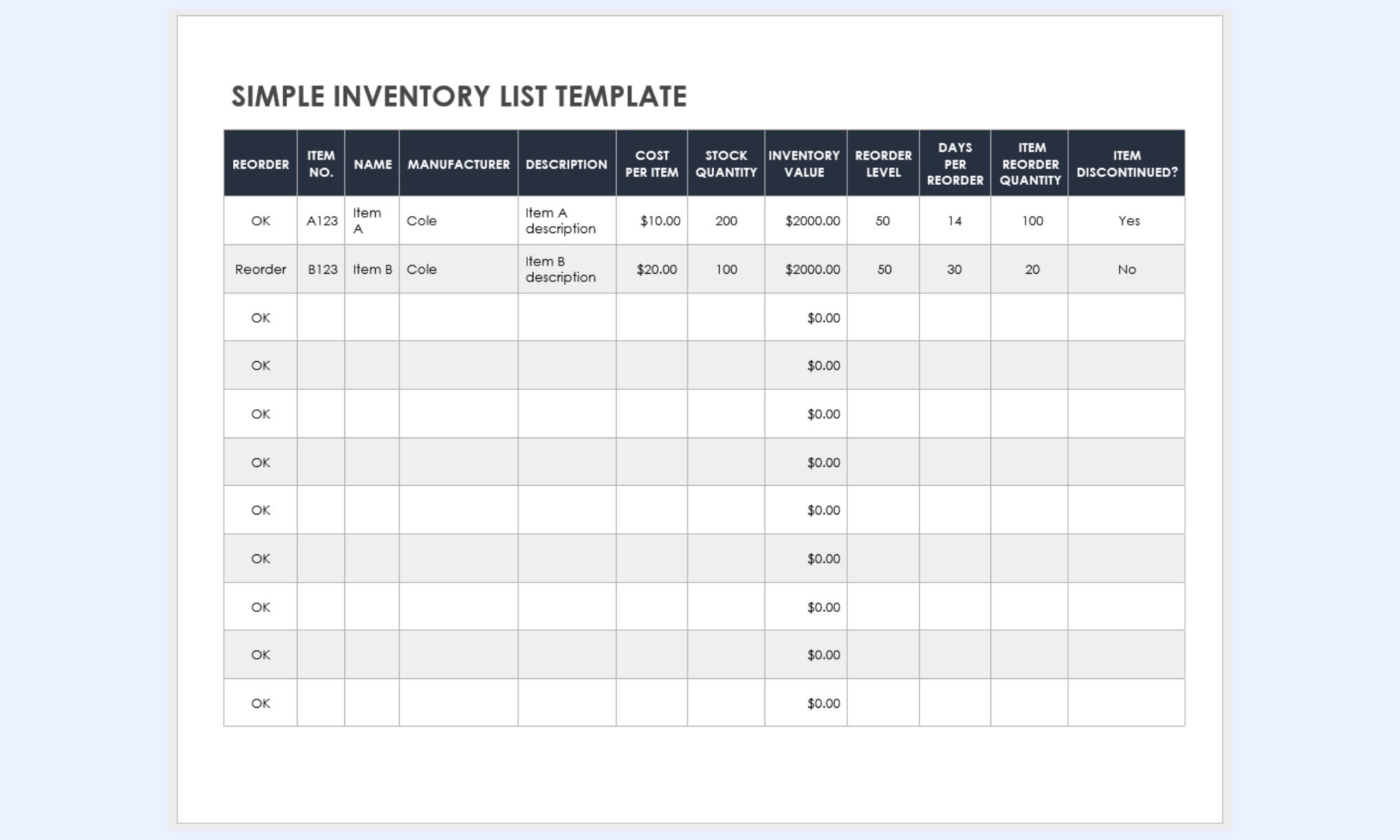
Image source: smartsheet.com
Warehouse inventory checklist template for location-based audits
A checklist template for location-based audits helps track stock across bins, racks, and zones with precise location tagging. It enables teams to verify quantities efficiently while minimizing search time in large storage spaces. By organizing audits by location, warehouses can improve accuracy, reduce picking errors, and streamline overall inventory operations.
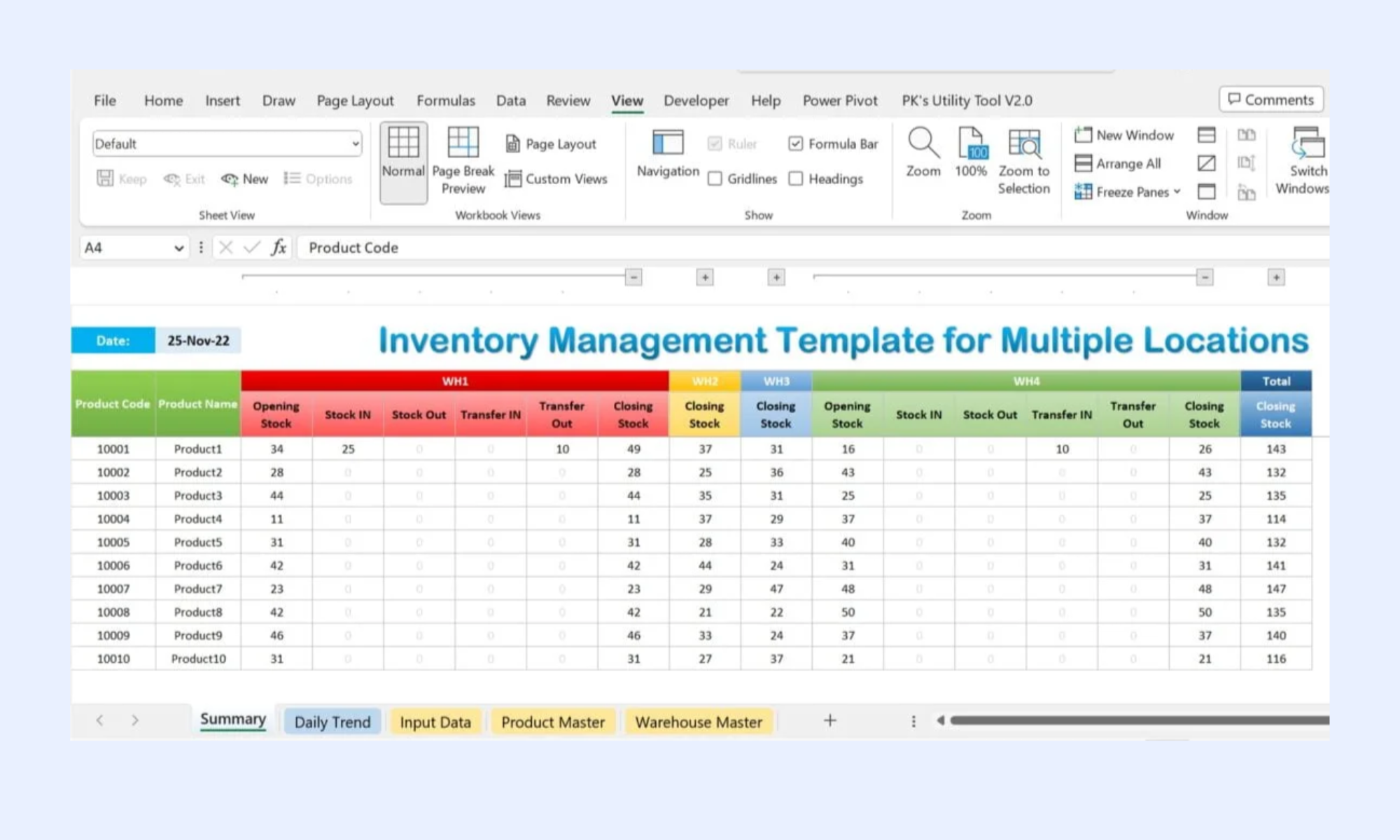
Image source: pk-anexcelexpert.com
Food inventory checklist template for expiry and compliance tracking
A food inventory checklist template for expiry and compliance tracking helps monitor stock freshness, expiration dates, and storage conditions to ensure compliance with safety standards. It enables teams to quickly identify near-expiry or expired items, reducing waste and avoiding compliance risks. By maintaining consistent checks, businesses can ensure food quality, regulatory adherence, and efficient stock rotation.
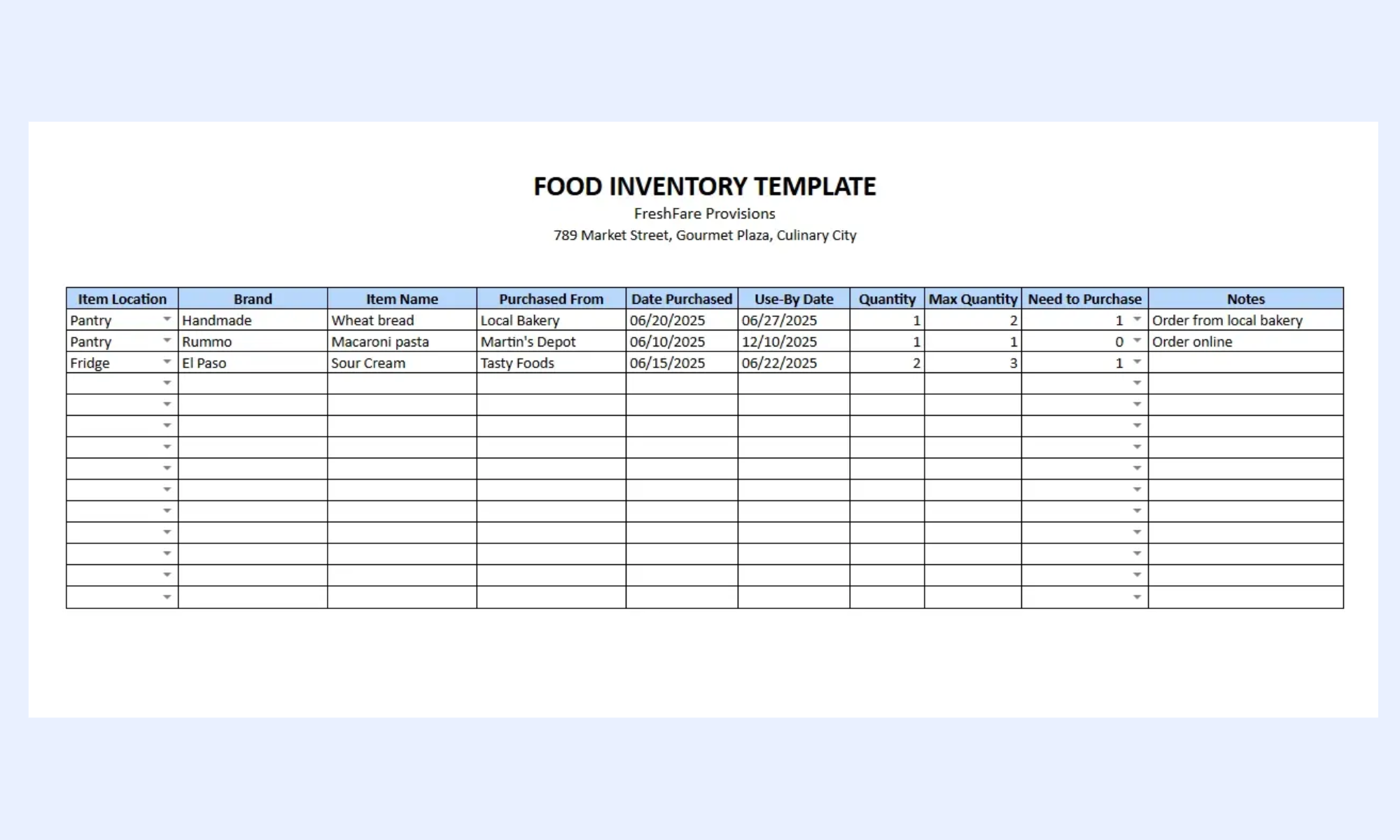
Image source: xappex.com
Asset inventory checklist template for equipment and IT tracking
An asset inventory checklist template for equipment and IT tracking helps organizations monitor physical assets such as laptops, machinery, and office equipment, with clear records of ownership and status. Many teams use an inventory checklist template Google Sheets format to enable real-time updates and shared access across departments. It includes details such as asset IDs, locations, conditions, and assigned users to ensure accountability. By using a structured checklist, teams can reduce loss, plan maintenance, and maintain accurate asset records.
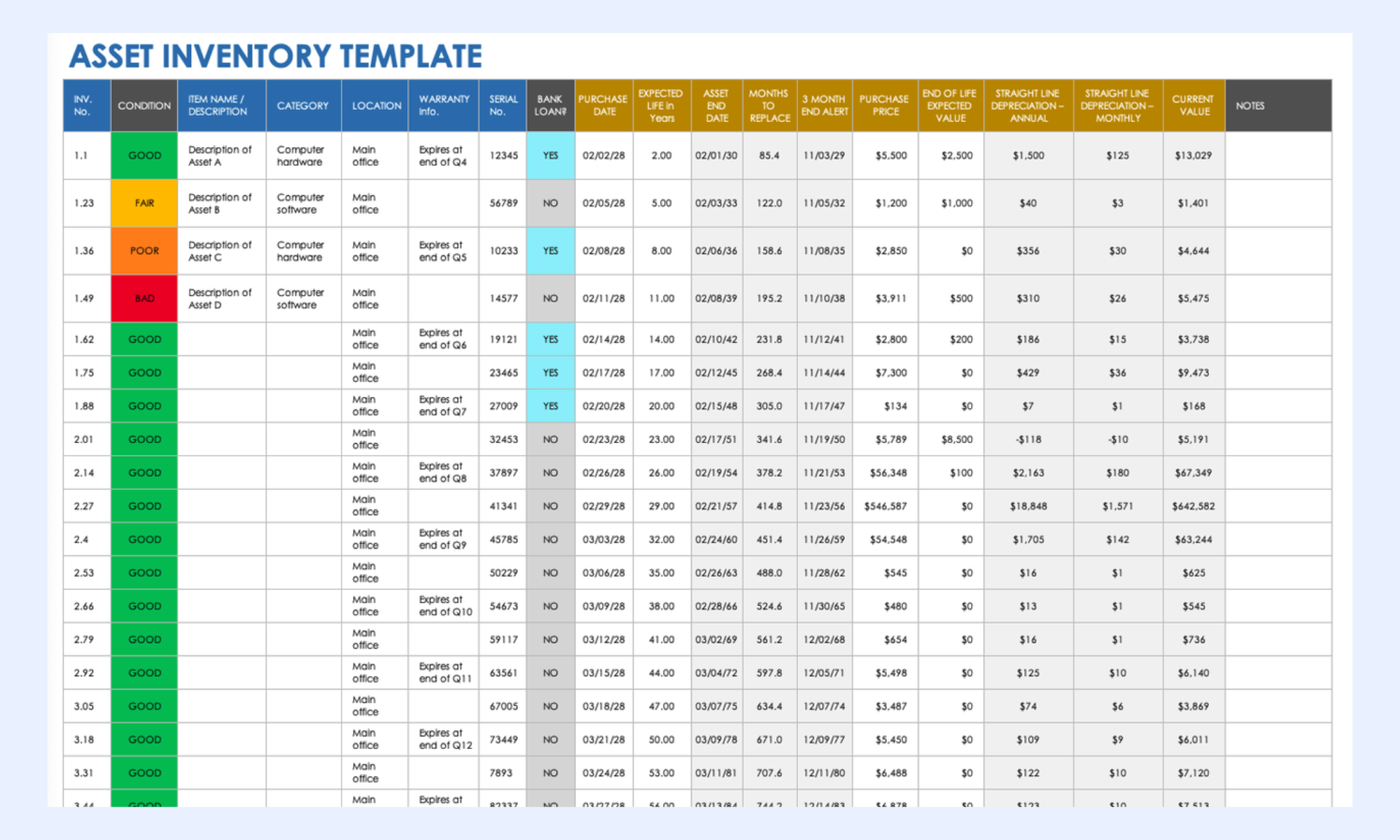
Image source: smartsheet.com
Event inventory checklist template for temporary stock tracking
An event inventory checklist template for temporary stock tracking helps manage items used for short-term events such as booths, equipment, or promotional materials. It tracks items issued and returned, and their condition before and after the event, to prevent loss or damage. By using a structured checklist, teams can ensure smooth coordination, accurate tracking, and efficient post-event reconciliation.
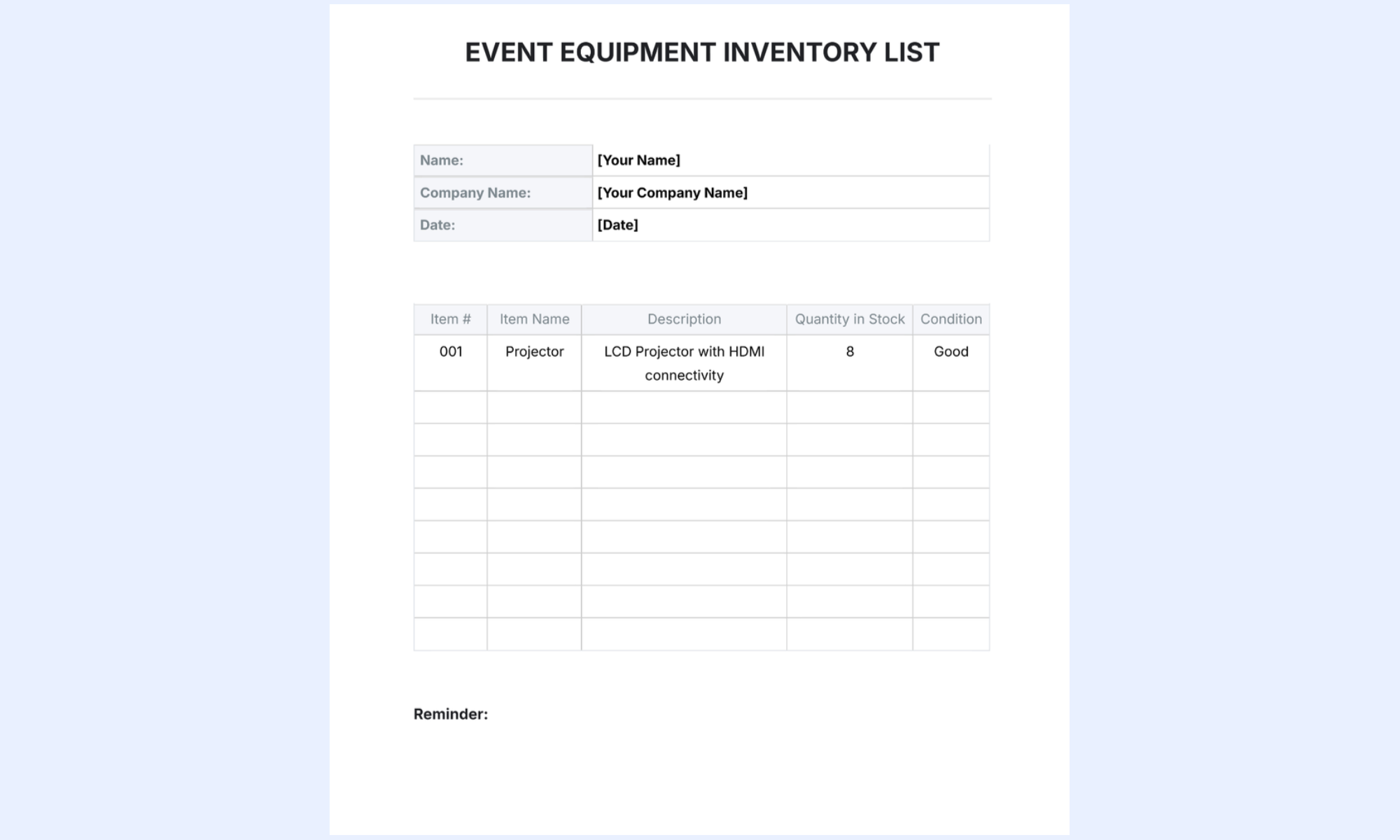
Image source: template.net
Modern choice: Eliminate inventory silos with streamlined workflows in Lark
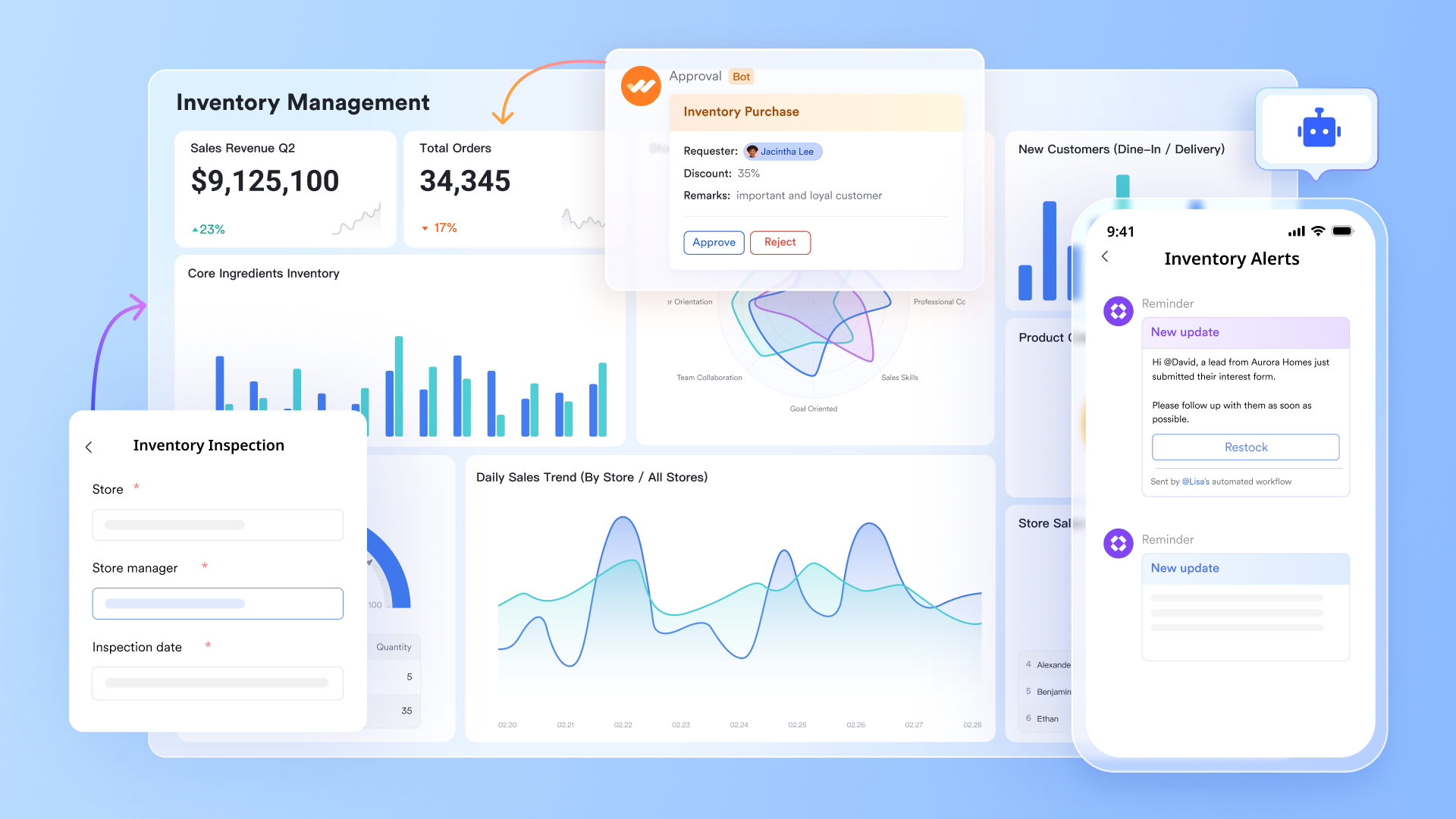
offers a more advanced approach to inventory checklist management by combining data tracking, automation, and team collaboration on a single platform. Instead of relying on static spreadsheets, teams can manage inventory with real-time updates and . Lark also supports customizable templates, dashboards, and automation to streamline inventory processes at scale. As businesses grow, they provide the flexibility and visibility needed to manage complex inventory operations efficiently.
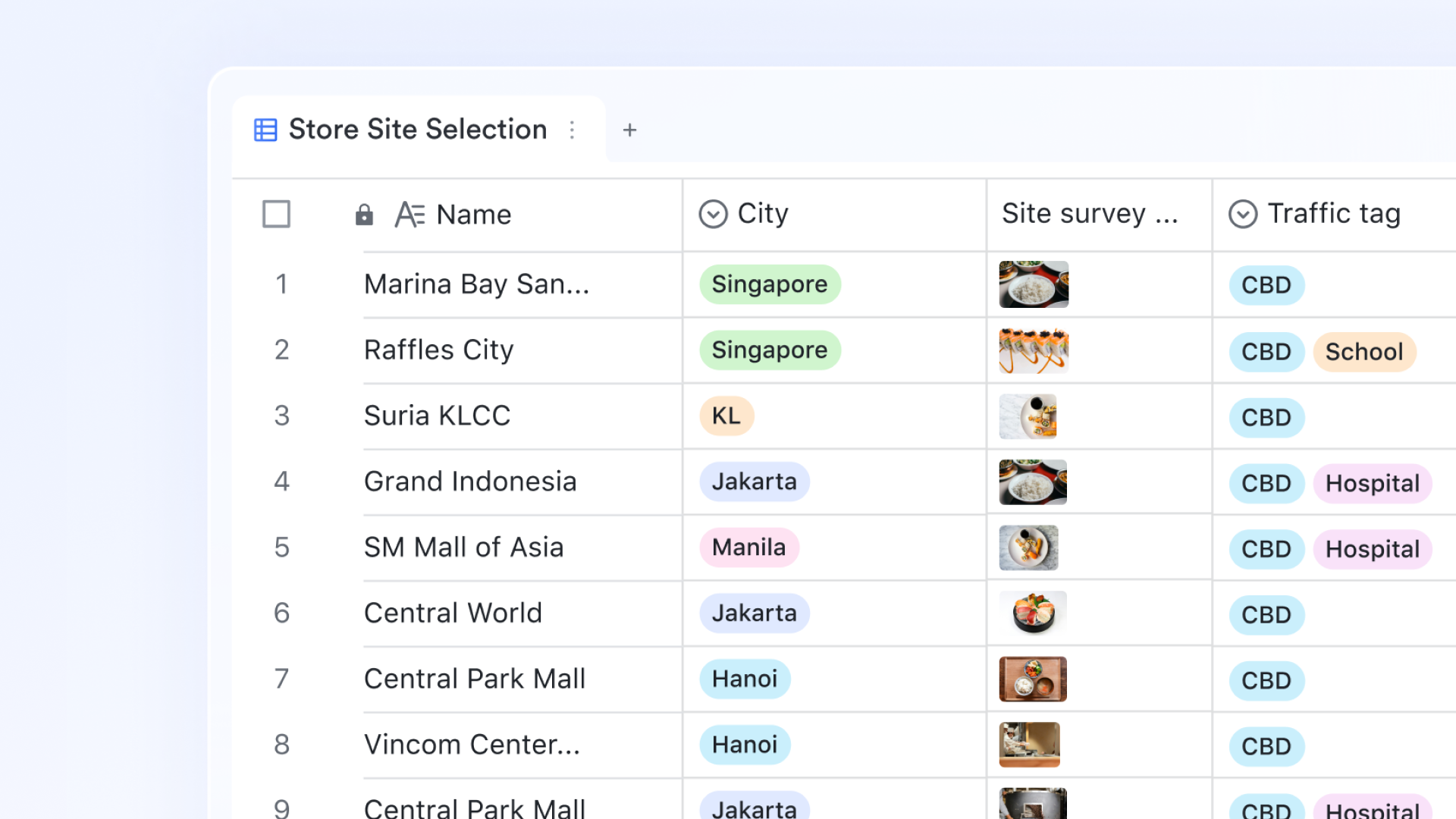
Structured inventory management with connected data tables
organizes inventory data into dedicated tables—such as product catalogs, stock levels, and order records—and connects them to maintain accuracy without duplication. It also supports flexible field types and views. For instance, Lookup fields pull real-time stock data into related records, and barcode fields enable mobile devices to function as scanners. For easier organization, option fields enable like Kanban or Gallery, helping teams filter and manage inventory more efficiently.
Real-time stock visibility with dynamic dashboards
Lark Base dashboards provide a live view of inventory performance and stock levels. Metric blocks display key data such as available inventory, low-stock items, and order activity, updating automatically as changes occur. For deeper insights, dashboards include options, including pivot tables that highlight trends, totals, and patterns across inventory data. This helps teams make faster, data-driven decisions on restocking, purchasing, and inventory optimization without relying on manual reports. 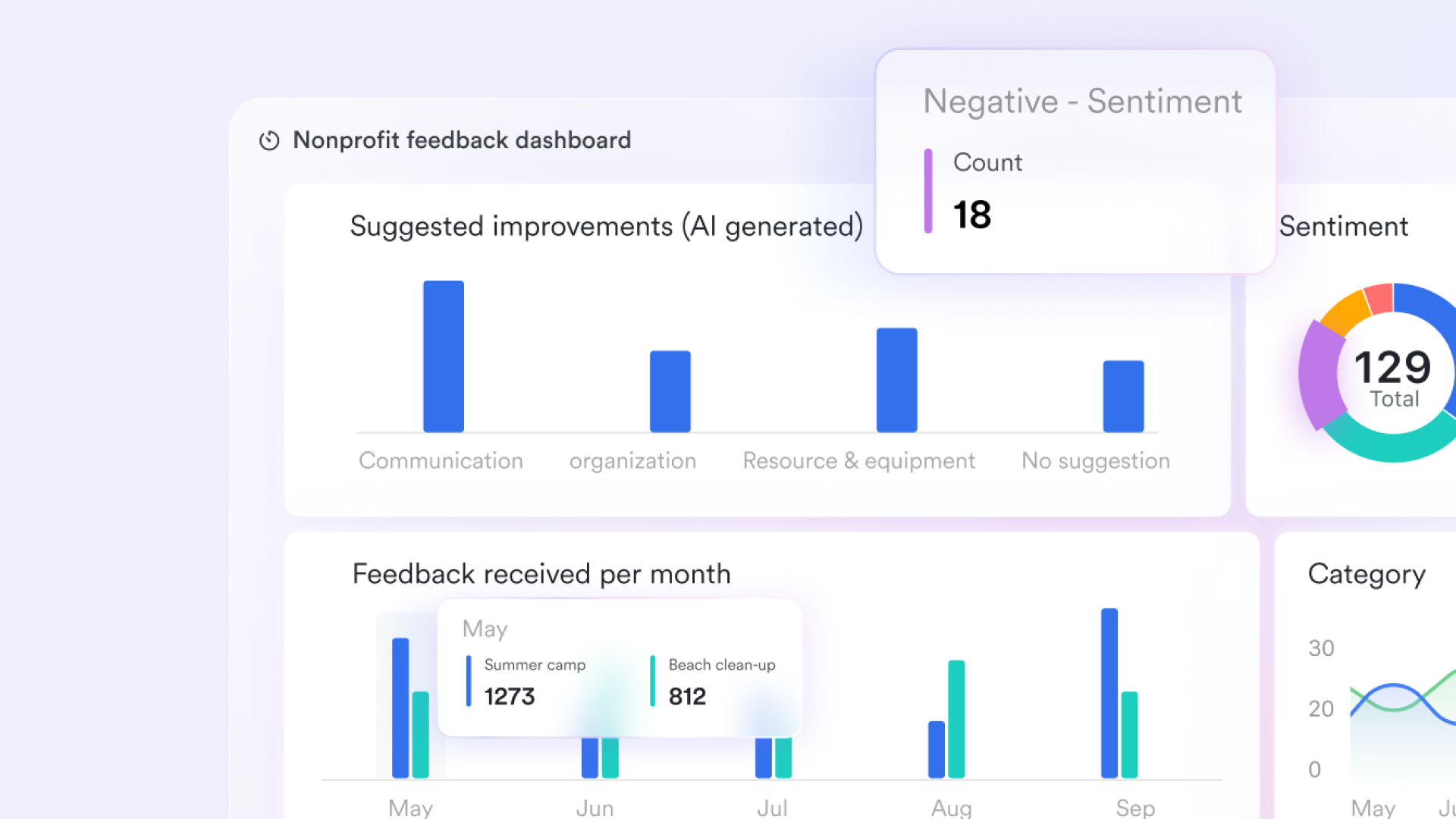
Automated workflows for inventory actions
Lark Base workflows automate routine inventory processes, such as low-stock alerts and reorder handling. Teams can set triggers—for example, when stock drops below a defined threshold—and apply conditional logic to control next steps. Once activated, workflows can create purchase records, notify through Lark Messenger, or send data to external systems using HTTP requests. 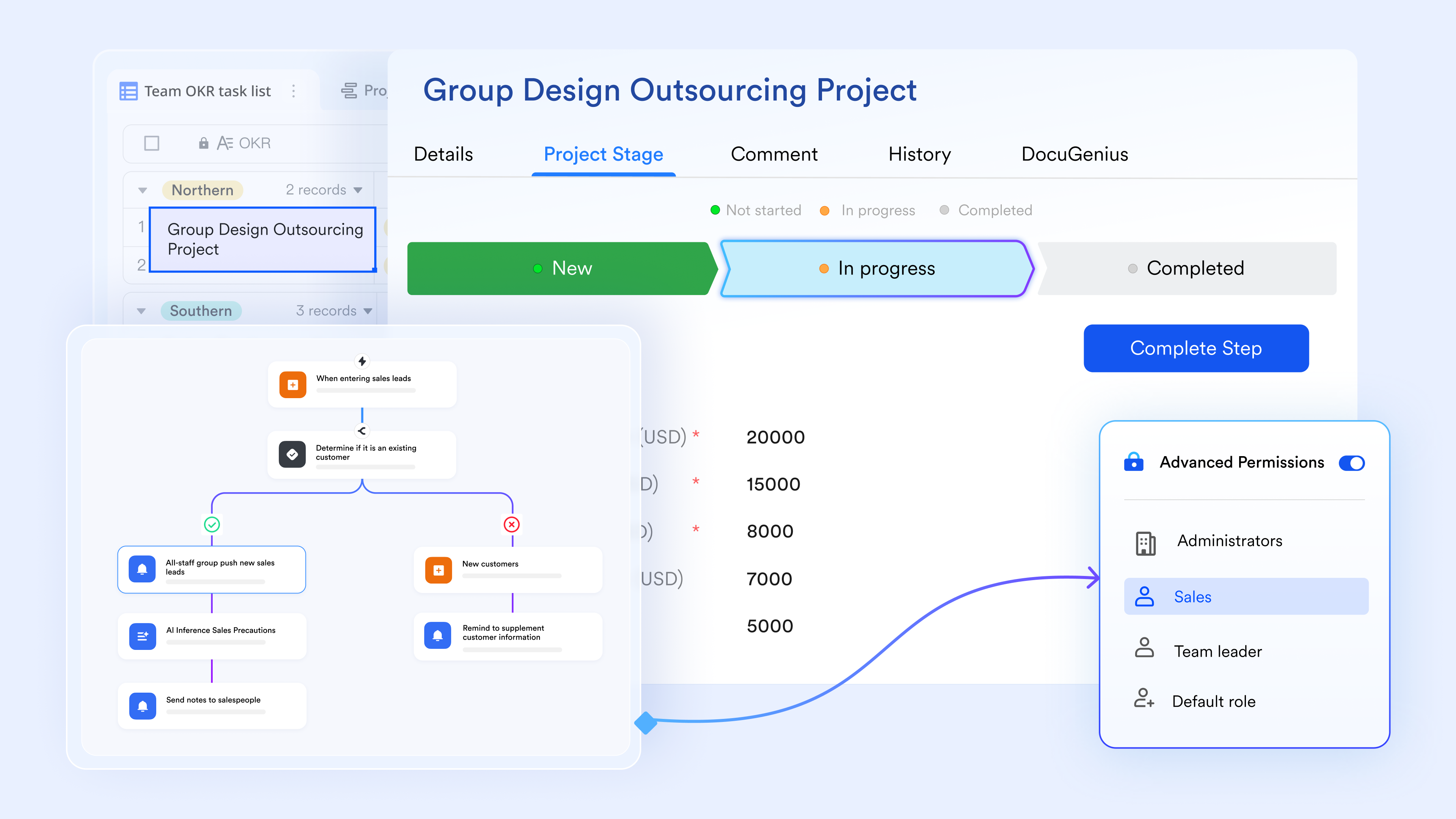
Clear ownership of inventory tasks
Lark Tasks helps teams assign and track responsibilities for inventory-related activities, including stock checks, , and supplier coordination. Each task includes deadlines and progress updates, making it easier to stay aligned. This is particularly useful for teams moving away from spreadsheets, where ownership is often unclear and tasks can be missed. 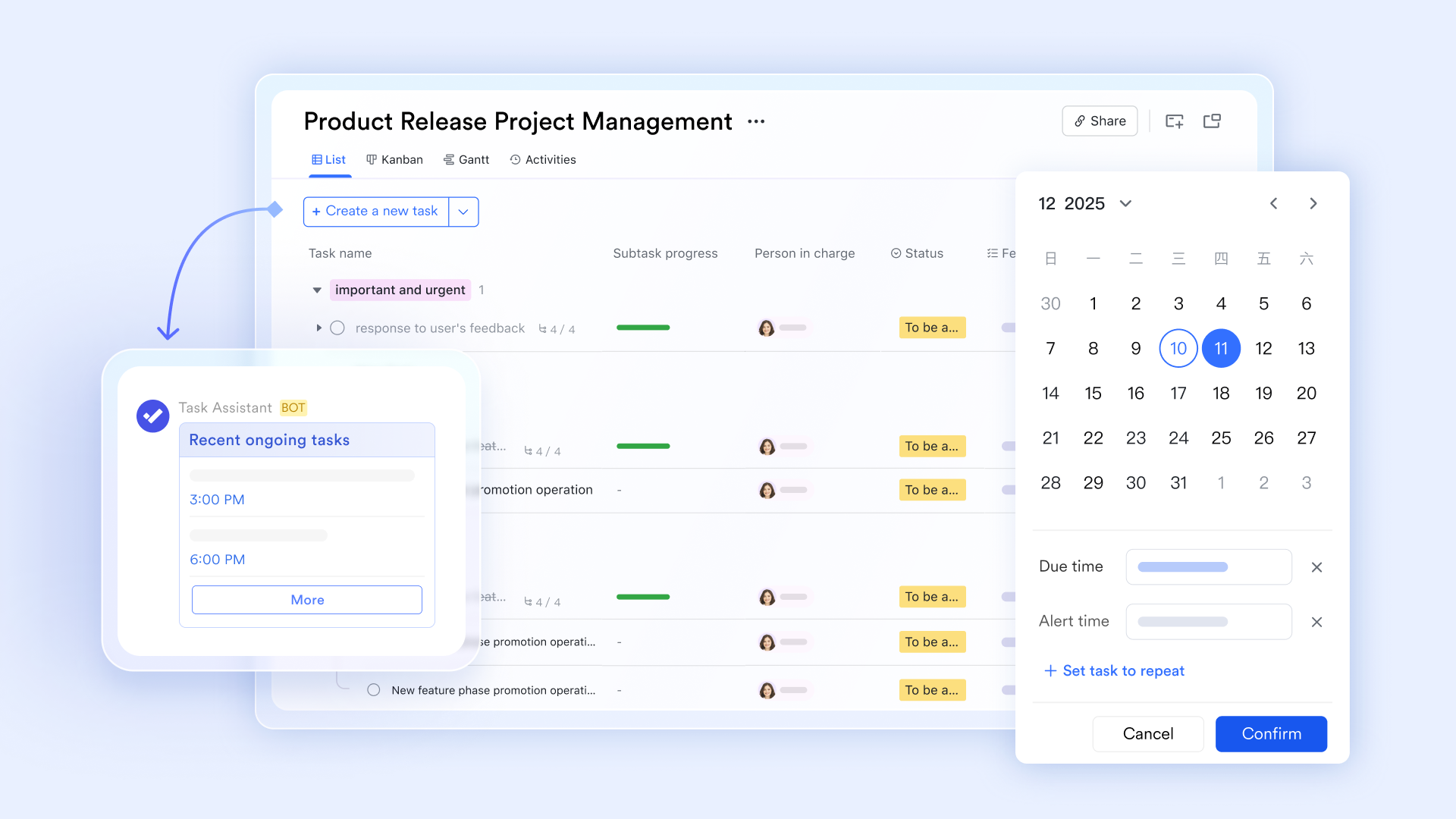
Streamlined communication for inventory coordination
supports around stock updates, delivery issues, and order confirmations. Messages are organized into groups and threads, helping teams keep discussions focused and easy to follow. Teams can also share images, documents, and quick updates directly within chats, reducing the delays and confusion common in spreadsheet-based workflows.

:
- Starter plan: Free forever plan that includes 11 powerful tools for up to 20 users. It also comes with 100GB of storage, 1000 automation runs, AI translations, and more.
- Pro plan: $12/user/month (billed annually) for up to 500 users. It includes everything in Starter plus group calling for up to 500 attendees, 15TB of storage, 50,000 automation runs, and more.
- Enterprise plan: for custom pricing. Supports unlimited users and includes additional automation runs, as well as advanced security, compliance, and management features.
For small teams with simple communication needs

18 months message history
1000 Base automation runs/month
2000 rows per table in Base
Most POPULAR
For companies with comprehensive collaboration and management needs
Unlimited message history
500-participant video meetings
50k Base automation runs/month
20k rows per table in Base
For large companies with advanced security and organizational management needs
Get a personalized demo and pricing
Unlimited message history
500-participant video meetings
15 TB storage + 30 GB storage/user
500k Base automation runs/month
50k Base automation runs/month
Most POPULAR
For companies with comprehensive collaboration and management needs
Unlimited message history
500-participant video meetings
50k Base automation runs/month
20k rows per table in Base
When to move beyond checklist templates to smarter systems
Checklist templates work well for simple inventory needs, whether you start with an inventory checklist template Word file or a basic spreadsheet. However, they become limiting as operations grow. As data volume, team size, and processes expand, manual tracking can lead to inefficiencies and errors. Recognizing when to upgrade is key to maintaining accuracy and scalability.
- Growing inventory complexity: As product lines, SKUs, and categories increase, managing inventory through becomes difficult. Tracking relationships between items, suppliers, and orders requires more advanced systems. Without this, errors and inefficiencies can quickly multiply.
- Multiple locations or teams: Managing inventory across different locations or teams creates coordination challenges. Checklist templates often lack synchronization, leading to inconsistent data. A centralized system ensures everyone works with the same real-time information.
- Need for real-time updates: When inventory changes frequently, static templates cannot keep up with the demands of real-time operations. Delays in updates can result in stockouts, overstocking, or missed opportunities. Real-time systems provide instant visibility and .
- Frequent audit discrepancies: Repeated mismatches between expected and actual stock indicate process gaps. Manual checklists make it harder to identify root causes and resolve issues quickly. Advanced systems help track discrepancies, automate checks, and improve overall accuracy.
Conclusion
An inventory checklist template is a practical starting point for improving stock accuracy, standardizing audits, and reducing errors across teams. By including the right fields and , businesses can gain better visibility into inventory and maintain consistent tracking. However, as operations grow more complex, relying solely on manual templates can limit efficiency, collaboration, and real-time decision-making.
This is where offers a smarter alternative. With connected data tables, real-time dashboards, and automated workflows, Lark helps teams move beyond static checklists to a more dynamic and scalable inventory system. If you're ready to streamline your inventory management and reduce manual effort, now is the time to upgrade. Try Lark today to build a more efficient, accurate, and future-ready inventory-tracking system.
Embed smart inventory management into your work today
FAQs
What is the difference between an inventory checklist and an inventory system?
An inventory checklist is a simple tool used to record and verify stock during audits. An , however, provides real-time tracking, automation, and reporting across operations. Platforms like Lark combine checklist simplicity with system-level visibility and control.
Can I use Excel for inventory checklists?
Yes, Excel can be used to create basic inventory checklists for small-scale tracking. However, it relies on manual updates and lacks features. Tools like Lark offer more advanced capabilities with automation and shared access.
How often should inventory checklists be used?
The frequency depends on business needs, ranging from daily checks for retail to monthly audits for low-turnover items. Regular usage helps maintain accuracy and prevent discrepancies. With Lark, teams can efficiently schedule and manage recurring inventory checks.
What industries use inventory checklist templates?
Inventory checklist templates are used across retail, warehousing, food service, healthcare, and manufacturing. Any business that manages physical goods can benefit from structured tracking. Lark supports diverse industries with flexible templates and scalable inventory solutions.
Related reading