Notion project management templates promise a clean start, a structured workspace where tasks, timelines, and team responsibilities land in one place. For solo operators and small teams, that promise mostly holds. For growing teams running real projects with real deadlines, the gaps start to show quickly: databases that need constant manual upkeep, automation that requires workarounds, and collaboration that works better in theory than in practice. This guide covers the best Notion project management templates to use, what each one is actually built for, and where limitations start to matter, so you can decide whether Notion is the right foundation or just the most familiar one.
Key takeaways
- Notion project management templates offer structured starting points for planning, task tracking, and progress monitoring, but require significant customization to work for teams beyond a basic setup.
- The best Notion templates for project management are distinguished not by visual design but by how well their database structure handles dependencies, ownership, and live status updates across multiple users.
- A Notion dashboard template for project management provides stakeholders with a consolidated view across projects, but reflects only what has been manually updated. There is no native automation that keeps it current.
- Notion project planning templates work well for individuals and small teams of up to 10 people; they break down at scale when simultaneous editing, approval workflows, and real-time notifications become necessary.
- Lark offers a free, collaborative alternative with built-in automation, multi-view project databases, and native communication tools, no third-party plugins or manual workarounds required.
What Notion project management templates are actually built to do
Notion project management templates are designed to provide a structured starting point for organizing projects, tasks, and workflows within a single workspace. Most project management templates combine task databases, project timelines, and status tracking to help teams visualize progress and manage responsibilities. Instead of building a system from scratch, users can adopt a pre-built structure that includes task lists, Kanban boards, calendars, and linked databases for projects and subtasks.
These templates mainly focus on planning and basic task tracking. Teams can assign owners, set deadlines, categorize tasks by status, and through dashboard views. Many templates also include simple reporting features such as progress percentages or filtered views for overdue work.
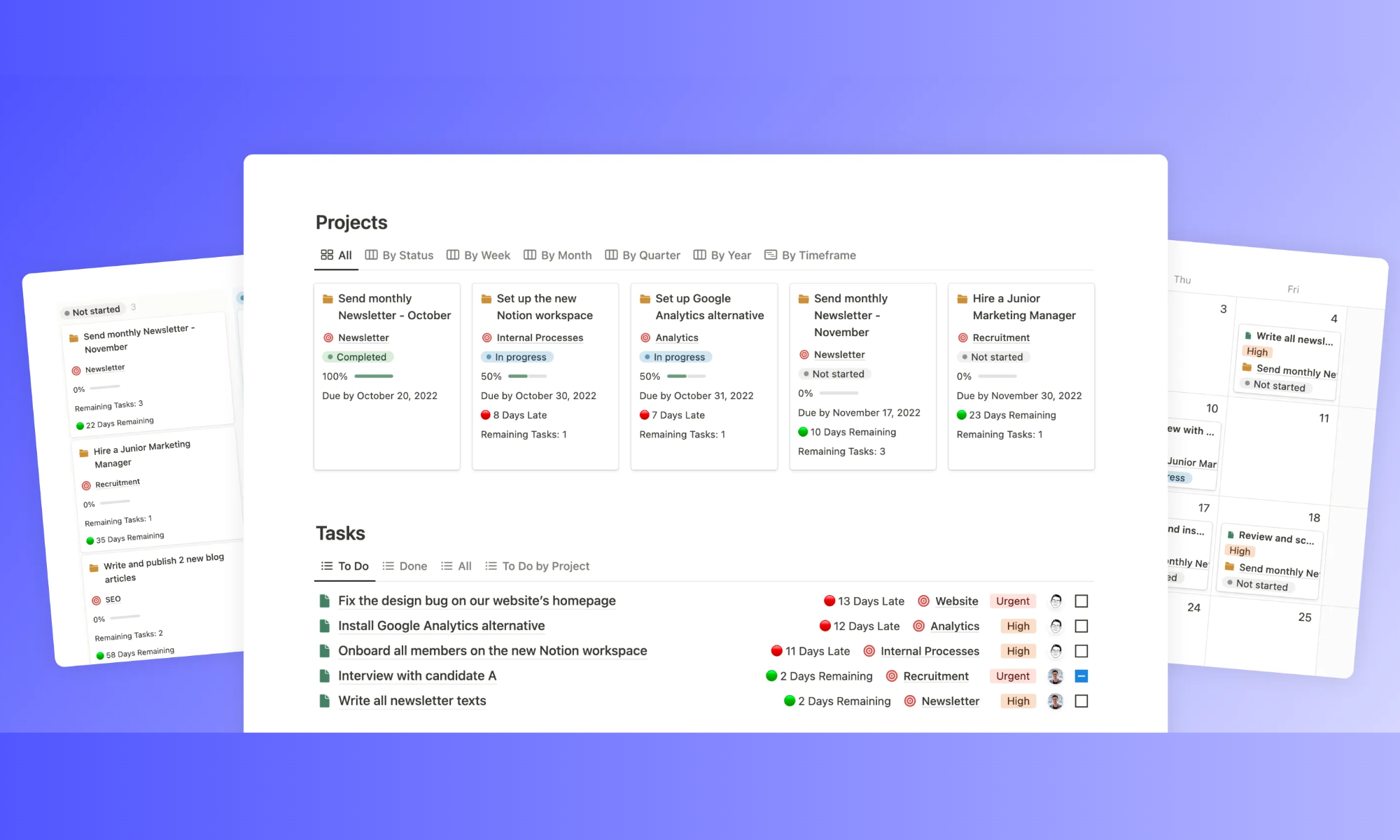
Types of Notion project management templates
Notion offers a wide range of templates designed to organize projects, tasks, and team workflows within a single workspace. Different templates focus on specific needs such as individual task management, , dashboards, or agile planning. Choosing the right project management setup for your Notion templates depends on your team size, workflow complexity, and the level of visibility required across projects.
Notion manager template for individual contributors and freelancers
Best for solo operators, freelancers, and consultants managing multiple client projects from a single workspace. Typically structured as a linked Projects and Tasks database with status, priority, and due date fields. Works well for one-person operations where a single owner updates all records. Starts to break when a second person needs to edit the same database simultaneously or when the project requires automated notifications from external collaborators.
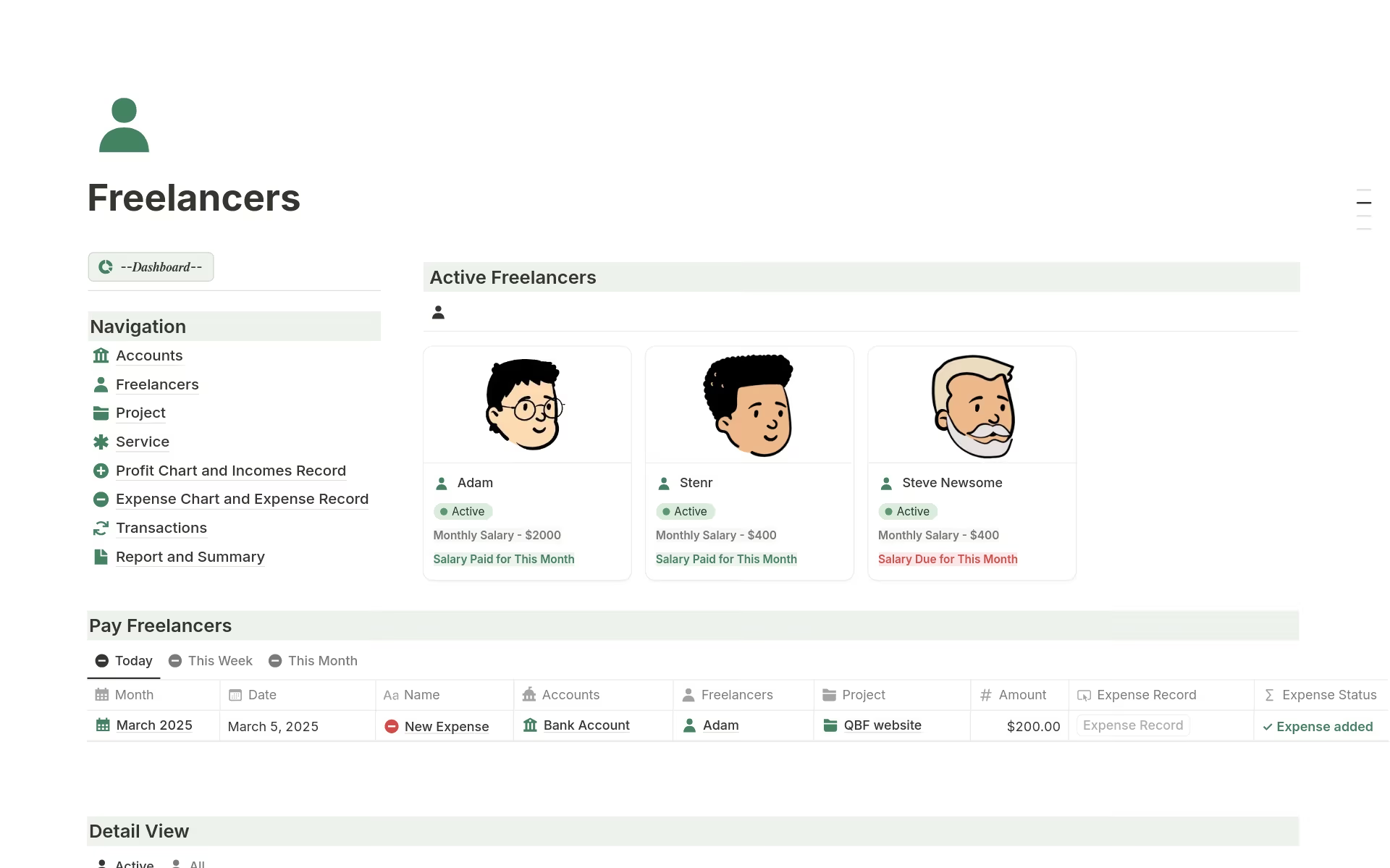
Image source: notion.com
Notion project planning template for small teams
Designed for teams of under ten people running straightforward projects with a shared task list, owner assignments, and deadline tracking. Uses a relational linking a Projects table to a Tasks table, with a rollup field calculating completion percentage. Requires manual status updates and produces no native notifications when tasks are overdue or dependencies change, meaning teams need a consistent update cadence to keep the template accurate.
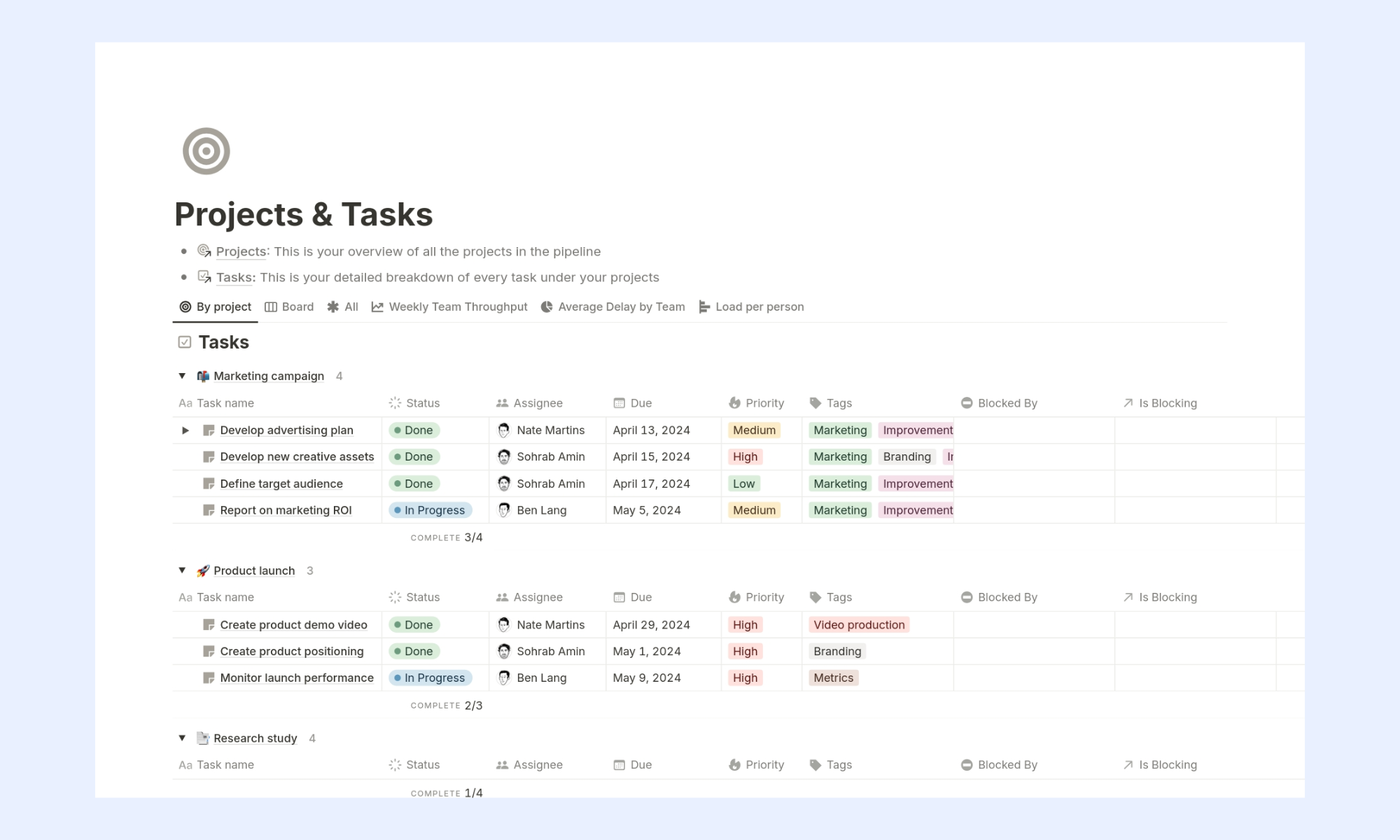
Image source: notion.com
Notion dashboard templates for project management
Aggregated views that pull status and progress data from multiple project databases into a single stakeholder-facing overview. Useful for PMs and team leads who need a consolidated read across active projects without opening each one individually. The dashboard is only as accurate as the underlying project records — if teams stop updating task statuses consistently, the dashboard becomes a snapshot of the last time someone cared, not a live read of project health.
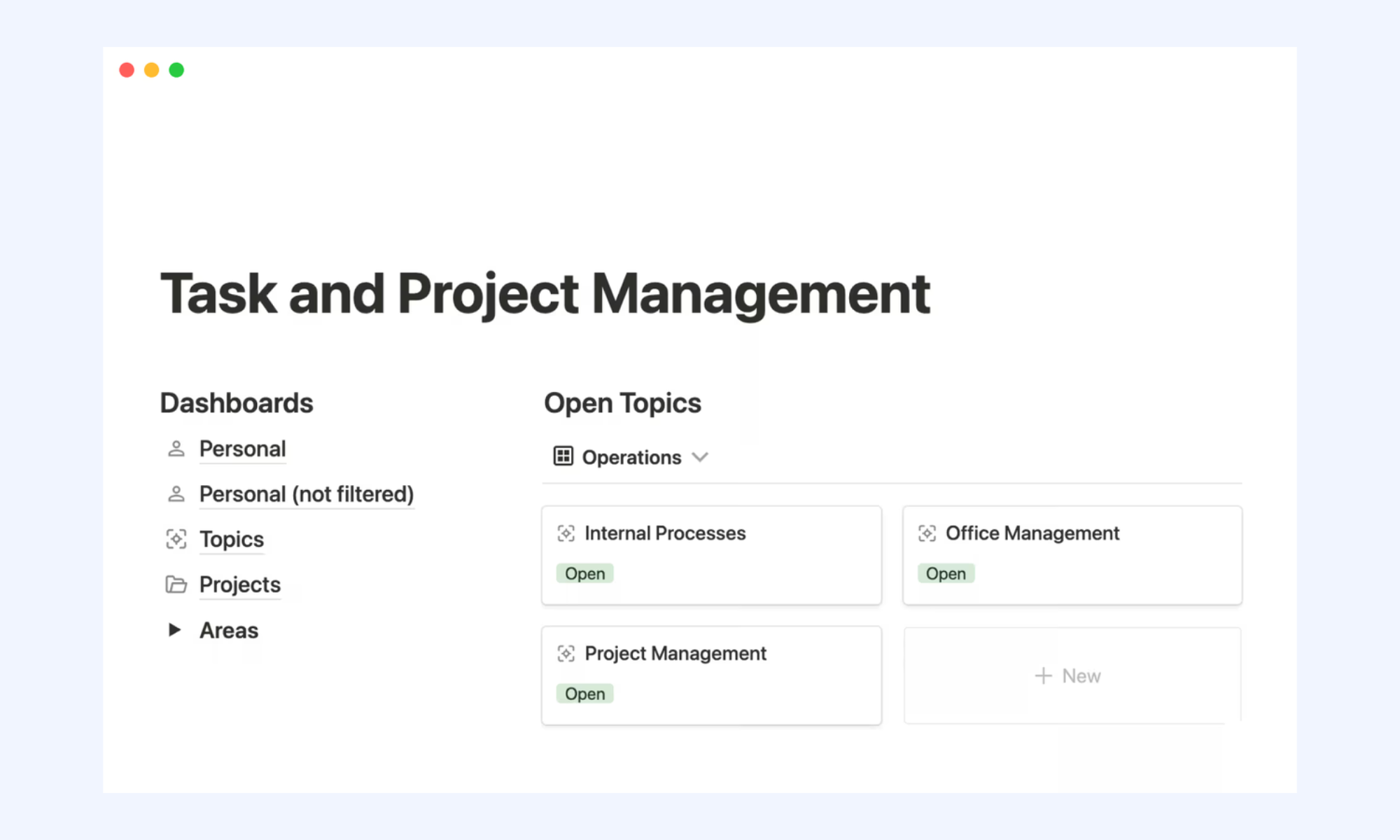
Image source: notion.com
Agile and sprint planning template
Built for product and engineering teams running iterative delivery cycles. Structures work across epics, user stories, and sprint backlog with a grouped by sprint cycle and a timeline view for capacity planning. Story point fields allow teams to estimate effort per task and track velocity across sprints. The main limitation: Notion has no native sprint burndown chart and does not auto-advance sprint cycles — teams need to manually close each sprint and open the next.
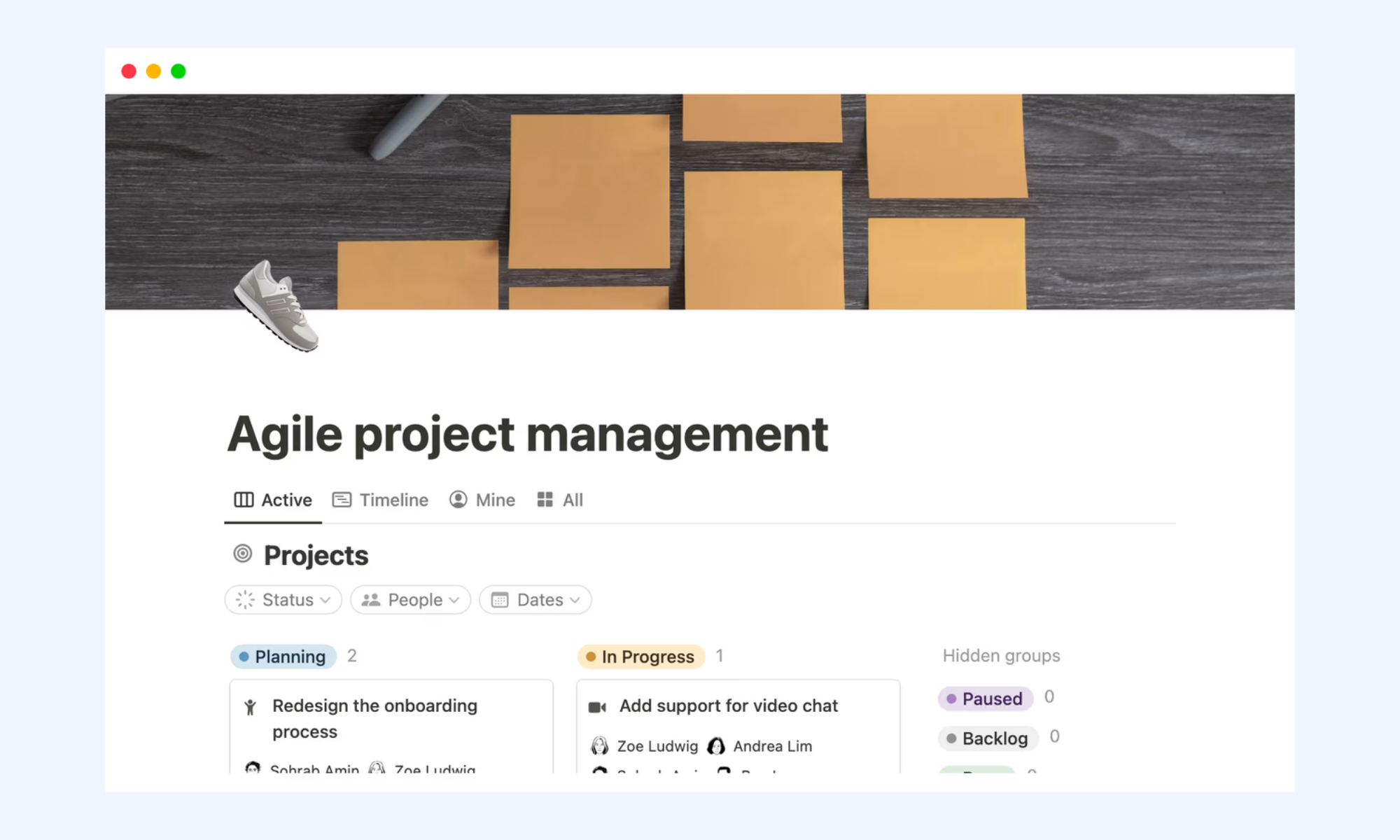
Image source: notion.com
Cross-functional project template
Used when a single project involves contributions from multiple departments — product, engineering, design, marketing — each with their own workstreams and delivery dates. Typically built using linked databases with swimlane-style views that isolate each team's tasks while showing them against a shared project timeline. Highly dependent on every contributing team updating their records consistently; one team's stale data breaks the cross-functional view for everyone else.
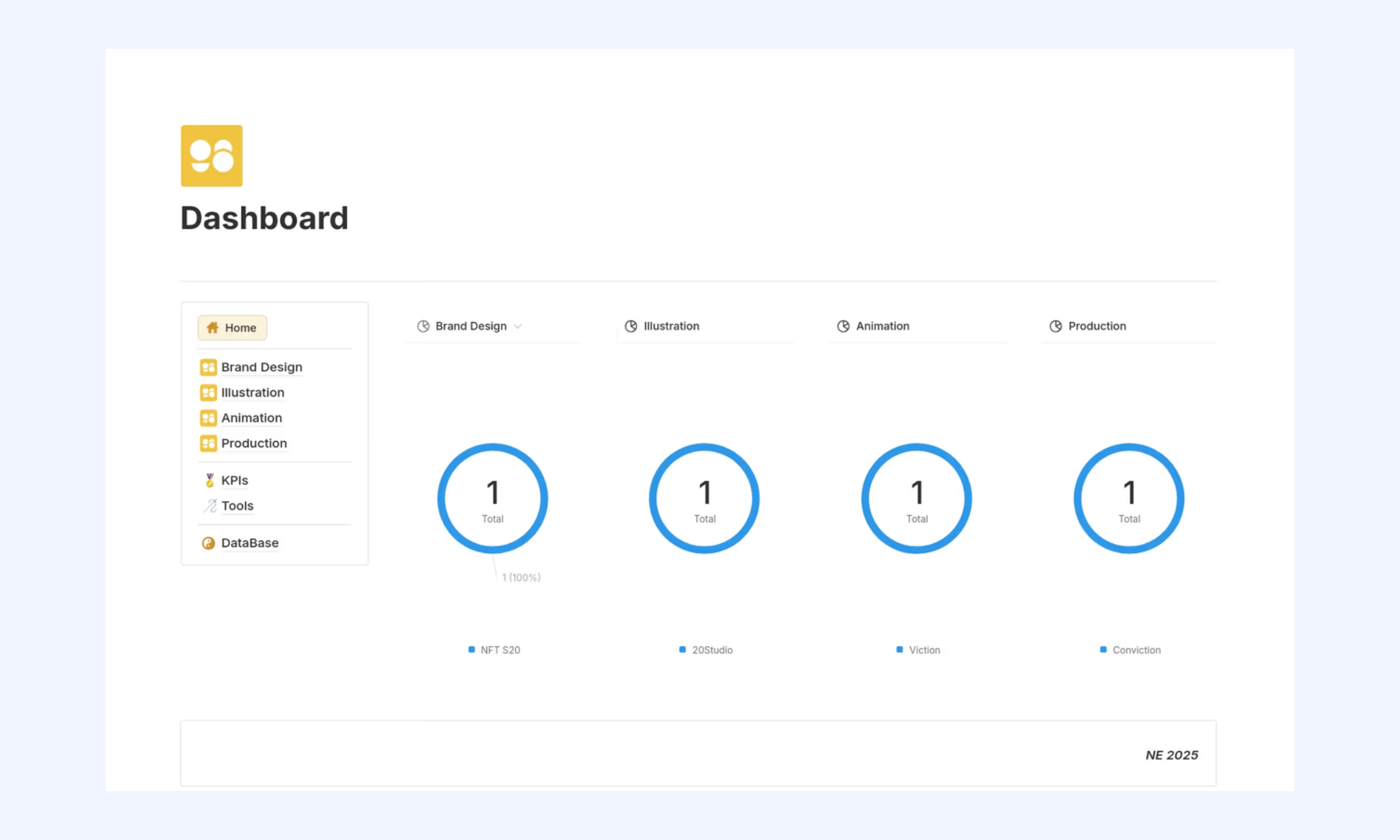
Image source: notion.com
Client-facing project template
Used by agencies, consultants, and freelancers who need to share project progress with clients without exposing internal task details or . Typically built as a filtered shared view or a dedicated client portal page that shows milestone status, deliverable dates, and approved assets. The limitation: Notion's sharing model requires careful permission configuration — a misconfigured share can accidentally expose internal notes, budget fields, or private team discussions.
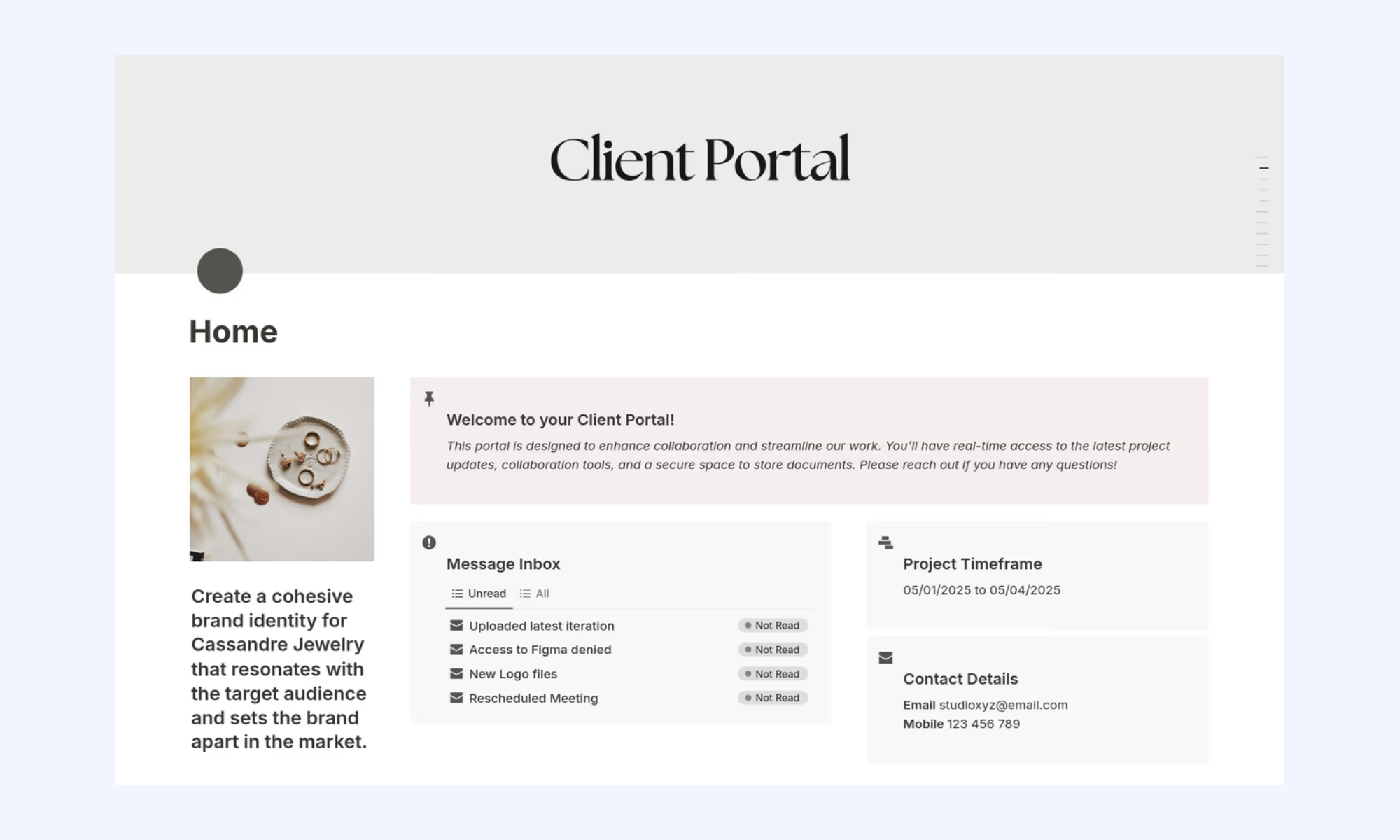
Image source: notion.com
Marketing campaign roadmap template
Maps campaign phases — brief, creative production, approvals, launch, and reporting — against a calendar timeline with dependencies between content milestones and channel activation dates. Useful for marketing teams running multiple simultaneous campaigns with contributors across copy, design, and paid media. Works well for planning; struggles under execution pressure when campaign status changes rapidly, and the team needs real-time notifications rather than manual record updates.
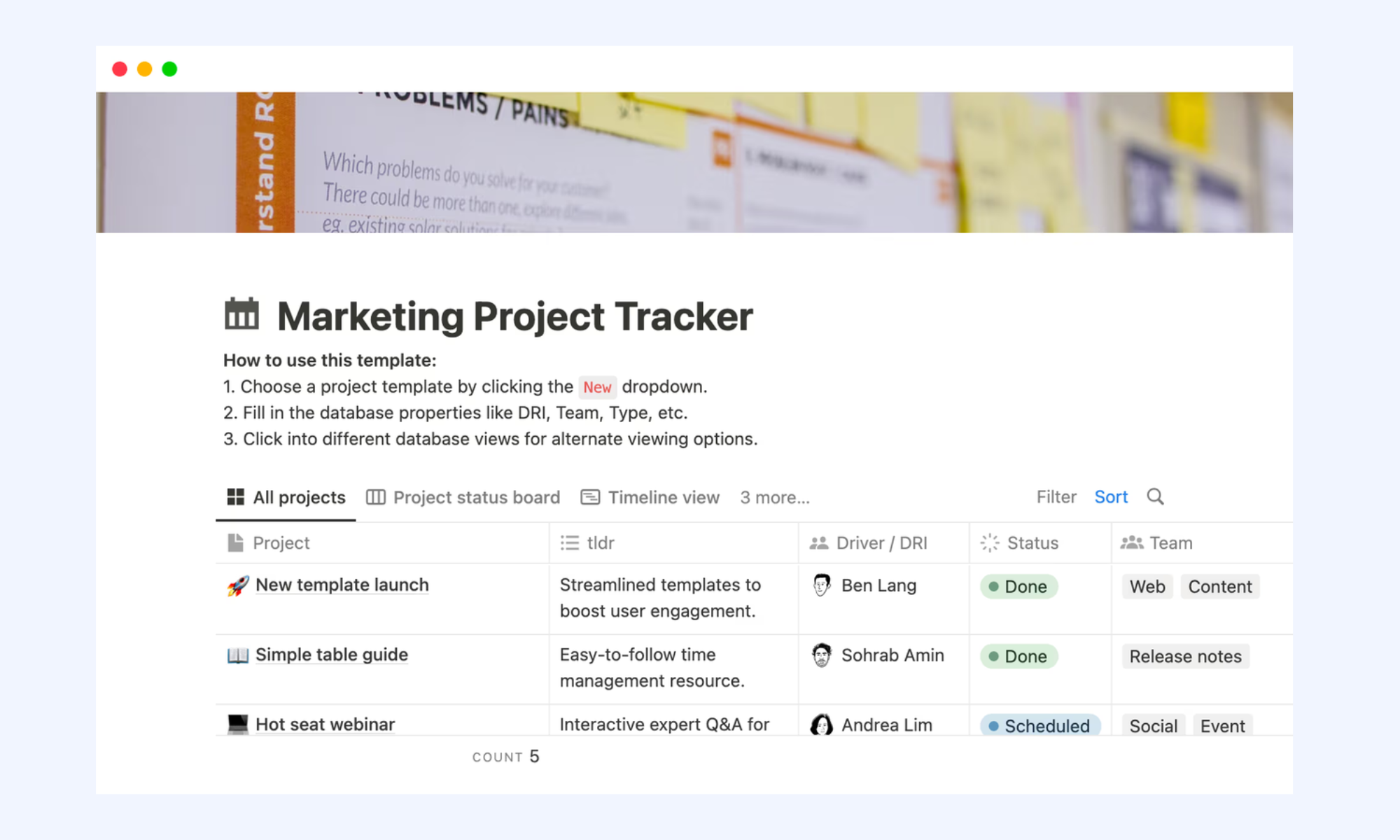
Image source: notion.com
Where Notion project management templates stop working, and why?
Notion templates work well as a starting framework for organizing tasks and planning projects. However, as teams grow and projects become more complex, the limitations of Notion templates and project management systems become more noticeable. The gaps typically appear in automation, , and workflow management, where manual updates and external integrations become necessary.
- No native cross-database automation: Notion's built-in automation cannot trigger actions in a related database. A status change in the Tasks table does not automatically update the parent Projects table. Teams patch this with Zapier or Make, adding cost and a dependency on a third-party connection that can break silently.
- Simultaneous editing creates conflicts: When two team members update different records in the same database at the same time, Notion handles it, but when two people edit the same record or the same linked view simultaneously, conflicts and sync delays occur.
- No approval or sign-off workflow: Notion has no native . Teams that need milestone sign-offs, budget approvals, or phase-gate decisions route those outside Notion, breaking the single-source-of-truth promise.
- Notifications require manual configuration and third-party tools: Notion sends basic page-level notifications, but there is no way to trigger a message to a specific team member when a task is reassigned, overdue, or unblocked without connecting an external automation tool.
- Notion dashboard templates for project management go stale: A dashboard is only as accurate as its source data. When teams stop updating task records consistently (which happens quickly under workload pressure), the dashboard becomes a snapshot of the past rather than a live read of project health.
Bring tasks, timelines, and teams into Lark
New alternative: Streamline project management workflows with Lark
While Notion templates provide a flexible way to organize projects, they often require manual updates, integrations, and constant customization to support growing teams. As workflows become more complex, teams need tools that automate processes and keep everyone aligned in real time. This is where offers a stronger operational foundation. Unlike static notion templates, Lark combines project databases, automation, approvals, and communication into a unified platform. The result is a system where project updates, team collaboration, and happen seamlessly without relying on external tools or manual workarounds.
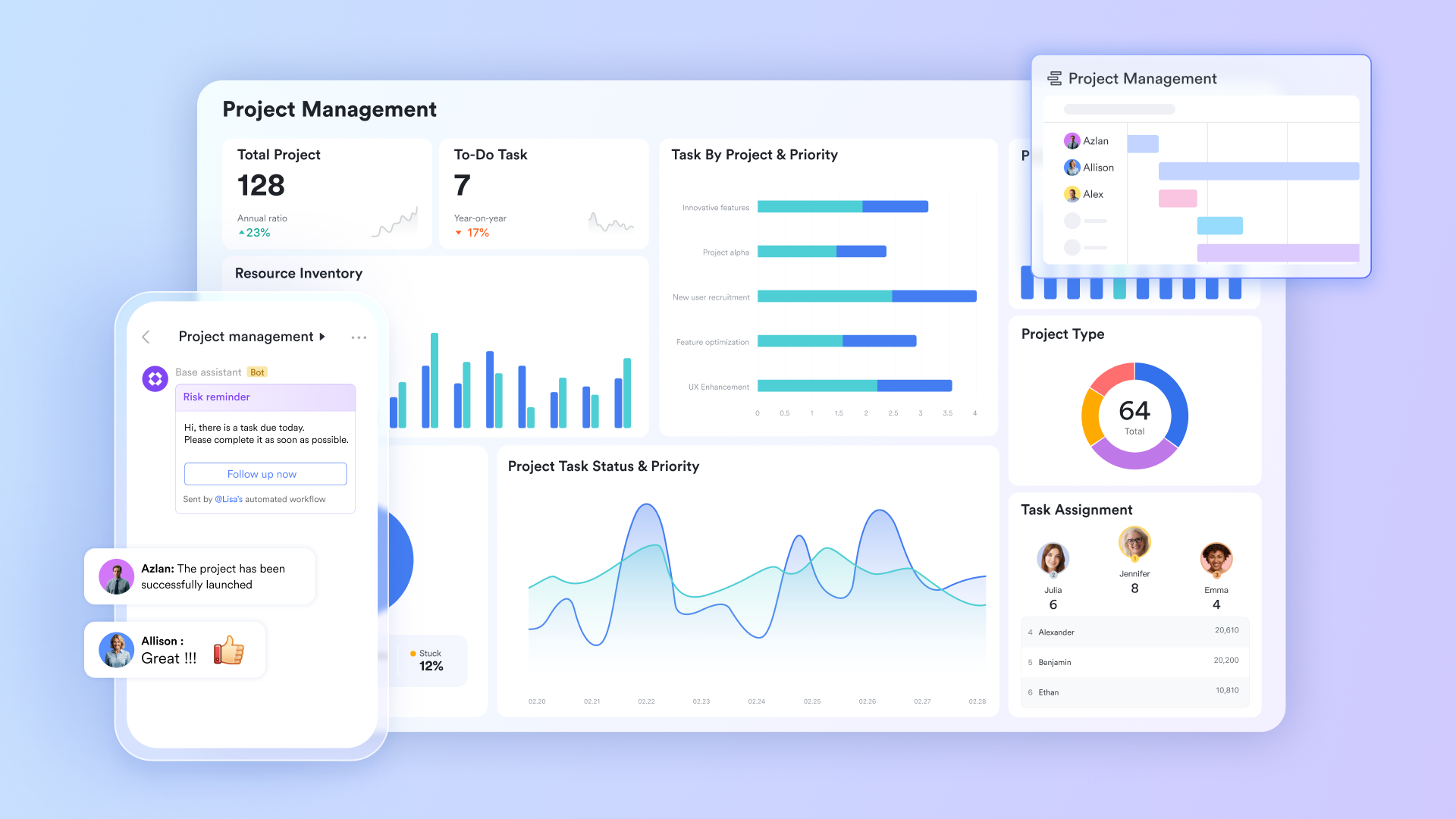
A project database where every status update propagates instantly
lets project managers build a project database using custom field types: single-select status dropdowns with conditional coloring, date fields for phase start and end, member fields for task ownership, number fields for story points or estimated hours, and link fields that map task dependencies directly within the same table. Every field update, status change, due date edit, and owner reassignment is reflected instantly across all users viewing the base simultaneously, without a page refresh, manual save, or sync delay. When a task owner marks a dependency as complete, that record , stakeholder, and PM at the same time, across all devices.
The right format for every audience, from one dataset
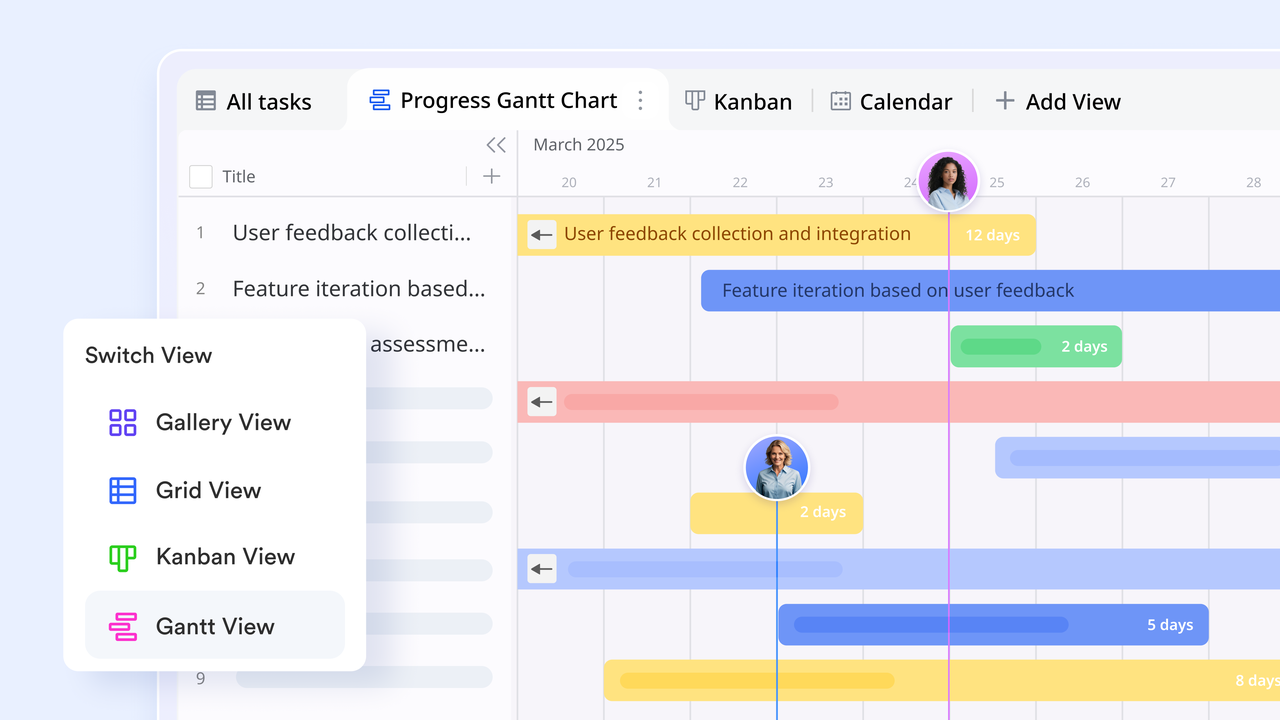
The same project table renders in five formats without duplicating or reformatting data. The displays task start and end dates, and dependencies, as a visual timeline. Project managers can see critical path conflicts and scheduling gaps immediately, without creating a separate timeline document. Kanban views group tasks by status field, so team members drag cards across columns as work progresses through sprint cycles. Calendar view maps due dates and milestones onto a monthly layout.
Status changes that trigger the next action without anyone remembering
Lark Base Automation lets project managers configure trigger-action rules natively inside Lark Base using a point-and-click condition builder, with no third-party tool required. When a task due date passes, and the status field remains In Progress, the automation sends a direct notification to the task owner in Lark Messenger with the specific record attached. When a dependent task is marked "Complete," the automation updates the next task from Not Started to In Progress and notifies the new owner. When all tasks in a phase reach "Complete status," the the phase-level record and sends a summary notification to the project group chat. 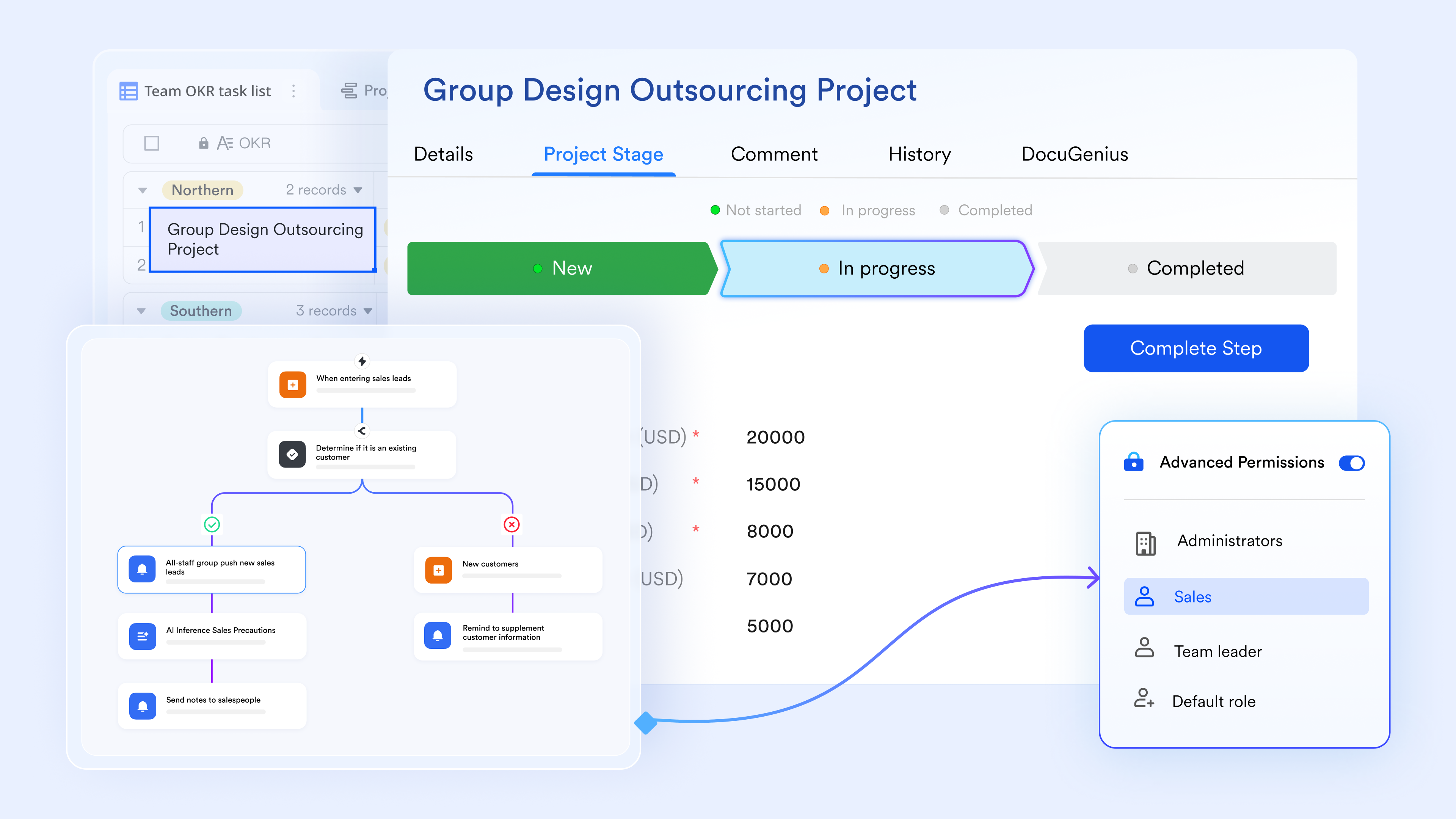
Milestone sign-offs with a complete audit trail, built into the project workflow
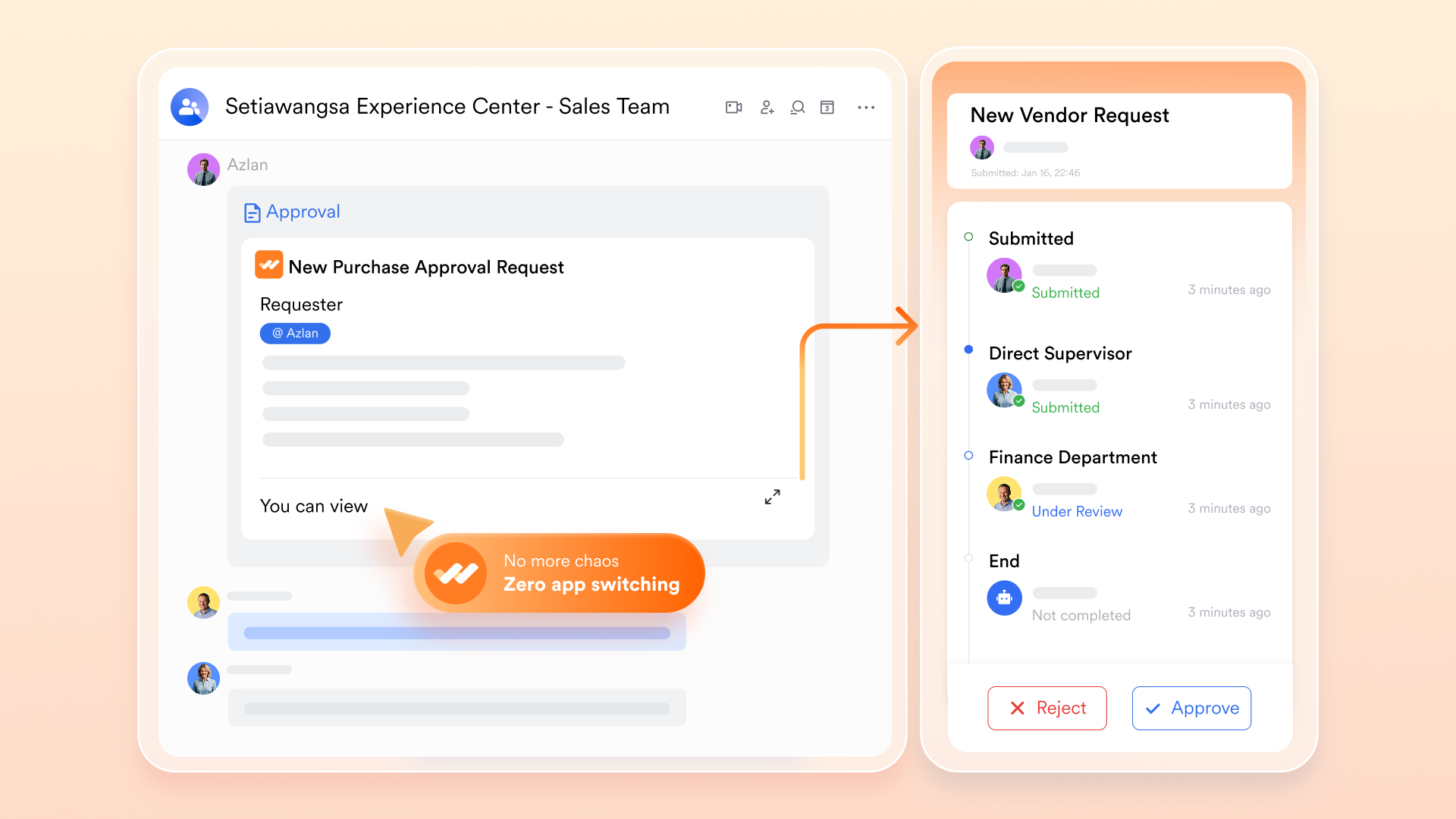
lets project managers configure with conditional routing based on project phase, budget value, or team. When a milestone is ready for sign-off, the team member submits a structured approval request from within the Lark workspace. The request routes automatically to the defined approver sequence, each approver receives a notification in Lark Messenger, and the approval decision is recorded with a timestamp against the relevant Lark Base record.
Project communication that stays connected to actual work
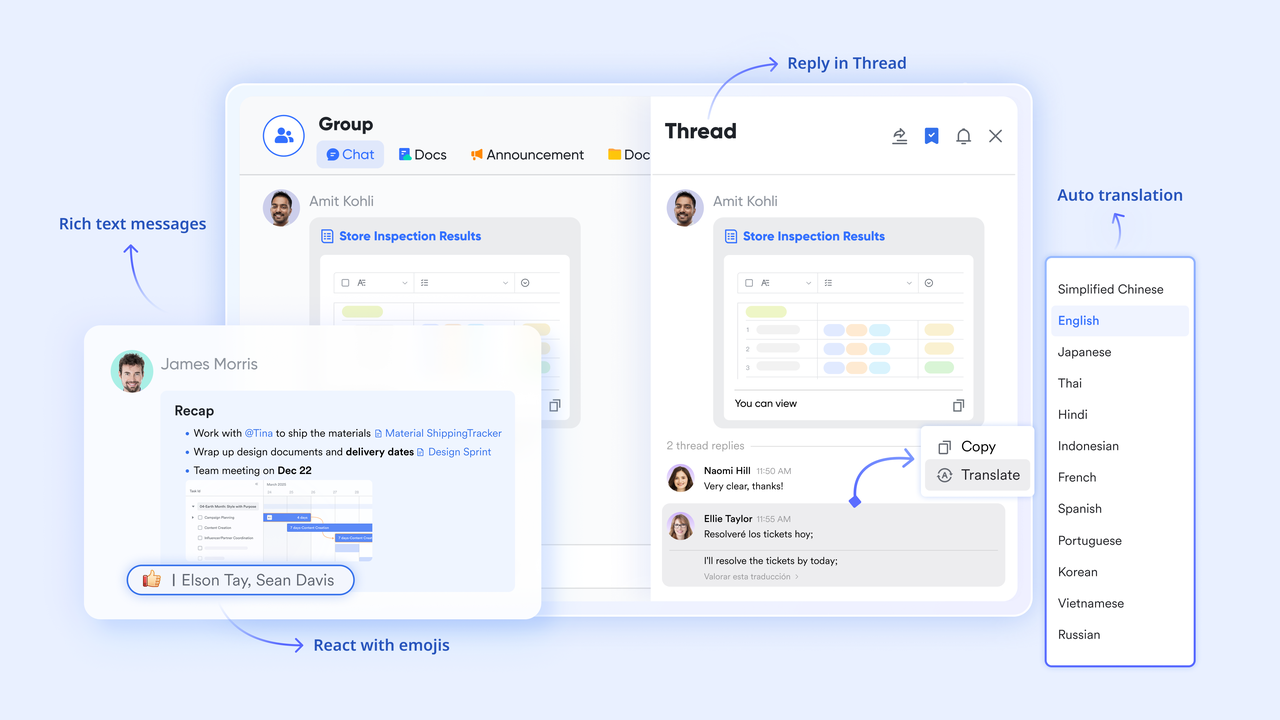
supports dedicated project group chats, direct messages, and topic threads within the same platform where the project database lives. Team members share a specific Lark Base task record directly into a Messenger thread. When Lark Base Automation fires a notification, it arrives in Messenger as a structured message containing the record link, the field that changed, and the new value, not as a generic alert requiring the recipient to open the base and search for context.
:
- Starter plan: Free forever plan that includes 11 powerful tools for up to 20 users. It also comes with 100GB of storage, 1000 automation runs, AI translations, and more.
- Pro plan: $12/user/month (billed annually) for up to 500 users. It includes everything in Starter plus group calling for up to 500 attendees, 15TB of storage, 50,000 automation runs, and more.
- Enterprise plan: for custom pricing. Supports unlimited users and includes additional automation runs, as well as advanced security, compliance, and management features.
For small teams with simple communication needs

18 months message history
1000 Base automation runs/month
2000 rows per table in Base
Most POPULAR
For companies with comprehensive collaboration and management needs
Unlimited message history
500-participant video meetings
50k Base automation runs/month
20k rows per table in Base
For large companies with advanced security and organizational management needs
Get a personalized demo and pricing
Unlimited message history
500-participant video meetings
15 TB storage + 30 GB storage/user
500k Base automation runs/month
50k Base automation runs/month
Most POPULAR
For companies with comprehensive collaboration and management needs
Unlimited message history
500-participant video meetings
50k Base automation runs/month
20k rows per table in Base
Bonus: Ready-to-use Lark project management templates
For teams that want to move beyond static templates, Lark offers a range of ready-to-use project management templates designed for real collaboration. These templates help teams plan projects, track progress, manage tasks, and coordinate workflows within one integrated workspace. Instead of manually configuring Notion templates or project management systems, Lark templates provide with built-in automation and real-time team collaboration.
Project plan
A project plan template helps teams outline project goals, timelines, deliverables, and responsibilities in a structured format. It provides a clear overview of project phases, key milestones, and task ownership so everyone understands what needs to be done and when. With a centralized view of the entire plan, teams can track progress, adjust timelines, and keep projects moving efficiently.
Project planning & implementation
A project planning and implementation template helps teams move smoothly from planning a project to executing it. It organizes tasks, timelines, resources, and responsibilities so every stage of the project is clearly defined. By tracking progress from strategy to delivery, teams can manage workflows more efficiently and ensure projects stay aligned with their goals.
Project tracking
A project tracking template helps teams monitor task progress, deadlines, and overall project performance in one place. It allows managers and team members to see which tasks are completed, in progress, or delayed. With a clear view of project status, teams can identify issues early and keep work moving according to schedule.
Kanban board (with AI)
A kanban board (with AI) template helps teams organize tasks . Tasks move across columns, such as to do, in progress, and completed, making project progress easy to track. AI features can help prioritize tasks, suggest next actions, and highlight potential delays to keep work moving efficiently.
Priorities kanban
A priorities kanban template helps teams organize tasks based on urgency and importance. Tasks are grouped into priority levels, so team members can focus on the most critical work first. This structure makes it easier to manage workloads, reduce bottlenecks, and ensure high-impact tasks are completed on time.
Sprint planning
A template helps teams organize and prioritize tasks for a specific development cycle. It allows teams to define sprint goals, assign user stories, and estimate workloads for the upcoming sprint. With a clear sprint structure, teams can track progress efficiently and deliver work within the planned timeframe.
Task management (overdue alert)
A (overdue alert) template helps teams track tasks and automatically highlight items that have passed their deadlines. It ensures that delayed tasks are quickly visible so teams can take action and prevent project delays. With clear alerts and task status tracking, teams can stay accountable and keep work progressing on schedule.
Workback plan
A workback plan template helps teams plan projects by starting from the final deadline and working backward to define tasks and milestones. It breaks down the timeline into smaller steps, so teams know exactly when each task should be completed. This approach helps ensure that critical deadlines are met and projects stay on schedule.
OKR task management
An OKR task management template helps teams connect daily tasks with broader objectives and key results. It allows teams to track progress toward strategic goals while managing individual responsibilities and deadlines. By linking tasks to measurable outcomes, teams can stay focused on priorities and ensure their work contributes to overall organizational success.
Multi-project tracker
A multi-project tracker template helps teams monitor multiple projects from a . It provides visibility into project timelines, task progress, ownership, and overall status across different initiatives. With all projects organized in one place, teams can prioritize work, identify risks early, and manage resources more effectively.
Conclusion
Notion project management templates provide a practical starting point for organizing tasks, timelines, and responsibilities in one workspace. They work well for individuals, freelancers, and small teams that need a simple and tracking progress. However, as teams grow and projects become more complex, the limitations of manual updates, limited automation, and fragmented communication begin to surface. Many teams eventually need tools that support real-time collaboration, automated workflows, and integrated communication.
This is where offers a stronger solution. Instead of relying on static templates, Lark combines project databases, automation, approvals, and team messaging into a single unified platform. Teams can plan projects, track progress, automate repetitive updates, and communicate around tasks without switching between multiple tools. If you're looking for a more scalable, collaborative way to manage projects, try Lark and experience smarter project management.
Plan, track, and collaborate in one workspace today
FAQs
Does Notion have free project management templates?
Yes. Notion provides free templates through its own template gallery, created both by Notion and by the community. These include basic project trackers, sprint boards, Kanban views, and dashboard templates. Most free templates cover individual or small-team use cases well, but more advanced setups — with linked databases, dependency tracking, and cross-project dashboards — often require paid community templates or significant customization.
What is the best Notion template for project management?
The best Notion template for project management depends on team size and workflow. For individuals and freelancers, a simple linked Projects and Tasks database with Timeline view is sufficient. For small agile teams, a sprint board with story point fields and a Kanban view works well. For teams managing multiple simultaneous projects with stakeholder reporting needs, a Notion dashboard template for project management — with rollup fields that pull status from linked project databases — provides the most visibility, though it requires consistent manual updates to stay accurate.
Can Notion replace dedicated project management tools?
Notion can replace lightweight project management tools for small teams and straightforward projects. It does not natively replicate features that dedicated tools provide by default: automated status updates triggered by dependency changes, built-in approval workflows, real-time multi-user conflict resolution, and milestone notification systems. Teams that need those capabilities either build workarounds using third-party or switch to a platform that natively includes them.
How do I create a project dashboard in Notion?
Create a project dashboard in Notion by adding a new page and inserting linked database views from your existing Projects and Tasks databases. Configure each linked view with filters and groupings relevant to the dashboard audience — for example, a view filtered to "Overdue" status for a PM dashboard, or a view grouped by project phase for a stakeholder summary. Add a progress rollup field to your Projects database before building the dashboard, so the dashboard reflects task completion percentage rather than just task count.
What are the main differences between Notion and Lark for project management?
Notion is a flexible document and database tool that can be configured into a project management system using templates. Lark is an AI-powered work management platform that combines project databases, automation, approval flows, and team communication into a single environment by default. The practical difference is maintenance: a Notion project management setup requires manual updates, third-party automation tools for notifications, and separate communication channels for project discussion. A Lark project setup automates status notifications natively, routes approvals without plugins, and keeps project communication linked to the specific tasks it references.
Related reading





























