A project without a timeline is just a list of intentions. Deadlines slip, priorities blur, and no one can answer the most basic stakeholder question: are we on track? A project timeline template in Excel gives teams a structured, visual starting point, tasks mapped against dates, milestones marked, and progress visible at a glance. For many teams, it is the fastest way to get a project plan off the ground without purchasing dedicated software. This guide covers what a strong Excel timeline template looks like, the five best options to download, where Excel starts to fall short, and what a more capable alternative looks like in practice.
What is a project timeline template?
A project timeline template is a that maps out tasks, milestones, and deadlines across a defined timeframe. It helps teams visualize the sequence of activities, understand dependencies between tasks, and track progress from start to completion. Typically created in tools like Excel, it includes key elements such as task names, start and end dates, owners, and status updates.
This template acts as a central reference point for , ensuring everyone knows what needs to be done and when. It improves coordination, reduces delays, and makes it easier to identify risks or bottlenecks early. Whether for small projects or complex initiatives, a project timeline template provides clarity, accountability, and better decision-making by turning abstract plans into a clear, time-bound roadmap.
Key columns every Excel timeline template needs
A well-structured Excel timeline is only as good as the columns behind it. The right fields ensure clarity, accountability, and accurate tracking across every stage of a project. Without them, even the best-looking timeline can quickly become confusing and unreliable. When building a project tracking template in Excel, focus on columns that capture ownership, timing, dependencies, and progress.
- Task or milestone name: This column defines what needs to be done and serves as the backbone of your template. Each entry should be clear, specific, and action-oriented to avoid ambiguity. Well-defined tasks make it easier to assign work and measure progress accurately.
- Phase or work stream category: Grouping tasks into phases helps organize complex projects within a project schedule timeline template. It allows teams to track progress at both micro and macro levels. This structure also makes reporting and stakeholder communication much more effective.
- Owner: Assigning a single owner ensures accountability in a project timeline tracker template. When responsibility is clear, tasks are less likely to be delayed or overlooked. It also simplifies communication when updates or decisions are needed.
- Start date: The start date indicates when a task is planned to begin and anchors it within your project progress template in Excel. It helps teams prepare resources and align schedules accordingly. Accurate start dates are critical for maintaining workflow consistency.
- End date or duration: This column defines when a task should be completed or how long it will take. It provides a clear timeframe that and prioritization. Without it, tracking delays or measuring efficiency becomes difficult.
- Dependency: Dependencies show the logical order of tasks and prevent workflow conflicts. They ensure that teams don't begin work prematurely or out of sequence. This column is essential for maintaining a smooth and realistic project flow.
5 popular project tracking templates in Excel
Choosing the right Excel template can save hours of manual setup and help you start tracking projects immediately. From simple timelines to advanced Gantt charts, these templates provide pre-built structures for planning, scheduling, and monitoring progress.
Below are five of the most useful and widely trusted Excel project-tracking templates to download.
Project timeline (Microsoft)
This template offers a clean and simple layout for mapping tasks and milestones over time. It uses a visual timeline format that is easy to customize for different project types. Ideal for beginners, it helps teams quickly build and .
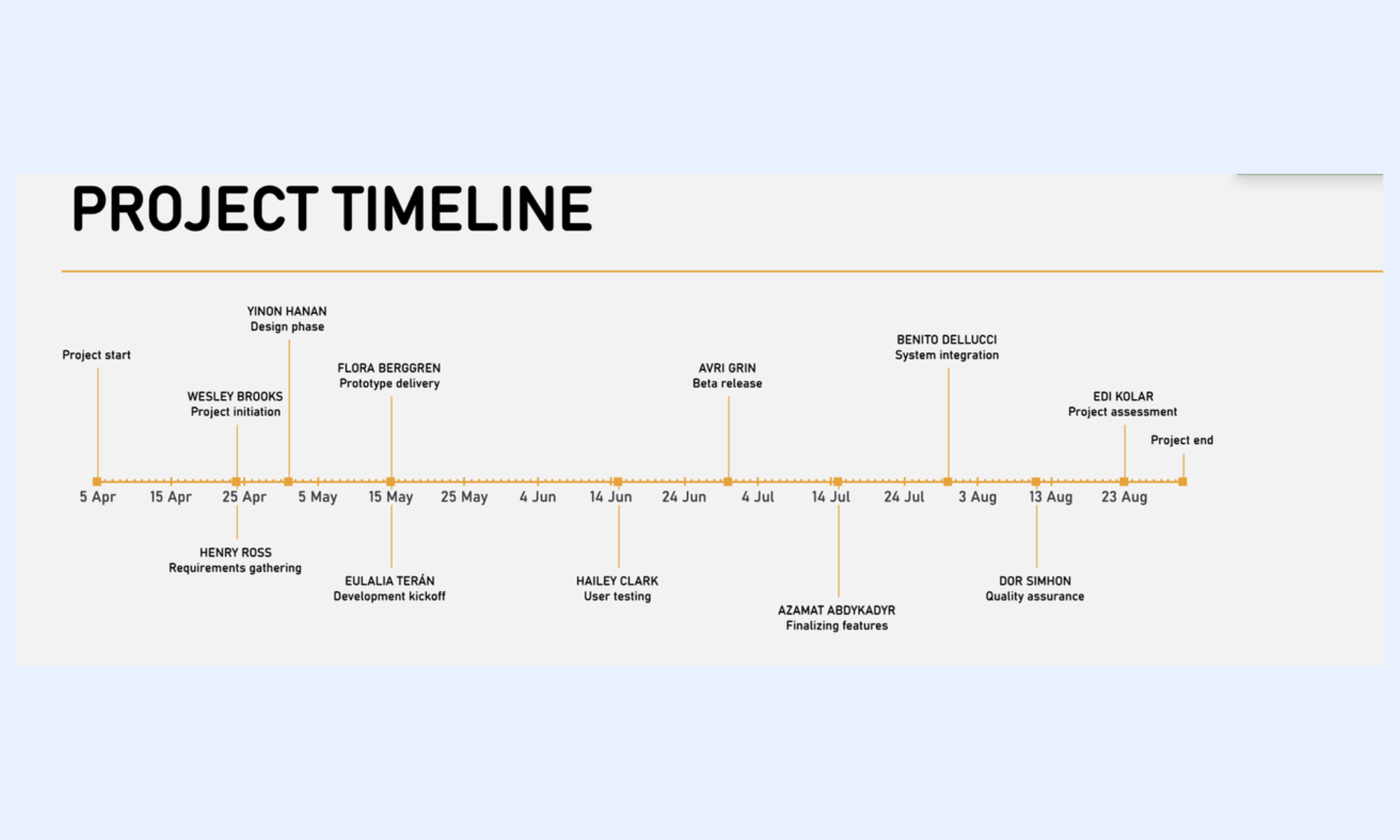
Image source: microsoft.com
Project timeline (Vertex42)
Vertex42's version focuses on flexibility and visual clarity with editable charts and task groupings. It allows users to adjust timelines dynamically while maintaining a professional layout. This template is well-suited for both planning and stakeholder presentations.
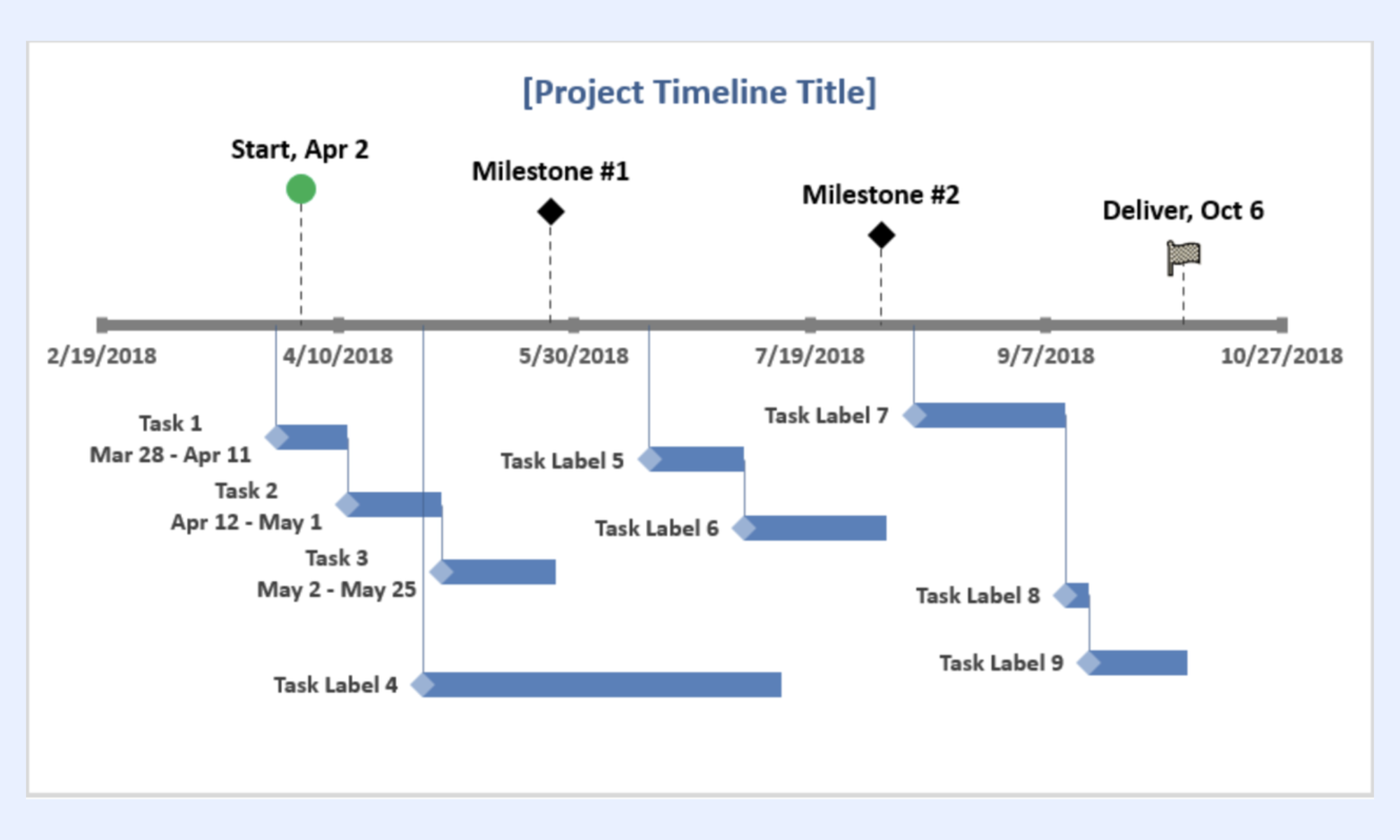
Image source: vertex42.com
Project schedule template (Smartsheet)
This template emphasizes detailed scheduling with task lists, dates, and dependencies. It provides a structured framework for managing timelines across multiple phases. Teams can use it to track progress and ensure deadlines are consistently met.
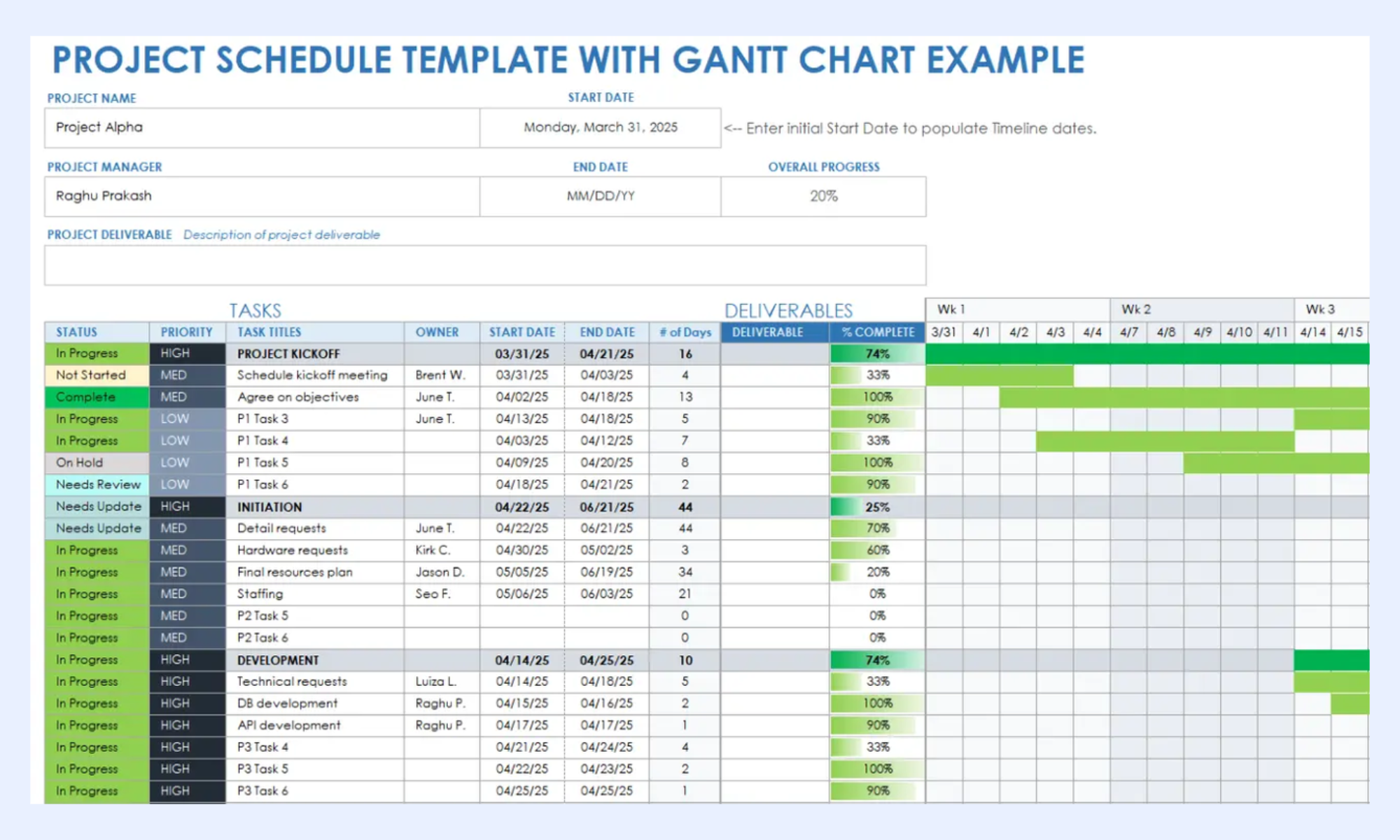
Image source: smartsheet.com
Project timeline (ProjectManager)
Designed with project managers in mind, this template and timeline visualization. It helps identify delays and overlaps by clearly mapping durations and dependencies. The format is practical for managing medium to complex projects.
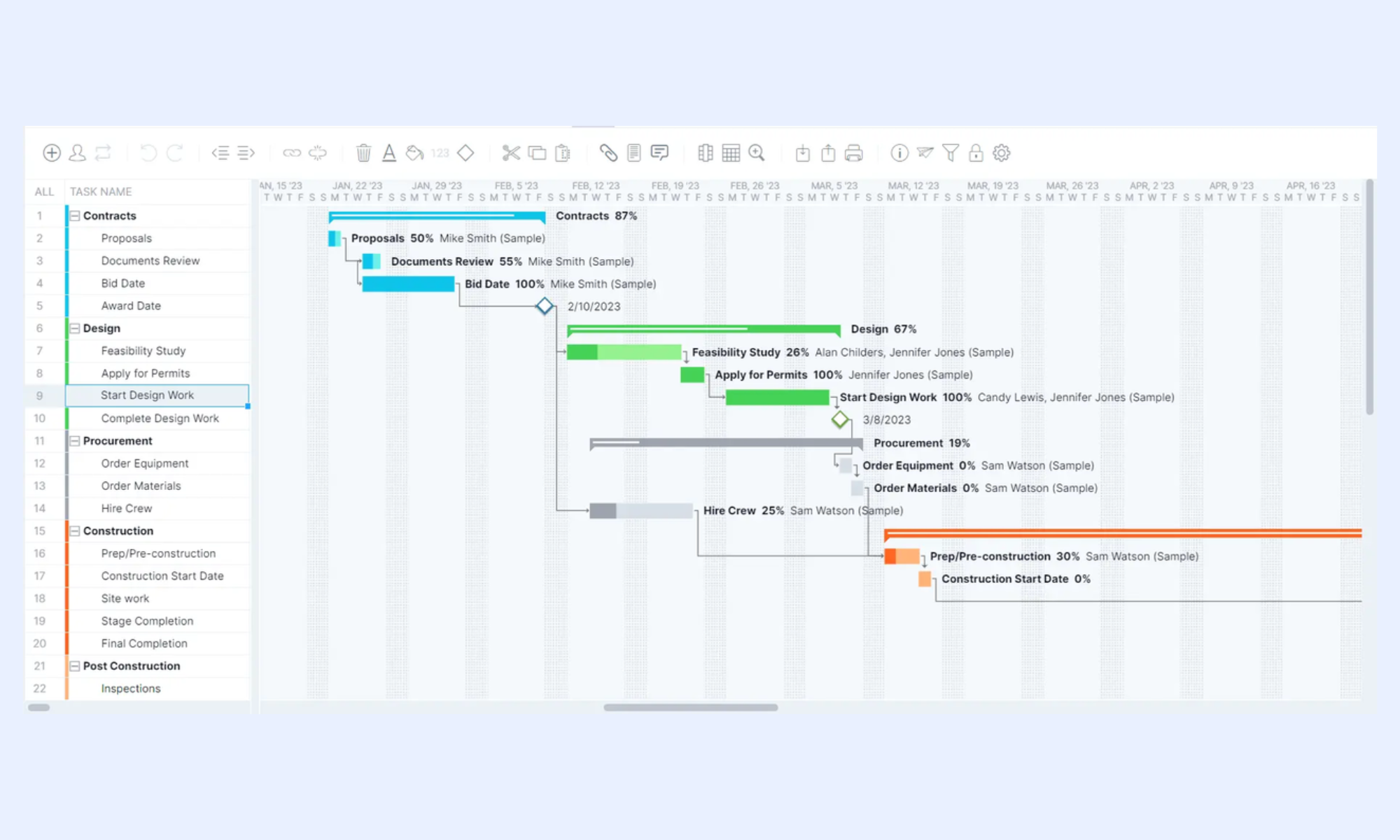
Image source: projectmanager.com
Four-week project timeline (Microsoft)
This template is tailored for short-term projects with a fixed four-week duration. It breaks down tasks week-by-week, making it easy to monitor rapid progress. Perfect for sprints or quick campaigns, it keeps planning focused and time-bound.
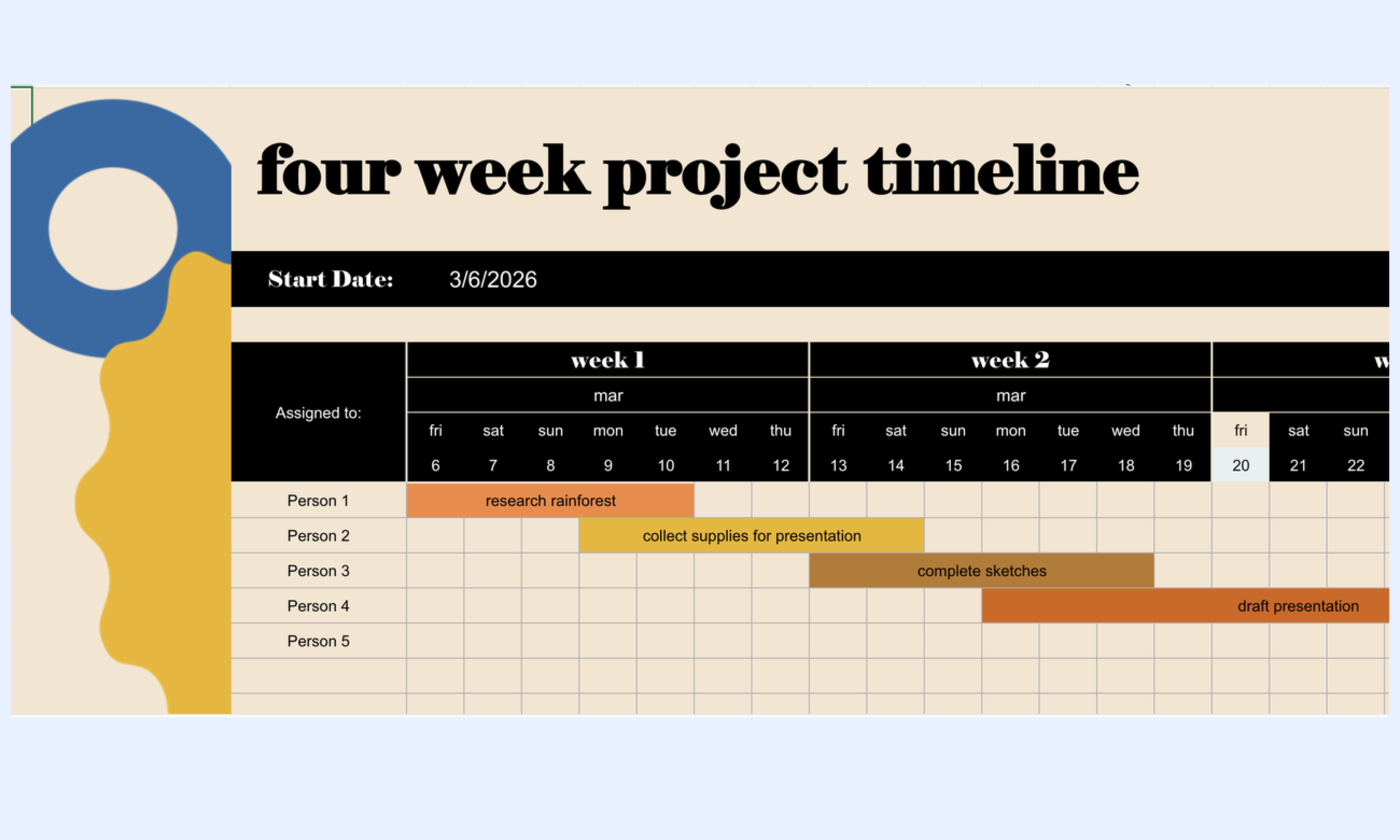
Image source: microsoft.com
Streamline workflows for every phase of your project
New alternative: Coordinate project timelines and team collaboration in Lark
As projects grow in complexity, static tools like Excel often fail to keep pace with real-time changes and team collaboration needs. Teams require a solution that not only maps timelines but also adapts instantly as tasks evolve. provides a unified platform where planning, tracking, and communication happen together in one place. With real-time updates, , and dynamic timeline views, Lark eliminates manual effort and reduces errors. It ensures every team member works with the latest information, improving visibility and accountability. This makes Lark a smarter, more efficient alternative for managing modern project timelines.
Project management hub for all actions
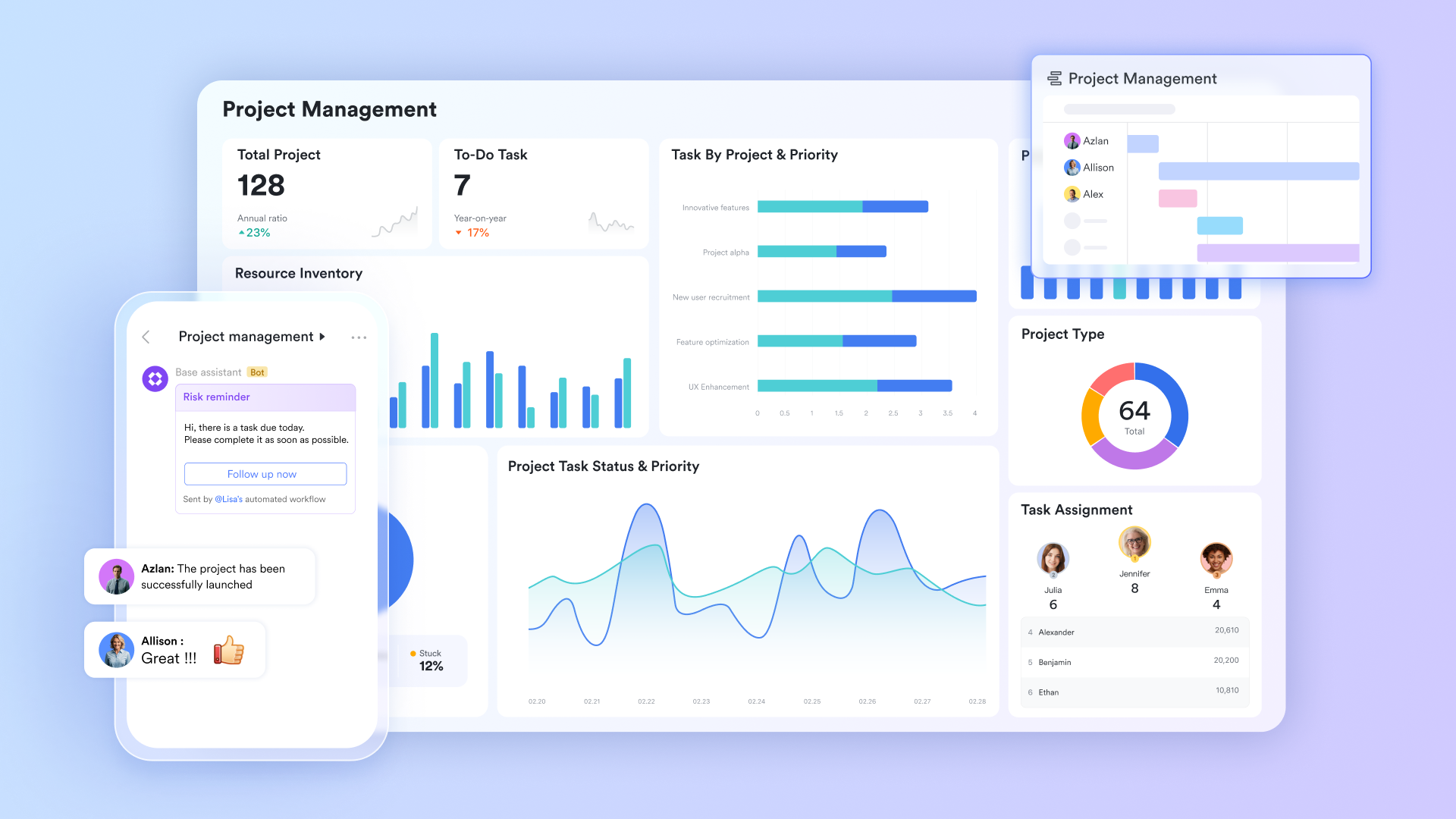
stores the project timeline in a live database with date fields for start and end dates, formula fields that auto-calculate duration, member fields for ownership, dependency-link fields that connect related tasks, and single-select status fields with conditional coloring. reflects instantly across all users simultaneously, no file to save, no version to send.
A live Gantt that rebuilds itself when dates change
Lark Base Gantt View renders start dates, end dates, and dependency links as a directly from database fields. When a date field changes, the Gantt bar repositions automatically, no axis reset or chart reconfiguration needed. Dependency arrows between linked task records immediately reveal critical path conflicts without running a separate formula. 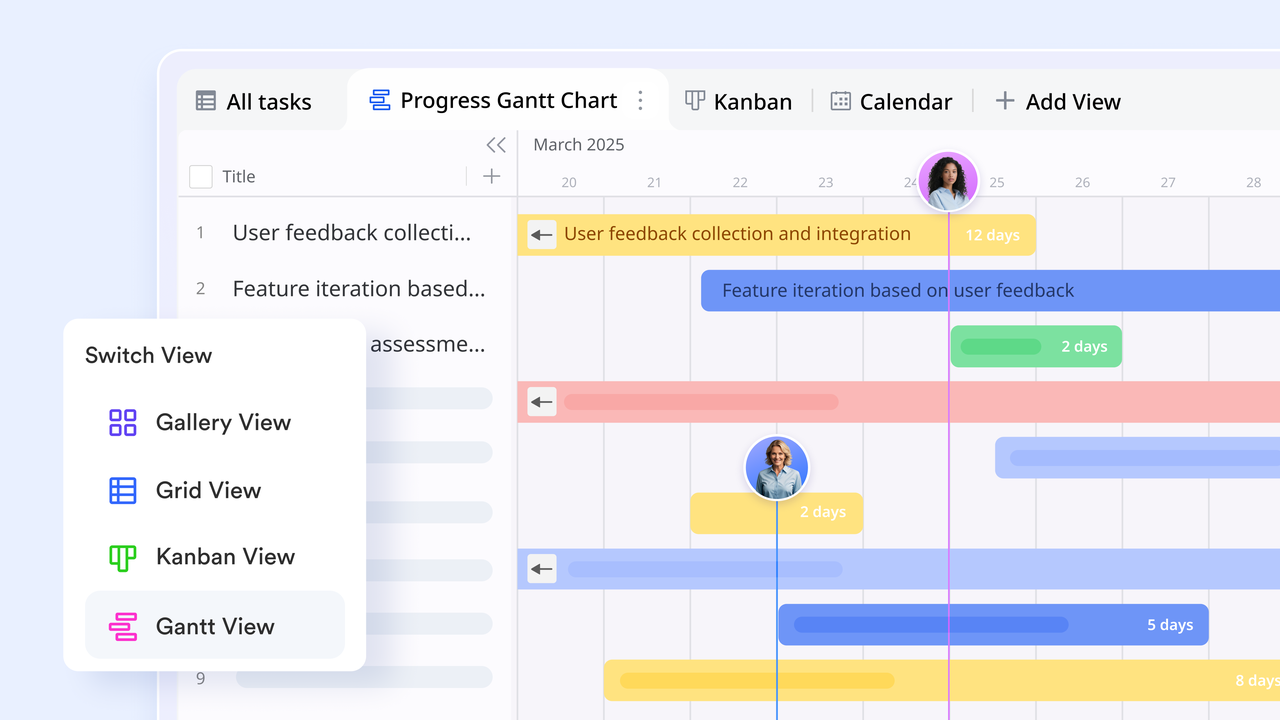
Overdue alerts and automated workflows
Lark Base Automation triggers notifications to task owners in Lark Messenger when a due date passes without a Complete status update. When a dependent task is marked complete, the next task to In Progress and notifies the incoming owner, all configured inside Lark Base using a point-and-click condition builder, with no third-party tools required. 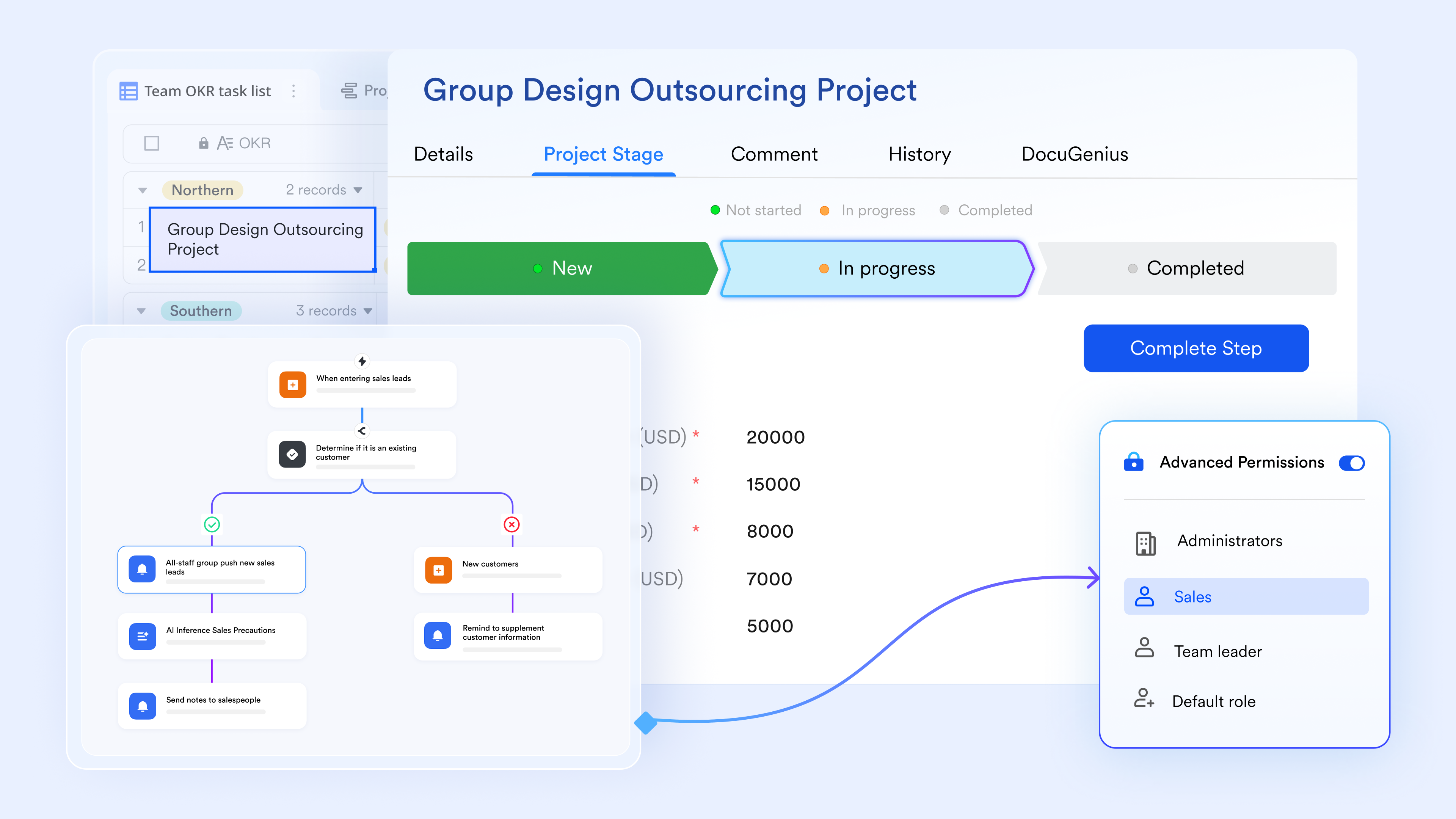
Real-time dashboard and progress report that writes itself
The Lark Base dashboard view generates live charts from the same fields : task completion count by status, overdue items broken down by owner, and phase progress calculated as the ratio of completed to total tasks per phase group. Every chart updates the moment a status or completion percentage field changes, with no manual data entry required. 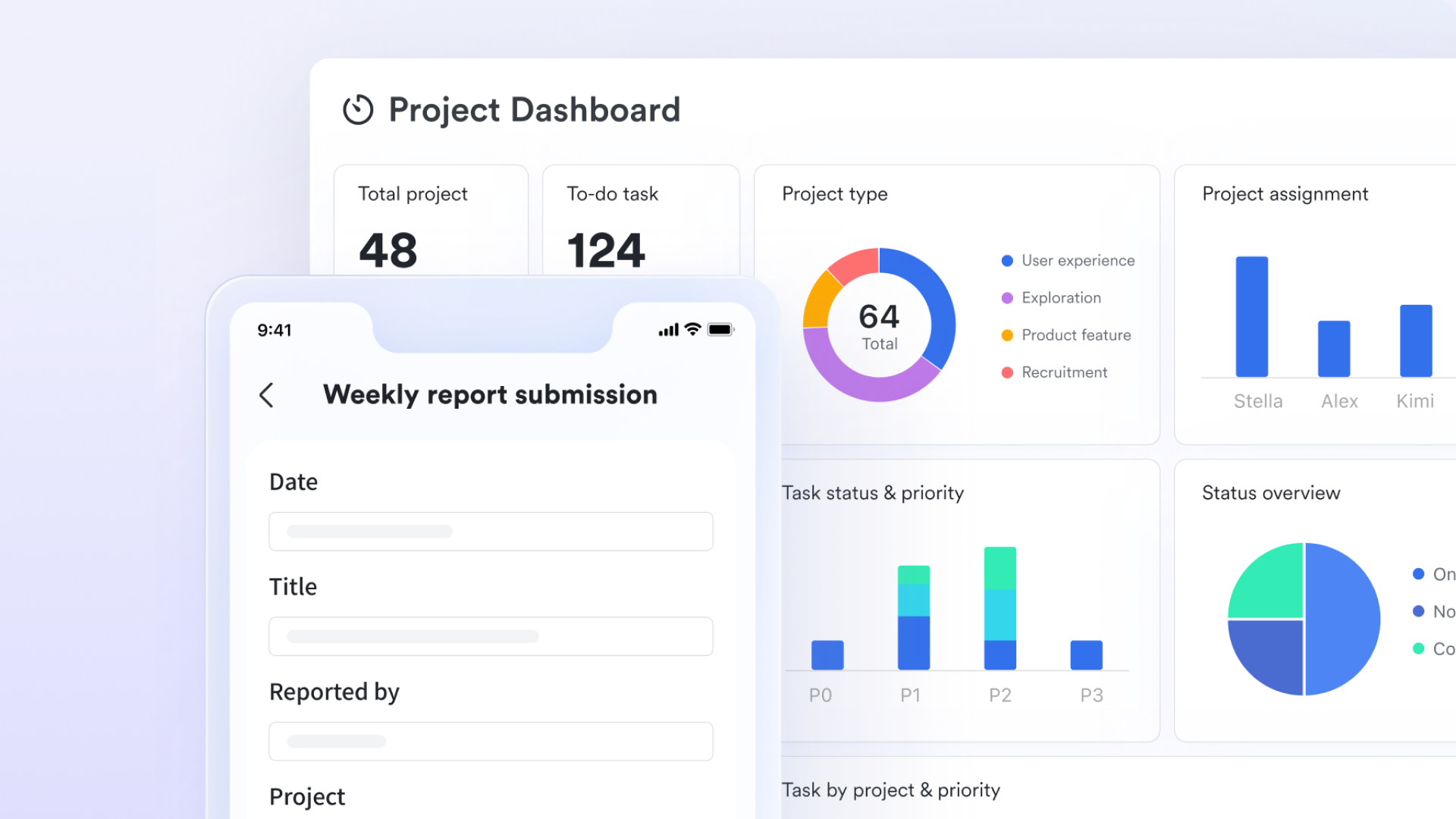
Project brief and timeline notes linked to the plan
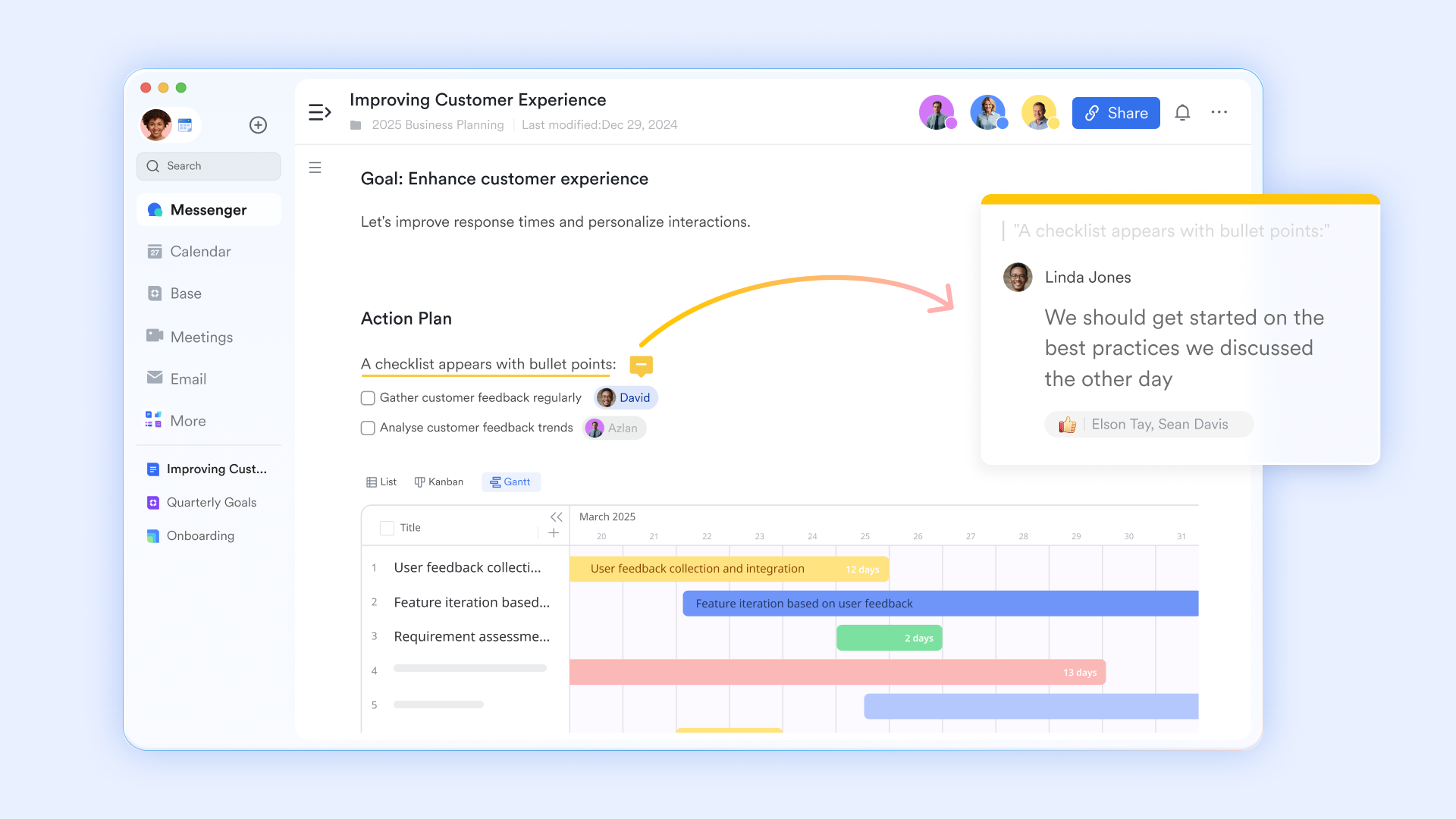
supports with inline comments, version history, and structured content blocks. Project managers write briefs, milestone acceptance criteria, and meeting notes in Lark Docs, then link each document directly to the relevant Lark Base task record. Team members access the latest version from the task record view, no folder search or attachment download needed.
:
- Starter plan: Free forever plan that includes 11 powerful tools for up to 20 users. It also comes with 100GB of storage, 1000 automation runs, AI translations, and more.
- Pro plan: $12/user/month (billed annually) for up to 500 users. It includes everything in Starter plus group calling for up to 500 attendees, 15TB of storage, 50,000 automation runs, and more.
- Enterprise plan: for custom pricing. Supports unlimited users and includes additional automation runs, as well as advanced security, compliance, and management features.
For small teams with simple communication needs

18 months message history
1000 Base automation runs/month
2000 rows per table in Base
Most POPULAR
For companies with comprehensive collaboration and management needs
Unlimited message history
500-participant video meetings
50k Base automation runs/month
20k rows per table in Base
For large companies with advanced security and organizational management needs
Get a personalized demo and pricing
Unlimited message history
500-participant video meetings
15 TB storage + 30 GB storage/user
500k Base automation runs/month
50k Base automation runs/month
Most POPULAR
For companies with comprehensive collaboration and management needs
Unlimited message history
500-participant video meetings
50k Base automation runs/month
20k rows per table in Base
These templates are built on Lark Base, so every timeline is collaborative, live, and viewable in Gantt, Kanban, Calendar, and Dashboard formats from a single dataset. Update a task date or status, and the change reflects across every view instantly, no chart to rebuild, no file to re-share, no export to send.
Project timeline
A project timeline outlines tasks, milestones, and deadlines across a defined timeframe. It helps teams visualize the sequence of work and track progress effectively. This template to keep projects organized, aligned, and on schedule.
Marketing timeline
A marketing timeline outlines campaign activities, content schedules, and key launch dates across a defined period. It helps teams coordinate channels, align messaging, and track execution progress. This template ensures campaigns stay organized, timely, and aligned with overall marketing goals.
Google Docs timeline
A Google Docs timeline provides a simple, text-based way to outline project tasks and key dates. It enables , allowing teams to edit, comment, and update timelines simultaneously. This template is ideal for quick planning and sharing structured timelines without complex formatting.
Feature roadmap and timeline for product strategy
A feature roadmap and timeline outline planned product features, releases, and strategic priorities over time. It helps teams align development efforts with business goals and market needs. This template provides a clear view of what to build, when to deliver, and how progress evolves.
Project management Gantt chart
A project management visually maps tasks, durations, and dependencies across a timeline. It helps teams track progress, identify overlaps, and manage deadlines effectively. This template provides a clear, time-based view to keep projects organized and on schedule.
OKR task subdivision and progress control
An OKR task subdivision and progress control template breaks down objectives into measurable tasks and key results. It helps teams track alignment, monitor progress, and systematically. This template provides clarity, accountability, and real-time visibility into performance.
Project timeline template for software development
A project timeline template for software development maps out sprints, tasks, and release milestones across the development lifecycle. It helps teams coordinate planning, coding, testing, and deployment phases efficiently. This template ensures better visibility, alignment, and timely delivery of software projects.
Project timeline template for movie production
A project timeline template for movie production outlines pre-production, shooting, and post-production phases with clear schedules. It helps coordinate teams, manage resources, and track key milestones like filming and editing. This template ensures smooth execution and timely completion of film projects.
Multi-project tracker
A multi-project tracker helps teams manage and monitor multiple projects within a single structured view. It provides visibility into timelines, priorities, and simultaneously. This template ensures better coordination, reduces overlap, and keeps all projects aligned with overall goals.
Conclusion
A well-structured project timeline template in Excel helps teams move from scattered planning to clear, time-bound execution. By organizing tasks, setting deadlines, and , Excel templates provide a practical starting point for managing projects of any size. However, as projects grow more complex, limitations like manual updates, a lack of automation, and poor collaboration can slow teams down and create inefficiencies.
This is where makes a real difference. With real-time updates, built-in automation, and integrated communication, Lark transforms static timelines into dynamic, collaborative workflows. Teams can plan, track, and adapt instantly without worrying about version conflicts or missed updates.
If you're ready to go beyond spreadsheets and manage projects with greater clarity and control, Lark offers a smarter, all-in-one solution. Start using Lark today to build timelines that stay accurate, connected, and always up to date.
Experience enterprise-grade project management
FAQs
What is the best free project timeline template for Excel?
The best option depends on your needs, but Microsoft and Vertex42 offer reliable and easy-to-use templates. A template in Excel works well for basic planning and tracking tasks. For advanced collaboration and real-time updates, Lark provides a more dynamic alternative.
What is the difference between a project timeline and a Gantt chart?
A shows tasks and milestones over time in a simple format, while a Gantt chart visually shows dependencies and durations. A project progress timeline template focuses on high-level tracking, whereas Gantt charts offer deeper scheduling insights. Lark combines both views on a single platform for greater clarity.
How do I track project progress in Excel?
You can track progress by adding columns for status, completion percentage, and deadlines. A project task tracker template in Excel helps monitor individual tasks and overall performance. However, Lark automates progress tracking with real-time updates and notifications.
What is the best format for a project timeline?
The best format depends on project complexity, but visual timelines and Gantt charts are the most effective. A project monitoring template in Excel provides structured tracking, but may require manual updates. Lark offers flexible formats, such as timelines, Kanban, and dashboards, all in a single system.
Related reading































