We have bought into generative AI tools, but they often act as isolated chatbots rather than systems that drive end-to-end business outcomes. This is the GenAI paradox. Giving an AI model more autonomy is not the goal; giving it a governed, unified workspace is. AI Agentic workflow fails when your data is scattered across different apps. In this guide, I will cover the definition of agentic workflows, the danger of fragmented tool stacks, real-world examples, and why unified platforms are the only way to build them securely.
What are agentic workflows in AI?
To understand how enterprise operations are changing, we first need to define the terminology clearly. An agentic workflow in AI is a structured, multi-step process where AI systems observe data, reason through problems, and take action using connected tools within predefined boundaries.
Instead of treating artificial intelligence as a simple question-and-answer machine, agentic workflows integrate AI as an active, iterative participant in your daily operations.
To see this shift in perspective, consider the standard "prompt-and-response" behavior we are all used to. You open a chatbot, ask it to draft an email based on a few bullet points, and it gives you a text output. The AI stops there. You are still responsible for copying that text, opening your email client, finding the right contact, and hitting send. You are the one doing the actual workflow routing.
When we introduce agentic workflows in AI, we move from text generation to autonomous planning and execution. The AI handles the intermediate routing.
Core components of an agentic system
Industry research and technical frameworks generally highlight three essential components that make this possible:
- Large language models (LLMs) as reasoning engines: In an agentic setup, the LLM is not just a ; it acts as the brain of the operation. It parses unstructured data, decides which step needs to happen next, and determines if it has enough information to proceed.
- Context memory (State management): For an AI to complete a multi-step process, it needs to remember what happened in step one while executing step four. Context memory allows the workflow to maintain a continuous thread of logic across time, preventing the AI from losing its place in the sequence.
- Tool integration and API calling: This is where the workflow interacts with your actual business environment. The AI must have the granted ability to , , , or .
Workflows vs. chatbots: A practical example
To illustrate the shift from basic chatbots to true workflows, imagine a customer submits a refund request via a web form.
- Without an agentic workflow: A support rep reads the ticket, manually copies the customer ID, pastes it into a billing system, checks the refund policy, asks ChatGPT to help write a polite response, and manually processes the refund.
- With an agentic workflow: The system receives the ticket (the trigger). The AI automatically queries the billing database to verify the purchase, reads the company’s internal wiki to check the current refund policy, drafts the appropriate response in a connected document, and pings the support manager in their team chat. The manager simply clicks an "Approve" button, and the workflow executes the refund and sends the email.
AI agents and agentic workflows: Understanding the difference
Operations managers and IT leaders frequently use the terms "AI agents" and "agentic workflows" interchangeably. However, drawing a sharp distinction between the two is critical for enterprise security and process governance.
Think of an AI agent as the worker, and the agentic workflow as the factory floor.
The risk of standalone AI agents
A standalone AI agent is a software entity given a high degree of autonomy and a broad goal. If you tell a standalone AI agent, "Maximize our marketing ROI," the agent will decide entirely on its own how to interpret data, which campaigns to pause, and where to allocate budget.
While this sounds impressive in a research environment, it is terrifying in a practical business context. Standalone AI agents operate largely as a "black box." They exhibit emergent behavior—meaning they might solve a problem in a way their developers never anticipated. For operations and IT leaders, this unpredictability is a massive liability. You cannot easily audit an agent's logic if it decides to double your ad spend overnight based on a hallucinated metric.
Why agentic workflows are the enterprise standard
Agentic workflows provide the necessary "rails" for the AI to run on. Businesses looking for typically prioritize solutions that offer transparent governance, human oversight, and secure workflow orchestration instead of unrestricted autonomous agents. Rather than giving the AI open-ended autonomy, you give it explicit control paths, traceability, and safe integration points.
When you , you dictate the overarching logic. You define the exact steps the AI must follow, the specific internal documents it is allowed to reference, and the precise moments it must stop and wait for human permission.
This approach allows the AI to do the heavy lifting—reading data, summarizing context, and preparing actions—while keeping the actual execution governed by strict, observable business rules. For growing SMEs and large enterprises, structured agentic workflows are the only viable way to deploy artificial intelligence safely.
The silent killer of agentic workflows: Fragmented tool stacks
Before we look at how to build these automated processes, we must address the most significant technical bottleneck preventing their success. You cannot achieve machine-speed decision-making if your company data is scattered across isolated applications.
Fragmented tool stacks are the silent killer of agentic workflows.
I often see teams attempt to build complex AI automations while relying on a disjointed software environment. They might use a standalone , an external , and a completely separate web application for .
When you introduce AI into this environment, you force the reasoning engine to jump across fragile external APIs just to gather basic context. This introduces severe operational friction:
- Lost context and hallucinations: If your project specifications and decision-making live in different apps, the AI cannot see the full picture. When an AI model lacks complete context, it fills in the blanks with . It might draft a project update based on an outdated document because it could not access the recent chat history where a manager changed the requirements.
- Broken integrations: Relying on third-party connectors (like Zapier or custom API scripts) to bridge separate apps is risky. If a software vendor updates their API structure or you hit a rate limit, the connection breaks. The workflow halts. Instead of saving time, your IT team ends up spending their week troubleshooting broken connection nodes.
- Security and permission blind spots: Managing data access for an AI across five different platforms requires configuring five different sets of permissions. This complexity often leads to accidental data exposure, where an AI might pull confidential financial data from an external spreadsheet and summarize it in a public team chat.
To build reliable, resilient agentic AI workflows, organizations must first consolidate their data layer. An all-in-one, unified workspace is a technical prerequisite for complex AI automation. When your chat, documents, project boards, and approval systems live in the same native database, the AI can observe data and execute actions smoothly without ever hitting an integration wall.
Consolidate your fragmented apps into unified workspace
How to build agentic AI workflows: A step-by-step approach
Transitioning from theoretical AI concepts to tangible business operations requires a structured implementation plan. If you are ready to move beyond basic chatbots and orchestrate your first agentic workflow, I recommend following this four-step approach.
1. Consolidate your environment
Do not start by choosing an LLM or writing complex code. Start by securing a single source of truth. Advise your team to move the core operations involved in the process—such as internal messaging, collaborative documents, and project tracking boards—into an all-in-one suite.
When you consolidate your environment, you provide the AI with a unified data layer. The same principle applies to your network layer — using ensures that all your automated tools communicate through consistent, reliable IP addresses without unexpected blocks. The reasoning engine can natively reference a project brief, check a , and read task statuses without requiring brittle third-party API connectors.
2. Define the trigger and boundaries
Agentic workflows require strict operational boundaries to function safely. You must map out exactly what event initiates the process and what the AI has the authority to do.
- The Trigger: What starts the engine? This could be a new row added to a spreadsheet, an email arriving from a specific client, or an employee submitting an internal IT form.
- The Boundaries: Clearly define the AI's limitations. For example, you might grant the AI permission to read a submitted vendor invoice, cross-reference it with a budget spreadsheet, and draft a response email. However, you explicitly restrict its ability to authorize banking transactions or send external emails autonomously.
3. Implement a human-in-the-loop (HITL) checkpoint
requires human oversight. The most effective agentic workflows do not eliminate managers; they elevate them to reviewers.
Instead of letting the AI execute its final action in the dark, implement a human-in-the-loop (HITL) checkpoint. The workflow should be designed to gather context, make a logical recommendation, and then route that proposed action directly to a decision-maker.
Mini-scenario: The HITL routing process
Suppose the AI evaluates a request for new software licenses. Instead of auto-purchasing the licenses, the workflow compiles the request details, the current department budget, and the cost breakdown into a concise summary card. It then sends this card directly to the department head's primary chat stream. The manager can read the AI's logic and click a built-in "Approve" or "Reject" button right inside the chat window. This method ensures compliance while keeping the workflow moving rapidly.
4. Monitor the execution state and iterate
Once the workflow is live, you must track its success rate. Because AI models rely on natural language reasoning, they can occasionally misinterpret ambiguous data.
Set up a routine to review how the AI handles edge cases. If you notice the workflow frequently requires human correction during the HITL checkpoint, refine the initial instructions. You may need to clarify your prompt engineering, adjust the data formatting in your connected spreadsheets, or add a new step instructing the AI to check a before making its recommendation. Continuous iteration is how you transform a basic automation into a highly reliable operational asset.
Agentic AI workflows examples in everyday business
To see how a consolidated data layer transforms theoretical AI into practical business value, let's examine a few realistic use cases. Notice how each of these examples relies on the AI having simultaneous access to documents, project databases, chat interfaces, and shared calendars.
Project management and task routing
In a traditional setup, a product manager writes a technical specification and then spends an hour manually extracting action items to assign out in a task tracker. With an agentic workflow, the AI engine monitors a specific folder for new cloud-native documents. When a new technical specification is uploaded, the AI reads the document, identifies the specific deliverables, and automatically creates individual task cards in a connected project database. It sets preliminary deadlines based on the project scope and tags the relevant engineers, effectively automating the administrative overhead of sprint planning.
Automated budget approvals
Financial routing is notoriously slow when data is siloed. An agentic workflow can intercept a newly submitted vendor invoice and cross-reference the requested amount with the department’s current budget spreadsheet and . Instead of autonomously paying the invoice—which violates compliance—the workflow drafts a summarized approval request. It sends this summary directly to the CFO's messaging chat. The CFO reviews the extracted data, compares it to the attached sheet, and approves the payment with a single click in their communication feed.
The missing link: Unifying your tools to make this possible
Notice the technical requirement in this budget scenario? To execute that action safely, the AI needed simultaneous access to a financial document, an OKR tracker, and a chat interface equipped with native approval buttons. If your company uses three separate applications for these functions, building this automation requires brittle, complex API connectors that are a security risk and prone to breaking. To make true agentic AI a reality without the IT headache, you must first unify your data layer into a single environment.
Lark review: The all-in-one digital workspace for agentic operations
is an all-in-one collaboration workspace that combines , , , , , and essential workflows within a single interface. It is best suited for growing to , especially remote and hybrid teams struggling with fragmented tool stacks. Lark stands out as a productivity powerhouse because its unified architecture eliminates data silos, providing the perfect foundation to build, govern, and monitor reliable AI workflows without relying on fragile third-party integrations.
Deep dive: Executing agentic workflows without the API friction
- Problem: Many teams attempt to build automated workflows using disjointed tools. Your chat happens in , your project specs live in , and your task tracking is managed in .
- Anxiety: This context switching not only drains human productivity but makes it nearly impossible for AI to function reliably. When data is disconnected, external API rate limits are hit or third-party connectors break. The AI agent loses its context, hallucinates incorrect answers, and projects face critical delays. As a result, your IT team spends their time fixing broken automations instead of doing productive work.
- Solution: Lark acts as an all-in-one digital workspace that brings messaging, video calls, cloud-native documents, project management (), and automation into a single, unified database. Because the data layer is native, your agentic workflows never hit external integration walls.
Benefit 1: Unified Context & Project Management
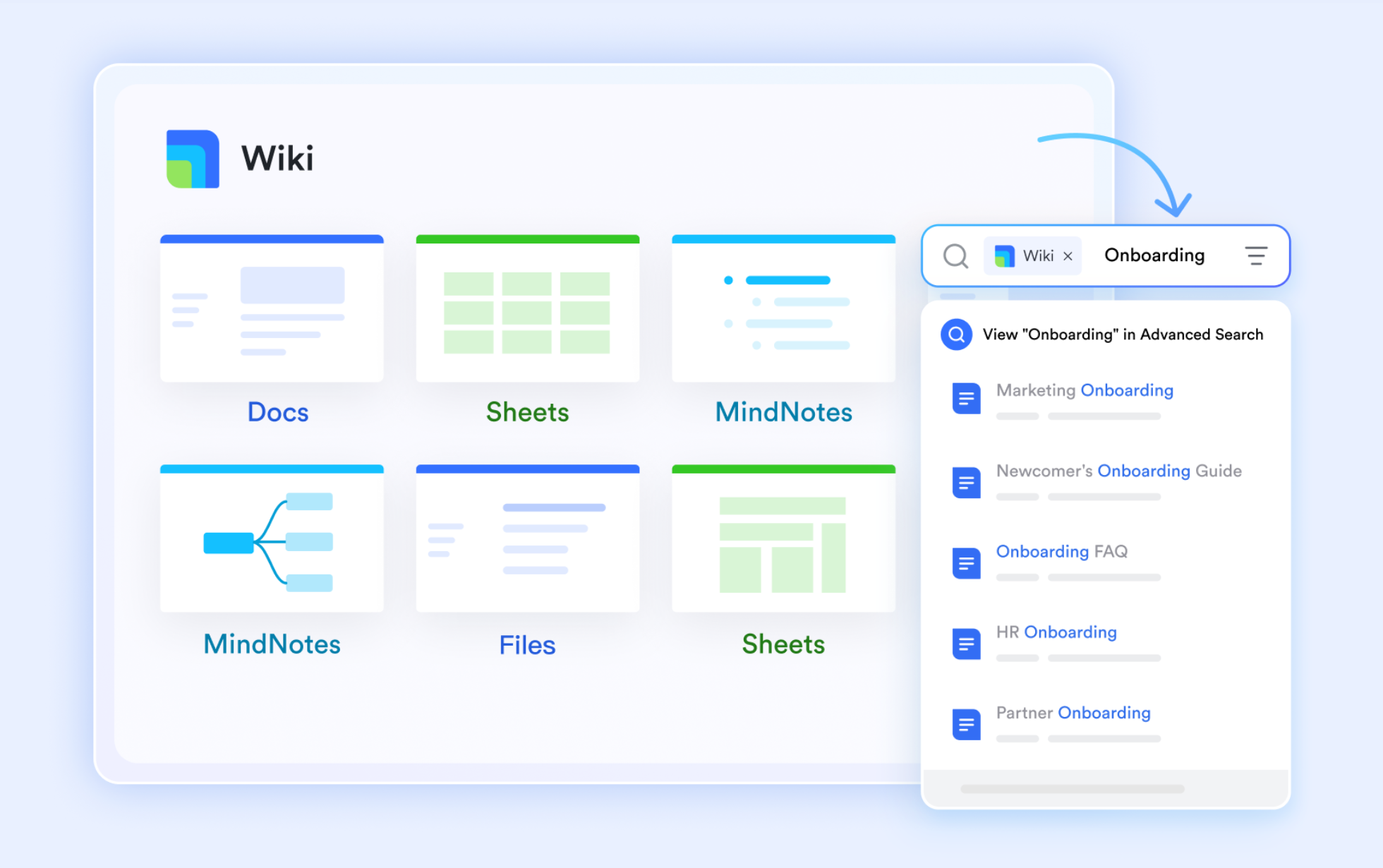
Lark is an AI-powered work management platform that gives teams robust capabilities with built-in communication to reduce friction. Because is integrated directly with its task tracking, your workflow can instantly pull project specs, read real-time data from , and summarize updates directly into your team's chat window without a single external API call.
Benefit 2: Native Governance & Approvals
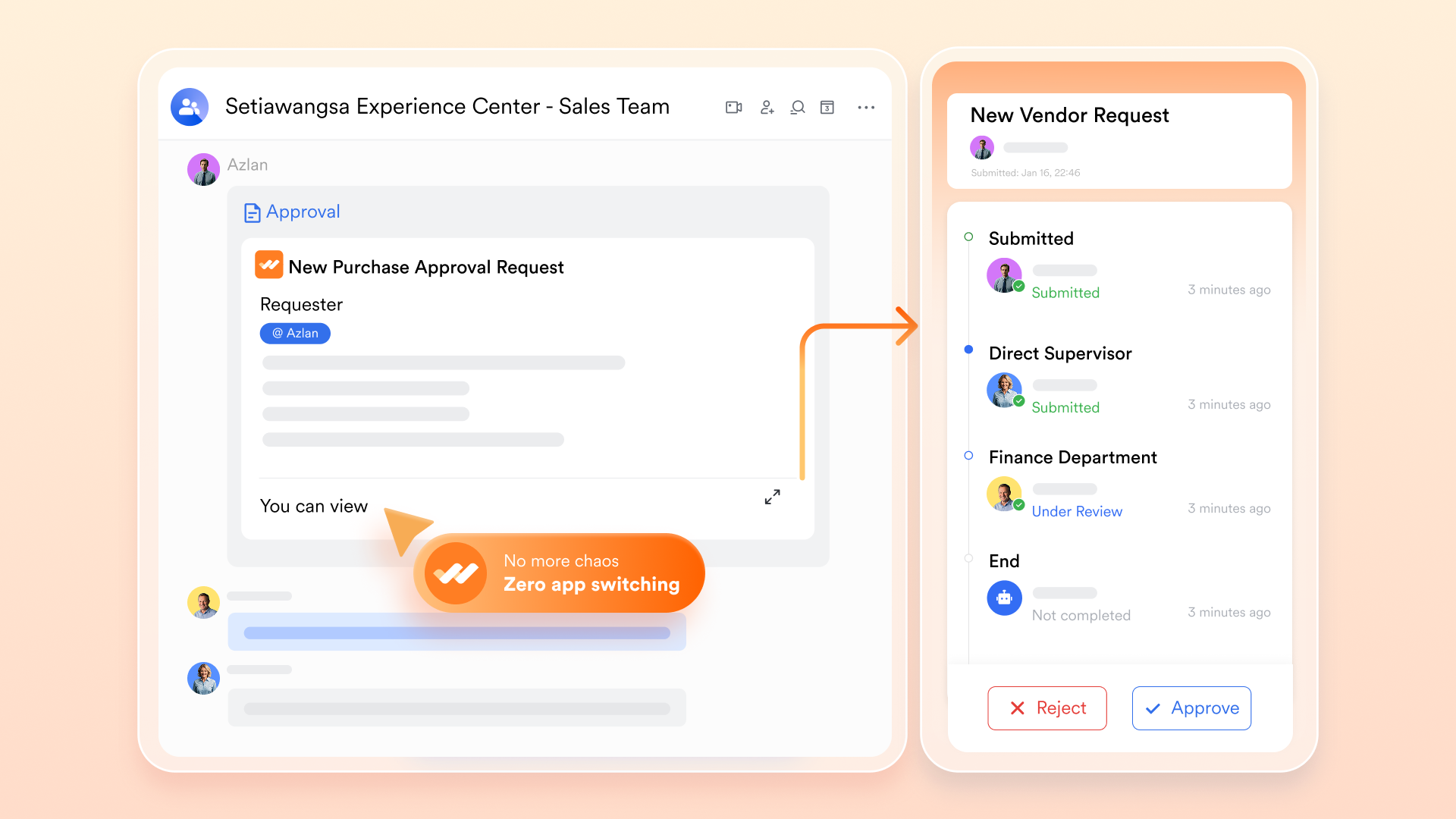
Governance becomes a natural part of communication. features powerful approval flows natively built into its chat interface. An automated workflow can review a request in a , make a decision, and route an actionable summary card straight into a manager's chat stream. The manager clicks "Approve" right in the chat, embedding secure human-in-the-loop oversight into daily operations.
Benefit 3: Strategic Alignment
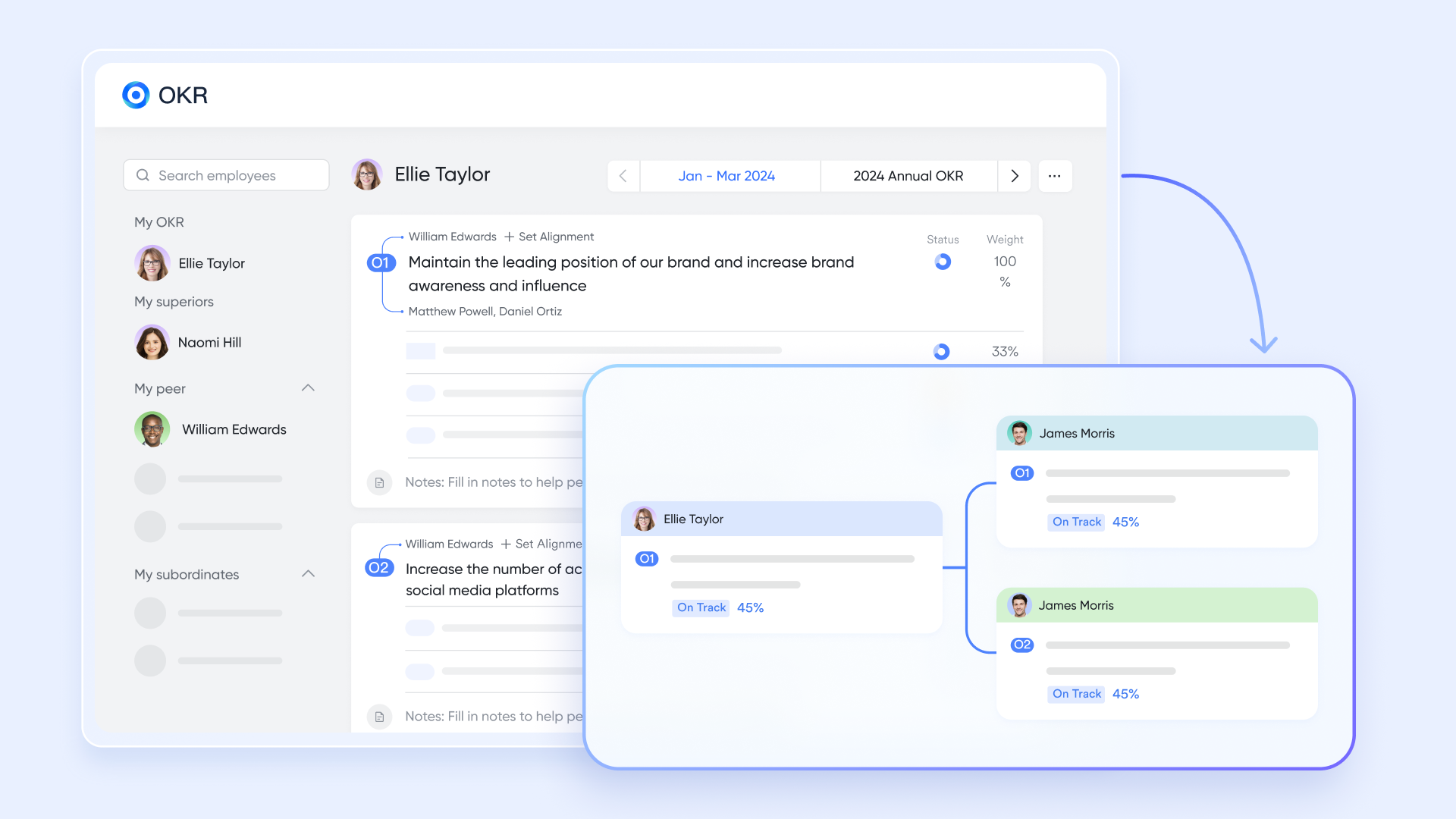
Standalone AI tools do not understand your company's overarching strategy. Because Lark includes built-in goal and , you can design workflows where completing a micro-task in Lark Base automatically updates the department's OKRs. This ensures your automated actions continuously reflect macro-business alignment.
One of the hidden costs of building AI workflows across fragmented systems is the price tag of paying for separate chat, document, and task management apps—plus the premium fees for external API connectors. eliminates this financial friction by providing a highly cost-effective, unified environment with automation runs built directly into every tier.
- Starter plan: Free forever plan with 11 powerful tools for up to 20 users, 100GB storage, 1,000 automation runs, AI translations, and more. No credit card needed.
- Basic plan: $6/user/month (billed annually) for up to 500 users. Includes everything in Starter plus unlimited message history, 5TB storage, 1,000 automation runs, and more. Some users may need to to purchase.
- Pro plan: $12/user/month (billed annually) for up to 500 users. Includes everything in Basic plus group calling for up to 500 attendees, 15TB storage, 50,000 automation runs, and more.
- Enterprise plan: for custom pricing. Supports unlimited users and includes advanced automation, security, compliance, and management features.
For small teams with simple communication needs

18 months message history
1000 Base automation runs/month
2000 rows per table in Base
Most POPULAR
For companies with comprehensive collaboration and management needs
Unlimited message history
500-participant video meetings
50k Base automation runs/month
20k rows per table in Base
For large companies with advanced security and organizational management needs
Get a personalized demo and pricing
Unlimited message history
500-participant video meetings
15 TB storage + 30 GB storage/user
500k Base automation runs/month
50k Base automation runs/month
Most POPULAR
For companies with comprehensive collaboration and management needs
Unlimited message history
500-participant video meetings
50k Base automation runs/month
20k rows per table in Base
Getting started: Transitioning to unified agentic workflows
Start with data consolidation, not AI models
Do not assume that buying another AI wrapper will solve your operational inefficiencies. The absolute priority is migrating your fragmented communications, documents, and project data into a unified environment like . You must create a stable, observable foundation before you introduce autonomous reasoning.
Identify a single pilot workflow to test risk-free
Do not attempt to automate your entire operation at once. Pick one high-friction, low-risk process—such as standardizing PTO requests, organizing weekly meeting notes, or handling basic IT ticketing. Because provides a robust free Starter plan that includes built-in automation runs, you can build and test this initial process without asking for budget approval. This drastically lowers the cost of experimentation, giving your team a risk-free sandbox to validate the AI's reasoning capabilities and practice routing its outputs.
Train for governance, not just prompts
Shift your team's mindset from simply writing chat prompts to actively managing workflow outputs. Teach your managers how to review AI-generated approval cards in their chat stream. Enterprise AI is not about letting the machine run the company; it is about building systems to ensure continuous, efficient human oversight.
Conclusion
The future of work relies on designing structured, observable agentic workflows, rather than letting standalone AI models operate in the dark. However, you cannot orchestrate complex AI if your data is fragmented. Building a unified digital workspace is the non-negotiable first step. I recommend starting small. Map out a single high-friction process, consolidate the context into a unified platform like , and test it using strict human-in-the-loop governance. By fixing your architecture first, you ensure your AI actually drives business outcomes.
Start building secure AI workflows with Lark today.
FAQs
What are agentic workflows in AI?
An agentic workflow is a structured process where an AI system observes data, reasons through a problem, and executes multi-step tasks using connected tools. Unlike standard prompt-based chatbots that simply generate text, agentic workflows involve autonomous planning and tool usage within strict, predefined business boundaries.
How do agentic workflows differ from traditional RPA?
is highly static and rule-based; if a single pixel changes on an invoice, an RPA bot will crash. Agentic workflows use Large Language Models (LLMs) as , allowing them to dynamically interpret unstructured data, adapt to minor changes, and make logical decisions when the data format varies.
Why do I need a unified workspace to build AI agentic workflows?
When company data is scattered across separate apps for chat, documents, and task management, AI models are forced to rely on fragile external APIs. This leads to API breakages, lost context, and AI hallucinations. A unified suite provides a single, consistent data layer, ensuring the AI always has the accurate context it needs to function safely.
Related reading