If you are searching for AI in construction, you likely want a shortlist of tools worth evaluating, not just a futuristic definition. Construction teams face real challenges with site visibility, schedule risk, and cross-team coordination. However, the current market is split between hyper-specialized point solutions and broader work platforms, leaving many leaders confused about what to buy. This guide compares the leading software tools, explains what each one does best, and shows why fixing your workflow design matters just as much as adopting new technology.
Why AI in construction buyers are looking for tools, not just use cases
The conversation around the has shifted. Six months ago, project managers wanted to know what artificial intelligence was. Now, tracking the AI in construction news today, buyers want software guidance. They are moving rapidly from casual interest to tool selection, pilot design, and rollout planning.
But here is a reality check I often share with AECO executives: adding more AI tools to your tech stack does not automatically improve project execution. If your communication, approvals, and documentation still sit in disconnected systems—emails, text messages, and isolated cloud drives—you are just creating faster data silos. When we look at using AI in construction, we have to transition from asking "what can this tech do?" to "which tools actually deserve a place in our daily workflow?" A fragmented stack guarantees that even the best AI outputs will get lost in transit.
What to look for in AI in construction software
When you evaluate the growing AI in construction market, you need to look past the marketing hype. Not every platform solves the same problem. Some applications are built specifically for visual site capture, some focus purely on schedule optimization, and others exist entirely to and cross-team alignment.
I evaluate tools through specific operational lenses: planning and scheduling, field visibility, , document workflows, approvals, and . For example, multilingual coordination is a critical, often-overlooked feature. If an AI tool optimizes a complex schedule, but you cannot communicate those updates to a diverse field crew due to language barriers, the tool fails its primary objective. I selected the software in this guide based on workflow fit, risk level, and adoption friction rather than pure feature volume. We will look at the best AI in real estate and construction across specialist construction intelligence, project controls, field execution, and cross-functional coordination. This framework will help you understand how to use AI in construction effectively.
How we grouped the best AI in construction tools
To give you a practical path forward, I grouped this shortlist into two categories: construction-specific platforms and broader collaboration workspaces.
For each tool, I will clarify exactly what it is best for, where it fits in the , where it might be limited, and what kind of buyer should consider it. This list is intentionally mixed because solving the administrative grind requires a hybrid approach. Many teams need the right specialist intelligence tools (like 3D modeling or drone mapping) combined with a strong execution layer (a for chat, meetings, and documents).
This is a commercial shortlist built for serious evaluation. It will help you navigate the AI in construction 2026 news cycle and figure out how to deploy these systems without overwhelming your project managers.
AI use cases in construction: Real-world applications
Before we look at specific software vendors, it helps to understand exactly how is AI used in construction on an operational level. The most impactful AI use cases in construction right now have less to do with autonomous robots and more to do with fixing administrative bottlenecks and preventing project delays.
Predictive analytics and AI in construction estimating
Bidding is one of the highest-risk phases of any project. AI in construction estimating evaluates historical cost data, local supply chain trends, and to flag potential budget overruns before a proposal is even submitted.
In practice: Imagine a general contractor preparing a bid for a commercial build. Instead of manually cross-referencing past spreadsheets, predictive analytics tools instantly highlight that the cost of steel in a specific region has spiked 15% in similar past projects during the winter months, allowing the estimator to adjust their margins proactively.
Jobsite monitoring and AI in construction safety
is non-negotiable. The use of AI in construction safety relies heavily on computer vision. By analyzing feeds from site cameras, drones, and smartphones, visual intelligence systems act as a second set of eyes for site managers.
In practice: A project manager cannot be everywhere at once. A computer vision model scans live footage of the jobsite and detects that three workers on a third-story scaffold are missing proper harnesses. It immediately flags the incident, sending an automated alert to the safety manager's mobile device for instant remediation.
Generative AI in construction design and administration
Generative AI in construction is transforming both preconstruction modeling and daily administration. In design, it integrates with Building Information Modeling (BIM) to test thousands of structural variations for cost and material efficiency. However, its administrative applications are just as valuable for . In practice: A construction manager receives a 500-page PDF specification manual for a new hospital wing. Instead of spending three days reading and extracting requirements, they run the document through a generative AI assistant that instantly extracts all HVAC submittal requirements and drafts the initial Request for Information (RFI) emails to the mechanical subcontractors.
By mastering these core areas, you establish a strong baseline for AI in construction management. Next, we will look at the specific platforms that execute these workflows.
Stop wasting time on administrative bottlenecks
Best AI in construction tools compared
The tools below serve entirely different layers of the construction workflow. I recommend evaluating them by their fit within your , not by the amount of artificial intelligence hype surrounding them. To navigate the evolving AI in construction market effectively, you need a balance of specialist applications and a strong execution platform.
Often, the most critical gap in a modern construction tech stack is not a lack of specialized data, but a lack of centralized coordination to handle what those AI tools produce. With that in mind, here is how the leading platforms compare when bridging the gap between raw project intelligence and actual .
1. Lark: Best for cross-functional coordination & workspace
is best for growing SMEs to large enterprises, especially remote and hybrid construction teams struggling with fragmented tool stacks. It stands out because , , , , , , , , and AI automation live in one workspace, acting as the centralized hub that prevents project data silos.
When site updates, RFIs, and even AI-generated summaries are scattered across separate chat tools, personal emails, and rigid spreadsheets, actual work slows down. Lark prevents this by establishing a unified operational baseline. Instead of forcing teams to jump between disconnected apps, Lark provides the connective tissue for your workflow through several core capabilities:
Advanced project tracking:
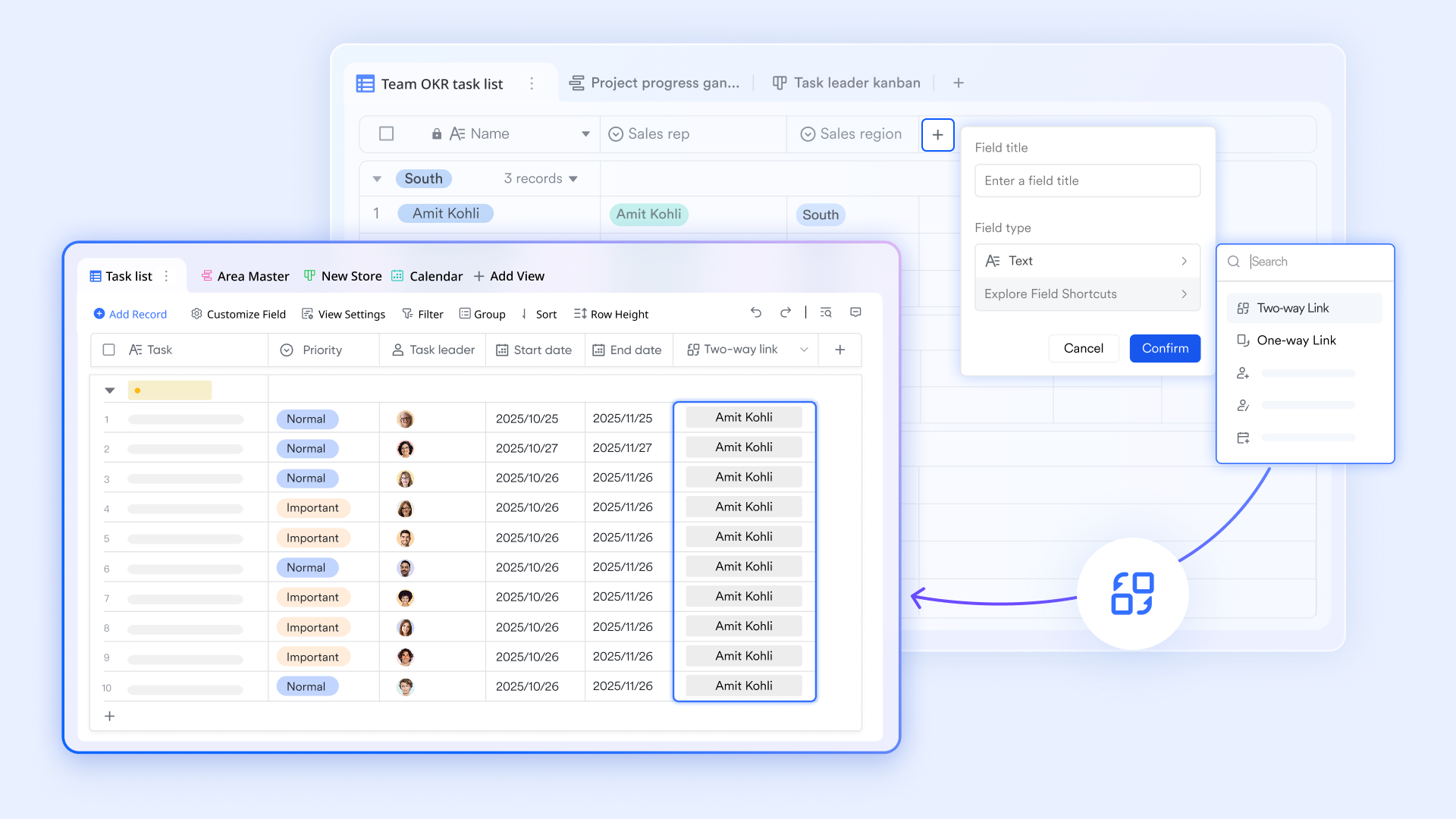
Move beyond rigid spreadsheets. allows project managers to to track RFI logs, submittals, and material deliveries, which can be shared and edited directly within team group chats.
Native approval workflows:
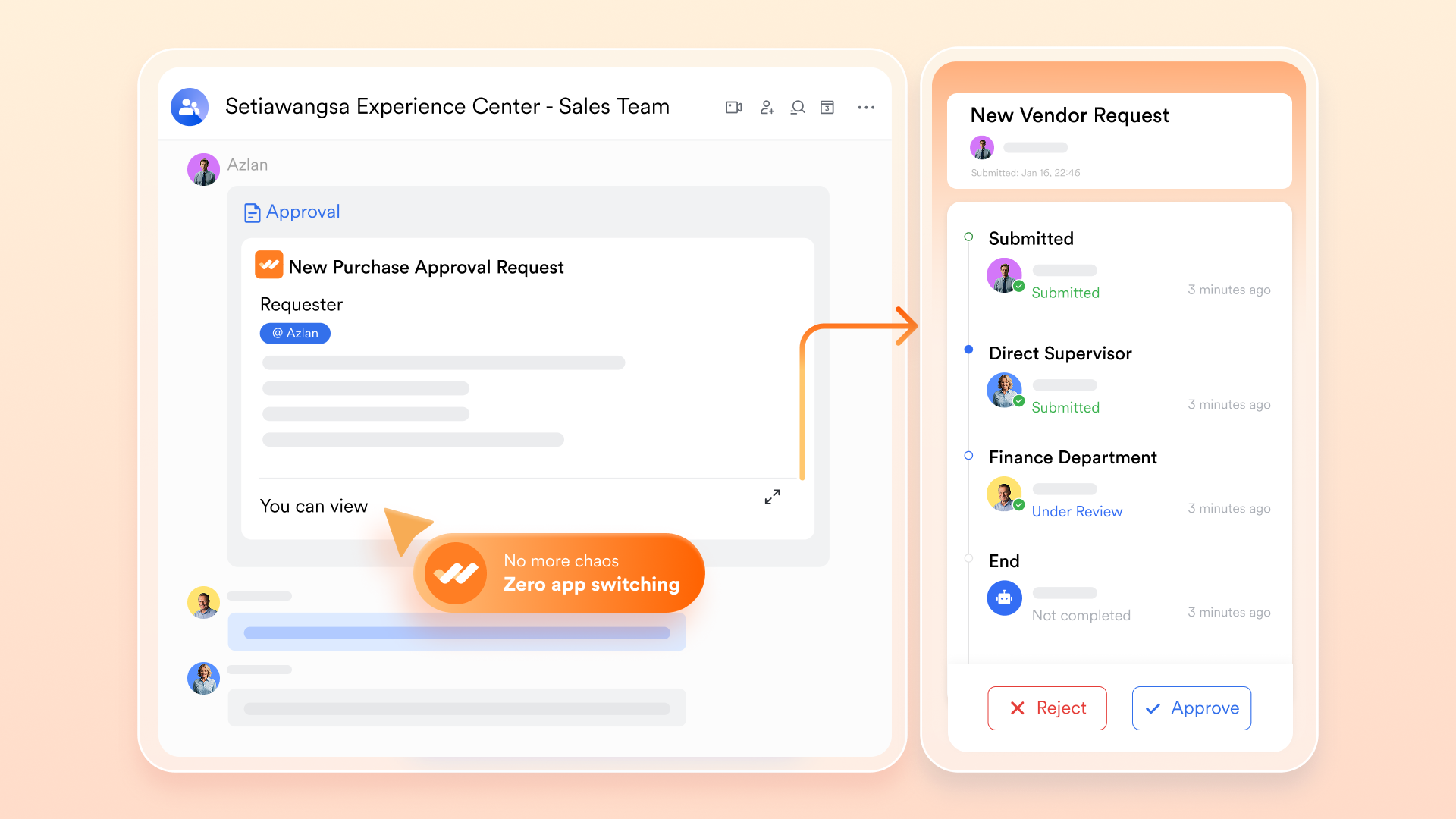
Construction moves on approvals. features built-in, customizable approval chains for change orders, safety incident reports, and budget sign-offs. This eliminates the need for third-party tools and stops teams from chasing signatures via email.
AI meeting intelligence:
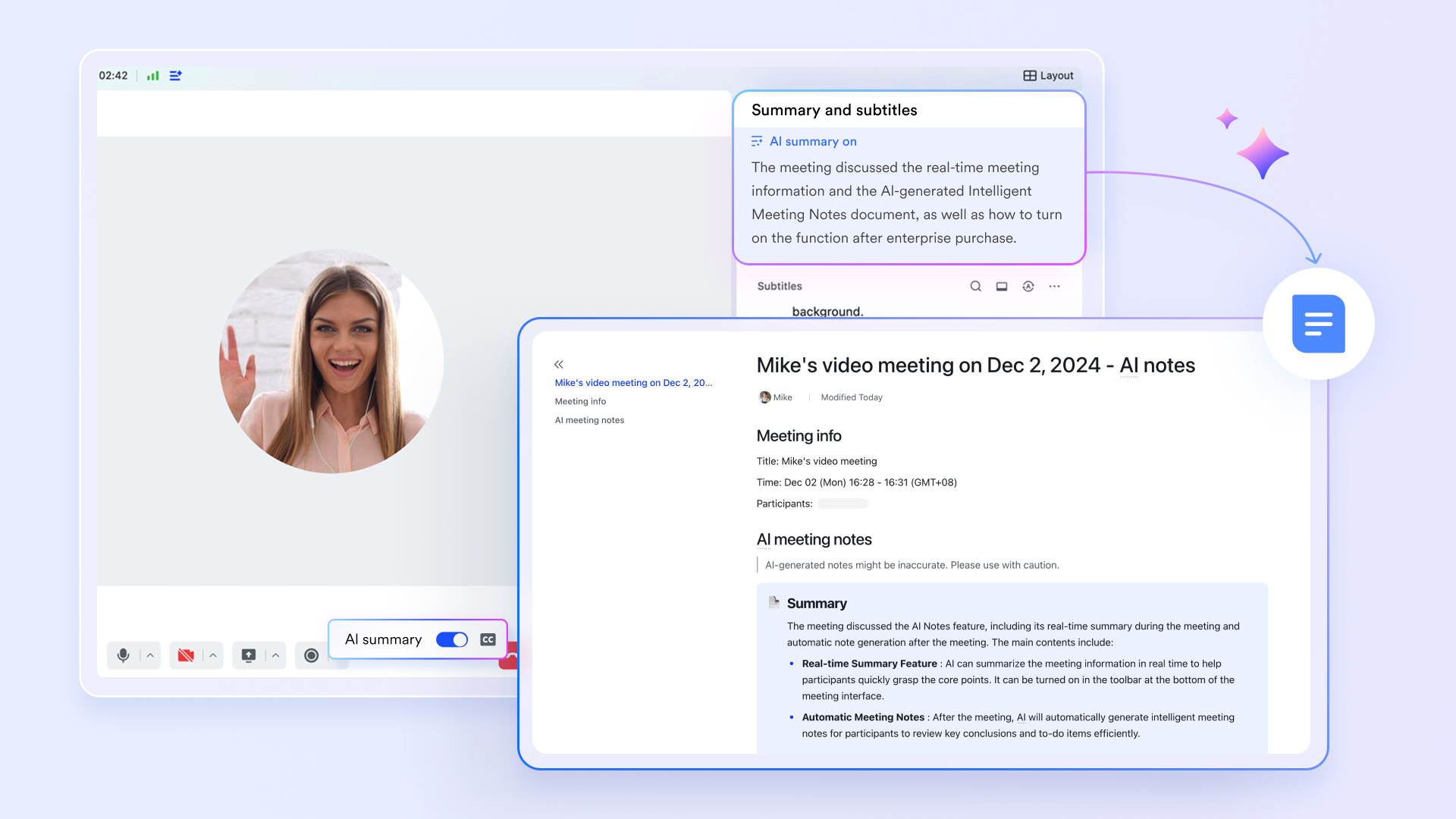
Perfect for weekly site coordination meetings. automatically , generates smart summaries, and extracts action items, instantly turning a 60-minute remote sync into assignable, trackable tasks.
Real-time multilingual translation:
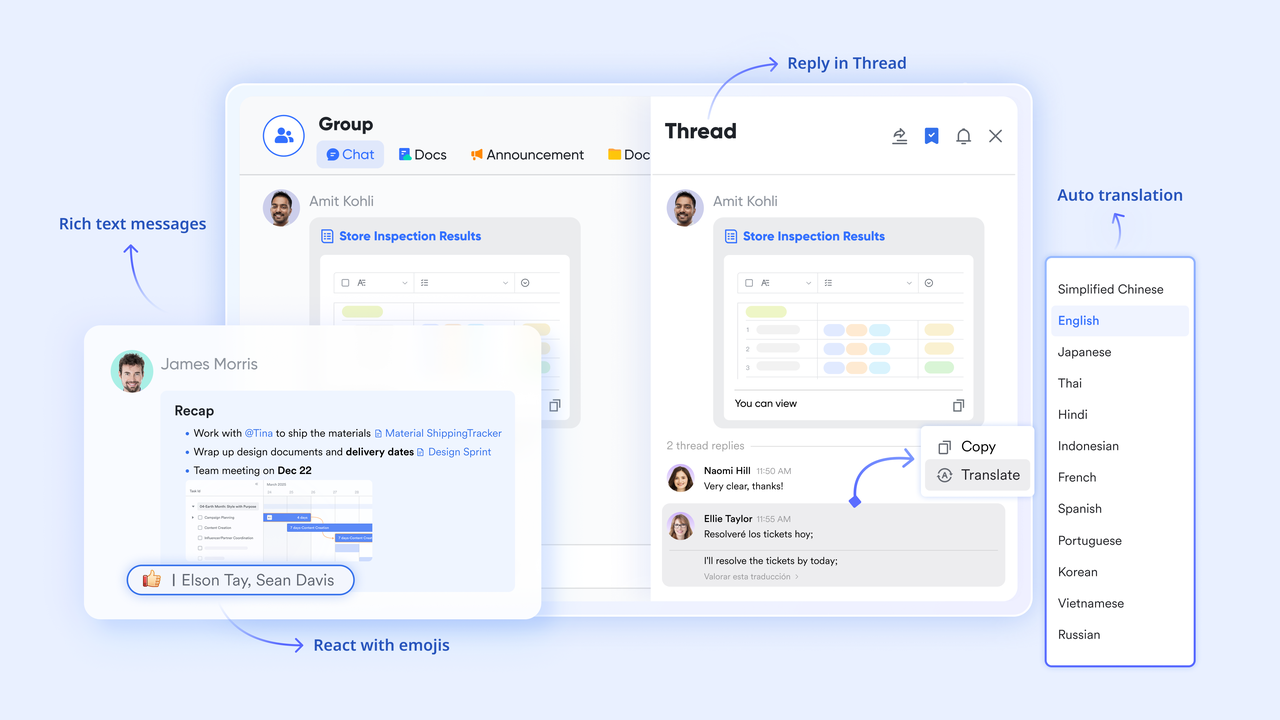
Bridge the language gap between the corporate office and diverse field crews. works seamlessly across text chats, documents, and video meetings, ensuring that critical safety and task directives are universally understood.
A connected ecosystem:
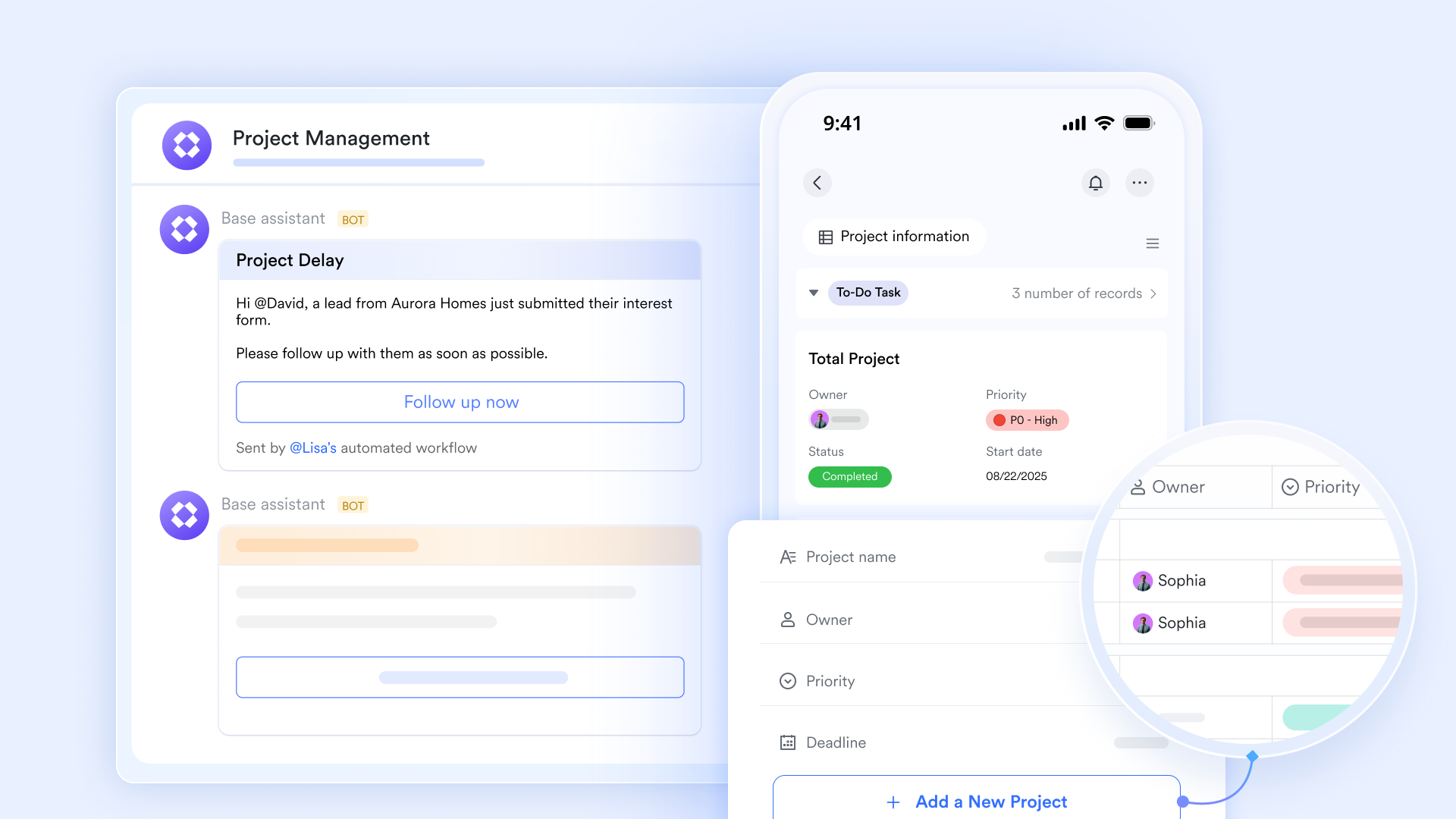
It natively combines enterprise messaging, video conferencing, cloud documents, and a company wiki. A site superintendent can @mention a specific spec-sheet in a chat, and the team can view and edit the document side-by-side without ever leaving the chat window.
Pros & Cons:
Pros:
- Significant IT cost savings: By replacing separate subscriptions for video conferencing, team chat, cloud storage, and project databases, companies drastically reduce their annual software overhead.
- Eliminates app-switching fatigue: Because documents, chats, and approval buttons live in the exact same window, project managers can review issues and make decisions in seconds without losing context.
- Frictionless external collaboration: Construction involves dozens of external vendors. Lark makes it incredibly easy to invite subcontractors, architects, and owners into specific project groups or shared folders, keeping external stakeholders aligned.
Cons:
Process change required: The comprehensive nature of an all-in-one suite means new users face a learning curve. There are just so many features on the platform that it takes some time to try them out. The initial switch from using basic spreadsheets to Lark Base also took some getting used to, but the made it painless.
- Starter plan: Free forever plan with 11 powerful tools for up to 20 users, 100GB storage, 1,000 automation runs, AI translations, and more. No credit card needed.
- Basic plan: $6/user/month (billed annually) for up to 500 users. Includes everything in Starter plus unlimited message history, 5TB storage, 1,000 automation runs, and more. Some users may need to to purchase.
- Pro plan: $12/user/month (billed annually) for up to 500 users. Includes everything in Basic plus group calling for up to 500 attendees, 15TB storage, 50,000 automation runs, and more.
- Enterprise plan: for custom pricing. Supports unlimited users and includes advanced automation, security, compliance, and management features.
For small teams with simple communication needs

18 months message history
1000 Base automation runs/month
2000 rows per table in Base
Most POPULAR
For companies with comprehensive collaboration and management needs
Unlimited message history
500-participant video meetings
50k Base automation runs/month
20k rows per table in Base
For large companies with advanced security and organizational management needs
Get a personalized demo and pricing
Unlimited message history
500-participant video meetings
15 TB storage + 30 GB storage/user
500k Base automation runs/month
50k Base automation runs/month
Most POPULAR
For companies with comprehensive collaboration and management needs
Unlimited message history
500-participant video meetings
50k Base automation runs/month
20k rows per table in Base
2. Procore: Best for construction management & financials
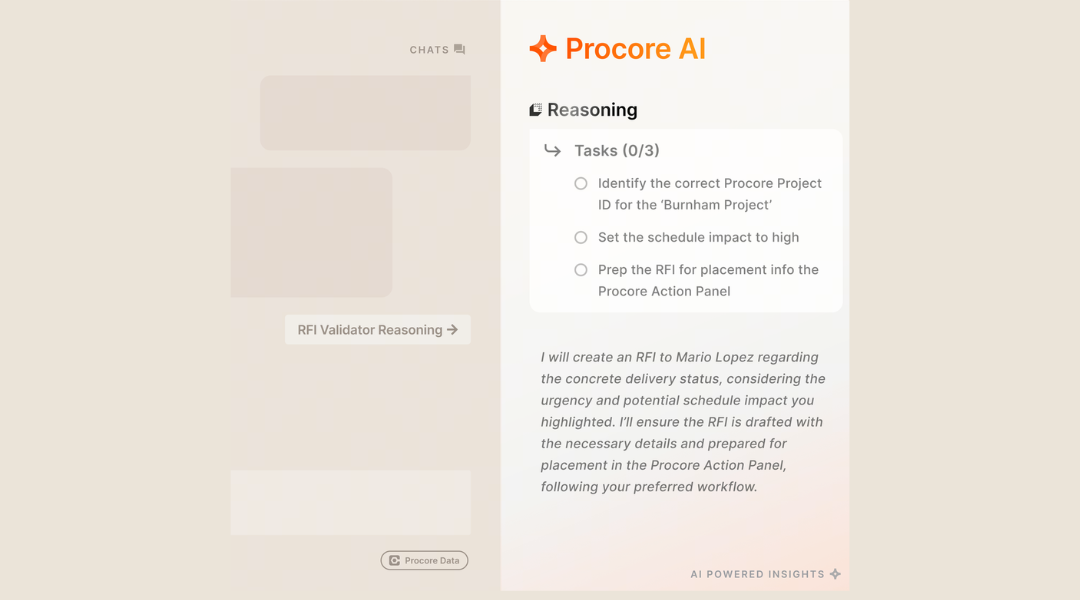
Image source: procore.com
Procore is best for firms wanting construction-native project management and heavy financial tracking inside a dedicated construction stack.
Procore is arguably the most recognized name in AI in construction management operations. It functions as a massive, centralized repository for construction financials, drawings, submittals, and RFIs. As tracking AI in construction news today indicates, Procore has been actively acquiring and integrating AI functionalities to parse complex submittal logs and assist with predictive cost analytics. It connects the field to the office by providing specialized modules for quality and safety, project management, and construction financials.
While Procore focuses heavily on formal construction operations and financial risk, it requires a significant commitment. Compared to a tool like —which focuses on the everyday communication layer that keeps decisions moving—Procore acts as the heavy-duty filing cabinet and financial ledger for the project.
Pros & Cons:
Pros:
- Industry-standard platform with deep integrations across the construction software ecosystem.
- Excellent financial management tools tailored specifically for general contractors.
- Strong drawing management capabilities that keep field teams on the latest plan revisions.
Cons:
- Implementation can take months and usually requires a dedicated IT administrator or project controls team.
- The platform comes with a premium enterprise price tag, making it cost-prohibitive for smaller subcontractors.
Pricing:
Custom enterprise pricing based on the total construction volume (budget) managed on the platform.
3. Autodesk Construction Cloud: Best for BIM & VDC preconstruction
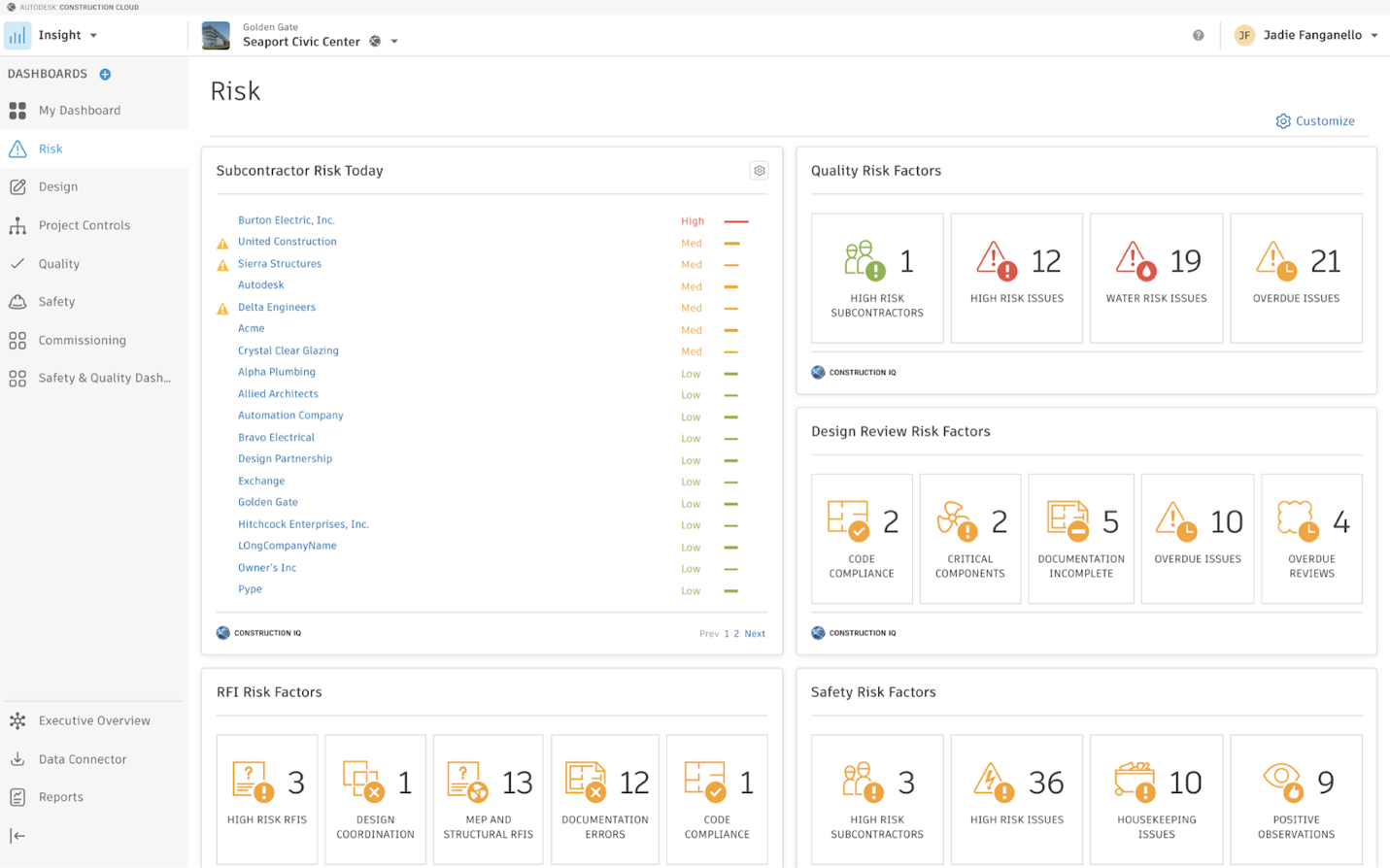
Image source: autodesk.com
Autodesk Construction Cloud is best for teams already working within the Autodesk ecosystem who want AI deeply tied to design, BIM models, and connected project data.
For teams exploring the use of AI in construction during the design and preconstruction phases, Autodesk is the dominant player. Autodesk Construction Cloud leverages machine learning to evaluate structural models, automate clash detection, and optimize generative design before a single shovel hits the dirt. It addresses the distinct challenge of translating complex 3D models into actionable field data.
Autodesk excels when managing the complex data environments of architecture and engineering. However, because it is so specific to the construction-stack, it lacks the broader, cross-functional collaboration and rapid execution rhythm that a general operational platform provides.
Pros & Cons:
Pros:
- Unmatched integration with Revit, AutoCAD, and Navisworks.
- Powerful clash detection that saves massive rework costs during preconstruction.
- Advanced generative AI in construction design capabilities for structural optimization.
Cons:
- The interface is dense and presents a steep learning curve for field workers who are not familiar with BIM software.
- The platform creates isolated workflows; communicating design changes often requires exporting data to third-party email or chat tools.
Pricing:
Tiered custom pricing based on the specific modules you select (e.g., Autodesk Build, BIM Collaborate).
4. OpenSpace: Best for 360° visual site capture
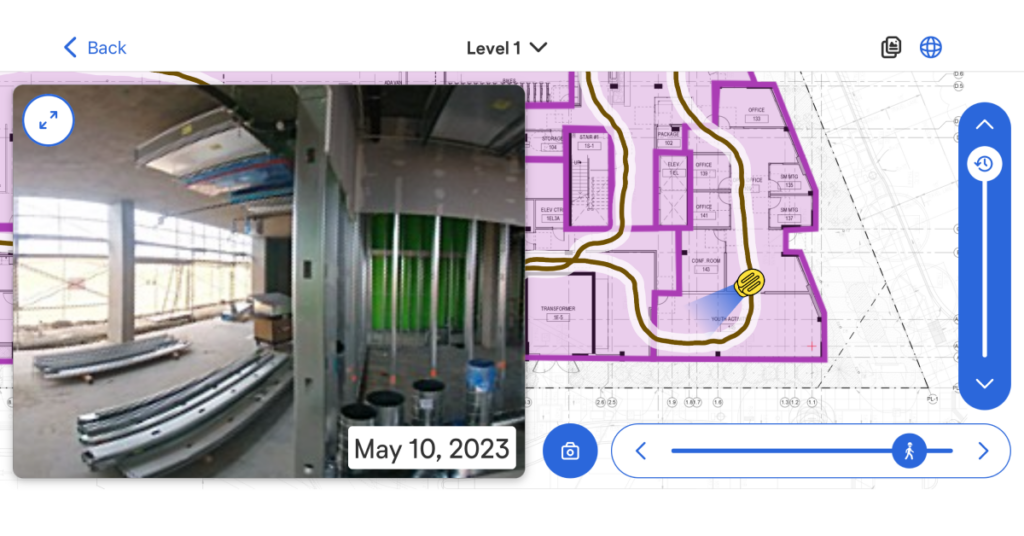
Image source: openspace.ai
OpenSpace is best for teams needing passive visual intelligence, combining 360-degree site capture with AI mapped directly to project floor plans.
OpenSpace answers a very specific demand within the AI in construction industry: visual site documentation. Project managers strap a 360-degree camera to their hardhats and walk the site. OpenSpace uses computer vision to automatically map that video footage to the exact location on the 2D floor plan or 3D BIM model. This use of AI in construction safety and progress tracking ensures stakeholders can virtually walk the site from their office.
This tool solves the specific problem of physical jobsite visibility and dispute resolution. However, while OpenSpace surfaces field reality, it does not manage the ensuing workflow. You will still need a platform like to discuss those visual updates, route the documented issues to subcontractors, and manage the approval of corrective actions.
Pros & Cons:
Pros:
- Passive data collection—just press record and walk.
- Excellent split-screen features for comparing current site conditions against the BIM model.
- Highly effective for remote payment verification and stakeholder reporting.
Cons:
- Heavily dependent on good lighting; active, poorly lit jobsites can result in unusable footage.
- Hardware dependent; requires purchasing and maintaining external 360-degree cameras.
Pricing:
Custom pricing based on the square footage and number of projects.
5. Fieldwire: Best for field task & plan management
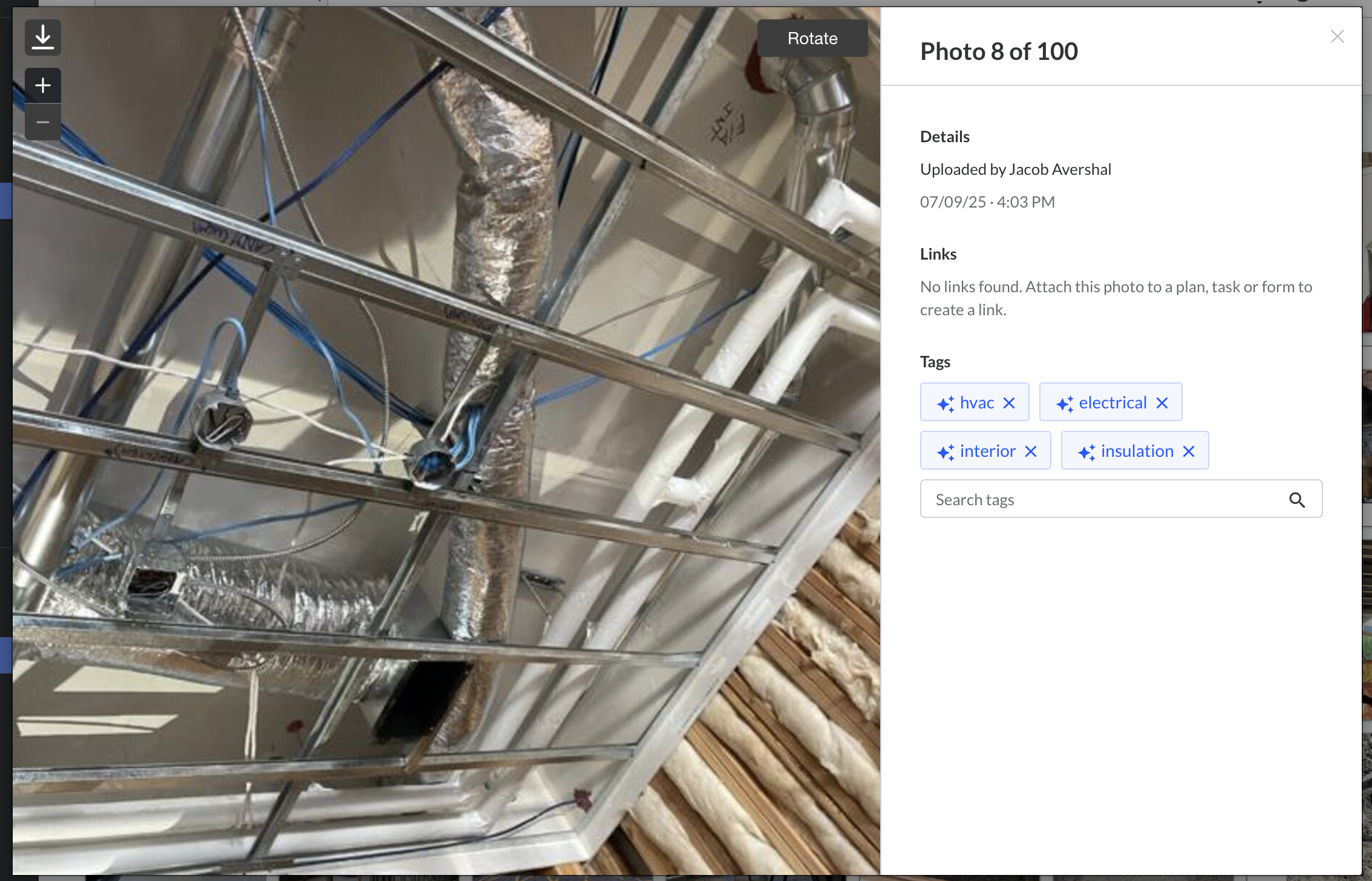
Image source: fieldwire.com
Fieldwire is best for field-heavy teams wanting practical, mobile-first support for daily site execution, task management, and drawing markup.
Fieldwire focuses on the tactical execution of the jobsite. It helps teams track tasks, view plans, and manage punch lists from a smartphone or tablet. By using AI in construction to help categorize and organize tasks based on drawing markups, it ensures the field crew knows exactly what to do on any given day.
While Fieldwire is exceptional for jobsite task alignment, it is relatively narrow in scope. It handles field execution beautifully but does not offer the company-wide wiki, video conferencing, or detailed project management capabilities required to run the corporate side of a construction firm.
Pros & Cons:
Pros:
- Lightning-fast plan viewing on mobile devices, even when offline.
- Intuitive task management and punch list creation directly on the blueprints.
- Simple interface that field crews readily adopt.
Cons:
- Not a full communication suite; lacks native video meetings and document collaboration.
- Limited financial and project controls compared to heavier construction management platforms.
Pricing:
- Basic plan: free (for small teams).
- Pro plan: $39/user/month (billed annually).
- Business plan: $64/user/month (billed annually).
- Business Plus plan: 89/user/month (billed annually).
6. Oracle Aconex: Best for mega-project audit trails
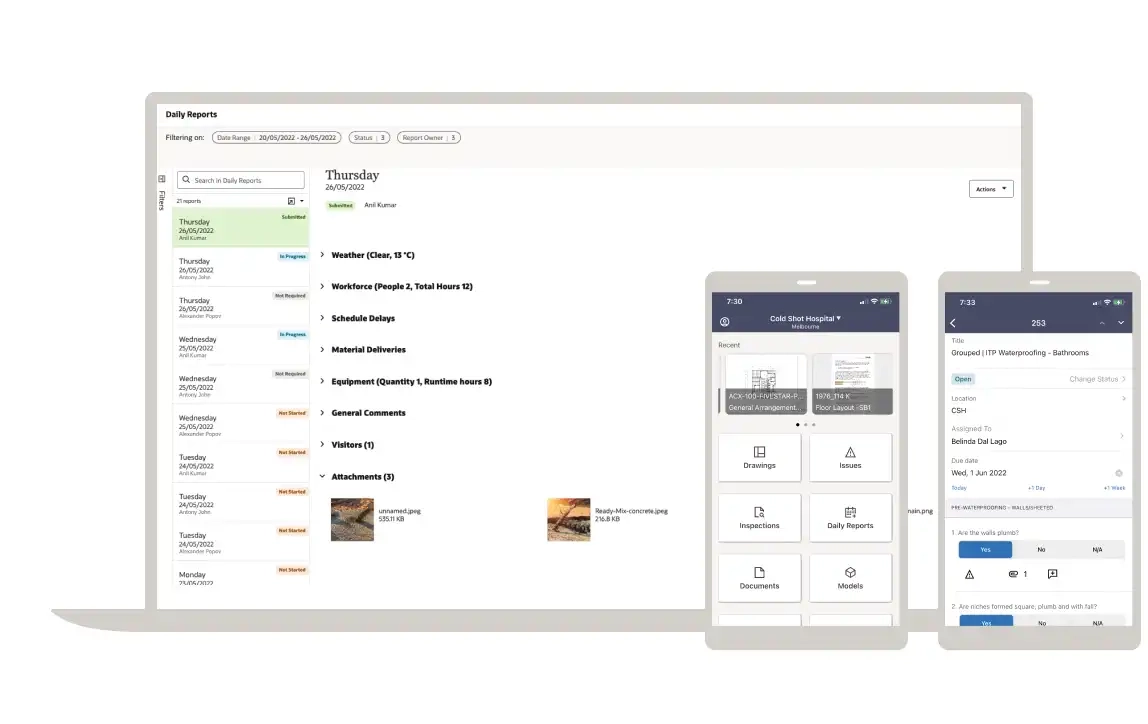
Image source: oracle.com
Oracle Aconex is best for massive, documentation-heavy infrastructure projects that require strict structural workflows, formal records, and unalterable process traceability.
When we talk about the AI in construction market at the enterprise tier—such as building airports, highways, or mega-hospitals—Oracle Aconex frequently enters the conversation. It is a project controls and lifecycle platform built on a neutral data environment. It connects teams by enforcing highly structured workflows for correspondence, document revisions, and supply chain management.
Aconex is controls-oriented. It ensures that every single decision has a verified audit trail. However, this rigidity comes at the cost of agility. For fast-paced, everyday collaboration and follow-through, teams often find Aconex too heavy and difficult to navigate.
Pros & Cons:
Pros:
- Incredible audit trail and version control capabilities to mitigate legal risks.
- Handles massive file loads and complex supply chain communications with ease.
- Strict neutrality prevents one party from altering the historical record of a project.
Cons:
- The user interface feels dated and unintuitive.
- Setting up workflows requires highly specialized administrative knowledge.
Pricing:
Custom enterprise pricing based on project scope and value.
7. Buildots: Best for schedule progress verification
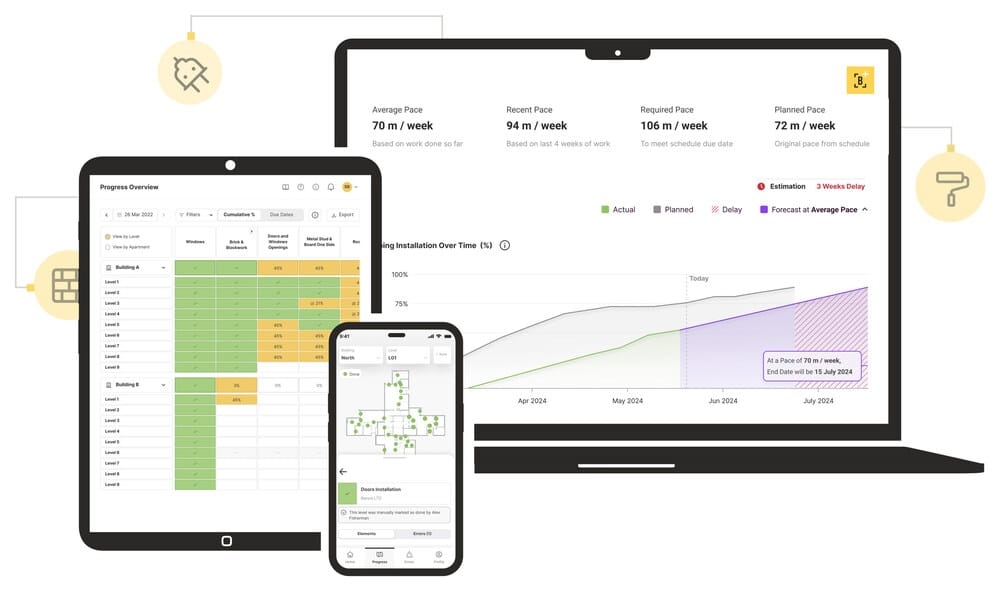
Image source: pm-global.co.uk
Buildots is best for general contractors and owners who care deeply about visual progress tracking and verifying performance metrics against their schedules.
Buildots is a construction intelligence platform that relies on AI-powered progress tracking. Similar to OpenSpace, it uses hardhat cameras, but Buildots applies a heavier layer of AI in construction estimating and scheduling analysis. It analyzes the video feed to automatically detect which specific elements (like drywall, electrical conduit, or plumbing) have been installed and compares that reality against the BIM model and the project schedule.
This provides an objective percentage of completion. If you are reading AI in construction 2026 news, you will see tools like Buildots praised for early delay warnings. However, it is a specialist intelligence layer; it identifies the delay, but the project manager still has to coordinate the recovery plan with their team using their primary communication tools.
Pros & Cons:
Pros:
- Provides objective, indisputable data on project progress.
- Connects physical installation directly to schedule timelines.
- Reduces the time project engineers spend manually updating progress spreadsheets.
Cons:
- Requires strict behavioral compliance from workers to wear the cameras consistently.
- Primarily effective for the interior outfitting phases of a build, rather than early civil or dirt work.
Pricing:
Custom enterprise pricing based on the scale of the deployment.
8. ALICE Technologies: Best for generative schedule modeling
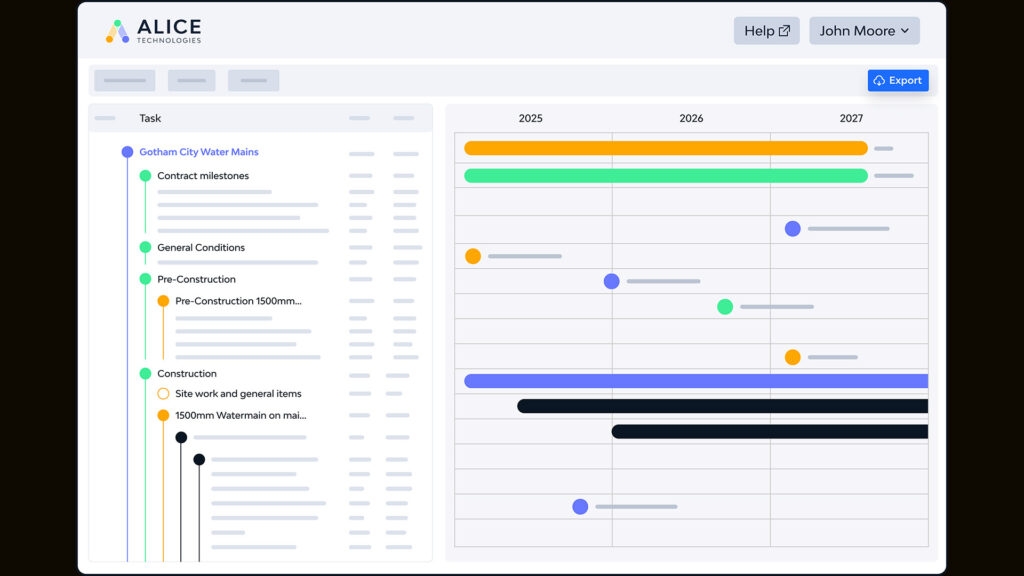
Image source: aecmag.com
ALICE is best for complex projects where sequencing, scenario modeling, and planning risk have a major impact on cost and delivery.
ALICE Technologies is a standout example of using AI in construction for generative scheduling. Instead of a human manually moving bars on a Gantt chart, a planner feeds ALICE the project constraints, rules, and resources. The AI then models millions of potential build sequences to find the fastest or most cost-effective path to completion.
ALICE is an incredibly powerful analytical engine for exploring "what-if" scenarios, making it one of the best AI in real estate and construction planning tools available. Yet, it is built for planning decisions. Once the optimal schedule is chosen, keeping the wider organization aligned and executing against that schedule requires a separate collaboration platform.
Pros & Cons:
Pros:
- Rapidly generates alternative schedules to recover from delays.
- Optimizes resource allocation (labor and equipment) to reduce idle time.
- Provides data-backed negotiation power when discussing schedule impacts with owners.
Cons:
- Requires highly structured, clean data inputs; garbage data will yield unusable schedules.
- Overkill for small-scale residential or simple commercial builds.
Pricing:
- Pro plan: $9.99/month (billed yearly).
9. Slack: Best for corporate office messaging
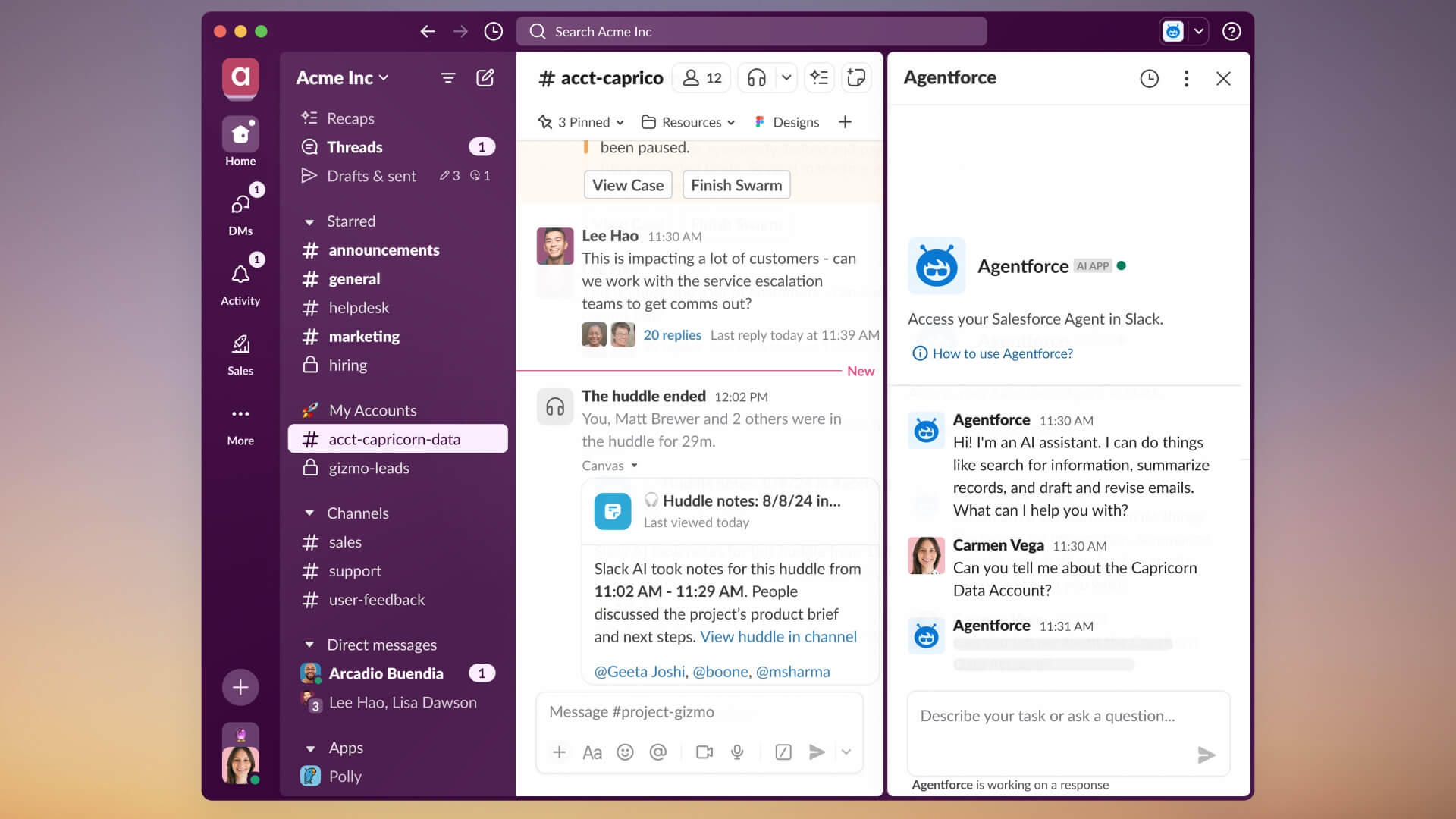
Image source: slack.com
Slack is best for organizations already standardized on its platform that simply want AI capabilities inside their daily communication workflows.
Slack is a general work platform with strong name recognition and growing generative AI capabilities (Slack AI). For teams looking to improve basic communication, Slack allows users to chat, share files, and integrate with hundreds of other point solutions. Its AI features now help summarize long conversation threads and search for answers within channels.
However, when evaluating how is AI used in construction execution, Slack shows its limitations compared to a broader all-in-one workspace model. Slack lacks native cloud documents, built-in sheets, an integrated wiki, and robust native approval workflows. To achieve the functionality of , a team using would also need to purchase and integrate , , and a separate approvals tool, re-introducing the silo trap.
Pros & Cons:
Pros:
- High user familiarity and an intuitive chat interface.
- Massive app directory for integrating with external tools.
- Slack AI effectively summarizes noisy channels to catch users up quickly.
Cons:
- Lacks native document collaboration and spreadsheet tools, requiring additional software subscriptions.
- Conversations easily become disorganized, and critical project decisions can get buried in fast-moving chat channels.
Pricing:
- Free plan: available (limited to 90 days of message history).
- Pro plan: $8.75/user/month (billed annually).
- Business+ plan: $18/user/month (billed annually).
- Enterprise+ plan: Contact sales.
Which AI in construction tool is best for each type of team
Navigating the AI in construction market requires understanding that no single application can do everything. Naturally, different departments tend to gravitate toward specialized software. However, this natural division often creates the biggest operational bottleneck in the industry: the silo effect.
Here is a look at how different teams operate, why those divisions create friction, and which tool is best equipped to bring everyone together.
The reality of hyper-specialized departments
When evaluating software by specific operational roles, teams usually adopt tools built strictly for their immediate, localized needs:
- VDC and Preconstruction teams: Rely heavily on structural modeling and generative tools like Autodesk to detect design clashes and optimize sequences before breaking ground.
- Project controllers and owners: Mandate heavy-duty platforms like Oracle Aconex for rigid audit trails, or visual trackers like OpenSpace to monitor physical progress without visiting the site.
- Site superintendents and field crews: Lean toward mobile-first applications like Fieldwire for daily task assignments, safety checklists, and quick blueprint markups out in the dirt.
The communication bottleneck
While these specialized tools perform their specific jobs well, they isolate data. What happens when the VDC team detects a structural clash, the field foreman needs to log a physical delay, and the owner demands an immediate schedule update?
If every department is locked inside their own specific application, cross-functional alignment breaks down. Project managers are left dealing with a nightmare of forwarded emails, scattered text messages, and isolated cloud documents just to get one decision approved.
The best overarching tool for cross-functional alignment
The most critical software for any growing firm is not another niche AI generator—it is the unified workspace that connects these different teams. This is exactly why Lark is the best overarching solution for operations leaders, project managers, and company executives.
While other tools handle the niche mathematical or visual lifting, Lark functions as the central nervous system for the entire company. It stands out because it proactively breaks down the walls between the field and the corporate office by providing:
- Centralized coordination: One unified platform that replaces disjointed chat apps, external video meeting links, and fragmented personal emails.
- Connected documentation: Cloud-native documents, sheets, and wikis that give everyone—from the office to the jobsite—a single source of truth for project specs and meeting notes.
- Automated handoffs: Native approval workflows that ensure when a specialist tool flags an issue, the resulting discussion, review, and sign-off happen instantly without ever switching apps.
It does not matter what specific specialist tool your engineers use; the ensuing conversations, document reviews, and decision-making processes need a shared home. For organizations that want to stop wasting time chasing down information across fragmented systems, is the definitive choice to keep every type of team moving in the same direction.
Break down data silos with Lark’s unified workspace
What these tools can do well and where human review still matters
When integrating AI in construction management, maintaining strict operational governance is critical. Software demos often make automated decision-making look flawless, but trustworthy adoption depends entirely on clear ownership and human review steps.
I advise firms to separate their implementations into low-risk wins and higher-risk use cases. Low-risk applications include meeting summarization, initial draft support for field reports, and multilingual chat translation. These features without altering the physical build.
However, core disciplines like AI in construction estimating, structural submittals, and change-sensitive documents still require human oversight. For example, the application of AI in construction safety might flag a missing harness on a live video feed, but a site superintendent must intervene and validate the alert. Similarly, generative scheduling tools can propose a faster sequence, but a project manager must assess the real-world logistical constraints before approving it. The technology accelerates the analysis, but the liability and final approval must remain in human hands.
How to build the right AI in construction stack
Most firms evaluating the AI in the construction industry will not replace every single process with one monolithic platform. A realistic and effective AI in combines specialized intelligence systems with a shared environment for communication, documentation, and review.
Some products focus strictly on generative planning, some on visual field capture, and others on formal financial controls. Those categories solve distinctly different problems, but none of them automatically fix the handoff friction between the office and the jobsite. If your schedule optimizer spits out a brilliant new timeline, but your team communicates that timeline via disorganized text messages, the technological advantage evaporates.
When AI outputs need to move across meetings, chat threads, documents, spreadsheets, calendars, and approvals, having those workflows connected in one place helps teams review and act without extra coordination overhead. The most successful organizations understand this dynamic. The best AI in real estate and construction deployments prove that value depends less on how many AI tools you buy, and more on whether your people can turn those outputs into reviewed, trackable action.
What a practical rollout looks like after tool selection
Once you decide how to use AI in construction for your firm, execution is everything. I consistently see companies fail because they try to digitize every department at once. Instead, start with one or two high-friction workflows, such as daily field reporting, weekly meeting follow-ups, RFI escalations, or multilingual coordination.
I recommend a simple, repeatable rollout pattern for any new tool:
1. Choose one workflow: Pick a process that currently causes obvious delays.
2. Define the review owner: Assign a specific person to review the AI-generated output.
3. Set approval checkpoints: Establish mandatory human sign-offs before any data moves forward.
4. Measure adoption: Track whether the team is actually using the tool or bypassing it.
5. Expand: Roll the technology out to other departments only after the initial process is stable.
The goal of reading up on AI in construction news and buying these platforms is not simply faster output. It is about creating better follow-through, clearer accountability, and less operational friction across your entire company.
Conclusion
The best AI in construction tool depends heavily on your specific operational bottlenecks. However, the strongest software stack will always combine specialist construction intelligence with a unified platform that keeps people, decisions, and workflows connected. This is where a workspace layer like proves invaluable, helping teams turn isolated AI outputs into reviewed, trackable action. By prioritizing workflow discipline alongside your software investments, you can move past the hype and build a construction management system that actually drives project success.
Build a connected construction management system for your team
Related reading




























