HubSpot has become one of the most recognizable names in CRM and marketing automation software. What began as an inbound marketing tool has expanded into a broad platform covering sales, customer service, content management, automation, and analytics through its modular "Hubs."
In this guide, this HubSpot review takes a practical, experience-driven look at how the platform performs across real teams and use cases. We examine HubSpot's CRM, automation, CMS, and service capabilities, how pricing scales over time, and where users commonly encounter limitations. The guide also outlines when HubSpot is a strong fit, and when teams begin exploring alternatives, as their needs evolve.
Cut tool sprawl with an all-in-one workspace
What Is HubSpot?
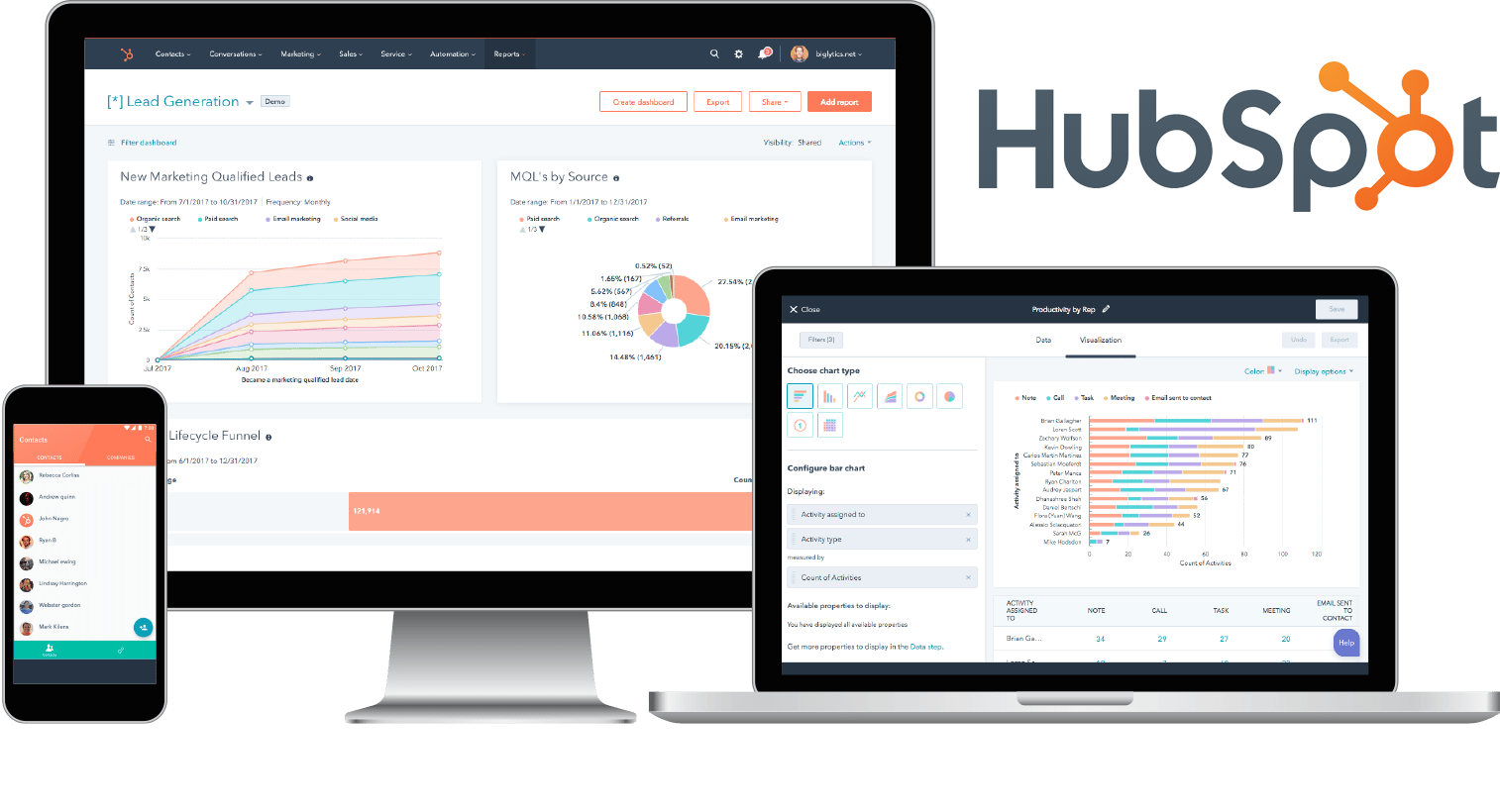
Image source: hubspot.com
HubSpot is a designed to help businesses manage marketing, sales, customer service, and content operations through a shared CRM system. At the center of the platform is the HubSpot CRM, which stores contact, company, and deal data that flows across all connected tools. This unified data model allows teams to track the entire customer journey, from the first website visit to post-sale support, within a single system.
The platform is organized into modular products known as Hubs, including Marketing Hub, Sales Hub, Service Hub, CMS Hub, and Operations Hub. Each hub focuses on a specific function while sharing the same CRM foundation. This structure makes HubSpot accessible for new users through its free CRM, while also supporting more advanced use cases through paid tiers.
In many HubSpot reviews, the platform is recognized for its ease of use, strong , and extensive learning resources through HubSpot Academy, which helps teams adopt CRM and automation tools more quickly.
HubSpot Hubs compared in details
HubSpot organizes its platform into modular products called Hubs, each designed for specific business functions. In this HubSpot review, we evaluate Marketing, Sales, Service, CMS Hubs, and Academy to see how they perform in practice. We'll explore what each hub does well, where it falls short, and how teams use them day-to-day. This section helps you understand real-world fit and when adopting multiple hubs makes sense.
HubSpot Marketing Hub review
HubSpot Marketing Hub is an AI-powered designed to multiply business results. It provides integrated tools to attract, convert, and engage high-intent visitors by identifying qualified leads and automating personalized customer experiences. As part of the broader HubSpot Customer Platform, it ensures a unified customer journey and seamless data flow across all functions. This eliminates the complexity of managing disparate point solutions, allowing teams to focus on strategy and creative breakthroughs.
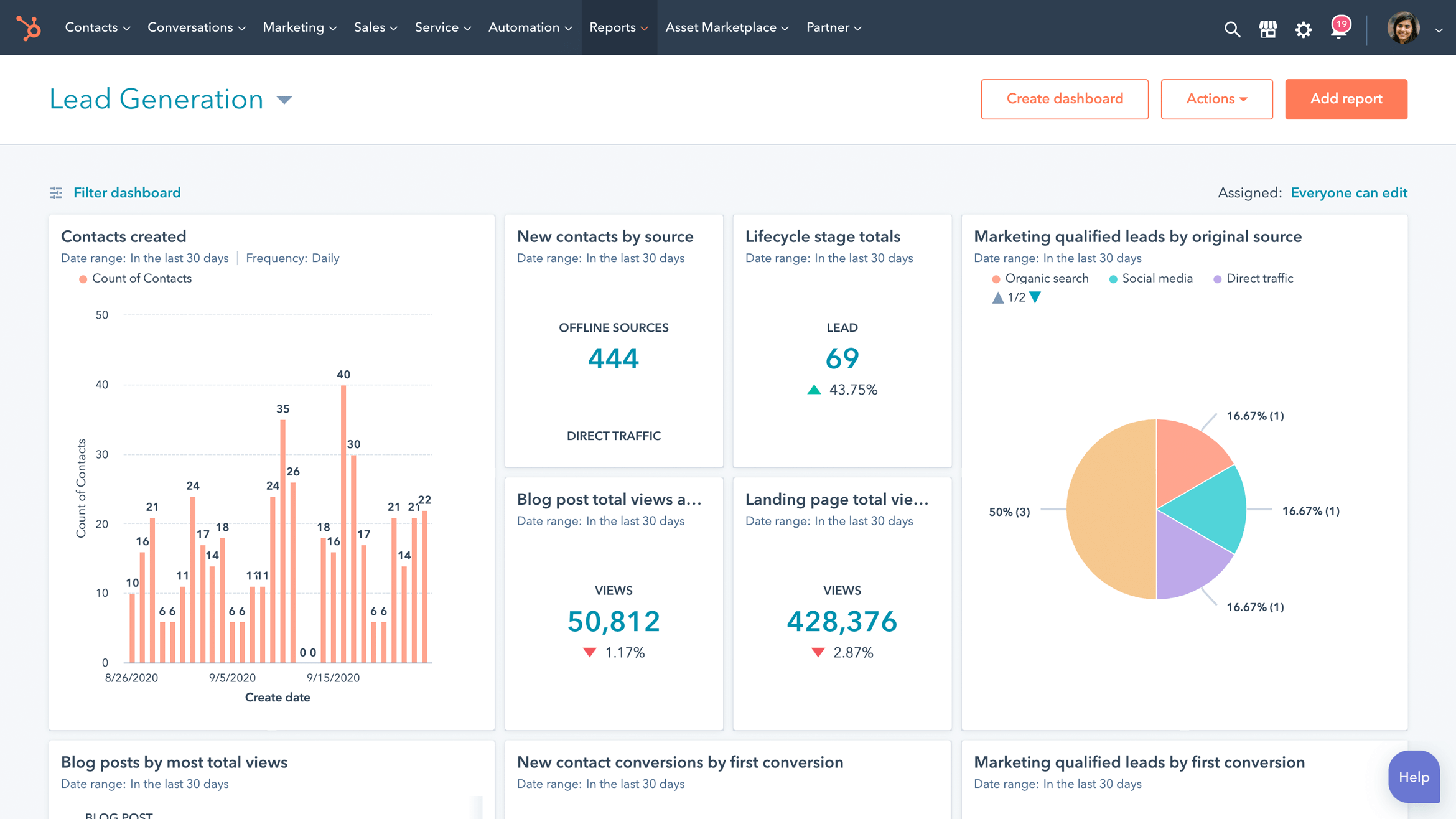
Image source: hubspot.com
Key features
- Intelligent lead capture: Use intelligent forms and dynamic Calls-to-Action (CTAs) to capture high-quality leads.
- AI-powered marketing studio: A unified workspace for campaign planning, creation, and execution, powered by AI.
- Personalized automation: Automate email marketing and deliver 1:1 personalized content at scale using CRM data.
- Audience segmentation: Identify, segment, and target high-potential prospects using both intent data and lookalike lists.
- Advanced ROI reporting: Prove business impact with multi-touch revenue attribution and customer journey analytics.
HubSpot Sales Hub review
HubSpot Sales Hub is an AI-powered sales software designed to help businesses efficiently build and close deals. It uses artificial intelligence to inform sales representatives on when to reach out, what to say, and how to engage, effectively transforming every representative into a top performer. The hub unites all sales data, tools, and teams on a single customer platform, which allows leaders to track performance, predict revenue, and analyze feedback in one place. Sales Hub is seamlessly integrated with the HubSpot Customer Platform to accelerate revenue growth without increasing headcount.
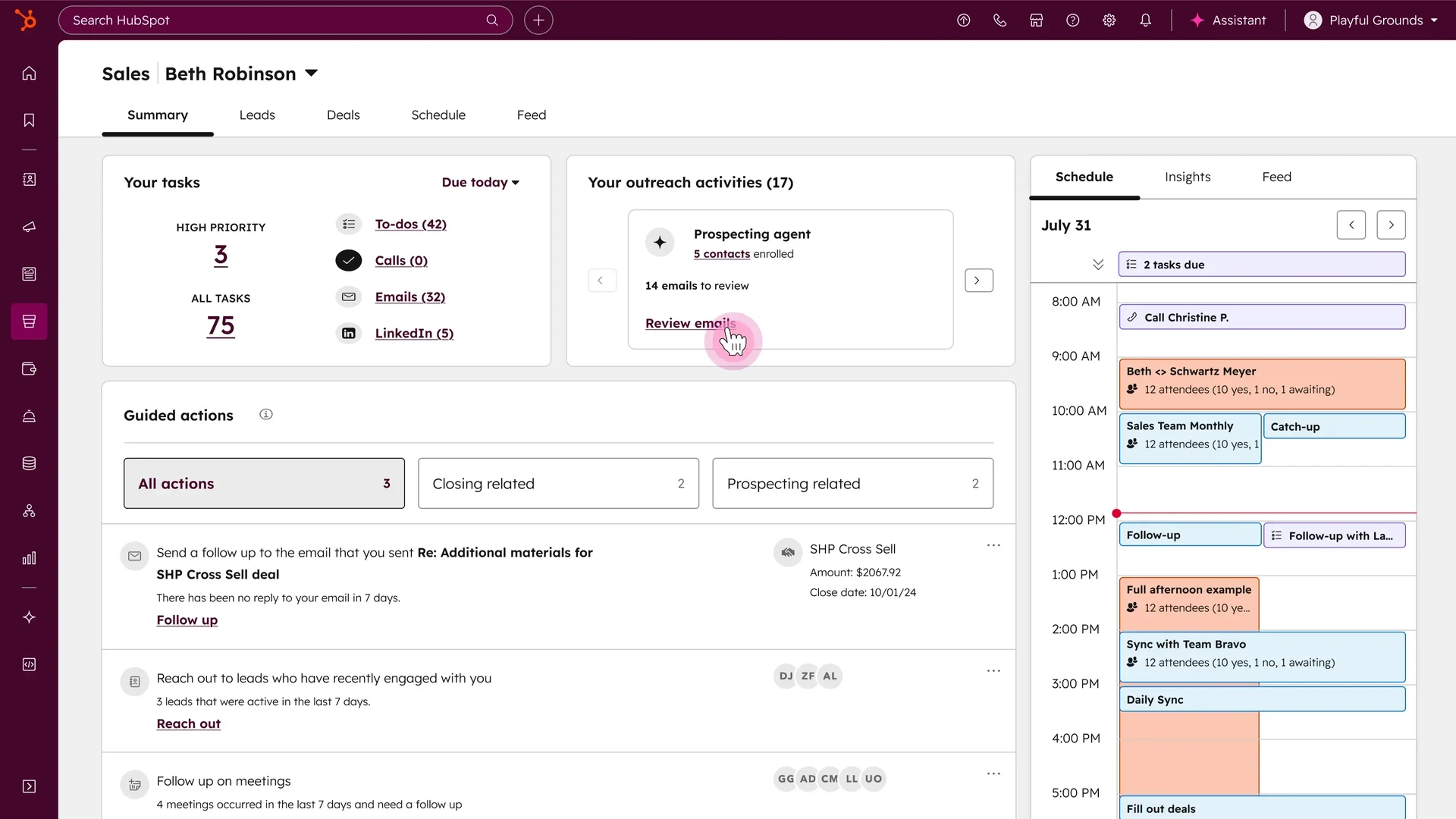
Image source: hubspot.com
Key features
- Prospecting agent: Focuses outreach on quality leads with an AI-powered expert for sales prospecting and research.
- Sales automation: Sets up automated multi-channel outreach that adapts based on prospect engagement.
- AI-guided selling: Guides sellers in a dedicated workspace that surfaces leads, deals, tasks, and target accounts with smart queues.
- CPQ software: Utilizes AI-powered Configure, Price, Quote (CPQ) to accelerate the quoting process from one unified platform.
- Forecasting and analytics: Provides a comprehensive view of the pipeline with AI-powered projections, detailed sales analytics, and reporting.
HubSpot Service Hub review
HubSpot Service Hub is a complete AI-powered customer service platform designed for growing teams to scale support and drive . It is omni-channel and connected to marketing and sales data on a unified customer platform, which helps fuel business growth. The platform allows organizations to provide easily scalable customer support and proactively identify opportunities to improve customer health and satisfaction. Service Hub ensures every customer interaction is personalized by giving success teams instant access to complete customer context from every support, deal, and marketing touchpoint.
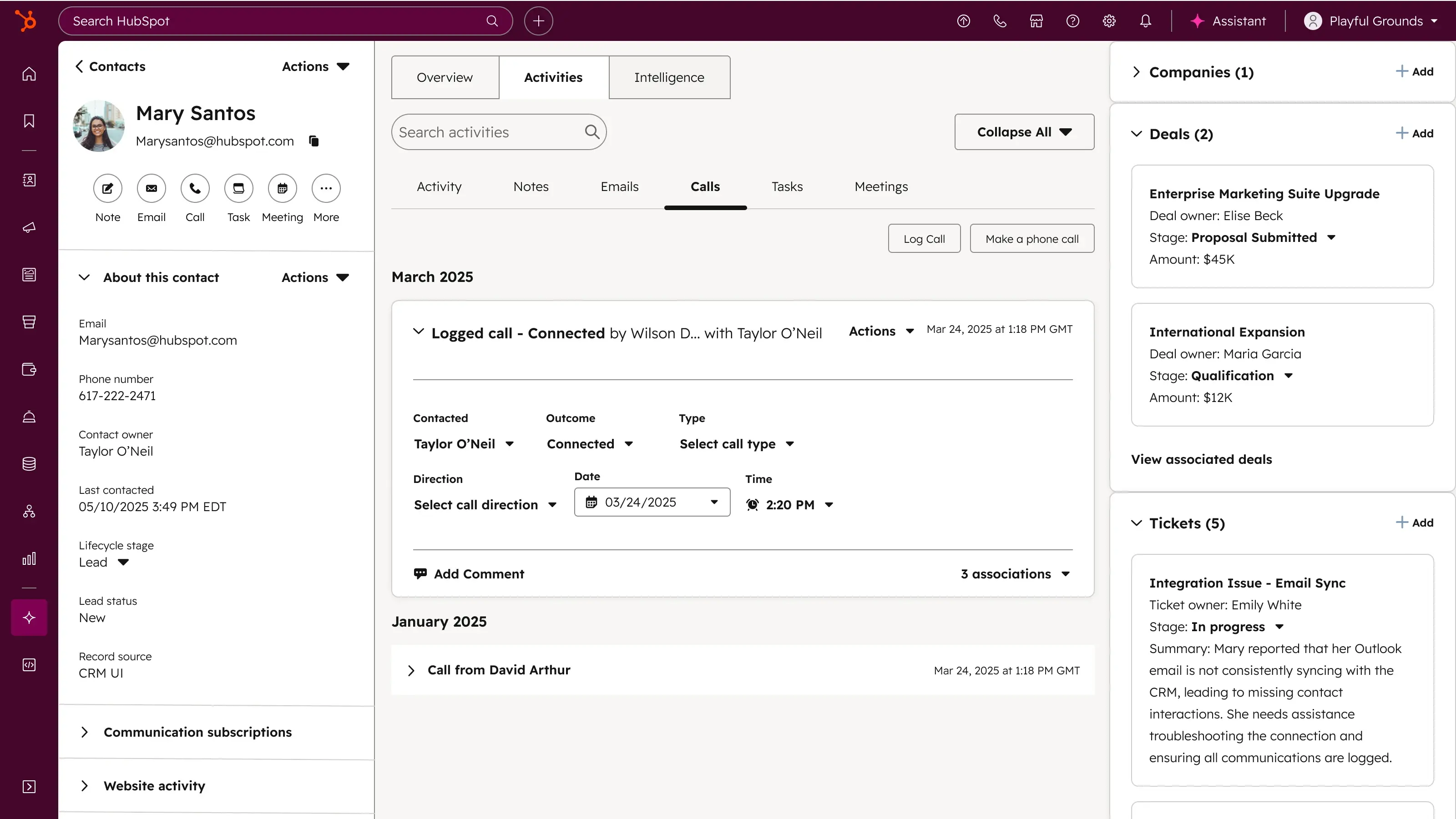
Image source: hubspot.com
Key features
- AI-powered help desk: Delivers personalized and omni-channel customer support at scale through an intelligent ticketing workspace.
- Breeze customer agent: Transforms support with an AI agent that resolves customer inquiries 24/7 while maintaining exceptional service.
- Customer success workspace: Manages the book of business, builds unique customer health scores, and helps representatives prioritize their retention activities.
- SLA management and routing: Keeps response times low and customers happy with automated ticket routing and Service Level Agreement (SLA) tracking.
- Customer self-service tools: Enable support self-service with a knowledge base and a secure customer portal, reducing incoming ticket volume.
HubSpot CMR (Hub) review
HubSpot CRM is a powerful (CMS) that enables businesses to build professional websites quickly and easily, driving traffic, generating leads, and growing revenue. It provides all the necessary tools—including a theme library, a drag-and-drop editor, premium cloud hosting, and website analytics—to get a business online without requiring a developer. As a truly free CMS, it includes custom domains and hosting, and it seamlessly integrates with the entire HubSpot customer platform, allowing teams to manage their website, marketing, and lead capture in one place.
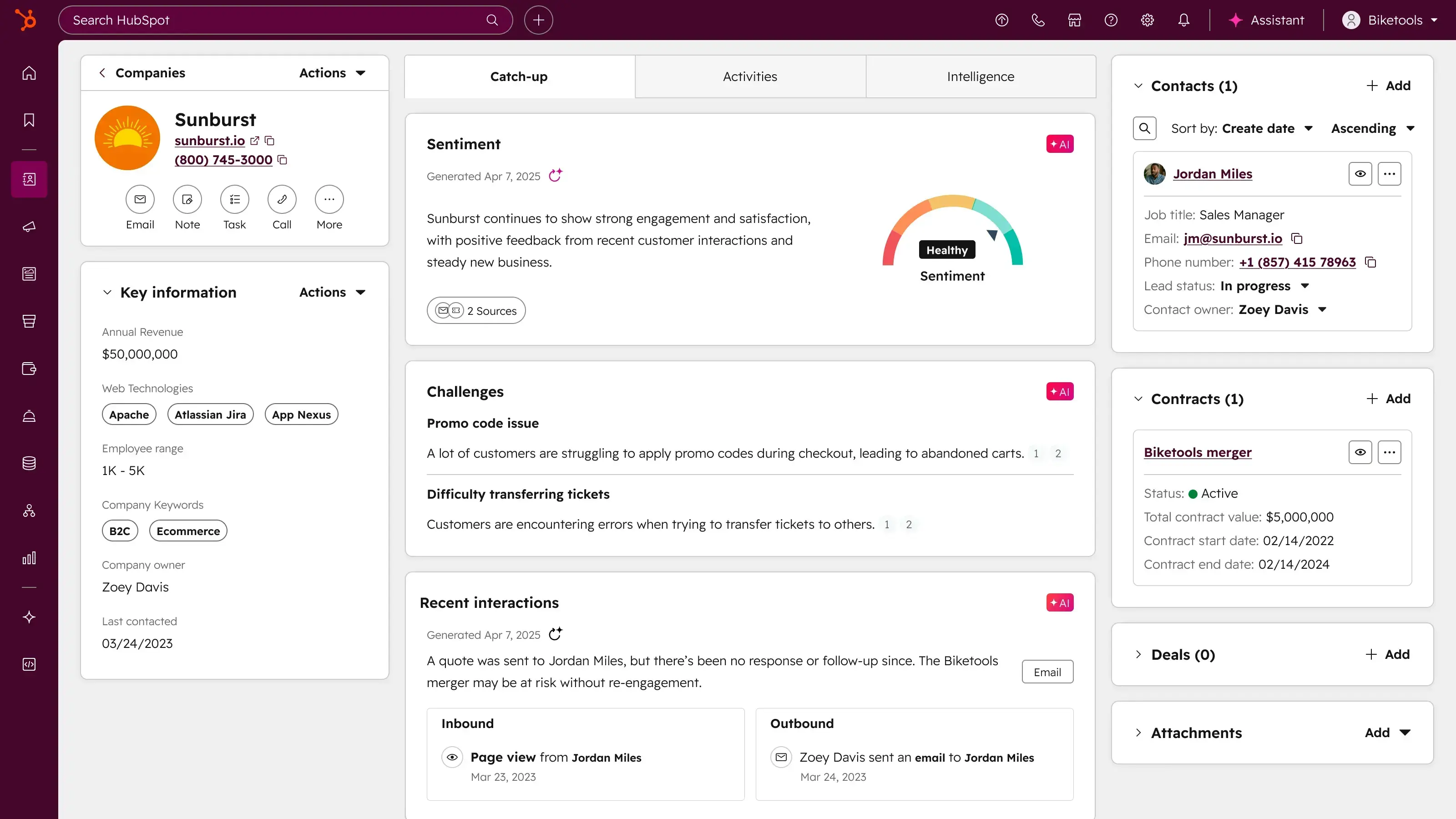
Image source: hubspot.com
Key features
- Drag-and-drop website editor: Empowers users to modify their site with flexible themes and a simple drag-and-drop page editor, requiring no technical knowledge.
- Premium hosting and security: Provides premium cloud hosting and standard SSL on all hosted content to ensure website performance and security.
- Integrated website analytics: Includes website analytics to help businesses make data-driven decisions and understand what is driving customer impact without using third-party reporting platforms.
- AI content tools: Leverages AI generators to create website copy, blog posts, and design elements, and automatically converts successful support interactions into knowledge-based resources.
- Seamless platform integration: Connects all website features—including forms, live chat, and analytics—directly with HubSpot's CRM, Marketing, and Sales tools for a complete customer journey.
HubSpot Academy review
HubSpot Academy is a resource offering free and online educational content with unlimited access across hundreds of topics related to modern business skills. Its primary goal is to help individuals and businesses grow their careers by providing comprehensive learning materials, from quick, practical courses to extensive certifications. The academy keeps learners up to date on the latest trends in digital marketing, sales, , and more, all built on the foundational inbound methodology. By completing courses and earning globally recognized certifications, professionals can validate their knowledge and accelerate their career paths.

Image source: hubspot.com
Key features
- Globally recognized certifications: Allow professionals to earn certifications to validate their knowledge and expertise in sought-after business skills, with badges that can be added to LinkedIn profiles.
- Diverse learning formats: Offers various learning opportunities, including self-paced courses, intensive bootcamps led by experts, and curated learning paths tailored by role or topic.
- 100% free and online access: All content, including courses and certifications, is provided free of charge with unlimited access across numerous subjects.
- HubSpot user groups: Fosters community-led events that help users grow their product knowledge and network with other professionals.
- Core business skill topics: Covers essential business topics like social media marketing, content marketing, search engine optimization (SEO), inbound sales, and various HubSpot software tools.
HubSpot pricing review: Is HubSpot really worth it
A clear HubSpot pricing review requires looking beyond entry-level plans and advertised starting prices. While HubSpot is initially accessible, its pricing model introduces variables that can significantly affect long-term costs as teams grow and usage expands.
Information source: hubspot.com
Update time: 2025-12-12
Pricing and plan details reflect publicly available data as of the update date and may vary based on region, billing cycle, and number of agents.
Notes:
- Contact-based billing dynamics: HubSpot's Marketing Hub pricing is tied to the number of stored contacts, not just active leads. As databases grow, costs increase, even when or revenue impact remains unchanged.
- Seat-based upgrades across Hubs: Sales, Service, and CMS Hubs charge per user seat. This often means paying for licenses for managers, admins, or support roles that don't directly generate revenue.
- When the "free CRM" stops being free: The free CRM is functional for basic contact and deal tracking, but most teams quickly outgrow it. , automation, and customization require paid upgrades across multiple hubs.
- Why do many teams underestimate long-term ownership costs? Because pricing increases incrementally, teams often underestimate the total cost of ownership. Over time, the addition of hubs, users, contacts, and feature upgrades can significantly exceed initial expectations.
HubSpot for different team sizes: Who gets the most value
In a practical HubSpot review, the platform's value varies significantly depending on company size, growth stage, and operational complexity. HubSpot can be a strong fit for some teams while creating friction for others as needs evolve.
- Solo users & micro businesses: For solo founders and very , HubSpot's free CRM offers a low-friction way to manage contacts, deals, and basic follow-ups. However, the platform provides limited room to scale without upgrading to paid tiers, which can become costly early.
- SMBs: Small and mid-sized businesses often find HubSpot's sweet spot by adopting one or two hubs, such as Sales Hub or Marketing Hub. At this stage, functionality is strong and pricing remains manageable if contact growth and automation needs are controlled.
- Mid-market & enterprise: Larger organizations benefit from HubSpot's advanced capabilities and customization options. However, they often require dedicated administrators, RevOps teams, and paid add-ons to manage complexity, governance, and effectively.
HubSpot strengths: What genuinely works for teams
In any in-depth HubSpot review, several strengths consistently stand out across industries and team sizes. These advantages explain why HubSpot remains a popular choice for organizations adopting CRM and for the first time.
- Great onboarding for new SaaS users: HubSpot is designed to be approachable, even for non-technical teams. Guided setup flows, in-app tips, and prebuilt templates help users get productive quickly without relying heavily on consultants or developers.
- Strong academy and community support: Through HubSpot Academy, users gain access to structured courses, certifications, and best-practice guides. Combined with an active global community, this reduces training friction and accelerates platform adoption.
- Cohesive UX across Hubs: All HubSpot Hubs share a consistent interface and navigation pattern. This unified experience makes it easier for teams to move between marketing, sales, and service tools without a steep learning curve.
- Data sync reliability: HubSpot's CRM maintains consistent data across contacts, deals, tickets, and campaigns. This reduces duplication issues and ensures teams work from a single, up-to-date source of .
- Reporting improvements through Operations Hub: Operations Hub enhances data quality and reporting accuracy through automation, custom properties, and data syncing tools. These features help teams generate more reliable insights as their CRM usage matures.
HubSpot limitations: What are the downsides of HubSpot
While many strengths emerge in a detailed HubSpot review, long-term users often encounter limitations as their usage expands across teams and hubs. These challenges typically surface as organizations scale, add more automation, or adopt additional products.
- Cost escalation across multiple Hubs: HubSpot's modular pricing model can become expensive as teams adopt more hubs. Each hub is priced separately, and costs increase further with added users, higher contact volumes, or advanced features.
- Automation is locked behind higher tiers: Many core automation capabilities are restricted to professional and Enterprise plans. Teams on lower tiers often find themselves upgrading sooner than expected to access workflows, advanced triggers, or routing logic.
- Reporting depth is still behind specialized tools: While HubSpot reporting has improved, it lacks the depth and flexibility of dedicated . Complex attribution models or highly customized dashboards can require workarounds or external tools.
- Complexity increases as the ecosystem expands: As more hubs, integrations, and are added, system complexity grows. This often increases reliance on administrators or RevOps roles to maintain consistency and performance.
- Real-world bottleneck: cross-hub dependencies: Many processes depend on multiple hubs working together. When features are spread across products, teams can experience friction, delays, or added costs just to maintain basic operational alignment.
Teams switching away from HubSpot usually don't need fewer features; they need fewer systems. While HubSpot is feature-rich, its modular design separates CRM, documentation, communication, and execution into distinct hubs, leading to escalating costs and high maintenance complexity. Growing organizations prioritize unified platforms for rapid setup and smoother . Lark addresses this by combining all core business functions into a single, real-time workspace. Let's take a close check at this emerging alternative you haven't noticed before.
Rethink your CRM tool beyond fragmented hubs
New alternative: Embrace streamlined workflows and collaboration in Lark
Many teams find HubSpot's multiple hubs powerful but complex to manage. However, that's where comes to help, providing a unified platform that combines a , communication, and in one workspace. This approach helps reduce tool sprawl and simplifies day-to-day operations. Here, we'll outline how teams can manage pipelines, tasks, and documents seamlessly without juggling separate hubs.
Flexible workspaces for building CRM pipelines
enables teams to design CRM pipelines that match their without the steep cost increases tied to growing contact lists. You can create custom fields, , formulas, linked records, and dashboards to shape a complete inside one workspace. Pipelines can evolve as your sales motion changes, allowing teams to experiment and adapt quickly. 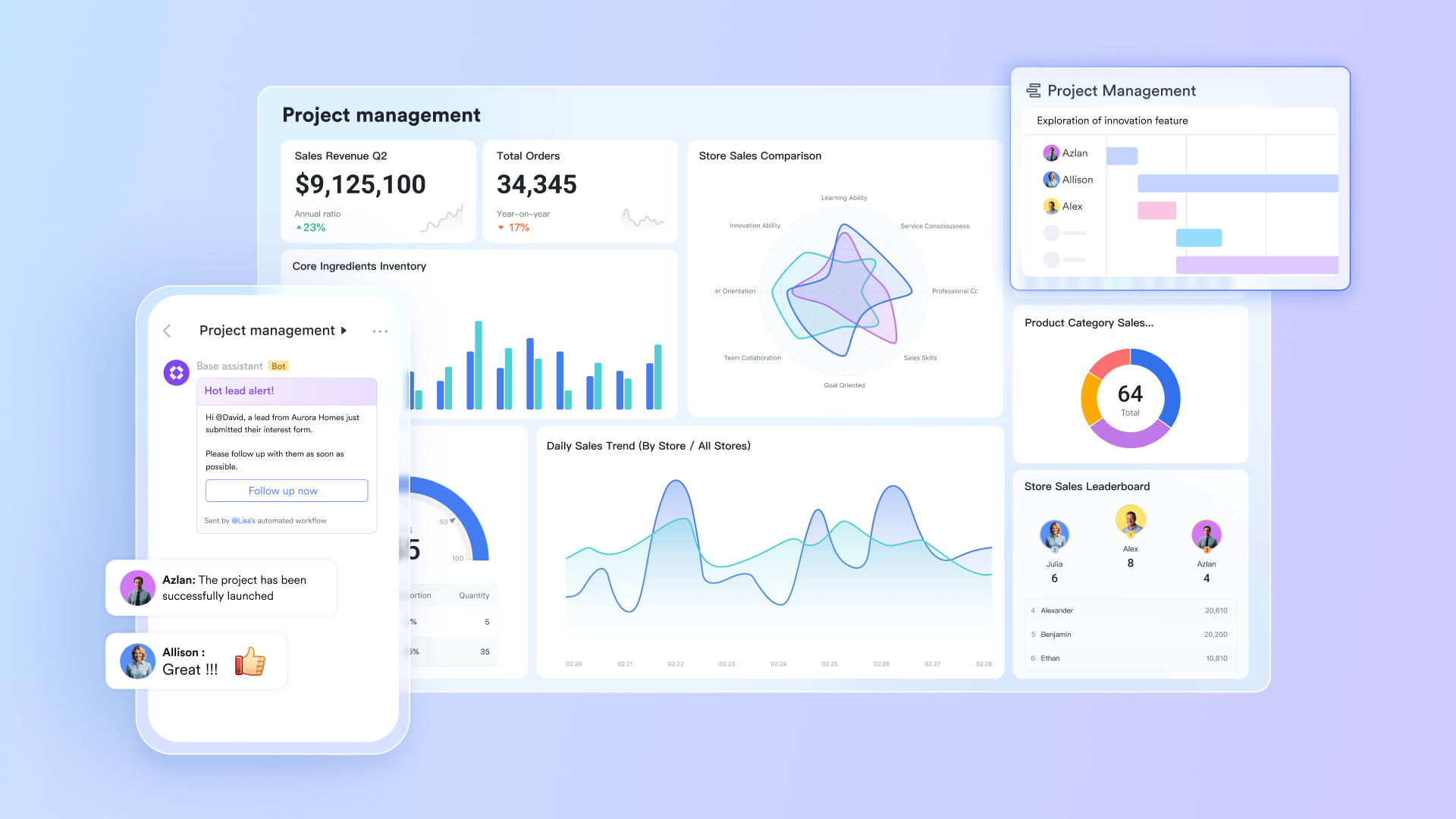
Real-time communication is directly connected to deal activity
keeps every sales conversation, file, and decision inside the same environment where tasks and records live. Instead of switching to separate chat tools, reps can discuss deals in , tag teammates for help, or share files. This significantly reduces context switching and speeds up response time when approvals or deal insights are needed. Threads, mentions, and quick reactions help the team stay synchronized throughout the . 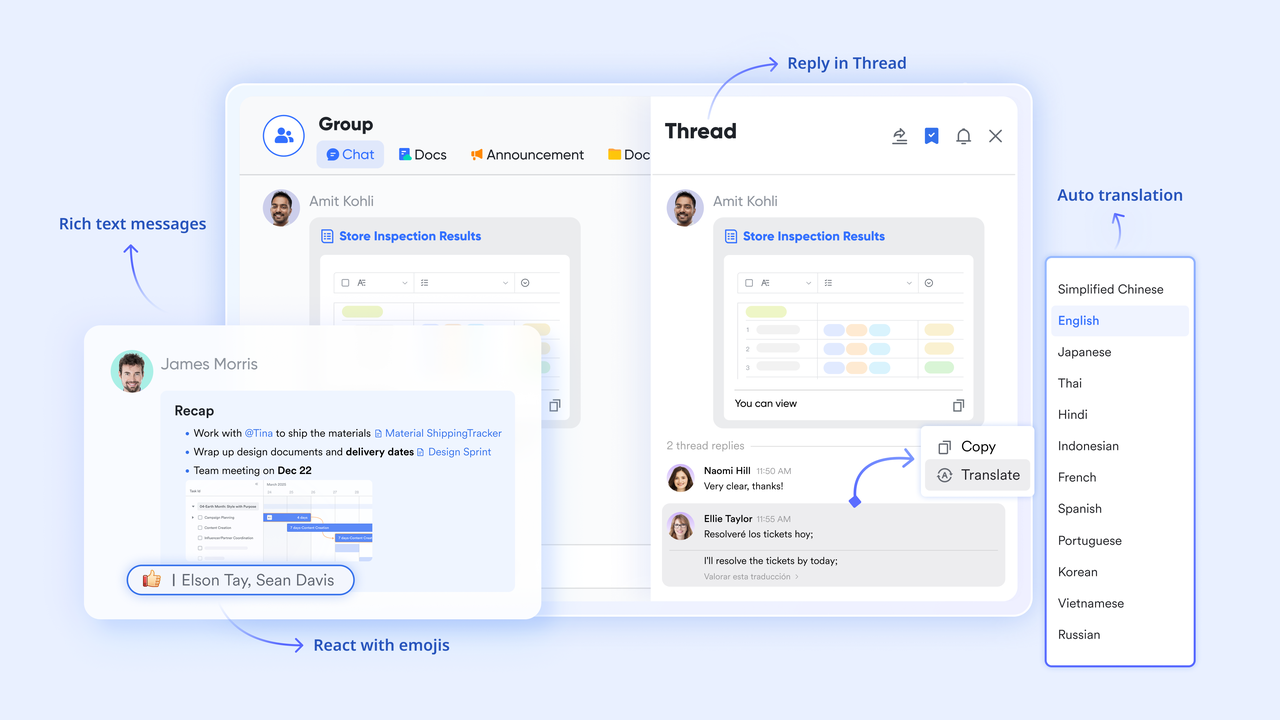
Collaborative documentation for playbooks, briefs, and proposals
gives sales and marketing teams an online platform to create and refine proposals, discovery templates, onboarding material, product notes, and sales playbooks. Multiple people can edit documents at the same time, add comments, embed tables, or attach supporting files. Because Docs link seamlessly with Base and Messenger, teams maintain the context around each document, from planning to final execution. This creates a smoother than systems where documentation must be stored or edited outside the CRM. serves as a centralized knowledge hub that organizes scattered documents into structured, multi-level hierarchies. It features a persistent navigation sidebar and powerful search capabilities, ensuring that team policies and project manuals remain easily discoverable. For technical teams, it supports Confluence migration and real-time co-editing, allowing documentation to evolve alongside the project. By combining granular permissions with a social "follow" feature for updates, it transforms static files into a living, high-adoption internal knowledge base. 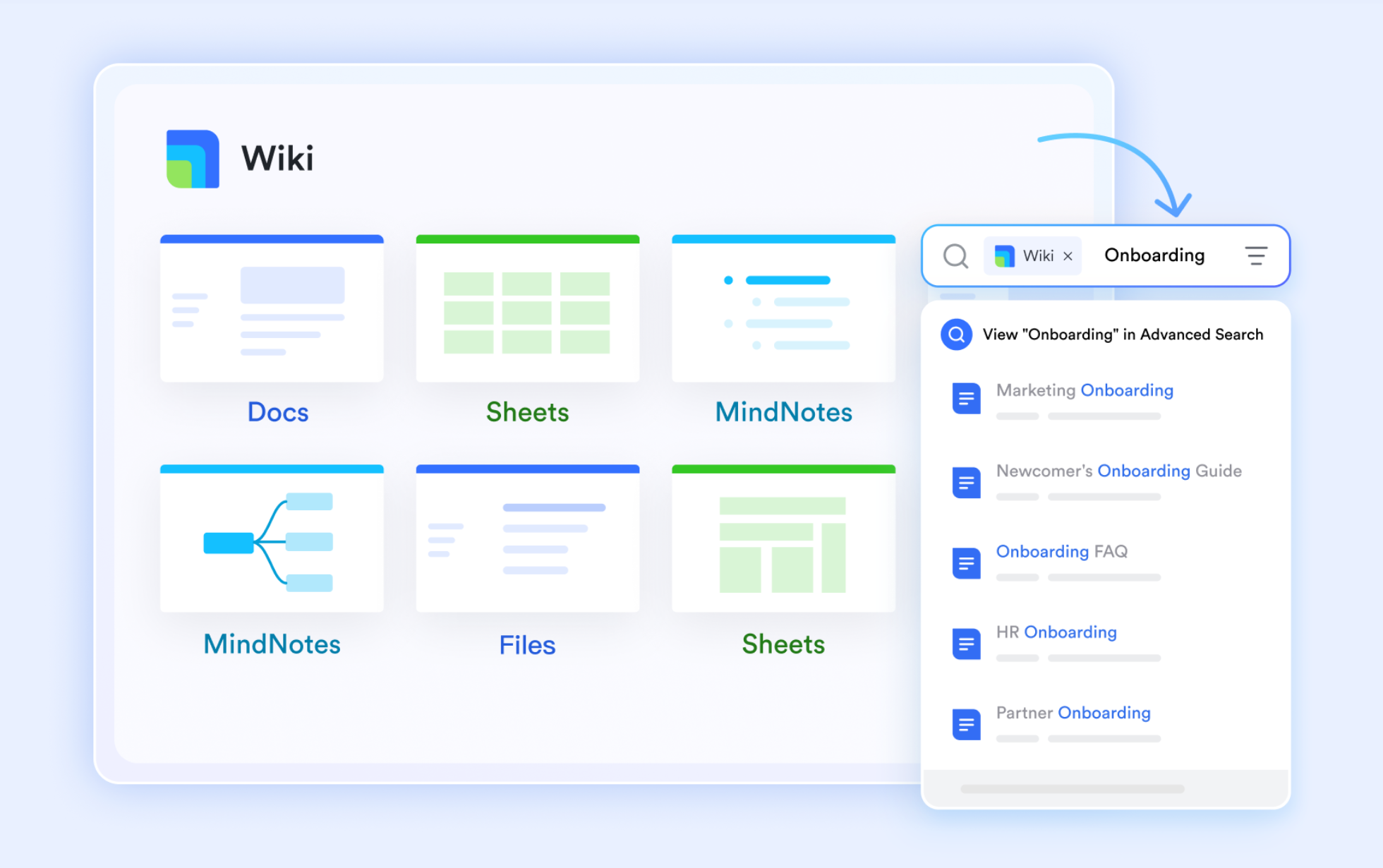
Clear task ownership that supports structured execution
Lark Tasks provides a dedicated space for assigning responsibilities, tracking progress, and ensuring commitments are met. Task lists can be synced to Base, and individual tasks scheduled within the calendar, giving teams full visibility into who is handling each part of the sales or onboarding process. Status updates, due dates, and reminders keep pipelines moving, while managers gain clarity on bottlenecks and workload distribution. This lightweight but powerful execution layer reduces the need for separate task management tools. 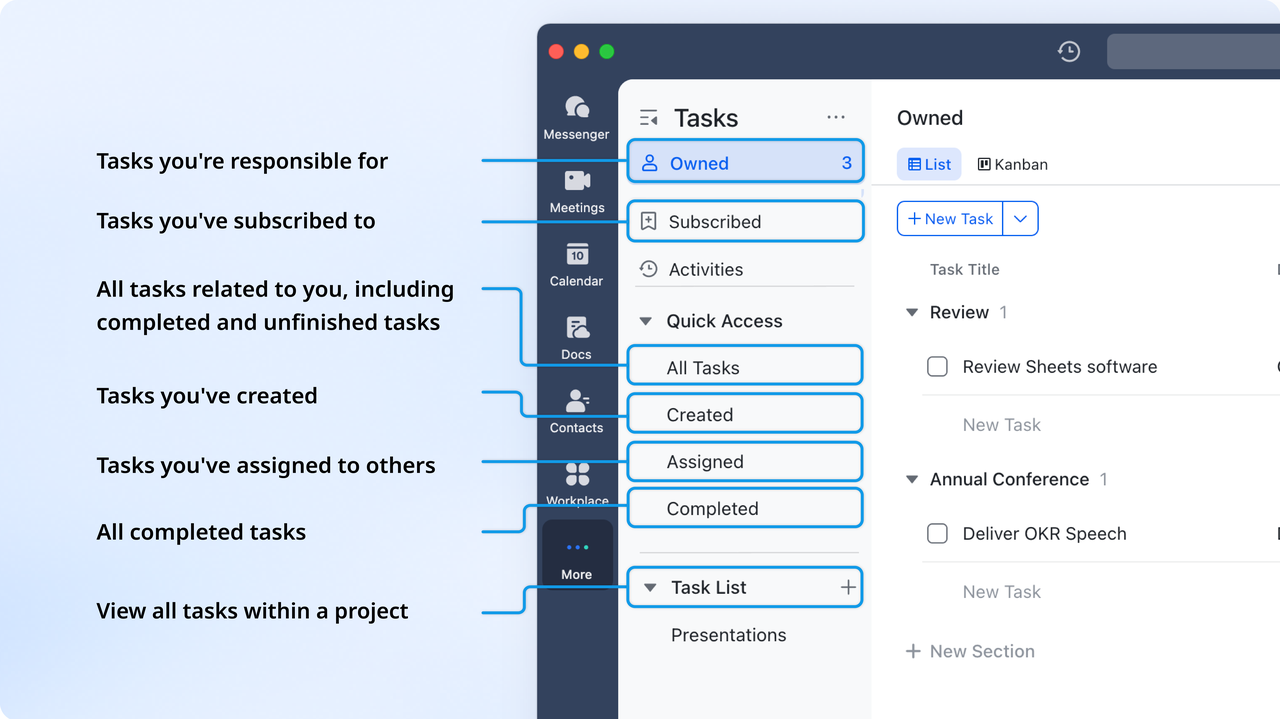
Built-in automations for consistent, scalable processes
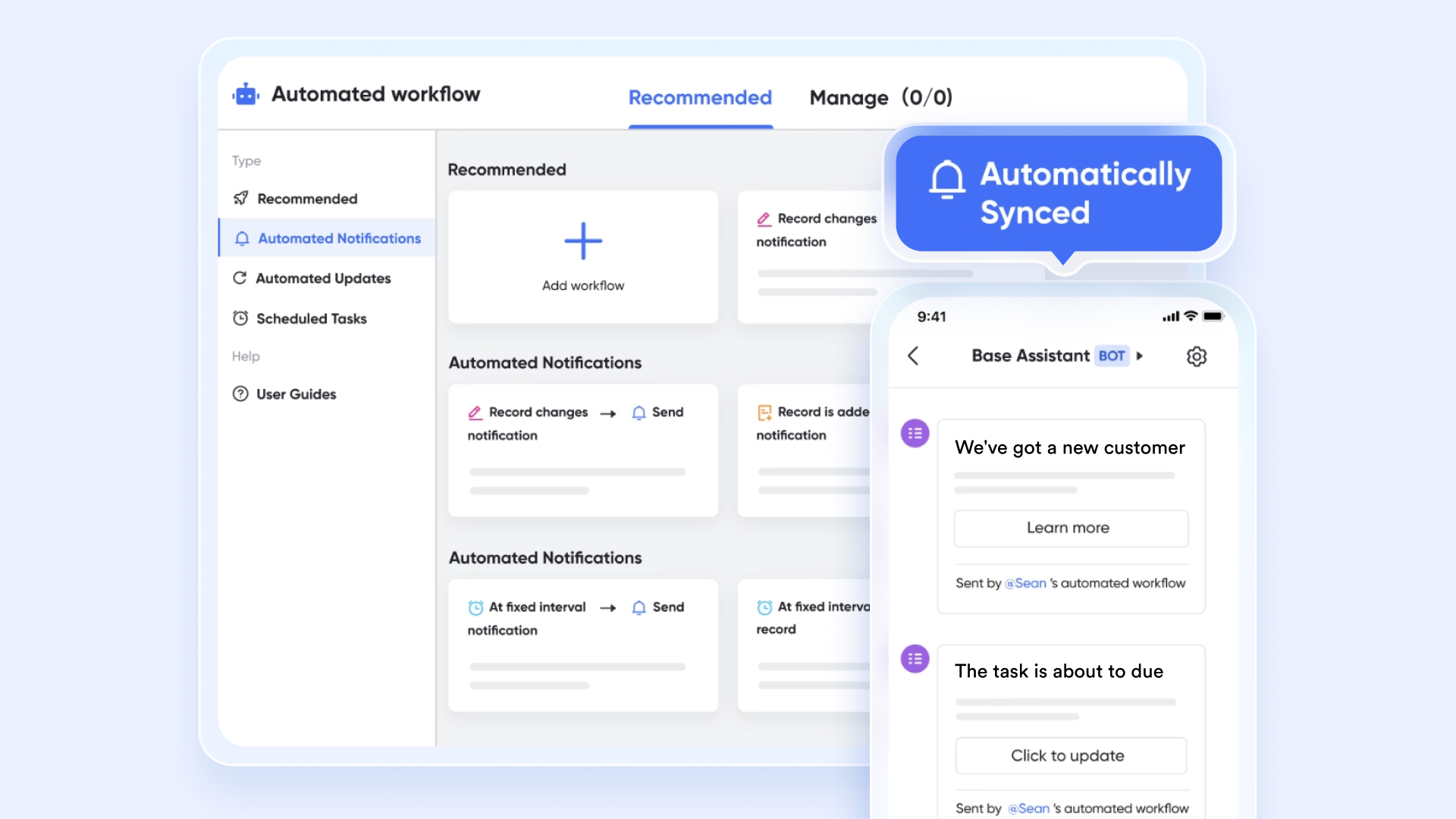
Lark enables teams to , such as status updates, notifications, routing rules, or data changes, through its automated workflow capabilities. Teams can create triggers that run when records are updated, tasks are completed, or deadlines approach, keeping without manual oversight. Unlike Hub-based pricing models, Lark includes automation within the same system, allowing teams to streamline processes across without purchasing multiple modules or add-ons.
:
- Starter plan: Free forever plan that includes 11 powerful tools for up to 20 users. It also comes with 100GB of storage, 1000 automation runs, AI translations, and more.
- Pro plan: $12/user/month (billed annually) for up to 500 users. It includes everything in Starter plus group calling for up to 500 attendees, 15TB of storage, 50,000 automation runs, and more.
- Enterprise plan: for custom pricing. Supports unlimited users and includes even more automation runs and advanced security, compliance, and management features.
For small teams with simple communication needs

18 months message history
1000 Base automation runs/month
2000 rows per table in Base
Most POPULAR
For companies with comprehensive collaboration and management needs
Unlimited message history
500-participant video meetings
50k Base automation runs/month
20k rows per table in Base
For large companies with advanced security and organizational management needs
Get a personalized demo and pricing
Unlimited message history
500-participant video meetings
15 TB storage + 30 GB storage/user
500k Base automation runs/month
50k Base automation runs/month
Most POPULAR
For companies with comprehensive collaboration and management needs
Unlimited message history
500-participant video meetings
50k Base automation runs/month
20k rows per table in Base
HubSpot vs. Lark: Which teams benefit from each?
A balanced HubSpot review is not about declaring one platform better than the other, but about understanding fit. HubSpot and Lark are designed around different assumptions about how teams work, scale, and collaborate.
- HubSpot is ideal for marketing-led growth or heavy automation needs: HubSpot is well-suited for organizations that prioritize , structured funnels, and advanced automation. Teams with dedicated marketing operations benefit most from their campaign tools, attribution reporting, and workflow depth.
- Lark is ideal for operationally distributed teams needing clarity and collaboration: Lark fits teams that operate across functions and locations and need shared visibility. Its unified workspace helps align communication, documentation, and execution without relying on multiple disconnected systems.
Early-stage teams often value HubSpot's guidance and templates. Mid-stage teams focus on flexibility and cost control, while advanced organizations evaluate platforms based on scalability, governance, and .
Build flexible pipelines without scaling costs
Conclusion
This HubSpot review highlights why the platform remains a strong choice for teams focused on inbound marketing, structured CRM processes, and scalable automation. HubSpot offers a polished user experience, extensive learning resources, and a broad feature set across its hubs. However, as organizations grow, complexity and costs can increase alongside those capabilities. For teams managing multiple tools, licenses, and workflows, evaluating alternatives is a natural next step. Platforms that emphasize simplicity, real-time collaboration, and unified execution can better support operational clarity at scale. One such option is .
FAQs
How does HubSpot handle multi-language CRM data across global teams?
In a typical HubSpot CRM review, HubSpot supports multi-language interfaces, localized content, and translated emails, making it usable for global teams. However, data standardization across regions requires careful configuration. Property naming, reporting consistency, and permissions often demand admin oversight, a common theme in any HubSpot technical setup review. Is Salesforce or HubSpot better?
There is no single winner, as it depends on your team's size and technical needs. HubSpot is generally better for small-to-mid-sized teams that need an intuitive, "all-in-one" platform that is easy to set up and use. Salesforce is the superior choice for large enterprises that require deep customization, complex reporting, and the ability to scale highly specific business workflows.
Who is HubSpot's biggest competitor?
Salesforce is HubSpot's primary rival, dominating the enterprise market with the largest overall CRM market share. However, for specific use cases, Zoho CRM and Pipedrive are major competitors for user-friendliness and price, while ActiveCampaign competes heavily in the marketing automation space. Microsoft Dynamics 365 also poses a significant threat to companies already using the Microsoft ecosystem.
Does HubSpot's AI affect deliverability or campaign accuracy?
According to a typical HubSpot AI CRM review, HubSpot's AI improves efficiency in content creation, lead scoring, and insights. Deliverability and accuracy still depend on list quality, setup, and compliance. In both a HubSpot Marketing Hub review and HubSpot marketing automation review, AI is an enhancement, not a replacement for sound strategy.
How do HubSpot's marketing automation limits compare across tiers?
A practical HubSpot review shows that automation is minimal in the free and Starter plans. In a HubSpot free CRM review, users get basic tools only, while advanced workflows require higher tiers. The HubSpot Sales Hub review also reflects similar tier-based restrictions for routing and automation depth.
What data governance features does HubSpot offer for large enterprises?
Enterprise plans include permissions, audit logs, and data partitioning, often discussed in a HubSpot CMS review and HubSpot website builder review. Training via HubSpot Academy review helps teams manage governance correctly, while branding controls from HubSpot creative design tools review support consistency across regions and teams.
Related reading






























